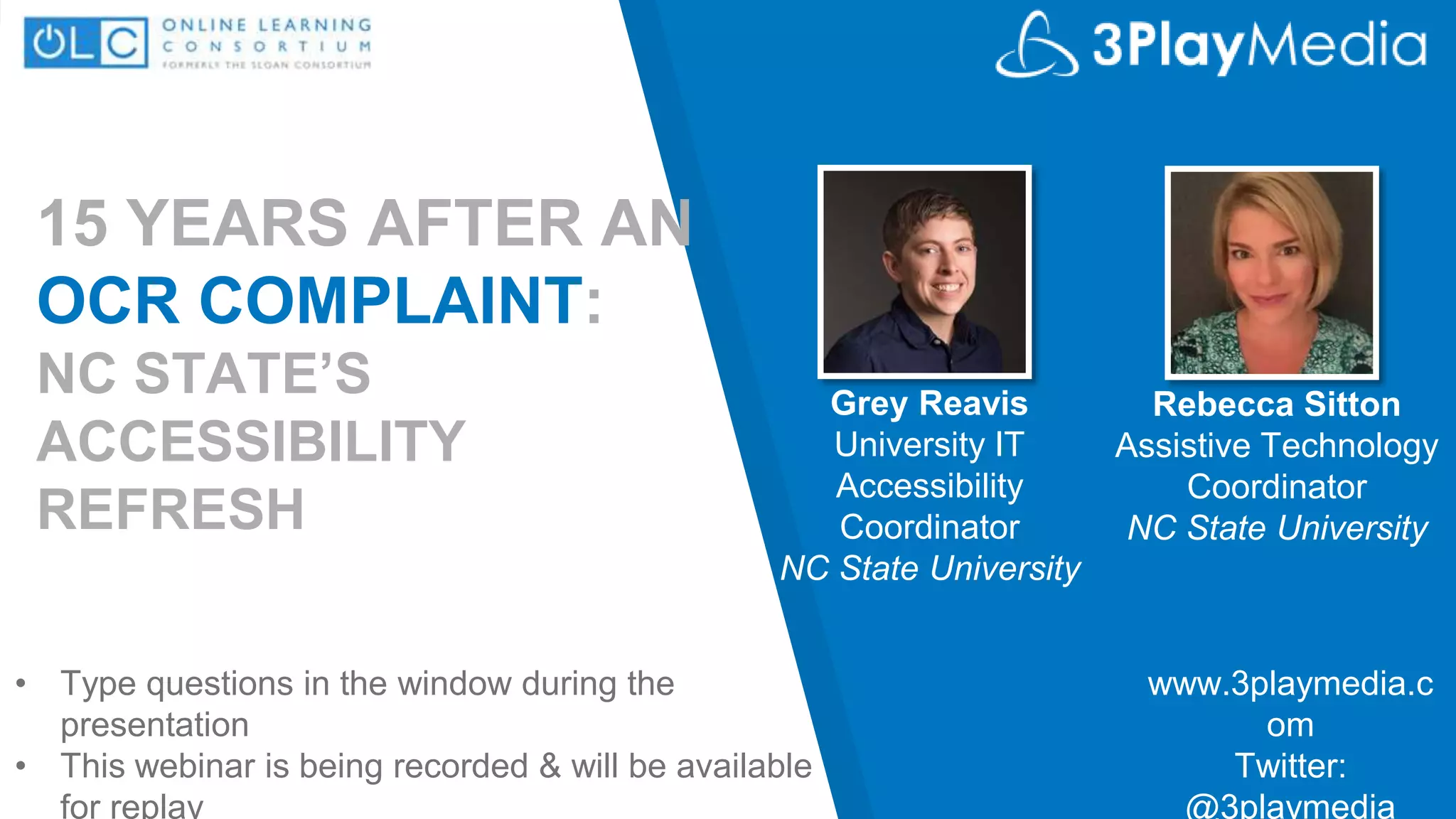
15 YEARS AFTER AN
OCR COMPLAINT:
NC STATE’S
ACCESSIBILITY
REFRESH
Grey Reavis
University IT
Accessibility
Coordinator
NC State University
www.3playmedia.c
om
Twitter:
@3playmedia
• Type questions in the window during the
presentation
• This webinar is being recorded & will be available
for replay
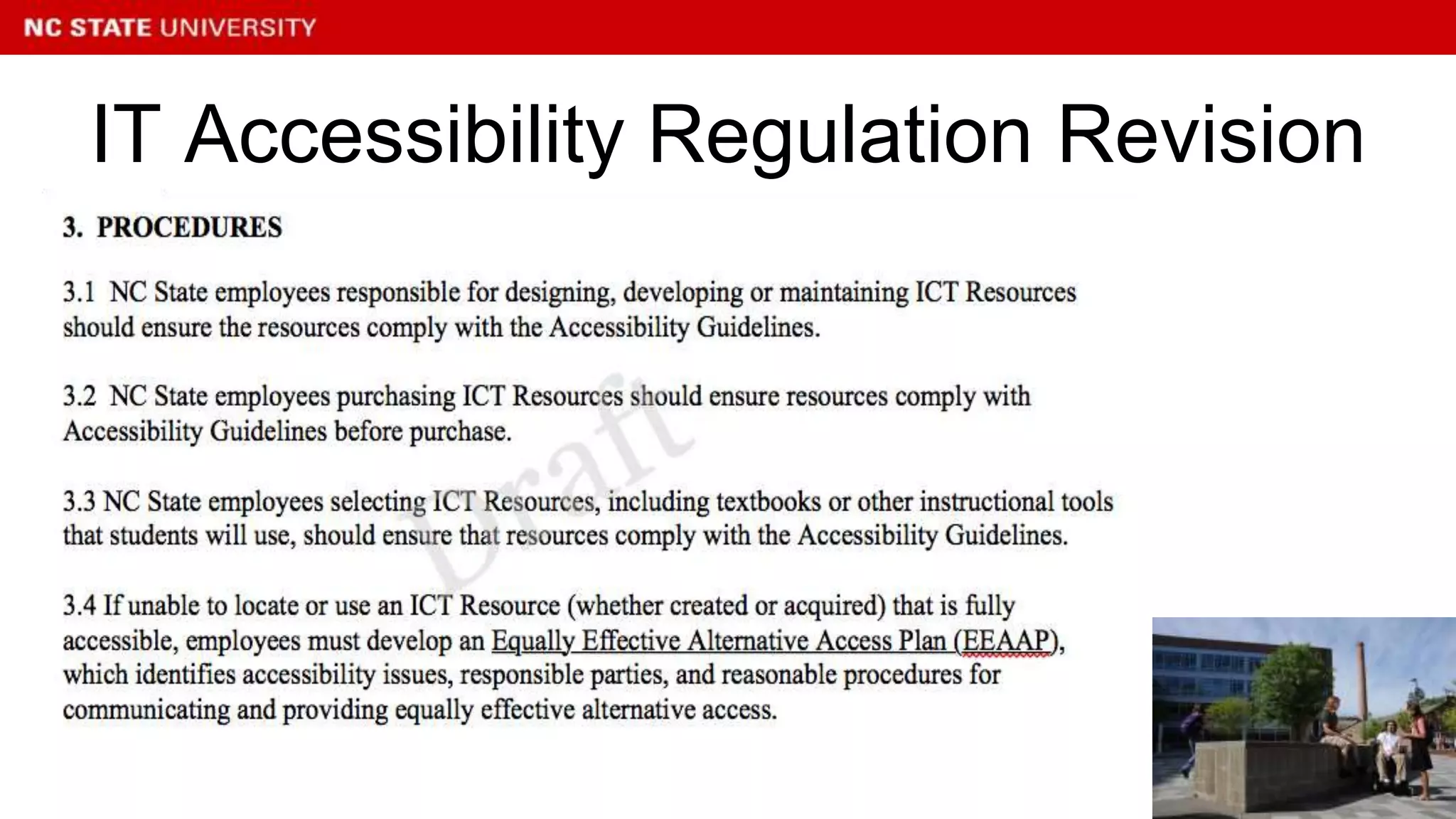
Rebecca Sitton
Assistive Technology
Coordinator
NC State University
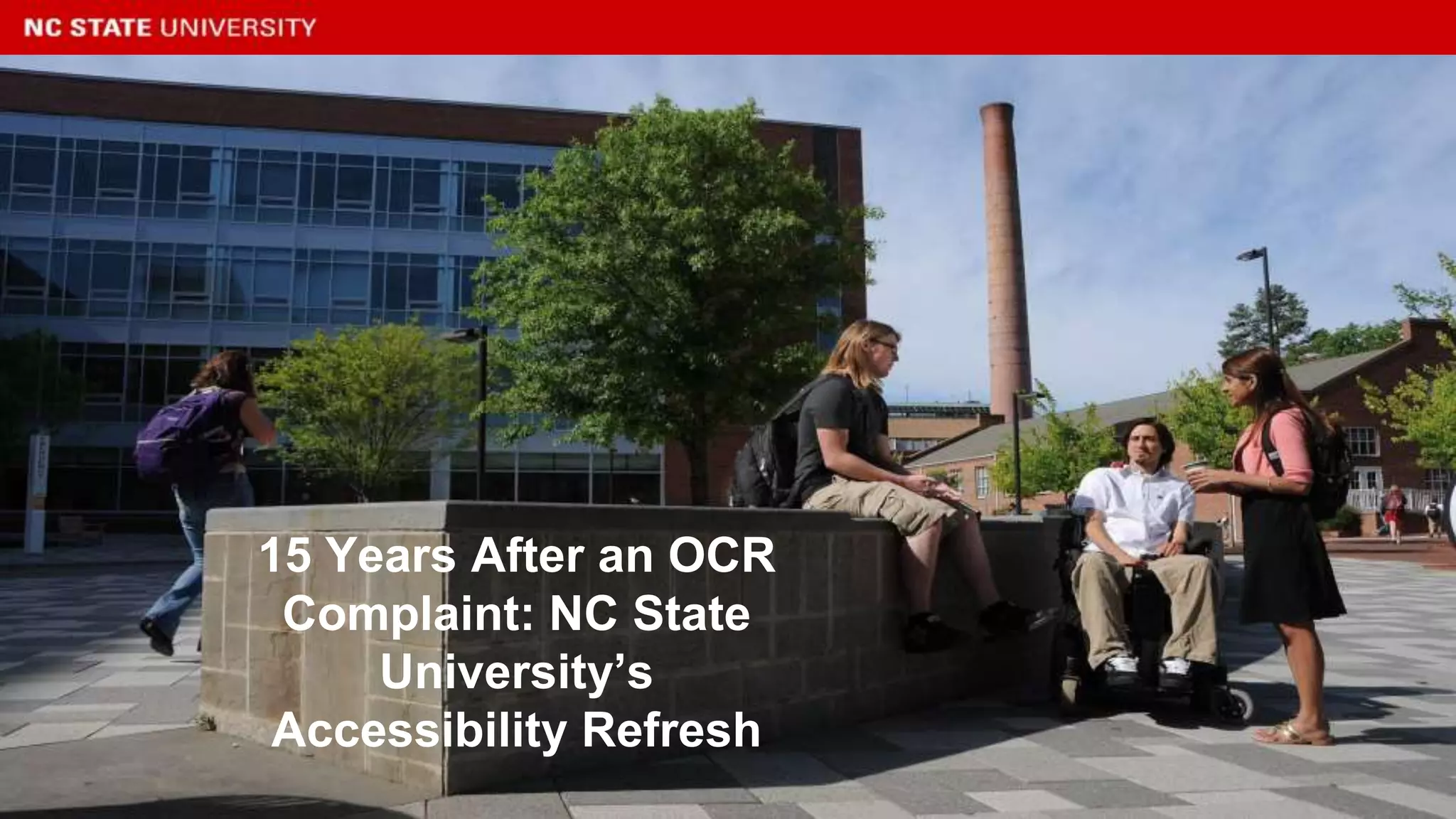
15 Years After an OCR
Complaint: NC State
University’s
Accessibility Refresh
Overview
● Brief history of IT accessibility at
NC State
● Overview of our current risk
assessment process
● Examples of current
accessibility initiatives
What role do you have at your institution?
• Disability Services Professional
• IT Professional
• Administrator/Faculty/Staff
• Legal Professional
• Other
Poll
• Complaints filed with OCR by 3 students
– Comparable Computer Access
– Accessible notices, including bulletin board postings
and dormitory notices
– Accessible Course Syllabus
– Emergency warning signals and communication
devices (campus telephones)
...like it’s 1999
• Provide access to University notices,academic requirements,
course schedules, and syllabi comparable to other students.
• Implement a plan using Assistive Technology to ensure that
students with disabilities have access to computer hardware
and software that is comparable to other students.
• Provide access to emergency services and campus
telephones comparable to other students.
• Implement a grievance policy with respect to disability
discrimination.
Voluntary Agreement
• NC State established a new permanent, full
time position of Coordinator of Assistive and
Information Technology.
• NC State amended its Computer Use Policy to
establish accessibility guidelines for official
webpages.
Results of the Agreement
• NC State restructured Disability Services
• NC State provided funding for Assistive
Technology from Educational Technology Fees
• NC State amended its student grievance policy.
• NC State established and ADA Advisory
Committee to ensure input from students,
faculty, and administrative units regarding
disability related issues.
Results of the Agreement con’t
• NC State enhanced the Assistive Technology
Center in the Campus Library to include JAWS,
Kurzweil 1000, and an additional CCTV.
• IT Developers, in particular, became
increasingly aware of the need and knowledge
to implement accessibility
• Improved campus climate in regards to
accessibility.
Results of the Agreement
• Course Syllabus - 1999
• Grievance Policy approved and placed on website - 1999
• Discrimination, Harassment and Retaliation Complaint Procedure
- 1999
• Academic Accommodations for Students with Disabilities -2001
• Information and Communication Technology Accessibility-2005
Policies Initiated by the Agreement
• University IT Accessibility Coordinator
• University AT Coordinator
• IT Accessibility Regulation
• IT Accessibility Working Group
• Accessibility Website
• Access to automated Website Accessibility Scanning
Tool
• IT Accessibility Handbook
• IT Staff have functional knowledge of accessibility
• Captioning Grant
Lasting Results of Agreement
• What has changed in higher education in the
last 17 years?
17 years later...
• Technology Changes
• Staff Turnover
• Reorganization
• Funding
17 years later at NC State...
• New Coordinator
• Setting Strategic Goals for
Accessibility Office (1 year and 5
year)
• Risk Assessment
Natural Transition
• EDUCAUSE’s IT Accessibility Risk
Statements and Evidence
• What are we doing well?
• Where could we improve?
Risk Assessment
• In conjunction with ITAWG
• Starting with some visioning and
campus climate discussions
• How do we support what we are
doing well?
• How do we improve?
Goal Setting
• Refresh of Campus Accessibility Regulation
• Evaluation and Selection of Website
Accessibility Scanner
Priorities for IT Accessibility Working Group
• Simplify language
• Clarify roles and responsibilities
• Encourage more proactive measures
IT Accessibility Regulation Revision
• Training
• Communications Refresh
– Accessibility.ncsu.edu
– Accessibility.oit.ncsu.edu
• Work with Purchasing on Procurement
Priorities for the Accessibility
Coordinator
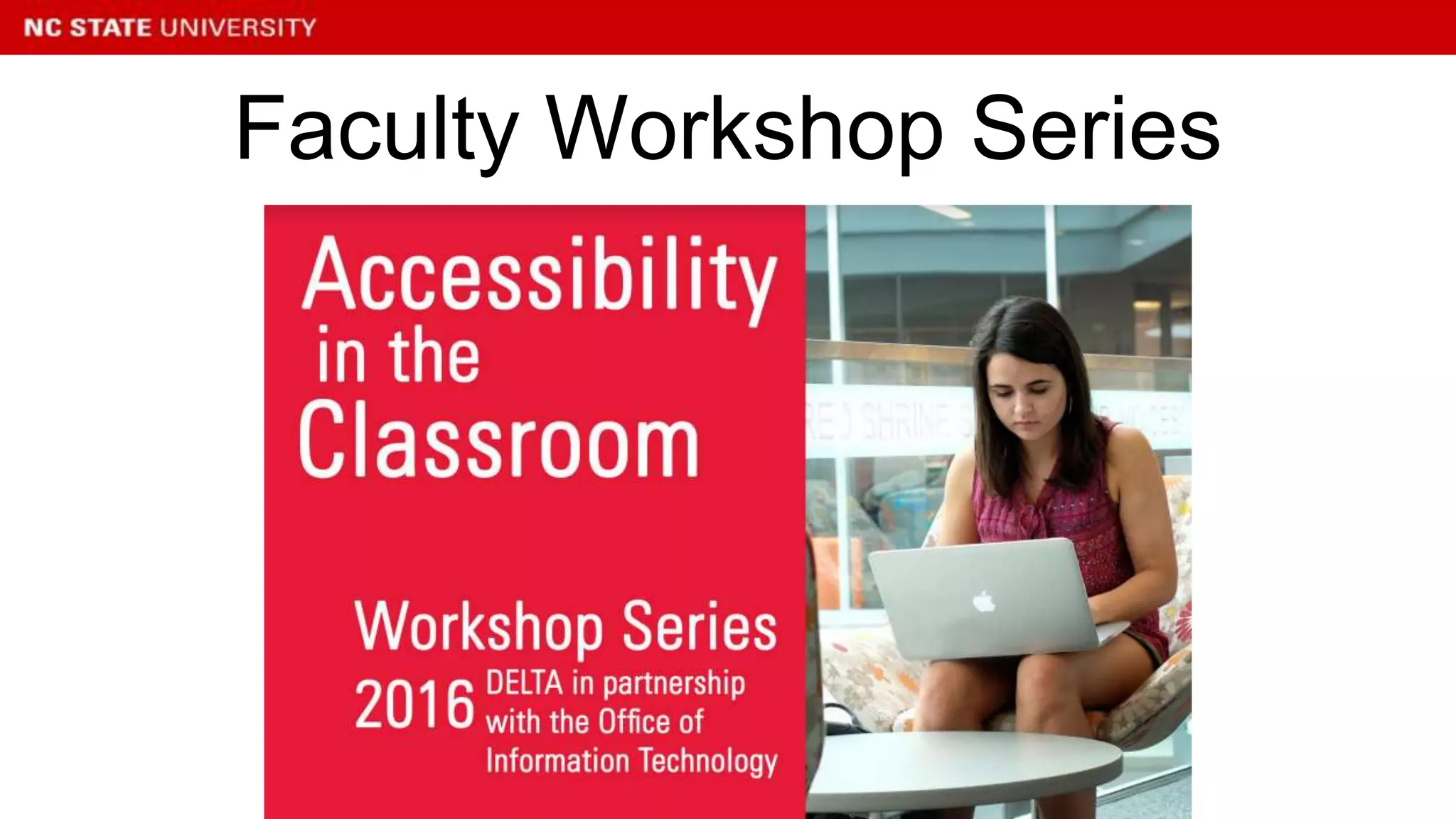
Faculty Workshop Series
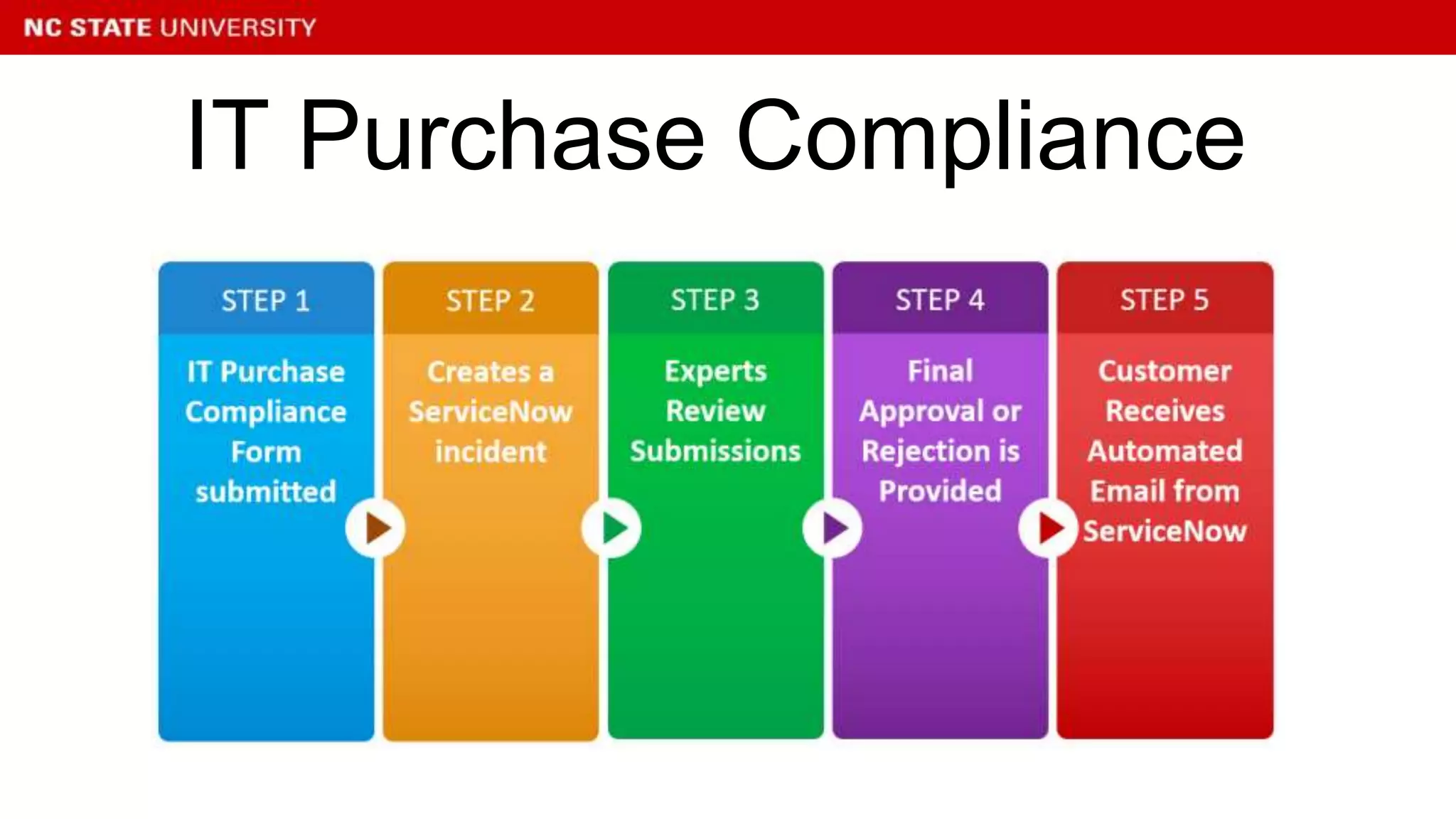
IT Purchase Compliance
Purchase Compliance Impact
• Purchases > $5000
• Set priority based on access levels
• Provide authorization and feedback
• Revision and documentation of ongoing
process
• Evaluate and revise on a continual basis
• Set yearly goals and priorities
• Establish working relationships with key
stakeholders on campus
Summary Points
Questions
sreavis@ncsu.edu
resitton@ncsu.edu
Q&A
www.3playmedia.com/webinar
s/

15 Years After an OCR Suit: NC State’s Accessibility Refresh

  • 1.
    15 YEARS AFTERAN OCR COMPLAINT: NC STATE’S ACCESSIBILITY REFRESH Grey Reavis University IT Accessibility Coordinator NC State University www.3playmedia.c om Twitter: @3playmedia • Type questions in the window during the presentation • This webinar is being recorded & will be available for replay Rebecca Sitton Assistive Technology Coordinator NC State University
  • 2.
    15 Years Afteran OCR Complaint: NC State University’s Accessibility Refresh
  • 3.
    Overview ● Brief historyof IT accessibility at NC State ● Overview of our current risk assessment process ● Examples of current accessibility initiatives
  • 4.
    What role doyou have at your institution? • Disability Services Professional • IT Professional • Administrator/Faculty/Staff • Legal Professional • Other Poll
  • 5.
    • Complaints filedwith OCR by 3 students – Comparable Computer Access – Accessible notices, including bulletin board postings and dormitory notices – Accessible Course Syllabus – Emergency warning signals and communication devices (campus telephones) ...like it’s 1999
  • 6.
    • Provide accessto University notices,academic requirements, course schedules, and syllabi comparable to other students. • Implement a plan using Assistive Technology to ensure that students with disabilities have access to computer hardware and software that is comparable to other students. • Provide access to emergency services and campus telephones comparable to other students. • Implement a grievance policy with respect to disability discrimination. Voluntary Agreement
  • 7.
    • NC Stateestablished a new permanent, full time position of Coordinator of Assistive and Information Technology. • NC State amended its Computer Use Policy to establish accessibility guidelines for official webpages. Results of the Agreement
  • 8.
    • NC Staterestructured Disability Services • NC State provided funding for Assistive Technology from Educational Technology Fees • NC State amended its student grievance policy. • NC State established and ADA Advisory Committee to ensure input from students, faculty, and administrative units regarding disability related issues. Results of the Agreement con’t
  • 9.
    • NC Stateenhanced the Assistive Technology Center in the Campus Library to include JAWS, Kurzweil 1000, and an additional CCTV. • IT Developers, in particular, became increasingly aware of the need and knowledge to implement accessibility • Improved campus climate in regards to accessibility. Results of the Agreement

  • 10.
    • Course Syllabus- 1999 • Grievance Policy approved and placed on website - 1999 • Discrimination, Harassment and Retaliation Complaint Procedure - 1999 • Academic Accommodations for Students with Disabilities -2001 • Information and Communication Technology Accessibility-2005 Policies Initiated by the Agreement
  • 11.
    • University ITAccessibility Coordinator • University AT Coordinator • IT Accessibility Regulation • IT Accessibility Working Group • Accessibility Website • Access to automated Website Accessibility Scanning Tool • IT Accessibility Handbook • IT Staff have functional knowledge of accessibility • Captioning Grant Lasting Results of Agreement
  • 12.
    • What haschanged in higher education in the last 17 years? 17 years later...
  • 13.
    • Technology Changes •Staff Turnover • Reorganization • Funding 17 years later at NC State...
  • 14.
    • New Coordinator •Setting Strategic Goals for Accessibility Office (1 year and 5 year) • Risk Assessment Natural Transition
  • 15.
    • EDUCAUSE’s ITAccessibility Risk Statements and Evidence • What are we doing well? • Where could we improve? Risk Assessment
  • 16.
    • In conjunctionwith ITAWG • Starting with some visioning and campus climate discussions • How do we support what we are doing well? • How do we improve? Goal Setting
  • 17.
    • Refresh ofCampus Accessibility Regulation • Evaluation and Selection of Website Accessibility Scanner Priorities for IT Accessibility Working Group
  • 18.
    • Simplify language •Clarify roles and responsibilities • Encourage more proactive measures IT Accessibility Regulation Revision
  • 19.
  • 20.
    • Training • CommunicationsRefresh – Accessibility.ncsu.edu – Accessibility.oit.ncsu.edu • Work with Purchasing on Procurement Priorities for the Accessibility Coordinator
  • 21.
  • 22.
  • 23.
    Purchase Compliance Impact •Purchases > $5000 • Set priority based on access levels • Provide authorization and feedback • Revision and documentation of ongoing process
  • 24.
    • Evaluate andrevise on a continual basis • Set yearly goals and priorities • Establish working relationships with key stakeholders on campus Summary Points
  • 25.
  • 26.

Editor's Notes

  • #7 Accessible access to syllabus, course schedules, academic requirements, notices - all these items had begun to be posted on websites. We had a few stand alone versions of JAWs available but only on systems in the Disability Services Office and a computer in the Library. Missing access on Lab machines and any other machine on campus. Emergency services consisted of Blue Light Telephones located on campus. There was not a written grievence policy in place for students.
  • #8 This is really about climate Funds were created by allocation of ETF to purchase equipment/technology and positions. Positions created - AT Coordinator, ITAT Coordinator Policies - Syllabus, Grievance,
  • #9 This is really about climate Funds were created by allocation of ETF to purchase equipment/technology and positions. Positions created - AT Coordinator, ITAT Coordinator Policies - Syllabus, Grievance,
  • #10 This is really about climate Funds were created by allocation of ETF to purchase equipment/technology and positions. Positions created - AT Coordinator, ITAT Coordinator Policies - Syllabus, Grievance,
  • #12 Considering Strengths Compare to EDUCAUSE Risk Assessment Priority GoalsConsidering Strengths Compare to EDUCAUSE Risk Assessment Priority Goals
  • #13 Where/How did you do research? How did you communicate with Peers/Faculty/Organizations on Campus? Learned to Attach Papers! Application Process? Testing Environment If not accessible - although digital still inaccessible
  • #14 Where/How did you do research? How did you communicate with Peers/Faculty/Organizations on Campus? Learned to Attach Papers! Application Process? Testing Environment If not accessible - although digital still inaccessible Technology Enhancements have made it easier to …..
  • #15 Considering Strengths Compare to EDUCAUSE Risk Assessment Priority GoalsConsidering Strengths Compare to EDUCAUSE Risk Assessment Priority Goals
  • #16 Considering Strengths Compare to EDUCAUSE Risk Assessment Priority GoalsConsidering Strengths Compare to EDUCAUSE Risk Assessment Priority Goals
  • #17 Considering Strengths Compare to EDUCAUSE Risk Assessment Priority GoalsConsidering Strengths Compare to EDUCAUSE Risk Assessment Priority Goals
  • #18 Considering Strengths Compare to EDUCAUSE Risk Assessment Priority GoalsConsidering Strengths Compare to EDUCAUSE Risk Assessment Priority Goals
  • #19 Considering Strengths Compare to EDUCAUSE Risk Assessment Priority GoalsConsidering Strengths Compare to EDUCAUSE Risk Assessment Priority Goals
  • #20 Considering Strengths Compare to EDUCAUSE Risk Assessment Priority GoalsConsidering Strengths Compare to EDUCAUSE Risk Assessment Priority Goals
  • #25 Considering Strengths Compare to EDUCAUSE Risk Assessment Priority GoalsConsidering Strengths Compare to EDUCAUSE Risk Assessment Priority Goals
  • #27 Time synchronized text gif Relevant sound effects Broadcast Terminology Caption formats