Create purchase order with reference in SAP system Purchase order can be created with reference to any of the following documents using the document overview Purchase requisition RFQ (Request for quotation) Contract Another PO using as template
We can also make a PO with reference to other documents making direct entry in the item overview We can select the relevant document from the document overview from the selection variant. We can select the document  Use adopt button to get the same adapted to the purchase order If selected my PR or my PO, we can find the documents created earlier in the system Change in layout and other variants are subject to authorization to user
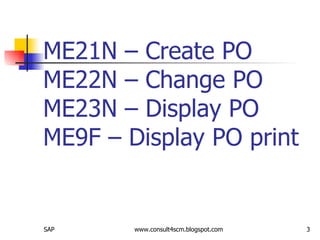
ME21N – Create PO ME22N – Change PO ME23N – Display PO ME9F – Display PO print
Purchasing info records Purchasing info records will help to define vendor specific information for a material A material can be procured from different vendors Different vendors can have different prices Info records can be maintained at plant and purchase organization level
Info record Conditions can be updated through info update indicator from other documents such as PO, RFQ, Contract, Scheduling agreement Contract – only generate info record if does not exist and will not amend an existing one. Scheduling agreement – Document number is updated as the last document The general data of the info record is available for all purchase organizations and plants
Info record Can give the following information  Current and future price conditions Planned delivery time Over and under delivery tolerance Vendor data such as contact person  Vendor specific data such as vendor material number, sub range etc Number of the last purchase order Text of the material
Info update indicators From ME47 select item and double click A: Update with or with out plant B: Update with plant C: Update with out plant : No updating Organization level used in info record are Purchase organization, plant and client (indirectly)
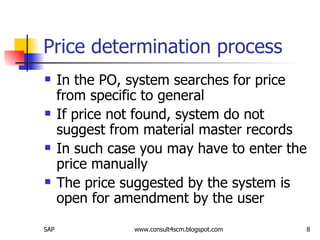
Price determination process In the PO, system searches for price from specific to general If price not found, system do not suggest from material master records In such case you may have to enter the price manually The price suggested by the system is open for amendment by the user
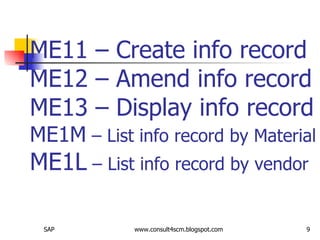
ME11 – Create info record ME12 – Amend info record ME13 – Display info record ME1M  – List info record by Material ME1L  – List info record by vendor

Create Purchase Order With Reference In Sap System

  • 1.
    Create purchase orderwith reference in SAP system Purchase order can be created with reference to any of the following documents using the document overview Purchase requisition RFQ (Request for quotation) Contract Another PO using as template
  • 2.
    We can alsomake a PO with reference to other documents making direct entry in the item overview We can select the relevant document from the document overview from the selection variant. We can select the document Use adopt button to get the same adapted to the purchase order If selected my PR or my PO, we can find the documents created earlier in the system Change in layout and other variants are subject to authorization to user
  • 3.
    ME21N – CreatePO ME22N – Change PO ME23N – Display PO ME9F – Display PO print
  • 4.
    Purchasing info recordsPurchasing info records will help to define vendor specific information for a material A material can be procured from different vendors Different vendors can have different prices Info records can be maintained at plant and purchase organization level
  • 5.
    Info record Conditionscan be updated through info update indicator from other documents such as PO, RFQ, Contract, Scheduling agreement Contract – only generate info record if does not exist and will not amend an existing one. Scheduling agreement – Document number is updated as the last document The general data of the info record is available for all purchase organizations and plants
  • 6.
    Info record Cangive the following information Current and future price conditions Planned delivery time Over and under delivery tolerance Vendor data such as contact person Vendor specific data such as vendor material number, sub range etc Number of the last purchase order Text of the material
  • 7.
    Info update indicatorsFrom ME47 select item and double click A: Update with or with out plant B: Update with plant C: Update with out plant : No updating Organization level used in info record are Purchase organization, plant and client (indirectly)
  • 8.
    Price determination processIn the PO, system searches for price from specific to general If price not found, system do not suggest from material master records In such case you may have to enter the price manually The price suggested by the system is open for amendment by the user
  • 9.
    ME11 – Createinfo record ME12 – Amend info record ME13 – Display info record ME1M – List info record by Material ME1L – List info record by vendor