Release Dashboard for Purchase Orders
and Purchase Requisitions
FACULTY OF TECHNOLOGY
COMPUTER ENGINEERING DEPARTMENT
PREPARED BY:
Krupali J. Patel
11CEUON071
GUIDED BY:
Prof. Jigar M. Pandya
Assistant Professor
Table of Contents
 Project Definition
 What is SAP
 Why have companies adopted to SAP
 SAP User Interface
 What is SAPUI5
 SAPTechnology/Tools used for system development
 Features of theApplication
 Further Enhancements
Project Definition
 The Release Dashboard for Purchase Orders and Purchase Requisition is
built using the SAPUI5 toolkit.
 Intuitive UI to the user for releasing Purchase Requisition (PR) and Purchase
Order (PO) in SAP from any device.
 A user will be entitled to select the desired Release Code, Group and Plant
combinations and inspect the Purchase Order/ Requisition details and
release them.
What is Purchase Requisition
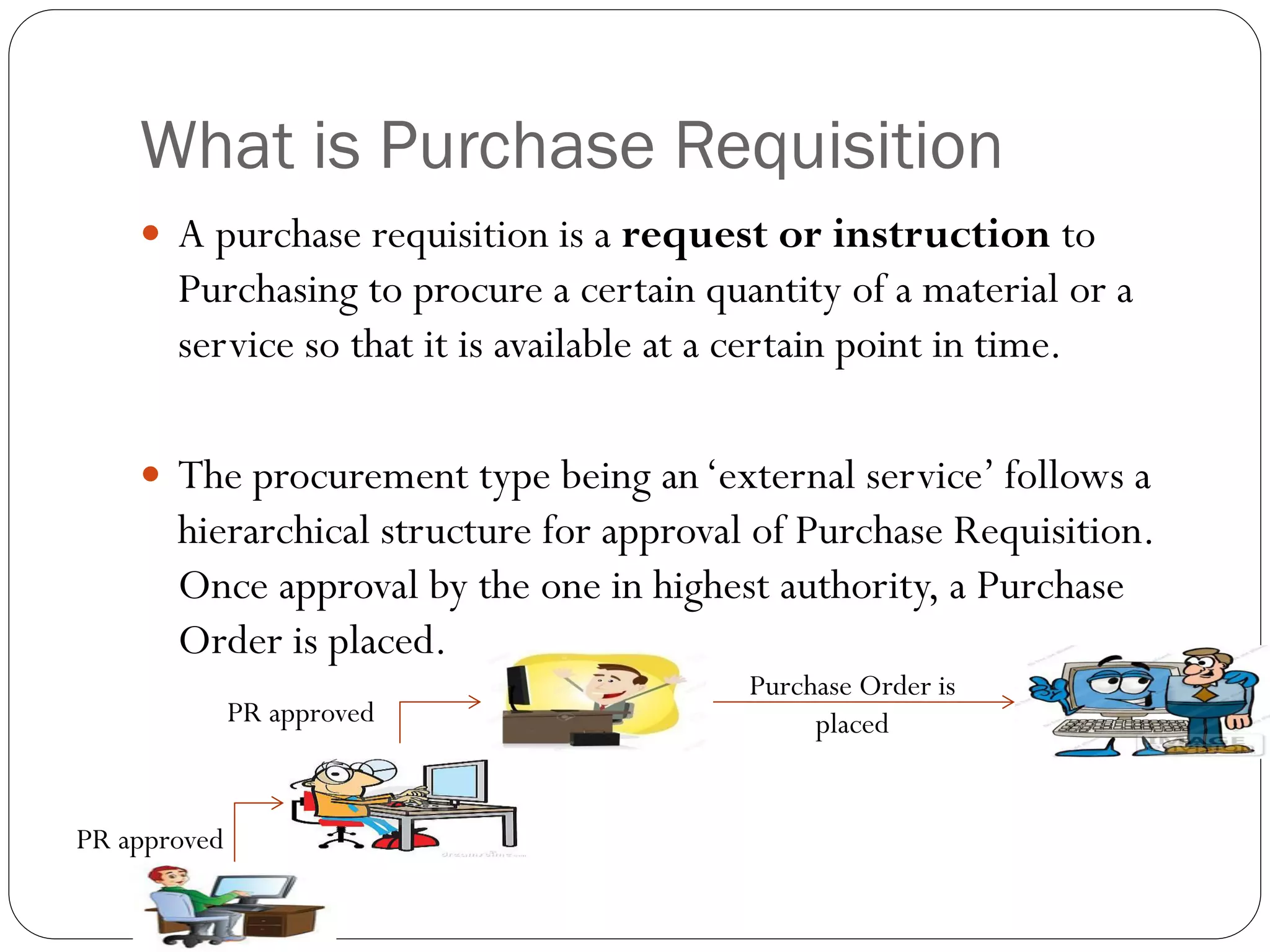
 A purchase requisition is a request or instruction to
Purchasing to procure a certain quantity of a material or a
service so that it is available at a certain point in time.
 The procurement type being an‘external service’ follows a
hierarchical structure for approval of Purchase Requisition.
Once approval by the one in highest authority, a Purchase
Order is placed.
Purchase Order is
placed
PR approved
PR approved
What is Purchase Order
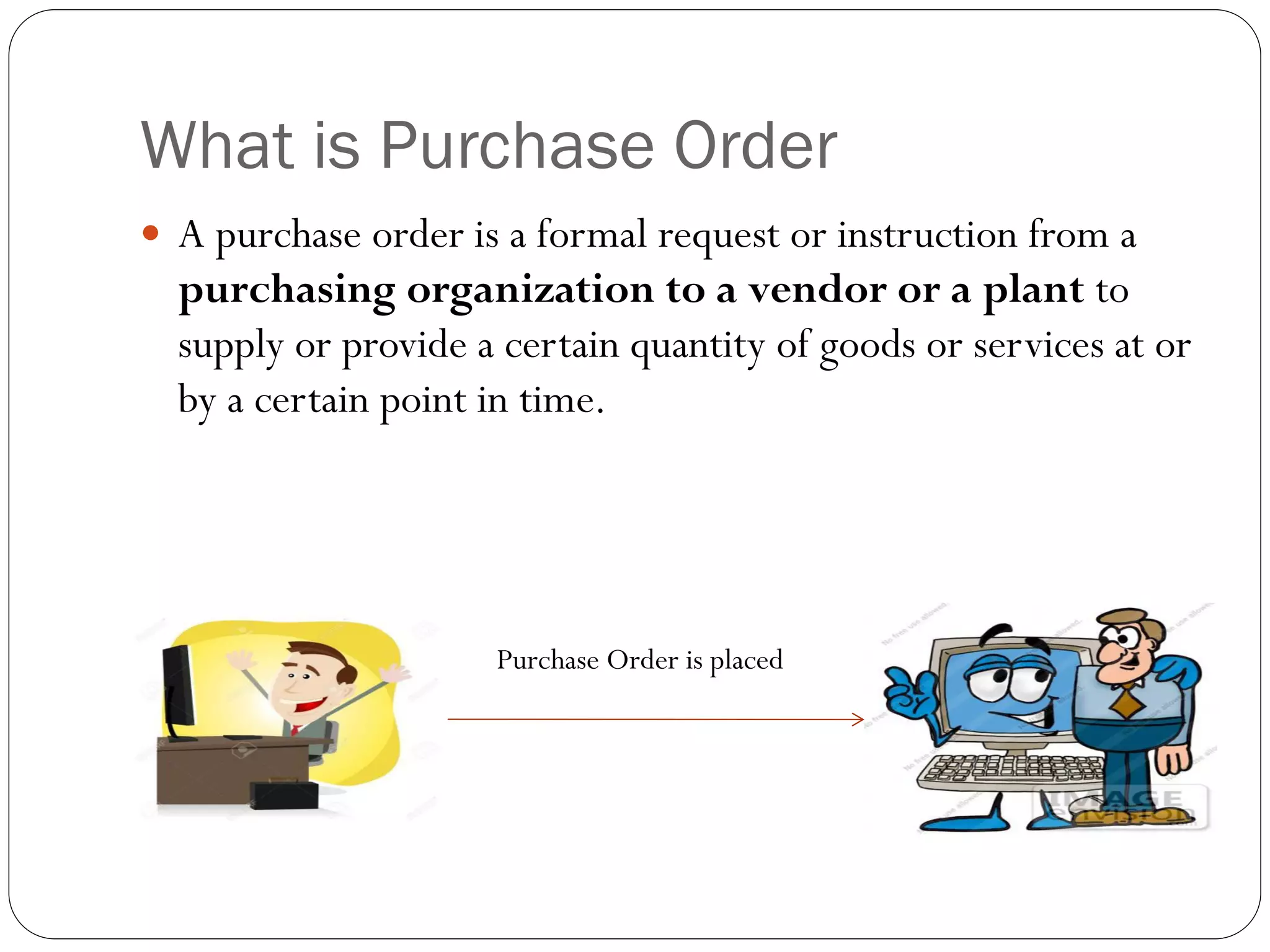
 A purchase order is a formal request or instruction from a
purchasing organization to a vendor or a plant to
supply or provide a certain quantity of goods or services at or
by a certain point in time.
Purchase Order is placed
What is SAP
 SAP (System Application Products) that is a German software
corporation that provides enterprise software to manage business
operations and customer relations.
 The SAP Material Management ERP(Enterprise Resource Planning)
module is used in the application.
 ERP is a business management software, that is an integration of many
applications that a company can use to monitor it’s business effectively.
 Eg:
 monitoring manufacturing,
 accounting,
 human resource,
 logistics, etc.
Why have companies adopted to SAP
 SAP provides
 Enterprise Mobility
 Advanced analytics
 Cloud
 Real –time
 Modular, i.e the user can purchase only required packages
 With SAP installed, companies can manage their services and
resources centrally (based on access rights).
SAP User Interface
 Before the development of SAPUI5, the user interface of SAP
was Web Dynpro.
 Web Dynpro is a proprietary web application technology
developed by SAP SE that focuses on development of server-
side business applications.
 Web Dynpro applications can be developed using either Java
or ABAP (Advanced BusinessApplication Programming)
 Cons of Web Dynpro that are solved by SAPUI5
 Needs knowledge of SAP
 GUI not appealing
 Renders improperly in many browsers
What is SAPUI5
• Abbreviation for System Application Products User Interface 5
• Development toolkit for HTML5.
• Using SAPUI5 the programmer can built SAPWeb Applications using
HTML 5 web development standards.
• Platform Independent.
•Responsive i.e it resizes theWebApplications based on device resolutions.
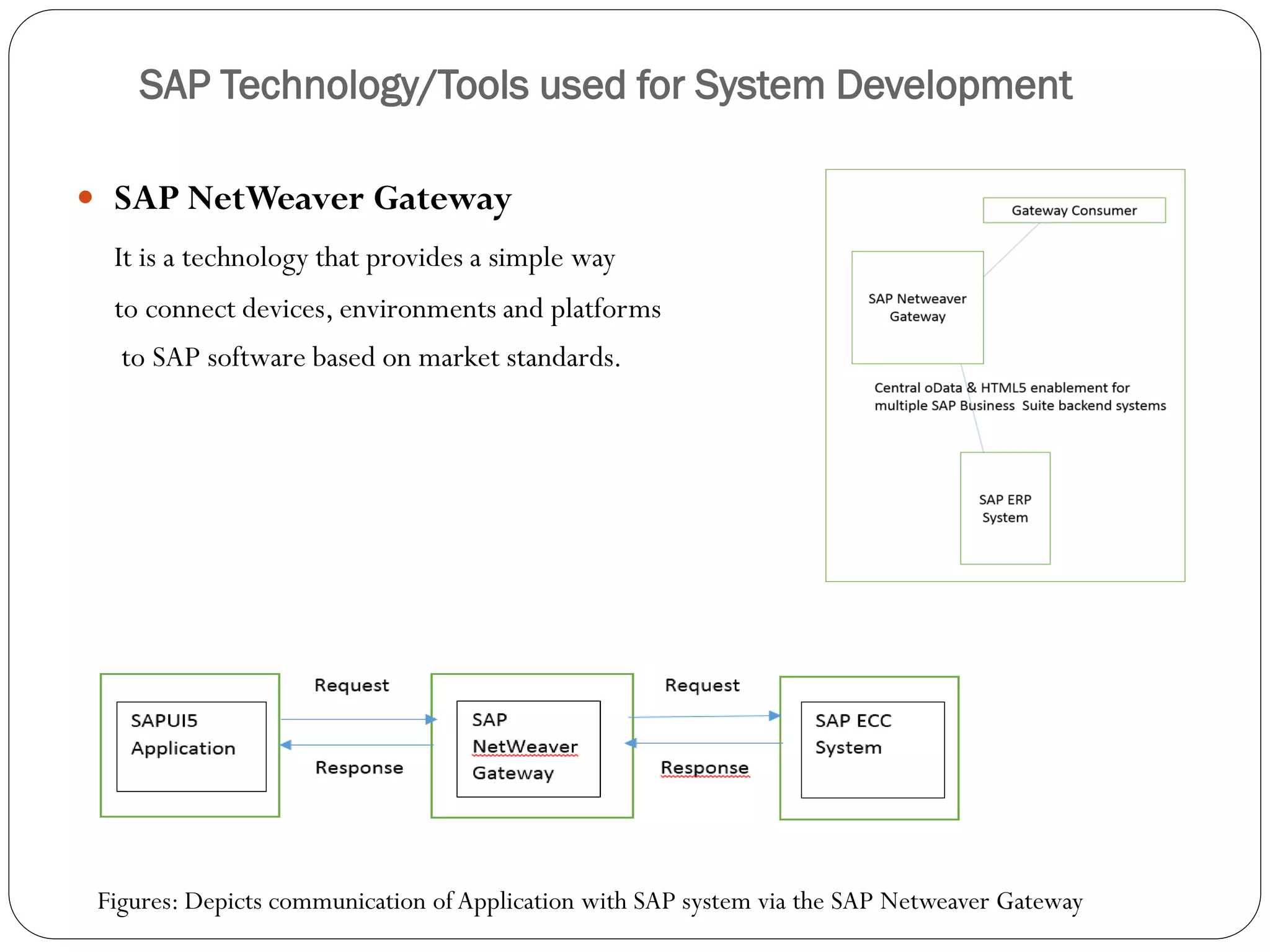
SAP Technology/Tools used for System Development
 SAP NetWeaver Gateway
It is a technology that provides a simple way
to connect devices, environments and platforms
to SAP software based on market standards.
Figures: Depicts communication of Application with SAP system via the SAP Netweaver Gateway
Features of the Application
 The user has the Liberty to select Release Code, Group and, Plant
combinations.
 The user can choose between Purchase Requisition and, Purchase
Order application.
 The common functionalities offered by the Purchase Requisition
and, Purchase Order functionality are Refresh, Search
functionality and, Purchase Order/RequisitionApproval
functionality.
 Architecture of SAPUI5
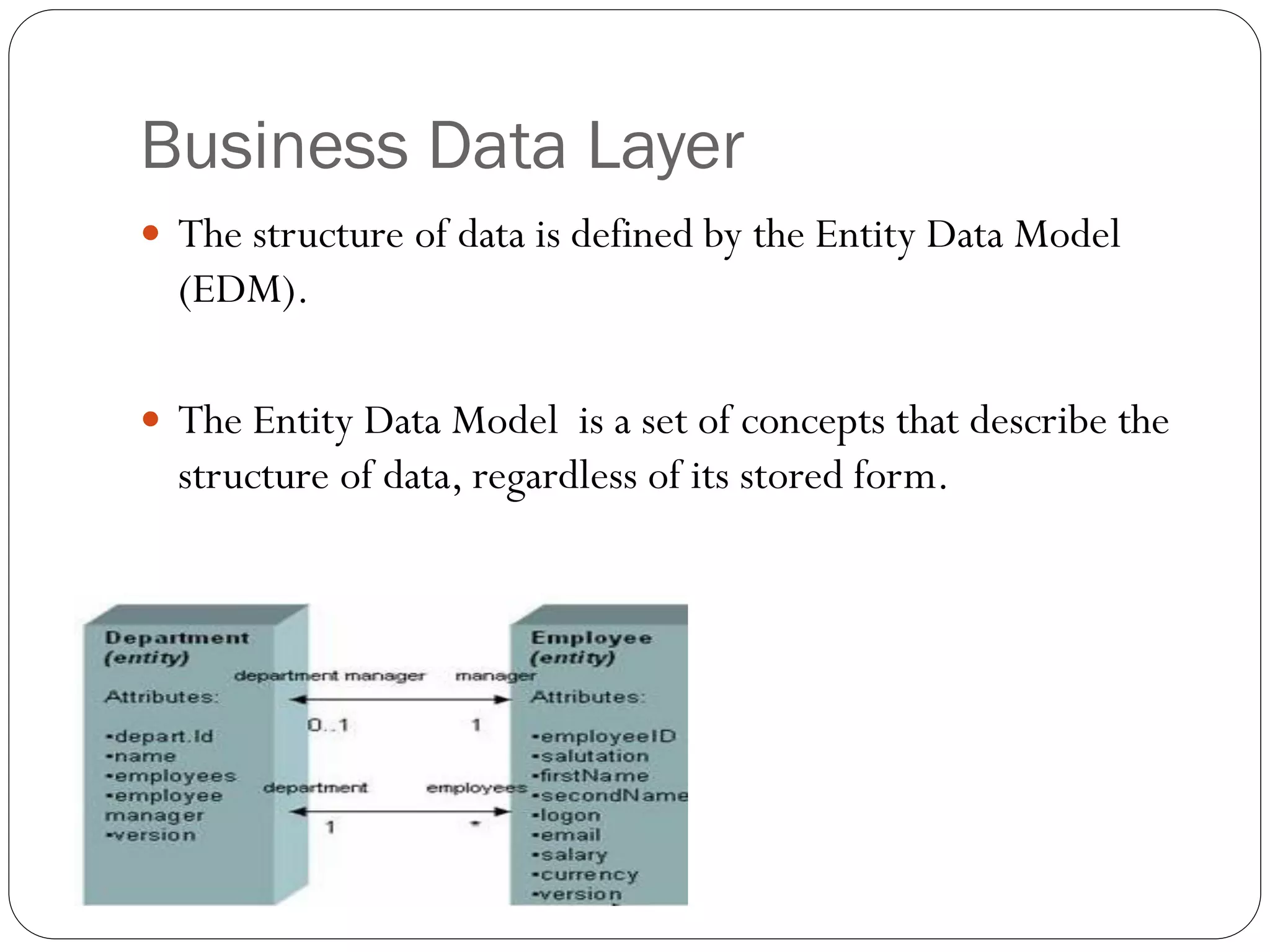
Business Data Layer
 The structure of data is defined by the Entity Data Model
(EDM).
 The Entity Data Model is a set of concepts that describe the
structure of data, regardless of its stored form.
Distinct features of the Application
provided by SAPUI5
• Responsive
• Good GUI
• SAP knowledge not required
• SAP server
• Data fetched via Net weaver Gateway
• MVC Architecture used for views
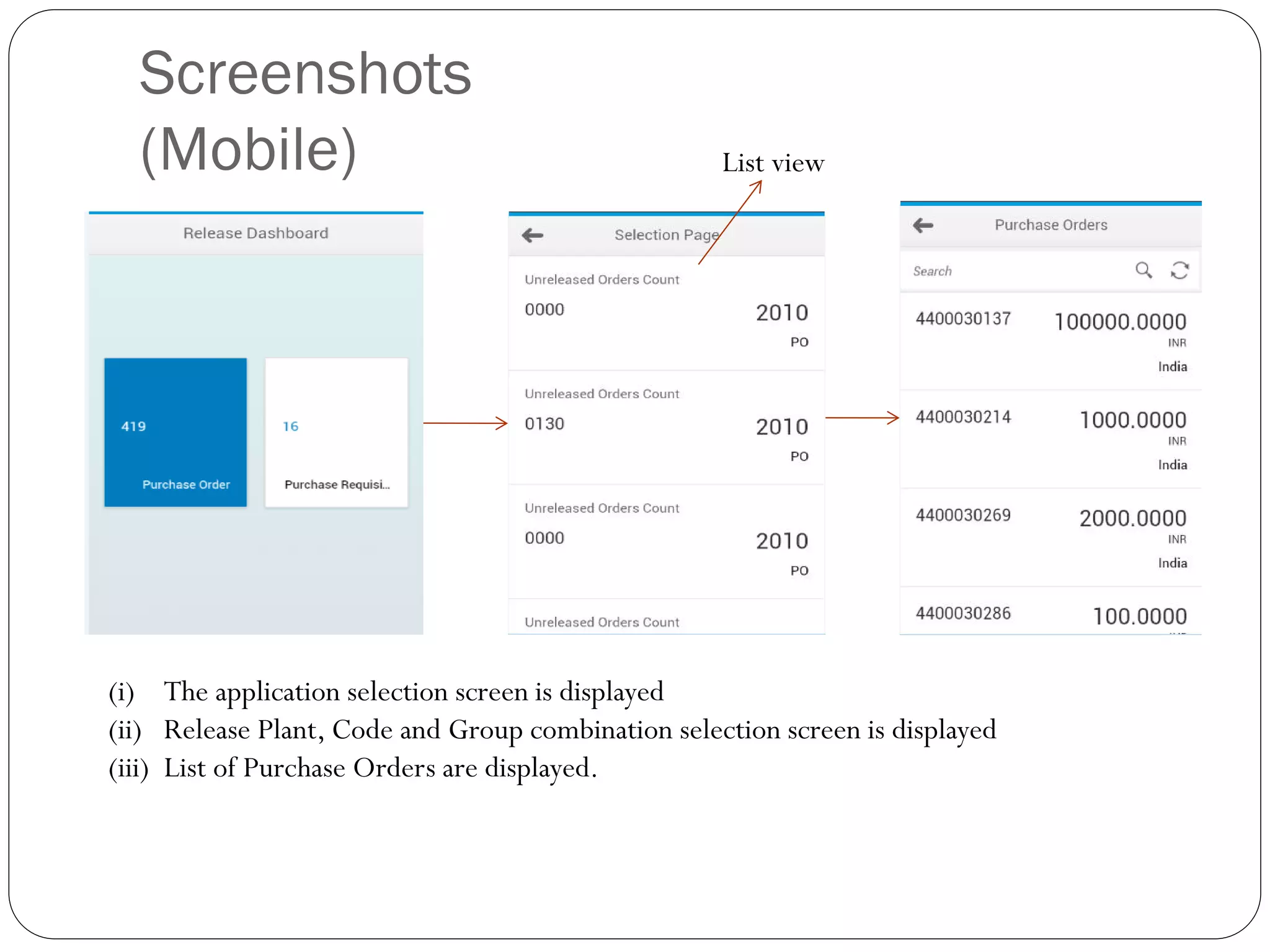
Screenshots
(Mobile)
(i) The application selection screen is displayed
(ii) Release Plant, Code and Group combination selection screen is displayed
(iii) List of Purchase Orders are displayed.
List view
Screenshots
(Mobile)
(i) Purchase Order description is displayed
(ii) An approval dialog box is displayed
(iii) An approval confirmation dialog box is displayed
Screenshots
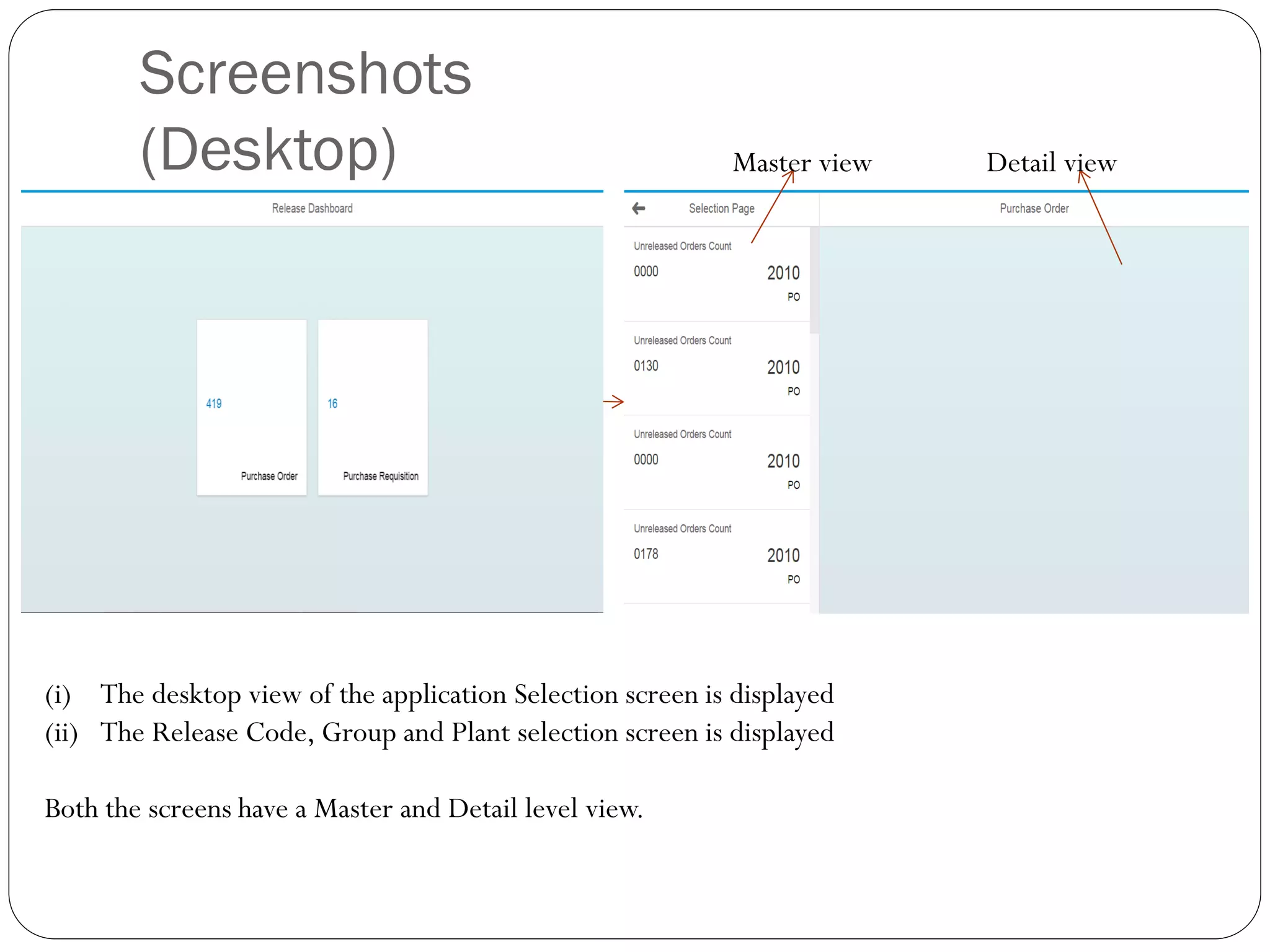
(Desktop)
(i) The desktop view of the application Selection screen is displayed
(ii) The Release Code, Group and Plant selection screen is displayed
Both the screens have a Master and Detail level view.
Master view Detail view
(i) The MasterView of the list of records is displayed
(ii) The DetailView displays the detailed record of the Purchase Order item
(i) Displays the Purchase Order confirmation message
(ii) Displays the Purchase OrderApproval message
Work Flow Diagram
Further Enhancements
 Lazy loading (defer initialization of an object until the point
at which it is needed) of unreleased orders and requisitions in
the list view.
 Selection of Multiple records for Purchase order approval or,
Purchase release.

Presentation

  • 1.
    Release Dashboard forPurchase Orders and Purchase Requisitions FACULTY OF TECHNOLOGY COMPUTER ENGINEERING DEPARTMENT PREPARED BY: Krupali J. Patel 11CEUON071 GUIDED BY: Prof. Jigar M. Pandya Assistant Professor
  • 2.
    Table of Contents Project Definition  What is SAP  Why have companies adopted to SAP  SAP User Interface  What is SAPUI5  SAPTechnology/Tools used for system development  Features of theApplication  Further Enhancements
  • 3.
    Project Definition  TheRelease Dashboard for Purchase Orders and Purchase Requisition is built using the SAPUI5 toolkit.  Intuitive UI to the user for releasing Purchase Requisition (PR) and Purchase Order (PO) in SAP from any device.  A user will be entitled to select the desired Release Code, Group and Plant combinations and inspect the Purchase Order/ Requisition details and release them.
  • 4.
    What is PurchaseRequisition  A purchase requisition is a request or instruction to Purchasing to procure a certain quantity of a material or a service so that it is available at a certain point in time.  The procurement type being an‘external service’ follows a hierarchical structure for approval of Purchase Requisition. Once approval by the one in highest authority, a Purchase Order is placed. Purchase Order is placed PR approved PR approved
  • 5.
    What is PurchaseOrder  A purchase order is a formal request or instruction from a purchasing organization to a vendor or a plant to supply or provide a certain quantity of goods or services at or by a certain point in time. Purchase Order is placed
  • 6.
    What is SAP SAP (System Application Products) that is a German software corporation that provides enterprise software to manage business operations and customer relations.  The SAP Material Management ERP(Enterprise Resource Planning) module is used in the application.  ERP is a business management software, that is an integration of many applications that a company can use to monitor it’s business effectively.  Eg:  monitoring manufacturing,  accounting,  human resource,  logistics, etc.
  • 7.
    Why have companiesadopted to SAP  SAP provides  Enterprise Mobility  Advanced analytics  Cloud  Real –time  Modular, i.e the user can purchase only required packages  With SAP installed, companies can manage their services and resources centrally (based on access rights).
  • 8.
    SAP User Interface Before the development of SAPUI5, the user interface of SAP was Web Dynpro.  Web Dynpro is a proprietary web application technology developed by SAP SE that focuses on development of server- side business applications.  Web Dynpro applications can be developed using either Java or ABAP (Advanced BusinessApplication Programming)  Cons of Web Dynpro that are solved by SAPUI5  Needs knowledge of SAP  GUI not appealing  Renders improperly in many browsers
  • 9.
    What is SAPUI5 •Abbreviation for System Application Products User Interface 5 • Development toolkit for HTML5. • Using SAPUI5 the programmer can built SAPWeb Applications using HTML 5 web development standards. • Platform Independent.
  • 10.
    •Responsive i.e itresizes theWebApplications based on device resolutions.
  • 11.
    SAP Technology/Tools usedfor System Development  SAP NetWeaver Gateway It is a technology that provides a simple way to connect devices, environments and platforms to SAP software based on market standards. Figures: Depicts communication of Application with SAP system via the SAP Netweaver Gateway
  • 12.
    Features of theApplication  The user has the Liberty to select Release Code, Group and, Plant combinations.  The user can choose between Purchase Requisition and, Purchase Order application.  The common functionalities offered by the Purchase Requisition and, Purchase Order functionality are Refresh, Search functionality and, Purchase Order/RequisitionApproval functionality.
  • 13.
  • 14.
    Business Data Layer The structure of data is defined by the Entity Data Model (EDM).  The Entity Data Model is a set of concepts that describe the structure of data, regardless of its stored form.
  • 15.
    Distinct features ofthe Application provided by SAPUI5 • Responsive • Good GUI • SAP knowledge not required • SAP server • Data fetched via Net weaver Gateway • MVC Architecture used for views
  • 16.
    Screenshots (Mobile) (i) The applicationselection screen is displayed (ii) Release Plant, Code and Group combination selection screen is displayed (iii) List of Purchase Orders are displayed. List view
  • 17.
    Screenshots (Mobile) (i) Purchase Orderdescription is displayed (ii) An approval dialog box is displayed (iii) An approval confirmation dialog box is displayed
  • 18.
    Screenshots (Desktop) (i) The desktopview of the application Selection screen is displayed (ii) The Release Code, Group and Plant selection screen is displayed Both the screens have a Master and Detail level view. Master view Detail view
  • 19.
    (i) The MasterViewof the list of records is displayed (ii) The DetailView displays the detailed record of the Purchase Order item
  • 20.
    (i) Displays thePurchase Order confirmation message (ii) Displays the Purchase OrderApproval message
  • 21.
  • 22.
    Further Enhancements  Lazyloading (defer initialization of an object until the point at which it is needed) of unreleased orders and requisitions in the list view.  Selection of Multiple records for Purchase order approval or, Purchase release.