Continuous Integration using
Atlassian Bamboo
CONTENT
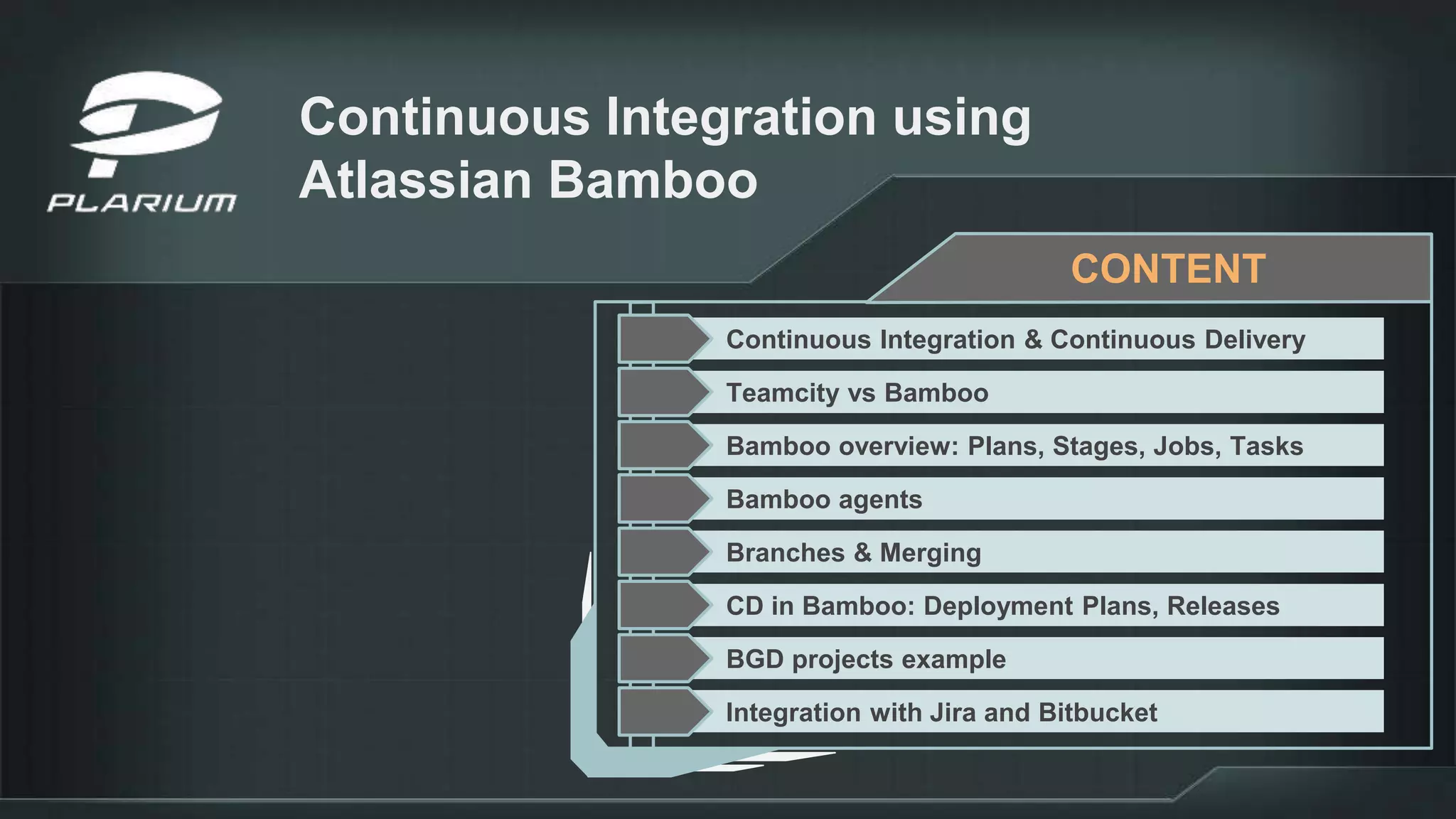
Continuous Integration & Continuous Delivery
Teamcity vs Bamboo
Bamboo overview: Plans, Stages, Jobs, Tasks
Bamboo agents
Branches & Merging
CD in Bamboo: Deployment Plans, Releases
BGD projects example
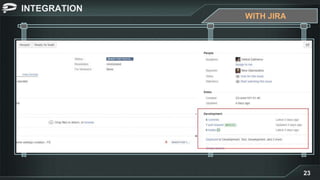
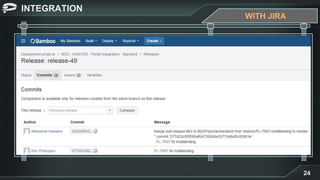
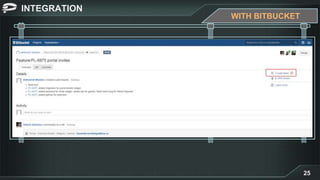
Integration with Jira and Bitbucket
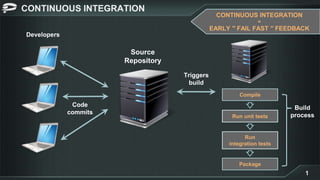
CONTINUOUS INTEGRATION
1
CONTINUOUS INTEGRATION
=
EARLY ′′ FAIL FAST ′′ FEEDBACK
Developers
Source
Repository
Compile
Run unit tests
Run
integration tests
Package
Build
process
Code
commits
Triggers
build
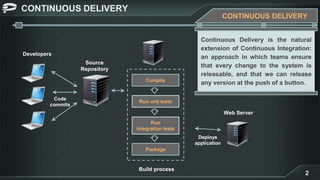
CONTINUOUS DELIVERY
2
Developers
Source
Repository
Code
commits
Compile
Run unit tests
Run
integration tests
Package
Build process
Web Server
Deploys
application
CONTINUOUS DELIVERY
Continuous Delivery is the natural
extension of Continuous Integration:
an approach in which teams ensure
that every change to the system is
releasable, and that we can release
any version at the push of a button.
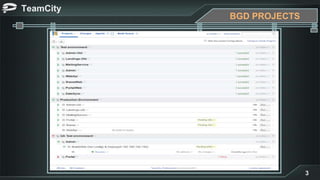
TeamCity
3
BGD PROJECTS
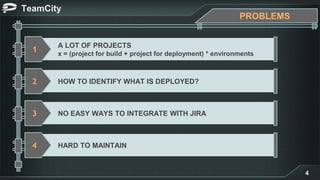
TeamCity
4
PROBLEMS
A LOT OF PROJECTS
x = (project for build + project for deployment) * environments
1
HOW TO IDENTIFY WHAT IS DEPLOYED?2
NO EASY WAYS TO INTEGRATE WITH JIRA3
HARD TO MAINTAIN4
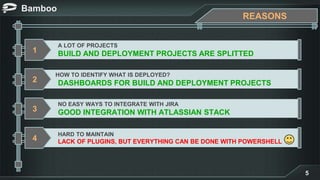
Bamboo
5
REASONS
A LOT OF PROJECTS
BUILD AND DEPLOYMENT PROJECTS ARE SPLITTED1
HOW TO IDENTIFY WHAT IS DEPLOYED?
DASHBOARDS FOR BUILD AND DEPLOYMENT PROJECTS2
NO EASY WAYS TO INTEGRATE WITH JIRA
GOOD INTEGRATION WITH ATLASSIAN STACK3
HARD TO MAINTAIN
LACK OF PLUGINS, BUT EVERYTHING CAN BE DONE WITH POWERSHELL4
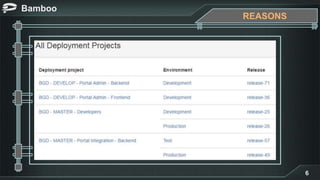
Bamboo
6
REASONS
Bamboo
7
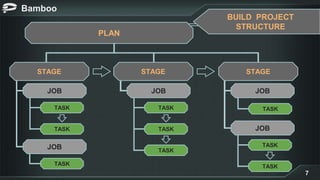
PLAN
STAGE STAGE
JOB
TASK
TASK
TASK
JOB
JOB
TASK
TASK
TASK
JOB
JOB
TASK
STAGE
TASK
TASK
BUILD PROJECT
STRUCTURE
Bamboo
8
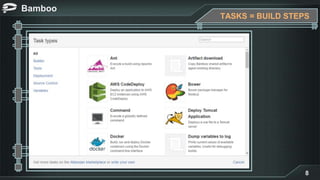
TASKS = BUILD STEPS
Bamboo
9
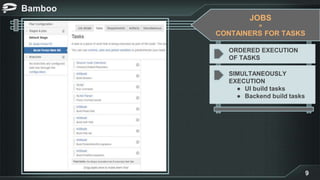
ORDERED EXECUTION
OF TASKS
SIMULTANEOUSLY
EXECUTION
● UI build tasks
● Backend build tasks
JOBS
=
CONTAINERS FOR TASKS
Bamboo
10
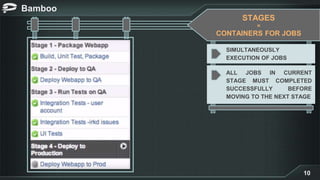
SIMULTANEOUSLY
EXECUTION OF JOBS
ALL JOBS IN CURRENT
STAGE MUST COMPLETED
SUCCESSFULLY BEFORE
MOVING TO THE NEXT STAGE
STAGES
=
CONTAINERS FOR JOBS
Bamboo
11
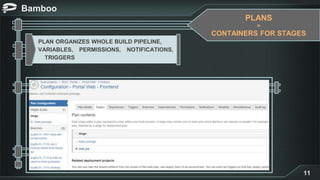
PLANS
=
CONTAINERS FOR STAGES
● Can be triggered (for example, by changes to source control)
PLAN ORGANIZES WHOLE BUILD PIPELINE,
VARIABLES, PERMISSIONS, NOTIFICATIONS,
.. TRIGGERS
Bamboo
12
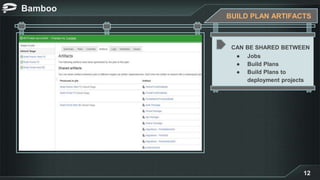
BUILD PLAN ARTIFACTS
CAN BE SHARED BETWEEN
● Jobs
● Build Plans
● Build Plans to
deployment projects
Bamboo
15
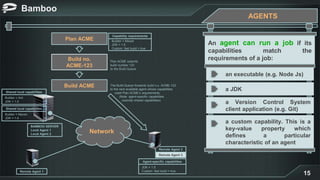
AGENTS
Plan ACME
Build no.
ACME-123
Build ACME
Network
Capability requirements
Builder = Maven
JDK = 1.5
Custom: fast build = true
Shared local capabilities
Builder = Ant
JDK = 1.5
Shared local capabilities
Builder = Maven
JDK = 1.4
Agent-specific capabilities
JDK = 1.5
Custom: fast build = true
Remote Agent 2
Remote Agent 3
Remote Agent 1
BAMBOO SERVER
Local Agent 1
Local Agent 2
Plan ACME submits
build number 123
to the Build Queue
The Build Queue forwards build n.o. ACME-123
to the next available agent whose capabilities
meet Plan ACME’s requirements.
(Note: agent-specific capabilities
override shared capabilities)
An agent can run a job if its
capabilities match the
requirements of a job:
an executable (e.g. Node Js)
a JDK
a Version Control System
client application (e.g. Git)
a custom capability. This is a
key-value property which
defines a particular
characteristic of an agent
Bamboo
16
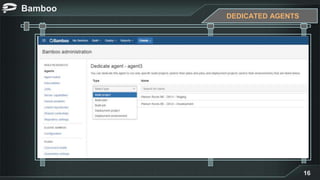
DEDICATED AGENTS
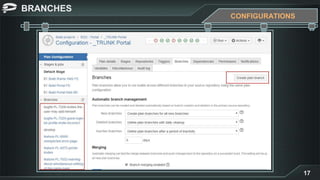
BRANCHES
17
CONFIGURATIONS
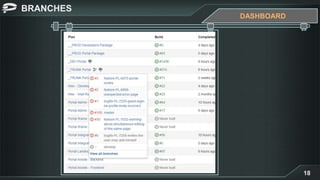
BRANCHES
18
DASHBOARD
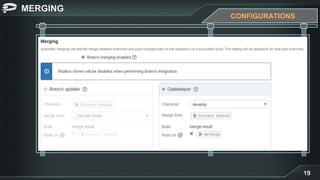
MERGING
19
CONFIGURATIONS
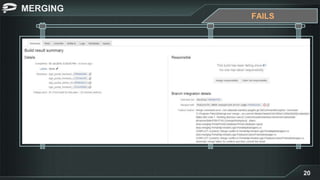
MERGING
20
FAILS
Bamboo
13
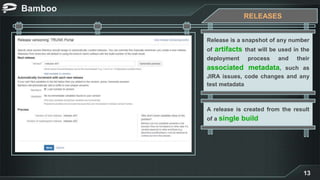
RELEASES
Release is a snapshot of any number
of artifacts that will be used in the
deployment process and their
associated metadata, such as
JIRA issues, code changes and any
test metadata
A release is created from the result
of a single build
Bamboo
14
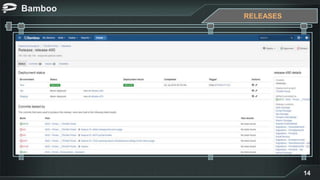
RELEASES
Bamboo
21
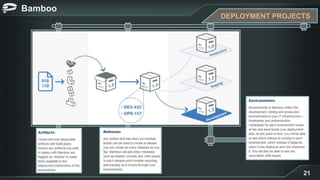
DEPLOYMENT PROJECTS
BGD PROJECTS
22
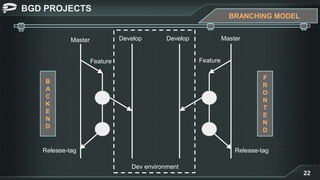
BRANCHING MODEL
Master Develop
Feature
B
A
C
K
E
N
D
MasterDevelop
Dev environment
Feature
Release-tag Release-tag
F
R
O
N
T
E
N
D
INTEGRATION
23
WITH JIRA
INTEGRATION
24
WITH JIRA
INTEGRATION
25
WITH BITBUCKET
INTEGRATION
26
DEMO
WITH BITBUCKET & JIRA
Bamboo
27
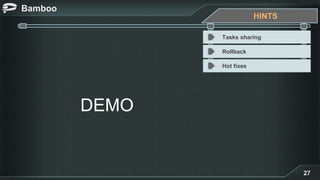
DEMO
HINTS
Tasks sharing
Rollback
Hot fixes

Continuous integration using atlassian bamboo