Pentester’s Approach
To AWS IAM
By: Divyanshu Shukla
s3curitydojo@gmail.com
Disclaimer
◉ The views expressed in this presentation and its
content, as well as any accompanying resources, are
solely the speaker's own and do not necessarily reflect
the opinions or endorsements of the trainer's employer.
◉ Securitydojo is the personal website of the author and
does not represent any business entity.
2
I am Divyanshu | @justmorpheus
◉ Senior Cloud Security Engineer with 7 years of experience.
◉ Acknowledged by Airbnb, Google, Microsoft, Apple, Samsung
(CVE-2019-8727), AWS, Amazon, Mozilla, etc with various CVEs.
◉ Speaker & Trainer: Blackhat Europe, C0c0n, Nullcon, Bsides/CSA
Bangalore, Null Bangalore, Nirmata Meetup, IIT Dharwad
◉ Authored: GCP Inspector, BurpoMation, VeryVulnerableServerless
◉ Defcon CloudVillage (20/21/22) & AWS Community Builder
Hello!
3
Agenda
• What is IAM?
• IAM Concepts
• Policy Types
• Boundary Types
• Policy Evaluation Logic
• Attacks – Least Privilege, PassRole & Assume Role
4
Talk Prerequisites
◉ Familiarity with the AWS.
◉ AWS account with administrative privileges,
including billing enabled.
◉ Registered account on Killercoda.com.
5
IAM Introduction
Basics of AWS Identity & Access Management
1
6
Identity & Access Management
◉ Enables control on who can do what in your
AWS Account.
◉ IAM controls access by defining who (identity)
has what access (role) for which resource in
the AWS Account.
◉ IAM also dictates access privileges to your
entire AWS instance.
7
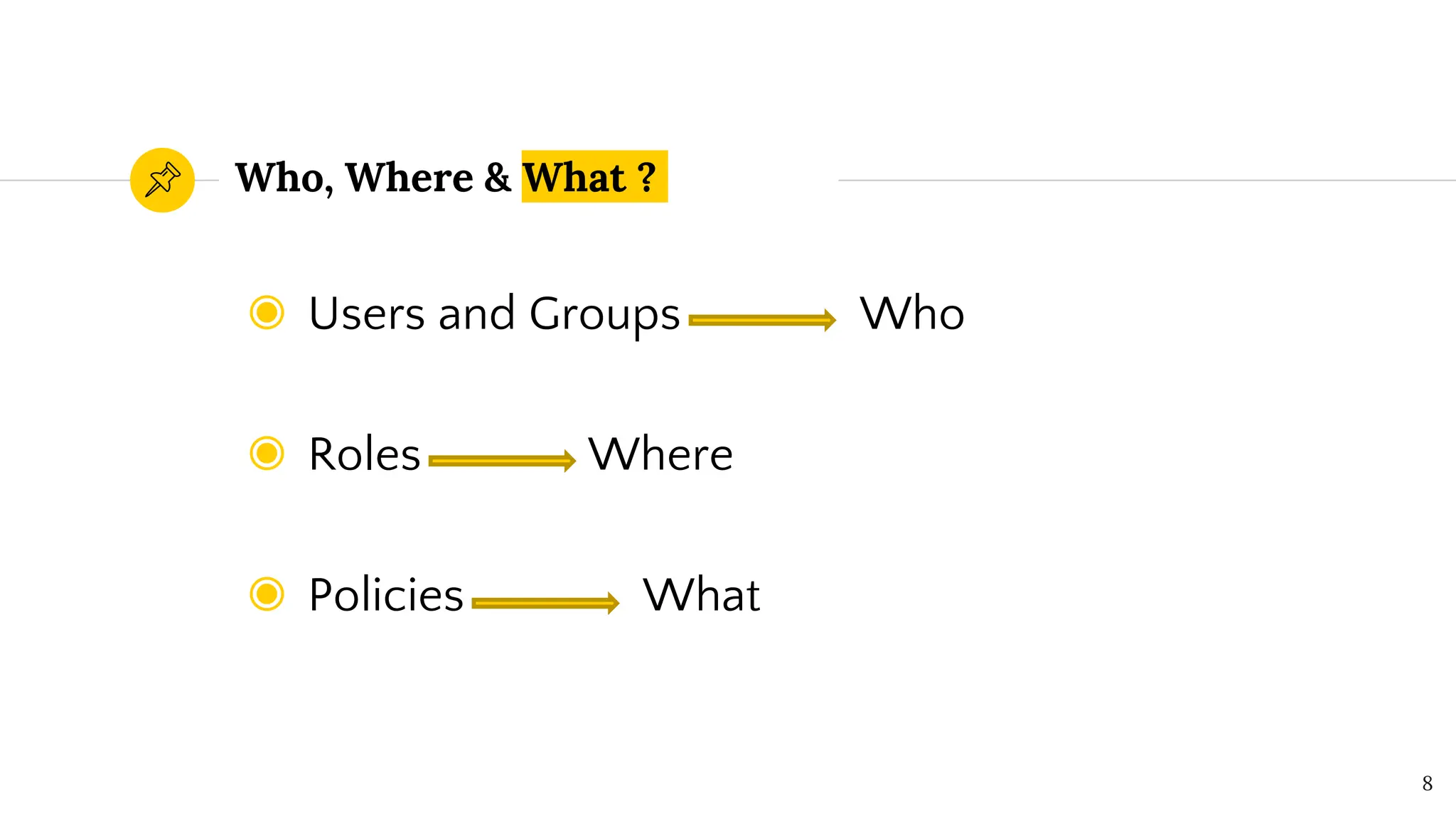
Who, Where & What ?
◉ Users and Groups Who
◉ Roles Where
◉ Policies What
8
IAM Users
◉ Refers to a user to your AWS instance. Access
can be provided programmatically or through
the console OR both.
◉ An IAM user is a resource in IAM that has
associated credentials and permissions.
◉ Access methods must be explicitly assigned.
9
Do not use root
Instead create an IAM user with “Full
Administrative Access” & enable MFA
for root user.
10
IAM Groups
◉ Users can be organized based on Groups (of
Users)
◉ Example: For developers, Dev (Group) can be
created.
◉ Nested Groups is NOT possible with AWS
IAM.
11
IAM Roles
◉ Allows applications to access AWS resources
without manually providing/hardcoding AWS
credentials.
◉ Steps for the role:
• Create a role
• Attach policy (permissions) to a role
• Attach role to resource & instance.
12
IAM Policy
◉ JSON document that defines permissions.
◉ No effect until it is attached to the resources.
◉ It is a list of statements in the json.
◉ Several canned policies are provided by AWS
◉ Users, Groups and Roles can be linked with
multiple policies.
13
IAM Policy Terminology
◉ Statements is definition of the permissions.
◉ Resources is the resources based on ARN.
◉ Actions is the API Mapping of actions possible
against the resources.
◉ Effect is the Allow/Deny to actions for resources.
◉ Policies also have Negative variants like
NotResource & NotAction.
14
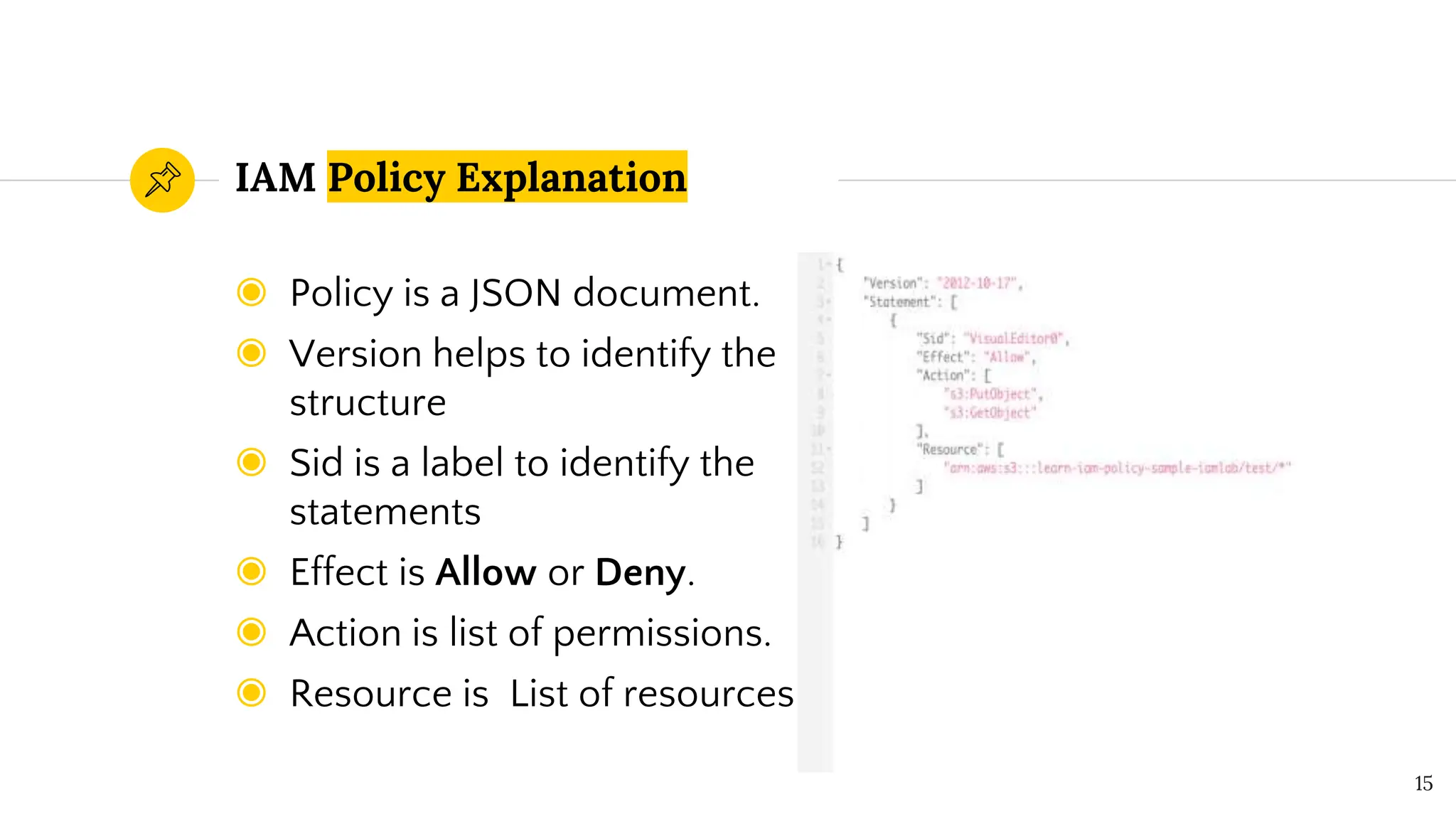
◉ Policy is a JSON document.
◉ Version helps to identify the
structure
◉ Sid is a label to identify the
statements
◉ Effect is Allow or Deny.
◉ Action is list of permissions.
◉ Resource is List of resources
IAM Policy Explanation
15
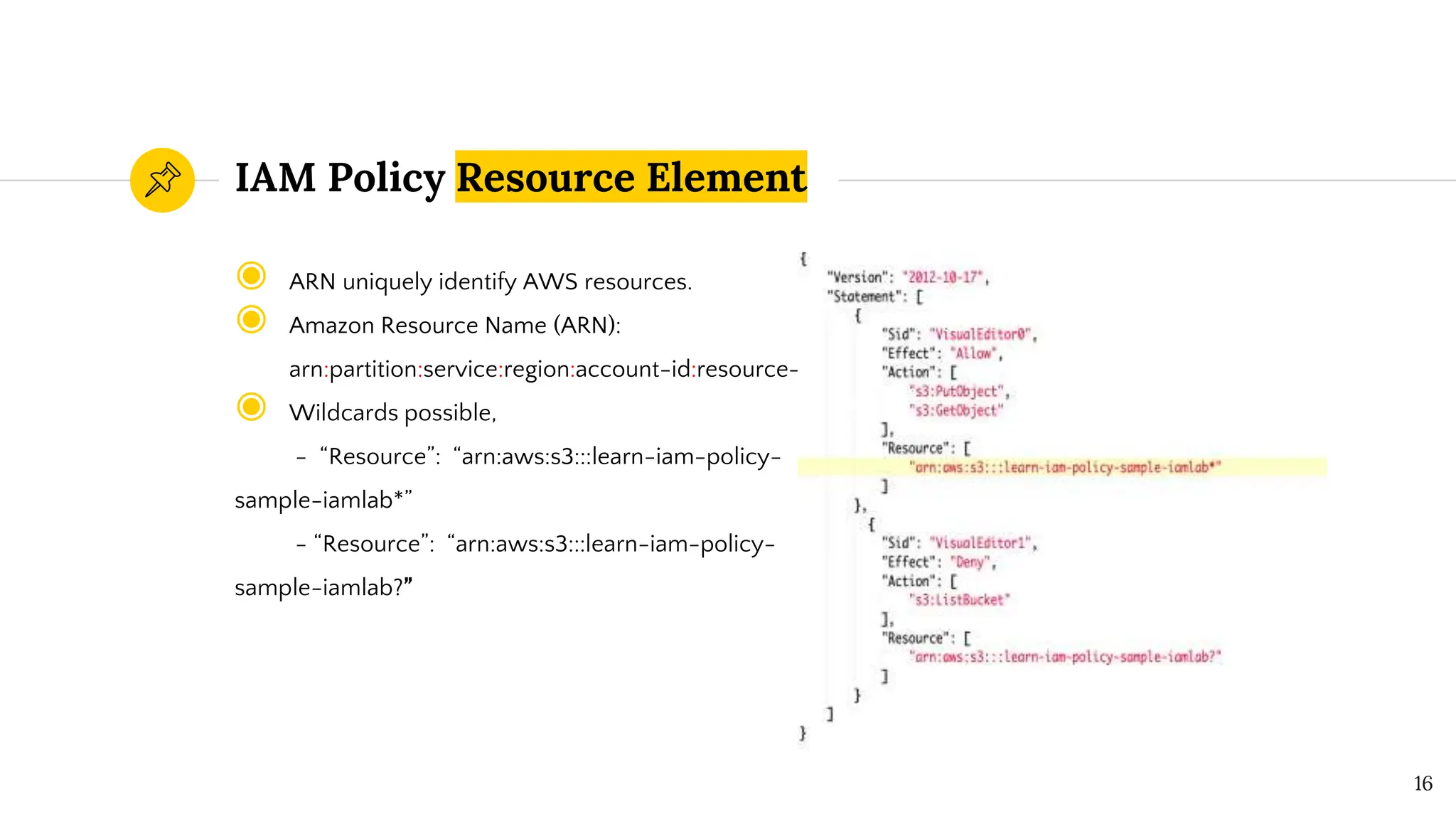
◉ ARN uniquely identify AWS resources.
◉ Amazon Resource Name (ARN):
arn:partition:service:region:account-id:resource-id
◉ Wildcards possible,
- “Resource”: “arn:aws:s3:::learn-iam-policy-
sample-iamlab*”
- “Resource”: “arn:aws:s3:::learn-iam-policy-
sample-iamlab?”
IAM Policy Resource Element
16
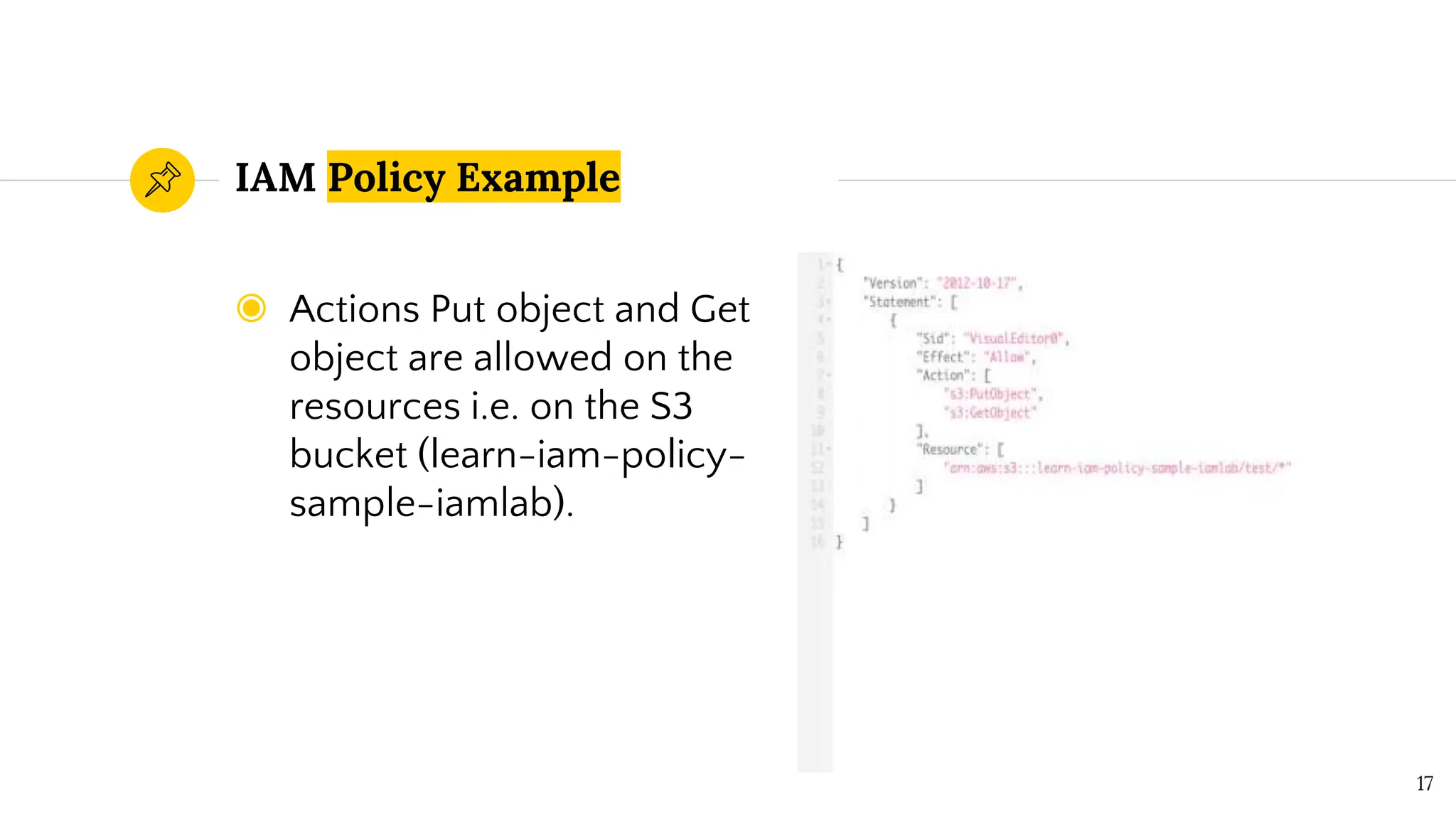
◉ Actions Put object and Get
object are allowed on the
resources i.e. on the S3
bucket (learn-iam-policy-
sample-iamlab).
IAM Policy Example
17
Multiple Statements
Multiple Statements per policy is
allowed in IAM Policies.
18
IAM Policy Statement
19
◉ Policy Statements also
have NOT Policy
operators.
◉ NotAction is the action
which applies to
everything except the
action given.
◉ NotResource applies to
everything except
provided resource.
◉ NotPrincipal applies to
every principal except
one given.
◉ Statement has Effect must
be set to either Allow or
else Deny.
◉ Action must be specific
actions that will be allowed
or denied.
◉ Resource is referred to by
the ARN.
◉ Condition is additional
conditions when the policy
is in effect.
◉ Principal is the IAM user
used to specify an IAM role
IAM Conditional Operators
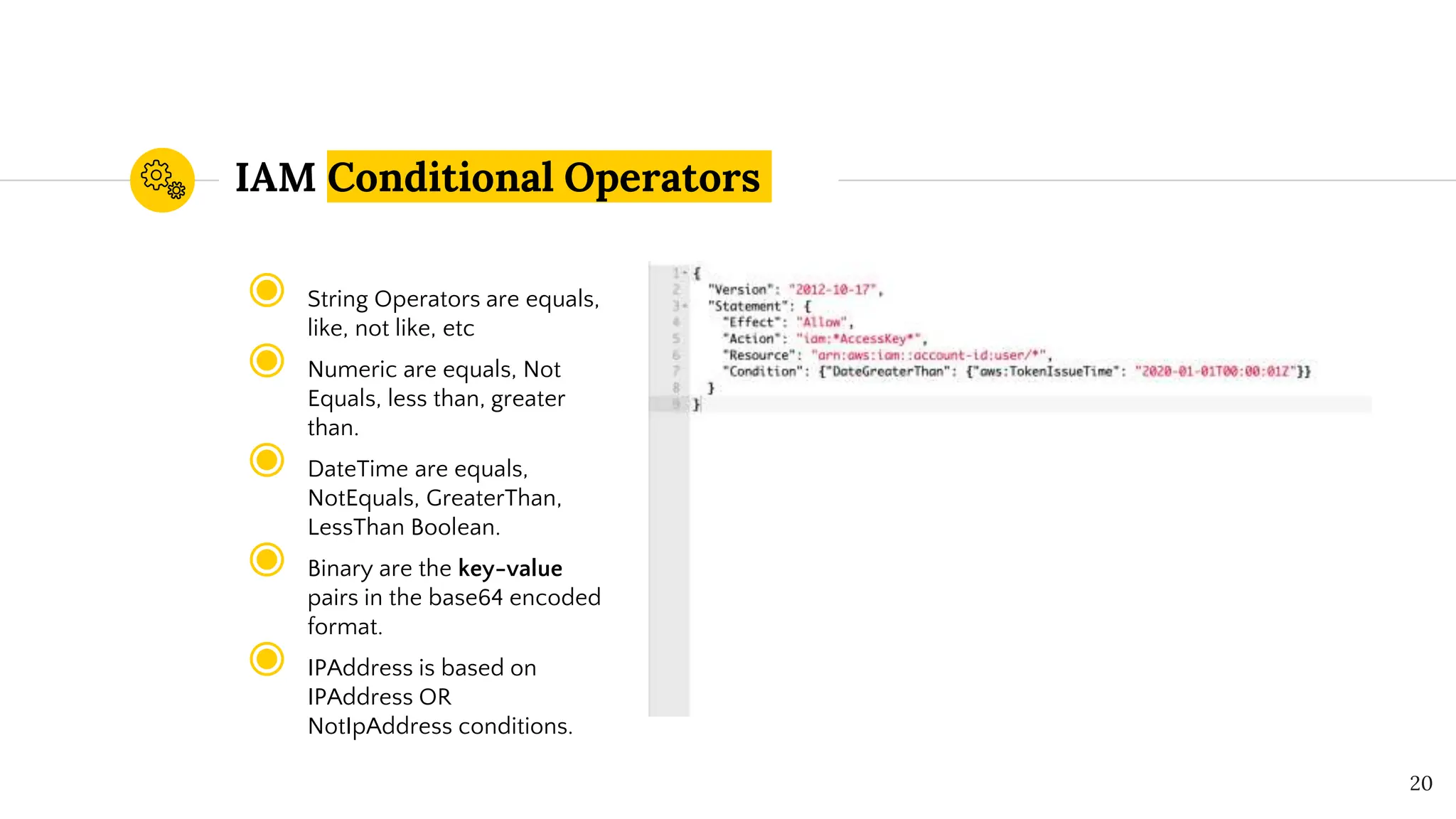
◉ String Operators are equals,
like, not like, etc
◉ Numeric are equals, Not
Equals, less than, greater
than.
◉ DateTime are equals,
NotEquals, GreaterThan,
LessThan Boolean.
◉ Binary are the key-value
pairs in the base64 encoded
format.
◉ IPAddress is based on
IPAddress OR
NotIpAddress conditions.
20
“
IAM Policy Demo
Youtube Demo Link
22
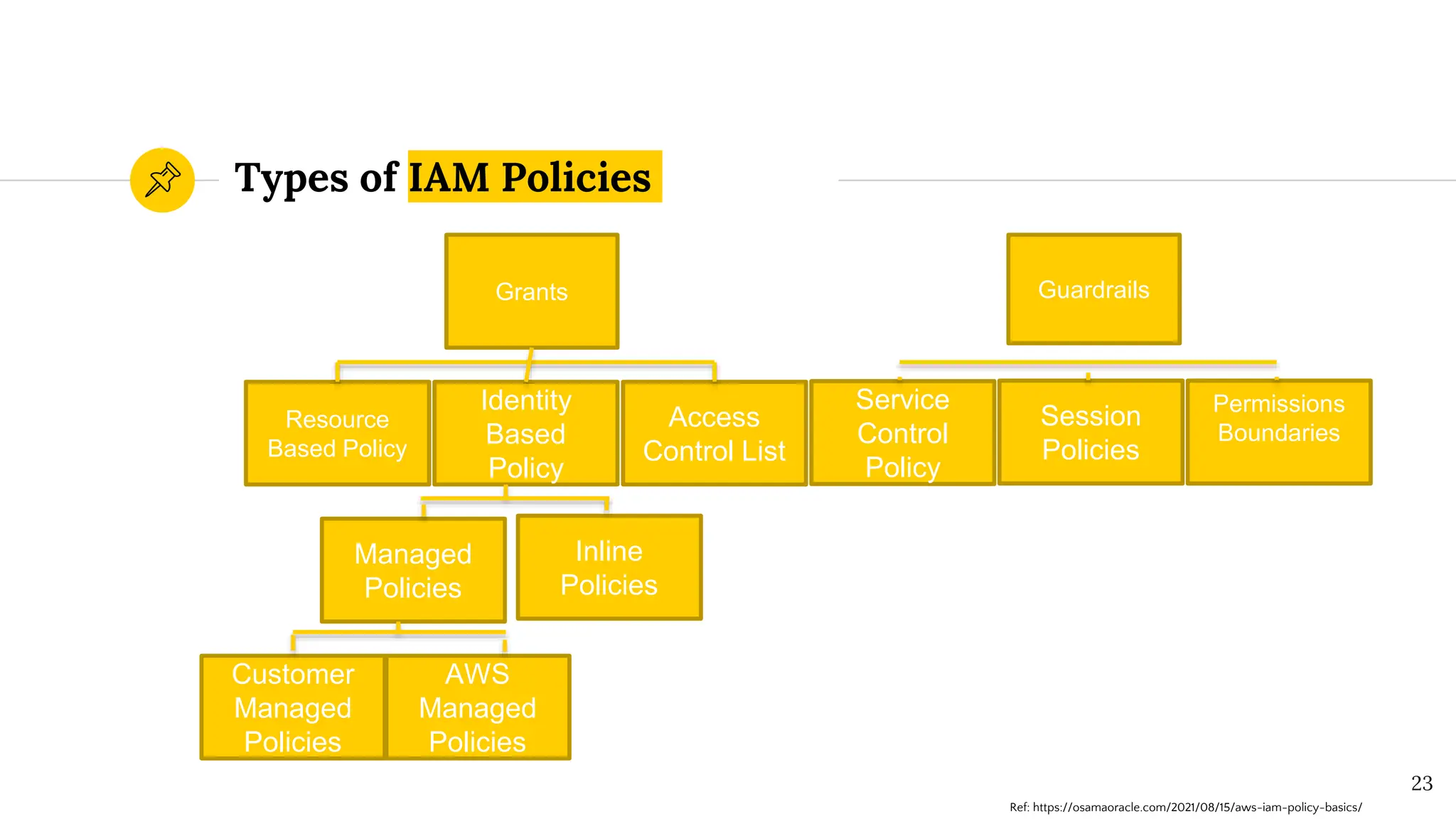
Types of IAM Policies
23
Resource
Based Policy
Identity
Based
Policy
Session
Policies
Access
Control List
Service
Control
Policy
Permissions
Boundaries
Managed
Policies
Inline
Policies
Customer
Managed
Policies
AWS
Managed
Policies
Grants Guardrails
Ref: https://osamaoracle.com/2021/08/15/aws-iam-policy-basics/
Guardrails vs. Grants
Guardrails are the policies used to restrict
permissions & grants are used to grant access.
24
“
Resource Based Policy
AWS Resource Based Policy
26
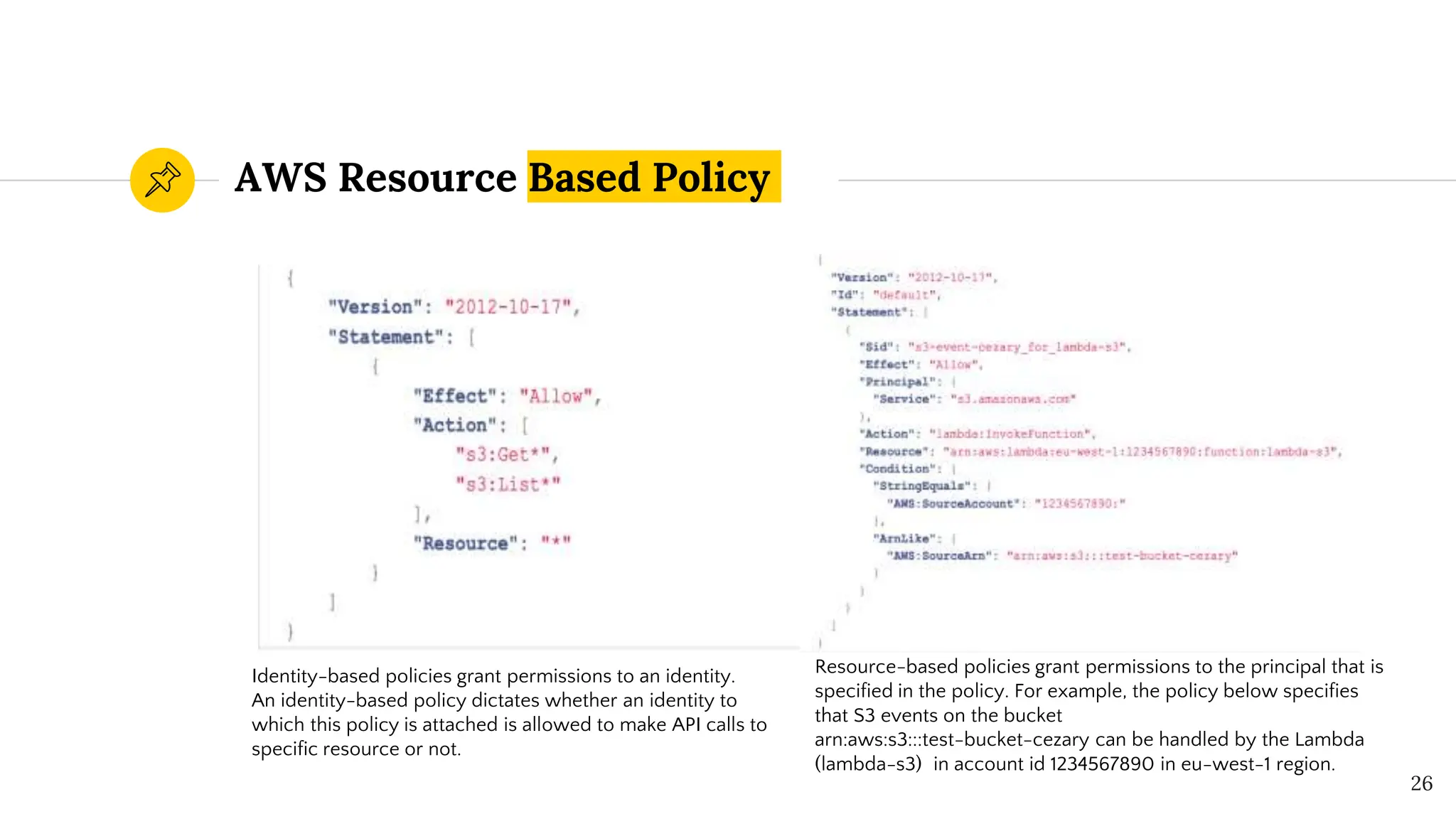
Identity-based policies grant permissions to an identity.
An identity-based policy dictates whether an identity to
which this policy is attached is allowed to make API calls to
specific resource or not.
Resource-based policies grant permissions to the principal that is
specified in the policy. For example, the policy below specifies
that S3 events on the bucket
arn:aws:s3:::test-bucket-cezary can be handled by the Lambda
(lambda-s3) in account id 1234567890 in eu-west-1 region.
“
Identity Based Policy
AWS managed policies
◉ Standalone policy created
& administered by AWS.
◉ arn:aws:iam::aws:policy/I
AMReadOnlyAccess is an
AWS managed policy.
◉ Read only policies.
Managed Policy
Customer managed policies
◉ Standalone policies that
you administer in your
own AWS account.
◉ arn:aws:iam::<AWSAccount
ID>:policy/<Policy_Name>
◉ Read, Write & Modify with
maximum 5 versions.
28
Inline policies
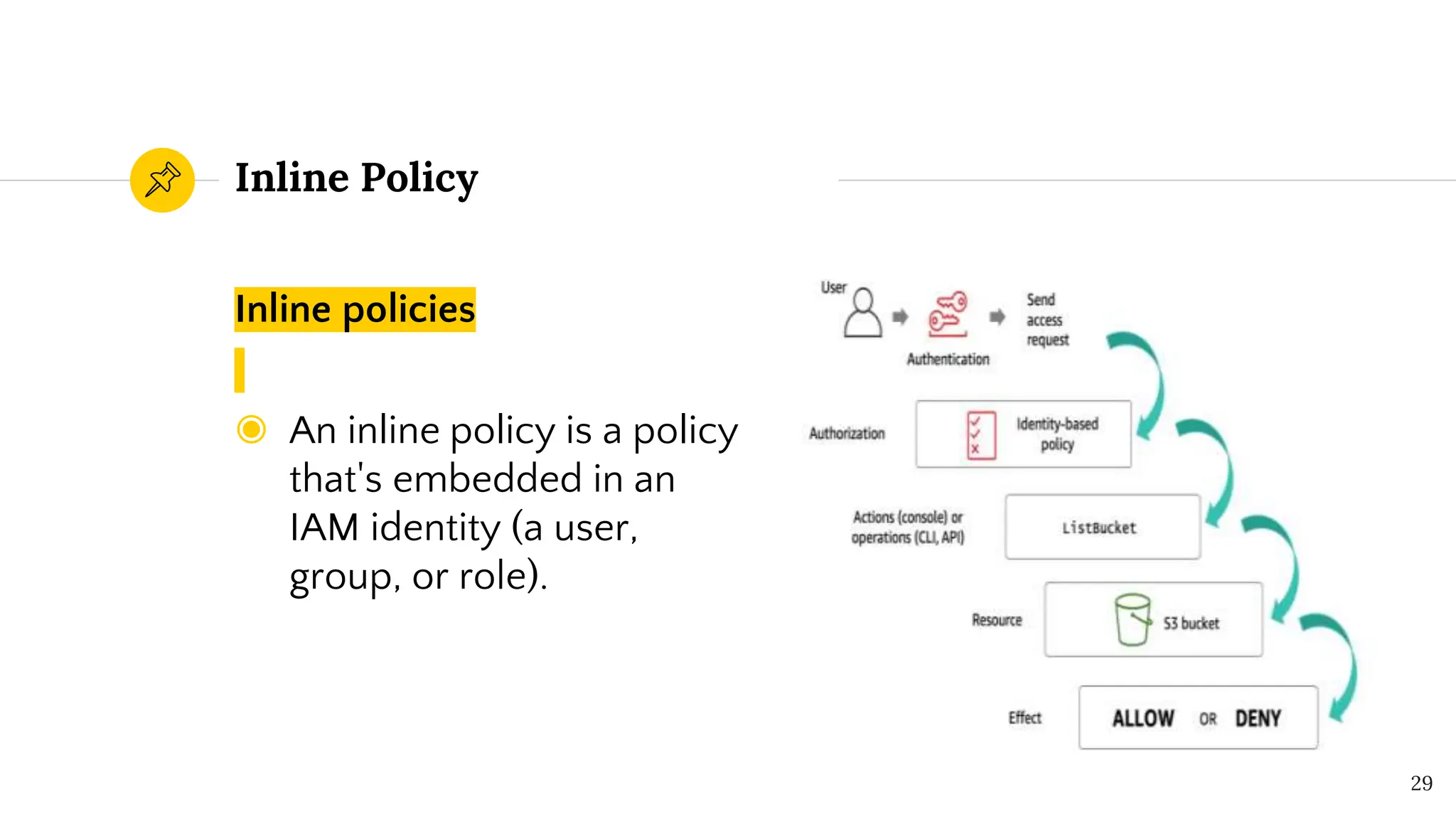
◉ An inline policy is a policy
that's embedded in an
IAM identity (a user,
group, or role).
Inline Policy
29
AWS Policy Deny vs Allow
30
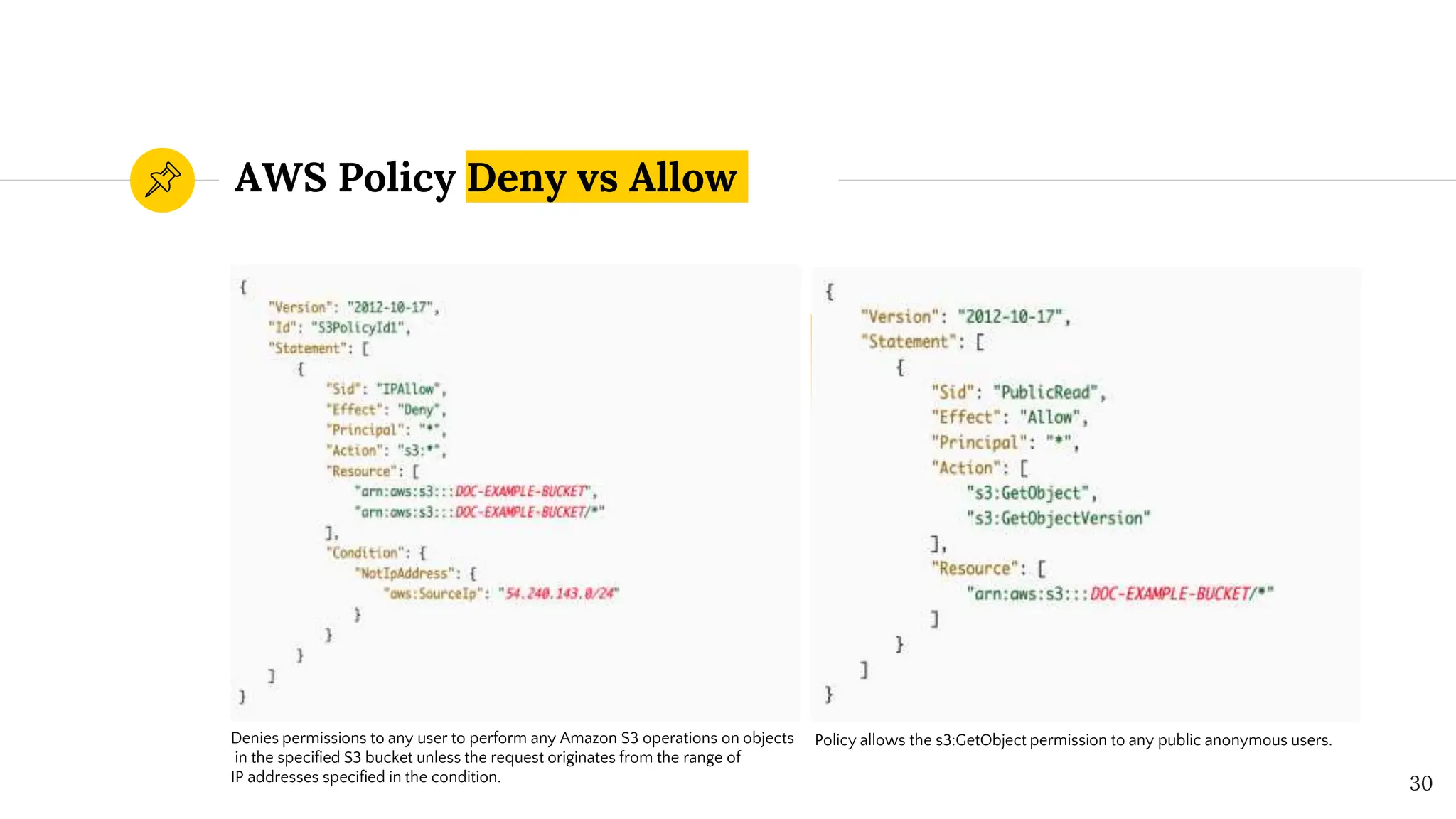
Denies permissions to any user to perform any Amazon S3 operations on objects
in the specified S3 bucket unless the request originates from the range of
IP addresses specified in the condition.
Policy allows the s3:GetObject permission to any public anonymous users.
AWS Policy Implicit Deny vs
Explicit Deny
31
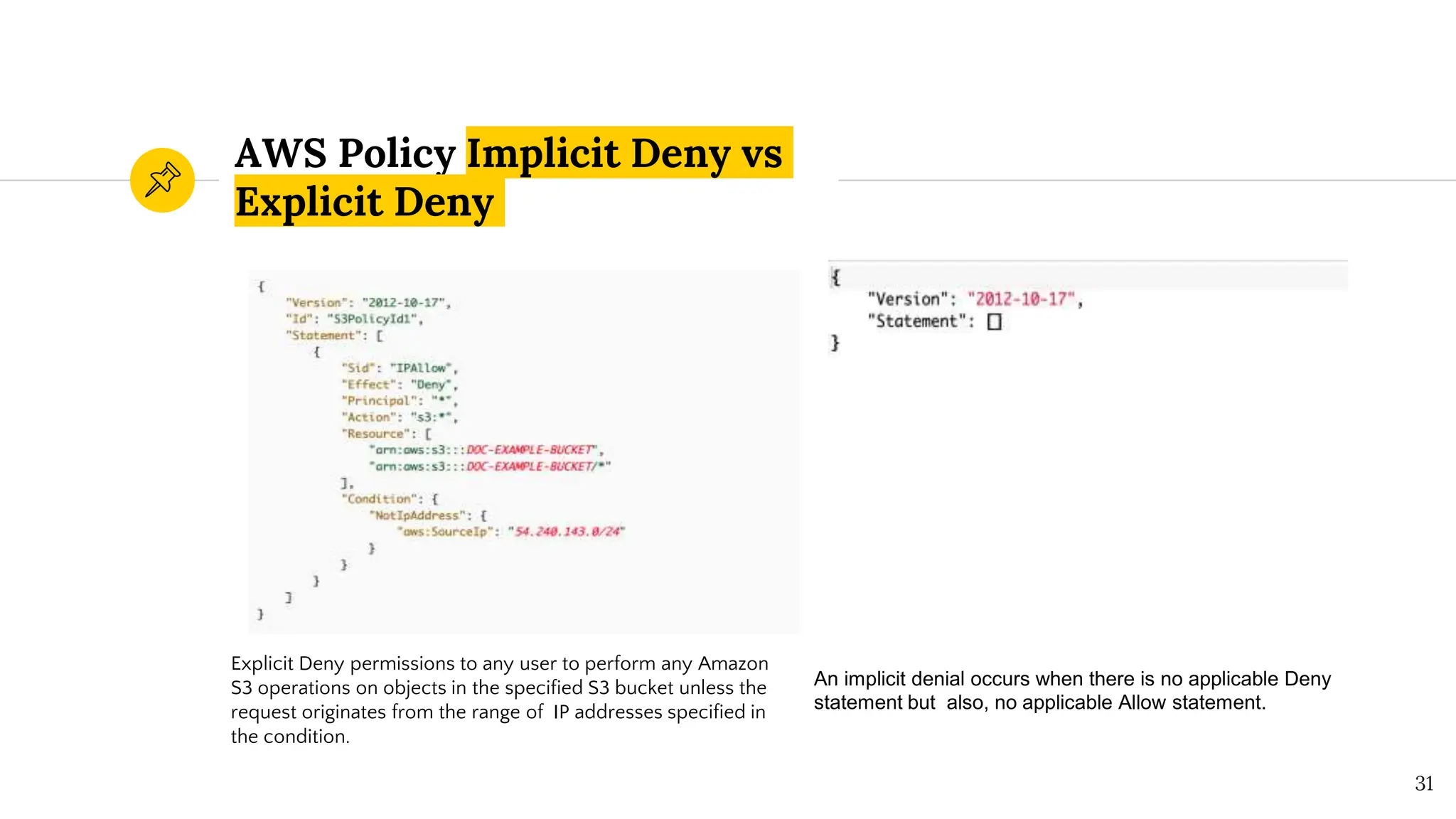
Explicit Deny permissions to any user to perform any Amazon
S3 operations on objects in the specified S3 bucket unless the
request originates from the range of IP addresses specified in
the condition.
An implicit denial occurs when there is no applicable Deny
statement but also, no applicable Allow statement.
“
Access Control Lists
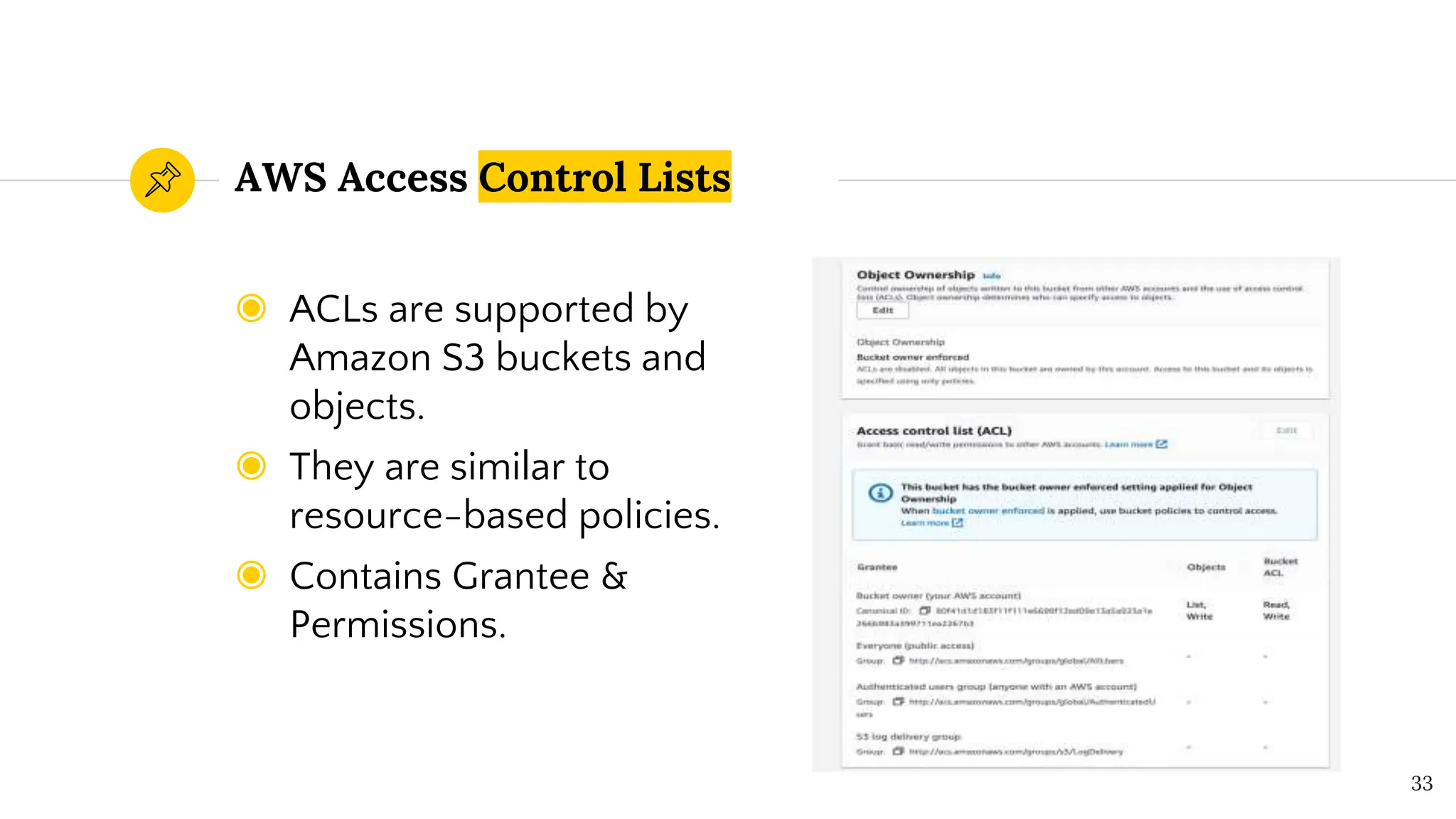
◉ ACLs are supported by
Amazon S3 buckets and
objects.
◉ They are similar to
resource-based policies.
◉ Contains Grantee &
Permissions.
AWS Access Control Lists
33
“
Service Control Policies
◉ Enables control for the
AWS APIs which are
accessible.
◉ Whitelisting, defines the
list of APIs that are
allowed.
◉ Blacklisting, defines the
list of APIs that are
blocked.
AWS Service Control Policies
(SCPs)
◉ Cannot be overridden by
local administrators.
◉ Resultant permission on
IAM user/role is the
intersection between the
SCP and the assigned IAM
permissions.
35
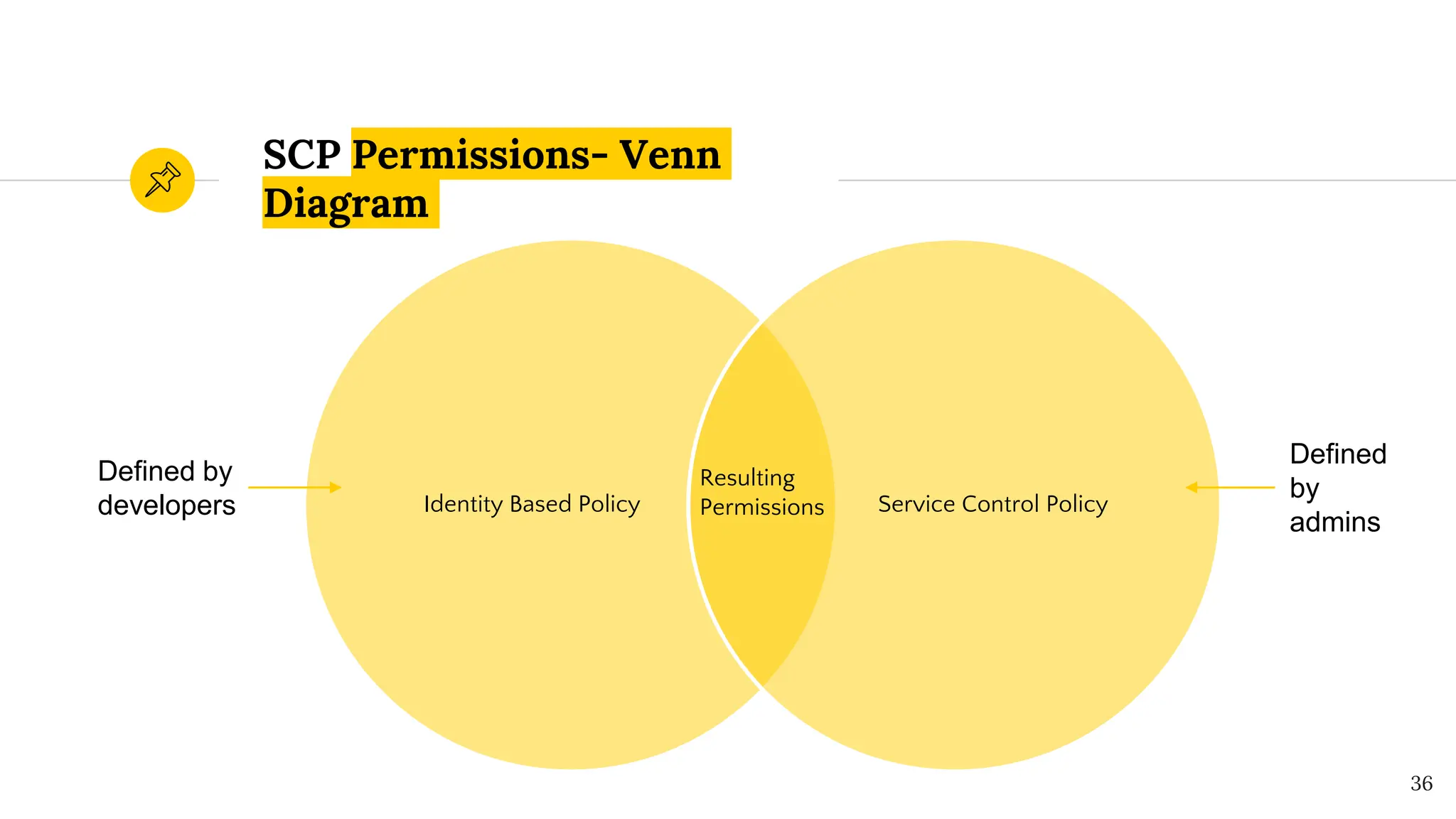
SCP Permissions- Venn
Diagram
36
Identity Based Policy Service Control Policy
Resulting
Permissions
Defined by
developers
Defined
by
admins
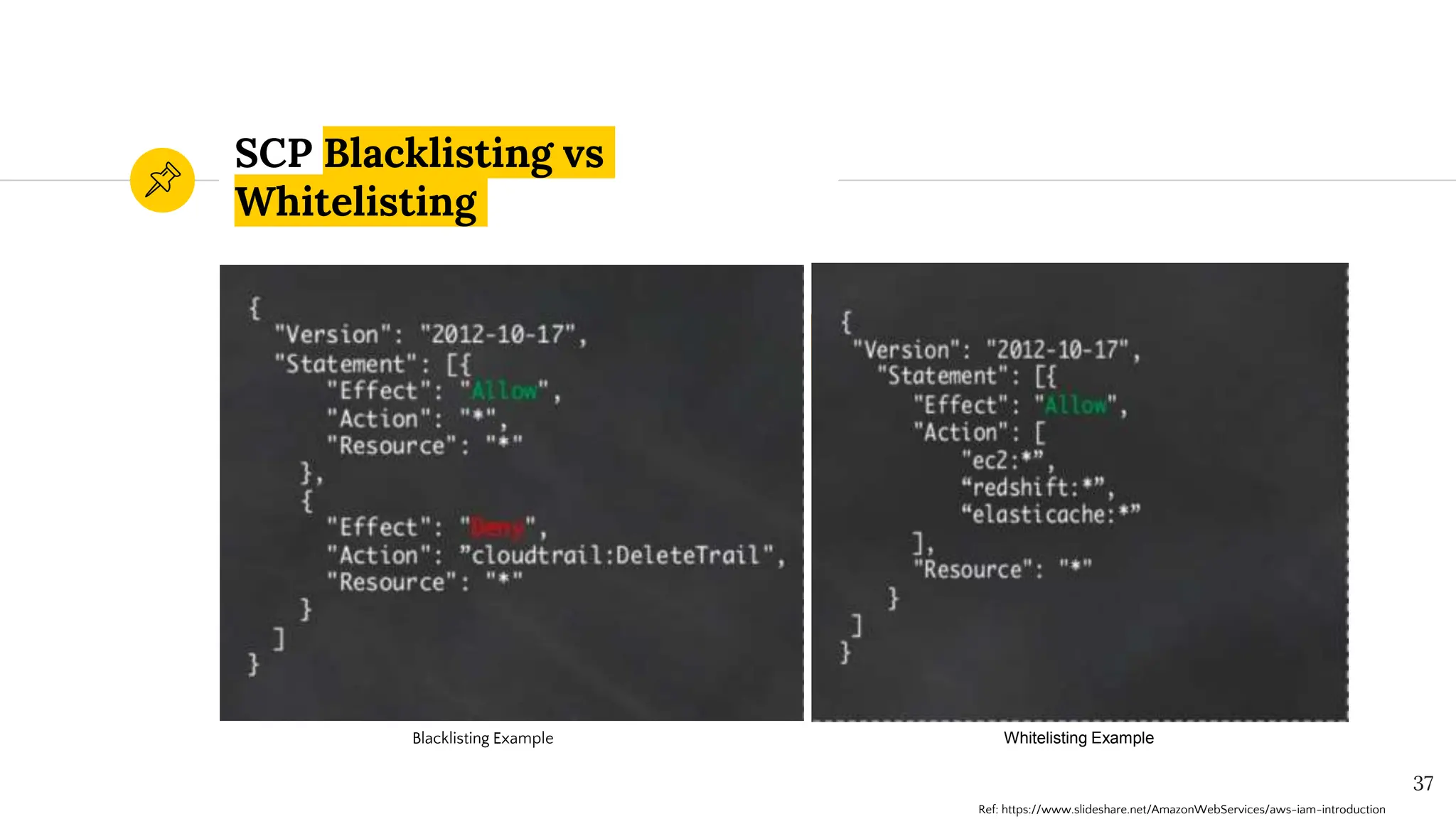
SCP Blacklisting vs
Whitelisting
37
Blacklisting Example Whitelisting Example
Ref: https://www.slideshare.net/AmazonWebServices/aws-iam-introduction
AWS Organizations
It is a service for grouping and centrally managing AWS
accounts. If you enable all features in an organization, then
you can apply SCPs to any or all of your accounts. 38
“
AWS Session Policy
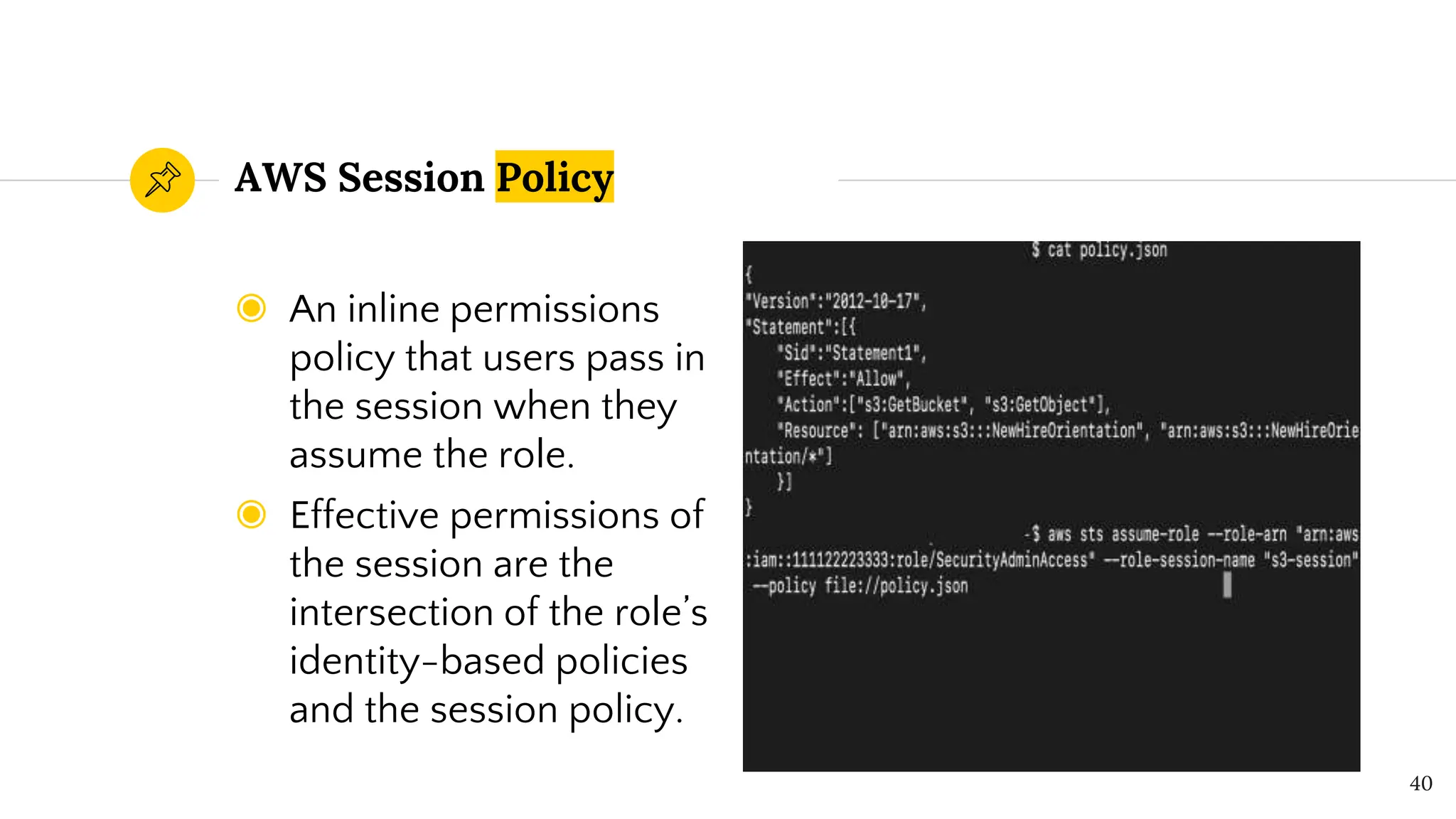
◉ An inline permissions
policy that users pass in
the session when they
assume the role.
◉ Effective permissions of
the session are the
intersection of the role’s
identity-based policies
and the session policy.
AWS Session Policy
40
“
AWS Permissions Boundary
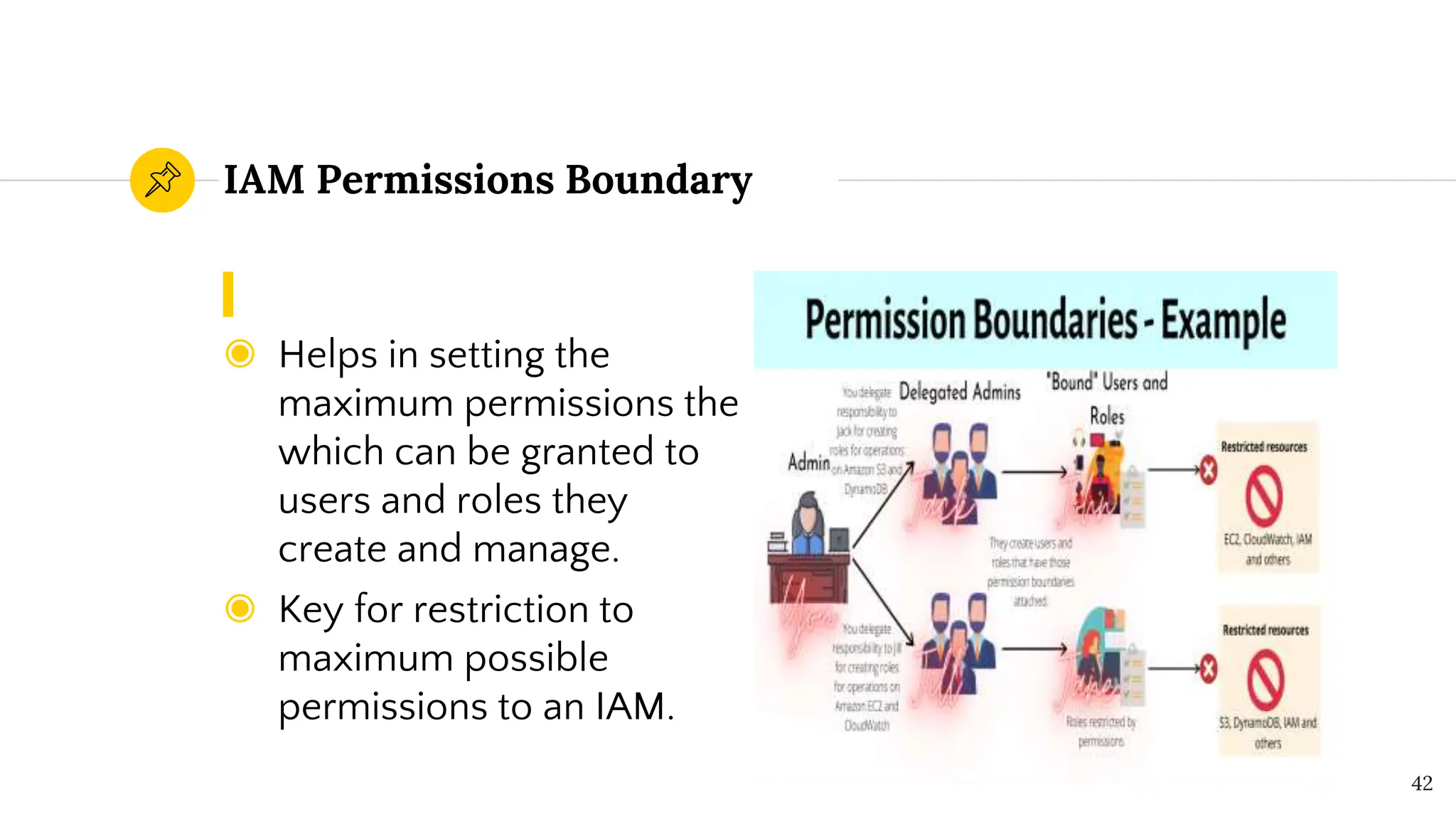
◉ Helps in setting the
maximum permissions the
which can be granted to
users and roles they
create and manage.
◉ Key for restriction to
maximum possible
permissions to an IAM.
IAM Permissions Boundary
42
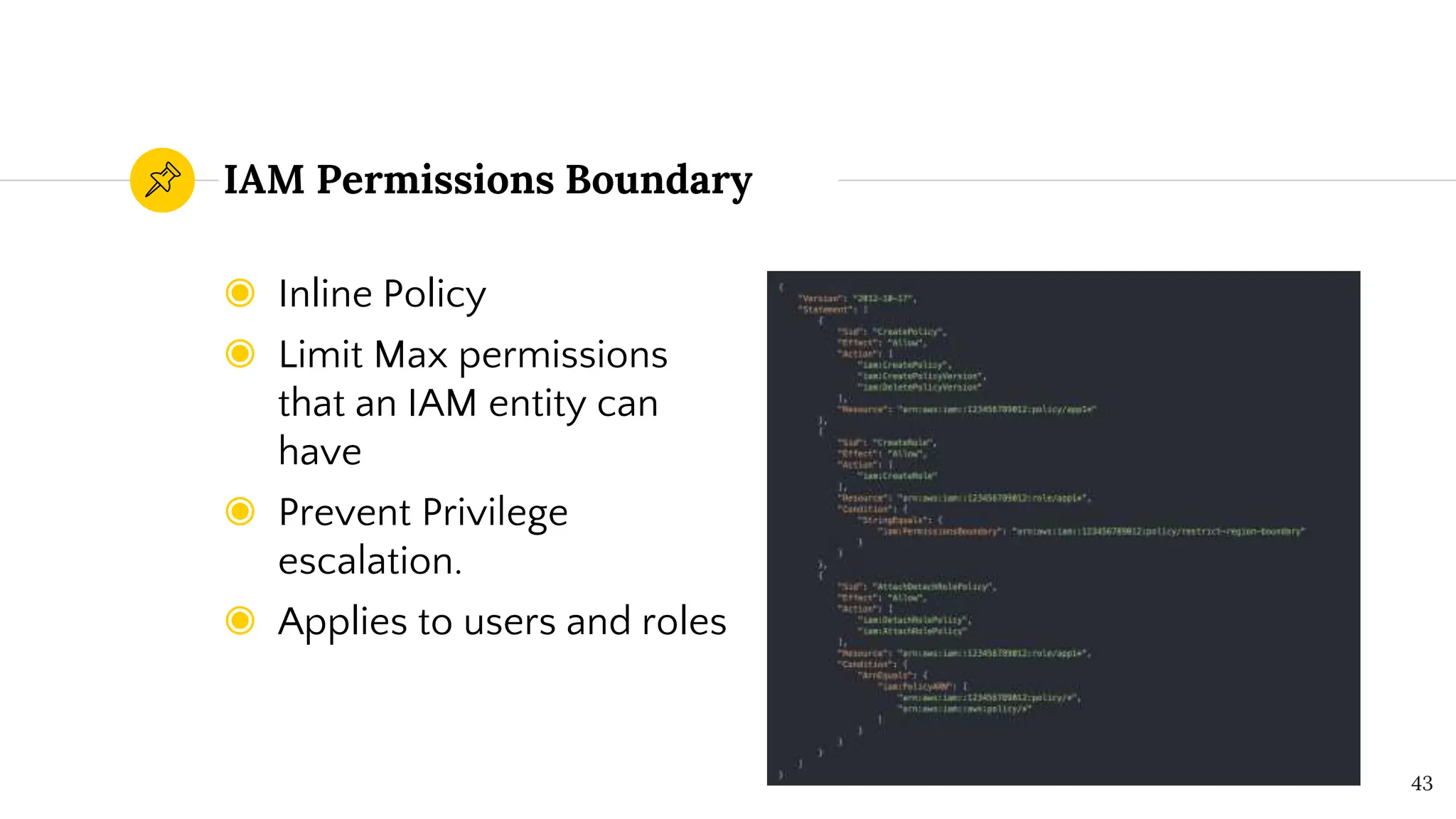
◉ Inline Policy
◉ Limit Max permissions
that an IAM entity can
have
◉ Prevent Privilege
escalation.
◉ Applies to users and roles
IAM Permissions Boundary
43
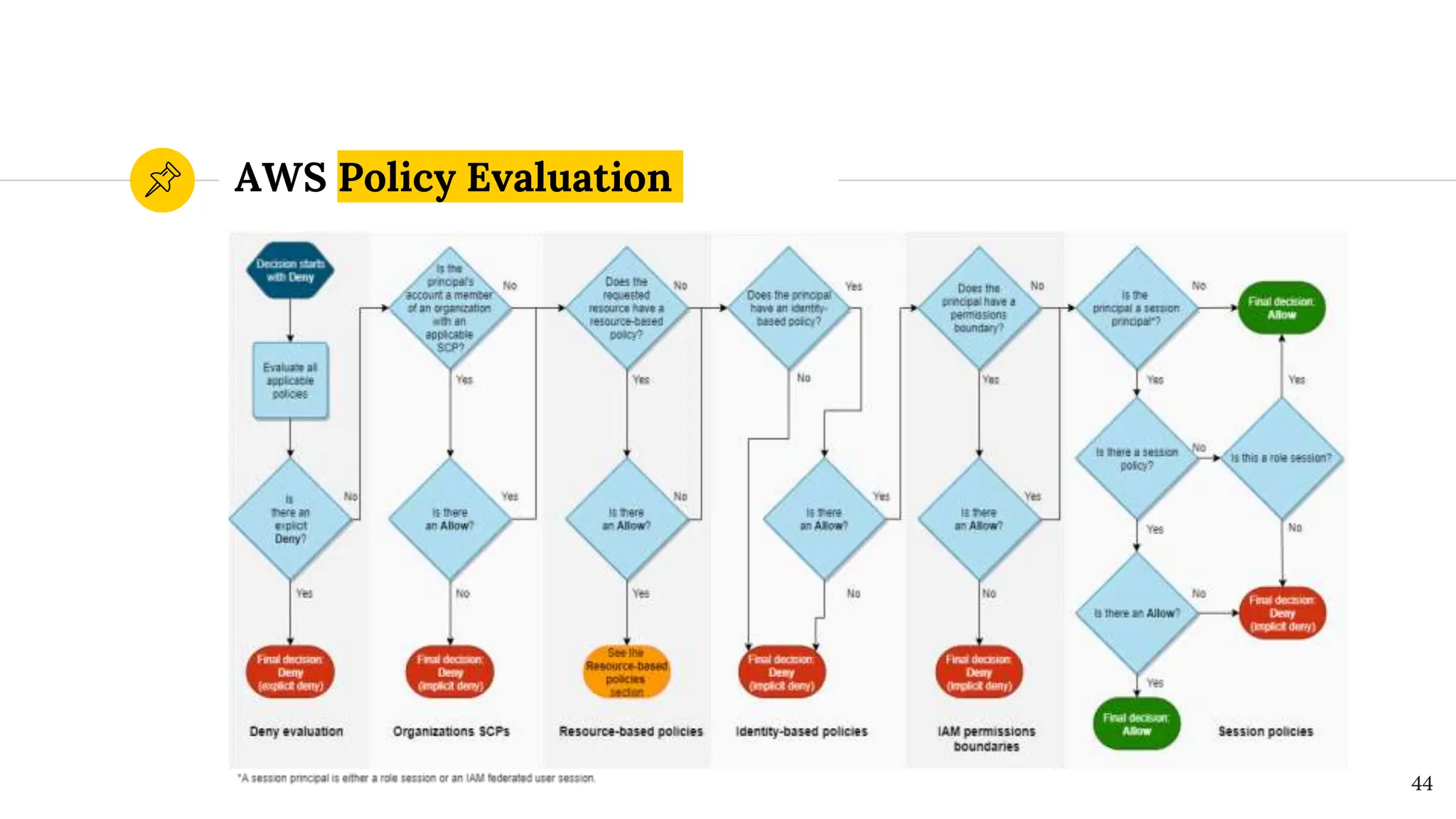
AWS Policy Evaluation
44
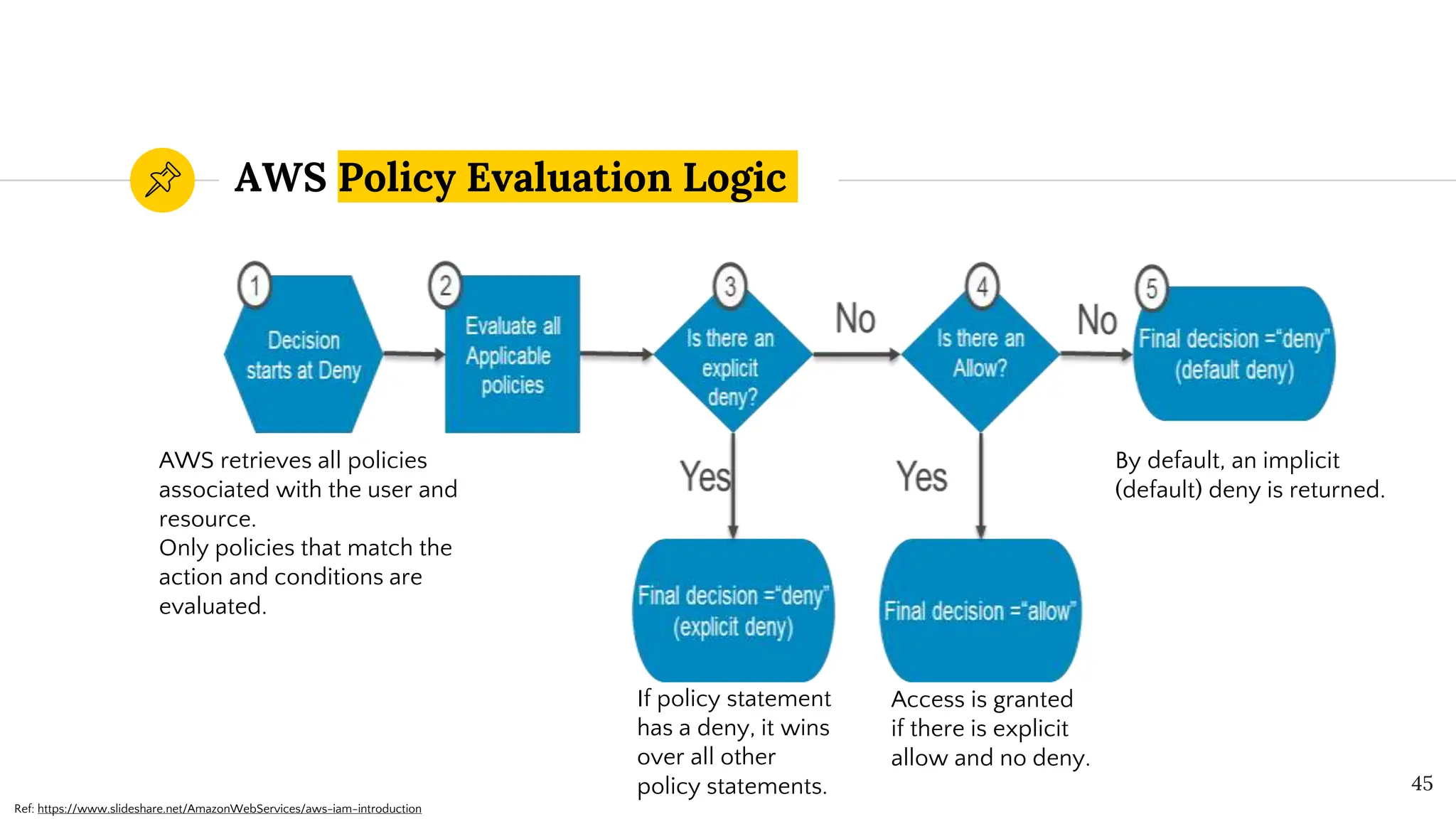
AWS Policy Evaluation Logic
45
AWS retrieves all policies
associated with the user and
resource.
Only policies that match the
action and conditions are
evaluated.
By default, an implicit
(default) deny is returned.
If policy statement
has a deny, it wins
over all other
policy statements.
Access is granted
if there is explicit
allow and no deny.
Ref: https://www.slideshare.net/AmazonWebServices/aws-iam-introduction
IAM Hands on Exploit
46
Implementing IAM Policies with
Least Privilege to Managed S3 Bucket
◉ Create IAM User: Define a user with minimal
permissions.
◉ Policy Creation: Attach a policy granting
specific S3 access.
◉ Validate Permissions: Test user access to
ensure least privilege.
47
Exploiting IAM PassRole Misconfiguration
◉ Define Role with PassRole Permission: Allow
user to pass specific roles.
◉ Attach Policy: Ensure the policy is
appropriately scoped.
◉ Exploitation Risk: Highlight potential privilege
escalation if misconfigured.
48
IAM AssumeRole Misconfiguration
with Overly Permissive Role
◉ Define Role with PassRole Permission: Allow
user to pass specific roles.
◉ Attach Policy: Ensure the policy is
appropriately scoped.
◉ Exploitation Risk: Highlight potential privilege
escalation if misconfigured.
49
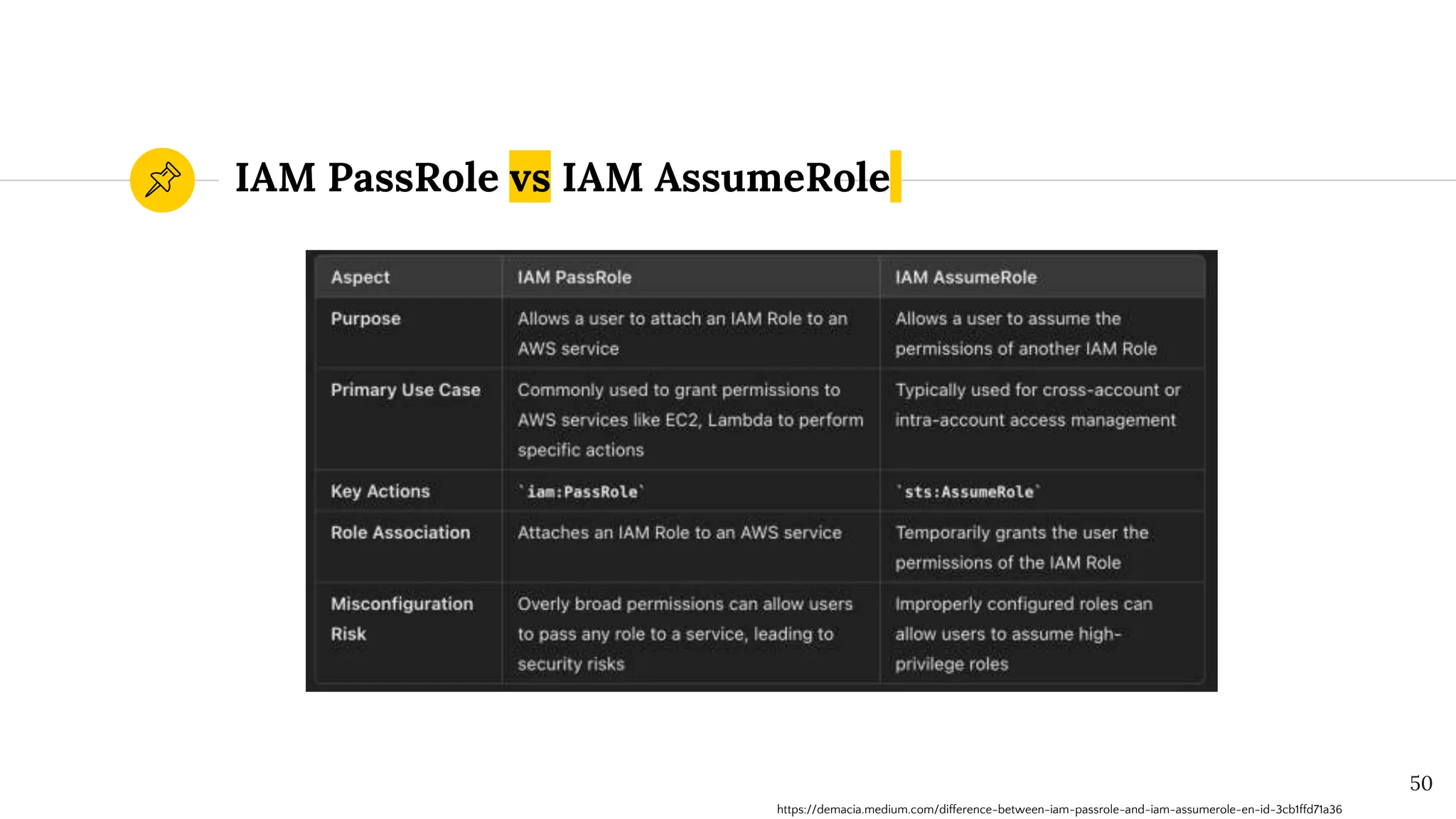
IAM PassRole vs IAM AssumeRole
50
https://demacia.medium.com/difference-between-iam-passrole-and-iam-assumerole-en-id-3cb1ffd71a36
“
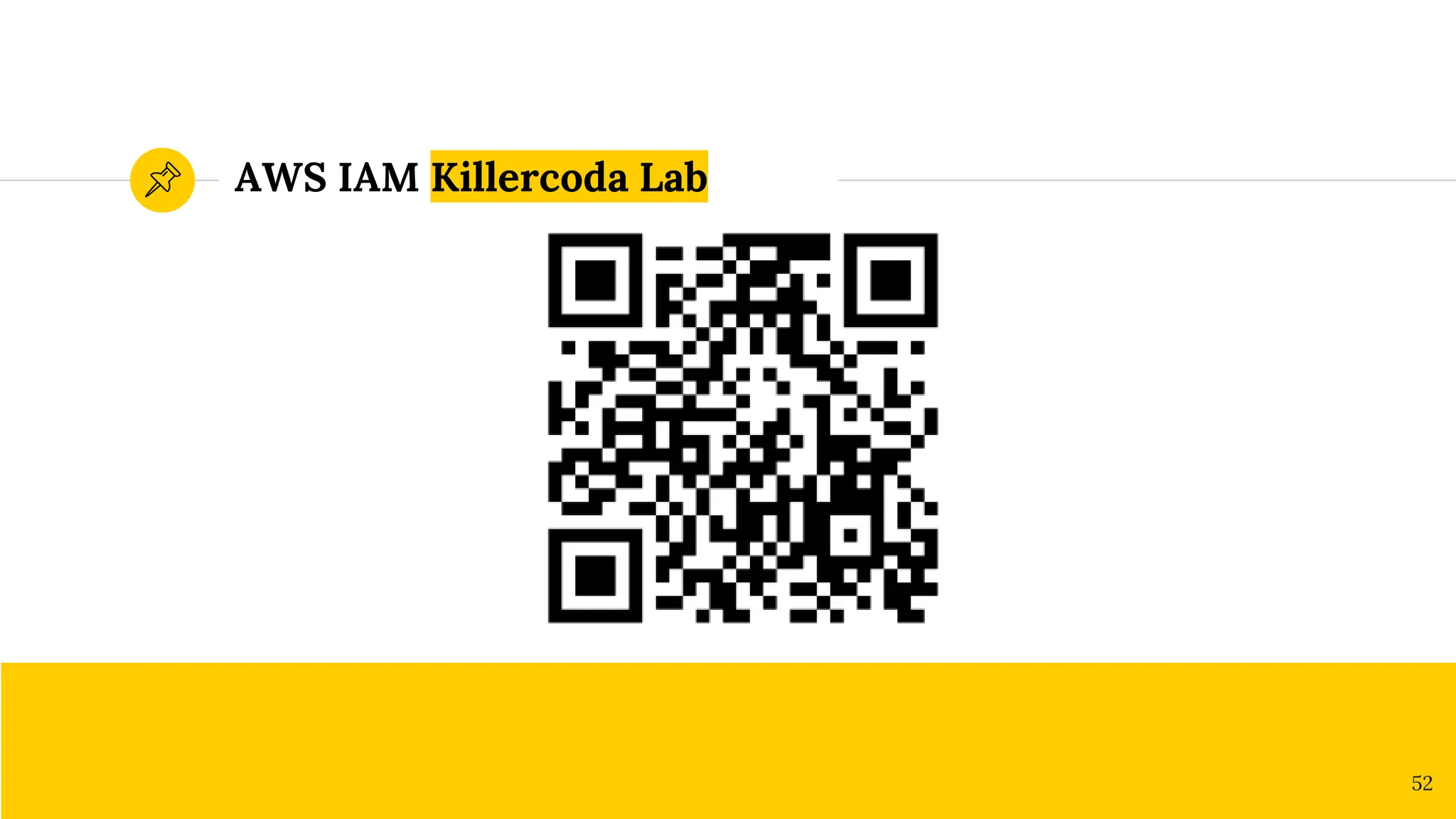
Killercoda Free Community
AWS IAM Killercoda Lab
52
References & Credits
◉ chatgpt.com
◉ killercoda.com
◉ docs.aws.amazon.com
◉ cloud.hacktricks.xyz
◉ steampipe.io/blog/aws-iam-policy-wildcards-
reference
◉ www.tenable.com/blog
53
Any questions ?
You can find me at
◉ /@justm0rph3u5
◉ justmorpheus1@gmail.com
◉ training@securitydojo.co.in
Thanks!
54

Null Bangalore | Pentesters Approach to AWS IAM

  • 1.
    Pentester’s Approach To AWSIAM By: Divyanshu Shukla s3curitydojo@gmail.com
  • 2.
    Disclaimer ◉ The viewsexpressed in this presentation and its content, as well as any accompanying resources, are solely the speaker's own and do not necessarily reflect the opinions or endorsements of the trainer's employer. ◉ Securitydojo is the personal website of the author and does not represent any business entity. 2
  • 3.
    I am Divyanshu| @justmorpheus ◉ Senior Cloud Security Engineer with 7 years of experience. ◉ Acknowledged by Airbnb, Google, Microsoft, Apple, Samsung (CVE-2019-8727), AWS, Amazon, Mozilla, etc with various CVEs. ◉ Speaker & Trainer: Blackhat Europe, C0c0n, Nullcon, Bsides/CSA Bangalore, Null Bangalore, Nirmata Meetup, IIT Dharwad ◉ Authored: GCP Inspector, BurpoMation, VeryVulnerableServerless ◉ Defcon CloudVillage (20/21/22) & AWS Community Builder Hello! 3
  • 4.
    Agenda • What isIAM? • IAM Concepts • Policy Types • Boundary Types • Policy Evaluation Logic • Attacks – Least Privilege, PassRole & Assume Role 4
  • 5.
    Talk Prerequisites ◉ Familiaritywith the AWS. ◉ AWS account with administrative privileges, including billing enabled. ◉ Registered account on Killercoda.com. 5
  • 6.
    IAM Introduction Basics ofAWS Identity & Access Management 1 6
  • 7.
    Identity & AccessManagement ◉ Enables control on who can do what in your AWS Account. ◉ IAM controls access by defining who (identity) has what access (role) for which resource in the AWS Account. ◉ IAM also dictates access privileges to your entire AWS instance. 7
  • 8.
    Who, Where &What ? ◉ Users and Groups Who ◉ Roles Where ◉ Policies What 8
  • 9.
    IAM Users ◉ Refersto a user to your AWS instance. Access can be provided programmatically or through the console OR both. ◉ An IAM user is a resource in IAM that has associated credentials and permissions. ◉ Access methods must be explicitly assigned. 9
  • 10.
    Do not useroot Instead create an IAM user with “Full Administrative Access” & enable MFA for root user. 10
  • 11.
    IAM Groups ◉ Userscan be organized based on Groups (of Users) ◉ Example: For developers, Dev (Group) can be created. ◉ Nested Groups is NOT possible with AWS IAM. 11
  • 12.
    IAM Roles ◉ Allowsapplications to access AWS resources without manually providing/hardcoding AWS credentials. ◉ Steps for the role: • Create a role • Attach policy (permissions) to a role • Attach role to resource & instance. 12
  • 13.
    IAM Policy ◉ JSONdocument that defines permissions. ◉ No effect until it is attached to the resources. ◉ It is a list of statements in the json. ◉ Several canned policies are provided by AWS ◉ Users, Groups and Roles can be linked with multiple policies. 13
  • 14.
    IAM Policy Terminology ◉Statements is definition of the permissions. ◉ Resources is the resources based on ARN. ◉ Actions is the API Mapping of actions possible against the resources. ◉ Effect is the Allow/Deny to actions for resources. ◉ Policies also have Negative variants like NotResource & NotAction. 14
  • 15.
    ◉ Policy isa JSON document. ◉ Version helps to identify the structure ◉ Sid is a label to identify the statements ◉ Effect is Allow or Deny. ◉ Action is list of permissions. ◉ Resource is List of resources IAM Policy Explanation 15
  • 16.
    ◉ ARN uniquelyidentify AWS resources. ◉ Amazon Resource Name (ARN): arn:partition:service:region:account-id:resource-id ◉ Wildcards possible, - “Resource”: “arn:aws:s3:::learn-iam-policy- sample-iamlab*” - “Resource”: “arn:aws:s3:::learn-iam-policy- sample-iamlab?” IAM Policy Resource Element 16
  • 17.
    ◉ Actions Putobject and Get object are allowed on the resources i.e. on the S3 bucket (learn-iam-policy- sample-iamlab). IAM Policy Example 17
  • 18.
    Multiple Statements Multiple Statementsper policy is allowed in IAM Policies. 18
  • 19.
    IAM Policy Statement 19 ◉Policy Statements also have NOT Policy operators. ◉ NotAction is the action which applies to everything except the action given. ◉ NotResource applies to everything except provided resource. ◉ NotPrincipal applies to every principal except one given. ◉ Statement has Effect must be set to either Allow or else Deny. ◉ Action must be specific actions that will be allowed or denied. ◉ Resource is referred to by the ARN. ◉ Condition is additional conditions when the policy is in effect. ◉ Principal is the IAM user used to specify an IAM role
  • 20.
    IAM Conditional Operators ◉String Operators are equals, like, not like, etc ◉ Numeric are equals, Not Equals, less than, greater than. ◉ DateTime are equals, NotEquals, GreaterThan, LessThan Boolean. ◉ Binary are the key-value pairs in the base64 encoded format. ◉ IPAddress is based on IPAddress OR NotIpAddress conditions. 20
  • 21.
  • 22.
  • 23.
    Types of IAMPolicies 23 Resource Based Policy Identity Based Policy Session Policies Access Control List Service Control Policy Permissions Boundaries Managed Policies Inline Policies Customer Managed Policies AWS Managed Policies Grants Guardrails Ref: https://osamaoracle.com/2021/08/15/aws-iam-policy-basics/
  • 24.
    Guardrails vs. Grants Guardrailsare the policies used to restrict permissions & grants are used to grant access. 24
  • 25.
  • 26.
    AWS Resource BasedPolicy 26 Identity-based policies grant permissions to an identity. An identity-based policy dictates whether an identity to which this policy is attached is allowed to make API calls to specific resource or not. Resource-based policies grant permissions to the principal that is specified in the policy. For example, the policy below specifies that S3 events on the bucket arn:aws:s3:::test-bucket-cezary can be handled by the Lambda (lambda-s3) in account id 1234567890 in eu-west-1 region.
  • 27.
  • 28.
    AWS managed policies ◉Standalone policy created & administered by AWS. ◉ arn:aws:iam::aws:policy/I AMReadOnlyAccess is an AWS managed policy. ◉ Read only policies. Managed Policy Customer managed policies ◉ Standalone policies that you administer in your own AWS account. ◉ arn:aws:iam::<AWSAccount ID>:policy/<Policy_Name> ◉ Read, Write & Modify with maximum 5 versions. 28
  • 29.
    Inline policies ◉ Aninline policy is a policy that's embedded in an IAM identity (a user, group, or role). Inline Policy 29
  • 30.
    AWS Policy Denyvs Allow 30 Denies permissions to any user to perform any Amazon S3 operations on objects in the specified S3 bucket unless the request originates from the range of IP addresses specified in the condition. Policy allows the s3:GetObject permission to any public anonymous users.
  • 31.
    AWS Policy ImplicitDeny vs Explicit Deny 31 Explicit Deny permissions to any user to perform any Amazon S3 operations on objects in the specified S3 bucket unless the request originates from the range of IP addresses specified in the condition. An implicit denial occurs when there is no applicable Deny statement but also, no applicable Allow statement.
  • 32.
  • 33.
    ◉ ACLs aresupported by Amazon S3 buckets and objects. ◉ They are similar to resource-based policies. ◉ Contains Grantee & Permissions. AWS Access Control Lists 33
  • 34.
  • 35.
    ◉ Enables controlfor the AWS APIs which are accessible. ◉ Whitelisting, defines the list of APIs that are allowed. ◉ Blacklisting, defines the list of APIs that are blocked. AWS Service Control Policies (SCPs) ◉ Cannot be overridden by local administrators. ◉ Resultant permission on IAM user/role is the intersection between the SCP and the assigned IAM permissions. 35
  • 36.
    SCP Permissions- Venn Diagram 36 IdentityBased Policy Service Control Policy Resulting Permissions Defined by developers Defined by admins
  • 37.
    SCP Blacklisting vs Whitelisting 37 BlacklistingExample Whitelisting Example Ref: https://www.slideshare.net/AmazonWebServices/aws-iam-introduction
  • 38.
    AWS Organizations It isa service for grouping and centrally managing AWS accounts. If you enable all features in an organization, then you can apply SCPs to any or all of your accounts. 38
  • 39.
  • 40.
    ◉ An inlinepermissions policy that users pass in the session when they assume the role. ◉ Effective permissions of the session are the intersection of the role’s identity-based policies and the session policy. AWS Session Policy 40
  • 41.
  • 42.
    ◉ Helps insetting the maximum permissions the which can be granted to users and roles they create and manage. ◉ Key for restriction to maximum possible permissions to an IAM. IAM Permissions Boundary 42
  • 43.
    ◉ Inline Policy ◉Limit Max permissions that an IAM entity can have ◉ Prevent Privilege escalation. ◉ Applies to users and roles IAM Permissions Boundary 43
  • 44.
  • 45.
    AWS Policy EvaluationLogic 45 AWS retrieves all policies associated with the user and resource. Only policies that match the action and conditions are evaluated. By default, an implicit (default) deny is returned. If policy statement has a deny, it wins over all other policy statements. Access is granted if there is explicit allow and no deny. Ref: https://www.slideshare.net/AmazonWebServices/aws-iam-introduction
  • 46.
    IAM Hands onExploit 46
  • 47.
    Implementing IAM Policieswith Least Privilege to Managed S3 Bucket ◉ Create IAM User: Define a user with minimal permissions. ◉ Policy Creation: Attach a policy granting specific S3 access. ◉ Validate Permissions: Test user access to ensure least privilege. 47
  • 48.
    Exploiting IAM PassRoleMisconfiguration ◉ Define Role with PassRole Permission: Allow user to pass specific roles. ◉ Attach Policy: Ensure the policy is appropriately scoped. ◉ Exploitation Risk: Highlight potential privilege escalation if misconfigured. 48
  • 49.
    IAM AssumeRole Misconfiguration withOverly Permissive Role ◉ Define Role with PassRole Permission: Allow user to pass specific roles. ◉ Attach Policy: Ensure the policy is appropriately scoped. ◉ Exploitation Risk: Highlight potential privilege escalation if misconfigured. 49
  • 50.
    IAM PassRole vsIAM AssumeRole 50 https://demacia.medium.com/difference-between-iam-passrole-and-iam-assumerole-en-id-3cb1ffd71a36
  • 51.
  • 52.
  • 53.
    References & Credits ◉chatgpt.com ◉ killercoda.com ◉ docs.aws.amazon.com ◉ cloud.hacktricks.xyz ◉ steampipe.io/blog/aws-iam-policy-wildcards- reference ◉ www.tenable.com/blog 53
  • 54.
    Any questions ? Youcan find me at ◉ /@justm0rph3u5 ◉ justmorpheus1@gmail.com ◉ training@securitydojo.co.in Thanks! 54

Editor's Notes

  • #27 https://sonalake.com/latest/identity-vs-resource-based-aws-iam-policies/
  • #43 https://blog.cloudanix.com/aws-iam-permission-boundary/
  • #44 https://blog.cloudanix.com/aws-iam-permission-boundary/