2
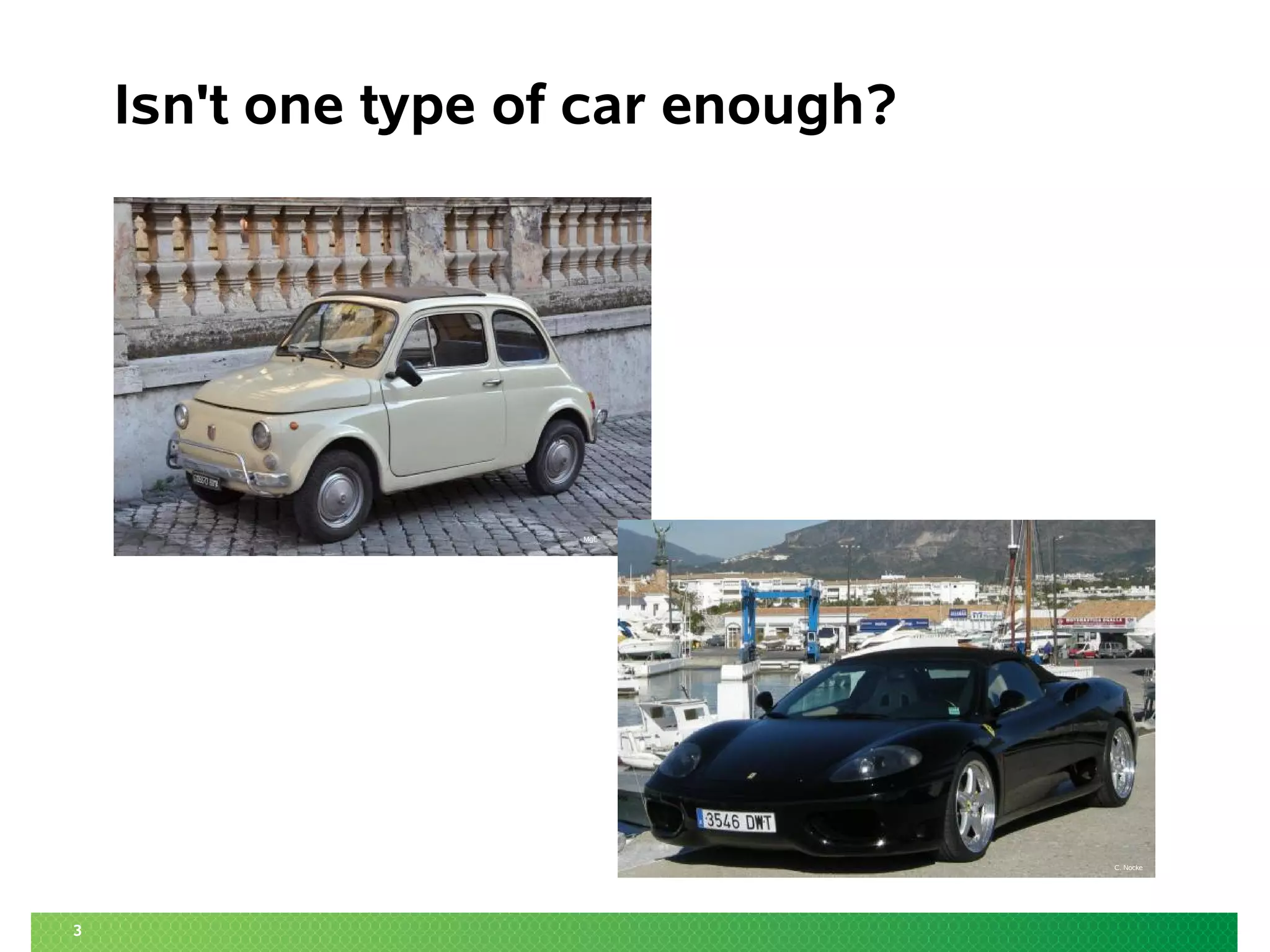
Isn't one type of car enough?
C. Nocke
MgE
3
Isn't one type of car enough?
C. Nocke
MgE
4
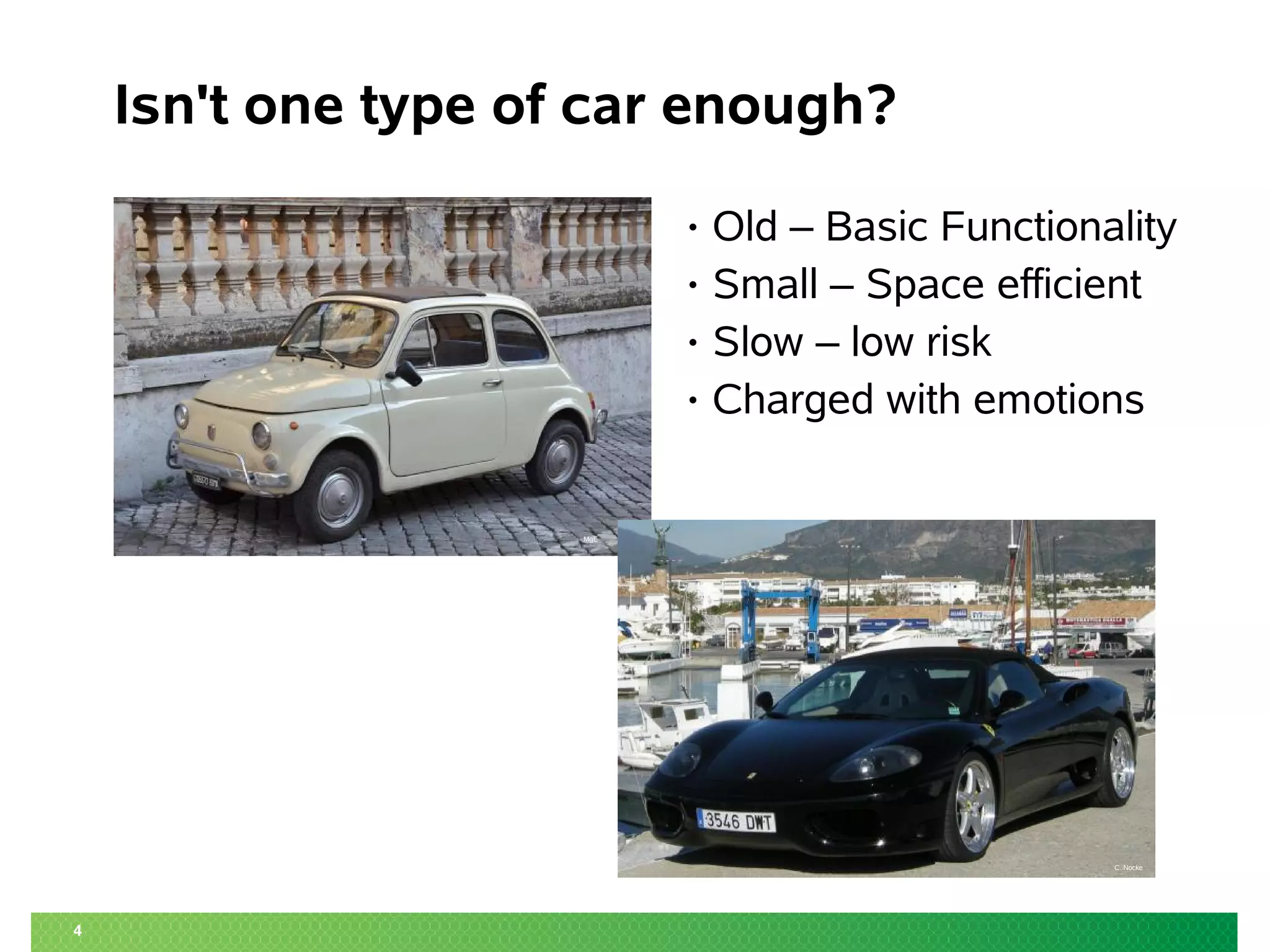
Isn't one type of car enough?
C. Nocke
MgE
• Old – Basic Functionality
• Small – Space efficient
• Slow – low risk
• Charged with emotions
5
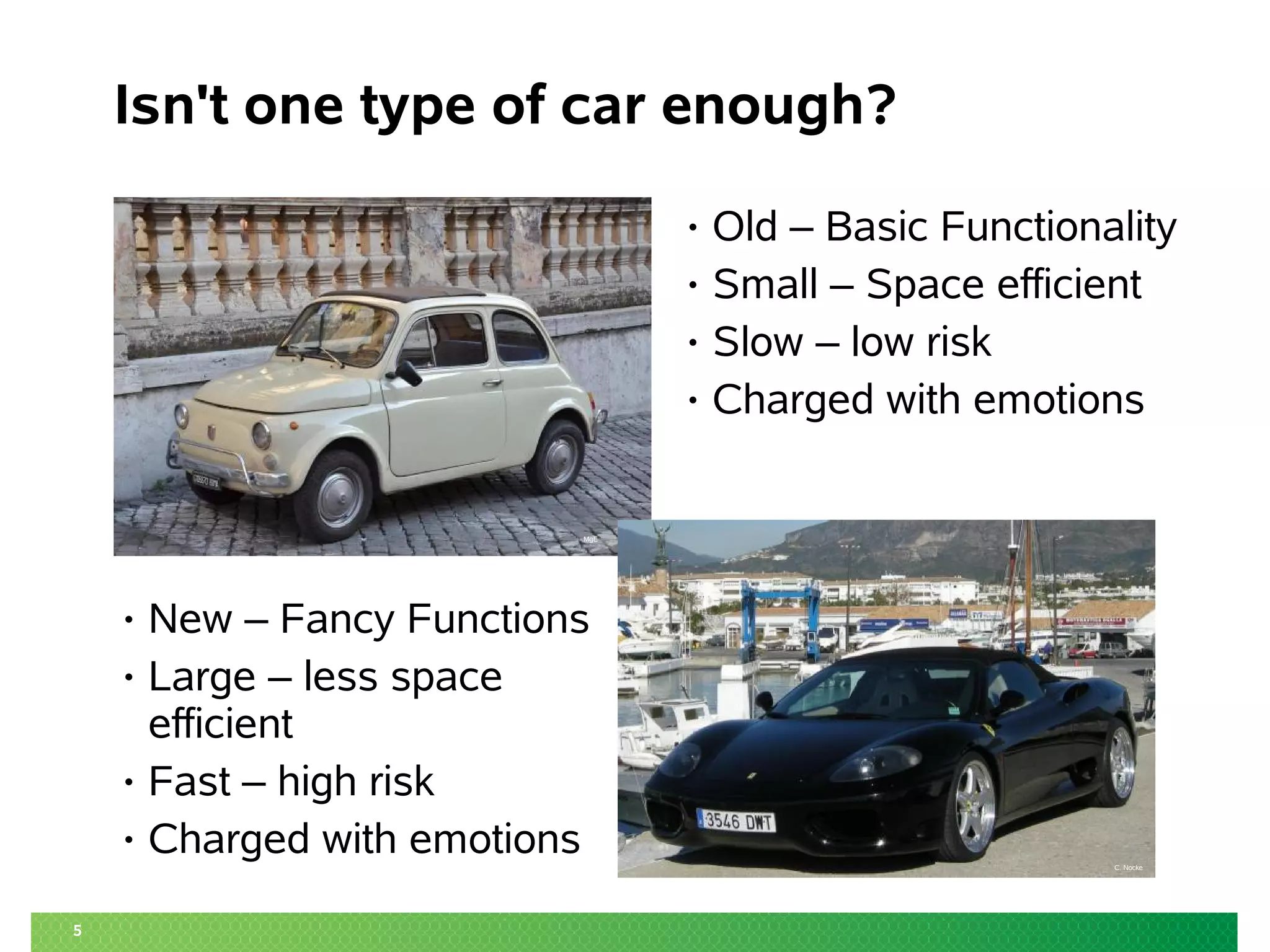
Isn't one type of car enough?
C. Nocke
MgE
• New – Fancy Functions
• Large – less space
efficient
• Fast – high risk
• Charged with emotions
• Old – Basic Functionality
• Small – Space efficient
• Slow – low risk
• Charged with emotions
6
Isn't one type of filesystem enough?
C. Nocke
MgE
• Functionality
• Efficiency
• Performance
• Reliability
• Charged with Emotions
Why btrfs is the Bread and
Butter of Filesystems
… and why you may need other Filesystems as well ...
LinuxCon 2013 NA
2013-09-12 21:15 UTC
Matthias G. Eckermann
Senior Product Manager
mge@suse.com
8
Agenda
• Local Linux Filesystems
• Copy on Write
• Filesystem recommendations
• CoW – and what to do with it
‒ Using “snapper”
to manage Operating System activities
‒ Snapshotting on the Desktop
‒ Server Side Snapshots
‒ Other features – Future
Linux (Local) Filesystems
10
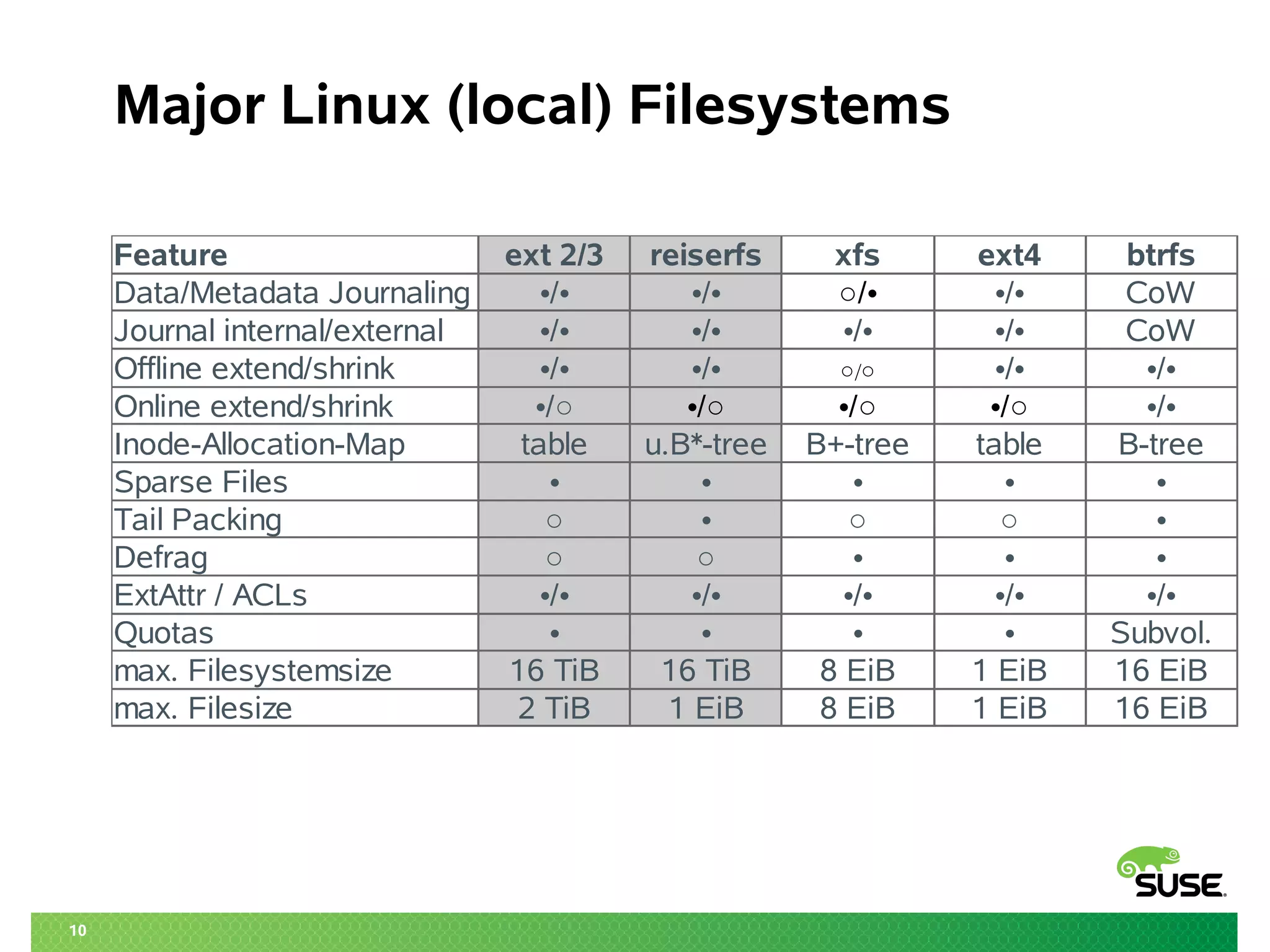
Major Linux (local) Filesystems
Feature ext 2/3 reiserfs xfs ext4 btrfs
Data/Metadata Journaling •/• •/• CoW
Journal internal/external •/• •/• •/• •/• CoW
Offline extend/shrink •/• •/• •/• •/•
Online extend/shrink •/•
Inode-Allocation-Map table u.B*-tree B+-tree table B-tree
Sparse Files • • • • •
Tail Packing ○ • ○ ○ •
Defrag ○ ○ • • •
ExtAttr / ACLs •/• •/• •/• •/• •/•
Quotas • • • • Subvol.
max. Filesystemsize 16 TiB 16 TiB 8 EiB 1 EiB 16 EiB
max. Filesize 2 TiB 1 EiB 8 EiB 1 EiB 16 EiB
•/• ○/•
○/○
•/○ •/○ •/○ •/○
11
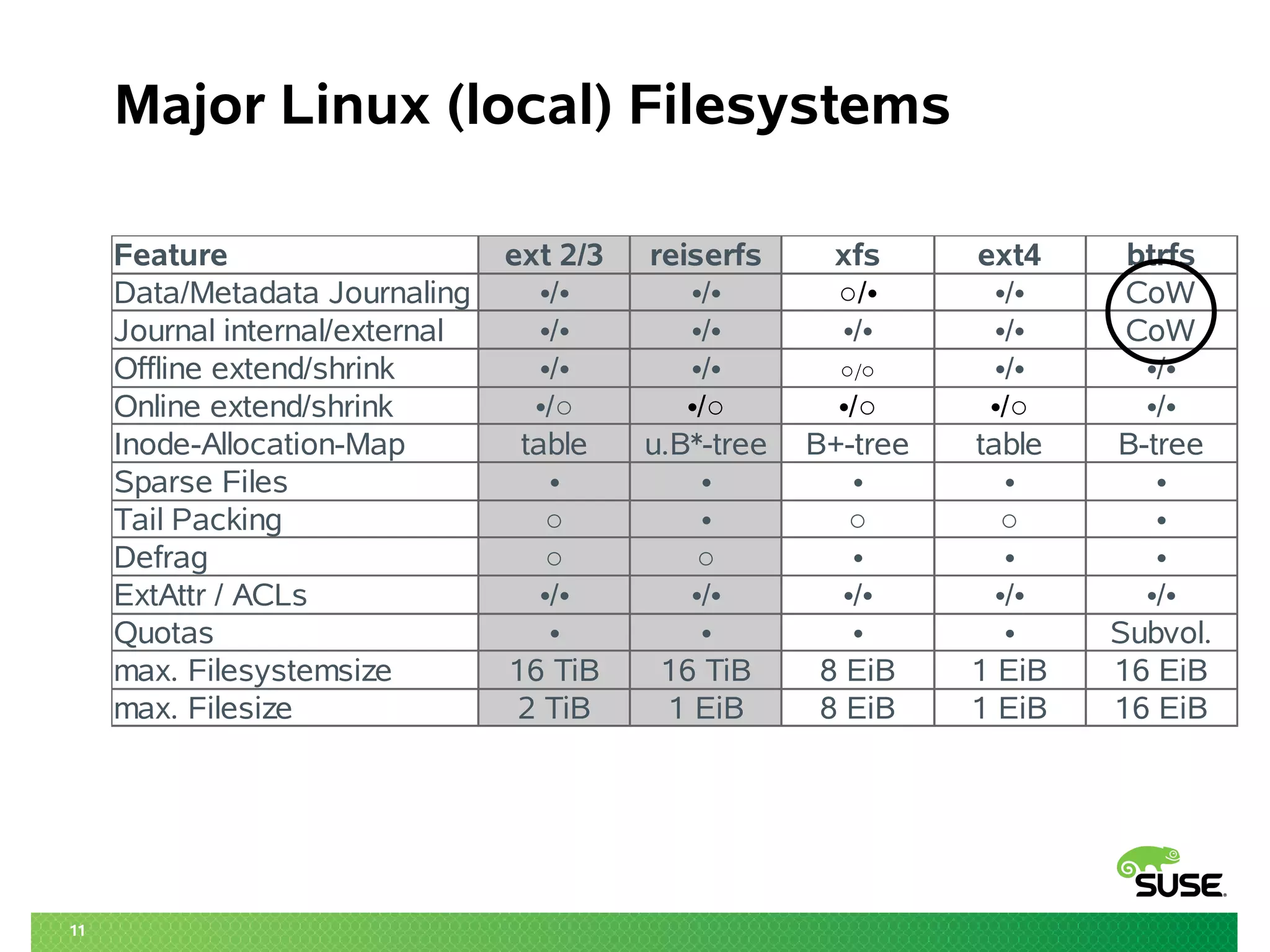
Major Linux (local) Filesystems
Feature ext 2/3 reiserfs xfs ext4 btrfs
Data/Metadata Journaling •/• •/• CoW
Journal internal/external •/• •/• •/• •/• CoW
Offline extend/shrink •/• •/• •/• •/•
Online extend/shrink •/•
Inode-Allocation-Map table u.B*-tree B+-tree table B-tree
Sparse Files • • • • •
Tail Packing ○ • ○ ○ •
Defrag ○ ○ • • •
ExtAttr / ACLs •/• •/• •/• •/• •/•
Quotas • • • • Subvol.
max. Filesystemsize 16 TiB 16 TiB 8 EiB 1 EiB 16 EiB
max. Filesize 2 TiB 1 EiB 8 EiB 1 EiB 16 EiB
•/• ○/•
○/○
•/○ •/○ •/○ •/○
12
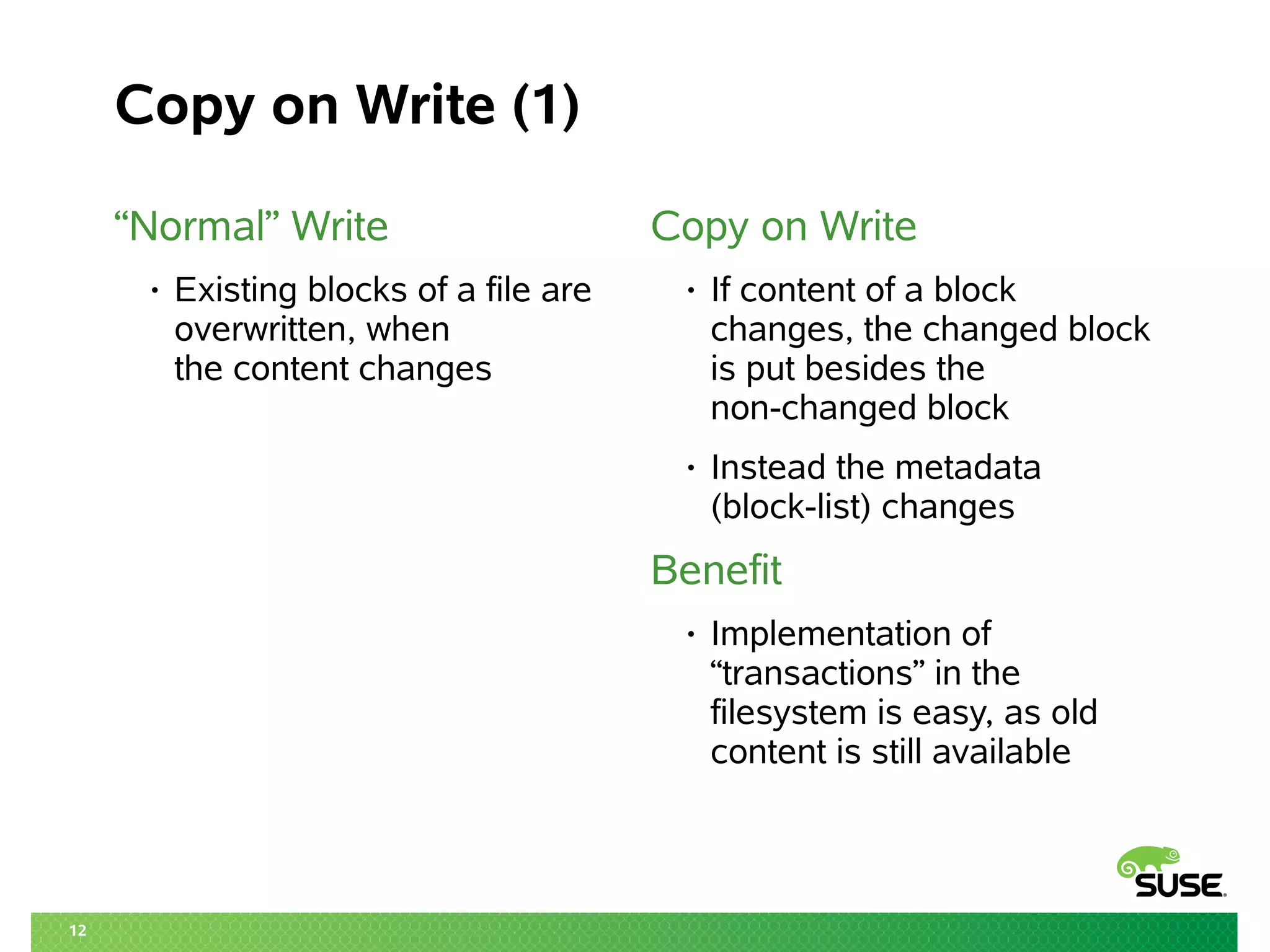
Copy on Write (1)
“Normal” Write
• Existing blocks of a file are
overwritten, when
the content changes
Copy on Write
• If content of a block
changes, the changed block
is put besides the
non-changed block
• Instead the metadata
(block-list) changes
Benefit
• Implementation of
“transactions” in the
filesystem is easy, as old
content is still available
13
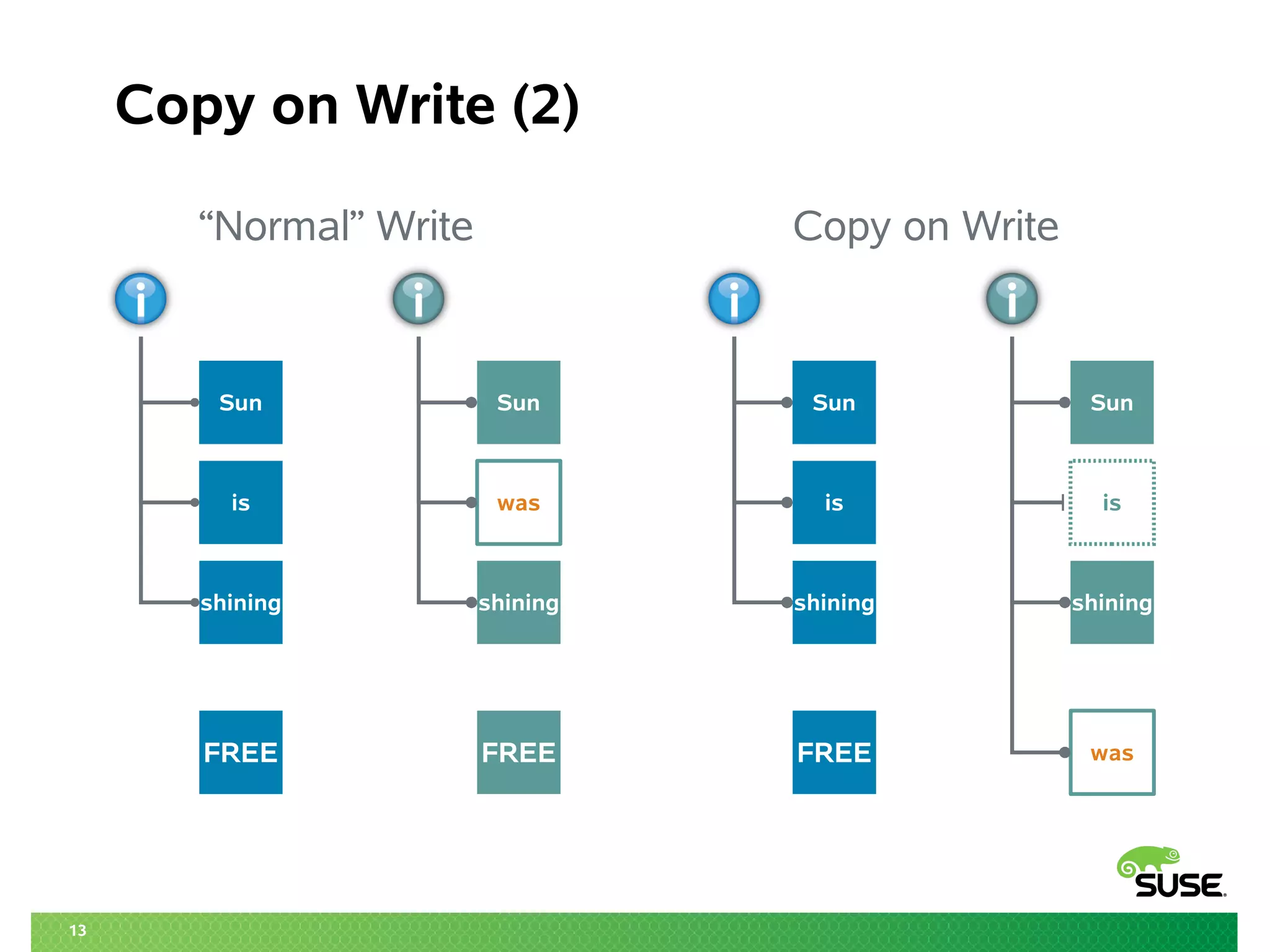
Copy on Write (2)
“Normal” Write Copy on Write
Sun
is
shining
FREE
Sun
is
shining
FREE
Sun
was
shining
FREE
Sun
is
shining
was
14
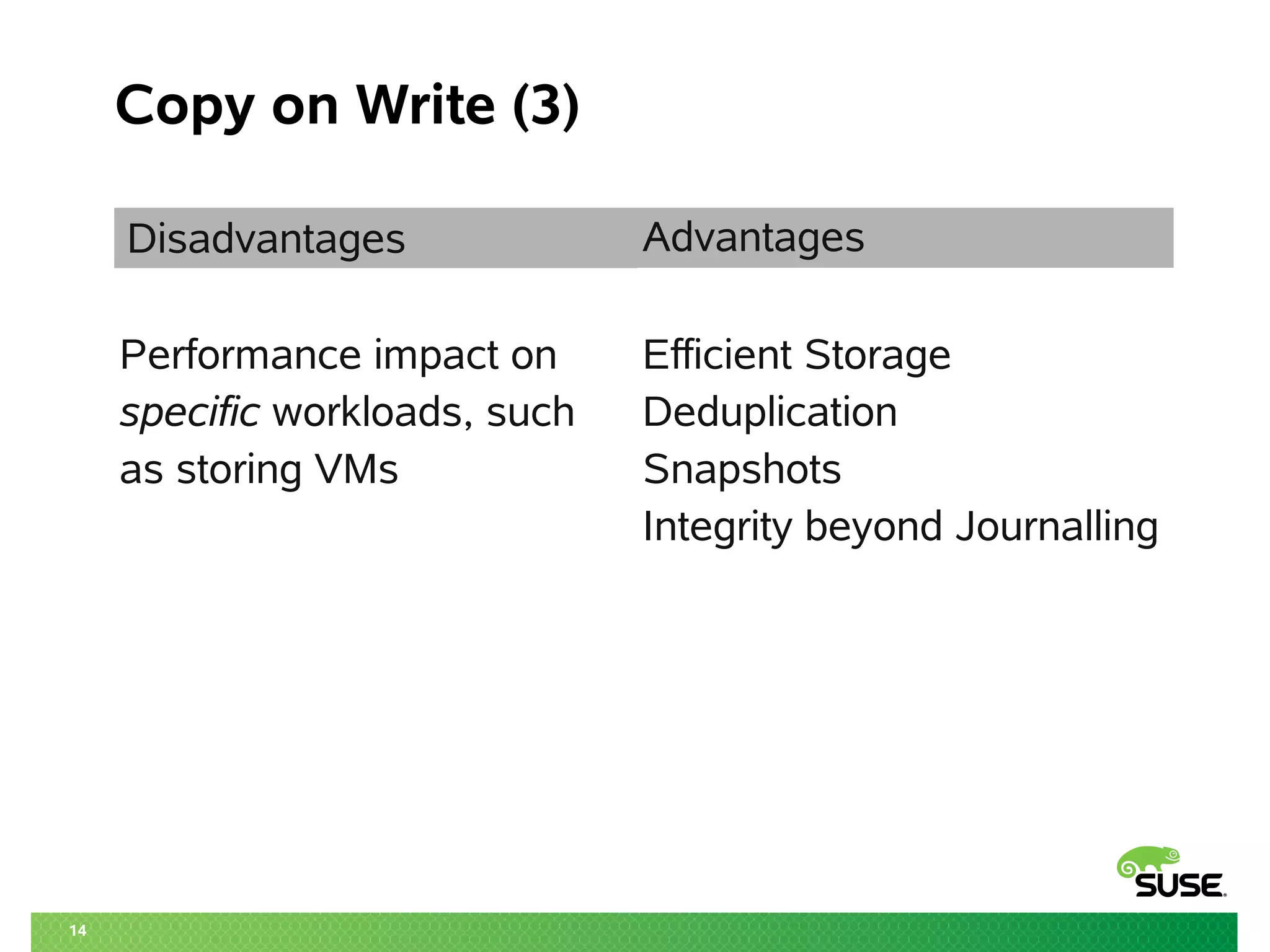
Copy on Write (3)
Disadvantages Advantages
Performance impact on Efficient Storage
specific workloads, such Deduplication
as storing VMs Snapshots
Integrity beyond Journalling
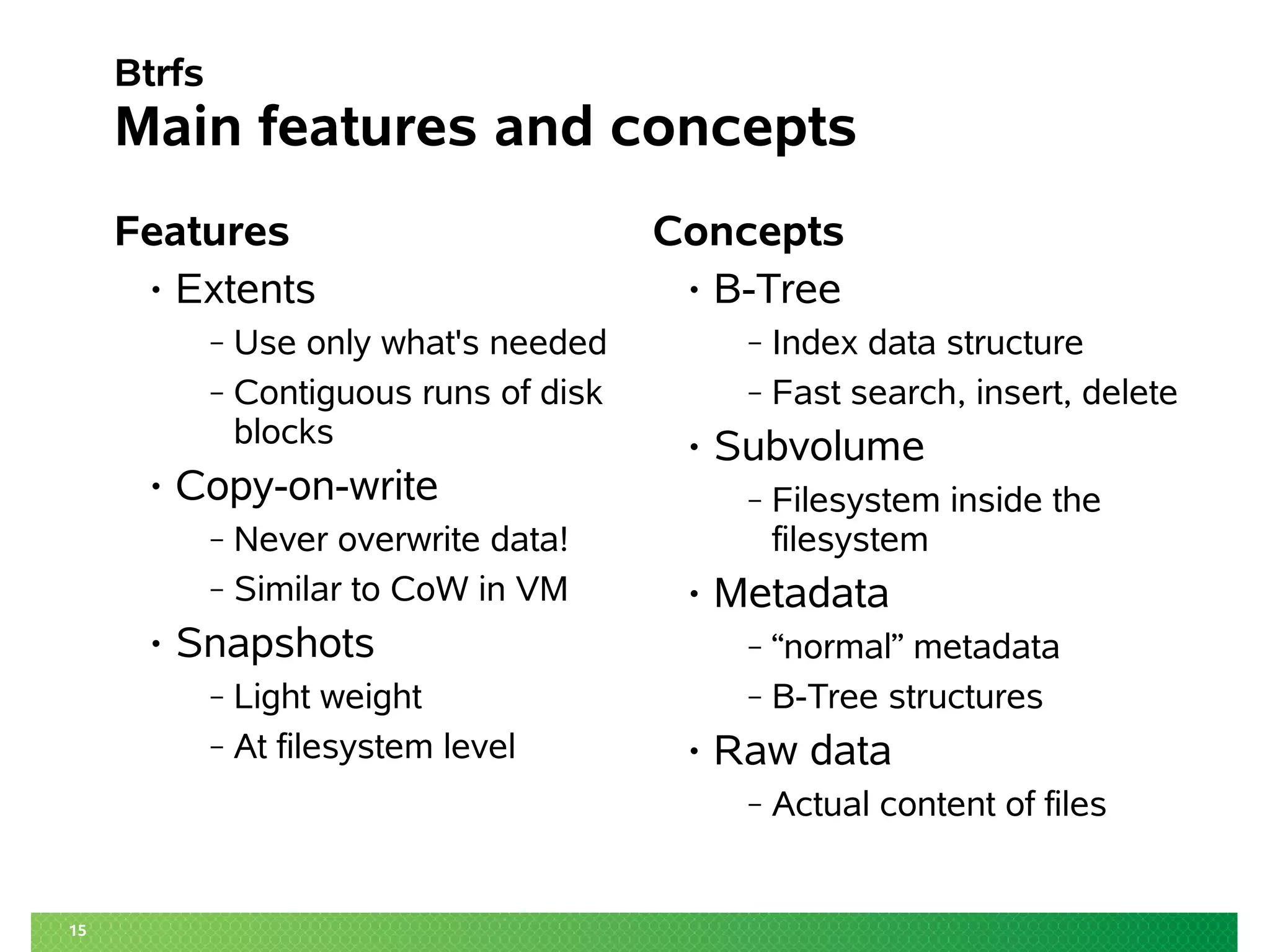
15
Btrfs
Main features and concepts
Features
• Extents
‒ Use only what's needed
‒ Contiguous runs of disk
blocks
• Copy-on-write
‒ Never overwrite data!
‒ Similar to CoW in VM
• Snapshots
‒ Light weight
‒ At filesystem level
Concepts
• B-Tree
‒ Index data structure
‒ Fast search, insert, delete
• Subvolume
‒ Filesystem inside the
filesystem
• Metadata
‒ “normal” metadata
‒ B-Tree structures
• Raw data
‒ Actual content of files
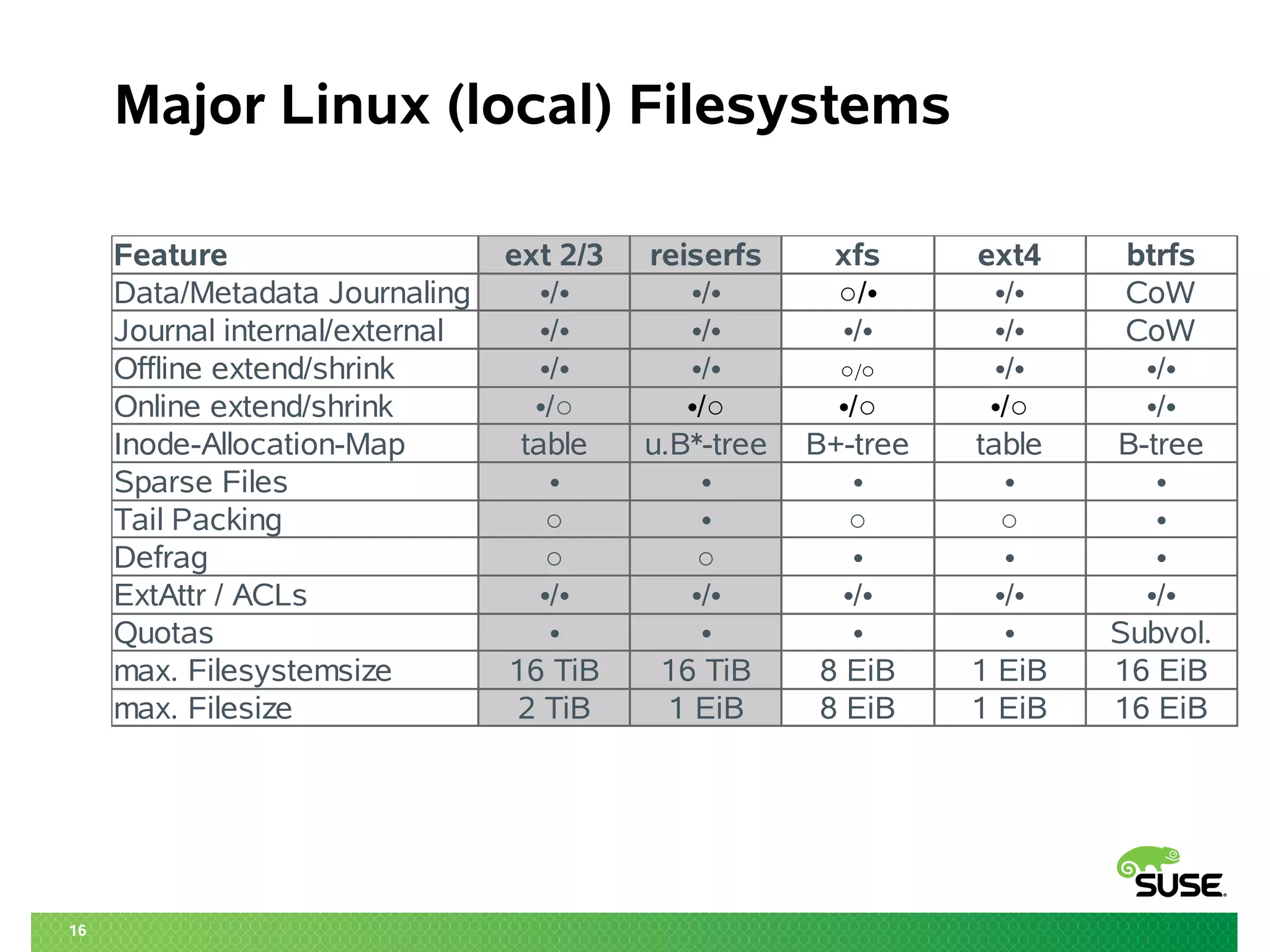
16
Major Linux (local) Filesystems
Feature ext 2/3 reiserfs xfs ext4 btrfs
Data/Metadata Journaling •/• •/• CoW
Journal internal/external •/• •/• •/• •/• CoW
Offline extend/shrink •/• •/• •/• •/•
Online extend/shrink •/•
Inode-Allocation-Map table u.B*-tree B+-tree table B-tree
Sparse Files • • • • •
Tail Packing ○ • ○ ○ •
Defrag ○ ○ • • •
ExtAttr / ACLs •/• •/• •/• •/• •/•
Quotas • • • • Subvol.
max. Filesystemsize 16 TiB 16 TiB 8 EiB 1 EiB 16 EiB
max. Filesize 2 TiB 1 EiB 8 EiB 1 EiB 16 EiB
•/• ○/•
○/○
•/○ •/○ •/○ •/○
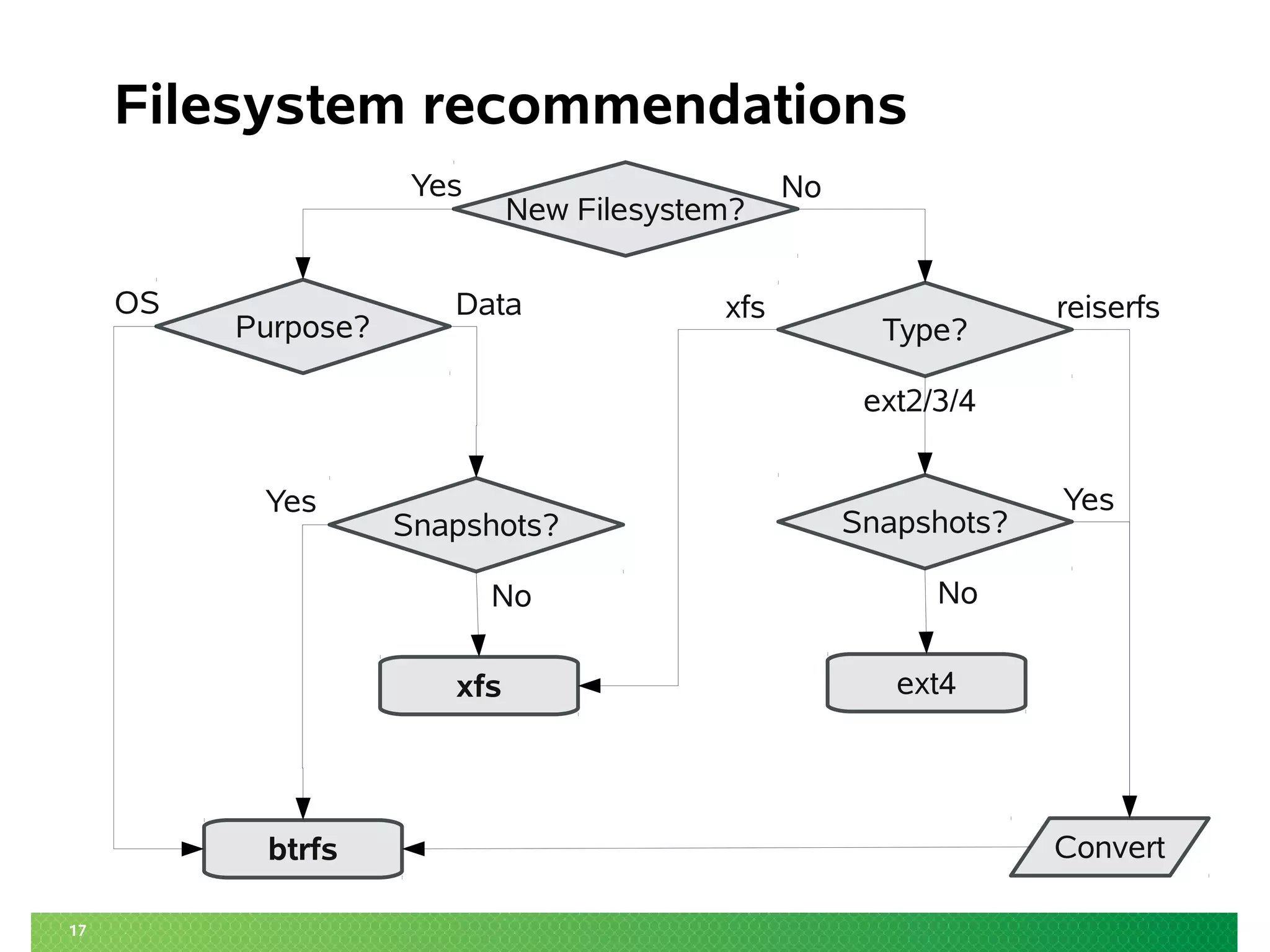
17
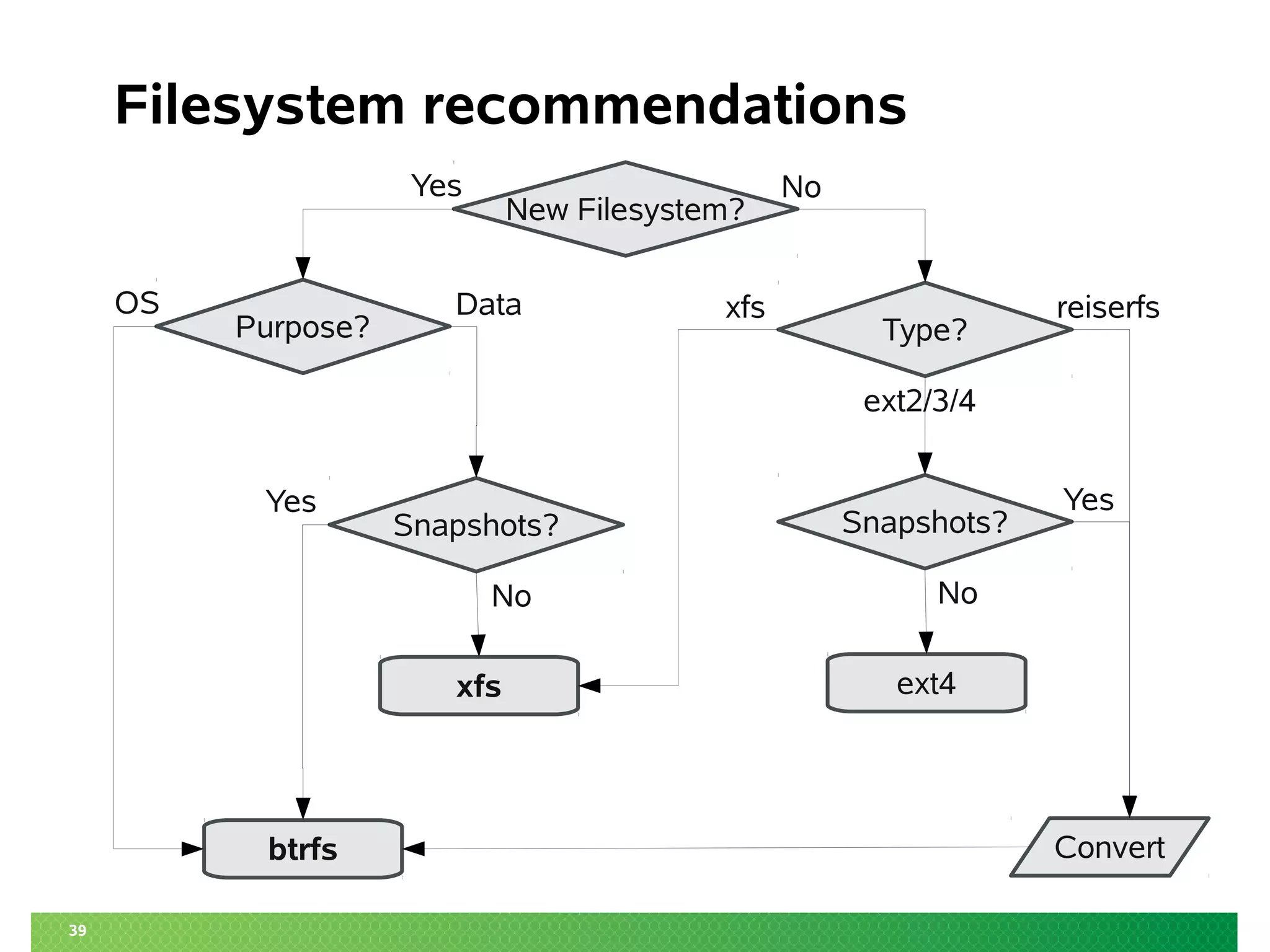
Filesystem recommendations
Type?
New Filesystem?
Purpose?
Snapshots?
Snapshots?
ext4
xfs
btrfs
OS Data
No
Yes Yes
Convert
No
ext2/3/4
xfs reiserfs
Yes No
18
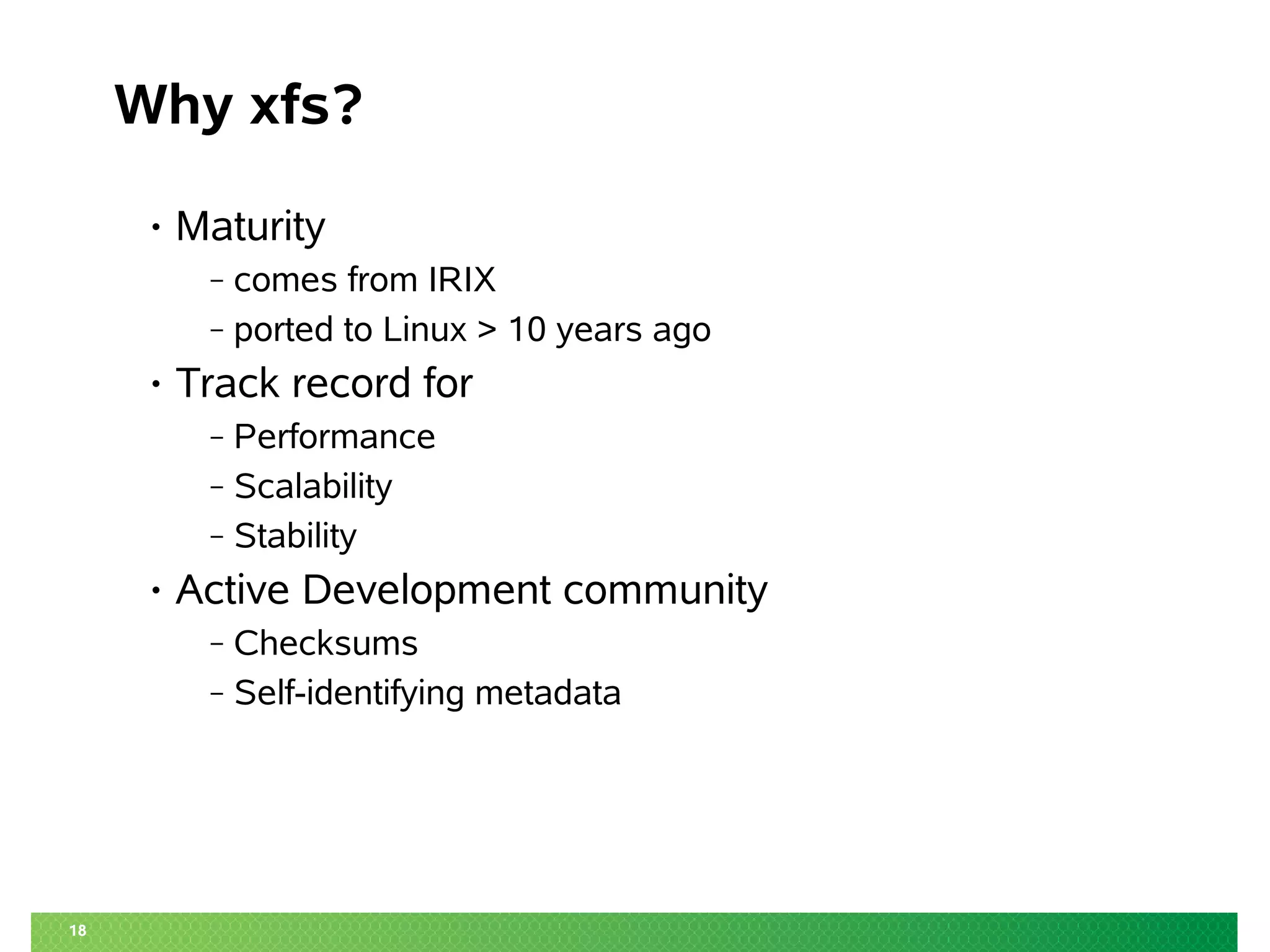
Why xfs?
• Maturity
‒ comes from IRIX
‒ ported to Linux > 10 years ago
• Track record for
‒ Performance
‒ Scalability
‒ Stability
• Active Development community
‒ Checksums
‒ Self-identifying metadata
CoW – and what to do with it
20
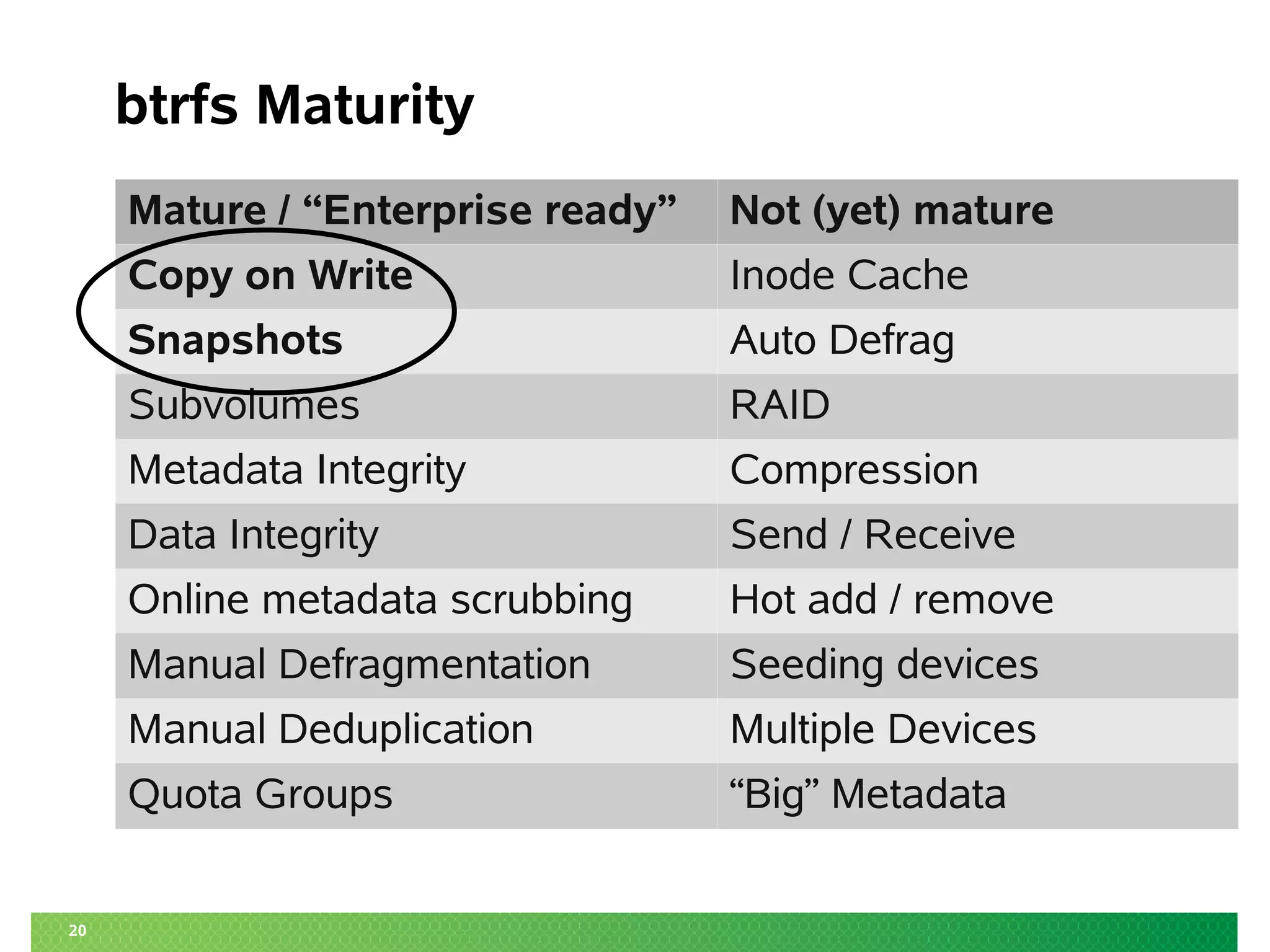
btrfs Maturity
Mature / “Enterprise ready” Not (yet) mature
Copy on Write Inode Cache
Snapshots Auto Defrag
Subvolumes RAID
Metadata Integrity Compression
Data Integrity Send / Receive
Online metadata scrubbing Hot add / remove
Manual Defragmentation Seeding devices
Manual Deduplication Multiple Devices
Quota Groups “Big” Metadata
Using “snapper”
to manage Operating System activities
22
What is snapper?
• Tool to manage btrfs snapshots
• Functions:
‒ create, modify, delete
‒ status (=compare), diff
‒ undochange
‒ cleanup
• Integration with
‒ Package management stack (SUSE: zypper, yum)
‒ Systems management stack (SUSE: YaST)
• DBUS service
23
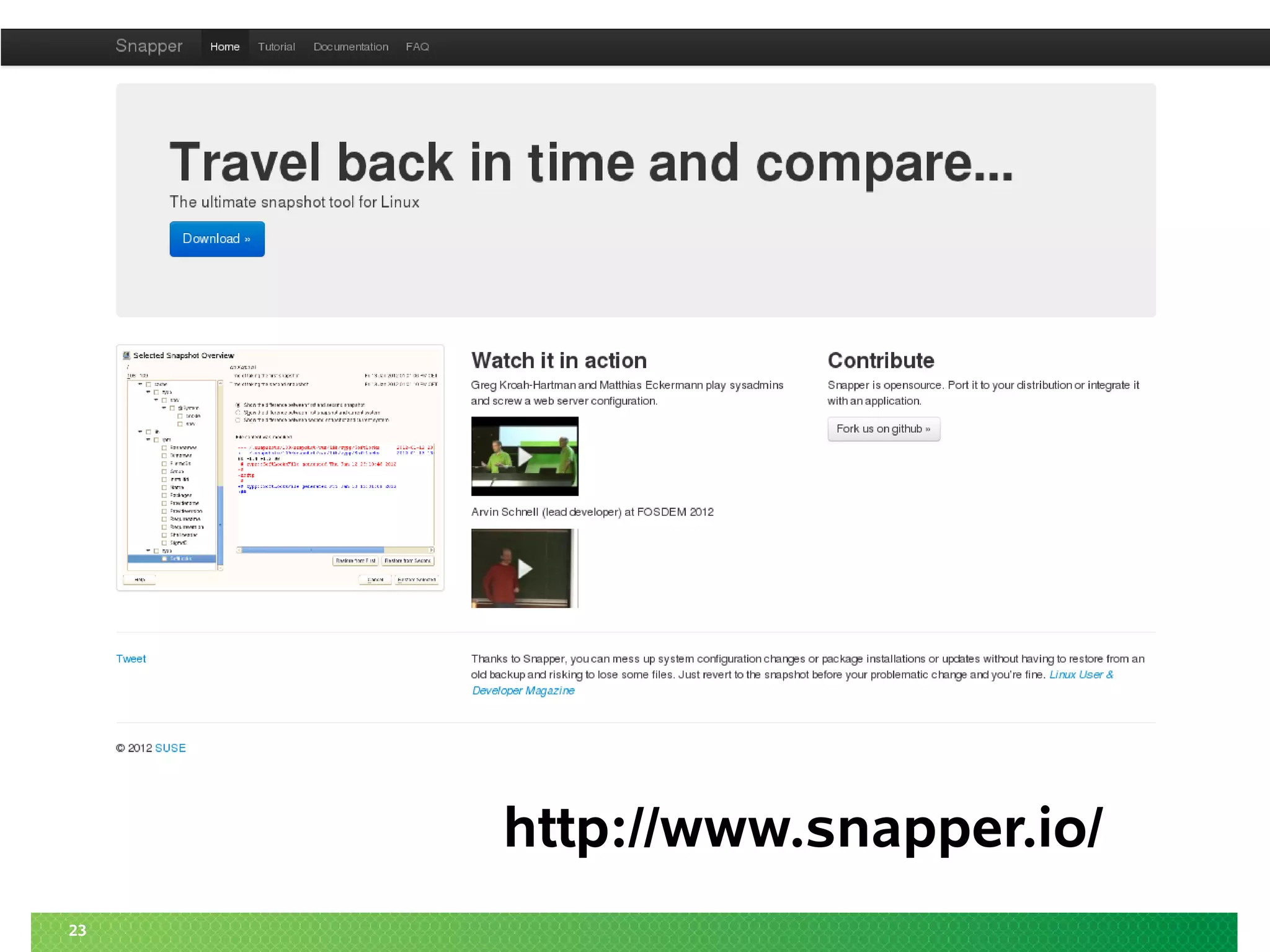
http://www.snapper.io/
24
snapper demonstration
for administrative tasks
Snapshotting on the Desktop
/home/$USER
26
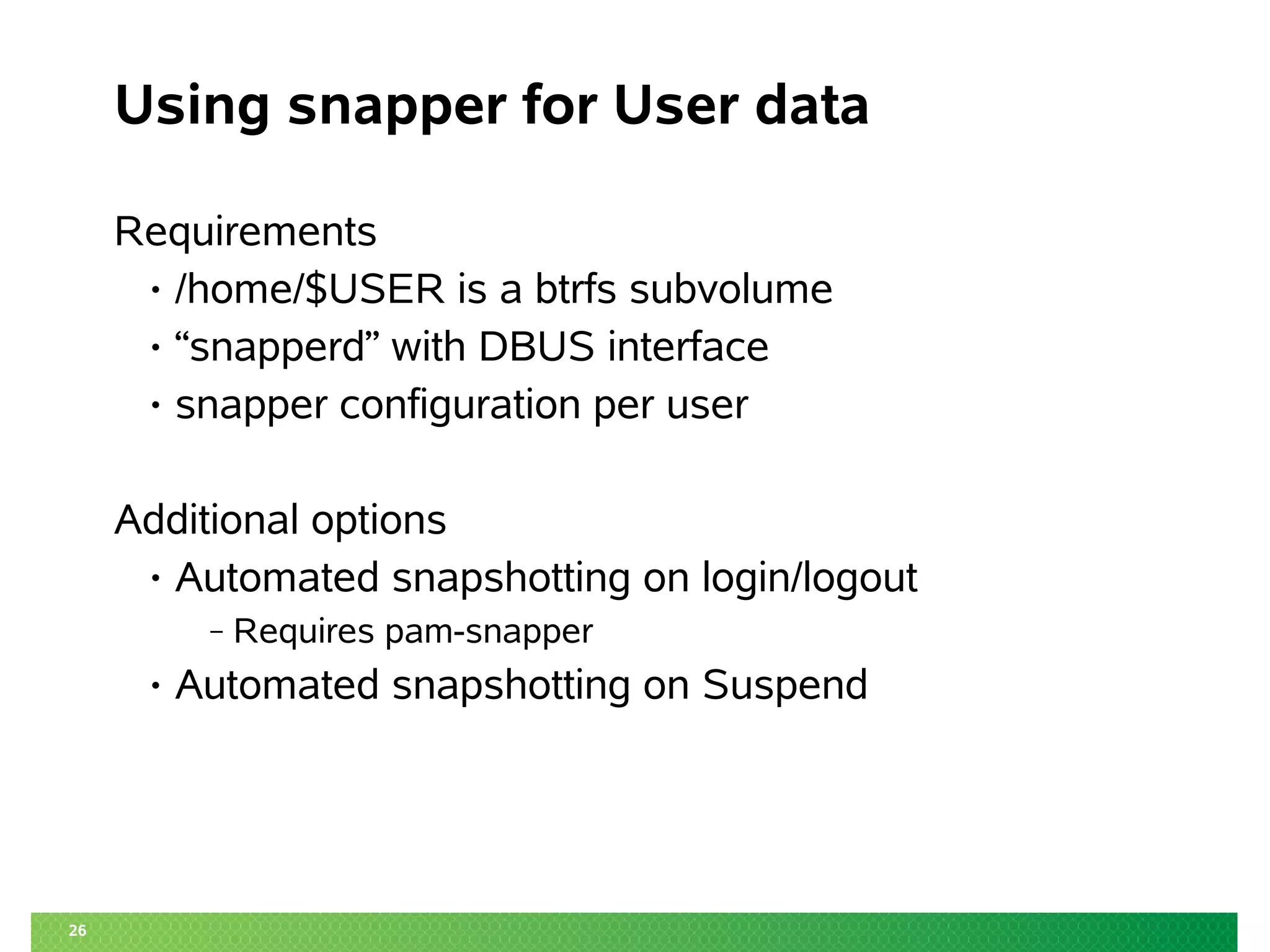
Using snapper for User data
Requirements
• /home/$USER is a btrfs subvolume
• “snapperd” with DBUS interface
• snapper configuration per user
Additional options
• Automated snapshotting on login/logout
‒ Requires pam-snapper
• Automated snapshotting on Suspend
27
snapper demonstration for a user
Server Side Snapshots
Btrfs as a Samba backend
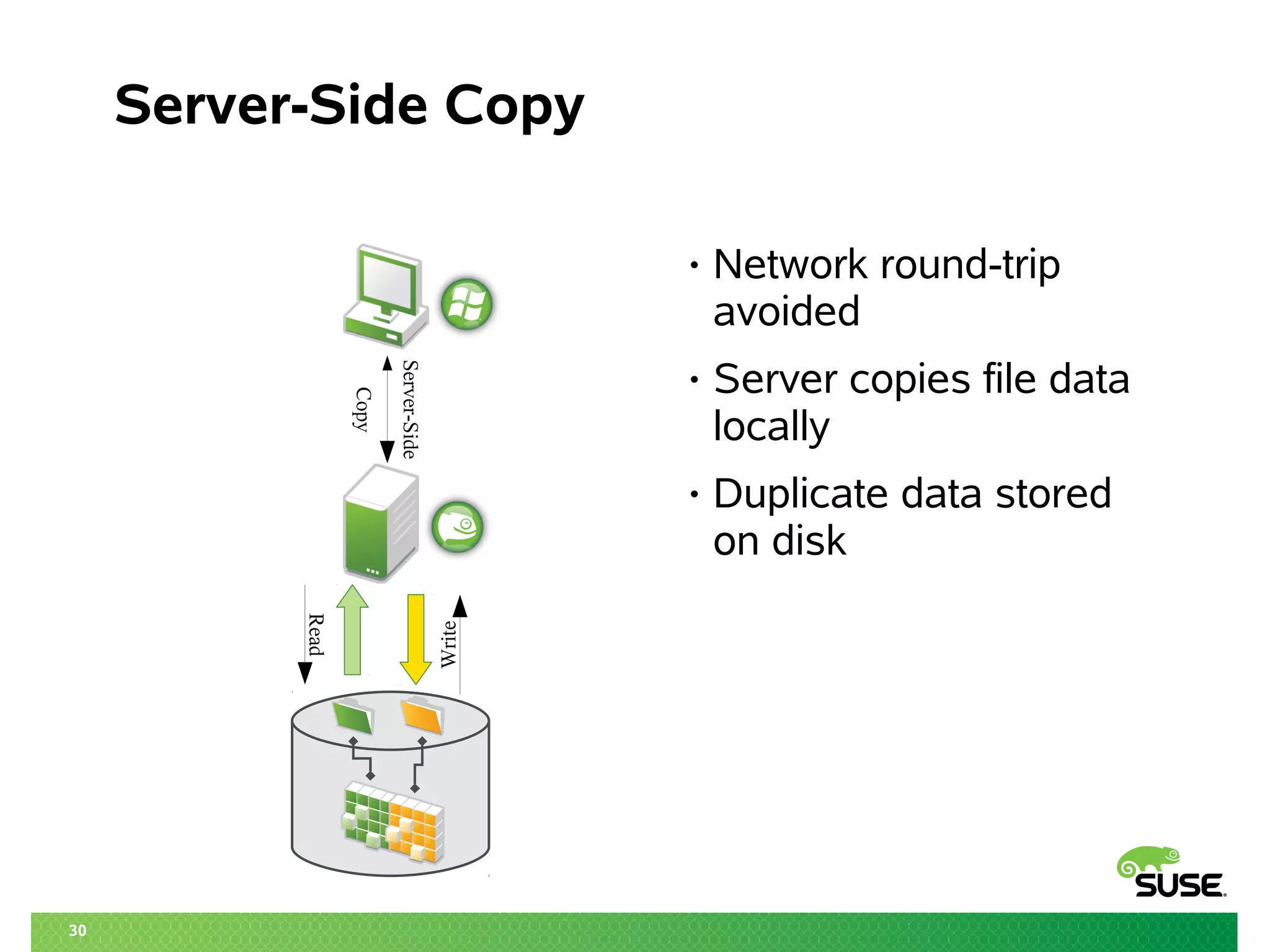
Server Side Copy
29
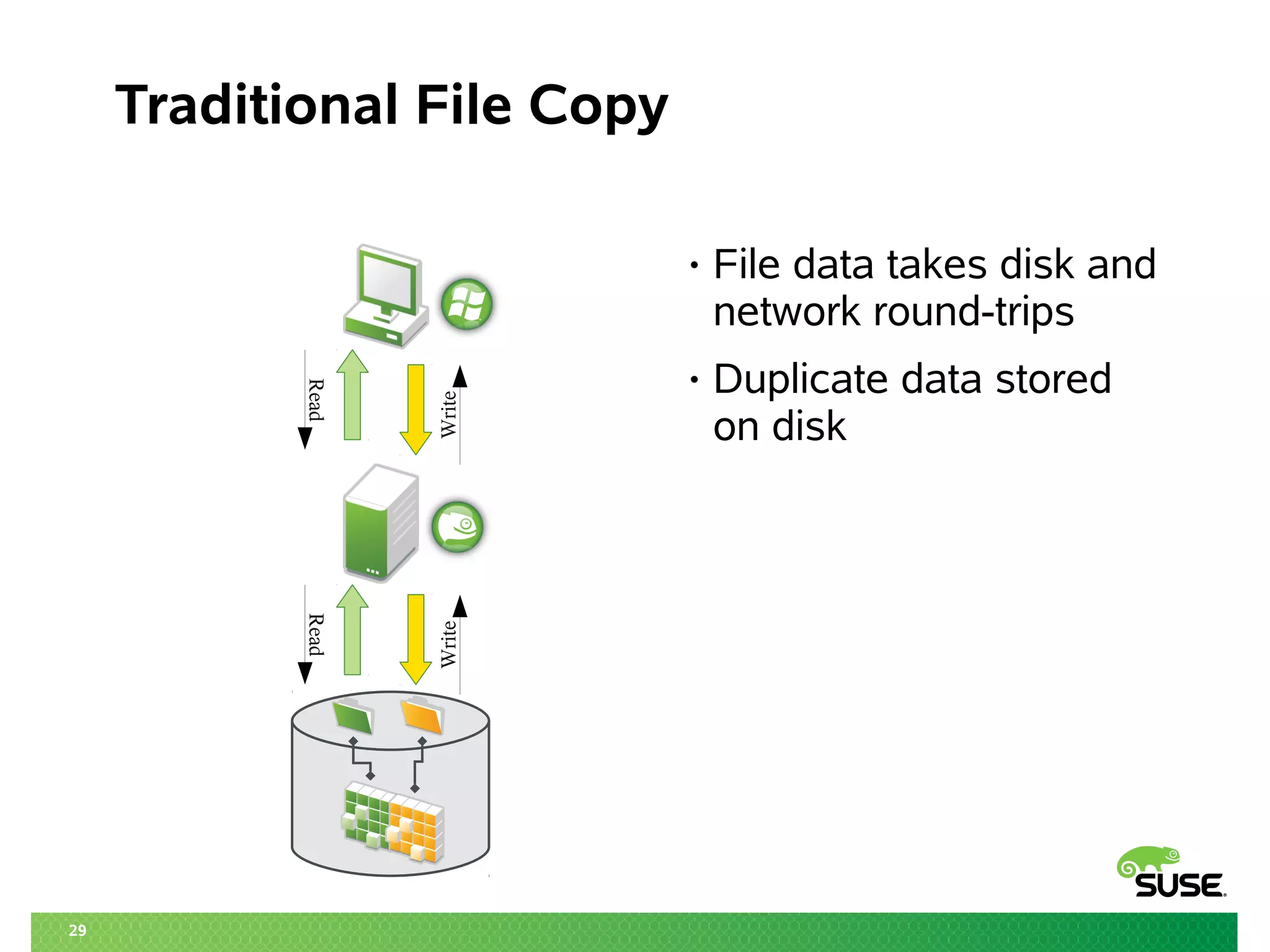
Traditional File Copy
• File data takes disk and
network round-trips
• Duplicate data stored
on disk
Read
Write
Read
Write
30
Server-Side Copy
• Network round-trip
avoided
• Server copies file data
locally
• Duplicate data stored
on disk
Server-Side
Copy
Read
Write
31
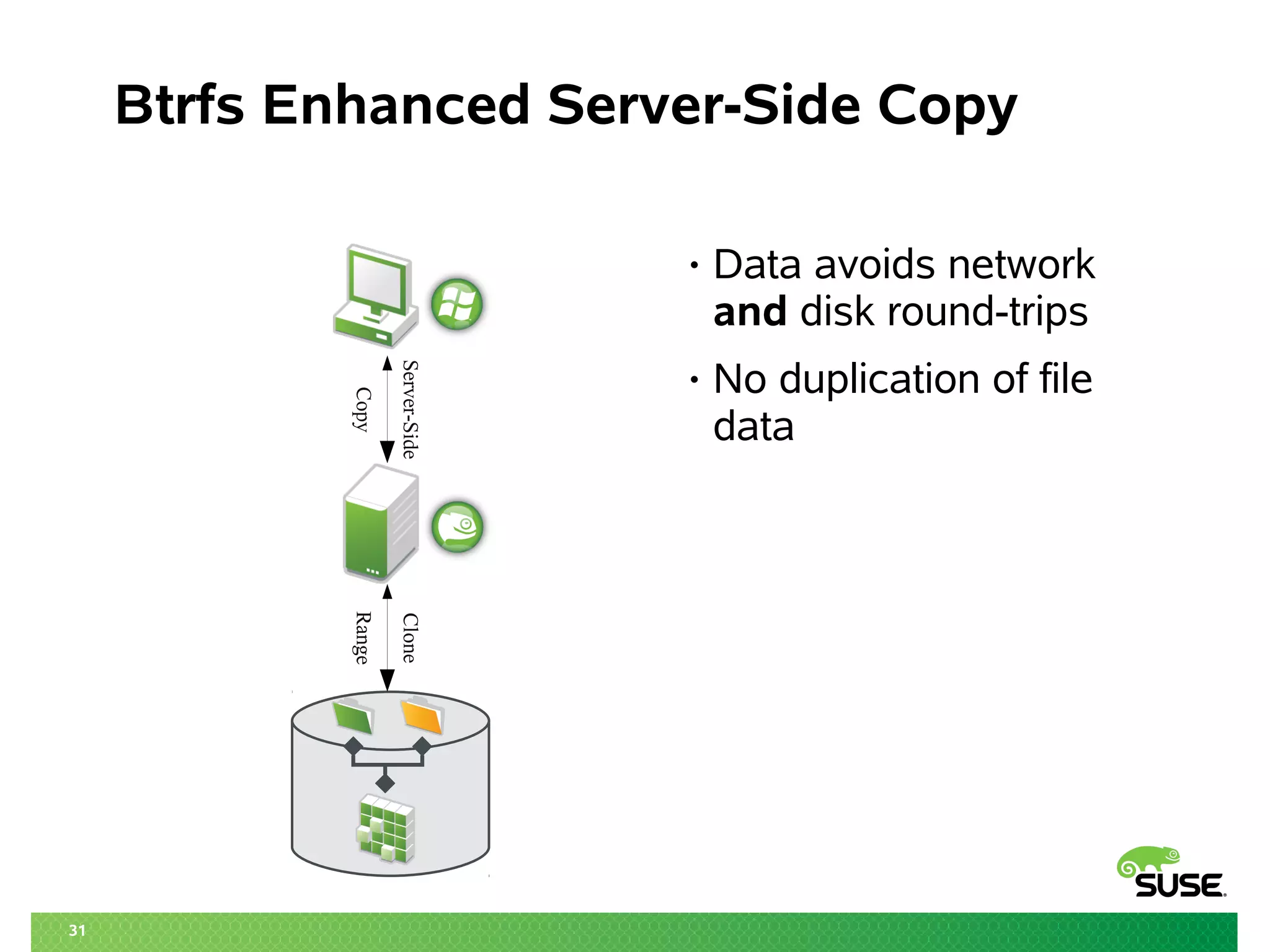
Btrfs Enhanced Server-Side Copy
• Data avoids network
and disk round-trips
• No duplication of file
data
Server-Side
Copy
Clone
Range
Server Side Snapshots
Btrfs as a Samba backend
“Recovery Point”
33
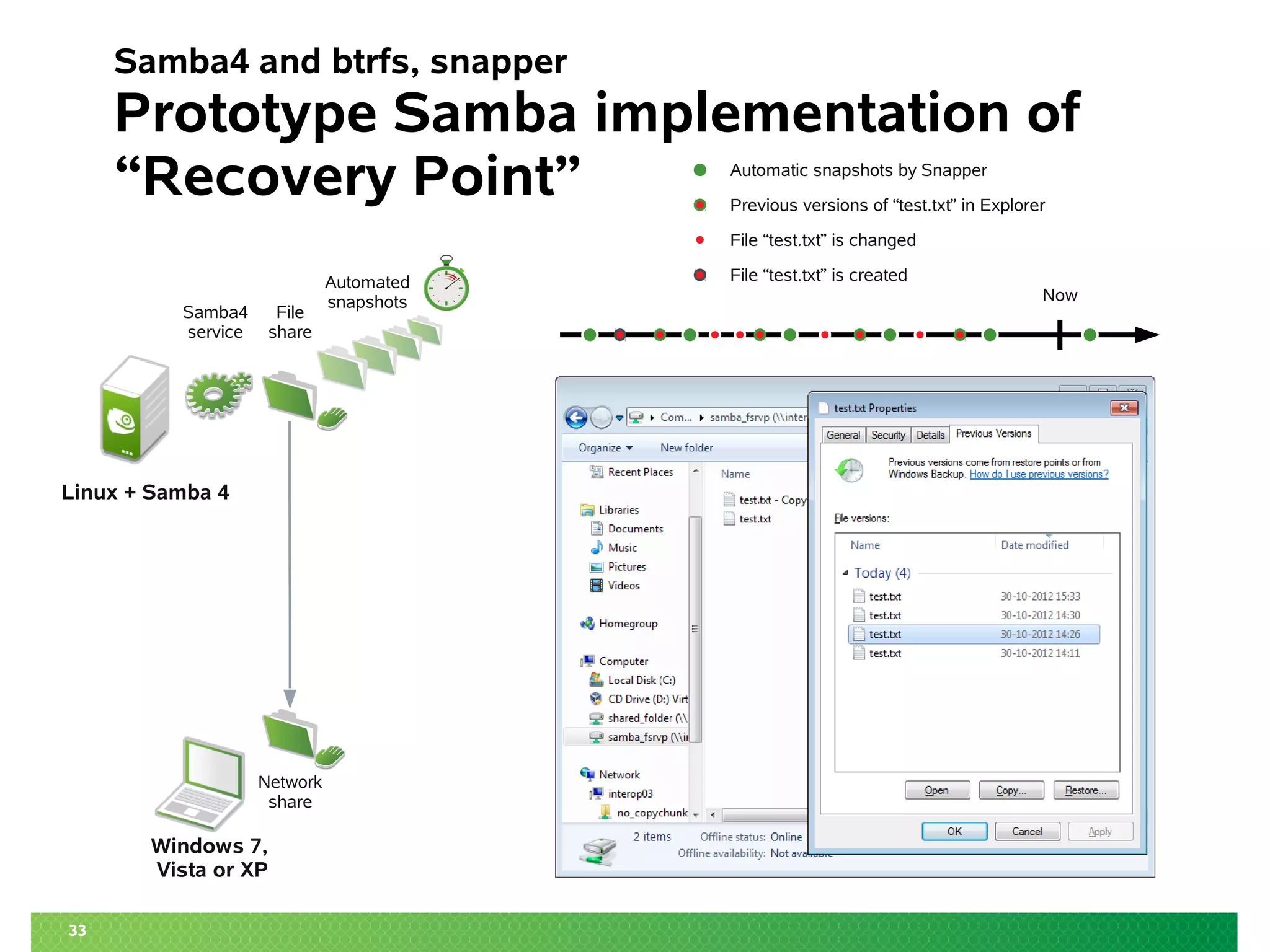
Samba4 and btrfs, snapper
Prototype Samba implementation of
“Recovery Point”
File
share
Linux + Samba 4
Windows 7,
Vista or XP
Samba4
service
File “test.txt” is changed
Automatic snapshots by Snapper
File “test.txt” is created
Network
share
Now
Previous versions of “test.txt” in Explorer
Automated
snapshots
Other features – Future
35
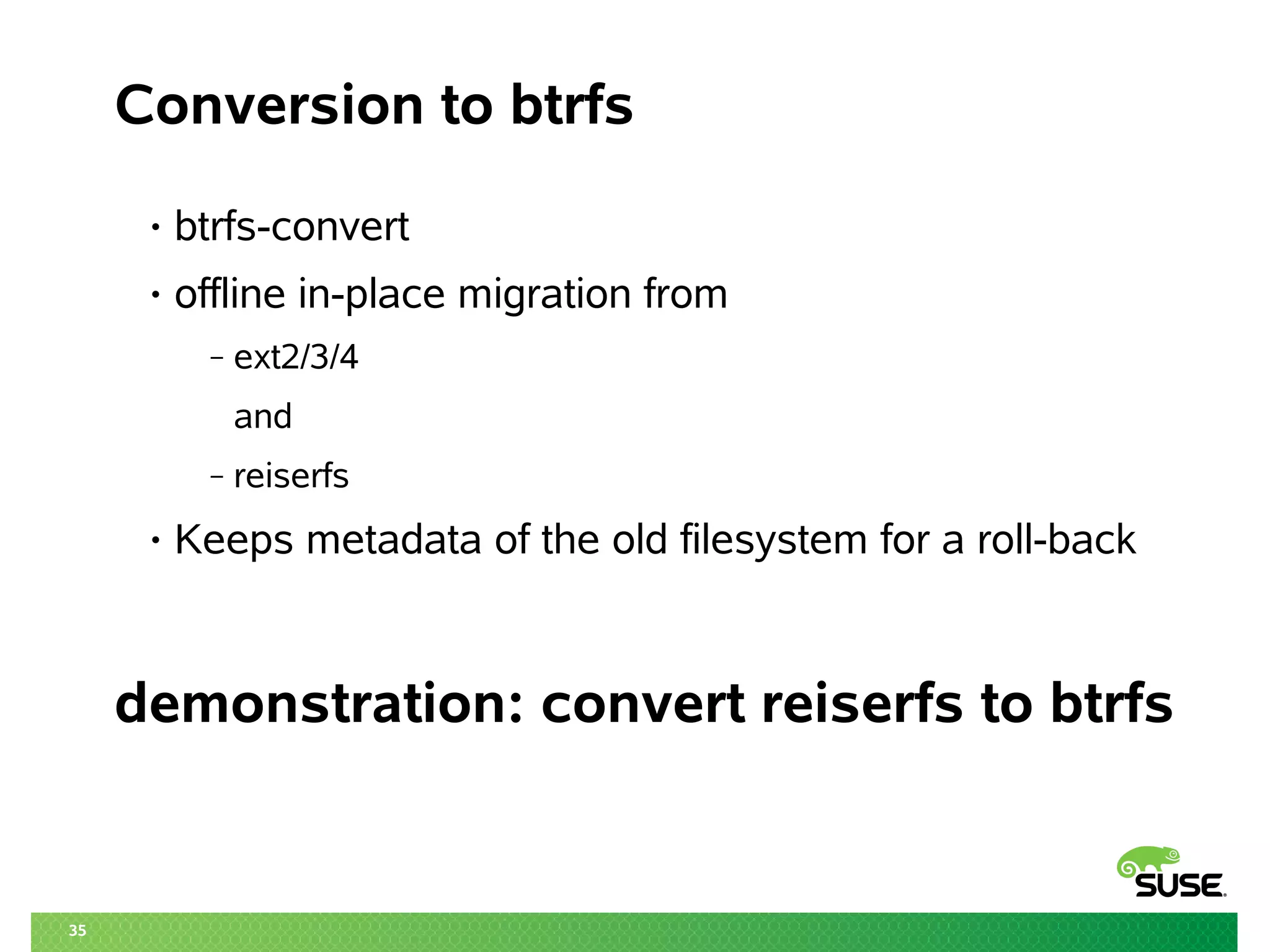
Conversion to btrfs
• btrfs-convert
• offline in-place migration from
‒ ext2/3/4
and
‒ reiserfs
• Keeps metadata of the old filesystem for a roll-back
demonstration: convert reiserfs to btrfs
36
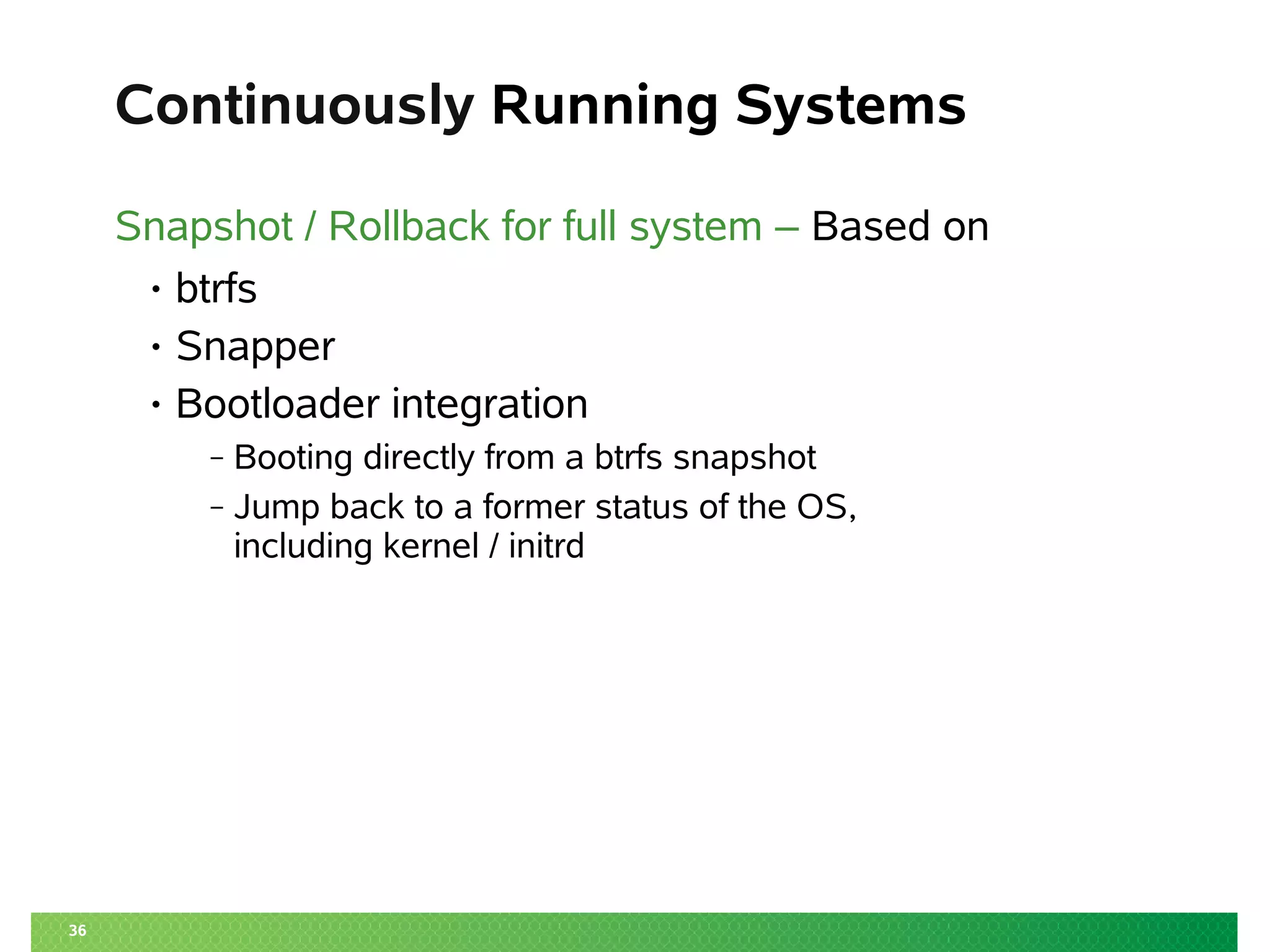
Continuously Running Systems
Snapshot / Rollback for full system – Based on
• btrfs
• Snapper
• Bootloader integration
‒ Booting directly from a btrfs snapshot
‒ Jump back to a former status of the OS,
including kernel / initrd
37
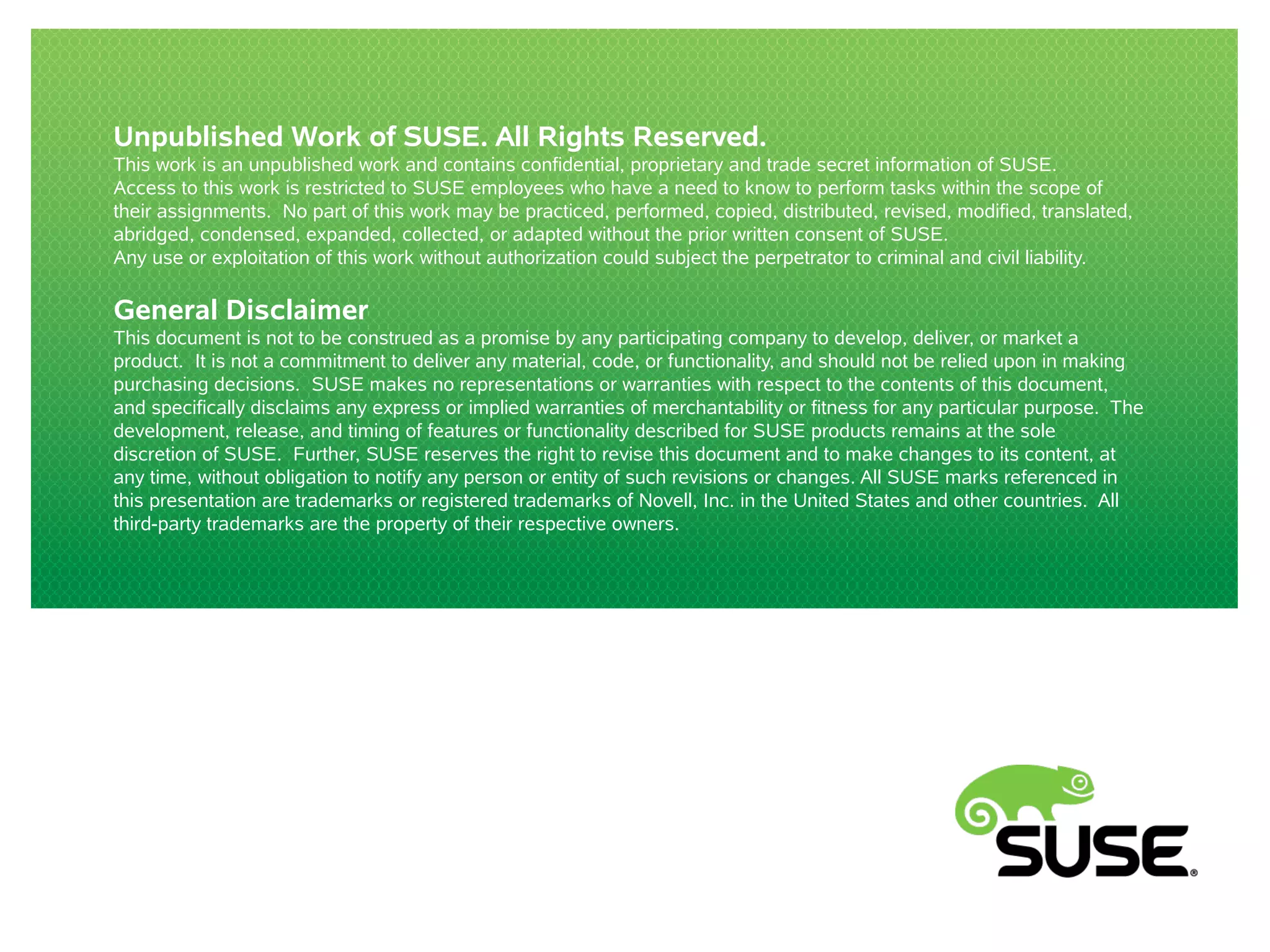
Btrfs – Planned features
• Data de-duplication:
– De-duplication during writes
– Manual De-duplication
• Tiered storage
– e.g.: combine SSD and HDD
Summary
39
Filesystem recommendations
Type?
New Filesystem?
Purpose?
Snapshots?
Snapshots?
ext4
xfs
btrfs
OS Data
No
Yes Yes
Convert
No
ext2/3/4
xfs reiserfs
Yes No
Thank you.
40
Go ahead, try btrfs and snapper
today!
Your questions!?
Corporate Headquarters
Maxfeldstrasse 5
90409 Nuremberg
Germany
+49 911 740 53 0 (Worldwide)
www.suse.com
Join us on:
www.opensuse.org
41
Unpublished Work of SUSE. All Rights Reserved.
This work is an unpublished work and contains confidential, proprietary and trade secret information of SUSE.
Access to this work is restricted to SUSE employees who have a need to know to perform tasks within the scope of
their assignments. No part of this work may be practiced, performed, copied, distributed, revised, modified, translated,
abridged, condensed, expanded, collected, or adapted without the prior written consent of SUSE.
Any use or exploitation of this work without authorization could subject the perpetrator to criminal and civil liability.
General Disclaimer
This document is not to be construed as a promise by any participating company to develop, deliver, or market a
product. It is not a commitment to deliver any material, code, or functionality, and should not be relied upon in making
purchasing decisions. SUSE makes no representations or warranties with respect to the contents of this document,
and specifically disclaims any express or implied warranties of merchantability or fitness for any particular purpose. The
development, release, and timing of features or functionality described for SUSE products remains at the sole
discretion of SUSE. Further, SUSE reserves the right to revise this document and to make changes to its content, at
any time, without obligation to notify any person or entity of such revisions or changes. All SUSE marks referenced in
this presentation are trademarks or registered trademarks of Novell, Inc. in the United States and other countries. All
third-party trademarks are the property of their respective owners.

Why btrfs is the Bread and Butter of Filesystems

  • 2.
    2 Isn't one typeof car enough? C. Nocke MgE
  • 3.
    3 Isn't one typeof car enough? C. Nocke MgE
  • 4.
    4 Isn't one typeof car enough? C. Nocke MgE • Old – Basic Functionality • Small – Space efficient • Slow – low risk • Charged with emotions
  • 5.
    5 Isn't one typeof car enough? C. Nocke MgE • New – Fancy Functions • Large – less space efficient • Fast – high risk • Charged with emotions • Old – Basic Functionality • Small – Space efficient • Slow – low risk • Charged with emotions
  • 6.
    6 Isn't one typeof filesystem enough? C. Nocke MgE • Functionality • Efficiency • Performance • Reliability • Charged with Emotions
  • 7.
    Why btrfs isthe Bread and Butter of Filesystems … and why you may need other Filesystems as well ... LinuxCon 2013 NA 2013-09-12 21:15 UTC Matthias G. Eckermann Senior Product Manager mge@suse.com
  • 8.
    8 Agenda • Local LinuxFilesystems • Copy on Write • Filesystem recommendations • CoW – and what to do with it ‒ Using “snapper” to manage Operating System activities ‒ Snapshotting on the Desktop ‒ Server Side Snapshots ‒ Other features – Future
  • 9.
  • 10.
    10 Major Linux (local)Filesystems Feature ext 2/3 reiserfs xfs ext4 btrfs Data/Metadata Journaling •/• •/• CoW Journal internal/external •/• •/• •/• •/• CoW Offline extend/shrink •/• •/• •/• •/• Online extend/shrink •/• Inode-Allocation-Map table u.B*-tree B+-tree table B-tree Sparse Files • • • • • Tail Packing ○ • ○ ○ • Defrag ○ ○ • • • ExtAttr / ACLs •/• •/• •/• •/• •/• Quotas • • • • Subvol. max. Filesystemsize 16 TiB 16 TiB 8 EiB 1 EiB 16 EiB max. Filesize 2 TiB 1 EiB 8 EiB 1 EiB 16 EiB •/• ○/• ○/○ •/○ •/○ •/○ •/○
  • 11.
    11 Major Linux (local)Filesystems Feature ext 2/3 reiserfs xfs ext4 btrfs Data/Metadata Journaling •/• •/• CoW Journal internal/external •/• •/• •/• •/• CoW Offline extend/shrink •/• •/• •/• •/• Online extend/shrink •/• Inode-Allocation-Map table u.B*-tree B+-tree table B-tree Sparse Files • • • • • Tail Packing ○ • ○ ○ • Defrag ○ ○ • • • ExtAttr / ACLs •/• •/• •/• •/• •/• Quotas • • • • Subvol. max. Filesystemsize 16 TiB 16 TiB 8 EiB 1 EiB 16 EiB max. Filesize 2 TiB 1 EiB 8 EiB 1 EiB 16 EiB •/• ○/• ○/○ •/○ •/○ •/○ •/○
  • 12.
    12 Copy on Write(1) “Normal” Write • Existing blocks of a file are overwritten, when the content changes Copy on Write • If content of a block changes, the changed block is put besides the non-changed block • Instead the metadata (block-list) changes Benefit • Implementation of “transactions” in the filesystem is easy, as old content is still available
  • 13.
    13 Copy on Write(2) “Normal” Write Copy on Write Sun is shining FREE Sun is shining FREE Sun was shining FREE Sun is shining was
  • 14.
    14 Copy on Write(3) Disadvantages Advantages Performance impact on Efficient Storage specific workloads, such Deduplication as storing VMs Snapshots Integrity beyond Journalling
  • 15.
    15 Btrfs Main features andconcepts Features • Extents ‒ Use only what's needed ‒ Contiguous runs of disk blocks • Copy-on-write ‒ Never overwrite data! ‒ Similar to CoW in VM • Snapshots ‒ Light weight ‒ At filesystem level Concepts • B-Tree ‒ Index data structure ‒ Fast search, insert, delete • Subvolume ‒ Filesystem inside the filesystem • Metadata ‒ “normal” metadata ‒ B-Tree structures • Raw data ‒ Actual content of files
  • 16.
    16 Major Linux (local)Filesystems Feature ext 2/3 reiserfs xfs ext4 btrfs Data/Metadata Journaling •/• •/• CoW Journal internal/external •/• •/• •/• •/• CoW Offline extend/shrink •/• •/• •/• •/• Online extend/shrink •/• Inode-Allocation-Map table u.B*-tree B+-tree table B-tree Sparse Files • • • • • Tail Packing ○ • ○ ○ • Defrag ○ ○ • • • ExtAttr / ACLs •/• •/• •/• •/• •/• Quotas • • • • Subvol. max. Filesystemsize 16 TiB 16 TiB 8 EiB 1 EiB 16 EiB max. Filesize 2 TiB 1 EiB 8 EiB 1 EiB 16 EiB •/• ○/• ○/○ •/○ •/○ •/○ •/○
  • 17.
  • 18.
    18 Why xfs? • Maturity ‒comes from IRIX ‒ ported to Linux > 10 years ago • Track record for ‒ Performance ‒ Scalability ‒ Stability • Active Development community ‒ Checksums ‒ Self-identifying metadata
  • 19.
    CoW – andwhat to do with it
  • 20.
    20 btrfs Maturity Mature /“Enterprise ready” Not (yet) mature Copy on Write Inode Cache Snapshots Auto Defrag Subvolumes RAID Metadata Integrity Compression Data Integrity Send / Receive Online metadata scrubbing Hot add / remove Manual Defragmentation Seeding devices Manual Deduplication Multiple Devices Quota Groups “Big” Metadata
  • 21.
    Using “snapper” to manageOperating System activities
  • 22.
    22 What is snapper? •Tool to manage btrfs snapshots • Functions: ‒ create, modify, delete ‒ status (=compare), diff ‒ undochange ‒ cleanup • Integration with ‒ Package management stack (SUSE: zypper, yum) ‒ Systems management stack (SUSE: YaST) • DBUS service
  • 23.
  • 24.
  • 25.
    Snapshotting on theDesktop /home/$USER
  • 26.
    26 Using snapper forUser data Requirements • /home/$USER is a btrfs subvolume • “snapperd” with DBUS interface • snapper configuration per user Additional options • Automated snapshotting on login/logout ‒ Requires pam-snapper • Automated snapshotting on Suspend
  • 27.
  • 28.
    Server Side Snapshots Btrfsas a Samba backend Server Side Copy
  • 29.
    29 Traditional File Copy •File data takes disk and network round-trips • Duplicate data stored on disk Read Write Read Write
  • 30.
    30 Server-Side Copy • Networkround-trip avoided • Server copies file data locally • Duplicate data stored on disk Server-Side Copy Read Write
  • 31.
    31 Btrfs Enhanced Server-SideCopy • Data avoids network and disk round-trips • No duplication of file data Server-Side Copy Clone Range
  • 32.
    Server Side Snapshots Btrfsas a Samba backend “Recovery Point”
  • 33.
    33 Samba4 and btrfs,snapper Prototype Samba implementation of “Recovery Point” File share Linux + Samba 4 Windows 7, Vista or XP Samba4 service File “test.txt” is changed Automatic snapshots by Snapper File “test.txt” is created Network share Now Previous versions of “test.txt” in Explorer Automated snapshots
  • 34.
  • 35.
    35 Conversion to btrfs •btrfs-convert • offline in-place migration from ‒ ext2/3/4 and ‒ reiserfs • Keeps metadata of the old filesystem for a roll-back demonstration: convert reiserfs to btrfs
  • 36.
    36 Continuously Running Systems Snapshot/ Rollback for full system – Based on • btrfs • Snapper • Bootloader integration ‒ Booting directly from a btrfs snapshot ‒ Jump back to a former status of the OS, including kernel / initrd
  • 37.
    37 Btrfs – Plannedfeatures • Data de-duplication: – De-duplication during writes – Manual De-duplication • Tiered storage – e.g.: combine SSD and HDD
  • 38.
  • 39.
  • 40.
    Thank you. 40 Go ahead,try btrfs and snapper today! Your questions!?
  • 41.
    Corporate Headquarters Maxfeldstrasse 5 90409Nuremberg Germany +49 911 740 53 0 (Worldwide) www.suse.com Join us on: www.opensuse.org 41
  • 42.
    Unpublished Work ofSUSE. All Rights Reserved. This work is an unpublished work and contains confidential, proprietary and trade secret information of SUSE. Access to this work is restricted to SUSE employees who have a need to know to perform tasks within the scope of their assignments. No part of this work may be practiced, performed, copied, distributed, revised, modified, translated, abridged, condensed, expanded, collected, or adapted without the prior written consent of SUSE. Any use or exploitation of this work without authorization could subject the perpetrator to criminal and civil liability. General Disclaimer This document is not to be construed as a promise by any participating company to develop, deliver, or market a product. It is not a commitment to deliver any material, code, or functionality, and should not be relied upon in making purchasing decisions. SUSE makes no representations or warranties with respect to the contents of this document, and specifically disclaims any express or implied warranties of merchantability or fitness for any particular purpose. The development, release, and timing of features or functionality described for SUSE products remains at the sole discretion of SUSE. Further, SUSE reserves the right to revise this document and to make changes to its content, at any time, without obligation to notify any person or entity of such revisions or changes. All SUSE marks referenced in this presentation are trademarks or registered trademarks of Novell, Inc. in the United States and other countries. All third-party trademarks are the property of their respective owners.