How to connect Postgis  with GIS Software Mr. chaipat Nengcomma
ESRI ArcGIS
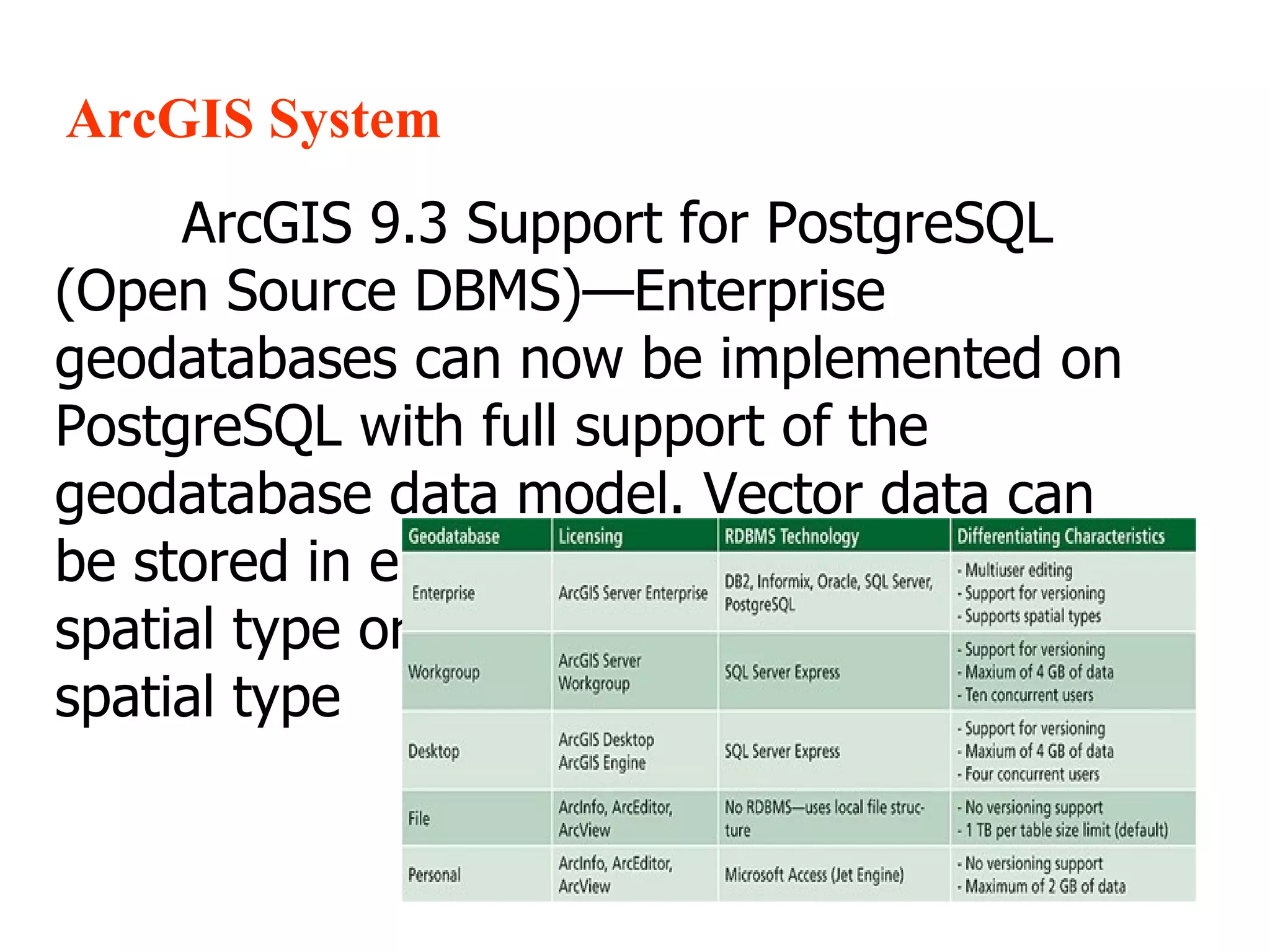
ArcGIS System ArcGIS 9.3 Support for PostgreSQL (Open Source DBMS)—Enterprise geodatabases can now be implemented on PostgreSQL with full support of the geodatabase data model. Vector data can be stored in either the ESRI for PostgreSQL spatial type or the PostGIS (Open Source) spatial type
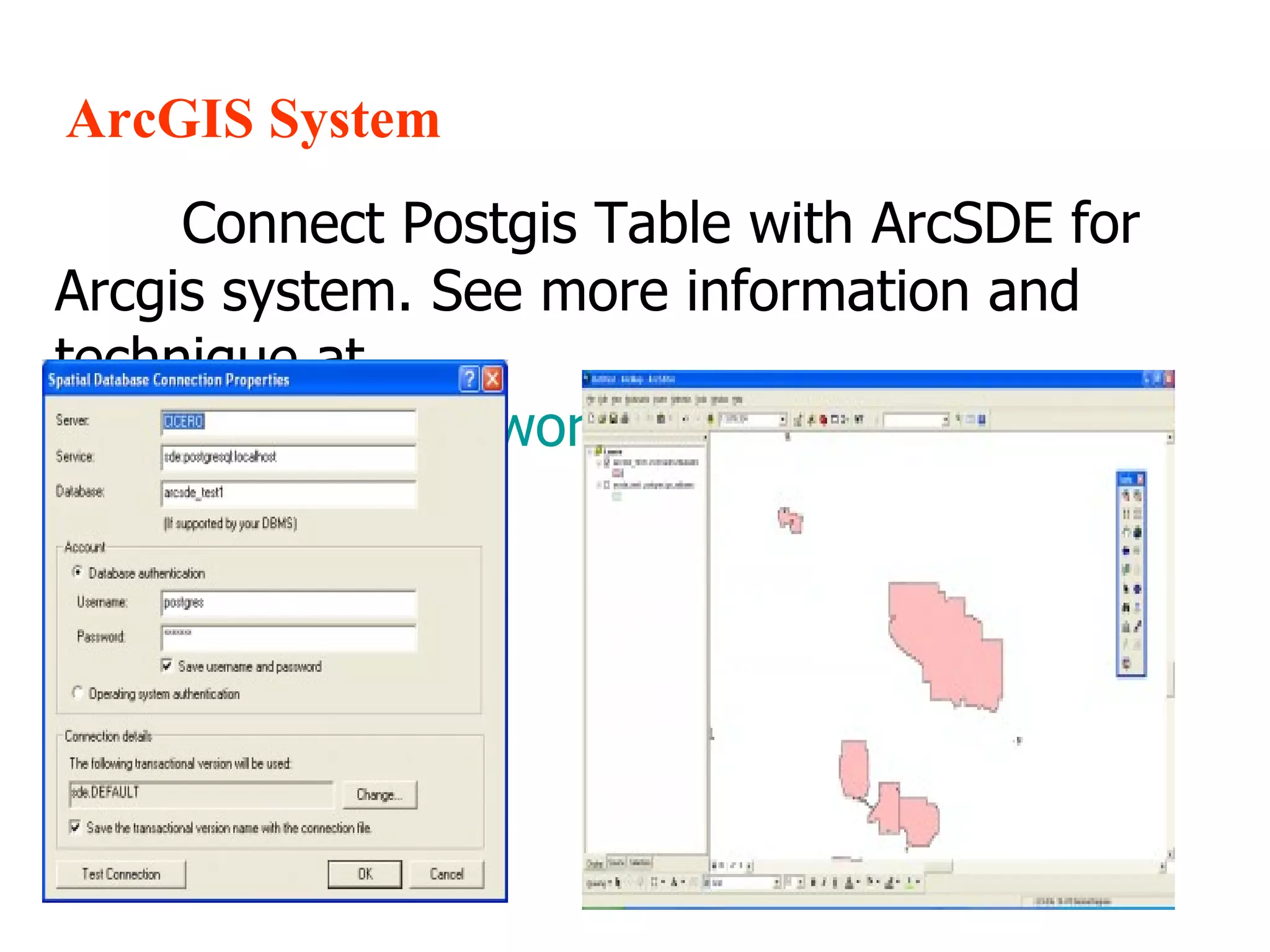
ArcGIS System Connect Postgis Table with ArcSDE for Arcgis system. See more information and technique at  http://geobabble.wordpress.com/
Map Guide
Autodesk System : Mapguide,Autocad MapGuide was leveraging the hard work of other open-source projects. MapGuide uses well-known components such as Proj.4, GEOS, GDAL and DBXML. It also uses PHP extensively, and it runs on Linux and Microsoft Windows platforms. We can connect Postgis table with FDO
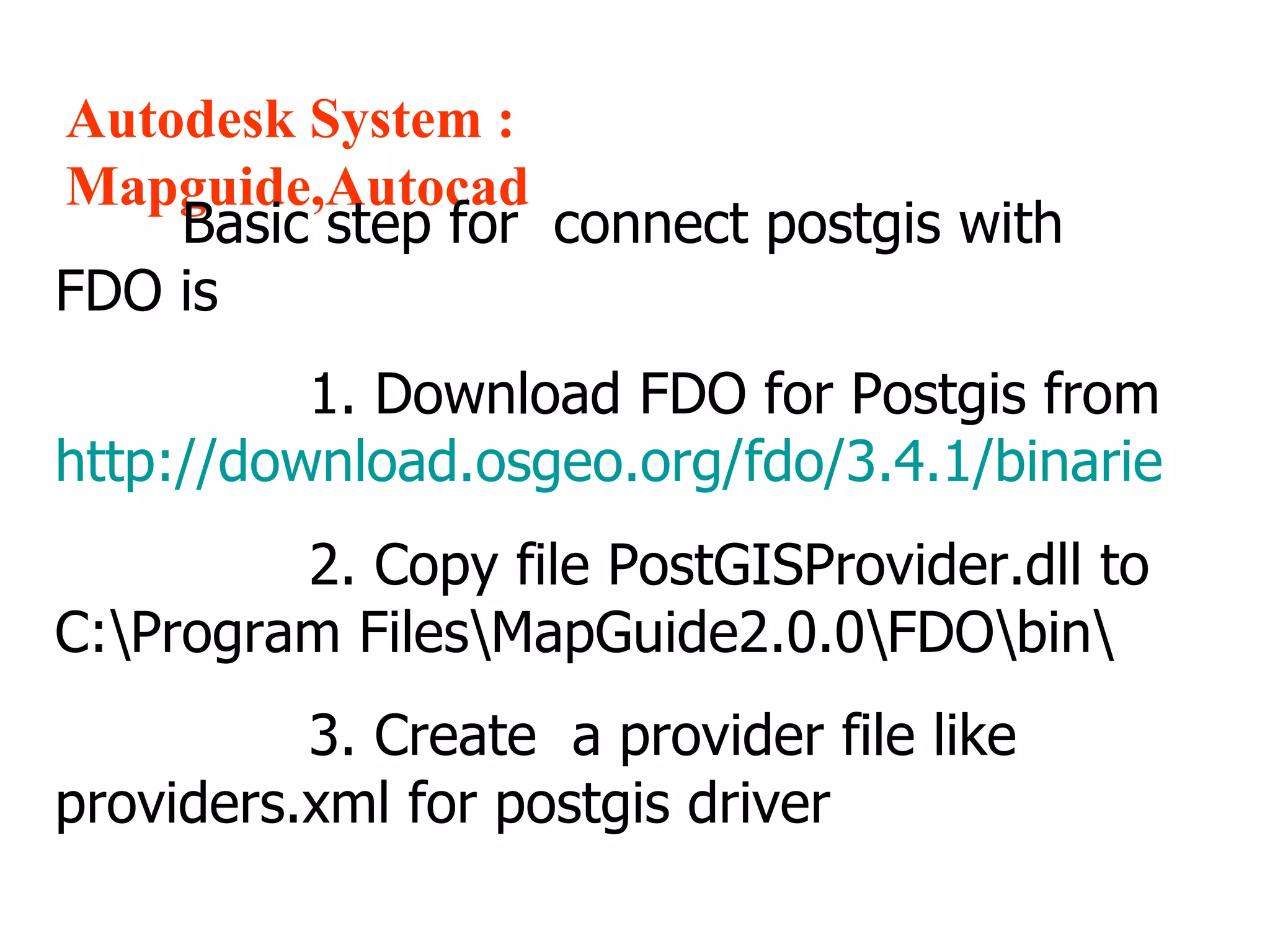
Autodesk System : Mapguide,Autocad Basic step for  connect postgis with FDO is  1. Download FDO for Postgis from  http://download.osgeo.org/fdo/3.4.1/binarie   2. Copy file PostGISProvider.dll to  C:\Program Files\MapGuide2.0.0\FDO\bin\ 3. Create  a provider file like providers.xml for postgis driver
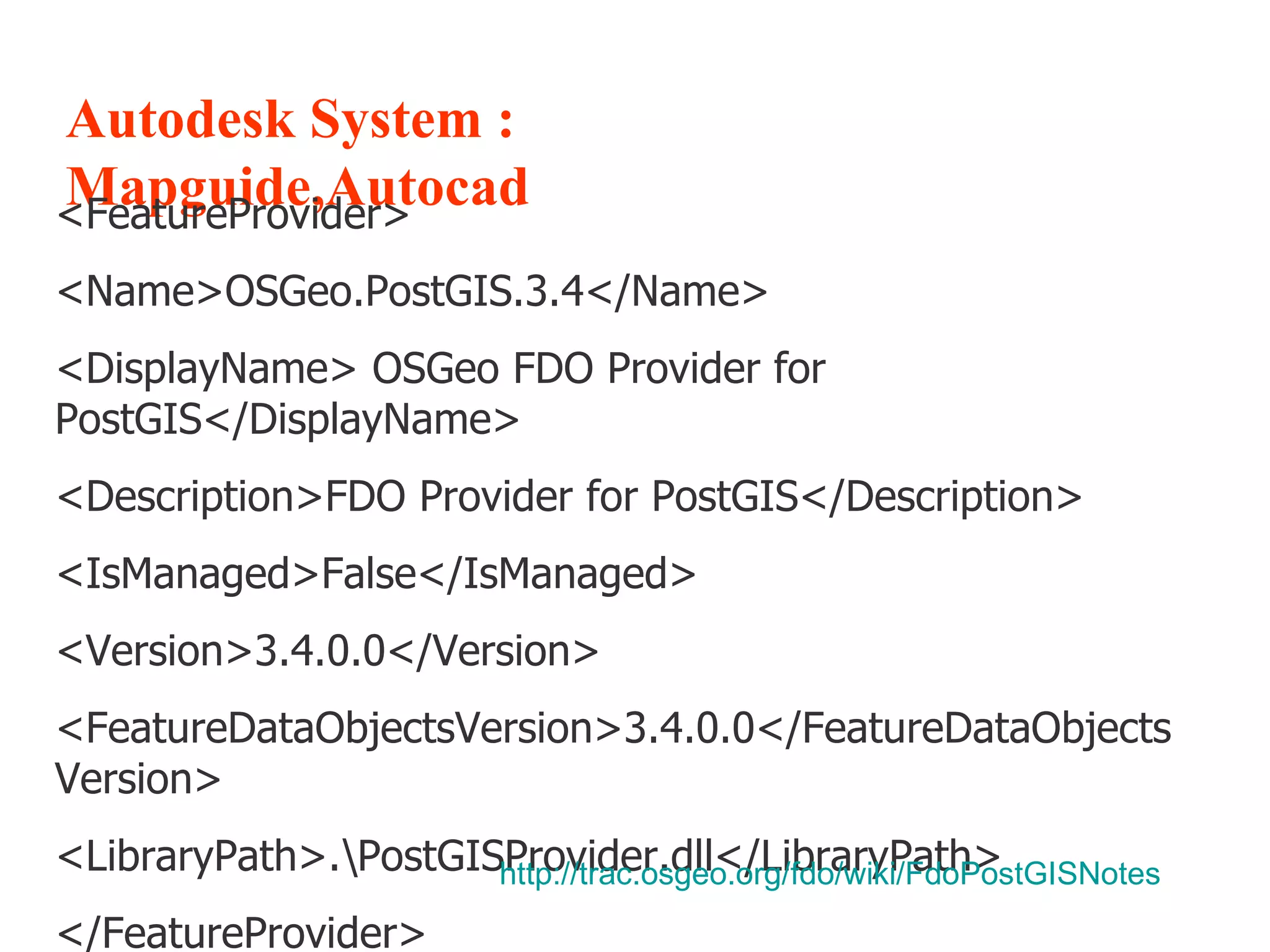
Autodesk System : Mapguide,Autocad <FeatureProvider> <Name>OSGeo.PostGIS.3.4</Name> <DisplayName> OSGeo FDO Provider for PostGIS</DisplayName> <Description>FDO Provider for PostGIS</Description> <IsManaged>False</IsManaged> <Version>3.4.0.0</Version> <FeatureDataObjectsVersion>3.4.0.0</FeatureDataObjectsVersion> <LibraryPath>.\PostGISProvider.dll</LibraryPath> </FeatureProvider> http:// trac.osgeo.org/fdo/wiki/FdoPostGISNotes
UMN Map Server
UMN MapServer PostGIS is supported directly by MapServer and must be compiled into MapServer to work. The CONNECTIONTYPE parameter must be set to POSTGIS.
UMN MapServer The CONNECTION parameter is used to specify the parameters to connect to the database. CONNECTION parameters can be in any order. Most are optional. dbname is required. user is required. host defaults to localhost, port defaults to 5432 (the standard port for PostgreSQL).
UMN MapServer The DATA parameter is used to specify the data used to draw the map. The form of DATA is “[geometry_column] from [table_name|sql_subquery] using unique [unique_key] using srid=[spatial_reference_id]”. The “using unique” and “using srid=” clauses are optional, but using them improves performance.
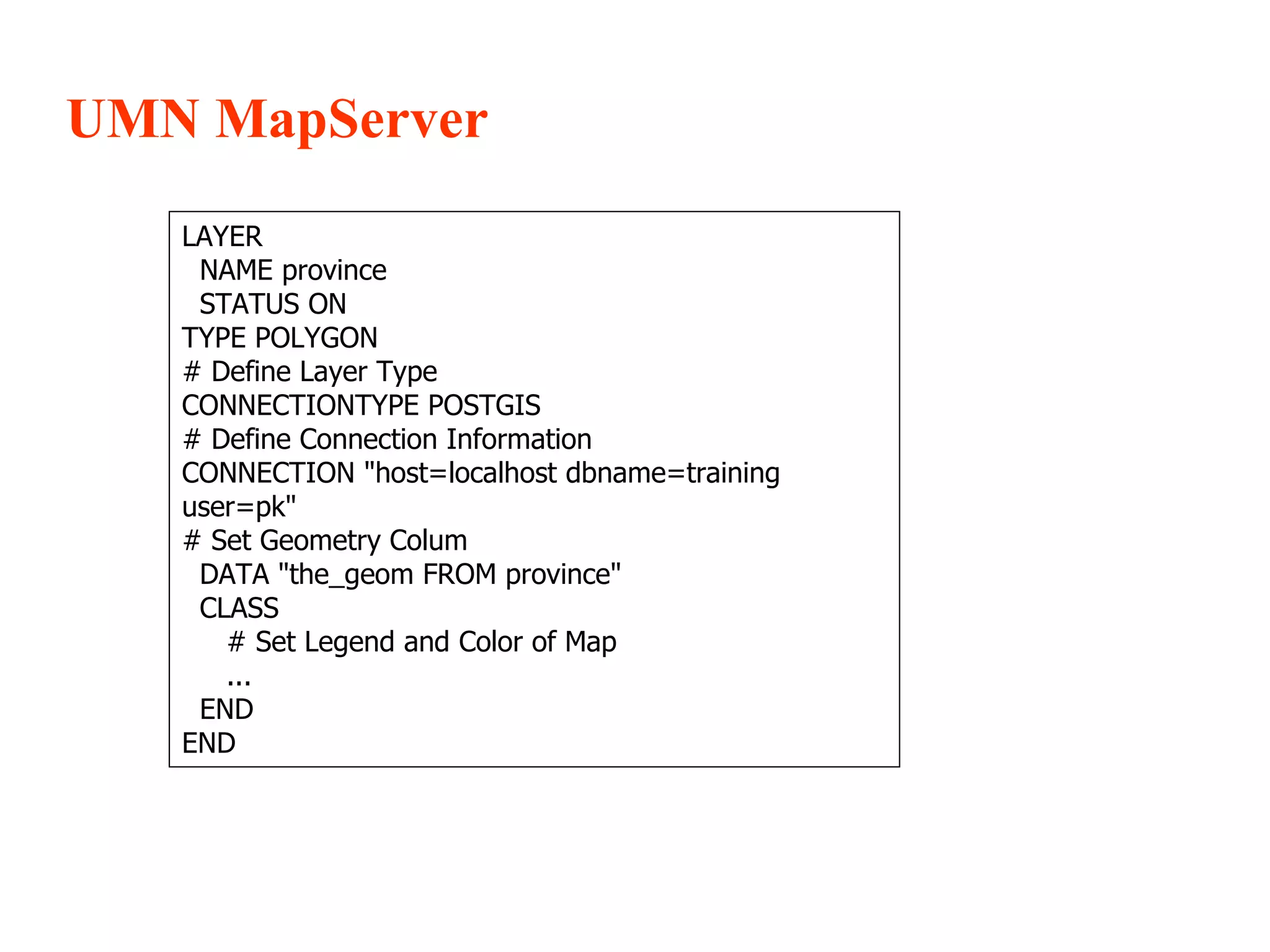
UMN MapServer LAYER NAME province STATUS ON TYPE POLYGON # Define Layer Type CONNECTIONTYPE POSTGIS # Define Connection Information CONNECTION &quot;host=localhost dbname=training user=pk&quot; # Set Geometry Colum DATA &quot;the_geom FROM province&quot; CLASS # Set Legend and Color of Map ... END END
GeoServer
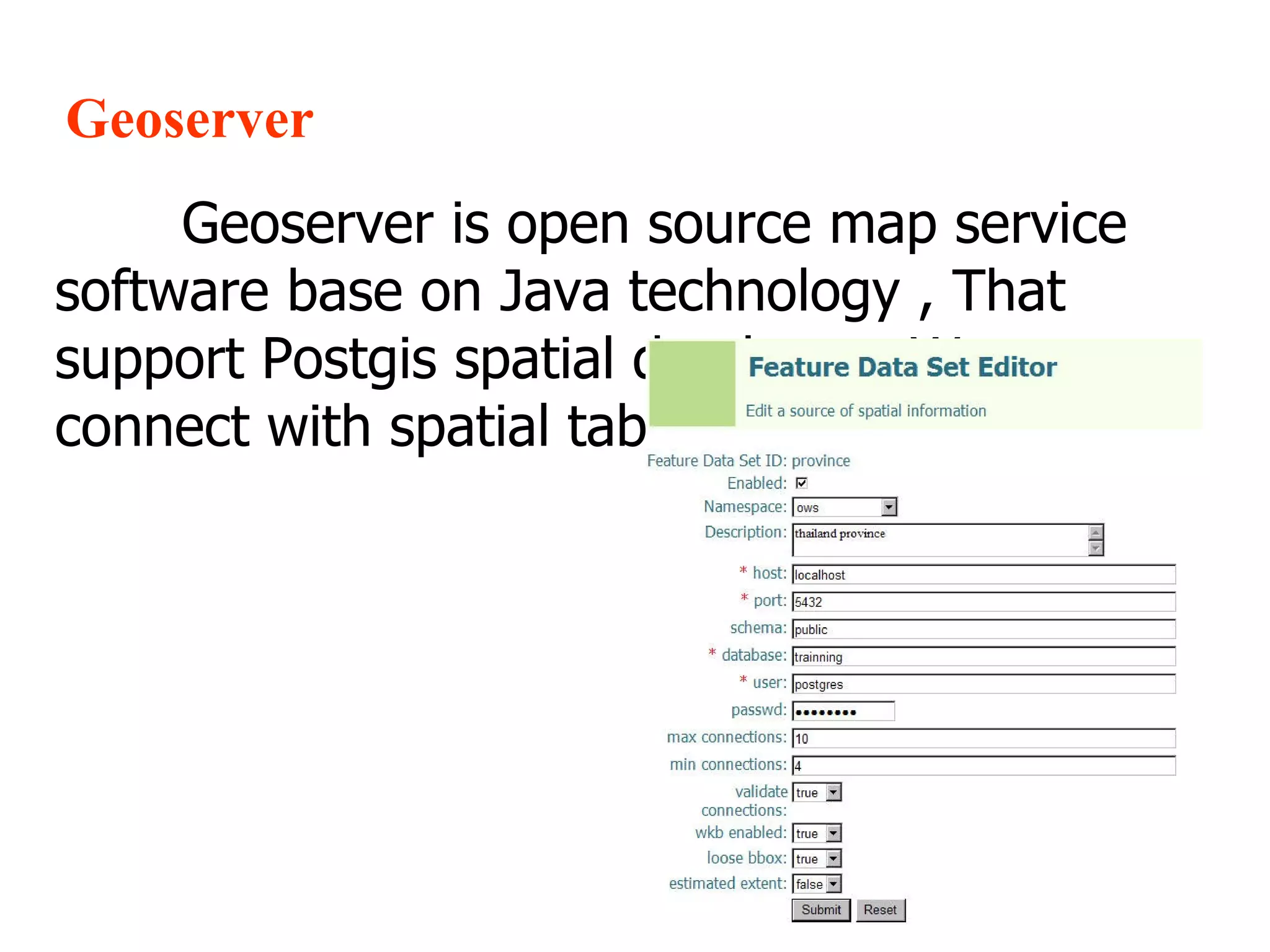
Geoserver Geoserver is open source map service software base on Java technology , That support Postgis spatial database . We can connect with spatial table like this picture

Concect postgis

  • 1.
    How to connectPostgis with GIS Software Mr. chaipat Nengcomma
  • 2.
  • 3.
    ArcGIS System ArcGIS9.3 Support for PostgreSQL (Open Source DBMS)—Enterprise geodatabases can now be implemented on PostgreSQL with full support of the geodatabase data model. Vector data can be stored in either the ESRI for PostgreSQL spatial type or the PostGIS (Open Source) spatial type
  • 4.
    ArcGIS System ConnectPostgis Table with ArcSDE for Arcgis system. See more information and technique at http://geobabble.wordpress.com/
  • 5.
  • 6.
    Autodesk System :Mapguide,Autocad MapGuide was leveraging the hard work of other open-source projects. MapGuide uses well-known components such as Proj.4, GEOS, GDAL and DBXML. It also uses PHP extensively, and it runs on Linux and Microsoft Windows platforms. We can connect Postgis table with FDO
  • 7.
    Autodesk System :Mapguide,Autocad Basic step for connect postgis with FDO is 1. Download FDO for Postgis from http://download.osgeo.org/fdo/3.4.1/binarie 2. Copy file PostGISProvider.dll to C:\Program Files\MapGuide2.0.0\FDO\bin\ 3. Create a provider file like providers.xml for postgis driver
  • 8.
    Autodesk System :Mapguide,Autocad <FeatureProvider> <Name>OSGeo.PostGIS.3.4</Name> <DisplayName> OSGeo FDO Provider for PostGIS</DisplayName> <Description>FDO Provider for PostGIS</Description> <IsManaged>False</IsManaged> <Version>3.4.0.0</Version> <FeatureDataObjectsVersion>3.4.0.0</FeatureDataObjectsVersion> <LibraryPath>.\PostGISProvider.dll</LibraryPath> </FeatureProvider> http:// trac.osgeo.org/fdo/wiki/FdoPostGISNotes
  • 9.
  • 10.
    UMN MapServer PostGISis supported directly by MapServer and must be compiled into MapServer to work. The CONNECTIONTYPE parameter must be set to POSTGIS.
  • 11.
    UMN MapServer TheCONNECTION parameter is used to specify the parameters to connect to the database. CONNECTION parameters can be in any order. Most are optional. dbname is required. user is required. host defaults to localhost, port defaults to 5432 (the standard port for PostgreSQL).
  • 12.
    UMN MapServer TheDATA parameter is used to specify the data used to draw the map. The form of DATA is “[geometry_column] from [table_name|sql_subquery] using unique [unique_key] using srid=[spatial_reference_id]”. The “using unique” and “using srid=” clauses are optional, but using them improves performance.
  • 13.
    UMN MapServer LAYERNAME province STATUS ON TYPE POLYGON # Define Layer Type CONNECTIONTYPE POSTGIS # Define Connection Information CONNECTION &quot;host=localhost dbname=training user=pk&quot; # Set Geometry Colum DATA &quot;the_geom FROM province&quot; CLASS # Set Legend and Color of Map ... END END
  • 14.
  • 15.
    Geoserver Geoserver isopen source map service software base on Java technology , That support Postgis spatial database . We can connect with spatial table like this picture