Lasma Sietinsone [email_address] Getting started with PostGIS  geographic database
Survey Experience of audience: SQL? RDBMS? OS? This demo requires: SQL – basic knowledge (SELECT, UPDATE, DELETE) RDBMS – none OS - Windows
Contents Theoretical background (~15 mins) Demonstrator (~40 minutes): Install and configure PostgreSQL with PostGIS Build example database to support location based queries
What is PostGIS? PostGIS is a spatial extension to the PostgreSQL object-relational database that supports work with geographic data
Advantages of a DBMS Data Independence from application programs Efficient Data Access Data Integrity and Security Centralized Data Administration Concurrent Access and Crash Recovery Reduced Application Development Time – common data access functions
PostGIS extension provides Geometry/geography  data  types  for points, linestrings, polygons, curves, geometry collections, 3D geometries Spatial  operators   such as contains @, overlaps, intersects &&, same as =, is to the left/right/below/above Spatial  functions
Spatial functions Constructors e.g. ST_GeomFromText(), ST_MakePoint(), ST_MakePolygon Output e.g. ST_AsGML(), ST_AsGeoJSON(), ST_AsBinary() Accessors :  getters and setters e.g. ST_Transform(), ST_GeometryType(), ST_IsValid(), ST_npoints(), ST_SetDRID() Measurement e.g. ST_Distance_Sphere(), ST_Length_2D(), ST_Perimeter(), ST_Azimuth()
Spatial functions (continued) Decomposition e.g. ST_Centroid(), ST_Box2D(), ST_Boundary(), ST_GeometryN(), ST_DumpRings() Composition e.g. ST_MakePoint(), ST_MakePolygon(), ST_BuildArea(), ST_Polygonize()  Simplification e.g. ST_Simplify(), ST_SimplifyPreserveTopology(), ST_SnapToGrid()
Common workflow Load/populate table Add geometry column with certain dimensions and spatial reference system (SRS/SRID) Register geometry column in  geometry_columns  table Optimise performance by: Creating spatial index Clustering data based on spatial index
Common workflow (continued) View/Edit/Query data with: desktop GIS, e.g. QGIS, OpenJUMP, GRASS etc. Web map servers, e.g. GeoServer, MapServer, Deegree etc. Custom applications communicating via database connectors such as JDBC
Data Loading Standard formats: CSV, TEXT $ psql --help $ psql –h [host] –p [port] –U [user] –c “COPY [tablename] FROM [filename] WITH CSV DELIMITER ‘,’” [database] Utilities: shp2pgsql, shp2pgsql-gui:  load SHP, DBF files $  shp2pgsql  --help $ shp2pgsql [options] [shapefile schema.table  | psql  –h [host] –p [port] –U [user] [database] osm2pgsql : load OSM data $ osm2pgsql  --help $ osm2pgsql [options] planet.osm $ osm2pgsql [options] planet.osm.{gz,bz2} $ osm2pgsql [options] file1.osm file2.osm file3.osm
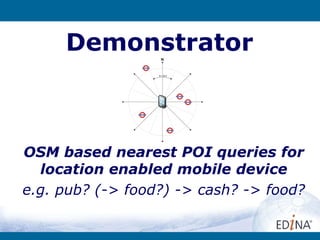
Demonstrator OSM based nearest POI queries for location enabled mobile device e.g. pub? (-> food?) -> cash? -> food?
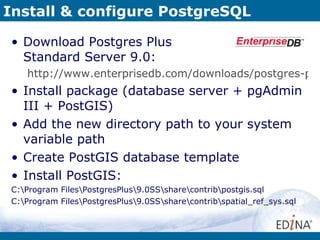
Install & configure PostgreSQL Download Postgres Plus  Standard Server 9.0: http://www.enterprisedb.com/downloads/postgres-postgresql-downloads Install package (database server + pgAdmin III + PostGIS) Add the new directory path to your system variable path Create PostGIS database template Install PostGIS: C:\Program Files\PostgresPlus\9.0SS\share\contrib\postgis.sql C:\Program Files\PostgresPlus\9.0SS\share\contrib\spatial_ref_sys.sql
Install & configure PostgreSQL Install any other contribution modules such as “hstore”: C:\Program Files\PostgresPlus\9.0SS\share\contrib\hstore.sql Grant permissions to use PostGIS tables to “public” Create your own username Create a new database, e.g. pg_intro from template_postgis
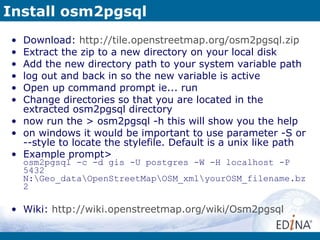
Install osm2pgsql Download:  http://tile.openstreetmap.org/osm2pgsql.zip Extract the zip to a new directory on your local disk Add the new directory path to your system variable path log out and back in so the new variable is active Open up command prompt ie... run Change directories so that you are located in the extracted osm2pgsql directory now run the > osm2pgsql -h this will show you the help on windows it would be important to use parameter -S or --style to locate the stylefile. Default is a unix like path Example prompt> osm2pgsql -c -d gis -U postgres -W -H localhost -P 5432 N:\Geo_data\OpenStreetMap\OSM_xml\yourOSM_filename.bz2 Wiki:  http://wiki.openstreetmap.org/wiki/Osm2pgsql
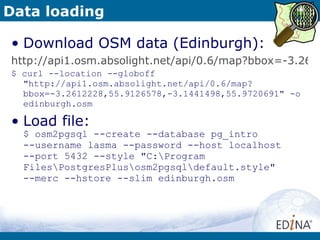
Data loading Download OSM data (Edinburgh): http://api1.osm.absolight.net/api/0.6/map?bbox=-3.2612228,55.9126578,-3.1441498,55.9720691 $ curl --location --globoff "http://api1.osm.absolight.net/api/0.6/map?bbox=-3.2612228,55.9126578,-3.1441498,55.9720691" -o edinburgh.osm Load file: $ osm2pgsql --create --database pg_intro  --username lasma --password --host localhost  --port 5432 --style "C:\Program Files\PostgresPlus\osm2pgsql\default.style"  --merc --hstore --slim edinburgh.osm
Create user tables Look at data, make a plan Create user tables for OSM POIs > create_amenities_tables.sql Parse data > get_amenities.sql Create stored procedure for location queries
Desktop GIS Tools – Fun! View database contents Create on-the-fly maps – example choropleth map with pub stats QGIS – Quantum GIS  http://www.qgis.org/ OPENJump http://www.openjump.org/
Thank you! Read online: PostgreSQL docs ***** http://www.postgresql.org/docs/9.0/interactive/index.html PostGIS docs ***** http://www.postgis.org/docs/

Getting Started with PostGIS geographic database - Lasma Sietinsone, EDINA

  • 1.
    Lasma Sietinsone [email_address]Getting started with PostGIS geographic database
  • 2.
    Survey Experience ofaudience: SQL? RDBMS? OS? This demo requires: SQL – basic knowledge (SELECT, UPDATE, DELETE) RDBMS – none OS - Windows
  • 3.
    Contents Theoretical background(~15 mins) Demonstrator (~40 minutes): Install and configure PostgreSQL with PostGIS Build example database to support location based queries
  • 4.
    What is PostGIS?PostGIS is a spatial extension to the PostgreSQL object-relational database that supports work with geographic data
  • 5.
    Advantages of aDBMS Data Independence from application programs Efficient Data Access Data Integrity and Security Centralized Data Administration Concurrent Access and Crash Recovery Reduced Application Development Time – common data access functions
  • 6.
    PostGIS extension providesGeometry/geography data types for points, linestrings, polygons, curves, geometry collections, 3D geometries Spatial operators such as contains @, overlaps, intersects &&, same as =, is to the left/right/below/above Spatial functions
  • 7.
    Spatial functions Constructorse.g. ST_GeomFromText(), ST_MakePoint(), ST_MakePolygon Output e.g. ST_AsGML(), ST_AsGeoJSON(), ST_AsBinary() Accessors : getters and setters e.g. ST_Transform(), ST_GeometryType(), ST_IsValid(), ST_npoints(), ST_SetDRID() Measurement e.g. ST_Distance_Sphere(), ST_Length_2D(), ST_Perimeter(), ST_Azimuth()
  • 8.
    Spatial functions (continued)Decomposition e.g. ST_Centroid(), ST_Box2D(), ST_Boundary(), ST_GeometryN(), ST_DumpRings() Composition e.g. ST_MakePoint(), ST_MakePolygon(), ST_BuildArea(), ST_Polygonize() Simplification e.g. ST_Simplify(), ST_SimplifyPreserveTopology(), ST_SnapToGrid()
  • 9.
    Common workflow Load/populatetable Add geometry column with certain dimensions and spatial reference system (SRS/SRID) Register geometry column in geometry_columns table Optimise performance by: Creating spatial index Clustering data based on spatial index
  • 10.
    Common workflow (continued)View/Edit/Query data with: desktop GIS, e.g. QGIS, OpenJUMP, GRASS etc. Web map servers, e.g. GeoServer, MapServer, Deegree etc. Custom applications communicating via database connectors such as JDBC
  • 11.
    Data Loading Standardformats: CSV, TEXT $ psql --help $ psql –h [host] –p [port] –U [user] –c “COPY [tablename] FROM [filename] WITH CSV DELIMITER ‘,’” [database] Utilities: shp2pgsql, shp2pgsql-gui: load SHP, DBF files $ shp2pgsql --help $ shp2pgsql [options] [shapefile schema.table | psql –h [host] –p [port] –U [user] [database] osm2pgsql : load OSM data $ osm2pgsql --help $ osm2pgsql [options] planet.osm $ osm2pgsql [options] planet.osm.{gz,bz2} $ osm2pgsql [options] file1.osm file2.osm file3.osm
  • 12.
    Demonstrator OSM basednearest POI queries for location enabled mobile device e.g. pub? (-> food?) -> cash? -> food?
  • 13.
    Install & configurePostgreSQL Download Postgres Plus Standard Server 9.0: http://www.enterprisedb.com/downloads/postgres-postgresql-downloads Install package (database server + pgAdmin III + PostGIS) Add the new directory path to your system variable path Create PostGIS database template Install PostGIS: C:\Program Files\PostgresPlus\9.0SS\share\contrib\postgis.sql C:\Program Files\PostgresPlus\9.0SS\share\contrib\spatial_ref_sys.sql
  • 14.
    Install & configurePostgreSQL Install any other contribution modules such as “hstore”: C:\Program Files\PostgresPlus\9.0SS\share\contrib\hstore.sql Grant permissions to use PostGIS tables to “public” Create your own username Create a new database, e.g. pg_intro from template_postgis
  • 15.
    Install osm2pgsql Download: http://tile.openstreetmap.org/osm2pgsql.zip Extract the zip to a new directory on your local disk Add the new directory path to your system variable path log out and back in so the new variable is active Open up command prompt ie... run Change directories so that you are located in the extracted osm2pgsql directory now run the > osm2pgsql -h this will show you the help on windows it would be important to use parameter -S or --style to locate the stylefile. Default is a unix like path Example prompt> osm2pgsql -c -d gis -U postgres -W -H localhost -P 5432 N:\Geo_data\OpenStreetMap\OSM_xml\yourOSM_filename.bz2 Wiki: http://wiki.openstreetmap.org/wiki/Osm2pgsql
  • 16.
    Data loading DownloadOSM data (Edinburgh): http://api1.osm.absolight.net/api/0.6/map?bbox=-3.2612228,55.9126578,-3.1441498,55.9720691 $ curl --location --globoff "http://api1.osm.absolight.net/api/0.6/map?bbox=-3.2612228,55.9126578,-3.1441498,55.9720691" -o edinburgh.osm Load file: $ osm2pgsql --create --database pg_intro --username lasma --password --host localhost --port 5432 --style "C:\Program Files\PostgresPlus\osm2pgsql\default.style" --merc --hstore --slim edinburgh.osm
  • 17.
    Create user tablesLook at data, make a plan Create user tables for OSM POIs > create_amenities_tables.sql Parse data > get_amenities.sql Create stored procedure for location queries
  • 18.
    Desktop GIS Tools– Fun! View database contents Create on-the-fly maps – example choropleth map with pub stats QGIS – Quantum GIS http://www.qgis.org/ OPENJump http://www.openjump.org/
  • 19.
    Thank you! Readonline: PostgreSQL docs ***** http://www.postgresql.org/docs/9.0/interactive/index.html PostGIS docs ***** http://www.postgis.org/docs/