
PostGIS WKT Raster. An Open Source alternative to Oracle GeoRaster
First of all... 1 + 1 = 2 1 x 1 = 1
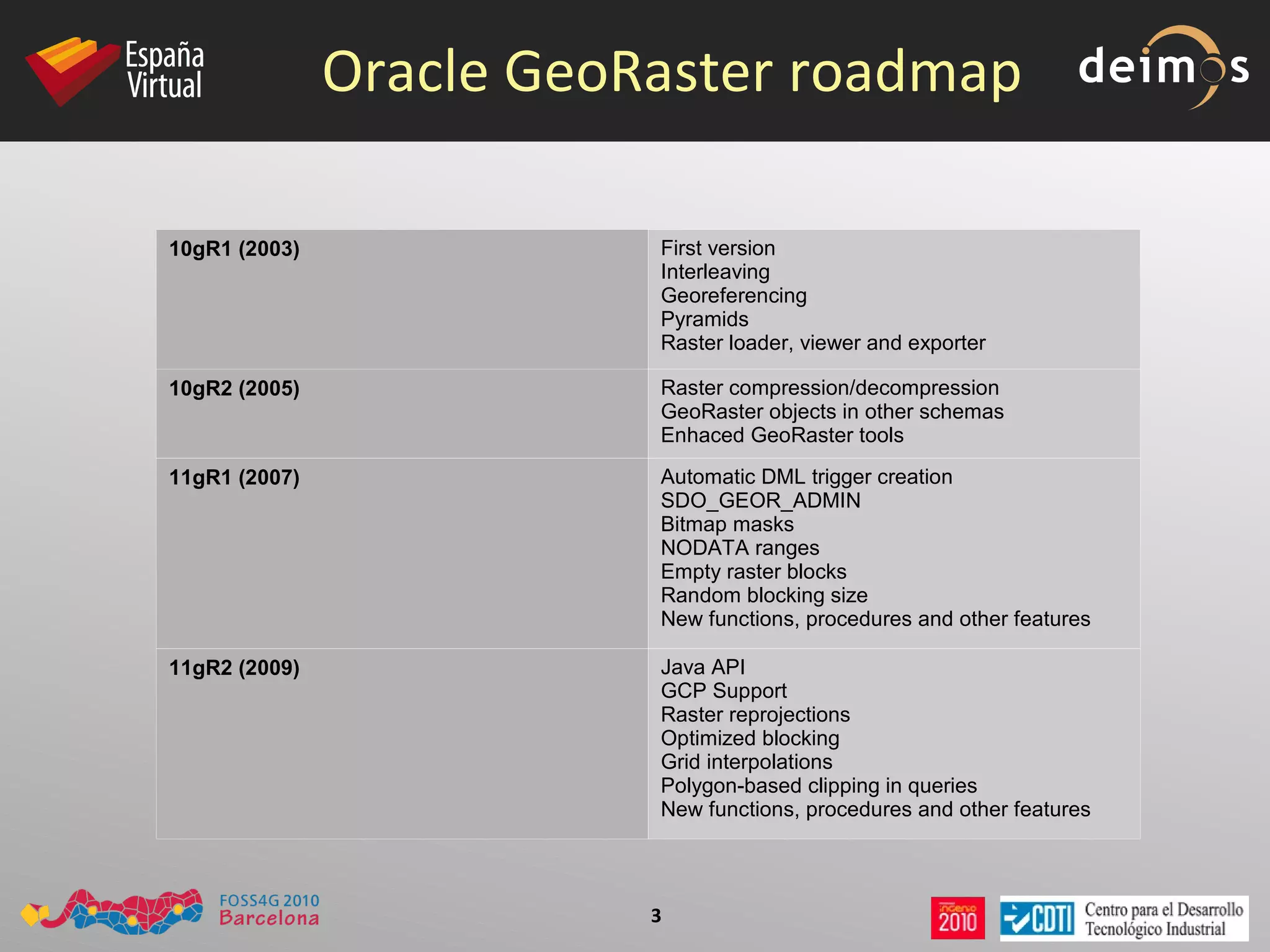
Oracle GeoRaster roadmap 10gR1 (2003) First version Interleaving Georeferencing Pyramids Raster loader, viewer and exporter 10gR2 (2005) Raster compression/decompression GeoRaster objects in other schemas Enhaced GeoRaster tools 11gR1 (2007) Automatic DML trigger creation SDO_GEOR_ADMIN Bitmap masks NODATA ranges Empty raster blocks Random blocking size New functions, procedures and other features 11gR2 (2009) Java API GCP Support Raster reprojections Optimized blocking Grid interpolations Polygon-based clipping in queries New functions, procedures and other features
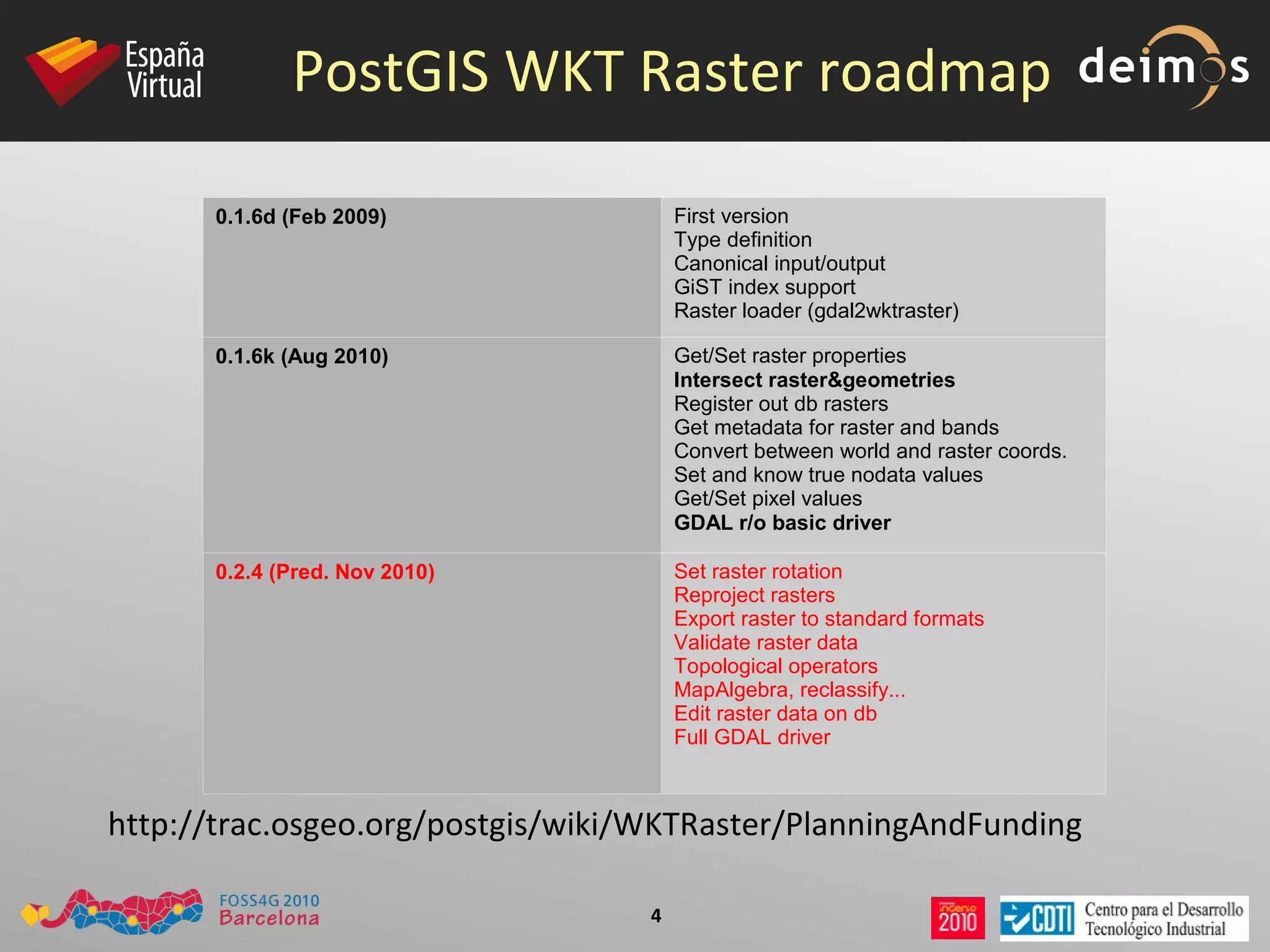
PostGIS WKT Raster roadmap 0.1.6d (Feb 2009) First version Type definition Canonical input/output GiST index support Raster loader (gdal2wktraster) 0.1.6k (Aug 2010) Get/Set raster properties Intersect raster&geometries Register out db rasters Get metadata for raster and bands Convert between world and raster coords. Set and know true nodata values Get/Set pixel values GDAL r/o basic driver 0.2.4   (Pred. Nov 2010) Set raster rotation Reproject rasters Export raster to standard formats Validate raster data Topological operators MapAlgebra, reclassify... Edit raster data on db Full GDAL driver http://trac.osgeo.org/postgis/wiki/WKTRaster/PlanningAndFunding
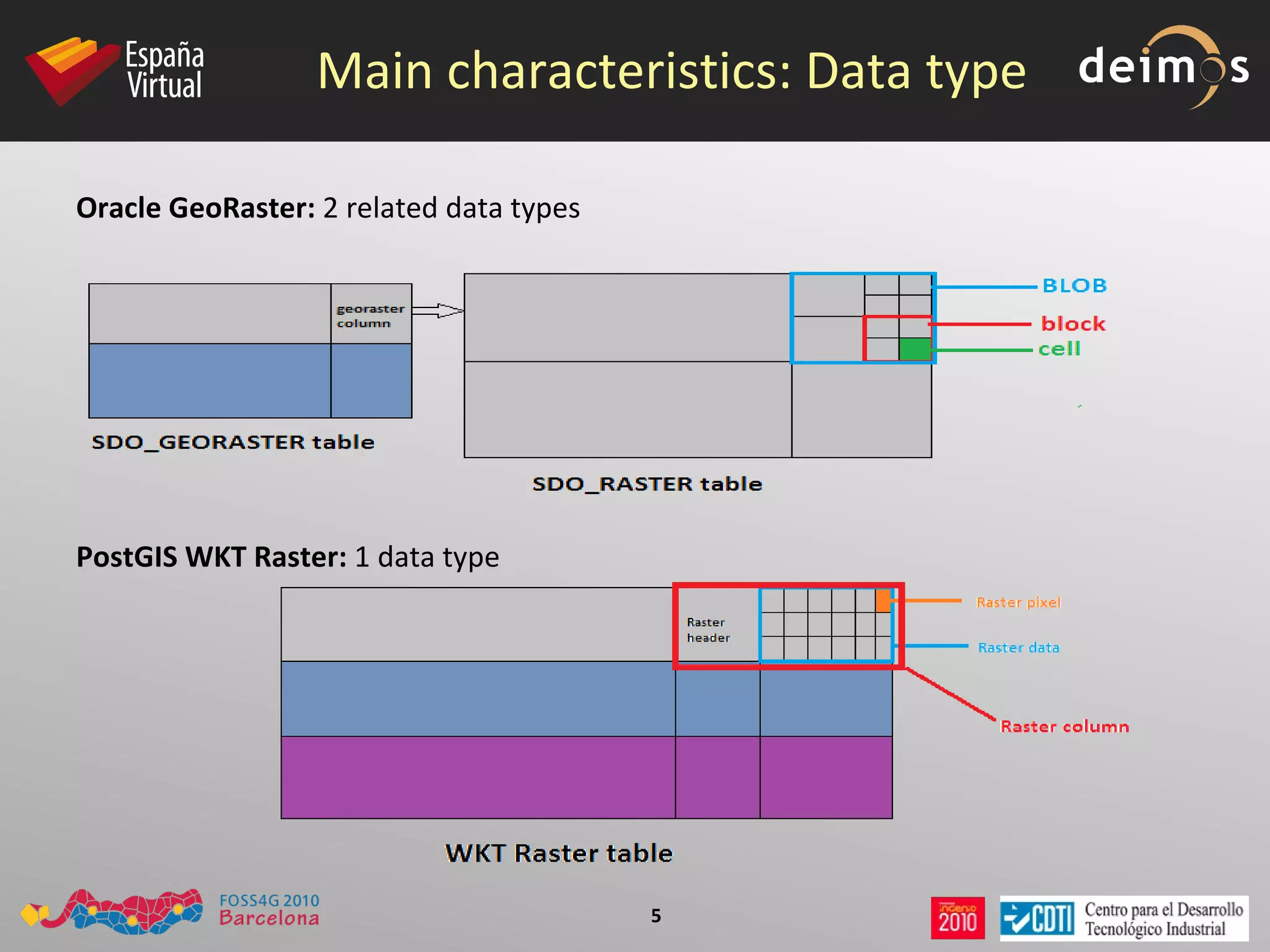
Main characteristics: Data type Oracle GeoRaster:  2 related data types PostGIS WKT Raster:  1 data type
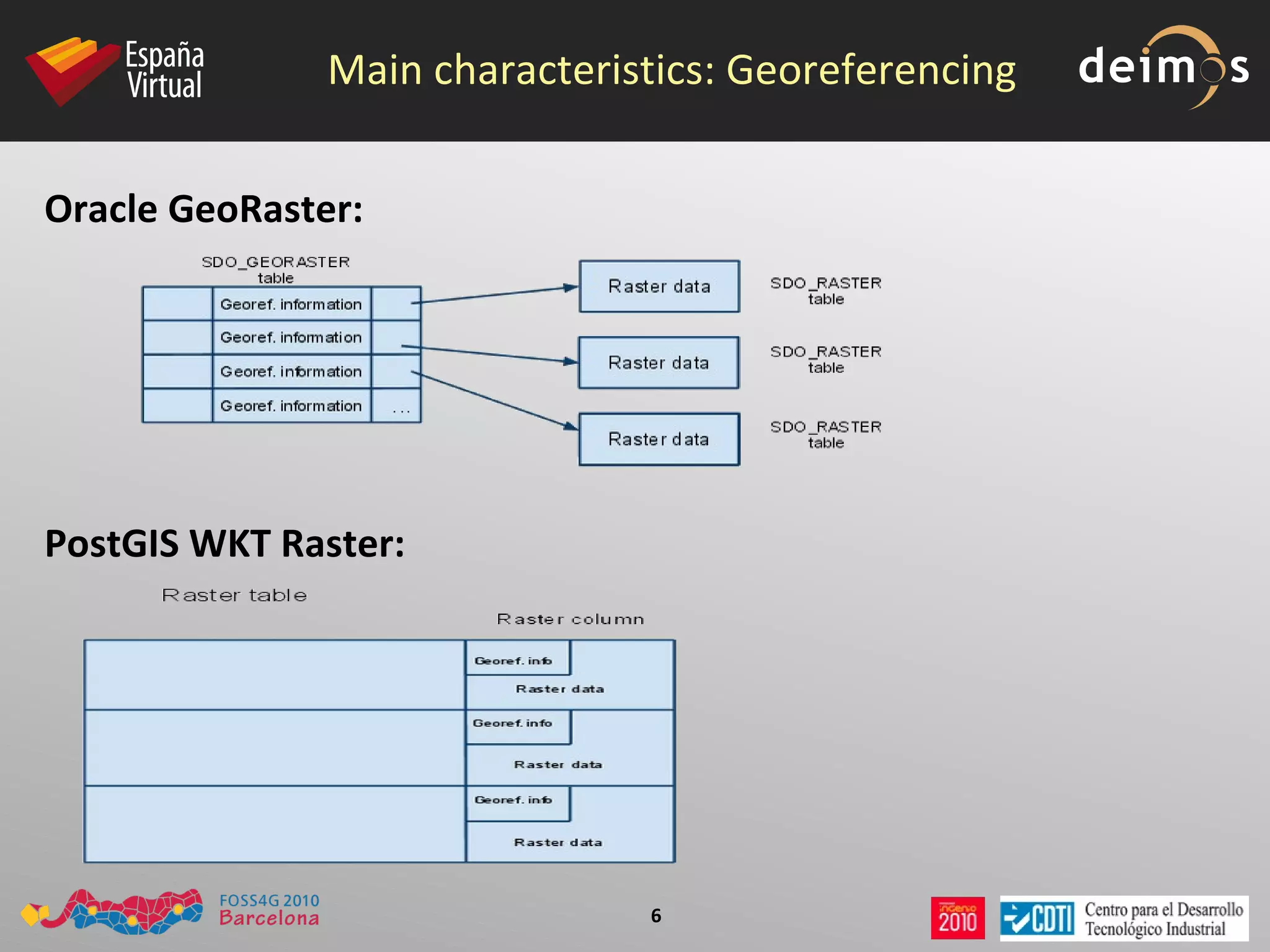
Main characteristics: Georeferencing Oracle GeoRaster:   PostGIS WKT Raster:
Main characteristics: Indexing Oracle GeoRaster:  Creates a spatial index (R-Tree index) on the  spatial extent  of the GeoRaster object. PostGIS WKT Raster:  Creates a GiST index on the  raster column, using convex hull .
Main characteristics: Pyramids Oracle GeoRaster:  Reduced-resolution versions of rasters can be generated using 5 resampling techniques. The pyramids are stored in the same raster data table as the GeoRaster object, with the same SRS than the original one. PostGIS WKT Raster:  GDAL-provided pyramids are generated on loading time at desired levels. The pyramids are stored in different tables than the original raster.
Main characteristics: Metadata Oracle GeoRaster:  Metadata are part of the SDO_GEORASTER object, and follow a XML schema. PostGIS WKT Raster:  The metadata is packed with the raster data, like the georeference information. Only basic metadata is stored (upper left corner, width, height, pixel size, skew, srid and numbands)
Main characteristics: Open specs Oracle GeoRaster : The specs for SDO_GEORASTER and SDO_RASTER objects are open. This is really important, to allow third party tools to provide capabilities not implemented in the server, like  spatial analysis .  PostGIS WKT Raster : Uses WKT/WKB format for representing data. Is a open specification too.
Basic Operations: Loading data Oracle GeoRaster.  First, ensure raster has accepted format or use  gdal_translate .  Then : PL/SQL API:   CREATE TABLE ,  SDO_GEOR.init ,  SDO_GEOR.importFrom . Not very intuitive. Few formats accepted (TIFF, GIF, BMP, GeoTIFF, PNG).
Java loader.  Few formats accepted (TIFF, GeoTIFF, JPEG, BMP, GIF, PNG and JP2 for images. ESRI World Files, GeoTIFF and Digital Globe RPC files for georef)
GDAL GeoRaster driver (Ivan Lucena):  Really simple method
gdal_translate -of image.tif geor:user/password/SID,table,raster_column
Basic Operations: Loading data PostGIS WKT Raster:  All GDAL-accepted formats. Use  python loader  gdal2wktraster
> gdal2wktraster.py&quot; -r C:\ orcl _tut\*.tif -t <table> -s <srid> -k 50x50 -I -o C:\orcl_tut\srtm.sql
> psql -d <db> -f C:\orcl_tut\srtm.sql
In the future: GDAL WKT Raster driver (currently, only support WKT Raster reading).
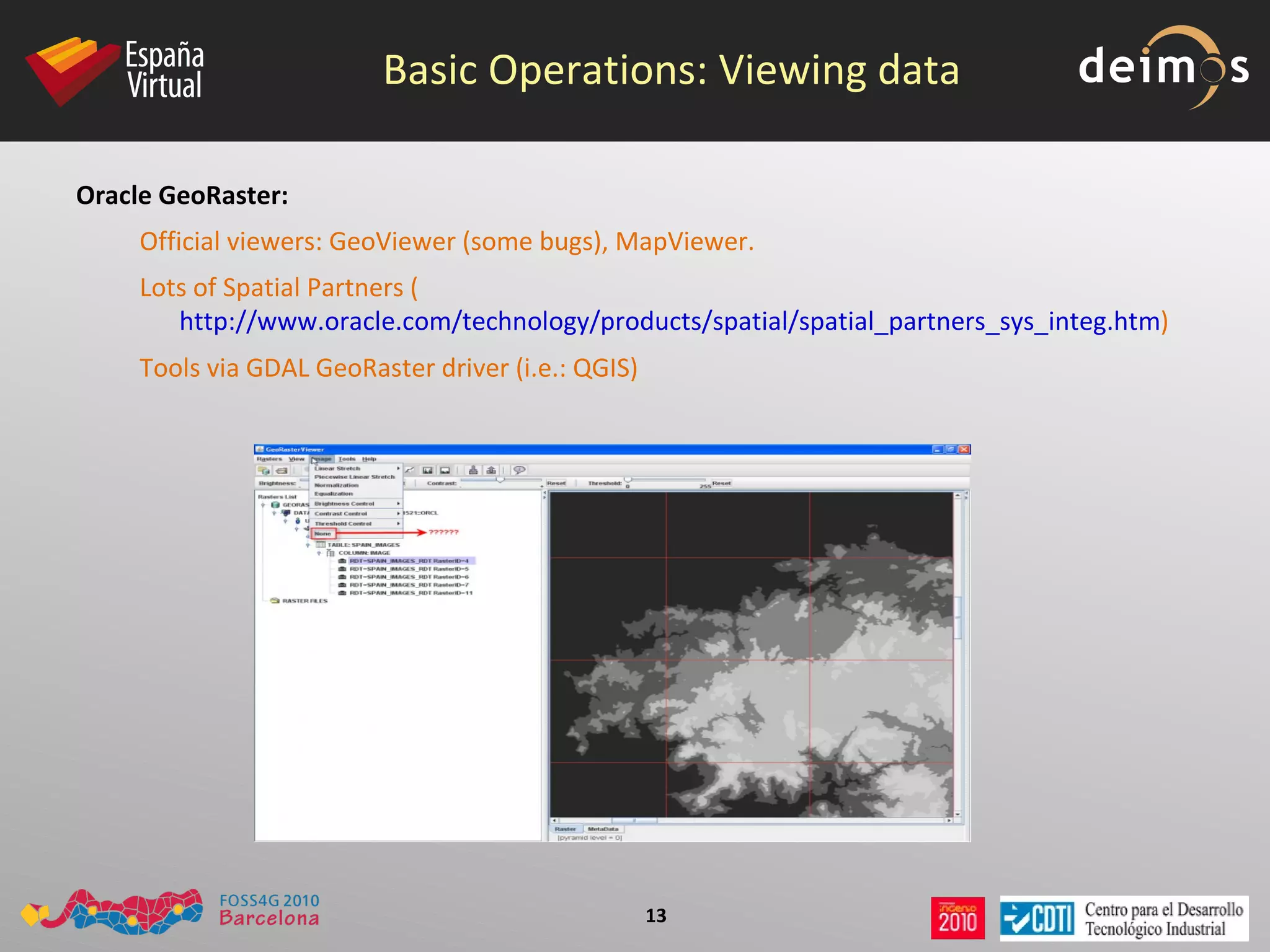
Basic Operations: Viewing data Oracle GeoRaster:  Official viewers: GeoViewer (some bugs), MapViewer.
Lots of Spatial Partners ( http://www.oracle.com/technology/products/spatial/spatial_partners_sys_integ.htm )
Tools via GDAL GeoRaster driver (i.e.: QGIS)
Basic Operations: Viewing data PostGIS WKT Raster:  Now, is possible to visualize WKT Raster data using  OpenJUMP  and ST_PixelAsPolygons function.  Apart from that, there are no tools allowing WKT Raster data visualization. But we have plans for developing support on: gvSIG
GeoServer
¿?
Basic Operations: Exporting data Oracle GeoRaster:  As when loading data... PL/SQL API:   SDO_GEOR.exportTo . Few formats accepted (TIFF, BMP, GeoTIFF, PNG).  Limited data size on 1 operation: 67 MB .
Java:  Few formats accepted (PL/SQL plus JPEG and GIF).  Memory problems with data size up to 67MB .
GDAL GeoRaster driver .
Basic Operations: Exporting data PostGIS WKT Raster: GDAL WKT Raster driver (all GDAL accepted formats)
Planned: directly from-db exporting to common formats (totiff, tojpeg...)

FOSS4G 2010 PostGIS Raster: an Open Source alternative to Oracle GeoRaster

  • 1.
    PostGIS WKT Raster.An Open Source alternative to Oracle GeoRaster
  • 2.
    First of all...1 + 1 = 2 1 x 1 = 1
  • 3.
    Oracle GeoRaster roadmap10gR1 (2003) First version Interleaving Georeferencing Pyramids Raster loader, viewer and exporter 10gR2 (2005) Raster compression/decompression GeoRaster objects in other schemas Enhaced GeoRaster tools 11gR1 (2007) Automatic DML trigger creation SDO_GEOR_ADMIN Bitmap masks NODATA ranges Empty raster blocks Random blocking size New functions, procedures and other features 11gR2 (2009) Java API GCP Support Raster reprojections Optimized blocking Grid interpolations Polygon-based clipping in queries New functions, procedures and other features
  • 4.
    PostGIS WKT Rasterroadmap 0.1.6d (Feb 2009) First version Type definition Canonical input/output GiST index support Raster loader (gdal2wktraster) 0.1.6k (Aug 2010) Get/Set raster properties Intersect raster&geometries Register out db rasters Get metadata for raster and bands Convert between world and raster coords. Set and know true nodata values Get/Set pixel values GDAL r/o basic driver 0.2.4 (Pred. Nov 2010) Set raster rotation Reproject rasters Export raster to standard formats Validate raster data Topological operators MapAlgebra, reclassify... Edit raster data on db Full GDAL driver http://trac.osgeo.org/postgis/wiki/WKTRaster/PlanningAndFunding
  • 5.
    Main characteristics: Datatype Oracle GeoRaster: 2 related data types PostGIS WKT Raster: 1 data type
  • 6.
    Main characteristics: GeoreferencingOracle GeoRaster: PostGIS WKT Raster:
  • 7.
    Main characteristics: IndexingOracle GeoRaster: Creates a spatial index (R-Tree index) on the spatial extent of the GeoRaster object. PostGIS WKT Raster: Creates a GiST index on the raster column, using convex hull .
  • 8.
    Main characteristics: PyramidsOracle GeoRaster: Reduced-resolution versions of rasters can be generated using 5 resampling techniques. The pyramids are stored in the same raster data table as the GeoRaster object, with the same SRS than the original one. PostGIS WKT Raster: GDAL-provided pyramids are generated on loading time at desired levels. The pyramids are stored in different tables than the original raster.
  • 9.
    Main characteristics: MetadataOracle GeoRaster: Metadata are part of the SDO_GEORASTER object, and follow a XML schema. PostGIS WKT Raster: The metadata is packed with the raster data, like the georeference information. Only basic metadata is stored (upper left corner, width, height, pixel size, skew, srid and numbands)
  • 10.
    Main characteristics: Openspecs Oracle GeoRaster : The specs for SDO_GEORASTER and SDO_RASTER objects are open. This is really important, to allow third party tools to provide capabilities not implemented in the server, like spatial analysis . PostGIS WKT Raster : Uses WKT/WKB format for representing data. Is a open specification too.
  • 11.
    Basic Operations: Loadingdata Oracle GeoRaster. First, ensure raster has accepted format or use gdal_translate . Then : PL/SQL API: CREATE TABLE , SDO_GEOR.init , SDO_GEOR.importFrom . Not very intuitive. Few formats accepted (TIFF, GIF, BMP, GeoTIFF, PNG).
  • 12.
    Java loader. Few formats accepted (TIFF, GeoTIFF, JPEG, BMP, GIF, PNG and JP2 for images. ESRI World Files, GeoTIFF and Digital Globe RPC files for georef)
  • 13.
    GDAL GeoRaster driver(Ivan Lucena): Really simple method
  • 14.
    gdal_translate -of image.tifgeor:user/password/SID,table,raster_column
  • 15.
    Basic Operations: Loadingdata PostGIS WKT Raster: All GDAL-accepted formats. Use python loader gdal2wktraster
  • 16.
    > gdal2wktraster.py&quot; -rC:\ orcl _tut\*.tif -t <table> -s <srid> -k 50x50 -I -o C:\orcl_tut\srtm.sql
  • 17.
    > psql -d<db> -f C:\orcl_tut\srtm.sql
  • 18.
    In the future:GDAL WKT Raster driver (currently, only support WKT Raster reading).
  • 19.
    Basic Operations: Viewingdata Oracle GeoRaster: Official viewers: GeoViewer (some bugs), MapViewer.
  • 20.
    Lots of SpatialPartners ( http://www.oracle.com/technology/products/spatial/spatial_partners_sys_integ.htm )
  • 21.
    Tools via GDALGeoRaster driver (i.e.: QGIS)
  • 22.
    Basic Operations: Viewingdata PostGIS WKT Raster: Now, is possible to visualize WKT Raster data using OpenJUMP and ST_PixelAsPolygons function. Apart from that, there are no tools allowing WKT Raster data visualization. But we have plans for developing support on: gvSIG
  • 23.
  • 24.
  • 25.
    Basic Operations: Exportingdata Oracle GeoRaster: As when loading data... PL/SQL API: SDO_GEOR.exportTo . Few formats accepted (TIFF, BMP, GeoTIFF, PNG). Limited data size on 1 operation: 67 MB .
  • 26.
    Java: Fewformats accepted (PL/SQL plus JPEG and GIF). Memory problems with data size up to 67MB .
  • 27.
  • 28.
    Basic Operations: Exportingdata PostGIS WKT Raster: GDAL WKT Raster driver (all GDAL accepted formats)
  • 29.
    Planned: directly from-dbexporting to common formats (totiff, tojpeg...)
  • 30.
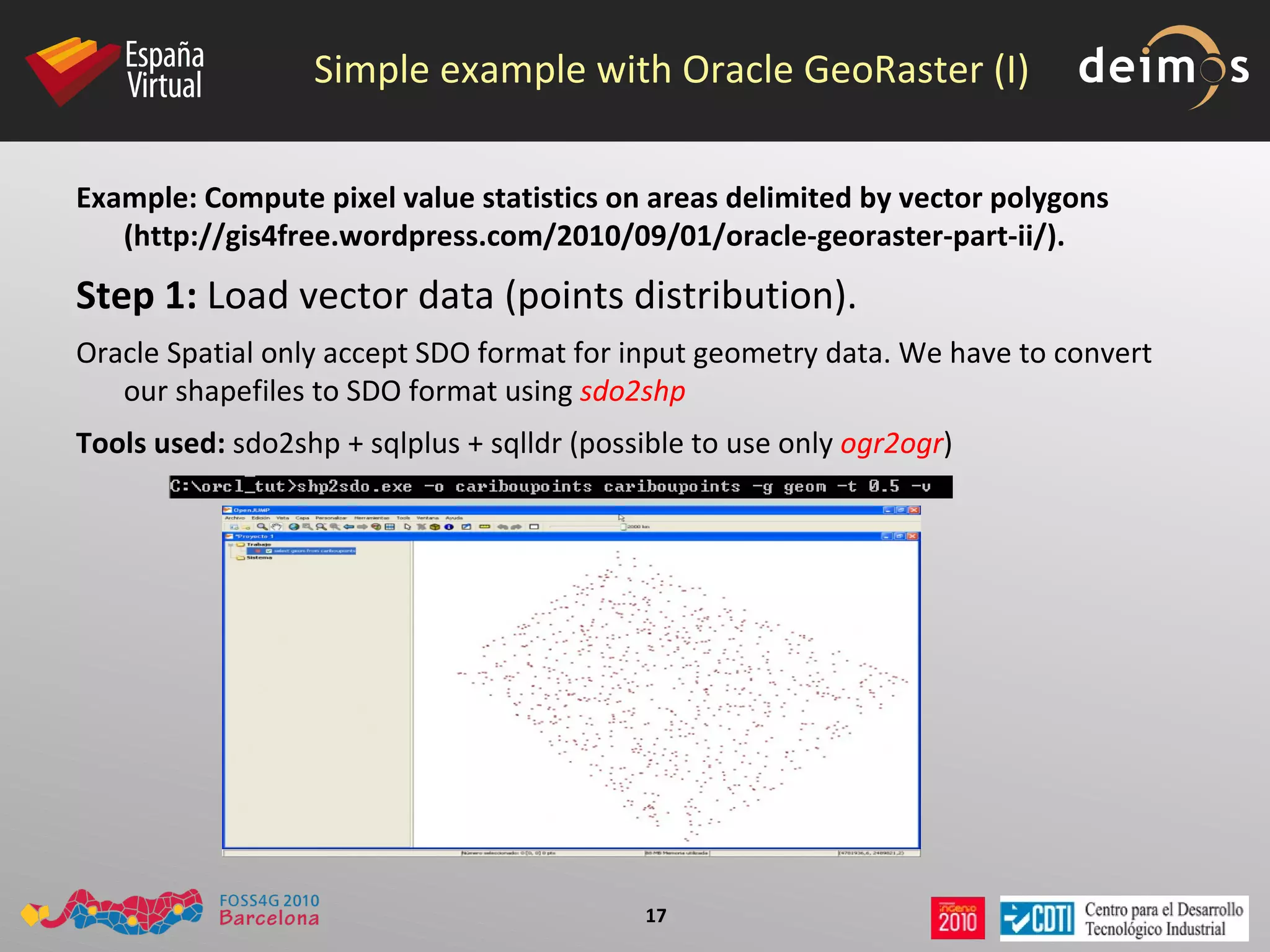
    Simple example withOracle GeoRaster (I) Example: Compute pixel value statistics on areas delimited by vector polygons (http://gis4free.wordpress.com/2010/09/01/oracle-georaster-part-ii/). Step 1: Load vector data (points distribution). Oracle Spatial only accept SDO format for input geometry data. We have to convert our shapefiles to SDO format using sdo2shp Tools used: sdo2shp + sqlplus + sqlldr (possible to use only ogr2ogr )
  • 31.
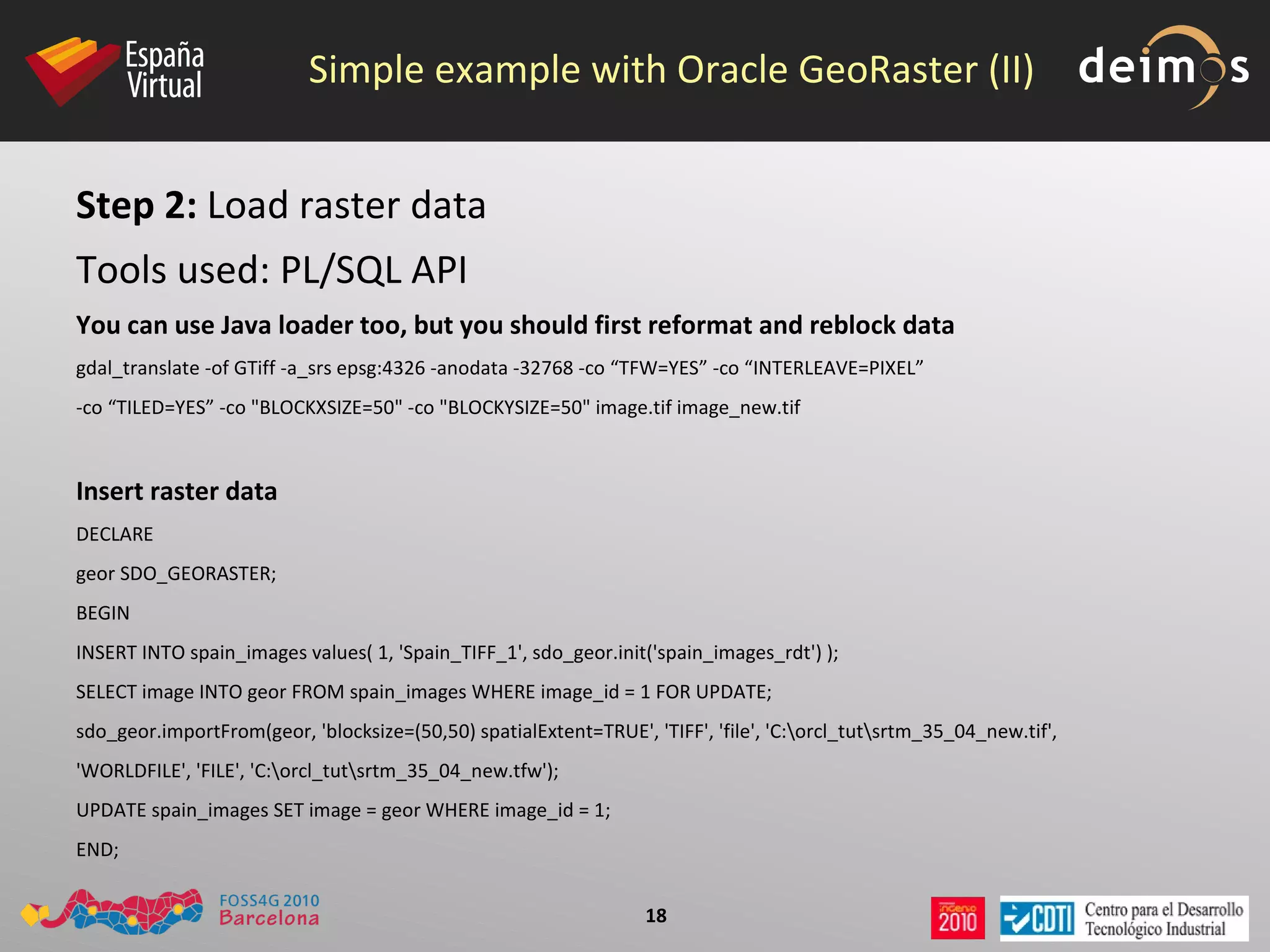
    Simple example withOracle GeoRaster (II) Step 2: Load raster data Tools used: PL/SQL API You can use Java loader too, but you should first reformat and reblock data gdal_translate -of GTiff -a_srs epsg:4326 -anodata -32768 -co “TFW=YES” -co “INTERLEAVE=PIXEL” -co “TILED=YES” -co &quot;BLOCKXSIZE=50&quot; -co &quot;BLOCKYSIZE=50&quot; image.tif image_new.tif Insert raster data DECLARE geor SDO_GEORASTER; BEGIN INSERT INTO spain_images values( 1, 'Spain_TIFF_1', sdo_geor.init('spain_images_rdt') ); SELECT image INTO geor FROM spain_images WHERE image_id = 1 FOR UPDATE; sdo_geor.importFrom(geor, 'blocksize=(50,50) spatialExtent=TRUE', 'TIFF', 'file', 'C:\orcl_tut\srtm_35_04_new.tif', 'WORLDFILE', 'FILE', 'C:\orcl_tut\srtm_35_04_new.tfw'); UPDATE spain_images SET image = geor WHERE image_id = 1; END;
  • 32.
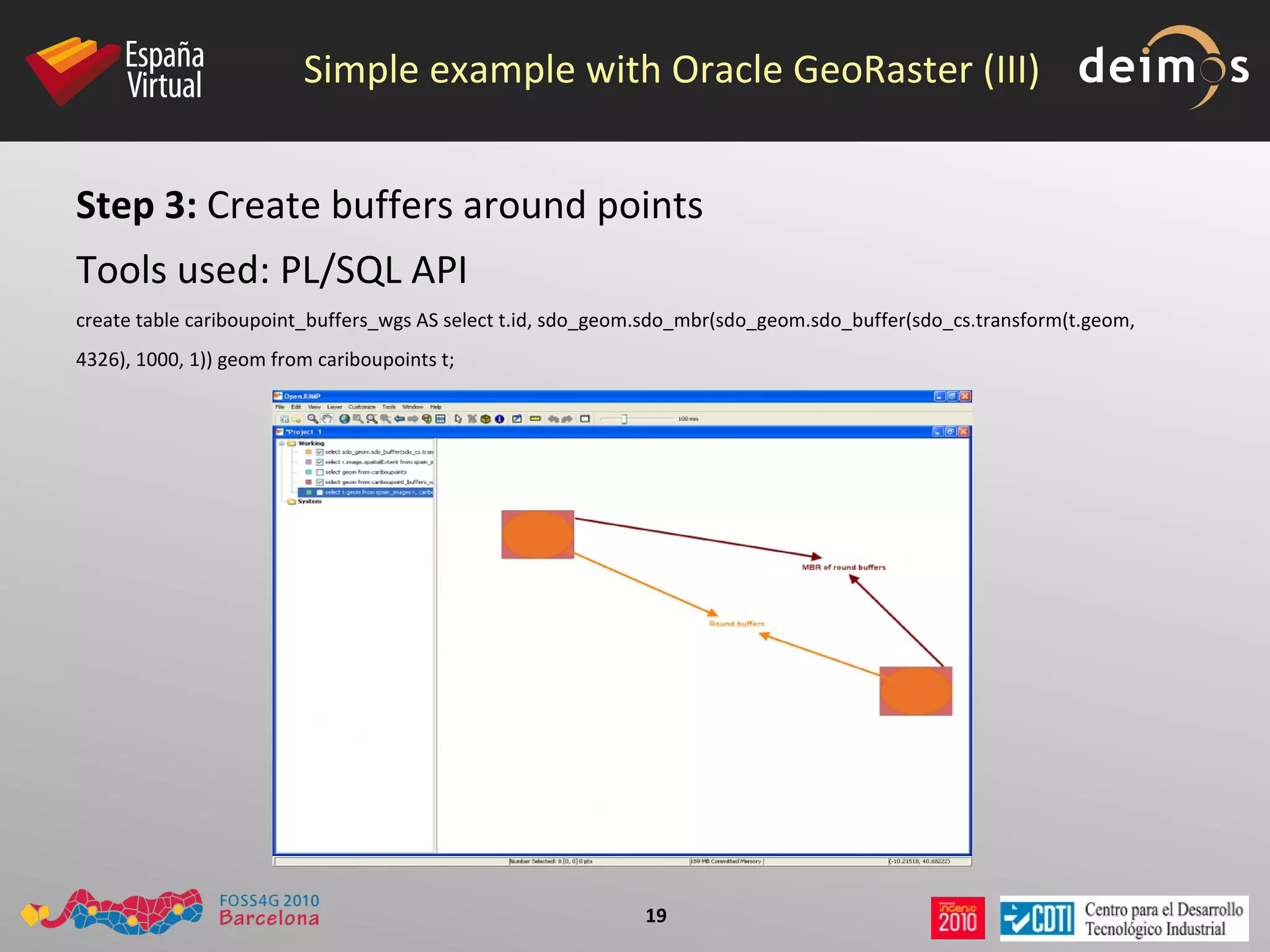
    Simple example withOracle GeoRaster (III) Step 3: Create buffers around points Tools used: PL/SQL API create table cariboupoint_buffers_wgs AS select t.id, sdo_geom.sdo_mbr(sdo_geom.sdo_buffer(sdo_cs.transform(t.geom, 4326), 1000, 1)) geom from cariboupoints t;
  • 33.
    Simple example withOracle GeoRaster (IV) Step 4: Create indexes Tools used: PL/SQL API First, we must update metadata DELETE FROM user_sdo_geom_metadata WHERE table_name = 'spain_images' AND column_name = 'IMAGE.SPATIALEXTENT'; INSERT INTO user_sdo_geom_metadata VALUES ('spain_images', 'IMAGE.SPATIALEXTENT', SDO_DIM_ARRAY(SDO_DIM_ELEMENT('X', -180, 180, .00000005), SDO_DIM_ELEMENT('Y', -90, 90, .00000005)), 4326); Now, create the index DROP INDEX spain_images_sidx; CREATE INDEX spain_images_sidx ON spain_images(image.spatialExtent) INDEXTYPE IS mdsys.spatial_index; Same operation with vector buffers DELETE FROM user_sdo_geom_metadata WHERE table_name = 'cariboupoint_buffers_wgs' AND column_name = 'geom'; INSERT INTO user_sdo_geom_metadata VALUES ('cariboupoints_buffers_wgs', 'geom', SDO_DIM_ARRAY(SDO_DIM_ELEMENT('X', -180, 180, .00000005), SDO_DIM_ELEMENT('Y', -90, 90, .00000005)), 4326); DROP INDEX spain_images_sidx; CREATE INDEX cariboupoints_buffers_wgs_gidx ON cariboupoints_buffers_wgs(geom) INDEXTYPE IS mdsys.spatial_index;
  • 34.
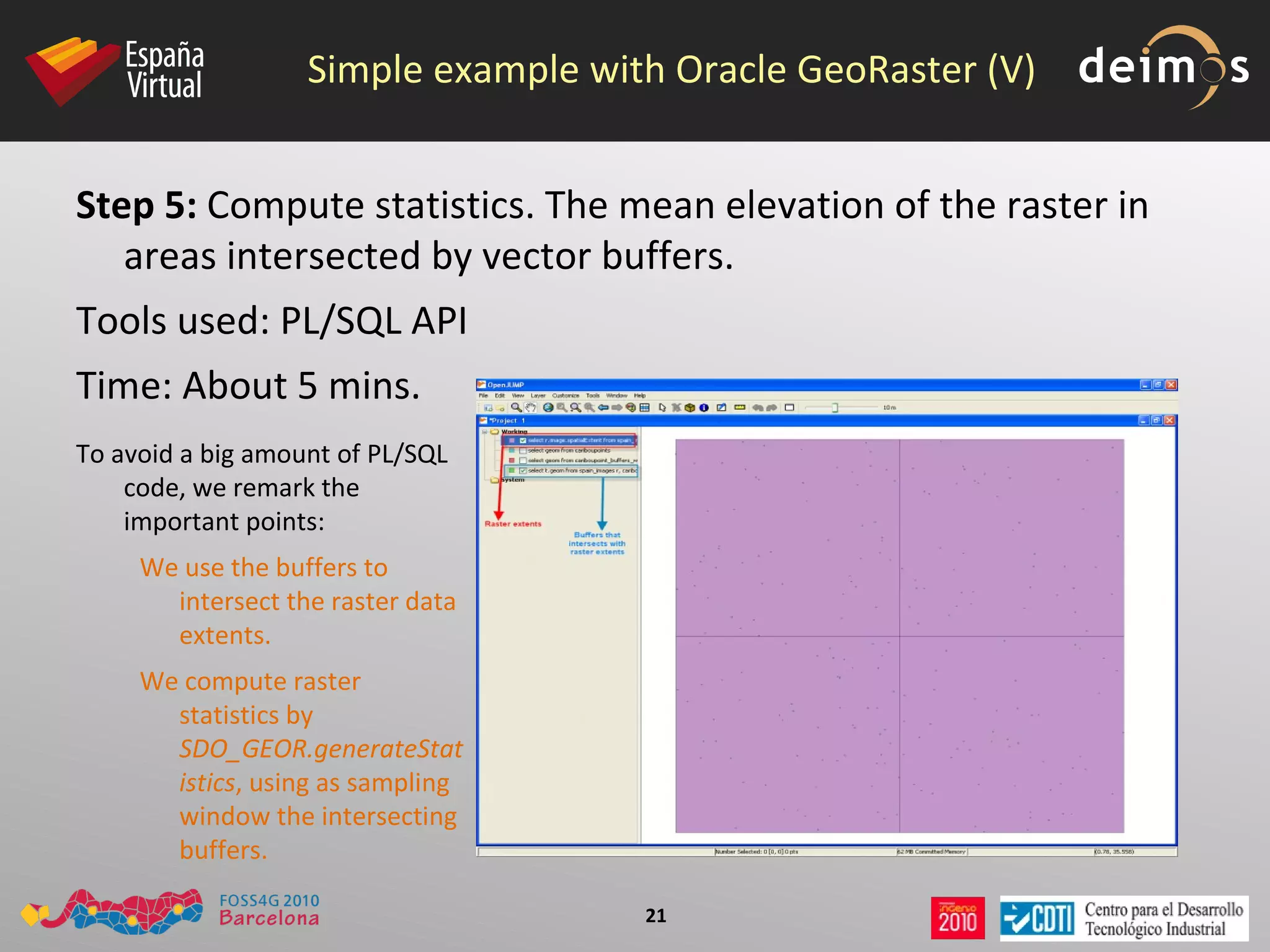
    Simple example withOracle GeoRaster (V) Step 5: Compute statistics. The mean elevation of the raster in areas intersected by vector buffers. Tools used: PL/SQL API Time: About 5 mins. To avoid a big amount of PL/SQL code, we remark the important points: We use the buffers to intersect the raster data extents.
  • 35.
    We compute rasterstatistics by SDO_GEOR.generateStatistics , using as sampling window the intersecting buffers.
  • 36.
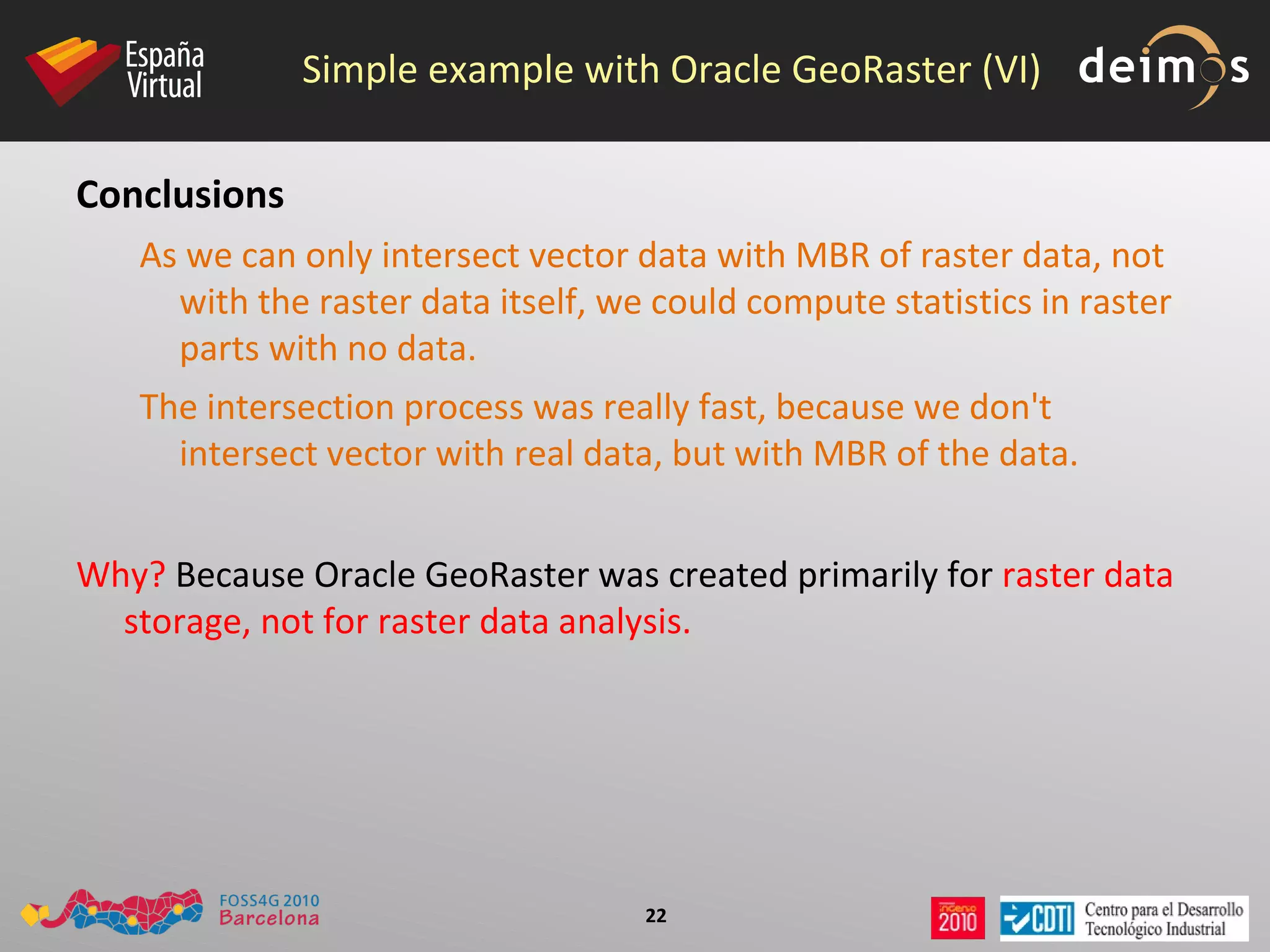
    Simple example withOracle GeoRaster (VI) Conclusions As we can only intersect vector data with MBR of raster data, not with the raster data itself, we could compute statistics in raster parts with no data.
  • 37.
    The intersection processwas really fast, because we don't intersect vector with real data, but with MBR of the data. Why? Because Oracle GeoRaster was created primarily for raster data storage, not for raster data analysis.
  • 38.
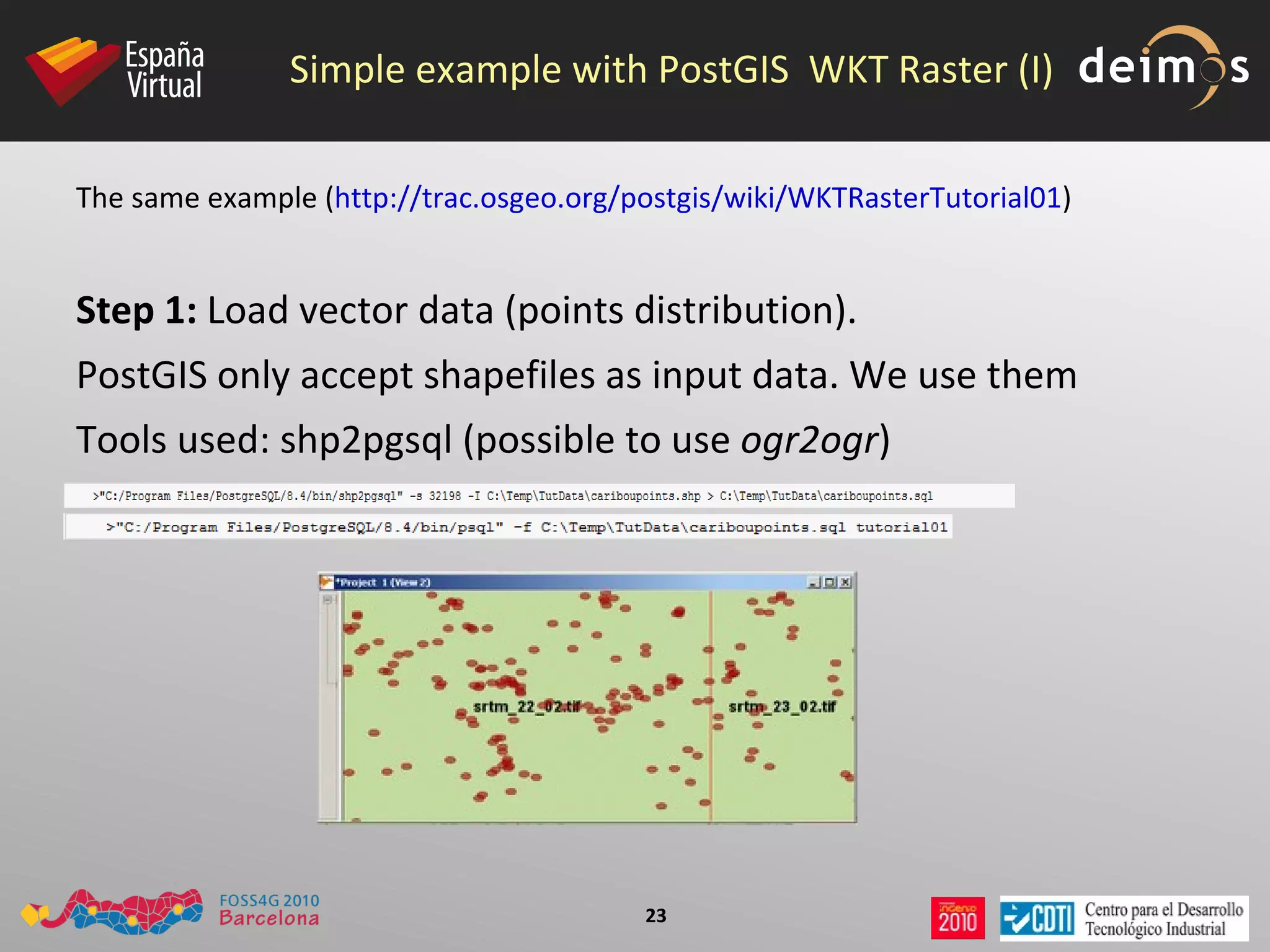
    Simple example withPostGIS WKT Raster (I) The same example ( http://trac.osgeo.org/postgis/wiki/WKTRasterTutorial01 ) Step 1: Load vector data (points distribution). PostGIS only accept shapefiles as input data. We use them Tools used: shp2pgsql (possible to use ogr2ogr )
  • 39.
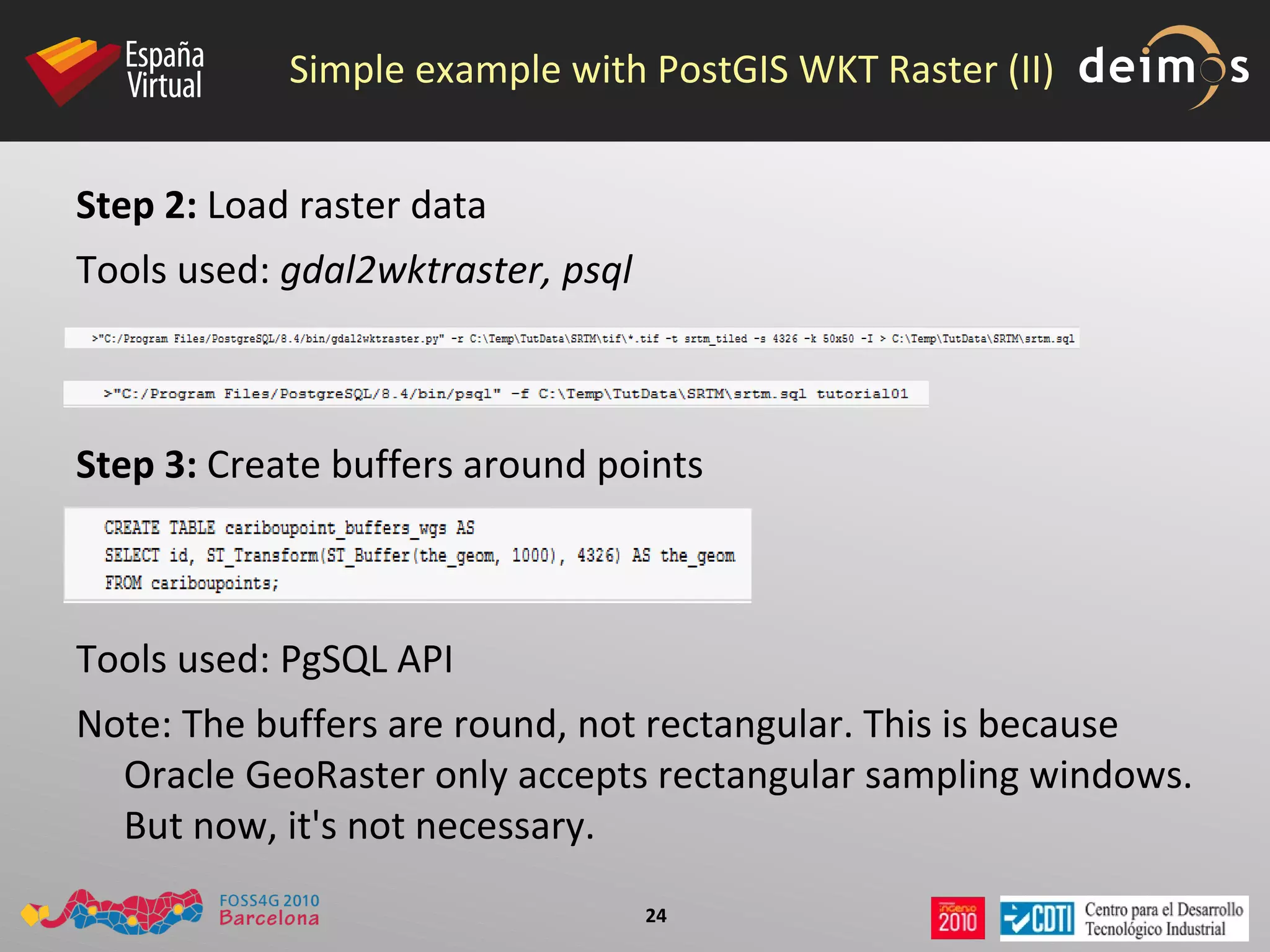
    Simple example withPostGIS WKT Raster (II) Step 2: Load raster data Tools used: gdal2wktraster, psql Step 3: Create buffers around points Tools used: PgSQL API Note: The buffers are round, not rectangular. This is because Oracle GeoRaster only accepts rectangular sampling windows. But now, it's not necessary.
  • 40.
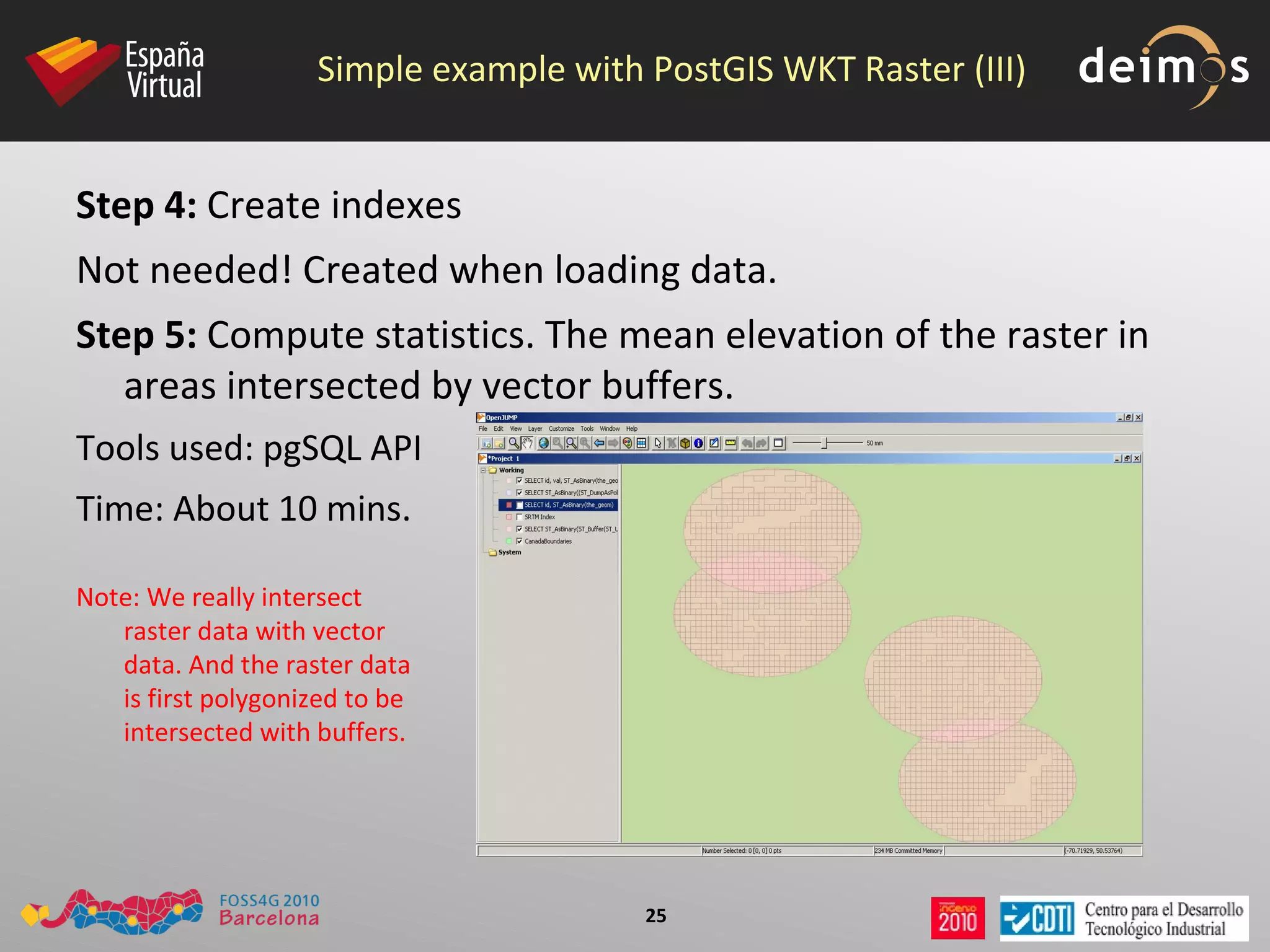
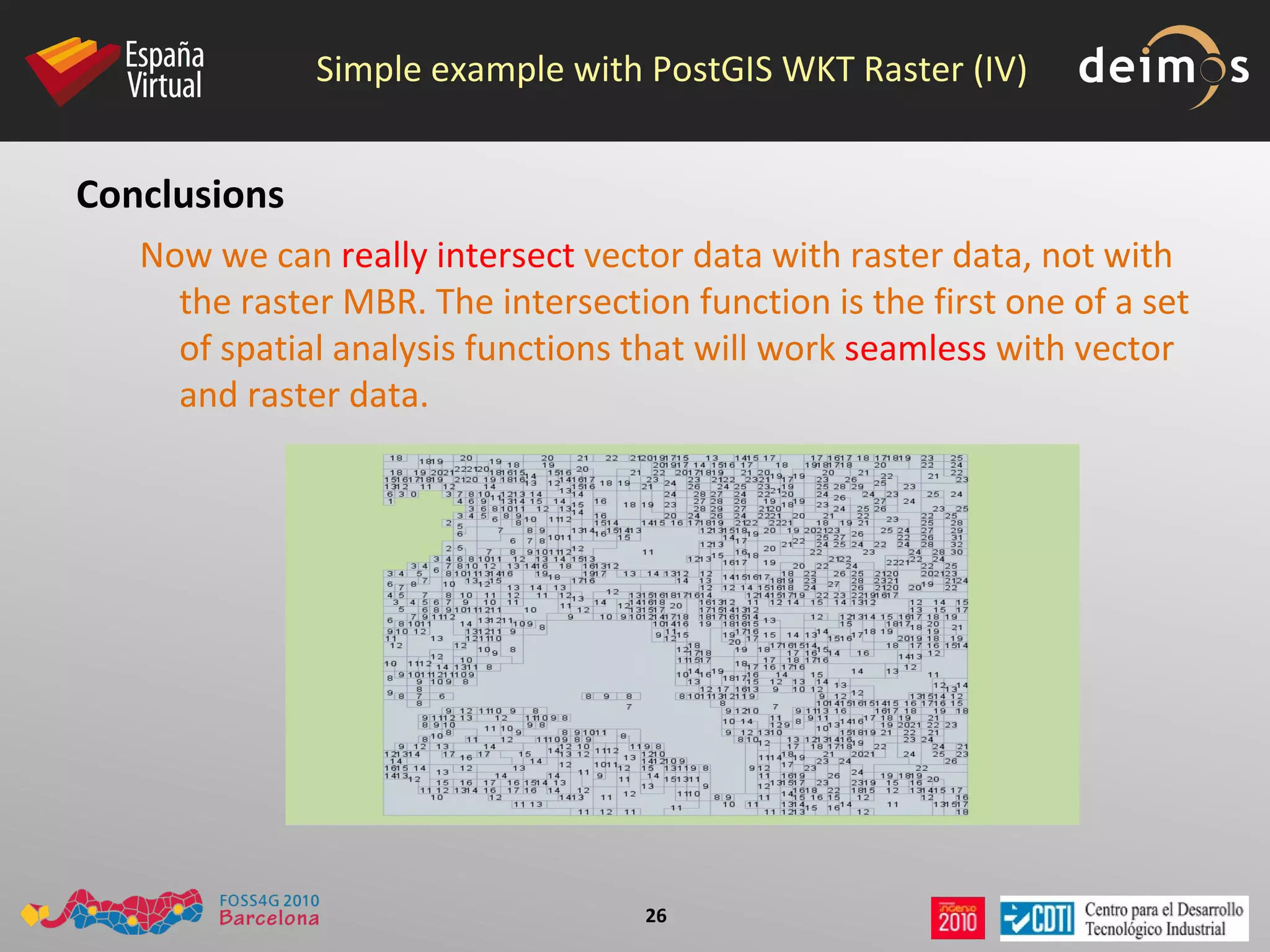
    Simple example withPostGIS WKT Raster (III) Step 4: Create indexes Not needed! Created when loading data. Step 5: Compute statistics. The mean elevation of the raster in areas intersected by vector buffers. Tools used: pgSQL API Time: About 10 mins. Note: We really intersect raster data with vector data. And the raster data is first polygonized to be intersected with buffers.
  • 41.
    Simple example withPostGIS WKT Raster (IV) Conclusions Now we can really intersect vector data with raster data, not with the raster MBR. The intersection function is the first one of a set of spatial analysis functions that will work seamless with vector and raster data.
  • 42.
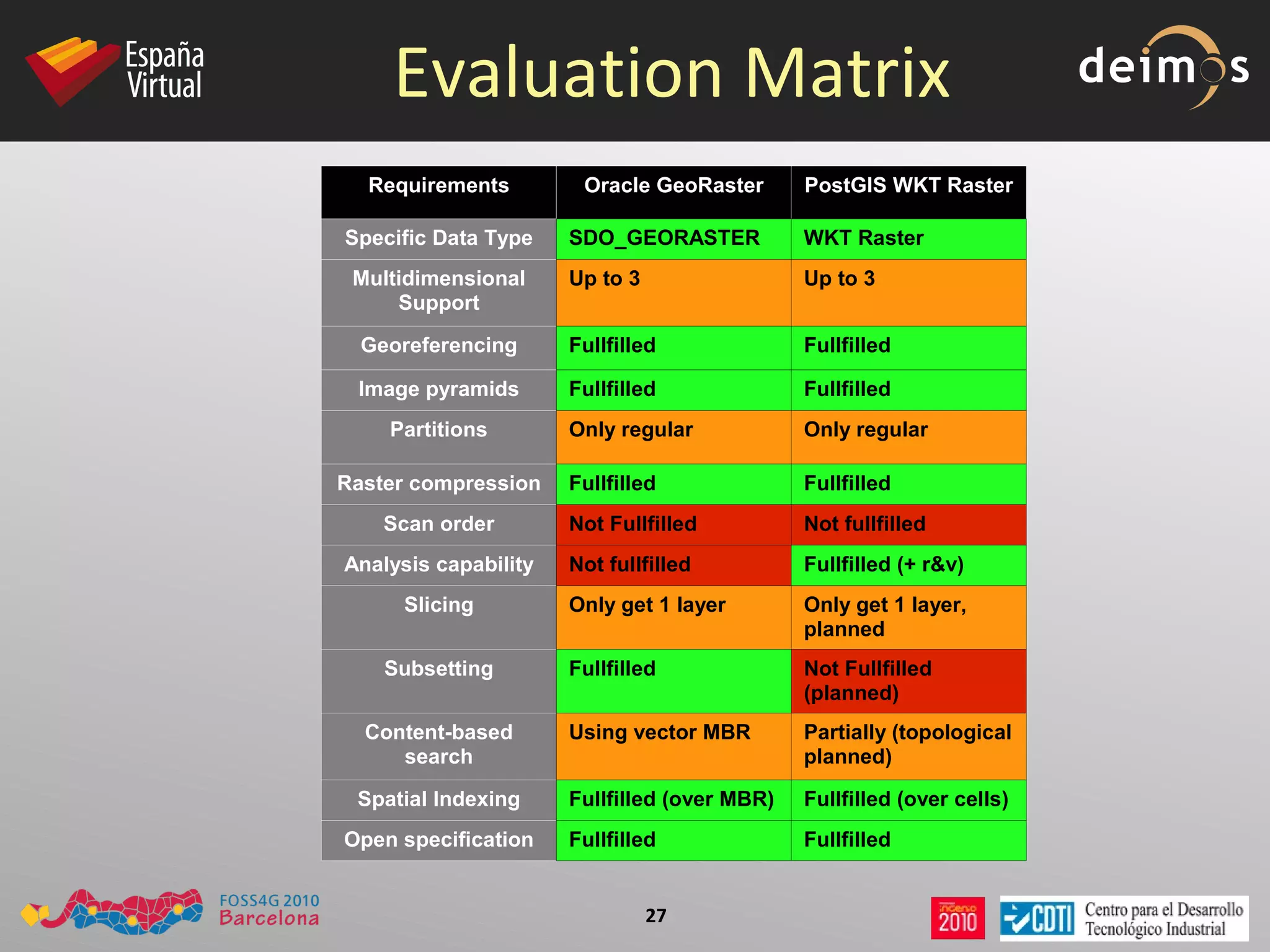
    Evaluation Matrix RequirementsOracle GeoRaster PostGIS WKT Raster Specific Data Type SDO_GEORASTER WKT Raster Multidimensional Support Up to 3 Up to 3 Georeferencing Fullfilled Fullfilled Image pyramids Fullfilled Fullfilled Partitions Only regular Only regular Raster compression Fullfilled Fullfilled Scan order Not Fullfilled Not fullfilled Analysis capability Not fullfilled Fullfilled (+ r&v) Slicing Only get 1 layer Only get 1 layer, planned Subsetting Fullfilled Not Fullfilled (planned) Content-based search Using vector MBR Partially (topological planned) Spatial Indexing Fullfilled (over MBR) Fullfilled (over cells) Open specification Fullfilled Fullfilled
  • 43.
    Credits Screenshots &tutorial: Pierre Racine Evaluation Matrix: Damon Riga Noktula (“ Server-based Raster Operations for Spatio-temporal Application in Raster Database using Oracle GeoRaster ”), based on Peter Bauman's & others criteria.
  • 44.

Editor's Notes

  • #2 El formato de las diapositivas a utilizar para la exposición es flexible, siempre que se siga la plantilla proporcionada. El tiempo de exposición por tarea debe ser, como máximo, de 15 minutos, incluyendo los tiempos de cambio de ponente entre tarea. Para los AEI, el tiempo disponible será de 20 minutos como máximo. Es importante no excederse.