Cyber Security
Dr. Avuthu Avinash
Assistant Professor
Department of ACSE
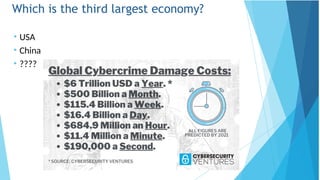
Which is the third largest economy?
• USA
• China
• ????
Importance of Cyber Security
“The only system which is truly secure is one which is
switched off and unplugged, locked in a titanium safe, buried
in a concrete bunker, and is surrounded by nerve gas and
very highly paid armed guards. Even then, I wouldn’t stake
my life on it.”
- Professor Gene Spafford
https://spaf.cerias.purdue.edu/
In security matters:
effectiveness & limitations
• There is nothing like absolute security
• We are only trying to build comfort levels, because security costs money
and lack of it costs much more
• Comfort level is a manifestation of efforts as well as a realization of their
Importance of Cyber Security
 The Internet allows an attacker to work from anywhere on
the planet.
 Risks caused by poor security knowledge and practice:
 Identity Theft
 Monetary Theft
 Legal Ramifications (for yourself and your organization)
 Sanctions or termination if policies are not followed
 According to the SANS Institute, the top vectors for
vulnerabilities available to a cyber criminal are:
 Web Browser
 IM Clients
 Web Applications
 Excessive User Rights
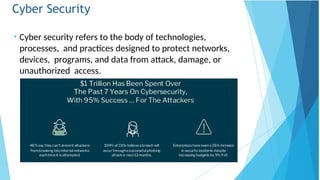
Cyber Security
• Cyber security refers to the body of technologies,
processes, and practices designed to protect networks,
devices, programs, and data from attack, damage, or
unauthorized access.
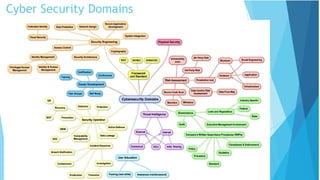
Cyber Security Domains
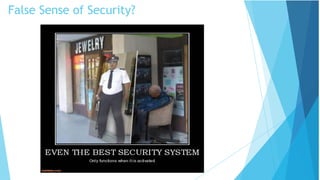
False Sense of Security?
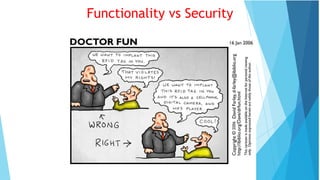
Functionality vs Security
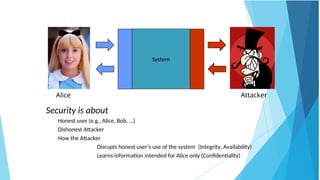
System
Attacker
Alice
Security is about
Honest user (e.g., Alice, Bob, …)
Dishonest Attacker
How the Attacker
Disrupts honest user’s use of the system (Integrity, Availability)
Learns information intended for Alice only (Confidentiality)
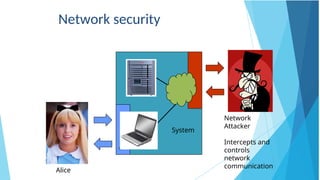
Network
Attacker
Intercepts and
controls
network
communication
Alice
System
Network security
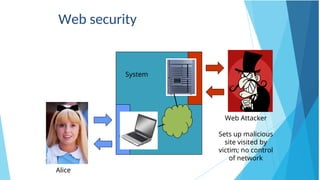
Web Attacker
Sets up malicious
site visited by
victim; no control
of network
Alice
System
Web security
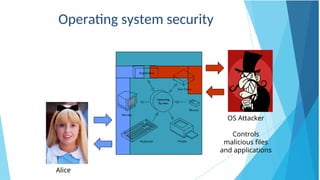
OS Attacker
Controls
malicious files
and applications
Alice
Operating system security
Basic Components of Security:
Confidentiality, Integrity, Availability
(CIA)
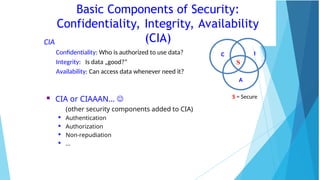
CIA
Confidentiality: Who is authorized to use data?
Integrity: Is data „good?”
Availability: Can access data whenever need it?
C I
A
S
S = Secure
 CIA or CIAAAN… 
(other security components added to CIA)

Authentication

Authorization

Non-repudiation

…
Need to Balance CIA
 Example 1: C vs. I+A
 Disconnect computer from Internet to increase
confidentiality
 Availability suffers, integrity suffers due to lost updates
 Example 2: I vs. C+A
 Have extensive data checks by different people/systems
to increase integrity
 Confidentiality suffers as more people see data,
availability suffers due to locks on data under verification)
Confidentiality
“Need to know” basis for data access
How do we know who needs what data?
Approach: access control specifies who can access
what
How do we know a user is the person she claims to be?
Need her identity and need to verify this identity
Approach: identification and authentication
Analogously: “Need to access/use” basis for physical assets
E.g., access to a computer room, use of a desktop
Confidentiality is:
difficult to ensure
easiest to assess in terms of success (binary in nature: Yes / No)
Integrity
Integrity vs. Confidentiality
Concerned with unauthorized modification of assets (= resources)
Confidentiality - concered with access to assets
Integrity is more difficult to measure than confidentiality
Not binary – degrees of integrity
Context-dependent - means different things in different
contexts
Could mean any subset of these asset properties:
{ precision / accuracy / currency / consistency /
meaningfulness / usefulness / ...}
Types of integrity—an example
Quote from a politician
Preserve the quote (data integrity) but misattribute (origin integrity)
Availability (1)
Not understood very well yet
„[F]ull implementation of availability is security’s next challenge”
E.g. Full implemenation of availability for Internet users (with ensuring security)
Complex
Context-dependent
Could mean any subset of these asset (data or service)
properties :
{ usefulness / sufficient capacity /
progressing at a proper pace /
completed in an acceptable period of time / ...}
[Pfleeger & Pfleeger]
Availability (2)
We can say that an asset (resource) is available if:
Timely request response
Fair allocation of resources (no starvation!)
Fault tolerant (no total breakdown)
Easy to use in the intended way
Provides controlled concurrency (concurrency control, deadlock control, ...)
[Pfleeger & Pfleeger]
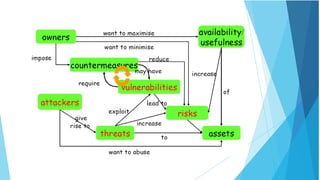
4. Vulnerabilities, Threats, and Controls
Understanding Vulnerabilities, Threats, and Controls
Vulnerability = a weakness in a security system
Threat = circumstances that have a potential to cause harm
Controls = means and ways to block a threat, which tries to exploit one
or more vulnerabilities
Most of the class discusses various controls and their effectiveness
[Pfleeger & Pfleeger]
Example - Orleans disaster
Q: What were city vulnerabilities, threats, and controls?
A: Vulnerabilities: location below water level, geographical location in hurricane
area, …
Threats: hurricane, dam damage, terrorist attack, …
Controls: dams and other civil infrastructures, emergency response
plan, …
Attack (materialization of a vulnerability/threat combination)
= exploitation of one or more vulnerabilities by a threat; tries to defeat controls
Attack may be:
Successful (a.k.a. an exploit)
resulting in a breach of security, a system penetration, etc.
Unsuccessful
when controls block a threat trying to exploit a vulnerability
[Pfleeger & Pfleeger]
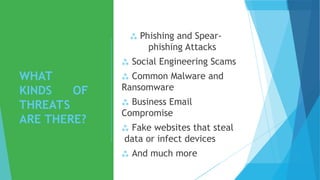
WHAT
KINDS OF
THREATS
ARE THERE?
 Phishing and Spear-
phishing Attacks
 Social Engineering Scams
 Common Malware and
Ransomware
 Business Email
Compromise
 Fake websites that steal
data or infect devices
 And much more
Phishin
g
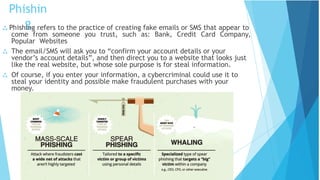
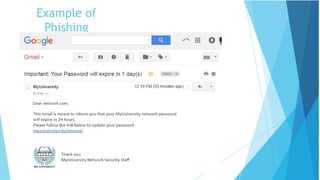
 Phishing refers to the practice of creating fake emails or SMS that appear to
come from someone you trust, such as: Bank, Credit Card Company,
Popular Websites
 The email/SMS will ask you to “confirm your account details or your
vendor’s account details”, and then direct you to a website that looks just
like the real website, but whose sole purpose is for steal information.
 Of course, if you enter your information, a cybercriminal could use it to
steal your identity and possible make fraudulent purchases with your
money.
Phishing
Statistics
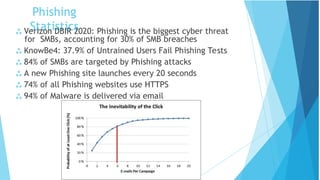
 Verizon DBIR 2020: Phishing is the biggest cyber threat
for SMBs, accounting for 30% of SMB breaches
 KnowBe4: 37.9% of Untrained Users Fail Phishing Tests
 84% of SMBs are targeted by Phishing attacks
 A new Phishing site launches every 20 seconds
 74% of all Phishing websites use HTTPS
 94% of Malware is delivered via email
Example of
Phishing
Social Engineering
 When attempting to steal information or a
person’s identity, a hacker will often try to
trick you into giving out sensitive information
rather than breaking into your computer.
 Social Engineering can happen:
 Over the phone
 By text message
 Instant message
 Email
 Malware = “malicious software”
 Malware is any kind of unwanted software that is
installed without your consent on your computer
and other digital devices.
 Viruses, Worms, Trojan horses, Bombs, Spyware,
Adware, Ransomware are subgroups of malware.
Malware
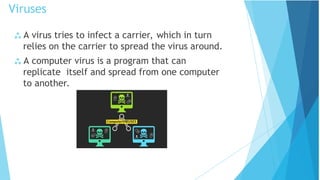
 A virus tries to infect a carrier, which in turn
relies on the carrier to spread the virus around.
 A computer virus is a program that can
replicate itself and spread from one computer
to another.
Viruses
 Direct infection: virus can infect files every time a user
opens that specific infected program, document or
file.
 Fast Infection: is when a virus infects any file that is
accessed by the program that is infected.
 Slow infection: is when the virus infects any new or
modified program, file or document.
 Great way to trick a antivirus program!
 Sparse Infection: is the process of randomly infecting
files, etc. on the computer.
 RAM-resident infection: is when the infection buries
itself in your Computer’s Random Access Memory.
Viruses cont.
 Logic Bombs: is programming code that is designed to
execute or explode when a certain condition is
reached.
 Most the time it goes off when a certain time is reached or a
program fails to execute. But it these bombs wait for a
triggered event to happen.
 Most common use of this is in the financial/business world.
 Most IT employees call this the disgruntled employee
syndrome.
Bombs
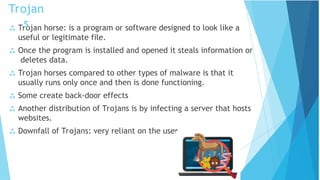
 Trojan horse: is a program or software designed to look like a
useful or legitimate file.
 Once the program is installed and opened it steals information or
deletes data.
 Trojan horses compared to other types of malware is that it
usually runs only once and then is done functioning.
 Some create back-door effects
 Another distribution of Trojans is by infecting a server that hosts
websites.
 Downfall of Trojans: very reliant on the user.
Trojan
s
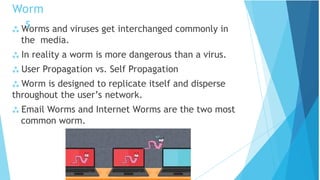
 Worms and viruses get interchanged commonly in
the media.
 In reality a worm is more dangerous than a virus.
 User Propagation vs. Self Propagation
 Worm is designed to replicate itself and disperse
throughout the user’s network.
 Email Worms and Internet Worms are the two most
common worm.
Worm
s
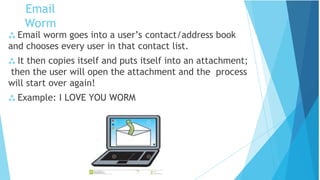
 Email worm goes into a user’s contact/address book
and chooses every user in that contact list.
 It then copies itself and puts itself into an attachment;
then the user will open the attachment and the process
will start over again!
 Example: I LOVE YOU WORM
Email
Worm
 An Internet Worm is designed to be conspicuous to the
user.
 The worms scans the computer for open internet ports
that the worm can download itself into the computer.
 Once inside the computer the worms scans the
internet to infect more computers.
Internet
Worms
Zombie & Botnet
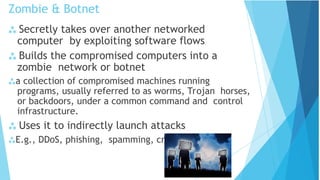
 Secretly takes over another networked
computer by exploiting software flows
 Builds the compromised computers into a
zombie network or botnet
a collection of compromised machines running
programs, usually referred to as worms, Trojan horses,
or backdoors, under a common command and control
infrastructure.
 Uses it to indirectly launch attacks
E.g., DDoS, phishing, spamming, cracking
 Adware is a type of malware designed to display
advertisements in the user’s software.
 They can be designed to be harmless or harmful; the adware
gathers information on what the user searches the World Wide
Web for.
 With this gathered information it displays ads corresponding to
information collected.
 Spyware is like adware it spies on the user to see what
information it can collect off the user’s computer to display pop
ads on the user’s computer.
 Spyware unlike adware likes to use memory from programs
running in the background of the computer to keep close watch
on the user.
 This most often clogs up the computer causing the program or
computer to slow down and become un-functional.
Adware and Spyware
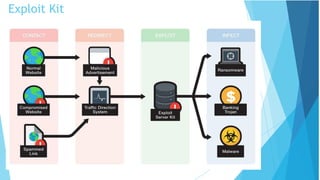
Exploit Kit
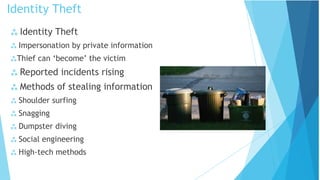
 Identity Theft
 Impersonation by private information
Thief can ‘become’ the victim
 Reported incidents rising
 Methods of stealing information
 Shoulder surfing
 Snagging
 Dumpster diving
 Social engineering
 High-tech methods
Identity Theft
 Loss of privacy
 Personal information is stored electronically
Purchases are stored in a database
Data is sold to other companies
Public records on the Internet
 Internet use is monitored and logged
 None of these techniques are illegal
Identity Theft
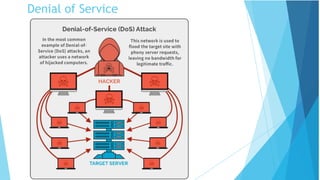
Denial of Service
Attack
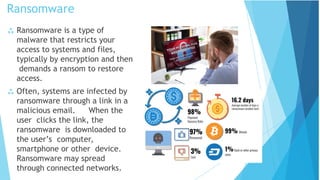
Ransomware
 Ransomware is a type of
malware that restricts your
access to systems and files,
typically by encryption and then
demands a ransom to restore
access.
 Often, systems are infected by
ransomware through a link in a
malicious email. When the
user clicks the link, the
ransomware is downloaded to
the user’s computer,
smartphone or other device.
Ransomware may spread
through connected networks.
Ransomware
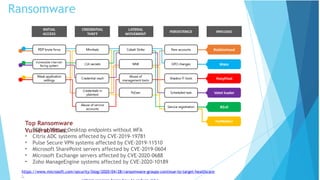
Top Ransomware
Vulnerabilities:
• RDP or Virtual Desktop endpoints without MFA
• Citrix ADC systems affected by CVE-2019-19781
• Pulse Secure VPN systems affected by CVE-2019-11510
• Microsoft SharePoint servers affected by CVE-2019-0604
• Microsoft Exchange servers affected by CVE-2020-0688
• Zoho ManageEngine systems affected by CVE-2020-10189
https://www.microsoft.com/security/blog/2020/04/28/ransomware-groups-continue-to-target-healthcare
-
Ransomware Controls
 Weapons-Grade Data Backups
 Religious Patch Management
 Plan to Fail Well (Incident Response
Plan)
 Know who to call!
 Training and Testing Your People
 Don’t Open that Email Link/Attachment
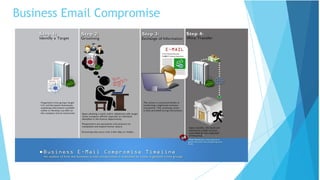
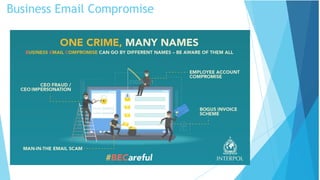
Business/Official Email Compromise
 BEC is a big problem for you and your organization:
 Your email is compromised.
 Another employee of your organization is compromised
 Almost always, these emails fall into 2 categories:
1. Downloading and spreading additional malware
automatically
2. Urging the customer to perform a financial
transaction immediately
 Tips and Tricks to share with customers:
 BEC made up half of cyber-crime losses in 2019; $75K
per scam
 Standard phishing email awareness – don’t click links
or download attachments
 Pay attention to the email address
 Enable MFA for business email accounts
Business Email Compromise
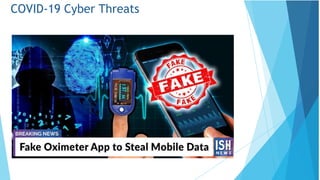
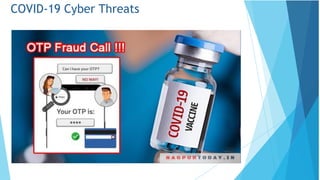
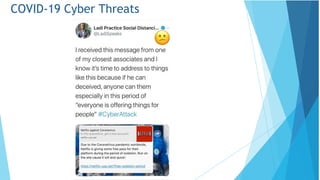
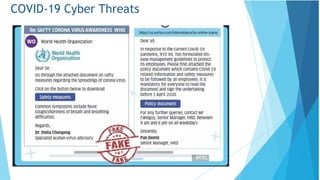
COVID-19 Cyber Threats
• Google: 18+ Million COVID-19 emails in just the one week, in
addition to 240M daily COVID-19 spam messages
• Phishing up 667% right now
• FBI IC3: 4x complaints per day (1K before COVID-19, now 3k-4k
per day)
• 148% spike in ransomware attacks due to COVID-19
• 30%-40% increase in attacker interest relating to RDP (as
measured by Shodan)
• 26% increase in e-comm web skimming in March
• Healthcare, Financial Services, Medical Suppliers and
Manufacturing, Government and Media Outlets all seeing a
large increase in cyber threats
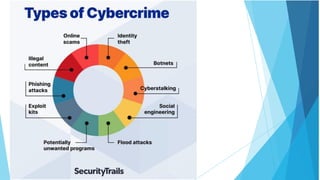
Cyber Crime
Cyber Crime is a generic term that refers to all criminal activities
done using the medium of communication devices, computers,
mobile phones, tablets etc. It can be categorized in three ways:
•The computer as a target – attacking the computers of others.
•The computer as a weapon- Using a computer to commit
“traditional crime” that we see in the physical world.
•The computer as an accessory- Using a computer as a “fancy
filing cabinet” to store illegal or stolen information.
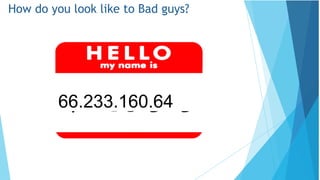
How do you look like to Bad guys?
66.233.160.64
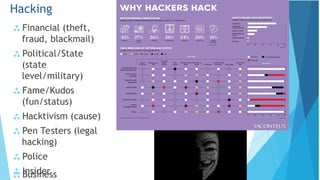
 Financial (theft,
fraud, blackmail)
 Political/State
(state
level/military)
 Fame/Kudos
(fun/status)
 Hacktivism (cause)
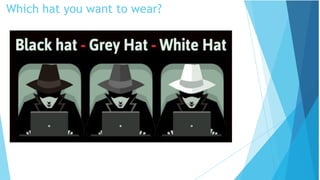
 Pen Testers (legal
hacking)
 Police
 Insider
Hacking
 Business
Which hat you want to wear?
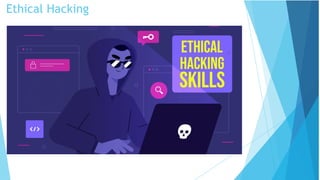
Ethical Hacking
System Hacking
system.
 System hacking is a vast subject that
consists of hacking the different software-
based technological systems such as laptops,
desktops, etc.
 System hacking is defined as the
compromise of computer systems and
software to access the target computer
and steal or misuse their sensitive
information.
 Here the malicious hacker exploits the
weaknesses in a computer system or
network to gain unauthorized access to its
data or take illegal advantage.
 Hackers generally use viruses, malware,
Trojans, worms, phishing techniques, email
spamming, social engineering, exploit
operating system vulnerabilities, or port
vulnerabilities to access any victim's
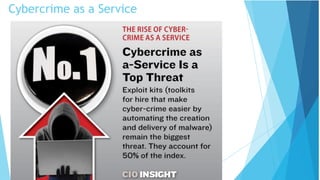
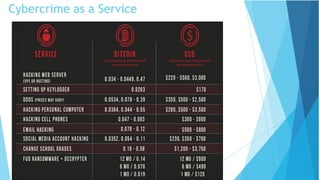
Cybercrime as a Service
Web, Deep Web & Dark
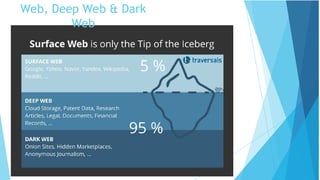
Web
Global Cyber Security Trends – The next
wave
Recent studies reveal three major findings:
•Growing threat to national security - web espionage becomes
increasingly advanced, moving from curiosity to well-funded and well-
organized operations aimed at not only financial, but also political or
technical gain
•Increasing threat to online services – affecting individuals and
industry because of growth of sophistication of attack techniques
•Emergence of a sophisticated market for software flaws – that can
be used to carry out espionage and attacks on Govt. and Critical
information infrastructure. Findings indicate a blurred line between
legal and illegal sales of software vulnerabilities
Mischievous activities in cyber space have expanded from novice
geeks to organized criminal gangs that are going Hi-tech
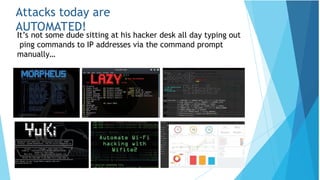
Attacks today are
AUTOMATED!
It’s not some dude sitting at his hacker desk all day typing out
ping commands to IP addresses via the command prompt
manually…
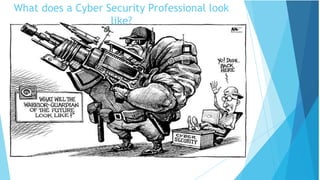
What does a Cyber Security Professional look
like?
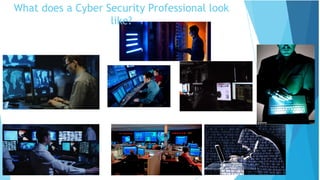
What does a Cyber Security Professional look
like?
Eugene Kaspersky, CEO Kaspersky Labs,
£1.1bn
James Lyne, CTO,
SANS
David Ulevitch, Founder OpenDNS Katie Moussouris, Microsoft Bug Bounty creator
Dr Laura Toogood, MD Digitalis Reputation
8
Erin Jacobs, CSO at UCB Financial Services
In reality…
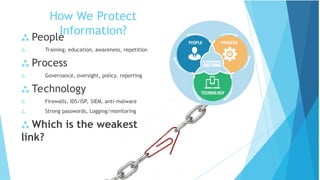
How We Protect
Information?
 People
 Training, education, awareness, repetition
 Process
 Governance, oversight, policy, reporting
 Technology
 Firewalls, IDS/ISP, SIEM, anti-malware
 Strong passwords, Logging/monitoring
 Which is the weakest
link?
Social Engineering Best
Practices
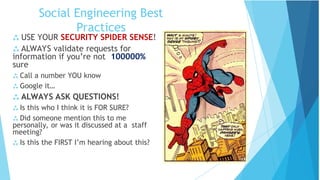
 USE YOUR SECURITY SPIDER SENSE!
 ALWAYS validate requests for
information if you’re not 100000%
sure
 Call a number YOU know
 Google it…
 ALWAYS ASK QUESTIONS!
 Is this who I think it is FOR SURE?
 Did someone mention this to me
personally, or was it discussed at a staff
meeting?
 Is this the FIRST I’m hearing about this?
BEC Best
Practices
 Think through Out of Office email
 Avoid using free web-based email for business
 Not only less-professional, but easier to hack,
typosquat, or spoof
 Domains and email addresses are cheap,
especially compared to BEC
 Register similar domains to yours to prevent
typosquatting e.g. delaplex.com vs. delapelx.com
 Be careful about the information you share on
your website or Social Media (LinkedIn, Facebook)
about job duties or positions, especially for
positions with transactional or purchasing authority
Sun Tzu on the Art of
War
 If you know the enemy and
know yourself, you need not
fear the result of a hundred
battles.
 If you know yourself but not
the enemy, for every victory
gained you will also suffer a
defeat.
 If you know neither the
enemy nor yourself, you will
succumb in every battle.
WHAT IS
FOOTPRINTING?
 Definition: the gathering of information
about a potential system or network (the
fine art of gathering target information)
 a.k.a. fingerprinting
 Attacker’s point of view
 Identify potential target systems
 Identify which types of attacks may be useful
on target systems
 Defender’s point of view
 Know available tools
 May be able to tell if system is being
footprinted, be more prepared for possible
attack
 Vulnerability analysis: know what
information you’re giving away, what
weaknesses you have
WHAT IS
FOOTPRINTING?
 System (Local or Remote)
 IP Address, Name and Domain
 Operating System
 Type (Windows, Linux, Solaris,
Mac)
 Version (XP/Vista/7/10,
Redhat, Fedora, SuSe, Ubuntu,
OS X)
 Usernames (and their
passwords)
 File structure
 Open Ports (what
services/programs are running
on the system)
 Networks / Enterprises
 System information for all
hosts
 Network topology
Gateways
Firewalls
Overall topology
 Network traffic information
 Specialized servers
 Web, Database, FTP, Email,
etc.
 Social Media
Vulnerability
Scanner
 Functions of Vulnerability Scanner are far different
from firewall or intrusion detection system.
 Vulnerability scanning tools helps you in protecting
your organization from any kind of security risks or
threats by scanning with deep inspection of
endpoints to ensure that they are configured securely
and correctly.
 The prime aim of running a vulnerability scanner is to
identify the devices that are open for
vulnerabilities.
Types of Vulnerability
Scanner
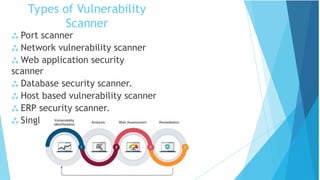
 Port scanner
 Network vulnerability scanner
 Web application security
scanner
 Database security scanner.
 Host based vulnerability scanner
 ERP security scanner.
 Single vulnerability tests.
Virus Detection
• Simple Anti-virus Scanners
– Look for signatures (fragments of known virus code)
– Heuristics for recognizing code associated with viruses
• Example: polymorphic viruses often use decryption loops
– Integrity checking to detect file modifications
– Keep track of file sizes, checksums, keyed HMACs of contents
• Generic decryption and emulation
– Emulate CPU execution for a few hundred instructions, recognize known
virus body after it has been decrypted
– Does not work very well against viruses with mutating bodies and
viruses
not located near beginning of infected executable
Virus Detection
• Simple Anti-virus Scanners
– Look for signatures (fragments of known virus code)
– Heuristics for recognizing code associated with viruses
• Example: polymorphic viruses often use decryption loops
– Integrity checking to detect file modifications
– Keep track of file sizes, checksums, keyed HMACs of contents
• Generic decryption and emulation
– Emulate CPU execution for a few hundred instructions, recognize known
virus body after it has been decrypted
– Does not work very well against viruses with mutating bodies and
viruses
not located near beginning of infected executable
Cyber Security and Privacy Starts and
Ends with Us!
Security Tips
Commit to a disciplined practice of information
security and continue to refresh yourself so you
don’t become a point of vulnerability in our
security defenses.
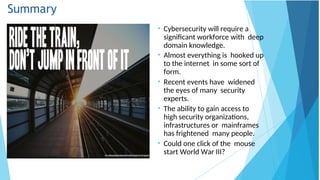
Summary
• Cybersecurity will require a
significant workforce with deep
domain knowledge.
• Almost everything is hooked up
to the internet in some sort of
form.
• Recent events have widened
the eyes of many security
experts.
• The ability to gain access to
high security organizations,
infrastructures or mainframes
has frightened many people.
• Could one click of the mouse
start World War III?
Thank you!

Security issues in the wireless networks.ppt

  • 1.
    Cyber Security Dr. AvuthuAvinash Assistant Professor Department of ACSE
  • 2.
    Which is thethird largest economy? • USA • China • ????
  • 3.
    Importance of CyberSecurity “The only system which is truly secure is one which is switched off and unplugged, locked in a titanium safe, buried in a concrete bunker, and is surrounded by nerve gas and very highly paid armed guards. Even then, I wouldn’t stake my life on it.” - Professor Gene Spafford https://spaf.cerias.purdue.edu/ In security matters: effectiveness & limitations • There is nothing like absolute security • We are only trying to build comfort levels, because security costs money and lack of it costs much more • Comfort level is a manifestation of efforts as well as a realization of their
  • 4.
    Importance of CyberSecurity  The Internet allows an attacker to work from anywhere on the planet.  Risks caused by poor security knowledge and practice:  Identity Theft  Monetary Theft  Legal Ramifications (for yourself and your organization)  Sanctions or termination if policies are not followed  According to the SANS Institute, the top vectors for vulnerabilities available to a cyber criminal are:  Web Browser  IM Clients  Web Applications  Excessive User Rights
  • 5.
    Cyber Security • Cybersecurity refers to the body of technologies, processes, and practices designed to protect networks, devices, programs, and data from attack, damage, or unauthorized access.
  • 6.
  • 7.
    False Sense ofSecurity?
  • 8.
  • 9.
    System Attacker Alice Security is about Honestuser (e.g., Alice, Bob, …) Dishonest Attacker How the Attacker Disrupts honest user’s use of the system (Integrity, Availability) Learns information intended for Alice only (Confidentiality)
  • 10.
  • 11.
    Web Attacker Sets upmalicious site visited by victim; no control of network Alice System Web security
  • 12.
    OS Attacker Controls malicious files andapplications Alice Operating system security
  • 13.
    Basic Components ofSecurity: Confidentiality, Integrity, Availability (CIA) CIA Confidentiality: Who is authorized to use data? Integrity: Is data „good?” Availability: Can access data whenever need it? C I A S S = Secure  CIA or CIAAAN…  (other security components added to CIA)  Authentication  Authorization  Non-repudiation  …
  • 14.
    Need to BalanceCIA  Example 1: C vs. I+A  Disconnect computer from Internet to increase confidentiality  Availability suffers, integrity suffers due to lost updates  Example 2: I vs. C+A  Have extensive data checks by different people/systems to increase integrity  Confidentiality suffers as more people see data, availability suffers due to locks on data under verification)
  • 15.
    Confidentiality “Need to know”basis for data access How do we know who needs what data? Approach: access control specifies who can access what How do we know a user is the person she claims to be? Need her identity and need to verify this identity Approach: identification and authentication Analogously: “Need to access/use” basis for physical assets E.g., access to a computer room, use of a desktop Confidentiality is: difficult to ensure easiest to assess in terms of success (binary in nature: Yes / No)
  • 16.
    Integrity Integrity vs. Confidentiality Concernedwith unauthorized modification of assets (= resources) Confidentiality - concered with access to assets Integrity is more difficult to measure than confidentiality Not binary – degrees of integrity Context-dependent - means different things in different contexts Could mean any subset of these asset properties: { precision / accuracy / currency / consistency / meaningfulness / usefulness / ...} Types of integrity—an example Quote from a politician Preserve the quote (data integrity) but misattribute (origin integrity)
  • 17.
    Availability (1) Not understoodvery well yet „[F]ull implementation of availability is security’s next challenge” E.g. Full implemenation of availability for Internet users (with ensuring security) Complex Context-dependent Could mean any subset of these asset (data or service) properties : { usefulness / sufficient capacity / progressing at a proper pace / completed in an acceptable period of time / ...} [Pfleeger & Pfleeger]
  • 18.
    Availability (2) We cansay that an asset (resource) is available if: Timely request response Fair allocation of resources (no starvation!) Fault tolerant (no total breakdown) Easy to use in the intended way Provides controlled concurrency (concurrency control, deadlock control, ...) [Pfleeger & Pfleeger]
  • 19.
    4. Vulnerabilities, Threats,and Controls Understanding Vulnerabilities, Threats, and Controls Vulnerability = a weakness in a security system Threat = circumstances that have a potential to cause harm Controls = means and ways to block a threat, which tries to exploit one or more vulnerabilities Most of the class discusses various controls and their effectiveness [Pfleeger & Pfleeger] Example - Orleans disaster Q: What were city vulnerabilities, threats, and controls? A: Vulnerabilities: location below water level, geographical location in hurricane area, … Threats: hurricane, dam damage, terrorist attack, … Controls: dams and other civil infrastructures, emergency response plan, …
  • 20.
    Attack (materialization ofa vulnerability/threat combination) = exploitation of one or more vulnerabilities by a threat; tries to defeat controls Attack may be: Successful (a.k.a. an exploit) resulting in a breach of security, a system penetration, etc. Unsuccessful when controls block a threat trying to exploit a vulnerability [Pfleeger & Pfleeger]
  • 22.
    WHAT KINDS OF THREATS ARE THERE? Phishing and Spear- phishing Attacks  Social Engineering Scams  Common Malware and Ransomware  Business Email Compromise  Fake websites that steal data or infect devices  And much more
  • 23.
    Phishin g  Phishing refersto the practice of creating fake emails or SMS that appear to come from someone you trust, such as: Bank, Credit Card Company, Popular Websites  The email/SMS will ask you to “confirm your account details or your vendor’s account details”, and then direct you to a website that looks just like the real website, but whose sole purpose is for steal information.  Of course, if you enter your information, a cybercriminal could use it to steal your identity and possible make fraudulent purchases with your money.
  • 24.
    Phishing Statistics  Verizon DBIR2020: Phishing is the biggest cyber threat for SMBs, accounting for 30% of SMB breaches  KnowBe4: 37.9% of Untrained Users Fail Phishing Tests  84% of SMBs are targeted by Phishing attacks  A new Phishing site launches every 20 seconds  74% of all Phishing websites use HTTPS  94% of Malware is delivered via email
  • 25.
  • 26.
    Social Engineering  Whenattempting to steal information or a person’s identity, a hacker will often try to trick you into giving out sensitive information rather than breaking into your computer.  Social Engineering can happen:  Over the phone  By text message  Instant message  Email
  • 27.
     Malware =“malicious software”  Malware is any kind of unwanted software that is installed without your consent on your computer and other digital devices.  Viruses, Worms, Trojan horses, Bombs, Spyware, Adware, Ransomware are subgroups of malware. Malware
  • 28.
     A virustries to infect a carrier, which in turn relies on the carrier to spread the virus around.  A computer virus is a program that can replicate itself and spread from one computer to another. Viruses
  • 29.
     Direct infection:virus can infect files every time a user opens that specific infected program, document or file.  Fast Infection: is when a virus infects any file that is accessed by the program that is infected.  Slow infection: is when the virus infects any new or modified program, file or document.  Great way to trick a antivirus program!  Sparse Infection: is the process of randomly infecting files, etc. on the computer.  RAM-resident infection: is when the infection buries itself in your Computer’s Random Access Memory. Viruses cont.
  • 30.
     Logic Bombs:is programming code that is designed to execute or explode when a certain condition is reached.  Most the time it goes off when a certain time is reached or a program fails to execute. But it these bombs wait for a triggered event to happen.  Most common use of this is in the financial/business world.  Most IT employees call this the disgruntled employee syndrome. Bombs
  • 31.
     Trojan horse:is a program or software designed to look like a useful or legitimate file.  Once the program is installed and opened it steals information or deletes data.  Trojan horses compared to other types of malware is that it usually runs only once and then is done functioning.  Some create back-door effects  Another distribution of Trojans is by infecting a server that hosts websites.  Downfall of Trojans: very reliant on the user. Trojan s
  • 32.
     Worms andviruses get interchanged commonly in the media.  In reality a worm is more dangerous than a virus.  User Propagation vs. Self Propagation  Worm is designed to replicate itself and disperse throughout the user’s network.  Email Worms and Internet Worms are the two most common worm. Worm s
  • 33.
     Email wormgoes into a user’s contact/address book and chooses every user in that contact list.  It then copies itself and puts itself into an attachment; then the user will open the attachment and the process will start over again!  Example: I LOVE YOU WORM Email Worm
  • 34.
     An InternetWorm is designed to be conspicuous to the user.  The worms scans the computer for open internet ports that the worm can download itself into the computer.  Once inside the computer the worms scans the internet to infect more computers. Internet Worms
  • 35.
    Zombie & Botnet Secretly takes over another networked computer by exploiting software flows  Builds the compromised computers into a zombie network or botnet a collection of compromised machines running programs, usually referred to as worms, Trojan horses, or backdoors, under a common command and control infrastructure.  Uses it to indirectly launch attacks E.g., DDoS, phishing, spamming, cracking
  • 36.
     Adware isa type of malware designed to display advertisements in the user’s software.  They can be designed to be harmless or harmful; the adware gathers information on what the user searches the World Wide Web for.  With this gathered information it displays ads corresponding to information collected.  Spyware is like adware it spies on the user to see what information it can collect off the user’s computer to display pop ads on the user’s computer.  Spyware unlike adware likes to use memory from programs running in the background of the computer to keep close watch on the user.  This most often clogs up the computer causing the program or computer to slow down and become un-functional. Adware and Spyware
  • 37.
  • 38.
     Identity Theft Impersonation by private information Thief can ‘become’ the victim  Reported incidents rising  Methods of stealing information  Shoulder surfing  Snagging  Dumpster diving  Social engineering  High-tech methods Identity Theft
  • 39.
     Loss ofprivacy  Personal information is stored electronically Purchases are stored in a database Data is sold to other companies Public records on the Internet  Internet use is monitored and logged  None of these techniques are illegal Identity Theft
  • 40.
  • 41.
    Ransomware  Ransomware isa type of malware that restricts your access to systems and files, typically by encryption and then demands a ransom to restore access.  Often, systems are infected by ransomware through a link in a malicious email. When the user clicks the link, the ransomware is downloaded to the user’s computer, smartphone or other device. Ransomware may spread through connected networks.
  • 42.
    Ransomware Top Ransomware Vulnerabilities: • RDPor Virtual Desktop endpoints without MFA • Citrix ADC systems affected by CVE-2019-19781 • Pulse Secure VPN systems affected by CVE-2019-11510 • Microsoft SharePoint servers affected by CVE-2019-0604 • Microsoft Exchange servers affected by CVE-2020-0688 • Zoho ManageEngine systems affected by CVE-2020-10189 https://www.microsoft.com/security/blog/2020/04/28/ransomware-groups-continue-to-target-healthcare -
  • 43.
    Ransomware Controls  Weapons-GradeData Backups  Religious Patch Management  Plan to Fail Well (Incident Response Plan)  Know who to call!  Training and Testing Your People  Don’t Open that Email Link/Attachment
  • 44.
    Business/Official Email Compromise BEC is a big problem for you and your organization:  Your email is compromised.  Another employee of your organization is compromised  Almost always, these emails fall into 2 categories: 1. Downloading and spreading additional malware automatically 2. Urging the customer to perform a financial transaction immediately  Tips and Tricks to share with customers:  BEC made up half of cyber-crime losses in 2019; $75K per scam  Standard phishing email awareness – don’t click links or download attachments  Pay attention to the email address  Enable MFA for business email accounts
  • 45.
  • 46.
  • 47.
  • 48.
  • 49.
  • 50.
  • 51.
    COVID-19 Cyber Threats •Google: 18+ Million COVID-19 emails in just the one week, in addition to 240M daily COVID-19 spam messages • Phishing up 667% right now • FBI IC3: 4x complaints per day (1K before COVID-19, now 3k-4k per day) • 148% spike in ransomware attacks due to COVID-19 • 30%-40% increase in attacker interest relating to RDP (as measured by Shodan) • 26% increase in e-comm web skimming in March • Healthcare, Financial Services, Medical Suppliers and Manufacturing, Government and Media Outlets all seeing a large increase in cyber threats
  • 52.
    Cyber Crime Cyber Crimeis a generic term that refers to all criminal activities done using the medium of communication devices, computers, mobile phones, tablets etc. It can be categorized in three ways: •The computer as a target – attacking the computers of others. •The computer as a weapon- Using a computer to commit “traditional crime” that we see in the physical world. •The computer as an accessory- Using a computer as a “fancy filing cabinet” to store illegal or stolen information.
  • 55.
    How do youlook like to Bad guys? 66.233.160.64
  • 56.
     Financial (theft, fraud,blackmail)  Political/State (state level/military)  Fame/Kudos (fun/status)  Hacktivism (cause)  Pen Testers (legal hacking)  Police  Insider Hacking  Business
  • 57.
    Which hat youwant to wear?
  • 58.
  • 59.
    System Hacking system.  Systemhacking is a vast subject that consists of hacking the different software- based technological systems such as laptops, desktops, etc.  System hacking is defined as the compromise of computer systems and software to access the target computer and steal or misuse their sensitive information.  Here the malicious hacker exploits the weaknesses in a computer system or network to gain unauthorized access to its data or take illegal advantage.  Hackers generally use viruses, malware, Trojans, worms, phishing techniques, email spamming, social engineering, exploit operating system vulnerabilities, or port vulnerabilities to access any victim's
  • 60.
  • 61.
  • 62.
    Web, Deep Web& Dark Web
  • 63.
    Global Cyber SecurityTrends – The next wave Recent studies reveal three major findings: •Growing threat to national security - web espionage becomes increasingly advanced, moving from curiosity to well-funded and well- organized operations aimed at not only financial, but also political or technical gain •Increasing threat to online services – affecting individuals and industry because of growth of sophistication of attack techniques •Emergence of a sophisticated market for software flaws – that can be used to carry out espionage and attacks on Govt. and Critical information infrastructure. Findings indicate a blurred line between legal and illegal sales of software vulnerabilities Mischievous activities in cyber space have expanded from novice geeks to organized criminal gangs that are going Hi-tech
  • 64.
    Attacks today are AUTOMATED! It’snot some dude sitting at his hacker desk all day typing out ping commands to IP addresses via the command prompt manually…
  • 65.
    What does aCyber Security Professional look like?
  • 66.
    What does aCyber Security Professional look like?
  • 67.
    Eugene Kaspersky, CEOKaspersky Labs, £1.1bn James Lyne, CTO, SANS David Ulevitch, Founder OpenDNS Katie Moussouris, Microsoft Bug Bounty creator Dr Laura Toogood, MD Digitalis Reputation 8 Erin Jacobs, CSO at UCB Financial Services In reality…
  • 68.
    How We Protect Information? People  Training, education, awareness, repetition  Process  Governance, oversight, policy, reporting  Technology  Firewalls, IDS/ISP, SIEM, anti-malware  Strong passwords, Logging/monitoring  Which is the weakest link?
  • 69.
    Social Engineering Best Practices USE YOUR SECURITY SPIDER SENSE!  ALWAYS validate requests for information if you’re not 100000% sure  Call a number YOU know  Google it…  ALWAYS ASK QUESTIONS!  Is this who I think it is FOR SURE?  Did someone mention this to me personally, or was it discussed at a staff meeting?  Is this the FIRST I’m hearing about this?
  • 70.
    BEC Best Practices  Thinkthrough Out of Office email  Avoid using free web-based email for business  Not only less-professional, but easier to hack, typosquat, or spoof  Domains and email addresses are cheap, especially compared to BEC  Register similar domains to yours to prevent typosquatting e.g. delaplex.com vs. delapelx.com  Be careful about the information you share on your website or Social Media (LinkedIn, Facebook) about job duties or positions, especially for positions with transactional or purchasing authority
  • 71.
    Sun Tzu onthe Art of War  If you know the enemy and know yourself, you need not fear the result of a hundred battles.  If you know yourself but not the enemy, for every victory gained you will also suffer a defeat.  If you know neither the enemy nor yourself, you will succumb in every battle.
  • 72.
    WHAT IS FOOTPRINTING?  Definition:the gathering of information about a potential system or network (the fine art of gathering target information)  a.k.a. fingerprinting  Attacker’s point of view  Identify potential target systems  Identify which types of attacks may be useful on target systems  Defender’s point of view  Know available tools  May be able to tell if system is being footprinted, be more prepared for possible attack  Vulnerability analysis: know what information you’re giving away, what weaknesses you have
  • 73.
    WHAT IS FOOTPRINTING?  System(Local or Remote)  IP Address, Name and Domain  Operating System  Type (Windows, Linux, Solaris, Mac)  Version (XP/Vista/7/10, Redhat, Fedora, SuSe, Ubuntu, OS X)  Usernames (and their passwords)  File structure  Open Ports (what services/programs are running on the system)  Networks / Enterprises  System information for all hosts  Network topology Gateways Firewalls Overall topology  Network traffic information  Specialized servers  Web, Database, FTP, Email, etc.  Social Media
  • 74.
    Vulnerability Scanner  Functions ofVulnerability Scanner are far different from firewall or intrusion detection system.  Vulnerability scanning tools helps you in protecting your organization from any kind of security risks or threats by scanning with deep inspection of endpoints to ensure that they are configured securely and correctly.  The prime aim of running a vulnerability scanner is to identify the devices that are open for vulnerabilities.
  • 75.
    Types of Vulnerability Scanner Port scanner  Network vulnerability scanner  Web application security scanner  Database security scanner.  Host based vulnerability scanner  ERP security scanner.  Single vulnerability tests.
  • 76.
    Virus Detection • SimpleAnti-virus Scanners – Look for signatures (fragments of known virus code) – Heuristics for recognizing code associated with viruses • Example: polymorphic viruses often use decryption loops – Integrity checking to detect file modifications – Keep track of file sizes, checksums, keyed HMACs of contents • Generic decryption and emulation – Emulate CPU execution for a few hundred instructions, recognize known virus body after it has been decrypted – Does not work very well against viruses with mutating bodies and viruses not located near beginning of infected executable
  • 77.
    Virus Detection • SimpleAnti-virus Scanners – Look for signatures (fragments of known virus code) – Heuristics for recognizing code associated with viruses • Example: polymorphic viruses often use decryption loops – Integrity checking to detect file modifications – Keep track of file sizes, checksums, keyed HMACs of contents • Generic decryption and emulation – Emulate CPU execution for a few hundred instructions, recognize known virus body after it has been decrypted – Does not work very well against viruses with mutating bodies and viruses not located near beginning of infected executable
  • 78.
    Cyber Security andPrivacy Starts and Ends with Us! Security Tips Commit to a disciplined practice of information security and continue to refresh yourself so you don’t become a point of vulnerability in our security defenses.
  • 79.
    Summary • Cybersecurity willrequire a significant workforce with deep domain knowledge. • Almost everything is hooked up to the internet in some sort of form. • Recent events have widened the eyes of many security experts. • The ability to gain access to high security organizations, infrastructures or mainframes has frightened many people. • Could one click of the mouse start World War III?
  • 80.

Editor's Notes

  • #14  In addition to all the rules and regulations, policies and procedures and the related system specific documentation, there are some current computer security issues of which you as the Executive should be made aware.