Computer Networks
CLASS NOTE LAB-2
Lecturer
Pranab Bandhu Nath
Senior Lecturer
CSE Department
City University, Dhaka
STUDENT
NAME :MD HASNAIN
ID :1834902583
Department of CSE City University, Dhaka.
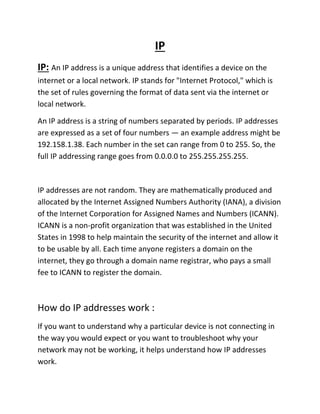
IP
IP: An IP address is a unique address that identifies a device on the
internet or a local network. IP stands for "Internet Protocol," which is
the set of rules governing the format of data sent via the internet or
local network.
An IP address is a string of numbers separated by periods. IP addresses
are expressed as a set of four numbers — an example address might be
192.158.1.38. Each number in the set can range from 0 to 255. So, the
full IP addressing range goes from 0.0.0.0 to 255.255.255.255.
IP addresses are not random. They are mathematically produced and
allocated by the Internet Assigned Numbers Authority (IANA), a division
of the Internet Corporation for Assigned Names and Numbers (ICANN).
ICANN is a non-profit organization that was established in the United
States in 1998 to help maintain the security of the internet and allow it
to be usable by all. Each time anyone registers a domain on the
internet, they go through a domain name registrar, who pays a small
fee to ICANN to register the domain.
How do IP addresses work :
If you want to understand why a particular device is not connecting in
the way you would expect or you want to troubleshoot why your
network may not be working, it helps understand how IP addresses
work.
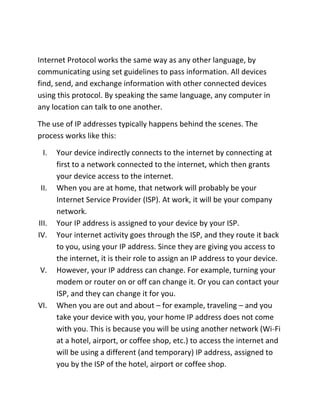
Internet Protocol works the same way as any other language, by
communicating using set guidelines to pass information. All devices
find, send, and exchange information with other connected devices
using this protocol. By speaking the same language, any computer in
any location can talk to one another.
The use of IP addresses typically happens behind the scenes. The
process works like this:
I. Your device indirectly connects to the internet by connecting at
first to a network connected to the internet, which then grants
your device access to the internet.
II. When you are at home, that network will probably be your
Internet Service Provider (ISP). At work, it will be your company
network.
III. Your IP address is assigned to your device by your ISP.
IV. Your internet activity goes through the ISP, and they route it back
to you, using your IP address. Since they are giving you access to
the internet, it is their role to assign an IP address to your device.
V. However, your IP address can change. For example, turning your
modem or router on or off can change it. Or you can contact your
ISP, and they can change it for you.
VI. When you are out and about – for example, traveling – and you
take your device with you, your home IP address does not come
with you. This is because you will be using another network (Wi-Fi
at a hotel, airport, or coffee shop, etc.) to access the internet and
will be using a different (and temporary) IP address, assigned to
you by the ISP of the hotel, airport or coffee shop.
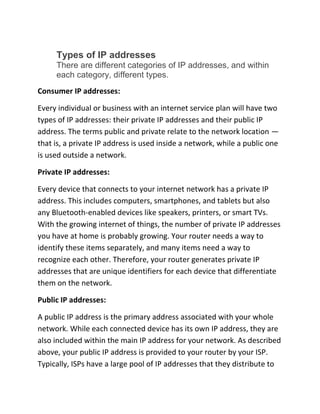
Types of IP addresses
There are different categories of IP addresses, and within
each category, different types.
Consumer IP addresses:
Every individual or business with an internet service plan will have two
types of IP addresses: their private IP addresses and their public IP
address. The terms public and private relate to the network location —
that is, a private IP address is used inside a network, while a public one
is used outside a network.
Private IP addresses:
Every device that connects to your internet network has a private IP
address. This includes computers, smartphones, and tablets but also
any Bluetooth-enabled devices like speakers, printers, or smart TVs.
With the growing internet of things, the number of private IP addresses
you have at home is probably growing. Your router needs a way to
identify these items separately, and many items need a way to
recognize each other. Therefore, your router generates private IP
addresses that are unique identifiers for each device that differentiate
them on the network.
Public IP addresses:
A public IP address is the primary address associated with your whole
network. While each connected device has its own IP address, they are
also included within the main IP address for your network. As described
above, your public IP address is provided to your router by your ISP.
Typically, ISPs have a large pool of IP addresses that they distribute to
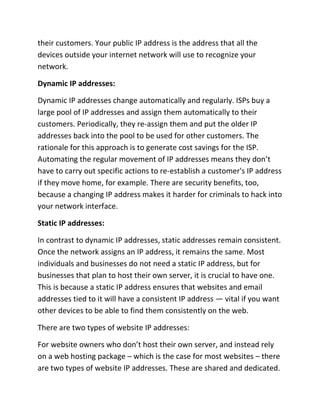
their customers. Your public IP address is the address that all the
devices outside your internet network will use to recognize your
network.
Dynamic IP addresses:
Dynamic IP addresses change automatically and regularly. ISPs buy a
large pool of IP addresses and assign them automatically to their
customers. Periodically, they re-assign them and put the older IP
addresses back into the pool to be used for other customers. The
rationale for this approach is to generate cost savings for the ISP.
Automating the regular movement of IP addresses means they don’t
have to carry out specific actions to re-establish a customer's IP address
if they move home, for example. There are security benefits, too,
because a changing IP address makes it harder for criminals to hack into
your network interface.
Static IP addresses:
In contrast to dynamic IP addresses, static addresses remain consistent.
Once the network assigns an IP address, it remains the same. Most
individuals and businesses do not need a static IP address, but for
businesses that plan to host their own server, it is crucial to have one.
This is because a static IP address ensures that websites and email
addresses tied to it will have a consistent IP address — vital if you want
other devices to be able to find them consistently on the web.
There are two types of website IP addresses:
For website owners who don’t host their own server, and instead rely
on a web hosting package – which is the case for most websites – there
are two types of website IP addresses. These are shared and dedicated.
Shared IP addresses:
Websites that rely on shared hosting plans from web hosting providers
will typically be one of many websites hosted on the same server. This
tends to be the case for individual websites or SME websites, where
traffic volumes are manageable, and the sites themselves are limited in
terms of the number of pages, etc. Websites hosted in this way will
have shared IP addresses.
Dedicated IP addresses:
Some web hosting plans have the option to purchase a dedicated IP
address (or addresses). This can make obtaining an SSL certificate easier
and allows you to run your own File Transfer Protocol (FTP) server. This
makes it easier to share and transfer files with multiple people within
an organization and allow anonymous FTP sharing options. A dedicated
IP address also allows you to access your website using the IP address
alone rather than the domain name — useful if you want to build and
test it before registering your domain.

Computer network lab note 2

  • 1.
    Computer Networks CLASS NOTELAB-2 Lecturer Pranab Bandhu Nath Senior Lecturer CSE Department City University, Dhaka STUDENT NAME :MD HASNAIN ID :1834902583 Department of CSE City University, Dhaka.
  • 2.
    IP IP: An IPaddress is a unique address that identifies a device on the internet or a local network. IP stands for "Internet Protocol," which is the set of rules governing the format of data sent via the internet or local network. An IP address is a string of numbers separated by periods. IP addresses are expressed as a set of four numbers — an example address might be 192.158.1.38. Each number in the set can range from 0 to 255. So, the full IP addressing range goes from 0.0.0.0 to 255.255.255.255. IP addresses are not random. They are mathematically produced and allocated by the Internet Assigned Numbers Authority (IANA), a division of the Internet Corporation for Assigned Names and Numbers (ICANN). ICANN is a non-profit organization that was established in the United States in 1998 to help maintain the security of the internet and allow it to be usable by all. Each time anyone registers a domain on the internet, they go through a domain name registrar, who pays a small fee to ICANN to register the domain. How do IP addresses work : If you want to understand why a particular device is not connecting in the way you would expect or you want to troubleshoot why your network may not be working, it helps understand how IP addresses work.
  • 3.
    Internet Protocol worksthe same way as any other language, by communicating using set guidelines to pass information. All devices find, send, and exchange information with other connected devices using this protocol. By speaking the same language, any computer in any location can talk to one another. The use of IP addresses typically happens behind the scenes. The process works like this: I. Your device indirectly connects to the internet by connecting at first to a network connected to the internet, which then grants your device access to the internet. II. When you are at home, that network will probably be your Internet Service Provider (ISP). At work, it will be your company network. III. Your IP address is assigned to your device by your ISP. IV. Your internet activity goes through the ISP, and they route it back to you, using your IP address. Since they are giving you access to the internet, it is their role to assign an IP address to your device. V. However, your IP address can change. For example, turning your modem or router on or off can change it. Or you can contact your ISP, and they can change it for you. VI. When you are out and about – for example, traveling – and you take your device with you, your home IP address does not come with you. This is because you will be using another network (Wi-Fi at a hotel, airport, or coffee shop, etc.) to access the internet and will be using a different (and temporary) IP address, assigned to you by the ISP of the hotel, airport or coffee shop.
  • 4.
    Types of IPaddresses There are different categories of IP addresses, and within each category, different types. Consumer IP addresses: Every individual or business with an internet service plan will have two types of IP addresses: their private IP addresses and their public IP address. The terms public and private relate to the network location — that is, a private IP address is used inside a network, while a public one is used outside a network. Private IP addresses: Every device that connects to your internet network has a private IP address. This includes computers, smartphones, and tablets but also any Bluetooth-enabled devices like speakers, printers, or smart TVs. With the growing internet of things, the number of private IP addresses you have at home is probably growing. Your router needs a way to identify these items separately, and many items need a way to recognize each other. Therefore, your router generates private IP addresses that are unique identifiers for each device that differentiate them on the network. Public IP addresses: A public IP address is the primary address associated with your whole network. While each connected device has its own IP address, they are also included within the main IP address for your network. As described above, your public IP address is provided to your router by your ISP. Typically, ISPs have a large pool of IP addresses that they distribute to
  • 5.
    their customers. Yourpublic IP address is the address that all the devices outside your internet network will use to recognize your network. Dynamic IP addresses: Dynamic IP addresses change automatically and regularly. ISPs buy a large pool of IP addresses and assign them automatically to their customers. Periodically, they re-assign them and put the older IP addresses back into the pool to be used for other customers. The rationale for this approach is to generate cost savings for the ISP. Automating the regular movement of IP addresses means they don’t have to carry out specific actions to re-establish a customer's IP address if they move home, for example. There are security benefits, too, because a changing IP address makes it harder for criminals to hack into your network interface. Static IP addresses: In contrast to dynamic IP addresses, static addresses remain consistent. Once the network assigns an IP address, it remains the same. Most individuals and businesses do not need a static IP address, but for businesses that plan to host their own server, it is crucial to have one. This is because a static IP address ensures that websites and email addresses tied to it will have a consistent IP address — vital if you want other devices to be able to find them consistently on the web. There are two types of website IP addresses: For website owners who don’t host their own server, and instead rely on a web hosting package – which is the case for most websites – there are two types of website IP addresses. These are shared and dedicated.
  • 6.
    Shared IP addresses: Websitesthat rely on shared hosting plans from web hosting providers will typically be one of many websites hosted on the same server. This tends to be the case for individual websites or SME websites, where traffic volumes are manageable, and the sites themselves are limited in terms of the number of pages, etc. Websites hosted in this way will have shared IP addresses. Dedicated IP addresses: Some web hosting plans have the option to purchase a dedicated IP address (or addresses). This can make obtaining an SSL certificate easier and allows you to run your own File Transfer Protocol (FTP) server. This makes it easier to share and transfer files with multiple people within an organization and allow anonymous FTP sharing options. A dedicated IP address also allows you to access your website using the IP address alone rather than the domain name — useful if you want to build and test it before registering your domain.