Lecture No.1: Introduction to Computer
Lecturer: Dr. Mazin Alkathiri
Department of Computer Science,
Faculty of Applied Science,
Seiyun University
September , 2023
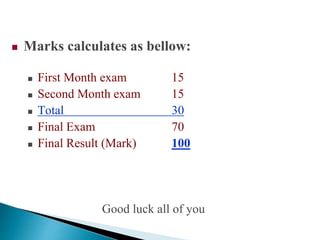
 Marks calculates as bellow:
 First Month exam 15
 Second Month exam 15
 Total 30
 Final Exam 70
 Final Result (Mark) 100
Good luck all of you
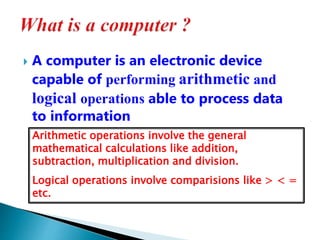
 A computer is an electronic device
capable of performing arithmetic and
logical operations able to process data
to information
Arithmetic operations involve the general
mathematical calculations like addition,
subtraction, multiplication and division.
Logical operations involve comparisions like > < =
etc.
 DATA is described as some raw facts, figures
and symbols, such as numbers, words,
images, video and sound, given to the
computer during the input phase.
 For example : MARKS in individual subjects
 ----------------------------------------------------------------
 INFORMATION is a manipulated data to
create information which help us in decision
making. Generally information is the result of data
processing.
 For example : PERCENTAGE & GRADE
‫التأهيل‬ ‫و‬ ‫للتدريب‬ ‫النجاح‬ ‫معهد‬
-
‫حضرموت‬
/
‫تــ‬ ‫القطن‬
459843/712638036
How does a computer work?
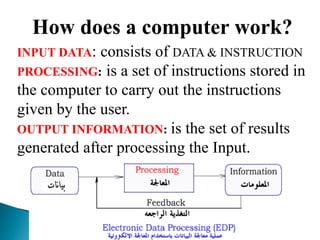
INPUT DATA: consists of DATA & INSTRUCTION
PROCESSING: is a set of instructions stored in
the computer to carry out the instructions
given by the user.
OUTPUT INFORMATION: is the set of results
generated after processing the Input.
There are five computer generations known till date
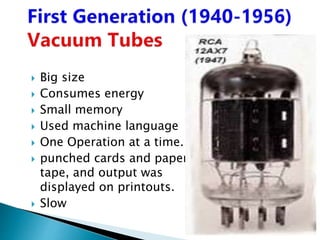
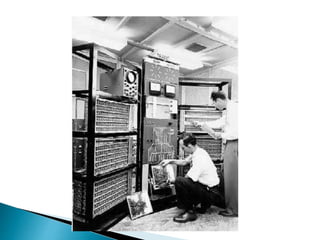
 Big size
 Consumes energy
 Small memory
 Used machine language
 One Operation at a time.
 punched cards and paper
tape, and output was
displayed on printouts.
 Slow
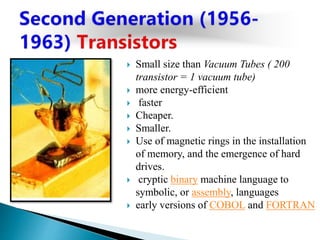
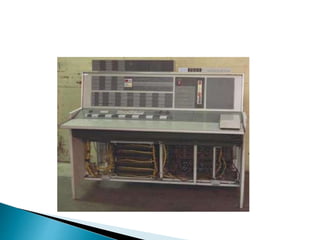
 Small size than Vacuum Tubes ( 200
transistor = 1 vacuum tube)
 more energy-efficient
 faster
 Cheaper.
 Smaller.
 Use of magnetic rings in the installation
of memory, and the emergence of hard
drives.
 cryptic binary machine language to
symbolic, or assembly, languages
 early versions of COBOL and FORTRAN
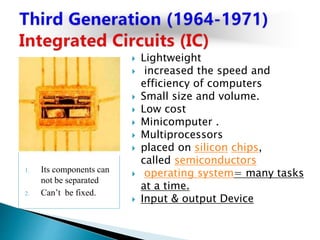
1. Its components can
not be separated
2. Can’t be fixed.
 Lightweight
 increased the speed and
efficiency of computers
 Small size and volume.
 Low cost
 Minicomputer .
 Multiprocessors
 placed on silicon chips,
called semiconductors
 operating system= many tasks
at a time.
 Input & output Device
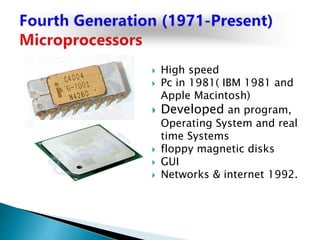
 High speed
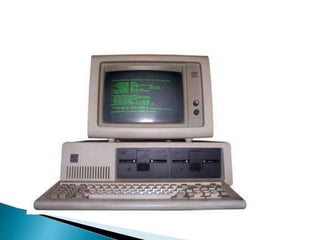
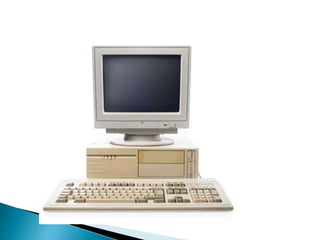
 Pc in 1981( IBM 1981 and
Apple Macintosh)
 Developed an program,
Operating System and real
time Systems
 floppy magnetic disks
 GUI
 Networks & internet 1992.
 Operators use visual input and
learn from its own experiences.
 Parallel processing and
superconductors
 Quantum computation and
nanotechnology will change the
face of computers in years to
come
 Big data application was
developed
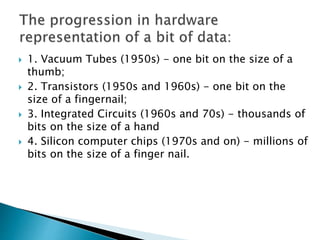
 1. Vacuum Tubes (1950s) - one bit on the size of a
thumb;
 2. Transistors (1950s and 1960s) - one bit on the
size of a fingernail;
 3. Integrated Circuits (1960s and 70s) - thousands of
bits on the size of a hand
 4. Silicon computer chips (1970s and on) - millions of
bits on the size of a finger nail.
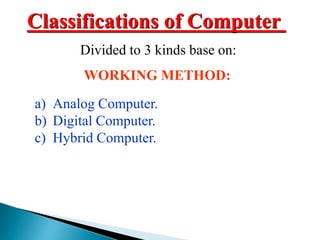
a) Analog Computer.
b) Digital Computer.
c) Hybrid Computer.
WORKING METHOD:
Classifications of Computer
Divided to 3 kinds base on:
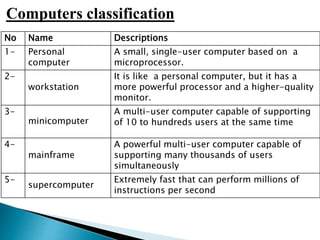
No Name Descriptions
1- Personal
computer
A small, single-user computer based on a
microprocessor.
2-
workstation
It is like a personal computer, but it has a
more powerful processor and a higher-quality
monitor.
3-
minicomputer
A multi-user computer capable of supporting
of 10 to hundreds users at the same time
4-
mainframe
A powerful multi-user computer capable of
supporting many thousands of users
simultaneously
5-
supercomputer
Extremely fast that can perform millions of
instructions per second
Computers classification
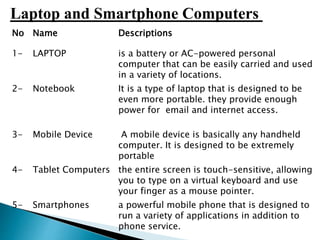
No Name Descriptions
1- LAPTOP is a battery or AC-powered personal
computer that can be easily carried and used
in a variety of locations.
2- Notebook It is a type of laptop that is designed to be
even more portable. they provide enough
power for email and internet access.
3- Mobile Device A mobile device is basically any handheld
computer. It is designed to be extremely
portable
4- Tablet Computers the entire screen is touch-sensitive, allowing
you to type on a virtual keyboard and use
your finger as a mouse pointer.
5- Smartphones a powerful mobile phone that is designed to
run a variety of applications in addition to
phone service.
Laptop and Smartphone Computers
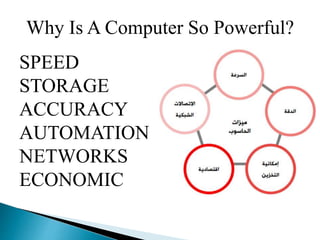
Why Is A Computer So Powerful?
SPEED
STORAGE
ACCURACY
AUTOMATION
NETWORKS
ECONOMIC
SPEED
The speed with which the computer works can
be understood by the units of measurement of
time within a computer. They are :
MILLI SECOND – 1/1000TH OF A SECOND
MICRO SECOND – 1/1000TH OF A MILLI SECOND
NANO SECOND – 1/1000TH OF A MICRO SECOND
PICO SECOND – 1/1000TH OF A NANO SECOND

Computer Introduction-Lecture01

  • 1.
    Lecture No.1: Introductionto Computer Lecturer: Dr. Mazin Alkathiri Department of Computer Science, Faculty of Applied Science, Seiyun University September , 2023
  • 2.
     Marks calculatesas bellow:  First Month exam 15  Second Month exam 15  Total 30  Final Exam 70  Final Result (Mark) 100 Good luck all of you
  • 3.
     A computeris an electronic device capable of performing arithmetic and logical operations able to process data to information Arithmetic operations involve the general mathematical calculations like addition, subtraction, multiplication and division. Logical operations involve comparisions like > < = etc.
  • 4.
     DATA isdescribed as some raw facts, figures and symbols, such as numbers, words, images, video and sound, given to the computer during the input phase.  For example : MARKS in individual subjects  ----------------------------------------------------------------  INFORMATION is a manipulated data to create information which help us in decision making. Generally information is the result of data processing.  For example : PERCENTAGE & GRADE
  • 5.
    ‫التأهيل‬ ‫و‬ ‫للتدريب‬‫النجاح‬ ‫معهد‬ - ‫حضرموت‬ / ‫تــ‬ ‫القطن‬ 459843/712638036 How does a computer work? INPUT DATA: consists of DATA & INSTRUCTION PROCESSING: is a set of instructions stored in the computer to carry out the instructions given by the user. OUTPUT INFORMATION: is the set of results generated after processing the Input.
  • 6.
    There are fivecomputer generations known till date
  • 7.
     Big size Consumes energy  Small memory  Used machine language  One Operation at a time.  punched cards and paper tape, and output was displayed on printouts.  Slow
  • 9.
     Small sizethan Vacuum Tubes ( 200 transistor = 1 vacuum tube)  more energy-efficient  faster  Cheaper.  Smaller.  Use of magnetic rings in the installation of memory, and the emergence of hard drives.  cryptic binary machine language to symbolic, or assembly, languages  early versions of COBOL and FORTRAN
  • 11.
    1. Its componentscan not be separated 2. Can’t be fixed.  Lightweight  increased the speed and efficiency of computers  Small size and volume.  Low cost  Minicomputer .  Multiprocessors  placed on silicon chips, called semiconductors  operating system= many tasks at a time.  Input & output Device
  • 13.
     High speed Pc in 1981( IBM 1981 and Apple Macintosh)  Developed an program, Operating System and real time Systems  floppy magnetic disks  GUI  Networks & internet 1992.
  • 15.
     Operators usevisual input and learn from its own experiences.  Parallel processing and superconductors  Quantum computation and nanotechnology will change the face of computers in years to come  Big data application was developed
  • 16.
     1. VacuumTubes (1950s) - one bit on the size of a thumb;  2. Transistors (1950s and 1960s) - one bit on the size of a fingernail;  3. Integrated Circuits (1960s and 70s) - thousands of bits on the size of a hand  4. Silicon computer chips (1970s and on) - millions of bits on the size of a finger nail.
  • 17.
    a) Analog Computer. b)Digital Computer. c) Hybrid Computer. WORKING METHOD: Classifications of Computer Divided to 3 kinds base on:
  • 18.
    No Name Descriptions 1-Personal computer A small, single-user computer based on a microprocessor. 2- workstation It is like a personal computer, but it has a more powerful processor and a higher-quality monitor. 3- minicomputer A multi-user computer capable of supporting of 10 to hundreds users at the same time 4- mainframe A powerful multi-user computer capable of supporting many thousands of users simultaneously 5- supercomputer Extremely fast that can perform millions of instructions per second Computers classification
  • 19.
    No Name Descriptions 1-LAPTOP is a battery or AC-powered personal computer that can be easily carried and used in a variety of locations. 2- Notebook It is a type of laptop that is designed to be even more portable. they provide enough power for email and internet access. 3- Mobile Device A mobile device is basically any handheld computer. It is designed to be extremely portable 4- Tablet Computers the entire screen is touch-sensitive, allowing you to type on a virtual keyboard and use your finger as a mouse pointer. 5- Smartphones a powerful mobile phone that is designed to run a variety of applications in addition to phone service. Laptop and Smartphone Computers
  • 20.
    Why Is AComputer So Powerful? SPEED STORAGE ACCURACY AUTOMATION NETWORKS ECONOMIC
  • 21.
    SPEED The speed withwhich the computer works can be understood by the units of measurement of time within a computer. They are : MILLI SECOND – 1/1000TH OF A SECOND MICRO SECOND – 1/1000TH OF A MILLI SECOND NANO SECOND – 1/1000TH OF A MICRO SECOND PICO SECOND – 1/1000TH OF A NANO SECOND