
1
2
Lecture No.1: Introduction to Computer
Lecturer: Dr. Mazin Alkathiri
Department of Information Technology
,
College of Computers
Seiyun University
September , 2024
3
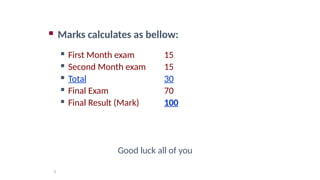
 Marks calculates as bellow:
 First Month exam 15
 Second Month exam 15
 Total 30
 Final Exam 70
 Final Result (Mark) 100
Good luck all of you
4
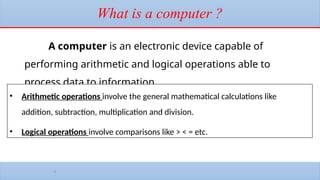
What is a computer ?
A computer is an electronic device capable of
performing arithmetic and logical operations able to
process data to information
• Arithmetic operations involve the general mathematical calculations like
addition, subtraction, multiplication and division.
• Logical operations involve comparisons like > < = etc.
5
• DATA is described as some raw facts, figures and symbols, such as numbers, words,
images, video and sound, given to the computer during the input phase.
• For example : MARKS in individual subjects
• ----------------------------------------------------------------
• INFORMATION is a manipulated data to create information which help us in
decision making. Generally information is the result of data processing.
• For example : PERCENTAGE & GRADE
DATA & INFORMATION
6
History of Computers
A brief overview of the major milestones in computer history
.
From early mechanical calculators to modern-day computers
.
Key figures: Charles Babbage, Alan Turing, and others
.
7
Early Mechanical Devices
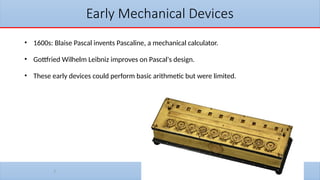
• 1600s: Blaise Pascal invents Pascaline, a mechanical calculator.
• Gottfried Wilhelm Leibniz improves on Pascal's design.
• These early devices could perform basic arithmetic but were limited.
Charles Babbage and the Analytical Engine
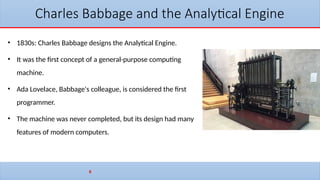
• 1830s: Charles Babbage designs the Analytical Engine.
• It was the first concept of a general-purpose computing
machine.
• Ada Lovelace, Babbage's colleague, is considered the first
programmer.
• The machine was never completed, but its design had many
features of modern computers.
8
9
Alan Turing and the Turing Machine
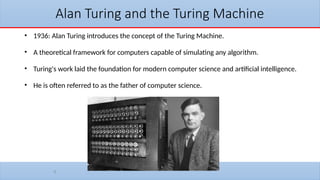
• 1936: Alan Turing introduces the concept of the Turing Machine.
• A theoretical framework for computers capable of simulating any algorithm.
• Turing's work laid the foundation for modern computer science and artificial intelligence.
• He is often referred to as the father of computer science.
10
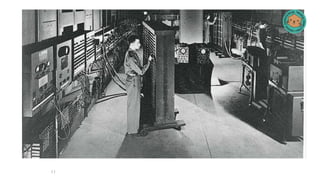
ENIAC: The First Electronic Computer
• 1945: The Electronic Numerical Integrator and Computer (ENIAC) is
completed.
• Built by John Presper Eckert and John Mauchly.
• It was the first general-purpose electronic digital computer.
• Used primarily for military calculations during World War II.
11
12
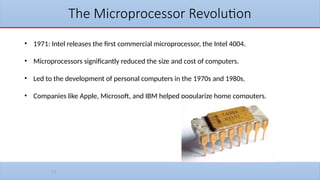
The Microprocessor Revolution
• 1971: Intel releases the first commercial microprocessor, the Intel 4004.
• Microprocessors significantly reduced the size and cost of computers.
• Led to the development of personal computers in the 1970s and 1980s.
• Companies like Apple, Microsoft, and IBM helped popularize home computers.
13
The Modern Computer Era
• Advances in processing power, storage, and communication technology.
• The rise of the internet, cloud computing, and mobile devices.
• Artificial intelligence, machine learning, and quantum computing are shaping the future.
• Computers have become essential in every aspect of modern life, from work to
entertainment.
14
Generations of Computers
Computers have evolved through different generations
.
Each generation represents significant technological advancements
.
There are five distinct generations of computers
.
15
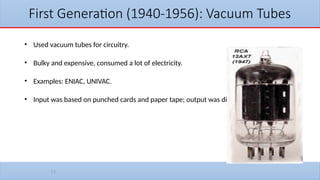
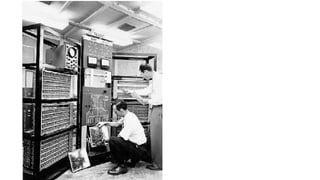
First Generation (1940-1956): Vacuum Tubes
• Used vacuum tubes for circuitry.
• Bulky and expensive, consumed a lot of electricity.
• Examples: ENIAC, UNIVAC.
• Input was based on punched cards and paper tape; output was displayed on printouts.
16
17
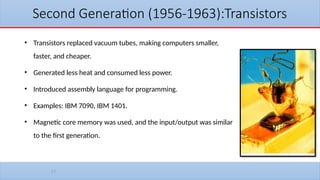
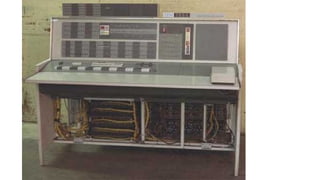
Second Generation (1956-1963):Transistors
• Transistors replaced vacuum tubes, making computers smaller,
faster, and cheaper.
• Generated less heat and consumed less power.
• Introduced assembly language for programming.
• Examples: IBM 7090, IBM 1401.
• Magnetic core memory was used, and the input/output was similar
to the first generation.
18
19
Third Generation (1964-1971):
Integrated Circuits
• Integrated Circuits (ICs) replaced transistors, further reducing the size of computers.
• ICs combined multiple transistors into a single chip.
• Allowed for more complex and faster systems.
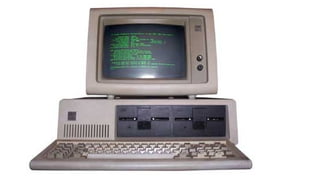
• Introduced keyboards and monitors for input/output.
• Examples: IBM System/360, PDP-8.
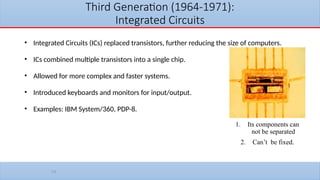
1. Its components can
not be separated
2. Can’t be fixed.
20
21
Fourth Generation (1971-Present): Microprocessors
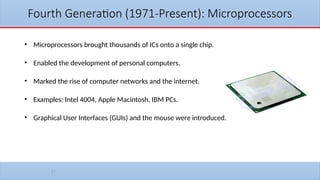
• Microprocessors brought thousands of ICs onto a single chip.
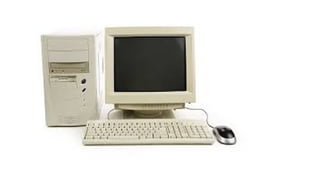
• Enabled the development of personal computers.
• Marked the rise of computer networks and the internet.
• Examples: Intel 4004, Apple Macintosh, IBM PCs.
• Graphical User Interfaces (GUIs) and the mouse were introduced.
22
23
Fifth Generation (Present and Beyond):
Artificial Intelligence
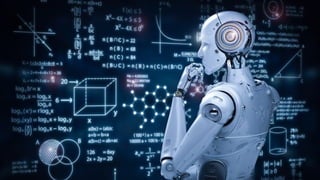
• Fifth generation focuses on Artificial Intelligence (AI) and machine learning.
• Use of parallel processing and quantum computing.
• Examples include advanced AI systems, self-learning systems, and robotics.
• Development of natural language processing (NLP), computer vision, and autonomous
systems.
24
25
1. Vacuum Tubes (1950s) - one bit on the size of a thumb;
2. Transistors (1950s and 1960s) - one bit on the size of a fingernail;
3. Integrated Circuits (1960s and 70s) - thousands of bits on the size of a hand
4. Silicon computer chips (1970s and on) - millions of bits on the size of a finger nail.
The progression in hardware representation of a bit of data:
26
Classifications of Computer
Computers can be divided into three main categories
based on their working methods:
1. Analog Computers:
2. Digital Computers:
3. Hybrid Computers:
27
Analog Computers:
•Definition: Analog computers process continuous data, representing information as
physical quantities like voltage, current, or mechanical motion.
•Working Principle: They use physical components to perform calculations directly on the
analog data.
•Examples:
•Slide rules: A mechanical analog computer used for mathematical calculations.
•Differential analyzers: Early analog computers used for solving differential equations.
•Analog synthesizers: Electronic analog computers used for creating sound effects and music.
28
Digital Computers:
•Definition: Digital computers process discrete data, representing information as a series
of 0s and 1s (binary code).
•Working Principle: They use electronic circuits to perform calculations on binary data.
•Examples:
•Personal computers (PCs): Used for various tasks like word processing, browsing the internet, and
playing games.
•Servers: Powerful computers used to store and distribute data over networks.
•Supercomputers: High-performance computers used for complex calculations, such as scientific
simulations and weather forecasting.
•Embedded systems: Small, specialized computers found in various devices, including smartphones,
appliances, and cars.
29
Hybrid Computers:
•Definition: Hybrid computers combine elements of both analog and digital
computers.
•Working Principle: They can process both continuous and discrete data, often
using analog components for specific tasks and digital components for others.
•Examples:
•Hybrid flight simulators: Combine analog flight controls with digital computer simulations for
realistic flight training.
•Industrial process control systems: Use analog sensors to measure physical quantities and
digital computers to control processes.
•Hybrid medical imaging devices: Combine analog signal acquisition with digital image
processing for tasks like CT scans and MRIs.

Computer Introduction (introduction)-Lecture01

  • 1.
  • 2.
    2 Lecture No.1: Introductionto Computer Lecturer: Dr. Mazin Alkathiri Department of Information Technology , College of Computers Seiyun University September , 2024
  • 3.
    3  Marks calculatesas bellow:  First Month exam 15  Second Month exam 15  Total 30  Final Exam 70  Final Result (Mark) 100 Good luck all of you
  • 4.
    4 What is acomputer ? A computer is an electronic device capable of performing arithmetic and logical operations able to process data to information • Arithmetic operations involve the general mathematical calculations like addition, subtraction, multiplication and division. • Logical operations involve comparisons like > < = etc.
  • 5.
    5 • DATA isdescribed as some raw facts, figures and symbols, such as numbers, words, images, video and sound, given to the computer during the input phase. • For example : MARKS in individual subjects • ---------------------------------------------------------------- • INFORMATION is a manipulated data to create information which help us in decision making. Generally information is the result of data processing. • For example : PERCENTAGE & GRADE DATA & INFORMATION
  • 6.
    6 History of Computers Abrief overview of the major milestones in computer history . From early mechanical calculators to modern-day computers . Key figures: Charles Babbage, Alan Turing, and others .
  • 7.
    7 Early Mechanical Devices •1600s: Blaise Pascal invents Pascaline, a mechanical calculator. • Gottfried Wilhelm Leibniz improves on Pascal's design. • These early devices could perform basic arithmetic but were limited.
  • 8.
    Charles Babbage andthe Analytical Engine • 1830s: Charles Babbage designs the Analytical Engine. • It was the first concept of a general-purpose computing machine. • Ada Lovelace, Babbage's colleague, is considered the first programmer. • The machine was never completed, but its design had many features of modern computers. 8
  • 9.
    9 Alan Turing andthe Turing Machine • 1936: Alan Turing introduces the concept of the Turing Machine. • A theoretical framework for computers capable of simulating any algorithm. • Turing's work laid the foundation for modern computer science and artificial intelligence. • He is often referred to as the father of computer science.
  • 10.
    10 ENIAC: The FirstElectronic Computer • 1945: The Electronic Numerical Integrator and Computer (ENIAC) is completed. • Built by John Presper Eckert and John Mauchly. • It was the first general-purpose electronic digital computer. • Used primarily for military calculations during World War II.
  • 11.
  • 12.
    12 The Microprocessor Revolution •1971: Intel releases the first commercial microprocessor, the Intel 4004. • Microprocessors significantly reduced the size and cost of computers. • Led to the development of personal computers in the 1970s and 1980s. • Companies like Apple, Microsoft, and IBM helped popularize home computers.
  • 13.
    13 The Modern ComputerEra • Advances in processing power, storage, and communication technology. • The rise of the internet, cloud computing, and mobile devices. • Artificial intelligence, machine learning, and quantum computing are shaping the future. • Computers have become essential in every aspect of modern life, from work to entertainment.
  • 14.
    14 Generations of Computers Computershave evolved through different generations . Each generation represents significant technological advancements . There are five distinct generations of computers .
  • 15.
    15 First Generation (1940-1956):Vacuum Tubes • Used vacuum tubes for circuitry. • Bulky and expensive, consumed a lot of electricity. • Examples: ENIAC, UNIVAC. • Input was based on punched cards and paper tape; output was displayed on printouts.
  • 16.
  • 17.
    17 Second Generation (1956-1963):Transistors •Transistors replaced vacuum tubes, making computers smaller, faster, and cheaper. • Generated less heat and consumed less power. • Introduced assembly language for programming. • Examples: IBM 7090, IBM 1401. • Magnetic core memory was used, and the input/output was similar to the first generation.
  • 18.
  • 19.
    19 Third Generation (1964-1971): IntegratedCircuits • Integrated Circuits (ICs) replaced transistors, further reducing the size of computers. • ICs combined multiple transistors into a single chip. • Allowed for more complex and faster systems. • Introduced keyboards and monitors for input/output. • Examples: IBM System/360, PDP-8. 1. Its components can not be separated 2. Can’t be fixed.
  • 20.
  • 21.
    21 Fourth Generation (1971-Present):Microprocessors • Microprocessors brought thousands of ICs onto a single chip. • Enabled the development of personal computers. • Marked the rise of computer networks and the internet. • Examples: Intel 4004, Apple Macintosh, IBM PCs. • Graphical User Interfaces (GUIs) and the mouse were introduced.
  • 22.
  • 23.
    23 Fifth Generation (Presentand Beyond): Artificial Intelligence • Fifth generation focuses on Artificial Intelligence (AI) and machine learning. • Use of parallel processing and quantum computing. • Examples include advanced AI systems, self-learning systems, and robotics. • Development of natural language processing (NLP), computer vision, and autonomous systems.
  • 24.
  • 25.
    25 1. Vacuum Tubes(1950s) - one bit on the size of a thumb; 2. Transistors (1950s and 1960s) - one bit on the size of a fingernail; 3. Integrated Circuits (1960s and 70s) - thousands of bits on the size of a hand 4. Silicon computer chips (1970s and on) - millions of bits on the size of a finger nail. The progression in hardware representation of a bit of data:
  • 26.
    26 Classifications of Computer Computerscan be divided into three main categories based on their working methods: 1. Analog Computers: 2. Digital Computers: 3. Hybrid Computers:
  • 27.
    27 Analog Computers: •Definition: Analogcomputers process continuous data, representing information as physical quantities like voltage, current, or mechanical motion. •Working Principle: They use physical components to perform calculations directly on the analog data. •Examples: •Slide rules: A mechanical analog computer used for mathematical calculations. •Differential analyzers: Early analog computers used for solving differential equations. •Analog synthesizers: Electronic analog computers used for creating sound effects and music.
  • 28.
    28 Digital Computers: •Definition: Digitalcomputers process discrete data, representing information as a series of 0s and 1s (binary code). •Working Principle: They use electronic circuits to perform calculations on binary data. •Examples: •Personal computers (PCs): Used for various tasks like word processing, browsing the internet, and playing games. •Servers: Powerful computers used to store and distribute data over networks. •Supercomputers: High-performance computers used for complex calculations, such as scientific simulations and weather forecasting. •Embedded systems: Small, specialized computers found in various devices, including smartphones, appliances, and cars.
  • 29.
    29 Hybrid Computers: •Definition: Hybridcomputers combine elements of both analog and digital computers. •Working Principle: They can process both continuous and discrete data, often using analog components for specific tasks and digital components for others. •Examples: •Hybrid flight simulators: Combine analog flight controls with digital computer simulations for realistic flight training. •Industrial process control systems: Use analog sensors to measure physical quantities and digital computers to control processes. •Hybrid medical imaging devices: Combine analog signal acquisition with digital image processing for tasks like CT scans and MRIs.