Basic Concepts
 DATA
is a collection of independent and unorganized
facts.
 INFORMATION
is the processed and organized data presented in
a meaningful form.
 DATA PROCESSING
is the course of doing things in a sequence of
steps.
 COMPUTER
is an electronic machine that follows a set of
instructions in order that it may be able to
accept and gather data and transform these
into information.
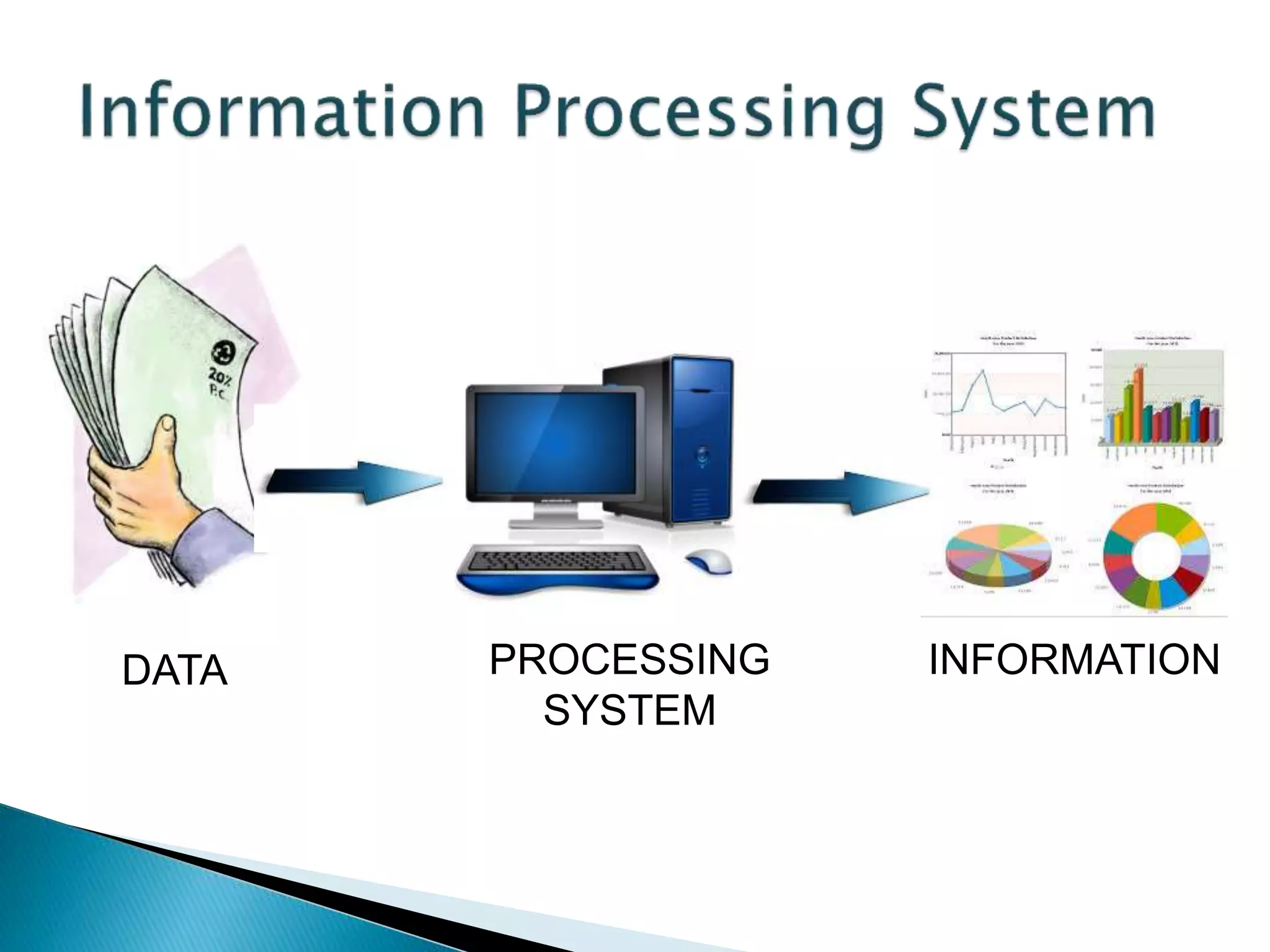
PROCESSING
SYSTEM
DATA INFORMATION
 It accepts and gather data. (INPUT)
 It processes data to become information.
(PROCESSING)
 It stores data and information. (STORE)
 It presents information. (OUTPUT)
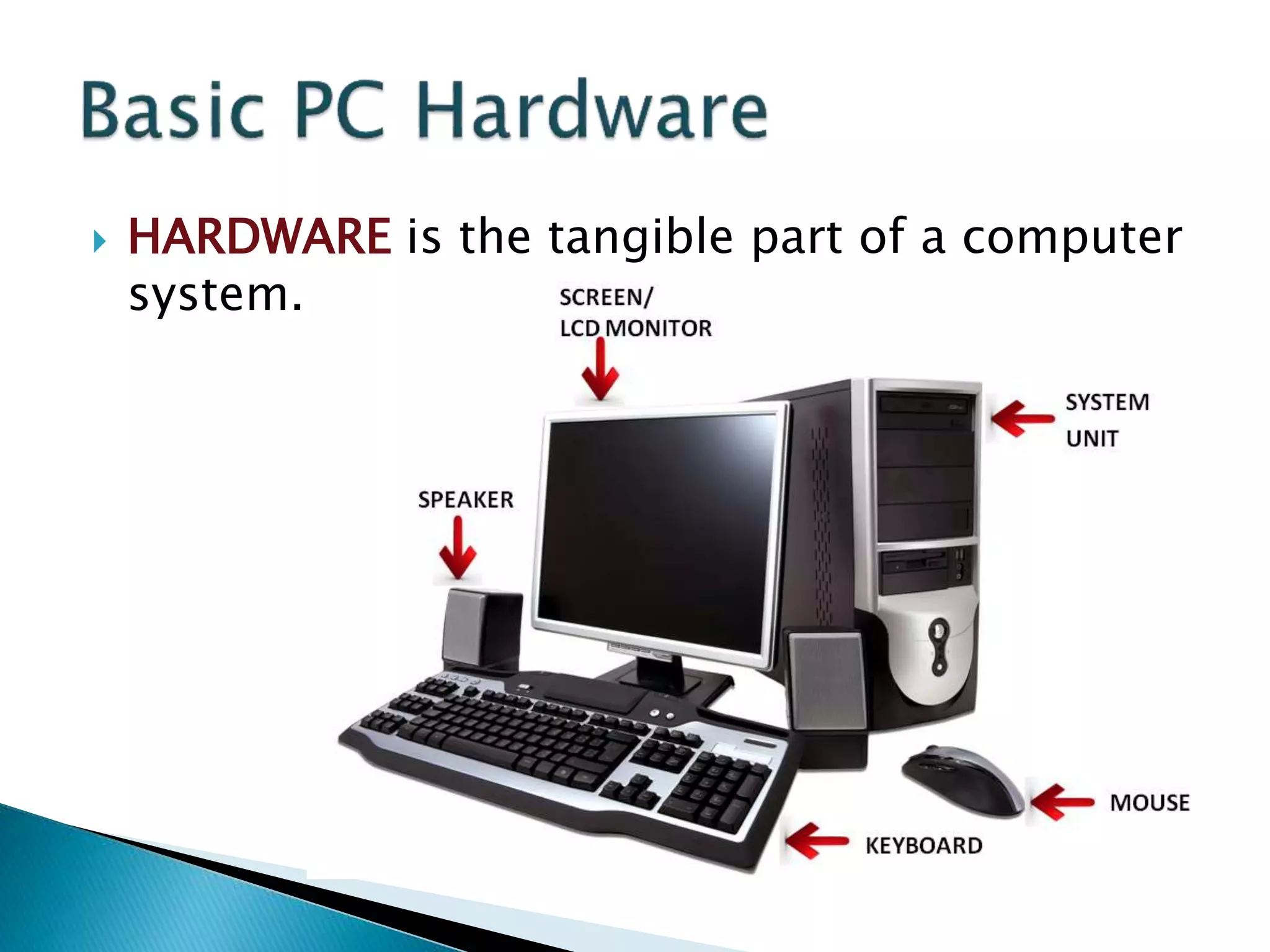
 HARDWARE is the tangible part of a computer
system.
 SOFTWARE is the non-tangible part that tells
the computer how to do its job.
 PEOPLEWARE refer to people who use and
operate the computer system, write computer
programs, and analyze and design the
information system.
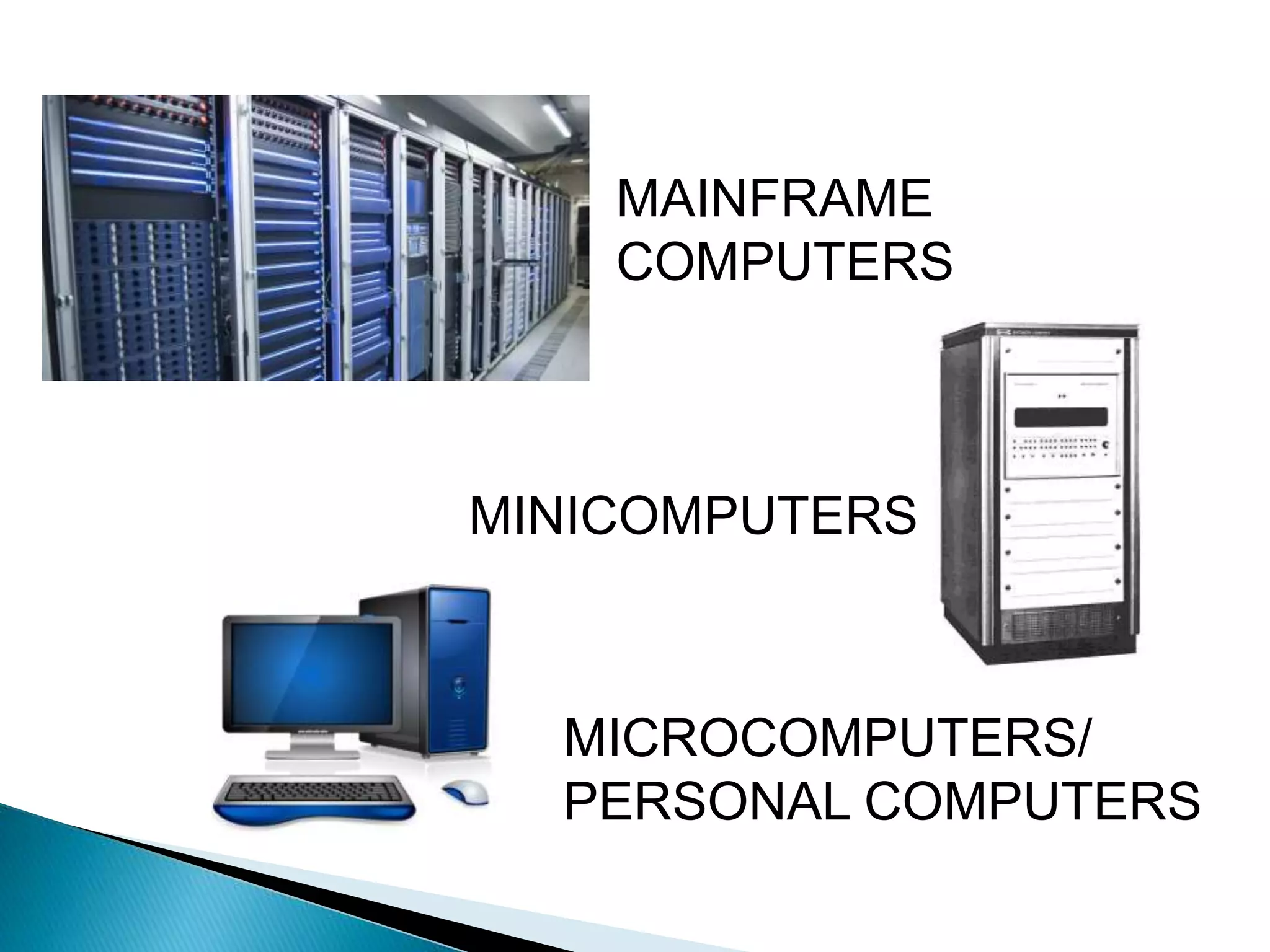
 MAINFRAME are large general purpose
computers.
 MINICOMPUTER perform multi-tasking and
allow many terminals to be connected to their
services.
 MICROCOMPUTER (Personal Computer) is
most widely used especially at home because
of its affordable price and manageability.
MAINFRAME
COMPUTERS
MINICOMPUTERS
MICROCOMPUTERS/
PERSONAL COMPUTERS
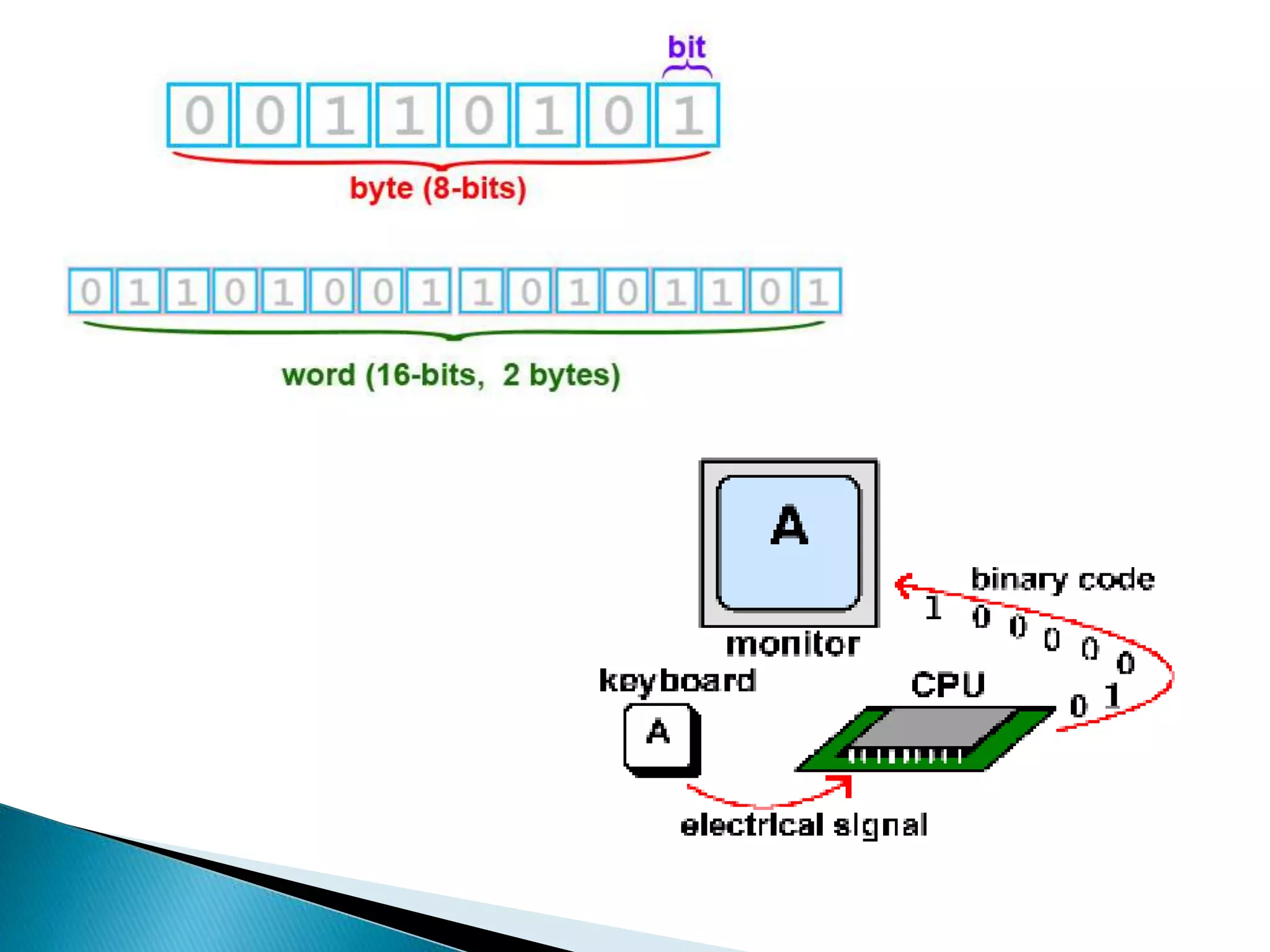
 BIT
is a unit of information equivalent to the
result of a choice between only 2 possible
alternatives in the binary number system.
 BYTE
is a sequence of 8 bits (enough to represent
one character of alphanumeric data)
processed as a single unit for information.
 A byte can be used to represent a single
character, which can be:
◦ A letter
◦ A number
◦ A special character or symbol, or
◦ A space
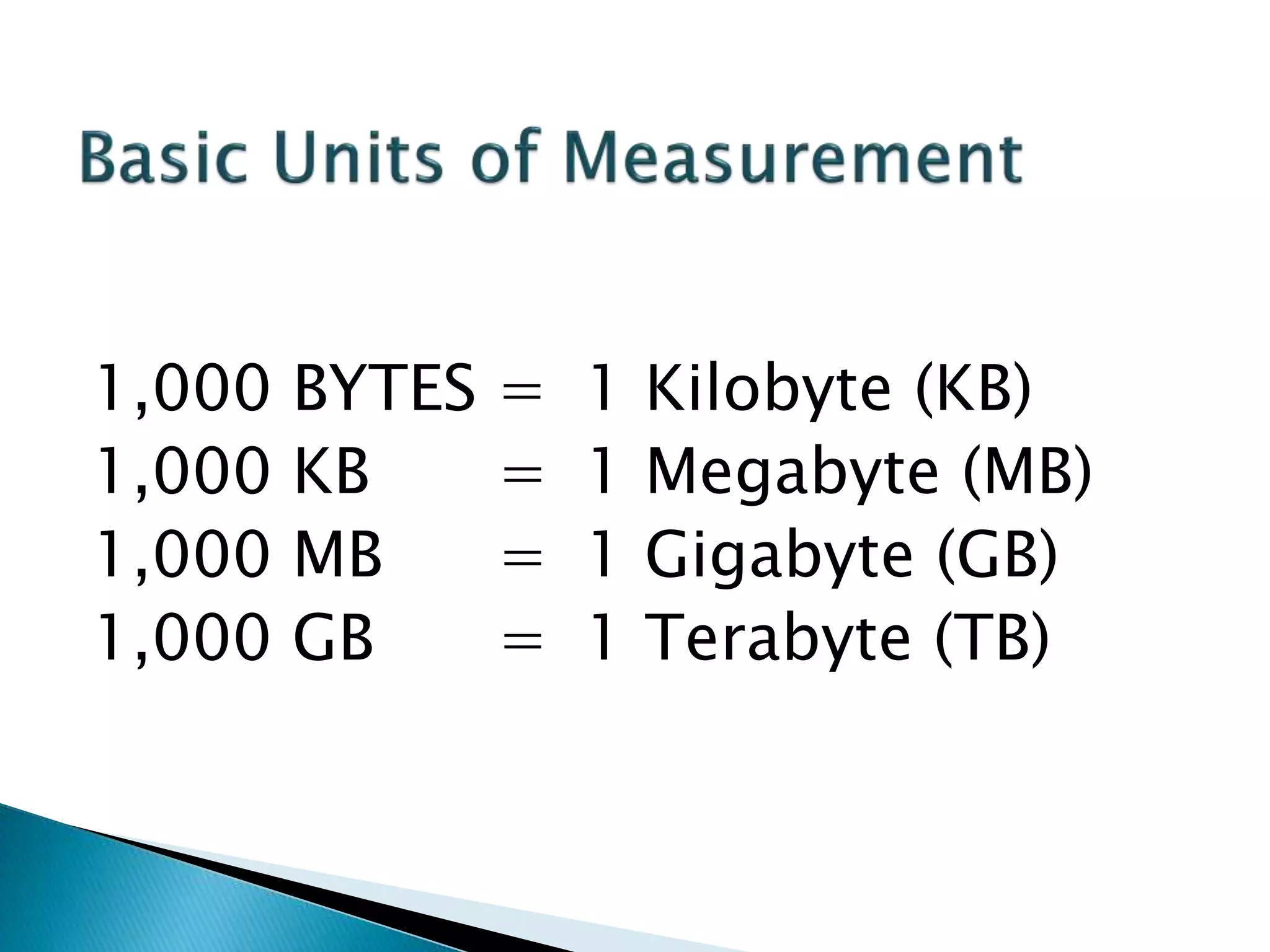
1,000 BYTES = 1 Kilobyte (KB)
1,000 KB = 1 Megabyte (MB)
1,000 MB = 1 Gigabyte (GB)
1,000 GB = 1 Terabyte (TB)
 HARDWARE is the tangible part of a computer
system.
 Central Processing Unit (CPU)
 Memory Unit
 Input Devices
 Output Devices
 Secondary Storage Devices
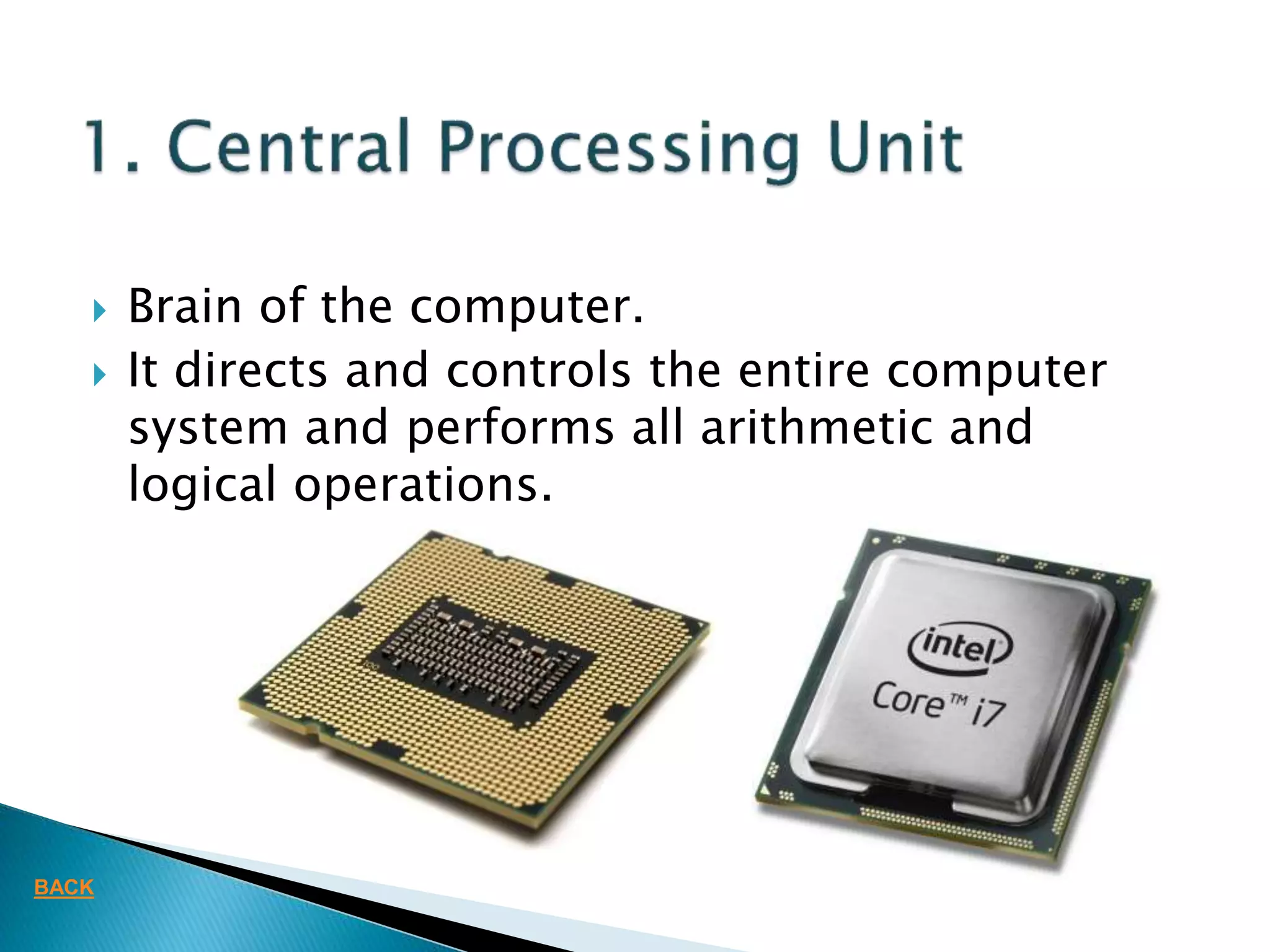
 Brain of the computer.
 It directs and controls the entire computer
system and performs all arithmetic and
logical operations.
BACK
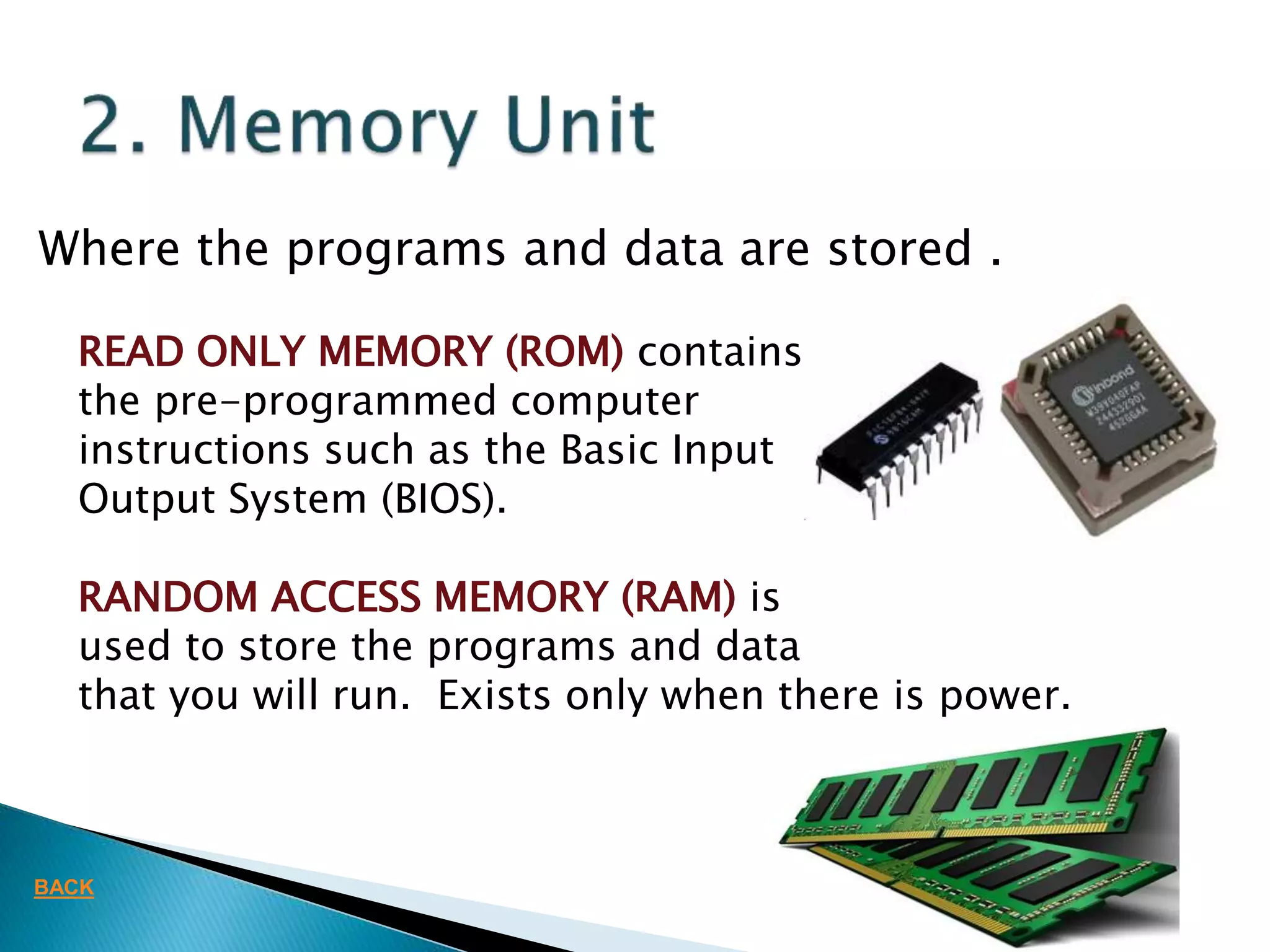
Where the programs and data are stored .
READ ONLY MEMORY (ROM) contains
the pre-programmed computer
instructions such as the Basic Input
Output System (BIOS).
RANDOM ACCESS MEMORY (RAM) is
used to store the programs and data
that you will run. Exists only when there is power.
BACK
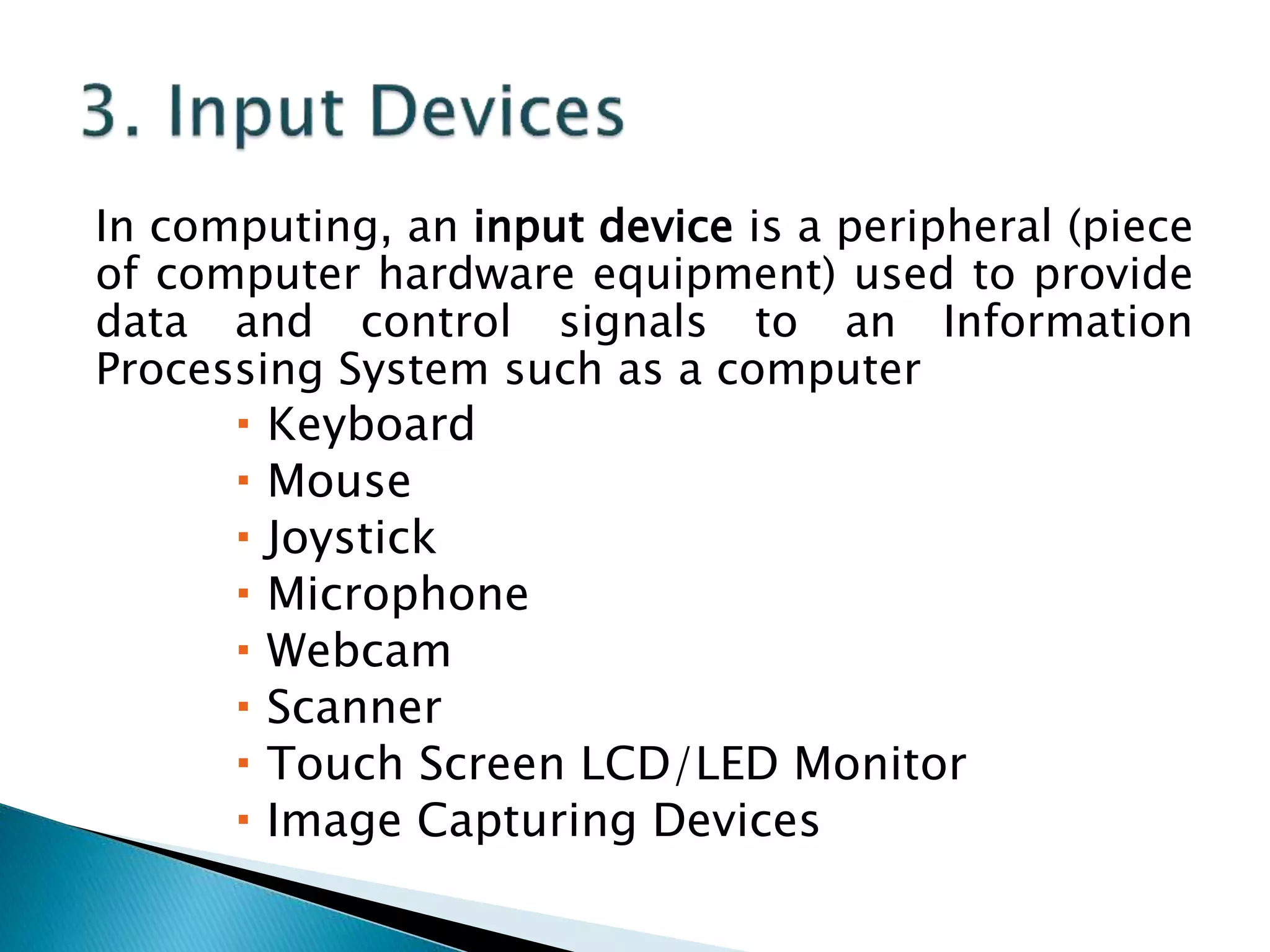
In computing, an input device is a peripheral (piece
of computer hardware equipment) used to provide
data and control signals to an Information
Processing System such as a computer
 Keyboard
 Mouse
 Joystick
 Microphone
 Webcam
 Scanner
 Touch Screen LCD/LED Monitor
 Image Capturing Devices
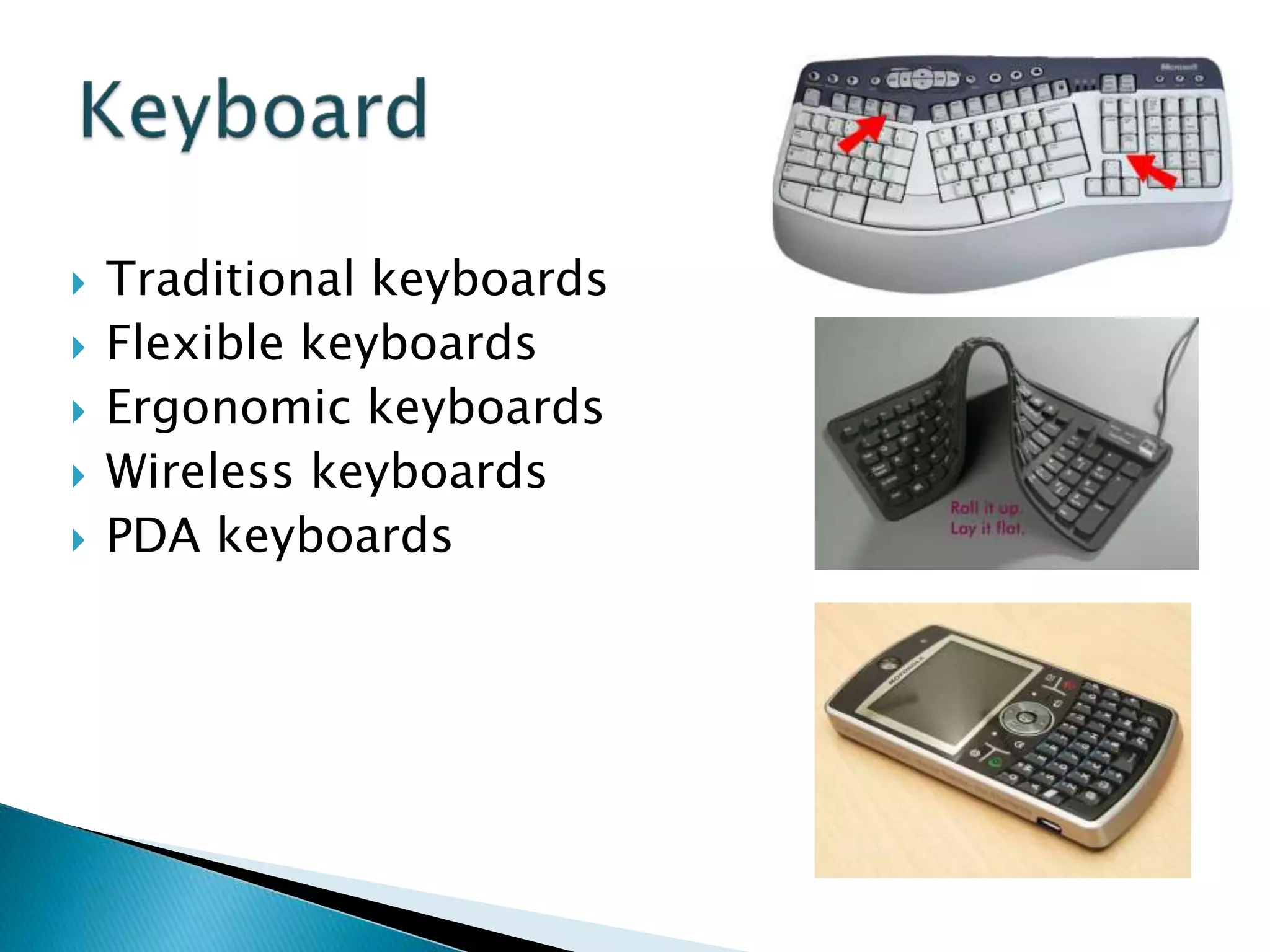
 Traditional keyboards
 Flexible keyboards
 Ergonomic keyboards
 Wireless keyboards
 PDA keyboards
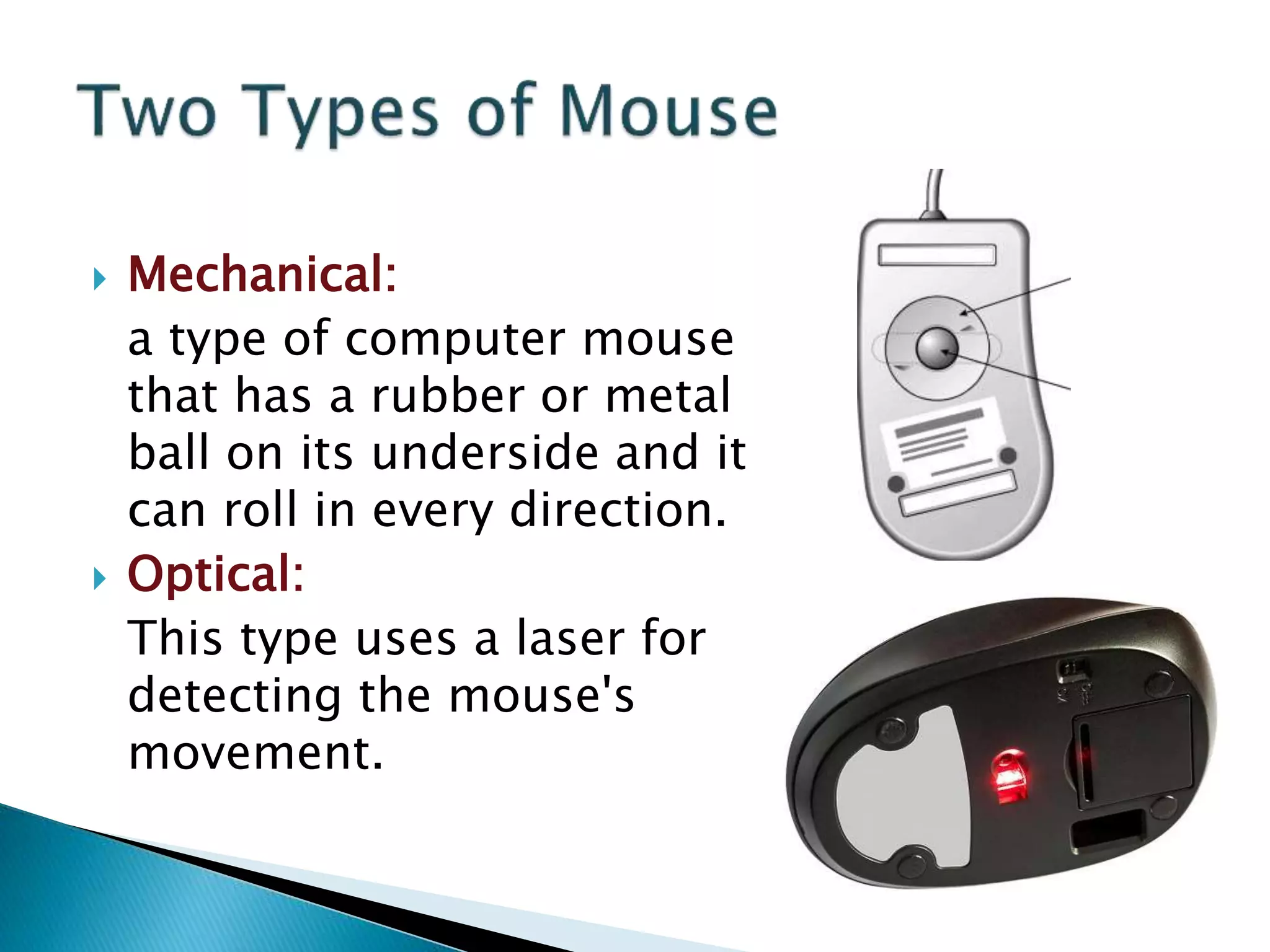
 Mechanical:
a type of computer mouse
that has a rubber or metal
ball on its underside and it
can roll in every direction.
 Optical:
This type uses a laser for
detecting the mouse's
movement.
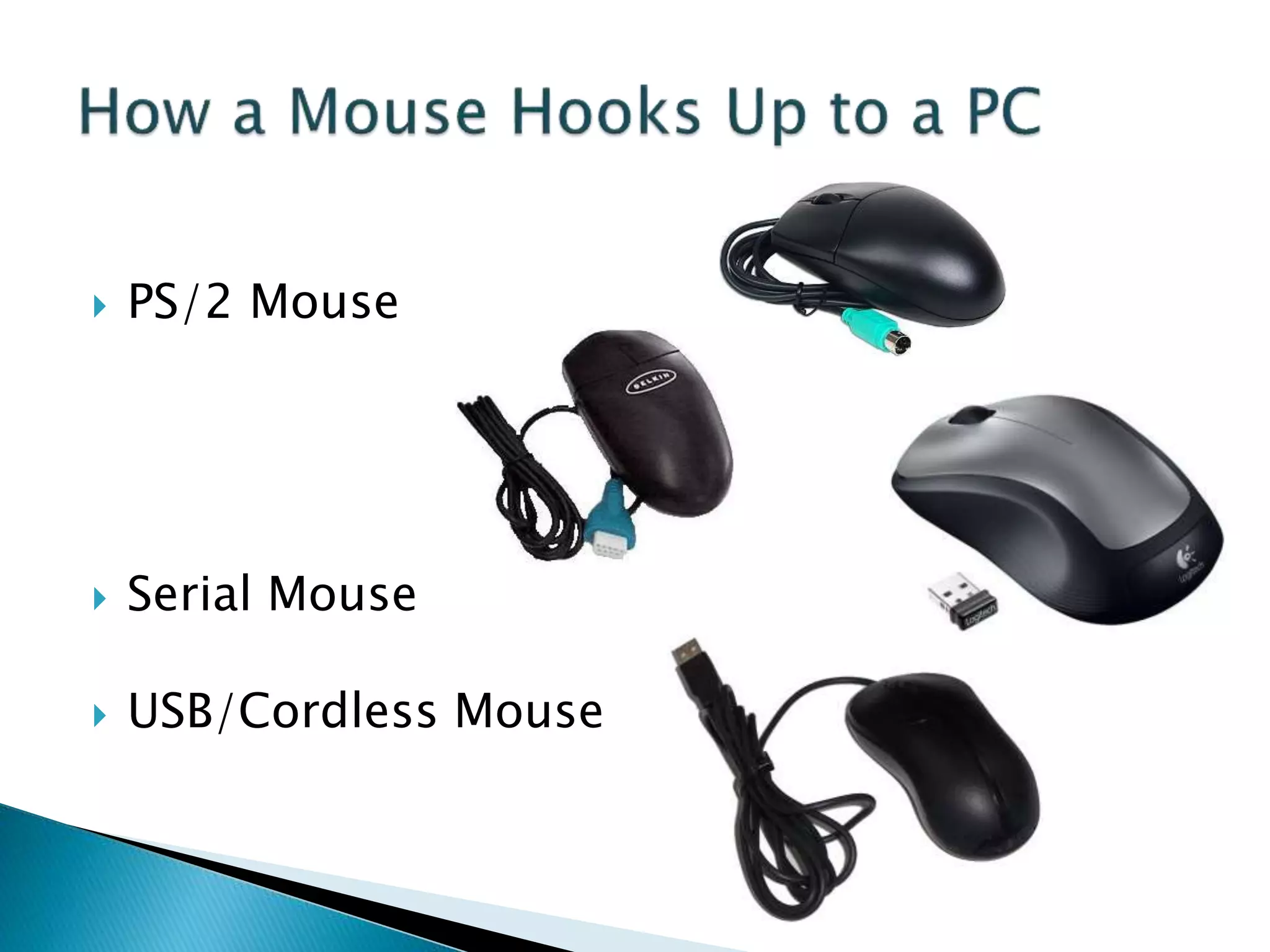
 PS/2 Mouse
 Serial Mouse
 USB/Cordless Mouse
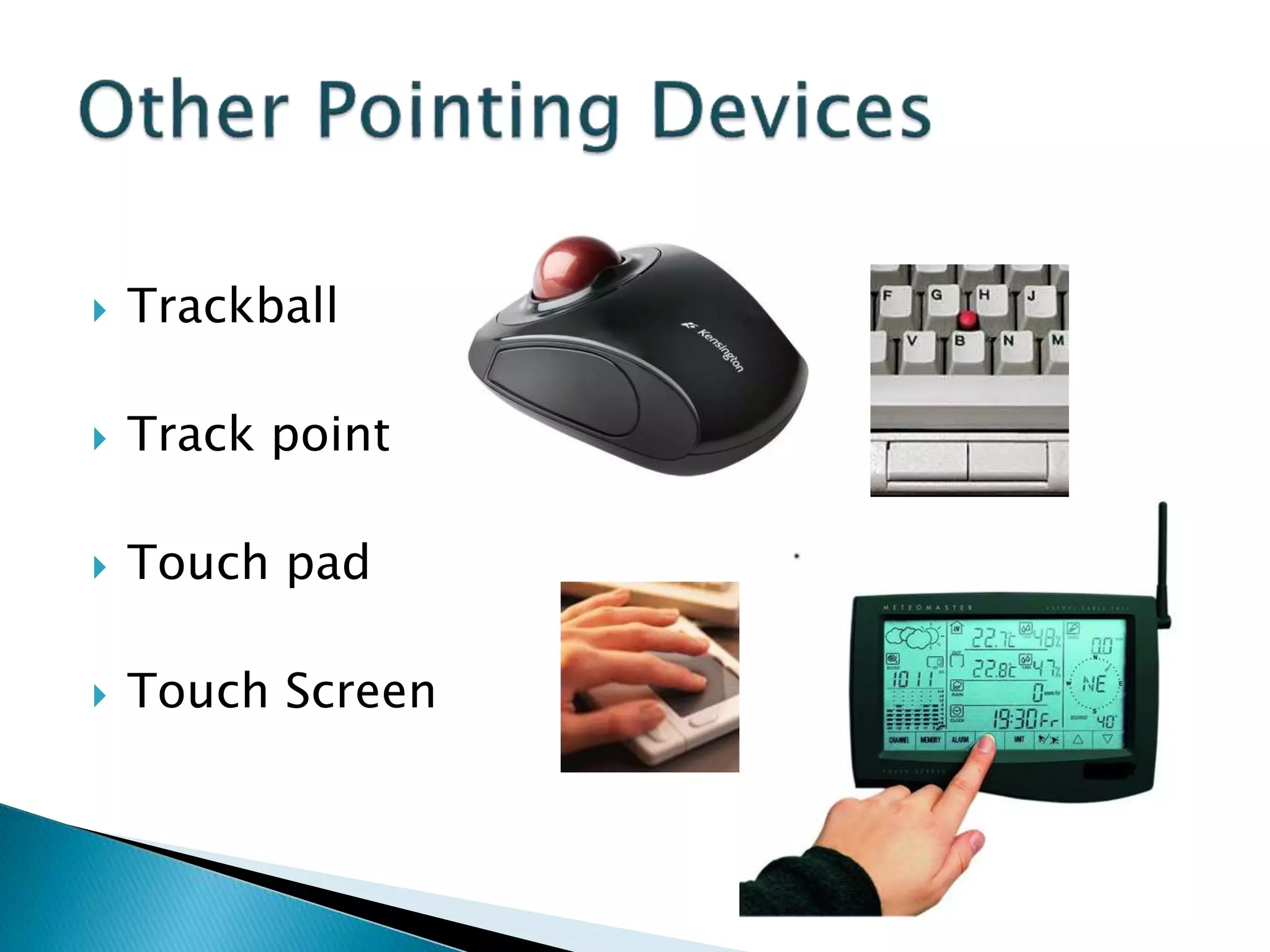
 Trackball
 Track point
 Touch pad
 Touch Screen
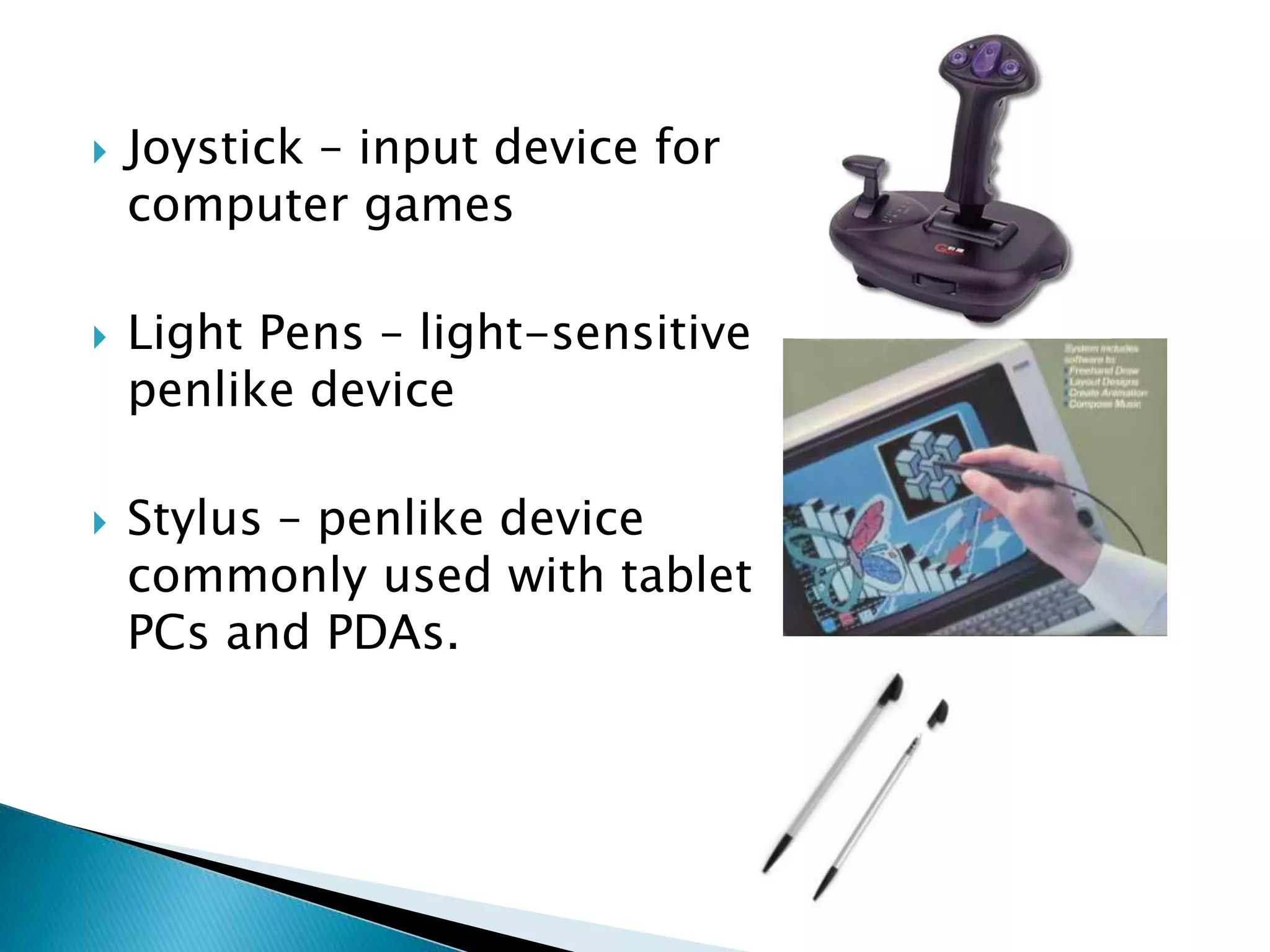
 Joystick – input device for
computer games
 Light Pens – light-sensitive
penlike device
 Stylus – penlike device
commonly used with tablet
PCs and PDAs.
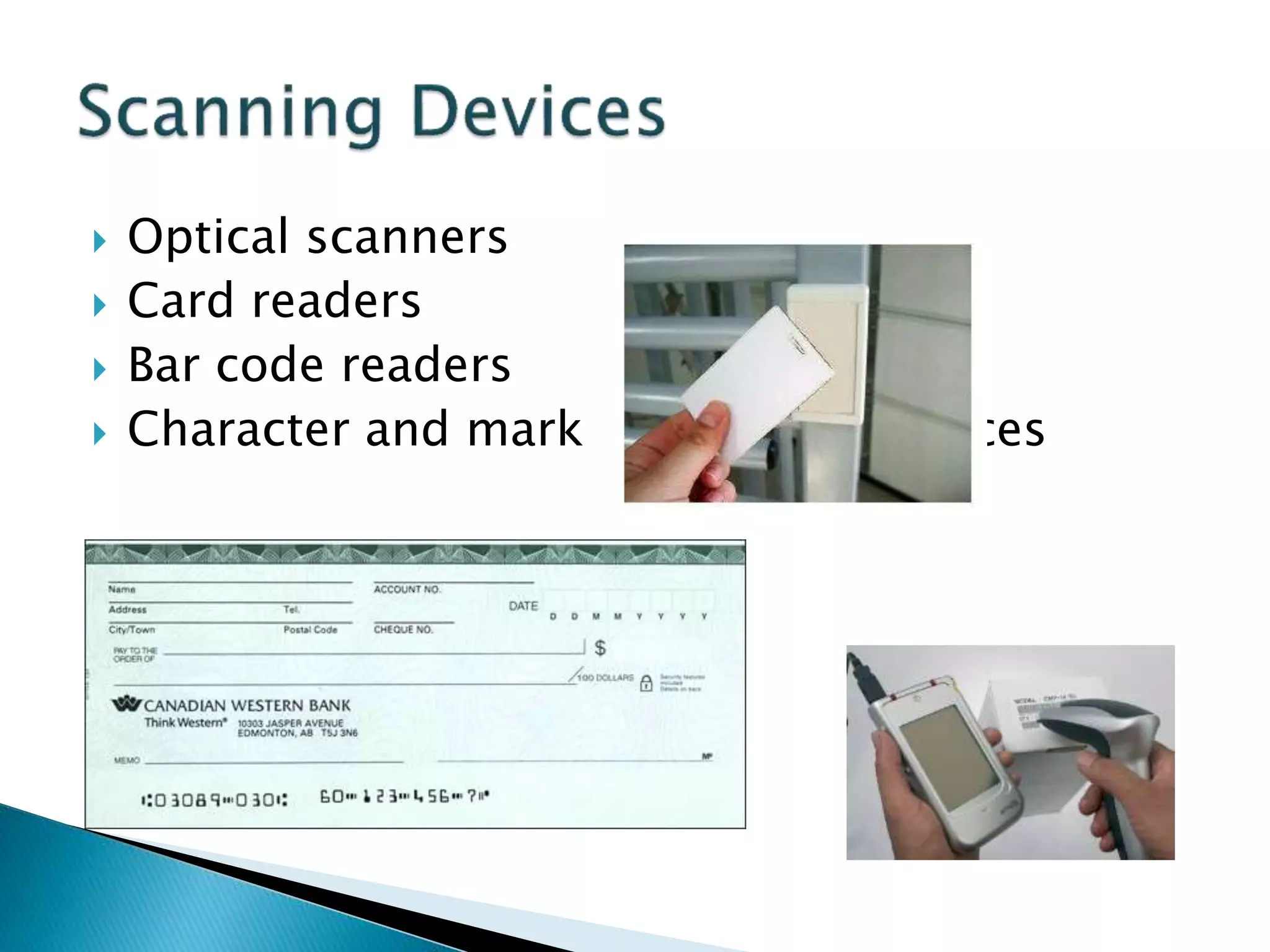
 Optical scanners
 Card readers
 Bar code readers
 Character and mark recognition devices
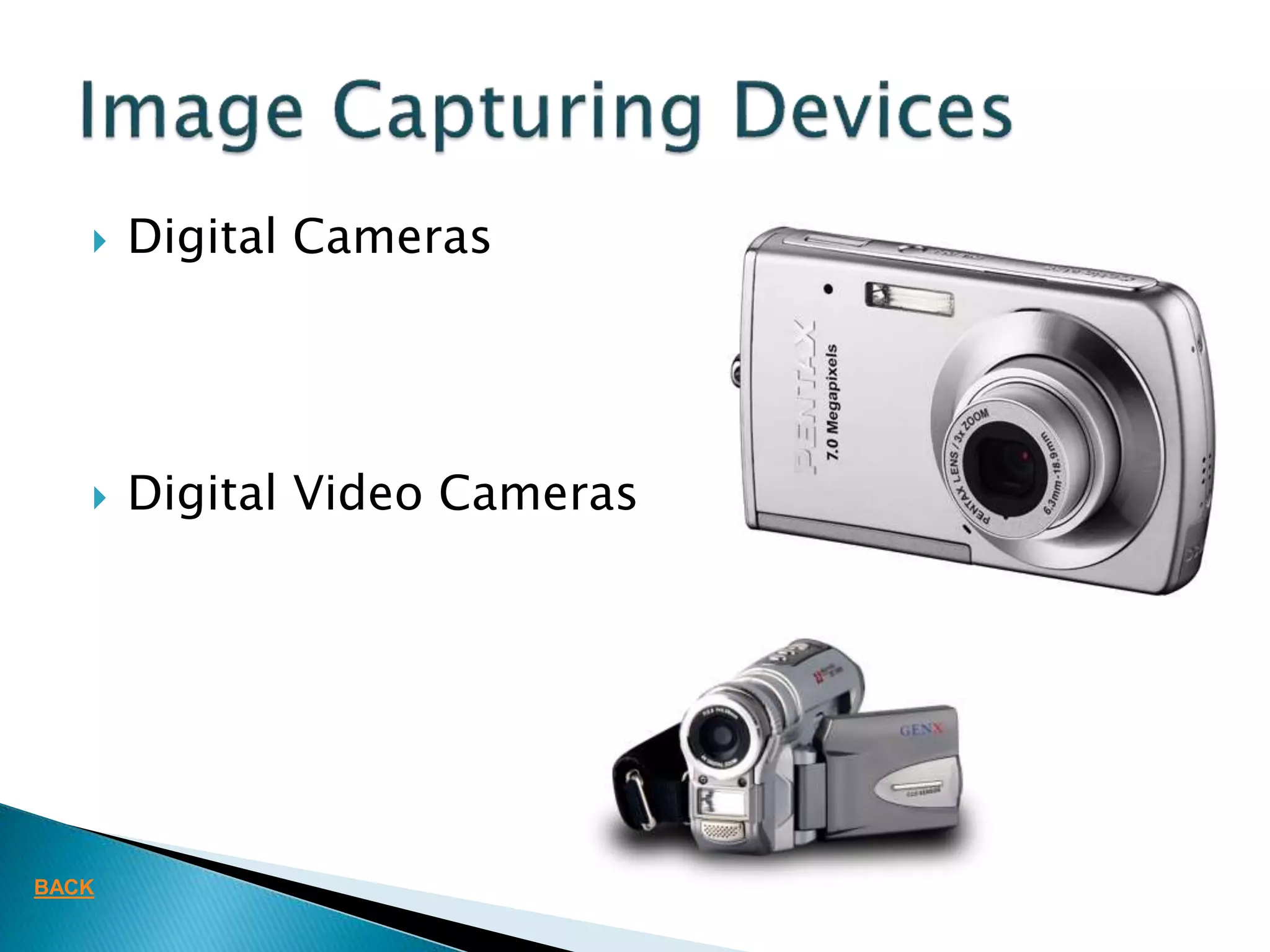
 Digital Cameras
 Digital Video Cameras
BACK
 Media used by the computer in displaying
its responses to our requests and
instructions.
 Monitor
 Audio Speakers
 Printer
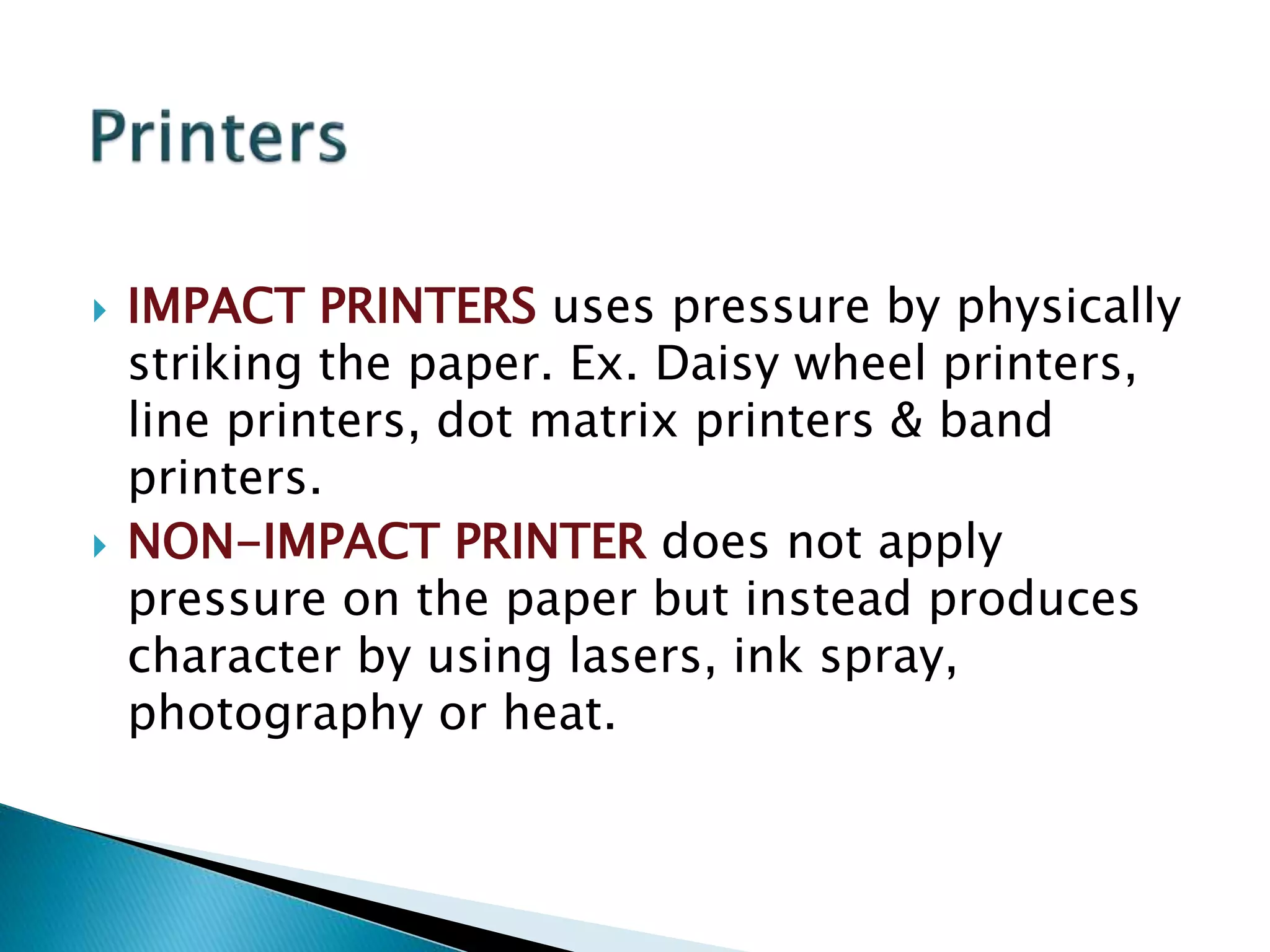
 Cathode Ray Tube (CRT)
 Liquid Crystal Display (LCD)
 Light Emitting Diode (LED)
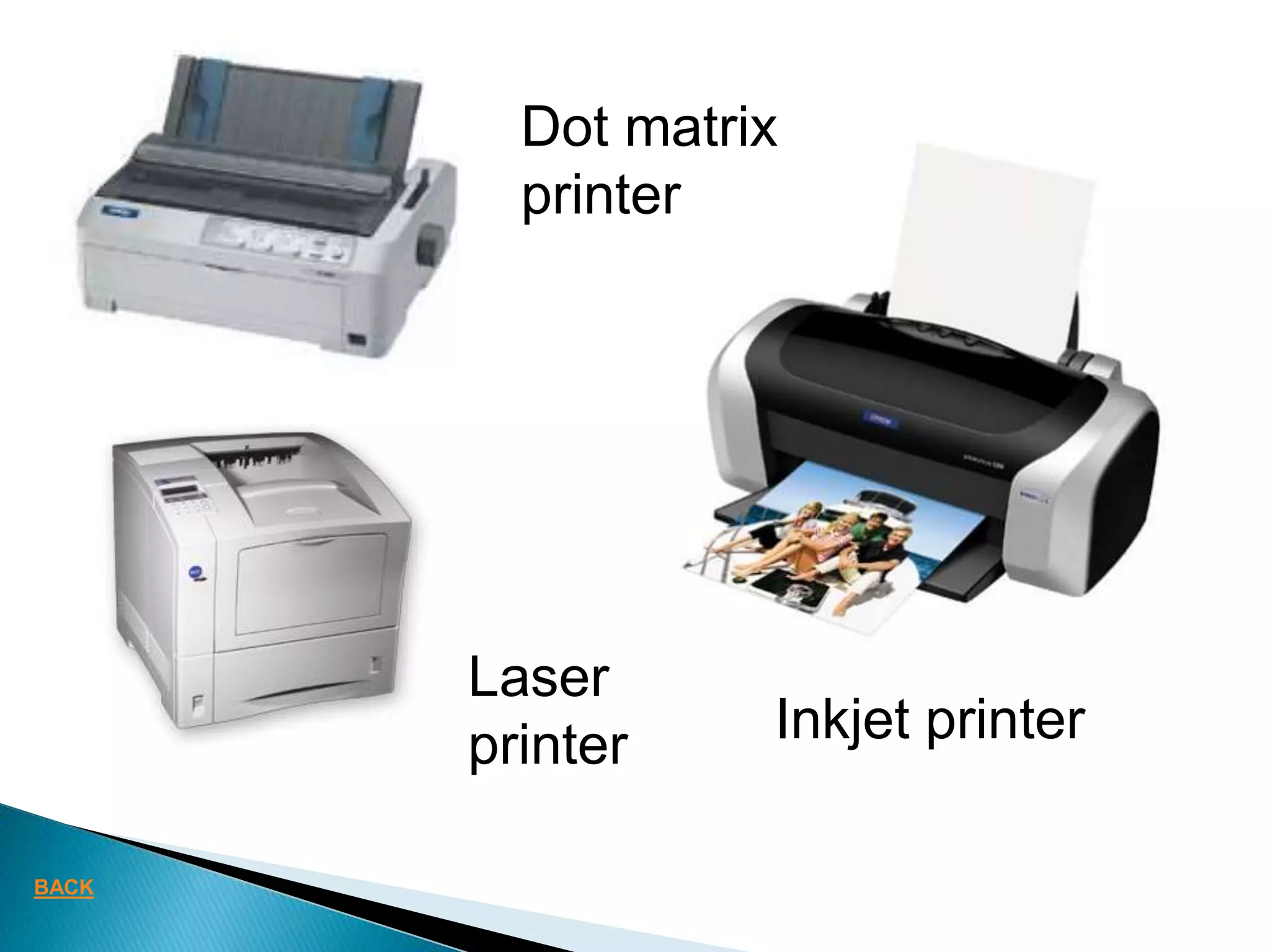
 IMPACT PRINTERS uses pressure by physically
striking the paper. Ex. Daisy wheel printers,
line printers, dot matrix printers & band
printers.
 NON-IMPACT PRINTER does not apply
pressure on the paper but instead produces
character by using lasers, ink spray,
photography or heat.
Dot matrix
printer
Inkjet printer
Laser
printer
BACK
 Attached to the computer system to allow you
to store programs and data permanently for
the purpose of retrieving them for future use.
 Hard disk, CD Rom
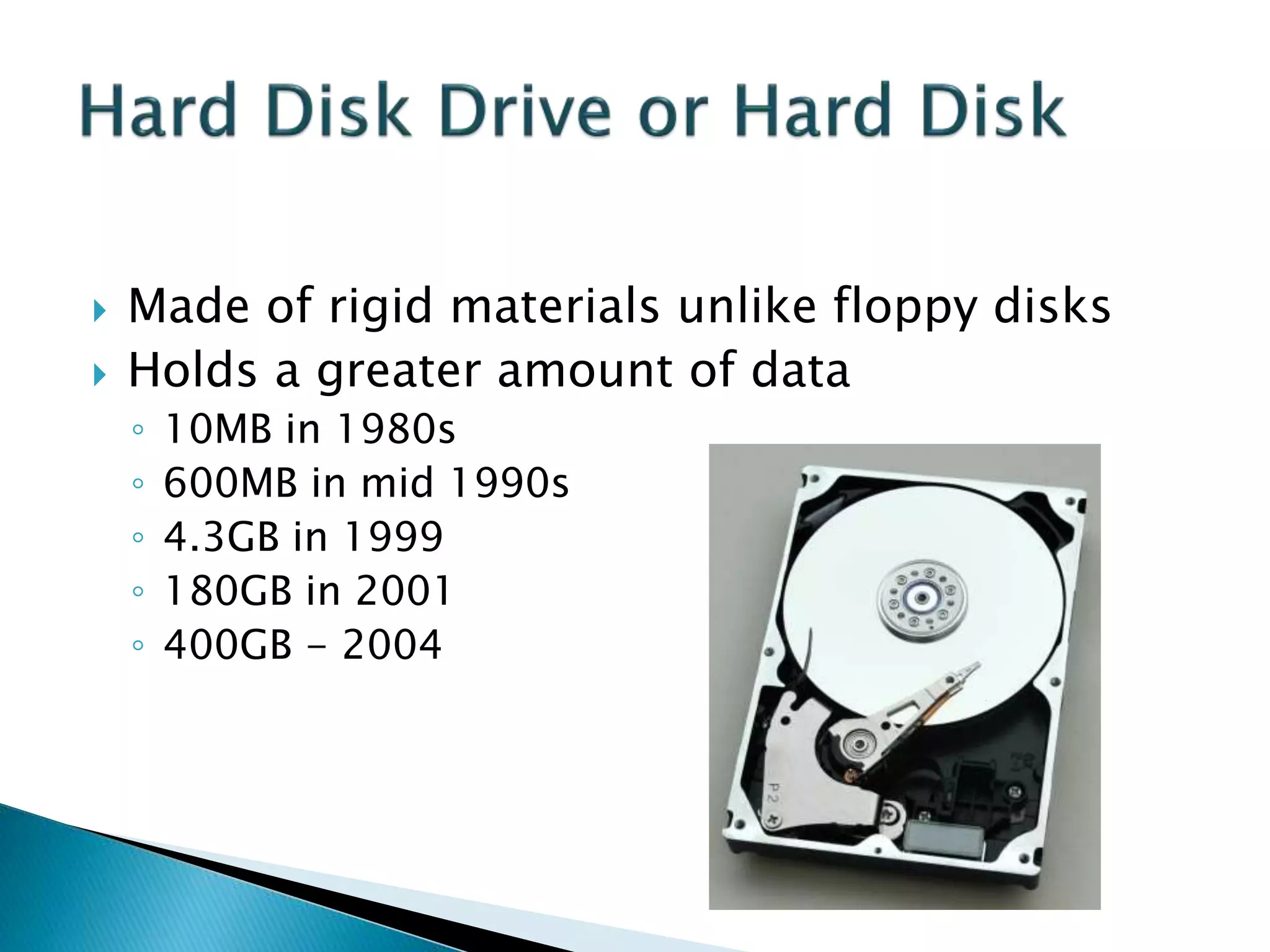
 Made of rigid materials unlike floppy disks
 Holds a greater amount of data
◦ 10MB in 1980s
◦ 600MB in mid 1990s
◦ 4.3GB in 1999
◦ 180GB in 2001
◦ 400GB - 2004
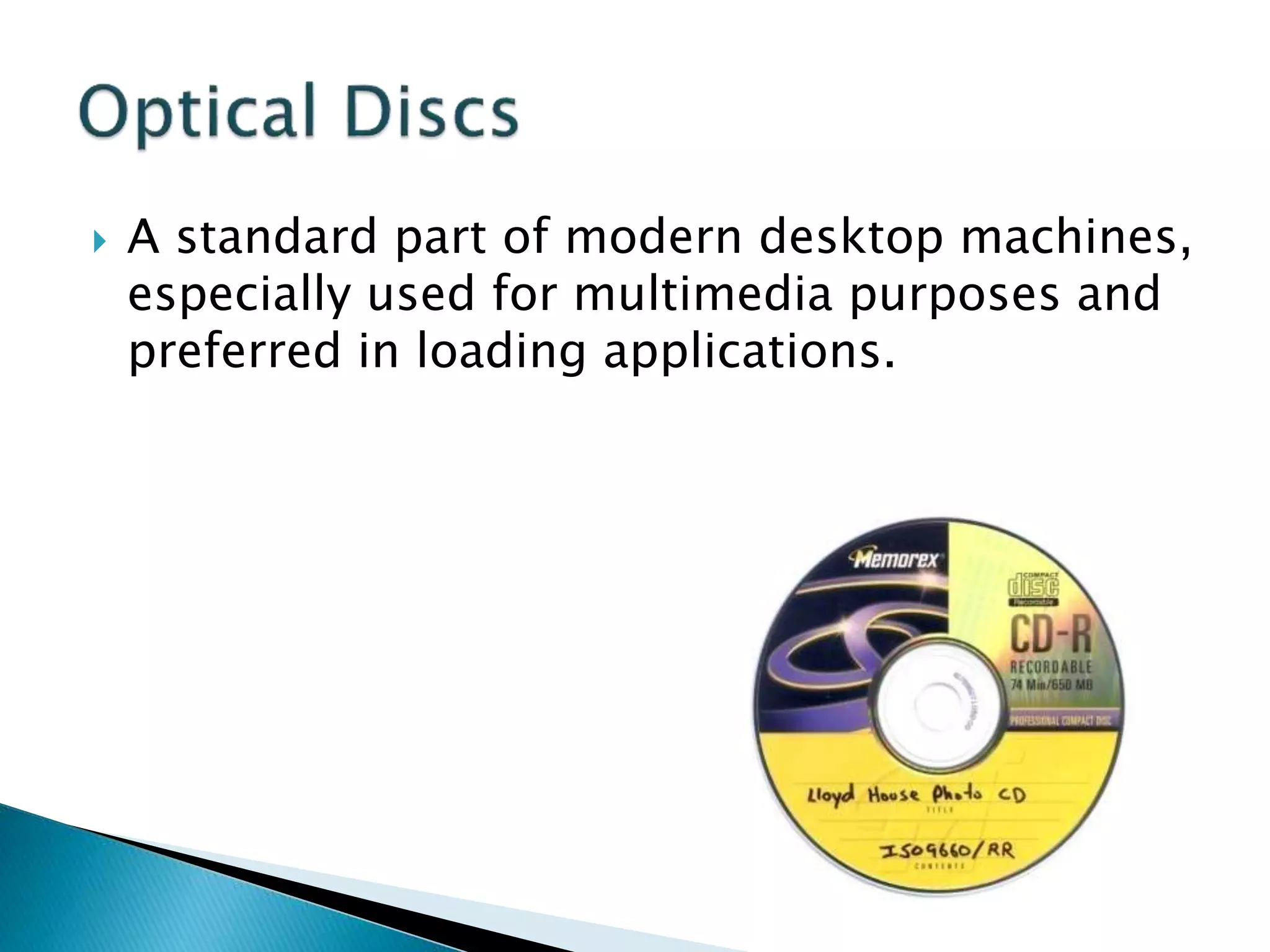
 A standard part of modern desktop machines,
especially used for multimedia purposes and
preferred in loading applications.
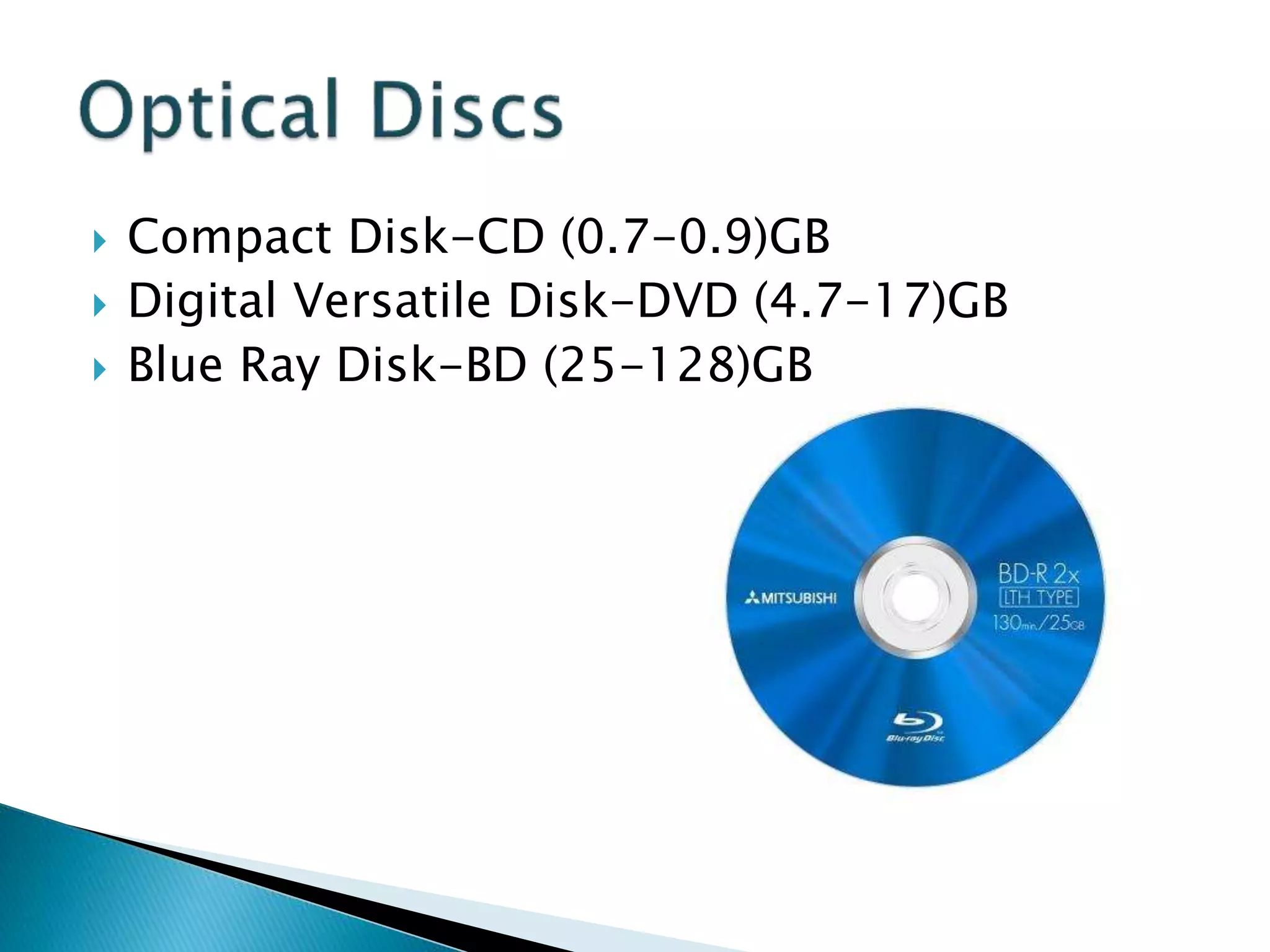
 Compact Disk-CD (0.7-0.9)GB
 Digital Versatile Disk-DVD (4.7-17)GB
 Blue Ray Disk-BD (25-128)GB
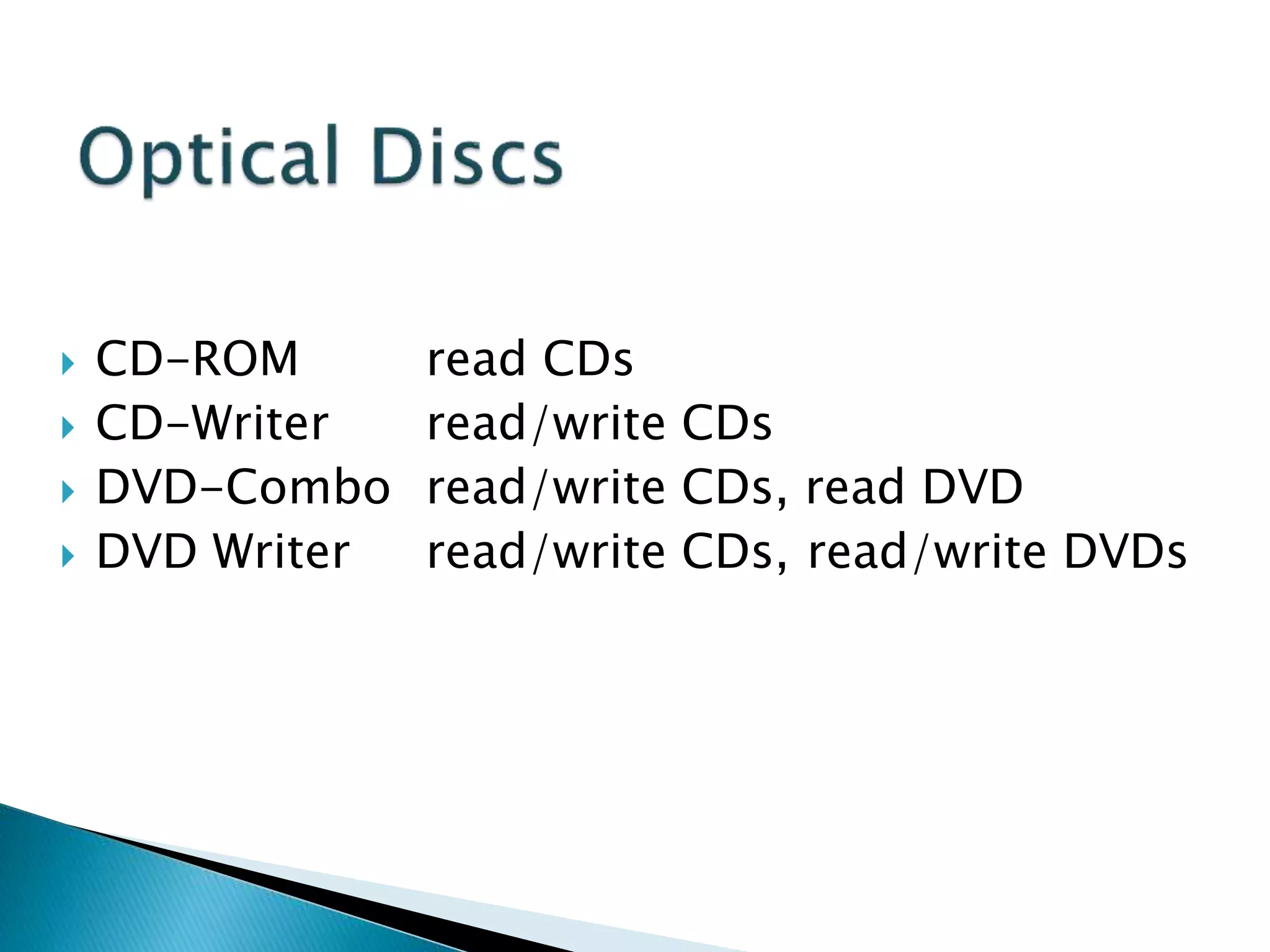
 CD-ROM read CDs
 CD-Writer read/write CDs
 DVD-Combo read/write CDs, read DVD
 DVD Writer read/write CDs, read/write DVDs
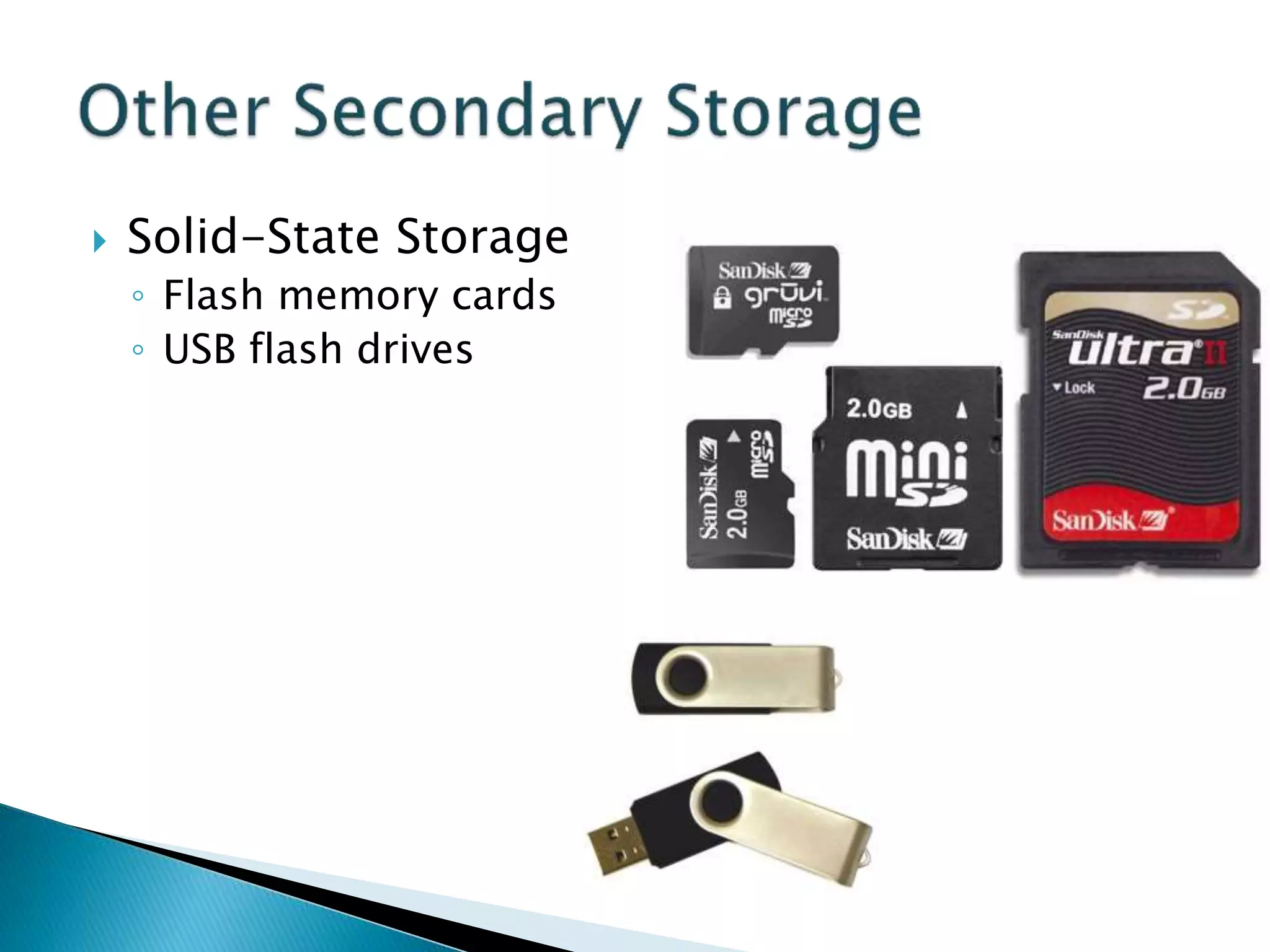
 Solid-State Storage
◦ Flash memory cards
◦ USB flash drives
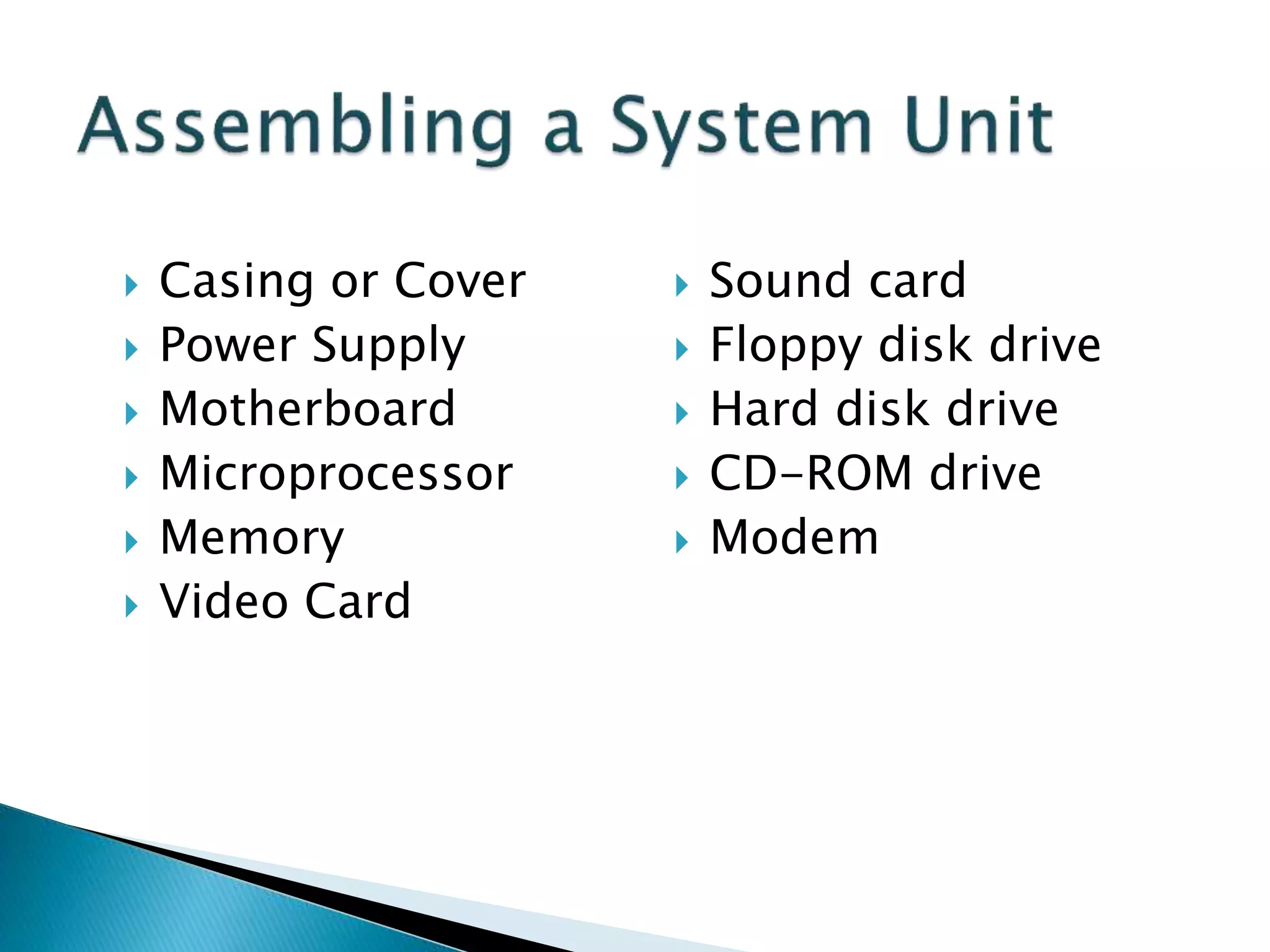
 Casing or Cover
 Power Supply
 Motherboard
 Microprocessor
 Memory
 Video Card
 Sound card
 Floppy disk drive
 Hard disk drive
 CD-ROM drive
 Modem
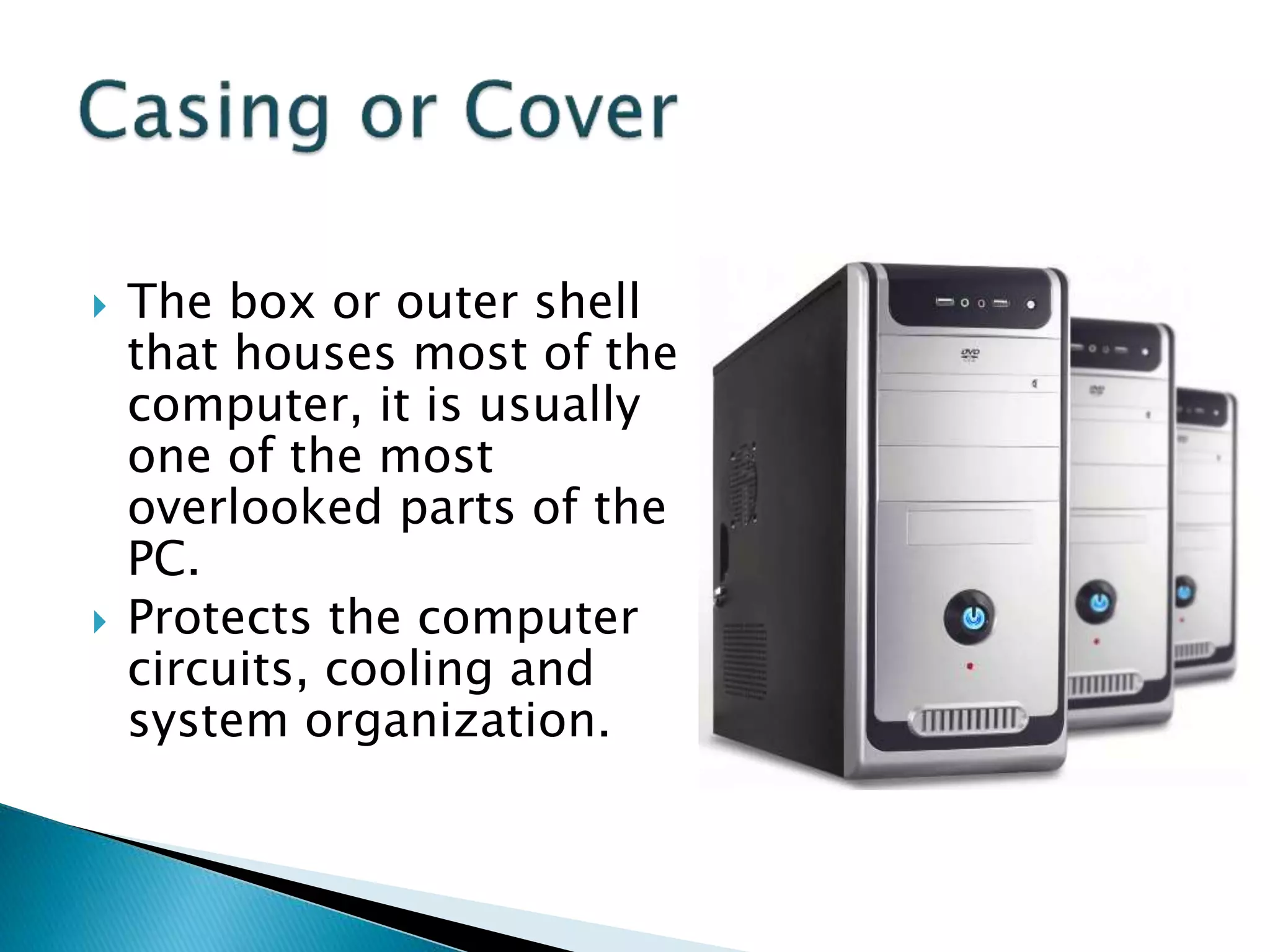
 The box or outer shell
that houses most of the
computer, it is usually
one of the most
overlooked parts of the
PC.
 Protects the computer
circuits, cooling and
system organization.
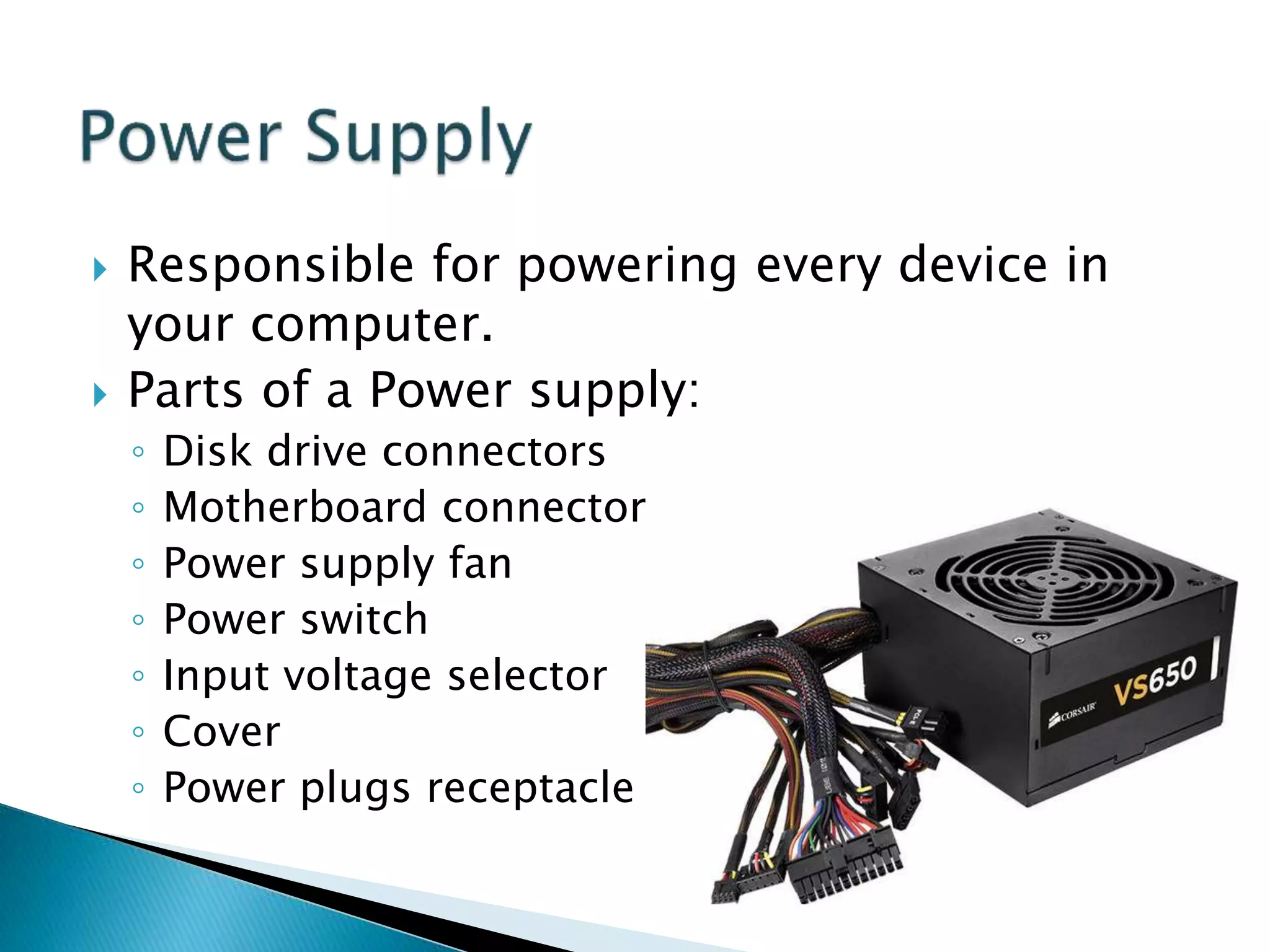
 Responsible for powering every device in
your computer.
 Parts of a Power supply:
◦ Disk drive connectors
◦ Motherboard connector
◦ Power supply fan
◦ Power switch
◦ Input voltage selector
◦ Cover
◦ Power plugs receptacle
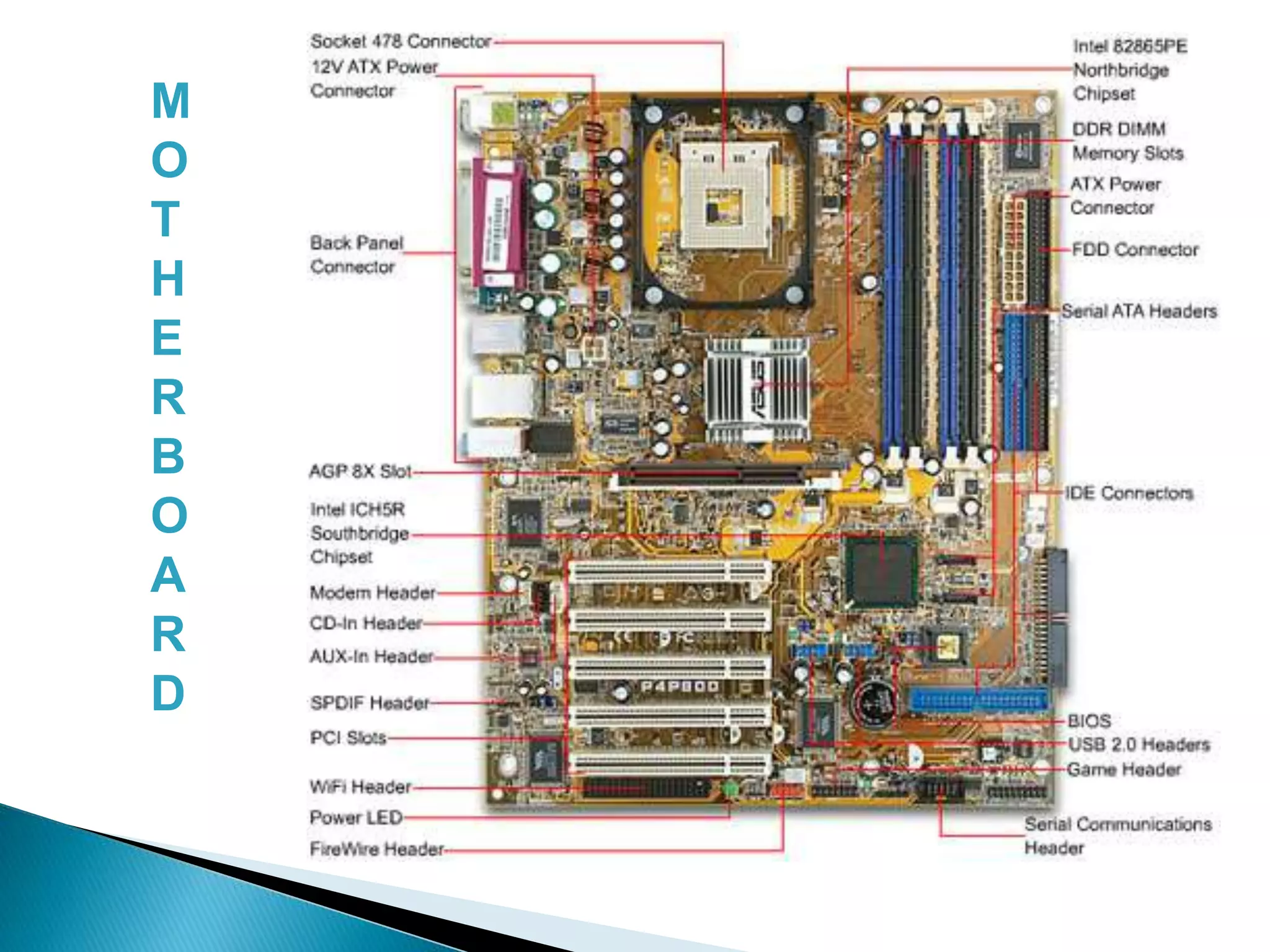
 The physical arrangement in a computer
that contains the computer’s basic circuitry
and components.
 Components are:
◦ Microprocessor
◦ (Optional) Coprocessors
◦ Memory
◦ Basic Input/Output System (BIOS)
◦ Expansion Slot
◦ Interconnecting circuitry
M
O
T
H
E
R
B
O
A
R
D
 Graphic Cards
 Sound Cards
 Modem Cards
 Network Interface Cards/Network Adapter
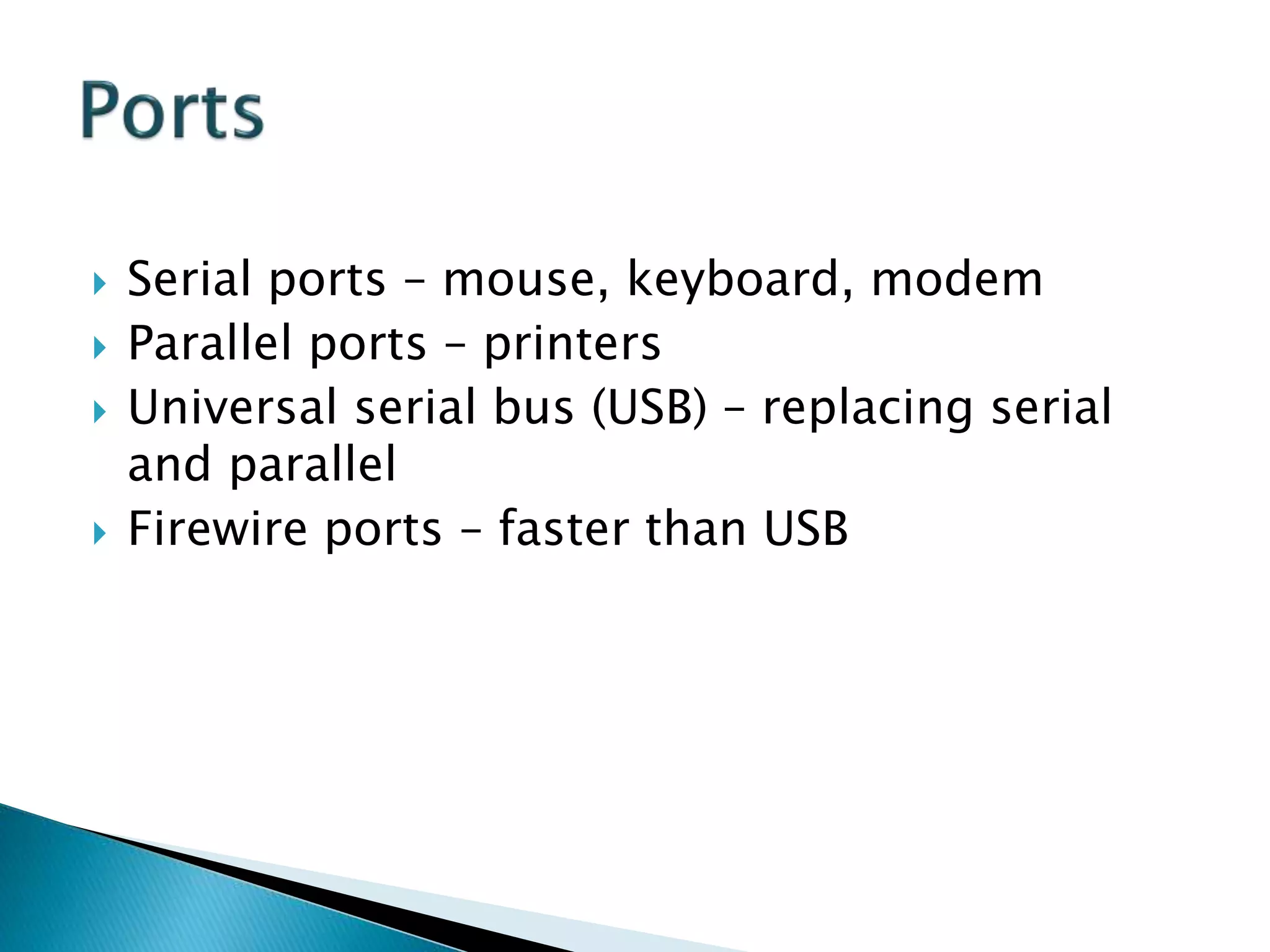
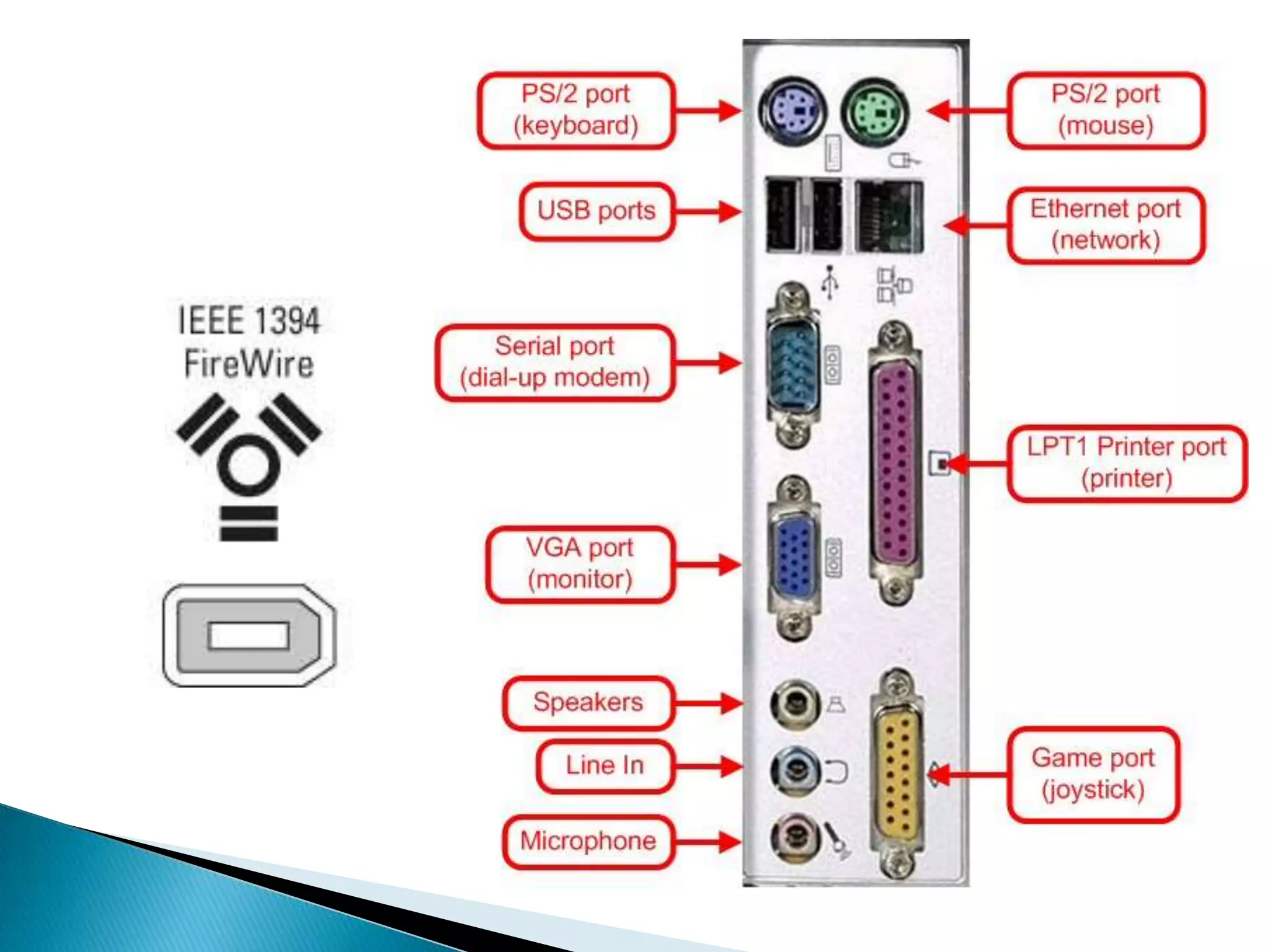
 Serial ports – mouse, keyboard, modem
 Parallel ports – printers
 Universal serial bus (USB) – replacing serial
and parallel
 Firewire ports – faster than USB
 Instructions that tell the computer how to
process data into the form you want.
 Software and programs are interchangeable.
 Two major types:
◦ System and Applications
1. System Software enables the application
software to interact with the computer
hardware.
 Operating Systems are programs that coordinate
computer resources, provide an interface
between users and the computer; and run
applications.
 Utilities perform specific tasks related to
managing computer resources.
 Device drivers are specialized programs designed
to allow particular input or output devices to
communicate with the rest of the computer
system.
 Managing resources (memory, processing,
storage, and devices like printer).
 Providing user interface
 Running applications
Applications Software - provides the real
functionality of a computer. It help you use
your computer to do specific types of work.
 Basic Applications, widely used in all career
areas.
 Specialized Applications, more narrowly focused
on specific disciplines and occupations.
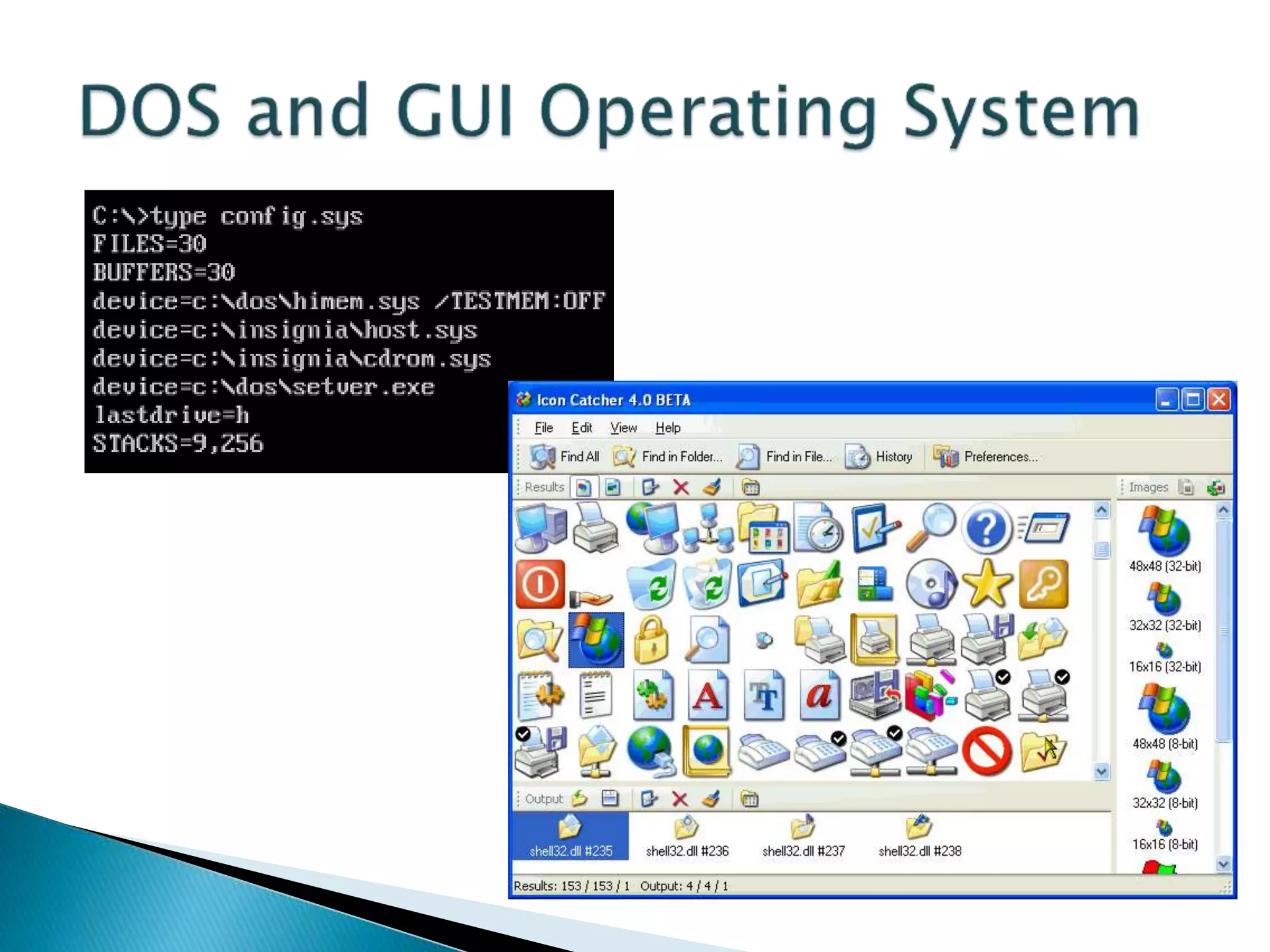
 DOS was the first widely installed operating
system for personal computers.
 Command-driven
 A COMMAND is the name of a special
program that makes your computer carry out
a task.
 Through GUI, users can interact directly with
the operating system.
 Microsoft Windows
 Icons, Menus, Dialog boxes
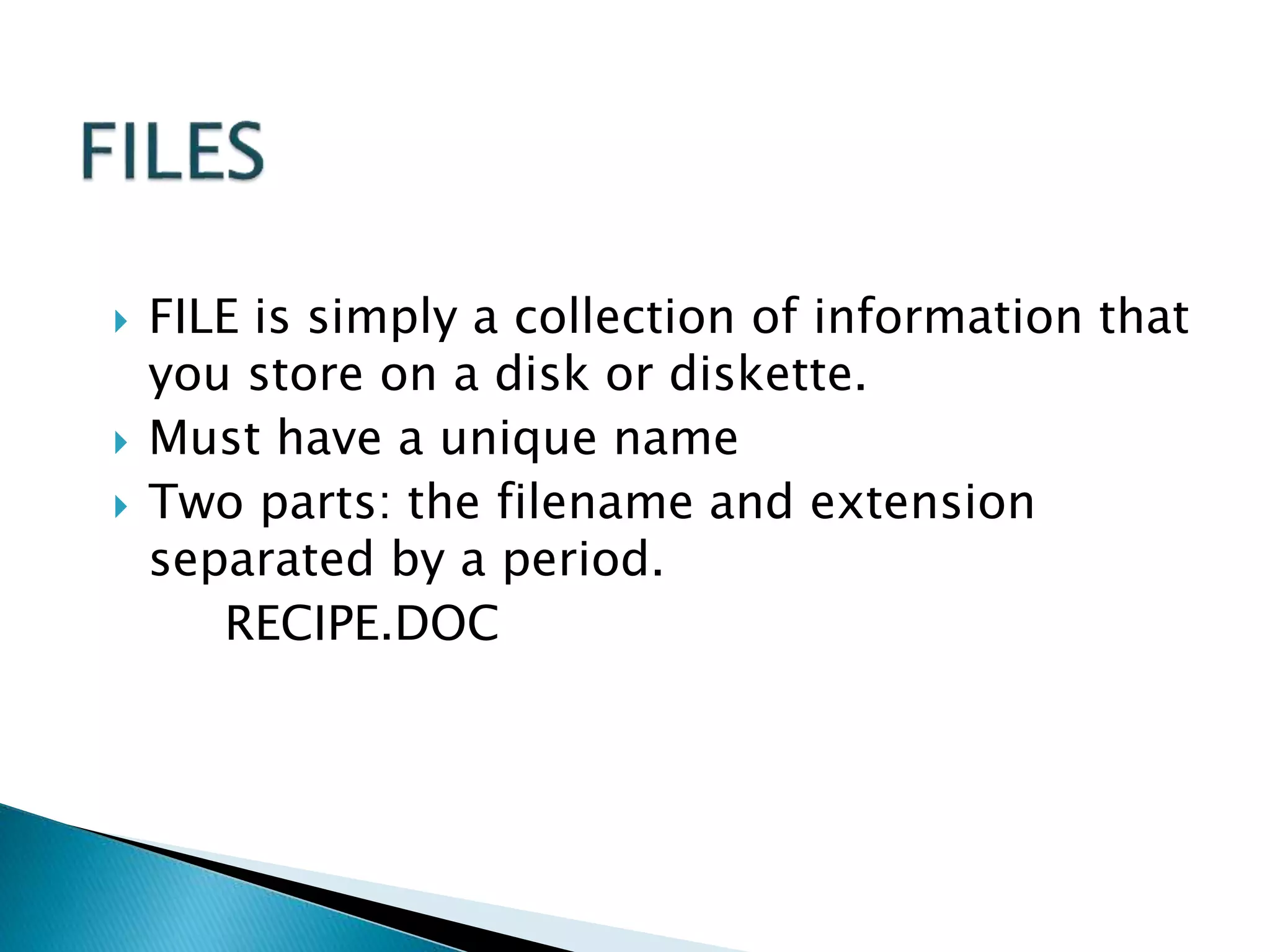
 FILE is simply a collection of information that
you store on a disk or diskette.
 Must have a unique name
 Two parts: the filename and extension
separated by a period.
RECIPE.DOC
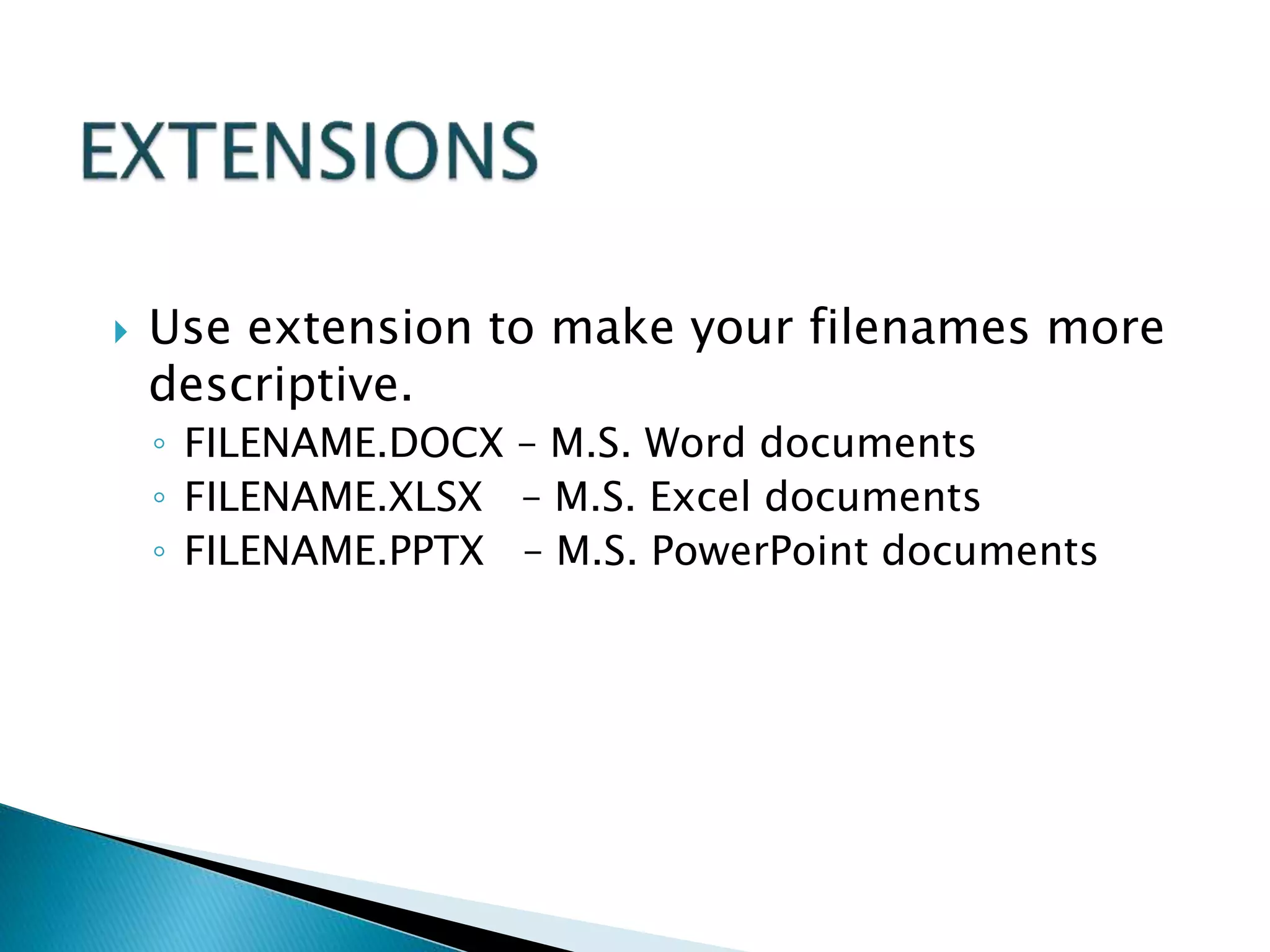
 Use extension to make your filenames more
descriptive.
◦ FILENAME.DOCX – M.S. Word documents
◦ FILENAME.XLSX – M.S. Excel documents
◦ FILENAME.PPTX – M.S. PowerPoint documents
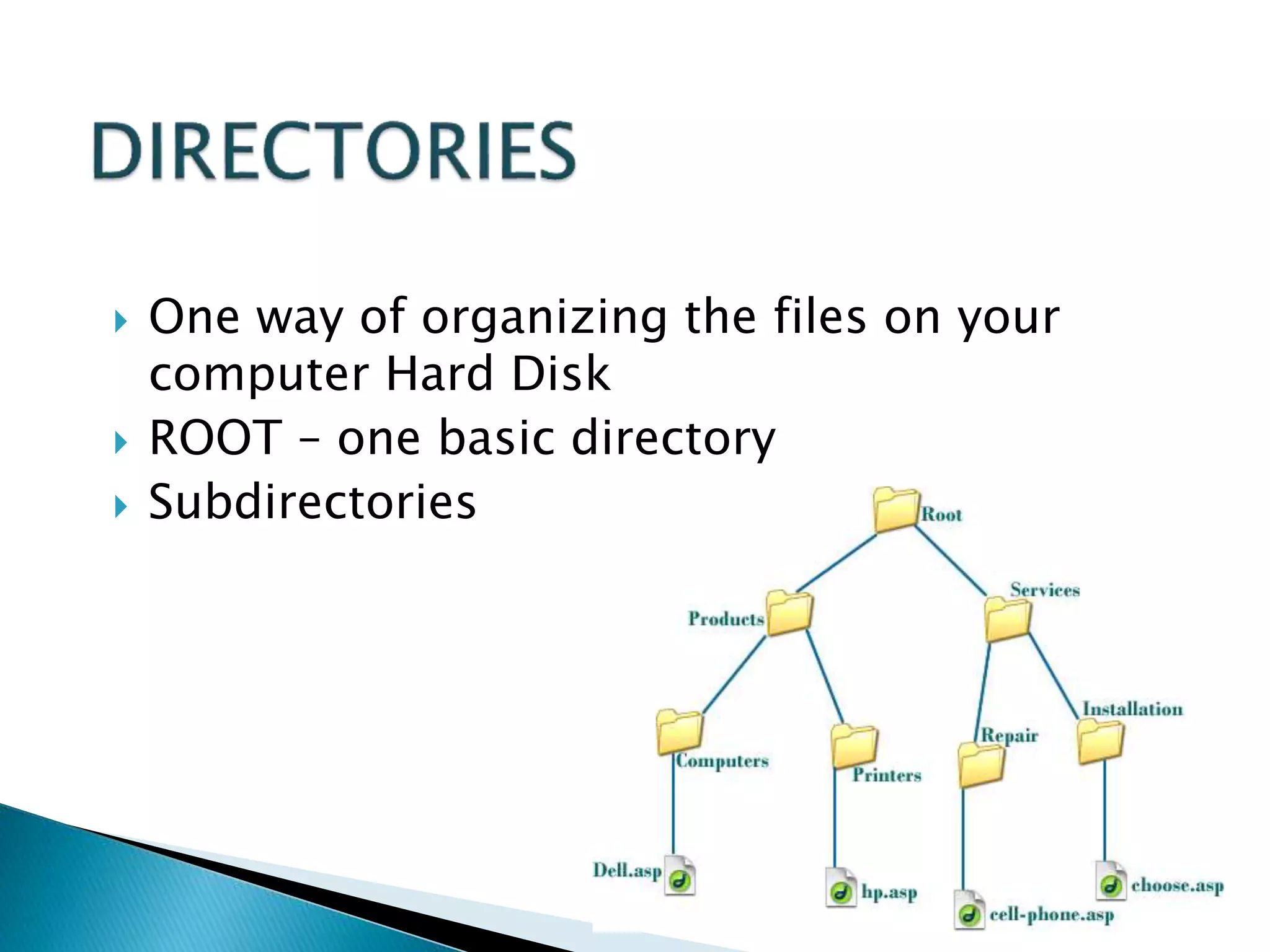
 One way of organizing the files on your
computer Hard Disk
 ROOT – one basic directory
 Subdirectories

Fundamentals of Computer.pptx

  • 1.
  • 2.
     DATA is acollection of independent and unorganized facts.  INFORMATION is the processed and organized data presented in a meaningful form.  DATA PROCESSING is the course of doing things in a sequence of steps.
  • 3.
     COMPUTER is anelectronic machine that follows a set of instructions in order that it may be able to accept and gather data and transform these into information.
  • 4.
  • 5.
     It acceptsand gather data. (INPUT)  It processes data to become information. (PROCESSING)  It stores data and information. (STORE)  It presents information. (OUTPUT)
  • 6.
     HARDWARE isthe tangible part of a computer system.  SOFTWARE is the non-tangible part that tells the computer how to do its job.  PEOPLEWARE refer to people who use and operate the computer system, write computer programs, and analyze and design the information system.
  • 7.
     MAINFRAME arelarge general purpose computers.  MINICOMPUTER perform multi-tasking and allow many terminals to be connected to their services.  MICROCOMPUTER (Personal Computer) is most widely used especially at home because of its affordable price and manageability.
  • 8.
  • 9.
     BIT is aunit of information equivalent to the result of a choice between only 2 possible alternatives in the binary number system.  BYTE is a sequence of 8 bits (enough to represent one character of alphanumeric data) processed as a single unit for information.
  • 10.
     A bytecan be used to represent a single character, which can be: ◦ A letter ◦ A number ◦ A special character or symbol, or ◦ A space
  • 12.
    1,000 BYTES =1 Kilobyte (KB) 1,000 KB = 1 Megabyte (MB) 1,000 MB = 1 Gigabyte (GB) 1,000 GB = 1 Terabyte (TB)
  • 13.
     HARDWARE isthe tangible part of a computer system.
  • 14.
     Central ProcessingUnit (CPU)  Memory Unit  Input Devices  Output Devices  Secondary Storage Devices
  • 15.
     Brain ofthe computer.  It directs and controls the entire computer system and performs all arithmetic and logical operations. BACK
  • 16.
    Where the programsand data are stored . READ ONLY MEMORY (ROM) contains the pre-programmed computer instructions such as the Basic Input Output System (BIOS). RANDOM ACCESS MEMORY (RAM) is used to store the programs and data that you will run. Exists only when there is power. BACK
  • 17.
    In computing, aninput device is a peripheral (piece of computer hardware equipment) used to provide data and control signals to an Information Processing System such as a computer  Keyboard  Mouse  Joystick  Microphone  Webcam  Scanner  Touch Screen LCD/LED Monitor  Image Capturing Devices
  • 18.
     Traditional keyboards Flexible keyboards  Ergonomic keyboards  Wireless keyboards  PDA keyboards
  • 19.
     Mechanical: a typeof computer mouse that has a rubber or metal ball on its underside and it can roll in every direction.  Optical: This type uses a laser for detecting the mouse's movement.
  • 20.
     PS/2 Mouse Serial Mouse  USB/Cordless Mouse
  • 21.
     Trackball  Trackpoint  Touch pad  Touch Screen
  • 22.
     Joystick –input device for computer games  Light Pens – light-sensitive penlike device  Stylus – penlike device commonly used with tablet PCs and PDAs.
  • 23.
     Optical scanners Card readers  Bar code readers  Character and mark recognition devices
  • 24.
     Digital Cameras Digital Video Cameras BACK
  • 25.
     Media usedby the computer in displaying its responses to our requests and instructions.  Monitor  Audio Speakers  Printer
  • 26.
     Cathode RayTube (CRT)  Liquid Crystal Display (LCD)  Light Emitting Diode (LED)
  • 27.
     IMPACT PRINTERSuses pressure by physically striking the paper. Ex. Daisy wheel printers, line printers, dot matrix printers & band printers.  NON-IMPACT PRINTER does not apply pressure on the paper but instead produces character by using lasers, ink spray, photography or heat.
  • 28.
  • 29.
     Attached tothe computer system to allow you to store programs and data permanently for the purpose of retrieving them for future use.  Hard disk, CD Rom
  • 30.
     Made ofrigid materials unlike floppy disks  Holds a greater amount of data ◦ 10MB in 1980s ◦ 600MB in mid 1990s ◦ 4.3GB in 1999 ◦ 180GB in 2001 ◦ 400GB - 2004
  • 31.
     A standardpart of modern desktop machines, especially used for multimedia purposes and preferred in loading applications.
  • 32.
     Compact Disk-CD(0.7-0.9)GB  Digital Versatile Disk-DVD (4.7-17)GB  Blue Ray Disk-BD (25-128)GB
  • 33.
     CD-ROM readCDs  CD-Writer read/write CDs  DVD-Combo read/write CDs, read DVD  DVD Writer read/write CDs, read/write DVDs
  • 34.
     Solid-State Storage ◦Flash memory cards ◦ USB flash drives
  • 35.
     Casing orCover  Power Supply  Motherboard  Microprocessor  Memory  Video Card  Sound card  Floppy disk drive  Hard disk drive  CD-ROM drive  Modem
  • 36.
     The boxor outer shell that houses most of the computer, it is usually one of the most overlooked parts of the PC.  Protects the computer circuits, cooling and system organization.
  • 37.
     Responsible forpowering every device in your computer.  Parts of a Power supply: ◦ Disk drive connectors ◦ Motherboard connector ◦ Power supply fan ◦ Power switch ◦ Input voltage selector ◦ Cover ◦ Power plugs receptacle
  • 38.
     The physicalarrangement in a computer that contains the computer’s basic circuitry and components.  Components are: ◦ Microprocessor ◦ (Optional) Coprocessors ◦ Memory ◦ Basic Input/Output System (BIOS) ◦ Expansion Slot ◦ Interconnecting circuitry
  • 39.
  • 40.
     Graphic Cards Sound Cards  Modem Cards  Network Interface Cards/Network Adapter
  • 41.
     Serial ports– mouse, keyboard, modem  Parallel ports – printers  Universal serial bus (USB) – replacing serial and parallel  Firewire ports – faster than USB
  • 43.
     Instructions thattell the computer how to process data into the form you want.  Software and programs are interchangeable.  Two major types: ◦ System and Applications
  • 44.
    1. System Softwareenables the application software to interact with the computer hardware.  Operating Systems are programs that coordinate computer resources, provide an interface between users and the computer; and run applications.  Utilities perform specific tasks related to managing computer resources.  Device drivers are specialized programs designed to allow particular input or output devices to communicate with the rest of the computer system.
  • 45.
     Managing resources(memory, processing, storage, and devices like printer).  Providing user interface  Running applications
  • 46.
    Applications Software -provides the real functionality of a computer. It help you use your computer to do specific types of work.  Basic Applications, widely used in all career areas.  Specialized Applications, more narrowly focused on specific disciplines and occupations.
  • 48.
     DOS wasthe first widely installed operating system for personal computers.  Command-driven
  • 49.
     A COMMANDis the name of a special program that makes your computer carry out a task.
  • 50.
     Through GUI,users can interact directly with the operating system.  Microsoft Windows  Icons, Menus, Dialog boxes
  • 51.
     FILE issimply a collection of information that you store on a disk or diskette.  Must have a unique name  Two parts: the filename and extension separated by a period. RECIPE.DOC
  • 52.
     Use extensionto make your filenames more descriptive. ◦ FILENAME.DOCX – M.S. Word documents ◦ FILENAME.XLSX – M.S. Excel documents ◦ FILENAME.PPTX – M.S. PowerPoint documents
  • 53.
     One wayof organizing the files on your computer Hard Disk  ROOT – one basic directory  Subdirectories