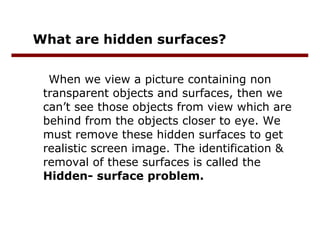
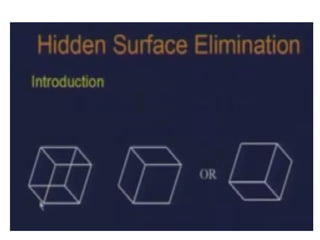
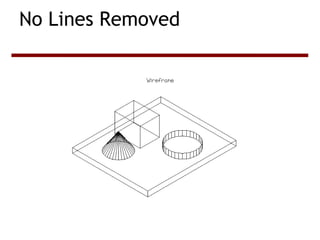
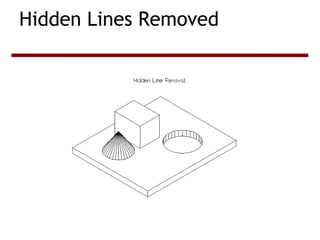
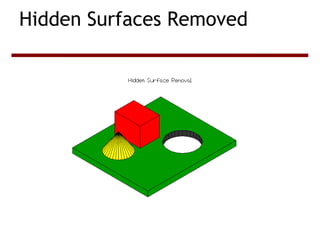
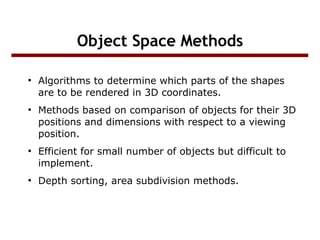
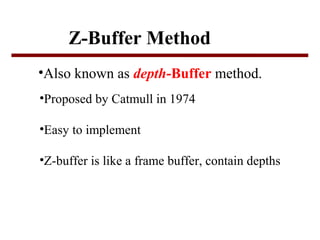
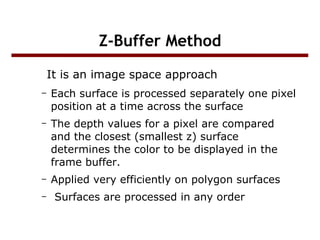
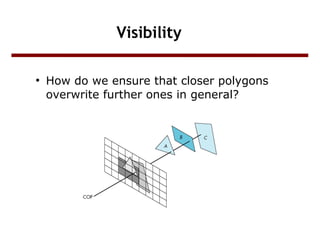
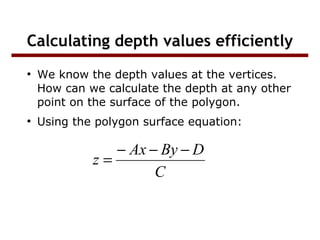
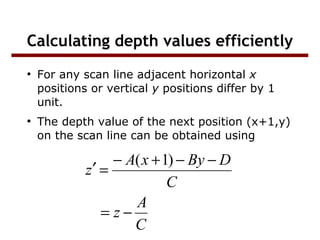
The document discusses hidden surface removal techniques used in 3D computer graphics. It introduces the hidden surface problem that arises when non-transparent objects obscure other objects from view. It describes object space and image space methods for identifying and removing hidden surfaces. The z-buffer algorithm is discussed as a commonly used image space method that works by comparing depth values in a z-buffer to determine which surfaces are visible at each pixel location.
![Hidden Surface
Removal
RAJIV AGARWAL
BSc(Hons)[CS]
115090](https://image.slidesharecdn.com/computergraphics-131203075242-phpapp02/85/hidden-surface-elimination-using-z-buffer-algorithm-1-320.jpg)
![Hidden Surface
Removal
RAJIV AGARWAL
BSc(Hons)[CS]
115090](https://image.slidesharecdn.com/computergraphics-131203075242-phpapp02/75/hidden-surface-elimination-using-z-buffer-algorithm-1-2048.jpg)
![Z-Buffer Method
●
Two buffers are used
–
–
●
Frame Buffer
Depth Buffer
The z-coordinates (depth values) are usually
normalized to the range [0,1]](https://image.slidesharecdn.com/computergraphics-131203075242-phpapp02/85/hidden-surface-elimination-using-z-buffer-algorithm-14-320.jpg)
![Z-buffer Algorithm
Initialize all d[I,j]=1.0(max depth),c[I,j]=background color
For(each polygon)
For(each pixel in polygon’s projection)
{
Find depth-z of polygon at (x,y) corresponding to pixel (I,j);
If z<d[I,j]
C[I,j]=color;
End
}](https://image.slidesharecdn.com/computergraphics-131203075242-phpapp02/85/hidden-surface-elimination-using-z-buffer-algorithm-15-320.jpg)
![Z-Buffer Example
[0,7,5]
[6,7,5]
5
5
5
5
5
5
5
Parallel with
the image plane
[0,1,5]
5
5
5
5
5
5
5
∞
5
5
5
5
5
5
∞
∞
5
5
5
5
5
∞
∞
∞
5
5
5
5
∞
∞
∞
∞
5
5
5
∞
∞
∞
∞
∞
5
5
∞
∞
∞
∞
∞
∞
5
∞
∞
∞
∞
∞
∞
∞
∞
∞
∞
∞
∞
∞
∞
∞
5
5
5
5
5
5
5
5
5
5
5
5 5 5
5 5 5
5 5
5
5](https://image.slidesharecdn.com/computergraphics-131203075242-phpapp02/85/hidden-surface-elimination-using-z-buffer-algorithm-18-320.jpg)
![Z-Buffer
Example
[0,6,7]
7
6
5
4
3
2
Not Parallel
[0,1,2]
5
5
5
5
4
3
2
∞
5
5
5
5
5
4
3
∞
5
5
5
5
5
5
4
∞
[5,1,7]
5
5
5
5
7
6
5
∞
5
5
5
∞
∞
7
6
∞
5
5
∞
∞
∞
∞
7
∞
5
∞
∞
∞
∞
∞
∞
∞
∞
∞
∞
∞
∞
∞
∞
∞
7
6
5
4
3
7
6 7
5 6 7
4 5 6 7](https://image.slidesharecdn.com/computergraphics-131203075242-phpapp02/85/hidden-surface-elimination-using-z-buffer-algorithm-19-320.jpg)