What is NetworkTopology
• Network topology is the physical and logical
arrangement of the devices, connections, and data
circuits in a network. When represented visually in the
form of network diagrams, they help data center
professionals document and understand their network
infrastructure.
2.
Designing Network Topologies
•Networks can be organized in a
variety of topologies that each have
advantages and disadvantages.
• When designing and installing a
network, data center professionals
must consider their:
organization’s goals,
budget, and
size
to determine the best topology to
implement. :
3.
Types of NetworkTopology
The most common network topologies, roughly
in order of complexity, are
Bus Topology
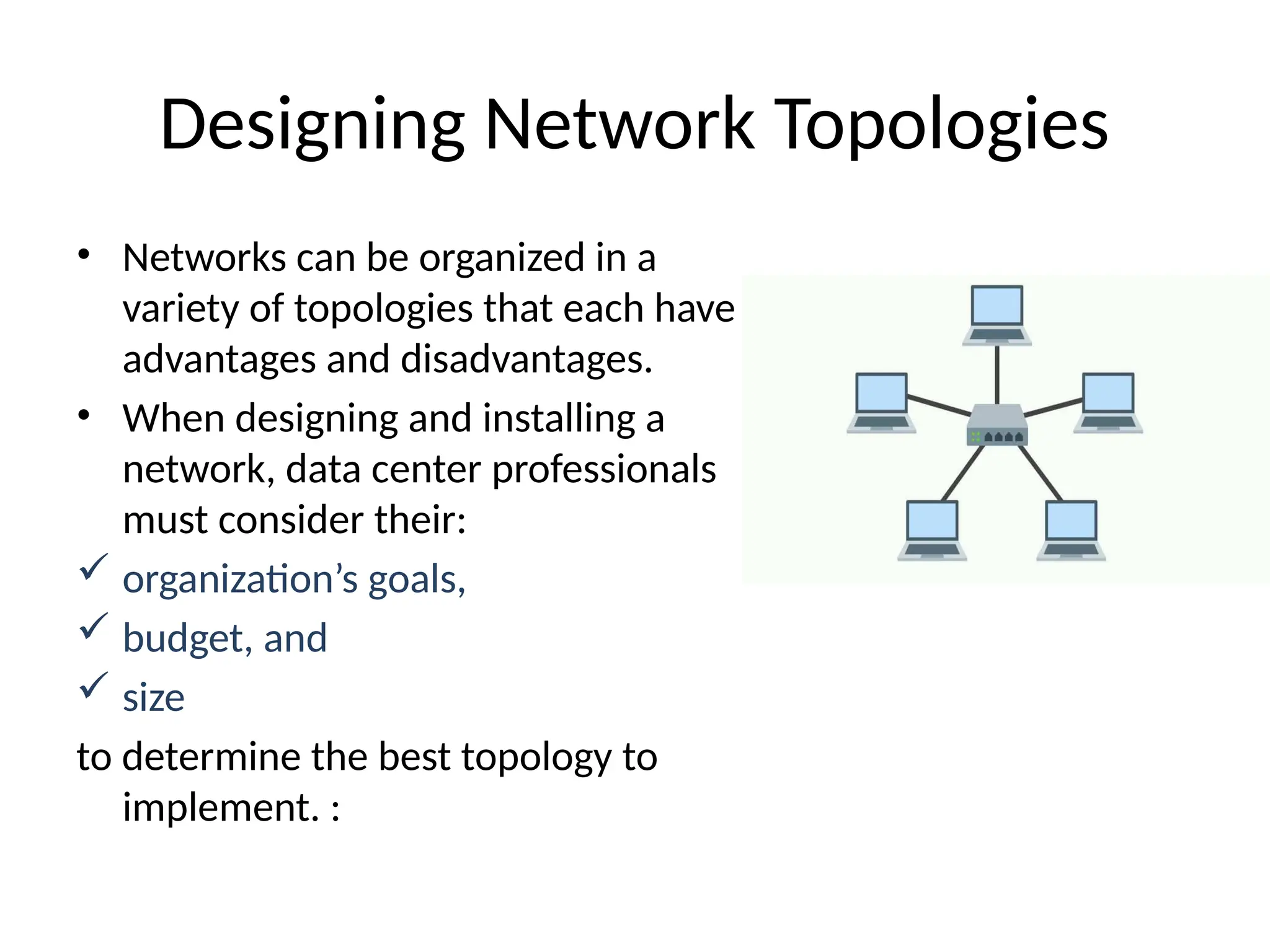
Star Topology
Ring Topology
Mesh Topology
Tree Topology
4.
Bus Topology
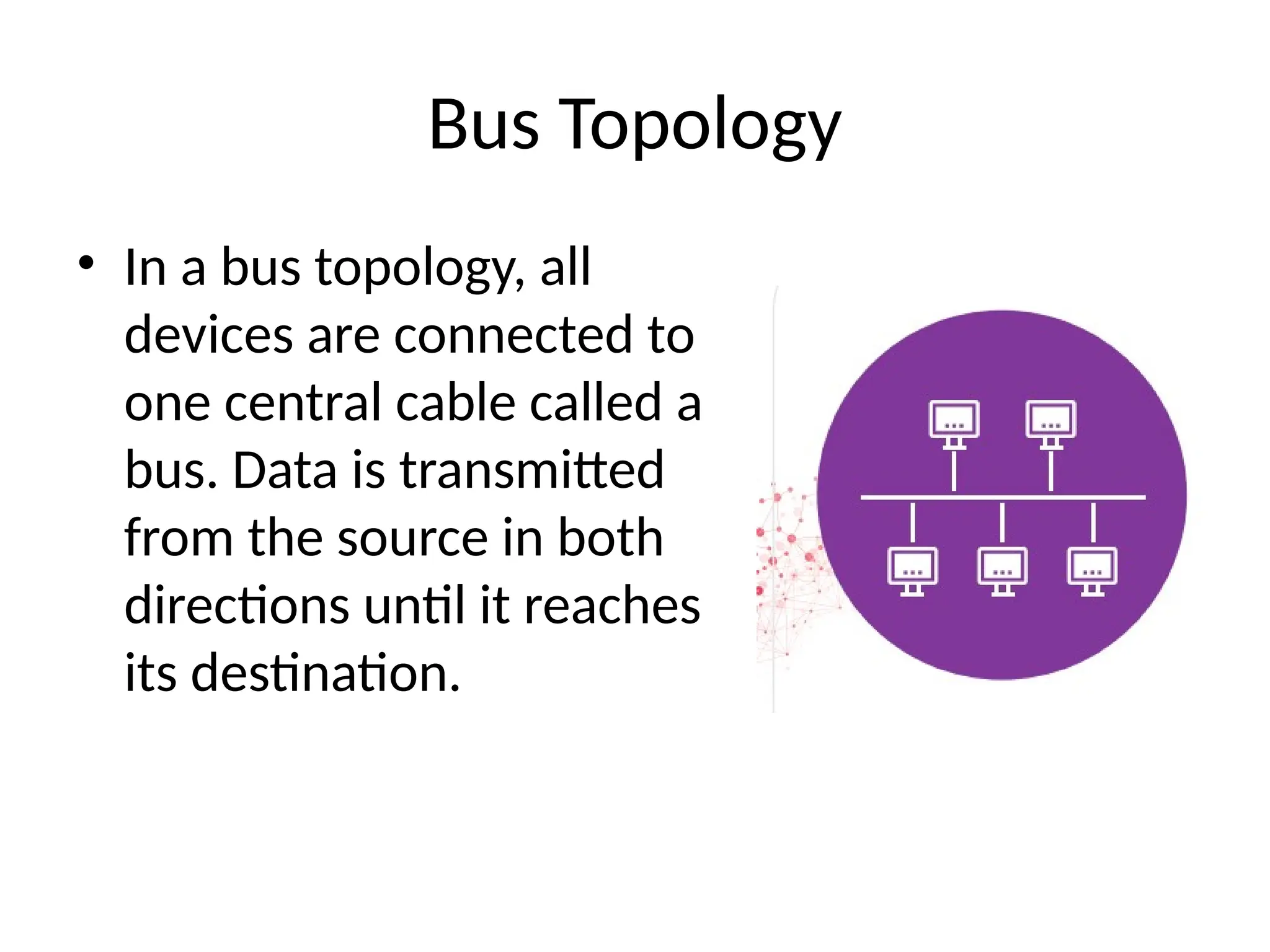
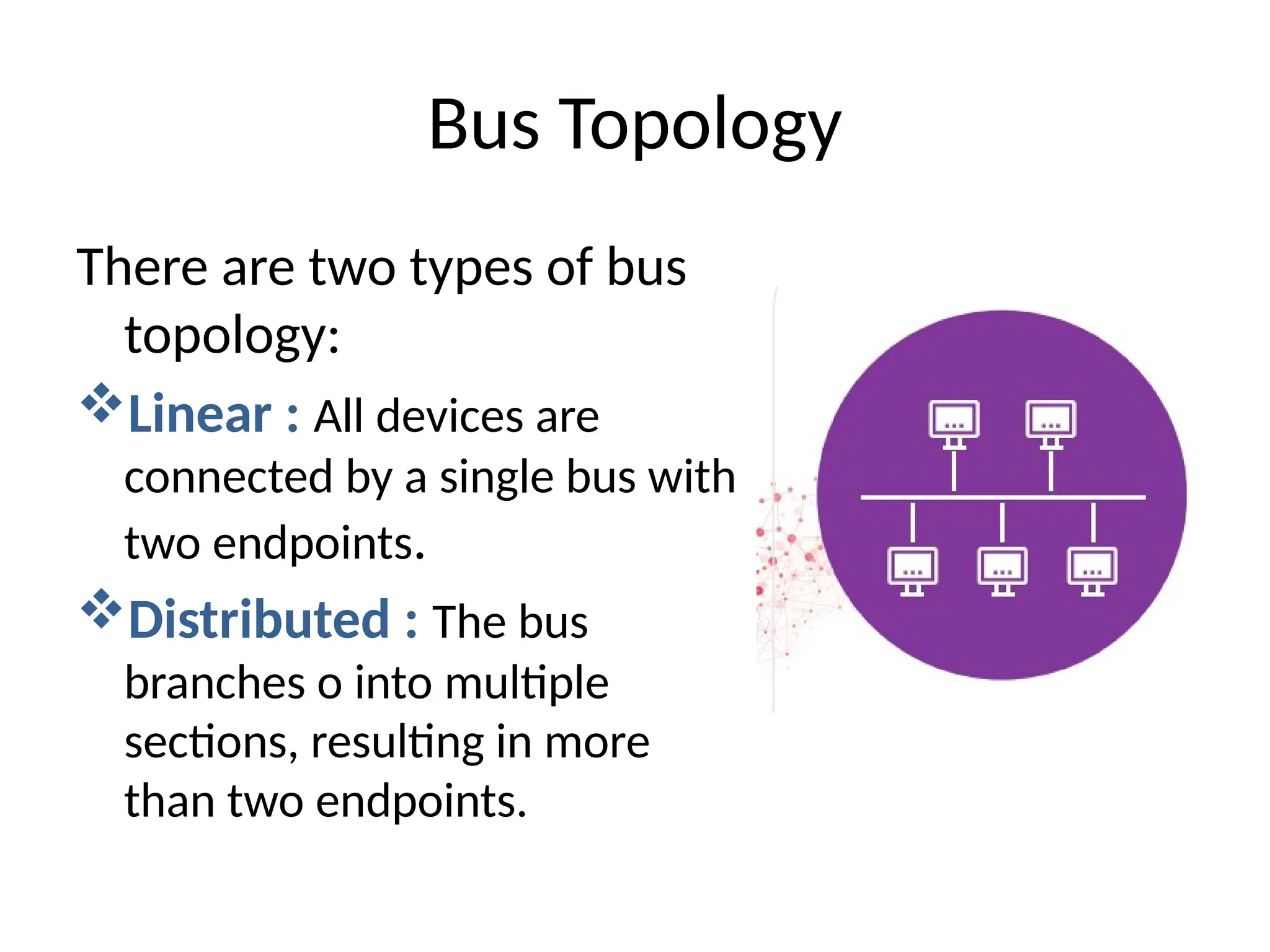
• Ina bus topology, all
devices are connected to
one central cable called a
bus. Data is transmitted
from the source in both
directions until it reaches
its destination.
5.
There are twotypes of bus
topology:
Linear : All devices are
connected by a single bus with
two endpoints.
Distributed : The bus
branches o into multiple
sections, resulting in more
than two endpoints.
Bus Topology
6.
Advantages
• Suitable forvery small
networks
• Easy and affordable to add
new devices
• If one device fails, the rest
of the network is not
impacted
Disadvantages
• The bus cable is a
potential single point of
failure
• Performance decreases as
devices are added or
traffic increases
• Troubleshooting is
difficult in larger
networks
Bus Topology
7.
Ring Topology
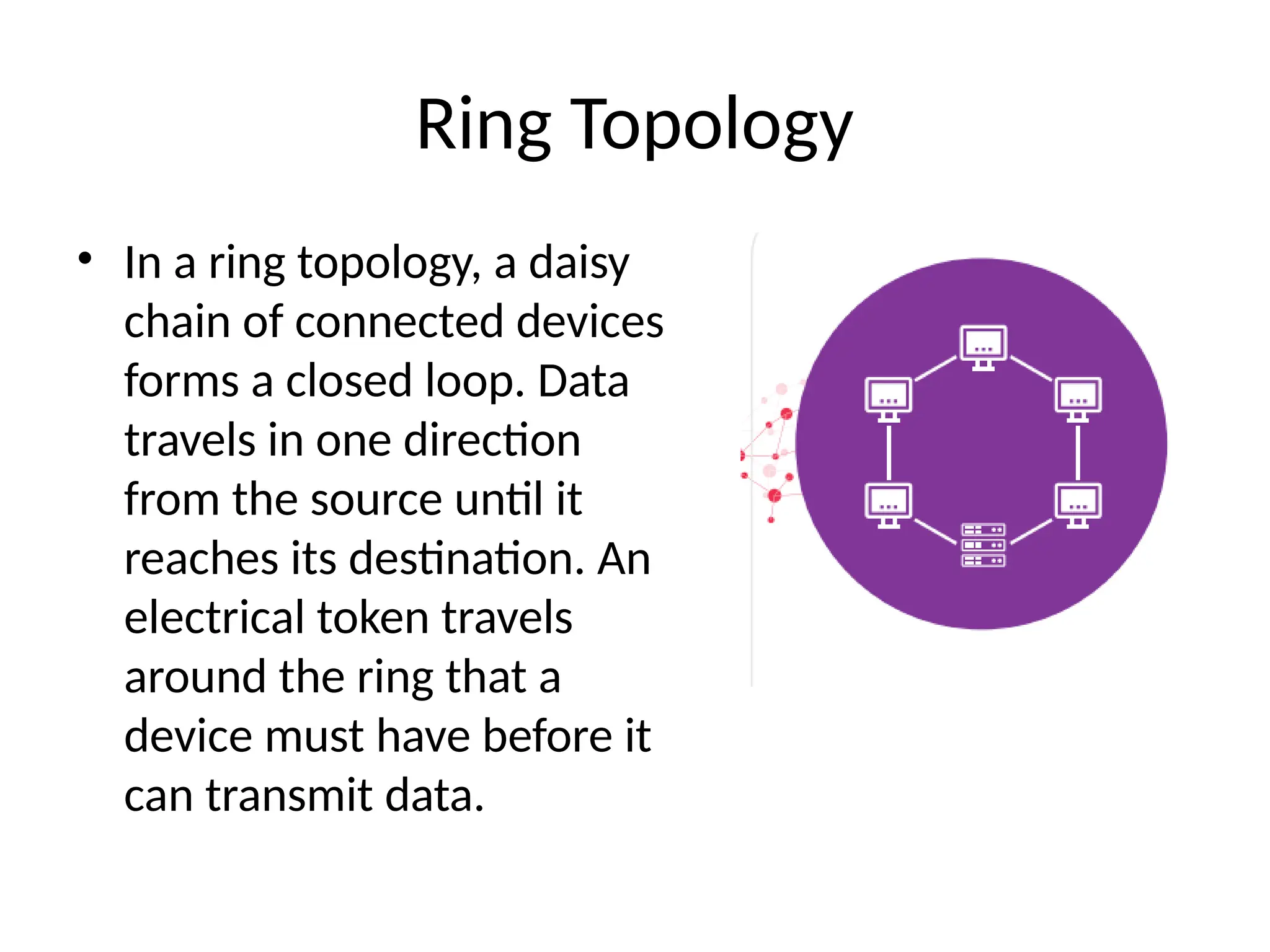
• Ina ring topology, a daisy
chain of connected devices
forms a closed loop. Data
travels in one direction
from the source until it
reaches its destination. An
electrical token travels
around the ring that a
device must have before it
can transmit data.
8.
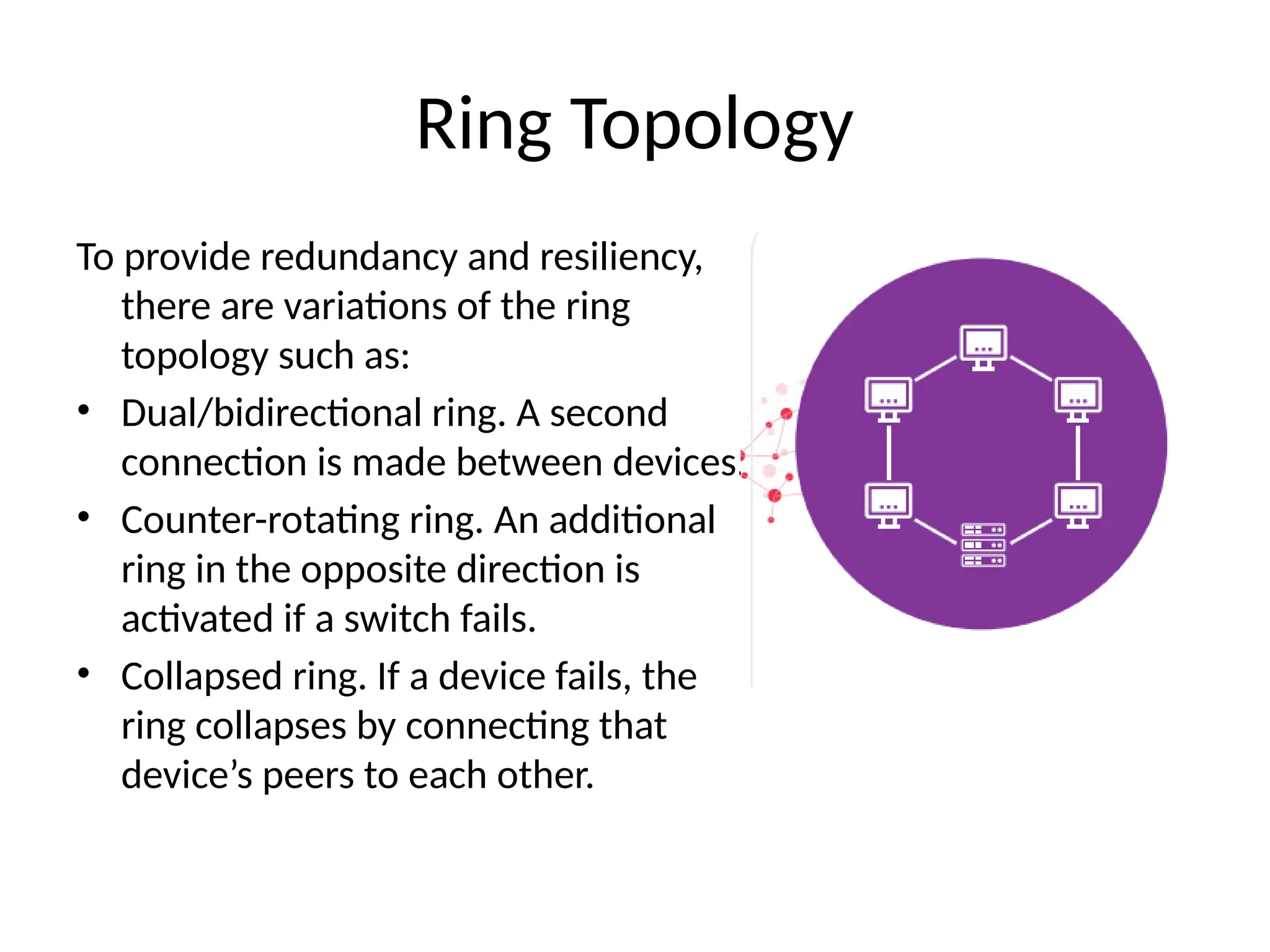
To provide redundancyand resiliency,
there are variations of the ring
topology such as:
• Dual/bidirectional ring. A second
connection is made between devices.
• Counter-rotating ring. An additional
ring in the opposite direction is
activated if a switch fails.
• Collapsed ring. If a device fails, the
ring collapses by connecting that
device’s peers to each other.
Ring Topology
9.
Advantages
• Faster thana bus topology
while still easy to add
devices
• Low likelihood of packet
collision due to
unidirectional data flow
• No need for a network
server to manage data
transmission
Ring Topology
Disadvantages
• Performance decreases as
devices are added or traffic
increases
• Each device is a potential
single point of failure unless
redundancy is built in
• The entire network needs
to be taken offline to
perform moves, adds, and
changes
10.
Star Topology
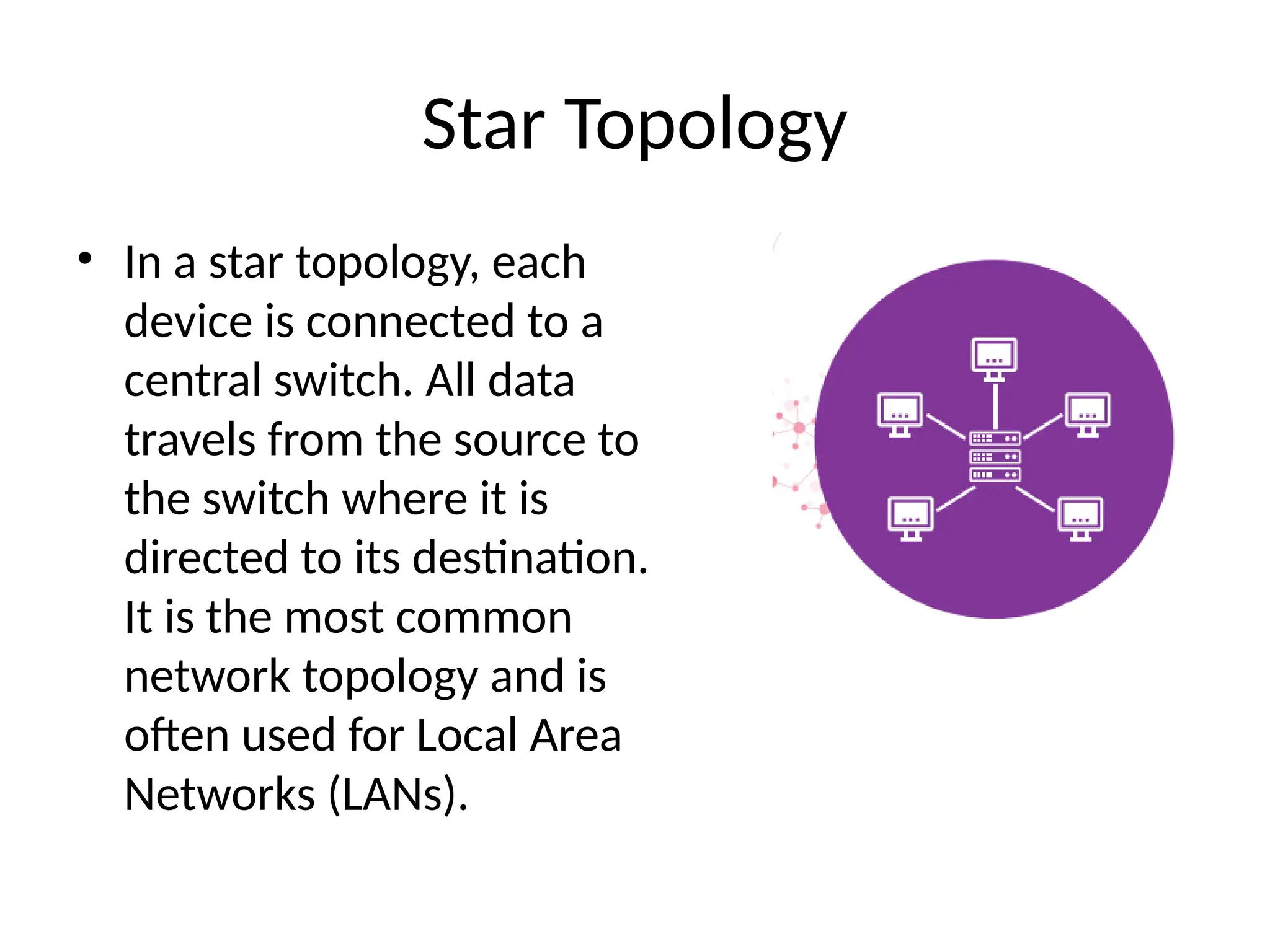
• Ina star topology, each
device is connected to a
central switch. All data
travels from the source to
the switch where it is
directed to its destination.
It is the most common
network topology and is
often used for Local Area
Networks (LANs).
11.
Advantages
• Device failuresare easy to
identify, and they do not
impact the rest of the
network
• Adding or removing
devices is simple and can
be done without
downtime
• Capable of sustaining a
high-performance network
Star Topology
Disadvantages
• The switch is a potential
single point of failure and can
disable the entire network
• Requires more cabling,
resources, and maintenance
than some alternatives
• Overall performance and
bandwidth are limited by the
technical specifications of the
switch
12.
Mesh Topology
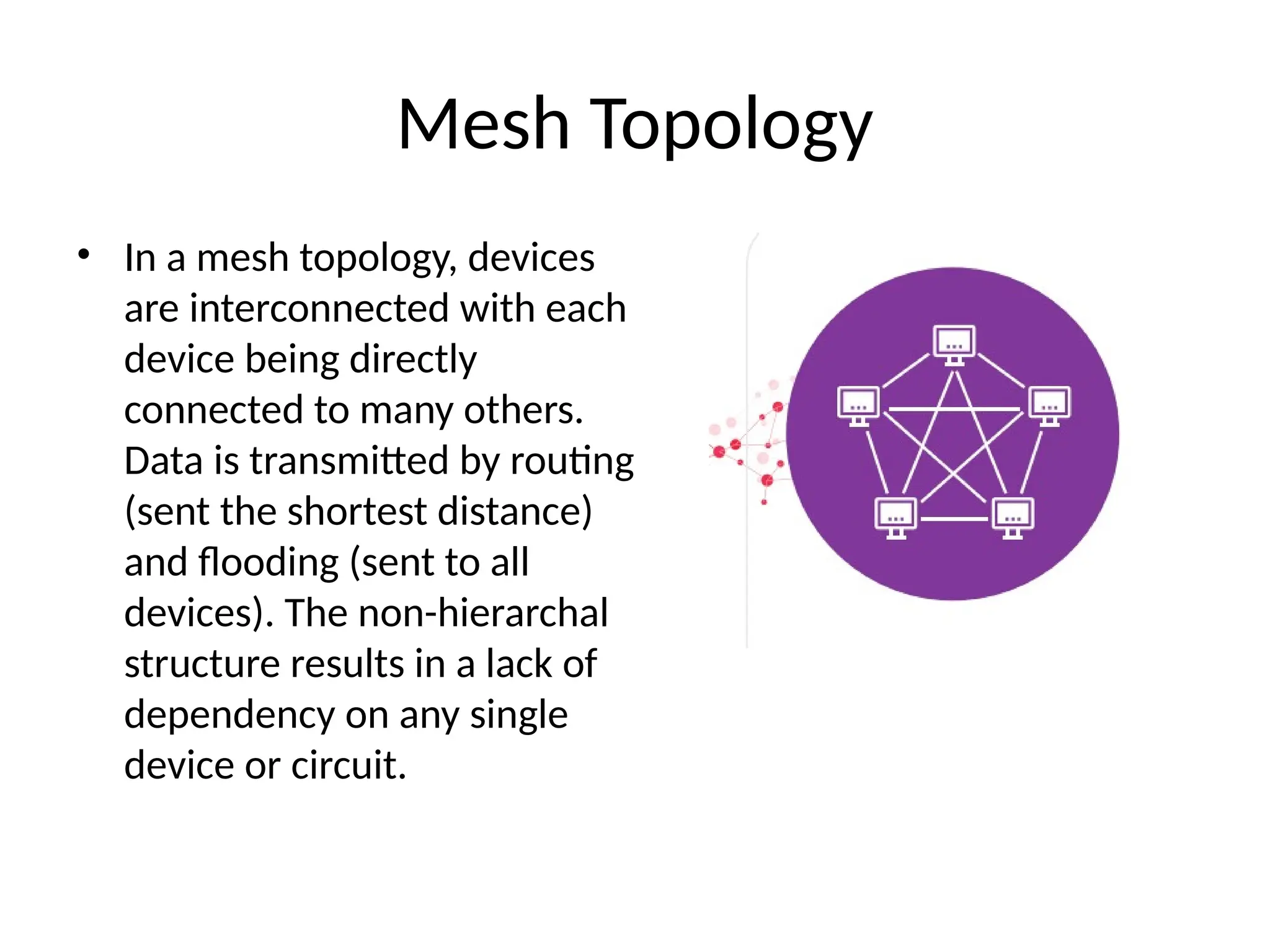
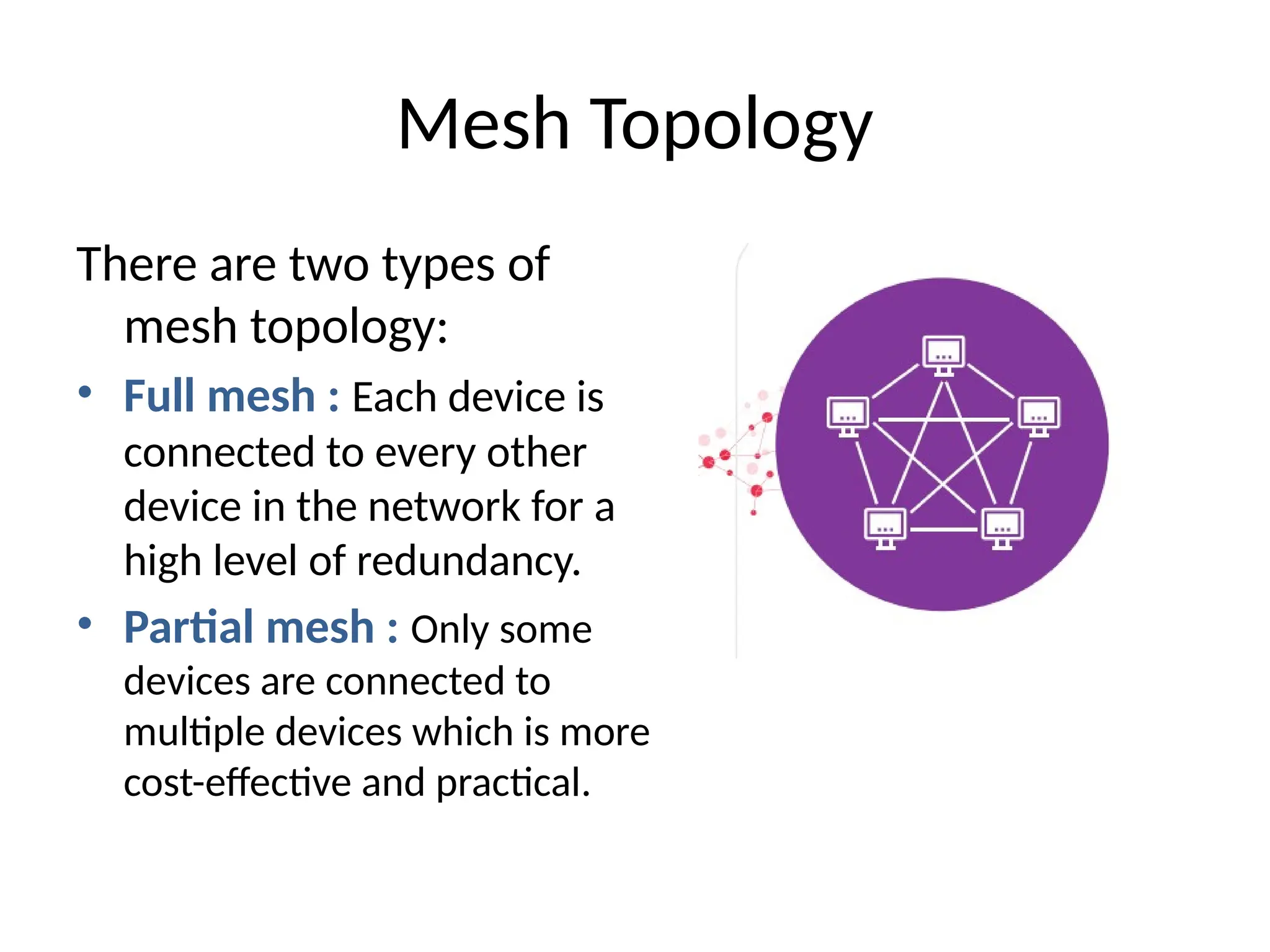
• Ina mesh topology, devices
are interconnected with each
device being directly
connected to many others.
Data is transmitted by routing
(sent the shortest distance)
and flooding (sent to all
devices). The non-hierarchal
structure results in a lack of
dependency on any single
device or circuit.
13.
There are twotypes of
mesh topology:
• Full mesh : Each device is
connected to every other
device in the network for a
high level of redundancy.
• Partial mesh : Only some
devices are connected to
multiple devices which is more
cost-effective and practical.
Mesh Topology
14.
Advantages
• Highly reliableas there is
no possible single point of
failure
• Many devices can transmit
data at the same time,
allowing for high amounts
of traffic
• Moves, adds, and changes
can be done without taking
the network offline
Mesh Topology
Disadvantages
• Installation and
maintenance are time- and
resource-intensive
• Requires large amounts of
power, cabling, and port
capacity
• Potential for many
redundant connections
which increases costs and
reduces efficiency
15.
Tree Topology
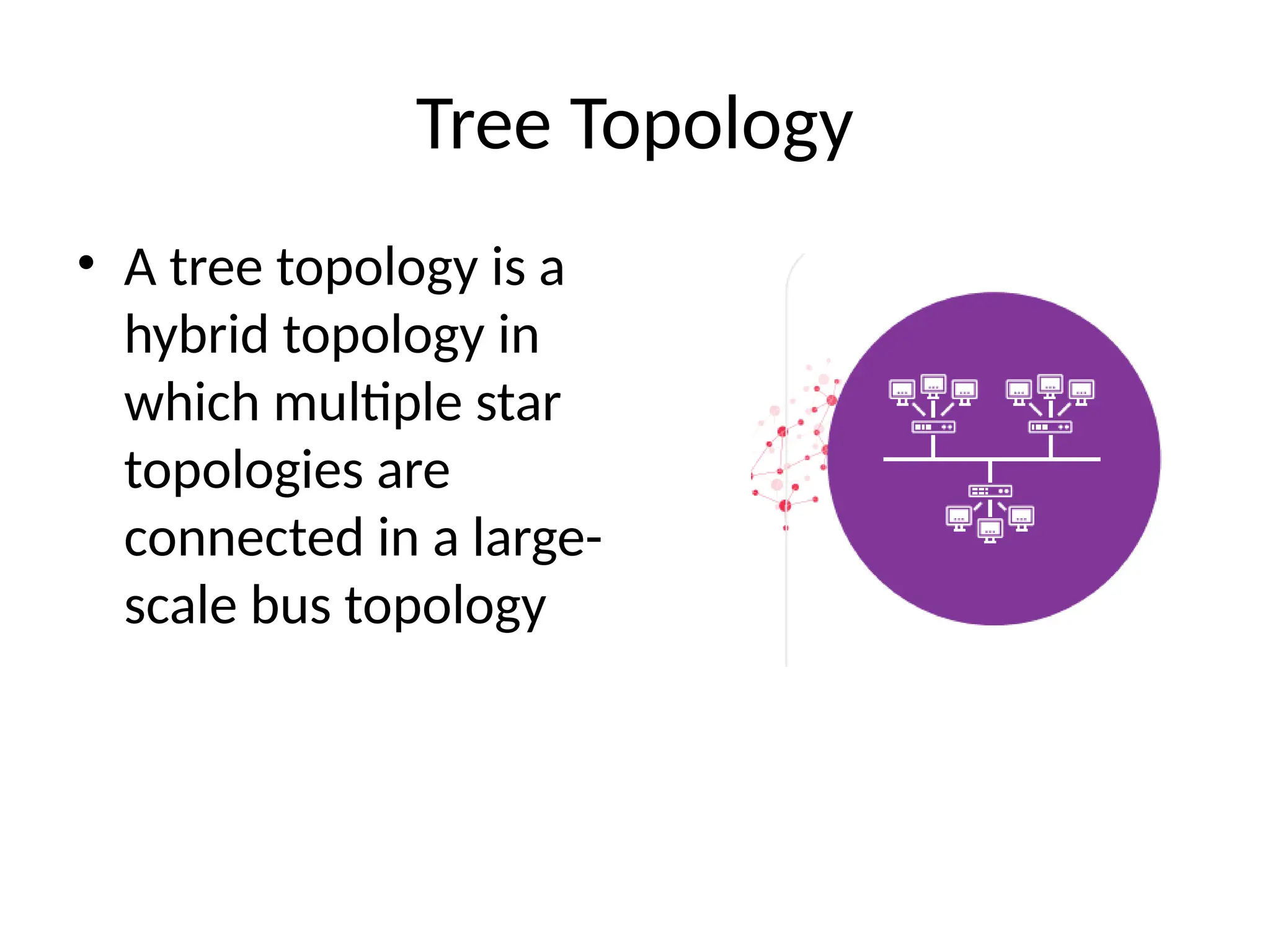
• Atree topology is a
hybrid topology in
which multiple star
topologies are
connected in a large-
scale bus topology
16.
Advantages
• Simplified troubleshooting
andmaintenance in which
each “branch” of the tree
can be individually
assessed
• Adding devices or entire
new star networks is
straightforward
• Can accommodate high
bandwidth and low latency
Tree Topology
Disadvantages
• The central bus cable
is a potential single
point of failure
• Difficult and expensive
to install initially
• Maintenance and
configuration are
difficult due to its
large size
17.
Hybrid Topology
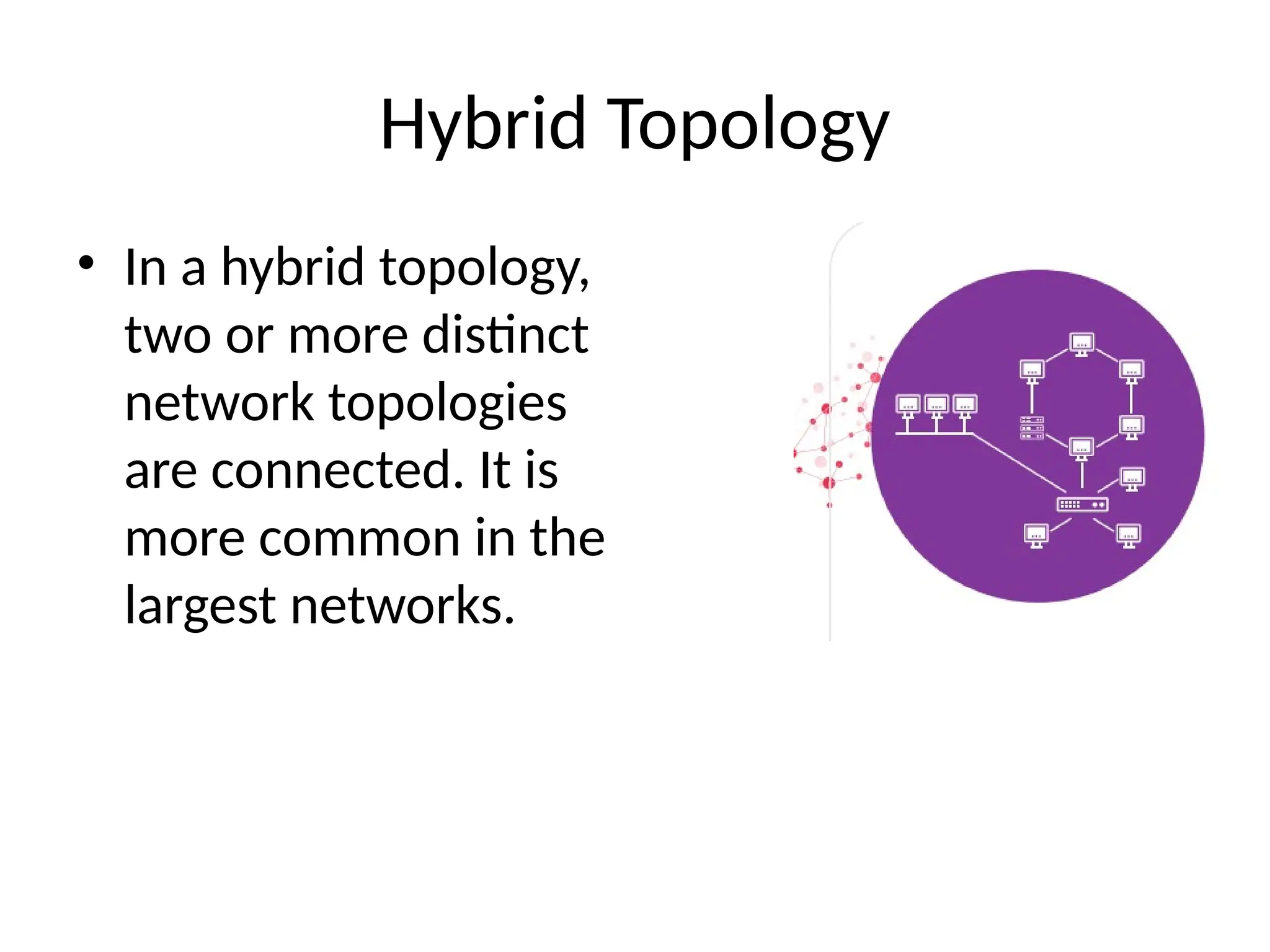
• Ina hybrid topology,
two or more distinct
network topologies
are connected. It is
more common in the
largest networks.
18.
Advantages
• Scalability makesit easy to add
devices without disrupting the
existing network
• Flexibility to be designed
according to an organization’s
specific requirements and
available resources
• Faulty components can be isolated
from the rest of the network for
maintenance without affecting the
rest of the network
Disadvantages
• High complexity makes it
difficult and expensive to
design, install, and maintain
• Large scale networks require a
lot of power, space, and
cooling resources in addition
to cabling and ports
• Difficult to document and
manage, leading to long times
tracing cables and
troubleshooting issues
Hybrid Topology
19.
Point To PointTopology
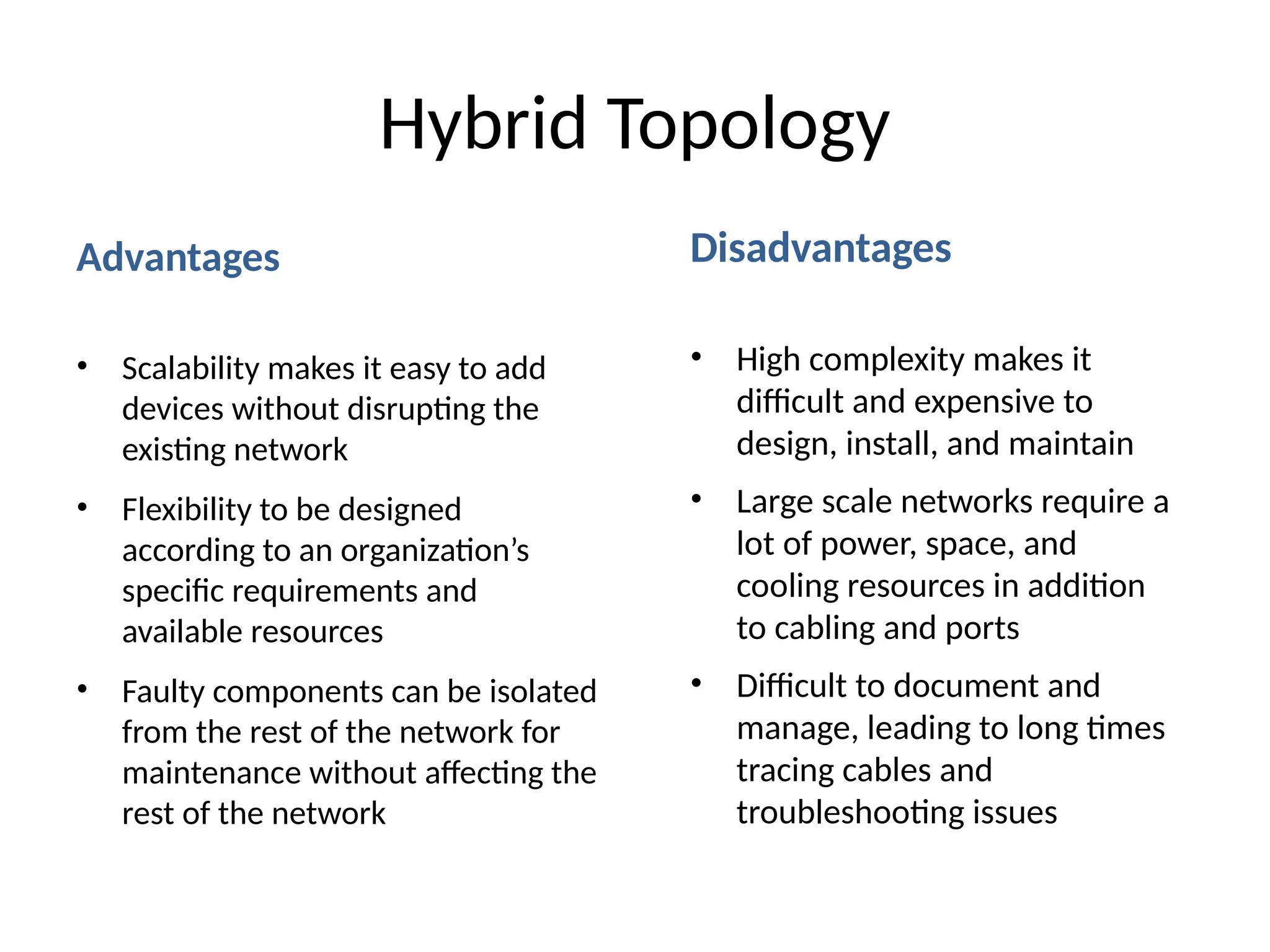
• In a point-to-point topology, two devices are connected by a
single cable
Advantages
• The simplest
network possible
• All available
bandwidth is
dedicated to the two
devices
• A device can easily
be replaced
Disadvantages
• Very few real-world
applications
• Devices must be
closely situated
• If either device fails,
the network fails
20.
Daisy Chain Topology
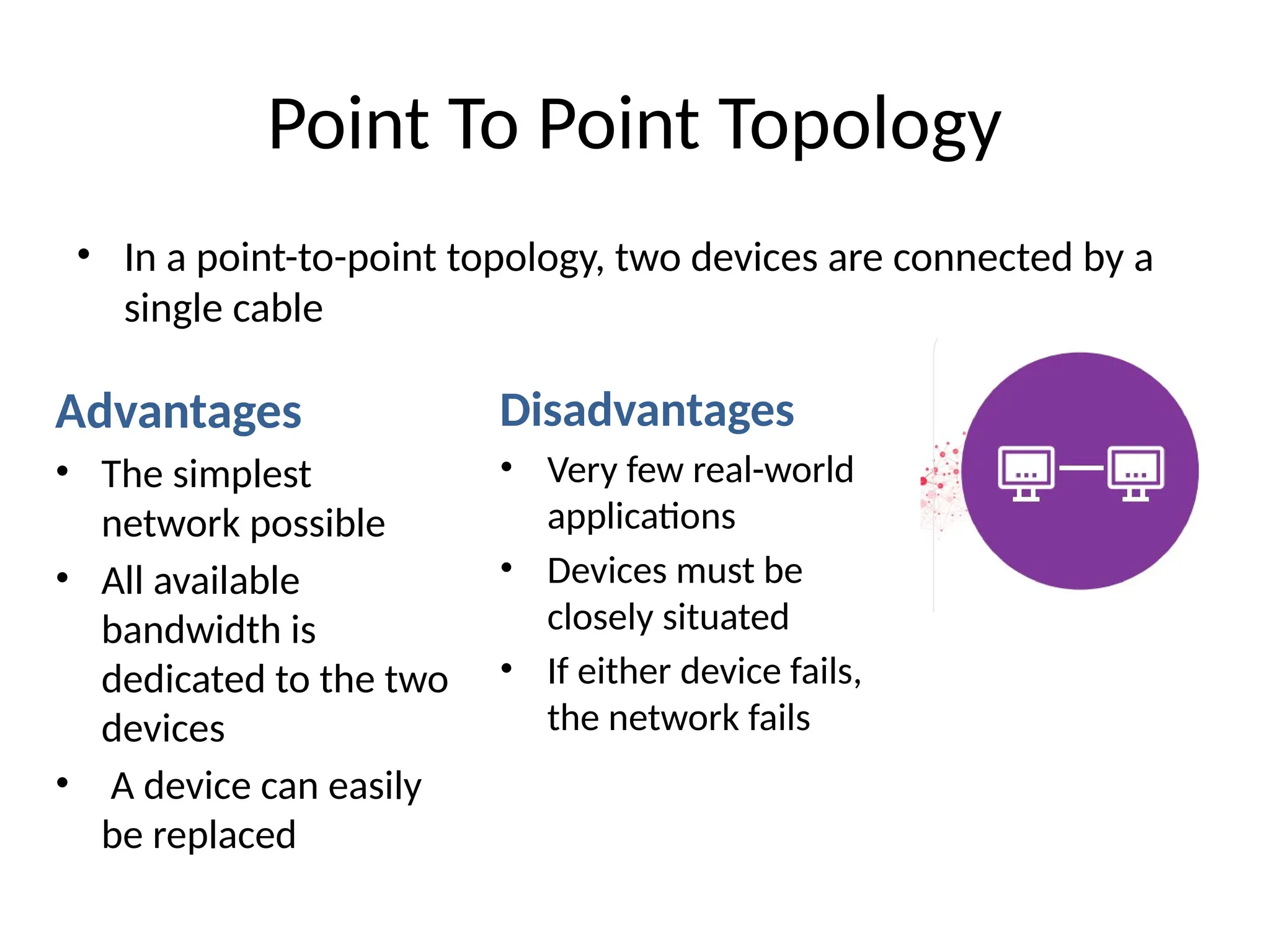
•In a daisy chain topology,
all devices are connected
in a series. Data travels in
one direction from the
source until it reaches its
destination. A daisy chain
forms a ring topology
when it is congured as a
closed loop.
21.
Advantages
• One ofthe easiest networks
to add devices to
• Cheap to install
• Minimal cables required
Disadvantages
• Network speed is reduced
proportionately as the
number of devices increases
• Network speed is reduced
proportionately as the
number of devices increases
• The entire network needs to
be taken offline to perform
maintenance
Daisy Chain Topology