Introduction to Computer and Application
Ts. Zahirrudin Bin Idris
IXA1124
April 2020
Introduction to
Computer
Computer definition:
A computer is an electronic device,
operating under the control of
instructions stored in its own memory that
can accept data (input), process the
data according to specified rules, produce
information (output), and store the
information for future use.
Functionalities
of a computer
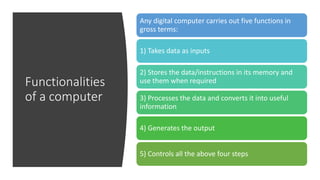
Any digital computer carries out five functions in
gross terms:
1) Takes data as inputs
2) Stores the data/instructions in its memory and
use them when required
3) Processes the data and converts it into useful
information
4) Generates the output
5) Controls all the above four steps
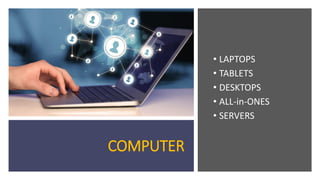
COMPUTER
• LAPTOPS
• TABLETS
• DESKTOPS
• ALL-in-ONES
• SERVERS
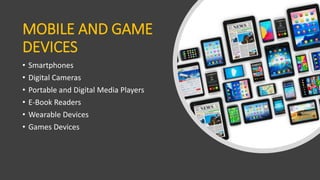
MOBILE AND GAME
DEVICES
• Smartphones
• Digital Cameras
• Portable and Digital Media Players
• E-Book Readers
• Wearable Devices
• Games Devices
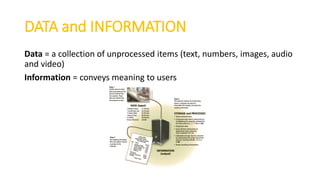
DATA and INFORMATION
Data = a collection of unprocessed items (text, numbers, images, audio
and video)
Information = conveys meaning to users
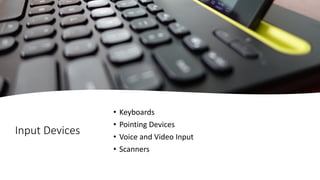
Input Devices
• Keyboards
• Pointing Devices
• Voice and Video Input
• Scanners
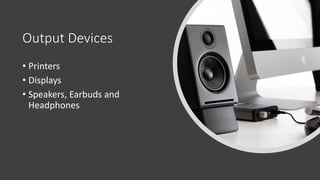
Output Devices
• Printers
• Displays
• Speakers, Earbuds and
Headphones
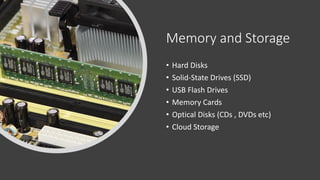
Memory and Storage
• Hard Disks
• Solid-State Drives (SSD)
• USB Flash Drives
• Memory Cards
• Optical Disks (CDs , DVDs etc)
• Cloud Storage
THE WEB
• Browsing the Web (chrome, Firefox,
Safari, Microsoft Edge etc)
• Searching the Web (Google, Yahoo etc)
• Online Social Networks (FB, LinkedIn,
Twitter etc)
• Internet Communication (E-mail , VoIP,
WhatsApp, Messenger etc)
DIGITAL
SECURITY
AND PRIVACY
Viruses and other Malware
Privacy
Health Concerns
Environmental Issues (Green computing)
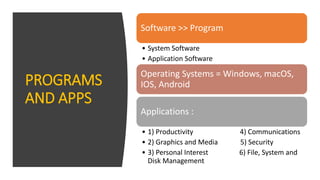
PROGRAMS
AND APPS
Software >> Program
• System Software
• Application Software
Operating Systems = Windows, macOS,
IOS, Android
Applications :
• 1) Productivity 4) Communications
• 2) Graphics and Media 5) Security
• 3) Personal Interest 6) File, System and
Disk Management
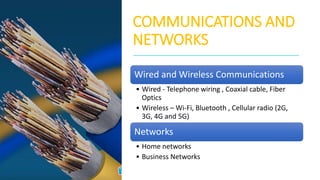
COMMUNICATIONS AND
NETWORKS
Wired and Wireless Communications
• Wired - Telephone wiring , Coaxial cable, Fiber
Optics
• Wireless – Wi-Fi, Bluetooth , Cellular radio (2G,
3G, 4G and 5G)
Networks
• Home networks
• Business Networks
TECHNOLOGY USES
• Education
• Government
• Finance
• Retail
• Entertainment
• Health Care
• Science
• Travel
• Publishing
• Manufacturing
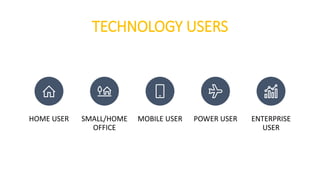
TECHNOLOGY USERS
HOME USER SMALL/HOME
OFFICE
MOBILE USER POWER USER ENTERPRISE
USER
Computer Application

Computer Application

  • 1.
    Introduction to Computerand Application Ts. Zahirrudin Bin Idris IXA1124 April 2020
  • 2.
    Introduction to Computer Computer definition: Acomputer is an electronic device, operating under the control of instructions stored in its own memory that can accept data (input), process the data according to specified rules, produce information (output), and store the information for future use.
  • 3.
    Functionalities of a computer Anydigital computer carries out five functions in gross terms: 1) Takes data as inputs 2) Stores the data/instructions in its memory and use them when required 3) Processes the data and converts it into useful information 4) Generates the output 5) Controls all the above four steps
  • 4.
    COMPUTER • LAPTOPS • TABLETS •DESKTOPS • ALL-in-ONES • SERVERS
  • 5.
    MOBILE AND GAME DEVICES •Smartphones • Digital Cameras • Portable and Digital Media Players • E-Book Readers • Wearable Devices • Games Devices
  • 6.
    DATA and INFORMATION Data= a collection of unprocessed items (text, numbers, images, audio and video) Information = conveys meaning to users
  • 7.
    Input Devices • Keyboards •Pointing Devices • Voice and Video Input • Scanners
  • 8.
    Output Devices • Printers •Displays • Speakers, Earbuds and Headphones
  • 9.
    Memory and Storage •Hard Disks • Solid-State Drives (SSD) • USB Flash Drives • Memory Cards • Optical Disks (CDs , DVDs etc) • Cloud Storage
  • 10.
    THE WEB • Browsingthe Web (chrome, Firefox, Safari, Microsoft Edge etc) • Searching the Web (Google, Yahoo etc) • Online Social Networks (FB, LinkedIn, Twitter etc) • Internet Communication (E-mail , VoIP, WhatsApp, Messenger etc)
  • 11.
    DIGITAL SECURITY AND PRIVACY Viruses andother Malware Privacy Health Concerns Environmental Issues (Green computing)
  • 12.
    PROGRAMS AND APPS Software >>Program • System Software • Application Software Operating Systems = Windows, macOS, IOS, Android Applications : • 1) Productivity 4) Communications • 2) Graphics and Media 5) Security • 3) Personal Interest 6) File, System and Disk Management
  • 13.
    COMMUNICATIONS AND NETWORKS Wired andWireless Communications • Wired - Telephone wiring , Coaxial cable, Fiber Optics • Wireless – Wi-Fi, Bluetooth , Cellular radio (2G, 3G, 4G and 5G) Networks • Home networks • Business Networks
  • 14.
    TECHNOLOGY USES • Education •Government • Finance • Retail • Entertainment • Health Care • Science • Travel • Publishing • Manufacturing
  • 15.
    TECHNOLOGY USERS HOME USERSMALL/HOME OFFICE MOBILE USER POWER USER ENTERPRISE USER