Ben Riddock
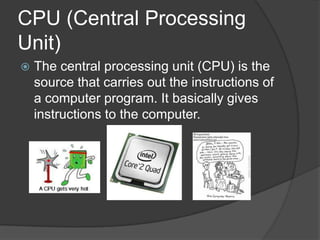
CPU (Central Processing
Unit)
   The central processing unit (CPU) is the
    source that carries out the instructions of
    a computer program. It basically gives
    instructions to the computer.
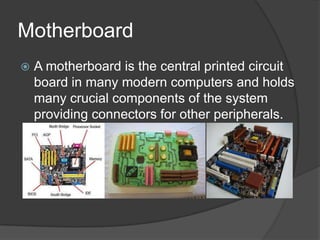
Motherboard
   A motherboard is the central printed circuit
    board in many modern computers and holds
    many crucial components of the system
    providing connectors for other peripherals.
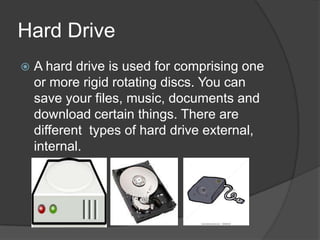
Hard Drive
   A hard drive is used for comprising one
    or more rigid rotating discs. You can
    save your files, music, documents and
    download certain things. There are
    different types of hard drive external,
    internal.
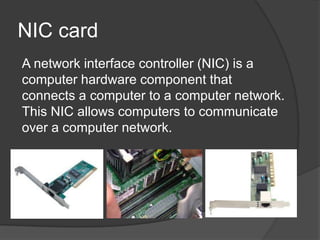
NIC card
A network interface controller (NIC) is a
computer hardware component that
connects a computer to a computer network.
This NIC allows computers to communicate
over a computer network.
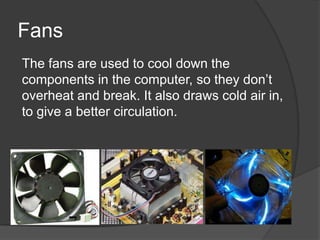
Fans
The fans are used to cool down the
components in the computer, so they don’t
overheat and break. It also draws cold air in,
to give a better circulation.
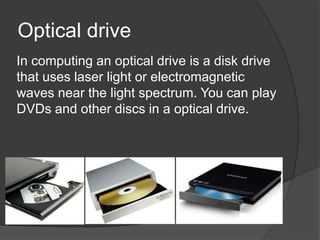
Optical drive
In computing an optical drive is a disk drive
that uses laser light or electromagnetic
waves near the light spectrum. You can play
DVDs and other discs in a optical drive.
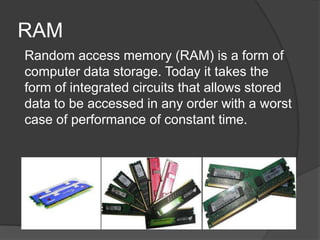
RAM
Random access memory (RAM) is a form of
computer data storage. Today it takes the
form of integrated circuits that allows stored
data to be accessed in any order with a worst
case of performance of constant time.
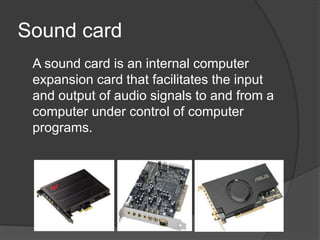
Sound card
 A sound card is an internal computer
 expansion card that facilitates the input
 and output of audio signals to and from a
 computer under control of computer
 programs.
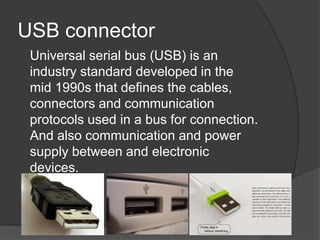
USB connector
 Universal serial bus (USB) is an
 industry standard developed in the
 mid 1990s that defines the cables,
 connectors and communication
 protocols used in a bus for connection.
 And also communication and power
 supply between and electronic
 devices.
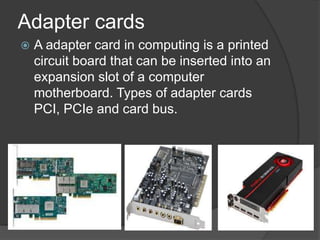
Adapter cards
   A adapter card in computing is a printed
    circuit board that can be inserted into an
    expansion slot of a computer
    motherboard. Types of adapter cards
    PCI, PCIe and card bus.
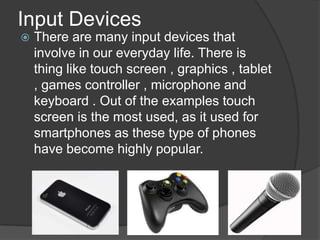
Input Devices
   There are many input devices that
    involve in our everyday life. There is
    thing like touch screen , graphics , tablet
    , games controller , microphone and
    keyboard . Out of the examples touch
    screen is the most used, as it used for
    smartphones as these type of phones
    have become highly popular.
Output Devices
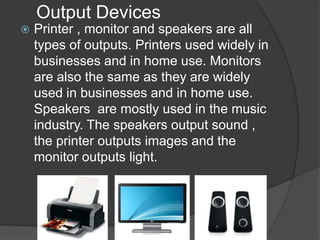
   Printer , monitor and speakers are all
    types of outputs. Printers used widely in
    businesses and in home use. Monitors
    are also the same as they are widely
    used in businesses and in home use.
    Speakers are mostly used in the music
    industry. The speakers output sound ,
    the printer outputs images and the
    monitor outputs light.
Inside of a computer
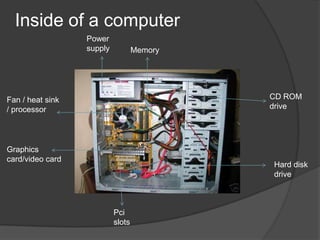
                  Power
                  supply           Memory


Fan / heat sink                             CD ROM
/ processor                                 drive


Graphics
card/video card
                                            Hard disk
                                            drive


                           Pci
                           slots

Components of a computer ben riddock

  • 1.
  • 2.
    CPU (Central Processing Unit)  The central processing unit (CPU) is the source that carries out the instructions of a computer program. It basically gives instructions to the computer.
  • 3.
    Motherboard  A motherboard is the central printed circuit board in many modern computers and holds many crucial components of the system providing connectors for other peripherals.
  • 4.
    Hard Drive  A hard drive is used for comprising one or more rigid rotating discs. You can save your files, music, documents and download certain things. There are different types of hard drive external, internal.
  • 5.
    NIC card A networkinterface controller (NIC) is a computer hardware component that connects a computer to a computer network. This NIC allows computers to communicate over a computer network.
  • 6.
    Fans The fans areused to cool down the components in the computer, so they don’t overheat and break. It also draws cold air in, to give a better circulation.
  • 7.
    Optical drive In computingan optical drive is a disk drive that uses laser light or electromagnetic waves near the light spectrum. You can play DVDs and other discs in a optical drive.
  • 8.
    RAM Random access memory(RAM) is a form of computer data storage. Today it takes the form of integrated circuits that allows stored data to be accessed in any order with a worst case of performance of constant time.
  • 9.
    Sound card Asound card is an internal computer expansion card that facilitates the input and output of audio signals to and from a computer under control of computer programs.
  • 10.
    USB connector Universalserial bus (USB) is an industry standard developed in the mid 1990s that defines the cables, connectors and communication protocols used in a bus for connection. And also communication and power supply between and electronic devices.
  • 11.
    Adapter cards  A adapter card in computing is a printed circuit board that can be inserted into an expansion slot of a computer motherboard. Types of adapter cards PCI, PCIe and card bus.
  • 12.
    Input Devices  There are many input devices that involve in our everyday life. There is thing like touch screen , graphics , tablet , games controller , microphone and keyboard . Out of the examples touch screen is the most used, as it used for smartphones as these type of phones have become highly popular.
  • 13.
    Output Devices  Printer , monitor and speakers are all types of outputs. Printers used widely in businesses and in home use. Monitors are also the same as they are widely used in businesses and in home use. Speakers are mostly used in the music industry. The speakers output sound , the printer outputs images and the monitor outputs light.
  • 14.
    Inside of acomputer Power supply Memory Fan / heat sink CD ROM / processor drive Graphics card/video card Hard disk drive Pci slots