QUALITY.	PRODUCTIVITY.	 INNOVATION.
endava.com
Common	Web	Security	Threats
…	and what	to	do	about	them
Eoin Woods
Endava
3
3
Introductions
Eoin	Woods
• CTO	at	Endava
• Career	has	spanned	products	and	applications
• Architecture	 and	software	 engineering
• Bull,	Sybase,	InterTrust
• BGI	(Barclays)	and	UBS
• Long	time	security	dabbler
• Increasingly	concerned	at	cyber	threat	for	“normal”	systems
4
4
Content
Introducing	Web	Security	Threats
The	OWASP	Web	Vulnerabilities	List
Useful	Tools	to	Know	About
Reviewing	Defences
Summary
Introducing	Web	Security	Threats
6
6
Web	Security	Threats
We	need	systems	that	are	dependable	in	the	face	of
• Malice
• Error
• Mischance
People	are	sometimes	bad,	stupid or	just	unlucky
System	security	aims	to	mitigate	these	situations
7
7
Web	Security	Threats
System	threats	are	similar	to	real-world	threats:
• Theft
• Fraud
• Destruction
• Disruption
Anything	of	value may	attract	unwelcome	attention
“I	rob	banks	because	that’s	where	the	money	is”	– Willie	Sutton
8
8
Web	Security	Threats
Why	do	we	care	about	these	threats?
• A	threat	is	a	risk	of	a	loss of	some	sort
Common	types	of	loss	are:
• Time
• Money
• Privacy
• Reputation
• Advantage
9
Web	Security	Threats
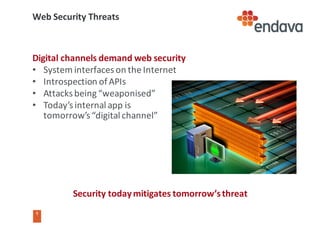
Security	today	mitigates	tomorrow’s	threat
Digital	channels	demand	web	security
• System	interfaces	on	the	Internet	
• Introspection	of	APIs
• Attacks	being	“weaponised”
• Today’s	internal	app	is	
tomorrow’s	“digital	channel”
10
10
Who	are	OWASP?
The	Open	Web	Application	Security	Project
• Largely	volunteer	organisation,	largely	online
Exists	to	improve	the	state	of	software	security
• Research,	tools,	guidance,	standards
• Runs	local	chapters	for	face	to	face	meetings	(UK	has	10+)
“OWASP	Top	10”	project	lists	top	application	security	risks
• Referenced	widely	by	MITRE,	PCI	DSS	and	similar
• Updated	every	few	years	(2003,	2004,	2007,	2010,	2013)
11
11
Other	Selected	Security	Organisations
MITRE	Corporation
• Common	Vulnerabilities	and	Exposures	(CVE)
• Common	Weaknesses	Enumeration	(CWE)
SAFECode
• Fundamental	Practices	for	Secure	Software	Development
• Training
There	are	a	lot	of	others	too	(CPNI,	CERT,	CIS,	ISSA,	…)
OWASP	Web	Vulnerabilities	List
13
13
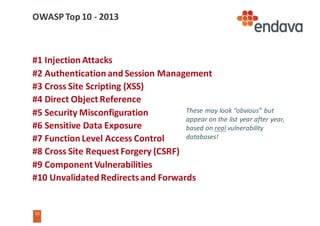
OWASP	Top	10	- 2013
#1	Injection	Attacks
#2	Authentication	and	Session	Management
#3	Cross	Site	Scripting	(XSS)
#4	Direct	Object	Reference
#5	Security	Misconfiguration
#6	Sensitive	Data	Exposure
#7	Function	Level	Access	Control
#8	Cross	Site	Request	Forgery	(CSRF)
#9	Component	Vulnerabilities
#10	Unvalidated Redirects	and	Forwards
These	may	look	“obvious”	but	
appear	on	the	list	year	after	year,	
based	on	real vulnerability	
databases!
14
14
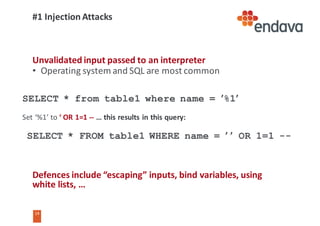
#1	Injection	Attacks
Unvalidated input	passed	to	an	interpreter
• Operating	system	and	SQL	are	most	common
Defences	include	“escaping”	inputs,	bind	variables,	using	
white	lists,	…
SELECT * from table1 where name = ’%1’
Set	‘%1’	to	‘	OR	1=1	-- …	this	results	in	this	query:
SELECT * FROM table1 WHERE name = ’	’ OR 1=1 --
15
15
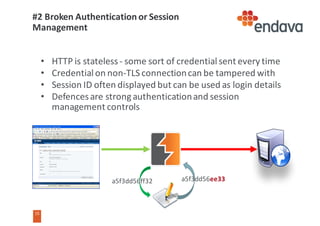
#2	Broken	Authentication	or	Session	
Management
• HTTP	is	stateless	- some	sort	of	credential	sent	every	time
• Credential	on	non-TLS	connection	can	be	tampered	with
• Session	ID	often	displayed	but	can	be	used	as	login	details
• Defences	are	strong	authentication	and	session	
management	controls
a5f3dd56ff32 a5f3dd56ee33
16
16
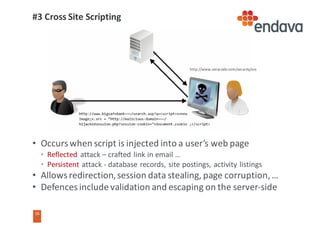
#3	Cross	Site	Scripting
• Occurs	when	script	is	injected	into	a	user’s	web	page
• Reflected attack	– crafted	link	in	email	…
• Persistent attack	- database	records,	site	postings,	activity	listings
• Allows	redirection,	session	data	stealing,	page	corruption,	…
• Defences	include	validation	and	escaping	on	the	server-side
http://www.veracode.com/security/xss
17
17
#4	Insecure	Direct	Object	Refs
Directly	referencing	filenames,	IDs	and	similar	in	requests
• Not	authenticating	access	to	each	on	the	server
• e.g.	relying	on	limited	list	of	options	returned	to	client
• Client	can	modify	request	and	gain	access	to	other	objects
Defences	include	using	pseudo	references	on	client	and	
authenticating	all	object	accesses
http://mysite.com/view?id=file1.txt
…	how	about:					http://mysite.com/view?id=../robots.txt ??
18
18
#5	Security	Misconfiguration
Security	configuration	is	often	complicated
• Many	different	places	to	put	it,	complex	semantics
• Layers	from	OS	to	application	all	need	to	be	consistent
It	is	easy	to	accidentally	miss	an	important	part
• OS	file	permissions?
• .htaccess files?
• Shared	credentials	in	test	and	production?
Allows	accidental	access	to	resources	or	even	site	modification
Mitigation	via	scanning,	standardisation,	simplicity	and	automation
19
19
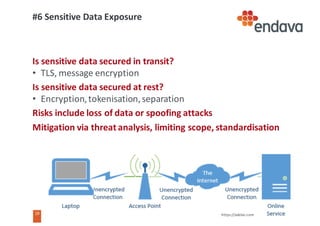
#6	Sensitive	Data	Exposure
Is	sensitive	data	secured	in	transit?
• TLS,	message	encryption
Is	sensitive	data	secured	at	rest?		
• Encryption,	tokenisation,	separation
Risks	include	loss	of	data	or	spoofing	attacks
Mitigation	via	threat	analysis,	limiting	scope,	standardisation
https://askleo.com
20
20
#7	Function	Level	Access	Control	
Relying	on	information	sent	to	the	client	for	access	control
• e.g.	page	menu	omitting	“update”	and	“delete”	option	for	a	
record
• Not	checking	the	action	(function)	being	performed	on	the	server
Client	can	guess	the	right	request	form	for	the	other	actions
• Bypassed	security	model	- also	see	#4	Insecure	Object	References
Never	trust	the	client	- check	authorisation	for	every	request
http://www.example.com/gettxn?txnid=4567
à http://www.example.com/updttxn?tid=4567&value=100.00
21
21
#8	Cross	Site	Request	Forgery
User	triggers	malicious	code	that	submits	fraudulent	request	
using	browser	security	context	
• e.g.	click	a	link	=>	run	JavaScript	=>	change	Github password
Various	subtle	variations	on	this	make	defence	quite	difficult
• How	you	do	you	know	it	is	the	user?
Primary	defence	is	the	“challenge	value”	in	pages
• Check	for	the	latest	challenge	value	in	requests
• Add	authentication	steps	for	sensitive	operations
• Keep	short	sessions	with	real	logout	process
22
22
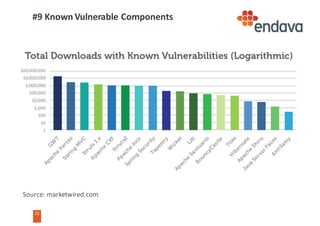
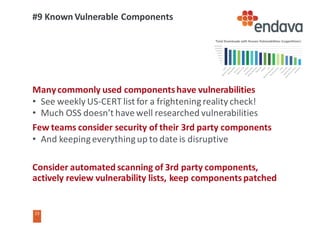
#9	Known	Vulnerable	Components
Source:	marketwired.com
23
23
#9	Known	Vulnerable	Components
Many	commonly	used	components	have	vulnerabilities
• See	weekly	US-CERT	list	for	a	frightening	reality	check!
• Much	OSS	doesn’t	have	well	researched	vulnerabilities
Few	teams	consider	security	of	their	3rd	party	components
• And	keeping	everything	up	to	date	is	disruptive
Consider	automated	scanning	of	3rd	party	components,	
actively	review	vulnerability	lists,	keep	components	patched
24
24
#10	Unvalidated Redirects	and	Forwards
Redirecting	or	forwarding	to	targets	based	on	parameters
Avoid	using	parameters	for	redirect	or	forward	targets
Where	parameter	is needed	use	a	key	and	map	on	server
http://www.mysite.com/selectpage?pageid=emea_home.html
-> http://…/selectpage?pageid=pishinghome.com
(Without	careful	validation	this	redirects	user	to	malicious	page)
25
25
Summary	of	Attack	Vector	Types
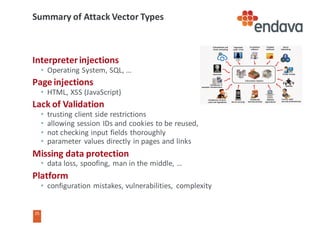
Interpreter	injections
• Operating	System,	SQL,	…
Page	injections
• HTML,	XSS	(JavaScript)
Lack	of	Validation
• trusting	client	side	restrictions
• allowing	session	IDs	and	cookies	to	be	reused,	
• not	checking	input	fields	thoroughly
• parameter	 values	directly	in	pages	and	links
Missing	data	protection
• data	loss,	spoofing,	man	in	the	middle,	…
Platform
• configuration	mistakes,	vulnerabilities,	 complexity
Useful	Tools
27
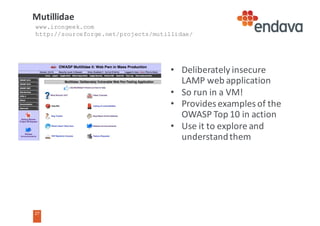
• Deliberately	insecure	
LAMP	web	application
• So	run	in	a	VM!
• Provides	examples	of	the	
OWASP	Top	10	in	action
• Use	it	to	explore	and	
understand	them
Mutillidae
www.irongeek.com
http://sourceforge.net/projects/mutillidae/
28
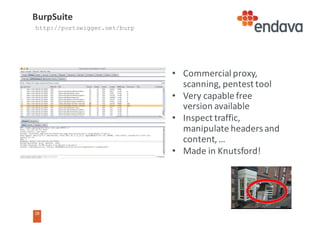
• Commercial	proxy,	
scanning,	pentest tool
• Very	capable	free	
version	available
• Inspect	traffic,	
manipulate	headers	and	
content,	…
• Made	in	Knutsford!
BurpSuite
http://portswigger.net/burp
29
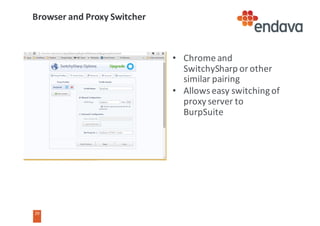
• Chrome	and	
SwitchySharp or	other	
similar	pairing
• Allows	easy	switching	of	
proxy	server	to	
BurpSuite
Browser	and	Proxy	Switcher
30
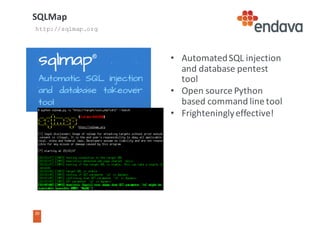
• Automated	SQL	injection	
and	database	pentest
tool
• Open	source	Python	
based	command	line	tool
• Frighteningly	effective!
SQLMap
http://sqlmap.org
31
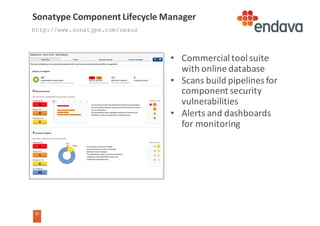
• Commercial	tool	suite	
with	online	database
• Scans	build	pipelines	for	
component	security	
vulnerabilities	
• Alerts	and	dashboards	
for	monitoring
Sonatype Component	Lifecycle	Manager
http://www.sonatype.com/nexus
32
32
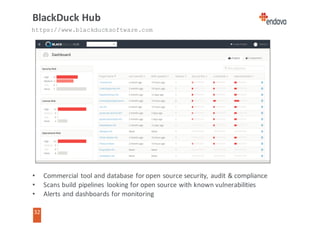
BlackDuck	Hub
• Commercial	tool	and	database	for	open	source	security,	audit	&	compliance
• Scans	build	pipelines	 looking	for	open	source	with	known	vulnerabilities
• Alerts	and	dashboards	for	monitoring
https://www.blackducksoftware.com
Demonstrations
34
34
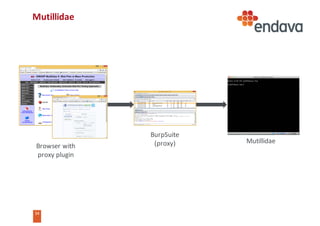
Mutillidae
Mutillidae
BurpSuite
(proxy)Browser	with
proxy	plugin
35
35
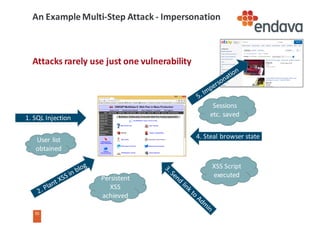
An	Example	Multi-Step	Attack	- Impersonation
Attacks	rarely	use	just	one	vulnerability
1.	SQL	Injection
User	list	
obtained
Persistent	
XSS	
achieved
XSS	Script	
executed
4.	Steal	browser	state
Sessions	
etc.	saved
Reviewing	Defences
37
37
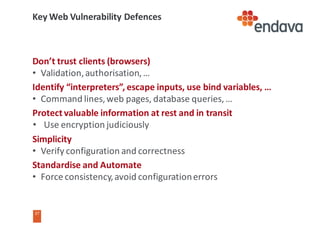
Key	Web	Vulnerability	Defences
Don’t	trust	clients	(browsers)
• Validation,	authorisation,	…
Identify	“interpreters”,	escape	inputs,	use	bind	variables,	…
• Command	lines,	web	pages,	database	queries,	…
Protect	valuable	information	at	rest	and	in	transit
• Use	encryption	judiciously
Simplicity
• Verify	configuration	and	correctness
Standardise	and	Automate
• Force	consistency,	avoid	configuration	errors
38
38
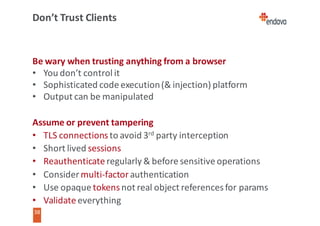
Don’t	Trust	Clients
Be	wary	when	trusting	anything	from	a	browser
• You	don’t	control	it
• Sophisticated	code	execution	(&	injection)	platform
• Output	can	be	manipulated
Assume	or	prevent	tampering
• TLS	connections	to	avoid	3rd party	interception
• Short	lived	sessions
• Reauthenticate regularly	&	before	sensitive	operations
• Consider	multi-factor authentication
• Use	opaque	tokens	not	real	object	references	for	params
• Validate	everything
39
39
Watch	out	for	injection
Many	pieces	of	software	act	as	interpreters
• Browser	for	HTML	and	JavaScript
• Operating	system	shells	– system(“mv $1 $2”)
• Databases	– query	languages
• Configuration	files
Assume	that	someone	will	work	it	out!
• Avoid	creating	commands	using	string	manipulation
• Use	libraries	and	bind	variables
• Escape	all	strings	being	passed	to	an	“interpreter”
• Use	a	third	party	“escaping”	library	(e.g.	OWASP)
• Reject	excessively	long	strings	(e.g.	username	>	30	char)
40
40
Protect	Valuable	Information
Defence	in	depth	– assume	perimeter	breach
• Encrypt	messaging	as	standard
• Consider	database	encryption
• Consider	file	or	filesystem	encryption
However	encryption	complicates	using	the	data
• Slows	everything	down
• Can	you	query	while	encrypted?
• Message	routing	on	sensitive	fields	(in	headers)
• How	do	you	manage	and	rotate	the	keys?
• What	about	restore	on	disaster	recovery?
http://getacoder.com
http://slate.com
41
41
Simplicity	&	Standardisation
Complexity	is	the	enemy	of	security
• “You	can’t	secure
what	you	don’t	understand”	- Schneier
• Special	cases	will	be	forgotten
Simplify,	Standardise	and	Automate
• Simpler	things	are	easier	to	check	and	secure
• Standardising	an	approach	means	there	are	no
special	cases	to	forget	to	handle
• Automation	eliminates	human	inconsistencies
from	the	process	so	avoiding	a	type	of	risk
http://innovationmanagement.se/
Summary
43
43
Summary
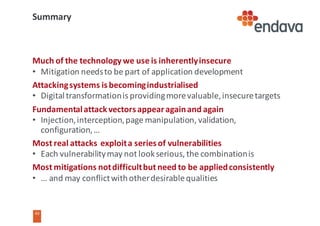
Much	of	the	technology	we	use	is	inherently	insecure
• Mitigation	needs	to	be	part	of	application	development
Attacking	systems	is	becoming	industrialised
• Digital	transformation	is	providing	more	valuable,	insecure	targets
Fundamental	attack	vectors	appear	again	and	again
• Injection,	interception,	page	manipulation,	validation,	
configuration,	…
Most	real	attacks		exploit	a	series	of	vulnerabilities
• Each	vulnerability	may	not	look	serious,	the	combination	is
Most	mitigations	not	difficult	but	need	to	be	applied	consistently
• …	and	may	conflict	with	other	desirable	qualities
44
44
Books
45
Thank	you
QUALITY.	PRODUCTIVITY.		INNOVATION.
Eoin	Woods
CTO
eoin.woods@endava.com
+44	207	367	1000
en_ewoods

Common WebApp Vulnerabilities and What to Do About Them