CoreData:
Connecting to the Cloud
an Improvement
Scott M. Neal
smn@automationgarden.com
smn.mg@acmefoo.org
scottmneal@gmail.com
© 2012-2014 AutomationGarden
1
Topics: tonight
Core Data Review

iCloud

2
2
Core Data Brief Review

3
3
Why CoreData?
Provides an OO layer for persistent storage

• Apple avoids the word “database”
don’t need to know SQL
• YouHardcoded, hacked SQL in apps is a Royal PITA to
• maintain

Why not just use Defaults?

• Defaults doesn’t know about relationships
• The OSX defaults command has limited access to
values below the top level
• PlistBuddy overcomes this
up to you to decide to use
or Core
• It’sbut once you know Core Data,Defaults to leave...Data
it’s hard
•
4
4
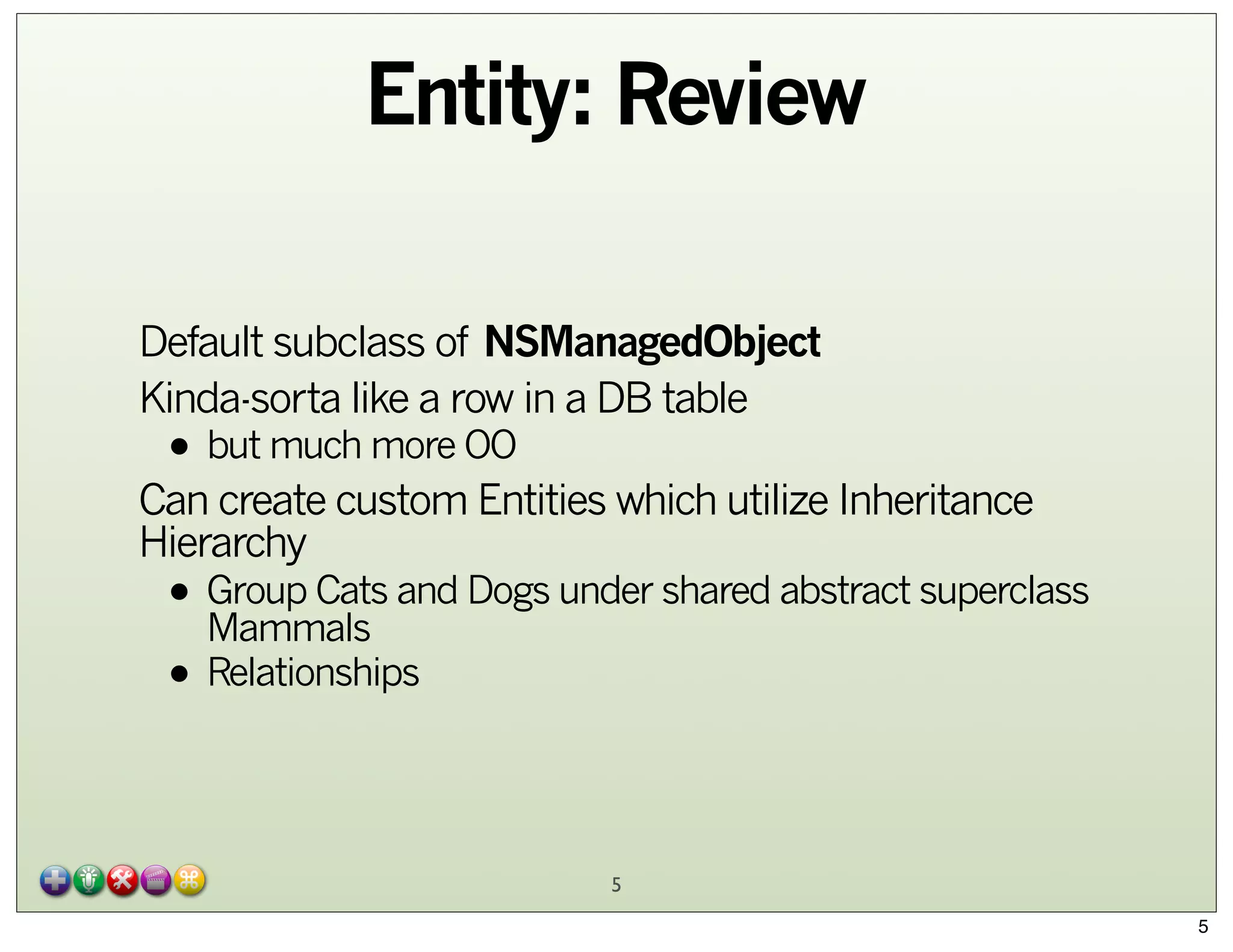
Entity: Review
Default subclass of NSManagedObject
Kinda-sorta like a row in a DB table

• but much more OO

Can create custom Entities which utilize Inheritance
Hierarchy

• Group Cats and Dogs under shared abstract superclass
Mammals
• Relationships
5
5
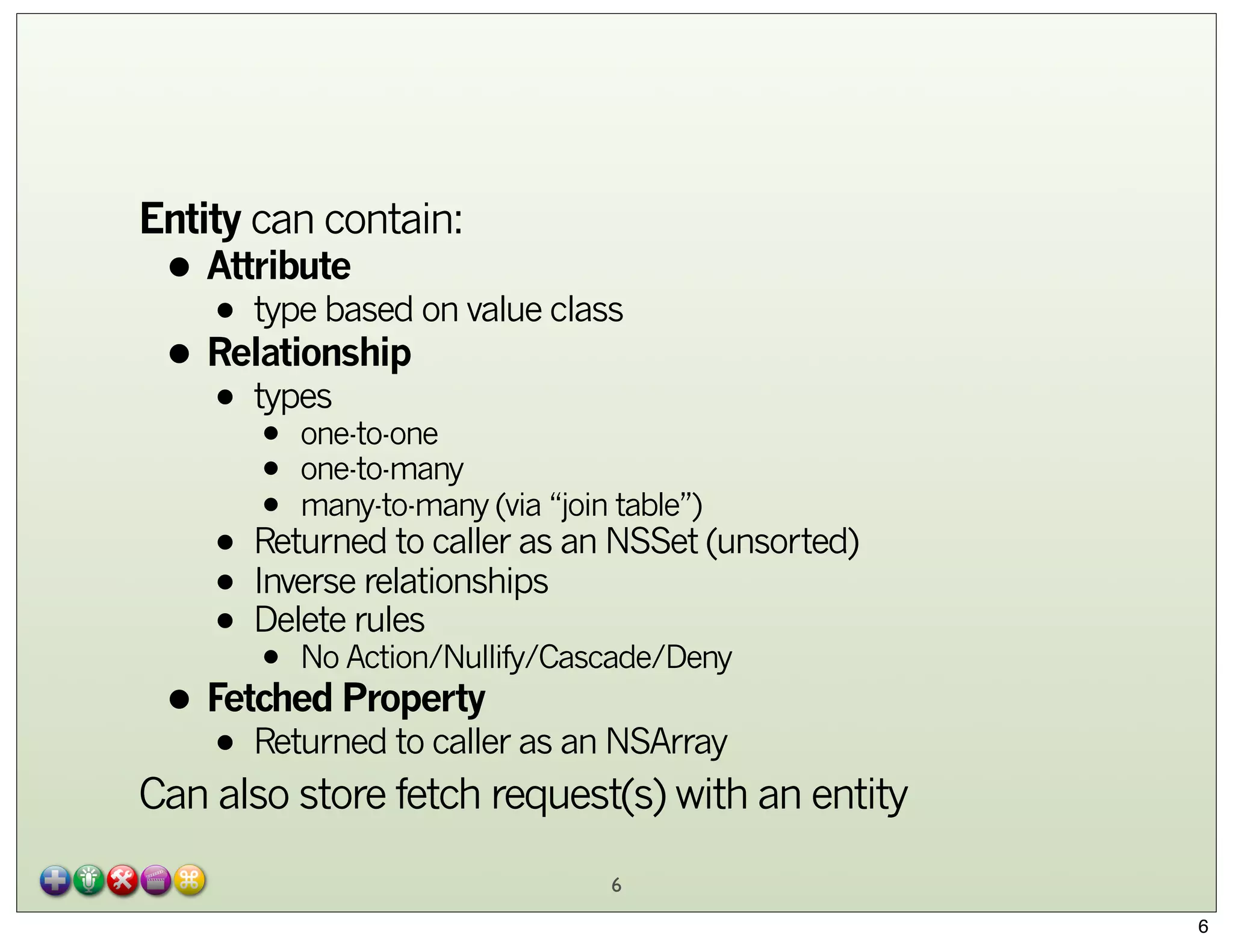
Entity can contain:

• Attribute on value class
• type based
• Relationship
types
•

•
•
•

one-to-one
one-to-many
many-to-many (via “join table”)

• Returned to caller as an NSSet (unsorted)
relationships
• Inverserules
• DeleteAction/Nullify/Cascade/Deny
No
•

• Fetched Property as an NSArray
Returned to caller
•

Can also store fetch request(s) with an entity
6
6
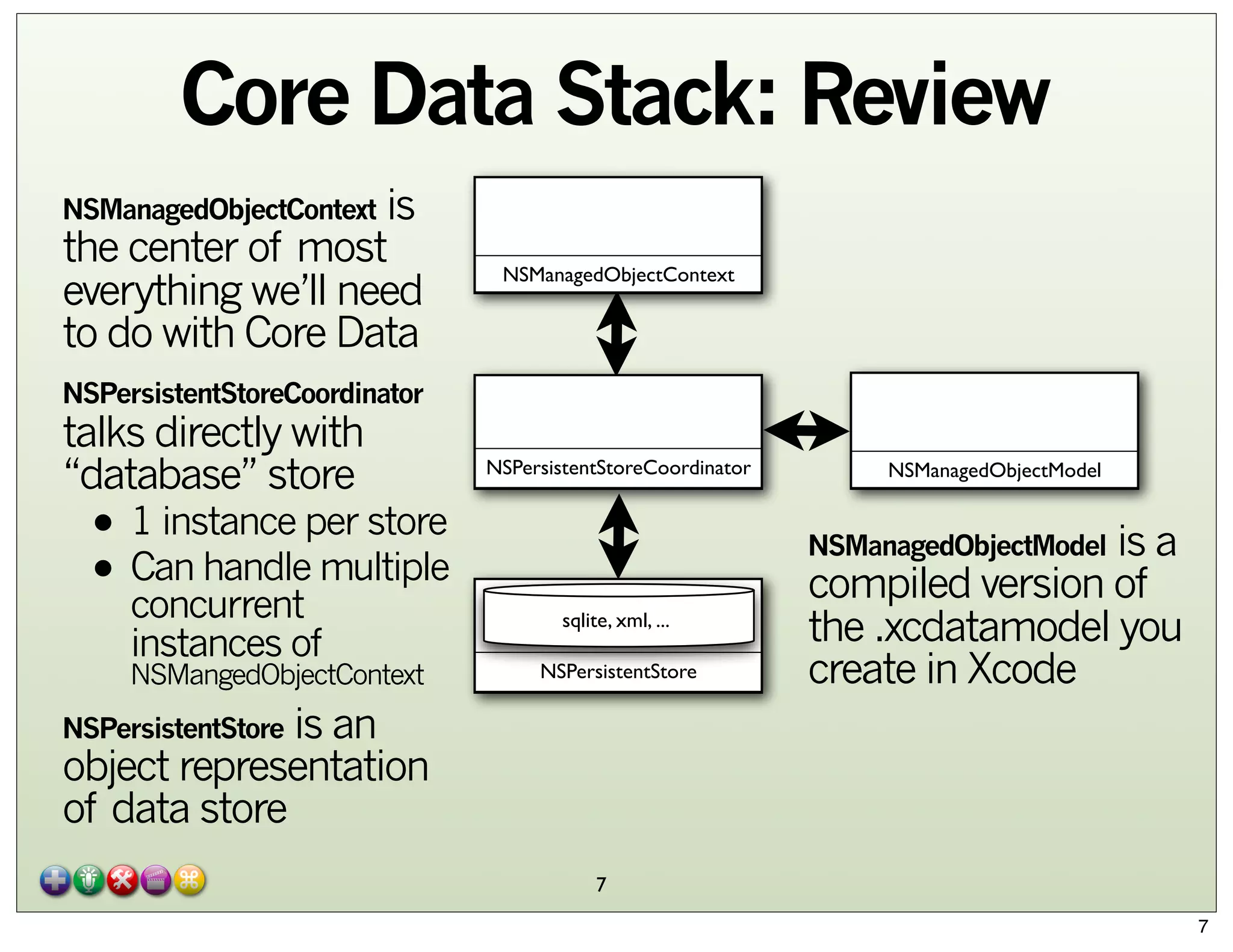
Core Data Stack: Review
is
the center of most
everything we’ll need
to do with Core Data
NSManagedObjectContext

NSManagedObjectContext

NSPersistentStoreCoordinator

talks directly with
“database” store

• 1 instance per store
• Can handle multiple
concurrent
instances of

NSMangedObjectContext

NSPersistentStoreCoordinator

NSManagedObjectModel

is a
compiled version of
the .xcdatamodel you
create in Xcode
NSManagedObjectModel

sqlite, xml, ...
NSPersistentStore

is an
object representation
of data store
NSPersistentStore

7
7
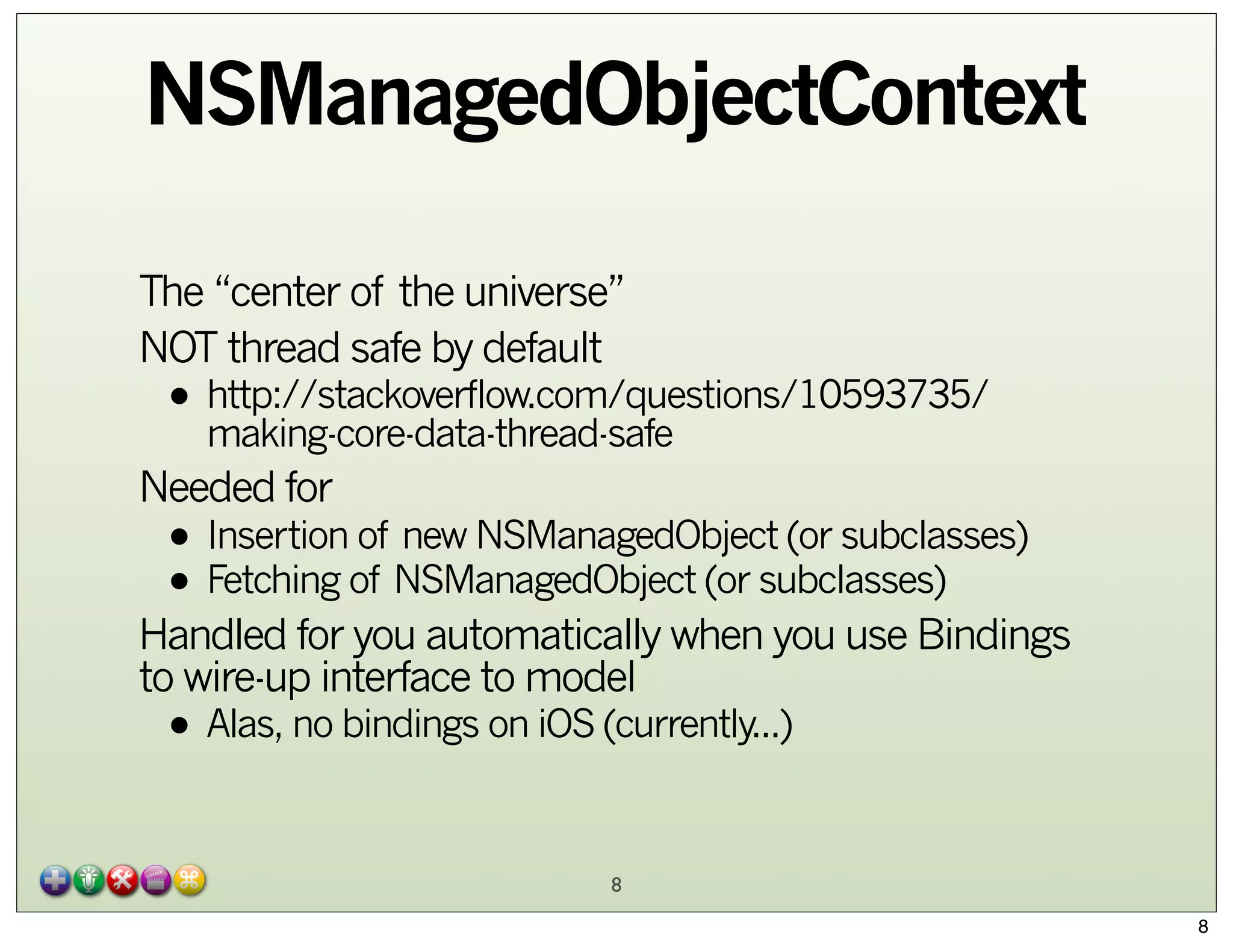
NSManagedObjectContext
The “center of the universe”
NOT thread safe by default

• http://stackoverflow.com/questions/10593735/
making-core-data-thread-safe

Needed for

• Insertion of new NSManagedObject (or subclasses)
• Fetching of NSManagedObject (or subclasses)

Handled for you automatically when you use Bindings
to wire-up interface to model

• Alas, no bindings on iOS (currently...)
8

8
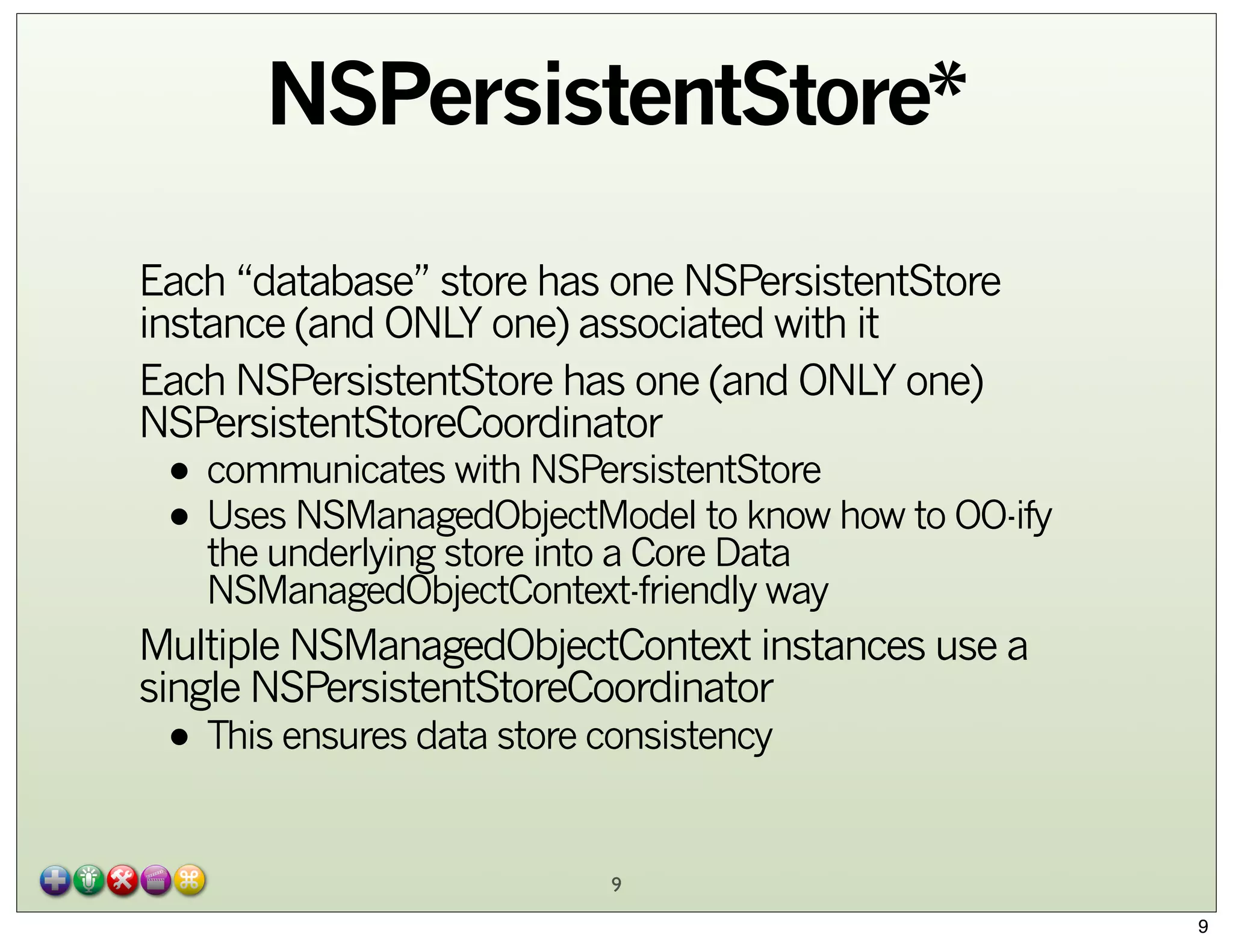
NSPersistentStore*
Each “database” store has one NSPersistentStore
instance (and ONLY one) associated with it
Each NSPersistentStore has one (and ONLY one)
NSPersistentStoreCoordinator

• communicates with NSPersistentStore
• Uses NSManagedObjectModel to know how to OO-ify
the underlying store into a Core Data
NSManagedObjectContext-friendly way

Multiple NSManagedObjectContext instances use a
single NSPersistentStoreCoordinator

• This ensures data store consistency
9

9
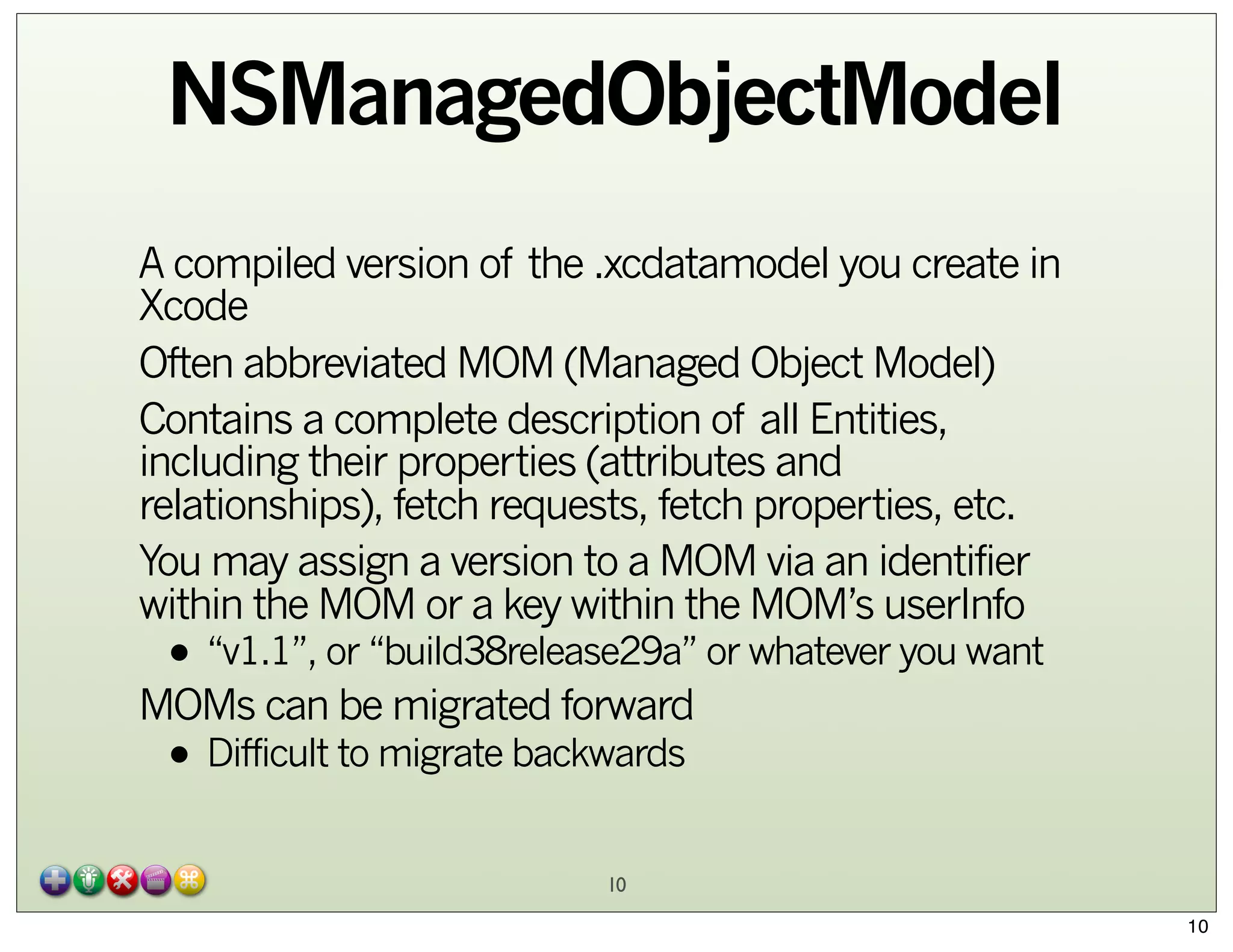
NSManagedObjectModel
A compiled version of the .xcdatamodel you create in
Xcode
Often abbreviated MOM (Managed Object Model)
Contains a complete description of all Entities,
including their properties (attributes and
relationships), fetch requests, fetch properties, etc.
You may assign a version to a MOM via an identifier
within the MOM or a key within the MOM’s userInfo

• “v1.1”, or “build38release29a” or whatever you want

MOMs can be migrated forward

• Difficult to migrate backwards
10

10
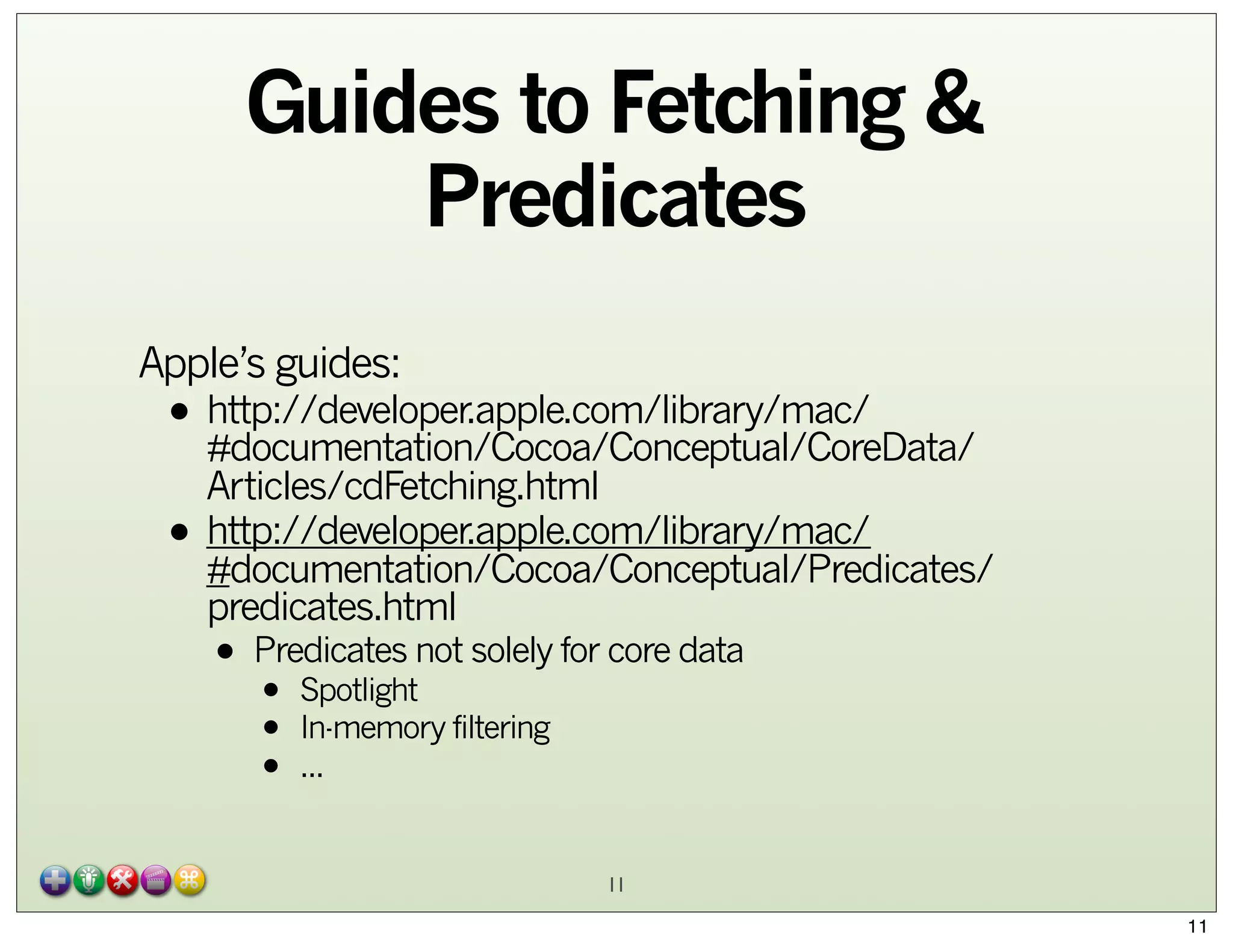
Guides to Fetching &
Predicates
Apple’s guides:

• http://developer.apple.com/library/mac/
#documentation/Cocoa/Conceptual/CoreData/
•

Articles/cdFetching.html
http://developer.apple.com/library/mac/
#documentation/Cocoa/Conceptual/Predicates/
predicates.html

• Predicates not solely for core data
Spotlight
•
•
•

In-memory filtering
...

11
11
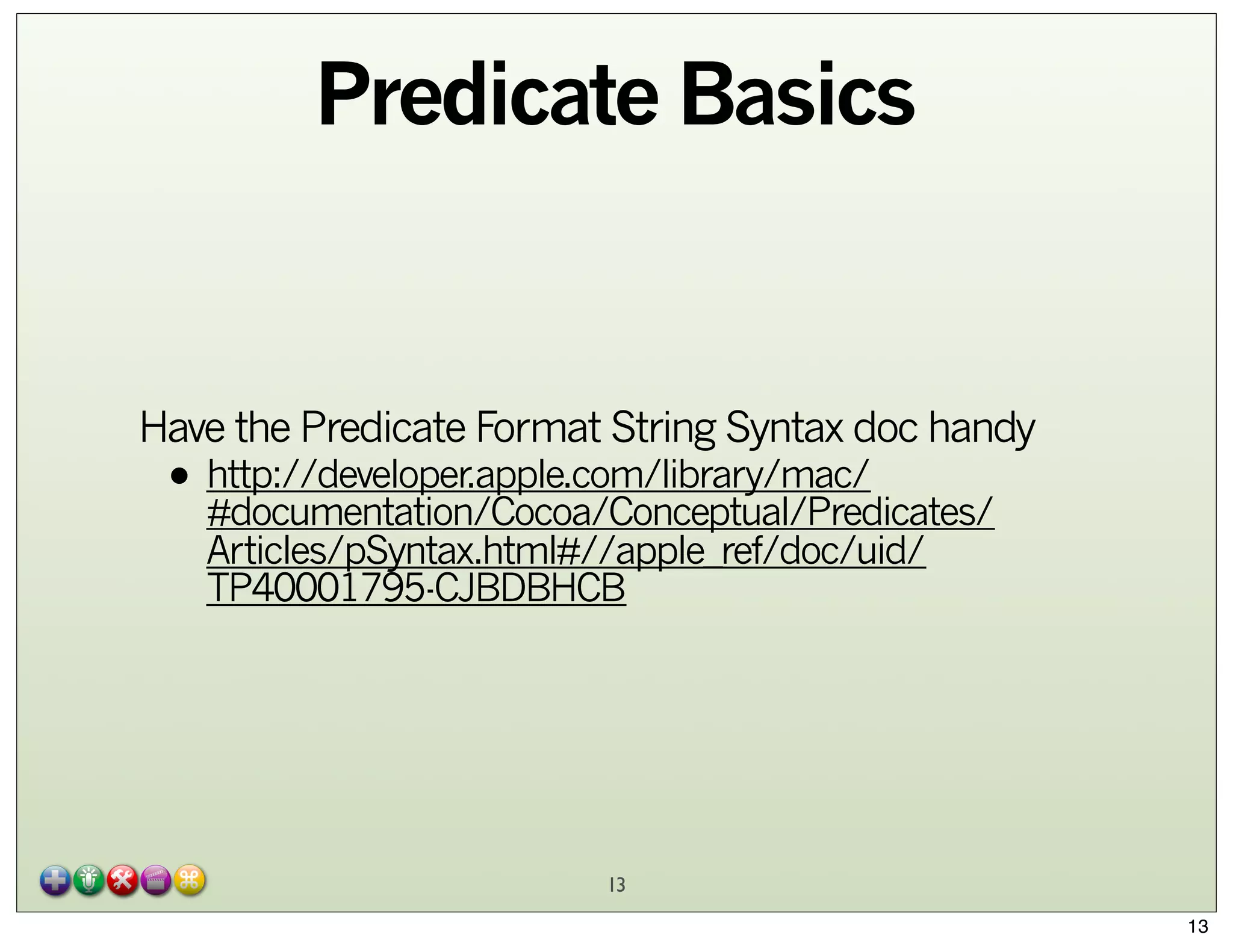
Predicate Basics
Most common way to create predicates:
predicateWithFormat:

• The predicate format string syntax is different from
regular expression syntax

• The regular expression syntax is defined by the ICU—see
http://www.icu-project.org/userguide/regexp.html
can use regex with MATCHES
• YouThe left hand expression equals the right hand expression
•

using a regex-style comparison according to ICU v3

diacritic
• String comparisons are by default case andthe key
sensitive. You can modify an operator using

characters c and d within square braces to specify case
and diacritic insensitivity respectively, for example
firstName BEGINSWITH[cd] $FIRST_NAME.
12
12
Predicate Basics

Have the Predicate Format String Syntax doc handy

• http://developer.apple.com/library/mac/
#documentation/Cocoa/Conceptual/Predicates/
Articles/pSyntax.html#//apple_ref/doc/uid/
TP40001795-CJBDBHCB

13
13
Review:
Fetching with Core Data
NSManagedObjectContext *moc = [self managedObjectContext];
NSEntityDescription *entityDescription = [NSEntityDescription
    entityForName:@"Employee" inManagedObjectContext:moc];
NSFetchRequest *request = [[[NSFetchRequest alloc] init] autorelease];
[request setEntity:entityDescription];
// Set example predicate and sort orderings...
NSNumber *minimumSalary = ...;
NSPredicate *predicate = [NSPredicate predicateWithFormat: @"(lastName
LIKE[c] 'Lindsay') AND (salary > %@)", minimumSalary];
[request setPredicate:predicate];
NSSortDescriptor *sortDescriptor = [[NSSortDescriptor alloc]
initWithKey:@"firstName" ascending:YES];
[request setSortDescriptors:[NSArray arrayWithObject:sortDescriptor]];
[sortDescriptor release];
NSError* error = nil;
NSArray* array = [moc executeFetchRequest:request error:&error];
if (nil == array) || (nil != error)
{
    // Deal with error...
}
...
14
14
Review:
Insert/Save in Core Data
NSManagedObjectContext *moc = [self managedObjectContext];
NSManagedObject *aUser = [NSEntityDescription
insertNewObjectForEntityForName:@"User"
inManagedObjectContext:moc];
[aUser setValue:@"Scott" forKey:@"name"];
[aUser setValue:@"Portland" forKey:@"city"];
[aUser setValue:@"Oregon" forKey:@"state"];
NSError *error;
if (![moc save:&error])
{
NSLog(@"Whoops, couldn't save: %@", [error localizedDescription]);
}

15
15
Demo Apps:
Road Trip

- From “iOS Cloud Development for Dummies”
• Download examples (warts and all) from

- http://www.dummies.com/go/iosclouddev

Example iOS7

- http://ossh.com.au/design-and-technology/softwaredevelopment/sample-library-style-ios-core-data-appwith-icloud-integration/

Peruse ADC for anything interesting
16

16
iCloud

17
17
iCloud
iCloud: serves iOS and Mac/PC devices

• Multi-Application Ecosystem

Can store on iCloud

• Key-Value Storage NSUserDefaults
• Cloud version of
• Container Storage
Document
•

• File
• Package
• Core Data
Document Service
• Uses automagically handle changes to/from iCloud servers
• to

iOS 5 or later

• Introduced WWDC2011, released October 2011
• sorry <=iOS4...
18
18
iCloud
Utilizes Transaction Logs

• entire data is not copied each time

Developer doesn’t worry about

• making network connection
• configuring iCloud itself

Programmer registers for notifications to know when
changes have occurred in the cloud

• and handles appropriately

Only works on devices, not on simulator

19
19
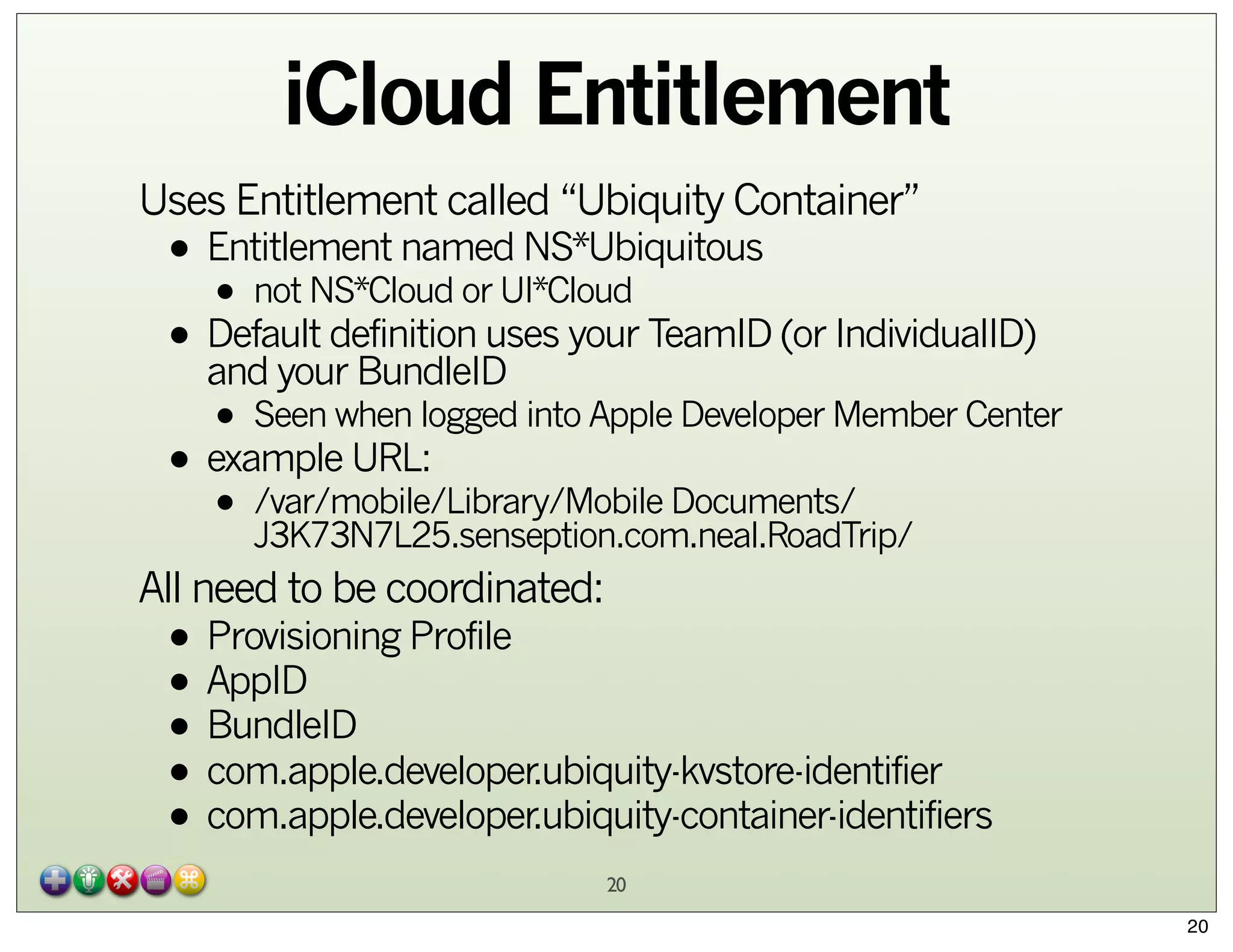
iCloud Entitlement
Uses Entitlement called “Ubiquity Container”

• Entitlement named NS*Ubiquitous
• not NS*Cloud or UI*Cloud
• Default definition uses your TeamID (or IndividualID)
and your BundleID

• Seen when logged into Apple Developer Member Center
• example URL:
• /var/mobile/Library/Mobile Documents/
J3K73N7L25.senseption.com.neal.RoadTrip/
All need to be coordinated:

• Provisioning Profile
• AppID
• BundleID
• com.apple.developer.ubiquity-kvstore-identifier
• com.apple.developer.ubiquity-container-identifiers
20
20
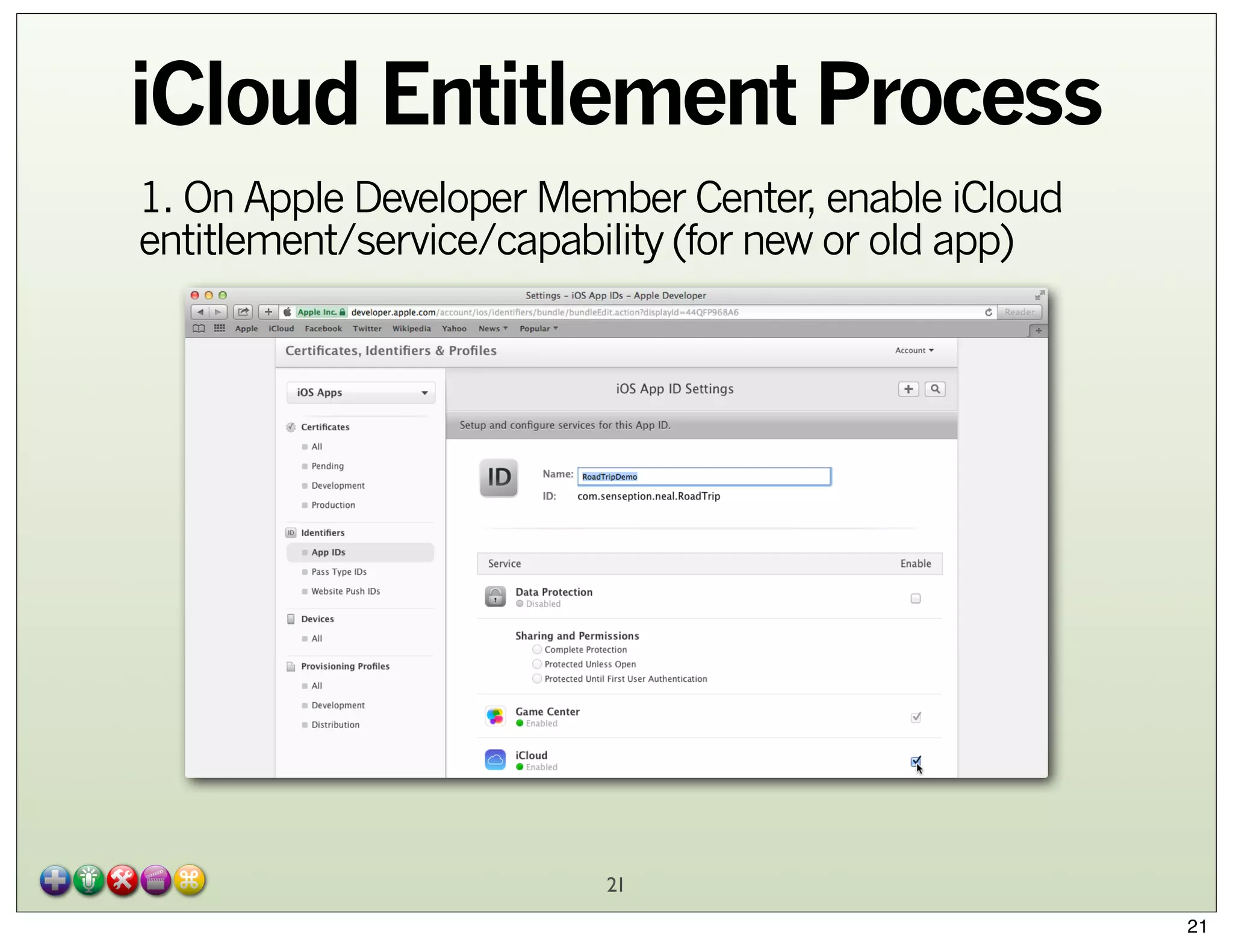
iCloud Entitlement Process
1. On Apple Developer Member Center, enable iCloud
entitlement/service/capability (for new or old app)

21
21
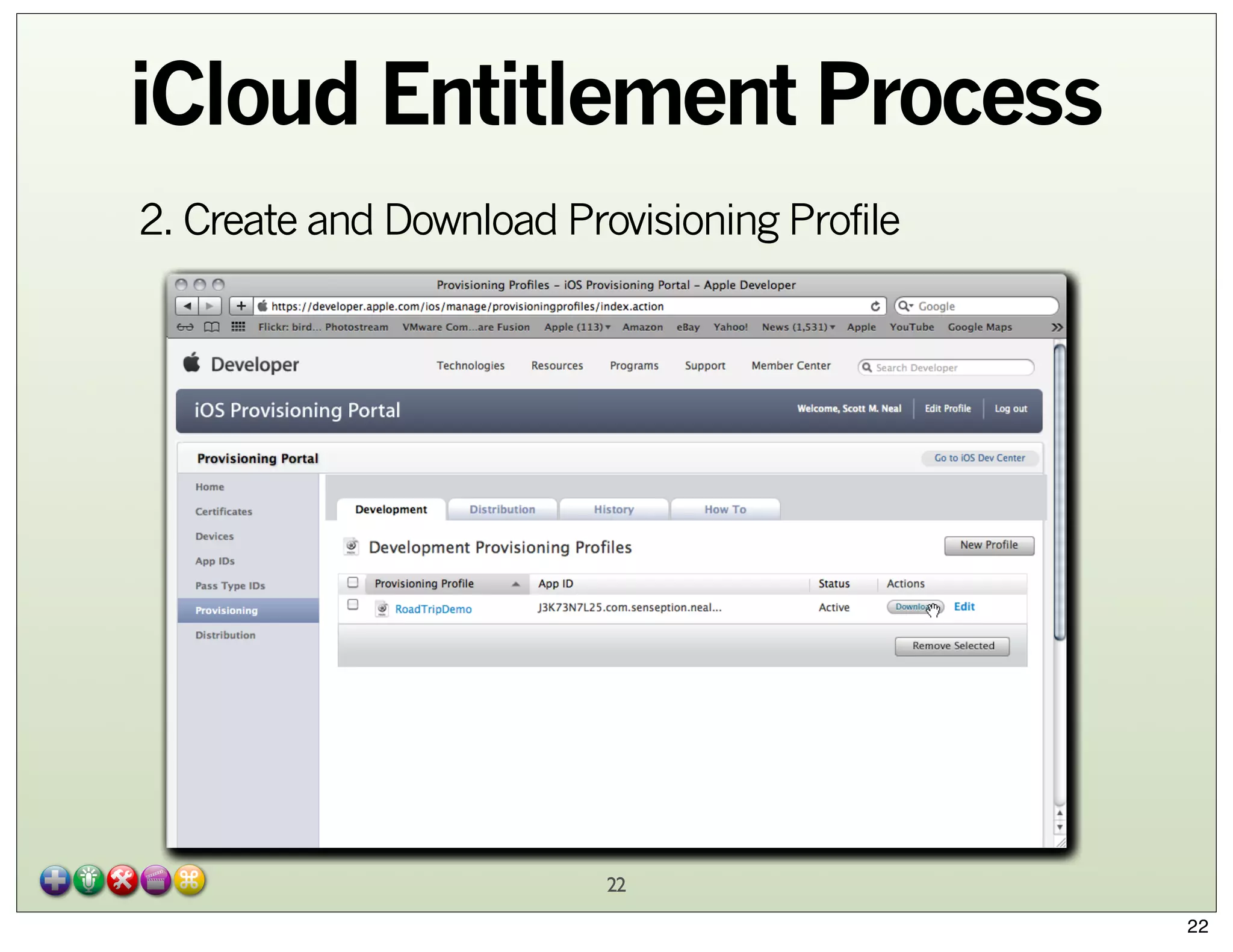
iCloud Entitlement Process
2. Create and Download Provisioning Profile

22
22
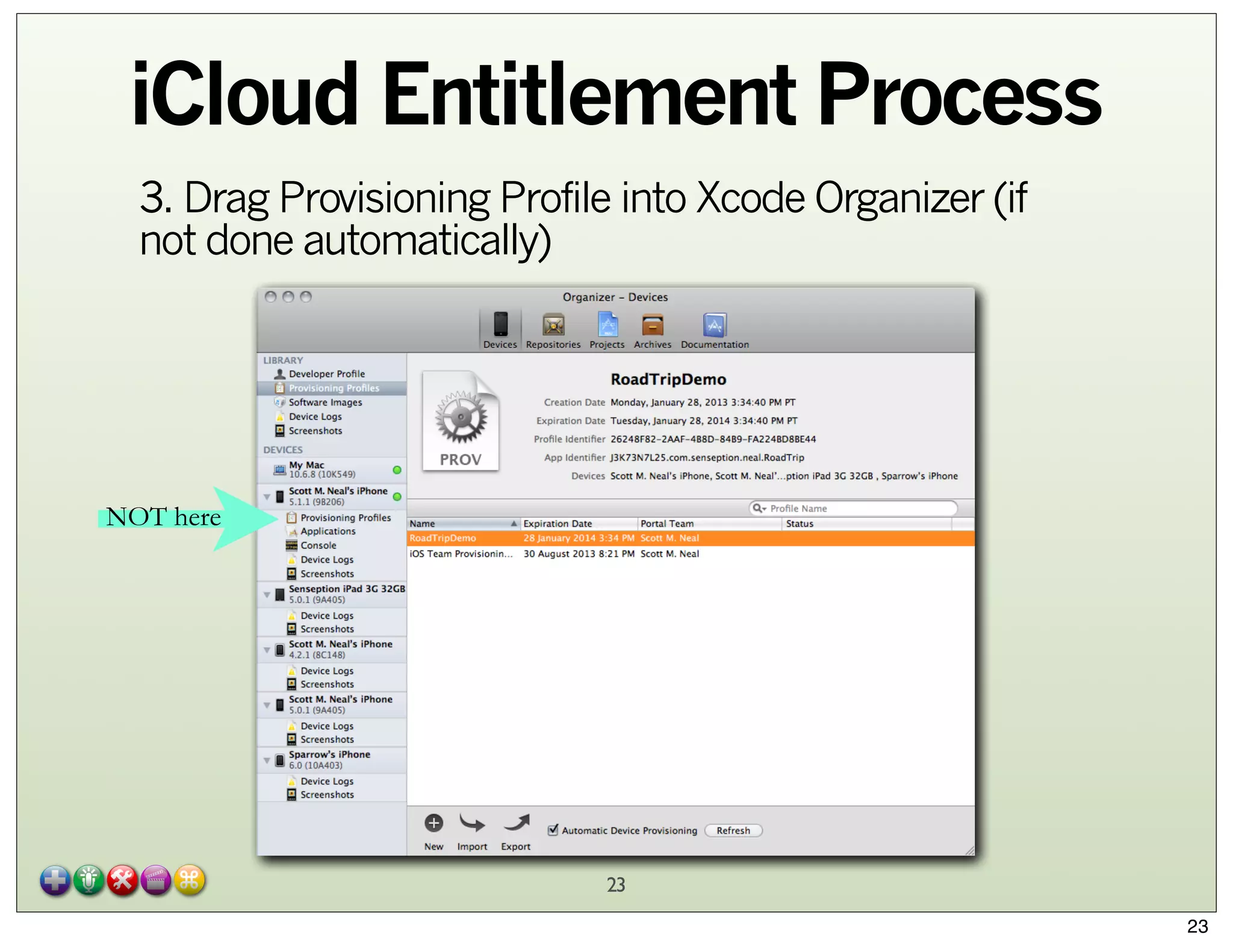
iCloud Entitlement Process
3. Drag Provisioning Profile into Xcode Organizer (if
not done automatically)

NOT here

23
23
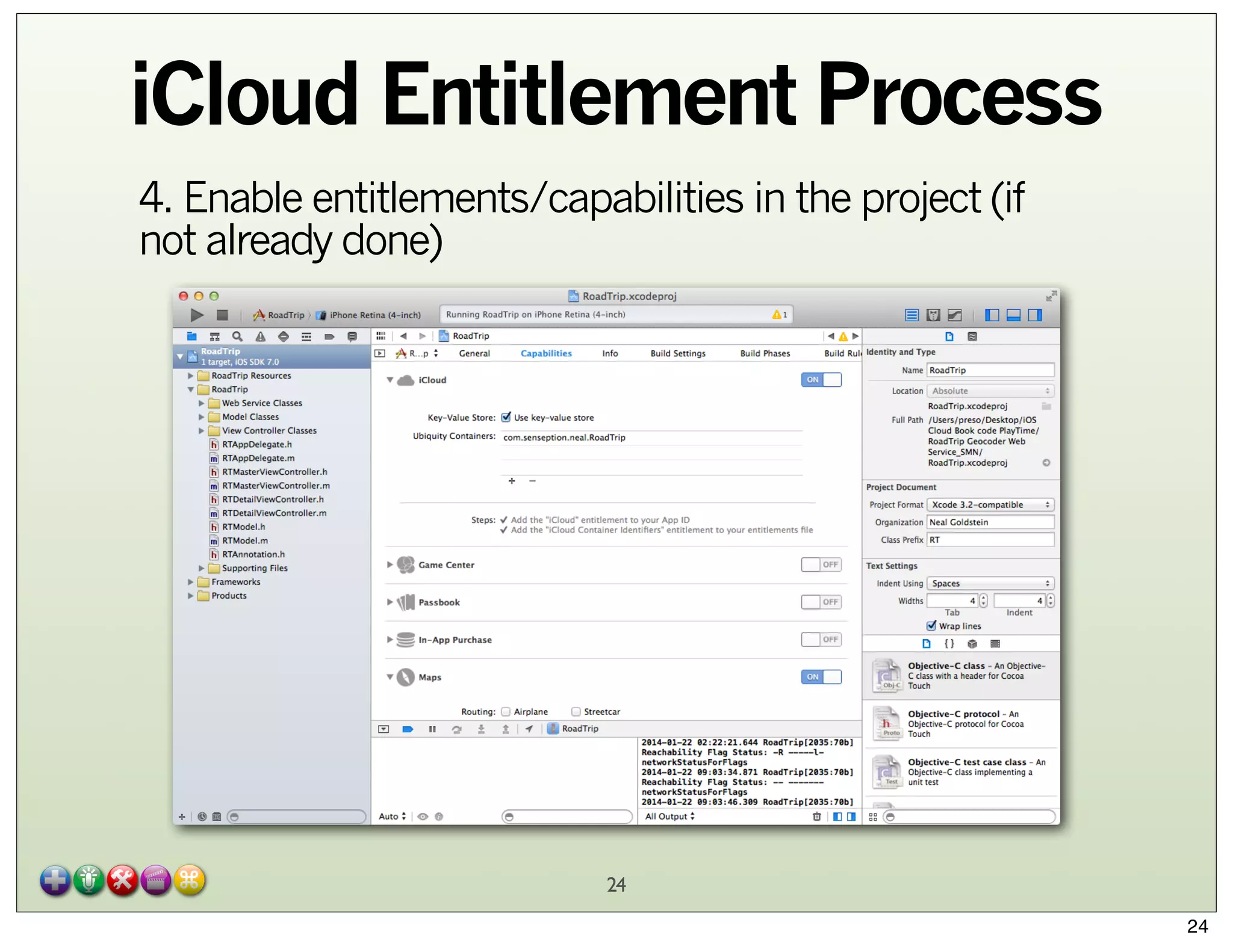
iCloud Entitlement Process
4. Enable entitlements/capabilities in the project (if
not already done)

24
24
iCloud Key/Value Storage
Not CoreData specific, but a nice feature
Conflict resolution

• Simple: last change wins

Works even when iCloud not enabled
Stats

• Up to 1024 keys
• 1MB data per application
• Up to 15 requests per 90 seconds

Just like NSDefaults, do NOT store any passwords here

• encrypted or otherwise...

25
25
iCloud Key/Value Storage
// Get an app’s default store
NSUbiquitousKeyValueStore* kvStore = [NSUbiquitousKeyValueStore
defaultStore];
// Register notification to see if data on the cloud has changed
[[NSNotificationCenter defaultCenter] addObserver:self
selector: @selector(ubiquitousKeyValueStoreDidChange:)
name: NSUbiquitousKeyValueStoreDidChangeExternallyNotification
object: kvStore];
// Values not stored to/from iCloud until you synchronize
[kvStore synchronize];
// Store a value in the kv store
[keyStore setString:@”Saved String” forKey:@"MyString"];
// Values not stored to/from iCloud until you synchronize
[kvStore synchronize];
26
26
iCloud Key/Value Storage
Reason that notification was fired is returned in notification
• Initial download from iCloud
• Other device modified data (“push”)
• Over iCloud quota

// Get an app’s default store
- (void)ubiquitousKeyValueStoreDidChange:(NSNotification* theNotif)
{
" NSDictionary* userInfo = [notification userInfo];
// get reason for change
" int reason = [[userInfo
objectForKey:NSUbiquitousKeyValueStoreChangeReasonKey] intValue];
// get the changed keys--ONLY the changed keys
" NSArray* changedKeys = [userInfo
objectForKey:NSUbiquitousKeyValueStoreChangedKeysKey];
// store the changed values locally
...
}
27
27
iCloud Container Storage
Application Container

• File Storage area that is app-specific
• “Sandbox”

Ubiquity Container

• iCloud-specific file storage area

Data (whether document or core) is broken up sort-oflike a tiled image into chunks
• All chunks moved upon first upload to iCloud
• Only changed chunks moved when changes made

28
28
iCloud Container Storage
Metadata always pushed via NSMetadataQuery

• Clients always know what documents are available to
them from iCloud

Client pulls what it wants/needs
• Mac OS X: everything
• iOS: app makes request

Data transferred peer-to-peer when possible
Automatic conflict resolution

• You can also peruse UIDocumentStateInConflict

URL Publishing

• Can include as email attachment rather than the
document itself
29
29
iCloud Container Storage
Container URL

• The network path to desired document
• Avoid getting on the main thread

To Check for iCloud availability:
• iOS 6 / Mtn Lion (or later):

id token = [[NSFileManager defaultManager]
ubiquityIdentityToken];
if(token) ...

• iOS 5 / Lion (or later):

NSURL *ubiq = [[NSFileManager defaultManager]
"
URLForUbiquityContainerIdentifier:nil];
if (!ubiq) ...

30
30
iCloud Container Storage
Asynchronous method
// Register notification to see if iCloud available
[[NSNotificationCenter defaultCenter] addObserver:self
selector:@(handleUbiquityIdentityChanged:)
name:NSUbiquityIdentityDidChangeNotification object:nil];
// Get container URL on not-the-main thread
dispatch_async(
dispatch_get_global_queue(DISPATCH_PRIORITY_QUEUE_DEFAULT, 0),
^{
NSURL *containerURL = [[NSFileManager defaultManager]
"
URLForUbiquityContainerIdentifier:nil];
}
);

31
31
iCloud Document w/o
Core Data
UIDocument / NSDocument
1. Determine whether iCloud is enabled on device by
sending

• [NSFileManager URLForUbiquityContainerIdentifier:]
Will return something like
•

•

N42E42A42L.com.neal.RoadTrip

32
32
iCloud Document w/o
Core Data
2. Add file presenters

• Adopt NSFilePresenter protocol
changes through
• Make allfile for editing NSFileCoordinator object
locks

•
background
• preventstime your code iCloud processes from modifying file
at same
is

• UIDocument already conforms to NSFilePresenter

3. Explicitly move your files to iCloud

• Use value returned in step 1 with
• [NSFileManager
setUbiquitous:itemAtURL:destinationURL:error]
33
33
iCloud Document w/o
Core Data
4. Handle version conflicts for a file

the same file
• When multiple applications/devices saveiCloud stores
to the same container at the same time,
both and lets the user decide which is the “right one”

5. Use running NSMetaDataQuery objects to receive
notifications from applications/devices as files are
added or removed

34
34
iCloud Document w/o
Core Data
6. Handle cases where files are in iCloud but are not
fully downloaded to local application/device

• File is considered fully downloaded when the
application:

• Attempts to access the file
startDownloadingUbiquitousItemAtURL:error
• Sends theto NSFileManager
message

For a user, cloud ignorance is bliss--they just want their
document

• And you need to track/handle these cases yourself
35

35
iCloud with Core Data
Database, not Document
Core Data Storage remains local
Core Data Stores that support
• change logs
• sqlite

• full file transfer
• xml
• binary

UIManagedDocument & NSPersistentStore

• See http://developer.apple.com/library/ios/
#releasenotes/DataManagement/RN-iCloudCoreData/
_index.html
• NSPersistentDocument not supported on iCloud

iCloud itself is NOT a Persistent Store--works outside of
Core Data
36
36
iCloud with Core Data
Features
•
•
•
•
•

Per record conflict resolution
Three-way merge
Incremental changes only
Asynchronous Import
Lightweight schema migration
• versioning

Multiple “Local” stores as a best practice

• One to hold data that doesn’t belong in the cloud
• One to act as a “cache” to iCloud

• Decide if your iCloud store should be available all times

Fallback Store should exist in case user doesn’t
enable/use iCloud
Use Core Data Migration to pre-populate new store
37
37
iCloud with Core Data
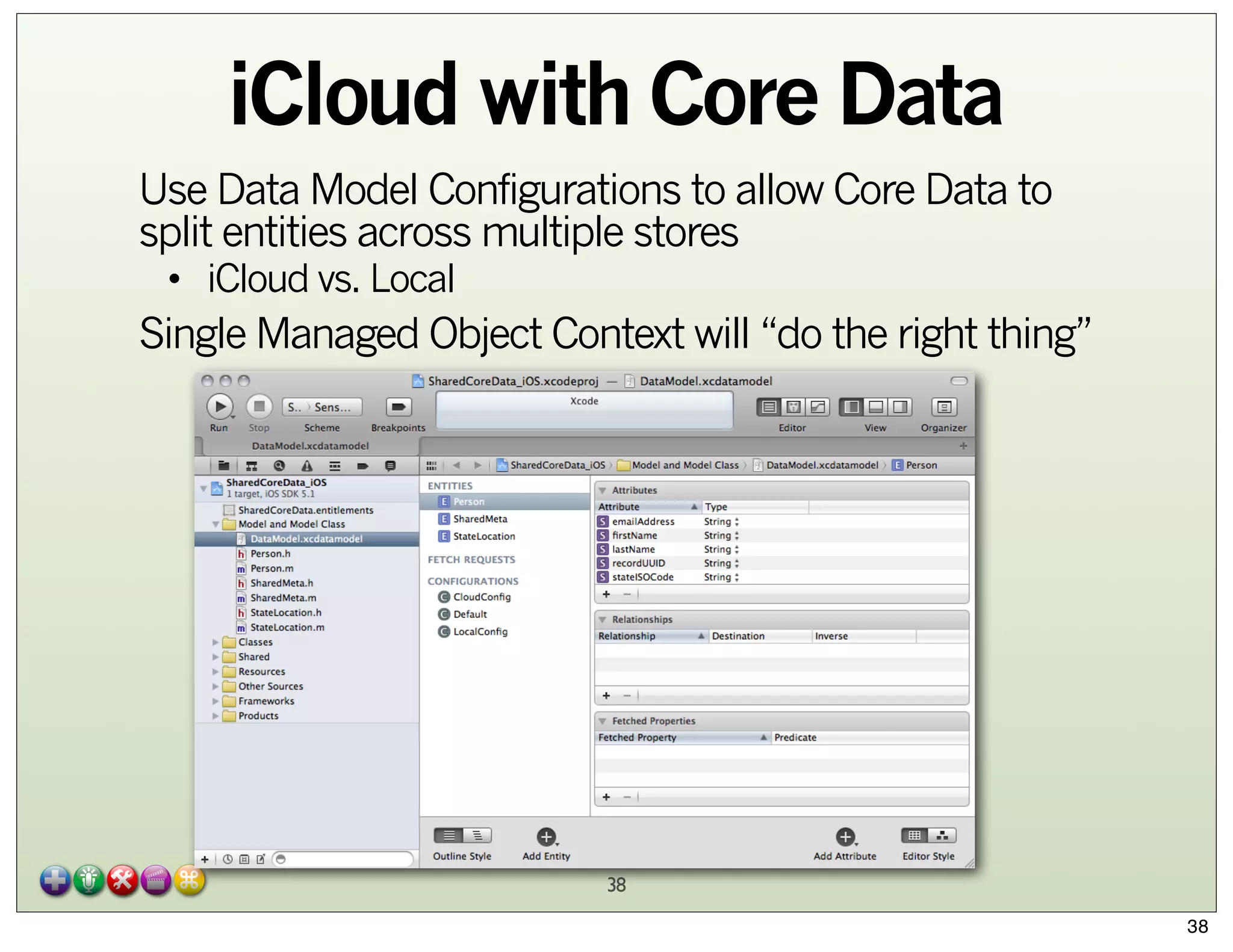
Use Data Model Configurations to allow Core Data to
split entities across multiple stores
• iCloud vs. Local

Single Managed Object Context will “do the right thing”

38
38
iCloud with Core Data

//add the store, use the "LocalConfiguration" to make sure
state entities all end up in this store and that no iCloud
entities end up in it
_localStore = [_psc
addPersistentStoreWithType:NSSQLiteStoreType
configuration:@"LocalConfig"
URL:storeURL
options:nil
error:&localError];

39
39
iCloud with Core Data
- (BOOL)loadiCloudStore:(NSError * __autoreleasing *)error
{
BOOL success = YES;
NSError *localError = nil;
NSFileManager *fm = [[NSFileManager alloc] init];
_ubiquityURL = [fm URLForUbiquityContainerIdentifier:nil];
NSURL *iCloudStoreURL = [self iCloudStoreURL];
NSURL *iCloudDataURL = [self.ubiquityURL
URLByAppendingPathComponent:@"iCloudData"];
NSDictionary *options = @{
NSPersistentStoreUbiquitousContentNameKey : @"iCloudStore",
NSPersistentStoreUbiquitousContentURLKey : iCloudDataURL };
_iCloudStore = [self.psc
addPersistentStoreWithType:NSSQLiteStoreType
configuration:@"CloudConfig"
URL:iCloudStoreURL
options:options
error:&localError];
...
40
40
iCloud with Core Data
1. Provide a value for
NSPersistentStoreUbiquitousContentNameKey
2. Provide a value for
NSPersistentStoreUbiquitousContentURLKey

• the value that we saw earlier which was a URL path,
including TeamID and BundleID like
• N42E42A42L.com.neal.RoadTrip

41
41
iCloud with Core Data
NSFileManager* fileManager = [NSFileManager defaultManager];
NSURL* persistentStoreUbiquitousContentURL = [fileManager
URLForUbiquityContainerIdentifier:nil];
NSString* ubiquityContainerIdentifierPath =
[[persistentStoreUbiquitousContentURL path]
stringByAppendingPathComponent:@"RoadTripSharedPointOfInterest"
];
persistentStoreUbiquitousContentURL = [NSURL
fileURLWithPath:ubiquityContainerIdentifierPath];
options = [NSDictionary dictionaryWithObjectsAndKeys:[NSString
stringWithFormat:@"%@%@", @"com.neal.coredata.itineraryR02.",
appDelegate.destinationPreference],
NSPersistentStoreUbiquitousContentNameKey,
persistentStoreUbiquitousContentURL,
NSPersistentStoreUbiquitousContentURLKey, [NSNumber
numberWithBool:YES],
NSMigratePersistentStoresAutomaticallyOption, [NSNumber
numberWithBool:YES], NSInferMappingModelAutomaticallyOption,
nil];
...
42
42
iOS7 / OSX9
Improvements
Many unhappy campers a year ago...

• API forced synchronous sync (slow...)
• Apple didn’t realize how many people switched their
iCloud account info on-the-fly
•

And taking that into consideration was a Royal PITA for us

there wasn’t a consistent paradigm
• Apple admitted frameworks did it, we’d all be happier
realized if the

•

Apple rearchitected iCloud / Core Data integration

• Great WWDC2013 preso code (!)
but no downloadable sample
•

Good source of downloadable sample code
http://ossh.com.au/design-and-technology/software-development/sample-library-styleios-core-data-app-with-icloud-integration/
43
43
iOS7/OSX9 Changes
Fallback Store improvements

• Entirely managed by CoreData
store file
• Only onebe stored inper iCloud account
Must
local storage
•

•
•

preferably App Sandbox
Storing “Local store” in the cloud as a document is now
discouraged

• Auto synched with cloud to ensure a local persistent
store exists while you are offline
• Events logged to console

Core Data: Ubiquity: peerID:StoreName - Using local storage: 1

44
44
iOS7/OSX9 Changes
Asynchronous Setup

• New notifications
these:
•

NSPersistentStoreCoordinatorStoresWillChangeNotification
NSPersistentStoreCoordinatorStoresDidChangeNotification

• encourage you to:

-[NSManagedObjectContext save:]
-[NSManagedObjectContext reset:]

• this:
• encourages you to:

NSPersistentStoreDidImportUbiquitousContentChangesNotification
-[NSManagedObjectContext mergeChangesFromContextDidSaveNotification:]

45
45
iOS7/OSX9 Changes
Handling Account Changes
notifications:
• Oldthis:

•
• would require you to (and handle all cases of):

NSUbiquityIdentityTokenDidChangeNotification

-[NSManagedObjectContext reset:]
-[NSPersistentStoreCoordinator removePersistentStore:]
-[NSPersistentStoreCoordinator addPersistentStore:]

• New (iOS7/OSX9):
this: (look familiar?)
•
• encourages you to:

NSPersistentStoreCoordinatorStoresWillChangeNotification
-[NSManagedObjectContext save:]

-[NSManagedObjectContext reset:]

• which then: (look familiar?)
• encourages you to:

NSPersistentStoreCoordinatorStoresDidChangeNotification
-[NSManagedObjectContext save:]

46
46
iCloud Accounts and
Stores
Provide store URL inside App Sandbox

• NOT in cloud

CoreData creates an opaque container
Each iCloud account is tied to a single local store
Store is automatically removed by CoreData when no
longer needed
See WWDC2013s207 for more details on API

• and sample code here

47
47
iCloud Debugging
Test with multiple devices
Xcode5 improvements
iOS simulator improvements
• iCloud Document Storage
• iCloud Key-Value Store
• Push Notifications

Core Data Logging

• NSUserDefaults
• com.apple.coredata.ubiquity.logLevel 3
com.apple.CoreData.SQLDebug 1

48
48
iCloud Debugging
iCloud Logging
• OSX

ubcontrol -k 7

• iOS

• iCloud Debug Provisioning Profile

• from developer.apple.com/downloads

• Sync with iTunes to get logs

~/Library/Logs/CrashReporter/MobileDevice/device-name/DiagnosticLogs

Monitor Network Traffic
• Wireshark

Use airplane mode to induce conflicts
Configuration Profile
developer.icloud.com
49
49
iCloud Summary
It’s Ubiquitous!
iCloud Design Guide

• http://developer.apple.com/library/ios/
documentation/General/Conceptual/
iCloudDesignGuide/iCloudDesignGuide.pdf

WWDC videos

• Still watch 2012 videos to get background for iOS5/6
compatibility
• WWDC2013s207 also discusses changes to SQLite
interfacing

Caveats
•
•
•
•

Not cross-platform
Bad taste in people’s mouths from 2012-2013
Learning Curve
CoreData is NOT the same as a database
50
50
CoreData:
Connecting to the Cloud
an Improvement
Scott M. Neal
smn@automationgarden.com
smn.mg@acmefoo.org
scottmneal@gmail.com
© 2012-2014 AutomationGarden
51
Web Services

52
52
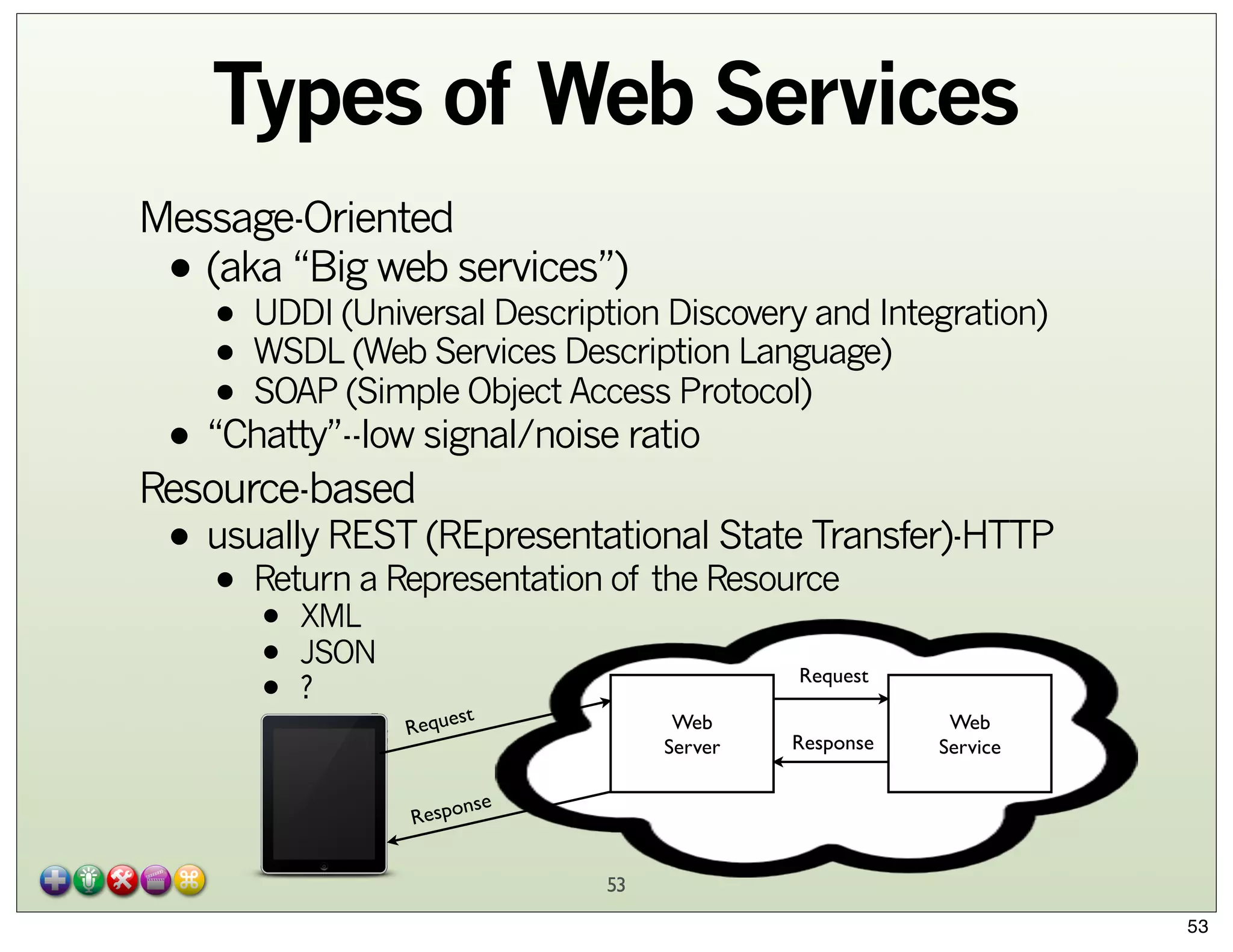
Types of Web Services
Message-Oriented
(aka “Big web services”)

•

• UDDI (Universal Description Discovery and Integration)
(Web Services
• WSDL(Simple ObjectDescription Language)
Access Protocol)
• SOAP

• “Chatty”--low signal/noise ratio

Resource-based

State Transfer)-HTTP
• usually REST (REpresentationalResource
Return a Representation of the

•

•
•
•

XML
JSON
?

Request
st

Reque

Web
Server

Response

Web
Service

nse
Respo

53
53
Resource-Based Web
Services
A URL resource request:

• scheme://domain:port/path?querystring#fragment_id
• scheme: http, https, etc.
• use https for secure requests
• domain: hostname or IP
• port (optional, scheme-dependent)
• path
• queryString
• fragment_id (rare in resource requests)

Example:

• http://maps.googleapis.com/maps/api/geocode/
json?sensor=false&address=17 SE 3rd Avenue,
Portland, OR 97214

54
54
Resource-Based Web
Services in iOS
Resource representation can come back as XML or
JSON

• iOS is fluent in both

We’ll start with a synchronously-loaded XML example

• RoadTrip 2

We can then look at an asynchronous version

• RoadTrip 3

Exercises “for the reader” that we don’t address here

• JSON parse (instead of XML)
• Creating your own web services
55

55
Road Trip 2

We create a WSManager class and use synchronous
URL to get XML and then parse it

• See addLocation:...
which calls geocodeSynchronouslyXML
•

56
56
Road Trip 3
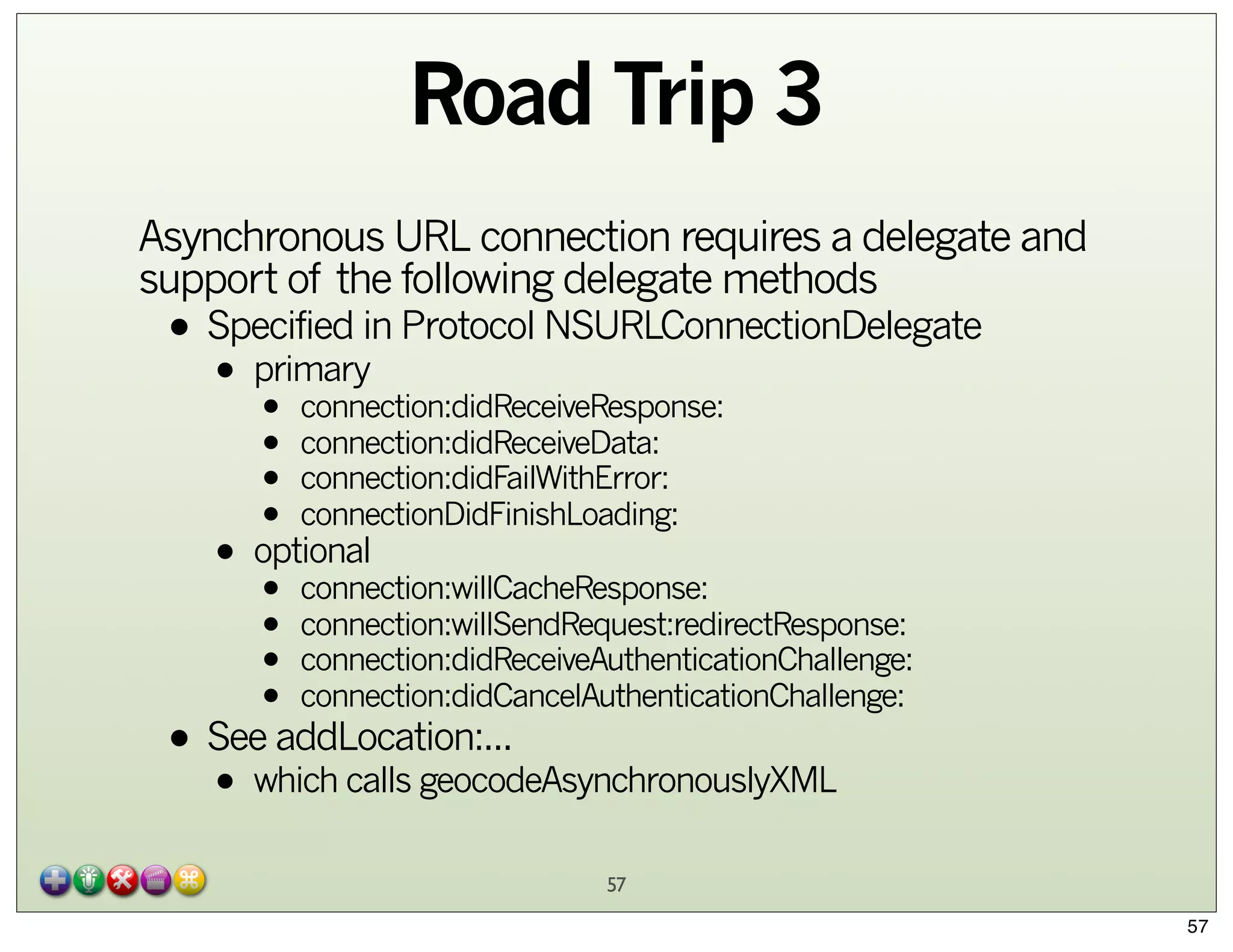
Asynchronous URL connection requires a delegate and
support of the following delegate methods

• Specified in Protocol NSURLConnectionDelegate
primary
•

• connection:didReceiveResponse:
• connection:didReceiveData:
• connection:didFailWithError:
• connectionDidFinishLoading:
• optional
• connection:willCacheResponse:
• connection:willSendRequest:redirectResponse:
• connection:didReceiveAuthenticationChallenge:
• connection:didCancelAuthenticationChallenge:

• See addLocation:...
which calls geocodeAsynchronouslyXML
•

57
57

CocoaHeads PDX 2014 01 23 : CoreData and iCloud Improvements iOS7 / OSX Mavericks

  • 1.
    CoreData: Connecting to theCloud an Improvement Scott M. Neal smn@automationgarden.com smn.mg@acmefoo.org scottmneal@gmail.com © 2012-2014 AutomationGarden 1
  • 2.
    Topics: tonight Core DataReview iCloud 2 2
  • 3.
    Core Data BriefReview 3 3
  • 4.
    Why CoreData? Provides anOO layer for persistent storage • Apple avoids the word “database” don’t need to know SQL • YouHardcoded, hacked SQL in apps is a Royal PITA to • maintain Why not just use Defaults? • Defaults doesn’t know about relationships • The OSX defaults command has limited access to values below the top level • PlistBuddy overcomes this up to you to decide to use or Core • It’sbut once you know Core Data,Defaults to leave...Data it’s hard • 4 4
  • 5.
    Entity: Review Default subclassof NSManagedObject Kinda-sorta like a row in a DB table • but much more OO Can create custom Entities which utilize Inheritance Hierarchy • Group Cats and Dogs under shared abstract superclass Mammals • Relationships 5 5
  • 6.
    Entity can contain: •Attribute on value class • type based • Relationship types • • • • one-to-one one-to-many many-to-many (via “join table”) • Returned to caller as an NSSet (unsorted) relationships • Inverserules • DeleteAction/Nullify/Cascade/Deny No • • Fetched Property as an NSArray Returned to caller • Can also store fetch request(s) with an entity 6 6
  • 7.
    Core Data Stack:Review is the center of most everything we’ll need to do with Core Data NSManagedObjectContext NSManagedObjectContext NSPersistentStoreCoordinator talks directly with “database” store • 1 instance per store • Can handle multiple concurrent instances of NSMangedObjectContext NSPersistentStoreCoordinator NSManagedObjectModel is a compiled version of the .xcdatamodel you create in Xcode NSManagedObjectModel sqlite, xml, ... NSPersistentStore is an object representation of data store NSPersistentStore 7 7
  • 8.
    NSManagedObjectContext The “center ofthe universe” NOT thread safe by default • http://stackoverflow.com/questions/10593735/ making-core-data-thread-safe Needed for • Insertion of new NSManagedObject (or subclasses) • Fetching of NSManagedObject (or subclasses) Handled for you automatically when you use Bindings to wire-up interface to model • Alas, no bindings on iOS (currently...) 8 8
  • 9.
    NSPersistentStore* Each “database” storehas one NSPersistentStore instance (and ONLY one) associated with it Each NSPersistentStore has one (and ONLY one) NSPersistentStoreCoordinator • communicates with NSPersistentStore • Uses NSManagedObjectModel to know how to OO-ify the underlying store into a Core Data NSManagedObjectContext-friendly way Multiple NSManagedObjectContext instances use a single NSPersistentStoreCoordinator • This ensures data store consistency 9 9
  • 10.
    NSManagedObjectModel A compiled versionof the .xcdatamodel you create in Xcode Often abbreviated MOM (Managed Object Model) Contains a complete description of all Entities, including their properties (attributes and relationships), fetch requests, fetch properties, etc. You may assign a version to a MOM via an identifier within the MOM or a key within the MOM’s userInfo • “v1.1”, or “build38release29a” or whatever you want MOMs can be migrated forward • Difficult to migrate backwards 10 10
  • 11.
    Guides to Fetching& Predicates Apple’s guides: • http://developer.apple.com/library/mac/ #documentation/Cocoa/Conceptual/CoreData/ • Articles/cdFetching.html http://developer.apple.com/library/mac/ #documentation/Cocoa/Conceptual/Predicates/ predicates.html • Predicates not solely for core data Spotlight • • • In-memory filtering ... 11 11
  • 12.
    Predicate Basics Most commonway to create predicates: predicateWithFormat: • The predicate format string syntax is different from regular expression syntax • The regular expression syntax is defined by the ICU—see http://www.icu-project.org/userguide/regexp.html can use regex with MATCHES • YouThe left hand expression equals the right hand expression • using a regex-style comparison according to ICU v3 diacritic • String comparisons are by default case andthe key sensitive. You can modify an operator using characters c and d within square braces to specify case and diacritic insensitivity respectively, for example firstName BEGINSWITH[cd] $FIRST_NAME. 12 12
  • 13.
    Predicate Basics Have thePredicate Format String Syntax doc handy • http://developer.apple.com/library/mac/ #documentation/Cocoa/Conceptual/Predicates/ Articles/pSyntax.html#//apple_ref/doc/uid/ TP40001795-CJBDBHCB 13 13
  • 14.
    Review: Fetching with CoreData NSManagedObjectContext *moc = [self managedObjectContext]; NSEntityDescription *entityDescription = [NSEntityDescription     entityForName:@"Employee" inManagedObjectContext:moc]; NSFetchRequest *request = [[[NSFetchRequest alloc] init] autorelease]; [request setEntity:entityDescription]; // Set example predicate and sort orderings... NSNumber *minimumSalary = ...; NSPredicate *predicate = [NSPredicate predicateWithFormat: @"(lastName LIKE[c] 'Lindsay') AND (salary > %@)", minimumSalary]; [request setPredicate:predicate]; NSSortDescriptor *sortDescriptor = [[NSSortDescriptor alloc] initWithKey:@"firstName" ascending:YES]; [request setSortDescriptors:[NSArray arrayWithObject:sortDescriptor]]; [sortDescriptor release]; NSError* error = nil; NSArray* array = [moc executeFetchRequest:request error:&error]; if (nil == array) || (nil != error) {     // Deal with error... } ... 14 14
  • 15.
    Review: Insert/Save in CoreData NSManagedObjectContext *moc = [self managedObjectContext]; NSManagedObject *aUser = [NSEntityDescription insertNewObjectForEntityForName:@"User" inManagedObjectContext:moc]; [aUser setValue:@"Scott" forKey:@"name"]; [aUser setValue:@"Portland" forKey:@"city"]; [aUser setValue:@"Oregon" forKey:@"state"]; NSError *error; if (![moc save:&error]) { NSLog(@"Whoops, couldn't save: %@", [error localizedDescription]); } 15 15
  • 16.
    Demo Apps: Road Trip -From “iOS Cloud Development for Dummies” • Download examples (warts and all) from - http://www.dummies.com/go/iosclouddev Example iOS7 - http://ossh.com.au/design-and-technology/softwaredevelopment/sample-library-style-ios-core-data-appwith-icloud-integration/ Peruse ADC for anything interesting 16 16
  • 17.
  • 18.
    iCloud iCloud: serves iOSand Mac/PC devices • Multi-Application Ecosystem Can store on iCloud • Key-Value Storage NSUserDefaults • Cloud version of • Container Storage Document • • File • Package • Core Data Document Service • Uses automagically handle changes to/from iCloud servers • to iOS 5 or later • Introduced WWDC2011, released October 2011 • sorry <=iOS4... 18 18
  • 19.
    iCloud Utilizes Transaction Logs •entire data is not copied each time Developer doesn’t worry about • making network connection • configuring iCloud itself Programmer registers for notifications to know when changes have occurred in the cloud • and handles appropriately Only works on devices, not on simulator 19 19
  • 20.
    iCloud Entitlement Uses Entitlementcalled “Ubiquity Container” • Entitlement named NS*Ubiquitous • not NS*Cloud or UI*Cloud • Default definition uses your TeamID (or IndividualID) and your BundleID • Seen when logged into Apple Developer Member Center • example URL: • /var/mobile/Library/Mobile Documents/ J3K73N7L25.senseption.com.neal.RoadTrip/ All need to be coordinated: • Provisioning Profile • AppID • BundleID • com.apple.developer.ubiquity-kvstore-identifier • com.apple.developer.ubiquity-container-identifiers 20 20
  • 21.
    iCloud Entitlement Process 1.On Apple Developer Member Center, enable iCloud entitlement/service/capability (for new or old app) 21 21
  • 22.
    iCloud Entitlement Process 2.Create and Download Provisioning Profile 22 22
  • 23.
    iCloud Entitlement Process 3.Drag Provisioning Profile into Xcode Organizer (if not done automatically) NOT here 23 23
  • 24.
    iCloud Entitlement Process 4.Enable entitlements/capabilities in the project (if not already done) 24 24
  • 25.
    iCloud Key/Value Storage NotCoreData specific, but a nice feature Conflict resolution • Simple: last change wins Works even when iCloud not enabled Stats • Up to 1024 keys • 1MB data per application • Up to 15 requests per 90 seconds Just like NSDefaults, do NOT store any passwords here • encrypted or otherwise... 25 25
  • 26.
    iCloud Key/Value Storage //Get an app’s default store NSUbiquitousKeyValueStore* kvStore = [NSUbiquitousKeyValueStore defaultStore]; // Register notification to see if data on the cloud has changed [[NSNotificationCenter defaultCenter] addObserver:self selector: @selector(ubiquitousKeyValueStoreDidChange:) name: NSUbiquitousKeyValueStoreDidChangeExternallyNotification object: kvStore]; // Values not stored to/from iCloud until you synchronize [kvStore synchronize]; // Store a value in the kv store [keyStore setString:@”Saved String” forKey:@"MyString"]; // Values not stored to/from iCloud until you synchronize [kvStore synchronize]; 26 26
  • 27.
    iCloud Key/Value Storage Reasonthat notification was fired is returned in notification • Initial download from iCloud • Other device modified data (“push”) • Over iCloud quota // Get an app’s default store - (void)ubiquitousKeyValueStoreDidChange:(NSNotification* theNotif) { " NSDictionary* userInfo = [notification userInfo]; // get reason for change " int reason = [[userInfo objectForKey:NSUbiquitousKeyValueStoreChangeReasonKey] intValue]; // get the changed keys--ONLY the changed keys " NSArray* changedKeys = [userInfo objectForKey:NSUbiquitousKeyValueStoreChangedKeysKey]; // store the changed values locally ... } 27 27
  • 28.
    iCloud Container Storage ApplicationContainer • File Storage area that is app-specific • “Sandbox” Ubiquity Container • iCloud-specific file storage area Data (whether document or core) is broken up sort-oflike a tiled image into chunks • All chunks moved upon first upload to iCloud • Only changed chunks moved when changes made 28 28
  • 29.
    iCloud Container Storage Metadataalways pushed via NSMetadataQuery • Clients always know what documents are available to them from iCloud Client pulls what it wants/needs • Mac OS X: everything • iOS: app makes request Data transferred peer-to-peer when possible Automatic conflict resolution • You can also peruse UIDocumentStateInConflict URL Publishing • Can include as email attachment rather than the document itself 29 29
  • 30.
    iCloud Container Storage ContainerURL • The network path to desired document • Avoid getting on the main thread To Check for iCloud availability: • iOS 6 / Mtn Lion (or later): id token = [[NSFileManager defaultManager] ubiquityIdentityToken]; if(token) ... • iOS 5 / Lion (or later): NSURL *ubiq = [[NSFileManager defaultManager] " URLForUbiquityContainerIdentifier:nil]; if (!ubiq) ... 30 30
  • 31.
    iCloud Container Storage Asynchronousmethod // Register notification to see if iCloud available [[NSNotificationCenter defaultCenter] addObserver:self selector:@(handleUbiquityIdentityChanged:) name:NSUbiquityIdentityDidChangeNotification object:nil]; // Get container URL on not-the-main thread dispatch_async( dispatch_get_global_queue(DISPATCH_PRIORITY_QUEUE_DEFAULT, 0), ^{ NSURL *containerURL = [[NSFileManager defaultManager] " URLForUbiquityContainerIdentifier:nil]; } ); 31 31
  • 32.
    iCloud Document w/o CoreData UIDocument / NSDocument 1. Determine whether iCloud is enabled on device by sending • [NSFileManager URLForUbiquityContainerIdentifier:] Will return something like • • N42E42A42L.com.neal.RoadTrip 32 32
  • 33.
    iCloud Document w/o CoreData 2. Add file presenters • Adopt NSFilePresenter protocol changes through • Make allfile for editing NSFileCoordinator object locks • background • preventstime your code iCloud processes from modifying file at same is • UIDocument already conforms to NSFilePresenter 3. Explicitly move your files to iCloud • Use value returned in step 1 with • [NSFileManager setUbiquitous:itemAtURL:destinationURL:error] 33 33
  • 34.
    iCloud Document w/o CoreData 4. Handle version conflicts for a file the same file • When multiple applications/devices saveiCloud stores to the same container at the same time, both and lets the user decide which is the “right one” 5. Use running NSMetaDataQuery objects to receive notifications from applications/devices as files are added or removed 34 34
  • 35.
    iCloud Document w/o CoreData 6. Handle cases where files are in iCloud but are not fully downloaded to local application/device • File is considered fully downloaded when the application: • Attempts to access the file startDownloadingUbiquitousItemAtURL:error • Sends theto NSFileManager message For a user, cloud ignorance is bliss--they just want their document • And you need to track/handle these cases yourself 35 35
  • 36.
    iCloud with CoreData Database, not Document Core Data Storage remains local Core Data Stores that support • change logs • sqlite • full file transfer • xml • binary UIManagedDocument & NSPersistentStore • See http://developer.apple.com/library/ios/ #releasenotes/DataManagement/RN-iCloudCoreData/ _index.html • NSPersistentDocument not supported on iCloud iCloud itself is NOT a Persistent Store--works outside of Core Data 36 36
  • 37.
    iCloud with CoreData Features • • • • • Per record conflict resolution Three-way merge Incremental changes only Asynchronous Import Lightweight schema migration • versioning Multiple “Local” stores as a best practice • One to hold data that doesn’t belong in the cloud • One to act as a “cache” to iCloud • Decide if your iCloud store should be available all times Fallback Store should exist in case user doesn’t enable/use iCloud Use Core Data Migration to pre-populate new store 37 37
  • 38.
    iCloud with CoreData Use Data Model Configurations to allow Core Data to split entities across multiple stores • iCloud vs. Local Single Managed Object Context will “do the right thing” 38 38
  • 39.
    iCloud with CoreData //add the store, use the "LocalConfiguration" to make sure state entities all end up in this store and that no iCloud entities end up in it _localStore = [_psc addPersistentStoreWithType:NSSQLiteStoreType configuration:@"LocalConfig" URL:storeURL options:nil error:&localError]; 39 39
  • 40.
    iCloud with CoreData - (BOOL)loadiCloudStore:(NSError * __autoreleasing *)error { BOOL success = YES; NSError *localError = nil; NSFileManager *fm = [[NSFileManager alloc] init]; _ubiquityURL = [fm URLForUbiquityContainerIdentifier:nil]; NSURL *iCloudStoreURL = [self iCloudStoreURL]; NSURL *iCloudDataURL = [self.ubiquityURL URLByAppendingPathComponent:@"iCloudData"]; NSDictionary *options = @{ NSPersistentStoreUbiquitousContentNameKey : @"iCloudStore", NSPersistentStoreUbiquitousContentURLKey : iCloudDataURL }; _iCloudStore = [self.psc addPersistentStoreWithType:NSSQLiteStoreType configuration:@"CloudConfig" URL:iCloudStoreURL options:options error:&localError]; ... 40 40
  • 41.
    iCloud with CoreData 1. Provide a value for NSPersistentStoreUbiquitousContentNameKey 2. Provide a value for NSPersistentStoreUbiquitousContentURLKey • the value that we saw earlier which was a URL path, including TeamID and BundleID like • N42E42A42L.com.neal.RoadTrip 41 41
  • 42.
    iCloud with CoreData NSFileManager* fileManager = [NSFileManager defaultManager]; NSURL* persistentStoreUbiquitousContentURL = [fileManager URLForUbiquityContainerIdentifier:nil]; NSString* ubiquityContainerIdentifierPath = [[persistentStoreUbiquitousContentURL path] stringByAppendingPathComponent:@"RoadTripSharedPointOfInterest" ]; persistentStoreUbiquitousContentURL = [NSURL fileURLWithPath:ubiquityContainerIdentifierPath]; options = [NSDictionary dictionaryWithObjectsAndKeys:[NSString stringWithFormat:@"%@%@", @"com.neal.coredata.itineraryR02.", appDelegate.destinationPreference], NSPersistentStoreUbiquitousContentNameKey, persistentStoreUbiquitousContentURL, NSPersistentStoreUbiquitousContentURLKey, [NSNumber numberWithBool:YES], NSMigratePersistentStoresAutomaticallyOption, [NSNumber numberWithBool:YES], NSInferMappingModelAutomaticallyOption, nil]; ... 42 42
  • 43.
    iOS7 / OSX9 Improvements Manyunhappy campers a year ago... • API forced synchronous sync (slow...) • Apple didn’t realize how many people switched their iCloud account info on-the-fly • And taking that into consideration was a Royal PITA for us there wasn’t a consistent paradigm • Apple admitted frameworks did it, we’d all be happier realized if the • Apple rearchitected iCloud / Core Data integration • Great WWDC2013 preso code (!) but no downloadable sample • Good source of downloadable sample code http://ossh.com.au/design-and-technology/software-development/sample-library-styleios-core-data-app-with-icloud-integration/ 43 43
  • 44.
    iOS7/OSX9 Changes Fallback Storeimprovements • Entirely managed by CoreData store file • Only onebe stored inper iCloud account Must local storage • • • preferably App Sandbox Storing “Local store” in the cloud as a document is now discouraged • Auto synched with cloud to ensure a local persistent store exists while you are offline • Events logged to console Core Data: Ubiquity: peerID:StoreName - Using local storage: 1 44 44
  • 45.
    iOS7/OSX9 Changes Asynchronous Setup •New notifications these: • NSPersistentStoreCoordinatorStoresWillChangeNotification NSPersistentStoreCoordinatorStoresDidChangeNotification • encourage you to: -[NSManagedObjectContext save:] -[NSManagedObjectContext reset:] • this: • encourages you to: NSPersistentStoreDidImportUbiquitousContentChangesNotification -[NSManagedObjectContext mergeChangesFromContextDidSaveNotification:] 45 45
  • 46.
    iOS7/OSX9 Changes Handling AccountChanges notifications: • Oldthis: • • would require you to (and handle all cases of): NSUbiquityIdentityTokenDidChangeNotification -[NSManagedObjectContext reset:] -[NSPersistentStoreCoordinator removePersistentStore:] -[NSPersistentStoreCoordinator addPersistentStore:] • New (iOS7/OSX9): this: (look familiar?) • • encourages you to: NSPersistentStoreCoordinatorStoresWillChangeNotification -[NSManagedObjectContext save:] -[NSManagedObjectContext reset:] • which then: (look familiar?) • encourages you to: NSPersistentStoreCoordinatorStoresDidChangeNotification -[NSManagedObjectContext save:] 46 46
  • 47.
    iCloud Accounts and Stores Providestore URL inside App Sandbox • NOT in cloud CoreData creates an opaque container Each iCloud account is tied to a single local store Store is automatically removed by CoreData when no longer needed See WWDC2013s207 for more details on API • and sample code here 47 47
  • 48.
    iCloud Debugging Test withmultiple devices Xcode5 improvements iOS simulator improvements • iCloud Document Storage • iCloud Key-Value Store • Push Notifications Core Data Logging • NSUserDefaults • com.apple.coredata.ubiquity.logLevel 3 com.apple.CoreData.SQLDebug 1 48 48
  • 49.
    iCloud Debugging iCloud Logging •OSX ubcontrol -k 7 • iOS • iCloud Debug Provisioning Profile • from developer.apple.com/downloads • Sync with iTunes to get logs ~/Library/Logs/CrashReporter/MobileDevice/device-name/DiagnosticLogs Monitor Network Traffic • Wireshark Use airplane mode to induce conflicts Configuration Profile developer.icloud.com 49 49
  • 50.
    iCloud Summary It’s Ubiquitous! iCloudDesign Guide • http://developer.apple.com/library/ios/ documentation/General/Conceptual/ iCloudDesignGuide/iCloudDesignGuide.pdf WWDC videos • Still watch 2012 videos to get background for iOS5/6 compatibility • WWDC2013s207 also discusses changes to SQLite interfacing Caveats • • • • Not cross-platform Bad taste in people’s mouths from 2012-2013 Learning Curve CoreData is NOT the same as a database 50 50
  • 51.
    CoreData: Connecting to theCloud an Improvement Scott M. Neal smn@automationgarden.com smn.mg@acmefoo.org scottmneal@gmail.com © 2012-2014 AutomationGarden 51
  • 52.
  • 53.
    Types of WebServices Message-Oriented (aka “Big web services”) • • UDDI (Universal Description Discovery and Integration) (Web Services • WSDL(Simple ObjectDescription Language) Access Protocol) • SOAP • “Chatty”--low signal/noise ratio Resource-based State Transfer)-HTTP • usually REST (REpresentationalResource Return a Representation of the • • • • XML JSON ? Request st Reque Web Server Response Web Service nse Respo 53 53
  • 54.
    Resource-Based Web Services A URLresource request: • scheme://domain:port/path?querystring#fragment_id • scheme: http, https, etc. • use https for secure requests • domain: hostname or IP • port (optional, scheme-dependent) • path • queryString • fragment_id (rare in resource requests) Example: • http://maps.googleapis.com/maps/api/geocode/ json?sensor=false&address=17 SE 3rd Avenue, Portland, OR 97214 54 54
  • 55.
    Resource-Based Web Services iniOS Resource representation can come back as XML or JSON • iOS is fluent in both We’ll start with a synchronously-loaded XML example • RoadTrip 2 We can then look at an asynchronous version • RoadTrip 3 Exercises “for the reader” that we don’t address here • JSON parse (instead of XML) • Creating your own web services 55 55
  • 56.
    Road Trip 2 Wecreate a WSManager class and use synchronous URL to get XML and then parse it • See addLocation:... which calls geocodeSynchronouslyXML • 56 56
  • 57.
    Road Trip 3 AsynchronousURL connection requires a delegate and support of the following delegate methods • Specified in Protocol NSURLConnectionDelegate primary • • connection:didReceiveResponse: • connection:didReceiveData: • connection:didFailWithError: • connectionDidFinishLoading: • optional • connection:willCacheResponse: • connection:willSendRequest:redirectResponse: • connection:didReceiveAuthenticationChallenge: • connection:didCancelAuthenticationChallenge: • See addLocation:... which calls geocodeAsynchronouslyXML • 57 57