
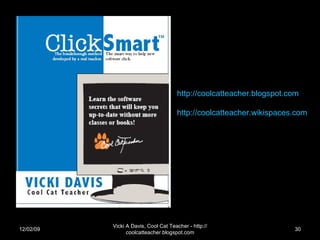
Click Smart Vicki Davis http://coolcatteacher.blogspot.com   Backchannel http://tinyurl.com/cct-backchannel   Password:  coolcat
Pen & Publish Press 978-0-9817264-4-1 Vicki  Davis http://coolcatteacher.blogspot.com   http://coolcatteacher.wikispaces.com   06/07/09 Vicki A Davis, Cool Cat Teacher - http://coolcatteacher.blogspot.com
06/07/09 Vicki A Davis, Cool Cat Teacher - http://coolcatteacher.blogspot.com What is  WRONG  with software education?
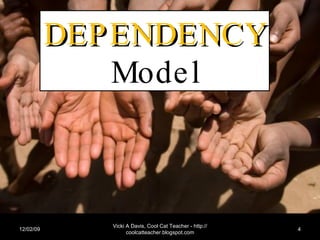
06/07/09 Vicki A Davis, Cool Cat Teacher - http://coolcatteacher.blogspot.com DEPENDENCY  Model
Why Current Software Education Doesn’t Work Platform Dependent (Prescriptive) Teacher Dependent (Point & Click) Script Dependent (Click this… do that…) Does not require problem solving Creates software users who REMAIN dependant
Categories of Instruction Word Processing Spreadsheets Presentation Creation Multimedia Artifact Creation Online Publishing Hyperlinking Embedding & publishing “widgets” RSS Reader (building a PLN) Interactive / 3 D Environment* Digital Citizenship ( http://www.digiteen.net )
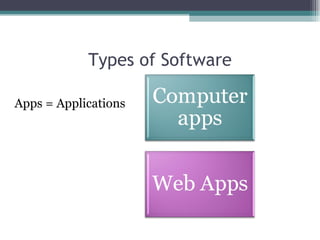
Types of Software Apps = Applications
Primary Application Characteristics “Primary App” Feature-rich Good help files The “de facto” standard (if possible) Or common characteristics w/ de facto standard A textbook using the Primary App
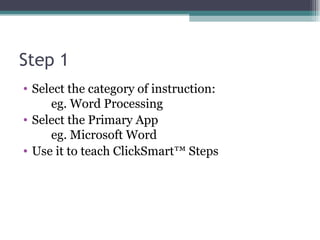
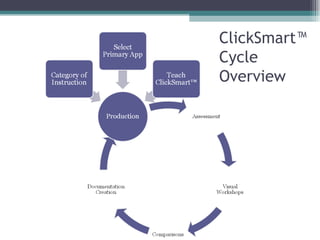
Step 1 Select the category of instruction:  eg. Word Processing Select the Primary App eg. Microsoft Word Use it to teach ClickSmart™ Steps
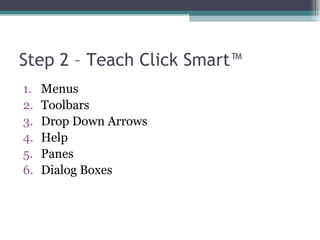
Step 2 – Teach Click Smart™ Menus Toolbars Drop Down Arrows Help Panes Dialog Boxes
2A – Model it on one toolbar Microsoft Word – look at an example
2B - Teams Assign toolbars to be explored by teams Teams share what they learned
Step 3 - Production Back to the basics textbook STILL have the students do a few exercises
Step 4 – Assessment Give an “application” test Creation of an artifact using the skills Some skills that WERE NOT taught (make sure that you can look it up easily in help the way you write the terms)
Step 5 - Visual Workshops in Secondary Apps & Comparisons 5A - Visual Artifact Creation A final artifact (polished, finished work) Select a secondary app Ask students to go in the app and create a product that looks like the visual example without coaching from you (can help each other) 5B – Comparison Reflective blog post comparing the two applications
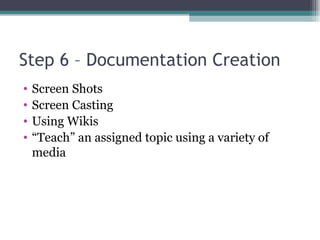
Step 6 – Documentation Creation Screen Shots Screen Casting Using Wikis “ Teach” an assigned topic using a variety of media
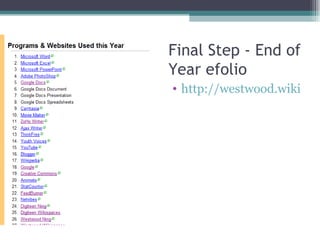
Final Step - End of Year efolio http://westwood.wikispaces.com/Annabelle%27s+eFolio
ClickSmart™  Cycle  Overview
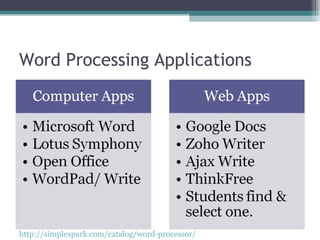
Word Processing Applications http://simplespark.com/catalog/word-processor/
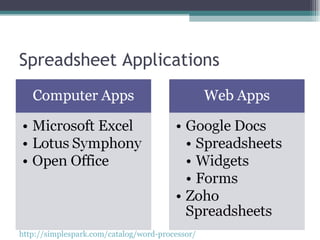
Spreadsheet Applications http://simplespark.com/catalog/word-processor/
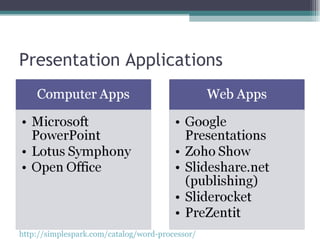
Presentation Applications http://simplespark.com/catalog/word-processor/
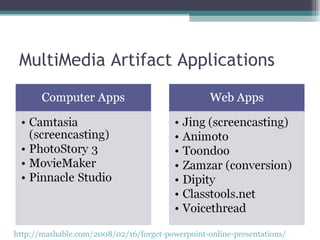
MultiMedia Artifact Applications http://mashable.com/2008/02/16/forget-powerpoint-online-presentations/
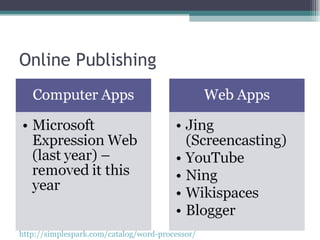
Online Publishing http://simplespark.com/catalog/word-processor/
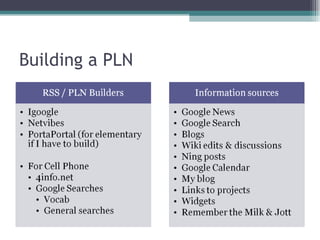
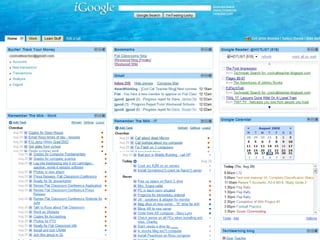
Building a PLN
 
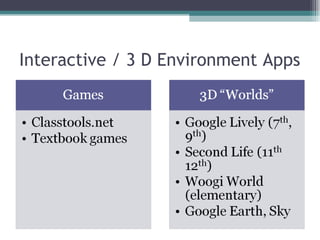
Interactive / 3 D Environment Apps
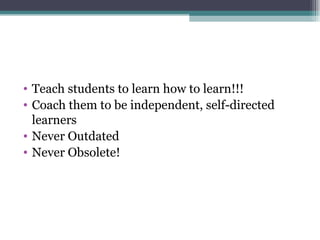
Teach students to learn how to learn!!! Coach them to be independent, self-directed learners Never Outdated Never Obsolete!
The power of Three! Pick three
All of my presos http://coolcatteacher.wikispaces.com My blog http://coolcatteacher.blogspot.com
Pen & Publish Press 978-0-9817264-4-1 Vicki  Davis http://coolcatteacher.blogspot.com   http://coolcatteacher.wikispaces.com   06/07/09 Vicki A Davis, Cool Cat Teacher - http://coolcatteacher.blogspot.com

Clicksmart

  • 1.
    Click Smart VickiDavis http://coolcatteacher.blogspot.com Backchannel http://tinyurl.com/cct-backchannel Password: coolcat
  • 2.
    Pen & PublishPress 978-0-9817264-4-1 Vicki Davis http://coolcatteacher.blogspot.com http://coolcatteacher.wikispaces.com 06/07/09 Vicki A Davis, Cool Cat Teacher - http://coolcatteacher.blogspot.com
  • 3.
    06/07/09 Vicki ADavis, Cool Cat Teacher - http://coolcatteacher.blogspot.com What is WRONG with software education?
  • 4.
    06/07/09 Vicki ADavis, Cool Cat Teacher - http://coolcatteacher.blogspot.com DEPENDENCY Model
  • 5.
    Why Current SoftwareEducation Doesn’t Work Platform Dependent (Prescriptive) Teacher Dependent (Point & Click) Script Dependent (Click this… do that…) Does not require problem solving Creates software users who REMAIN dependant
  • 6.
    Categories of InstructionWord Processing Spreadsheets Presentation Creation Multimedia Artifact Creation Online Publishing Hyperlinking Embedding & publishing “widgets” RSS Reader (building a PLN) Interactive / 3 D Environment* Digital Citizenship ( http://www.digiteen.net )
  • 7.
    Types of SoftwareApps = Applications
  • 8.
    Primary Application Characteristics“Primary App” Feature-rich Good help files The “de facto” standard (if possible) Or common characteristics w/ de facto standard A textbook using the Primary App
  • 9.
    Step 1 Selectthe category of instruction: eg. Word Processing Select the Primary App eg. Microsoft Word Use it to teach ClickSmart™ Steps
  • 10.
    Step 2 –Teach Click Smart™ Menus Toolbars Drop Down Arrows Help Panes Dialog Boxes
  • 11.
    2A – Modelit on one toolbar Microsoft Word – look at an example
  • 12.
    2B - TeamsAssign toolbars to be explored by teams Teams share what they learned
  • 13.
    Step 3 -Production Back to the basics textbook STILL have the students do a few exercises
  • 14.
    Step 4 –Assessment Give an “application” test Creation of an artifact using the skills Some skills that WERE NOT taught (make sure that you can look it up easily in help the way you write the terms)
  • 15.
    Step 5 -Visual Workshops in Secondary Apps & Comparisons 5A - Visual Artifact Creation A final artifact (polished, finished work) Select a secondary app Ask students to go in the app and create a product that looks like the visual example without coaching from you (can help each other) 5B – Comparison Reflective blog post comparing the two applications
  • 16.
    Step 6 –Documentation Creation Screen Shots Screen Casting Using Wikis “ Teach” an assigned topic using a variety of media
  • 17.
    Final Step -End of Year efolio http://westwood.wikispaces.com/Annabelle%27s+eFolio
  • 18.
  • 19.
    Word Processing Applicationshttp://simplespark.com/catalog/word-processor/
  • 20.
  • 21.
  • 22.
    MultiMedia Artifact Applicationshttp://mashable.com/2008/02/16/forget-powerpoint-online-presentations/
  • 23.
  • 24.
  • 25.
  • 26.
    Interactive / 3D Environment Apps
  • 27.
    Teach students tolearn how to learn!!! Coach them to be independent, self-directed learners Never Outdated Never Obsolete!
  • 28.
    The power ofThree! Pick three
  • 29.
    All of mypresos http://coolcatteacher.wikispaces.com My blog http://coolcatteacher.blogspot.com
  • 30.
    Pen & PublishPress 978-0-9817264-4-1 Vicki Davis http://coolcatteacher.blogspot.com http://coolcatteacher.wikispaces.com 06/07/09 Vicki A Davis, Cool Cat Teacher - http://coolcatteacher.blogspot.com