Replacing MATLAB in Signal, Speech,
Image and Video Processing
Dr.R.Senthilkumar, Assistant Professor, Department of
Electronics and Communication Engineering, Institute of Road
and Transport Technology, Erode, Tamilnadu
Chennai Python Group
August Meetup
22nd August 2020
Python Libraries to
be Installed for
Signal Processing
For Windows, Linux and Android
Users
● Matplotlib
● NumPy
● SciPy
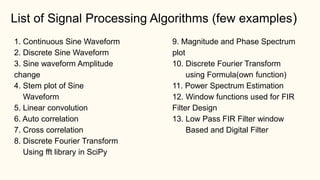
1. Continuous Sine Waveform
2. Discrete Sine Waveform
3. Sine waveform Amplitude
change
4. Stem plot of Sine
Waveform
5. Linear convolution
6. Auto correlation
7. Cross correlation
8. Discrete Fourier Transform
Using fft library in SciPy
9. Magnitude and Phase Spectrum
plot
10. Discrete Fourier Transform
using Formula(own function)
11. Power Spectrum Estimation
12. Window functions used for FIR
Filter Design
13. Low Pass FIR Filter window
Based and Digital Filter
List of Signal Processing Algorithms (few examples)
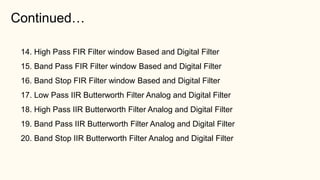
Continued…
14. High Pass FIR Filter window Based and Digital Filter
15. Band Pass FIR Filter window Based and Digital Filter
16. Band Stop FIR Filter window Based and Digital Filter
17. Low Pass IIR Butterworth Filter Analog and Digital Filter
18. High Pass IIR Butterworth Filter Analog and Digital Filter
19. Band Pass IIR Butterworth Filter Analog and Digital Filter
20. Band Stop IIR Butterworth Filter Analog and Digital Filter
References:
[1]. https://spoken-tutorial.org/cdcontent/
[2]. https://python.fossee.in/self_learningcourse/
https://python.fossee.in/spoken-tutorials/
[3]. https://matplotlib.org/3.1.1/gallery/lines_bars_and_markers/stem_plot.html#sphx-glr-
gallery-lines-bars-and-markers-stem-plot-py
[4]. https://matplotlib.org/devdocs/gallery/subplots_axes_and_figures/subplots_demo.html
[5]. https://docs.scipy.org/doc/numpy/reference/generated/numpy.convolve.html
[6]. https://docs.scipy.org/doc/numpy/reference/generated/numpy.zeros.html
[7]. https://scipy-cookbook.readthedocs.io/items/FIRFilter.html
References:
[9]. http://mpastell.com/pweave/_downloads/FIR_design_rst.html
[10]. http://mpastell.com/pweave/_downloads/FIR_design_rst.html
[11]. http://mpastell.com/2009/05/11/iir-filter-design-with-python-and-scipy/
1. Generation of Sine Waveform
[refer 1_Continuous_sine_wave.py]
𝑥 𝑡 = 𝐴 ∗ 𝑠𝑖𝑛 2 ∗ 𝜋 ∗ 𝑓 ∗ 𝑡
2. Generation of Discrete & Continuous Sine Waveform [refer
2_cont_Discrete_sinewave.py]
3. Amplitude change in Sine waveform [refer Exercise no.3]
4. Stem plot Sine waveform [refer Exercise no.4]
5. Linear Convolution [refer Exercise no.5]
N = Length of Linear convolution result
N1 = Length of x[n]
N2 = Length of h[n]
N = N1+N2-1
𝑦 𝑛
= 𝑥 𝑛 ∗ ℎ 𝑛𝑦 𝑛
=
𝑘=0
𝑁−1
𝑥 𝑘 ℎ 𝑛 − 𝑘
6. Auto correlation [refer Exercise no.6]
N = Length of Auto correlation result
N1 = Length of x[n]
N2 = Length of x[-n]
N = N1+N2-1
𝑦 𝑛
= 𝑥 𝑛 ∗ 𝑥 −𝑛
7. Cross correlation [refer Exercise no.7]
N = Length of Cross correlation result
N1 = Length of x[n]
N2 = Length of h[-n]
N = N1+N2-1
𝑦 𝑛
= 𝑥 𝑛 ∗ ℎ −𝑛
8. Discrete Fourier Transform using fft
library package[refer Exercise no.8]
 Let x[n] is a discrete sequence, the N-point of Discrete Fourier Transform of x[n] is given
by,
 Inverse Discrete Fourier Transform is given by,
𝑋 𝐾
=
𝑛=0
𝑛=𝑁−1
𝑥 𝑛 𝑒
−𝑗∗2∗𝜋∗𝐾∗𝑛
𝑁
𝑥 𝑛
=
1
𝑁
𝐾=0
𝐾=𝑁−1
𝑋 𝐾 𝑒
𝑗∗2∗𝜋∗𝐾∗𝑛
𝑁
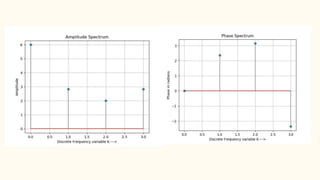
9. DFT – Magnitude and Phase Spectrum
[refer Exercise no.9]
 Let x[n] is a discrete sequence, the N-point of Discrete Fourier Transform of x[n] is given by,
 Magnitude spectrum = |X(K)|
 Phase spectrum = tan-1(Image part (X(K))/Real Part(X(K))
𝑋 𝐾
=
𝑛=0
𝑛=𝑁−1
𝑥 𝑛 𝑒
−𝑗∗2∗𝜋∗𝐾∗𝑛
𝑁
10. DFT – using own formula based
function [refer Exercise no.10]
* Use cmath Library for complex number
Manipulations
* Initialize X(K) with complex zeros ‘0+0j’
* Initialize X(K) with numpy zeros cause float type
assign to complex type error
* This problem will not occur in fft() built-in
function
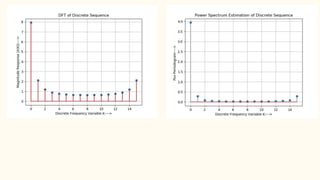
11. Power Spectrum Estimation [refer
Exercise no.11]
𝑃𝑥𝑥 𝐾
=
1
𝑁
𝑋 𝐾 2
𝑋 𝐾
=
𝑛=0
𝑛=𝑁−1
𝑥 𝑛 𝑒
−𝑗∗2∗𝜋∗𝐾∗𝑛
𝑁
The power spectrum of a discrete sequence x[n] is given by,
Where X(K) is the
Discrete Fourier
Transform of x[n]
12. Windowing techniques used for FIR
Filter Design [refer Exercise no.12]
*Rectangular window
*Hamming Window
*Hanning Window
*Blackmann Window
*Bartlett window
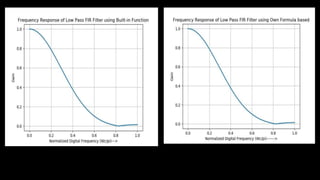
13. FIR- Low Pass Filter-Windowing
technique [refer Exercise no.13]
h[n] = hd [n]*W[n]
hd [n] = FIR LPF impulse response
W[n] = Hamming window function
hd [n] = sin(wc*(n-(N-1)/2)) / (π*(n-(N-1)/2))
Still Image and Video Processing Applications
Python Libraries
Python 3.7 and above
Matplotlib
Numpy
Scipy
Pillow
OpenCV
Software Weblinks
Python 3.7 - https://www.python.org/
Matplotlib - https://matplotlib.org/
Numpy - https://numpy.org/
Scipy - https://www.scipy.org/
Pillow - https://pypi.org/project/Pillow/
OpenCV - https://pypi.org/project/opencv-python/
Software Installation
Python 3.7
* Download Python latest version from Python.org
* Install the Python in windows in any drive
* After installation check whether it is properly installed or not
in your system using the command
D:Program FilesPython37>python
Python 3.7.0 (v3.7.0:1bf9cc5093, Jun 27
2018, 04:06:47) [MSC v.1914 32 bit (Inte
l)] on win32
Type "help", "copyright", "credits" or
"license" for more information.
>>>
Software Installation
Numpy, Scipy and Matplotlib installation
D:Program FilesPython37>python
Python 3.7.0 (v3.7.0:1bf9cc5093, Jun 27 2018, 04:06:47) [MSC v.1914 32 bit (Inte
l)] on win32
Type "help", "copyright", "credits" or "license" for more information.
>>> import numpy
>>> import scipy
>>> import matplotlib
>>>
1. python -m pip install numpy
2. python -m pip install scipy
3. python -m pip install matplotlib
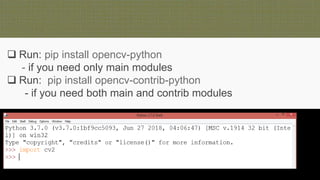
 Run: pip install opencv-python
- if you need only main modules
 Run: pip install opencv-contrib-python
- if you need both main and contrib modules
Basic Image Processing using
matplotlib & pillow Python libraries
Exercises:
1. Image read and display
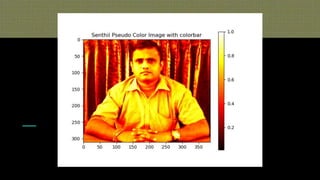
2. Pseudo color Image
3. Pseudo color Image color bar
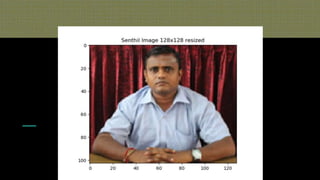
4. Image Resizing
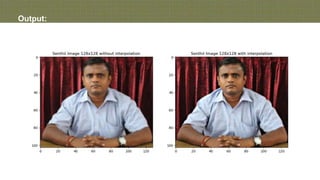
5. Image Interpolation
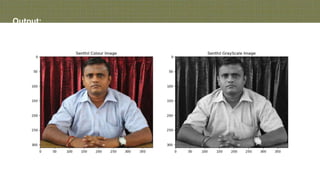
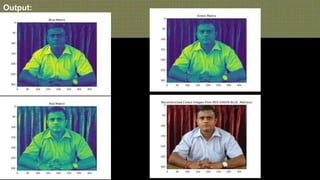
6. RGB to Gray Image
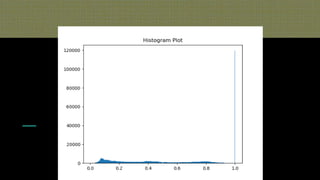
7. Histogram Plot
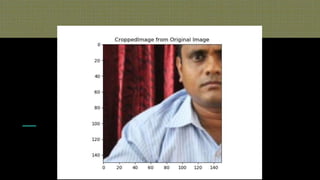
8. Cropping a Portion of an Image
9. Shape of an Image and gray scale conversion
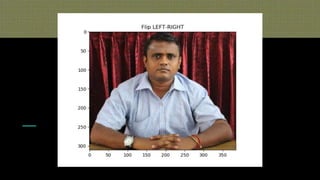
10.Image transform
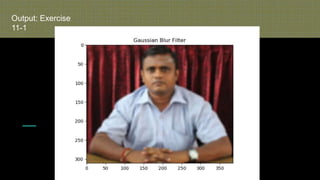
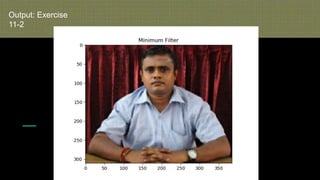
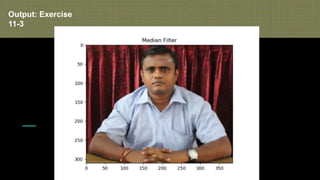
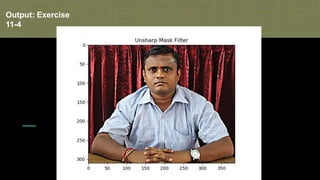
11.Image Filtering
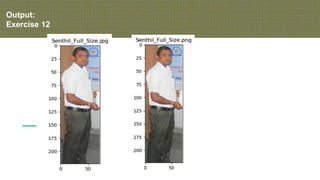
12.Image Details and Changing Image File Format
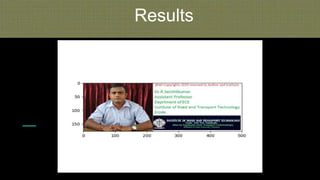
Results
Copyrigh
t Image
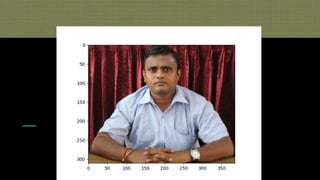
Output:
Exercise
1
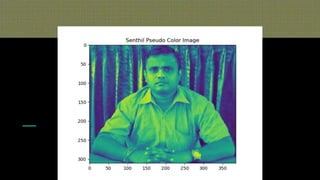
Output:
Exercise
2
Output:
Exercise
3
Output:
Exercise
4
Output:
Exercise 5
Output:
Exercise 6
Output:
Exercise
7
Output:
Exercise
8
Output:
Exercise 9
Output:
Exercise
10-1
Output:
Exercise
10-2
Output:
Exercise
10-3
Output:
Exercise
10-4
Output:
Exercise
10-5
Output: Exercise
11-1
Output: Exercise
11-2
Output: Exercise
11-3
Output: Exercise
11-4
Output:
Exercise 12
More practice- refer the youtube link
https://www.youtube.com/watch?v=Me2OWBstBN
g&t=21s
Image Processing using OpenCV
Exercises:
1. Read a colour and display an image
2. Read a colour image and display the size of an image
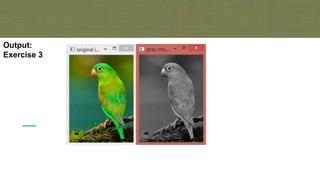
3. Convert a colout image into Gray image
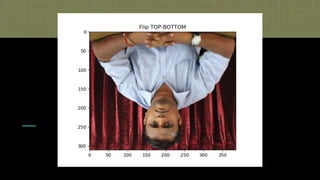
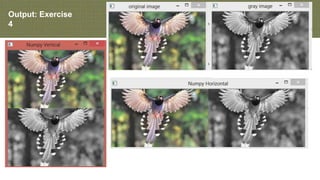
4. Vertical and Horizontal stack more than one image
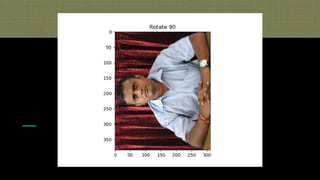
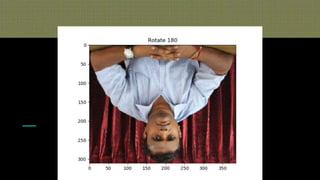
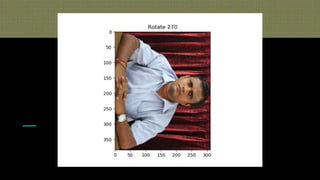
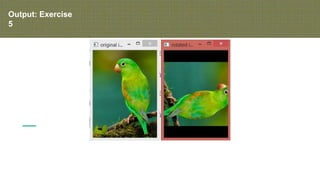
5. Image transform (rotation)
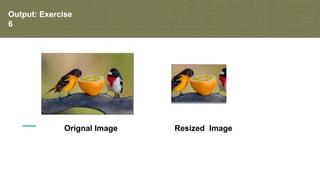
6. Image resize
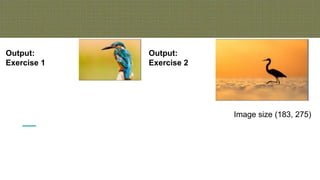
Output:
Exercise 1
Image size (183, 275)
Output:
Exercise 2
Output:
Exercise 3
Output: Exercise
4
Output: Exercise
5
Output: Exercise
6
Orignal Image Resized Image
More practice- Refer the youtube
video link
https://www.youtube.com/watch?v=CCkDS-fo-eQ
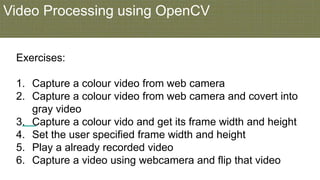
Video Processing using OpenCV
Exercises:
1. Capture a colour video from web camera
2. Capture a colour video from web camera and covert into
gray video
3. Capture a colour vido and get its frame width and height
4. Set the user specified frame width and height
5. Play a already recorded video
6. Capture a video using webcamera and flip that video
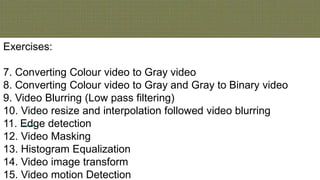
Exercises:
7. Converting Colour video to Gray video
8. Converting Colour video to Gray and Gray to Binary video
9. Video Blurring (Low pass filtering)
10. Video resize and interpolation followed video blurring
11. Edge detection
12. Video Masking
13. Histogram Equalization
14. Video image transform
15. Video motion Detection
More practice –Refer the youtube
video lecture
https://www.youtube.com/watch?v=bR01_iGx7os
https://www.slideshare.net/rsenthil1976/bang-pypers-
agustmeetup
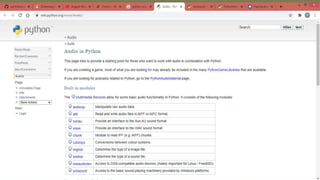
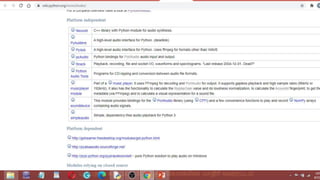
Python speech, music and audio libraries
https://wiki.python.org/moin/Audio/
https://docs.python.org/3/library/winsound.
html
https://wiki.python.org/moin/PythonInMusic
https://realpython.com/playing-and-
recording-sound-python/

Chennai python augustmeetup

  • 1.
    Replacing MATLAB inSignal, Speech, Image and Video Processing Dr.R.Senthilkumar, Assistant Professor, Department of Electronics and Communication Engineering, Institute of Road and Transport Technology, Erode, Tamilnadu Chennai Python Group August Meetup 22nd August 2020
  • 2.
    Python Libraries to beInstalled for Signal Processing For Windows, Linux and Android Users ● Matplotlib ● NumPy ● SciPy
  • 3.
    1. Continuous SineWaveform 2. Discrete Sine Waveform 3. Sine waveform Amplitude change 4. Stem plot of Sine Waveform 5. Linear convolution 6. Auto correlation 7. Cross correlation 8. Discrete Fourier Transform Using fft library in SciPy 9. Magnitude and Phase Spectrum plot 10. Discrete Fourier Transform using Formula(own function) 11. Power Spectrum Estimation 12. Window functions used for FIR Filter Design 13. Low Pass FIR Filter window Based and Digital Filter List of Signal Processing Algorithms (few examples)
  • 4.
    Continued… 14. High PassFIR Filter window Based and Digital Filter 15. Band Pass FIR Filter window Based and Digital Filter 16. Band Stop FIR Filter window Based and Digital Filter 17. Low Pass IIR Butterworth Filter Analog and Digital Filter 18. High Pass IIR Butterworth Filter Analog and Digital Filter 19. Band Pass IIR Butterworth Filter Analog and Digital Filter 20. Band Stop IIR Butterworth Filter Analog and Digital Filter
  • 5.
    References: [1]. https://spoken-tutorial.org/cdcontent/ [2]. https://python.fossee.in/self_learningcourse/ https://python.fossee.in/spoken-tutorials/ [3].https://matplotlib.org/3.1.1/gallery/lines_bars_and_markers/stem_plot.html#sphx-glr- gallery-lines-bars-and-markers-stem-plot-py [4]. https://matplotlib.org/devdocs/gallery/subplots_axes_and_figures/subplots_demo.html [5]. https://docs.scipy.org/doc/numpy/reference/generated/numpy.convolve.html [6]. https://docs.scipy.org/doc/numpy/reference/generated/numpy.zeros.html [7]. https://scipy-cookbook.readthedocs.io/items/FIRFilter.html
  • 6.
  • 9.
    1. Generation ofSine Waveform [refer 1_Continuous_sine_wave.py] 𝑥 𝑡 = 𝐴 ∗ 𝑠𝑖𝑛 2 ∗ 𝜋 ∗ 𝑓 ∗ 𝑡
  • 10.
    2. Generation ofDiscrete & Continuous Sine Waveform [refer 2_cont_Discrete_sinewave.py]
  • 11.
    3. Amplitude changein Sine waveform [refer Exercise no.3]
  • 12.
    4. Stem plotSine waveform [refer Exercise no.4]
  • 13.
    5. Linear Convolution[refer Exercise no.5] N = Length of Linear convolution result N1 = Length of x[n] N2 = Length of h[n] N = N1+N2-1 𝑦 𝑛 = 𝑥 𝑛 ∗ ℎ 𝑛𝑦 𝑛 = 𝑘=0 𝑁−1 𝑥 𝑘 ℎ 𝑛 − 𝑘
  • 14.
    6. Auto correlation[refer Exercise no.6] N = Length of Auto correlation result N1 = Length of x[n] N2 = Length of x[-n] N = N1+N2-1 𝑦 𝑛 = 𝑥 𝑛 ∗ 𝑥 −𝑛
  • 15.
    7. Cross correlation[refer Exercise no.7] N = Length of Cross correlation result N1 = Length of x[n] N2 = Length of h[-n] N = N1+N2-1 𝑦 𝑛 = 𝑥 𝑛 ∗ ℎ −𝑛
  • 16.
    8. Discrete FourierTransform using fft library package[refer Exercise no.8]  Let x[n] is a discrete sequence, the N-point of Discrete Fourier Transform of x[n] is given by,  Inverse Discrete Fourier Transform is given by, 𝑋 𝐾 = 𝑛=0 𝑛=𝑁−1 𝑥 𝑛 𝑒 −𝑗∗2∗𝜋∗𝐾∗𝑛 𝑁 𝑥 𝑛 = 1 𝑁 𝐾=0 𝐾=𝑁−1 𝑋 𝐾 𝑒 𝑗∗2∗𝜋∗𝐾∗𝑛 𝑁
  • 17.
    9. DFT –Magnitude and Phase Spectrum [refer Exercise no.9]  Let x[n] is a discrete sequence, the N-point of Discrete Fourier Transform of x[n] is given by,  Magnitude spectrum = |X(K)|  Phase spectrum = tan-1(Image part (X(K))/Real Part(X(K)) 𝑋 𝐾 = 𝑛=0 𝑛=𝑁−1 𝑥 𝑛 𝑒 −𝑗∗2∗𝜋∗𝐾∗𝑛 𝑁
  • 19.
    10. DFT –using own formula based function [refer Exercise no.10] * Use cmath Library for complex number Manipulations * Initialize X(K) with complex zeros ‘0+0j’ * Initialize X(K) with numpy zeros cause float type assign to complex type error * This problem will not occur in fft() built-in function
  • 20.
    11. Power SpectrumEstimation [refer Exercise no.11] 𝑃𝑥𝑥 𝐾 = 1 𝑁 𝑋 𝐾 2 𝑋 𝐾 = 𝑛=0 𝑛=𝑁−1 𝑥 𝑛 𝑒 −𝑗∗2∗𝜋∗𝐾∗𝑛 𝑁 The power spectrum of a discrete sequence x[n] is given by, Where X(K) is the Discrete Fourier Transform of x[n]
  • 22.
    12. Windowing techniquesused for FIR Filter Design [refer Exercise no.12] *Rectangular window *Hamming Window *Hanning Window *Blackmann Window *Bartlett window
  • 23.
    13. FIR- LowPass Filter-Windowing technique [refer Exercise no.13] h[n] = hd [n]*W[n] hd [n] = FIR LPF impulse response W[n] = Hamming window function hd [n] = sin(wc*(n-(N-1)/2)) / (π*(n-(N-1)/2))
  • 25.
    Still Image andVideo Processing Applications Python Libraries Python 3.7 and above Matplotlib Numpy Scipy Pillow OpenCV
  • 26.
    Software Weblinks Python 3.7- https://www.python.org/ Matplotlib - https://matplotlib.org/ Numpy - https://numpy.org/ Scipy - https://www.scipy.org/ Pillow - https://pypi.org/project/Pillow/ OpenCV - https://pypi.org/project/opencv-python/
  • 27.
    Software Installation Python 3.7 *Download Python latest version from Python.org * Install the Python in windows in any drive * After installation check whether it is properly installed or not in your system using the command D:Program FilesPython37>python Python 3.7.0 (v3.7.0:1bf9cc5093, Jun 27 2018, 04:06:47) [MSC v.1914 32 bit (Inte l)] on win32 Type "help", "copyright", "credits" or "license" for more information. >>>
  • 28.
    Software Installation Numpy, Scipyand Matplotlib installation D:Program FilesPython37>python Python 3.7.0 (v3.7.0:1bf9cc5093, Jun 27 2018, 04:06:47) [MSC v.1914 32 bit (Inte l)] on win32 Type "help", "copyright", "credits" or "license" for more information. >>> import numpy >>> import scipy >>> import matplotlib >>> 1. python -m pip install numpy 2. python -m pip install scipy 3. python -m pip install matplotlib
  • 29.
     Run: pipinstall opencv-python - if you need only main modules  Run: pip install opencv-contrib-python - if you need both main and contrib modules
  • 30.
    Basic Image Processingusing matplotlib & pillow Python libraries Exercises: 1. Image read and display 2. Pseudo color Image 3. Pseudo color Image color bar 4. Image Resizing 5. Image Interpolation 6. RGB to Gray Image 7. Histogram Plot 8. Cropping a Portion of an Image 9. Shape of an Image and gray scale conversion 10.Image transform 11.Image Filtering 12.Image Details and Changing Image File Format
  • 31.
  • 32.
  • 33.
  • 34.
  • 35.
  • 36.
  • 37.
  • 38.
  • 39.
  • 40.
  • 41.
  • 42.
  • 43.
  • 44.
  • 45.
  • 46.
  • 47.
  • 48.
  • 49.
  • 50.
  • 51.
    More practice- referthe youtube link https://www.youtube.com/watch?v=Me2OWBstBN g&t=21s
  • 52.
    Image Processing usingOpenCV Exercises: 1. Read a colour and display an image 2. Read a colour image and display the size of an image 3. Convert a colout image into Gray image 4. Vertical and Horizontal stack more than one image 5. Image transform (rotation) 6. Image resize
  • 53.
    Output: Exercise 1 Image size(183, 275) Output: Exercise 2
  • 54.
  • 55.
  • 56.
  • 57.
  • 58.
    More practice- Referthe youtube video link https://www.youtube.com/watch?v=CCkDS-fo-eQ
  • 59.
    Video Processing usingOpenCV Exercises: 1. Capture a colour video from web camera 2. Capture a colour video from web camera and covert into gray video 3. Capture a colour vido and get its frame width and height 4. Set the user specified frame width and height 5. Play a already recorded video 6. Capture a video using webcamera and flip that video
  • 60.
    Exercises: 7. Converting Colourvideo to Gray video 8. Converting Colour video to Gray and Gray to Binary video 9. Video Blurring (Low pass filtering) 10. Video resize and interpolation followed video blurring 11. Edge detection 12. Video Masking 13. Histogram Equalization 14. Video image transform 15. Video motion Detection
  • 61.
    More practice –Referthe youtube video lecture https://www.youtube.com/watch?v=bR01_iGx7os https://www.slideshare.net/rsenthil1976/bang-pypers- agustmeetup
  • 62.
    Python speech, musicand audio libraries
  • 65.