COOKIN’ UP SERVERS WITH CHEF
Chef is an automation platform that streamlines the tasks
of configuring machines. It also helps maintain the state
of those machines.
I am going to talk about the anatomy of Chef, show a
code example, show how code become a configuration
on a machine
CHEF ECOSYSTEM
The Chef Ecosystem has three main components. The
Chef DK, Chef Server and Clients.
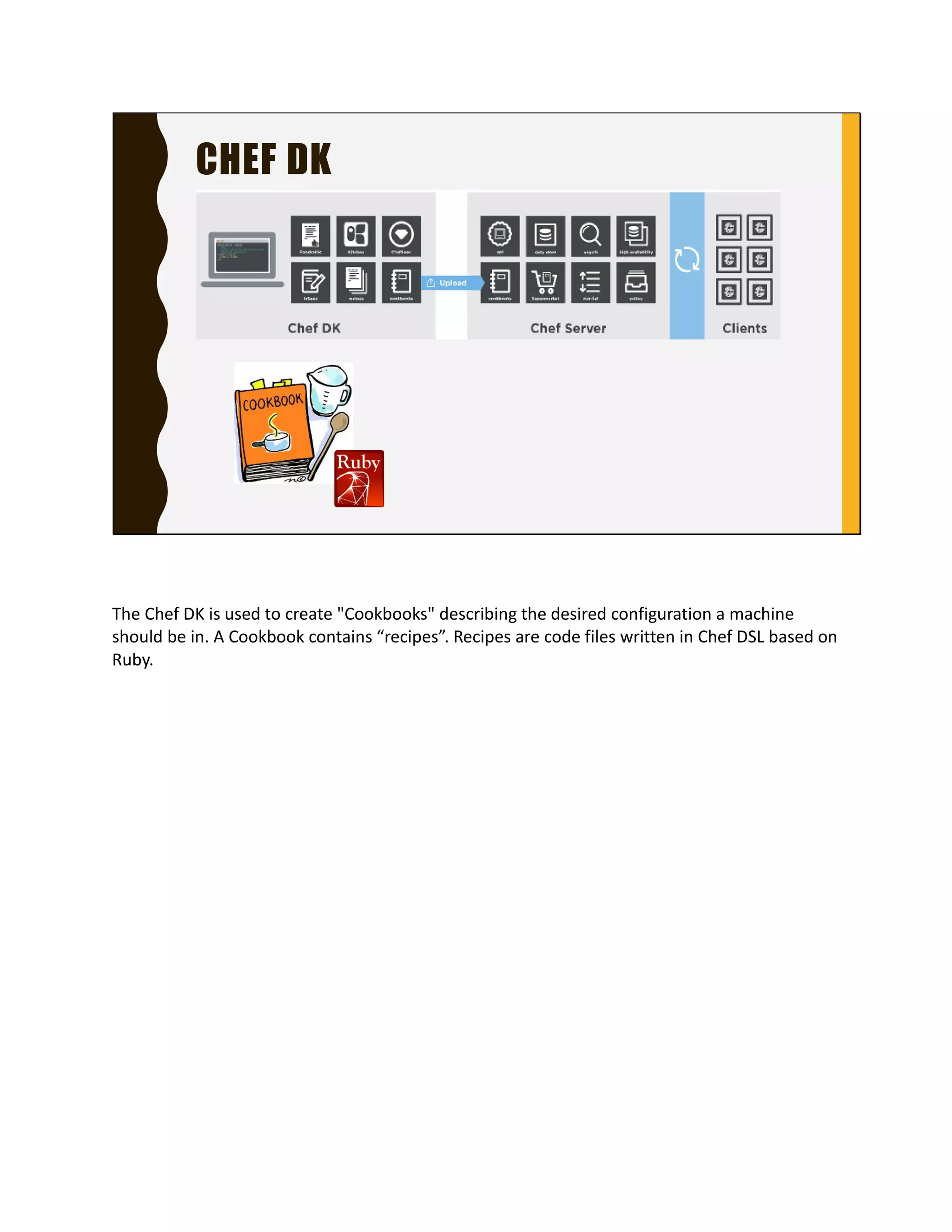
The ChefDK is installed on a programmer’s workstation.
The Chef Server is an on premise server or a Chef
Managed instance.
Clients are the machines that you want Chef to configure.
CHEF DK
The Chef DK is used to create "Cookbooks" describing the
desired configuration a machine should be in. A
Cookbook contains “recipes”. Recipes are code files
written in Chef DSL based on Ruby.
CHEF DK
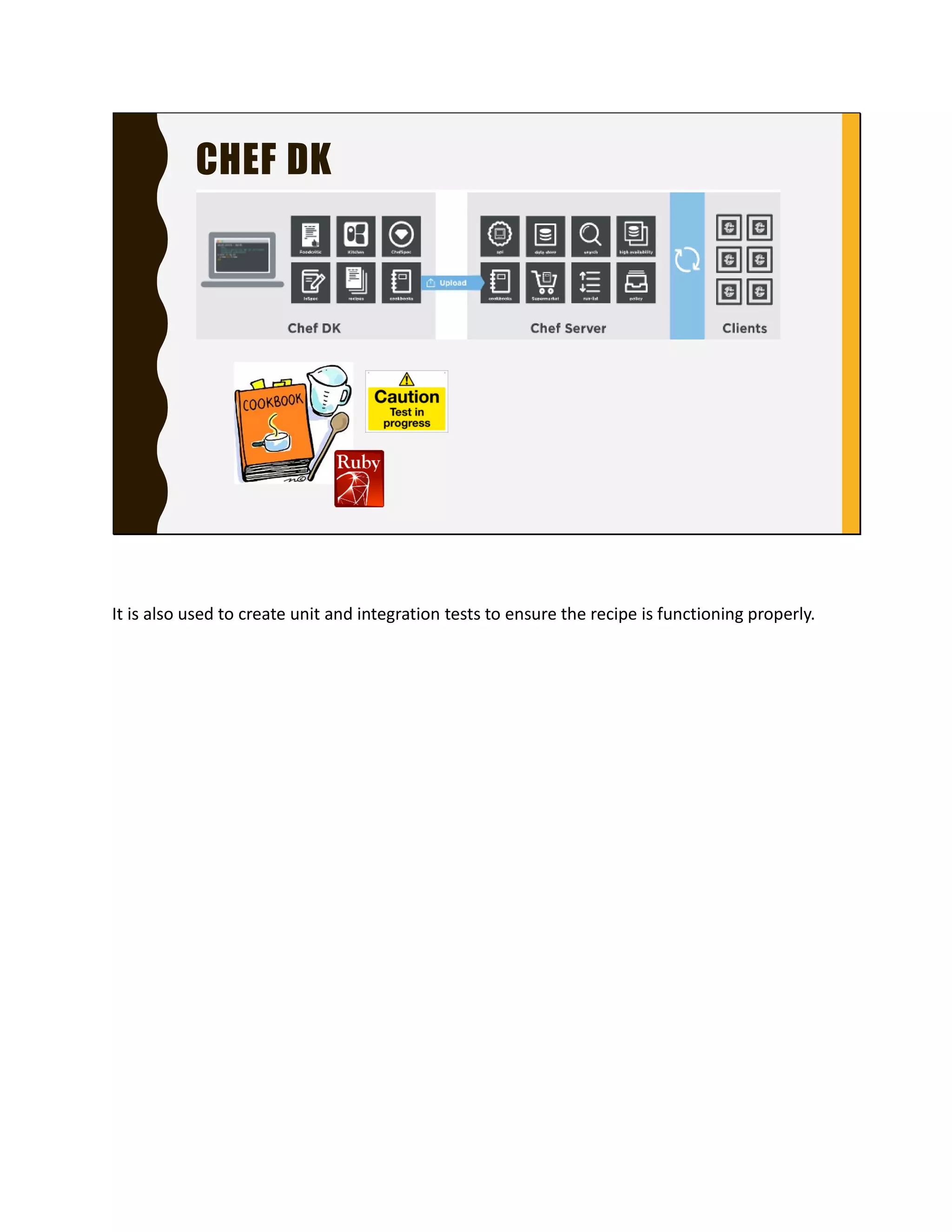
It is also used to create unit and integration tests to
ensure the recipe is functioning properly.
CHEF SERVER
The Chef Server is a hub for configuration data. Chef
server stores:
Cookbooks
Rules on how recipes are applied to clients
Meta data to describe each client configuration..
CHEF CLIENTS
Clients are computers - physical, virtual or cloud that are
managed by Chef. Each computer has the Chef Client
installed.
Chef Client is what does the configuring
It runs in the background periodically.
For each run it asks the Chef Server for recipes to
execute, executes them to bring the configuration of the
machine to its desired state
COOKBOOKS
Let’s take a deeper dive into the ChefDK
Chef DK is used to create cookbooks.
Cookbooks contain recipes related to each other
A cookbook has many parts, recipes, attributes,
environments, data_bags, Tests, libraries and custom
resources.
I am only going show you the most essential parts,
recipes and tests.
RECIPES
A recipe contains a set of resources that describe what
the state the machine should be. A resource is the
“thing” you configure on the machine.
Here is an example of a recipe that installs KanbanSim.
When the chef client runs this recipe, it will run the
resources in order.
RESOURCES
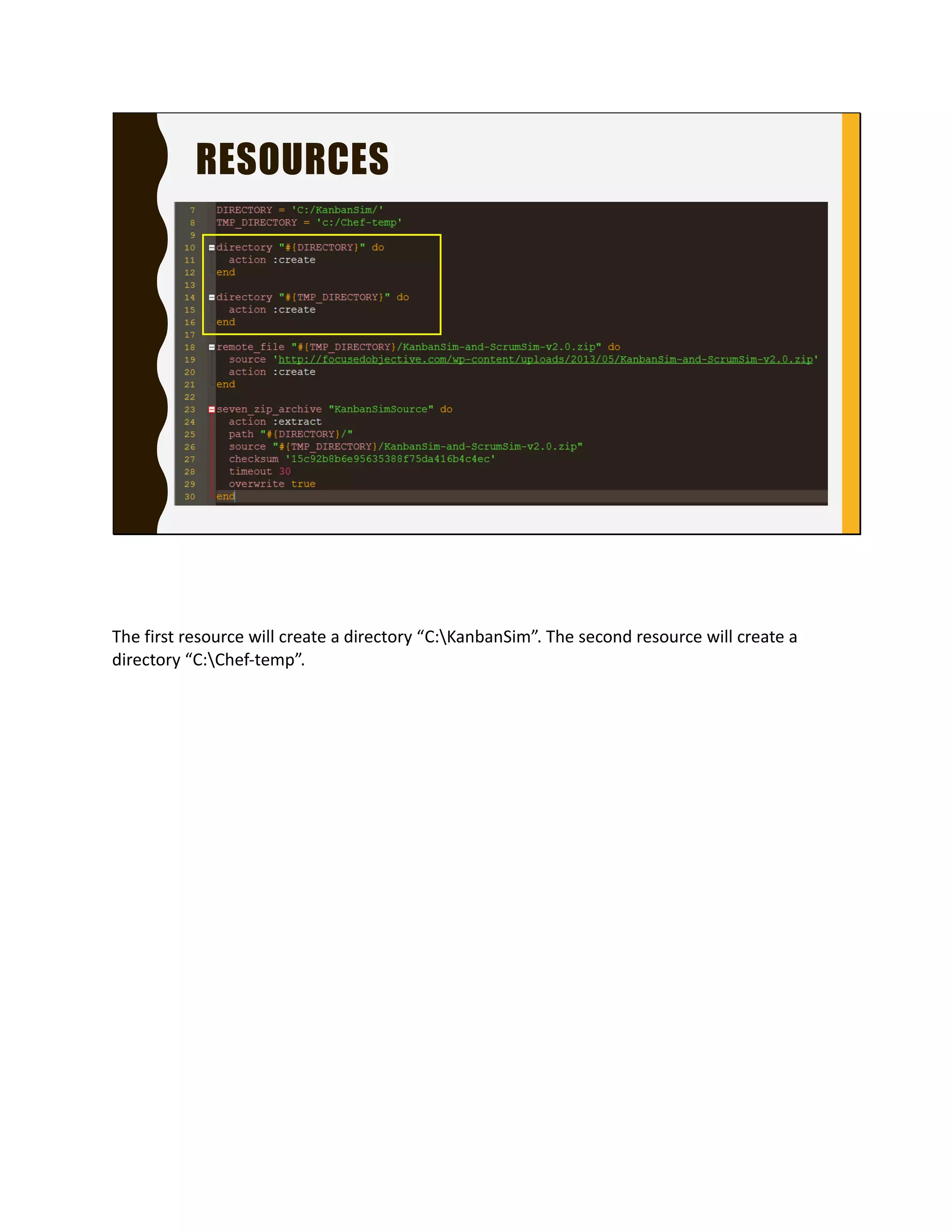
The first resource will create a directory “C:KanbanSim”.
The second resource will create a directory “C:Chef-
temp”.
RESOURCES
The remote_file resource will download the file in the
source attribute and save it as C:Chef-tempKanbanSim-
and-ScrumSim-v2.0.zip.
RESOURCES
The last resource will extract the zip file specified in the
source attribute to the location set in the path attribute.
TESTING COOKBOOKS
Testing Cookbooks – one of the perks of describing your
machine configuration as code is you can easily test it.
Chef offers a couple of ways to do this. ChefSpec and
InSpec.
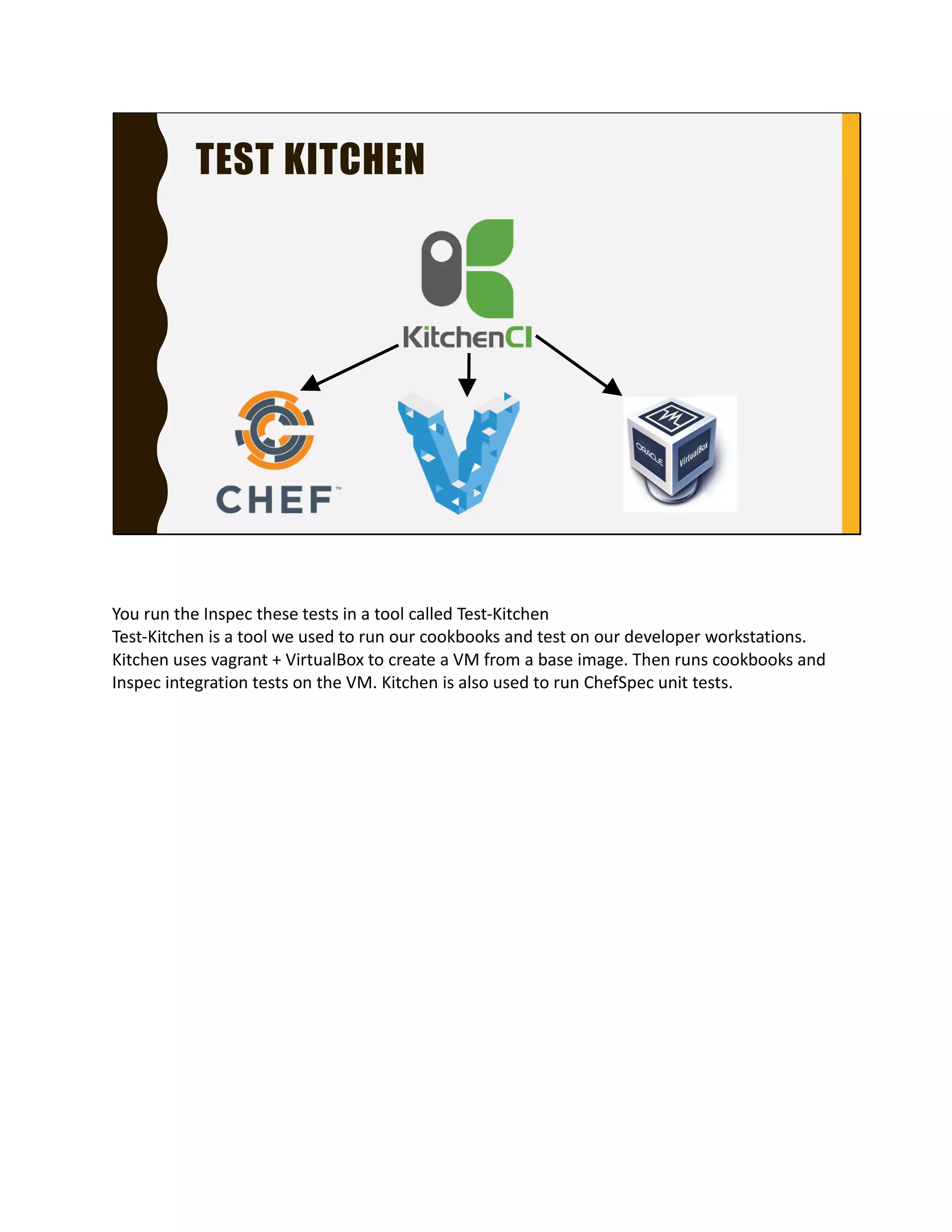
TEST KITCHEN
You run the Inspec these tests in a tool called Test-
Kitchen
Test-Kitchen is a tool we used to run our cookbooks and
test on our developer workstations. Kitchen uses vagrant
+ VirtualBox to create a VM from a base image. Then runs
cookbooks and Inspec integration tests on the VM.
Kitchen is also used to run ChefSpec unit tests.
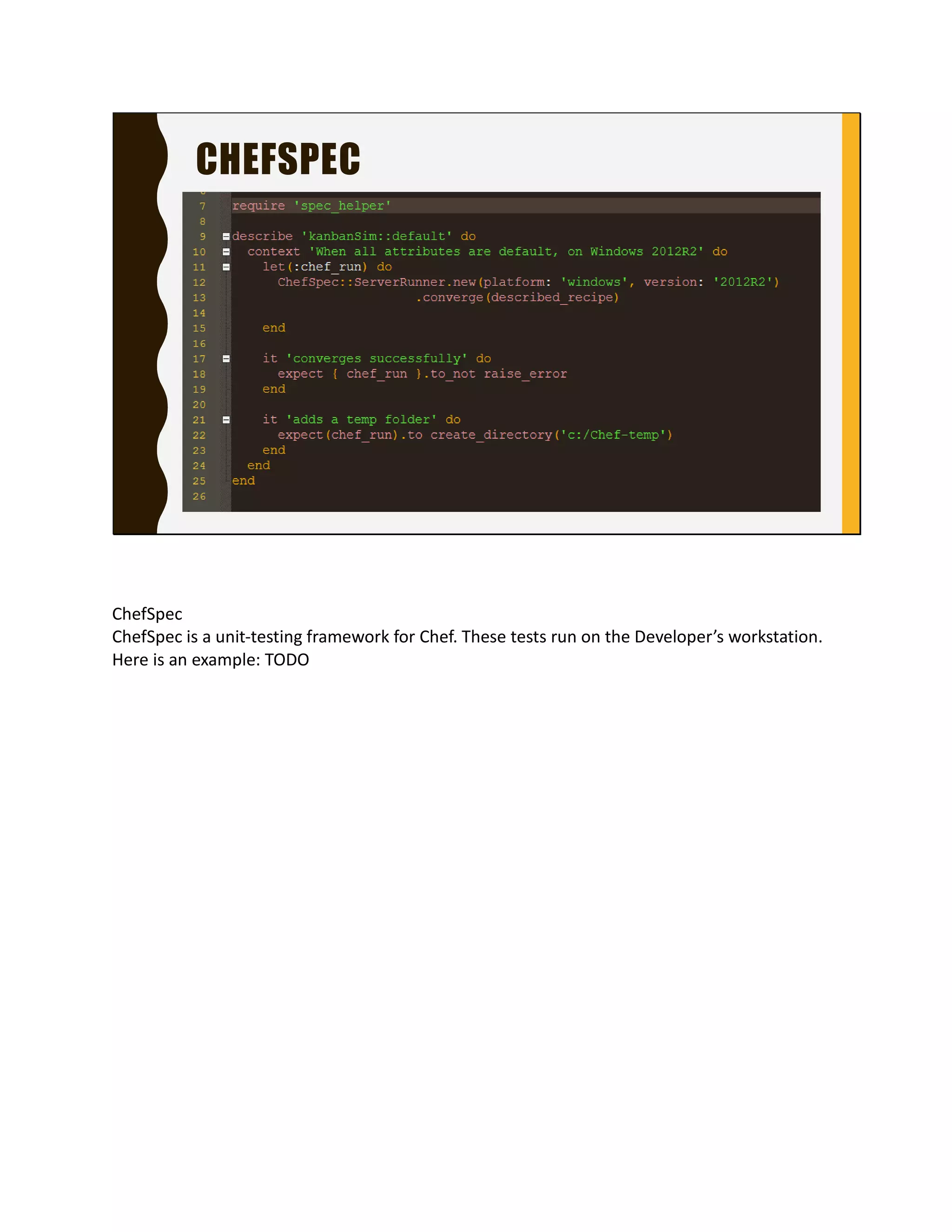
CHEFSPEC
ChefSpec
ChefSpec is a unit-testing framework for Chef. These tests
run on the Developer’s workstation. Here is an example:
TODO
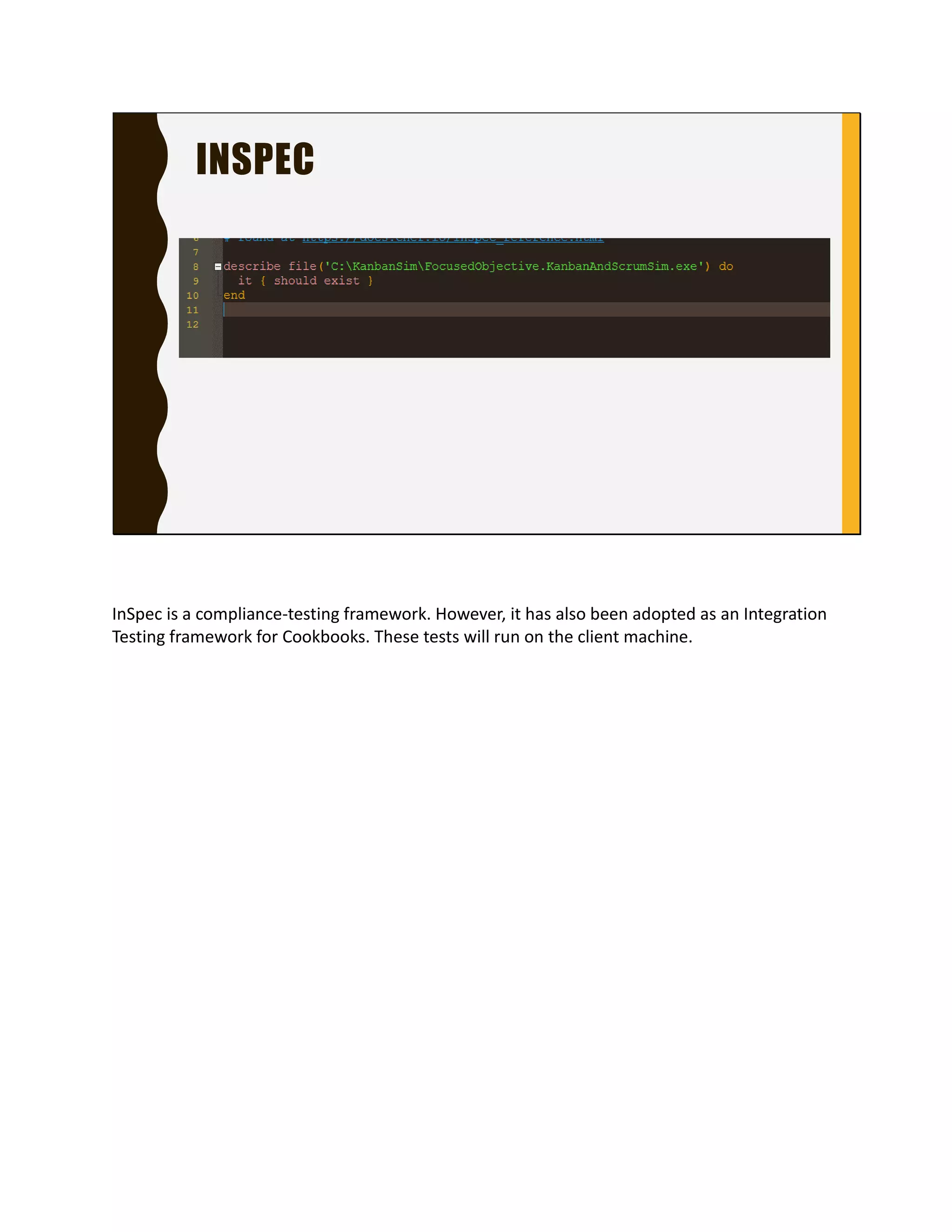
INSPEC
InSpec is a compliance-testing framework. However, it
has also been adopted as an Integration Testing
framework for Cookbooks. These tests will run on the
client machine.
CHEF SERVER
Chef Server
The Chef server is a hub for configuration data. With Chef
Server you can:
Manage User Security
Manage Roles, which is a group of recipes. Roles are
assigned to Client “Node
The picture here shows a role called Jenkins_dotnet
with three recipes in the run list
Manage Client “Nodes”
View Reports about Chef client runs
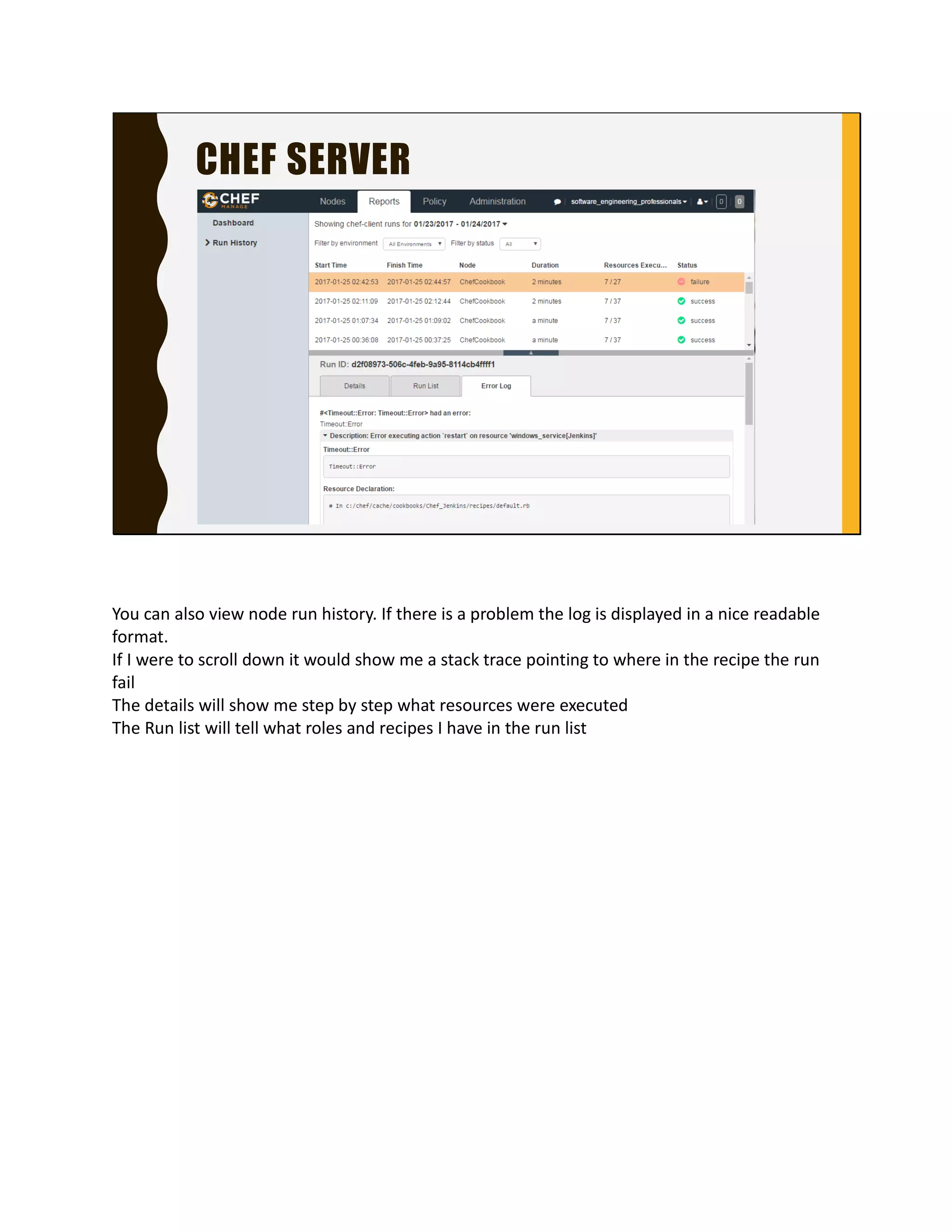
CHEF SERVER
You can also view node run history. If there is a problem
the log is displayed in a nice readable format.
If I were to scroll down it would show me a stack trace
pointing to where in the recipe the run fail
The details will show me step by step what resources
were executed
The Run list will tell what roles and recipes I have in the
run list
CHEF WORKFLOW EXAMPLE
Ok let’s get out of the weeds a second and talk about what the
workflow would look like to get a server with KanbanSim
First I push the KanbanSim cookbook to git
Which kicks off a Jenkins Job
That downloads the code and runs my unit and integration tests
Once those pass then the Jenkins job will call a tool called knife
and upload the cookbooks
Then we can use knife to install chef client on a server and
assign that server a run list
Once Chef Client is installed then it will start to configure the
server.
Then the server will periodically perform a run and check in
with the Chef server
CHEF WORKFLOW EXAMPLE
Then the Jenkins job will call a tool called knife and
upload the cookbooks
Then we can use knife to install chef client on a server
and assign that server a run list
Once Chef Client is installed then it will start to configure
the server.
Then the server will periodically perform a run and check
in with the Chef server
AWESOME TELL ME MORE
• More info on Chef https://learn.chef.io/
• More info in Inspec see https://www.chef.io/inspec/
• Food Fight Show podcast http://foodfightshow.org/
• Slack Chef Community Channel http://community-slack.chef.io/
Chef has a bunch of tutorials online
The main use case for Inspec is compliance testing, which
I can see our FDA regulated customers interested in it
(cough)
Food fight show podcast will give you insights on features
you didn’t know existed and what is planned for the
future
Slack community channel seems pretty active, about
1500 members

Ignite Talk on Chef

  • 1.
    COOKIN’ UP SERVERSWITH CHEF Chef is an automation platform that streamlines the tasks of configuring machines. It also helps maintain the state of those machines. I am going to talk about the anatomy of Chef, show a code example, show how code become a configuration on a machine
  • 2.
    CHEF ECOSYSTEM The ChefEcosystem has three main components. The Chef DK, Chef Server and Clients. The ChefDK is installed on a programmer’s workstation. The Chef Server is an on premise server or a Chef Managed instance. Clients are the machines that you want Chef to configure.
  • 3.
    CHEF DK The ChefDK is used to create "Cookbooks" describing the desired configuration a machine should be in. A Cookbook contains “recipes”. Recipes are code files written in Chef DSL based on Ruby.
  • 4.
    CHEF DK It isalso used to create unit and integration tests to ensure the recipe is functioning properly.
  • 5.
    CHEF SERVER The ChefServer is a hub for configuration data. Chef server stores: Cookbooks Rules on how recipes are applied to clients Meta data to describe each client configuration..
  • 6.
    CHEF CLIENTS Clients arecomputers - physical, virtual or cloud that are managed by Chef. Each computer has the Chef Client installed. Chef Client is what does the configuring It runs in the background periodically. For each run it asks the Chef Server for recipes to execute, executes them to bring the configuration of the machine to its desired state
  • 7.
    COOKBOOKS Let’s take adeeper dive into the ChefDK Chef DK is used to create cookbooks. Cookbooks contain recipes related to each other A cookbook has many parts, recipes, attributes, environments, data_bags, Tests, libraries and custom resources. I am only going show you the most essential parts, recipes and tests.
  • 8.
    RECIPES A recipe containsa set of resources that describe what the state the machine should be. A resource is the “thing” you configure on the machine. Here is an example of a recipe that installs KanbanSim. When the chef client runs this recipe, it will run the resources in order.
  • 9.
    RESOURCES The first resourcewill create a directory “C:KanbanSim”. The second resource will create a directory “C:Chef- temp”.
  • 10.
    RESOURCES The remote_file resourcewill download the file in the source attribute and save it as C:Chef-tempKanbanSim- and-ScrumSim-v2.0.zip.
  • 11.
    RESOURCES The last resourcewill extract the zip file specified in the source attribute to the location set in the path attribute.
  • 12.
    TESTING COOKBOOKS Testing Cookbooks– one of the perks of describing your machine configuration as code is you can easily test it. Chef offers a couple of ways to do this. ChefSpec and InSpec.
  • 13.
    TEST KITCHEN You runthe Inspec these tests in a tool called Test- Kitchen Test-Kitchen is a tool we used to run our cookbooks and test on our developer workstations. Kitchen uses vagrant + VirtualBox to create a VM from a base image. Then runs cookbooks and Inspec integration tests on the VM. Kitchen is also used to run ChefSpec unit tests.
  • 14.
    CHEFSPEC ChefSpec ChefSpec is aunit-testing framework for Chef. These tests run on the Developer’s workstation. Here is an example: TODO
  • 15.
    INSPEC InSpec is acompliance-testing framework. However, it has also been adopted as an Integration Testing framework for Cookbooks. These tests will run on the client machine.
  • 16.
    CHEF SERVER Chef Server TheChef server is a hub for configuration data. With Chef Server you can: Manage User Security Manage Roles, which is a group of recipes. Roles are assigned to Client “Node The picture here shows a role called Jenkins_dotnet with three recipes in the run list Manage Client “Nodes” View Reports about Chef client runs
  • 17.
    CHEF SERVER You canalso view node run history. If there is a problem the log is displayed in a nice readable format. If I were to scroll down it would show me a stack trace pointing to where in the recipe the run fail The details will show me step by step what resources were executed The Run list will tell what roles and recipes I have in the run list
  • 18.
    CHEF WORKFLOW EXAMPLE Oklet’s get out of the weeds a second and talk about what the workflow would look like to get a server with KanbanSim First I push the KanbanSim cookbook to git Which kicks off a Jenkins Job That downloads the code and runs my unit and integration tests Once those pass then the Jenkins job will call a tool called knife and upload the cookbooks Then we can use knife to install chef client on a server and assign that server a run list Once Chef Client is installed then it will start to configure the server. Then the server will periodically perform a run and check in with the Chef server
  • 19.
    CHEF WORKFLOW EXAMPLE Thenthe Jenkins job will call a tool called knife and upload the cookbooks Then we can use knife to install chef client on a server and assign that server a run list Once Chef Client is installed then it will start to configure the server. Then the server will periodically perform a run and check in with the Chef server
  • 20.
    AWESOME TELL MEMORE • More info on Chef https://learn.chef.io/ • More info in Inspec see https://www.chef.io/inspec/ • Food Fight Show podcast http://foodfightshow.org/ • Slack Chef Community Channel http://community-slack.chef.io/ Chef has a bunch of tutorials online The main use case for Inspec is compliance testing, which I can see our FDA regulated customers interested in it (cough) Food fight show podcast will give you insights on features you didn’t know existed and what is planned for the future Slack community channel seems pretty active, about 1500 members