
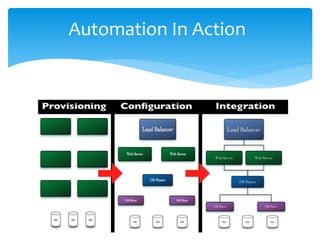
![ Infrastructure as a Code.
An API for the Infrastructure.
Continuous Delivery [ Build.. Test.. Deploy.. ].
Chef uses Ruby as DSL.
Open Source.
What is chef ..?](https://image.slidesharecdn.com/iqe18leprr2vwzr5pbos-140617131046-phpapp02/85/Cook-Infrastructure-with-chef-Justeat-IN-3-320.jpg)
![ knife cookbook list
knife cookbook create COOKBOOK
knife cookbook download COOKBOOK
knife cookbook upload [COOKBOOKS...]
knife cookbook delete COOKBOOK
knife cookbook site download COOKBOOK
Cookbook Commands](https://image.slidesharecdn.com/iqe18leprr2vwzr5pbos-140617131046-phpapp02/85/Cook-Infrastructure-with-chef-Justeat-IN-13-320.jpg)
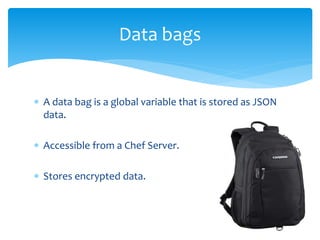
![ Run this command
curl -L https://www.opscode.com/chef/install.sh | sudo
bash
Git clone git://github.com/opscode/chef-repo.git
mkdir .chef ; cd .chef
echo "cookbook_path [ ‘path/to/cookbooks' ]" >
.chef/knife.rb
Install Chef](https://image.slidesharecdn.com/iqe18leprr2vwzr5pbos-140617131046-phpapp02/85/Cook-Infrastructure-with-chef-Justeat-IN-21-320.jpg)
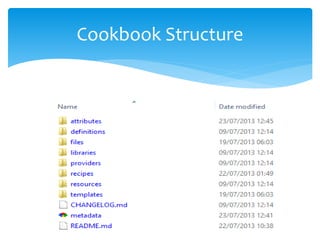
![ attributes/default.rb
node.default[“justeat”][“first_dir”] = “/etc/justeat”
First Attribute file](https://image.slidesharecdn.com/iqe18leprr2vwzr5pbos-140617131046-phpapp02/85/Cook-Infrastructure-with-chef-Justeat-IN-25-320.jpg)
![In recipes/default.rb
directory node[“justeat”][“first_dir”] do
user “root”
recursive true
end
Template “my.cnf” do
source “my.cnf.erb”
variables( :my_port => “3308” )
end
First Recipe](https://image.slidesharecdn.com/iqe18leprr2vwzr5pbos-140617131046-phpapp02/85/Cook-Infrastructure-with-chef-Justeat-IN-26-320.jpg)
![knife bootstrap 10.1.1.110 -r 'recipe[apt]' –x username –P
password –sudo
It will install chef client in node and run the recipes
specified in run list.
Bootstrap new Node](https://image.slidesharecdn.com/iqe18leprr2vwzr5pbos-140617131046-phpapp02/85/Cook-Infrastructure-with-chef-Justeat-IN-27-320.jpg)
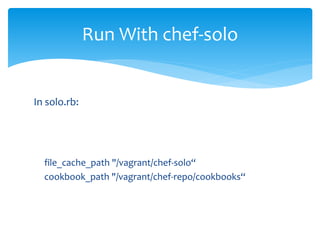
![In justeat.json :
{
“run_list” : [“recipe[justeat]”]
}
Run With chef-solo](https://image.slidesharecdn.com/iqe18leprr2vwzr5pbos-140617131046-phpapp02/85/Cook-Infrastructure-with-chef-Justeat-IN-29-320.jpg)



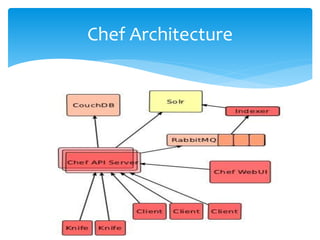
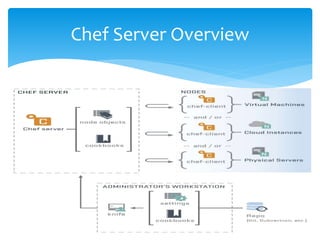
This document introduces the Chef automation tool and its components, including cookbooks, recipes, and nodes. It explains the use of knife CLI for managing cookbooks and details the process for creating a cookbook and bootstrapping a node. Additionally, it outlines Chef's architecture, concepts like roles and data bags, and emphasizes the importance of environments in configuration management.


