


CheckPlease -
Payload-Agnostic
Implant Security
@Arvanaghi & @ChrisTruncer
Brandon Arvanaghi
Associate Consultant at Mandiant
Red teaming, reverse engineering, tool development
Vanderbilt University 2
Chris Truncer
Previous Sys Admin turned Red Team
West Coast Red Team Lead
Open Source Developer
Veil, EyeWitness, WMImplant
3
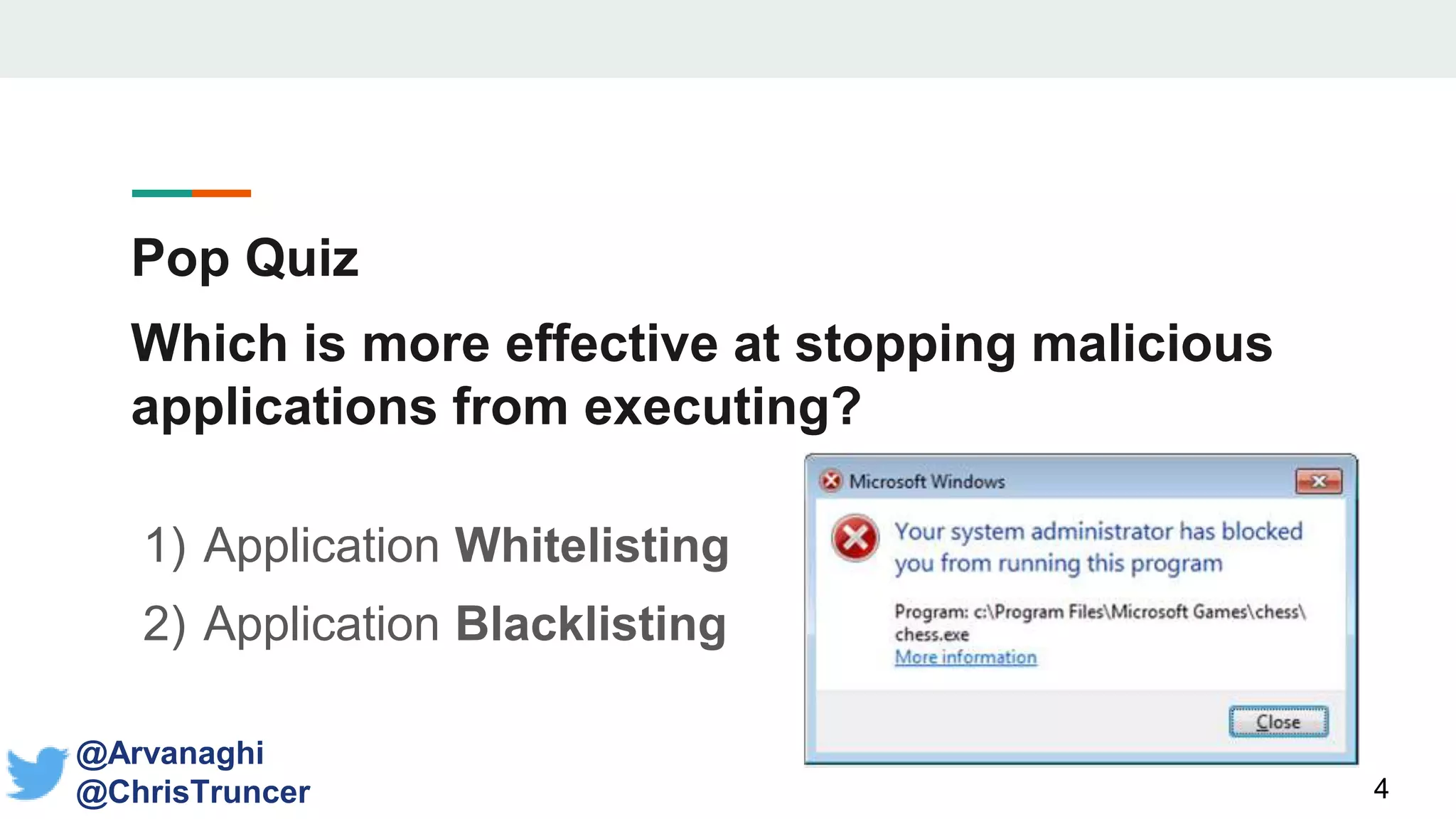
Pop Quiz
Which is more effective at stopping malicious
applications from executing?
1) Application Whitelisting
2) Application Blacklisting
4
@Arvanaghi
@ChrisTruncer
Pop Quiz
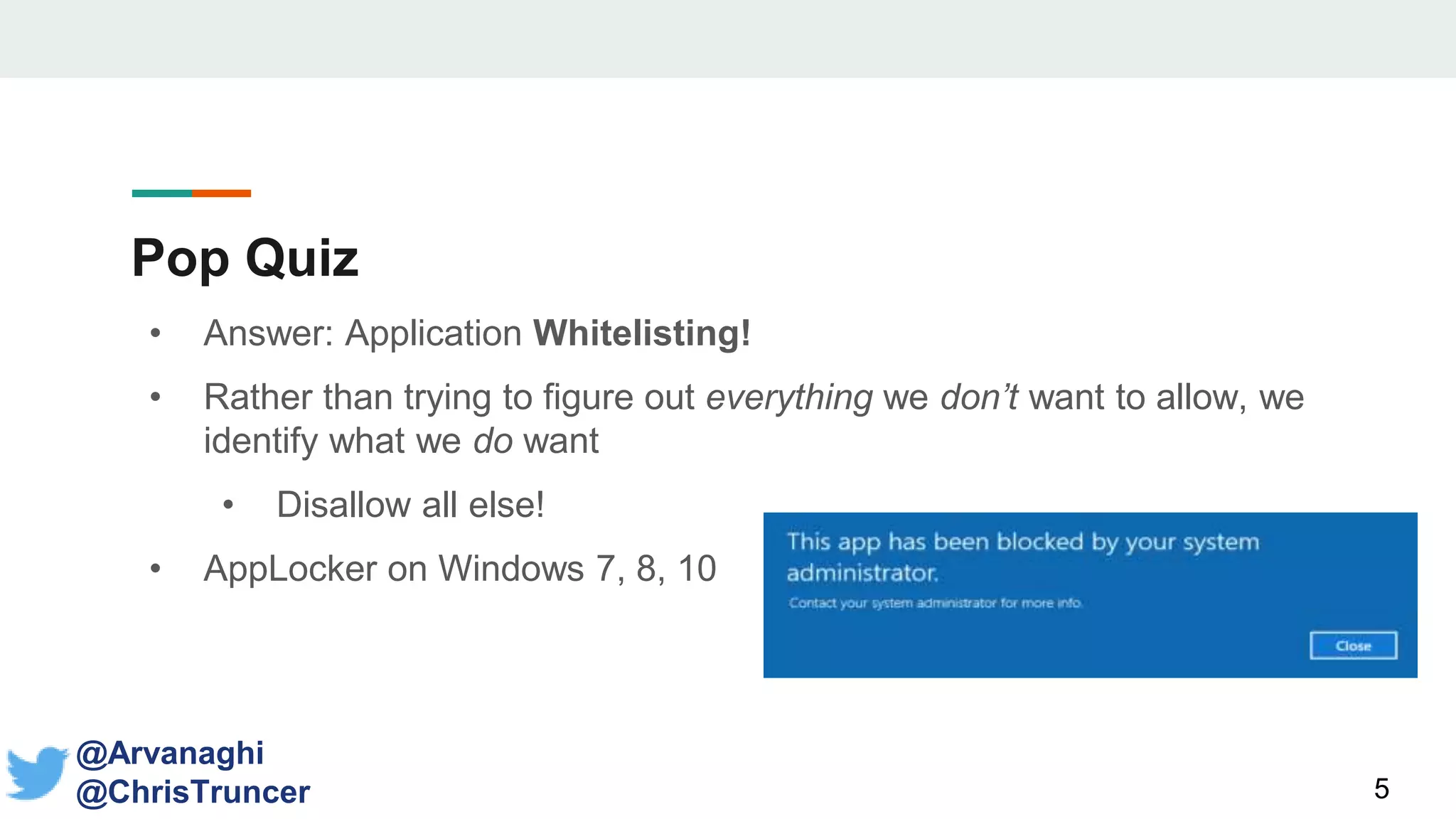
• Answer: Application Whitelisting!
• Rather than trying to figure out everything we don’t want to allow, we
identify what we do want
• Disallow all else!
• AppLocker on Windows 7, 8, 10
5
@Arvanaghi
@ChrisTruncer
Sandbox Detection
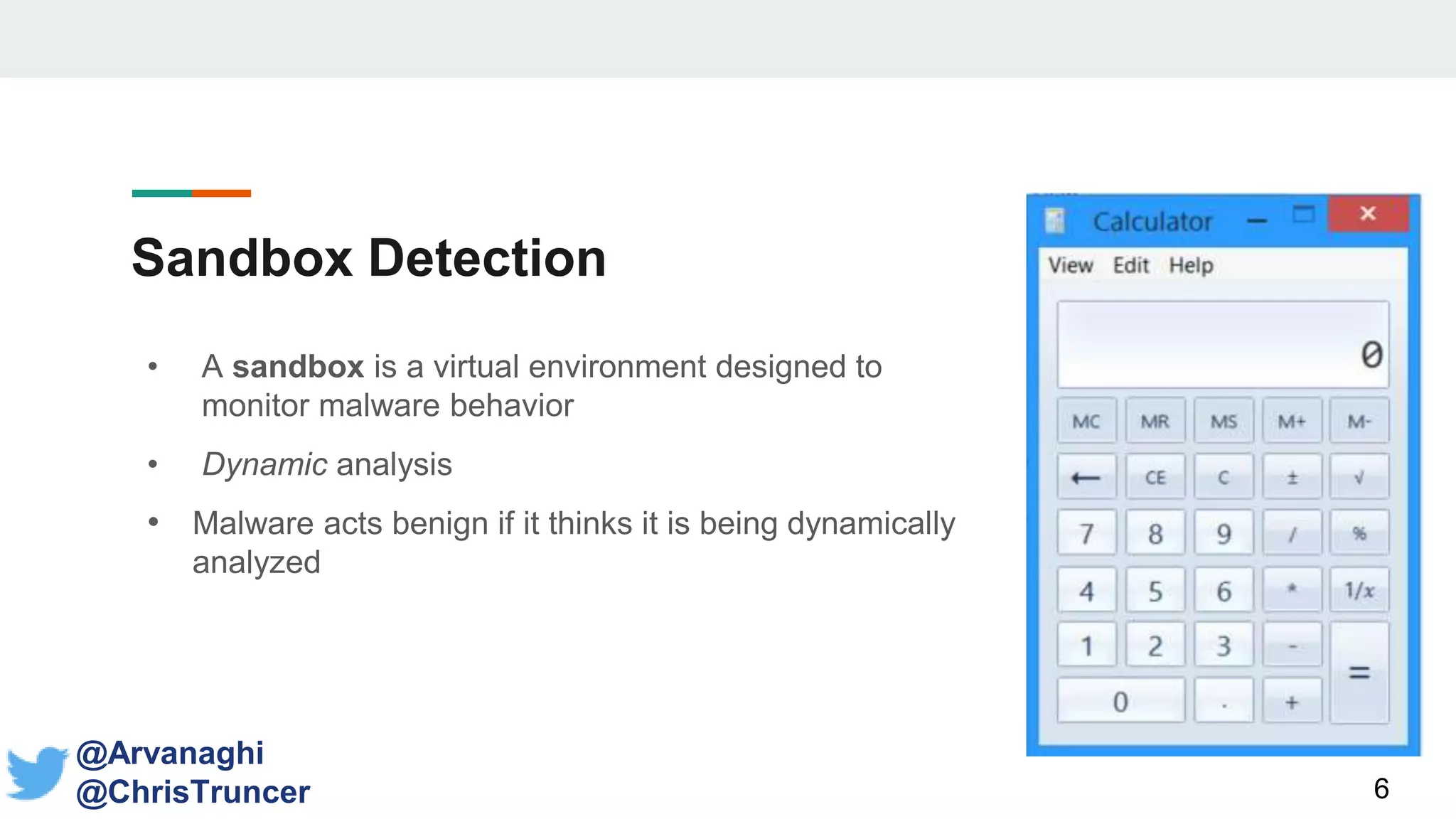
• A sandbox is a virtual environment designed to
monitor malware behavior
• Dynamic analysis
• Malware acts benign if it thinks it is being dynamically
analyzed
6
@Arvanaghi
@ChrisTruncer
Sandbox Detection
• Old thinking: sandboxes look a certain way, so let’s specifically check if we
are in a sandbox in our payloads
• Avoid running if it’s the case
• Registry keys and values, MAC addresses, limited RAM, etc.
• Can be useful!
7
@Arvanaghi
@ChrisTruncer
Implant
Security
8
Realization
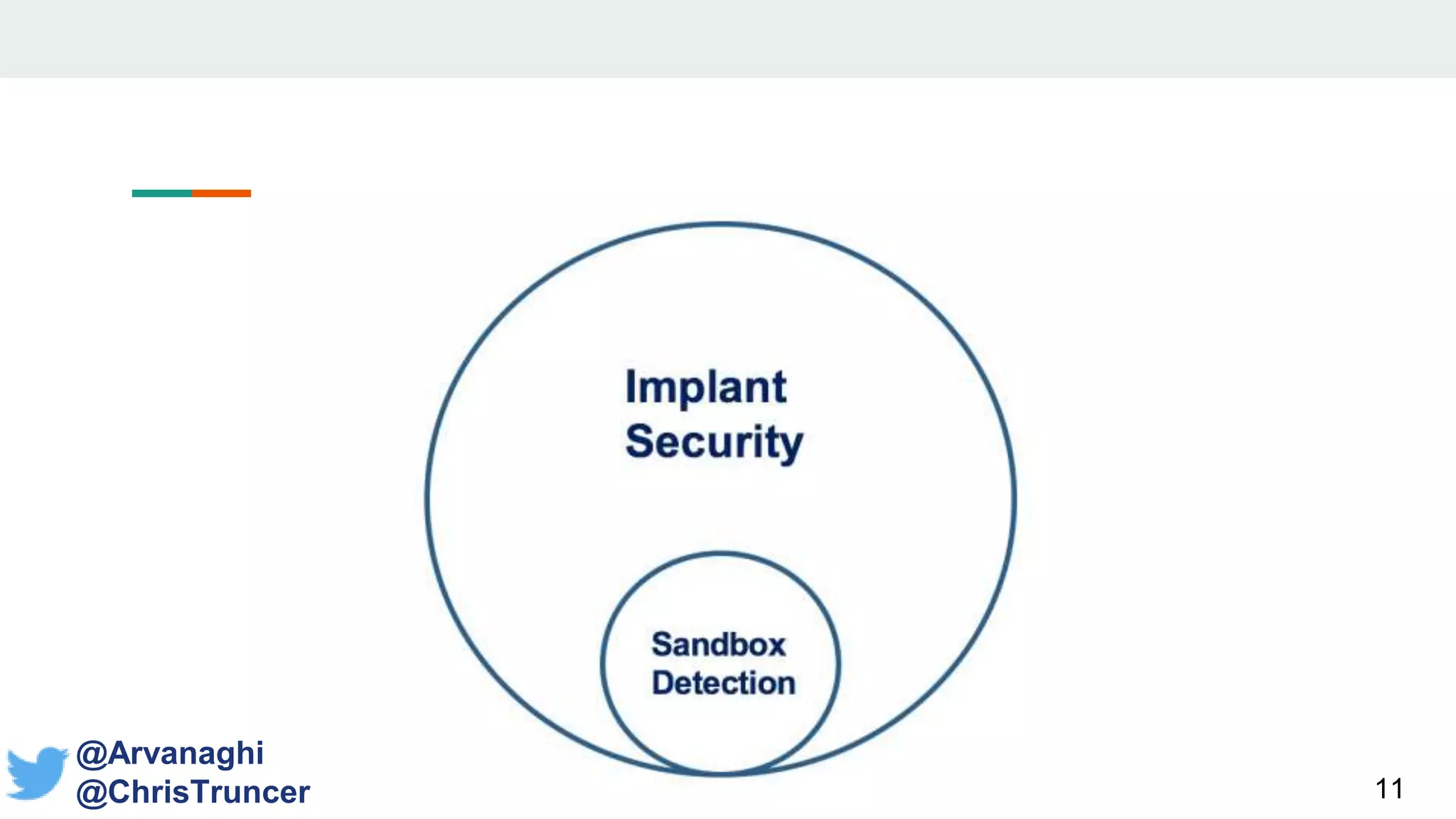
• Trying to detect if you are in a sandbox is a form of
blacklisting!
• Identifying every kind of sandbox is too hard!
• Why do we write sandbox detection checks in the first place?
9
@Arvanaghi
@ChrisTruncer
Realization
We want our malware to run where
we expect.
Avoiding sandboxes is a byproduct of that.
10
@Arvanaghi
@ChrisTruncer
11
@Arvanaghi
@ChrisTruncer
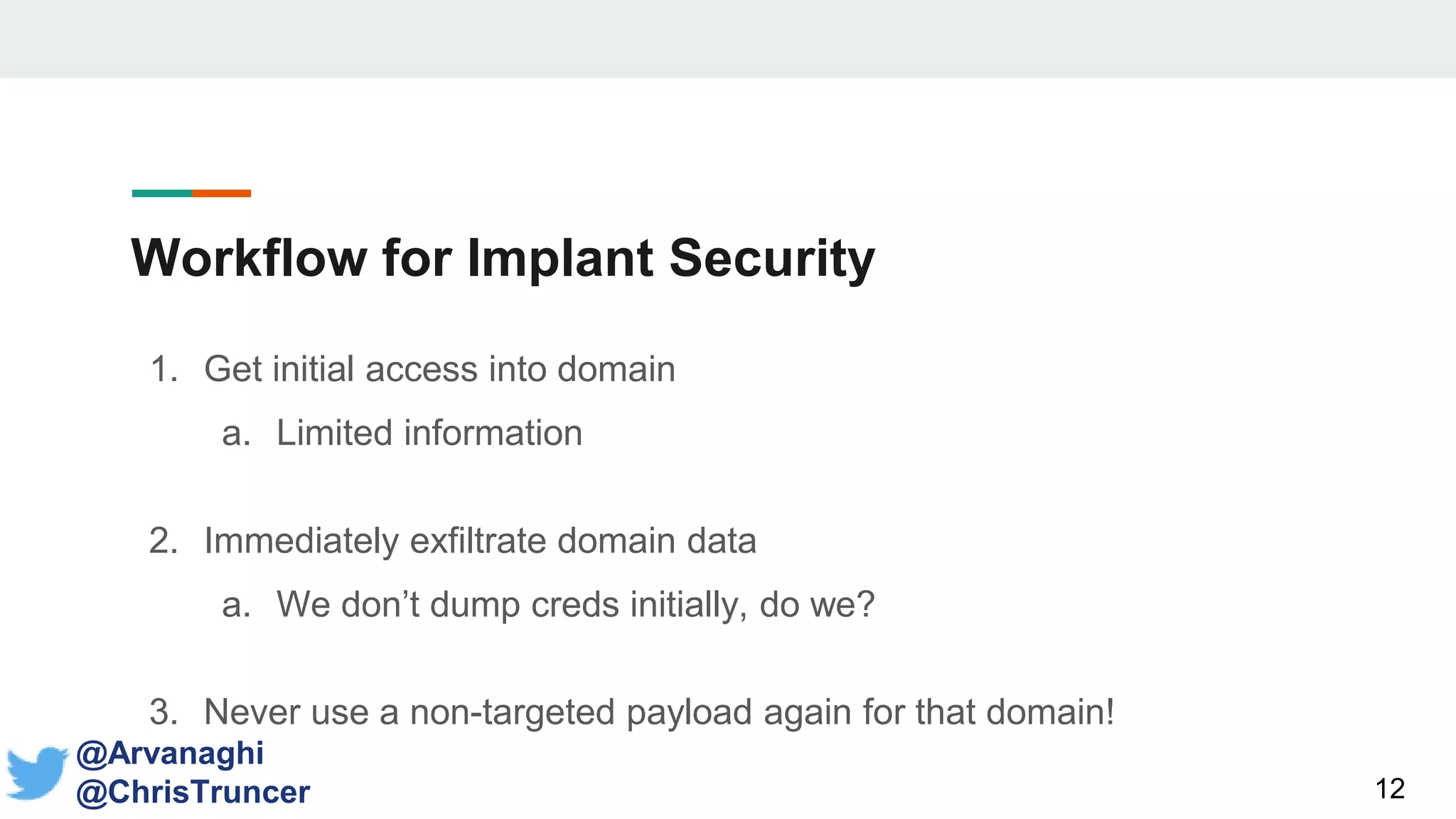
Workflow for Implant Security
1. Get initial access into domain
a. Limited information
2. Immediately exfiltrate domain data
a. We don’t dump creds initially, do we?
3. Never use a non-targeted payload again for that domain!
12
@Arvanaghi
@ChrisTruncer
The Problems with Pure Sandbox Detection
1. You are not that smart.
13
The Problems with Pure Sandbox Detection
1. You are not that smart.
Hard enough debugging failed payloads.
AV? RAT? Whitelisting? Hard to say.
14
The Problems with Pure Sandbox Detection
2. Uptick in VM usage
15
The Problems with Pure Sandbox Detection
2. Uptick in VM usage
VMs used to be indicative of sandboxes
Today, they are critical assets.
We want to target them!
16
The Problems with Pure Sandbox Detection
3. Sandboxes look like legacy systems
17
The Problems with Pure Sandbox Detection
3. Sandboxes look like legacy systems
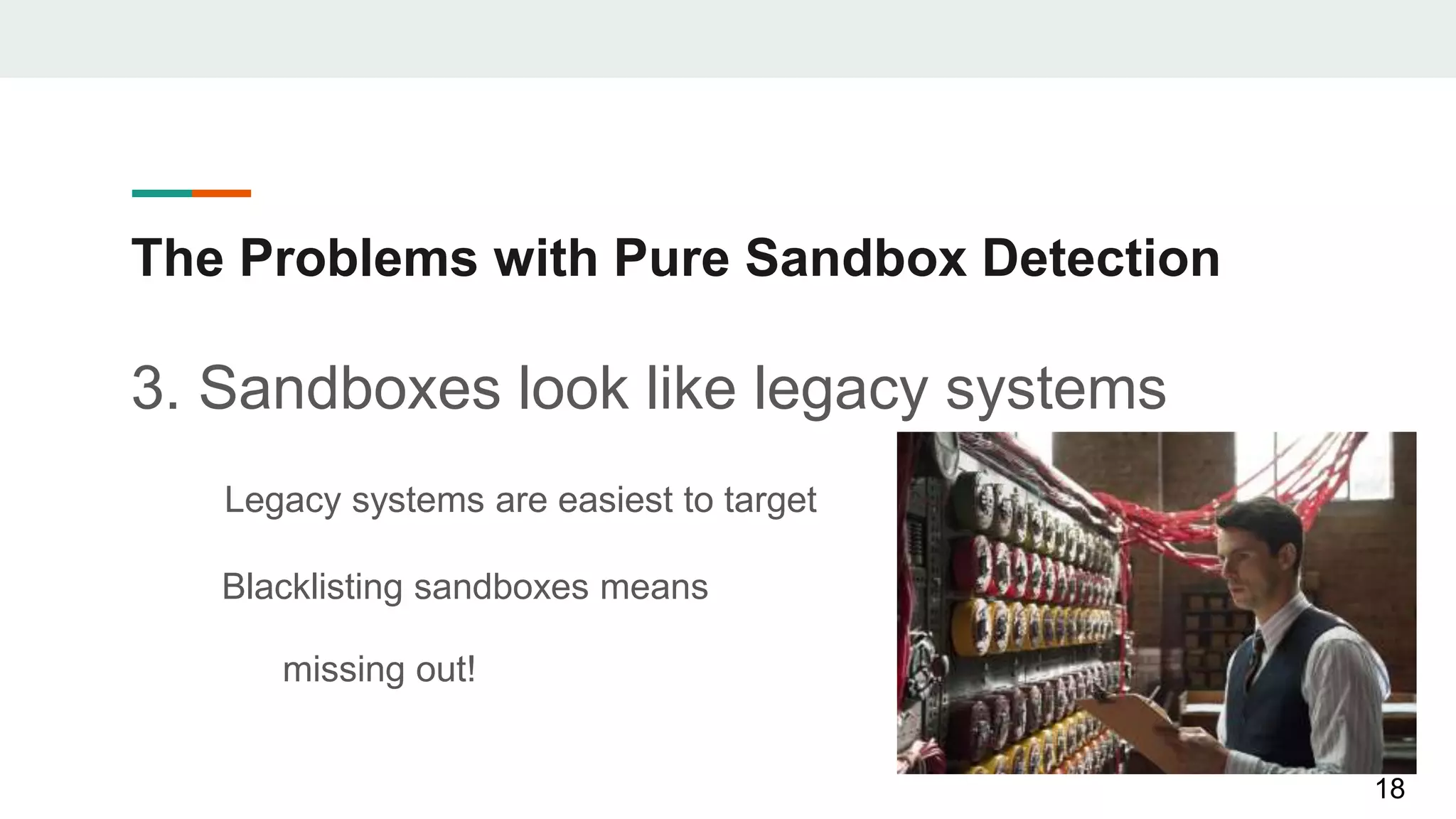
Legacy systems are easiest to target
Blacklisting sandboxes means
missing out!
18
The Problems with Pure Sandbox Detection
4. Anti-Anti-VM
19
The Problems with Pure Sandbox Detection
4. Anti-Anti-VM
How many more Anti-s do you want?
• Attackers strike
• Defenders detect
• Attackers mod
• Goto 1
20
CheckPlease
21
Creating a Payload-Agnostic Repository
• Implant security modules are exclusively written in C!
• Or discussed abstractly
• Payload deliverance growing in non-standard languages
• Let’s make a centralized library implementing these
techniques in all languages!
22
@Arvanaghi
@ChrisTruncer
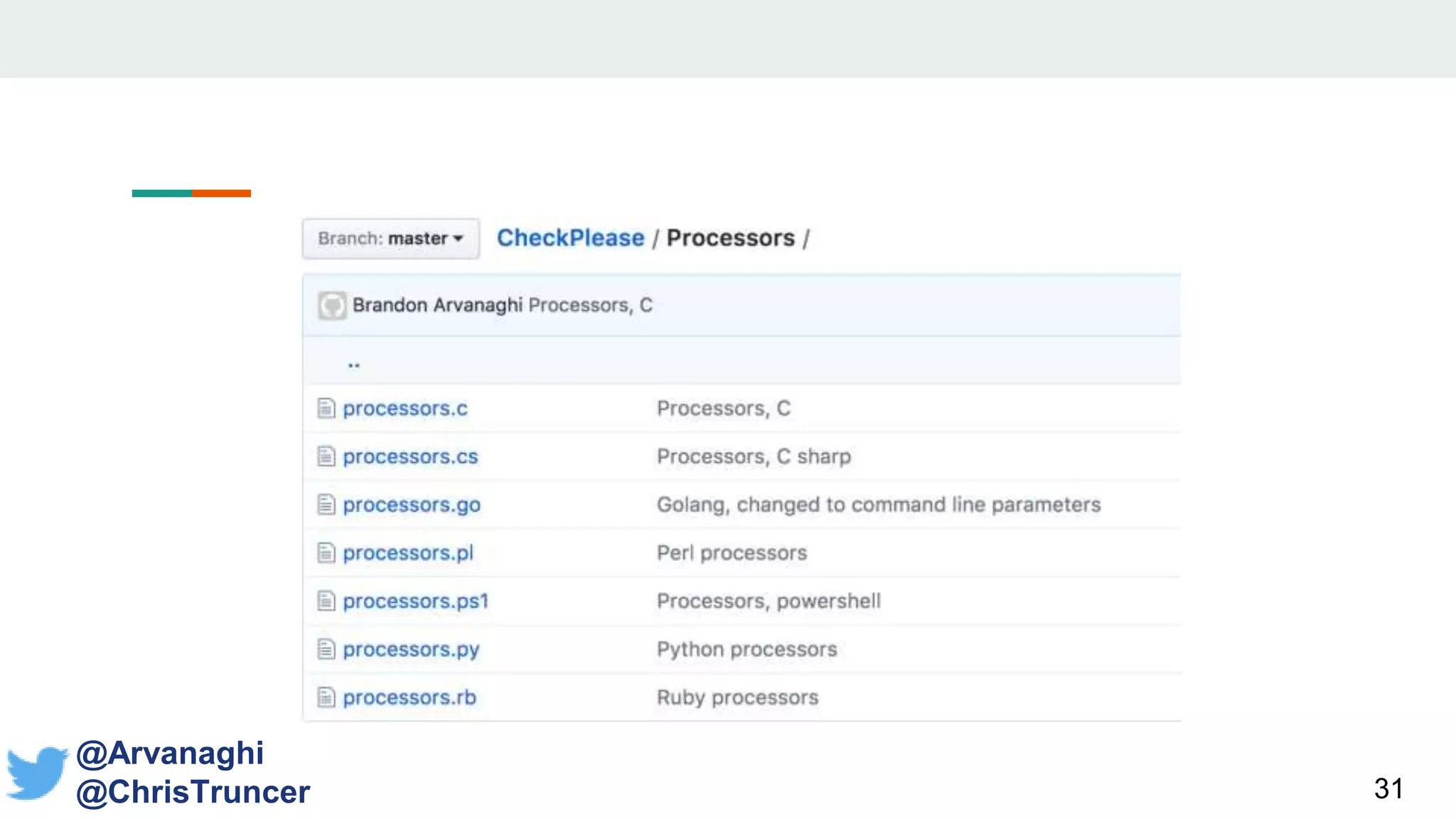
CheckPlease: Languages Supported
• C
23
CheckPlease: Languages Supported
• C
• C#
24
CheckPlease: Languages Supported
• C
• C#
• PowerShell
25
CheckPlease: Languages Supported
• C
• C#
• PowerShell
• Python
26
CheckPlease: Languages Supported
• C
• C#
• PowerShell
• Python
• Go
27
CheckPlease: Languages Supported
• C
• C#
• PowerShell
• Python
• Go
• Ruby
28
CheckPlease: Languages Supported
• C
• C#
• PowerShell
• Python
• Go
• Ruby
• Perl
29
30
@Arvanaghi
@ChrisTruncer
31
@Arvanaghi
@ChrisTruncer
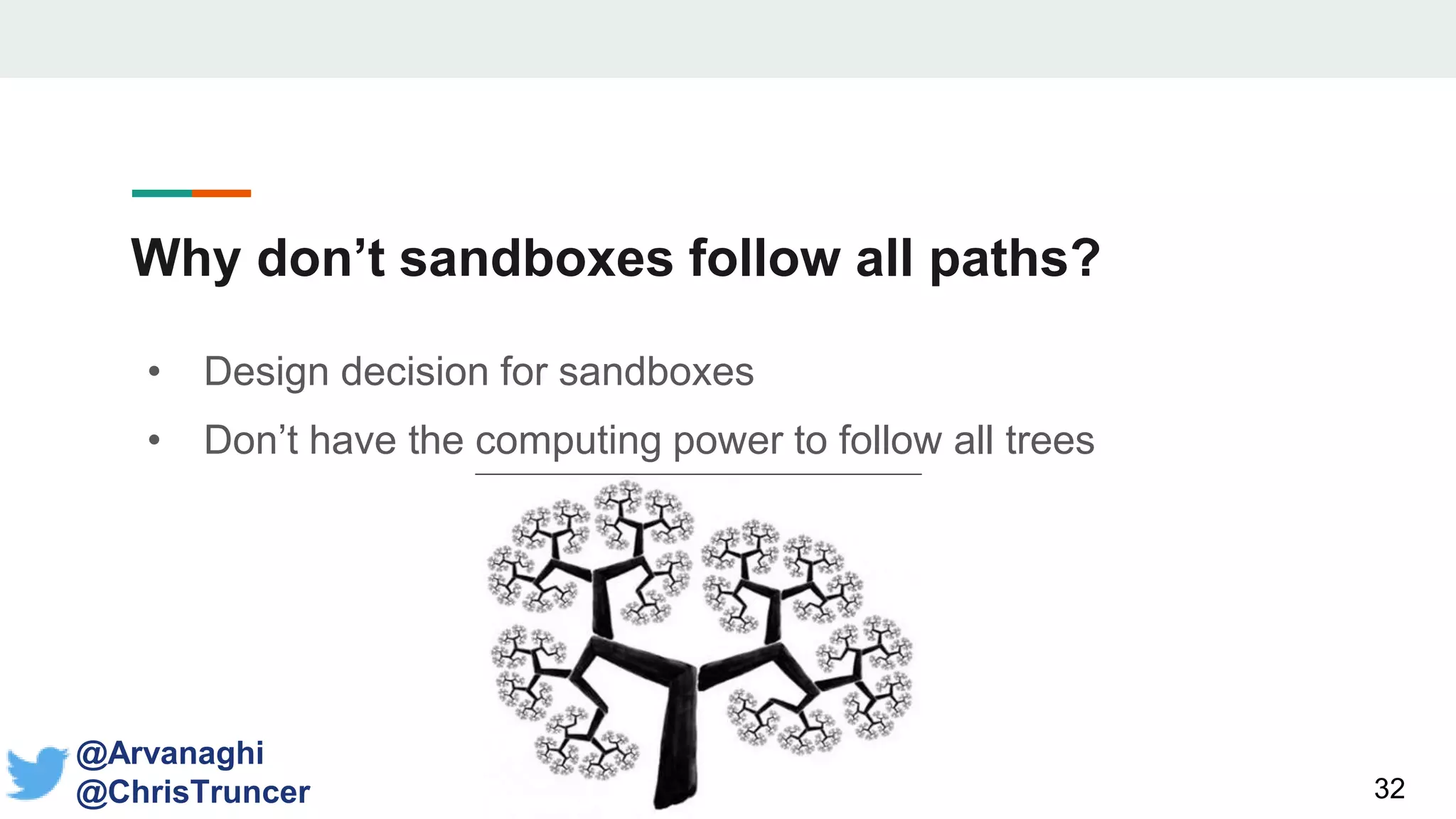
Why don’t sandboxes follow all paths?
• Design decision for sandboxes
• Don’t have the computing power to follow all trees
32
@Arvanaghi
@ChrisTruncer
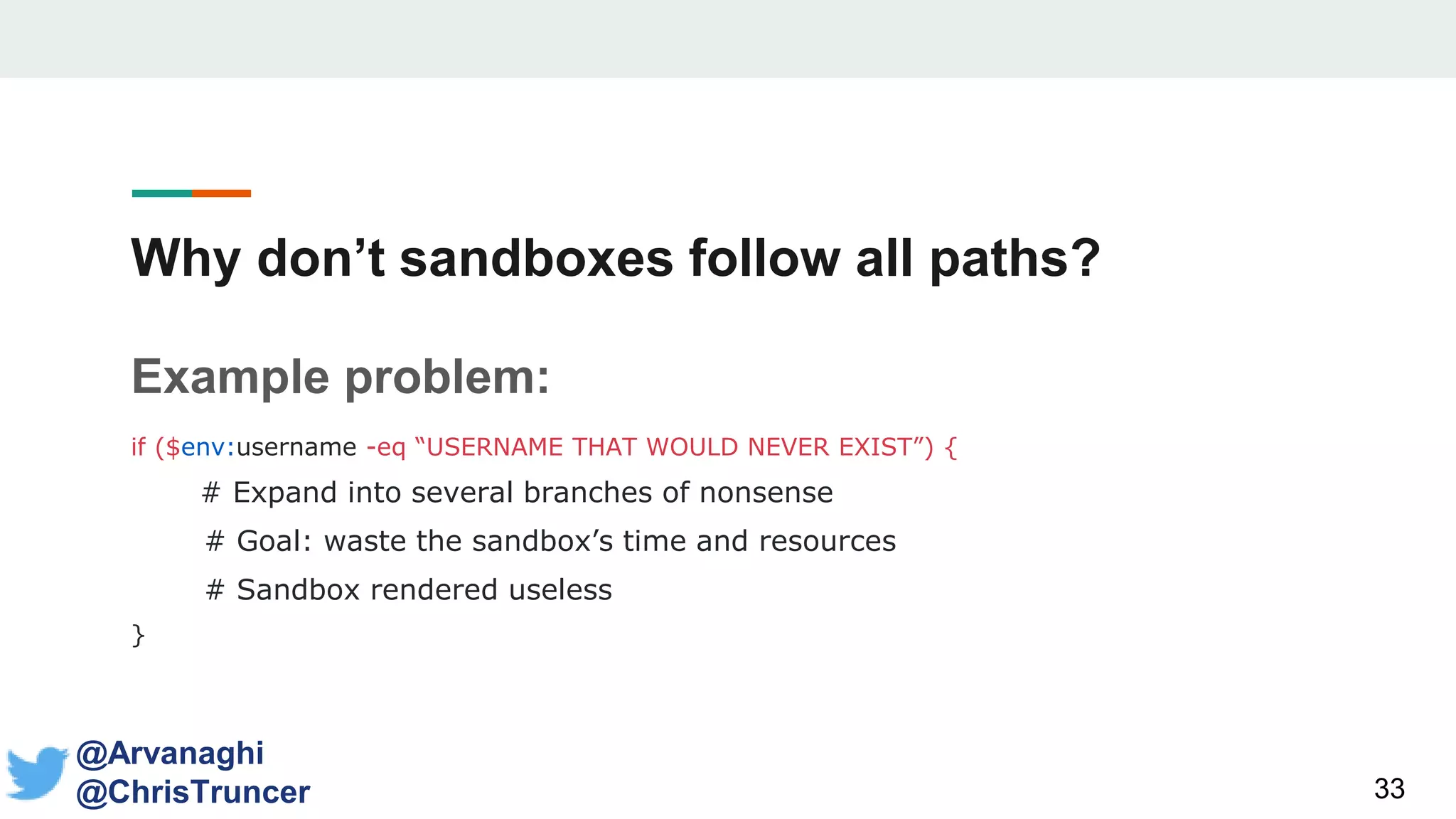
Why don’t sandboxes follow all paths?
Example problem:
if ($env:username -eq “USERNAME THAT WOULD NEVER EXIST”) {
# Expand into several branches of nonsense
# Goal: waste the sandbox’s time and resources
# Sandbox rendered useless
}
33
@Arvanaghi
@ChrisTruncer
Daddy
Issues
34
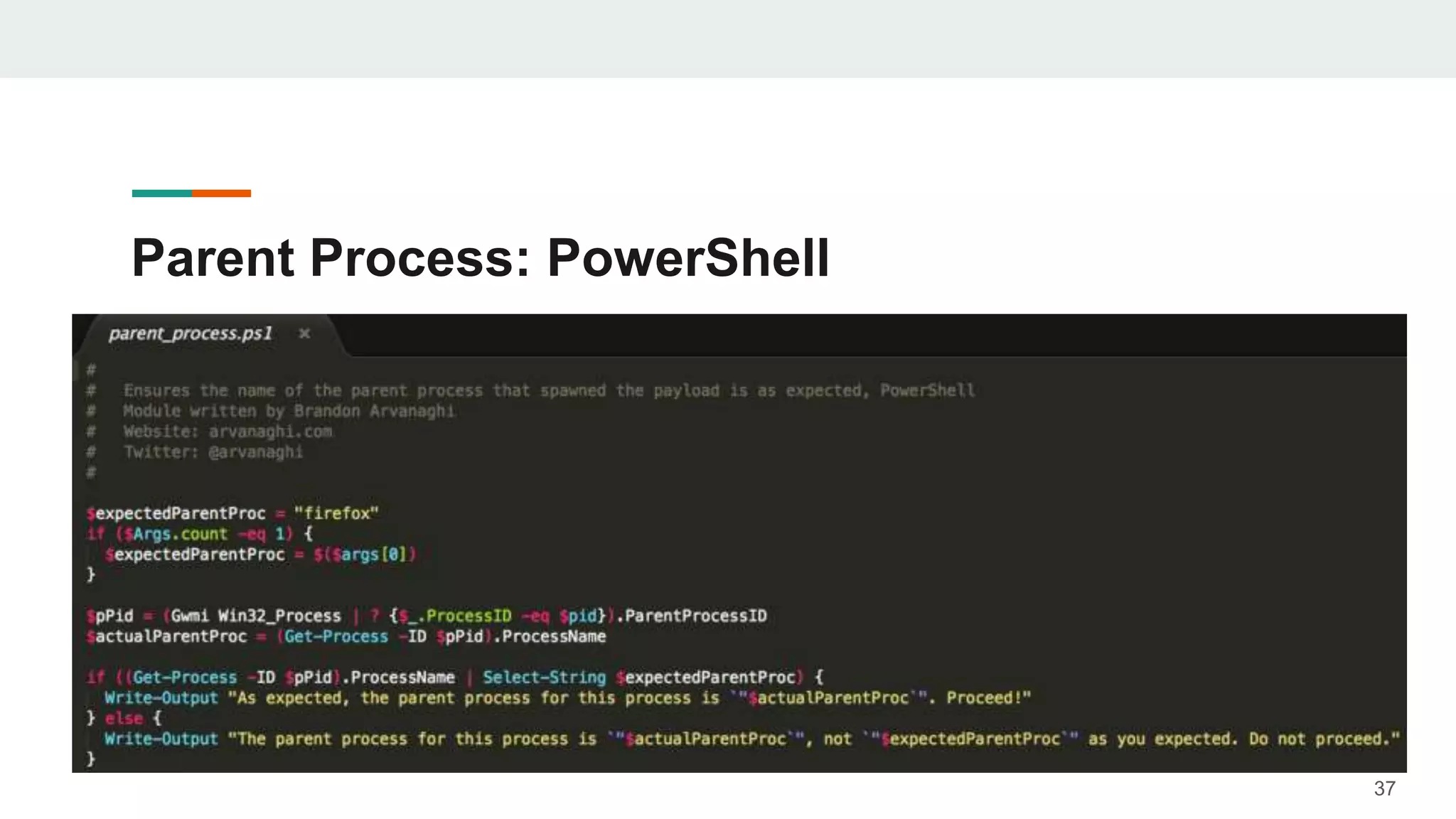
Parent Process
• Every time we launch a payload, we know exactly
what the parent process should be!
• Word document?
• PDF document?
• HTA application?
• Most languages support finding the ppid
• Use that to find the string name of process
35
@Arvanaghi
@ChrisTruncer
Parent Process: Python
36
Parent Process: PowerShell
37
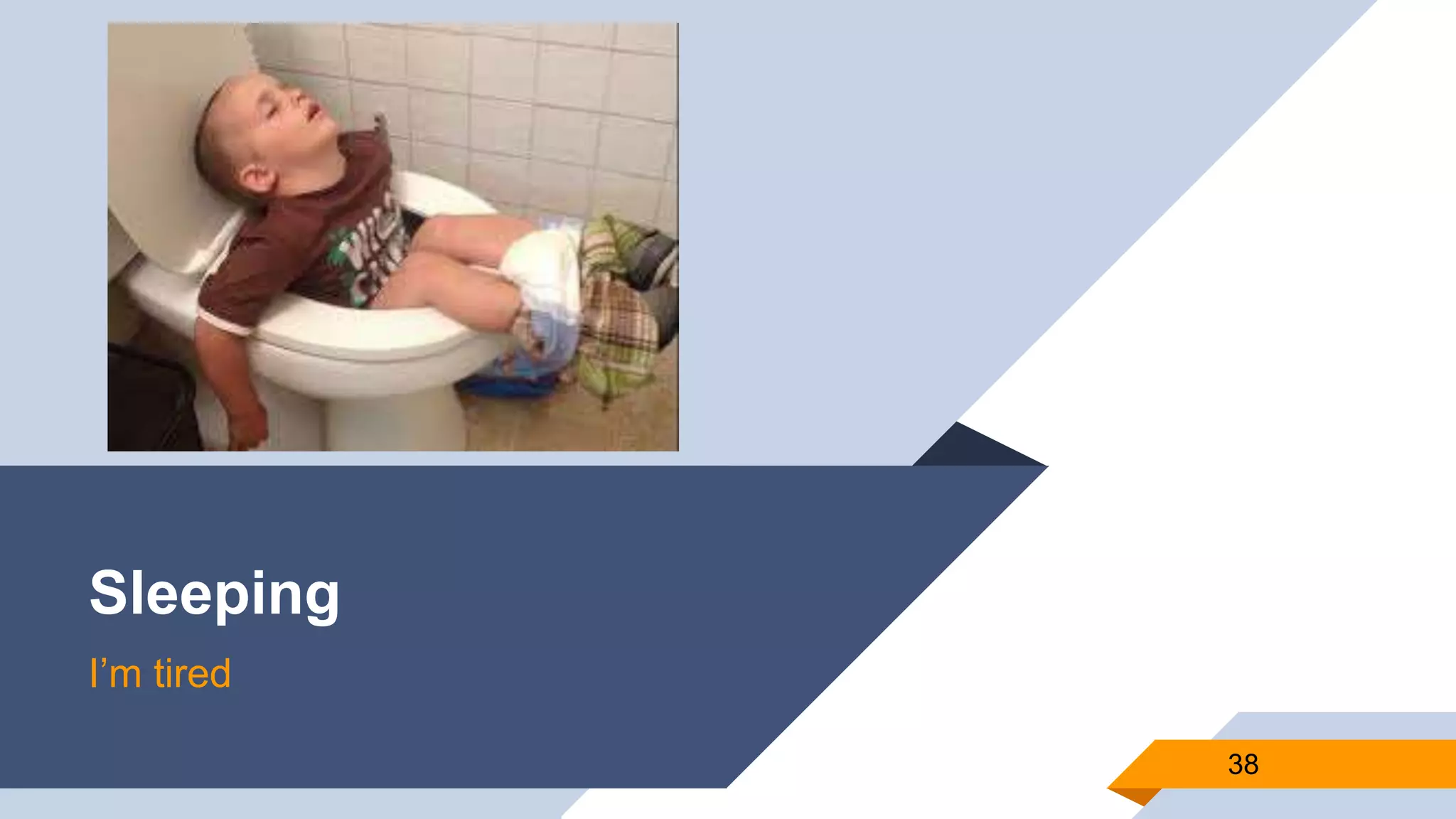
Sleeping
I’m tired
38
Payload Sleeping
39
@Arvanaghi
@ChrisTruncer
• This is the first thing most people will try
• Making your code sleep an hour
• Should work right?
• Sandbox can’t keep resources running that long!
• Nope
Payload Sleeping
40
@Arvanaghi
@ChrisTruncer
• Developers obviously know this too
• Look for sleep calls and hook them
• Fast-forward any sleep call
• Immediately jump to next part of the code
• So… how can this be beaten?
Payload Sleeping
41
@Arvanaghi
@ChrisTruncer
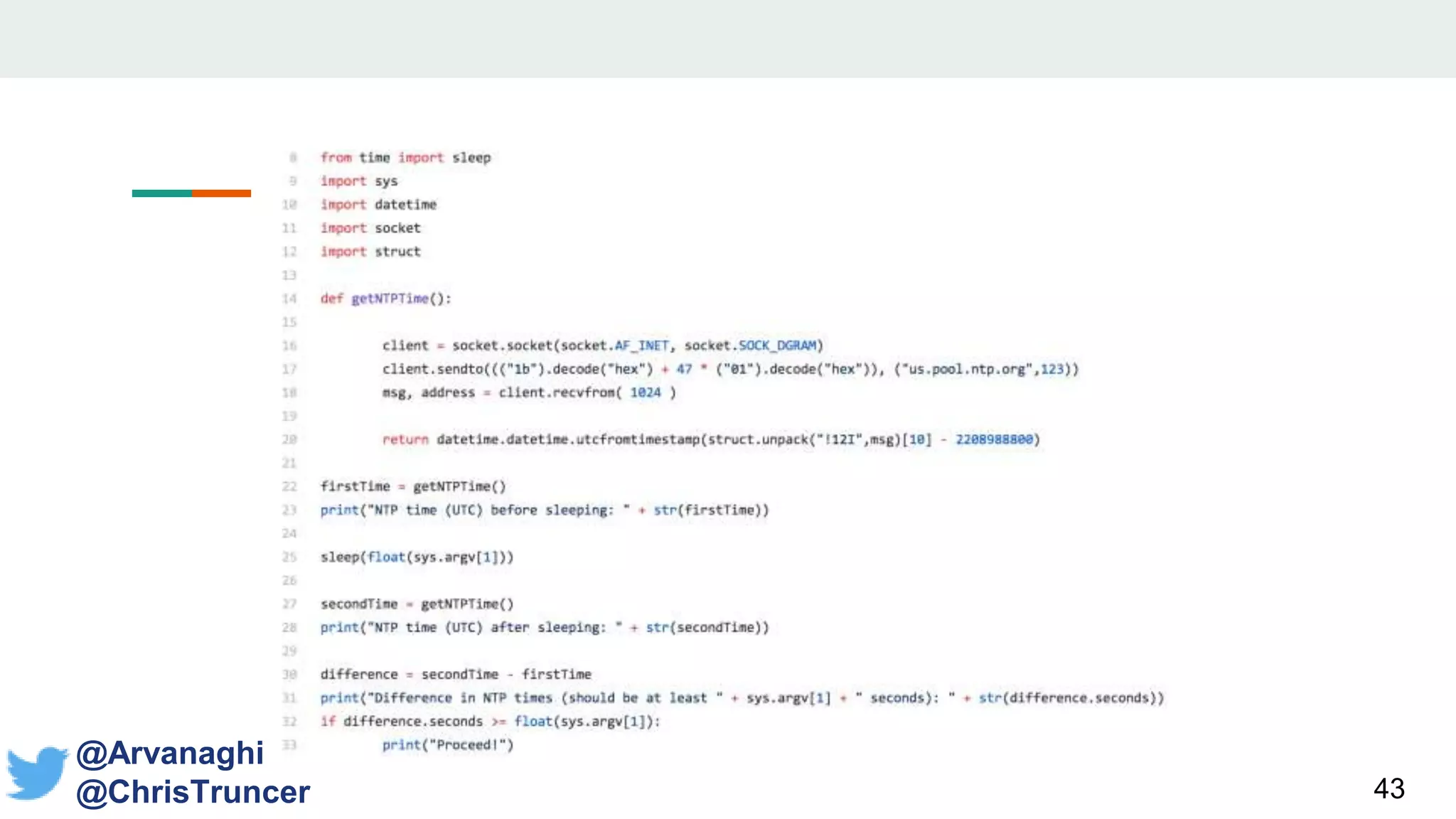
• Outsource time requests to NTP servers!
• Request current time from NTP server
• Try to sleep for the requested amount of time
• Make another request for the current time from a
NTP server
Payload Sleeping
42
@Arvanaghi
@ChrisTruncer
• Alternative option
• Can you develop a function which take an
approximate amount of time to compute?
• Iterate over that function as many times as you’d
like to sleep.
• RemoveS the network dependency for the
check
43
@Arvanaghi
@ChrisTruncer
Encryption
44
Encrypt with Targeted Indicators
• To protect our implant from running where we don’t
expect, we can encrypt it
• The key? An indicator from our targeted host
• MAC address
• Username + hostname
• Etc.
• Once again, sandbox is a BYPRODUCT!
45
@Arvanaghi
@ChrisTruncer
Encrypt with Targeted Indicators
• How does this work?
• Payload dynamically pulls system information
• System information is concatenated to generate
an encryption key
• If key is correct, decrypt data and run the real
code
• If not, assume on the wrong system and die
46
@Arvanaghi
@ChrisTruncer
Encrypt with Targeted Indicators
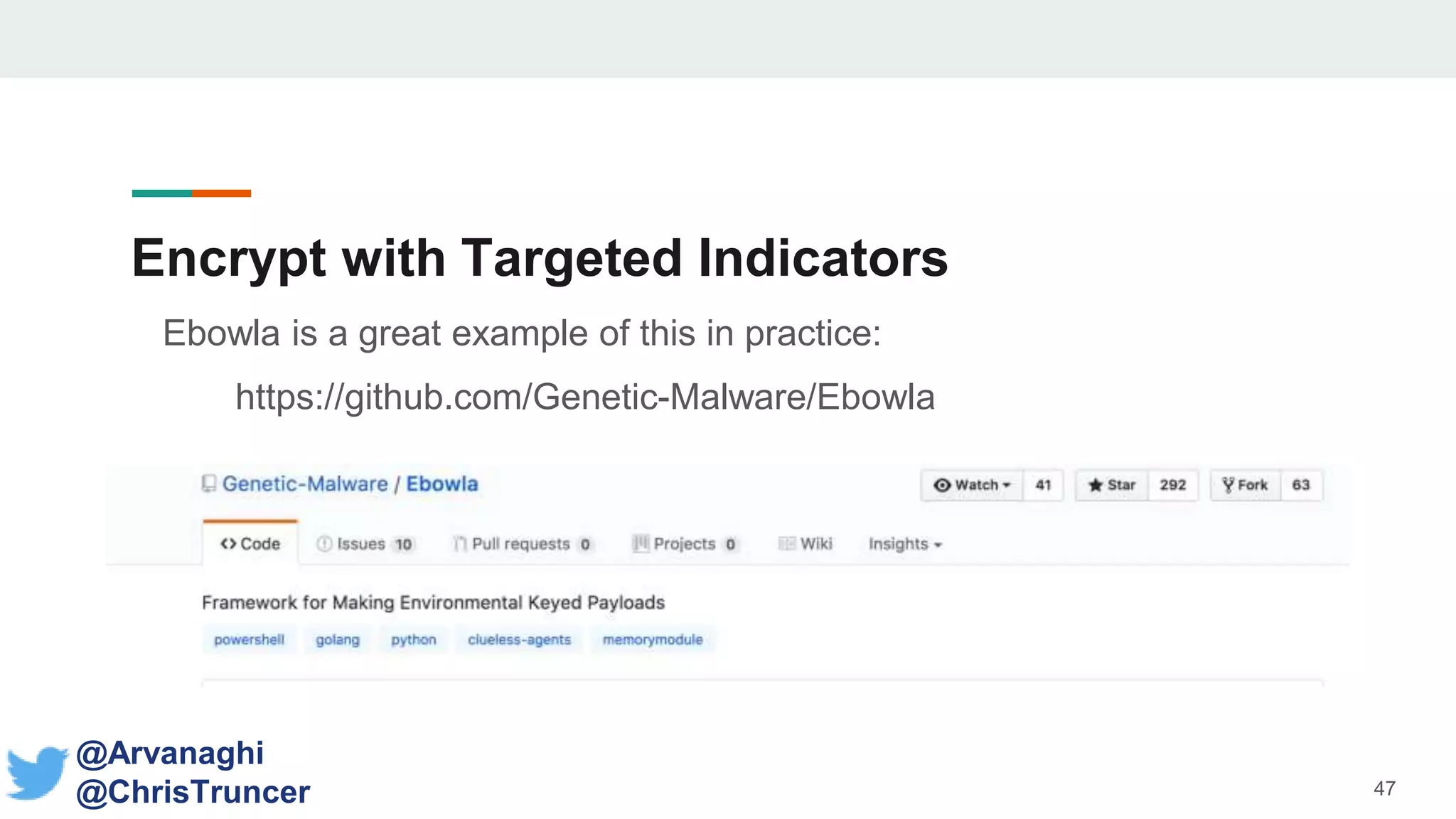
Ebowla is a great example of this in practice:
https://github.com/Genetic-Malware/Ebowla
47
@Arvanaghi
@ChrisTruncer
Delay-Analysis Module
• In the hands of a skilled reverse engineer, nothing is infallible
• That’s not the goal, just beat initial automated analysis
• This can start at the source code level
• Used Hyperion?
48
@Arvanaghi
@ChrisTruncer
Delay-Analysis Module
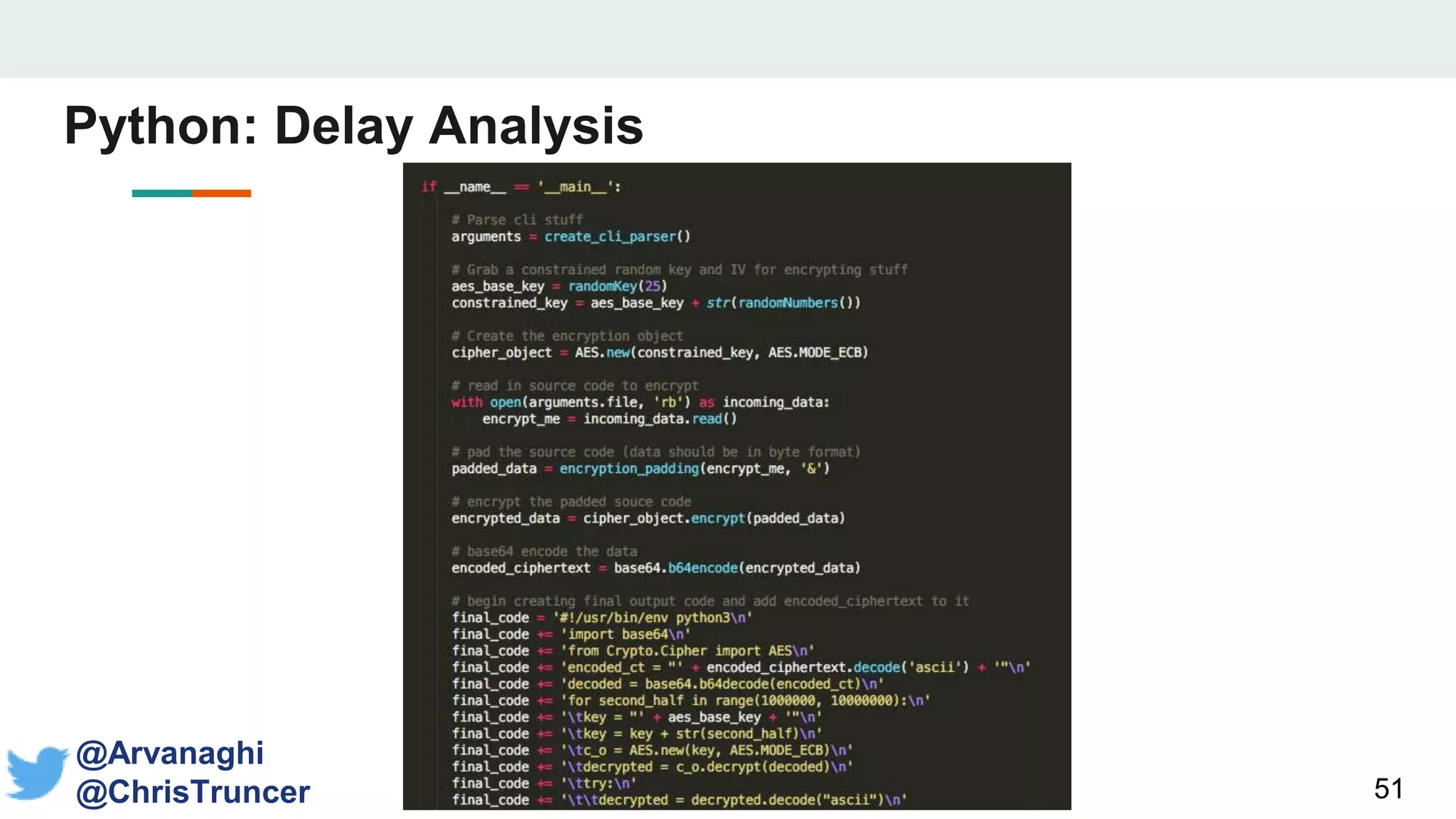
• Hyperion receives your “file” and outputs a different encrypted file
• The output is encrypted with no key stored inside
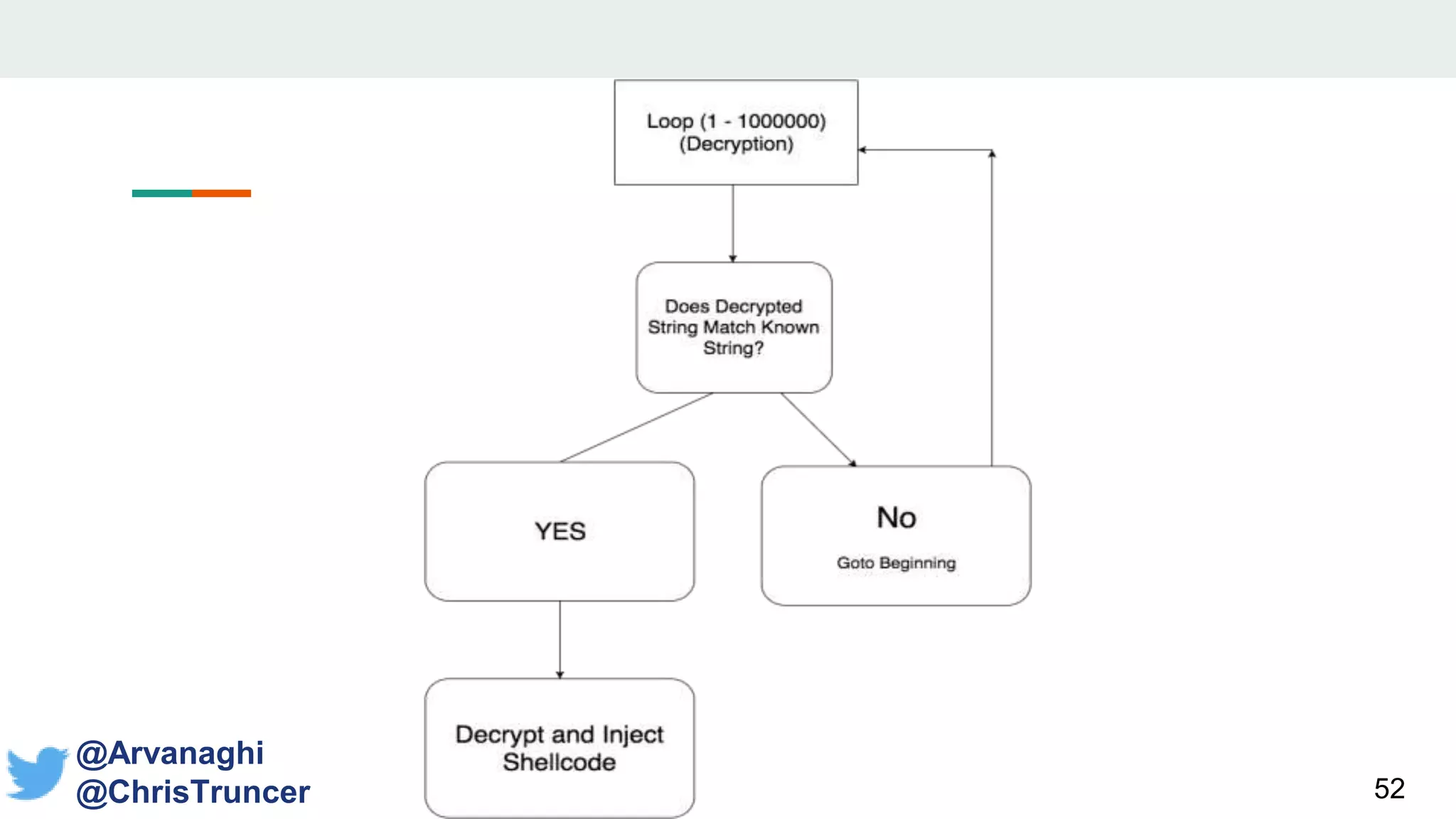
• Due to an artificially constrained keyspace, it brute forces itself
• Let’s recreate this!
49
@Arvanaghi
@ChrisTruncer
Delay-Analysis Module
• The Delay-Analysis Python script receives an input file
• Your source code
• Select the language your code is in
• Output is encrypted code which brute forces itself at runtime
50
@Arvanaghi
@ChrisTruncer
51
Python: Delay Analysis
@Arvanaghi
@ChrisTruncer
52
@Arvanaghi
@ChrisTruncer
53
Targeted Code
Host Metadata
54
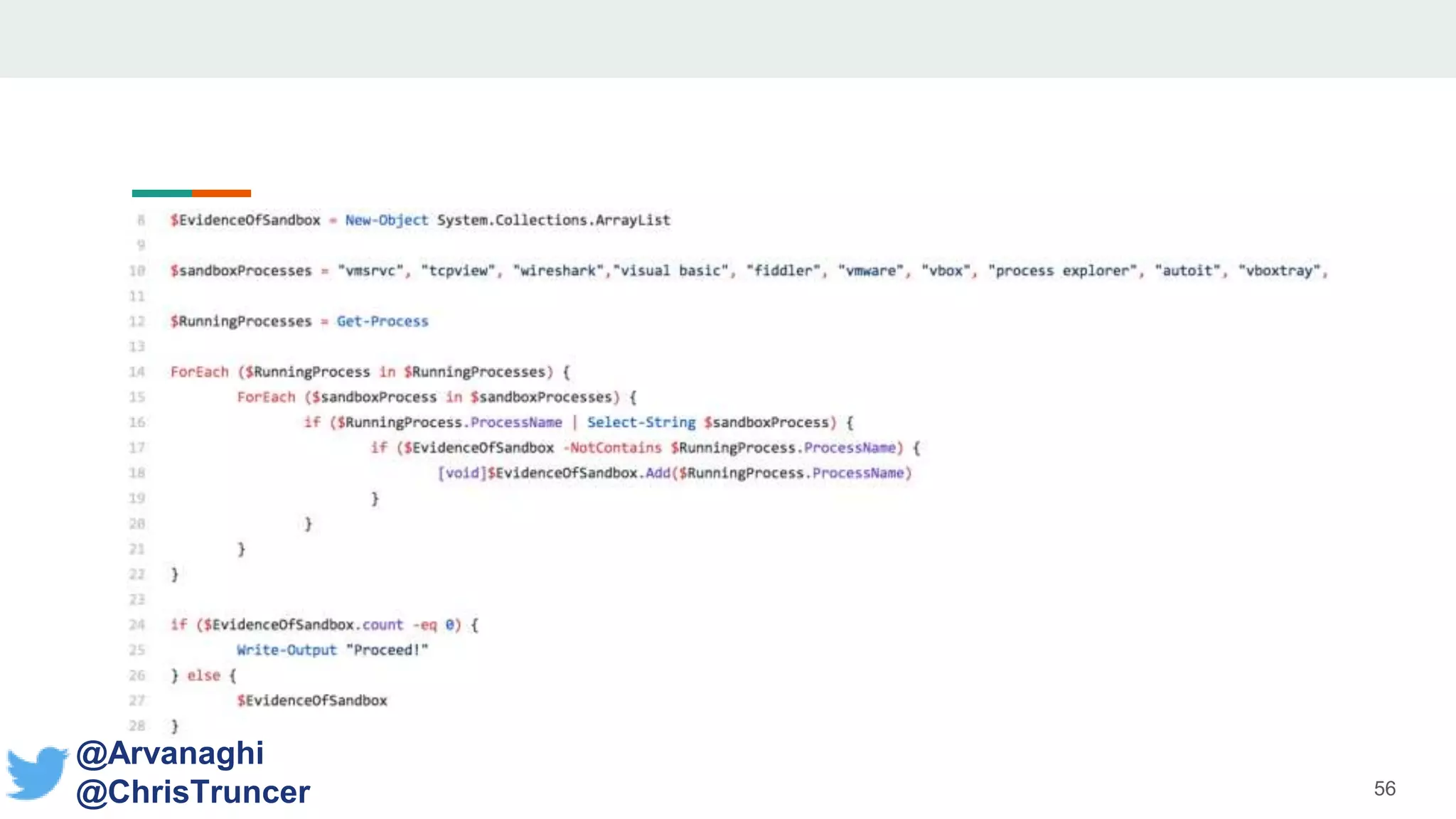
Process Names
• Easy to write code that enumerates running
processes
• Validate that no-blacklisted processes are running at
the same time
• Wireshark
• VMWare
• Process Explorer
• tshark
55
@Arvanaghi
@ChrisTruncer
Process Names
56
@Arvanaghi
@ChrisTruncer
Windows Updates
• The number of recent Windows updates can provide
information about the system
• How often it is patched
• Uptime
• Real users will likely update more than sandboxes
57
@Arvanaghi
@ChrisTruncer
Windows Updates
58
@Arvanaghi
@ChrisTruncer
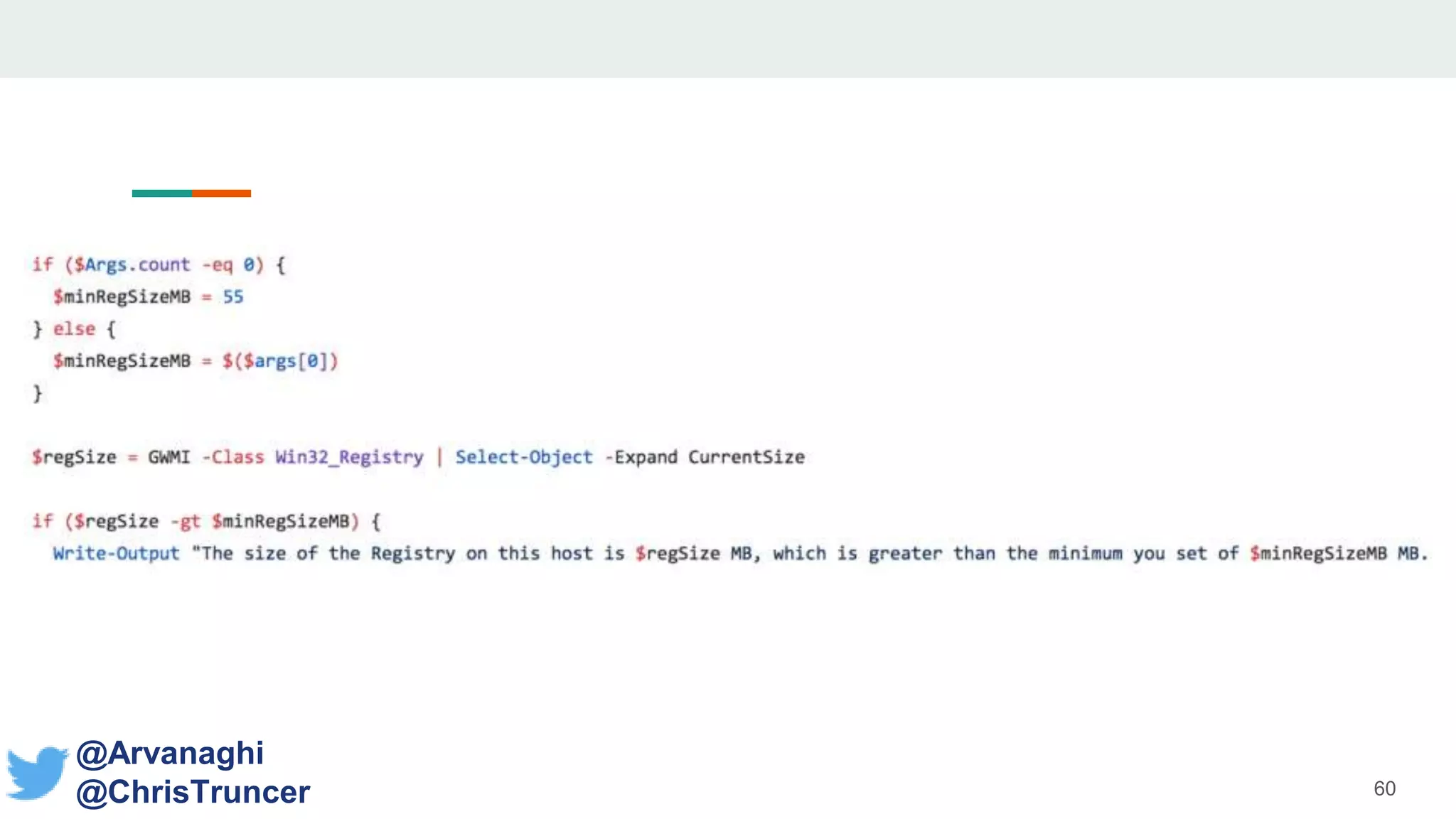
Registry Size
• Do you know the approximate size of your system’s
registry?
• Fingerprint this information for an approximate size
within the targeted organization
• Validate it at runtime!
59
@Arvanaghi
@ChrisTruncer
60
@Arvanaghi
@ChrisTruncer
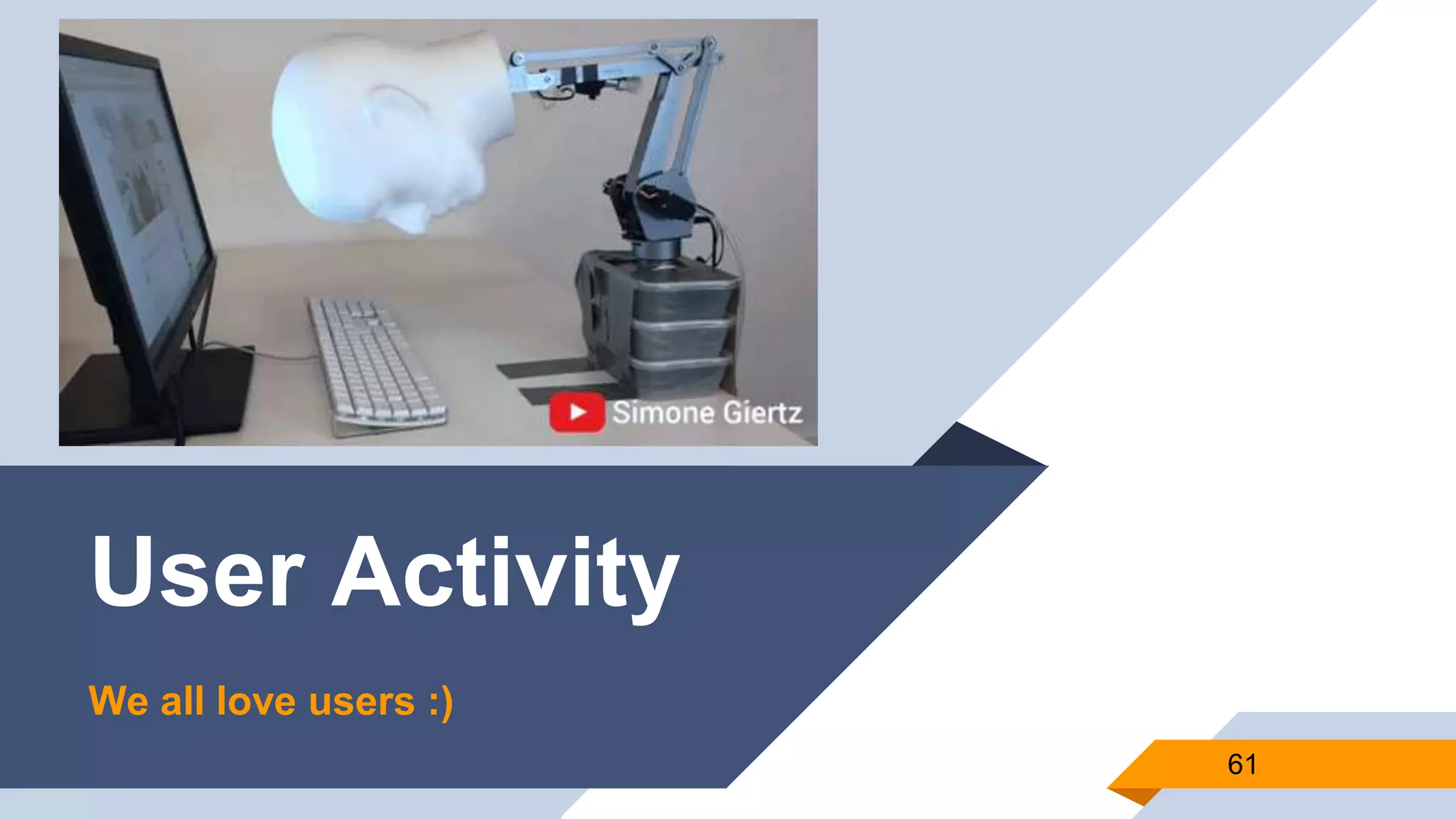
User Activity
61
We all love users :)
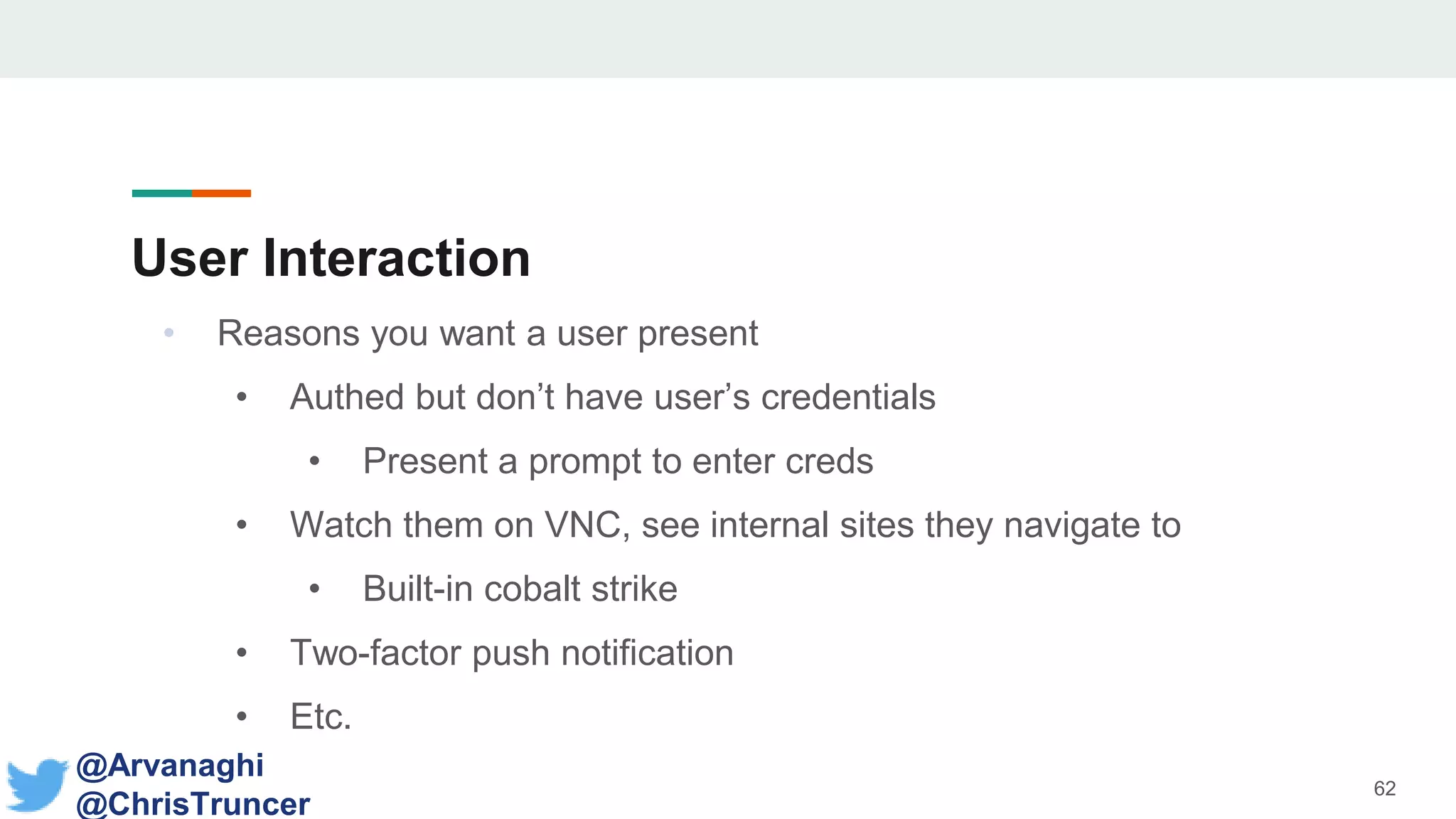
User Interaction
• Reasons you want a user present
• Authed but don’t have user’s credentials
• Present a prompt to enter creds
• Watch them on VNC, see internal sites they navigate to
• Built-in cobalt strike
• Two-factor push notification
• Etc.
62
@Arvanaghi
@ChrisTruncer
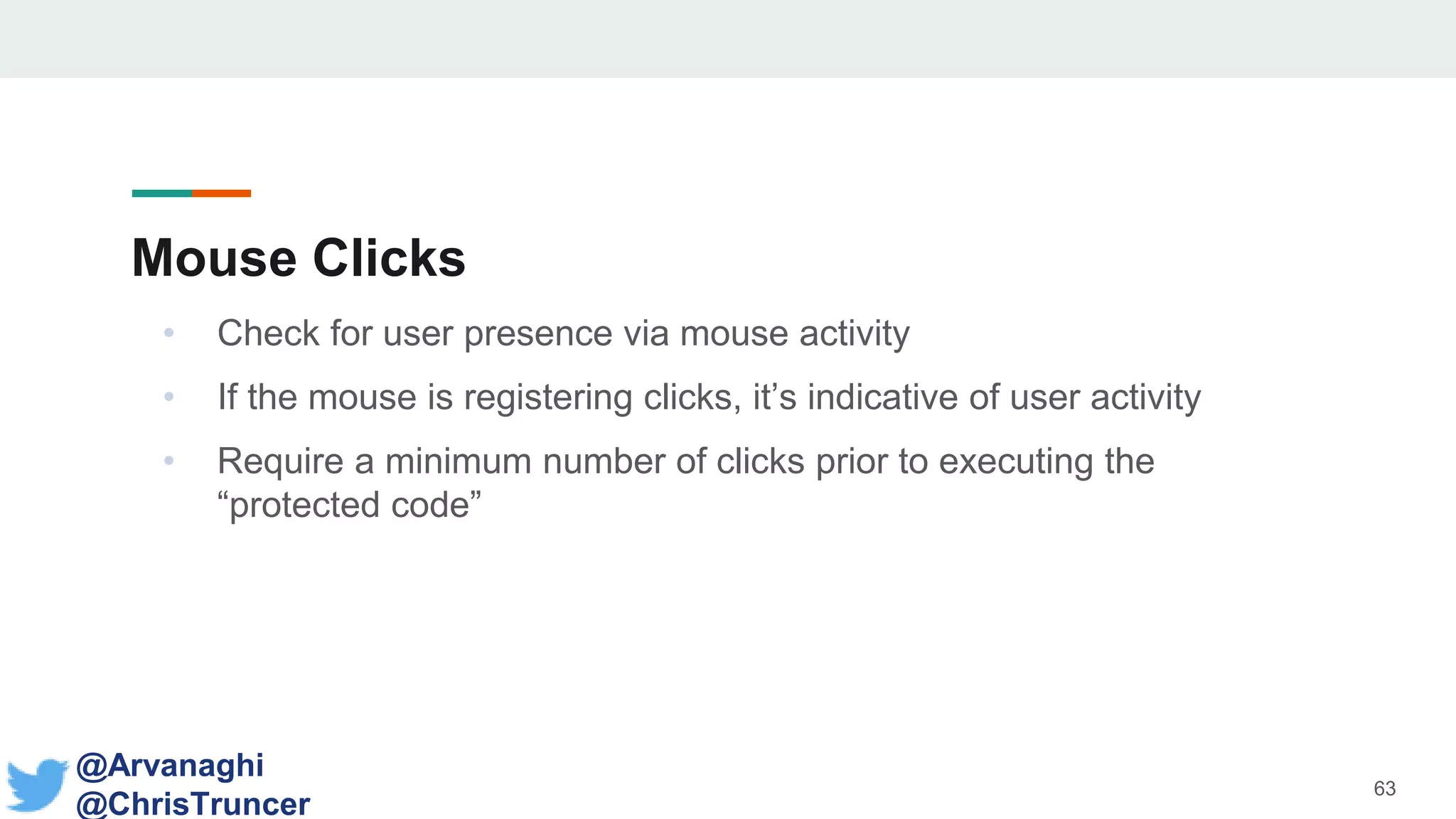
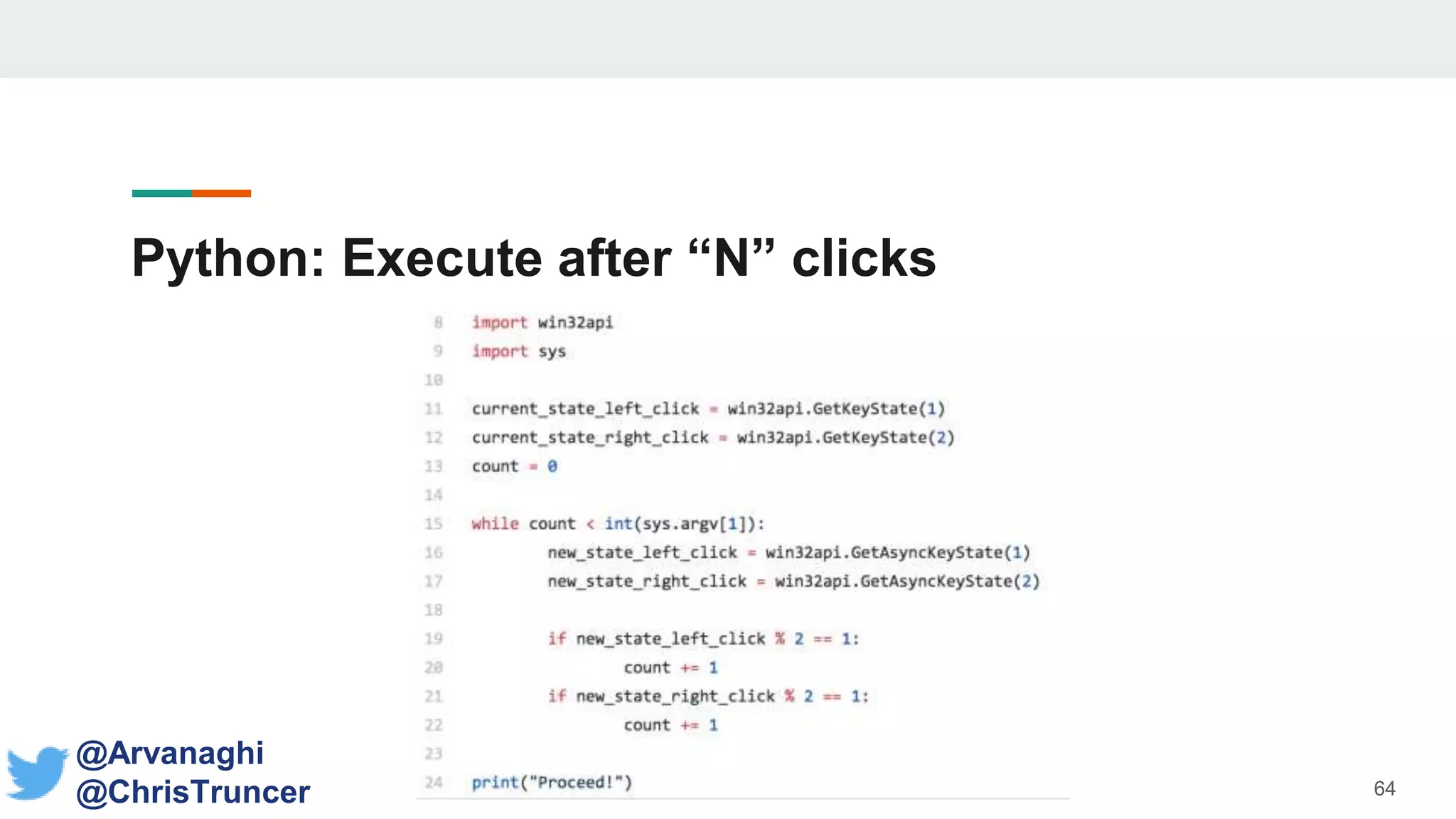
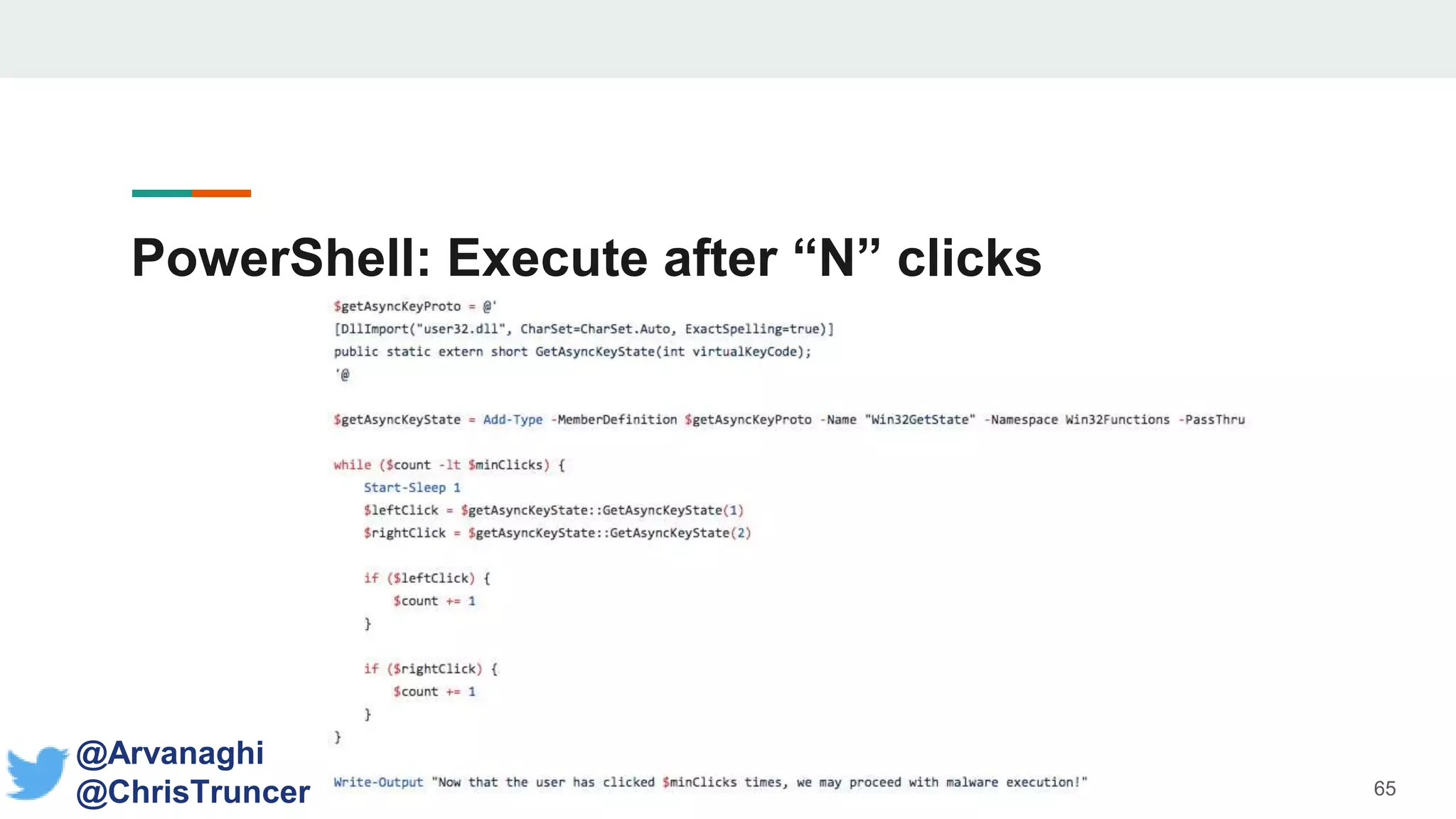
Mouse Clicks
• Check for user presence via mouse activity
• If the mouse is registering clicks, it’s indicative of user activity
• Require a minimum number of clicks prior to executing the
“protected code”
63
@Arvanaghi
@ChrisTruncer
Python: Execute after “N” clicks Mouse Clicks
64
@Arvanaghi
@ChrisTruncer
PowerShell: Execute after “N” clicks Mouse
Clicks
65
@Arvanaghi
@ChrisTruncer
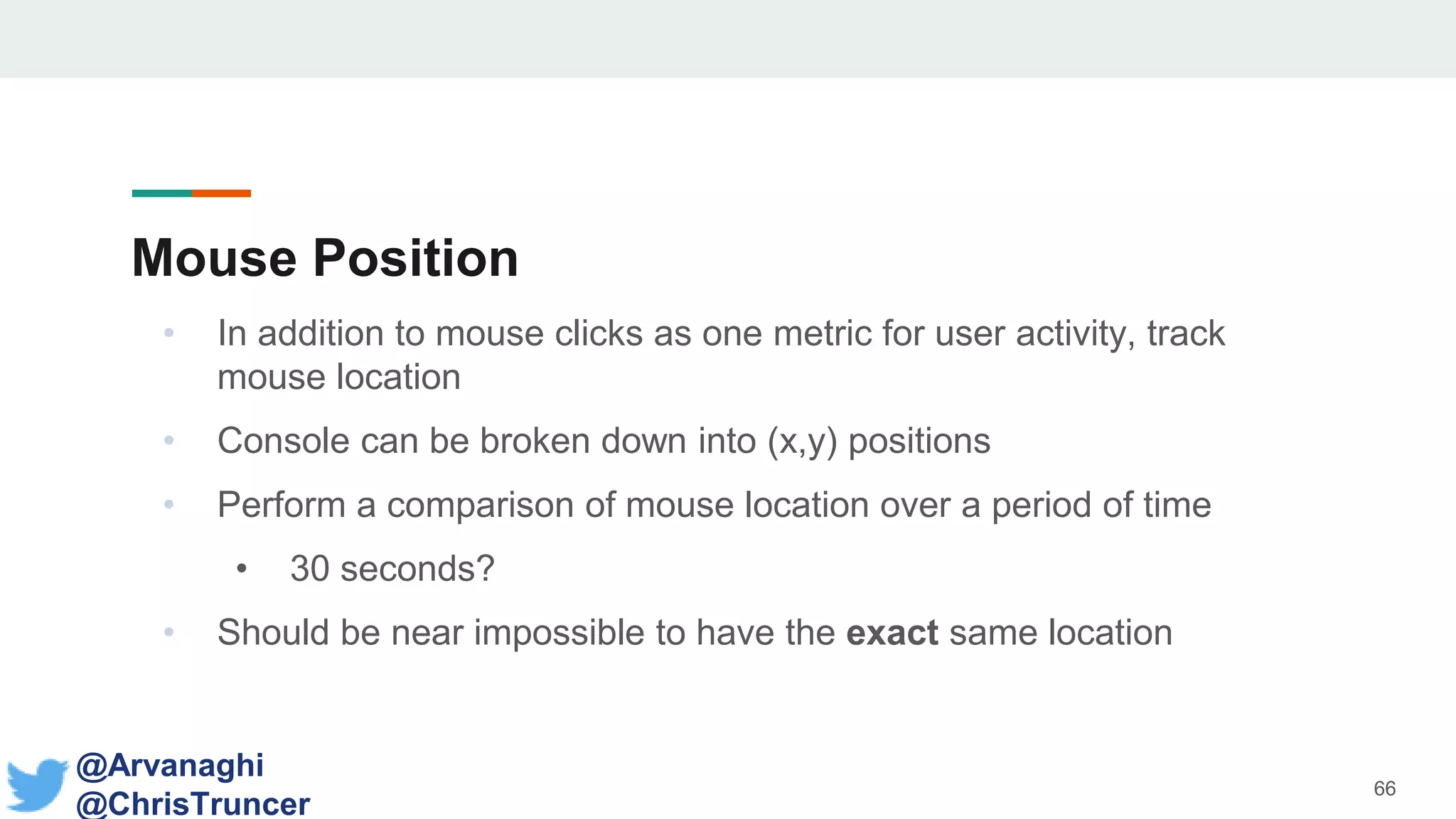
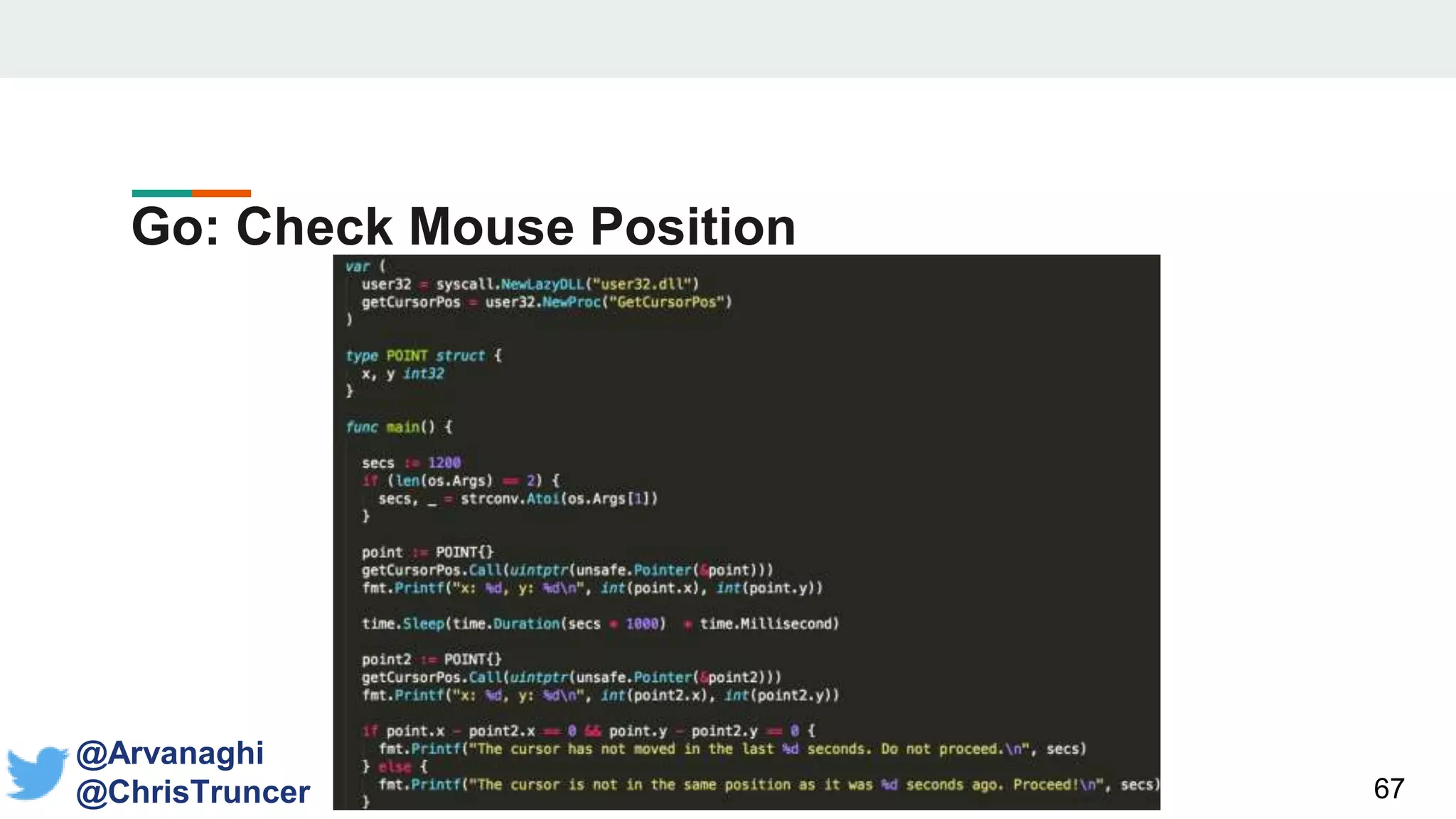
Mouse Position
• In addition to mouse clicks as one metric for user activity, track
mouse location
• Console can be broken down into (x,y) positions
• Perform a comparison of mouse location over a period of time
• 30 seconds?
• Should be near impossible to have the exact same location
66
@Arvanaghi
@ChrisTruncer
Go: Check Mouse Position
67
@Arvanaghi
@ChrisTruncer
Prompt Users!
• Users already get prompted for a variety of reasons, what’s one
more?
• They already just give us passwords, why not click a
button?
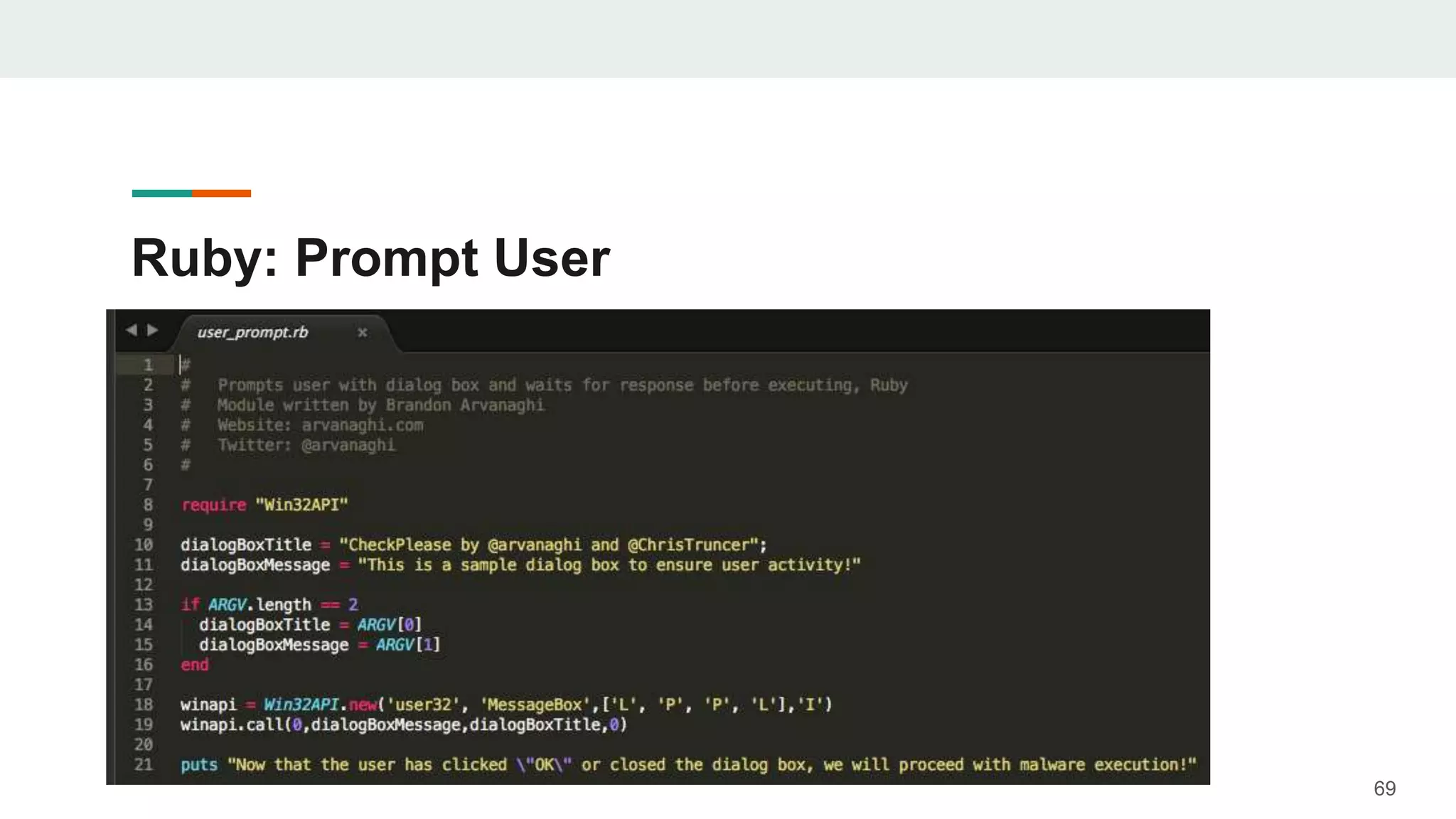
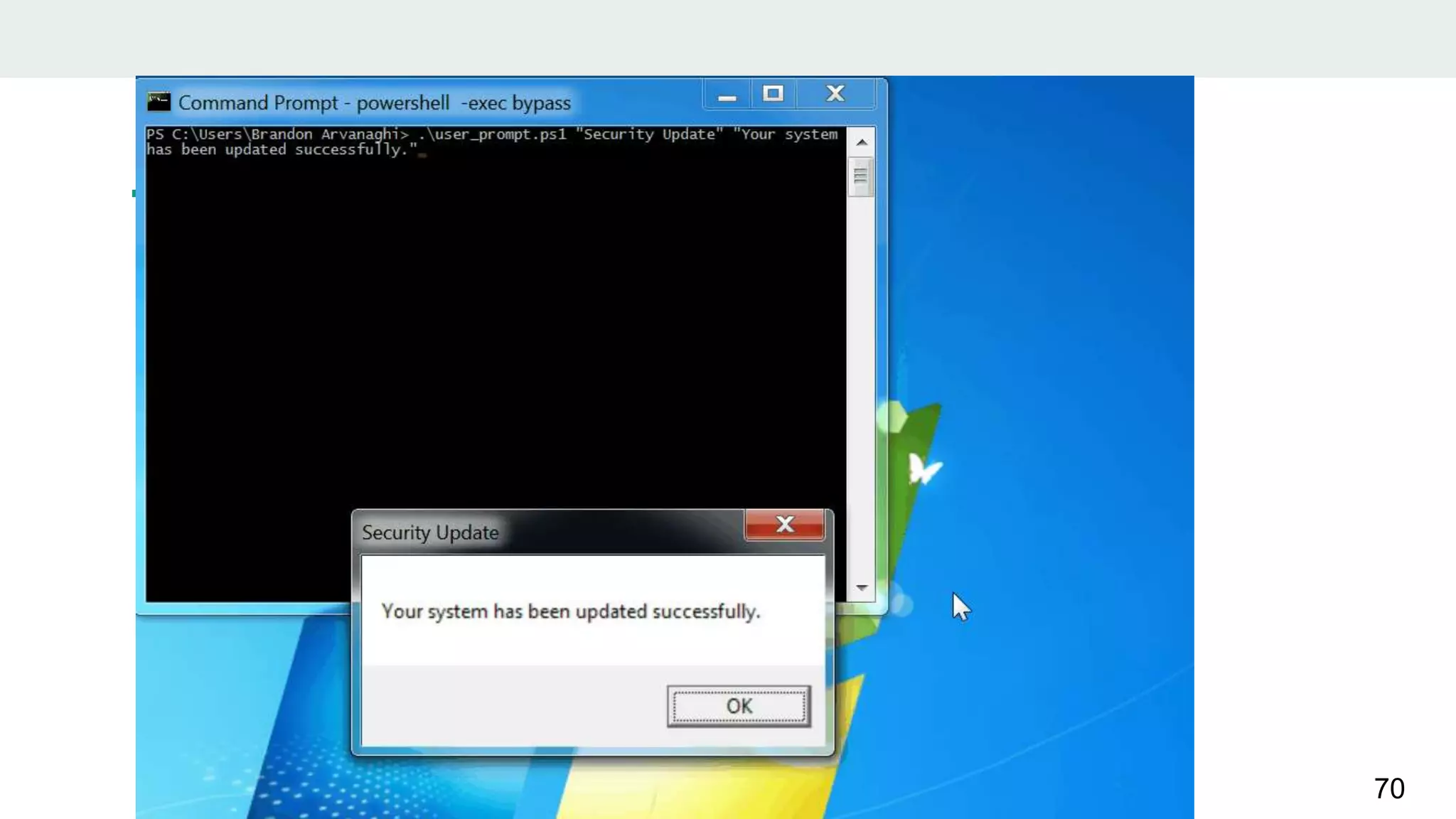
• Sole purpose is to require interactive use prior to code execution
• When run, the code will present the user with a pop-up, and will
wait to run
68
@Arvanaghi
@ChrisTruncer
Ruby: Prompt User
69
70
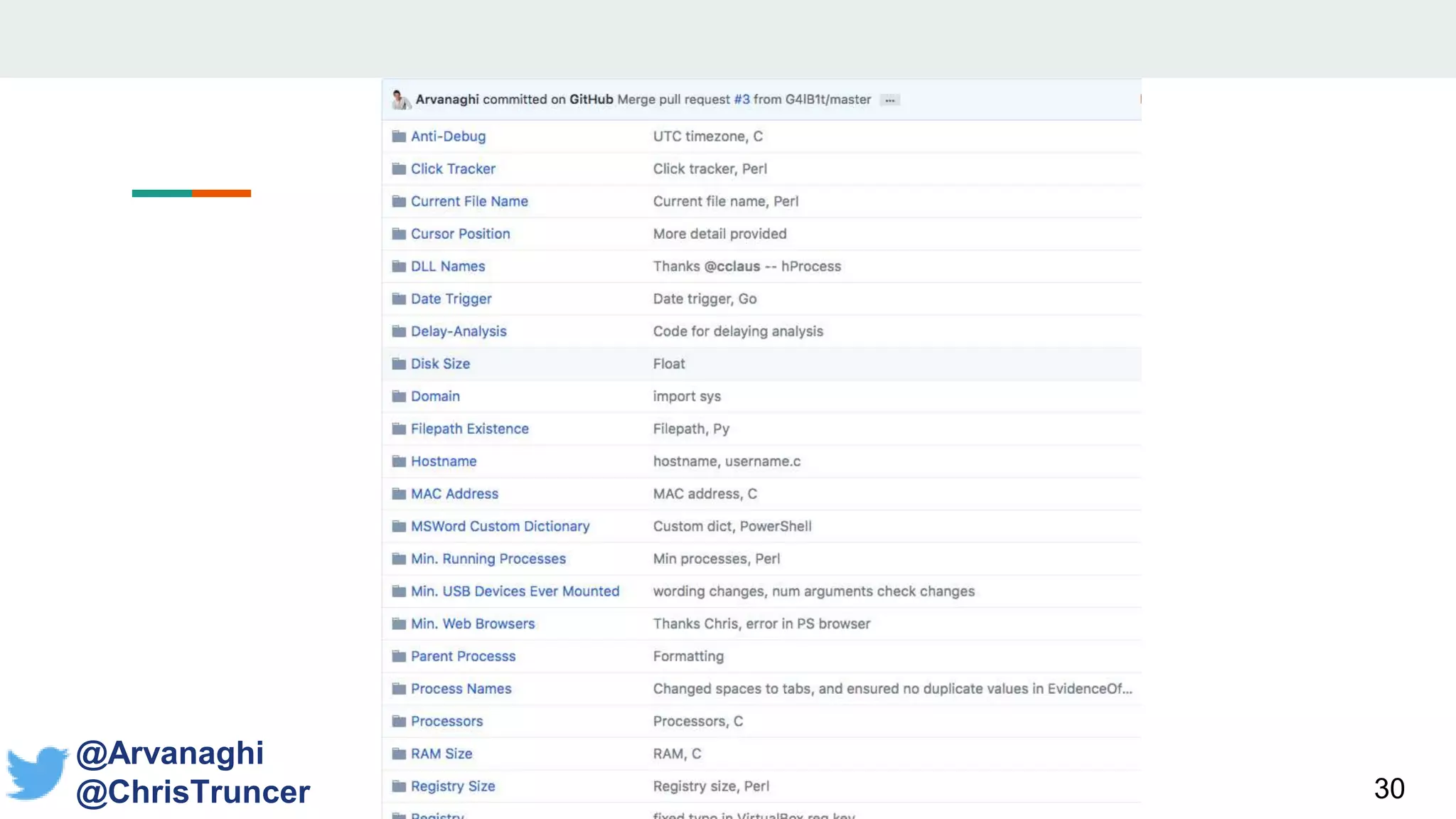
What else can we want to target?
• Number of USB drives mounted on the system
• Number of web browsers
• Minimum number of processes
• Whether certain files exist on disk
• Whether specific Registry keys/values exist (think installed programs, etc.)
• The number of processors on the system
• The minimum RAM size
• The minimum disk size
• The size of the Registry
• Whether a DLL is loaded
• Whether a process is running
71
Porting to Your
Payload
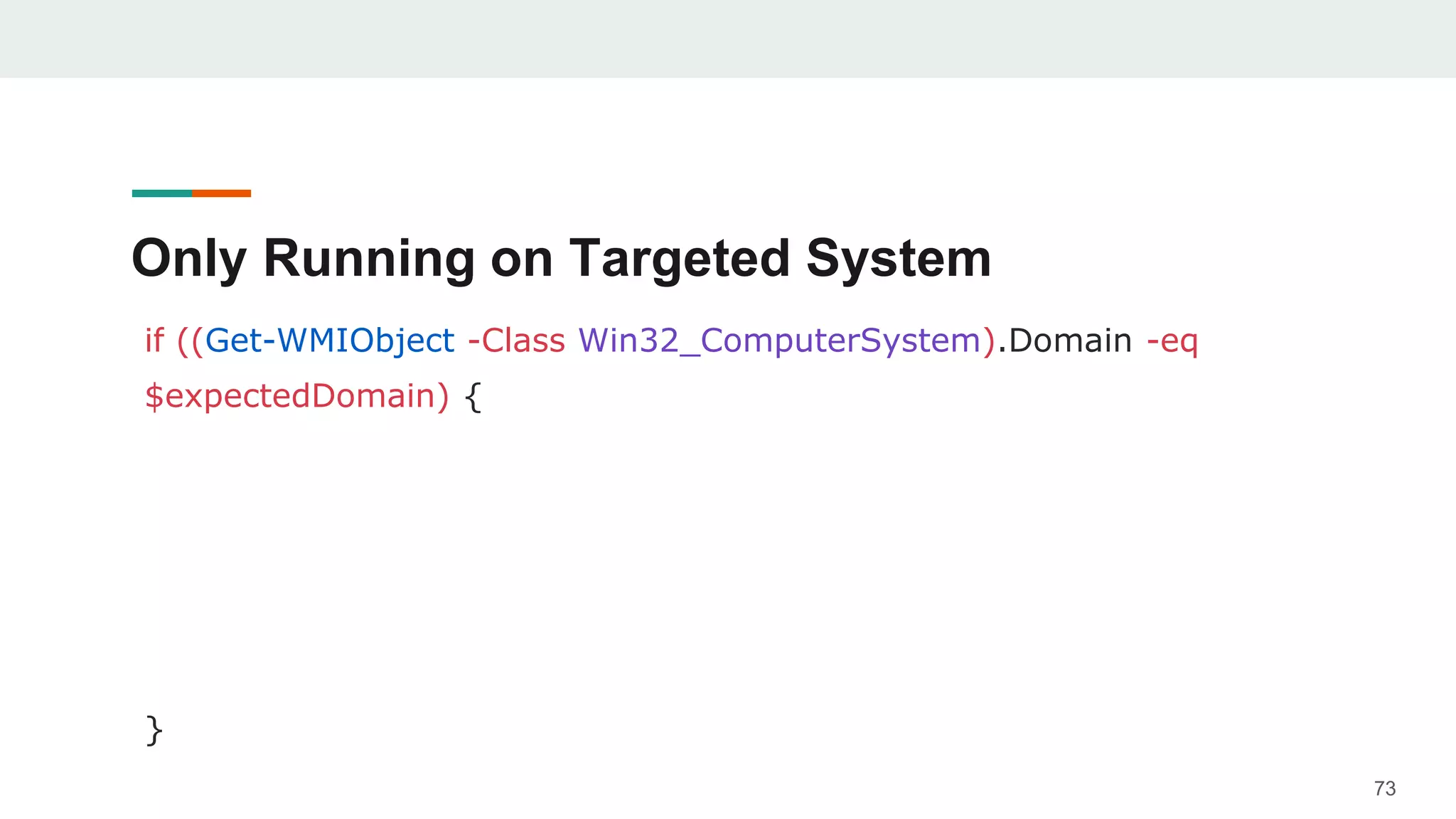
Only Running on Targeted System
if ((Get-WMIObject -Class Win32_ComputerSystem).Domain -eq
$expectedDomain) {
}
73
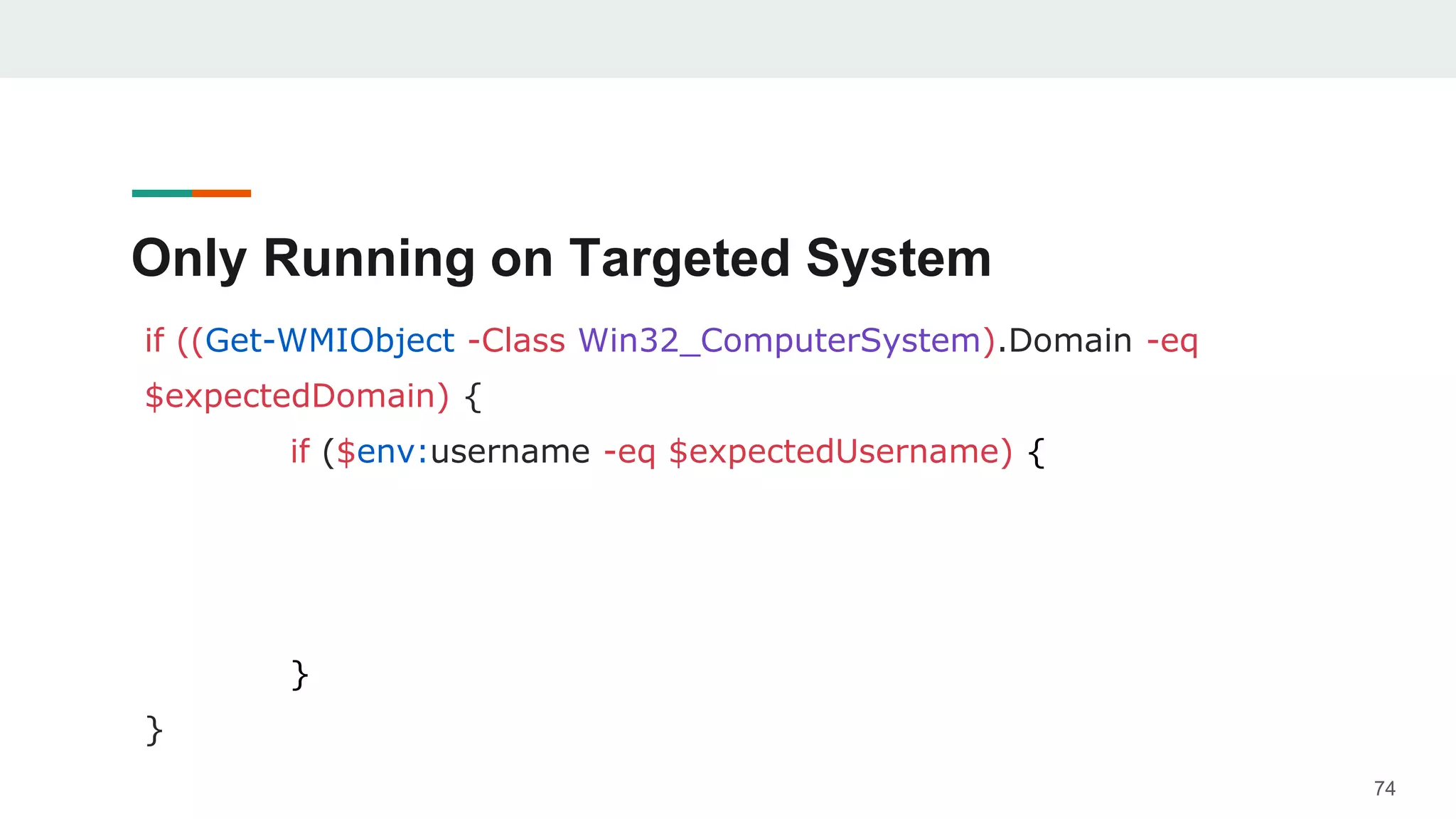
Only Running on Targeted System
if ((Get-WMIObject -Class Win32_ComputerSystem).Domain -eq
$expectedDomain) {
if ($env:username -eq $expectedUsername) {
}
}
74
Only Running on Targeted System
if ((Get-WMIObject -Class Win32_ComputerSystem).Domain -eq
$expectedDomain) {
if ($env:username -eq $expectedUsername) {
if ($env:computername -eq $expectedHostname) {
}
}
}
75
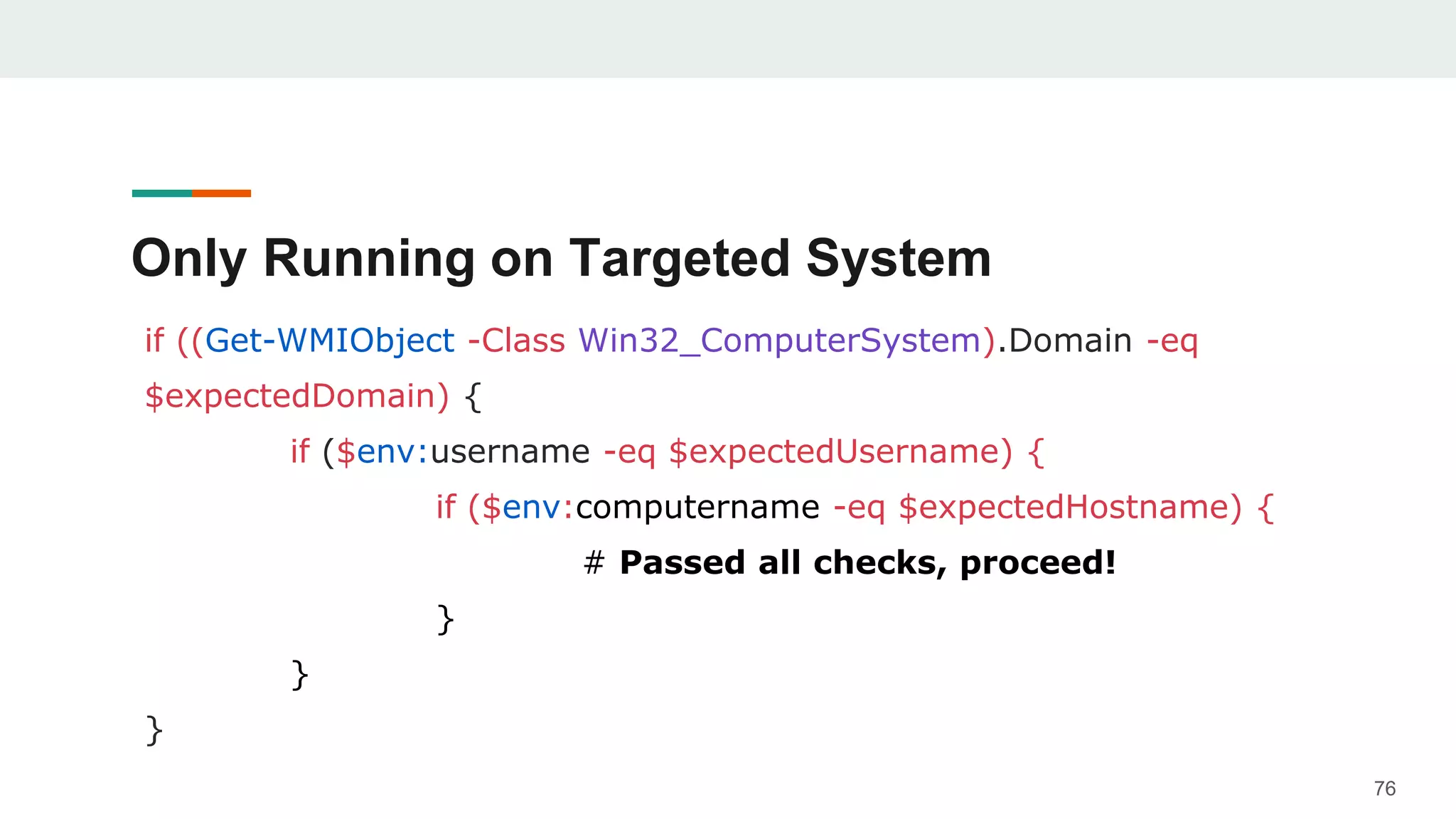
Only Running on Targeted System
if ((Get-WMIObject -Class Win32_ComputerSystem).Domain -eq
$expectedDomain) {
if ($env:username -eq $expectedUsername) {
if ($env:computername -eq $expectedHostname) {
# Passed all checks, proceed!
}
}
}
76
Veil
• This is a great opportunity to contribute to Veil’s codebase
• Add in a means to automatically develop targeted payloads
• Merge the code and quick demo
77
78
79
THANKS!
Any questions?
https://github.com/Arvanaghi/CheckPlease
@Arvanaghi
@ChrisTruncer

CheckPlease - Payload-Agnostic Implant Security

  • 1.
  • 2.
    Brandon Arvanaghi Associate Consultantat Mandiant Red teaming, reverse engineering, tool development Vanderbilt University 2
  • 3.
    Chris Truncer Previous SysAdmin turned Red Team West Coast Red Team Lead Open Source Developer Veil, EyeWitness, WMImplant 3
  • 4.
    Pop Quiz Which ismore effective at stopping malicious applications from executing? 1) Application Whitelisting 2) Application Blacklisting 4 @Arvanaghi @ChrisTruncer
  • 5.
    Pop Quiz • Answer:Application Whitelisting! • Rather than trying to figure out everything we don’t want to allow, we identify what we do want • Disallow all else! • AppLocker on Windows 7, 8, 10 5 @Arvanaghi @ChrisTruncer
  • 6.
    Sandbox Detection • Asandbox is a virtual environment designed to monitor malware behavior • Dynamic analysis • Malware acts benign if it thinks it is being dynamically analyzed 6 @Arvanaghi @ChrisTruncer
  • 7.
    Sandbox Detection • Oldthinking: sandboxes look a certain way, so let’s specifically check if we are in a sandbox in our payloads • Avoid running if it’s the case • Registry keys and values, MAC addresses, limited RAM, etc. • Can be useful! 7 @Arvanaghi @ChrisTruncer
  • 8.
  • 9.
    Realization • Trying todetect if you are in a sandbox is a form of blacklisting! • Identifying every kind of sandbox is too hard! • Why do we write sandbox detection checks in the first place? 9 @Arvanaghi @ChrisTruncer
  • 10.
    Realization We want ourmalware to run where we expect. Avoiding sandboxes is a byproduct of that. 10 @Arvanaghi @ChrisTruncer
  • 11.
  • 12.
    Workflow for ImplantSecurity 1. Get initial access into domain a. Limited information 2. Immediately exfiltrate domain data a. We don’t dump creds initially, do we? 3. Never use a non-targeted payload again for that domain! 12 @Arvanaghi @ChrisTruncer
  • 13.
    The Problems withPure Sandbox Detection 1. You are not that smart. 13
  • 14.
    The Problems withPure Sandbox Detection 1. You are not that smart. Hard enough debugging failed payloads. AV? RAT? Whitelisting? Hard to say. 14
  • 15.
    The Problems withPure Sandbox Detection 2. Uptick in VM usage 15
  • 16.
    The Problems withPure Sandbox Detection 2. Uptick in VM usage VMs used to be indicative of sandboxes Today, they are critical assets. We want to target them! 16
  • 17.
    The Problems withPure Sandbox Detection 3. Sandboxes look like legacy systems 17
  • 18.
    The Problems withPure Sandbox Detection 3. Sandboxes look like legacy systems Legacy systems are easiest to target Blacklisting sandboxes means missing out! 18
  • 19.
    The Problems withPure Sandbox Detection 4. Anti-Anti-VM 19
  • 20.
    The Problems withPure Sandbox Detection 4. Anti-Anti-VM How many more Anti-s do you want? • Attackers strike • Defenders detect • Attackers mod • Goto 1 20
  • 21.
  • 22.
    Creating a Payload-AgnosticRepository • Implant security modules are exclusively written in C! • Or discussed abstractly • Payload deliverance growing in non-standard languages • Let’s make a centralized library implementing these techniques in all languages! 22 @Arvanaghi @ChrisTruncer
  • 23.
  • 24.
  • 25.
    CheckPlease: Languages Supported •C • C# • PowerShell 25
  • 26.
    CheckPlease: Languages Supported •C • C# • PowerShell • Python 26
  • 27.
    CheckPlease: Languages Supported •C • C# • PowerShell • Python • Go 27
  • 28.
    CheckPlease: Languages Supported •C • C# • PowerShell • Python • Go • Ruby 28
  • 29.
    CheckPlease: Languages Supported •C • C# • PowerShell • Python • Go • Ruby • Perl 29
  • 30.
  • 31.
  • 32.
    Why don’t sandboxesfollow all paths? • Design decision for sandboxes • Don’t have the computing power to follow all trees 32 @Arvanaghi @ChrisTruncer
  • 33.
    Why don’t sandboxesfollow all paths? Example problem: if ($env:username -eq “USERNAME THAT WOULD NEVER EXIST”) { # Expand into several branches of nonsense # Goal: waste the sandbox’s time and resources # Sandbox rendered useless } 33 @Arvanaghi @ChrisTruncer
  • 34.
  • 35.
    Parent Process • Everytime we launch a payload, we know exactly what the parent process should be! • Word document? • PDF document? • HTA application? • Most languages support finding the ppid • Use that to find the string name of process 35 @Arvanaghi @ChrisTruncer
  • 36.
  • 37.
  • 38.
  • 39.
    Payload Sleeping 39 @Arvanaghi @ChrisTruncer • Thisis the first thing most people will try • Making your code sleep an hour • Should work right? • Sandbox can’t keep resources running that long! • Nope
  • 40.
    Payload Sleeping 40 @Arvanaghi @ChrisTruncer • Developersobviously know this too • Look for sleep calls and hook them • Fast-forward any sleep call • Immediately jump to next part of the code • So… how can this be beaten?
  • 41.
    Payload Sleeping 41 @Arvanaghi @ChrisTruncer • Outsourcetime requests to NTP servers! • Request current time from NTP server • Try to sleep for the requested amount of time • Make another request for the current time from a NTP server
  • 42.
    Payload Sleeping 42 @Arvanaghi @ChrisTruncer • Alternativeoption • Can you develop a function which take an approximate amount of time to compute? • Iterate over that function as many times as you’d like to sleep. • RemoveS the network dependency for the check
  • 43.
  • 44.
  • 45.
    Encrypt with TargetedIndicators • To protect our implant from running where we don’t expect, we can encrypt it • The key? An indicator from our targeted host • MAC address • Username + hostname • Etc. • Once again, sandbox is a BYPRODUCT! 45 @Arvanaghi @ChrisTruncer
  • 46.
    Encrypt with TargetedIndicators • How does this work? • Payload dynamically pulls system information • System information is concatenated to generate an encryption key • If key is correct, decrypt data and run the real code • If not, assume on the wrong system and die 46 @Arvanaghi @ChrisTruncer
  • 47.
    Encrypt with TargetedIndicators Ebowla is a great example of this in practice: https://github.com/Genetic-Malware/Ebowla 47 @Arvanaghi @ChrisTruncer
  • 48.
    Delay-Analysis Module • Inthe hands of a skilled reverse engineer, nothing is infallible • That’s not the goal, just beat initial automated analysis • This can start at the source code level • Used Hyperion? 48 @Arvanaghi @ChrisTruncer
  • 49.
    Delay-Analysis Module • Hyperionreceives your “file” and outputs a different encrypted file • The output is encrypted with no key stored inside • Due to an artificially constrained keyspace, it brute forces itself • Let’s recreate this! 49 @Arvanaghi @ChrisTruncer
  • 50.
    Delay-Analysis Module • TheDelay-Analysis Python script receives an input file • Your source code • Select the language your code is in • Output is encrypted code which brute forces itself at runtime 50 @Arvanaghi @ChrisTruncer
  • 51.
  • 52.
  • 53.
  • 54.
  • 55.
    Process Names • Easyto write code that enumerates running processes • Validate that no-blacklisted processes are running at the same time • Wireshark • VMWare • Process Explorer • tshark 55 @Arvanaghi @ChrisTruncer
  • 56.
  • 57.
    Windows Updates • Thenumber of recent Windows updates can provide information about the system • How often it is patched • Uptime • Real users will likely update more than sandboxes 57 @Arvanaghi @ChrisTruncer
  • 58.
  • 59.
    Registry Size • Doyou know the approximate size of your system’s registry? • Fingerprint this information for an approximate size within the targeted organization • Validate it at runtime! 59 @Arvanaghi @ChrisTruncer
  • 60.
  • 61.
  • 62.
    User Interaction • Reasonsyou want a user present • Authed but don’t have user’s credentials • Present a prompt to enter creds • Watch them on VNC, see internal sites they navigate to • Built-in cobalt strike • Two-factor push notification • Etc. 62 @Arvanaghi @ChrisTruncer
  • 63.
    Mouse Clicks • Checkfor user presence via mouse activity • If the mouse is registering clicks, it’s indicative of user activity • Require a minimum number of clicks prior to executing the “protected code” 63 @Arvanaghi @ChrisTruncer
  • 64.
    Python: Execute after“N” clicks Mouse Clicks 64 @Arvanaghi @ChrisTruncer
  • 65.
    PowerShell: Execute after“N” clicks Mouse Clicks 65 @Arvanaghi @ChrisTruncer
  • 66.
    Mouse Position • Inaddition to mouse clicks as one metric for user activity, track mouse location • Console can be broken down into (x,y) positions • Perform a comparison of mouse location over a period of time • 30 seconds? • Should be near impossible to have the exact same location 66 @Arvanaghi @ChrisTruncer
  • 67.
    Go: Check MousePosition 67 @Arvanaghi @ChrisTruncer
  • 68.
    Prompt Users! • Usersalready get prompted for a variety of reasons, what’s one more? • They already just give us passwords, why not click a button? • Sole purpose is to require interactive use prior to code execution • When run, the code will present the user with a pop-up, and will wait to run 68 @Arvanaghi @ChrisTruncer
  • 69.
  • 70.
  • 71.
    What else canwe want to target? • Number of USB drives mounted on the system • Number of web browsers • Minimum number of processes • Whether certain files exist on disk • Whether specific Registry keys/values exist (think installed programs, etc.) • The number of processors on the system • The minimum RAM size • The minimum disk size • The size of the Registry • Whether a DLL is loaded • Whether a process is running 71
  • 72.
  • 73.
    Only Running onTargeted System if ((Get-WMIObject -Class Win32_ComputerSystem).Domain -eq $expectedDomain) { } 73
  • 74.
    Only Running onTargeted System if ((Get-WMIObject -Class Win32_ComputerSystem).Domain -eq $expectedDomain) { if ($env:username -eq $expectedUsername) { } } 74
  • 75.
    Only Running onTargeted System if ((Get-WMIObject -Class Win32_ComputerSystem).Domain -eq $expectedDomain) { if ($env:username -eq $expectedUsername) { if ($env:computername -eq $expectedHostname) { } } } 75
  • 76.
    Only Running onTargeted System if ((Get-WMIObject -Class Win32_ComputerSystem).Domain -eq $expectedDomain) { if ($env:username -eq $expectedUsername) { if ($env:computername -eq $expectedHostname) { # Passed all checks, proceed! } } } 76
  • 77.
    Veil • This isa great opportunity to contribute to Veil’s codebase • Add in a means to automatically develop targeted payloads • Merge the code and quick demo 77
  • 78.
  • 79.

Editor's Notes

  • #2 BRANDON START TALK
  • #10 Kids eat broccoli -- nutrients -- healthy, reproduce Sandbox detection? To run where you expect. Not a scavenger hunt to find sandboxes!
  • #12 MENTION THIS: Implant security means only running if MAC address is ___, if username is ____, if domain name is ____. Things you KNOW about the domain ahead of time Then, when some analyst tries to run the payload in their sandbox, it wont run.
  • #13 Talk about Austin
  • #22 http://chicago.grubstreet.com/upload/2013/01/check_please_auditions_now_ope/20130130_checkplease_190x190.jpg
  • #24 Did this take a while?
  • #25 Did this take a while?
  • #26 Did this take a while?
  • #27 Did this take a while?
  • #28 Did this take a while?
  • #29 Did this take a while?
  • #30 Did this take a while?
  • #37 You’re not even my real dad
  • #39 CHRIS start here
  • #55 CHRIS start here
  • #62 BRANDON START HERE
  • #73 TRUNCER START HERE