
Chapter 3
Building an e-Business: Design,
Development and Management
E-Commerce Programming
Mutah University
Faculty of IT, Department of Software Engineering
Dr. Ra’Fat A. AL-msie’deen
Part 2
Constructing an e-Business
Chapter 3: Building an e-Business
Outline
3.1 Introduction
3.2 Getting Started
3.2.1 Generating Business Ideas
3.2.2 Growth of e-Business: Evaluating Risk
3.2.3 Finding Funding and Going Public
3.3 Putting Your Plan Into Action
3.3.1 Choosing a Domain Name
3.3.2 Supply-Chain Management: Vendors, Distributors
and Shipment Providers
3.3.3 Web-Site Hosting
3.3.4 Web Design
3.3.5 Enhancing the User Experience
3.3.6 Protecting Your e-Business
3.3.7 Streaming Media: How Much Is Too Much?
3.3.8 Preparing for New Technologies
3.4 e-Business Solutions
3.4.1 End-To-End e-Business Solutions
3.4.2 Other e-Business Solutions
3.4.3 Maintaining and Monitoring Your Web Site
3.4.4 e-Commerce Consulting
3.1 Introduction
 There are numerous ways to approach designing, developing and
maintaining an e-business.
 Some businesses can establish an online presence by using ….
 Turnkey solution
– A pre-packaged e-business
 E-business templates
– Outline the basic structure, but allow the design to be
determined by the owner
 Project outsourcing
– Available to businesses with substantial funding, alleviates the
need for businesses to complete projects in-house
 Front-end system
– Portion of an e-business that is visible to consumers
 Back-end system
– Database management, payment processing and logistics
3.2 Getting Started
 Building, Managing and Maintaining
– Advertising
– Marketing
– Customer relationship management
– Content management
– Accepting online payments
– Recognizing cultural differences and legal parameters
– Providing security features
3.2.1 Generating Business Ideas
 Before beginning to build an e-business, you must have a solid
idea of the products and services you want to offer via the
Web.
 Products and services
– Discover what exists
– Decide how to improve it
 Develop a business plan
– Enables you to envision your e-business on paper for
evaluation purposes
– Serves as a presentation of your business’ objectives and
long-term expectations
3.2.1 Business Plan Layout
 A solid business plan is essential.
 Business plan layout
– Introduce your readers to the layout, what you will discuss and
when you will discuss it
– Provide an overview of the business premise including the
primary issues
– Headings and sub-headings should categorize the content
– Focus on what makes the e-business unique
 Business plan services and software
– www.synrgistic.com/busplan/busplan.htm
– Mindspring Biz
– www.adarus.com/html/demos.html
3.2.1 Business Plan Layout
 Primary Purpose
– Define the purposes of your business
– What do you intend to sell
– What services will you provide
 Strategy
– Describe how your product or service fits in the market
– How is it different from existing products and services
– How will it be profitable
 Business model
– What model will you implement
– How will you conduct transactions
3.2.1 Business Plan Layout
 Support
– Provide evidence that supports the idea of your business
– How will you justify these as support to the idea
– Have you conducted research
– Who are your customers
– Who is on your management team and what are their
credentials
– How will you generate revenue
– What are your expenses
 Process
– List the steps necessary to build your e-business
– Does more research need to be conducted
– Inform investors of how money will be allocated
3.2.2 Growth of e-Business: Evaluating Risk
 Many Internet companies have experienced rapid growth
 Many others have struggled to get off the ground, find
funding and make a profit
 Technological advancements usually lead to growth in
industry
 The Internet has produced new industries and altered and
enhanced existing industries
 E-businesses that target a specific market first must be aware
of the changing technologies and their costs
3.2.3 Finding Funding and Going Public
 Building an e-business can be expensive and risky
 Competition is intense
 Determining a market niche and reaching a target audience
often require significant financial backing
 Internet incubator
– A company that specializes in the development of Internet
businesses
– Often will serve as the financiers, as well as work with the
development team
– Often receive a stake in the developing e-business
3.2.3 Finding Funding and Going Public
 Internet incubators
– Camp Six
– eCorporation
– Idealab
– eHatchery
 Venture capitalists
– Individuals or groups that generate the financial support of a growing
enterprise, usually in exchange for ownership in the company
 Angel investors
– Wealthy investors with business experience
 Many e-businesses look to make an Initial Public Offering (IPO)
– Money generated from public investors can be used to grow the
company and establish it at the forefront of its market
3.2.3 Finding Funding and Going Public
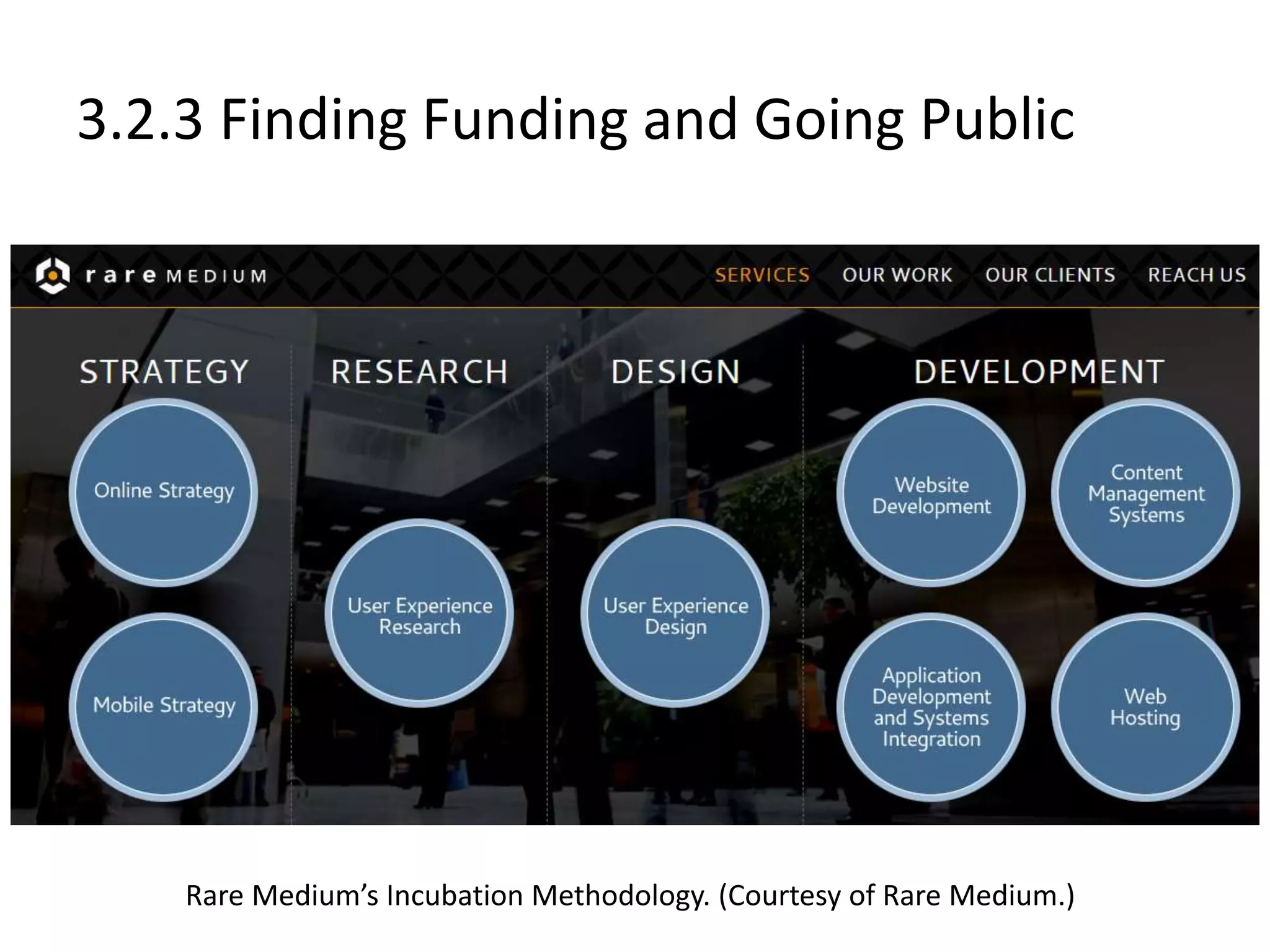
Rare Medium’s Incubation Methodology. (Courtesy of Rare Medium.)
3.3 Putting Your Plan Into Action
 After generating ideas, building a business plan and finding
funding, prepare to:
– Manage distribution
– Manage shipping
– Enhance the user experience through Web design
– Prepare for new technologies
– Purchase supporting hardware and software
– Accept online payment
– Market your Web site
– Manage your consumers
3.3.1 Choosing a Domain Name
 Domain name
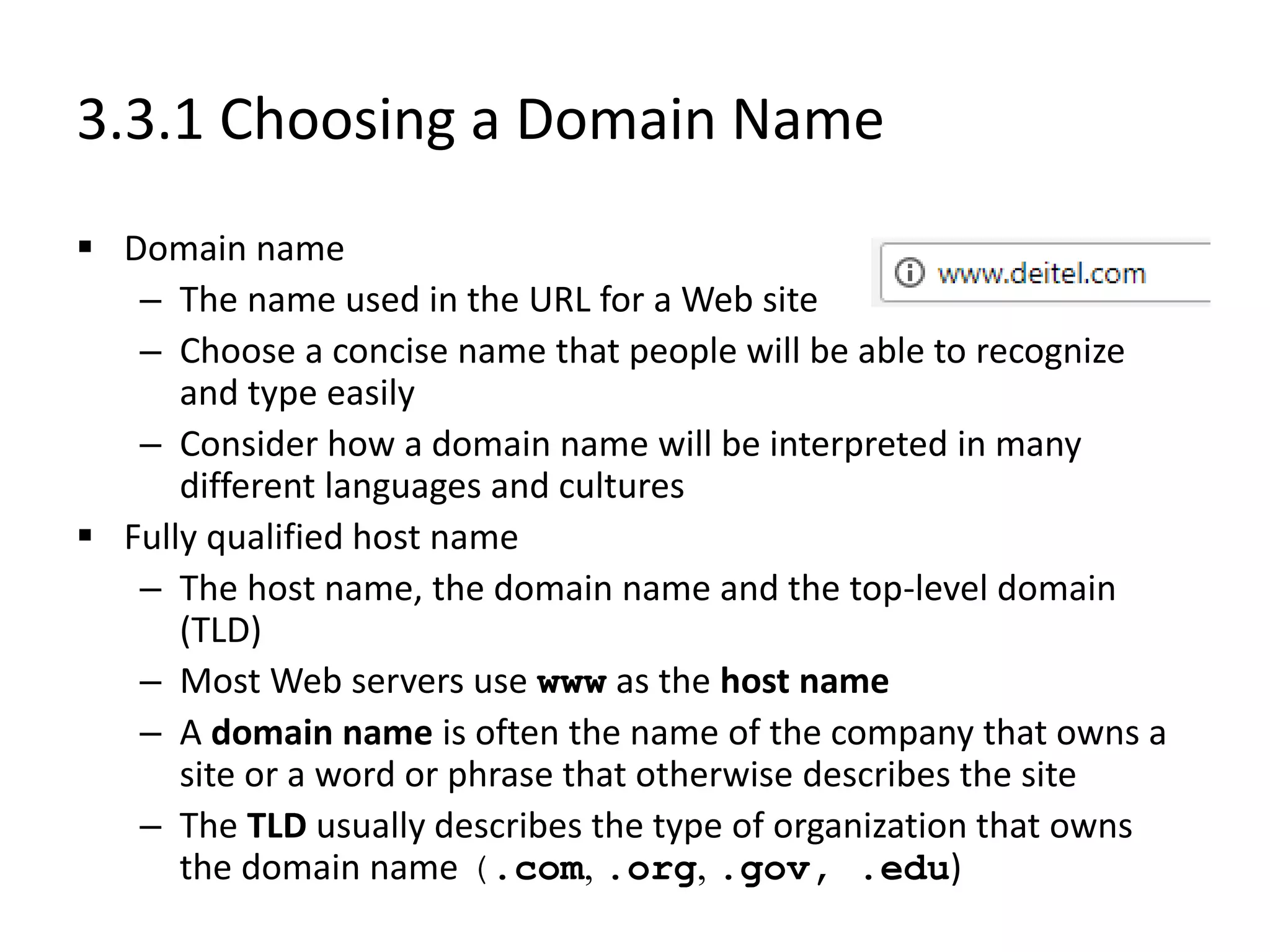
– The name used in the URL for a Web site
– Choose a concise name that people will be able to recognize
and type easily
– Consider how a domain name will be interpreted in many
different languages and cultures
 Fully qualified host name
– The host name, the domain name and the top-level domain
(TLD)
– Most Web servers use www as the host name
– A domain name is often the name of the company that owns a
site or a word or phrase that otherwise describes the site
– The TLD usually describes the type of organization that owns
the domain name (.com, .org, .gov, .edu)
3.3.1 Choosing a Domain Name
 Available domain names with the dot-com (.com) extension
are becoming rare
 ICANN (Internet Corporation for Assigned Names and
Numbers) is considering the possibility of introducing new
suffixes, such as .movie, .inc, .info and .web
 Registering a domain name
– Network Solutions, Register.com, Domainit.com
 Cost to register a domain name depends on extension
 Usually, ownership of a domain name requires a one-time
registration fee followed by recurring annual fees
3.3.2 Supply-Chain Management
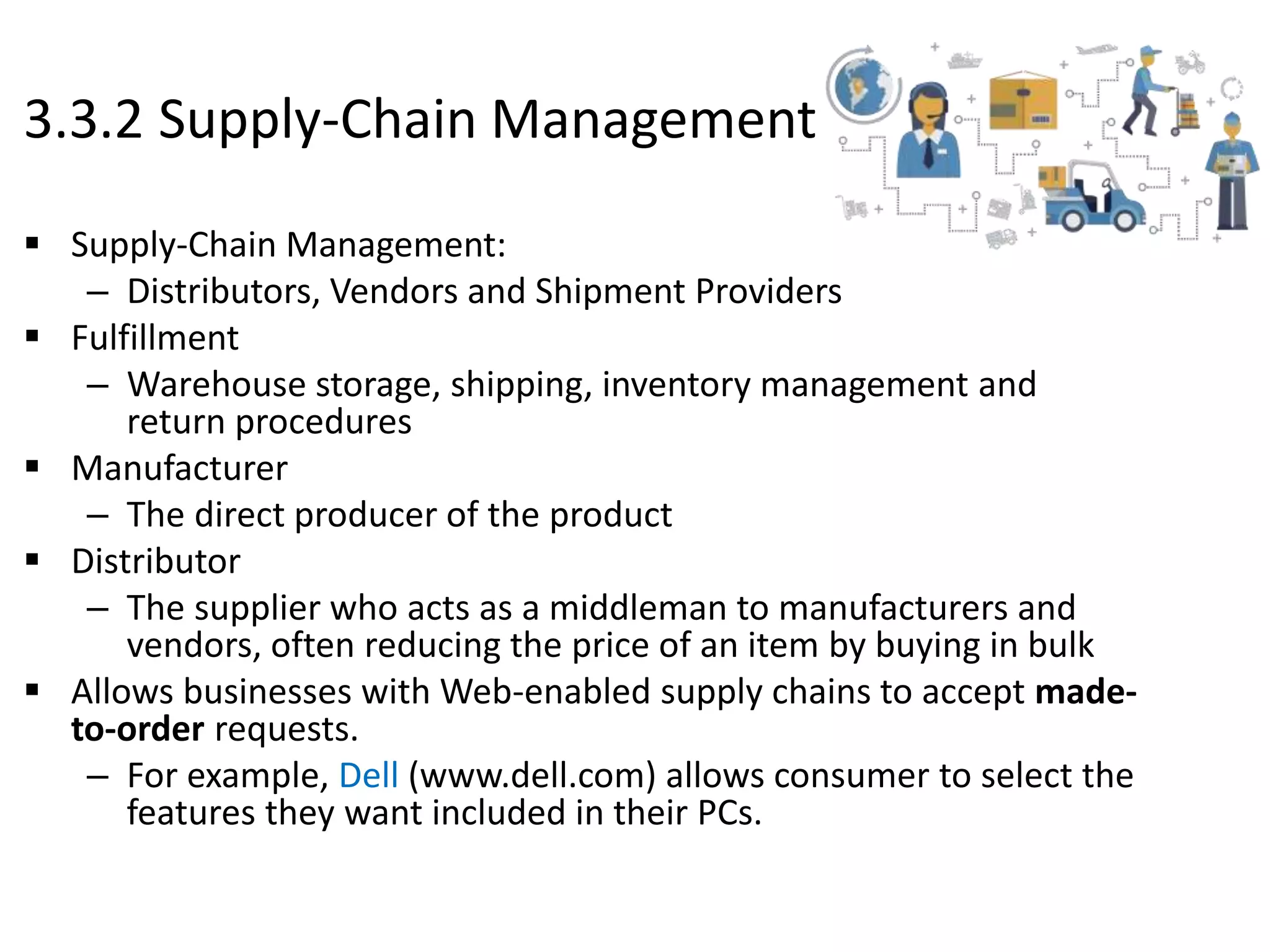
 Supply-Chain Management:
– Distributors, Vendors and Shipment Providers
 Fulfillment
– Warehouse storage, shipping, inventory management and
return procedures
 Manufacturer
– The direct producer of the product
 Distributor
– The supplier who acts as a middleman to manufacturers and
vendors, often reducing the price of an item by buying in bulk
 Allows businesses with Web-enabled supply chains to accept made-
to-order requests.
– For example, Dell (www.dell.com) allows consumer to select the
features they want included in their PCs.
3.3.2 Supply-Chain Management
 Increased efficiency
– Web merchant can serve customers better by knowing the
status of each order
– Web-based fulfillment mechanisms will demonstrate if the
product is available, if it has left the warehouse or if it has
been delivered and who signed for it
– Wireless Internet access allows fulfillment status to be
checked from any location at any time
 Supply-chain management services and software
– ChangePoint, GoCargo.com, Evolve, Atlas Commerce,
SubmitOrder.com
3.3.2 Supply-Chain Management
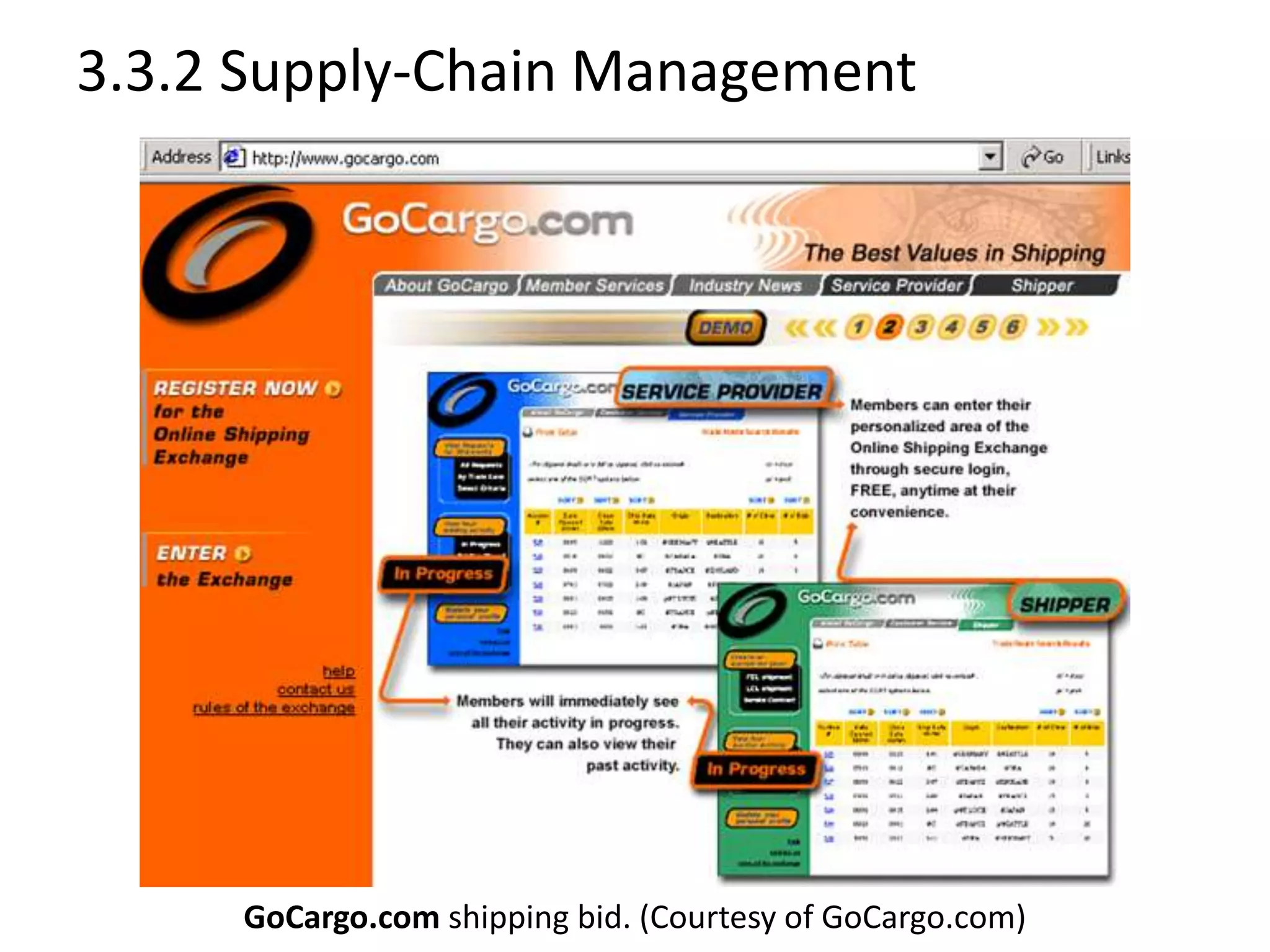
GoCargo.com shipping bid. (Courtesy of GoCargo.com)
3.3.3 Web-Site Hosting
 Web host
– Provides products, services and support for companies,
organizations and individuals to help them create and
maintain Web sites
– Offers customers space on a Web server where they can
build a Web site
 Dedicated server
– Assigned one specific purpose, ensuring that the function
that the server was intended to manage is not interrupted
by other responsibilities, offering consistent download
times
 Colocation
– Includes a dedicated Internet connection and protection
from power outages, fire and other disasters
3.3.3 Web-Site Hosting
 Web-hosting services
– Loudcloud
– Hostopia
– DedicatedHosting.com
– HostPro
– Global Crossing
– Exodus
– Digital Island
– Digex
– ValueWeb
3.3.3 Web-Site Hosting
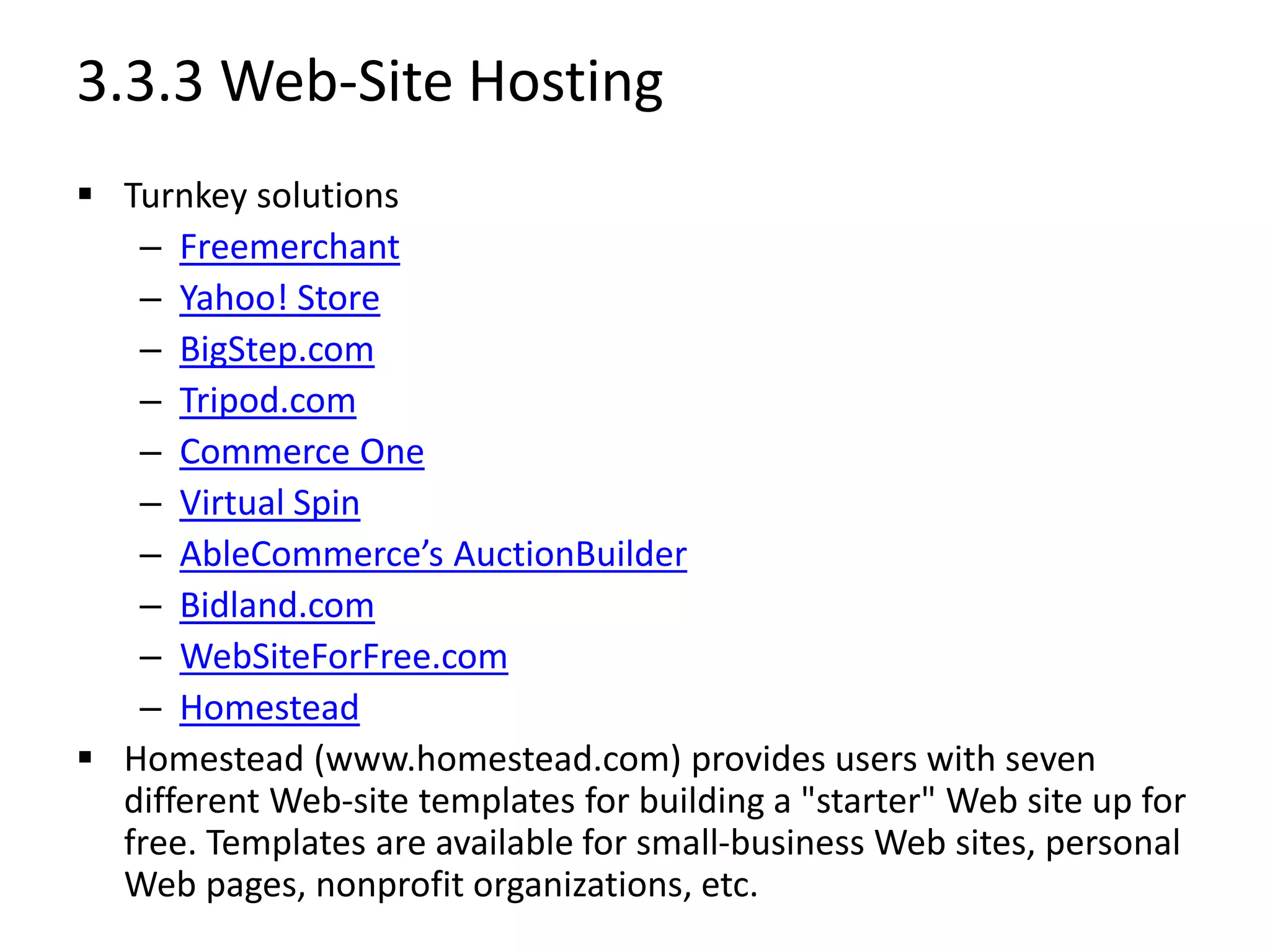
 Turnkey solutions
– Freemerchant
– Yahoo! Store
– BigStep.com
– Tripod.com
– Commerce One
– Virtual Spin
– AbleCommerce’s AuctionBuilder
– Bidland.com
– WebSiteForFree.com
– Homestead
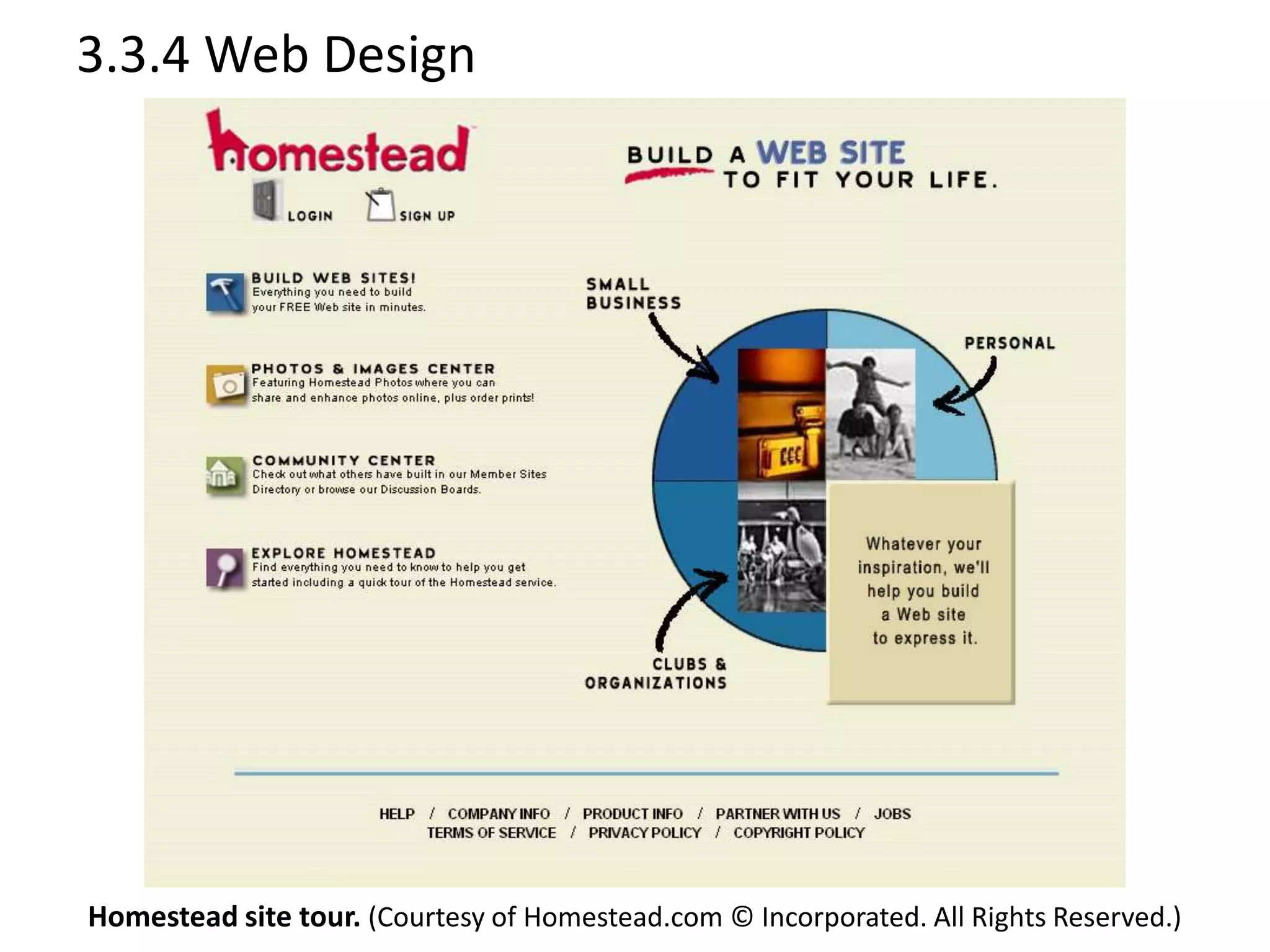
 Homestead (www.homestead.com) provides users with seven
different Web-site templates for building a "starter" Web site up for
free. Templates are available for small-business Web sites, personal
Web pages, nonprofit organizations, etc.
3.3.4 Web Design
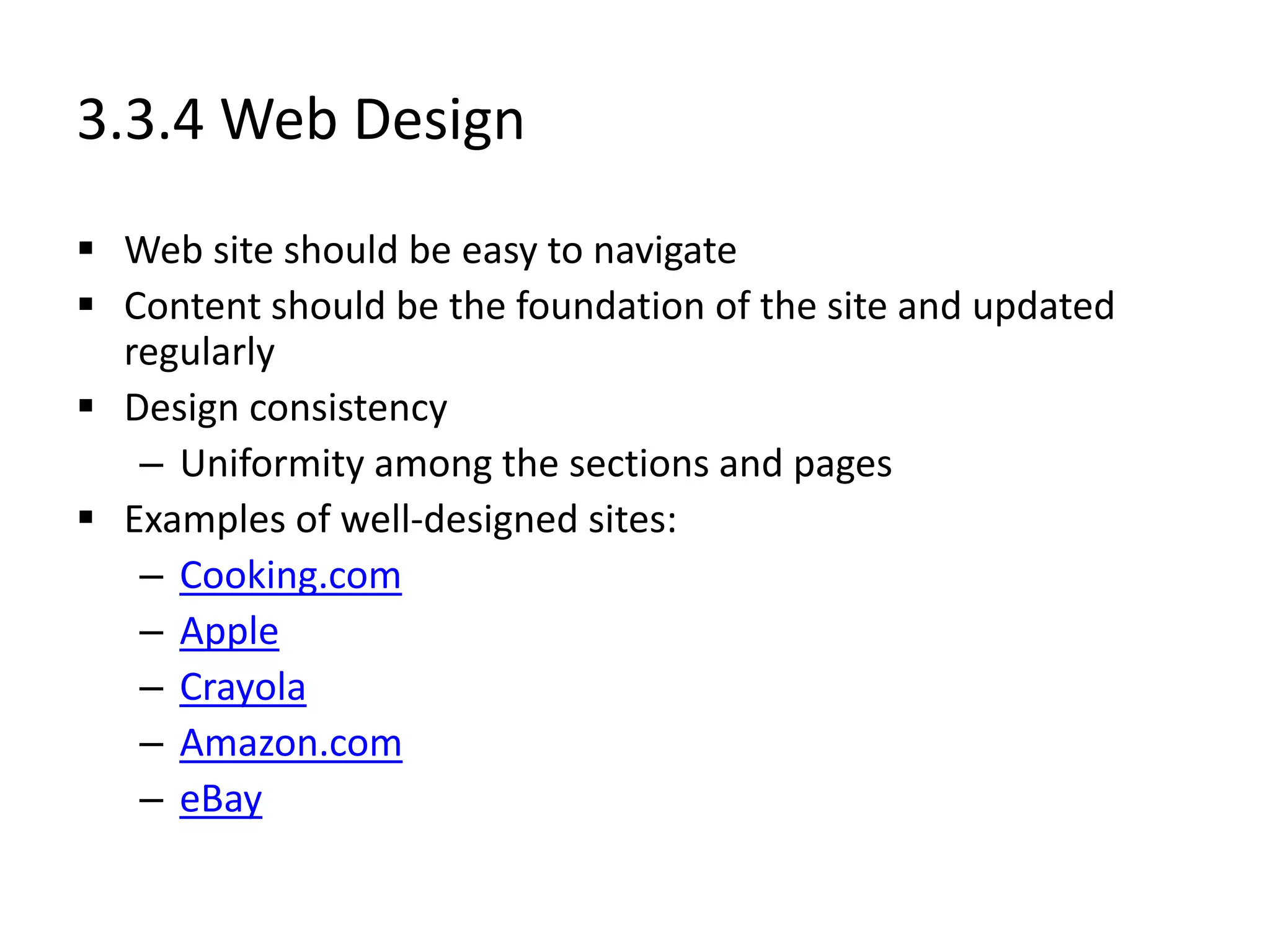
 Web site should be easy to navigate
 Content should be the foundation of the site and updated
regularly
 Design consistency
– Uniformity among the sections and pages
 Examples of well-designed sites:
– Cooking.com
– Apple
– Crayola
– Amazon.com
– eBay
3.3.4 Web Design
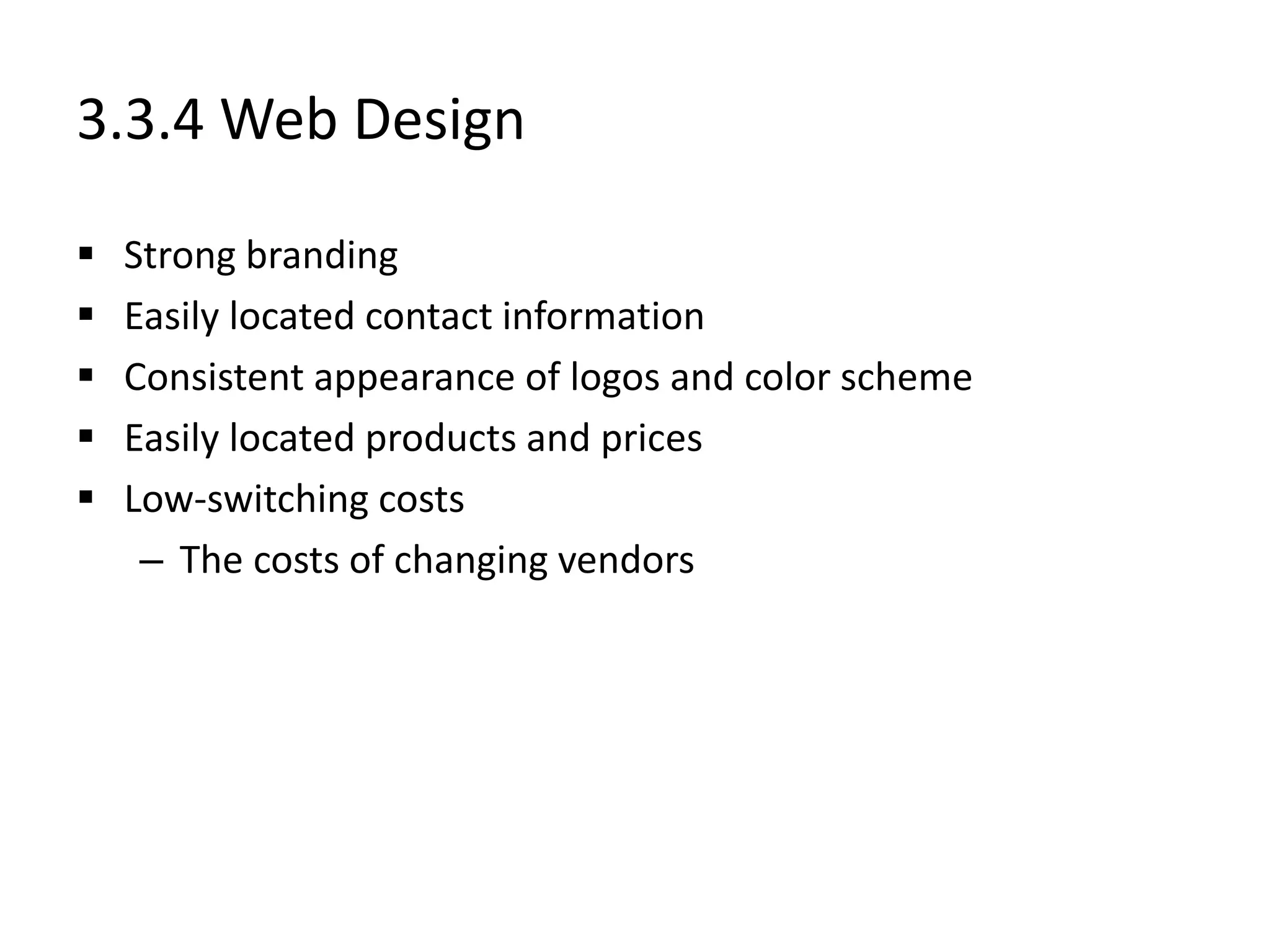
 Strong branding
 Easily located contact information
 Consistent appearance of logos and color scheme
 Easily located products and prices
 Low-switching costs
– The costs of changing vendors
3.3.4 Web Design
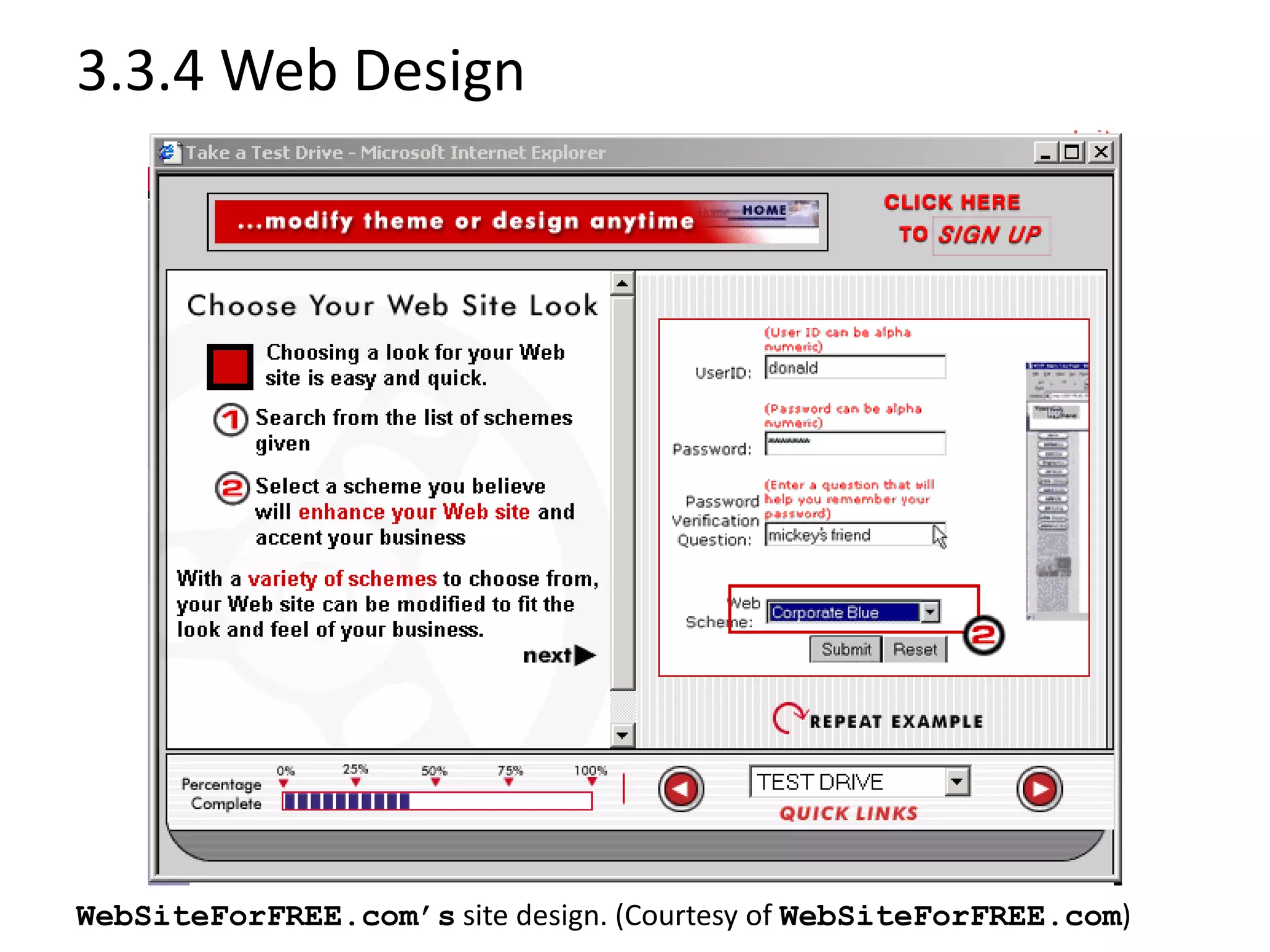
WebSiteForFREE.com’s site design. (Courtesy of WebSiteForFREE.com)
3.3.4 Web Design
Homestead site tour. (Courtesy of Homestead.com © Incorporated. All Rights Reserved.)
3.3.5 Enhancing the User Experience
 Adding a search engine
– Freefind
 Intelligent agents
– Software programs that communicate with end users and
recognize the users’ preferences (Amazon.com)
 Enhancing visual experience
– ZOOM Server software
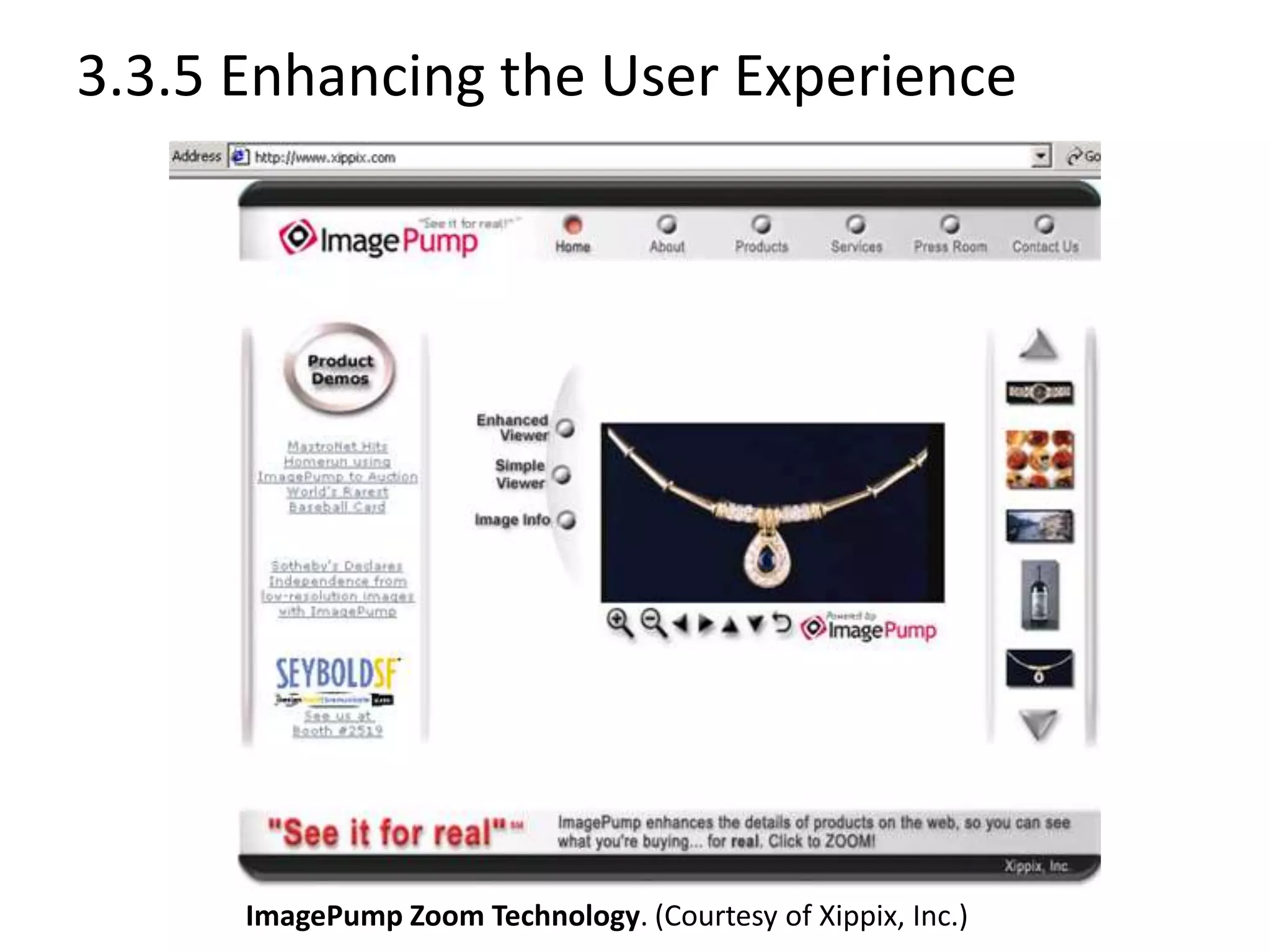
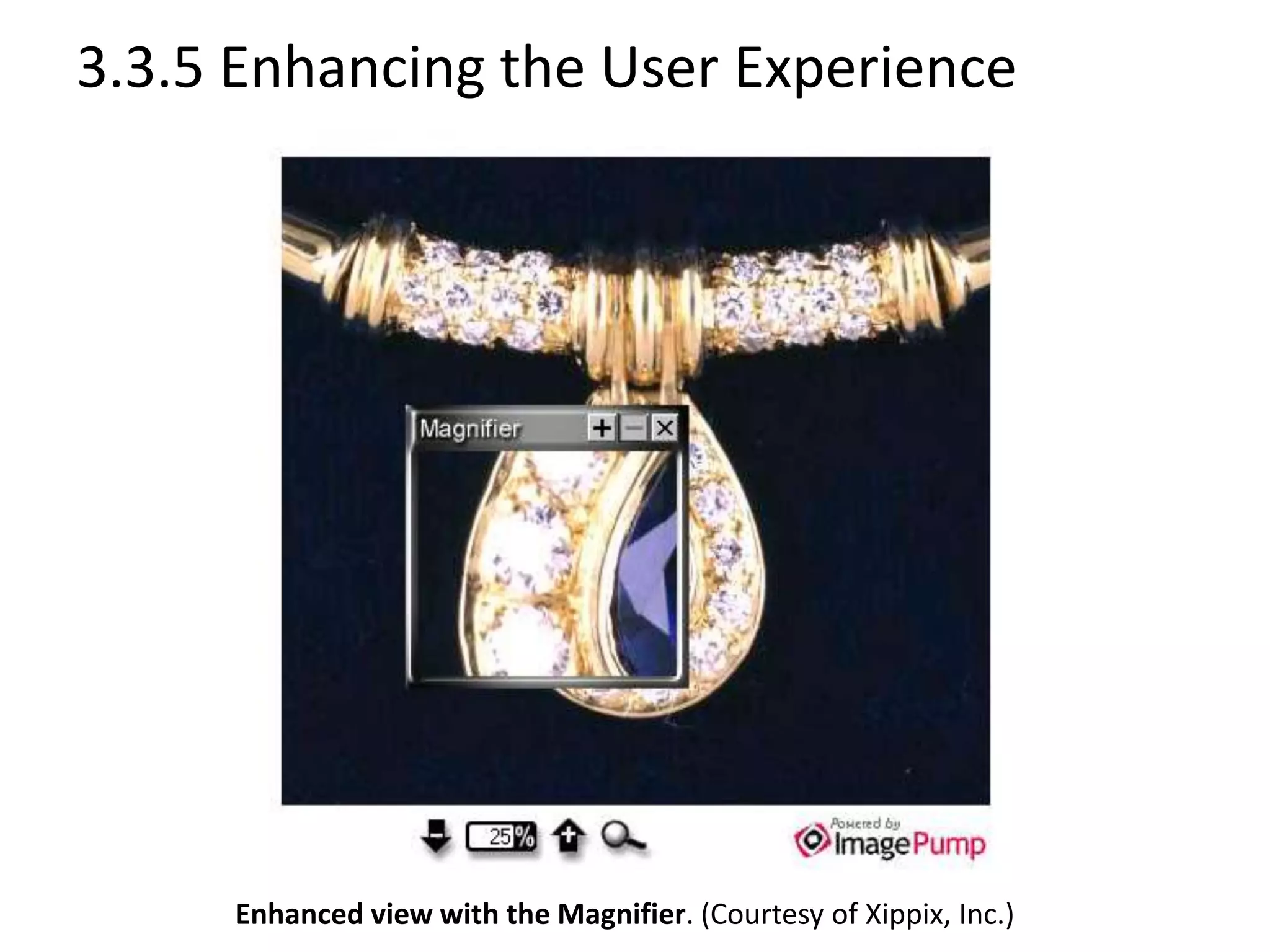
– ImagePump
 Community-building tools
– MyEvents.com
 Frequently Asked Questions (FAQs)
3.3.5 Enhancing the User Experience
ImagePump Zoom Technology. (Courtesy of Xippix, Inc.)
3.3.5 Enhancing the User Experience
Enhanced view with the Magnifier. (Courtesy of Xippix, Inc.)
3.3.5 Enhancing the User Experience
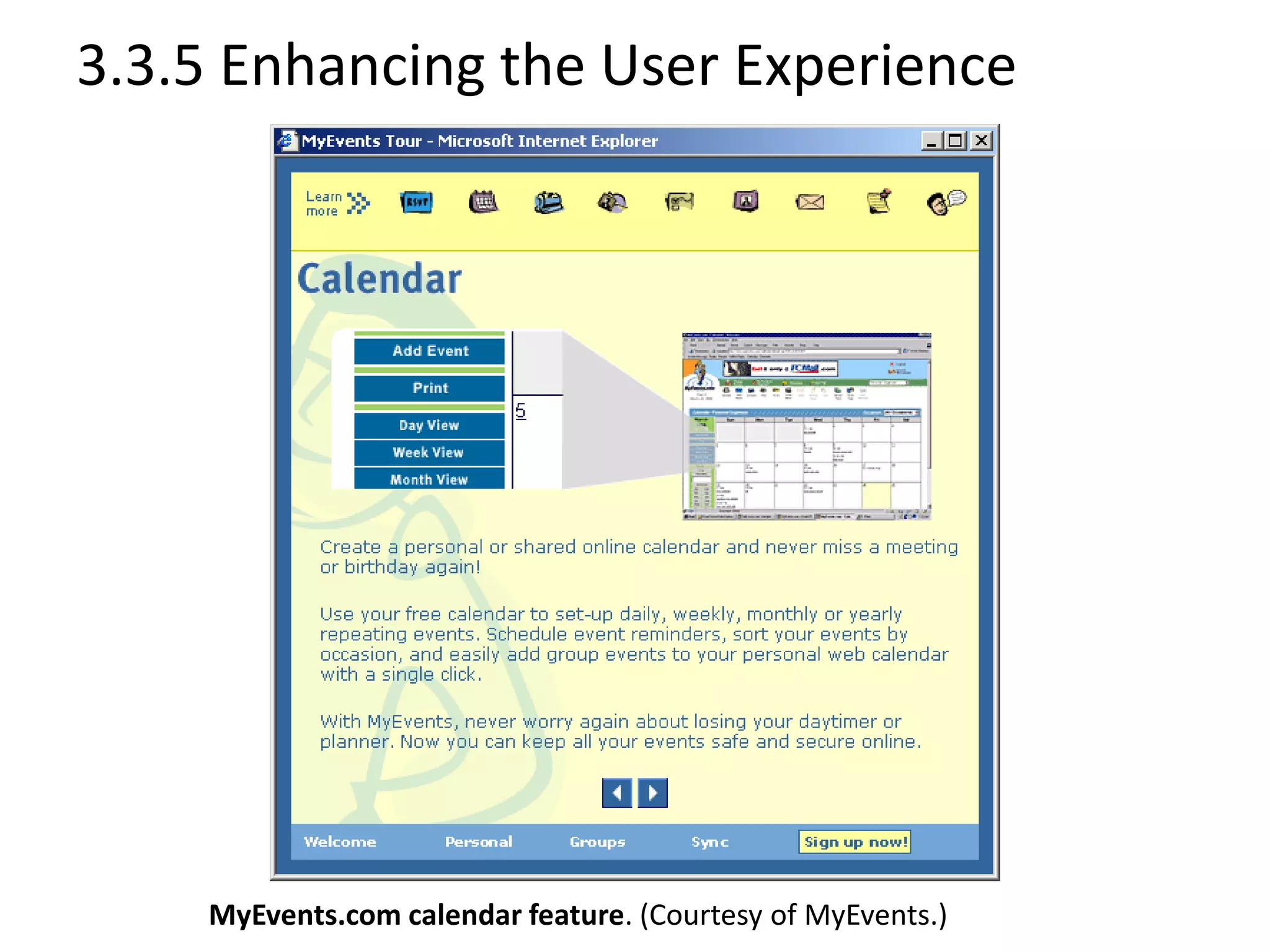
MyEvents.com calendar feature. (Courtesy of MyEvents.)
3.3.5 Enhancing the User Experience
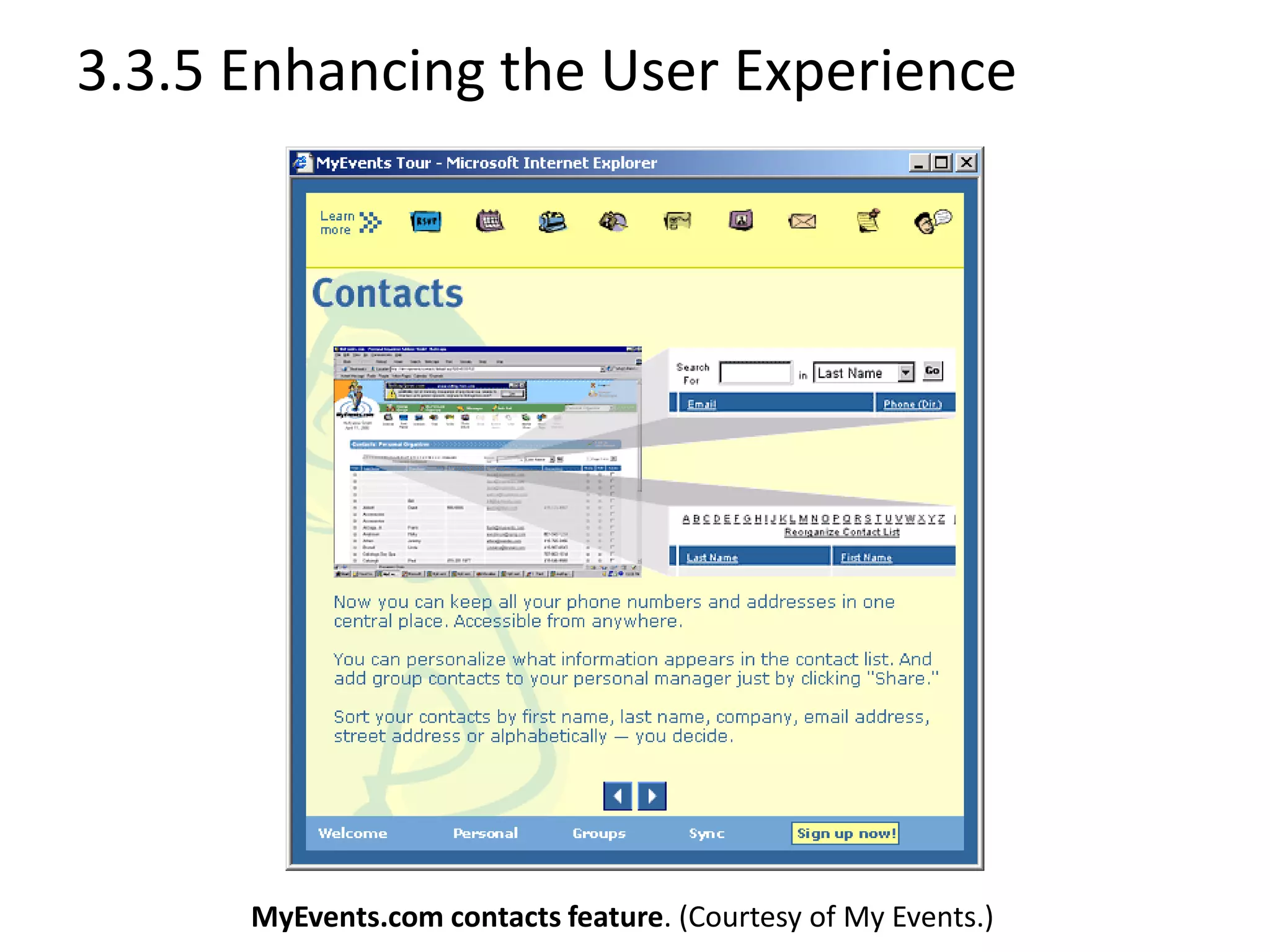
MyEvents.com contacts feature. (Courtesy of My Events.)
3.3.5 Enhancing the User Experience
 Community-building tools can also enhance your visitors’
experience and increases the possibility they will visit the site
frequently.
 For example, your e-business can provide a place where
people can ask questions and find answers or locate an event
near them.
 MyEvents.com is an application service provider that offers
both Internet and wireless access to common files, including
calendars, reminders and bulletin boards.
3.3.6 Protecting Your e-Business
 In addition to providing your consumers with a well-organized
Web site, timely shipping and effective personalization, you
must also take steps to protect the consumer and your e-
business from misunderstandings and misinterpretations.
– Timely shipping and effective personalization
– Protection from mistakes and misunderstandings
• Egghead.com
 Your Web site should include a privacy policy detailing the
intended uses of consumers’ private information.
– Privacy policy
• There are many Web sites that will help you build a
privacy policy.
– Secure Assure
3.3.6 Protecting Your e-Business
 Disclaimers should be easy to locate and information should be
presented in a clear and concise manner
– Offer protection against:
• Small spelling or editing errors
• Inaccurate statistics or product prices
• Dated information and inaccurate links
 Egghead.com recognized the need for a disclaimer when it mislabeled a
product at $34.85 when it was valued at $335.
 In the few hours that the lower price was on the site, dozens of orders
were submitted.
 Egghead cancelled orders for the product at the $34.85 price, suggesting
that it reserved the right to correct and cancel faulty orders.
 The site’s disclaimer reads, "Egghead.com reserves the right to cancel a
bid or order... that is advertised in error...."
3.3.6 Protecting Your e-Business
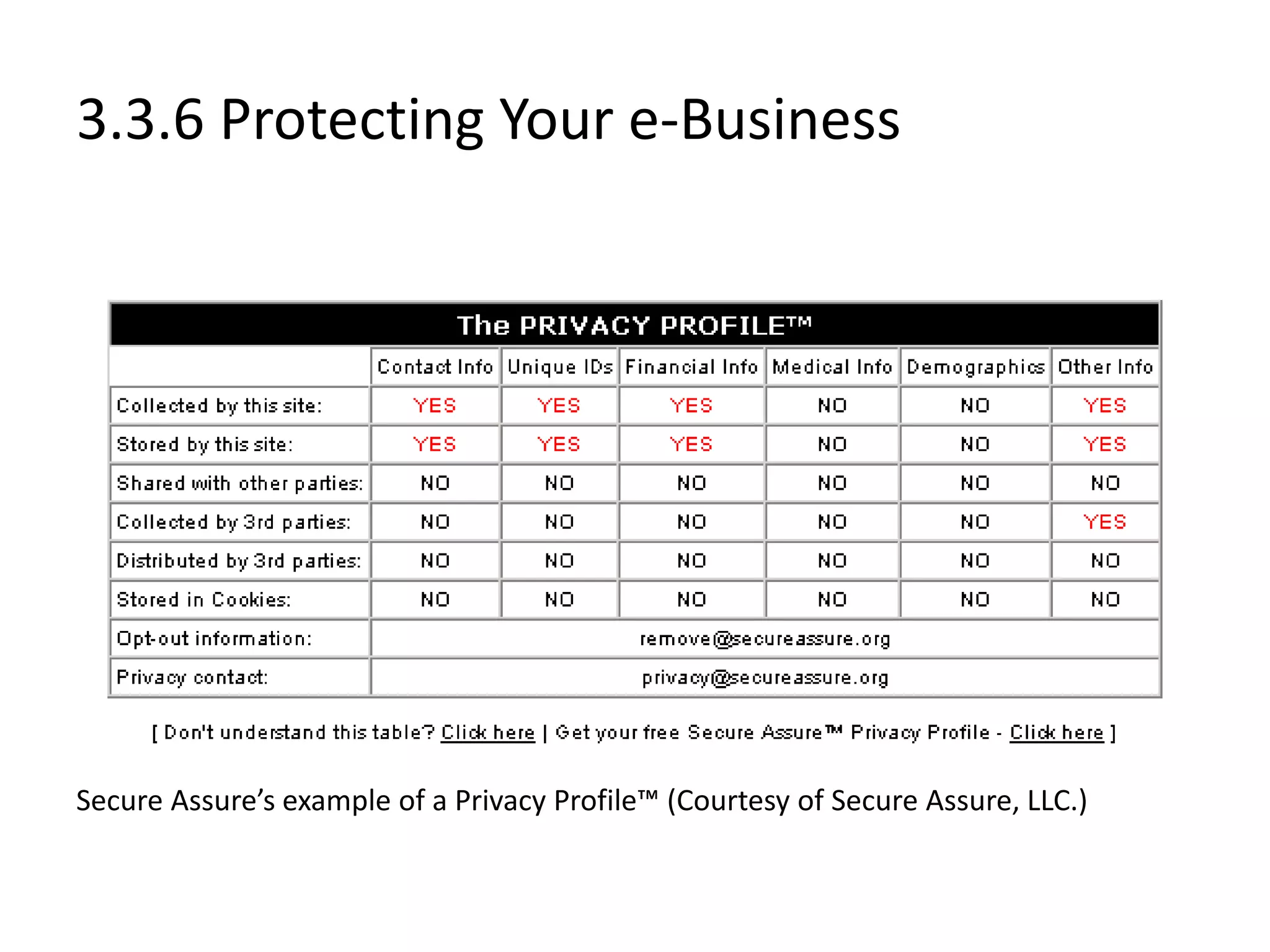
Secure Assure’s example of a Privacy Profile™ (Courtesy of Secure Assure, LLC.)
3.3.7 Streaming Media
 While multimedia such as streaming video and audio can
enhance content, not all users have the capabilities to
download this kind of information.
 Provide consumers with simpler Web pages.
 Test your Web site’s effectiveness by running trial downloads
of your site through a standard dial-up connection prior to
launch.
3.3.8 Preparing for New Technologies
 Keep up with new technology.
 Plan for new technologies during initial building stages.
– Cell phone
– Pager
– Personal Digital Assistant (PDA)
 Employ new technologies to make your e-business accessible to
mobile devices
– Wireless Application Protocol (WAP).
 Building a Web site for your e-business is only the beginning.
 By keeping new technologies in mind when designing your site,
you can reduce the cost of incorporating these technologies later.
 For example, what might fit well on a full-sized computer screen
might not work well on the face of a cell phone, pager or personal
digital assistant.
3.4 e-Business Solutions
 Enable good managers and business owners to build, manage
and maintain an e-business
 Web-site building services
 e-Consulting
 Marketing
 E-business owners may have the skills to manage a business,
but they typically do not know how to program and design a
Web site.
 Web-site building services, e-consulting and marketing can all
be outsourced to an e-business solution provider.
3.4.1 End-to-End e-Business Solutions
 End-to-end solution provider
– Offers services to build Web sites from conception to
implementation
 Design, development and deployment services
 Payment capabilities
 Web-site monitoring services
 Back-end adaptation
 Fulfillment
– payment authorization
– account settlement
– distribution and
– shipping
 Data management
3.4.1 End-to-End e-Business Solutions
 End-to-end solution providers
– Webvision
– Microsoft’s bCentral
– ROIDirect’s Ecommerce
– Dell E Works
– Genuity
– Interland
– Appnet
– Sapient
– Scient
– Viant
– Proxicom
– Inforte
3.4.2 Other e-Business Solutions
 In addition to end-to-end e-business solutions, there are a variety
of other options that assist in e-business development, operation
and management.
 Other e-Business Solutions
– Exist for e-business development, operation and management
 Solution providers
– Openair.com
– Intacct
– BAport Accounting
– Netledger
– BizTone Financials
– Allaire Spectra
– Mediasurface
– InfoOffice
– ITKnowledge.comSM
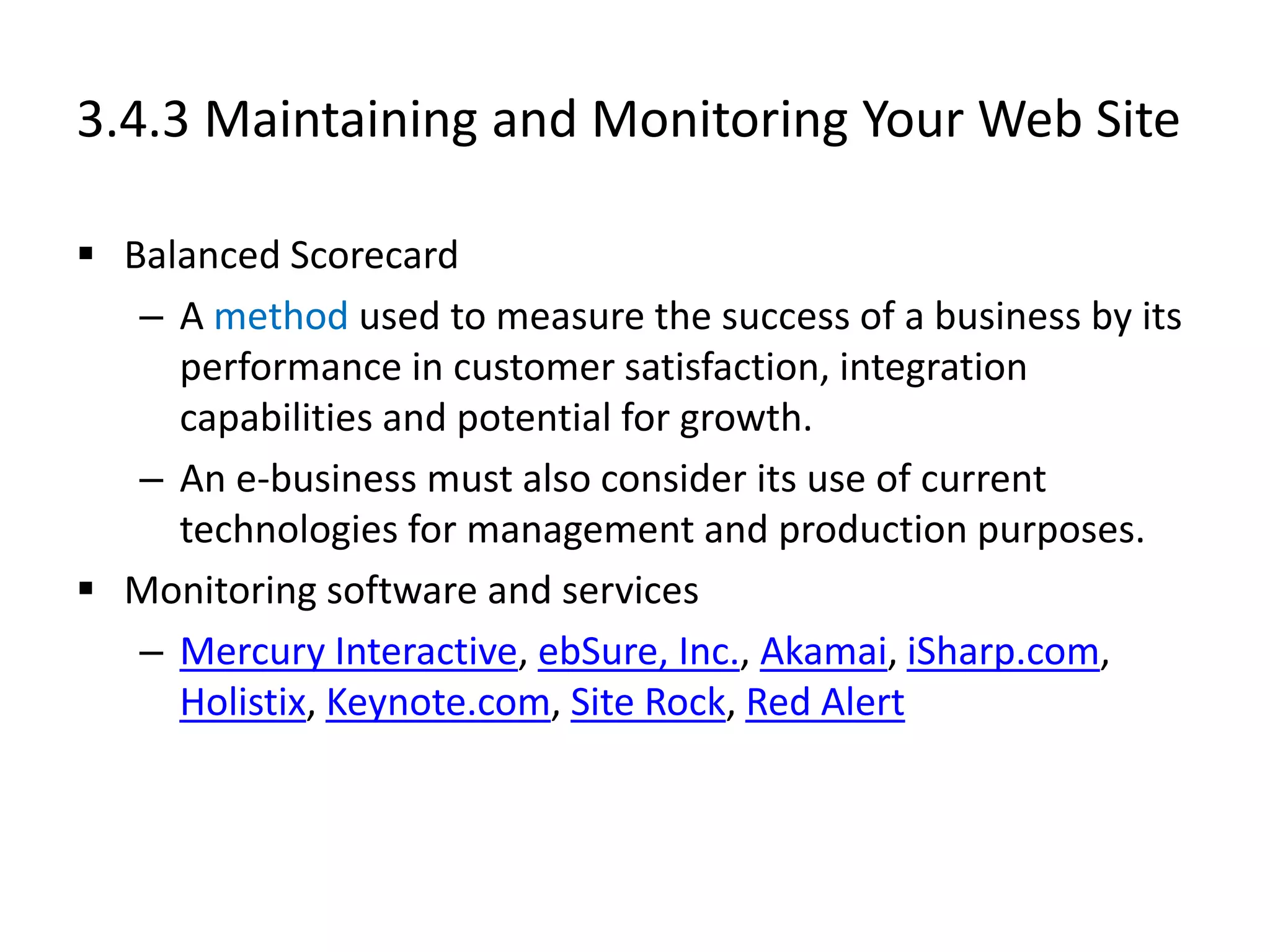
3.4.3 Maintaining and Monitoring Your Web Site
 Balanced Scorecard
– A method used to measure the success of a business by its
performance in customer satisfaction, integration
capabilities and potential for growth.
– An e-business must also consider its use of current
technologies for management and production purposes.
 Monitoring software and services
– Mercury Interactive, ebSure, Inc., Akamai, iSharp.com,
Holistix, Keynote.com, Site Rock, Red Alert
3.4.3 Maintaining and Monitoring Your Web Site
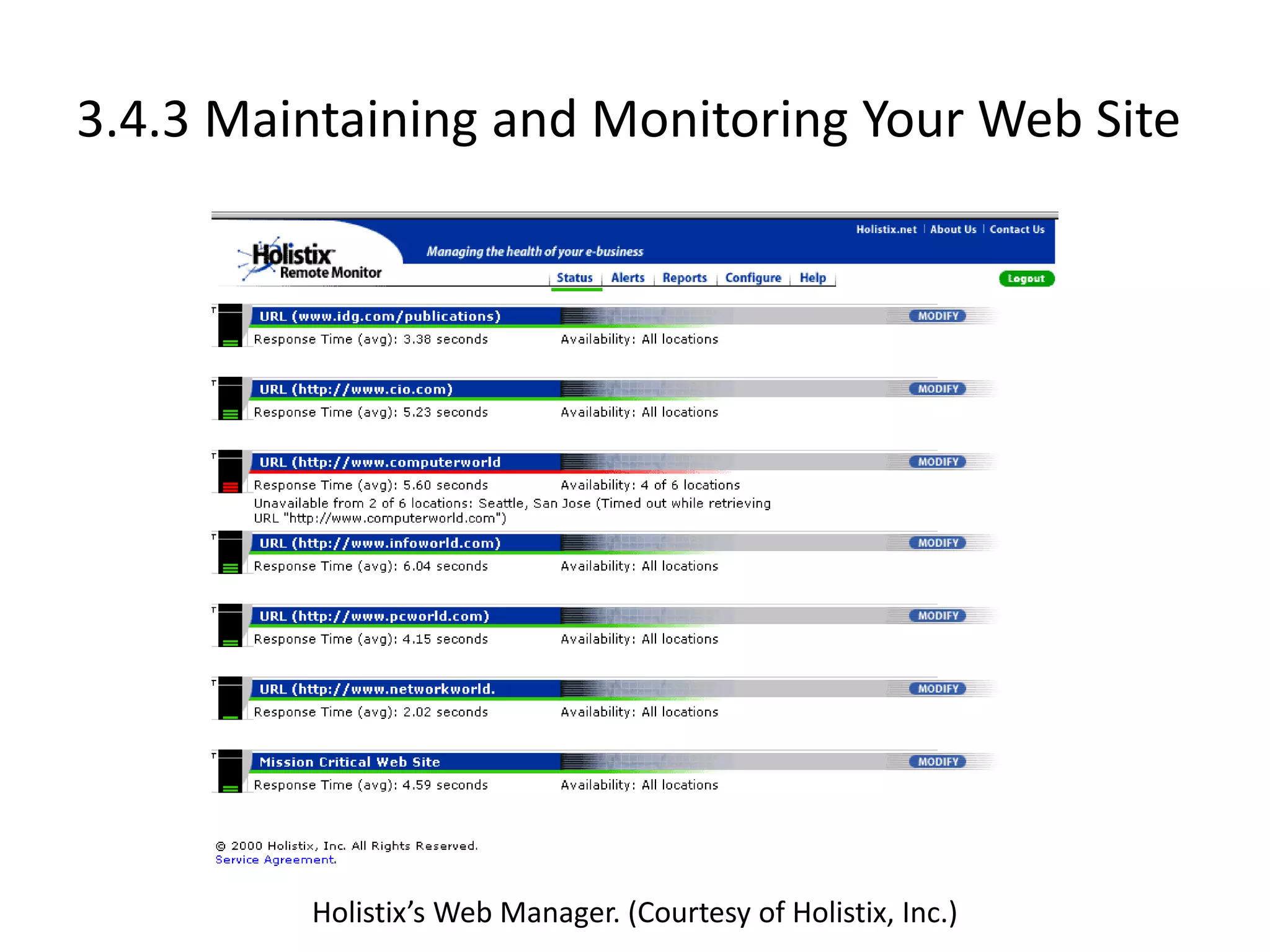
Holistix’s Web Manager. (Courtesy of Holistix, Inc.)
3.4.4 e-Commerce Consulting
 Guide developing e-businesses
 Consulting services
– Accenture (formerly Andersen Consulting)
– iPlanet
– SAP
– Sun Microsystems
– Kintana
– Xpedior
– Ernst & Young
– Deloitte & Touche
– eRunway
– Answerthink Consulting Group
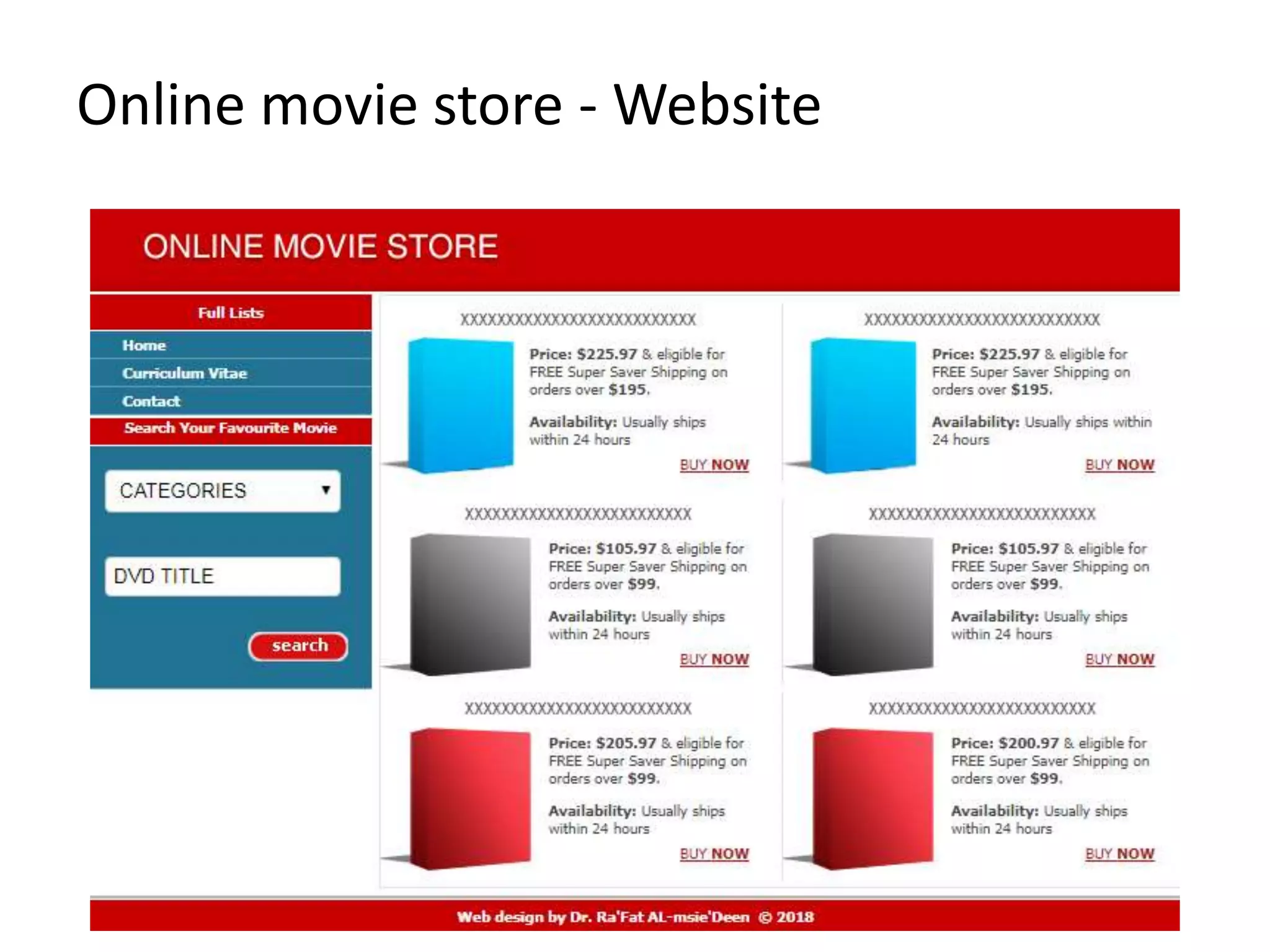
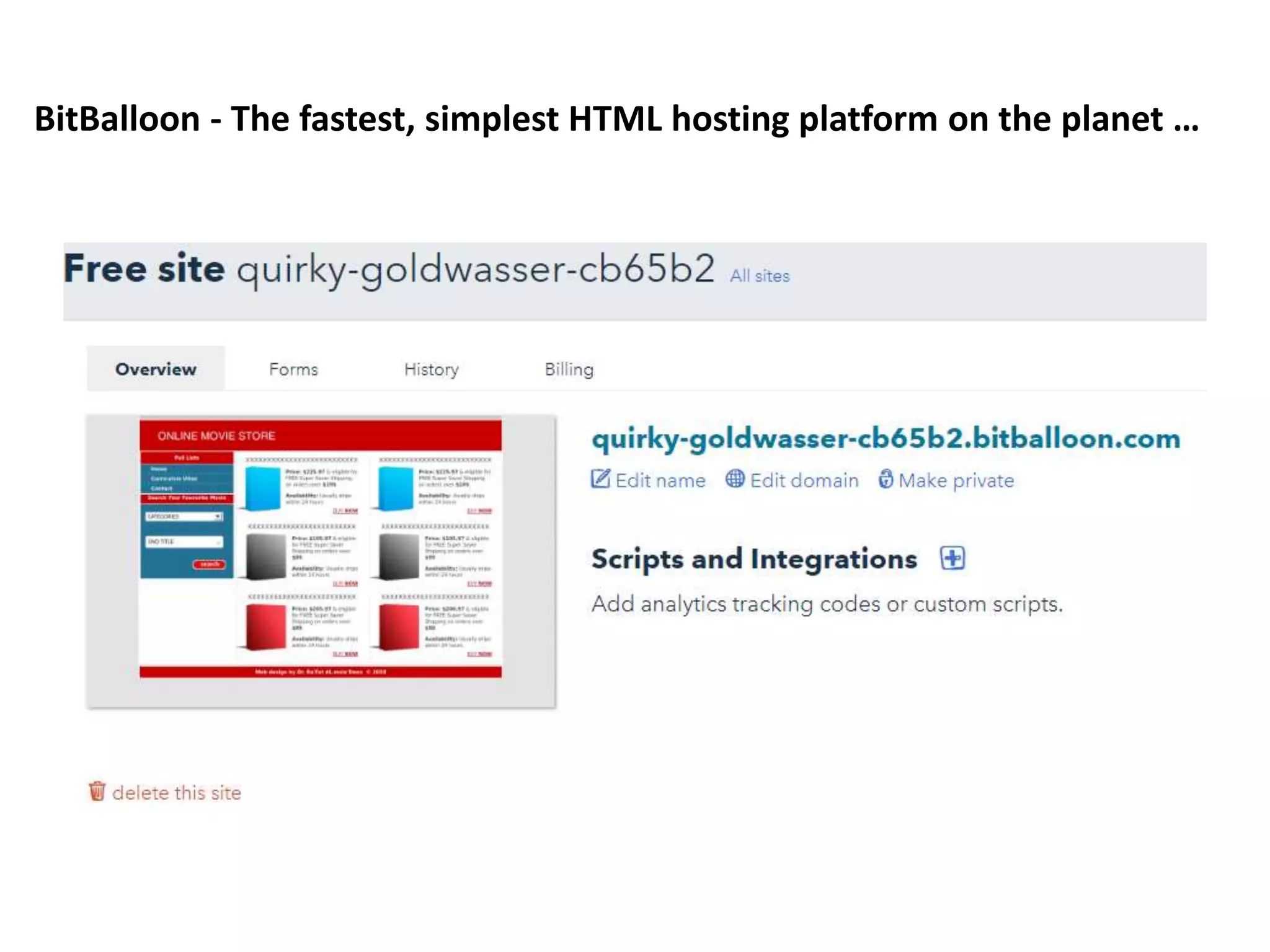
Online movie store - Website
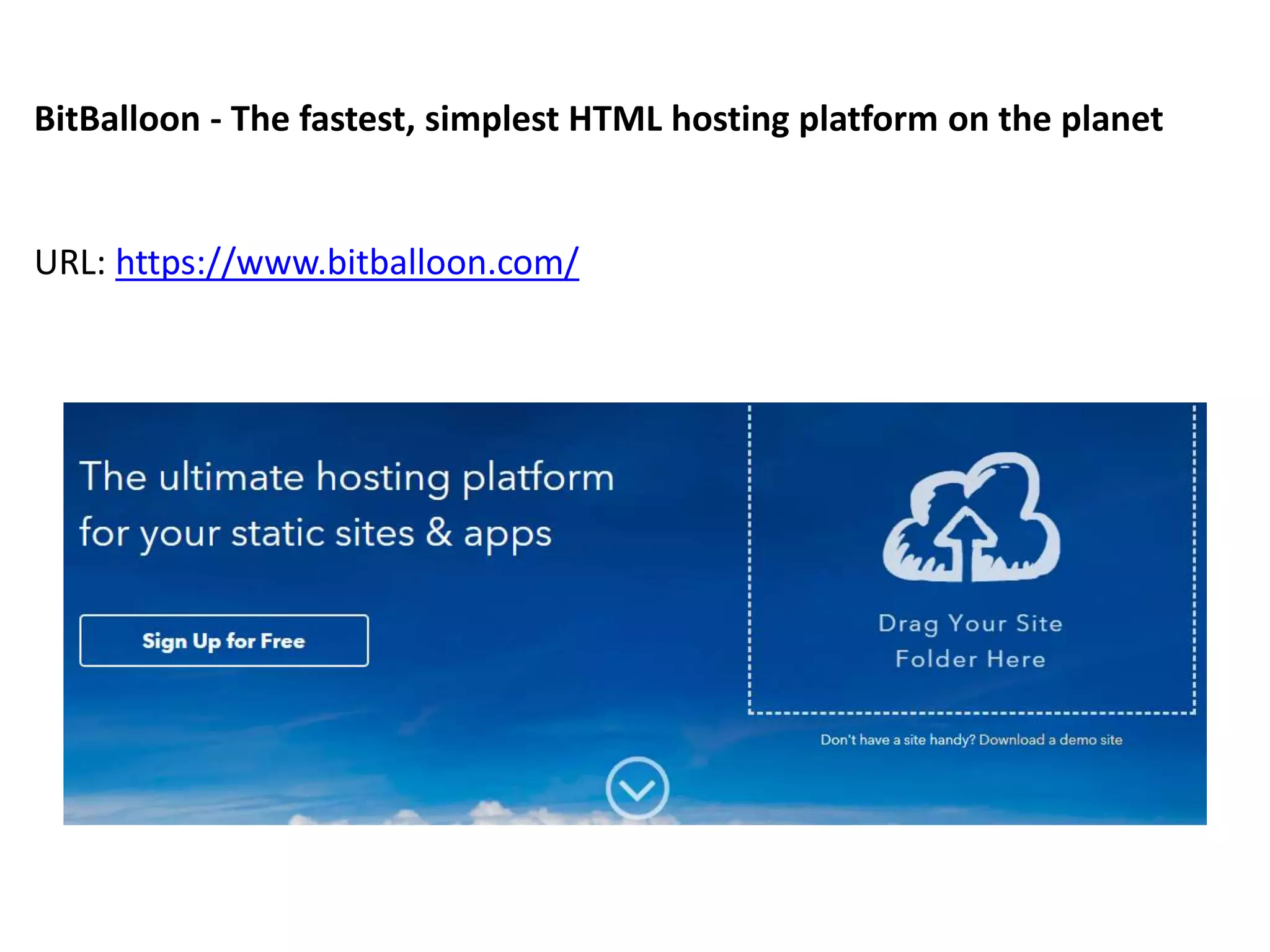
BitBalloon - The fastest, simplest HTML hosting platform on the planet
URL: https://www.bitballoon.com/
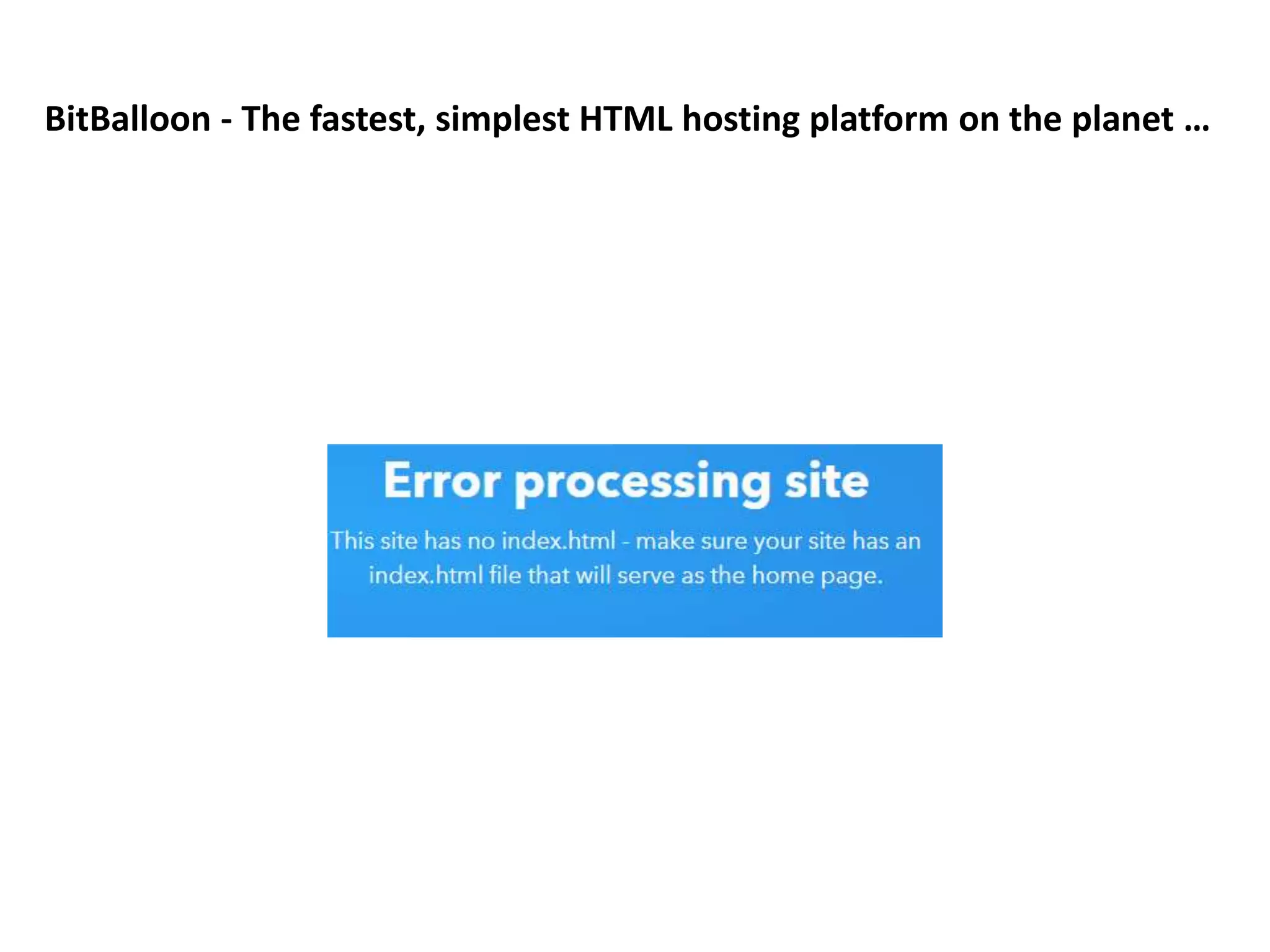
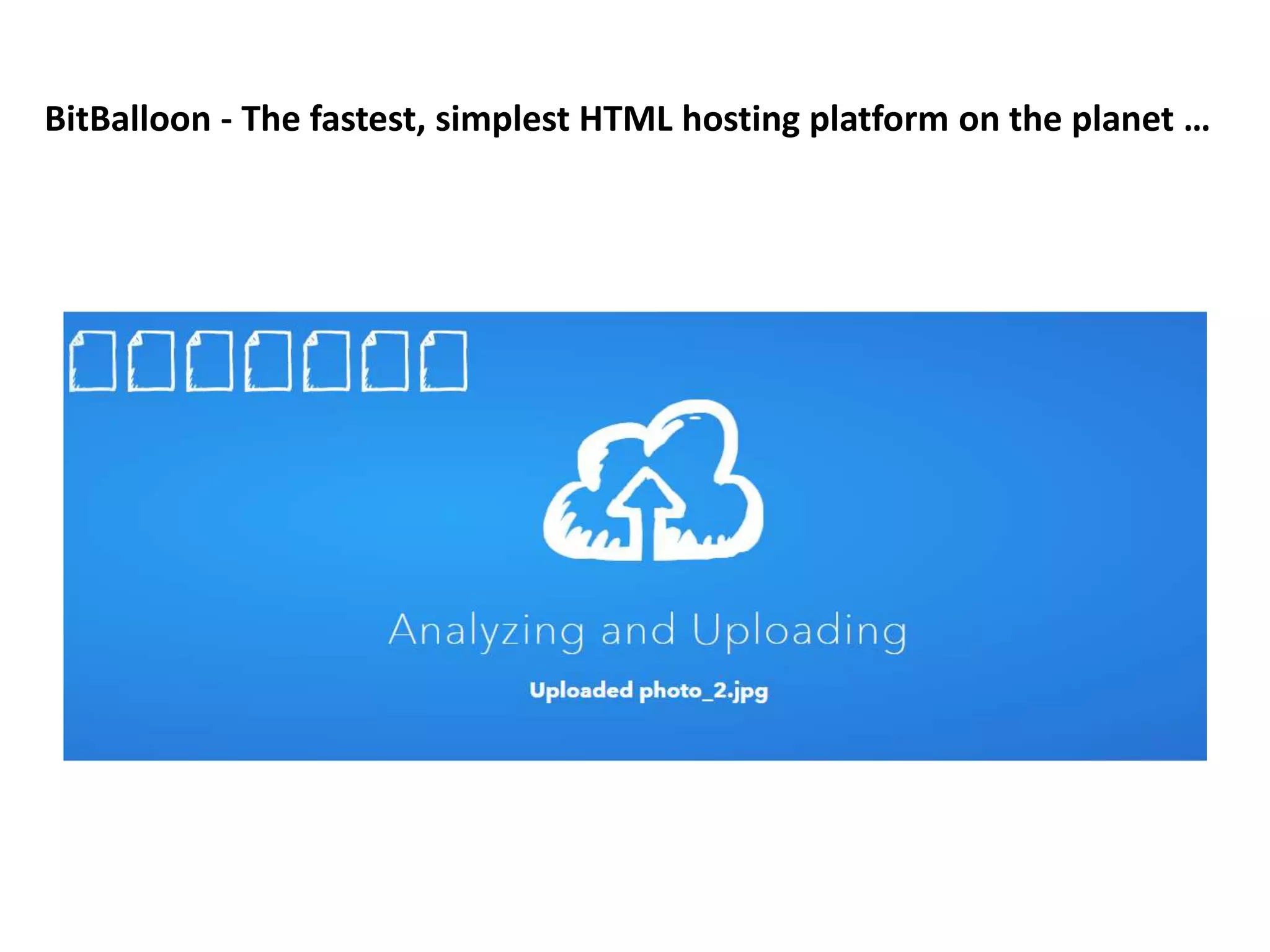
BitBalloon - The fastest, simplest HTML hosting platform on the planet …
 URL: http://quirky-goldwasser-cb65b2.bitballoon.com/
Thank you for your attention
Chapter 3
Building an e-Business: Design,
Development and Management
E-Commerce Programming
Mutah University
Faculty of IT, Department of Software Engineering
Dr. Ra’Fat A. AL-msie’deen
Part 2
Constructing an e-Business

E-Commerce Programming - "Chapter 3: Building an e-Business: Design, Development and Management"

  • 1.
    Chapter 3 Building ane-Business: Design, Development and Management E-Commerce Programming Mutah University Faculty of IT, Department of Software Engineering Dr. Ra’Fat A. AL-msie’deen Part 2 Constructing an e-Business
  • 2.
    Chapter 3: Buildingan e-Business Outline 3.1 Introduction 3.2 Getting Started 3.2.1 Generating Business Ideas 3.2.2 Growth of e-Business: Evaluating Risk 3.2.3 Finding Funding and Going Public 3.3 Putting Your Plan Into Action 3.3.1 Choosing a Domain Name 3.3.2 Supply-Chain Management: Vendors, Distributors and Shipment Providers 3.3.3 Web-Site Hosting 3.3.4 Web Design 3.3.5 Enhancing the User Experience 3.3.6 Protecting Your e-Business 3.3.7 Streaming Media: How Much Is Too Much? 3.3.8 Preparing for New Technologies 3.4 e-Business Solutions 3.4.1 End-To-End e-Business Solutions 3.4.2 Other e-Business Solutions 3.4.3 Maintaining and Monitoring Your Web Site 3.4.4 e-Commerce Consulting
  • 3.
    3.1 Introduction  Thereare numerous ways to approach designing, developing and maintaining an e-business.  Some businesses can establish an online presence by using ….  Turnkey solution – A pre-packaged e-business  E-business templates – Outline the basic structure, but allow the design to be determined by the owner  Project outsourcing – Available to businesses with substantial funding, alleviates the need for businesses to complete projects in-house  Front-end system – Portion of an e-business that is visible to consumers  Back-end system – Database management, payment processing and logistics
  • 4.
    3.2 Getting Started Building, Managing and Maintaining – Advertising – Marketing – Customer relationship management – Content management – Accepting online payments – Recognizing cultural differences and legal parameters – Providing security features
  • 5.
    3.2.1 Generating BusinessIdeas  Before beginning to build an e-business, you must have a solid idea of the products and services you want to offer via the Web.  Products and services – Discover what exists – Decide how to improve it  Develop a business plan – Enables you to envision your e-business on paper for evaluation purposes – Serves as a presentation of your business’ objectives and long-term expectations
  • 6.
    3.2.1 Business PlanLayout  A solid business plan is essential.  Business plan layout – Introduce your readers to the layout, what you will discuss and when you will discuss it – Provide an overview of the business premise including the primary issues – Headings and sub-headings should categorize the content – Focus on what makes the e-business unique  Business plan services and software – www.synrgistic.com/busplan/busplan.htm – Mindspring Biz – www.adarus.com/html/demos.html
  • 7.
    3.2.1 Business PlanLayout  Primary Purpose – Define the purposes of your business – What do you intend to sell – What services will you provide  Strategy – Describe how your product or service fits in the market – How is it different from existing products and services – How will it be profitable  Business model – What model will you implement – How will you conduct transactions
  • 8.
    3.2.1 Business PlanLayout  Support – Provide evidence that supports the idea of your business – How will you justify these as support to the idea – Have you conducted research – Who are your customers – Who is on your management team and what are their credentials – How will you generate revenue – What are your expenses  Process – List the steps necessary to build your e-business – Does more research need to be conducted – Inform investors of how money will be allocated
  • 9.
    3.2.2 Growth ofe-Business: Evaluating Risk  Many Internet companies have experienced rapid growth  Many others have struggled to get off the ground, find funding and make a profit  Technological advancements usually lead to growth in industry  The Internet has produced new industries and altered and enhanced existing industries  E-businesses that target a specific market first must be aware of the changing technologies and their costs
  • 10.
    3.2.3 Finding Fundingand Going Public  Building an e-business can be expensive and risky  Competition is intense  Determining a market niche and reaching a target audience often require significant financial backing  Internet incubator – A company that specializes in the development of Internet businesses – Often will serve as the financiers, as well as work with the development team – Often receive a stake in the developing e-business
  • 11.
    3.2.3 Finding Fundingand Going Public  Internet incubators – Camp Six – eCorporation – Idealab – eHatchery  Venture capitalists – Individuals or groups that generate the financial support of a growing enterprise, usually in exchange for ownership in the company  Angel investors – Wealthy investors with business experience  Many e-businesses look to make an Initial Public Offering (IPO) – Money generated from public investors can be used to grow the company and establish it at the forefront of its market
  • 12.
    3.2.3 Finding Fundingand Going Public Rare Medium’s Incubation Methodology. (Courtesy of Rare Medium.)
  • 13.
    3.3 Putting YourPlan Into Action  After generating ideas, building a business plan and finding funding, prepare to: – Manage distribution – Manage shipping – Enhance the user experience through Web design – Prepare for new technologies – Purchase supporting hardware and software – Accept online payment – Market your Web site – Manage your consumers
  • 14.
    3.3.1 Choosing aDomain Name  Domain name – The name used in the URL for a Web site – Choose a concise name that people will be able to recognize and type easily – Consider how a domain name will be interpreted in many different languages and cultures  Fully qualified host name – The host name, the domain name and the top-level domain (TLD) – Most Web servers use www as the host name – A domain name is often the name of the company that owns a site or a word or phrase that otherwise describes the site – The TLD usually describes the type of organization that owns the domain name (.com, .org, .gov, .edu)
  • 15.
    3.3.1 Choosing aDomain Name  Available domain names with the dot-com (.com) extension are becoming rare  ICANN (Internet Corporation for Assigned Names and Numbers) is considering the possibility of introducing new suffixes, such as .movie, .inc, .info and .web  Registering a domain name – Network Solutions, Register.com, Domainit.com  Cost to register a domain name depends on extension  Usually, ownership of a domain name requires a one-time registration fee followed by recurring annual fees
  • 16.
    3.3.2 Supply-Chain Management Supply-Chain Management: – Distributors, Vendors and Shipment Providers  Fulfillment – Warehouse storage, shipping, inventory management and return procedures  Manufacturer – The direct producer of the product  Distributor – The supplier who acts as a middleman to manufacturers and vendors, often reducing the price of an item by buying in bulk  Allows businesses with Web-enabled supply chains to accept made- to-order requests. – For example, Dell (www.dell.com) allows consumer to select the features they want included in their PCs.
  • 17.
    3.3.2 Supply-Chain Management Increased efficiency – Web merchant can serve customers better by knowing the status of each order – Web-based fulfillment mechanisms will demonstrate if the product is available, if it has left the warehouse or if it has been delivered and who signed for it – Wireless Internet access allows fulfillment status to be checked from any location at any time  Supply-chain management services and software – ChangePoint, GoCargo.com, Evolve, Atlas Commerce, SubmitOrder.com
  • 18.
    3.3.2 Supply-Chain Management GoCargo.comshipping bid. (Courtesy of GoCargo.com)
  • 19.
    3.3.3 Web-Site Hosting Web host – Provides products, services and support for companies, organizations and individuals to help them create and maintain Web sites – Offers customers space on a Web server where they can build a Web site  Dedicated server – Assigned one specific purpose, ensuring that the function that the server was intended to manage is not interrupted by other responsibilities, offering consistent download times  Colocation – Includes a dedicated Internet connection and protection from power outages, fire and other disasters
  • 20.
    3.3.3 Web-Site Hosting Web-hosting services – Loudcloud – Hostopia – DedicatedHosting.com – HostPro – Global Crossing – Exodus – Digital Island – Digex – ValueWeb
  • 21.
    3.3.3 Web-Site Hosting Turnkey solutions – Freemerchant – Yahoo! Store – BigStep.com – Tripod.com – Commerce One – Virtual Spin – AbleCommerce’s AuctionBuilder – Bidland.com – WebSiteForFree.com – Homestead  Homestead (www.homestead.com) provides users with seven different Web-site templates for building a "starter" Web site up for free. Templates are available for small-business Web sites, personal Web pages, nonprofit organizations, etc.
  • 22.
    3.3.4 Web Design Web site should be easy to navigate  Content should be the foundation of the site and updated regularly  Design consistency – Uniformity among the sections and pages  Examples of well-designed sites: – Cooking.com – Apple – Crayola – Amazon.com – eBay
  • 23.
    3.3.4 Web Design Strong branding  Easily located contact information  Consistent appearance of logos and color scheme  Easily located products and prices  Low-switching costs – The costs of changing vendors
  • 24.
    3.3.4 Web Design WebSiteForFREE.com’ssite design. (Courtesy of WebSiteForFREE.com)
  • 25.
    3.3.4 Web Design Homesteadsite tour. (Courtesy of Homestead.com © Incorporated. All Rights Reserved.)
  • 26.
    3.3.5 Enhancing theUser Experience  Adding a search engine – Freefind  Intelligent agents – Software programs that communicate with end users and recognize the users’ preferences (Amazon.com)  Enhancing visual experience – ZOOM Server software – ImagePump  Community-building tools – MyEvents.com  Frequently Asked Questions (FAQs)
  • 27.
    3.3.5 Enhancing theUser Experience ImagePump Zoom Technology. (Courtesy of Xippix, Inc.)
  • 28.
    3.3.5 Enhancing theUser Experience Enhanced view with the Magnifier. (Courtesy of Xippix, Inc.)
  • 29.
    3.3.5 Enhancing theUser Experience MyEvents.com calendar feature. (Courtesy of MyEvents.)
  • 30.
    3.3.5 Enhancing theUser Experience MyEvents.com contacts feature. (Courtesy of My Events.)
  • 31.
    3.3.5 Enhancing theUser Experience  Community-building tools can also enhance your visitors’ experience and increases the possibility they will visit the site frequently.  For example, your e-business can provide a place where people can ask questions and find answers or locate an event near them.  MyEvents.com is an application service provider that offers both Internet and wireless access to common files, including calendars, reminders and bulletin boards.
  • 32.
    3.3.6 Protecting Youre-Business  In addition to providing your consumers with a well-organized Web site, timely shipping and effective personalization, you must also take steps to protect the consumer and your e- business from misunderstandings and misinterpretations. – Timely shipping and effective personalization – Protection from mistakes and misunderstandings • Egghead.com  Your Web site should include a privacy policy detailing the intended uses of consumers’ private information. – Privacy policy • There are many Web sites that will help you build a privacy policy. – Secure Assure
  • 33.
    3.3.6 Protecting Youre-Business  Disclaimers should be easy to locate and information should be presented in a clear and concise manner – Offer protection against: • Small spelling or editing errors • Inaccurate statistics or product prices • Dated information and inaccurate links  Egghead.com recognized the need for a disclaimer when it mislabeled a product at $34.85 when it was valued at $335.  In the few hours that the lower price was on the site, dozens of orders were submitted.  Egghead cancelled orders for the product at the $34.85 price, suggesting that it reserved the right to correct and cancel faulty orders.  The site’s disclaimer reads, "Egghead.com reserves the right to cancel a bid or order... that is advertised in error...."
  • 34.
    3.3.6 Protecting Youre-Business Secure Assure’s example of a Privacy Profile™ (Courtesy of Secure Assure, LLC.)
  • 35.
    3.3.7 Streaming Media While multimedia such as streaming video and audio can enhance content, not all users have the capabilities to download this kind of information.  Provide consumers with simpler Web pages.  Test your Web site’s effectiveness by running trial downloads of your site through a standard dial-up connection prior to launch.
  • 36.
    3.3.8 Preparing forNew Technologies  Keep up with new technology.  Plan for new technologies during initial building stages. – Cell phone – Pager – Personal Digital Assistant (PDA)  Employ new technologies to make your e-business accessible to mobile devices – Wireless Application Protocol (WAP).  Building a Web site for your e-business is only the beginning.  By keeping new technologies in mind when designing your site, you can reduce the cost of incorporating these technologies later.  For example, what might fit well on a full-sized computer screen might not work well on the face of a cell phone, pager or personal digital assistant.
  • 37.
    3.4 e-Business Solutions Enable good managers and business owners to build, manage and maintain an e-business  Web-site building services  e-Consulting  Marketing  E-business owners may have the skills to manage a business, but they typically do not know how to program and design a Web site.  Web-site building services, e-consulting and marketing can all be outsourced to an e-business solution provider.
  • 38.
    3.4.1 End-to-End e-BusinessSolutions  End-to-end solution provider – Offers services to build Web sites from conception to implementation  Design, development and deployment services  Payment capabilities  Web-site monitoring services  Back-end adaptation  Fulfillment – payment authorization – account settlement – distribution and – shipping  Data management
  • 39.
    3.4.1 End-to-End e-BusinessSolutions  End-to-end solution providers – Webvision – Microsoft’s bCentral – ROIDirect’s Ecommerce – Dell E Works – Genuity – Interland – Appnet – Sapient – Scient – Viant – Proxicom – Inforte
  • 40.
    3.4.2 Other e-BusinessSolutions  In addition to end-to-end e-business solutions, there are a variety of other options that assist in e-business development, operation and management.  Other e-Business Solutions – Exist for e-business development, operation and management  Solution providers – Openair.com – Intacct – BAport Accounting – Netledger – BizTone Financials – Allaire Spectra – Mediasurface – InfoOffice – ITKnowledge.comSM
  • 41.
    3.4.3 Maintaining andMonitoring Your Web Site  Balanced Scorecard – A method used to measure the success of a business by its performance in customer satisfaction, integration capabilities and potential for growth. – An e-business must also consider its use of current technologies for management and production purposes.  Monitoring software and services – Mercury Interactive, ebSure, Inc., Akamai, iSharp.com, Holistix, Keynote.com, Site Rock, Red Alert
  • 42.
    3.4.3 Maintaining andMonitoring Your Web Site Holistix’s Web Manager. (Courtesy of Holistix, Inc.)
  • 43.
    3.4.4 e-Commerce Consulting Guide developing e-businesses  Consulting services – Accenture (formerly Andersen Consulting) – iPlanet – SAP – Sun Microsystems – Kintana – Xpedior – Ernst & Young – Deloitte & Touche – eRunway – Answerthink Consulting Group
  • 44.
  • 45.
    BitBalloon - Thefastest, simplest HTML hosting platform on the planet URL: https://www.bitballoon.com/
  • 46.
    BitBalloon - Thefastest, simplest HTML hosting platform on the planet …
  • 47.
    BitBalloon - Thefastest, simplest HTML hosting platform on the planet …
  • 48.
    BitBalloon - Thefastest, simplest HTML hosting platform on the planet …
  • 49.
    BitBalloon - Thefastest, simplest HTML hosting platform on the planet …
  • 50.
    BitBalloon - Thefastest, simplest HTML hosting platform on the planet …  URL: http://quirky-goldwasser-cb65b2.bitballoon.com/
  • 51.
    Thank you foryour attention
  • 52.
    Chapter 3 Building ane-Business: Design, Development and Management E-Commerce Programming Mutah University Faculty of IT, Department of Software Engineering Dr. Ra’Fat A. AL-msie’deen Part 2 Constructing an e-Business