Business Operations and Practice Planning and Managing Your Business Web Site BA 65
Find a happy medium between knowing your business and knowing how to make your customers happy. If they trust you, then the hardest work is done, and you can focus on the real work: making magic happen.  Steve MacLaughlin
Formulate a Strategy You have to: Create Content Select systems and software Find people to help you Work with customers
Formulate a Strategy The previous tasks may involve: Copywriting Web Design Programming Sales and marketing Research and analysis And much more…
Formulate a Strategy Don’t forget to breathe - make a plan! Baby steps - phases Focus on one marketing plan and measure it’s success - and then alter or change if needed Overwhelmed? - This is the time to strategize Learn the jargon Learn the ins and outs of Web business.
The Plan Give the Web developer your current marketing materials that demonstrate your logo and company color scheme and site references that show your preferred style. Reserve your domain name. When it’s ready, review and approve site design.
The Plan … cont’d Provide additional site copy and images for Web site if needed Select a hosting company following the recommendations made in this class. Using the domain registrar admin interface, set the DNS server names to use the host’s DNS servers (get this info from the host).  Allow 24 hours to propagate.
The Plan … cont’d Set up domain email accounts or ask your hosting company to do it. Get FTP login information from the host and give it to your Web developer. Review and approve final site content and upload the files to your new site.
The Plan … cont’d If or when you opt to move into ecommerce: Get a merchant account and select a payment gateway. Purchase an SSL certificate. (Note: This requires a certificate request file from the host) Configure the shopping cart to use the payment gateway.
The Plan … cont’d Configure the cart to use your preferred shipping settings, such as weight or price-based shipping.  Register with UPS or USPS if your shopping cart gets shipping information from these companies. Enter images and product descriptions into the shopping cart product catalog.
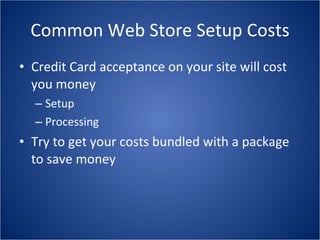
Common Web Store Setup Costs Credit Card acceptance on your site will cost you money Setup Processing Try to get your costs bundled with a package to save money
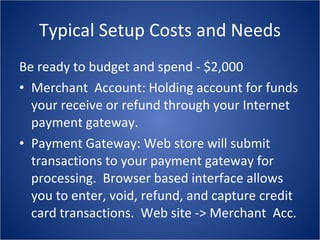
Typical Setup Costs and Needs Be ready to budget and spend - $2,000 Merchant  Account: Holding account for funds your receive or refund through your Internet payment gateway. Payment Gateway: Web store will submit transactions to your payment gateway for processing.  Browser based interface allows you to enter, void, refund, and capture credit card transactions.  Web site -> Merchant  Acc.
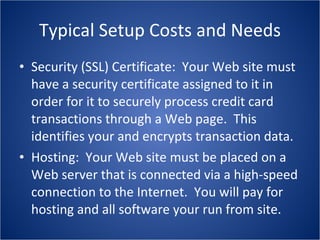
Typical Setup Costs and Needs Security (SSL) Certificate:  Your Web site must have a security certificate assigned to it in order for it to securely process credit card transactions through a Web page.  This identifies your and encrypts transaction data. Hosting:  Your Web site must be placed on a Web server that is connected via a high-speed connection to the Internet.  You will pay for hosting and all software your run from site.
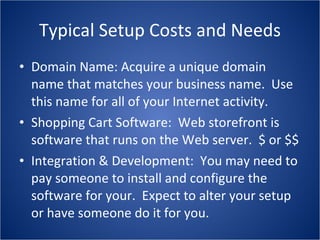
Typical Setup Costs and Needs Domain Name: Acquire a unique domain name that matches your business name.  Use this name for all of your Internet activity. Shopping Cart Software:  Web storefront is software that runs on the Web server.  $ or $$ Integration & Development:  You may need to pay someone to install and configure the software for your.  Expect to alter your setup or have someone do it for you.
Recurring Costs Merchant Account:  Your merchant account has minimum monthly charges.  Extra charges may be  put on exceeding transaction levels. Payment Gateway:  You will pay a minimum monthly charge as well as a per-transaction charge.
Operating an  Internet Product Business There is additional work in a Web storefront similar to mail-order and telephone-order. Bricks-and-mortar - and more! And now for the points of PLAN!
Capturing Payments A Web site will authorize the payments for you, - you usually still have to capture those payments once a day through your payment gateway’s merchant interface. You can only capture the payments you have shipped.
Order Accounting When setting up your online business and thinking  about accounting programs and shopping carts - it  would pay you to have the two systems talk to each other Do QuickBooks and Miva talk to each other?
Discount Accounting If your accounting software and shopping cart do talk to each other will the shopping cart be able to send over information regarding coupons and different types of discounts. “ You can’t manage what you can’t measure!”
Shipping Charges Make sure to have your shopping cart connect to USPS or UPS to manage shipping charges. The type/size/shape of packages you ship may not easily be configured with your cart. Handling cost - what do you do?
Packing and Shipping Easy to underestimate the amount of time it takes to properly prepare and order for shipping Factor in the correct materials for the correct packing method. Labels - 12 labels at 5 minutes is one hour!
Inventory Management Web storefront will track sales. You will track your physical inventory. Tracking returns back into web inventory. Phone orders will not reduce the count of inventory on your Web storefront. Inventory is a continual process of matching what you say you have and what you really have.
Dealing with Miscreants Do not allow anonymous FTP for your users. Create registration for public forums or newsgroups - and monitor usage. Comments to blogs may need to be turned off. Place public facilities behind a login screen Customers will feel safer. Monitor registered users input. Vandals and bots
Courtesy is Contagious Get agreements in writing Pay your bills on time Reward your best customers Plan ahead to avoid the fire-fighting mode Respond to communications - even if brief
Learn to Delegate and Automate “ No business is an island!” Your time has value. Teach yourself or hire others? Do the math: What do you expect to earn in an year? How much $$ is that a month? Take that and divide by 80 hours - What is it? Can you automate the busywork?
Embrace Failure Don’t be shy - ask for help Learn from your mistakes - or they get repeated Wrong place wrong time Things will happen that are out of your control Do something and then check the stats Be bold - don’t do what everyone else is doing!
A Few Final Tips Talk to your existing customers Get expert help Find a designer/developer with whom you are compatible Research your options Plan, Plan, Plan
Go Forth and E-Transact!

BA 65 Hour 6 ~ Business Operations and Practice

  • 1.
    Business Operations andPractice Planning and Managing Your Business Web Site BA 65
  • 2.
    Find a happymedium between knowing your business and knowing how to make your customers happy. If they trust you, then the hardest work is done, and you can focus on the real work: making magic happen. Steve MacLaughlin
  • 3.
    Formulate a StrategyYou have to: Create Content Select systems and software Find people to help you Work with customers
  • 4.
    Formulate a StrategyThe previous tasks may involve: Copywriting Web Design Programming Sales and marketing Research and analysis And much more…
  • 5.
    Formulate a StrategyDon’t forget to breathe - make a plan! Baby steps - phases Focus on one marketing plan and measure it’s success - and then alter or change if needed Overwhelmed? - This is the time to strategize Learn the jargon Learn the ins and outs of Web business.
  • 6.
    The Plan Givethe Web developer your current marketing materials that demonstrate your logo and company color scheme and site references that show your preferred style. Reserve your domain name. When it’s ready, review and approve site design.
  • 7.
    The Plan …cont’d Provide additional site copy and images for Web site if needed Select a hosting company following the recommendations made in this class. Using the domain registrar admin interface, set the DNS server names to use the host’s DNS servers (get this info from the host). Allow 24 hours to propagate.
  • 8.
    The Plan …cont’d Set up domain email accounts or ask your hosting company to do it. Get FTP login information from the host and give it to your Web developer. Review and approve final site content and upload the files to your new site.
  • 9.
    The Plan …cont’d If or when you opt to move into ecommerce: Get a merchant account and select a payment gateway. Purchase an SSL certificate. (Note: This requires a certificate request file from the host) Configure the shopping cart to use the payment gateway.
  • 10.
    The Plan …cont’d Configure the cart to use your preferred shipping settings, such as weight or price-based shipping. Register with UPS or USPS if your shopping cart gets shipping information from these companies. Enter images and product descriptions into the shopping cart product catalog.
  • 11.
    Common Web StoreSetup Costs Credit Card acceptance on your site will cost you money Setup Processing Try to get your costs bundled with a package to save money
  • 12.
    Typical Setup Costsand Needs Be ready to budget and spend - $2,000 Merchant Account: Holding account for funds your receive or refund through your Internet payment gateway. Payment Gateway: Web store will submit transactions to your payment gateway for processing. Browser based interface allows you to enter, void, refund, and capture credit card transactions. Web site -> Merchant Acc.
  • 13.
    Typical Setup Costsand Needs Security (SSL) Certificate: Your Web site must have a security certificate assigned to it in order for it to securely process credit card transactions through a Web page. This identifies your and encrypts transaction data. Hosting: Your Web site must be placed on a Web server that is connected via a high-speed connection to the Internet. You will pay for hosting and all software your run from site.
  • 14.
    Typical Setup Costsand Needs Domain Name: Acquire a unique domain name that matches your business name. Use this name for all of your Internet activity. Shopping Cart Software: Web storefront is software that runs on the Web server. $ or $$ Integration & Development: You may need to pay someone to install and configure the software for your. Expect to alter your setup or have someone do it for you.
  • 15.
    Recurring Costs MerchantAccount: Your merchant account has minimum monthly charges. Extra charges may be put on exceeding transaction levels. Payment Gateway: You will pay a minimum monthly charge as well as a per-transaction charge.
  • 16.
    Operating an Internet Product Business There is additional work in a Web storefront similar to mail-order and telephone-order. Bricks-and-mortar - and more! And now for the points of PLAN!
  • 17.
    Capturing Payments AWeb site will authorize the payments for you, - you usually still have to capture those payments once a day through your payment gateway’s merchant interface. You can only capture the payments you have shipped.
  • 18.
    Order Accounting Whensetting up your online business and thinking about accounting programs and shopping carts - it would pay you to have the two systems talk to each other Do QuickBooks and Miva talk to each other?
  • 19.
    Discount Accounting Ifyour accounting software and shopping cart do talk to each other will the shopping cart be able to send over information regarding coupons and different types of discounts. “ You can’t manage what you can’t measure!”
  • 20.
    Shipping Charges Makesure to have your shopping cart connect to USPS or UPS to manage shipping charges. The type/size/shape of packages you ship may not easily be configured with your cart. Handling cost - what do you do?
  • 21.
    Packing and ShippingEasy to underestimate the amount of time it takes to properly prepare and order for shipping Factor in the correct materials for the correct packing method. Labels - 12 labels at 5 minutes is one hour!
  • 22.
    Inventory Management Webstorefront will track sales. You will track your physical inventory. Tracking returns back into web inventory. Phone orders will not reduce the count of inventory on your Web storefront. Inventory is a continual process of matching what you say you have and what you really have.
  • 23.
    Dealing with MiscreantsDo not allow anonymous FTP for your users. Create registration for public forums or newsgroups - and monitor usage. Comments to blogs may need to be turned off. Place public facilities behind a login screen Customers will feel safer. Monitor registered users input. Vandals and bots
  • 24.
    Courtesy is ContagiousGet agreements in writing Pay your bills on time Reward your best customers Plan ahead to avoid the fire-fighting mode Respond to communications - even if brief
  • 25.
    Learn to Delegateand Automate “ No business is an island!” Your time has value. Teach yourself or hire others? Do the math: What do you expect to earn in an year? How much $$ is that a month? Take that and divide by 80 hours - What is it? Can you automate the busywork?
  • 26.
    Embrace Failure Don’tbe shy - ask for help Learn from your mistakes - or they get repeated Wrong place wrong time Things will happen that are out of your control Do something and then check the stats Be bold - don’t do what everyone else is doing!
  • 27.
    A Few FinalTips Talk to your existing customers Get expert help Find a designer/developer with whom you are compatible Research your options Plan, Plan, Plan
  • 28.
    Go Forth andE-Transact!