May Your Tech
Toolbox Runneth Over
Technology Tools for Jewish Educators

Adena Raub Dershowitz   Brooke Leiberman

http://tinyurl.com/runnethover2
Session Goals

• Discuss Why Technology Is Important to
  Jewish Education

• Explore Web tools that can be used in
  Jewish education (some Jewish, some not)

• Learn how to stay abreast of new resources
•Q &A
What does Technology Have to Do
With Jewish Education?

• Kid Culture is Immersed in Technology.
• Technology is Shaping a New Jewish Future.
• With Technology We Can:
  o   Extend contact hours with Jewish content
  o   Provide extended reach/purpose for student work
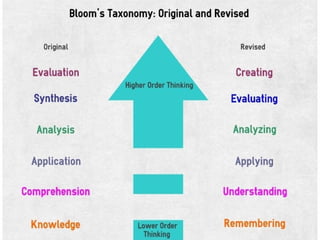
  o   Foster the use of higher order thinking skills
Why Technology Scares Us

• The only constant is change.
• Everything is always new: vocabulary, skills
• Issues regarding control
• Kids are much more fluent.
• Risk
Easing the Transition
• Don't invest too much in any one thing...except the
  Internet.

• Be prepared to fail publicly.
• Collaborate
• Trust your best tech support, your students.
• Have clear expectations and establish a policy.
• Always start with the goal, only then choose the
  technology
Today's Tools
• Are free or have free      Categories:
  versions (in terms of $)
                             BL: Blended Learning
• Are all accessed via the
  Web                        PC: Parent Connection

• Are not all Jewish tools   CE: Classroom Engagement
  but can be used for
  Jewish content
                             PW: Purposeful Work
• Generally will be
  intuitive to your
                             SC: Student Creations
  students
Glogster                         SC
www.glogster.com

• Online Poster Creation Tool
• Need to Create a Free Account
• Across All Subject Areas
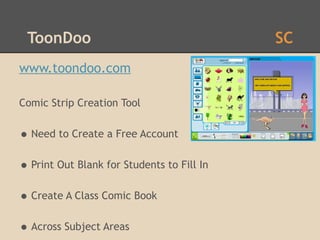
ToonDoo                                    SC
www.toondoo.com

Comic Strip Creation Tool


• Need to Create a Free Account
• Print Out Blank for Students to Fill In
• Create A Class Comic Book
• Across Subject Areas
Domo Animate                    SC
http://domo.goanimate.com

•Cartoon Creation Tool
•Need to Create a Free Account
•Across Subject Areas
Present.me                              BL
http://present.me

•Present Slides and Video at the Same Time
•Need to Create a Free Account
•"Flipping the Classroom" -Also Good for PD or
 Committees
Screenr                               BL PW
www.screenr.com

•Screen Capture Application
•Good for Hebrew Writing
•Let kids create tech tutorials for faculty!
•Video Webquest
Blabberize                         SC PW
www.blabberize.com

•Animating Still Photos
•Need to Create a Free Account
•Great for Hebrew, Biography/History
•Older students create for younger students
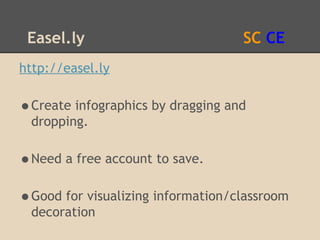
Easel.ly                          SC CE
http://easel.ly

•Create infographics by dragging and
 dropping.

•Need a free account to save.
•Good for visualizing information/classroom
 decoration
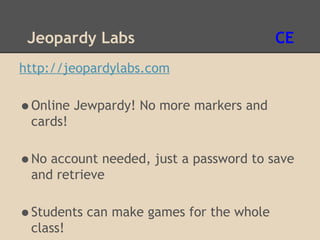
Jeopardy Labs                           CE
http://jeopardylabs.com

•Online Jewpardy! No more markers and
 cards!

•No account needed, just a password to save
 and retrieve

•Students can make games for the whole
 class!
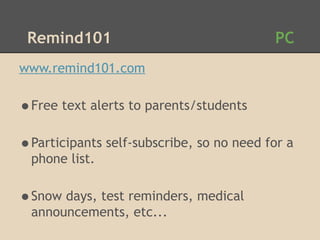
Remind101                                PC
www.remind101.com

•Free text alerts to parents/students
•Participants self-subscribe, so no need for a
  phone list.

•Snow days, test reminders, medical
  announcements, etc...
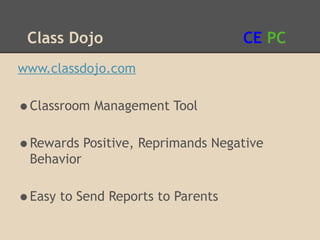
Class Dojo                        CE PC
www.classdojo.com

•Classroom Management Tool
•Rewards Positive, Reprimands Negative
 Behavior

•Easy to Send Reports to Parents
Edmodo                          BL CE PC
www.edmodo.com

•Social network designed for education
•Enclosed environment
•Extends contact hours with materials,
 classmates
Pen.io                              SC PC
http://pen.io

•Quick way to publish content on the web
•No real need for web design knowledge
•Easy way for students/teachers to create
 sites
Flixtime                                  SC
www.flixtime.com

•Easy way to create "mashups" of photos,
 videos, text and music

•Need to create a free account
•Max free video length is 60 seconds
We Video                                 SC
www.wevideo.com

•Free web-based video editor
•Similar to iMovie, Windows Movie Maker
•Need to create a free account
Ted Ed Video Flipper                     BL CE
http://ed.ted.com/tour

•Ability to build lessons around videos
•Add questions, comments, see responses,
  etc...

•Very much in Beta -- keep checking back!
Lulu                              PC CE
www.lulu.com
•Online FREE publishing software
•make iBooks and Printed Books
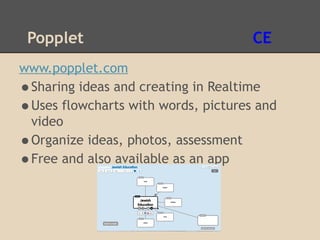
Popplet                             CE
www.popplet.com
•Sharing ideas and creating in Realtime
•Uses flowcharts with words, pictures and
 video
•Organize ideas, photos, assessment
•Free and also available as an app
Still Hungry?

• http://60in60.wikispaces.com/
• http://edutecher.net/
• http://edtechtoolbox.blogspot.com/
• http://www.freetech4teachers.com/
Stuck? Have Ideas? Contact Us!
Adena Raub Dershowitz
adenardershowitz@gmail.com
Twitter: @MrsDTechnology

Brooke Leiberman
brooke.leiberman@gmail.com
Twitter: @brookeleiberman

May Your Tech Runneth Over 2

  • 1.
    May Your Tech ToolboxRunneth Over Technology Tools for Jewish Educators Adena Raub Dershowitz Brooke Leiberman http://tinyurl.com/runnethover2
  • 2.
    Session Goals • DiscussWhy Technology Is Important to Jewish Education • Explore Web tools that can be used in Jewish education (some Jewish, some not) • Learn how to stay abreast of new resources •Q &A
  • 3.
    What does TechnologyHave to Do With Jewish Education? • Kid Culture is Immersed in Technology. • Technology is Shaping a New Jewish Future. • With Technology We Can: o Extend contact hours with Jewish content o Provide extended reach/purpose for student work o Foster the use of higher order thinking skills
  • 5.
    Why Technology ScaresUs • The only constant is change. • Everything is always new: vocabulary, skills • Issues regarding control • Kids are much more fluent. • Risk
  • 6.
    Easing the Transition •Don't invest too much in any one thing...except the Internet. • Be prepared to fail publicly. • Collaborate • Trust your best tech support, your students. • Have clear expectations and establish a policy. • Always start with the goal, only then choose the technology
  • 7.
    Today's Tools • Arefree or have free Categories: versions (in terms of $) BL: Blended Learning • Are all accessed via the Web PC: Parent Connection • Are not all Jewish tools CE: Classroom Engagement but can be used for Jewish content PW: Purposeful Work • Generally will be intuitive to your SC: Student Creations students
  • 8.
    Glogster SC www.glogster.com • Online Poster Creation Tool • Need to Create a Free Account • Across All Subject Areas
  • 9.
    ToonDoo SC www.toondoo.com Comic Strip Creation Tool • Need to Create a Free Account • Print Out Blank for Students to Fill In • Create A Class Comic Book • Across Subject Areas
  • 10.
    Domo Animate SC http://domo.goanimate.com •Cartoon Creation Tool •Need to Create a Free Account •Across Subject Areas
  • 11.
    Present.me BL http://present.me •Present Slides and Video at the Same Time •Need to Create a Free Account •"Flipping the Classroom" -Also Good for PD or Committees
  • 12.
    Screenr BL PW www.screenr.com •Screen Capture Application •Good for Hebrew Writing •Let kids create tech tutorials for faculty! •Video Webquest
  • 13.
    Blabberize SC PW www.blabberize.com •Animating Still Photos •Need to Create a Free Account •Great for Hebrew, Biography/History •Older students create for younger students
  • 14.
    Easel.ly SC CE http://easel.ly •Create infographics by dragging and dropping. •Need a free account to save. •Good for visualizing information/classroom decoration
  • 15.
    Jeopardy Labs CE http://jeopardylabs.com •Online Jewpardy! No more markers and cards! •No account needed, just a password to save and retrieve •Students can make games for the whole class!
  • 16.
    Remind101 PC www.remind101.com •Free text alerts to parents/students •Participants self-subscribe, so no need for a phone list. •Snow days, test reminders, medical announcements, etc...
  • 17.
    Class Dojo CE PC www.classdojo.com •Classroom Management Tool •Rewards Positive, Reprimands Negative Behavior •Easy to Send Reports to Parents
  • 18.
    Edmodo BL CE PC www.edmodo.com •Social network designed for education •Enclosed environment •Extends contact hours with materials, classmates
  • 19.
    Pen.io SC PC http://pen.io •Quick way to publish content on the web •No real need for web design knowledge •Easy way for students/teachers to create sites
  • 20.
    Flixtime SC www.flixtime.com •Easy way to create "mashups" of photos, videos, text and music •Need to create a free account •Max free video length is 60 seconds
  • 21.
    We Video SC www.wevideo.com •Free web-based video editor •Similar to iMovie, Windows Movie Maker •Need to create a free account
  • 22.
    Ted Ed VideoFlipper BL CE http://ed.ted.com/tour •Ability to build lessons around videos •Add questions, comments, see responses, etc... •Very much in Beta -- keep checking back!
  • 23.
    Lulu PC CE www.lulu.com •Online FREE publishing software •make iBooks and Printed Books
  • 24.
    Popplet CE www.popplet.com •Sharing ideas and creating in Realtime •Uses flowcharts with words, pictures and video •Organize ideas, photos, assessment •Free and also available as an app
  • 25.
    Still Hungry? • http://60in60.wikispaces.com/ •http://edutecher.net/ • http://edtechtoolbox.blogspot.com/ • http://www.freetech4teachers.com/
  • 26.
    Stuck? Have Ideas?Contact Us! Adena Raub Dershowitz adenardershowitz@gmail.com Twitter: @MrsDTechnology Brooke Leiberman brooke.leiberman@gmail.com Twitter: @brookeleiberman