Chapter
  2-1
Foundational Concepts
          of the AIS
Chapter
  2-2     Accounting Information Systems, 1st Edition
Study Objectives

     1.   The interrelationships of business processes and the AIS
     2.   Types of accounting information systems
     3.   Accounting software market segments
     4.   Input methods used in business processes
     5.   The processing of accounting data
     6.   Outputs from the AIS related to business processes
     7.   Documenting processes and systems
     8.   Client-server computing
     9.   Ethical considerations at the foundation of accounting
          information systems
Chapter
  2-3
Business Processes and the AIS

      Accounting Information System - a system that
      captures, records, processes, and reports accounting
      information.

      Business Process - a prescribed sequence of work
      steps completed in order to produce a desired result.


Chapter
  2-4             SO 1 The interrelationships of business processes and the AIS
Business
                         Processes
                         and the AIS


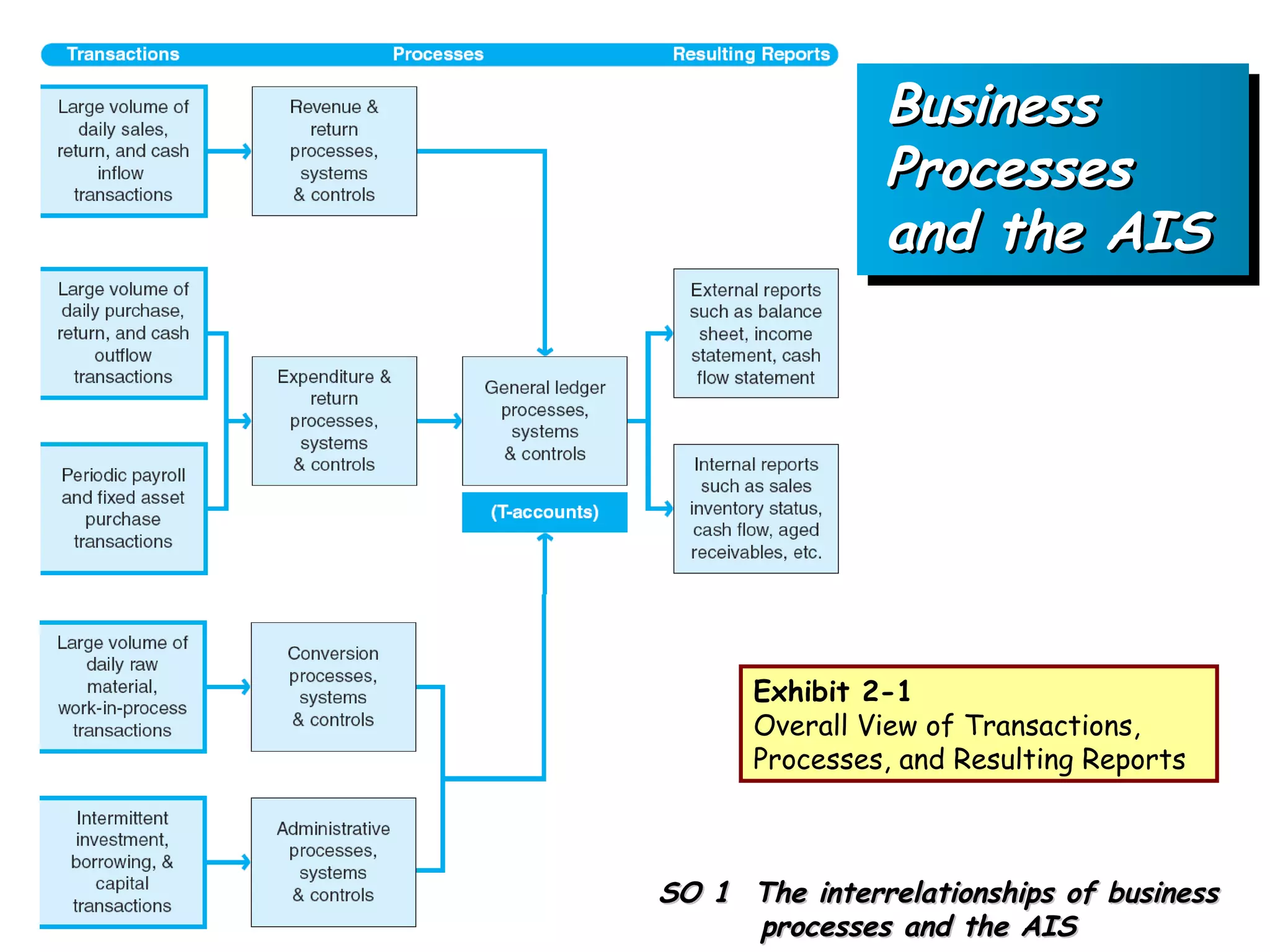
                Exhibit 2-1
                Overall View of Transactions,
                Processes, and Resulting Reports


Chapter   SO 1 The interrelationships of business
  2-5
               processes and the AIS
Business Processes and the AIS

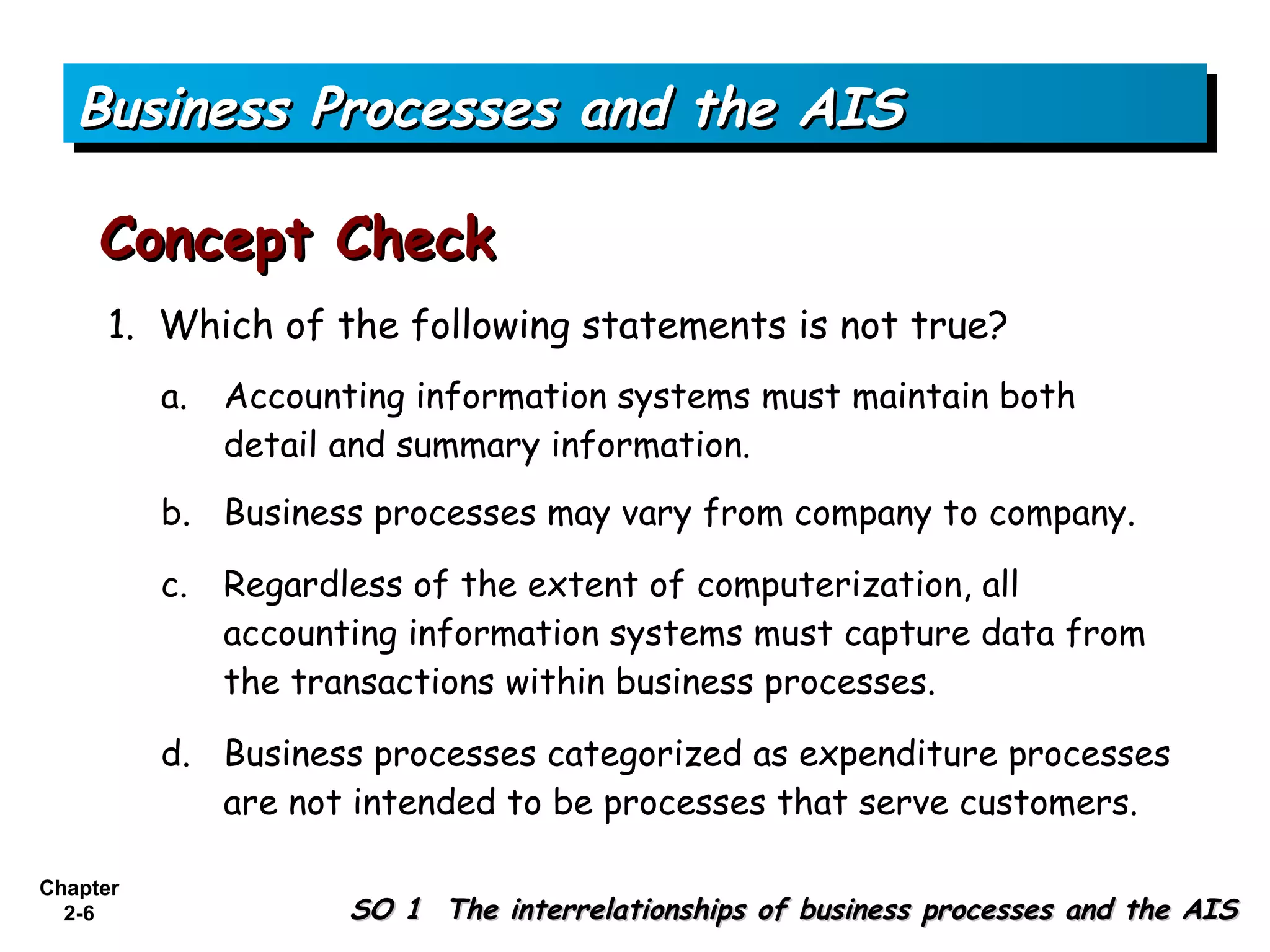
     Concept Check
      1. Which of the following statements is not true?
          a.   Accounting information systems must maintain both
               detail and summary information.
          b. Business processes may vary from company to company.

          c.   Regardless of the extent of computerization, all
               accounting information systems must capture data from
               the transactions within business processes.

          d. Business processes categorized as expenditure processes
             are not intended to be processes that serve customers.

Chapter
  2-6                 SO 1 The interrelationships of business processes and the AIS
Types of Accounting Information Systems

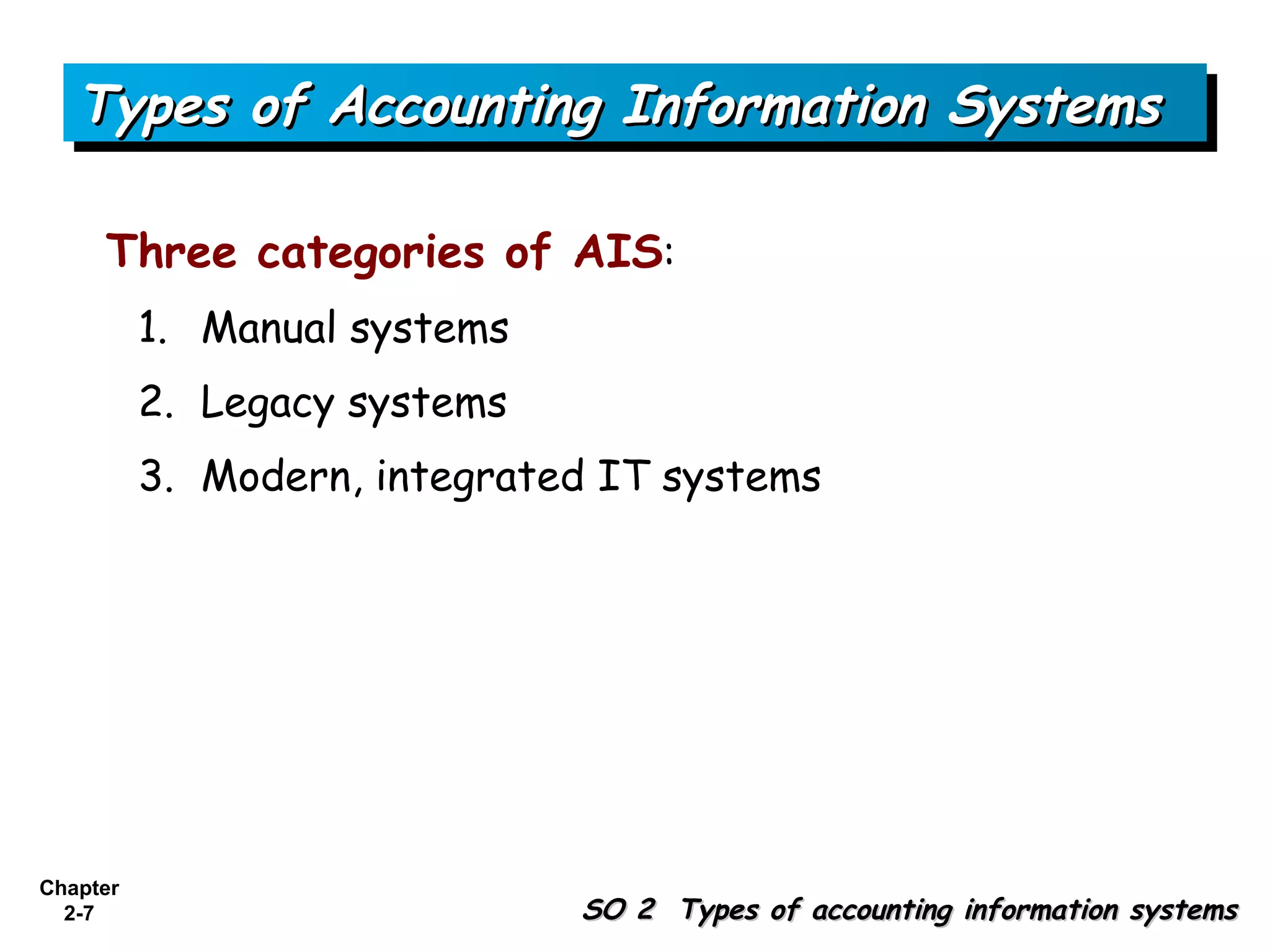
     Three categories of AIS:
          1. Manual systems
          2. Legacy systems
          3. Modern, integrated IT systems


Chapter
  2-7                         SO 2 Types of accounting information systems
Types of Accounting Information Systems

     Manual Systems
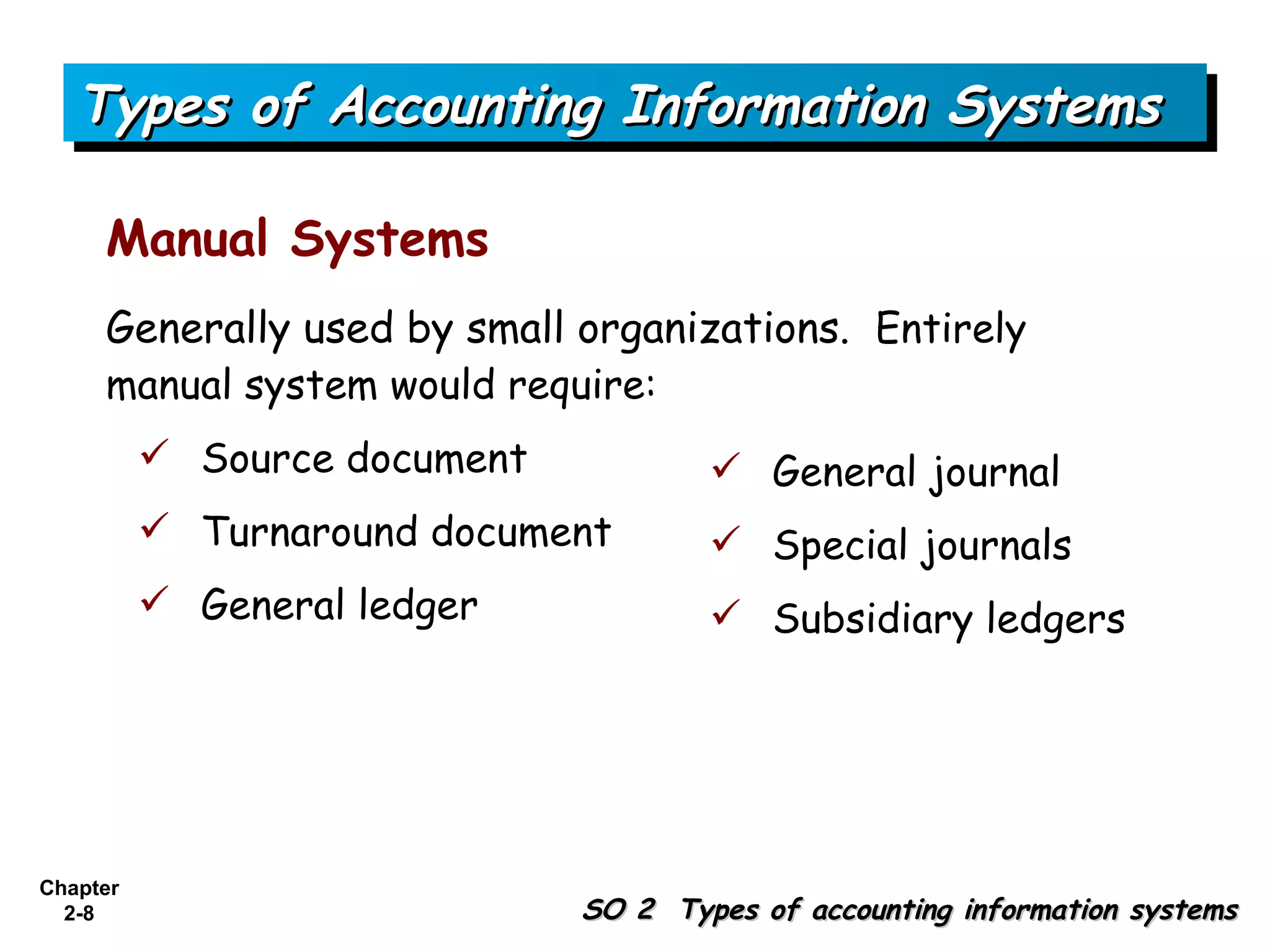
     Generally used by small organizations. Entirely
     manual system would require:
           Source document            General journal
           Turnaround document        Special journals
           General ledger             Subsidiary ledgers


Chapter
  2-8                         SO 2 Types of accounting information systems
Types of Accounting Information Systems

     Legacy Systems
     Existing system, often based on old technology.

     Advantages are that legacy systems:
          1. Customized to specific needs.
          2. Support unique business processes not inherent in
             generic accounting software.
          3. Contain invaluable historical data that may be difficult
             to integrate into a new system.
          4. Well supported and understood by existing personnel.
Chapter
  2-9                             SO 2 Types of accounting information systems
Types of Accounting Information Systems

     Legacy Systems
     Disadvantages are that legacy systems:
          1. Costly to maintain.
          2. Often lack adequate supporting documentation.
          3. Hardware needed to maintain may become obsolete.
          4. Not usually based on user-friendly interfaces.
          5. Tends to use software written in older computer
             languages.
          6. Often difficult to modify to make user friendly.
          7. Difficult to integrate when companies merge.
Chapter
 2-10                              SO 2 Types of accounting information systems
Types of Accounting Information Systems

     Legacy Systems
     Decision whether to replace or update legacy systems.
          1. Screen scrapers
          2. Enterprise application integration
          3. Complete replacement of legacy systems


Chapter
 2-11                          SO 2 Types of accounting information systems
Types of Accounting Information Systems

     Modern, Integrated Systems
     New programs sold by software development companies
     are more user friendly than legacy accounting systems.
     Advantages to purchasing accounting software:
           Lower cost
           Shorter implementation time
           Fewer bugs


Chapter
 2-12                        SO 2 Types of accounting information systems
Types of Accounting Information Systems

     Concept Check
      2. In a manual system, an adjusting entry would most
      likely be initially recorded in a
          a. special journal.
          b. subsidiary ledger.

          c. general journal.

          d. general ledger.


Chapter
 2-13                             SO 2 Types of accounting information systems
Types of Accounting Information Systems

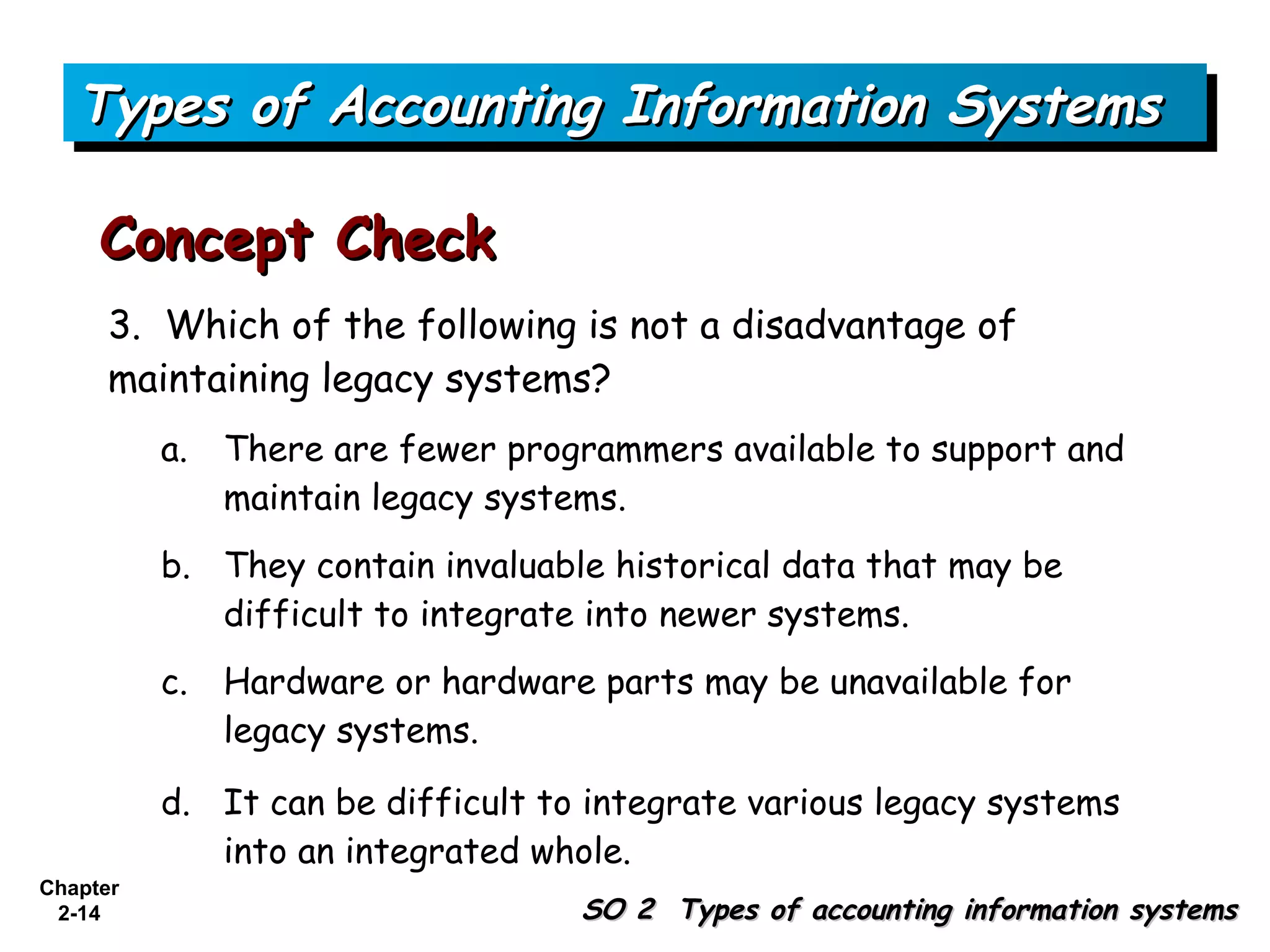
     Concept Check
      3. Which of the following is not a disadvantage of
      maintaining legacy systems?
          a.   There are fewer programmers available to support and
               maintain legacy systems.
          b. They contain invaluable historical data that may be
             difficult to integrate into newer systems.
          c.   Hardware or hardware parts may be unavailable for
               legacy systems.

          d. It can be difficult to integrate various legacy systems
             into an integrated whole.
Chapter
 2-14                              SO 2 Types of accounting information systems
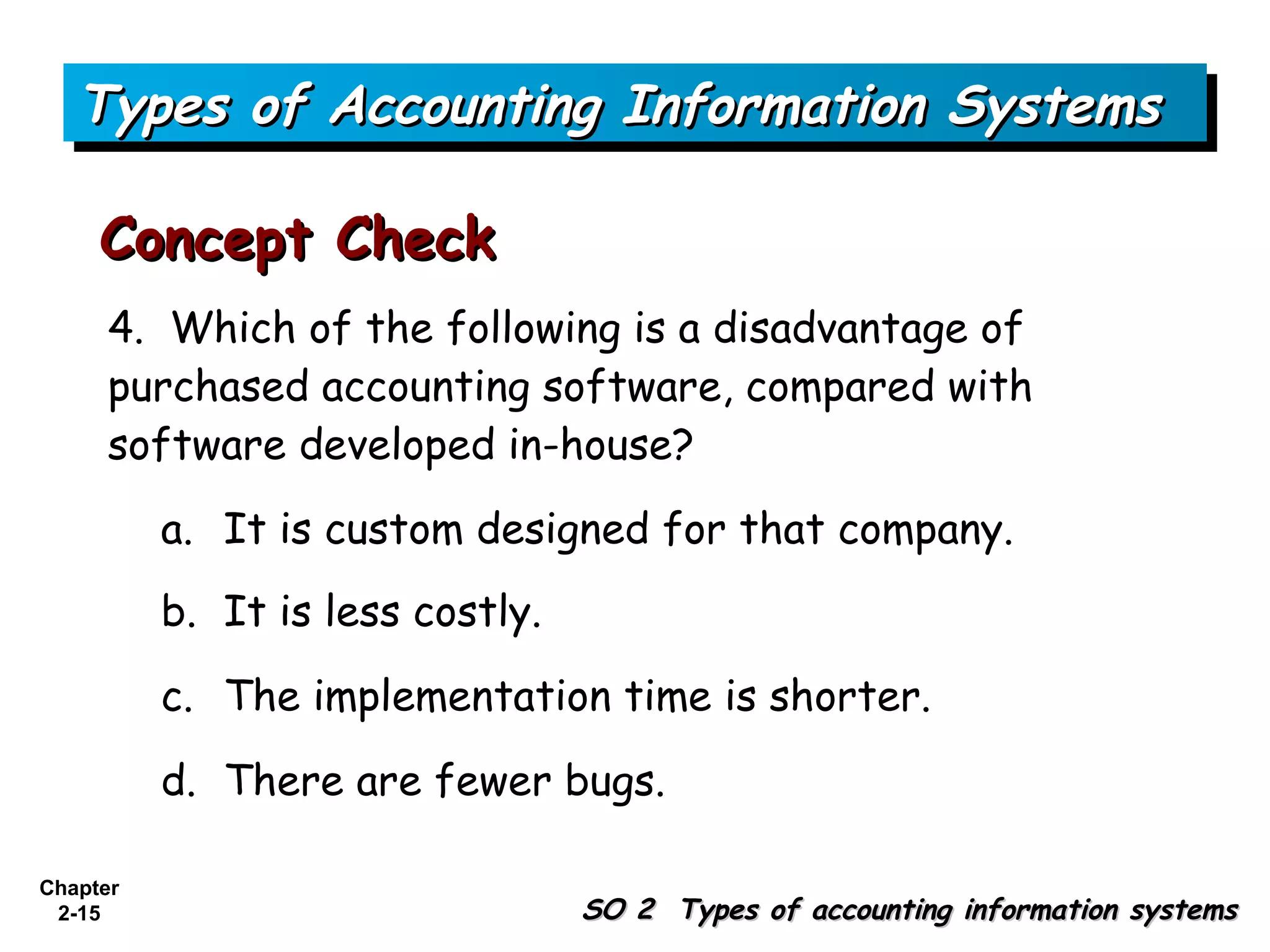
Types of Accounting Information Systems

     Concept Check
      4. Which of the following is a disadvantage of
      purchased accounting software, compared with
      software developed in-house?
          a. It is custom designed for that company.
          b. It is less costly.

          c. The implementation time is shorter.

          d. There are fewer bugs.

Chapter
 2-15                             SO 2 Types of accounting information systems
Accounting
  Software
  Market
  Segments


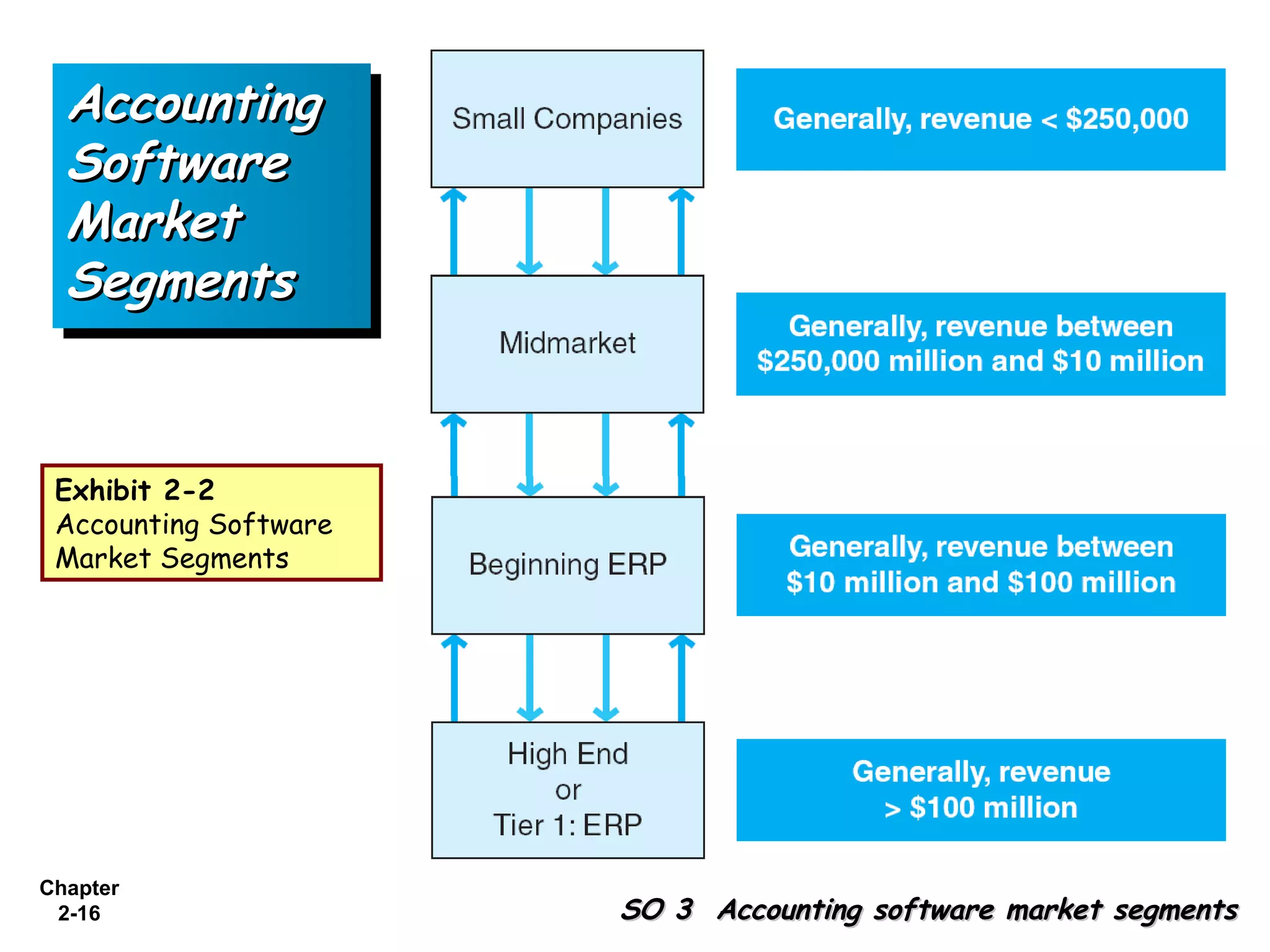
 Exhibit 2-2
 Accounting Software
 Market Segments


Chapter
 2-16                  SO 3 Accounting software market segments
Accounting Software Market Segments


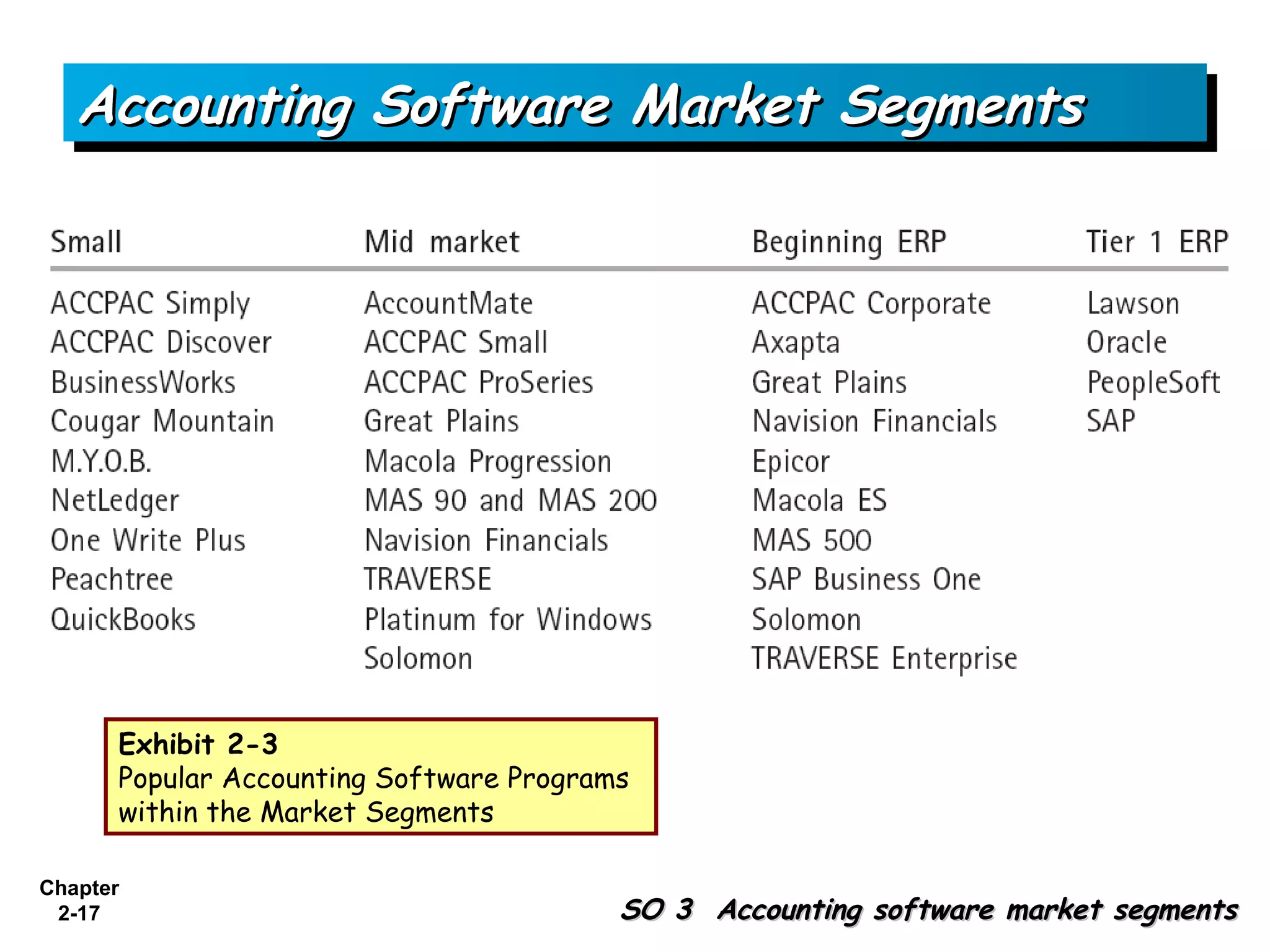
      Exhibit 2-3
      Popular Accounting Software Programs
      within the Market Segments

Chapter
 2-17                                    SO 3 Accounting software market segments
Accounting Software Market Segments

     Concept Check
      5. Which of the following is not a method of
      updating legacy systems?
          a. Enterprise application integration.
          b. Backoffice ware.

          c. Screen scraper.

          d. Complete replacement.


Chapter
 2-18                            SO 3 Accounting software market segments
Accounting Software Market Segments

     Concept Check
      6. When categorizing the accounting software market,
      a company with revenue of $8 million would most likely
      purchase software from which segment?

          a. Small company.
          b. Midmarket.

          c. Beginning ERP.

          d. Tier 1 ERP.

Chapter
 2-19                           SO 3 Accounting software market segments
Input Methods for AIS

     Input methods used in organizations:
           Source documents and keying
           Bar coding
           Point of sale systems
           EDI
           E-business


Chapter
 2-20                       SO 4 Input methods used in business processes
Input Methods for AIS

     Concept Check
      7. An IT system that uses touch-screen cash registers
      as an input method is called

          a. Electronic data interchange.
          b. E-business.

          c. Point of sale system.

          d. Source documents and keying.


Chapter
 2-21                         SO 4 Input methods used in business processes
Processing Methods

     Batch Processing -Transactions are grouped.
     Advantages
          1. Efficient for large volumes of like transactions.
          2. Audit trail is maintained.
          3. Generally use less costly hardware and software.
          4. Hardware and software systems are not as complicated
             as on-line systems.
          5. Generally easier to control than other types of
             computerized systems.
          6. Personnel become specialized and efficient in processing
             routine transactions.
Chapter
 2-22                                     SO 5 The processing of accounting data
Processing Methods

     Batch Processing -Transactions are grouped.
     Disadvantages
          1. Processing can take longer
          2. Adding or deleting records takes much computer
             maintenance time.
          3. Some data duplication is likely.
          4. Integration across business processes is difficult in
             legacy systems that are batch oriented.
          5. Lag while all transactions in a batch are collected.
          6. May require that transaction and master files be sorted
             in the same sequential order.
Chapter
 2-23                                   SO 5 The processing of accounting data
Processing Methods

     Online and Real-Time Processing
     Advantages
          1. System checks for input errors.
          2. Information provided on a timely basis.
          3. All files are constantly up to date.
          4. The business processes are integrated into a single
             database so that a single system is achieved.


Chapter
 2-24                                   SO 5 The processing of accounting data
Processing Methods

     Online and Real-Time Processing
     Disadvantages
          1. Hardware and software are more expensive than a
             batch systems.
          2. A single database that is shared is more susceptible
             to unauthorized access of data.
          3. Real-time systems can be difficult to audit.


Chapter
 2-25                                 SO 5 The processing of accounting data
Processing Methods

     Concept Check
      8. When similar transactions are grouped together for
      a specified time for processing, it is called

          a. Online processing.
          b. Real-time processing.

          c. Batch processing.

          d. Group processing.


Chapter
 2-26                                SO 5 The processing of accounting data
Outputs of the AIS

     General Categories of Outputs
          1. Trading partner documents such as checks, invoices,
             and statements

          2. Internal documents

          3. Internal reports

          4. External reports


Chapter
 2-27                   SO 6 Outputs from the AIS related to business processes
Documenting Systems

     Pictorial Representations of processes and
     systems include:
          1. Process maps

          2. System flowcharts

          3. Document flowcharts

          4. Data flow diagrams

          5. Entity relationship diagrams (ER diagrams)


Chapter
 2-28                              SO 7 Documenting processes and systems
Documenting Systems

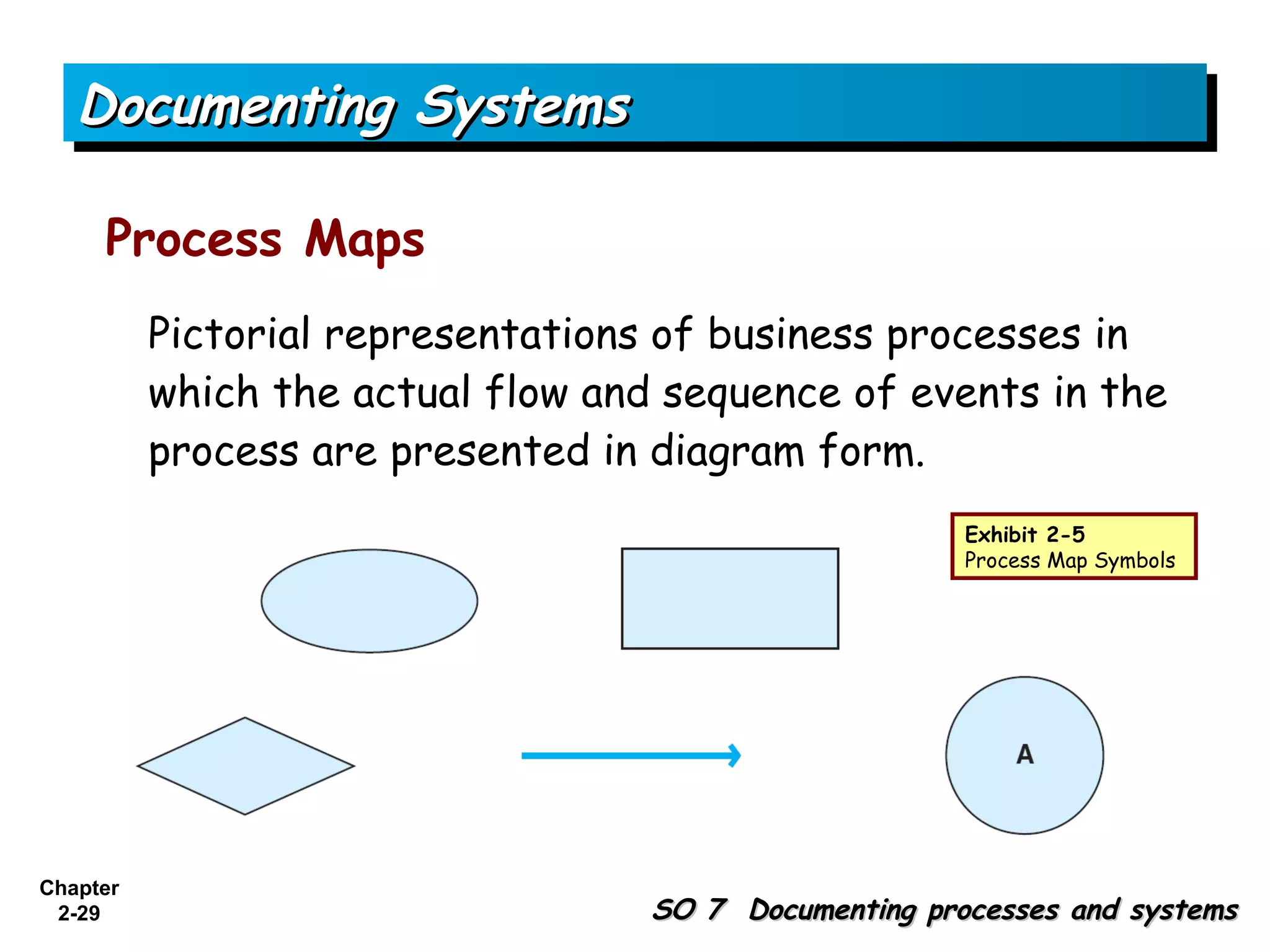
     Process Maps
          Pictorial representations of business processes in
          which the actual flow and sequence of events in the
          process are presented in diagram form.
                                                       Exhibit 2-5
                                                       Process Map Symbols


Chapter
 2-29                              SO 7 Documenting processes and systems
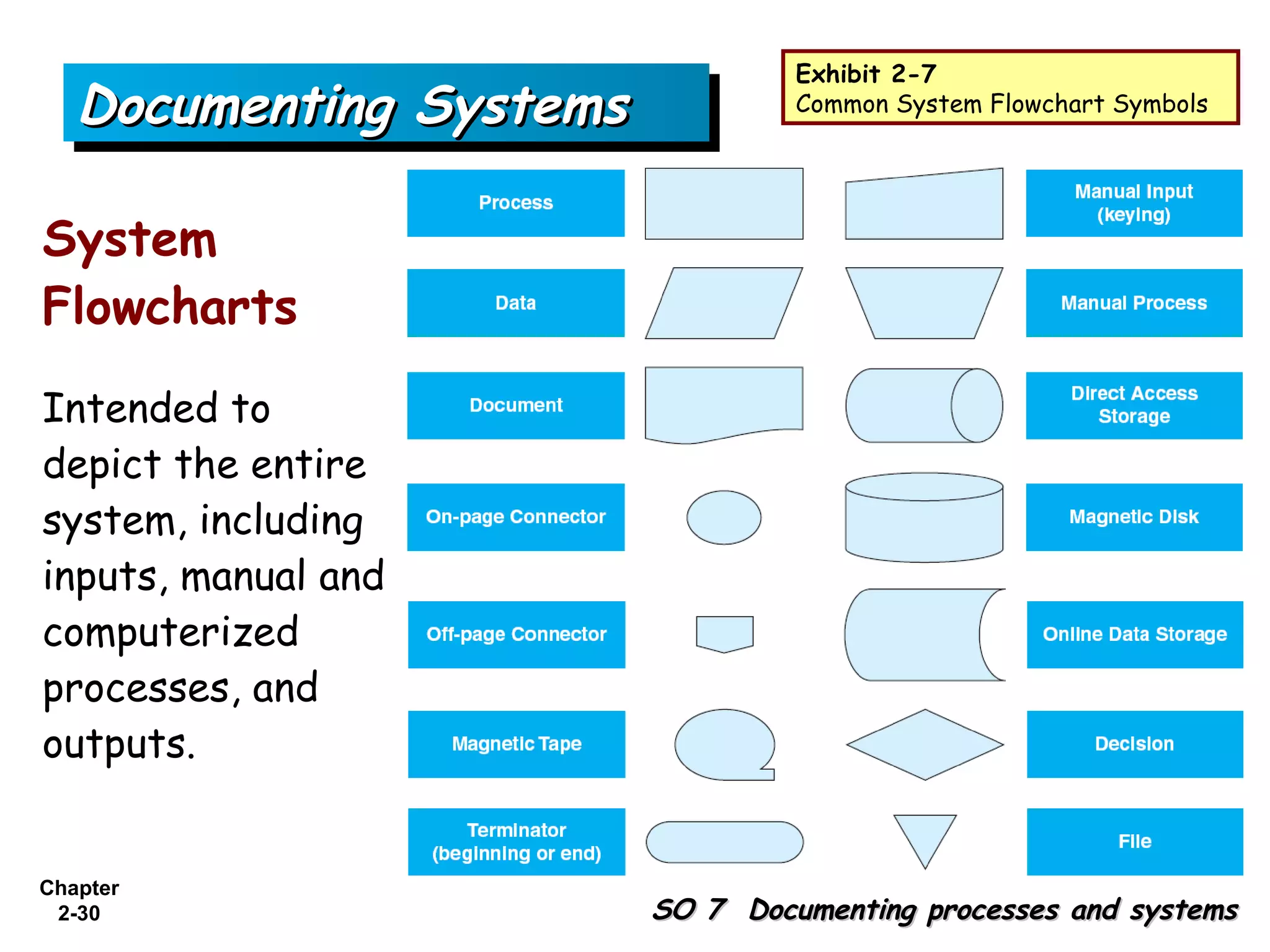
Exhibit 2-7
   Documenting Systems            Common System Flowchart Symbols


System
Flowcharts
Intended to
depict the entire
system, including
inputs, manual and
computerized
processes, and
outputs.


Chapter
 2-30                    SO 7 Documenting processes and systems
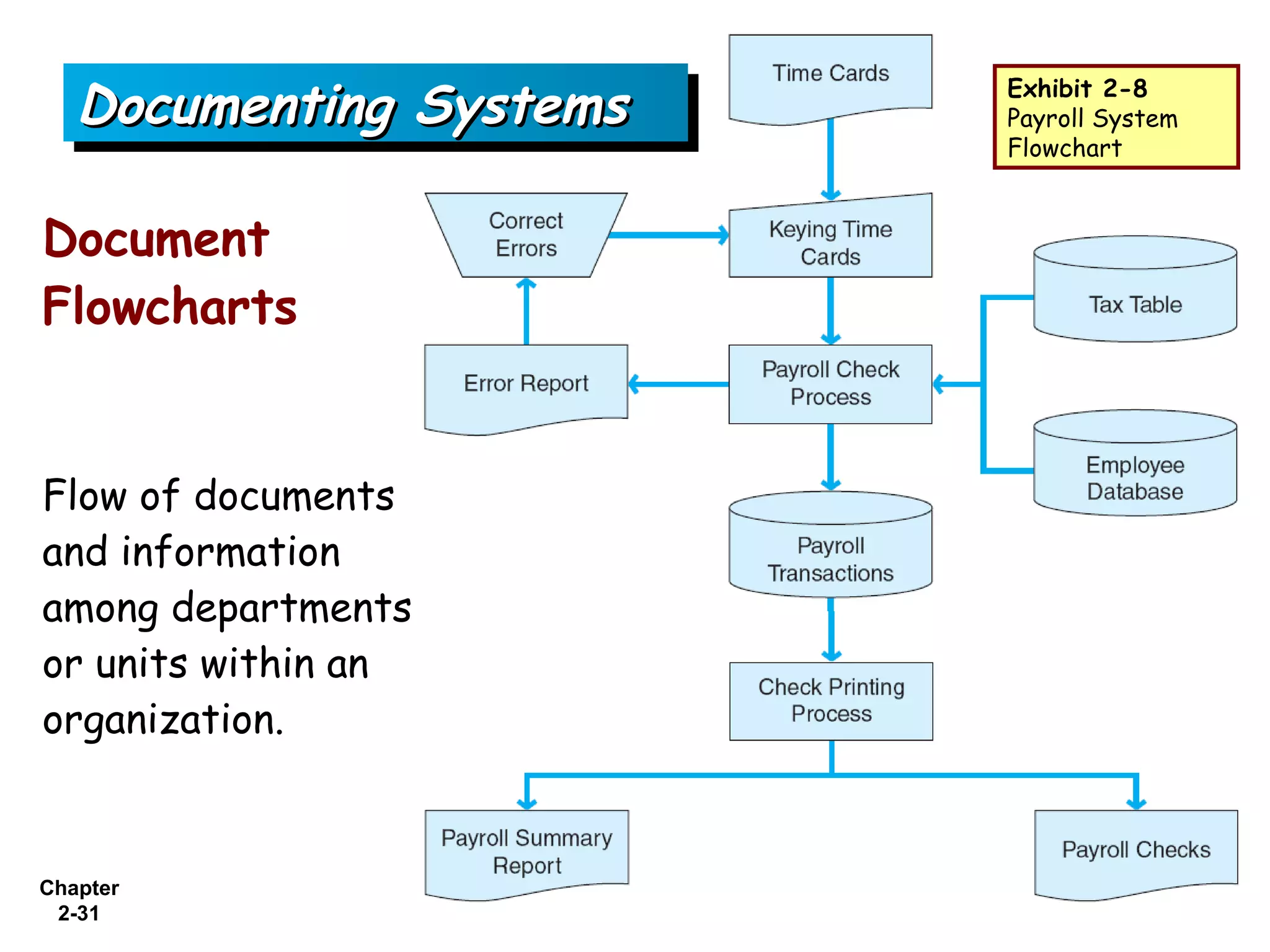
Documenting Systems   Exhibit 2-8
                         Payroll System
                         Flowchart


Document
Flowcharts


Flow of documents
and information
among departments
or units within an
organization.


Chapter
 2-31
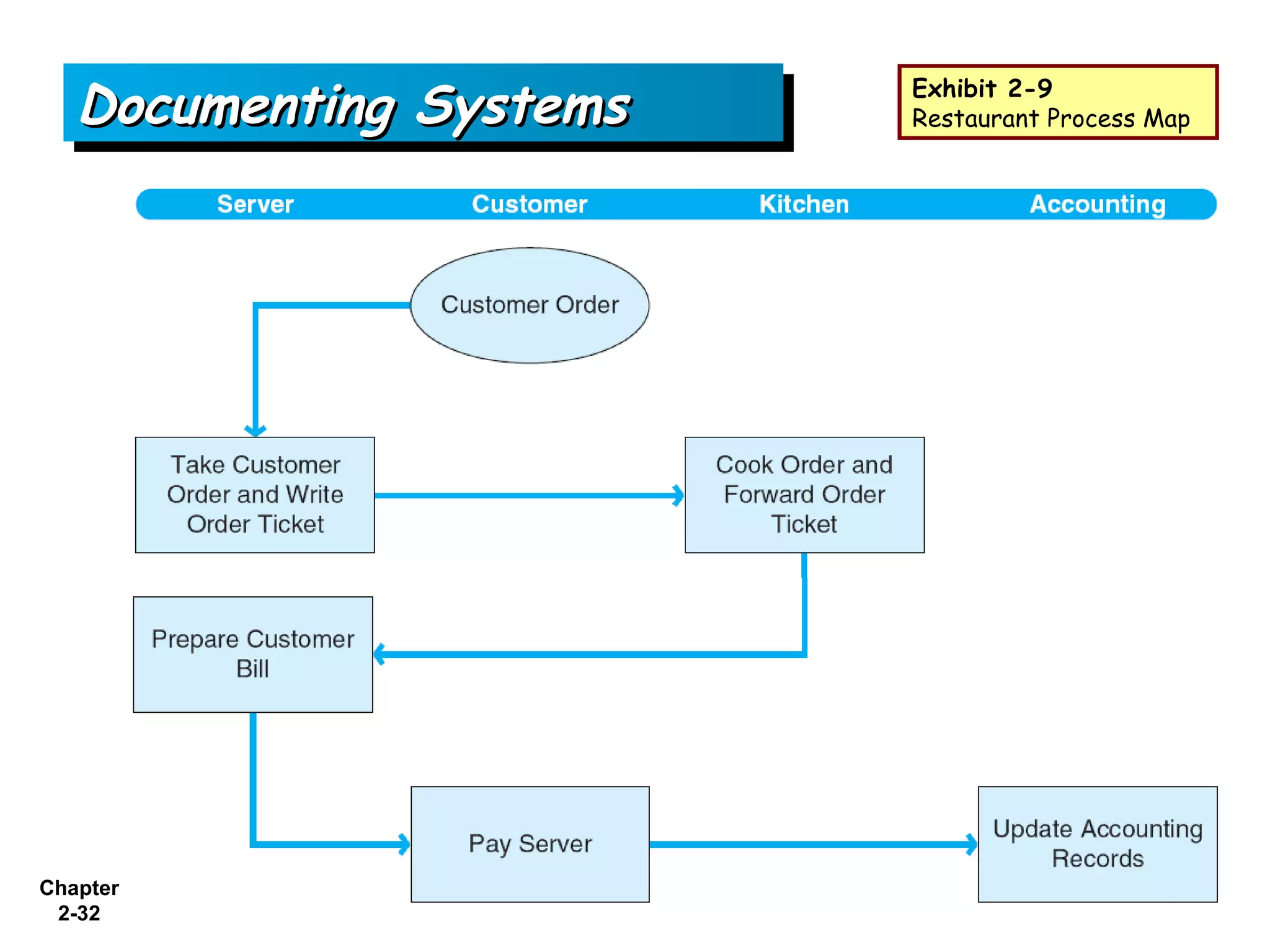
Documenting Systems   Exhibit 2-9
                         Restaurant Process Map


Chapter
 2-32
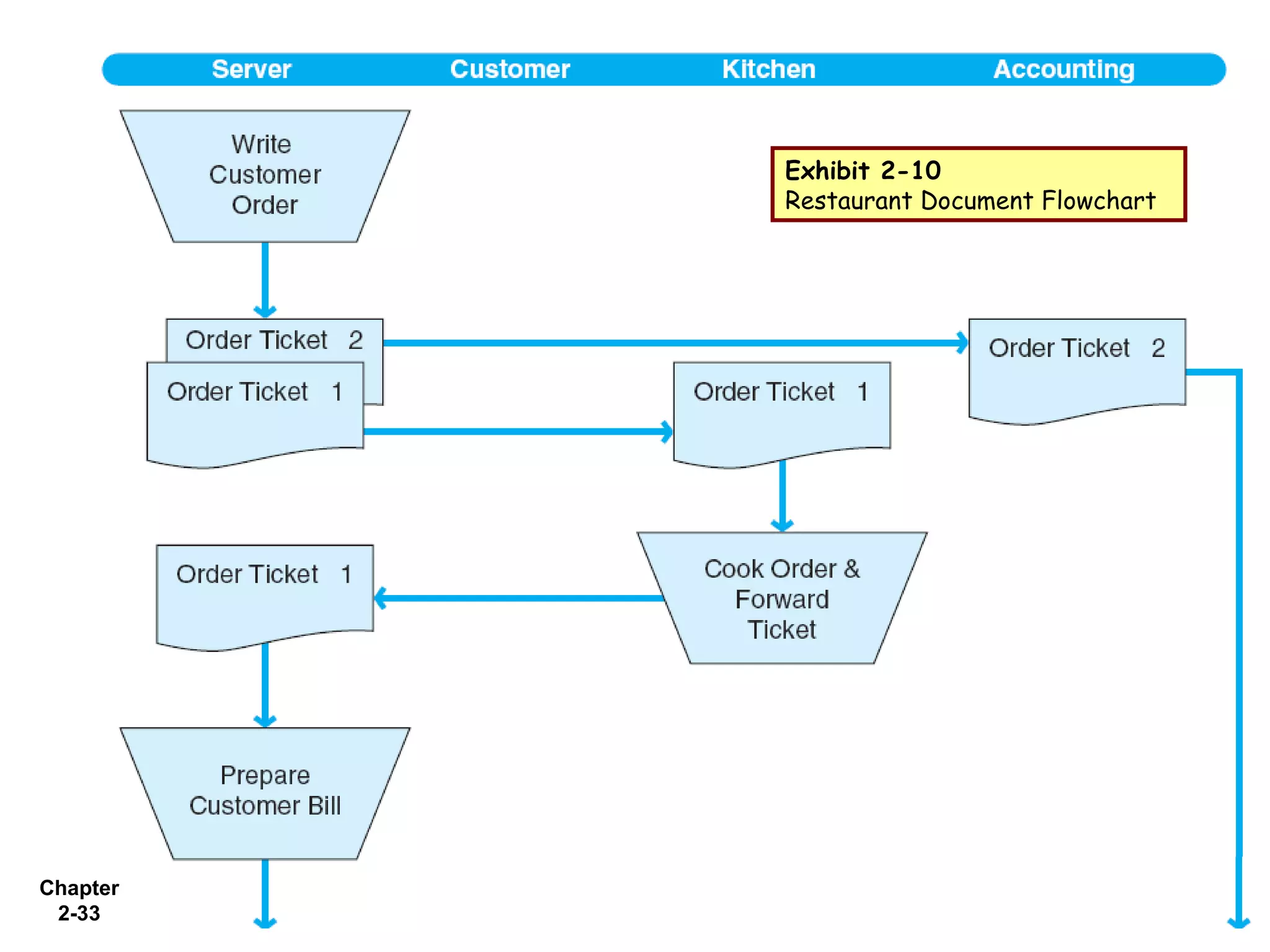
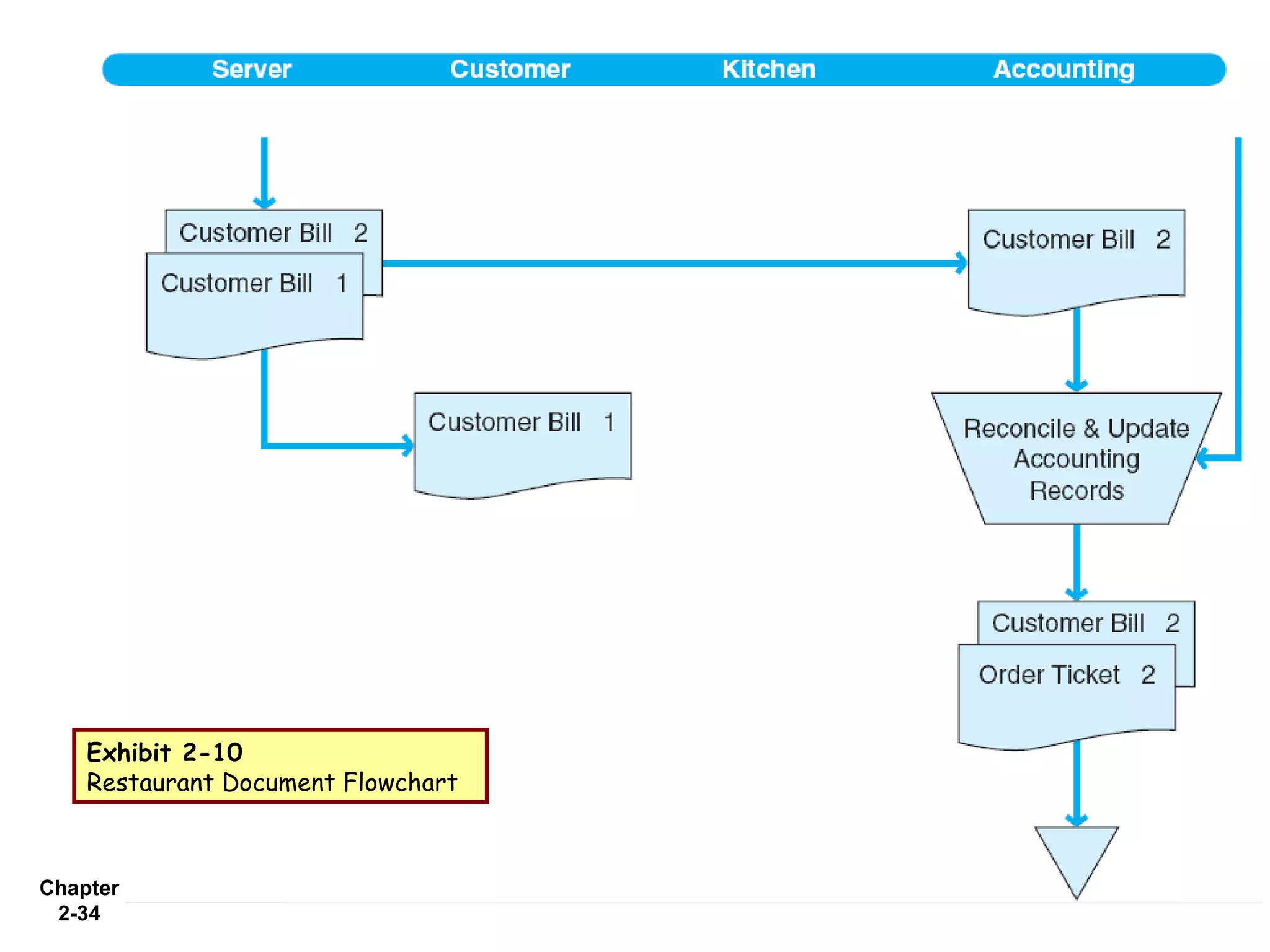
Exhibit 2-10
          Restaurant Document Flowchart


Chapter
 2-33
Exhibit 2-10
    Restaurant Document Flowchart


Chapter
 2-34
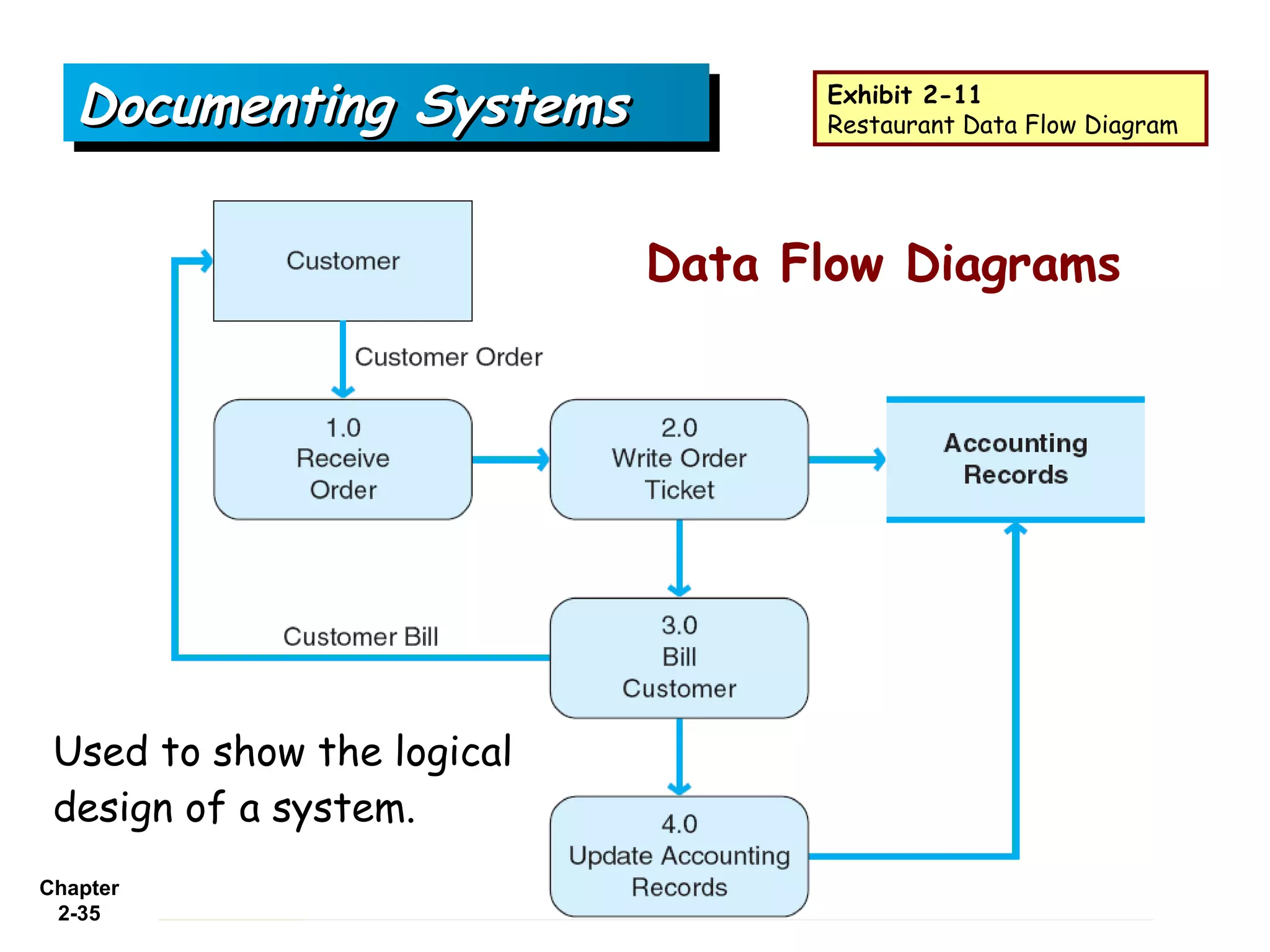
Documenting Systems            Exhibit 2-11
                                  Restaurant Data Flow Diagram


                            Data Flow Diagrams


 Used to show the logical
 design of a system.
Chapter
 2-35
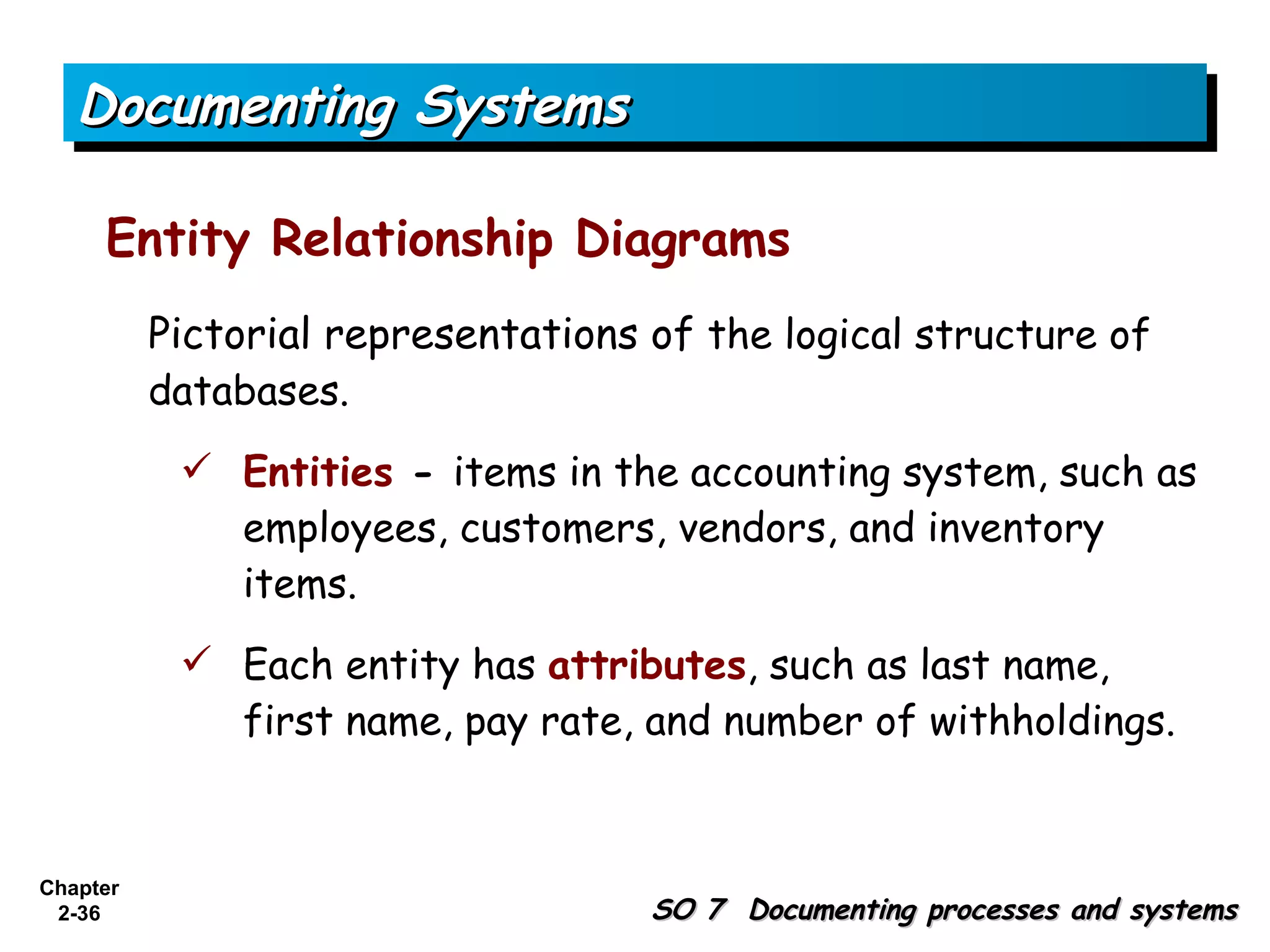
Documenting Systems

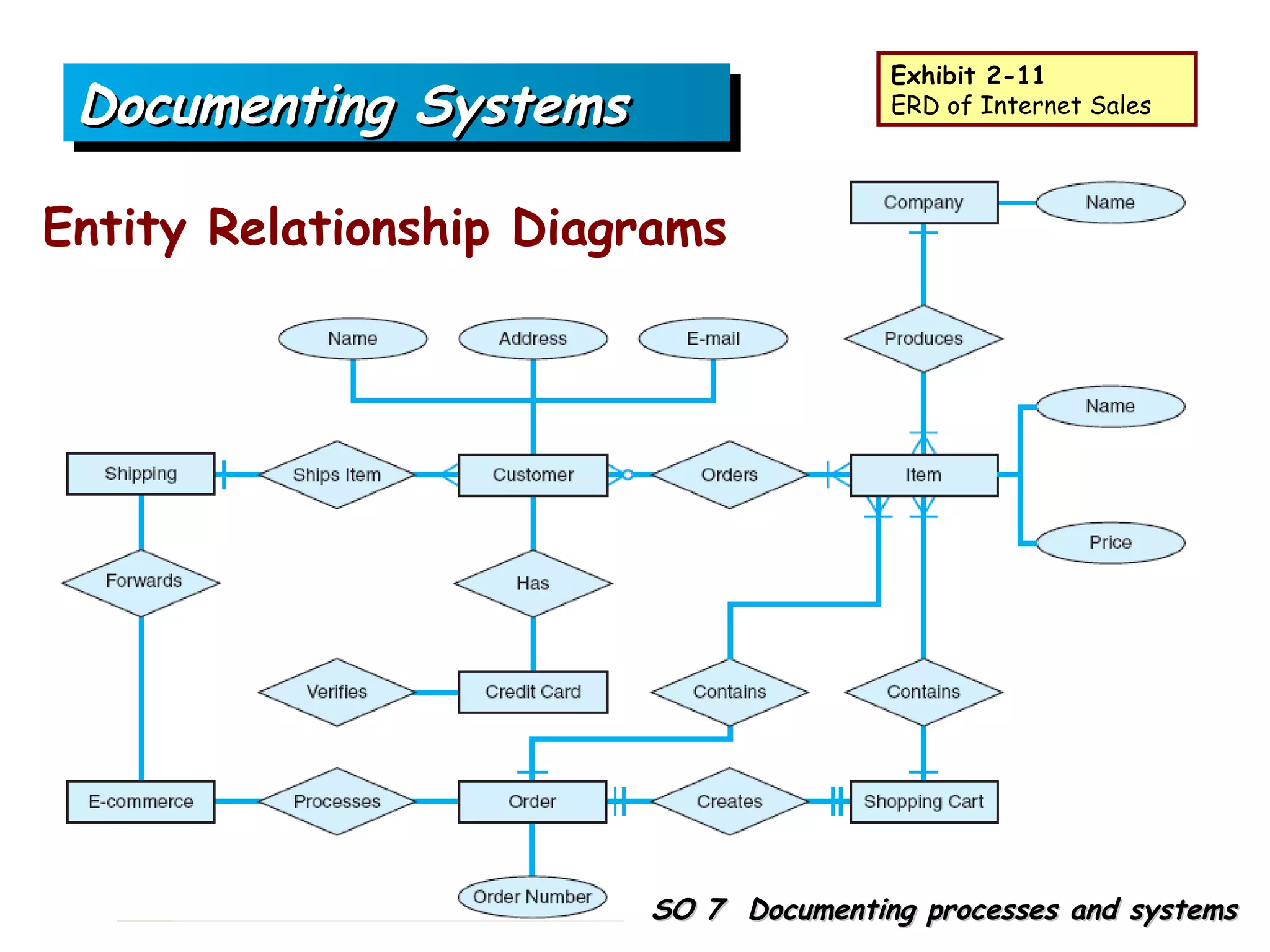
     Entity Relationship Diagrams
          Pictorial representations of the logical structure of
          databases.
            Entities - items in the accounting system, such as
             employees, customers, vendors, and inventory
             items.
            Each entity has attributes, such as last name,
             first name, pay rate, and number of withholdings.


Chapter
 2-36                               SO 7 Documenting processes and systems
Documenting Systems

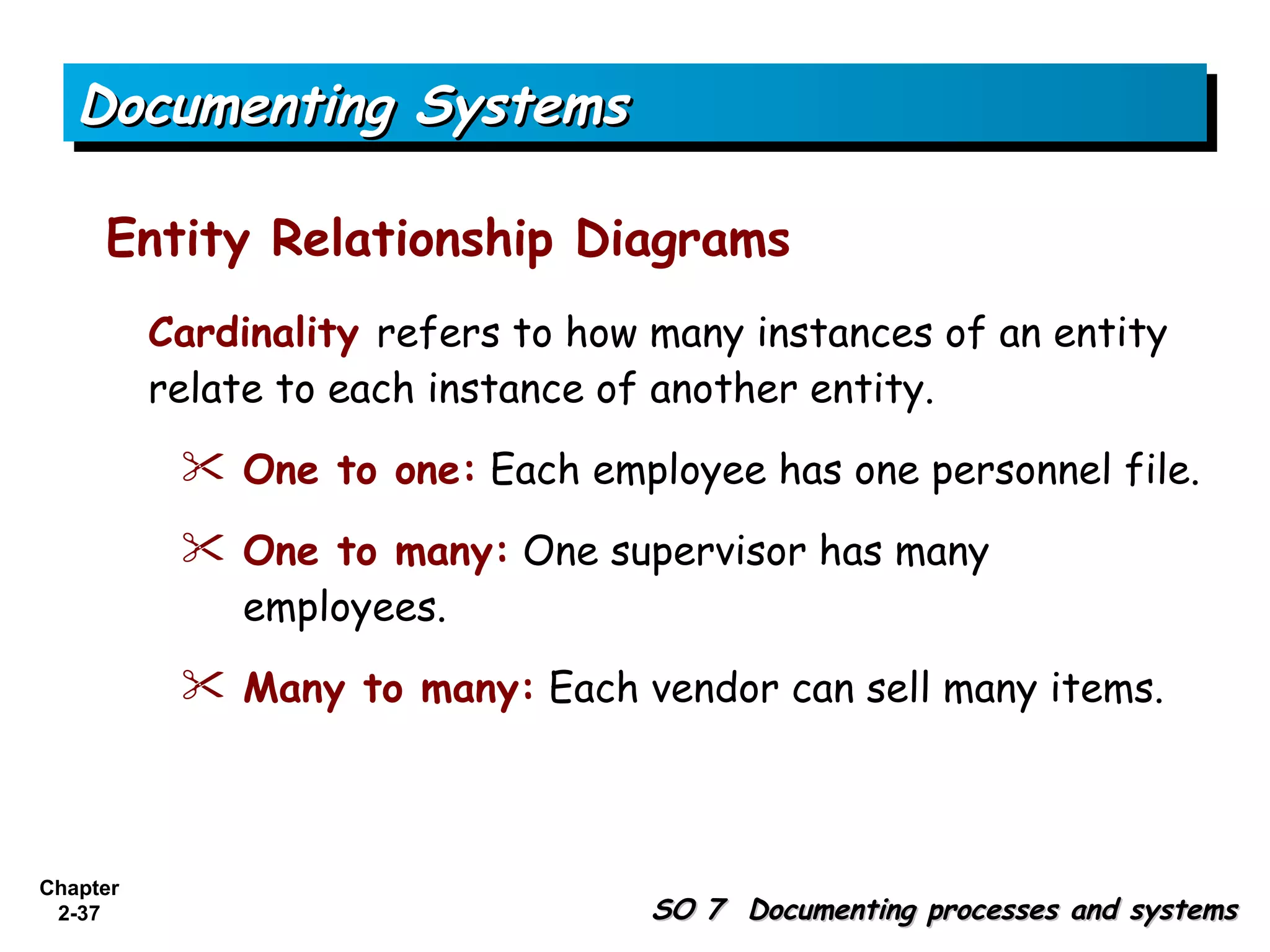
     Entity Relationship Diagrams
          Cardinality refers to how many instances of an entity
          relate to each instance of another entity.
            One to one: Each employee has one personnel file.

            One to many: One supervisor has many
             employees.
            Many to many: Each vendor can sell many items.


Chapter
 2-37                               SO 7 Documenting processes and systems
Exhibit 2-11
   Documenting Systems                  ERD of Internet Sales


Entity Relationship Diagrams
  Entity Relationship Diagrams


Chapter
 2-38                    SO 7 Documenting processes and systems
Documenting Systems

     Concept Check
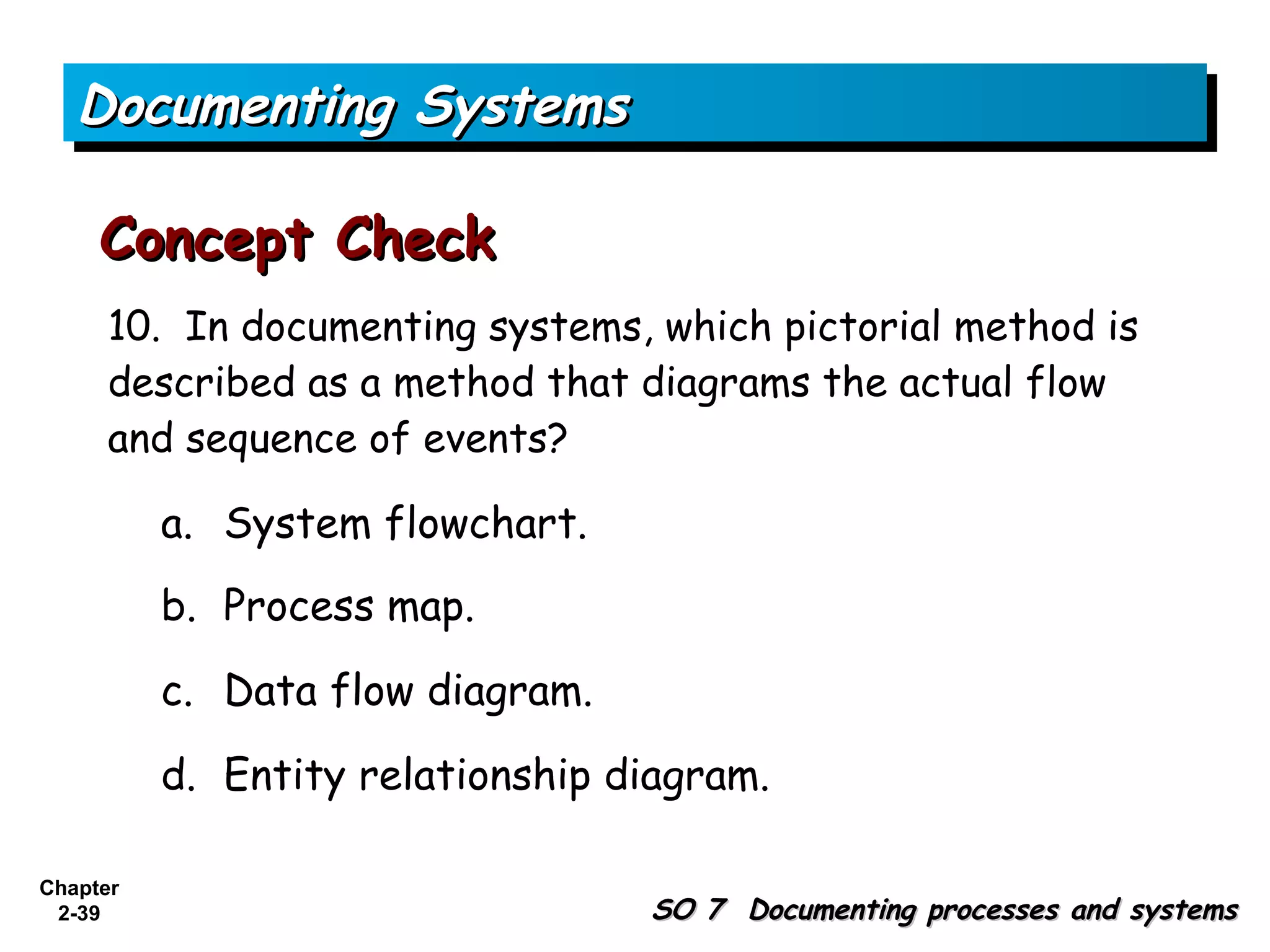
      10. In documenting systems, which pictorial method is
      described as a method that diagrams the actual flow
      and sequence of events?

          a. System flowchart.
          b. Process map.

          c. Data flow diagram.

          d. Entity relationship diagram.

Chapter
 2-39                             SO 7 Documenting processes and systems
Client–Server Computing

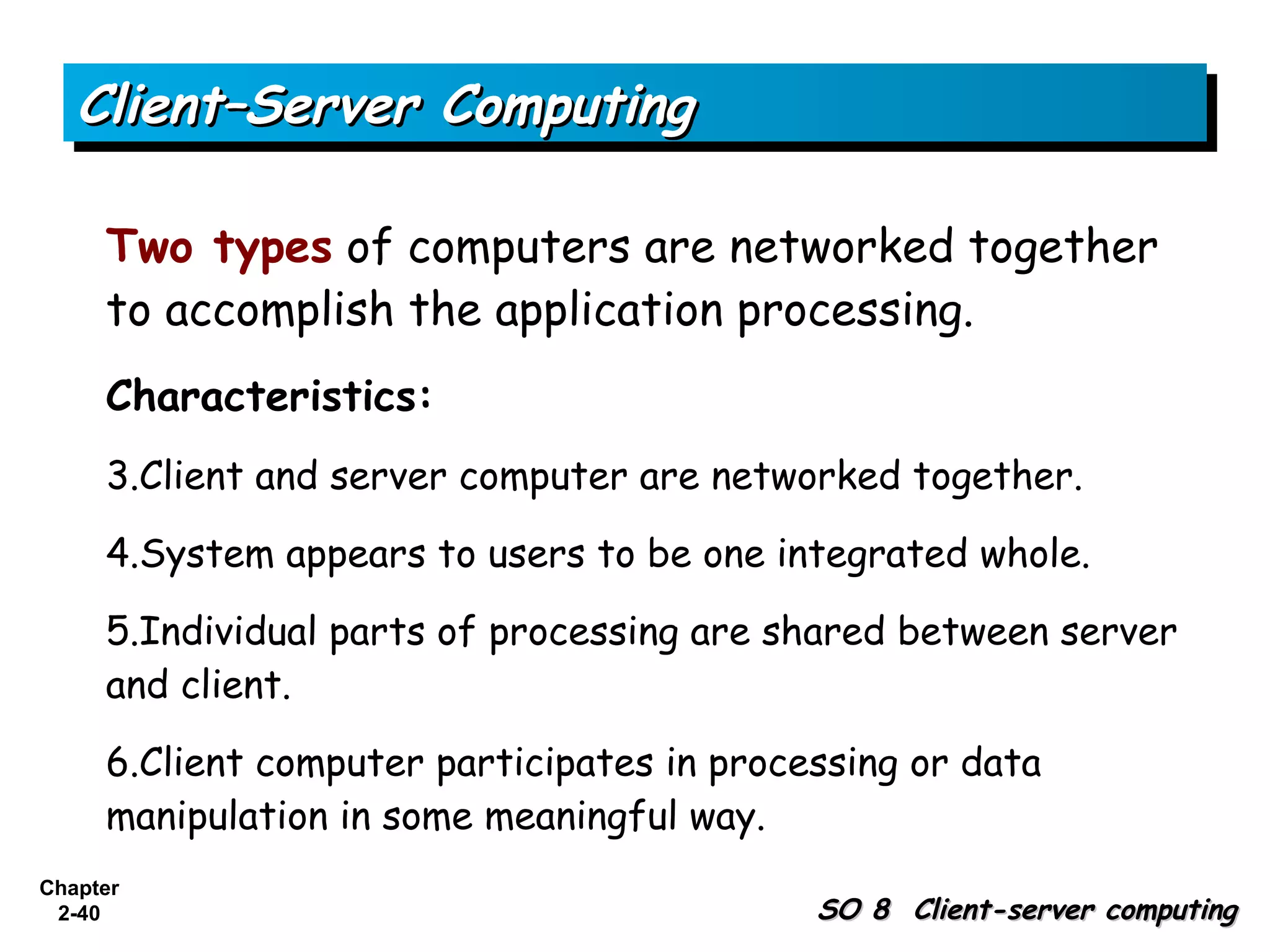
     Two types of computers are networked together
     to accomplish the application processing.
     Characteristics:
     3.Client and server computer are networked together.

     4.System appears to users to be one integrated whole.

     5.Individual parts of processing are shared between server
     and client.

     6.Client computer participates in processing or data
     manipulation in some meaningful way.
Chapter
 2-40                                       SO 8 Client-server computing
Client–Server Computing

     Two Levels of Client-Server Computing:
     2. Distributed presentation.

     3. Distributed applications.


Chapter
 2-41                               SO 8 Client-server computing
Client–Server Computing

     Concept Check
      12. In a client–server system, when the client PC
      manipulates data for presentation, but does not do any
      other significant processing, it is called

          a. Distributed presentation.
          b. Distributed application.

          c. Distributed database.

          d. Distributed processing.

Chapter
 2-42                                     SO 8 Client-server computing
Ethical Considerations of AIS

          Accountants should be aware of opportunities for
          unethical behaviors within the various business
          processes.

          As a company chooses features and options for its
          accounting information systems, the importance of
          monitoring those systems should not be overlooked
          as a factor in decision making.


Chapter                      SO 9 Ethical considerations at the foundation
 2-43
                                  of accounting information systems
Copyright

          Copyright © 2008 John Wiley & Sons, Inc. All rights reserved.
          Reproduction or translation of this work beyond that permitted
          in Section 117 of the 1976 United States Copyright Act
          without the express written permission of the copyright owner
          is unlawful. Request for further information should be
          addressed to the Permissions Department, John Wiley & Sons,
          Inc. The purchaser may make back-up copies for his/her own
          use only and not for distribution or resale. The Publisher
          assumes no responsibility for errors, omissions, or damages,
          caused by the use of these programs or from the use of the
          information contained herein.


Chapter
 2-44

Ch02

  • 1.
  • 2.
    Foundational Concepts of the AIS Chapter 2-2 Accounting Information Systems, 1st Edition
  • 3.
    Study Objectives 1. The interrelationships of business processes and the AIS 2. Types of accounting information systems 3. Accounting software market segments 4. Input methods used in business processes 5. The processing of accounting data 6. Outputs from the AIS related to business processes 7. Documenting processes and systems 8. Client-server computing 9. Ethical considerations at the foundation of accounting information systems Chapter 2-3
  • 4.
    Business Processes andthe AIS Accounting Information System - a system that captures, records, processes, and reports accounting information. Business Process - a prescribed sequence of work steps completed in order to produce a desired result. Chapter 2-4 SO 1 The interrelationships of business processes and the AIS
  • 5.
    Business Processes and the AIS Exhibit 2-1 Overall View of Transactions, Processes, and Resulting Reports Chapter SO 1 The interrelationships of business 2-5 processes and the AIS
  • 6.
    Business Processes andthe AIS Concept Check 1. Which of the following statements is not true? a. Accounting information systems must maintain both detail and summary information. b. Business processes may vary from company to company. c. Regardless of the extent of computerization, all accounting information systems must capture data from the transactions within business processes. d. Business processes categorized as expenditure processes are not intended to be processes that serve customers. Chapter 2-6 SO 1 The interrelationships of business processes and the AIS
  • 7.
    Types of AccountingInformation Systems Three categories of AIS: 1. Manual systems 2. Legacy systems 3. Modern, integrated IT systems Chapter 2-7 SO 2 Types of accounting information systems
  • 8.
    Types of AccountingInformation Systems Manual Systems Generally used by small organizations. Entirely manual system would require:  Source document  General journal  Turnaround document  Special journals  General ledger  Subsidiary ledgers Chapter 2-8 SO 2 Types of accounting information systems
  • 9.
    Types of AccountingInformation Systems Legacy Systems Existing system, often based on old technology. Advantages are that legacy systems: 1. Customized to specific needs. 2. Support unique business processes not inherent in generic accounting software. 3. Contain invaluable historical data that may be difficult to integrate into a new system. 4. Well supported and understood by existing personnel. Chapter 2-9 SO 2 Types of accounting information systems
  • 10.
    Types of AccountingInformation Systems Legacy Systems Disadvantages are that legacy systems: 1. Costly to maintain. 2. Often lack adequate supporting documentation. 3. Hardware needed to maintain may become obsolete. 4. Not usually based on user-friendly interfaces. 5. Tends to use software written in older computer languages. 6. Often difficult to modify to make user friendly. 7. Difficult to integrate when companies merge. Chapter 2-10 SO 2 Types of accounting information systems
  • 11.
    Types of AccountingInformation Systems Legacy Systems Decision whether to replace or update legacy systems. 1. Screen scrapers 2. Enterprise application integration 3. Complete replacement of legacy systems Chapter 2-11 SO 2 Types of accounting information systems
  • 12.
    Types of AccountingInformation Systems Modern, Integrated Systems New programs sold by software development companies are more user friendly than legacy accounting systems. Advantages to purchasing accounting software:  Lower cost  Shorter implementation time  Fewer bugs Chapter 2-12 SO 2 Types of accounting information systems
  • 13.
    Types of AccountingInformation Systems Concept Check 2. In a manual system, an adjusting entry would most likely be initially recorded in a a. special journal. b. subsidiary ledger. c. general journal. d. general ledger. Chapter 2-13 SO 2 Types of accounting information systems
  • 14.
    Types of AccountingInformation Systems Concept Check 3. Which of the following is not a disadvantage of maintaining legacy systems? a. There are fewer programmers available to support and maintain legacy systems. b. They contain invaluable historical data that may be difficult to integrate into newer systems. c. Hardware or hardware parts may be unavailable for legacy systems. d. It can be difficult to integrate various legacy systems into an integrated whole. Chapter 2-14 SO 2 Types of accounting information systems
  • 15.
    Types of AccountingInformation Systems Concept Check 4. Which of the following is a disadvantage of purchased accounting software, compared with software developed in-house? a. It is custom designed for that company. b. It is less costly. c. The implementation time is shorter. d. There are fewer bugs. Chapter 2-15 SO 2 Types of accounting information systems
  • 16.
    Accounting Software Market Segments Exhibit 2-2 Accounting Software Market Segments Chapter 2-16 SO 3 Accounting software market segments
  • 17.
    Accounting Software MarketSegments Exhibit 2-3 Popular Accounting Software Programs within the Market Segments Chapter 2-17 SO 3 Accounting software market segments
  • 18.
    Accounting Software MarketSegments Concept Check 5. Which of the following is not a method of updating legacy systems? a. Enterprise application integration. b. Backoffice ware. c. Screen scraper. d. Complete replacement. Chapter 2-18 SO 3 Accounting software market segments
  • 19.
    Accounting Software MarketSegments Concept Check 6. When categorizing the accounting software market, a company with revenue of $8 million would most likely purchase software from which segment? a. Small company. b. Midmarket. c. Beginning ERP. d. Tier 1 ERP. Chapter 2-19 SO 3 Accounting software market segments
  • 20.
    Input Methods forAIS Input methods used in organizations:  Source documents and keying  Bar coding  Point of sale systems  EDI  E-business Chapter 2-20 SO 4 Input methods used in business processes
  • 21.
    Input Methods forAIS Concept Check 7. An IT system that uses touch-screen cash registers as an input method is called a. Electronic data interchange. b. E-business. c. Point of sale system. d. Source documents and keying. Chapter 2-21 SO 4 Input methods used in business processes
  • 22.
    Processing Methods Batch Processing -Transactions are grouped. Advantages 1. Efficient for large volumes of like transactions. 2. Audit trail is maintained. 3. Generally use less costly hardware and software. 4. Hardware and software systems are not as complicated as on-line systems. 5. Generally easier to control than other types of computerized systems. 6. Personnel become specialized and efficient in processing routine transactions. Chapter 2-22 SO 5 The processing of accounting data
  • 23.
    Processing Methods Batch Processing -Transactions are grouped. Disadvantages 1. Processing can take longer 2. Adding or deleting records takes much computer maintenance time. 3. Some data duplication is likely. 4. Integration across business processes is difficult in legacy systems that are batch oriented. 5. Lag while all transactions in a batch are collected. 6. May require that transaction and master files be sorted in the same sequential order. Chapter 2-23 SO 5 The processing of accounting data
  • 24.
    Processing Methods Online and Real-Time Processing Advantages 1. System checks for input errors. 2. Information provided on a timely basis. 3. All files are constantly up to date. 4. The business processes are integrated into a single database so that a single system is achieved. Chapter 2-24 SO 5 The processing of accounting data
  • 25.
    Processing Methods Online and Real-Time Processing Disadvantages 1. Hardware and software are more expensive than a batch systems. 2. A single database that is shared is more susceptible to unauthorized access of data. 3. Real-time systems can be difficult to audit. Chapter 2-25 SO 5 The processing of accounting data
  • 26.
    Processing Methods Concept Check 8. When similar transactions are grouped together for a specified time for processing, it is called a. Online processing. b. Real-time processing. c. Batch processing. d. Group processing. Chapter 2-26 SO 5 The processing of accounting data
  • 27.
    Outputs of theAIS General Categories of Outputs 1. Trading partner documents such as checks, invoices, and statements 2. Internal documents 3. Internal reports 4. External reports Chapter 2-27 SO 6 Outputs from the AIS related to business processes
  • 28.
    Documenting Systems Pictorial Representations of processes and systems include: 1. Process maps 2. System flowcharts 3. Document flowcharts 4. Data flow diagrams 5. Entity relationship diagrams (ER diagrams) Chapter 2-28 SO 7 Documenting processes and systems
  • 29.
    Documenting Systems Process Maps Pictorial representations of business processes in which the actual flow and sequence of events in the process are presented in diagram form. Exhibit 2-5 Process Map Symbols Chapter 2-29 SO 7 Documenting processes and systems
  • 30.
    Exhibit 2-7 Documenting Systems Common System Flowchart Symbols System Flowcharts Intended to depict the entire system, including inputs, manual and computerized processes, and outputs. Chapter 2-30 SO 7 Documenting processes and systems
  • 31.
    Documenting Systems Exhibit 2-8 Payroll System Flowchart Document Flowcharts Flow of documents and information among departments or units within an organization. Chapter 2-31
  • 32.
    Documenting Systems Exhibit 2-9 Restaurant Process Map Chapter 2-32
  • 33.
    Exhibit 2-10 Restaurant Document Flowchart Chapter 2-33
  • 34.
    Exhibit 2-10 Restaurant Document Flowchart Chapter 2-34
  • 35.
    Documenting Systems Exhibit 2-11 Restaurant Data Flow Diagram Data Flow Diagrams Used to show the logical design of a system. Chapter 2-35
  • 36.
    Documenting Systems Entity Relationship Diagrams Pictorial representations of the logical structure of databases.  Entities - items in the accounting system, such as employees, customers, vendors, and inventory items.  Each entity has attributes, such as last name, first name, pay rate, and number of withholdings. Chapter 2-36 SO 7 Documenting processes and systems
  • 37.
    Documenting Systems Entity Relationship Diagrams Cardinality refers to how many instances of an entity relate to each instance of another entity.  One to one: Each employee has one personnel file.  One to many: One supervisor has many employees.  Many to many: Each vendor can sell many items. Chapter 2-37 SO 7 Documenting processes and systems
  • 38.
    Exhibit 2-11 Documenting Systems ERD of Internet Sales Entity Relationship Diagrams Entity Relationship Diagrams Chapter 2-38 SO 7 Documenting processes and systems
  • 39.
    Documenting Systems Concept Check 10. In documenting systems, which pictorial method is described as a method that diagrams the actual flow and sequence of events? a. System flowchart. b. Process map. c. Data flow diagram. d. Entity relationship diagram. Chapter 2-39 SO 7 Documenting processes and systems
  • 40.
    Client–Server Computing Two types of computers are networked together to accomplish the application processing. Characteristics: 3.Client and server computer are networked together. 4.System appears to users to be one integrated whole. 5.Individual parts of processing are shared between server and client. 6.Client computer participates in processing or data manipulation in some meaningful way. Chapter 2-40 SO 8 Client-server computing
  • 41.
    Client–Server Computing Two Levels of Client-Server Computing: 2. Distributed presentation. 3. Distributed applications. Chapter 2-41 SO 8 Client-server computing
  • 42.
    Client–Server Computing Concept Check 12. In a client–server system, when the client PC manipulates data for presentation, but does not do any other significant processing, it is called a. Distributed presentation. b. Distributed application. c. Distributed database. d. Distributed processing. Chapter 2-42 SO 8 Client-server computing
  • 43.
    Ethical Considerations ofAIS Accountants should be aware of opportunities for unethical behaviors within the various business processes. As a company chooses features and options for its accounting information systems, the importance of monitoring those systems should not be overlooked as a factor in decision making. Chapter SO 9 Ethical considerations at the foundation 2-43 of accounting information systems
  • 44.
    Copyright Copyright © 2008 John Wiley & Sons, Inc. All rights reserved. Reproduction or translation of this work beyond that permitted in Section 117 of the 1976 United States Copyright Act without the express written permission of the copyright owner is unlawful. Request for further information should be addressed to the Permissions Department, John Wiley & Sons, Inc. The purchaser may make back-up copies for his/her own use only and not for distribution or resale. The Publisher assumes no responsibility for errors, omissions, or damages, caused by the use of these programs or from the use of the information contained herein. Chapter 2-44

Editor's Notes

  • #4 1. On the topic, “Challenges Facing Financial Accounting,” what did the AICPA Special Committee on Financial Reporting suggest should be included in future financial statements? Non-financial Measurements (customer satisfaction indexes, backlog information, and reject rates on goods purchases). Forward-looking Information Soft Assets (a company’s know-how, market dominance, marketing setup, well-trained employees, and brand image). Timeliness (no real time financial information)