Top 5 Tips & Tricks with Cassandra / DSE
Cliff Gilmore
Solution Engineer @ DataStax
1 Data Modeling
2 Compaction
3 POC Mistakes
4 Hardware Selection
5 Two Common Anti-Patterns
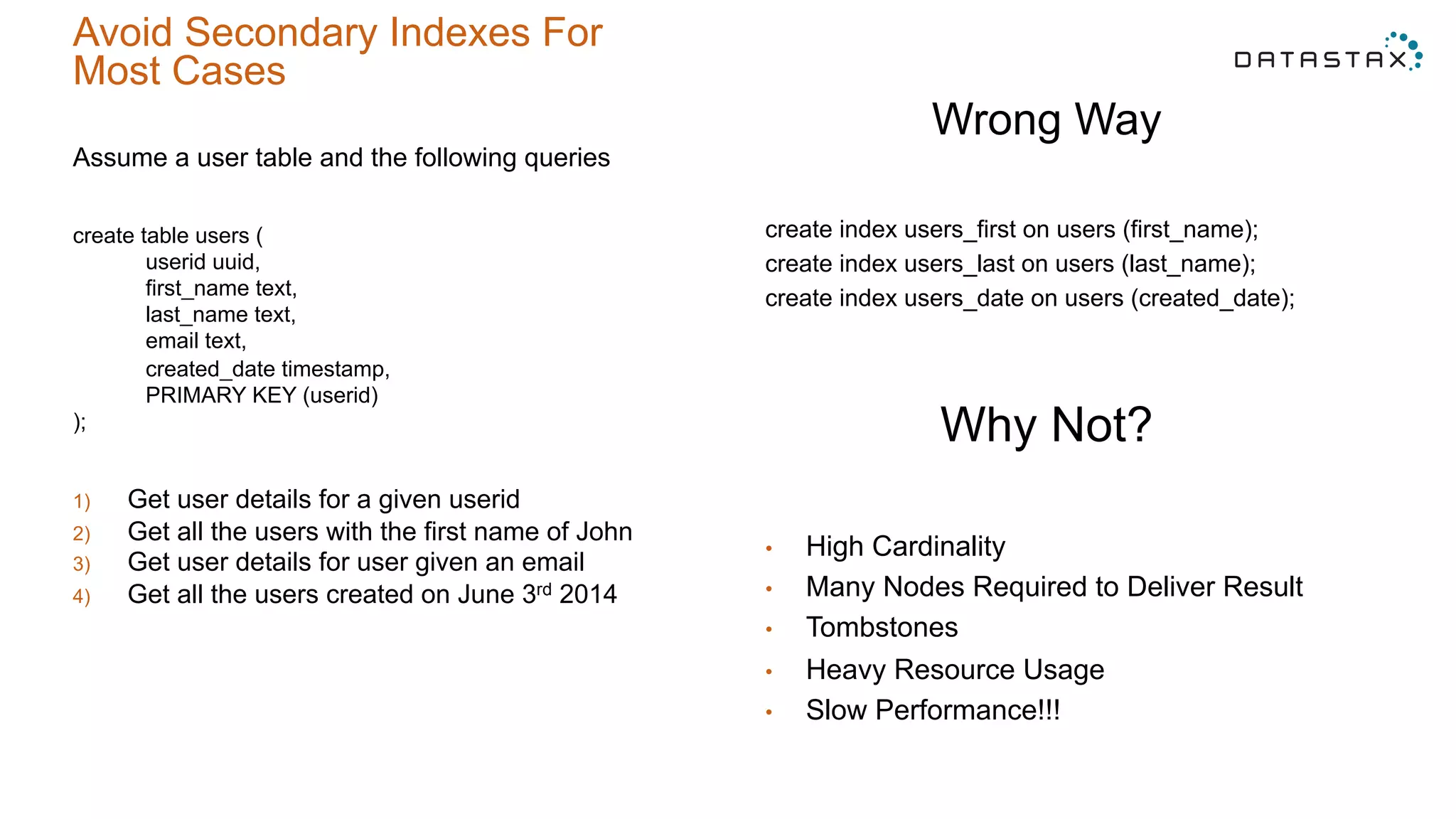
Avoid Secondary Indexes For
Most Cases
Assume a user table and the following queries
create table users (
userid uuid,
first_name text,
last_name text,
email text,
created_date timestamp,
PRIMARY KEY (userid)
);
1)  Get user details for a given userid
2)  Get all the users with the first name of John
3)  Get user details for user given an email
4)  Get all the users created on June 3rd 2014
Wrong Way
create index users_first on users (first_name);
create index users_last on users (last_name);
create index users_date on users (created_date);
Why Not?
•  High Cardinality
•  Many Nodes Required to Deliver Result
•  Tombstones
•  Heavy Resource Usage
•  Slow Performance!!!
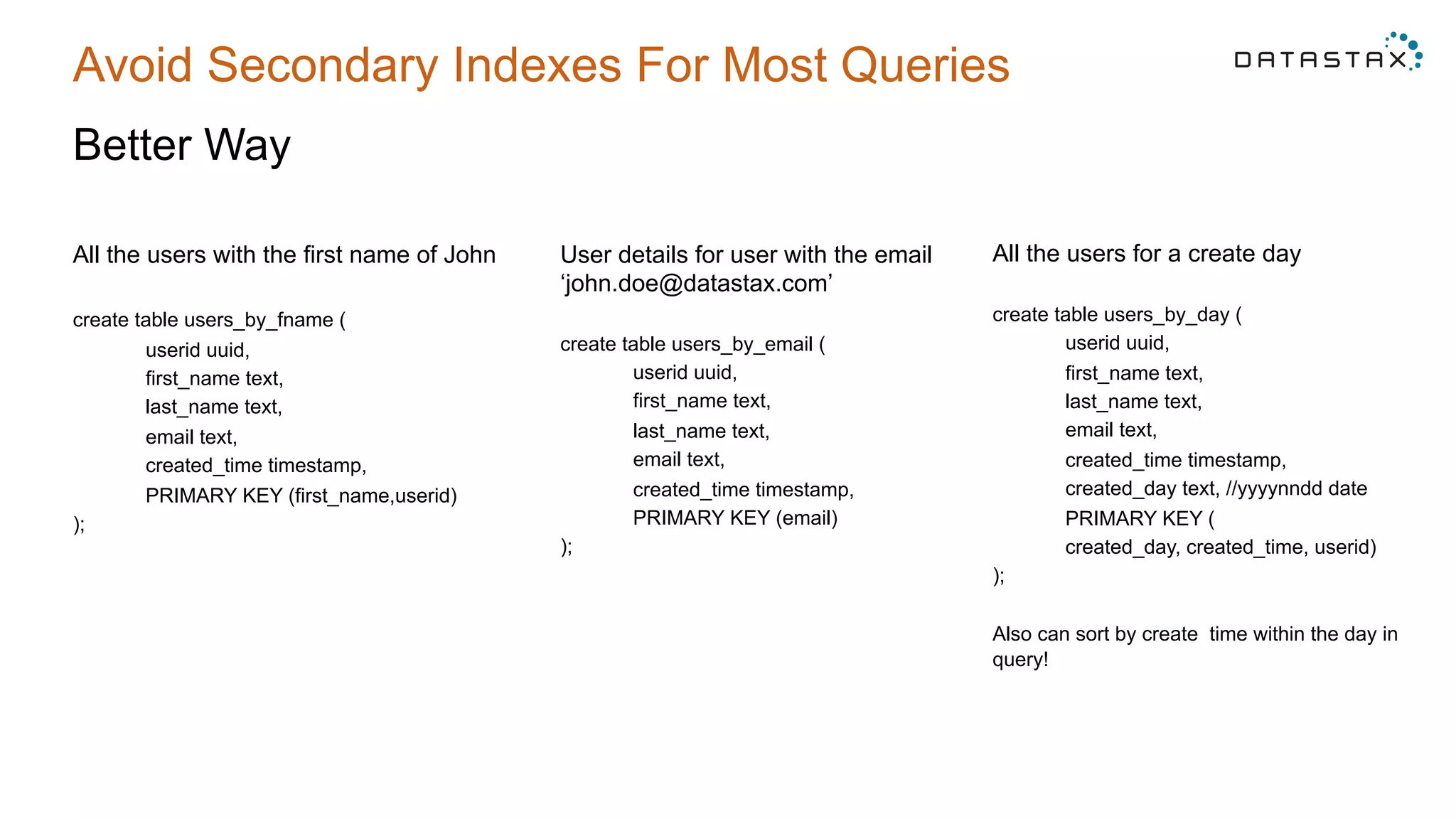
Avoid Secondary Indexes For Most Queries
Better Way
All the users with the first name of John
create table users_by_fname (
userid uuid,
first_name text,
last_name text,
email text,
created_time timestamp,
PRIMARY KEY (first_name,userid)
);
User details for user with the email
‘john.doe@datastax.com’
create table users_by_email (
userid uuid,
first_name text,
last_name text,
email text,
created_time timestamp,
PRIMARY KEY (email)
);
All the users for a create day
create table users_by_day (
userid uuid,
first_name text,
last_name text,
email text,
created_time timestamp,
created_day text, //yyyynndd date
PRIMARY KEY (
created_day, created_time, userid)
);
Also can sort by create time within the day in
query!
1 Data Modeling
2 Compaction
3 POC Mistakes
4 Hardware Selection
5 Two Common Anti-Patterns
Compaction Choices
Why Does It Matter?
•  Write performance
•  Read Performance
•  Sizing impact – different free space requirements
What Are my Options?
•  Size Tiered
•  Leveled
•  Date Tiered
Compaction Choices
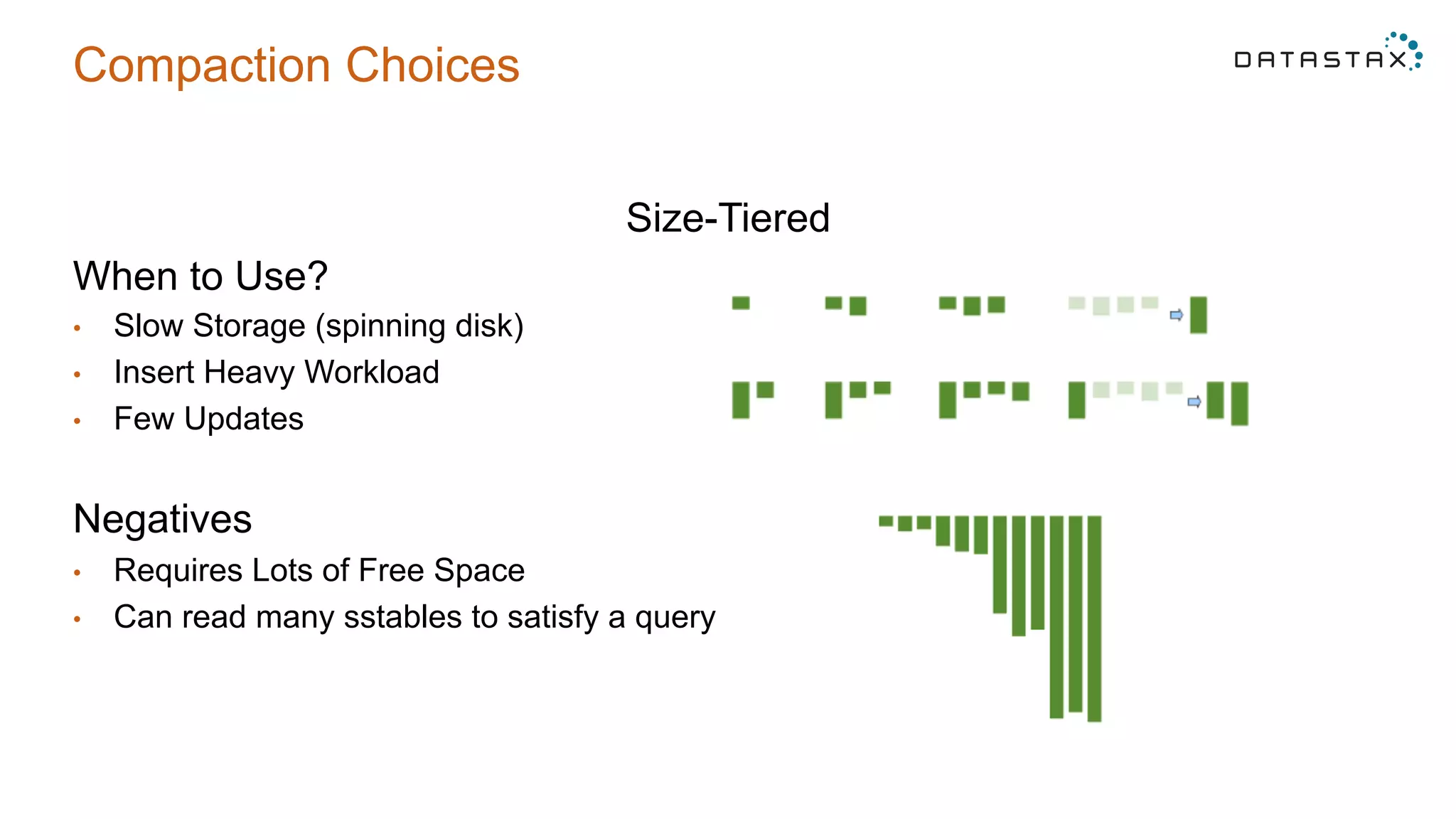
Size-Tiered
When to Use?
•  Slow Storage (spinning disk)
•  Insert Heavy Workload
•  Few Updates
Negatives
•  Requires Lots of Free Space
•  Can read many sstables to satisfy a query
Compaction Choices
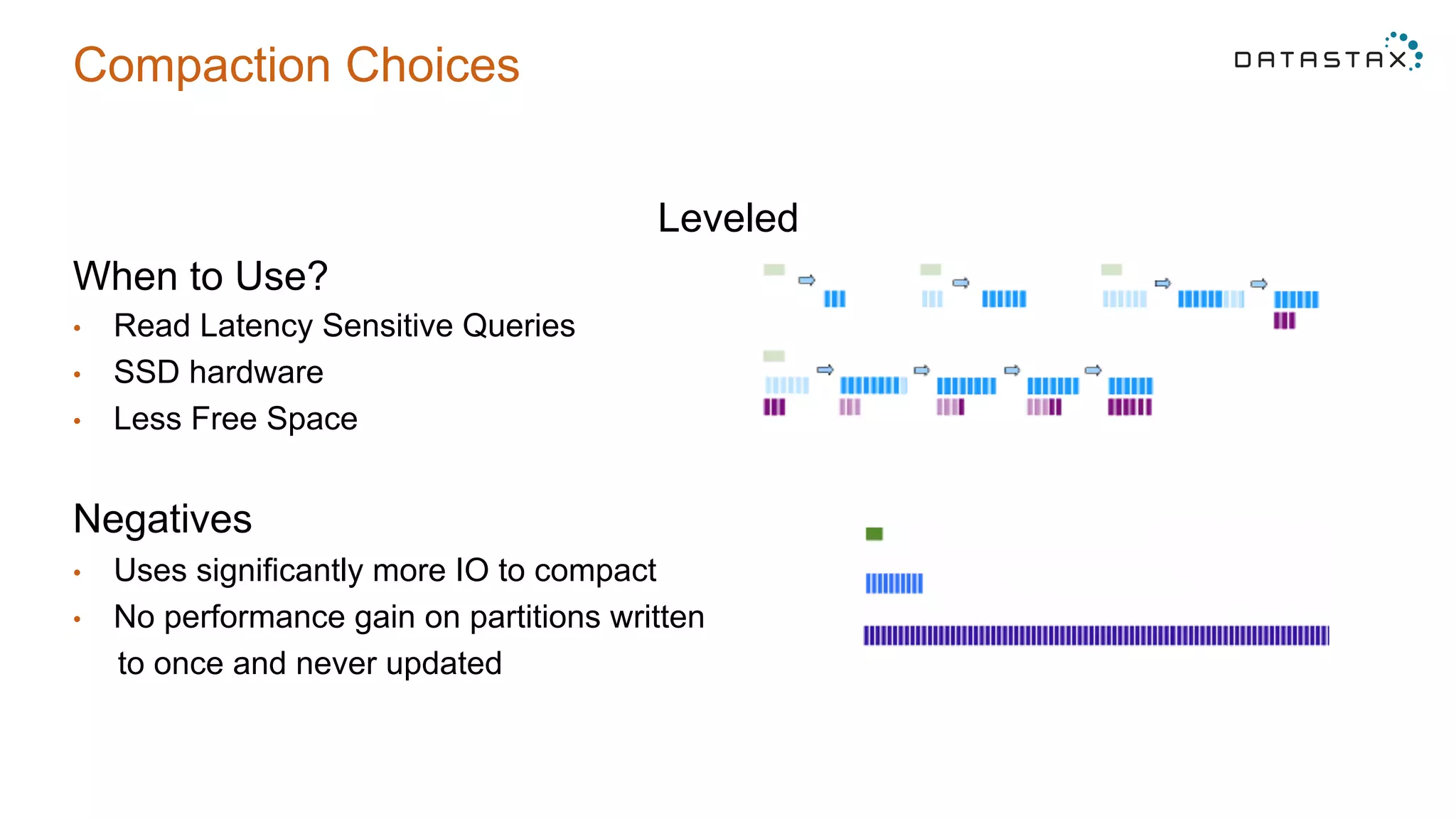
Leveled
When to Use?
•  Read Latency Sensitive Queries
•  SSD hardware
•  Less Free Space
Negatives
•  Uses significantly more IO to compact
•  No performance gain on partitions written
to once and never updated
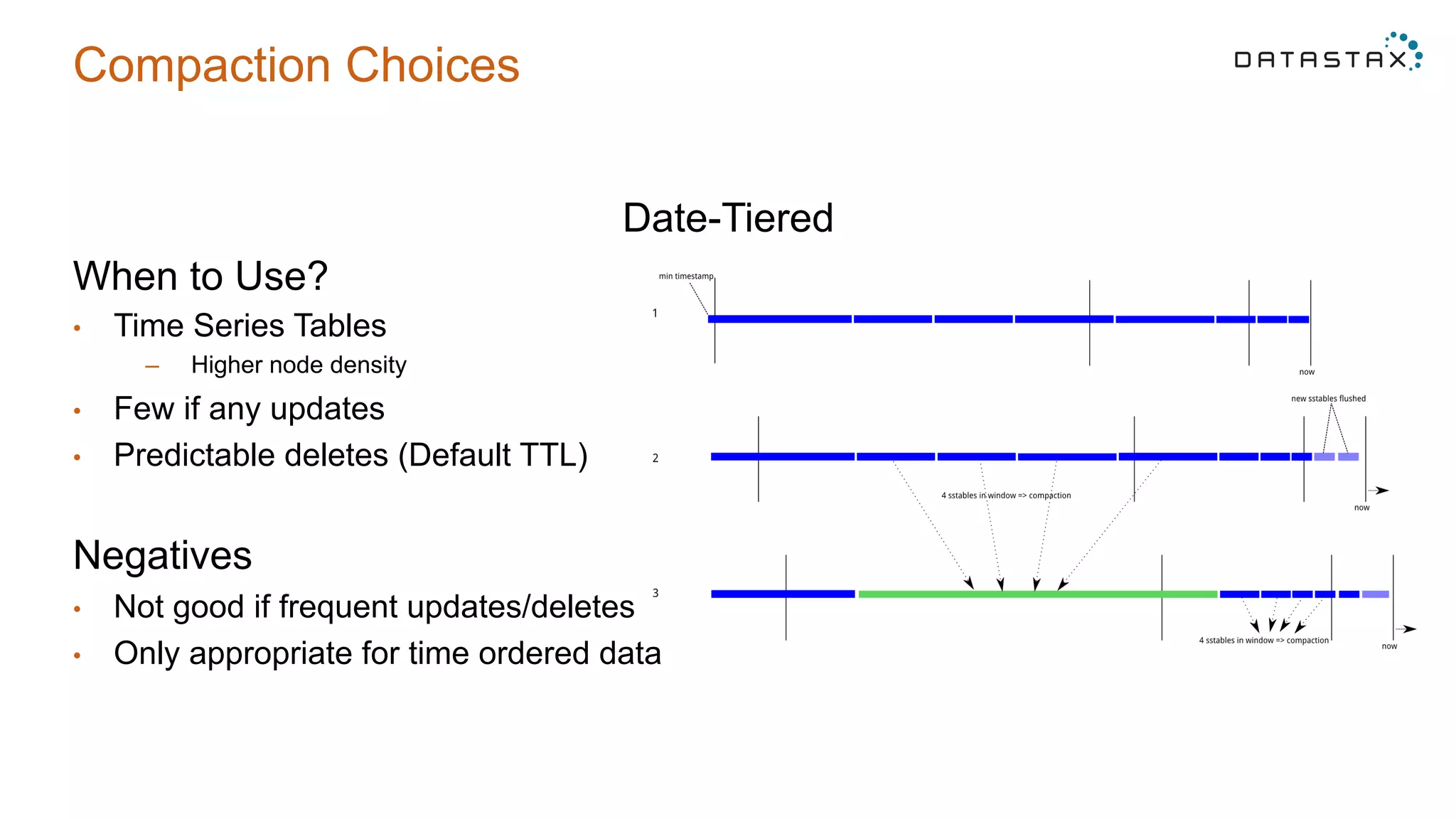
Compaction Choices
Date-Tiered
When to Use?
•  Time Series Tables
–  Higher node density
•  Few if any updates
•  Predictable deletes (Default TTL)
Negatives
•  Not good if frequent updates/deletes
•  Only appropriate for time ordered data
1 Data Modeling
2 Compaction
3 POC Mistakes
4 Hardware Selection
5 Two Common Anti-Patterns
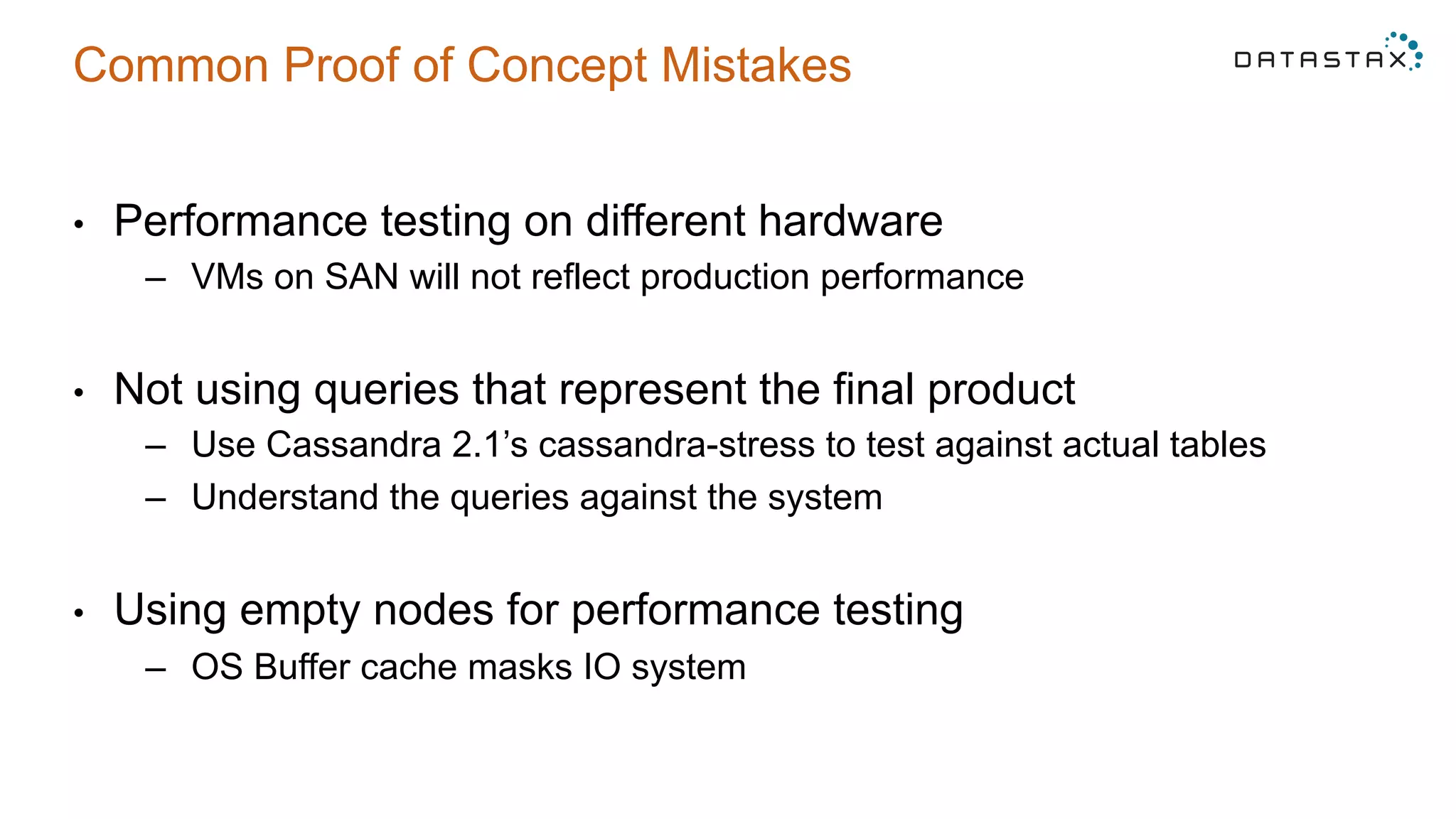
Common Proof of Concept Mistakes
•  Performance testing on different hardware
–  VMs on SAN will not reflect production performance
•  Not using queries that represent the final product
–  Use Cassandra 2.1’s cassandra-stress to test against actual tables
–  Understand the queries against the system
•  Using empty nodes for performance testing
–  OS Buffer cache masks IO system
1 Data Modeling
2 Compaction
3 POC Mistakes
4 Hardware Selection
5 Two Common Anti-Patterns
Hardware
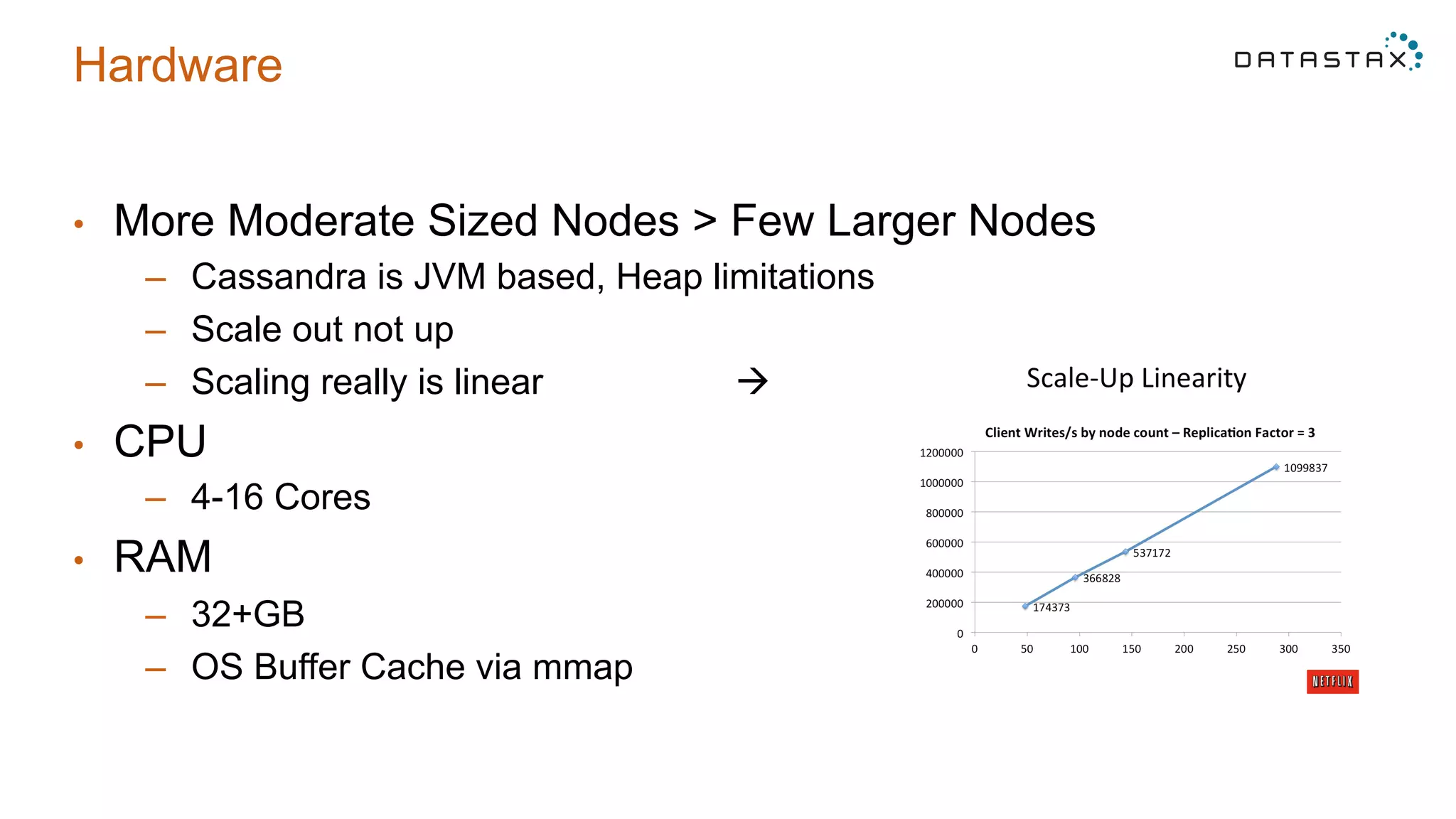
•  More Moderate Sized Nodes > Few Larger Nodes
–  Cassandra is JVM based, Heap limitations
–  Scale out not up
–  Scaling really is linear à
•  CPU
–  4-16 Cores
•  RAM
–  32+GB
–  OS Buffer Cache via mmap
Hardware
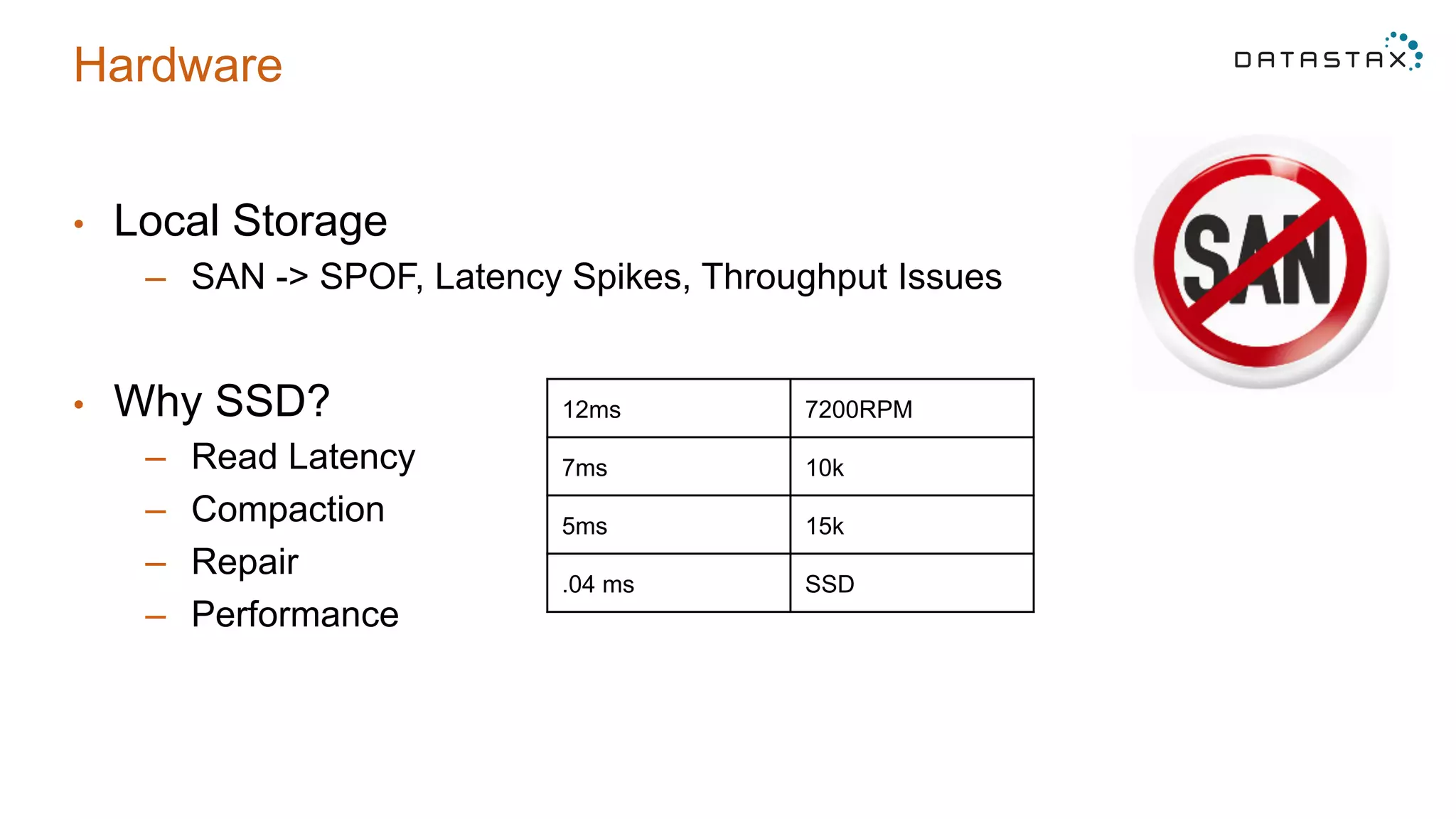
•  Local Storage
–  SAN -> SPOF, Latency Spikes, Throughput Issues
•  Why SSD?
–  Read Latency
–  Compaction
–  Repair
–  Performance
12ms 7200RPM
7ms 10k
5ms 15k
.04 ms SSD
1 Data Modeling
2 Compaction
3 POC Mistakes
4 Hardware Selection
5 Two Common Anti-Patterns
Loading Data via Batch
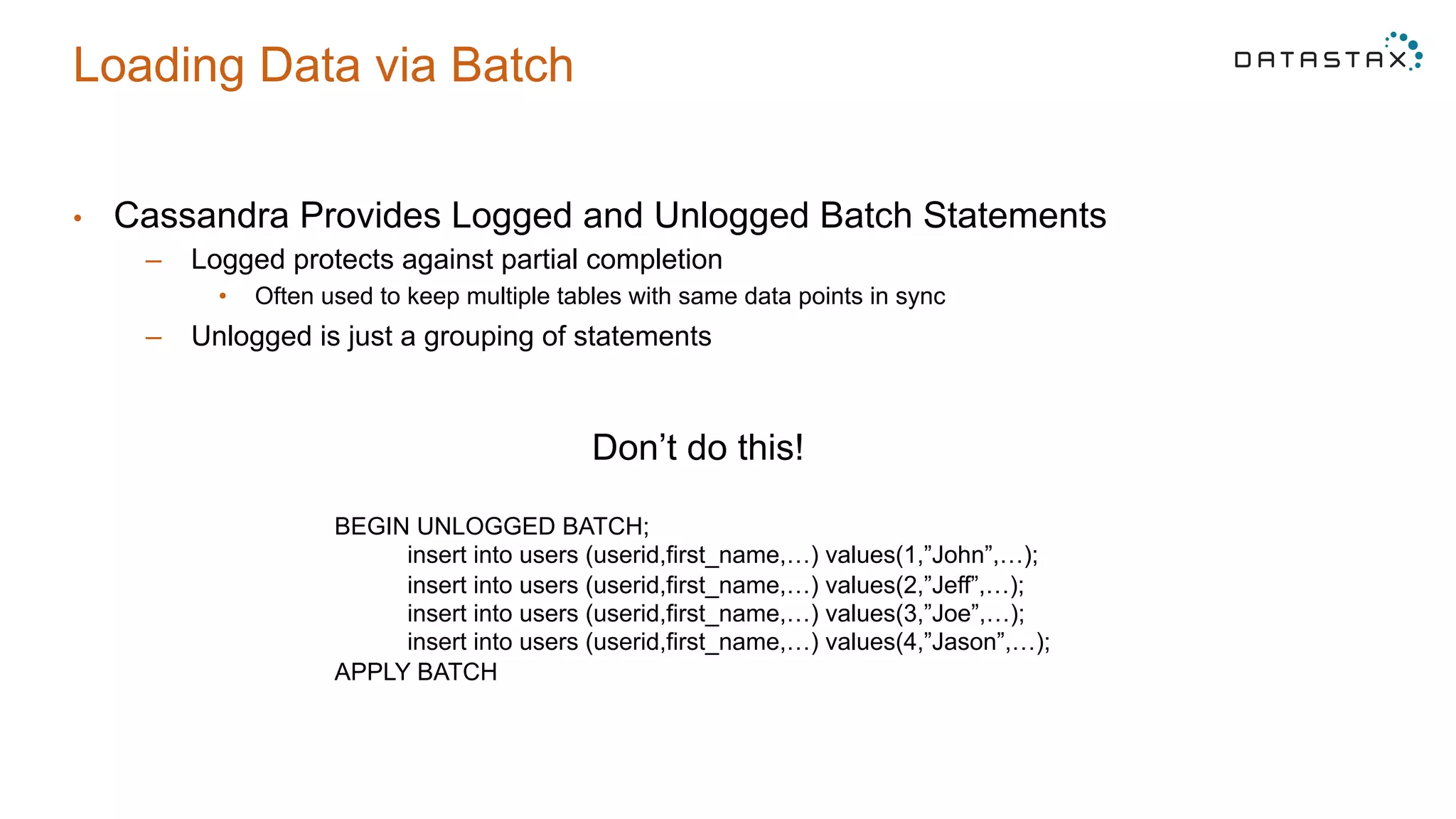
•  Cassandra Provides Logged and Unlogged Batch Statements
–  Logged protects against partial completion
•  Often used to keep multiple tables with same data points in sync
–  Unlogged is just a grouping of statements
Don’t do this!
BEGIN UNLOGGED BATCH;
insert into users (userid,first_name,…) values(1,”John”,…);
insert into users (userid,first_name,…) values(2,”Jeff”,…);
insert into users (userid,first_name,…) values(3,”Joe”,…);
insert into users (userid,first_name,…) values(4,”Jason”,…);
APPLY BATCH
Loading Data via Batch
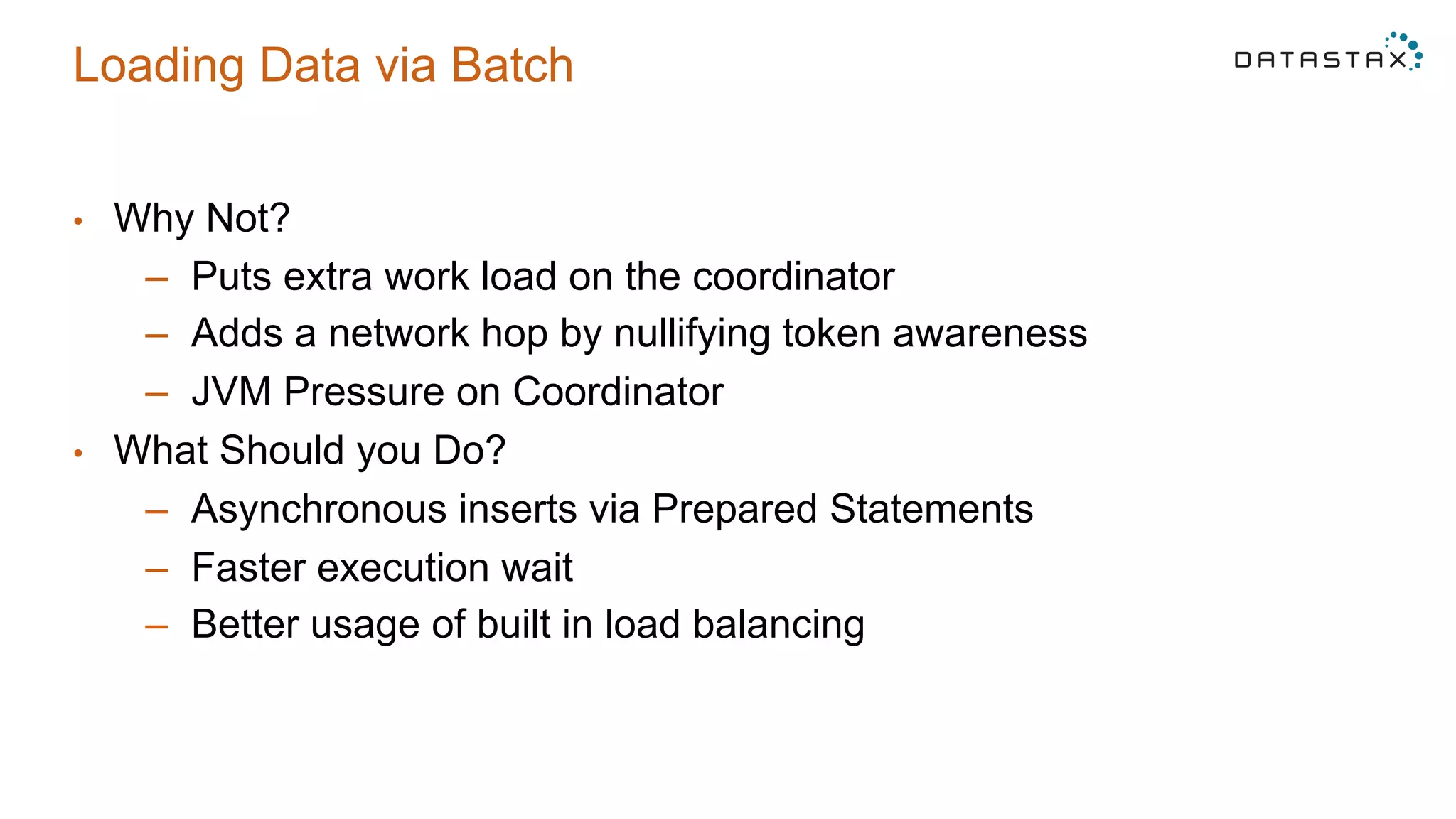
•  Why Not?
–  Puts extra work load on the coordinator
–  Adds a network hop by nullifying token awareness
–  JVM Pressure on Coordinator
•  What Should you Do?
–  Asynchronous inserts via Prepared Statements
–  Faster execution wait
–  Better usage of built in load balancing
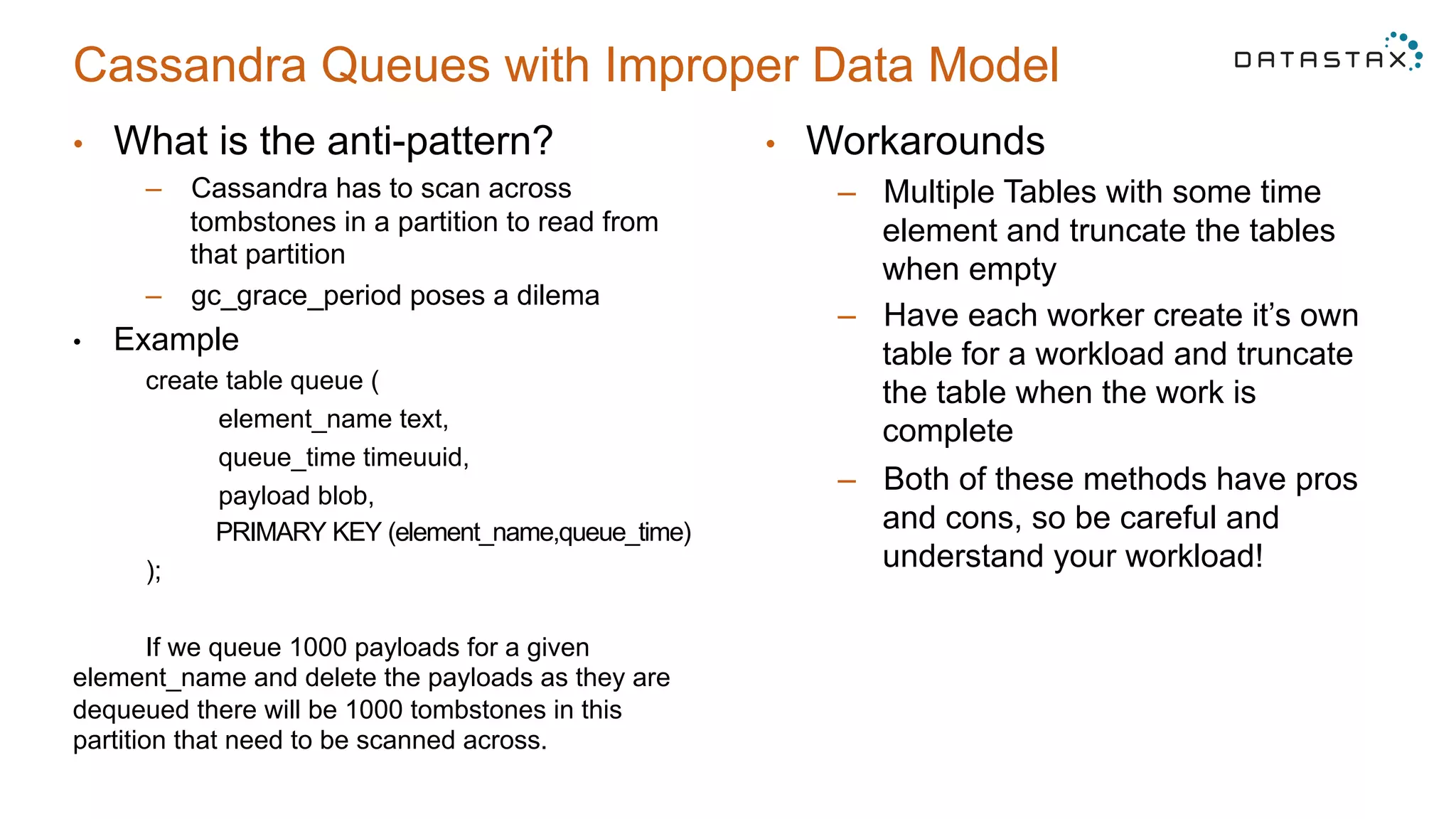
Cassandra Queues with Improper Data Model
•  What is the anti-pattern?
–  Cassandra has to scan across
tombstones in a partition to read from
that partition
–  gc_grace_period poses a dilema
•  Example
create table queue (
element_name text,
queue_time timeuuid,
payload blob,
PRIMARY KEY (element_name,queue_time)
);
If we queue 1000 payloads for a given
element_name and delete the payloads as they are
dequeued there will be 1000 tombstones in this
partition that need to be scanned across.
•  Workarounds
–  Multiple Tables with some time
element and truncate the tables
when empty
–  Have each worker create it’s own
table for a workload and truncate
the table when the work is
complete
–  Both of these methods have pros
and cons, so be careful and
understand your workload!
Questions?
Thank You
cgilmore@datastax.com

Cassandra Day Chicago 2015: Top 5 Tips/Tricks with Apache Cassandra and DSE

  • 1.
    Top 5 Tips& Tricks with Cassandra / DSE Cliff Gilmore Solution Engineer @ DataStax
  • 2.
    1 Data Modeling 2Compaction 3 POC Mistakes 4 Hardware Selection 5 Two Common Anti-Patterns
  • 3.
    Avoid Secondary IndexesFor Most Cases Assume a user table and the following queries create table users ( userid uuid, first_name text, last_name text, email text, created_date timestamp, PRIMARY KEY (userid) ); 1)  Get user details for a given userid 2)  Get all the users with the first name of John 3)  Get user details for user given an email 4)  Get all the users created on June 3rd 2014 Wrong Way create index users_first on users (first_name); create index users_last on users (last_name); create index users_date on users (created_date); Why Not? •  High Cardinality •  Many Nodes Required to Deliver Result •  Tombstones •  Heavy Resource Usage •  Slow Performance!!!
  • 4.
    Avoid Secondary IndexesFor Most Queries Better Way All the users with the first name of John create table users_by_fname ( userid uuid, first_name text, last_name text, email text, created_time timestamp, PRIMARY KEY (first_name,userid) ); User details for user with the email ‘john.doe@datastax.com’ create table users_by_email ( userid uuid, first_name text, last_name text, email text, created_time timestamp, PRIMARY KEY (email) ); All the users for a create day create table users_by_day ( userid uuid, first_name text, last_name text, email text, created_time timestamp, created_day text, //yyyynndd date PRIMARY KEY ( created_day, created_time, userid) ); Also can sort by create time within the day in query!
  • 5.
    1 Data Modeling 2Compaction 3 POC Mistakes 4 Hardware Selection 5 Two Common Anti-Patterns
  • 6.
    Compaction Choices Why DoesIt Matter? •  Write performance •  Read Performance •  Sizing impact – different free space requirements What Are my Options? •  Size Tiered •  Leveled •  Date Tiered
  • 7.
    Compaction Choices Size-Tiered When toUse? •  Slow Storage (spinning disk) •  Insert Heavy Workload •  Few Updates Negatives •  Requires Lots of Free Space •  Can read many sstables to satisfy a query
  • 8.
    Compaction Choices Leveled When toUse? •  Read Latency Sensitive Queries •  SSD hardware •  Less Free Space Negatives •  Uses significantly more IO to compact •  No performance gain on partitions written to once and never updated
  • 9.
    Compaction Choices Date-Tiered When toUse? •  Time Series Tables –  Higher node density •  Few if any updates •  Predictable deletes (Default TTL) Negatives •  Not good if frequent updates/deletes •  Only appropriate for time ordered data
  • 10.
    1 Data Modeling 2Compaction 3 POC Mistakes 4 Hardware Selection 5 Two Common Anti-Patterns
  • 11.
    Common Proof ofConcept Mistakes •  Performance testing on different hardware –  VMs on SAN will not reflect production performance •  Not using queries that represent the final product –  Use Cassandra 2.1’s cassandra-stress to test against actual tables –  Understand the queries against the system •  Using empty nodes for performance testing –  OS Buffer cache masks IO system
  • 12.
    1 Data Modeling 2Compaction 3 POC Mistakes 4 Hardware Selection 5 Two Common Anti-Patterns
  • 13.
    Hardware •  More ModerateSized Nodes > Few Larger Nodes –  Cassandra is JVM based, Heap limitations –  Scale out not up –  Scaling really is linear à •  CPU –  4-16 Cores •  RAM –  32+GB –  OS Buffer Cache via mmap
  • 14.
    Hardware •  Local Storage – SAN -> SPOF, Latency Spikes, Throughput Issues •  Why SSD? –  Read Latency –  Compaction –  Repair –  Performance 12ms 7200RPM 7ms 10k 5ms 15k .04 ms SSD
  • 15.
    1 Data Modeling 2Compaction 3 POC Mistakes 4 Hardware Selection 5 Two Common Anti-Patterns
  • 16.
    Loading Data viaBatch •  Cassandra Provides Logged and Unlogged Batch Statements –  Logged protects against partial completion •  Often used to keep multiple tables with same data points in sync –  Unlogged is just a grouping of statements Don’t do this! BEGIN UNLOGGED BATCH; insert into users (userid,first_name,…) values(1,”John”,…); insert into users (userid,first_name,…) values(2,”Jeff”,…); insert into users (userid,first_name,…) values(3,”Joe”,…); insert into users (userid,first_name,…) values(4,”Jason”,…); APPLY BATCH
  • 17.
    Loading Data viaBatch •  Why Not? –  Puts extra work load on the coordinator –  Adds a network hop by nullifying token awareness –  JVM Pressure on Coordinator •  What Should you Do? –  Asynchronous inserts via Prepared Statements –  Faster execution wait –  Better usage of built in load balancing
  • 18.
    Cassandra Queues withImproper Data Model •  What is the anti-pattern? –  Cassandra has to scan across tombstones in a partition to read from that partition –  gc_grace_period poses a dilema •  Example create table queue ( element_name text, queue_time timeuuid, payload blob, PRIMARY KEY (element_name,queue_time) ); If we queue 1000 payloads for a given element_name and delete the payloads as they are dequeued there will be 1000 tombstones in this partition that need to be scanned across. •  Workarounds –  Multiple Tables with some time element and truncate the tables when empty –  Have each worker create it’s own table for a workload and truncate the table when the work is complete –  Both of these methods have pros and cons, so be careful and understand your workload!
  • 19.
  • 20.