
KNOWLEDGE MANAGEMENT SYSTEM (KMS)
AND
ONLINE ANALYTICAL PROCESSING (OLAP)
Presented By:
Samiksha Kale (17-I-108)
Siddhant Shirke (17-I-120)
Sneha Singh (17-I-121)
Rajeshwari Gudikandla
(17-I-132)
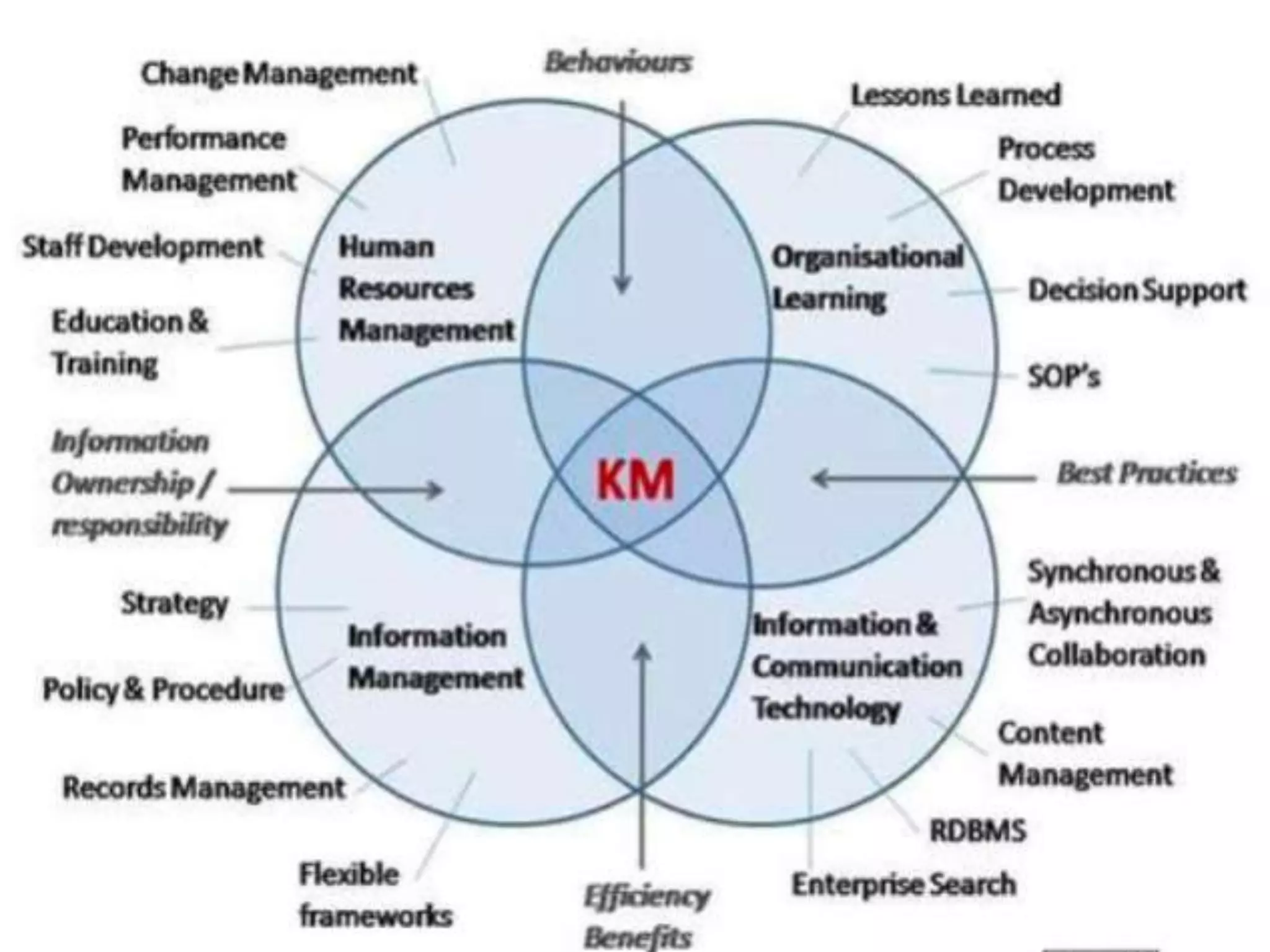
KNOWLEDGE MANAGEMENT SYSTEM
(KMS)
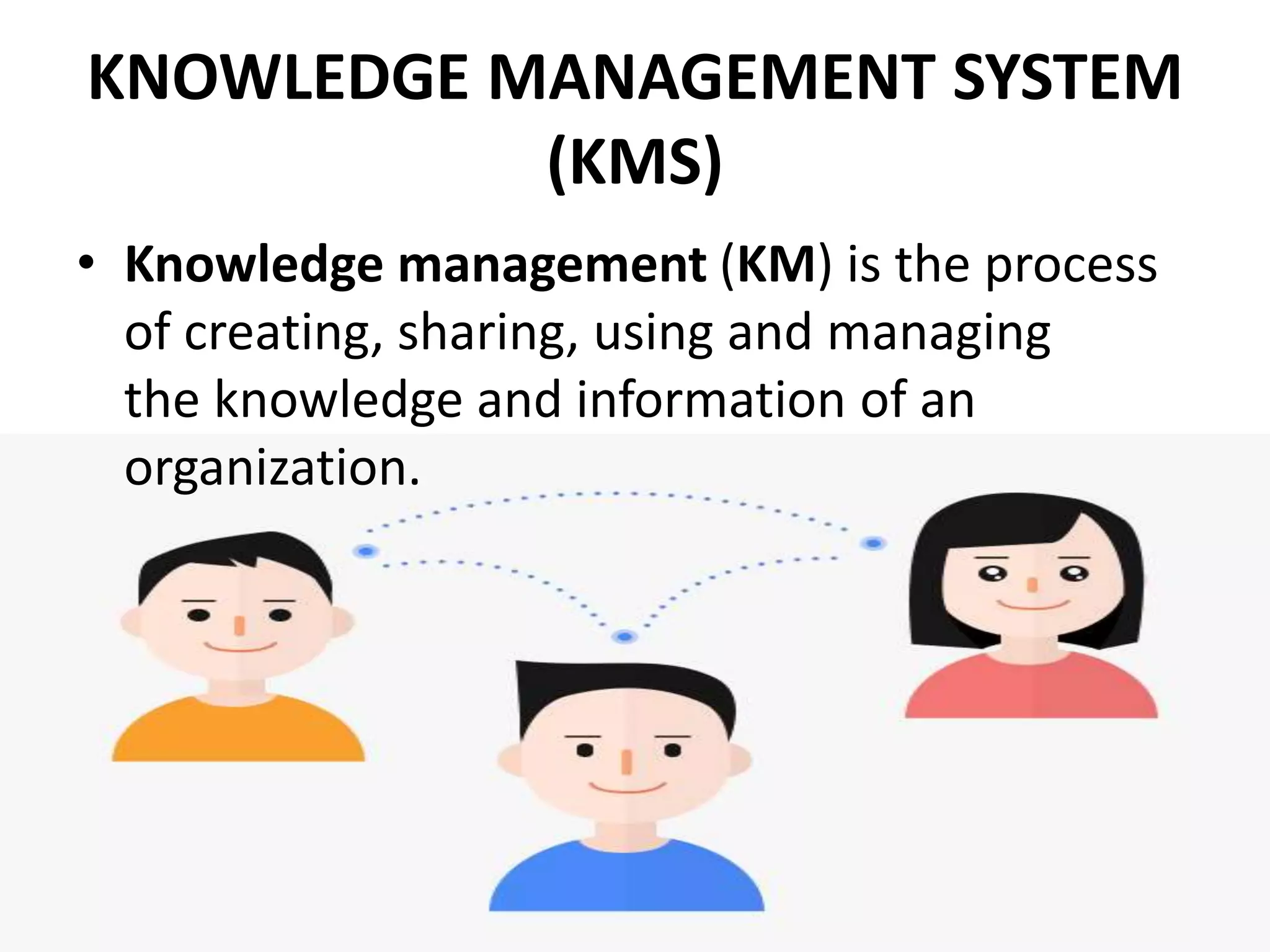
• Knowledge management (KM) is the process
of creating, sharing, using and managing
the knowledge and information of an
organization.
OBJECTIVES OF KMS
• Improved performance
• Competitive advantage
• Innovation
• Sharing of knowledge
• Integration
• Continuous improvement by:
– Driving strategy
– Starting new lines of business
– Solving problems faster
– Developing professional skills
– Recruit and retain talent
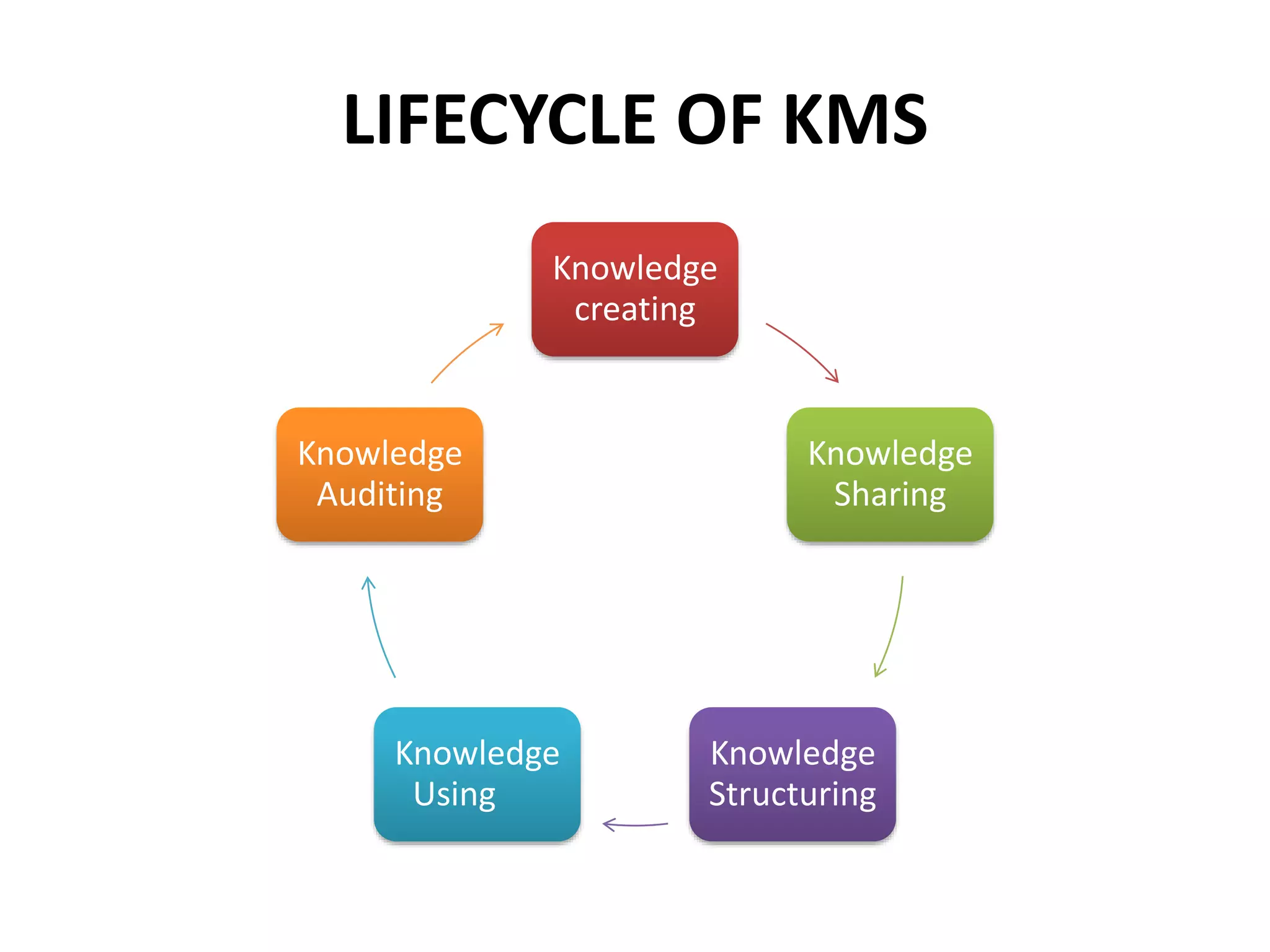
LIFECYCLE OF KMS
Knowledge
creating
Knowledge
Sharing
Knowledge
Structuring
Knowledge
Using
Knowledge
Auditing
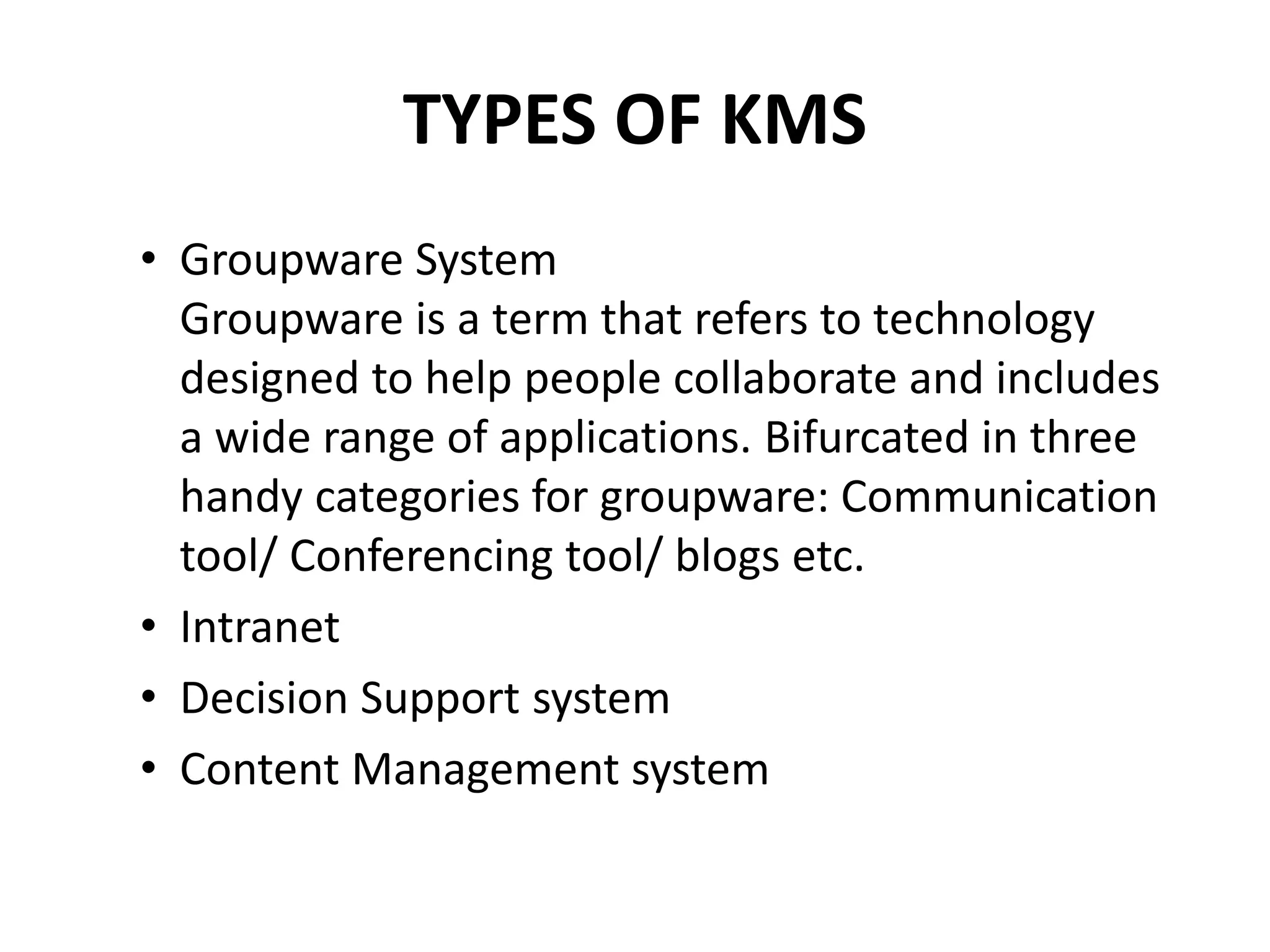
TYPES OF KMS
• Groupware System
Groupware is a term that refers to technology
designed to help people collaborate and includes
a wide range of applications. Bifurcated in three
handy categories for groupware: Communication
tool/ Conferencing tool/ blogs etc.
• Intranet
• Decision Support system
• Content Management system
CASE STUDY 1 - KMS
Building a Better Knowledge
Management for Customer Service
System
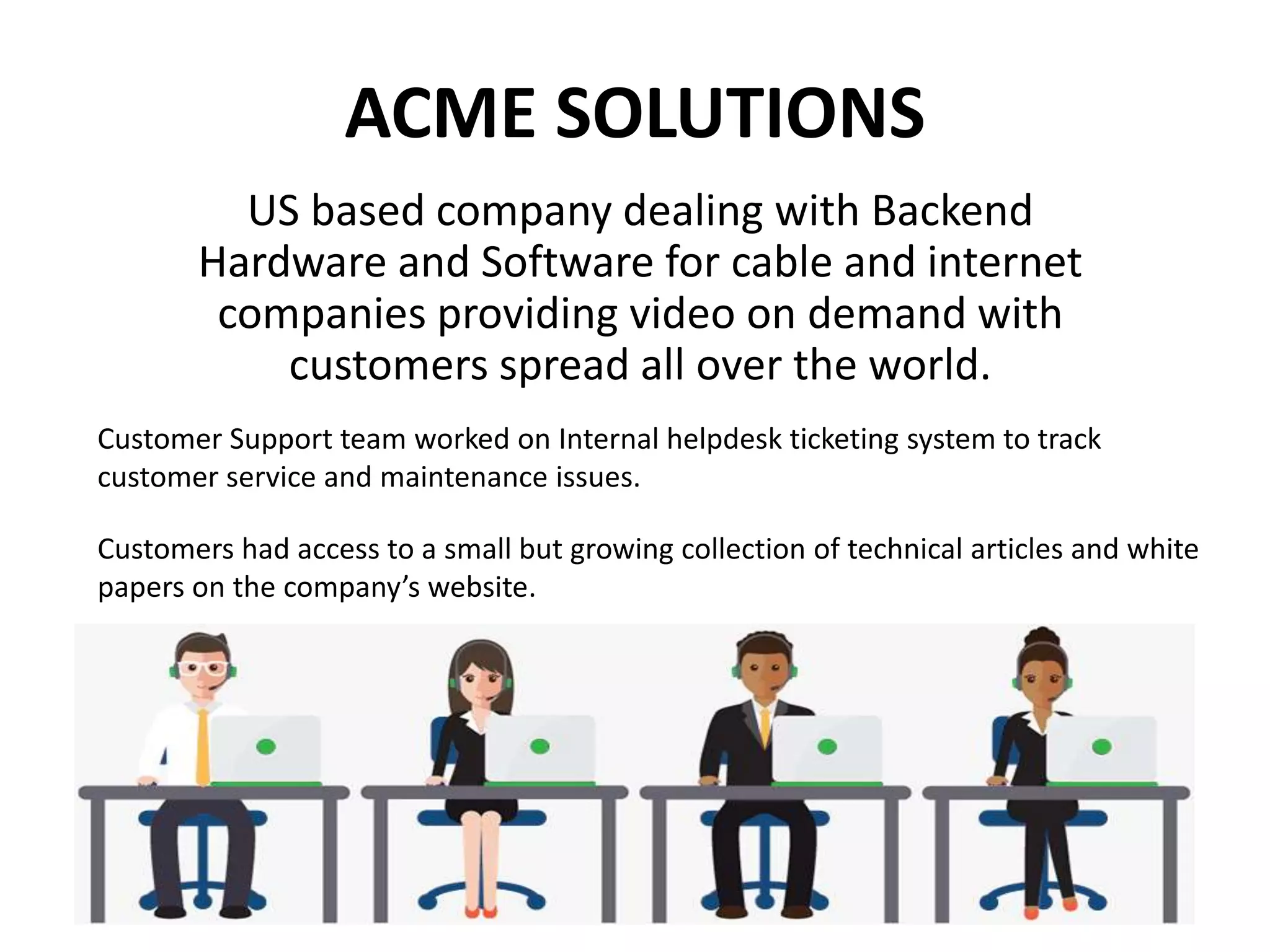
ACME SOLUTIONS
US based company dealing with Backend
Hardware and Software for cable and internet
companies providing video on demand with
customers spread all over the world.
Customer Support team worked on Internal helpdesk ticketing system to track
customer service and maintenance issues.
Customers had access to a small but growing collection of technical articles and white
papers on the company’s website.
PROBLEMS
• Insufficient to provide
customers more
information about their
issues and timely status
updates.
• Inadequate communication
channels among experts.
• Employees kept solutions to
themselves as sharing
would be an extra work for
them without any
incentives.
GOALS
• More timely information for
customers.
• Repository for issues and
solutions, accessible by both
internal and external
stakeholders.
• Customers can access and add
information to service tickets.
• Provide an incentive for
customer support persons to add
issues and solutions to the
knowledge base.
SYSTEM IMPLEMENTATION
– Modifying the helpdesk ticket system into a customer
service system.
– Implementing a KM system that would be accessible both
internally and externally
– Devising an incentive to encourage employees to add to
the KM system.
– Involvement of Customers in the planning, development,
and implementation stages.
– An adaptation of Agile Programming
HELPDESK TICKET SYSTEM
CHALLENGES
1. All entries including proprietary info
were visible to Customer.
2. Unable to access the most up-to-date
information.
3. Customers often performed system
maintenance and restarts in the night
and would report the results the next
day.
4. Several customers wanted the ability
to open a service ticket, and assign
their preferred technician.
5. Customer service system was
situated in the DMZ on the
company’s website. This requires
setting up an extranet and potentially
exposing some proprietary
information to public view.
SOLUTIONS IMPLEMENTED
1) System modified to add flags to
differentiate between the entries to be
or not to be seen by customers.
2) Customers appreciated not having to
wait until the support technician was
available so they could report the results
of the maintenance and have it entered
into the ticketing system;
3) This helped the customer support
technicians to be able to arrive at work
in the morning with an update from the
customer.
4) Not Applicable
5) Each customer had to register each of
their employees who needed access to
the system. Security logs were kept and
reviewed in order to ensure that
customers only tried to view their own
service tickets.
KNOWLEDGE MANAGEMENT SYSTEM
• A simple online knowledge base was created and populated with
initial articles and white papers.
• All articles were fully indexed, searchable, and viewable by both
internal and external stakeholders.
• The knowledge base was also situated in the DMZ on the company’s
website for which security arrangements were done.
• During the investigation of each issue, the help desk employees
were able to mark entries in each ticket as private or not shareable
with the customers.
• Each help desk ticket included links to any appropriate knowledge
base article.
• When working on an issue, help desk employees would refer to
appropriate knowledge base articles related to the issues.
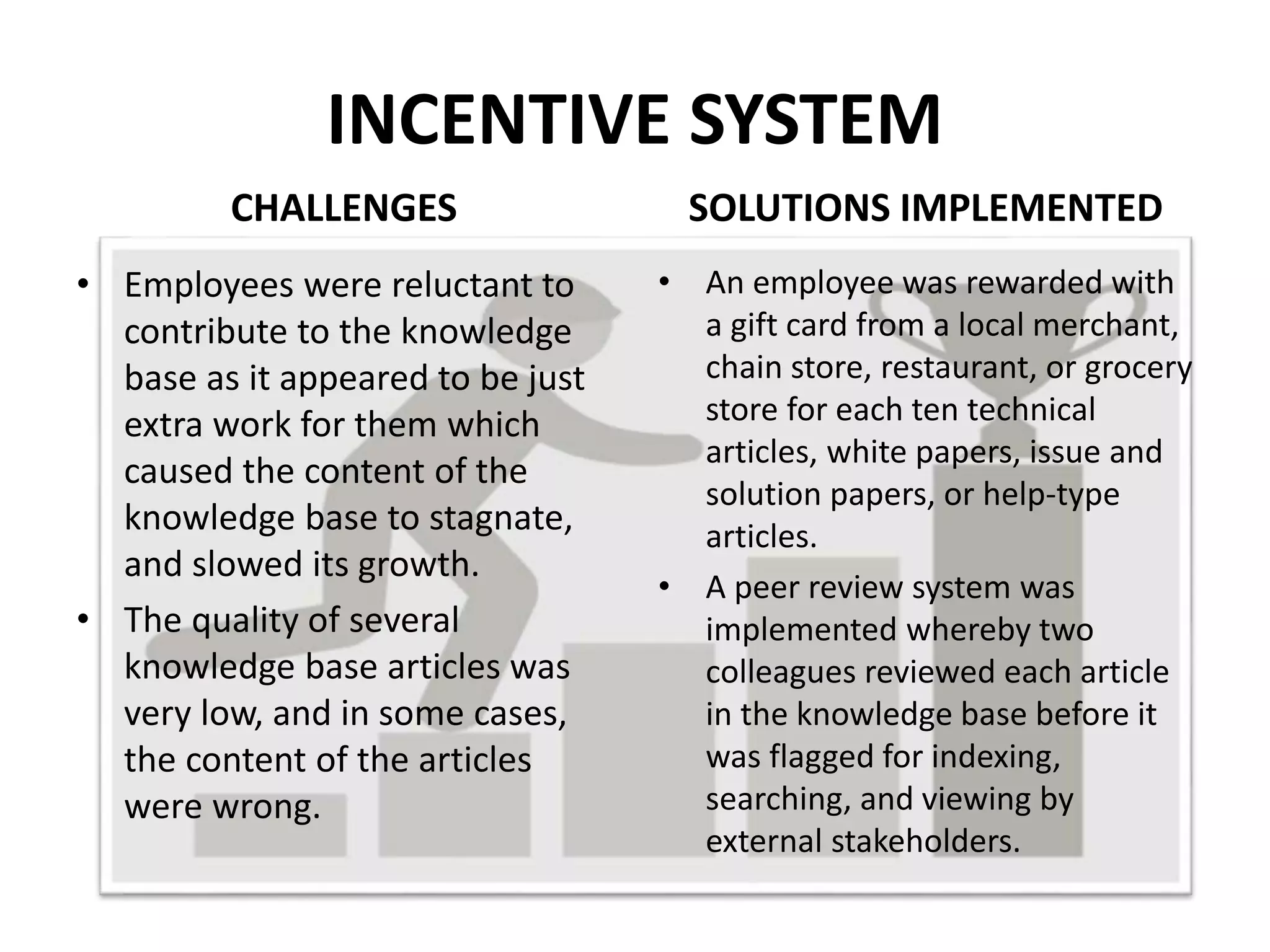
INCENTIVE SYSTEM
CHALLENGES
• Employees were reluctant to
contribute to the knowledge
base as it appeared to be just
extra work for them which
caused the content of the
knowledge base to stagnate,
and slowed its growth.
• The quality of several
knowledge base articles was
very low, and in some cases,
the content of the articles
were wrong.
SOLUTIONS IMPLEMENTED
• An employee was rewarded with
a gift card from a local merchant,
chain store, restaurant, or grocery
store for each ten technical
articles, white papers, issue and
solution papers, or help-type
articles.
• A peer review system was
implemented whereby two
colleagues reviewed each article
in the knowledge base before it
was flagged for indexing,
searching, and viewing by
external stakeholders.
RESULTS
• Better and Quicker Service
• Transparency
• Active Participation by customers
• Knowledge base became a useful repository
• Active Contribution by employees
• The user manuals are no longer printed, saving
thousands of dollars a year.
• Some employees contributed more articles is because
they handled and resolved more issues.
• Customer Loyalty
• More customers switched to ACME.
ONLINE ANALYTICAL PROCESSING
(OLAP)
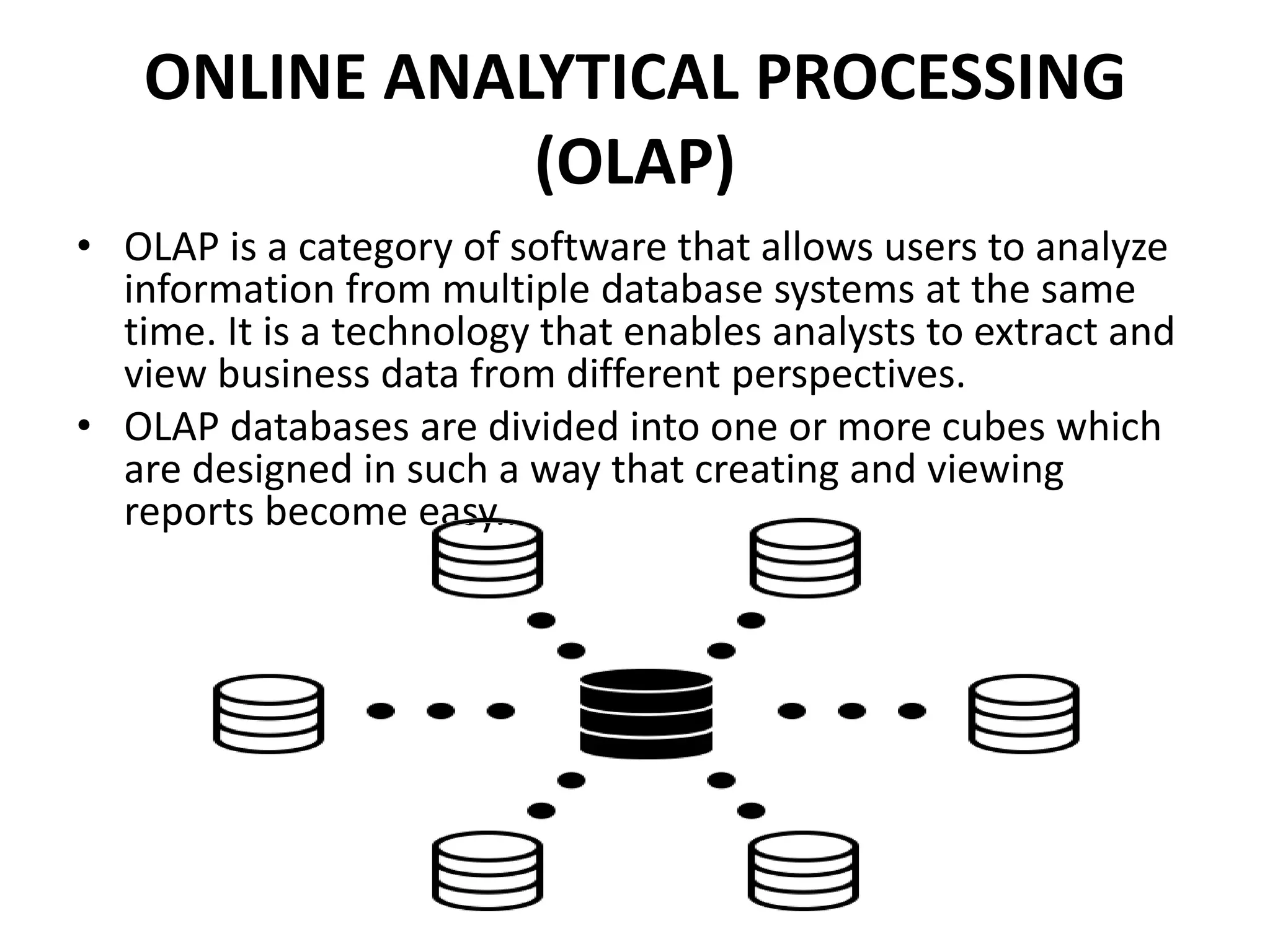
• OLAP is a category of software that allows users to analyze
information from multiple database systems at the same
time. It is a technology that enables analysts to extract and
view business data from different perspectives.
• OLAP databases are divided into one or more cubes which
are designed in such a way that creating and viewing
reports become easy..
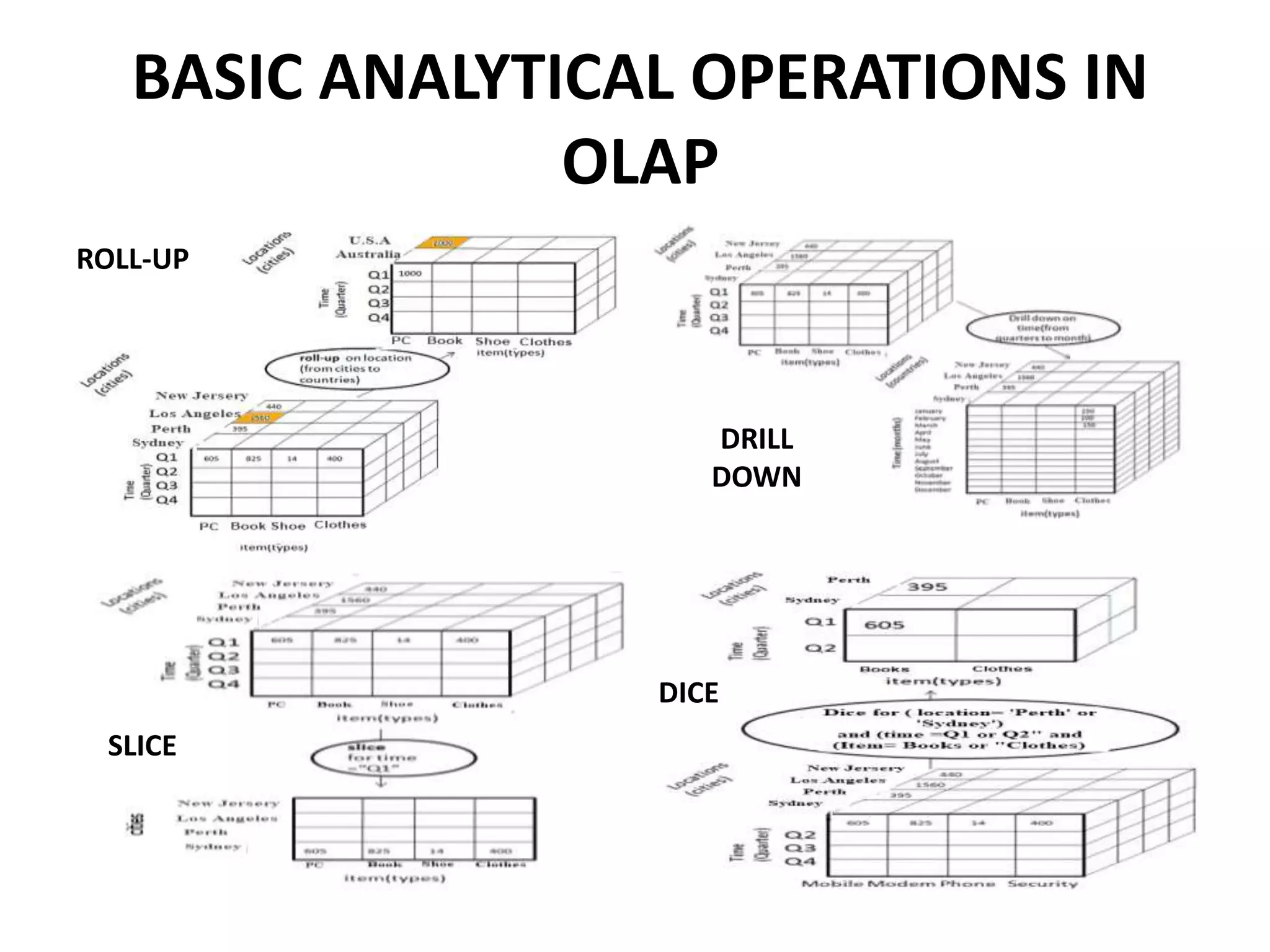
BASIC ANALYTICAL OPERATIONS IN
OLAP
ROLL-UP
DRILL
DOWN
SLICE
DICE
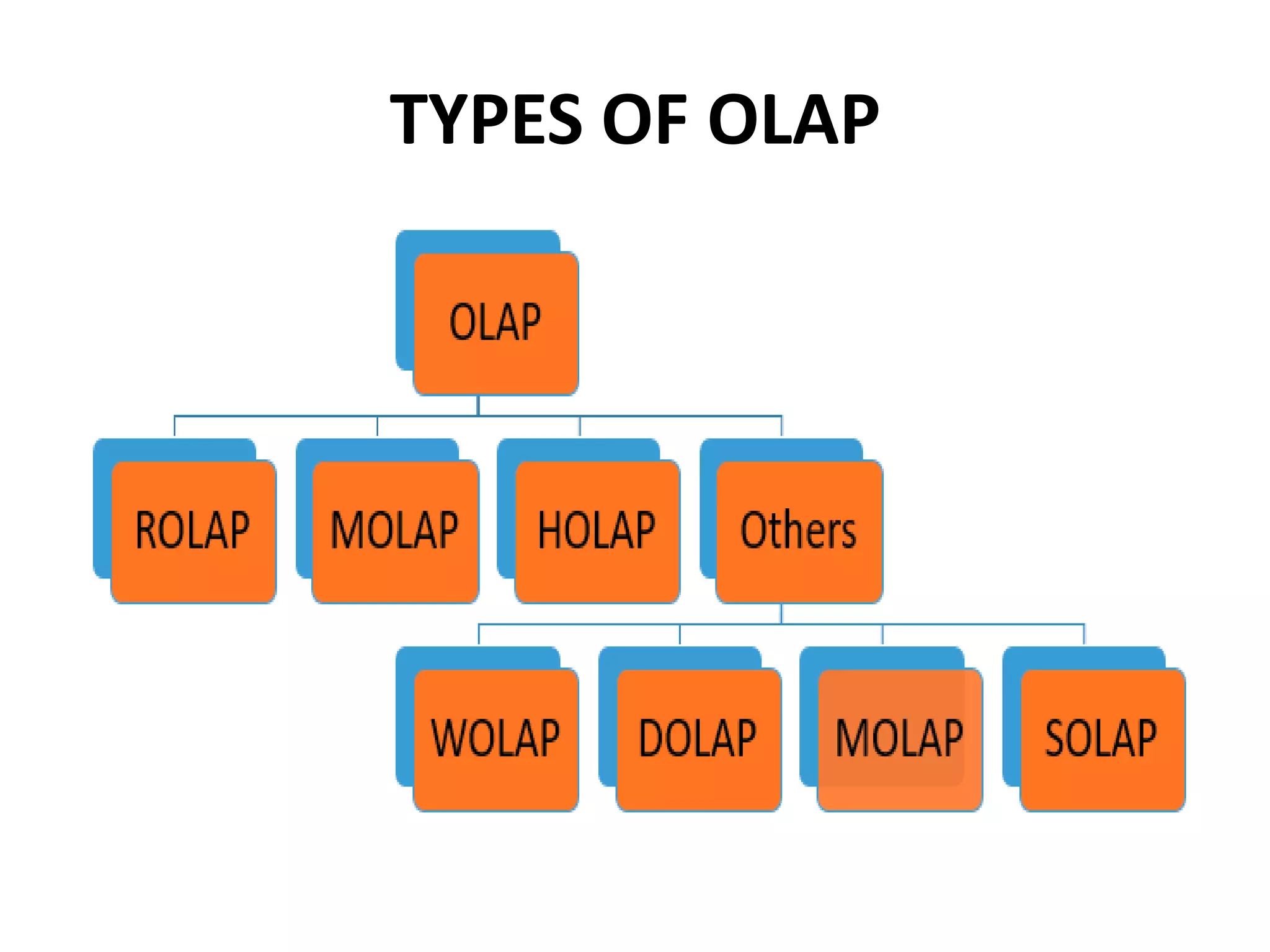
TYPES OF OLAP
OLAP (contd.)
ADVANTAGES
• For all type of businesses.
• Information and calculations are
consistent.
• "What if" scenarios.
• Easily search for broad or specific
terms.
• Acts as building blocks for business
modeling tools, Data mining tools,
performance reporting tools.
• Allows to slice and dice cube data all
by various dimensions, measures,
and filters.
• Good for analyzing time series.
• Finding some clusters and outliers.
• It is a powerful visualization online
analytical process system which
provides faster response times
DISADVANTAGES
• Requires organizing data into a star or
complicated snowflake schema.
• Cannot have large number of
dimensions in a single OLAP cube
• Transactional data cannot be
accessed with OLAP.
• Time-consuming process
CASE STUDY 2 - OLAP
Implementation of OLAP as a
reporting system
ABC LTD.
(PUBLIC SECTOR ORGANIZATION)
Australia based company comprising of
9,300 employees with an annual revenue
of A$1.5 billion.
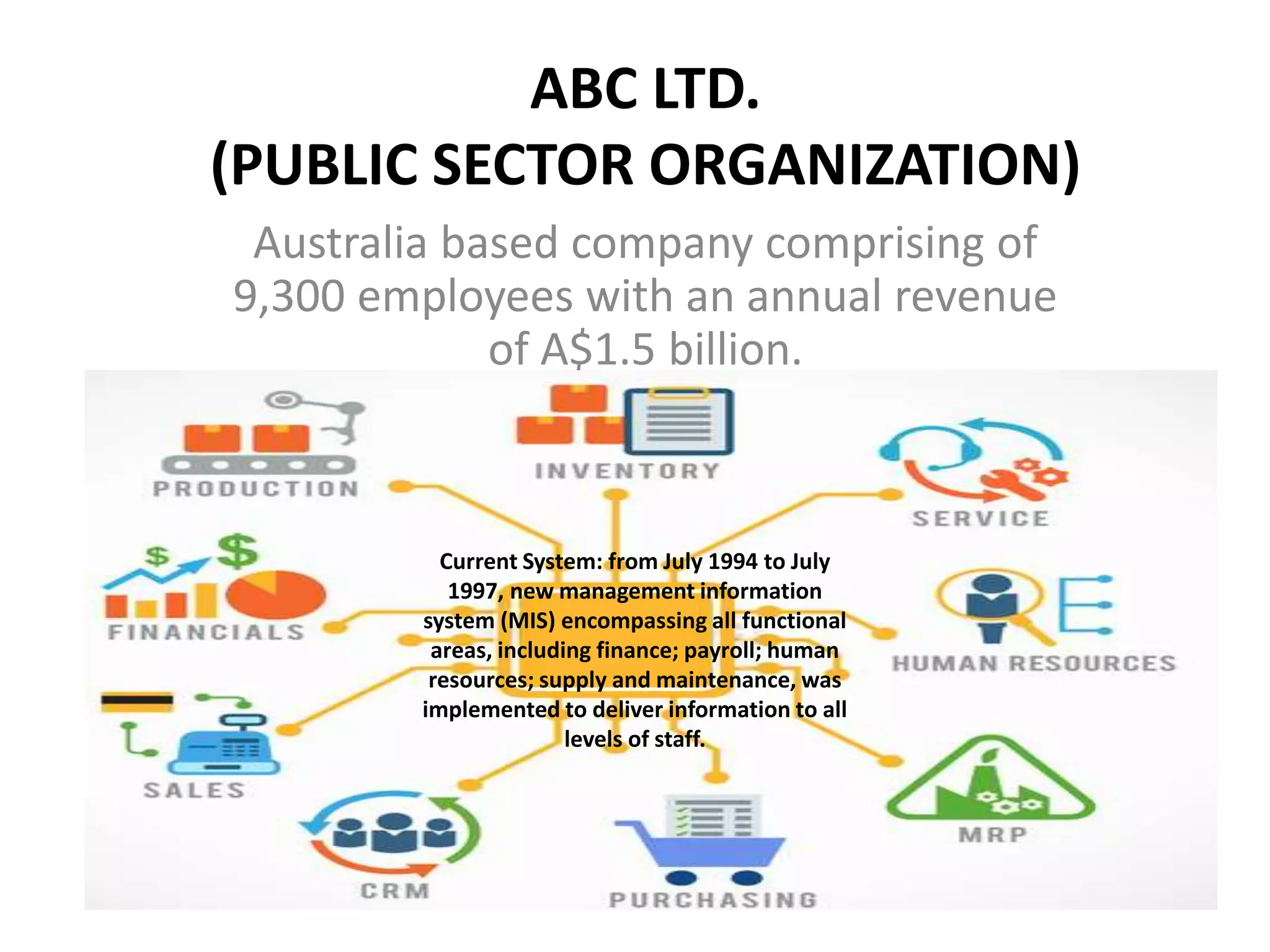
Current System: from July 1994 to July
1997, new management information
system (MIS) encompassing all functional
areas, including finance; payroll; human
resources; supply and maintenance, was
implemented to deliver information to all
levels of staff.
MANAGEMENT INFORMATION SYSTEM
CHALLENGES
• Available reporting tool is complex
and difficult to use.
• Report generation is slow.
• Screens are busy and are costly/
difficult to change.
• Lack of user friendly tools to extract
and download data.
SOLUTIONS IMPLEMENTED
• Since July 1997, an interim
spreadsheet-based (using
Microsoft Excel) solution
has been in operation.
EXCEL SOLUTION
CHALLENGES
• Complexity and logistics of reporting process/systems means less time and
commitment available for quality analysis.
• Cannot drill down to the underlying numbers in the reports.
• Maintenance of reporting templates and the processes or systems necessary
to generate and update forecasts is slow, complex, not properly documented
and reliant on one person.
OLAP IMPLEMENTATION
• The Corporate Finance Division (CFD) implemented a more
efficient, effective and robust financial reporting tool using
OLAP technology to meet the sophisticated reporting
requirements in ABC.
• In August 1998, the OLAP reporting system was fully
operational with improved speed and quality of information
available to management.
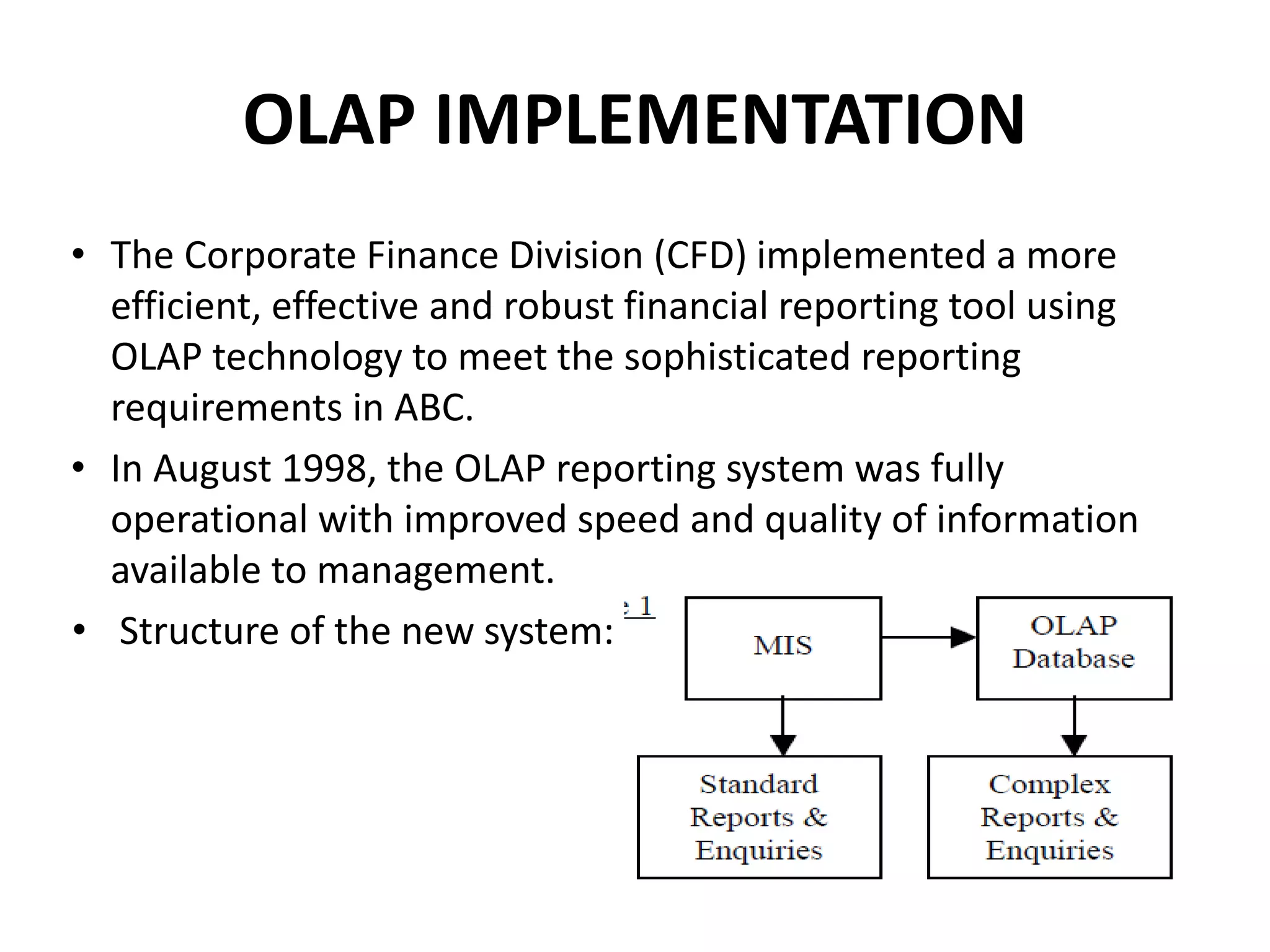
• Structure of the new system:
FEATURES OF THE NEW SYSTEM
• An OLAP database is linked to the MIS storing transactions
from different operational systems and it allows data to be
accessed by users on-line with extremely fast response times.
• It will allow users to drill down to the underlying data and
update forecasts directly in the OLAP database.
• The results of changes to forecasts will be available to all
levels of management immediately (on-line).
• Systems accountants are responsible for accessing the data
from the OLAP database and generating reports through the
creation of multi-dimensional models.
BENEFITS OF OLAP IMPLEMENTATION
• The two-dimensional AIS has been replaced by a sophisticated,
real-time multidimensional environment.
• Manipulating the various multi-dimensional cubes to produce
top-quality information to management.
• Less Time consuming.
• Provide better tools to analyze data more effectively and
efficiently.
• Reduced risk of undocumented and complex processes and
reliance on one person to maintain the systems.
• Streamline and simplify the maintenance of systems.
• Provide opportunities to implement improvements in other
areas such as budgeting and project reporting.
IMPLICATIONS
• Demonstrated the failure of the IT function to deliver satisfactory
and quality system solutions to the accounting users
• Accountants play a critical role to add value to the AIS through the
use of multidimensional reporting tools.
• It is clear that the "systems accounting" role has emerged in
today's organizations having intensive use of IT and further
research is required to develop solid theories.
• This role is certainly critical to the survival and success of firms
operating in today's competitive world.
• The systems accounting role in ABC include the following:
• Support and enhance MIS financial modules.
• Develop and support management reporting systems using
different state-of-the-art tools.
• Streamline and improve processes, systems and procedures.
• Assist line department plan, design, project, manage and
implement systems initiatives.
LESSONS LEARNT
• The IS role of accountants exists but is unclear. Further
research is required to investigate the empirical relationship
between the accounting and IS functions, especially on their
roles in different types and sizes of organizations.
• Accountants can complement any unsatisfactory IS services by
having a proactive attitude towards systems design and
development. Further research is necessary in exploring the
systems accounting role of accountants.
REFERENCES
• https://www.knowledge-management-tools.net/knowledge-management-systems.html
• https://www.knowledge-management-tools.net/groupware.php
• https://www.knowledge-management-tools.net/knowledge-management-systems.html
• https://www.guru99.com/online-analytical-processing.html
Case Study Presentation on KMS and OLAP

Case Study Presentation on KMS and OLAP

  • 1.
    KNOWLEDGE MANAGEMENT SYSTEM(KMS) AND ONLINE ANALYTICAL PROCESSING (OLAP)
  • 2.
    Presented By: Samiksha Kale(17-I-108) Siddhant Shirke (17-I-120) Sneha Singh (17-I-121) Rajeshwari Gudikandla (17-I-132)
  • 3.
    KNOWLEDGE MANAGEMENT SYSTEM (KMS) •Knowledge management (KM) is the process of creating, sharing, using and managing the knowledge and information of an organization.
  • 4.
    OBJECTIVES OF KMS •Improved performance • Competitive advantage • Innovation • Sharing of knowledge • Integration • Continuous improvement by: – Driving strategy – Starting new lines of business – Solving problems faster – Developing professional skills – Recruit and retain talent
  • 6.
  • 7.
    TYPES OF KMS •Groupware System Groupware is a term that refers to technology designed to help people collaborate and includes a wide range of applications. Bifurcated in three handy categories for groupware: Communication tool/ Conferencing tool/ blogs etc. • Intranet • Decision Support system • Content Management system
  • 8.
    CASE STUDY 1- KMS Building a Better Knowledge Management for Customer Service System
  • 9.
    ACME SOLUTIONS US basedcompany dealing with Backend Hardware and Software for cable and internet companies providing video on demand with customers spread all over the world. Customer Support team worked on Internal helpdesk ticketing system to track customer service and maintenance issues. Customers had access to a small but growing collection of technical articles and white papers on the company’s website.
  • 10.
    PROBLEMS • Insufficient toprovide customers more information about their issues and timely status updates. • Inadequate communication channels among experts. • Employees kept solutions to themselves as sharing would be an extra work for them without any incentives. GOALS • More timely information for customers. • Repository for issues and solutions, accessible by both internal and external stakeholders. • Customers can access and add information to service tickets. • Provide an incentive for customer support persons to add issues and solutions to the knowledge base.
  • 11.
    SYSTEM IMPLEMENTATION – Modifyingthe helpdesk ticket system into a customer service system. – Implementing a KM system that would be accessible both internally and externally – Devising an incentive to encourage employees to add to the KM system. – Involvement of Customers in the planning, development, and implementation stages. – An adaptation of Agile Programming
  • 12.
    HELPDESK TICKET SYSTEM CHALLENGES 1.All entries including proprietary info were visible to Customer. 2. Unable to access the most up-to-date information. 3. Customers often performed system maintenance and restarts in the night and would report the results the next day. 4. Several customers wanted the ability to open a service ticket, and assign their preferred technician. 5. Customer service system was situated in the DMZ on the company’s website. This requires setting up an extranet and potentially exposing some proprietary information to public view. SOLUTIONS IMPLEMENTED 1) System modified to add flags to differentiate between the entries to be or not to be seen by customers. 2) Customers appreciated not having to wait until the support technician was available so they could report the results of the maintenance and have it entered into the ticketing system; 3) This helped the customer support technicians to be able to arrive at work in the morning with an update from the customer. 4) Not Applicable 5) Each customer had to register each of their employees who needed access to the system. Security logs were kept and reviewed in order to ensure that customers only tried to view their own service tickets.
  • 13.
    KNOWLEDGE MANAGEMENT SYSTEM •A simple online knowledge base was created and populated with initial articles and white papers. • All articles were fully indexed, searchable, and viewable by both internal and external stakeholders. • The knowledge base was also situated in the DMZ on the company’s website for which security arrangements were done. • During the investigation of each issue, the help desk employees were able to mark entries in each ticket as private or not shareable with the customers. • Each help desk ticket included links to any appropriate knowledge base article. • When working on an issue, help desk employees would refer to appropriate knowledge base articles related to the issues.
  • 14.
    INCENTIVE SYSTEM CHALLENGES • Employeeswere reluctant to contribute to the knowledge base as it appeared to be just extra work for them which caused the content of the knowledge base to stagnate, and slowed its growth. • The quality of several knowledge base articles was very low, and in some cases, the content of the articles were wrong. SOLUTIONS IMPLEMENTED • An employee was rewarded with a gift card from a local merchant, chain store, restaurant, or grocery store for each ten technical articles, white papers, issue and solution papers, or help-type articles. • A peer review system was implemented whereby two colleagues reviewed each article in the knowledge base before it was flagged for indexing, searching, and viewing by external stakeholders.
  • 15.
    RESULTS • Better andQuicker Service • Transparency • Active Participation by customers • Knowledge base became a useful repository • Active Contribution by employees • The user manuals are no longer printed, saving thousands of dollars a year. • Some employees contributed more articles is because they handled and resolved more issues. • Customer Loyalty • More customers switched to ACME.
  • 16.
    ONLINE ANALYTICAL PROCESSING (OLAP) •OLAP is a category of software that allows users to analyze information from multiple database systems at the same time. It is a technology that enables analysts to extract and view business data from different perspectives. • OLAP databases are divided into one or more cubes which are designed in such a way that creating and viewing reports become easy..
  • 17.
    BASIC ANALYTICAL OPERATIONSIN OLAP ROLL-UP DRILL DOWN SLICE DICE
  • 18.
  • 19.
    OLAP (contd.) ADVANTAGES • Forall type of businesses. • Information and calculations are consistent. • "What if" scenarios. • Easily search for broad or specific terms. • Acts as building blocks for business modeling tools, Data mining tools, performance reporting tools. • Allows to slice and dice cube data all by various dimensions, measures, and filters. • Good for analyzing time series. • Finding some clusters and outliers. • It is a powerful visualization online analytical process system which provides faster response times DISADVANTAGES • Requires organizing data into a star or complicated snowflake schema. • Cannot have large number of dimensions in a single OLAP cube • Transactional data cannot be accessed with OLAP. • Time-consuming process
  • 20.
    CASE STUDY 2- OLAP Implementation of OLAP as a reporting system
  • 21.
    ABC LTD. (PUBLIC SECTORORGANIZATION) Australia based company comprising of 9,300 employees with an annual revenue of A$1.5 billion. Current System: from July 1994 to July 1997, new management information system (MIS) encompassing all functional areas, including finance; payroll; human resources; supply and maintenance, was implemented to deliver information to all levels of staff.
  • 22.
    MANAGEMENT INFORMATION SYSTEM CHALLENGES •Available reporting tool is complex and difficult to use. • Report generation is slow. • Screens are busy and are costly/ difficult to change. • Lack of user friendly tools to extract and download data. SOLUTIONS IMPLEMENTED • Since July 1997, an interim spreadsheet-based (using Microsoft Excel) solution has been in operation. EXCEL SOLUTION CHALLENGES • Complexity and logistics of reporting process/systems means less time and commitment available for quality analysis. • Cannot drill down to the underlying numbers in the reports. • Maintenance of reporting templates and the processes or systems necessary to generate and update forecasts is slow, complex, not properly documented and reliant on one person.
  • 23.
    OLAP IMPLEMENTATION • TheCorporate Finance Division (CFD) implemented a more efficient, effective and robust financial reporting tool using OLAP technology to meet the sophisticated reporting requirements in ABC. • In August 1998, the OLAP reporting system was fully operational with improved speed and quality of information available to management. • Structure of the new system:
  • 24.
    FEATURES OF THENEW SYSTEM • An OLAP database is linked to the MIS storing transactions from different operational systems and it allows data to be accessed by users on-line with extremely fast response times. • It will allow users to drill down to the underlying data and update forecasts directly in the OLAP database. • The results of changes to forecasts will be available to all levels of management immediately (on-line). • Systems accountants are responsible for accessing the data from the OLAP database and generating reports through the creation of multi-dimensional models.
  • 25.
    BENEFITS OF OLAPIMPLEMENTATION • The two-dimensional AIS has been replaced by a sophisticated, real-time multidimensional environment. • Manipulating the various multi-dimensional cubes to produce top-quality information to management. • Less Time consuming. • Provide better tools to analyze data more effectively and efficiently. • Reduced risk of undocumented and complex processes and reliance on one person to maintain the systems. • Streamline and simplify the maintenance of systems. • Provide opportunities to implement improvements in other areas such as budgeting and project reporting.
  • 26.
    IMPLICATIONS • Demonstrated thefailure of the IT function to deliver satisfactory and quality system solutions to the accounting users • Accountants play a critical role to add value to the AIS through the use of multidimensional reporting tools. • It is clear that the "systems accounting" role has emerged in today's organizations having intensive use of IT and further research is required to develop solid theories. • This role is certainly critical to the survival and success of firms operating in today's competitive world. • The systems accounting role in ABC include the following: • Support and enhance MIS financial modules. • Develop and support management reporting systems using different state-of-the-art tools. • Streamline and improve processes, systems and procedures. • Assist line department plan, design, project, manage and implement systems initiatives.
  • 27.
    LESSONS LEARNT • TheIS role of accountants exists but is unclear. Further research is required to investigate the empirical relationship between the accounting and IS functions, especially on their roles in different types and sizes of organizations. • Accountants can complement any unsatisfactory IS services by having a proactive attitude towards systems design and development. Further research is necessary in exploring the systems accounting role of accountants.
  • 28.
    REFERENCES • https://www.knowledge-management-tools.net/knowledge-management-systems.html • https://www.knowledge-management-tools.net/groupware.php •https://www.knowledge-management-tools.net/knowledge-management-systems.html • https://www.guru99.com/online-analytical-processing.html