Submitted by,
Riniya Mary V.B
UI/UX DESIGN
&
PRODUCT
DESIGN
• A unique design is present in
all things, whether they are
natural or man-made, and a
good design always attracts
the eyes.
• Smallest of the smallest in
your life and the largest of
the large, are all designed in
some way.
• Forms of designing:
 Web
 Mobile UX/UI design
What is Design?
• User Interface
• How people interact with
other product/services.
• Used in webs and mobile
applications.
• A bridge between a human
being and a system.
What is UI?
• User Experience
• When a person feels as he
experience a product or
service.
• Important role in all kind of
marketing.
• Plays a crucial role in web
and mobile applications.
• Bridge between a product
and its targeted audience.
What is UX?
What is a good design?
• A solution that serves the user and satisfies
the client.
• Does what users need and want.
• Natural to use.
• Help them to avoid trouble.
How to conduct a study?
• Plan topics in advance.
 Create an interview guide, an informal grouping of
topics and questions that the interviewer can ask in
different ways for different participants.
• Identify the target user base in advance.
• Give user a task to do against your interface and
observe their behaviour.
 Have them think aloud about what they seeing,
what they are trying to do, and actions they are
taking.
 Take copy of notes/record the session.
 Do not lead the user. Let them run the task until
they are successful or give up.
• Reflect on observations and write up a report on your
findings.
The design process
Strategy
Scope
Structure
Skeleton
Surface
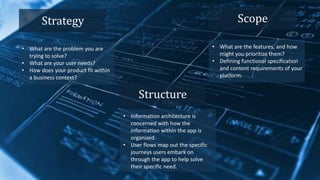
Strategy
• What are the problem you are
trying to solve?
• What are your user needs?
• How does your product fit within
a business context?
Scope
• What are the features, and how
might you prioritize them?
• Defining functional specification
and content requirements of your
platform.
Structure
• Information architecture is
concerned with how the
information within the app is
organized.
• User flows map out the specific
journeys users embark on
through the app to help solve
their specific need.
Skeleton
• Achieve the structure of an
interface design and information
design.
• UX or product designers start
designing, testing and iterating
on wireframes.
Surface
• Communicate the brand,
product, value and functionality
in one cohesive image.
• UI designers and Visual designers
start to work.
Simple paper
prototypes are
easy to create
and change
After paper,
wireframes
What makes good UI?
Clarity
Feedback
Consistency
Visual
hierarchy
Tools used
• Invision Studio
• Figma
• Sketch
• Adobe XD
• Marvel
• Flow Mapp
• Axure
• Craft
• Webflow
• Framer X
Thank
you!!

UI UX DESIGN.pptx

  • 1.
    Submitted by, Riniya MaryV.B UI/UX DESIGN & PRODUCT DESIGN
  • 2.
    • A uniquedesign is present in all things, whether they are natural or man-made, and a good design always attracts the eyes. • Smallest of the smallest in your life and the largest of the large, are all designed in some way. • Forms of designing:  Web  Mobile UX/UI design What is Design?
  • 3.
    • User Interface •How people interact with other product/services. • Used in webs and mobile applications. • A bridge between a human being and a system. What is UI?
  • 4.
    • User Experience •When a person feels as he experience a product or service. • Important role in all kind of marketing. • Plays a crucial role in web and mobile applications. • Bridge between a product and its targeted audience. What is UX?
  • 5.
    What is agood design? • A solution that serves the user and satisfies the client. • Does what users need and want. • Natural to use. • Help them to avoid trouble.
  • 6.
    How to conducta study? • Plan topics in advance.  Create an interview guide, an informal grouping of topics and questions that the interviewer can ask in different ways for different participants. • Identify the target user base in advance. • Give user a task to do against your interface and observe their behaviour.  Have them think aloud about what they seeing, what they are trying to do, and actions they are taking.  Take copy of notes/record the session.  Do not lead the user. Let them run the task until they are successful or give up. • Reflect on observations and write up a report on your findings.
  • 7.
  • 8.
    Strategy • What arethe problem you are trying to solve? • What are your user needs? • How does your product fit within a business context? Scope • What are the features, and how might you prioritize them? • Defining functional specification and content requirements of your platform. Structure • Information architecture is concerned with how the information within the app is organized. • User flows map out the specific journeys users embark on through the app to help solve their specific need.
  • 9.
    Skeleton • Achieve thestructure of an interface design and information design. • UX or product designers start designing, testing and iterating on wireframes. Surface • Communicate the brand, product, value and functionality in one cohesive image. • UI designers and Visual designers start to work.
  • 10.
  • 11.
  • 12.
    What makes goodUI? Clarity Feedback Consistency Visual hierarchy
  • 13.
    Tools used • InvisionStudio • Figma • Sketch • Adobe XD • Marvel • Flow Mapp • Axure • Craft • Webflow • Framer X
  • 14.