Solution Architect, MongoDB
Sam Weaver
Capacity Planning:
Deploying
MongoDB
#mongodb
Capacity Planning
• Why is it important?
• What is it?
• When is it important?
• How is it actually done?
Why?
Prepping for launch
• You’ve written your application
• The code is good
• You’re looking to launch soon
• How do I deploy?
Questions to ask yourself
• Instance types
– Standalone?
– Replica set?
– Sharded?
• Architecture
• Size of machines
– Machines cost money
– Size of machines may affect instance types required
• What are the consequences of not planning?
Why does it matter?
Why
• Once we launch, we don't want to have
avoidable down time due to poorly selected HW
• As our success grows we want to stay in front of
the demand curve
• We want to meet business' and users'
expectations
• We want to keep our jobs 
What?
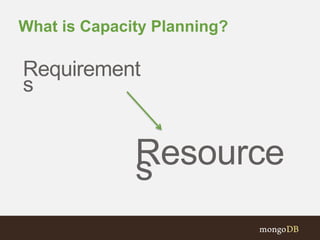
What is Capacity Planning?
Requirement
s
Resources
Requirements
• Availability
– Planning for a crash
– Planning for binary upgrades
– Planning for hardware maintenance
• Throughput
– X many users at any one time
– Bulk loads vs. random access
• Responsiveness
– SLAof x ms per page load
– Amazon, Google study
How?
CPU
• Non-indexed Data
• Sorting
• Aggregation
– Map/Reduce
– Framework
• Data
– Fields
– Nesting
– Arrays/Embedded-Docs
Network
• Latency
– WriteConcern
– ReadPreference
– Batching
• Throughput
– Update/Write Patterns
– Reads/Queries
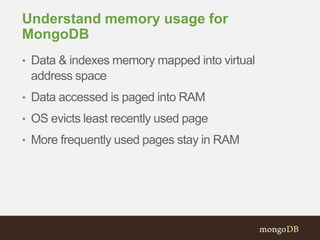
Understand memory usage for
MongoDB
• Data & indexes memory mapped into virtual
address space
• Data accessed is paged into RAM
• OS evicts least recently used page
• More frequently used pages stay in RAM
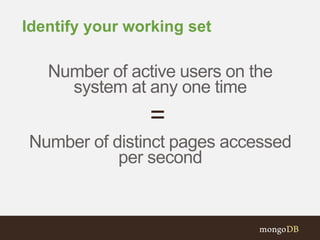
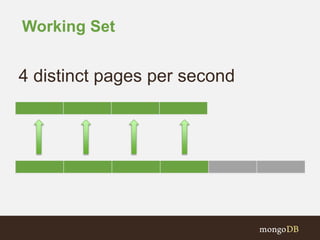
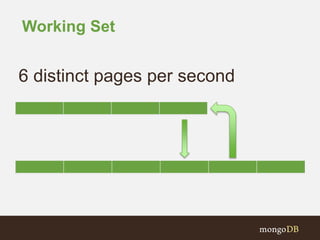
Identify your working set
Number of active users on the
system at any one time
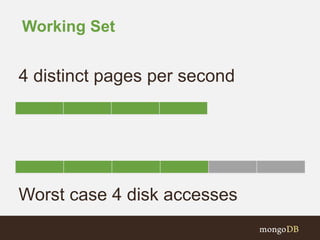
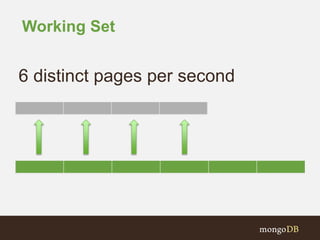
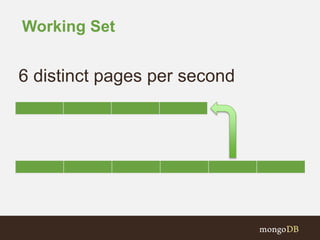
Number of distinct pages accessed
per second
=
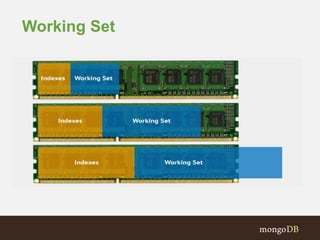
Working Set
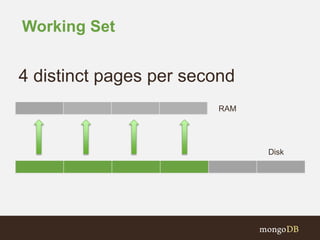
Working Set
4 distinct pages per second
RAM
Disk
Working Set
4 distinct pages per second
Working Set
4 distinct pages per second
Worst case 4 disk accesses
Working Set
6 distinct pages per second
Working Set
6 distinct pages per second
Working Set
6 distinct pages per second
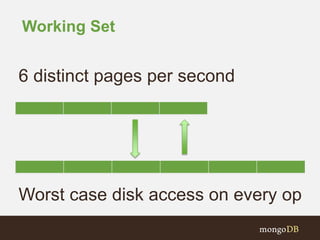
Working Set
6 distinct pages per second
Worst case disk access on every op
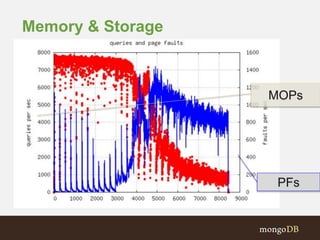
Memory & Storage
MOPs
PFs
Memory
• Working set affected by
–Sorting
–Aggregation
–Connections
SORTS
Connections
Aggregations
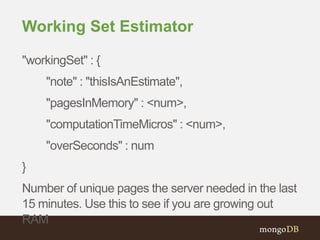
Working Set Estimator
"workingSet" : {
"note" : "thisIsAnEstimate",
"pagesInMemory" : <num>,
"computationTimeMicros" : <num>,
"overSeconds" : num
}
Number of unique pages the server needed in the last
15 minutes. Use this to see if you are growing out
RAM
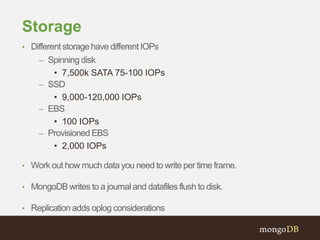
Storage
• Different storage have different IOPs
– Spinning disk
• 7,500k SATA 75-100 IOPs
– SSD
• 9,000-120,000 IOPs
– EBS
• 100 IOPs
– Provisioned EBS
• 2,000 IOPs
• Work out how much data you need to write per time frame.
• MongoDB writes to a journal and datafiles flush to disk.
• Replication adds oplog considerations
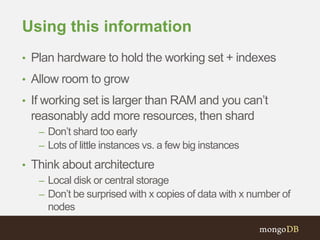
Using this information
• Plan hardware to hold the working set + indexes
• Allow room to grow
• If working set is larger than RAM and you can’t
reasonably add more resources, then shard
– Don’t shard too early
– Lots of little instances vs. a few big instances
• Think about architecture
– Local disk or central storage
– Don’t be surprised with x copies of data with x number of
nodes
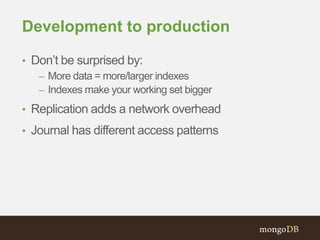
Development to production
• Don’t be surprised by:
– More data = more/larger indexes
– Indexes make your working set bigger
• Replication adds a network overhead
• Journal has different access patterns
What tools are there to help
me?
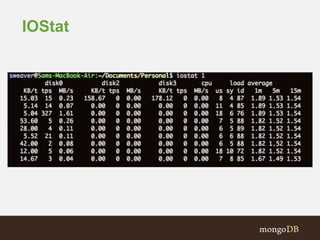
IOStat
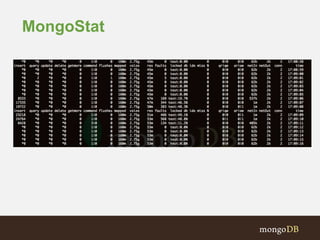
MongoStat
MongoPerf
• Measure amount of data written to device per
second
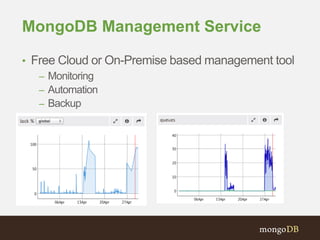
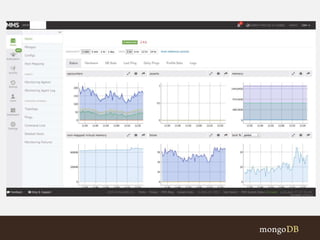
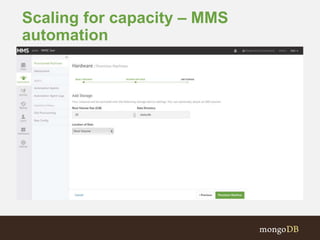
MongoDB Management Service
• Free Cloud or On-Premise based management tool
– Monitoring
– Automation
– Backup
Scaling for capacity – MMS
automation
When?
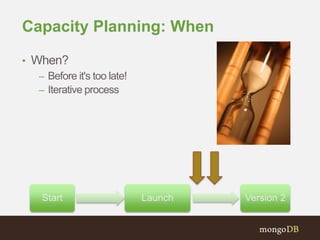
Capacity Planning: When
• When?
– Before it's too late!
– Iterative process
Start Launch Version 2
Repeat (continuously)
• Repeat Testing
• Repeat Evaluations
• Repeat Deployment
What is failure?
• We have failed at Capacity Planning when our
resources don’t meet our requirements
• Because our requirements can have many
dimensions, we may exceed our requirements in
one characteristic but not meet them in another
• This means that we can spend many $$$ and still
fail!
Models
• Load/Users
– Response Time/TTFB
• System Performance
– Peak Usage
– Min Usage
Starter Questions
• What is the working set?
– How does that equate to memory
– How much disk access will that require
• How efficient are the queries?
• What is the rate of data change?
• How big are the highs and lows?
Questions?
Solution Architect, MongoDB
Sam Weaver
Thank You
#mongodb

Capacity Planning For Your Growing MongoDB Cluster

  • 1.
    Solution Architect, MongoDB SamWeaver Capacity Planning: Deploying MongoDB #mongodb
  • 2.
    Capacity Planning • Whyis it important? • What is it? • When is it important? • How is it actually done?
  • 3.
  • 4.
    Prepping for launch •You’ve written your application • The code is good • You’re looking to launch soon • How do I deploy?
  • 5.
    Questions to askyourself • Instance types – Standalone? – Replica set? – Sharded? • Architecture • Size of machines – Machines cost money – Size of machines may affect instance types required
  • 6.
    • What arethe consequences of not planning? Why does it matter?
  • 7.
    Why • Once welaunch, we don't want to have avoidable down time due to poorly selected HW • As our success grows we want to stay in front of the demand curve • We want to meet business' and users' expectations • We want to keep our jobs 
  • 8.
  • 9.
    What is CapacityPlanning? Requirement s Resources
  • 10.
    Requirements • Availability – Planningfor a crash – Planning for binary upgrades – Planning for hardware maintenance • Throughput – X many users at any one time – Bulk loads vs. random access • Responsiveness – SLAof x ms per page load – Amazon, Google study
  • 11.
  • 12.
    CPU • Non-indexed Data •Sorting • Aggregation – Map/Reduce – Framework • Data – Fields – Nesting – Arrays/Embedded-Docs
  • 13.
    Network • Latency – WriteConcern –ReadPreference – Batching • Throughput – Update/Write Patterns – Reads/Queries
  • 14.
    Understand memory usagefor MongoDB • Data & indexes memory mapped into virtual address space • Data accessed is paged into RAM • OS evicts least recently used page • More frequently used pages stay in RAM
  • 15.
    Identify your workingset Number of active users on the system at any one time Number of distinct pages accessed per second =
  • 16.
  • 17.
    Working Set 4 distinctpages per second RAM Disk
  • 18.
    Working Set 4 distinctpages per second
  • 19.
    Working Set 4 distinctpages per second Worst case 4 disk accesses
  • 20.
    Working Set 6 distinctpages per second
  • 21.
    Working Set 6 distinctpages per second
  • 22.
    Working Set 6 distinctpages per second
  • 23.
    Working Set 6 distinctpages per second Worst case disk access on every op
  • 24.
  • 25.
    Memory • Working setaffected by –Sorting –Aggregation –Connections SORTS Connections Aggregations
  • 26.
    Working Set Estimator "workingSet": { "note" : "thisIsAnEstimate", "pagesInMemory" : <num>, "computationTimeMicros" : <num>, "overSeconds" : num } Number of unique pages the server needed in the last 15 minutes. Use this to see if you are growing out RAM
  • 27.
    Storage • Different storagehave different IOPs – Spinning disk • 7,500k SATA 75-100 IOPs – SSD • 9,000-120,000 IOPs – EBS • 100 IOPs – Provisioned EBS • 2,000 IOPs • Work out how much data you need to write per time frame. • MongoDB writes to a journal and datafiles flush to disk. • Replication adds oplog considerations
  • 28.
    Using this information •Plan hardware to hold the working set + indexes • Allow room to grow • If working set is larger than RAM and you can’t reasonably add more resources, then shard – Don’t shard too early – Lots of little instances vs. a few big instances • Think about architecture – Local disk or central storage – Don’t be surprised with x copies of data with x number of nodes
  • 29.
    Development to production •Don’t be surprised by: – More data = more/larger indexes – Indexes make your working set bigger • Replication adds a network overhead • Journal has different access patterns
  • 30.
    What tools arethere to help me?
  • 31.
  • 32.
  • 33.
    MongoPerf • Measure amountof data written to device per second
  • 34.
    MongoDB Management Service •Free Cloud or On-Premise based management tool – Monitoring – Automation – Backup
  • 36.
    Scaling for capacity– MMS automation
  • 37.
  • 38.
    Capacity Planning: When •When? – Before it's too late! – Iterative process Start Launch Version 2
  • 39.
    Repeat (continuously) • RepeatTesting • Repeat Evaluations • Repeat Deployment
  • 40.
    What is failure? •We have failed at Capacity Planning when our resources don’t meet our requirements • Because our requirements can have many dimensions, we may exceed our requirements in one characteristic but not meet them in another • This means that we can spend many $$$ and still fail!
  • 41.
    Models • Load/Users – ResponseTime/TTFB • System Performance – Peak Usage – Min Usage
  • 42.
    Starter Questions • Whatis the working set? – How does that equate to memory – How much disk access will that require • How efficient are the queries? • What is the rate of data change? • How big are the highs and lows?
  • 43.
  • 44.
    Solution Architect, MongoDB SamWeaver Thank You #mongodb