Solution Architect, MongoDB
Chad Tindel
#MongoDBWorld
Hardware Provisioning
MongoDB is so easy for
programmers….
Even a baby can write an
application!
MongoDB is so easy to
manage with MMS…
Even a baby can manage a cluster!
Hardware Selection for
MongoDB is….
Not so easy!
First, some definitions
Definitions
• Working Set: The total body of data+indexes that the
application uses in the course of normal operation.
– http://docs.mongodb.org/manual/faq/storage/#what-is-the-
working-set
– MongoDB v2.4 added a working set estimator to the
serverStatus command
– http://docs.mongodb.org/manual/reference/command/serv
erStatus/#serverStatus.workingSet
Let’s look at some
[anonymous] case studies
where people did it right by
asking MongoDB for help
Case Study #1: A Spanish Bank
• Problem statement: want to store 6 months worth of
logs in MongoDB, which corresponds to 18TB of
total data (3 TB/month)
• They want to primarily analyze the last month’s
worth of logs, so Working Set Size is 1 month’s
worth of data (3TB) plus indexes (1TB) = 4 TB
Working Set
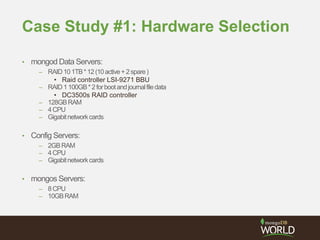
Case Study #1: Hardware Selection
• mongod Data Servers:
– RAID101TB*12(10active+2spare)
• Raid controller LSI-9271 BBU
– RAID1100GB*2forbootandjournalfiledata
• DC3500s RAID controller
– 128GBRAM
– 4CPU
– Gigabitnetworkcards
• Config Servers:
– 2GBRAM
– 4CPU
– Gigabitnetworkcards
• mongos Servers:
– 8CPU
– 10GBRAM
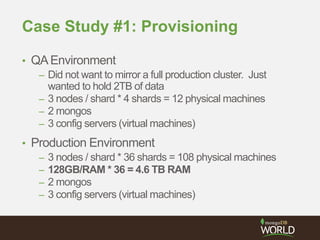
Case Study #1: Provisioning
• QAEnvironment
– Did not want to mirror a full production cluster. Just
wanted to hold 2TB of data
– 3 nodes / shard * 4 shards = 12 physical machines
– 2 mongos
– 3 config servers (virtual machines)
• Production Environment
– 3 nodes / shard * 36 shards = 108 physical machines
– 128GB/RAM * 36 = 4.6 TB RAM
– 2 mongos
– 3 config servers (virtual machines)
Case Study #1: Lessons Learned
• Understand your requirements
• Work with MongoDB to help you size
• Do real testing in a QAor Staging environment
Case Study #2: A Large Online
Retailer
• Problem statement: Moving their product catalog
from SQL Server to MongoDB as part of a larger
architectural overhaul to Open Source Software
• 2 main datacenters running active/active
• On Cyber Monday they peaked at 214 requests/sec,
so let’s budget for 400 requests/sec to give some
headroom
Case Study #2: The POC
• APOC yielded the following numbers:
– 4 million product SKUs, average JSON document size
30KB
• Need to service requests for:
– a specific product (by _id)
– Products in a specific category (i.e. “Desks” or “Hard
Drives”)
• Returns 72 documents, or 200 if it’s a google bot
crawling)
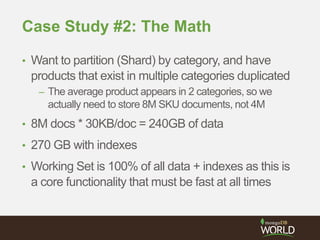
Case Study #2: The Math
• Want to partition (Shard) by category, and have
products that exist in multiple categories duplicated
– The average product appears in 2 categories, so we
actually need to store 8M SKU documents, not 4M
• 8M docs * 30KB/doc = 240GB of data
• 270 GB with indexes
• Working Set is 100% of all data + indexes as this is
a core functionality that must be fast at all times
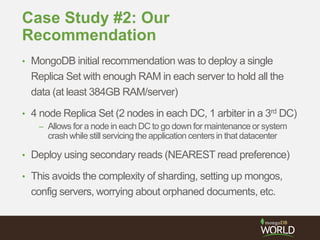
Case Study #2: Our
Recommendation
• MongoDB initial recommendation was to deploy a single
Replica Set with enough RAM in each server to hold all the
data (at least 384GB RAM/server)
• 4 node Replica Set (2 nodes in each DC, 1 arbiter in a 3rd DC)
– Allows for a node in each DC to go down for maintenance or system
crash while still servicing the application centers in that datacenter
• Deploy using secondary reads (NEAREST read preference)
• This avoids the complexity of sharding, setting up mongos,
config servers, worrying about orphaned documents, etc.
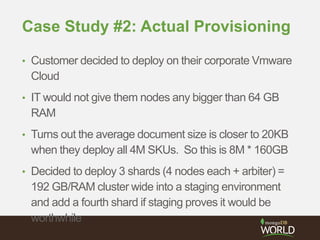
Case Study #2: Actual Provisioning
• Customer decided to deploy on their corporate Vmware
Cloud
• IT would not give them nodes any bigger than 64 GB
RAM
• Turns out the average document size is closer to 20KB
when they deploy all 4M SKUs. So this is 8M * 160GB
• Decided to deploy 3 shards (4 nodes each + arbiter) =
192 GB/RAM cluster wide into a staging environment
and add a fourth shard if staging proves it would be
worthwhile
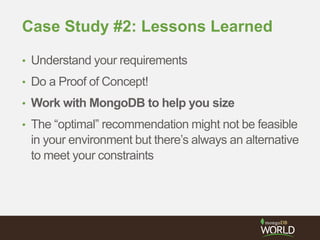
Case Study #2: Lessons Learned
• Understand your requirements
• Do a Proof of Concept!
• Work with MongoDB to help you size
• The “optimal” recommendation might not be feasible
in your environment but there’s always an alternative
to meet your constraints
Doing it wrong
Case Study #3: A Large Software
Company
• Problem statement: Want to have a replica set that
spans their internal data center across toAWS
• (Not that there’s anything wrong with that)
• However, what they deployed was:
– 2 Physical Servers with 1TB RAM each, Fusion IO 3TB
local storage providing 800k IOPS
– 3 SSD EC2 instances with 64 GB RAM each
• Since the EC2 instances are the bottleneck and
have to keep up, they overspent on the physical
hardware
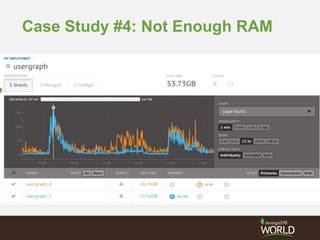
Case Study #4: Not Enough RAM
Wrapping it up
Provisioning Questions
• How much data will you have initially?
• How will your data set grow over time?
• How big is your working set?
• Will you be loading huge bulk inserts, or have a
constant stream of writes?
• How many reads and writes will you need to service
per second?
• What is the peak load you need to provision for?
• How big will your oplog need to be?
Key Takeaways
• Document your performance requirements up front
• Ask MongoDB for help!
• Conduct a Proof of Concept
• Always test with a real workload if possible on a
staging cluster
Solution Architect, MongoDB
Chad Tindel
#MongoDBWorld
Thank You

Hardware Provisioning for MongoDB

  • 1.
    Solution Architect, MongoDB ChadTindel #MongoDBWorld Hardware Provisioning
  • 2.
    MongoDB is soeasy for programmers….
  • 3.
    Even a babycan write an application!
  • 4.
    MongoDB is soeasy to manage with MMS…
  • 5.
    Even a babycan manage a cluster!
  • 6.
  • 7.
  • 8.
  • 9.
    Definitions • Working Set:The total body of data+indexes that the application uses in the course of normal operation. – http://docs.mongodb.org/manual/faq/storage/#what-is-the- working-set – MongoDB v2.4 added a working set estimator to the serverStatus command – http://docs.mongodb.org/manual/reference/command/serv erStatus/#serverStatus.workingSet
  • 10.
    Let’s look atsome [anonymous] case studies where people did it right by asking MongoDB for help
  • 11.
    Case Study #1:A Spanish Bank • Problem statement: want to store 6 months worth of logs in MongoDB, which corresponds to 18TB of total data (3 TB/month) • They want to primarily analyze the last month’s worth of logs, so Working Set Size is 1 month’s worth of data (3TB) plus indexes (1TB) = 4 TB Working Set
  • 12.
    Case Study #1:Hardware Selection • mongod Data Servers: – RAID101TB*12(10active+2spare) • Raid controller LSI-9271 BBU – RAID1100GB*2forbootandjournalfiledata • DC3500s RAID controller – 128GBRAM – 4CPU – Gigabitnetworkcards • Config Servers: – 2GBRAM – 4CPU – Gigabitnetworkcards • mongos Servers: – 8CPU – 10GBRAM
  • 13.
    Case Study #1:Provisioning • QAEnvironment – Did not want to mirror a full production cluster. Just wanted to hold 2TB of data – 3 nodes / shard * 4 shards = 12 physical machines – 2 mongos – 3 config servers (virtual machines) • Production Environment – 3 nodes / shard * 36 shards = 108 physical machines – 128GB/RAM * 36 = 4.6 TB RAM – 2 mongos – 3 config servers (virtual machines)
  • 14.
    Case Study #1:Lessons Learned • Understand your requirements • Work with MongoDB to help you size • Do real testing in a QAor Staging environment
  • 15.
    Case Study #2:A Large Online Retailer • Problem statement: Moving their product catalog from SQL Server to MongoDB as part of a larger architectural overhaul to Open Source Software • 2 main datacenters running active/active • On Cyber Monday they peaked at 214 requests/sec, so let’s budget for 400 requests/sec to give some headroom
  • 16.
    Case Study #2:The POC • APOC yielded the following numbers: – 4 million product SKUs, average JSON document size 30KB • Need to service requests for: – a specific product (by _id) – Products in a specific category (i.e. “Desks” or “Hard Drives”) • Returns 72 documents, or 200 if it’s a google bot crawling)
  • 17.
    Case Study #2:The Math • Want to partition (Shard) by category, and have products that exist in multiple categories duplicated – The average product appears in 2 categories, so we actually need to store 8M SKU documents, not 4M • 8M docs * 30KB/doc = 240GB of data • 270 GB with indexes • Working Set is 100% of all data + indexes as this is a core functionality that must be fast at all times
  • 18.
    Case Study #2:Our Recommendation • MongoDB initial recommendation was to deploy a single Replica Set with enough RAM in each server to hold all the data (at least 384GB RAM/server) • 4 node Replica Set (2 nodes in each DC, 1 arbiter in a 3rd DC) – Allows for a node in each DC to go down for maintenance or system crash while still servicing the application centers in that datacenter • Deploy using secondary reads (NEAREST read preference) • This avoids the complexity of sharding, setting up mongos, config servers, worrying about orphaned documents, etc.
  • 19.
    Case Study #2:Actual Provisioning • Customer decided to deploy on their corporate Vmware Cloud • IT would not give them nodes any bigger than 64 GB RAM • Turns out the average document size is closer to 20KB when they deploy all 4M SKUs. So this is 8M * 160GB • Decided to deploy 3 shards (4 nodes each + arbiter) = 192 GB/RAM cluster wide into a staging environment and add a fourth shard if staging proves it would be worthwhile
  • 20.
    Case Study #2:Lessons Learned • Understand your requirements • Do a Proof of Concept! • Work with MongoDB to help you size • The “optimal” recommendation might not be feasible in your environment but there’s always an alternative to meet your constraints
  • 21.
  • 22.
    Case Study #3:A Large Software Company • Problem statement: Want to have a replica set that spans their internal data center across toAWS • (Not that there’s anything wrong with that) • However, what they deployed was: – 2 Physical Servers with 1TB RAM each, Fusion IO 3TB local storage providing 800k IOPS – 3 SSD EC2 instances with 64 GB RAM each • Since the EC2 instances are the bottleneck and have to keep up, they overspent on the physical hardware
  • 23.
    Case Study #4:Not Enough RAM
  • 24.
  • 25.
    Provisioning Questions • Howmuch data will you have initially? • How will your data set grow over time? • How big is your working set? • Will you be loading huge bulk inserts, or have a constant stream of writes? • How many reads and writes will you need to service per second? • What is the peak load you need to provision for? • How big will your oplog need to be?
  • 26.
    Key Takeaways • Documentyour performance requirements up front • Ask MongoDB for help! • Conduct a Proof of Concept • Always test with a real workload if possible on a staging cluster
  • 27.
    Solution Architect, MongoDB ChadTindel #MongoDBWorld Thank You