An Introduction to
By: Tanu Siwag &
Deepak Kr Mittal
Agenda
Overview
Redis Advantages
Comparision with other key-value storage
Environment Setup - Install Redis
Redis - Data Types : Strings, Hashes, Lists, Sets, Sorted Sets
Redis Keys and Key Commands
Agenda (Cont...)

Pub-Sub

Transactions

Redis - Connections

Redis – Backup

Redis – Security

Benchmark
What is Redis?

REmote DIctionary Server (Data Structure server)

Redis is an open source, advanced key-value store

Written in c

Solution for building high-performance, scalable web
applications.

In-memory storage,with persistence.

Rich set of data types

Redis can replicate data to any number of slaves.
Who all are using Redis?
Why Redis?

Simple to learn

Lightweight text-based tcp protocol

Extremely fast and versatile - in RAM

Rapidly growing

Widely supported (C, .NET, PHP, Java... more)

Disk-backed, Background writes!

Master-Slave configurations

Open source , awesome community
Advantages of Redis

Exceptionally Fast (110000 SETs per second, 81000 GETs per
second)

Supports Rich data types

Snapshots

Atomic Operations

Replication

Sharding

MultiUtility Tool (caching, messaging-queues, any short lived data
in application like web application sessions, web page hit counts,
etc)
Comparision with other key-value stores

Complex data types, with atomic operations

Redis is an in-memory but persistent on disk database

very high write and read speed

Memory representation of complex data structures is much
simpler

Little internal complexity.
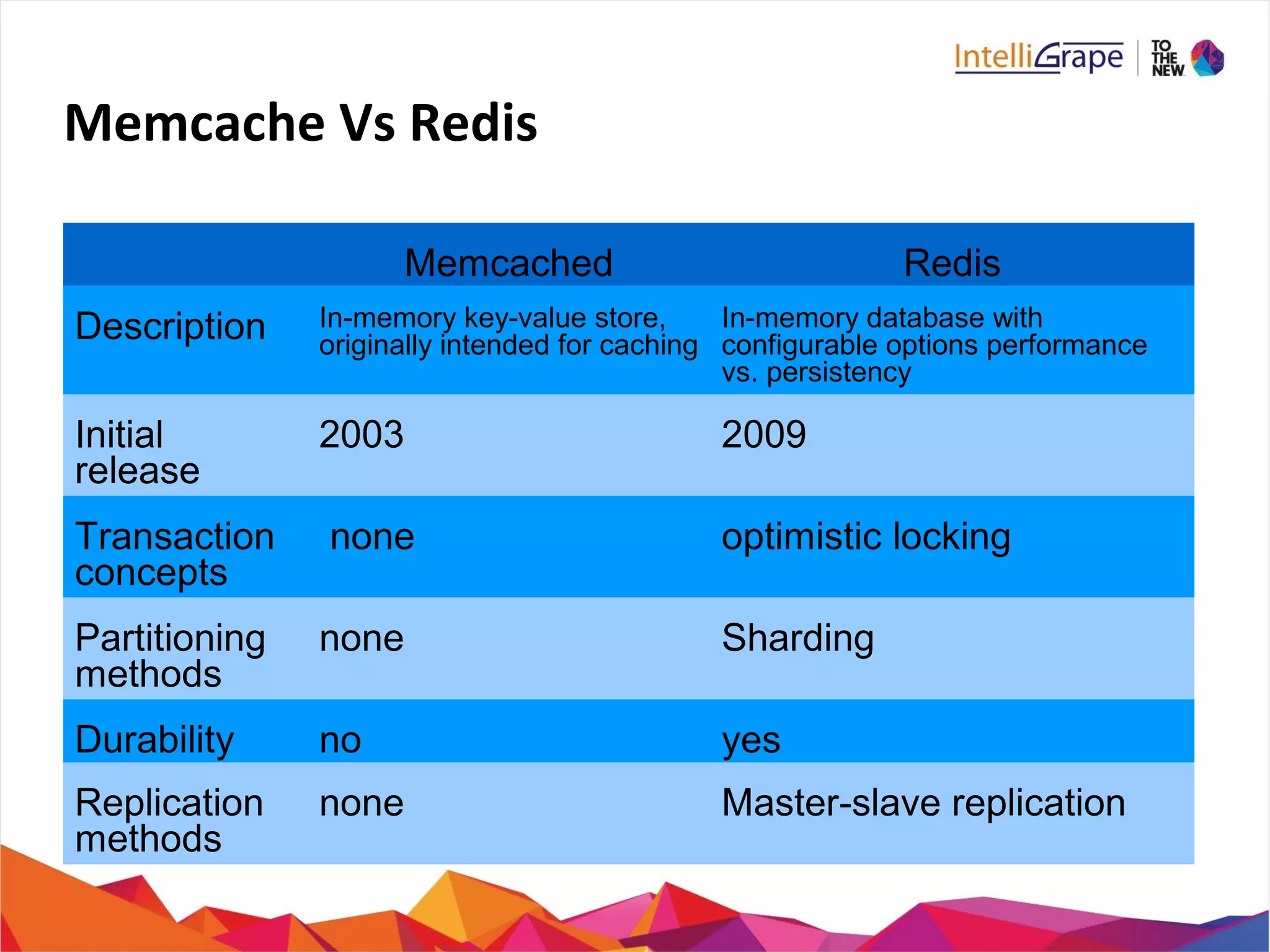
Memcache Vs Redis
Memcached Redis
Description In-memory key-value store,
originally intended for caching
In-memory database with
configurable options performance
vs. persistency
Initial
release
2003 2009
Transaction
concepts
none optimistic locking
Partitioning
methods
none Sharding
Durability no yes
Replication
methods
none Master-slave replication
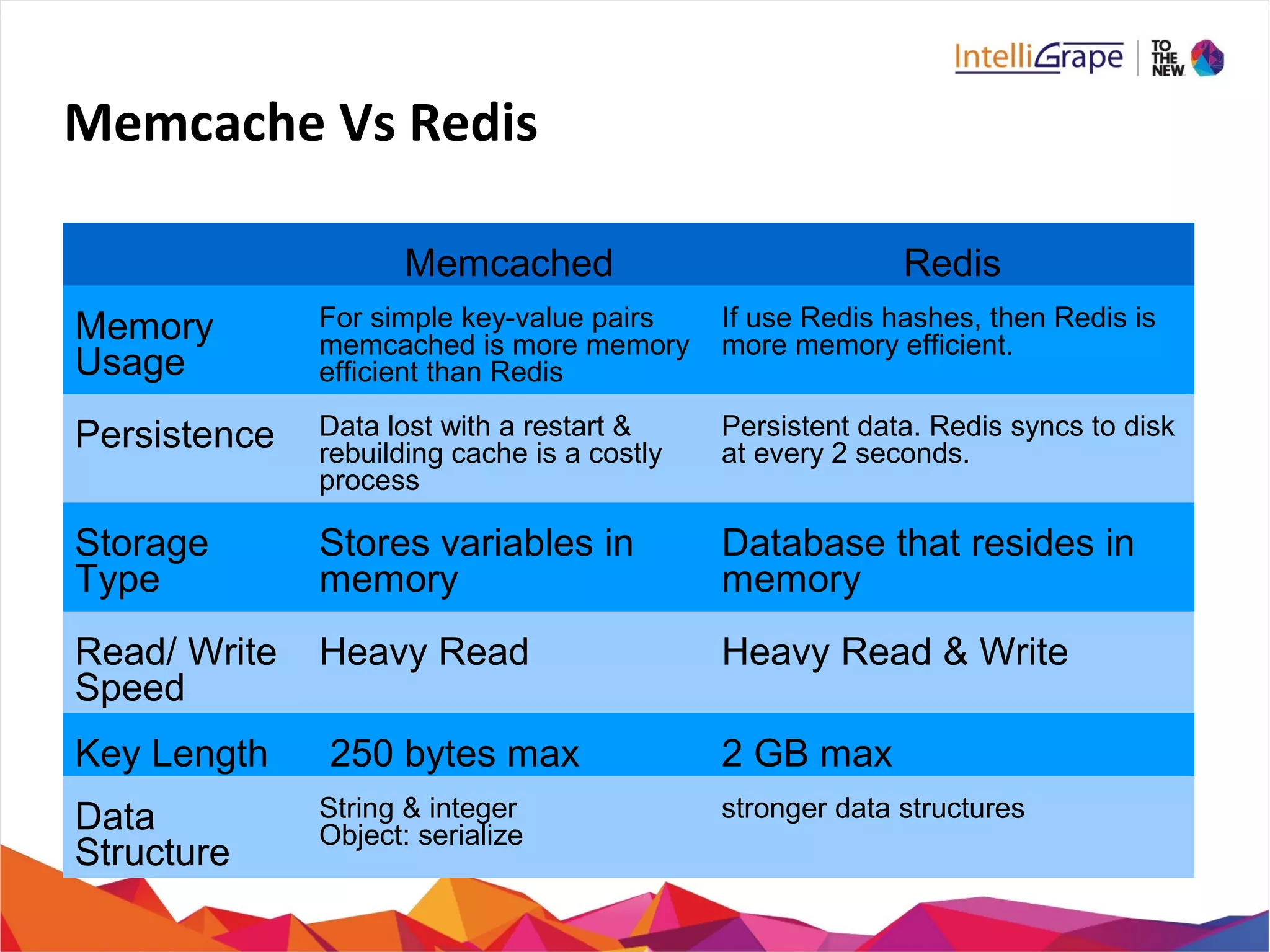
Memcache Vs Redis
Memcached Redis
Memory
Usage
For simple key-value pairs
memcached is more memory
efficient than Redis
If use Redis hashes, then Redis is
more memory efficient.
Persistence Data lost with a restart &
rebuilding cache is a costly
process
Persistent data. Redis syncs to disk
at every 2 seconds.
Storage
Type
Stores variables in
memory
Database that resides in
memory
Read/ Write
Speed
Heavy Read Heavy Read & Write
Key Length 250 bytes max 2 GB max
Data
Structure
String & integer
Object: serialize
stronger data structures
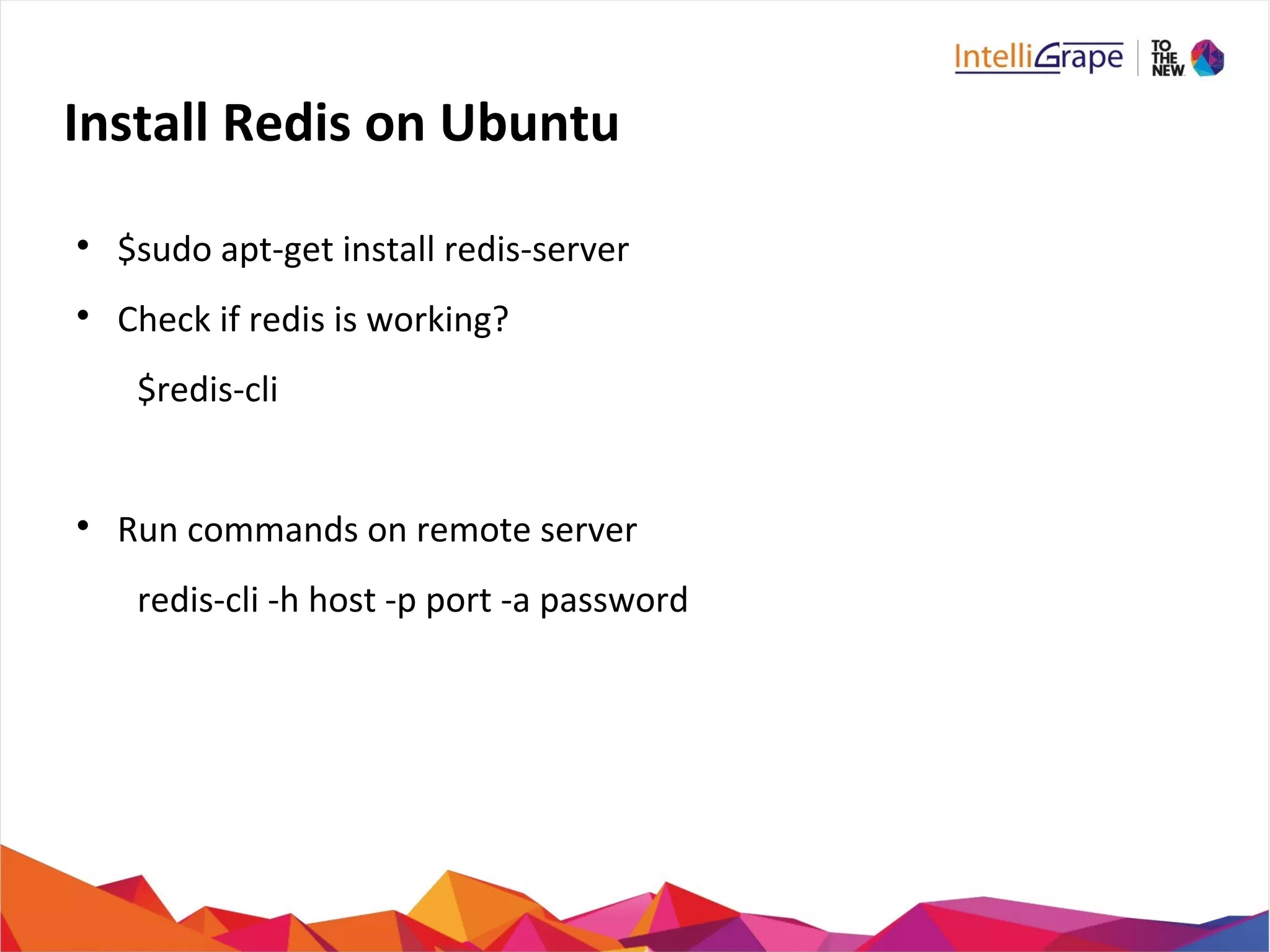
Install Redis on Ubuntu

$sudo apt-get install redis-server

Check if redis is working?
$redis-cli

Run commands on remote server
redis-cli -h host -p port -a password
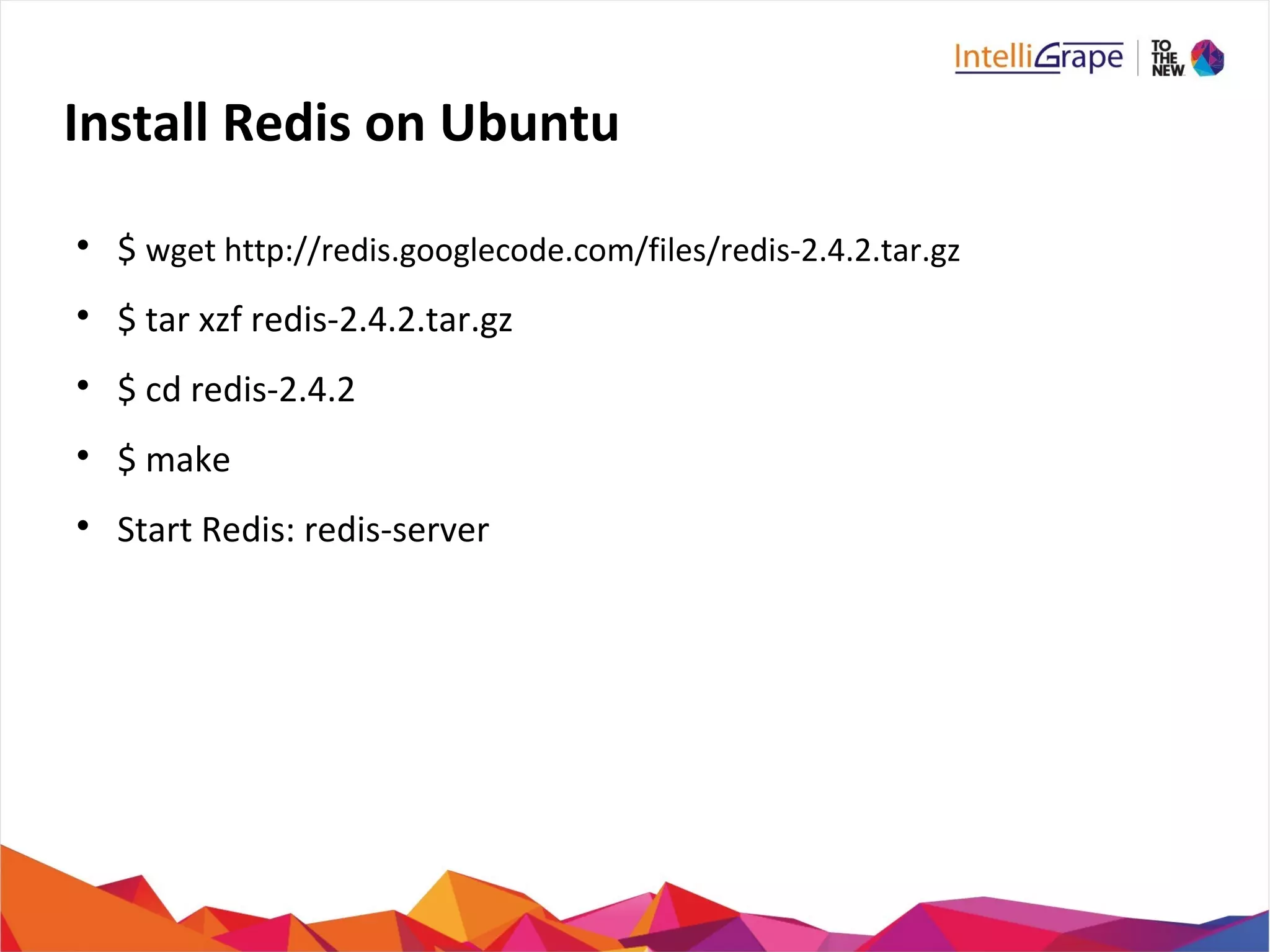
Install Redis on Ubuntu

$ wget http://redis.googlecode.com/files/redis-2.4.2.tar.gz

$ tar xzf redis-2.4.2.tar.gz

$ cd redis-2.4.2

$ make

Start Redis: redis-server
Install Redis Desktop Manager on Ubuntu

Will provide UI to manage your redis keys and data.

Download from : http://redisdesktop.com/download

Install the downloaded file
Ping – Pong Game
Install Redis on your systems
Redis Key Commands

SET

GET

DEL

DUMP (serialized version)

EXISTS

EXPIRE key seconds

EXPIREAT key timestamp

PEXPIRE key milliseconds
Redis Key Commands (Cont..)

PEXPIREAT key milliseconds-timestamp

KEYS pattern

MOVE key db (move key to another db)

PERSIST (Remove expiration)

TTL (Remaining time in key expiry)

PTTL (Remaining time in key expiry in milliseconds)

RANDOMKEY

RENAME key newkey (RENAMENX)

TYPE key
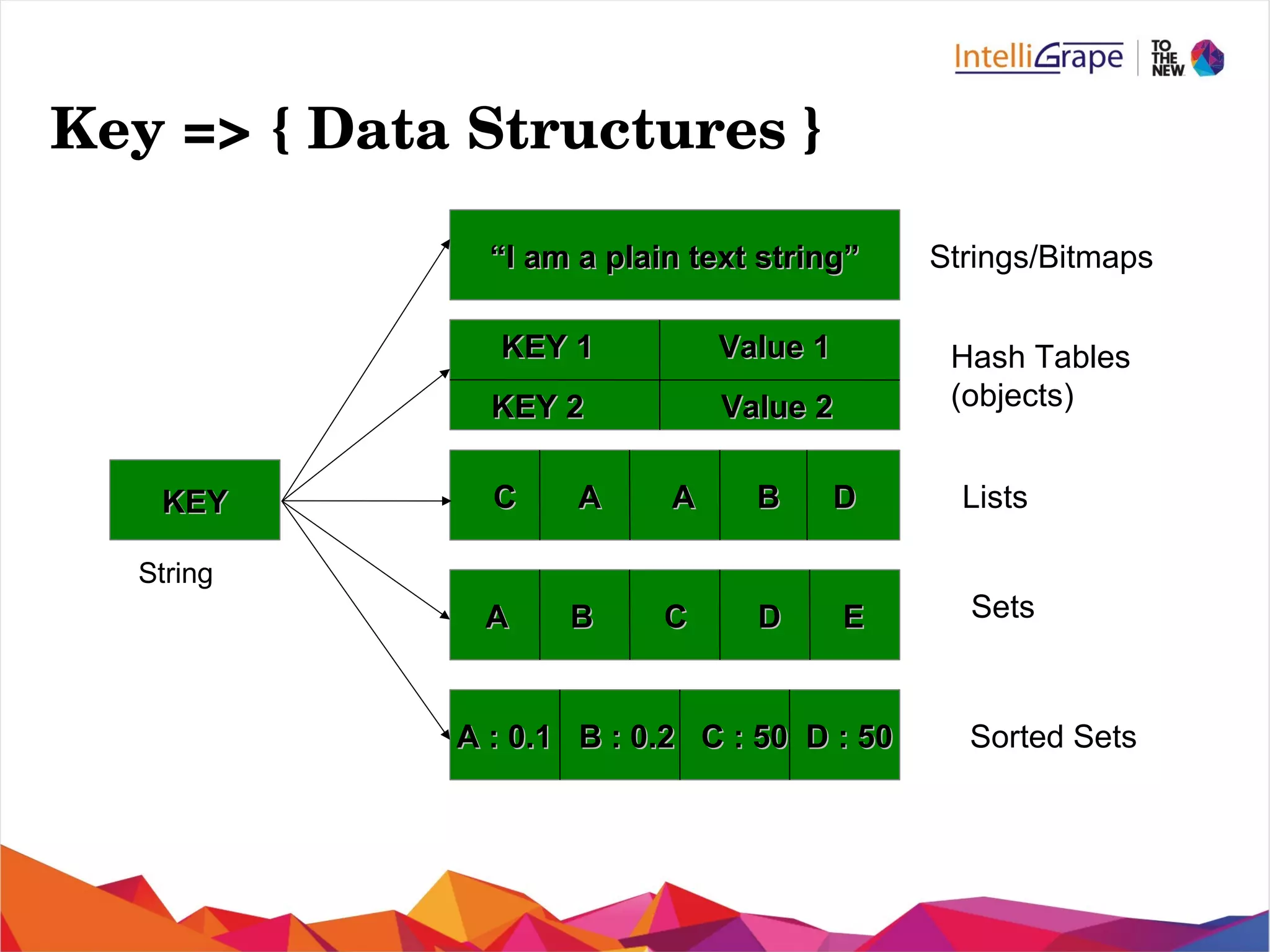
Key => { Data Structures }
KEYKEY
““I am a plain text string”I am a plain text string”
C A A B DC A A B D
A B C D EA B C D E
A : 0.1 B : 0.2 C : 50 D : 50A : 0.1 B : 0.2 C : 50 D : 50
KEY 1KEY 1
KEY 2KEY 2
Value 1Value 1
Value 2Value 2
Hash Tables
(objects)
Strings/Bitmaps
Lists
Sets
Sorted Sets
String
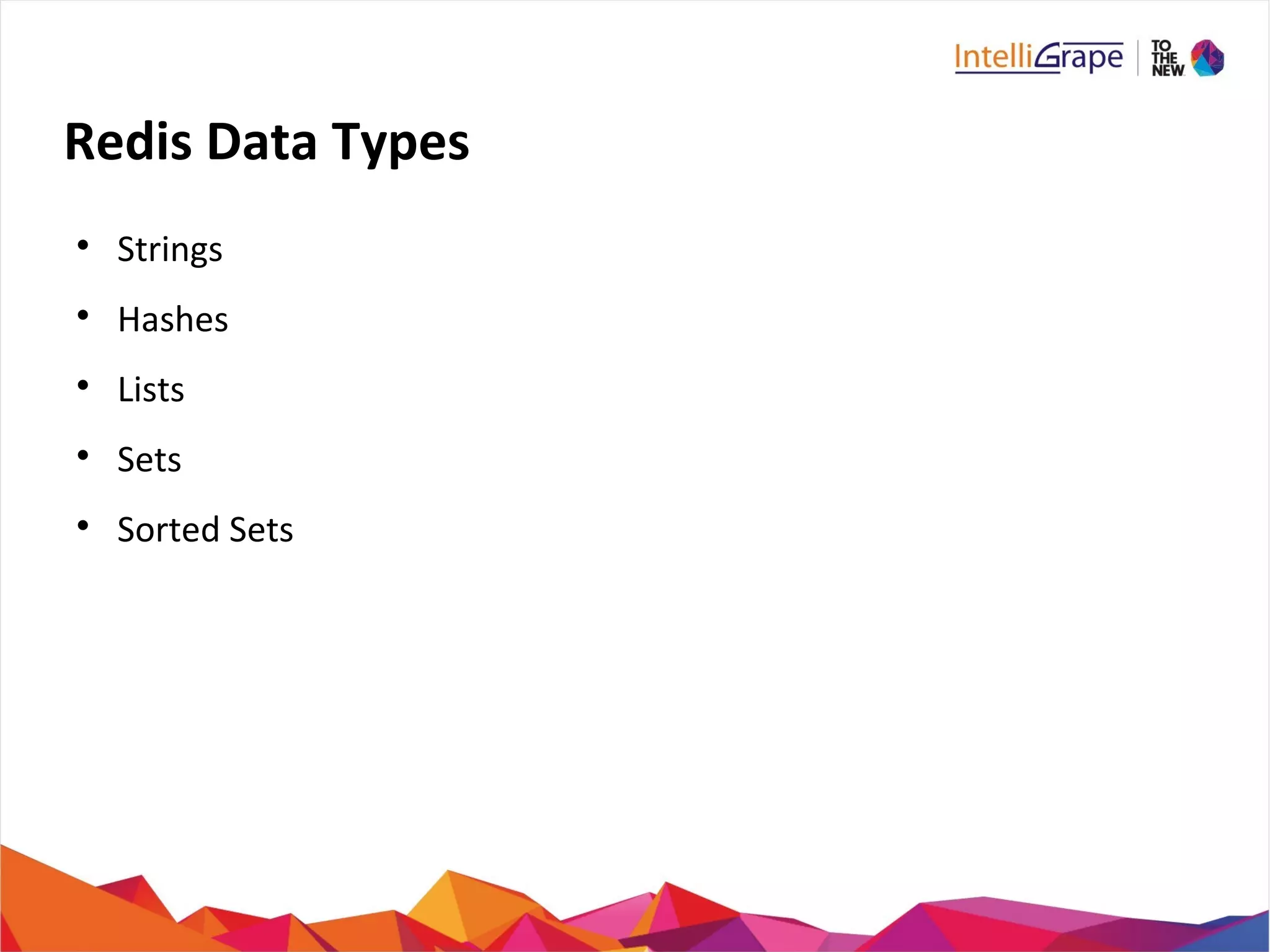
Redis Data Types

Strings

Hashes

Lists

Sets

Sorted Sets
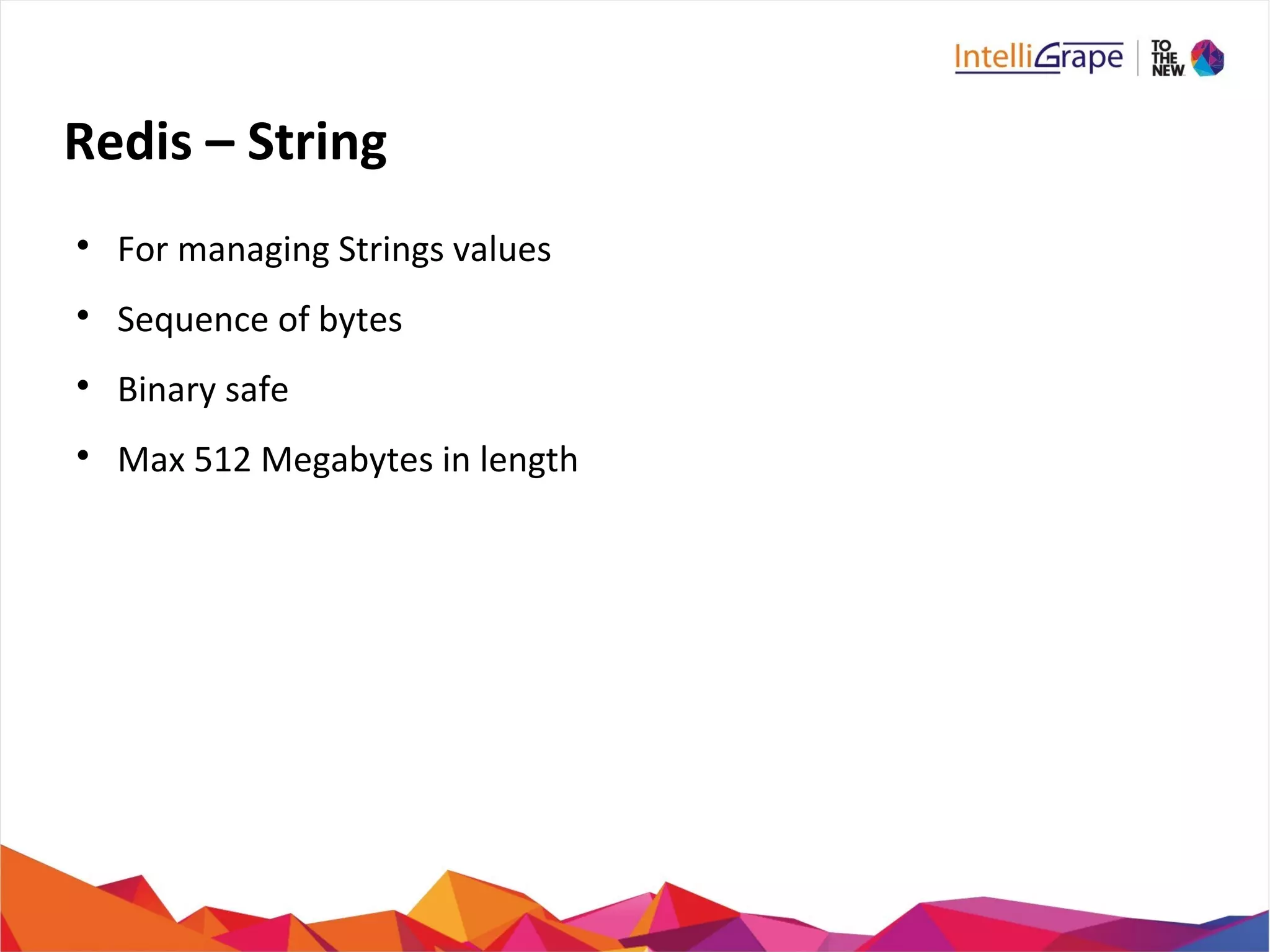
Redis – String

For managing Strings values

Sequence of bytes

Binary safe

Max 512 Megabytes in length
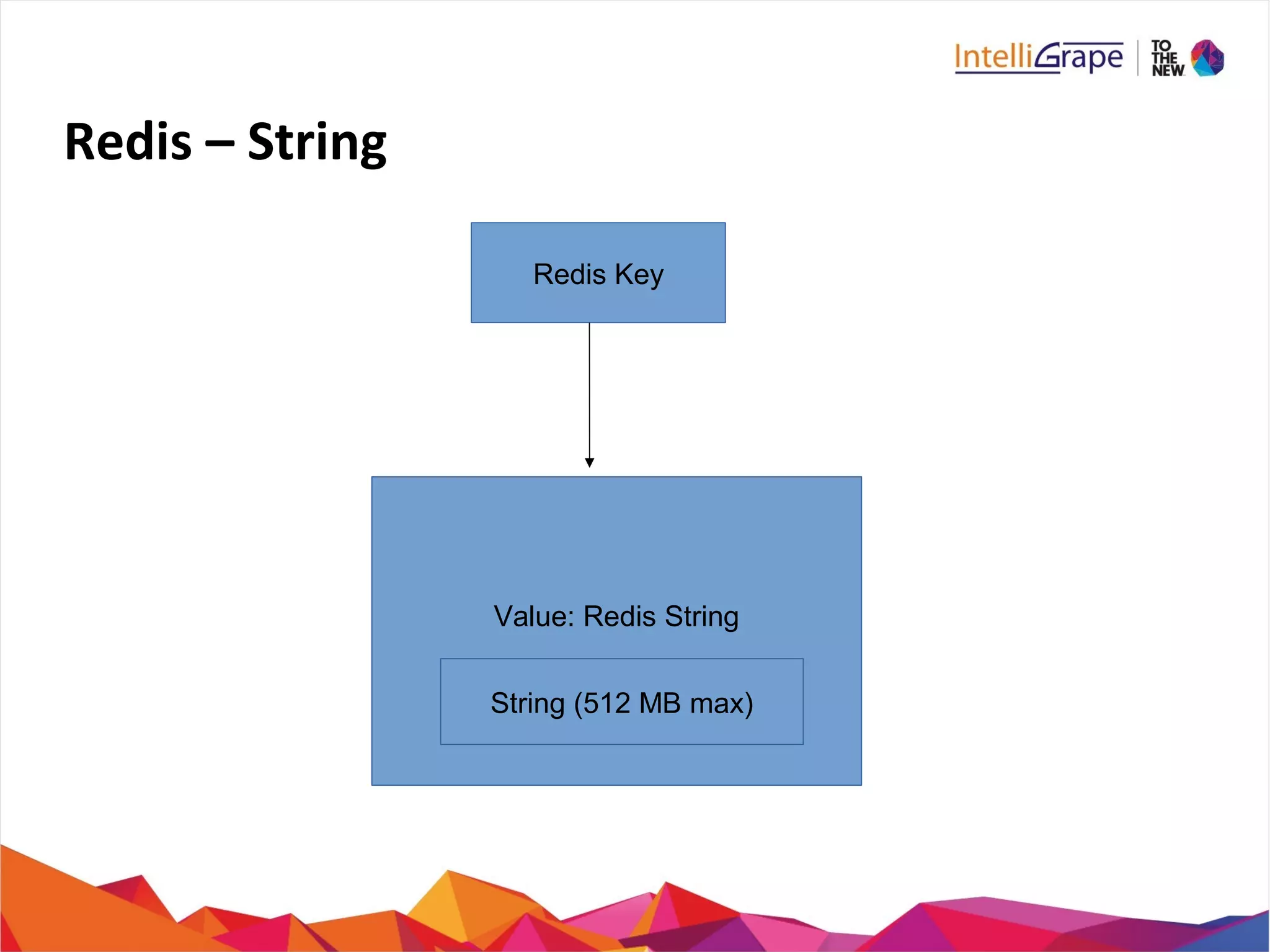
Redis – String
Redis Key
Value: Redis String
String (512 MB max)
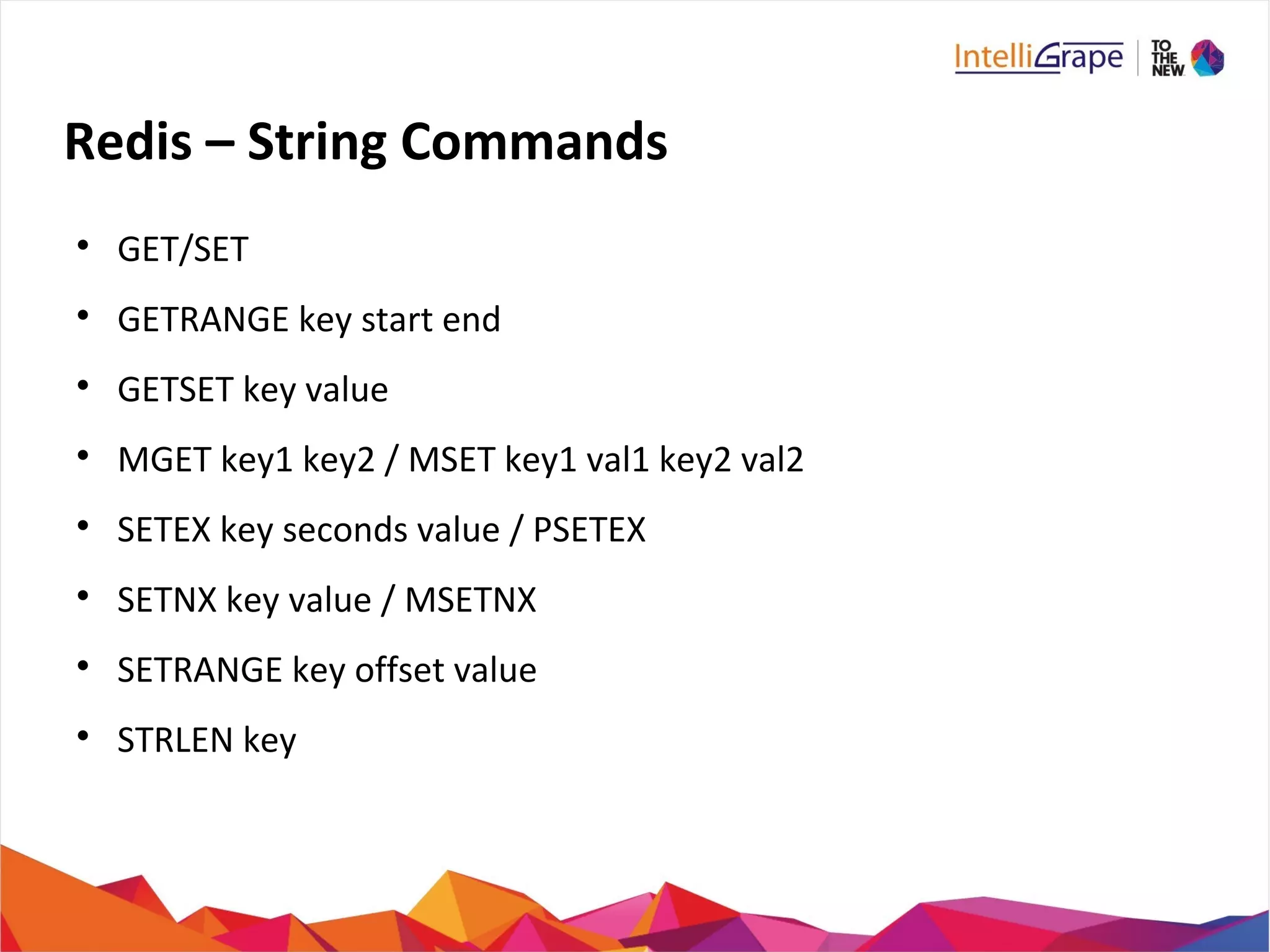
Redis – String Commands

GET/SET

GETRANGE key start end

GETSET key value

MGET key1 key2 / MSET key1 val1 key2 val2

SETEX key seconds value / PSETEX

SETNX key value / MSETNX

SETRANGE key offset value

STRLEN key
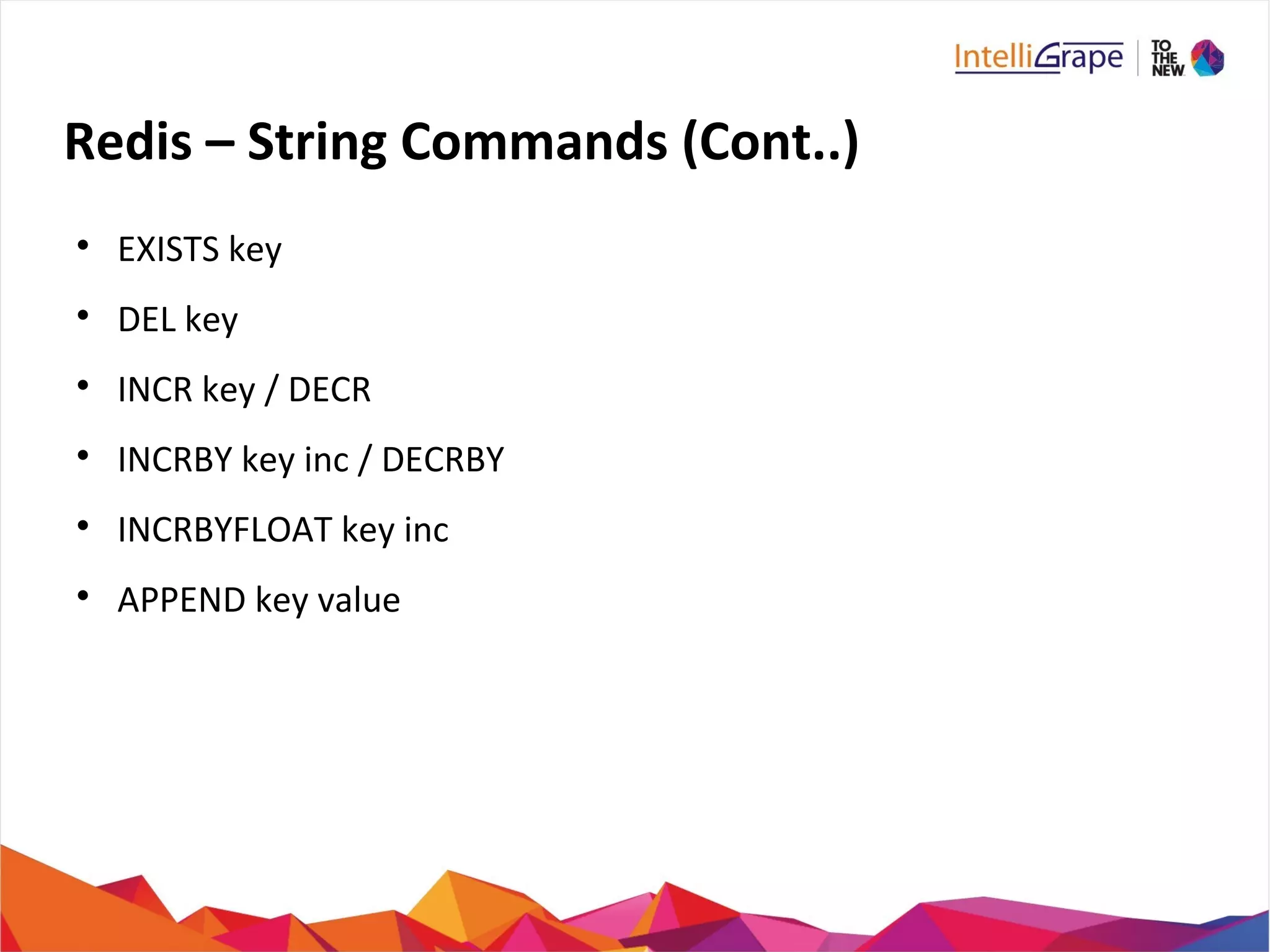
Redis – String Commands (Cont..)

EXISTS key

DEL key

INCR key / DECR

INCRBY key inc / DECRBY

INCRBYFLOAT key inc

APPEND key value
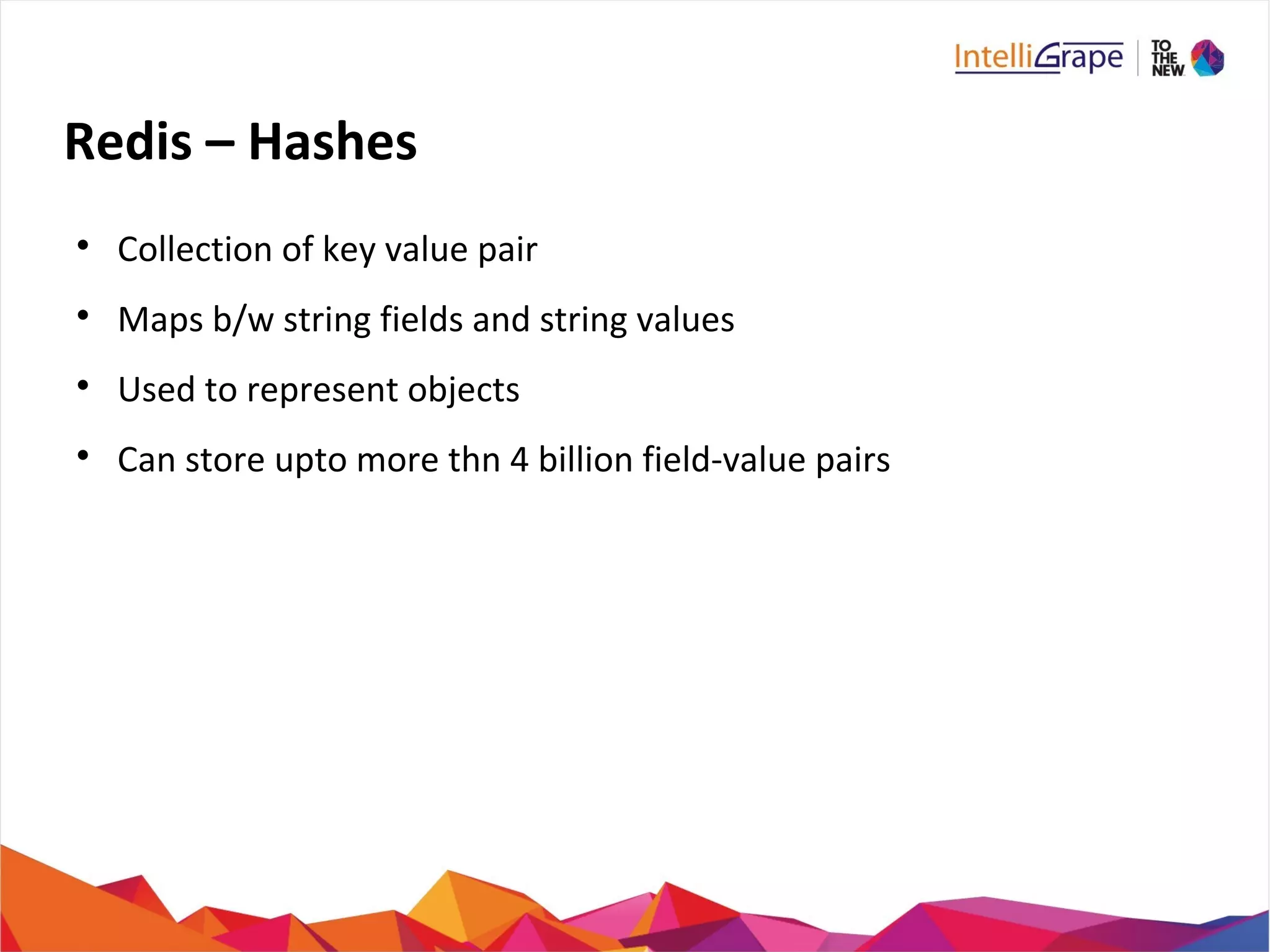
Redis – Hashes

Collection of key value pair

Maps b/w string fields and string values

Used to represent objects

Can store upto more thn 4 billion field-value pairs
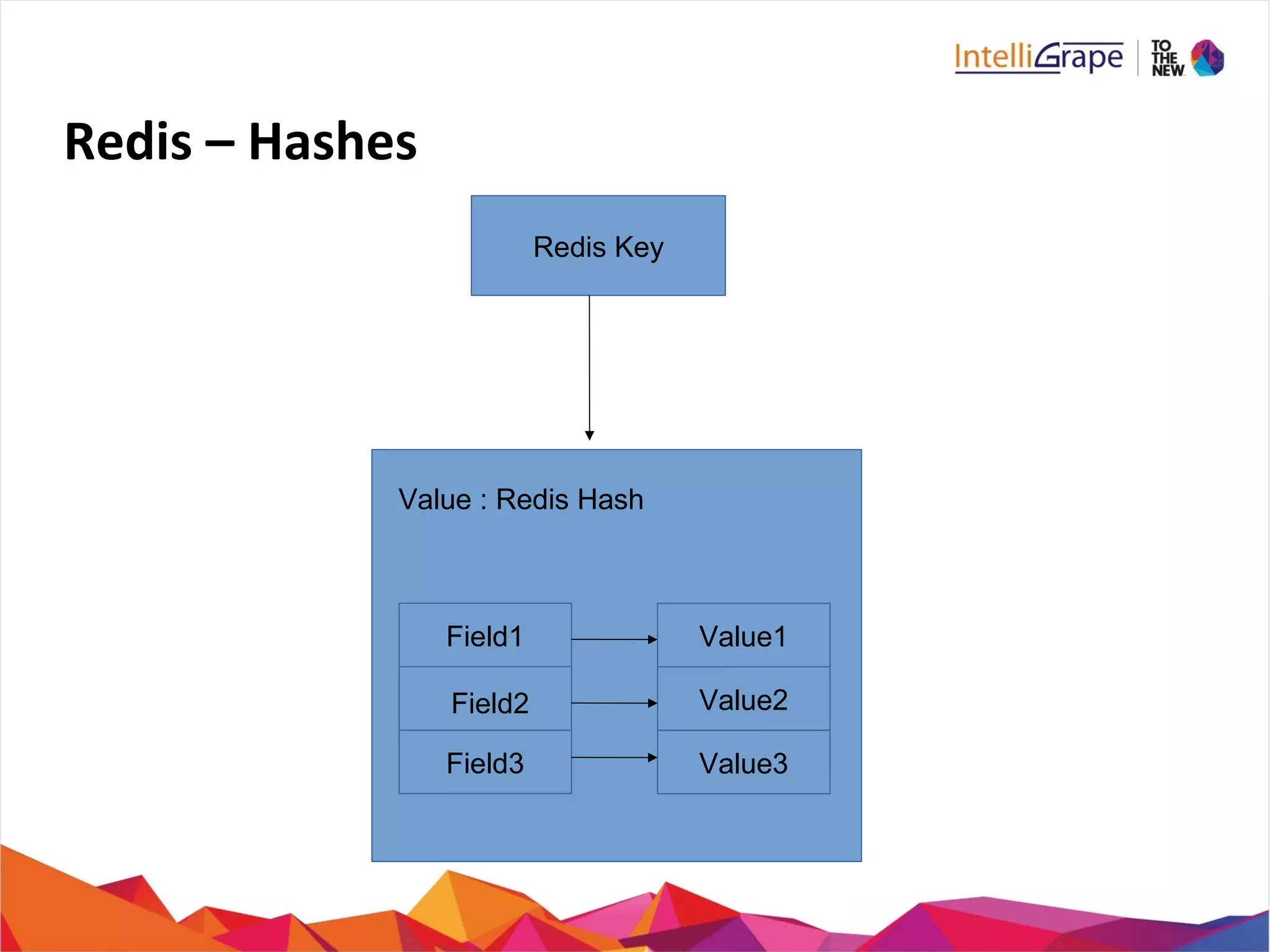
Redis – Hashes
Redis Key
Field1
Field3 Value3
Value2
Value1
Field2
Value : Redis Hash
Redis – Hashes Commands

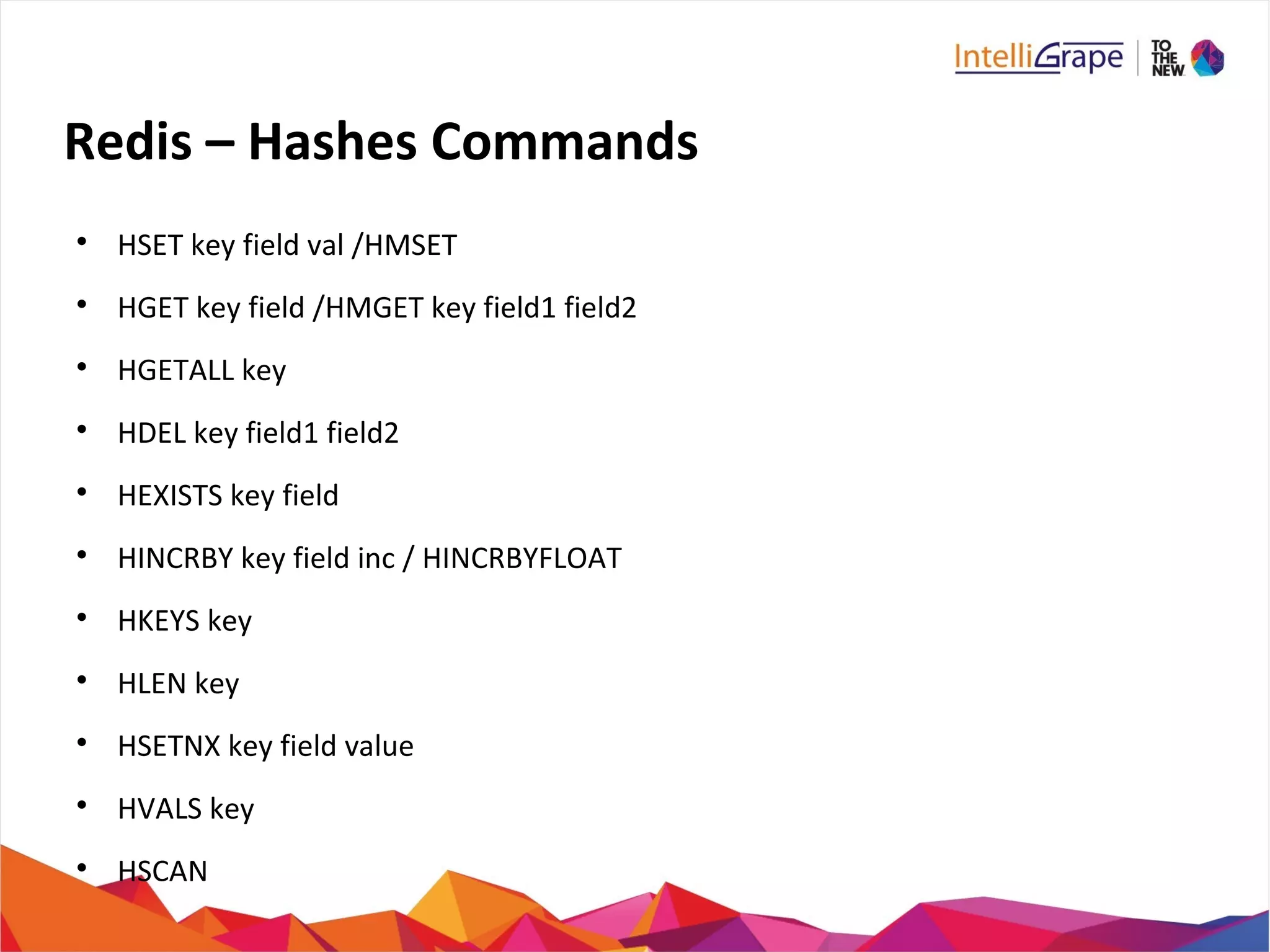
HSET key field val /HMSET

HGET key field /HMGET key field1 field2

HGETALL key

HDEL key field1 field2

HEXISTS key field

HINCRBY key field inc / HINCRBYFLOAT

HKEYS key

HLEN key

HSETNX key field value

HVALS key

HSCAN
Redis – Hashes Example
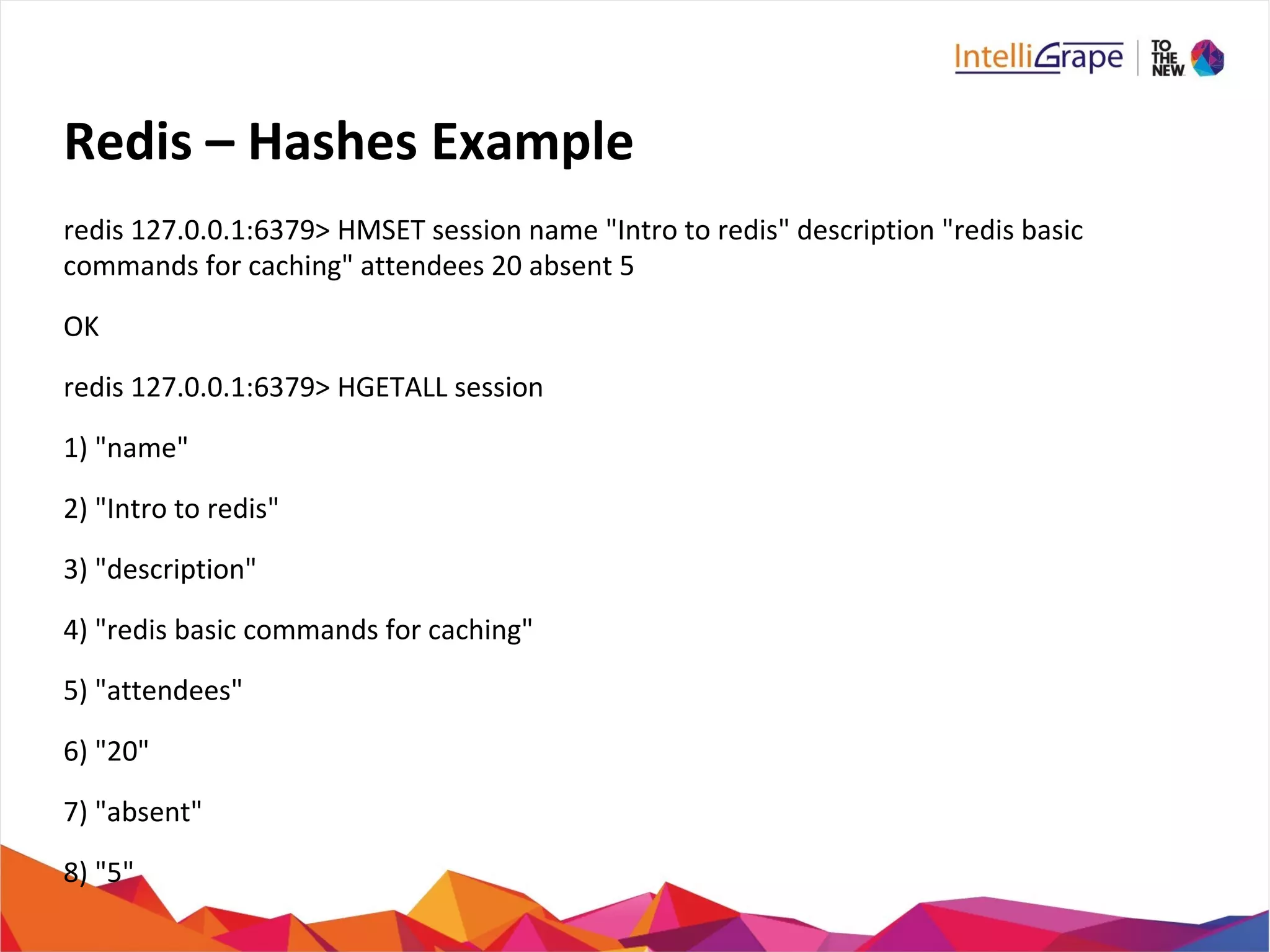
redis 127.0.0.1:6379> HMSET session name "Intro to redis" description "redis basic
commands for caching" attendees 20 absent 5
OK
redis 127.0.0.1:6379> HGETALL session
1) "name"
2) "Intro to redis"
3) "description"
4) "redis basic commands for caching"
5) "attendees"
6) "20"
7) "absent"
8) "5"
Redis – Lists

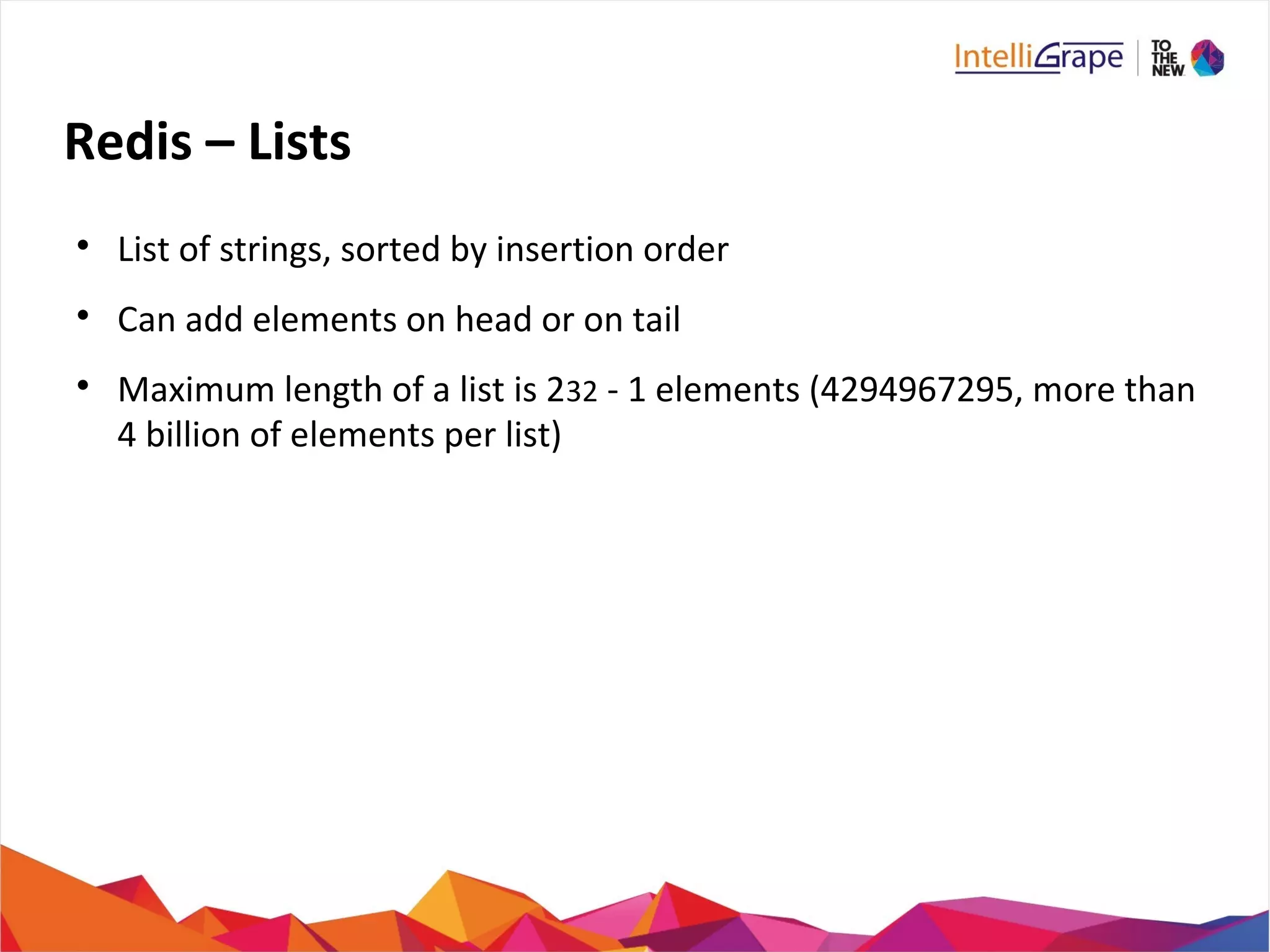
List of strings, sorted by insertion order

Can add elements on head or on tail

Maximum length of a list is 232 - 1 elements (4294967295, more than
4 billion of elements per list)
Redis – Lists
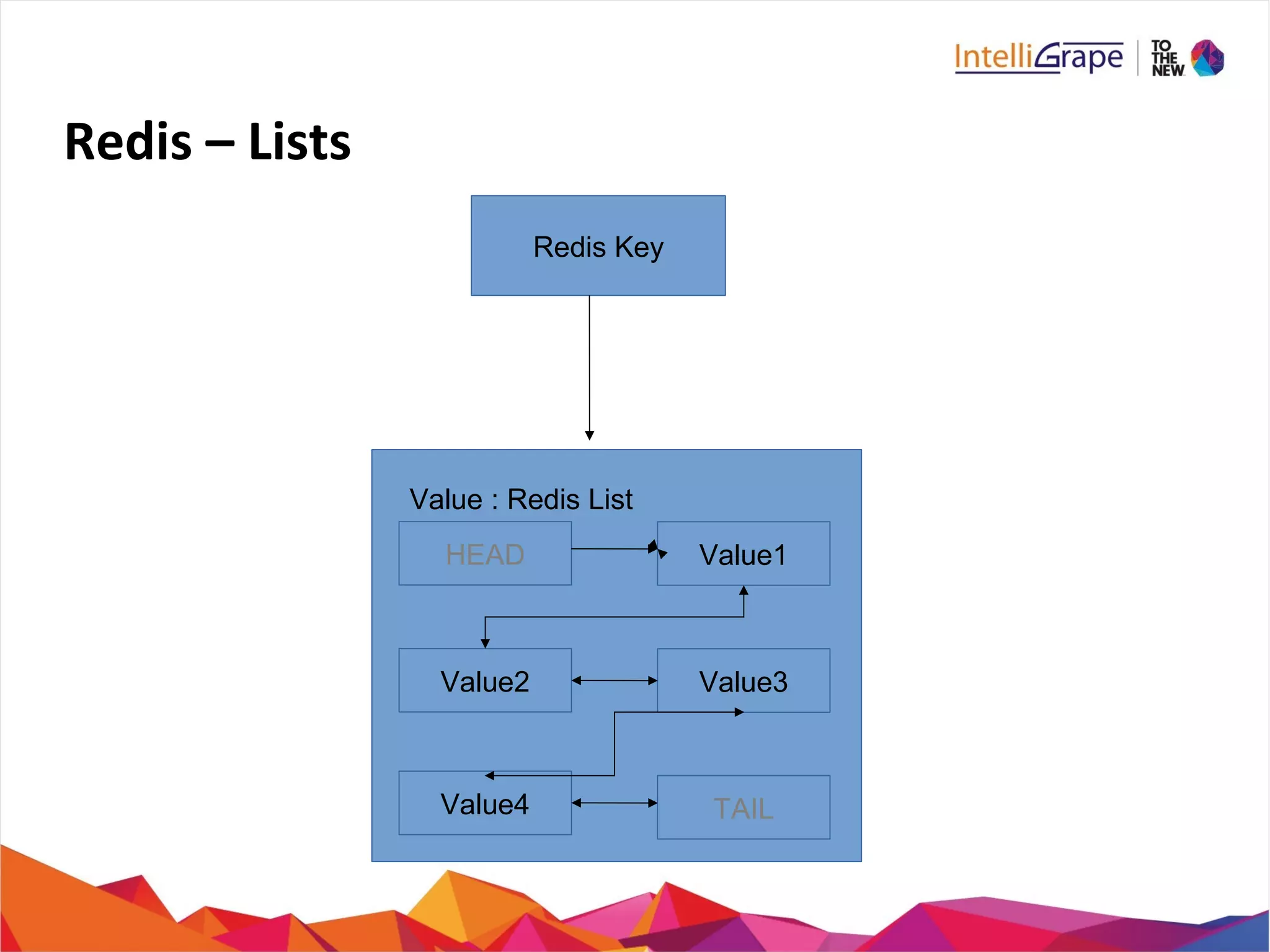
Redis Key
HEAD
Value2
Value4 TAIL
Value3
Value1
Value : Redis List
Redis – Lists Commands

LPOP key / LPUSH key value1 [value2]

RPOP key / RPUSH key value1 [value2]

BLPOP key1 [key2 ] timeout

BRPOP key1 [key2 ] timeout

BRPOPLPUSH source destination timeout

LINDEX key index

LINSERT key BEFORE|AFTER pivot value

LLEN key
Redis – Lists Commands (Cont..)

LPUSHX key value

LRANGE key start stop

LREM key count value

LSET key index value

LTRIM key start stop

RPOP key / RPUSH key value1 [value2]

RPOPLPUSH source destination

RPUSHX key value
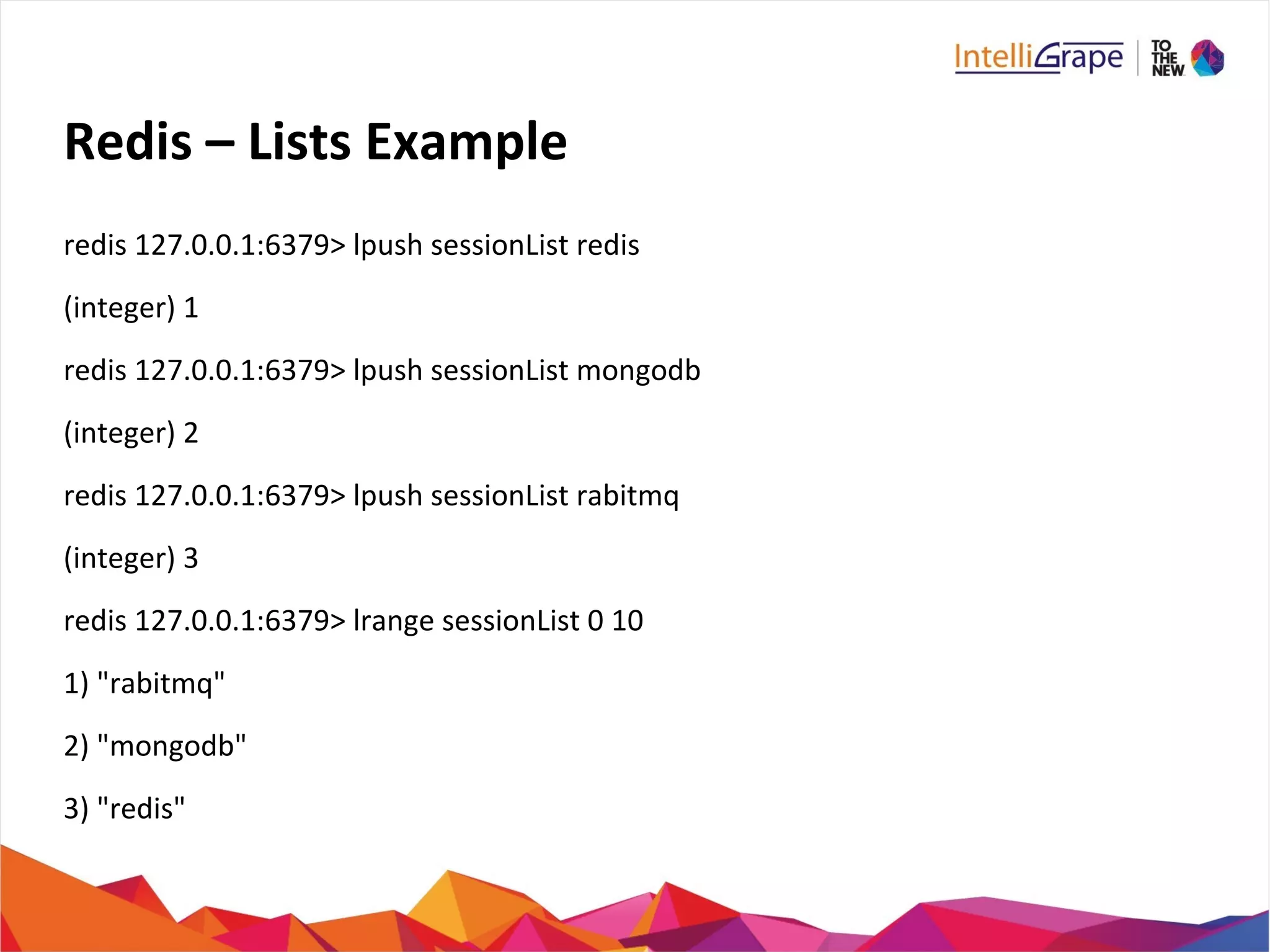
Redis – Lists Example
redis 127.0.0.1:6379> lpush sessionList redis
(integer) 1
redis 127.0.0.1:6379> lpush sessionList mongodb
(integer) 2
redis 127.0.0.1:6379> lpush sessionList rabitmq
(integer) 3
redis 127.0.0.1:6379> lrange sessionList 0 10
1) "rabitmq"
2) "mongodb"
3) "redis"
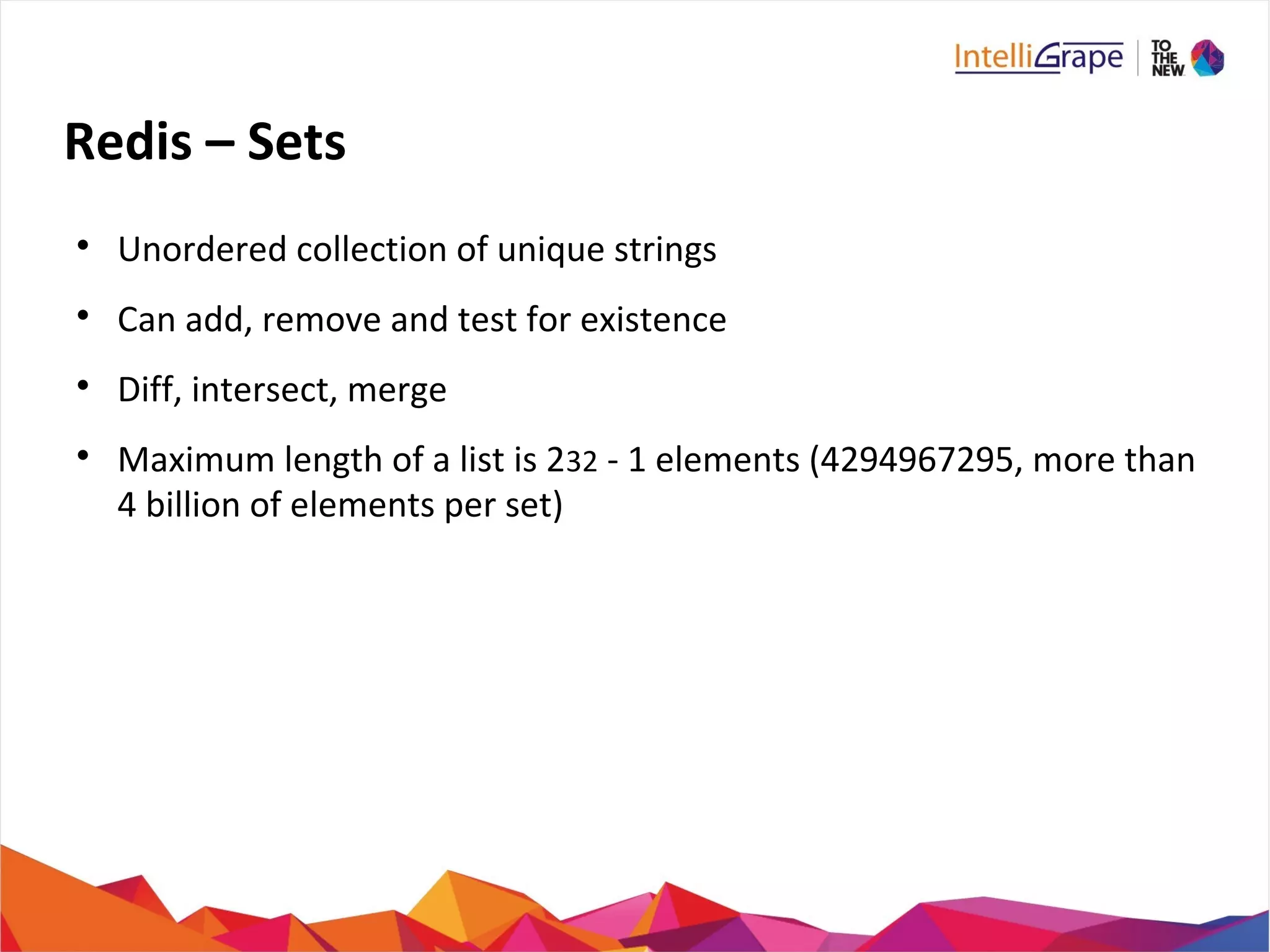
Redis – Sets

Unordered collection of unique strings

Can add, remove and test for existence

Diff, intersect, merge

Maximum length of a list is 232 - 1 elements (4294967295, more than
4 billion of elements per set)
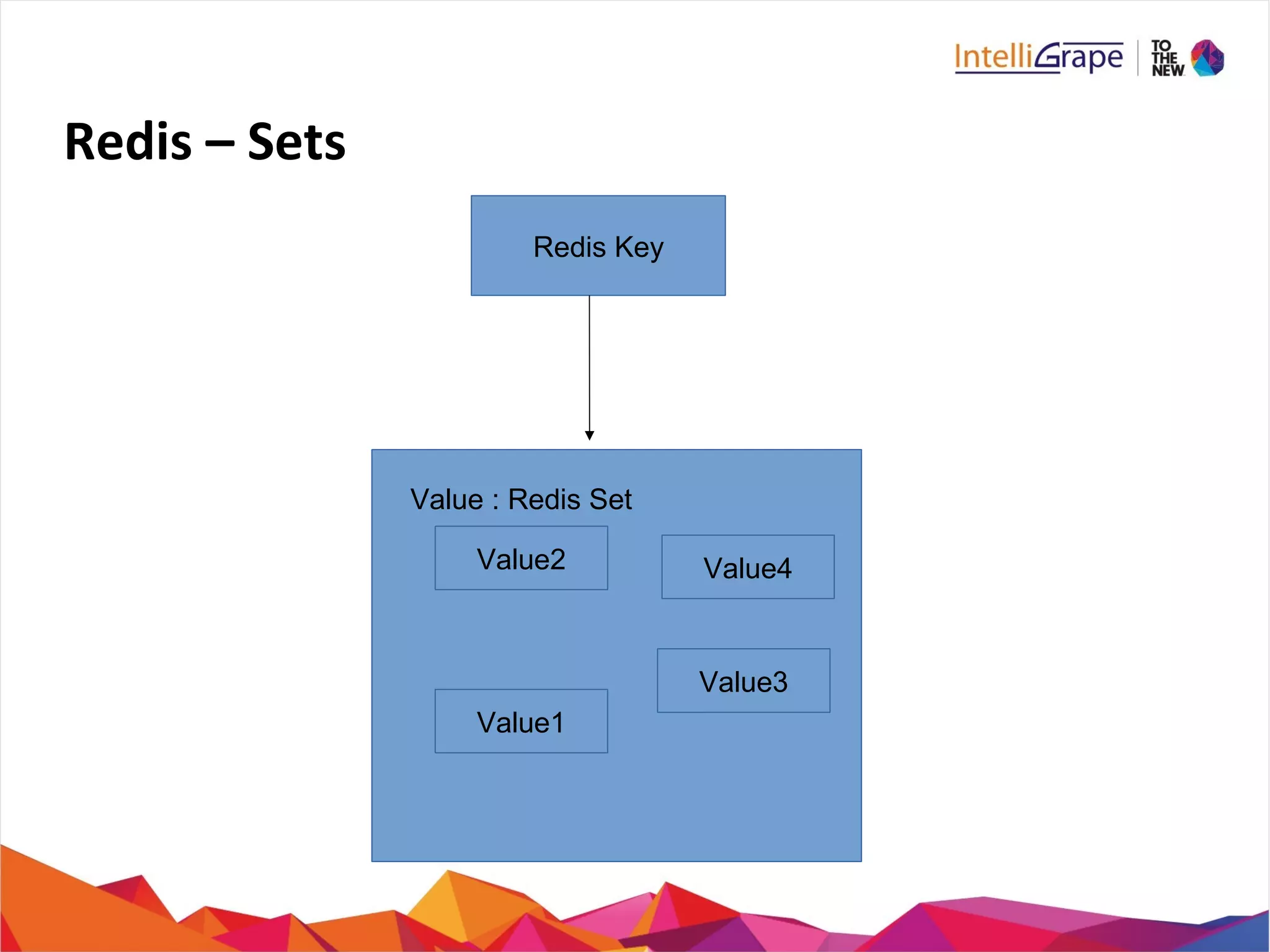
Redis – Sets
Redis Key
Value2 Value4
Value3
Value1
Value : Redis Set
Redis – Sets Commands

SADD key member1 [member2] / SPOP key

SREM key member1 [member2]

SCARD key

SDIFF key1 [key2]

SDIFFSTORE destination key1 [key2]

SINTER key1 [KEY2]

SINTERSTORE destination key1 [key2]

SUNION key1 [key2]

SUNIONSTORE destination key1 [key2]
Redis – Sets Commands (Cont..)

SISMEMBER key member

SMEMBERS key

SRANDMEMBER key [count]

SMOVE source destination member

SSCAN key cursor [MATCH pattern]
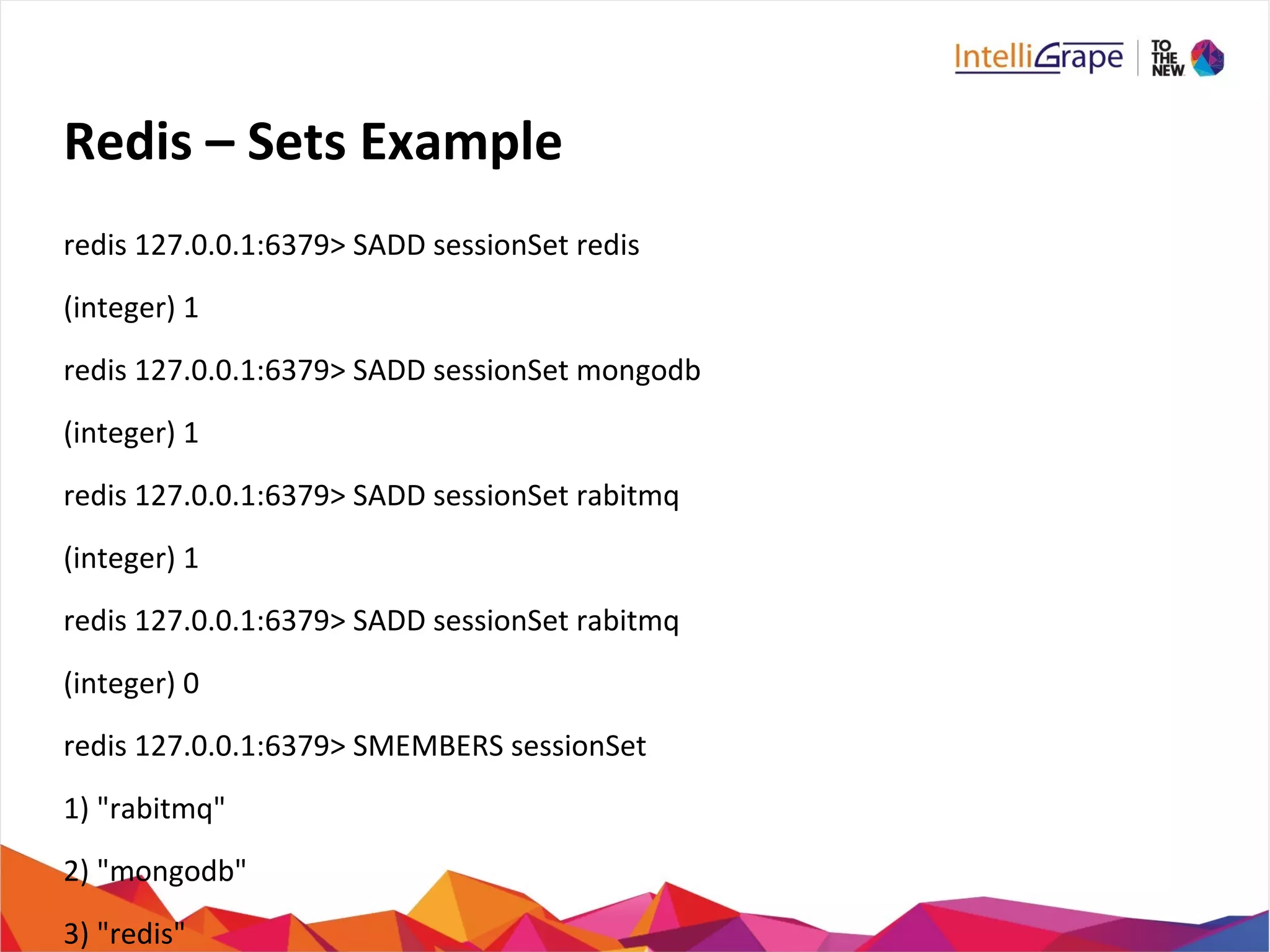
Redis – Sets Example
redis 127.0.0.1:6379> SADD sessionSet redis
(integer) 1
redis 127.0.0.1:6379> SADD sessionSet mongodb
(integer) 1
redis 127.0.0.1:6379> SADD sessionSet rabitmq
(integer) 1
redis 127.0.0.1:6379> SADD sessionSet rabitmq
(integer) 0
redis 127.0.0.1:6379> SMEMBERS sessionSet
1) "rabitmq"
2) "mongodb"
3) "redis"
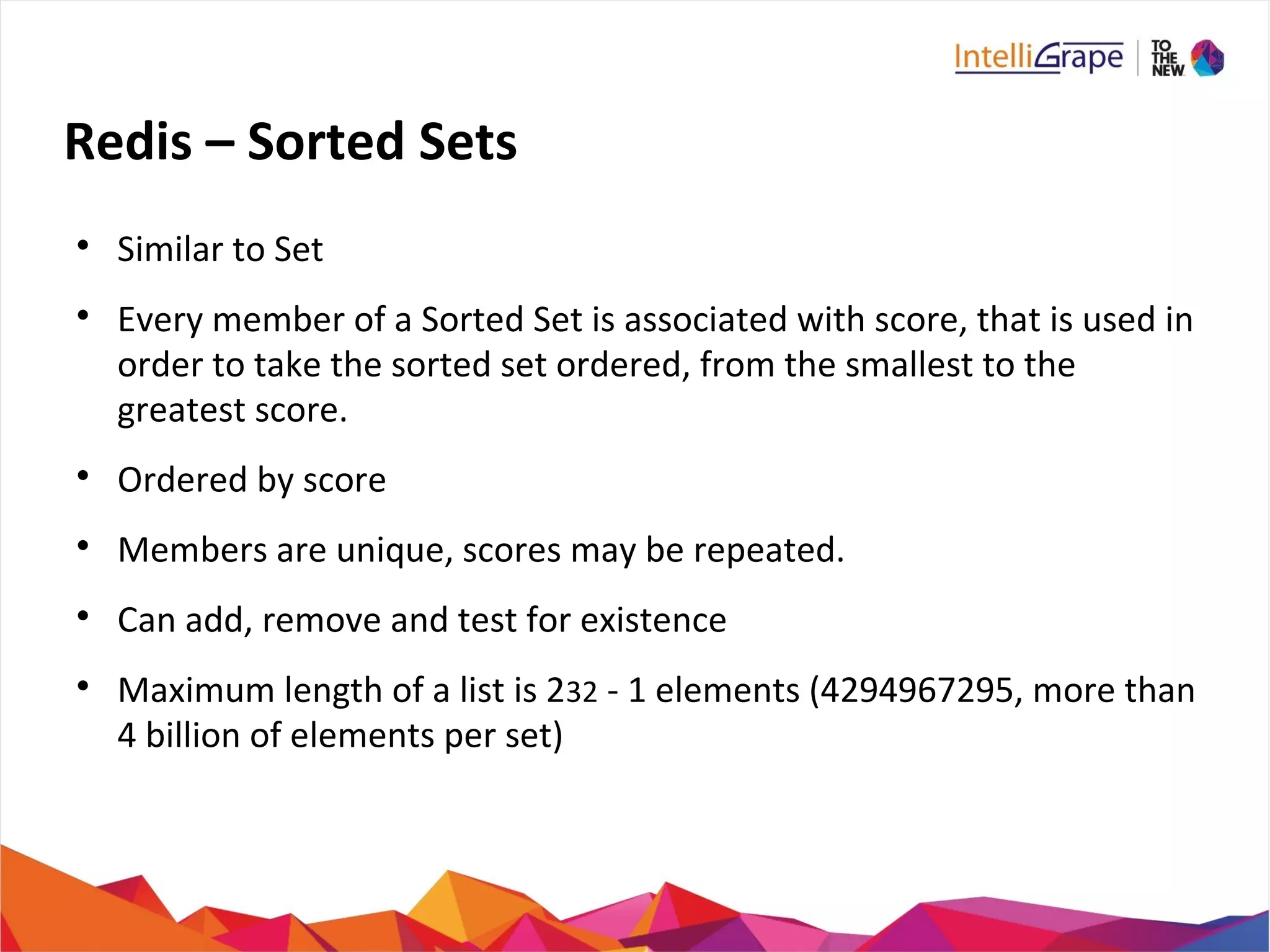
Redis – Sorted Sets

Similar to Set

Every member of a Sorted Set is associated with score, that is used in
order to take the sorted set ordered, from the smallest to the
greatest score.

Ordered by score

Members are unique, scores may be repeated.

Can add, remove and test for existence

Maximum length of a list is 232 - 1 elements (4294967295, more than
4 billion of elements per set)
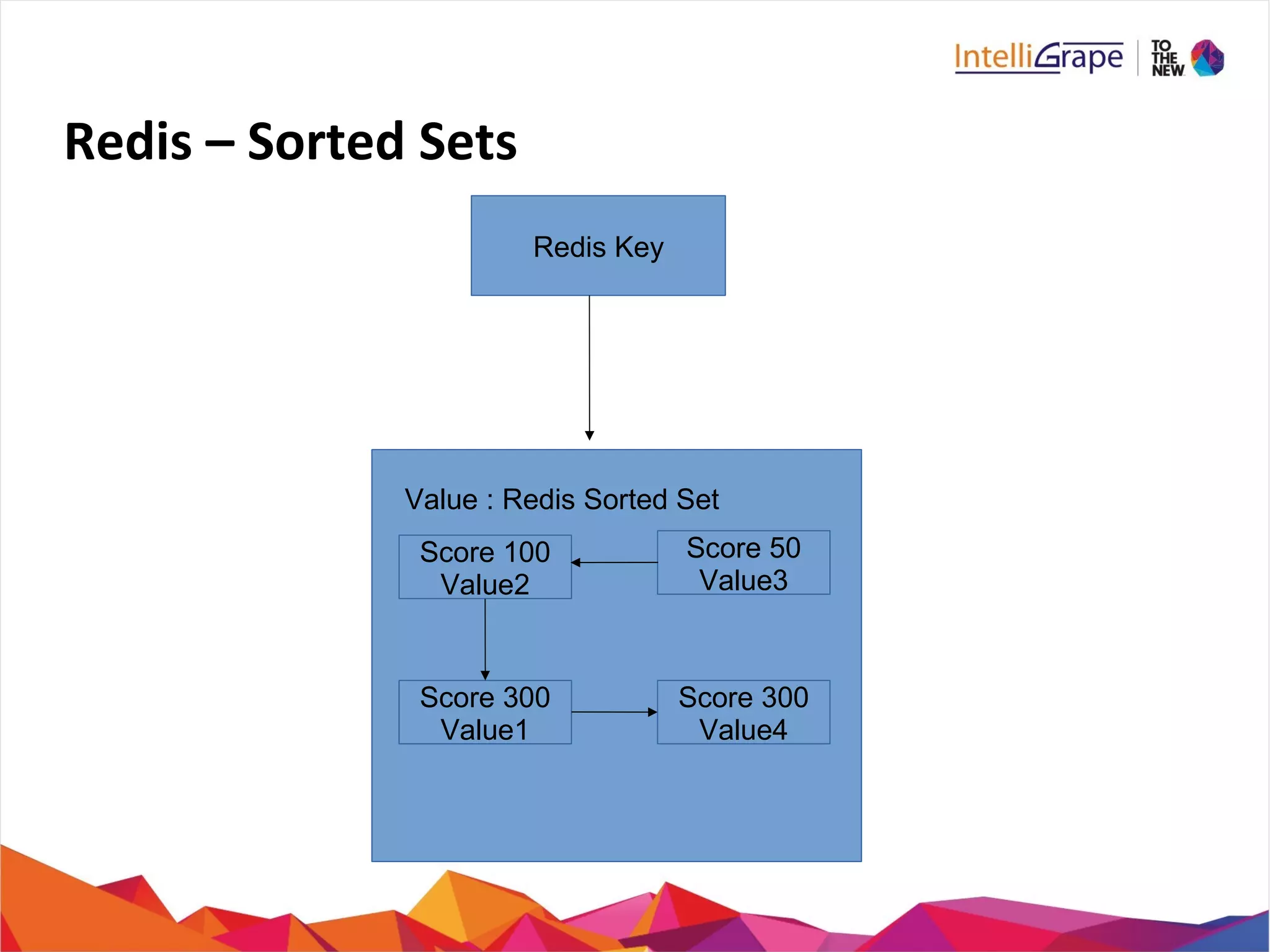
Redis – Sorted Sets
Redis Key
Score 100
Value2
Score 300
Value1
Score 300
Value4
Score 50
Value3
Value : Redis Sorted Set
Redis – Sorted Sets Commands

ZADD key score1 member1 [score2 member2]

ZCARD key

ZCOUNT key min max

ZINCRBY key increment member

ZINTERSTORE destination numkeys key [key ...]

ZRANGE key start stop WITHSCORES
ZRANGEBYSCORE key min max [WITHSCORES] [LIMIT]

ZRANK key member
Redis – Sorted Sets Commands (Cont..)

ZREM key member [member ...]

ZREMRANGEBYRANK key start stop

ZREMRANGEBYSCORE key min max

ZREVRANGE key start stop [WITHSCORES]

ZREVRANGEBYSCORE key max min [WITHSCORES]

ZREVRANK key member

ZSCORE key member

ZUNIONSTORE destination numkeys key [key ...]

ZSCAN key cursor [MATCH pattern]
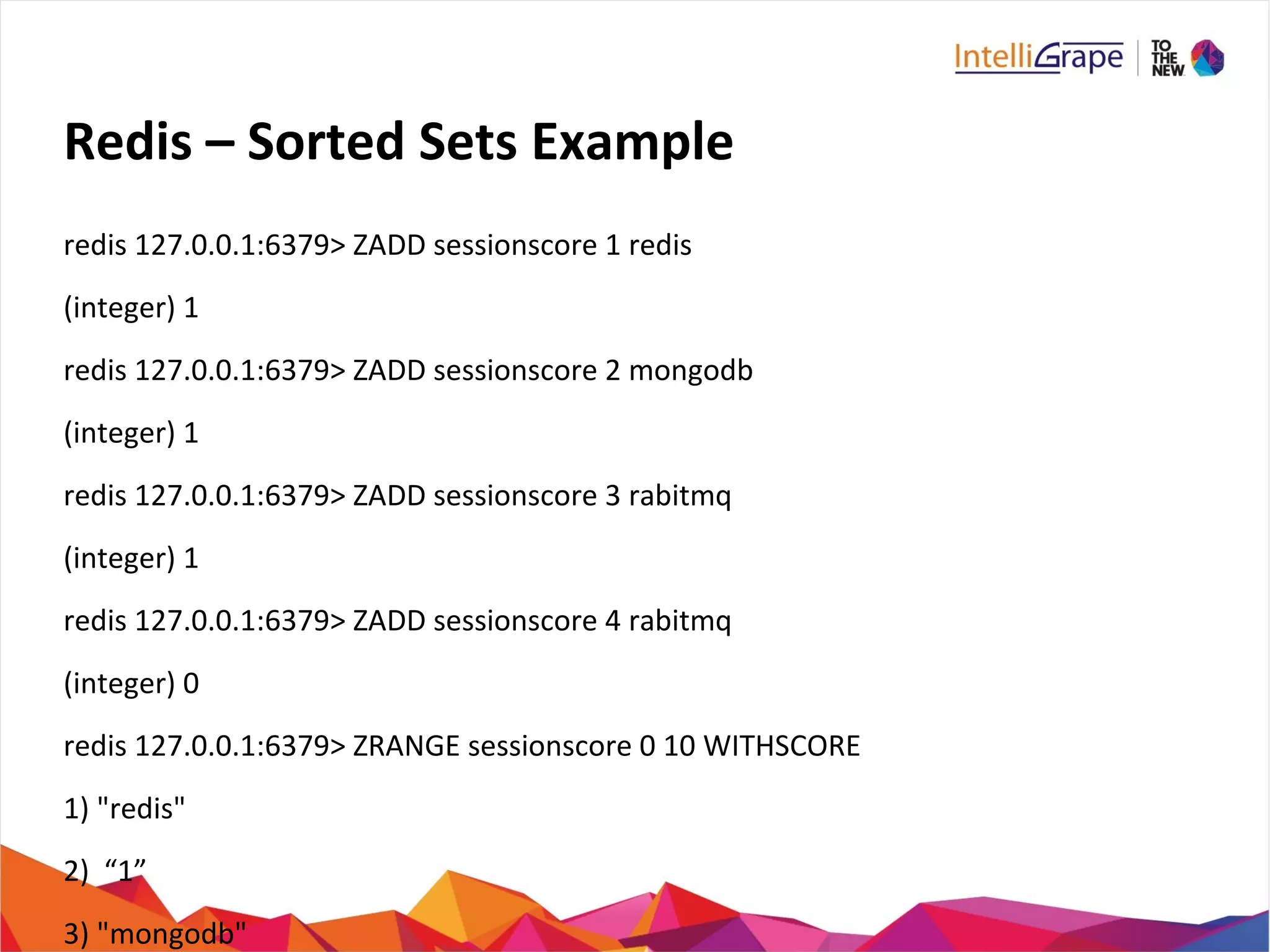
Redis – Sorted Sets Example
redis 127.0.0.1:6379> ZADD sessionscore 1 redis
(integer) 1
redis 127.0.0.1:6379> ZADD sessionscore 2 mongodb
(integer) 1
redis 127.0.0.1:6379> ZADD sessionscore 3 rabitmq
(integer) 1
redis 127.0.0.1:6379> ZADD sessionscore 4 rabitmq
(integer) 0
redis 127.0.0.1:6379> ZRANGE sessionscore 0 10 WITHSCORE
1) "redis"
2) “1”
3) "mongodb"
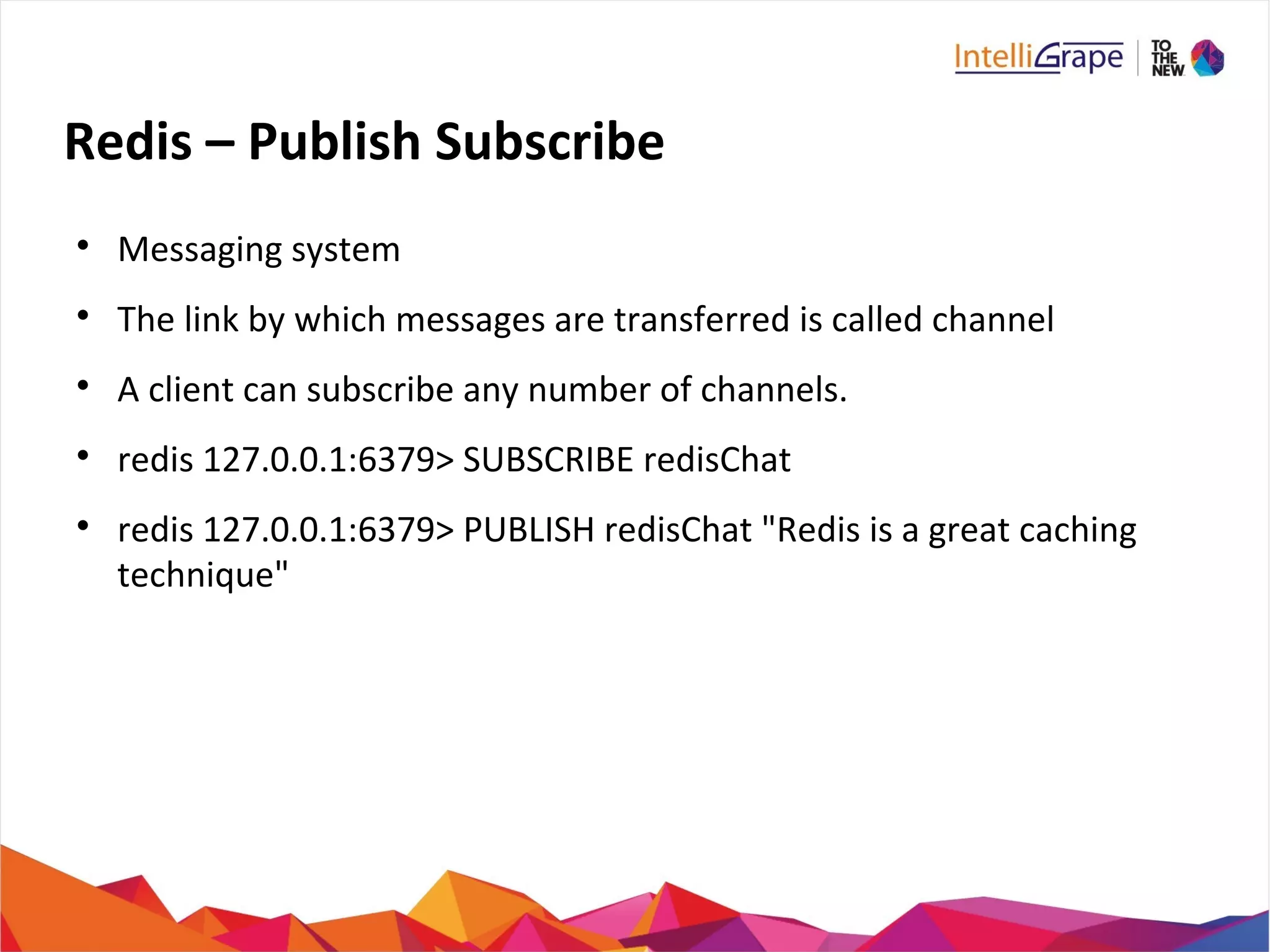
Redis – Publish Subscribe

Messaging system

The link by which messages are transferred is called channel

A client can subscribe any number of channels.

redis 127.0.0.1:6379> SUBSCRIBE redisChat

redis 127.0.0.1:6379> PUBLISH redisChat "Redis is a great caching
technique"
Redis – Pub Sub Commands

PUBLISH channel message

SUBSCRIBE channel [channel...]

PSUBSCRIBE pattern [pattern2...]

PUBSUB subcommand [argument [argument]]

UNSUBSCRIBE [channel [channel...]]

PUNSUBSCRIBE [pattern [pattern...]]
Redis – Transactions

Allow the execution of a group of commands in a single step

Two properties:
− All commands are serialized and executed sequentially
− Either all commands or no commands are processed

Iinitiated by command MULTI

Executed by EXEC command
Redis – Transactions Commands

DISCARD

EXEC

MULTI

UNWATCH

WATCH key [key...]
Redis – Connections

To manage client connections with redis server
Redis – Connection Commands

AUTH password

ECHO message

PING

QUIT

SELECT index
Redis Configuration

Redis.conf available at root directory of redis.

CONFIG GET *

CONFIG SET CONFIG_SETTING_NAME NEW_CONFIG_VALUE
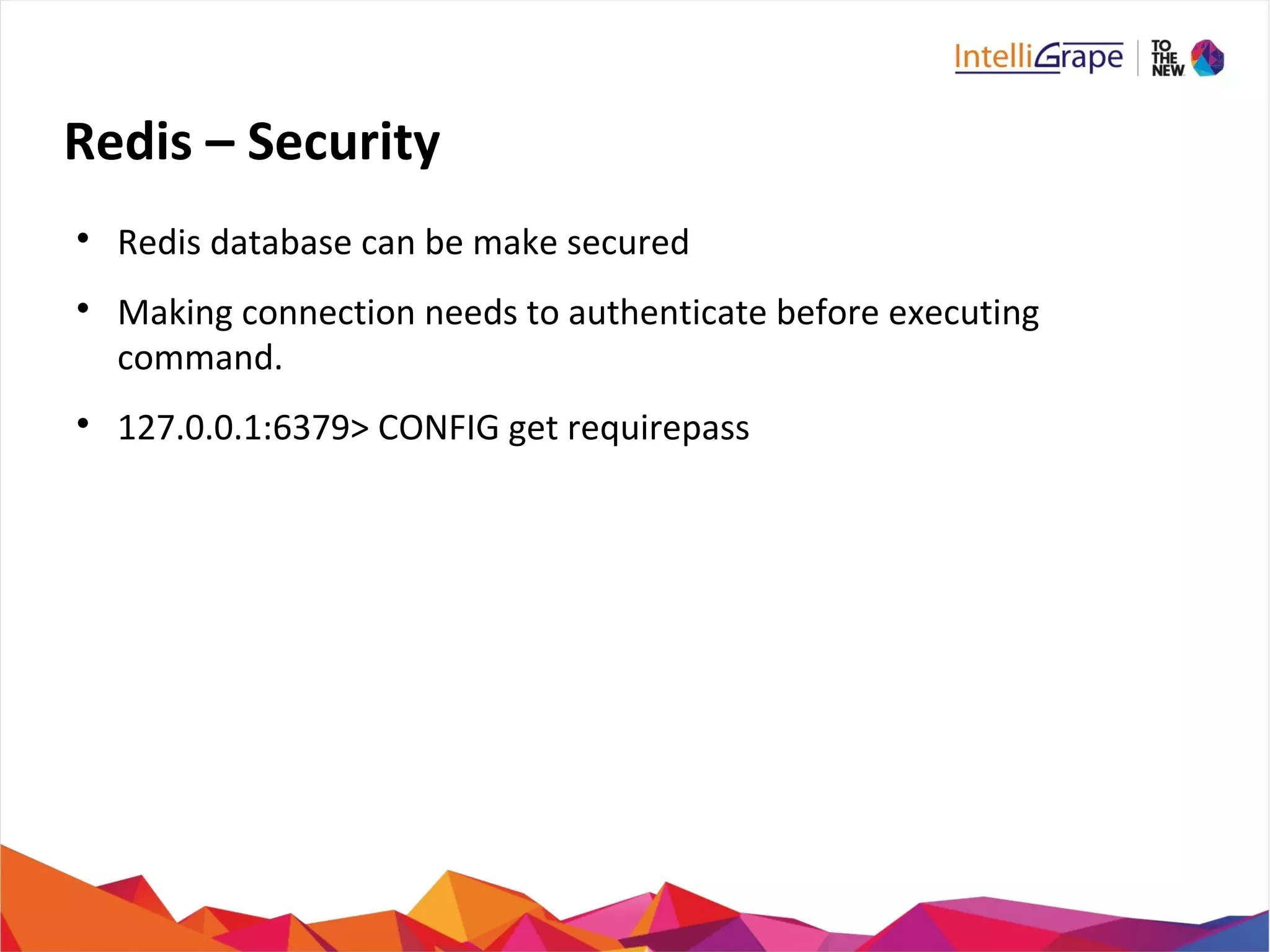
Redis – Security

Redis database can be make secured

Making connection needs to authenticate before executing
command.

127.0.0.1:6379> CONFIG get requirepass
Redis – Security Commands
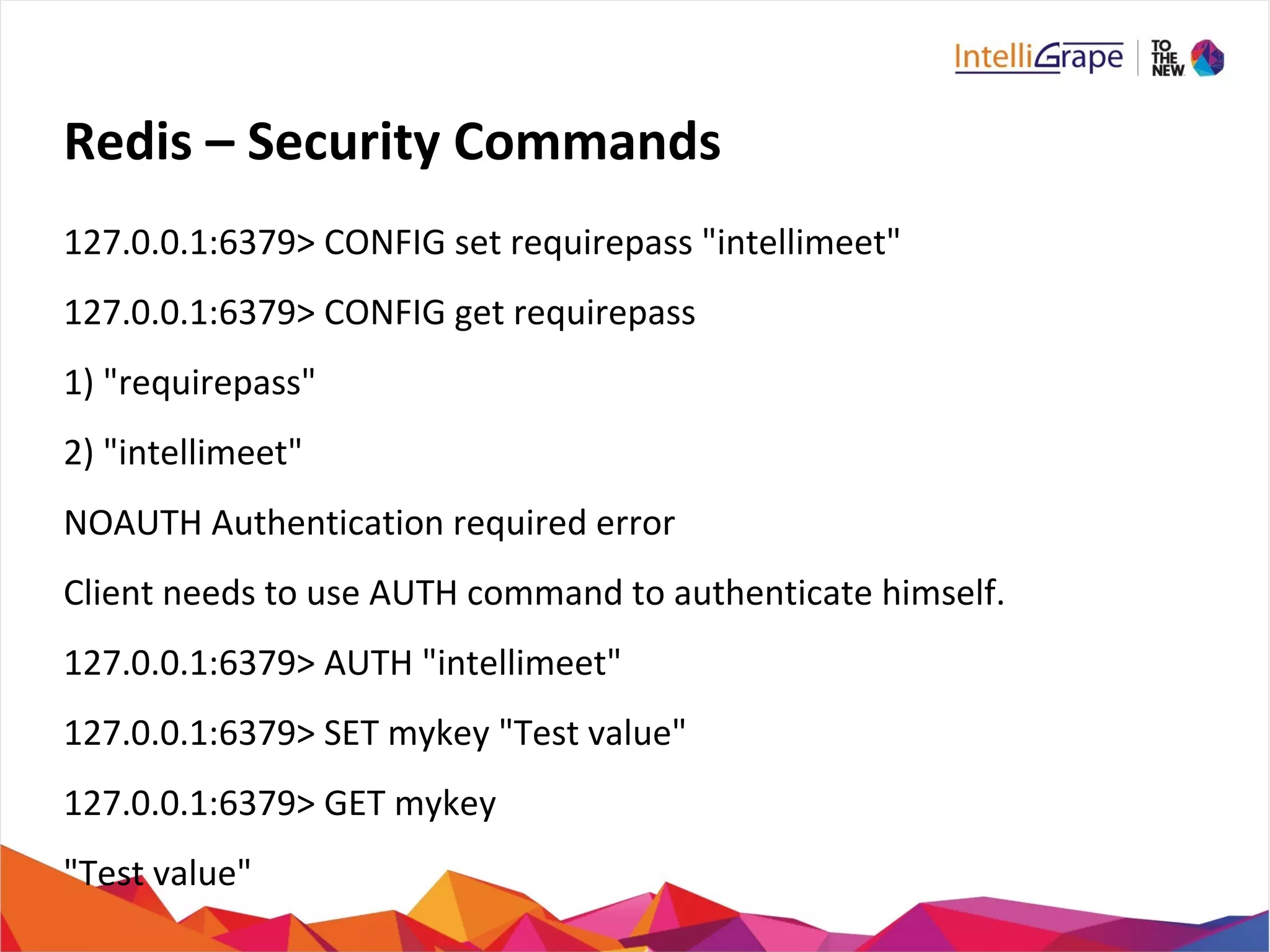
127.0.0.1:6379> CONFIG set requirepass "intellimeet"
127.0.0.1:6379> CONFIG get requirepass
1) "requirepass"
2) "intellimeet"
NOAUTH Authentication required error
Client needs to use AUTH command to authenticate himself.
127.0.0.1:6379> AUTH "intellimeet"
127.0.0.1:6379> SET mykey "Test value"
127.0.0.1:6379> GET mykey
"Test value"
Redis – Backup

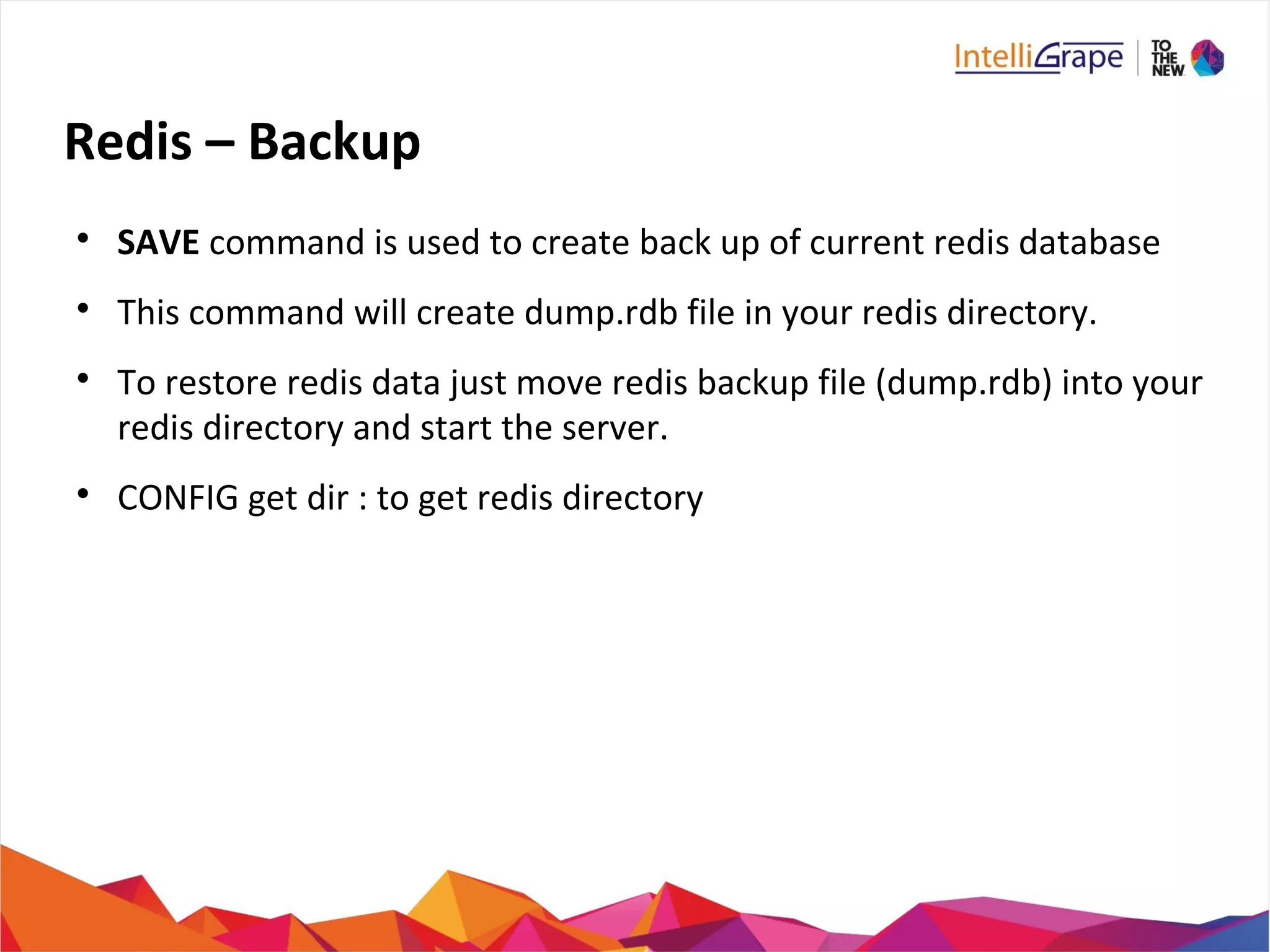
SAVE command is used to create back up of current redis database

This command will create dump.rdb file in your redis directory.

To restore redis data just move redis backup file (dump.rdb) into your
redis directory and start the server.

CONFIG get dir : to get redis directory
Redis – Backup (Cont..)

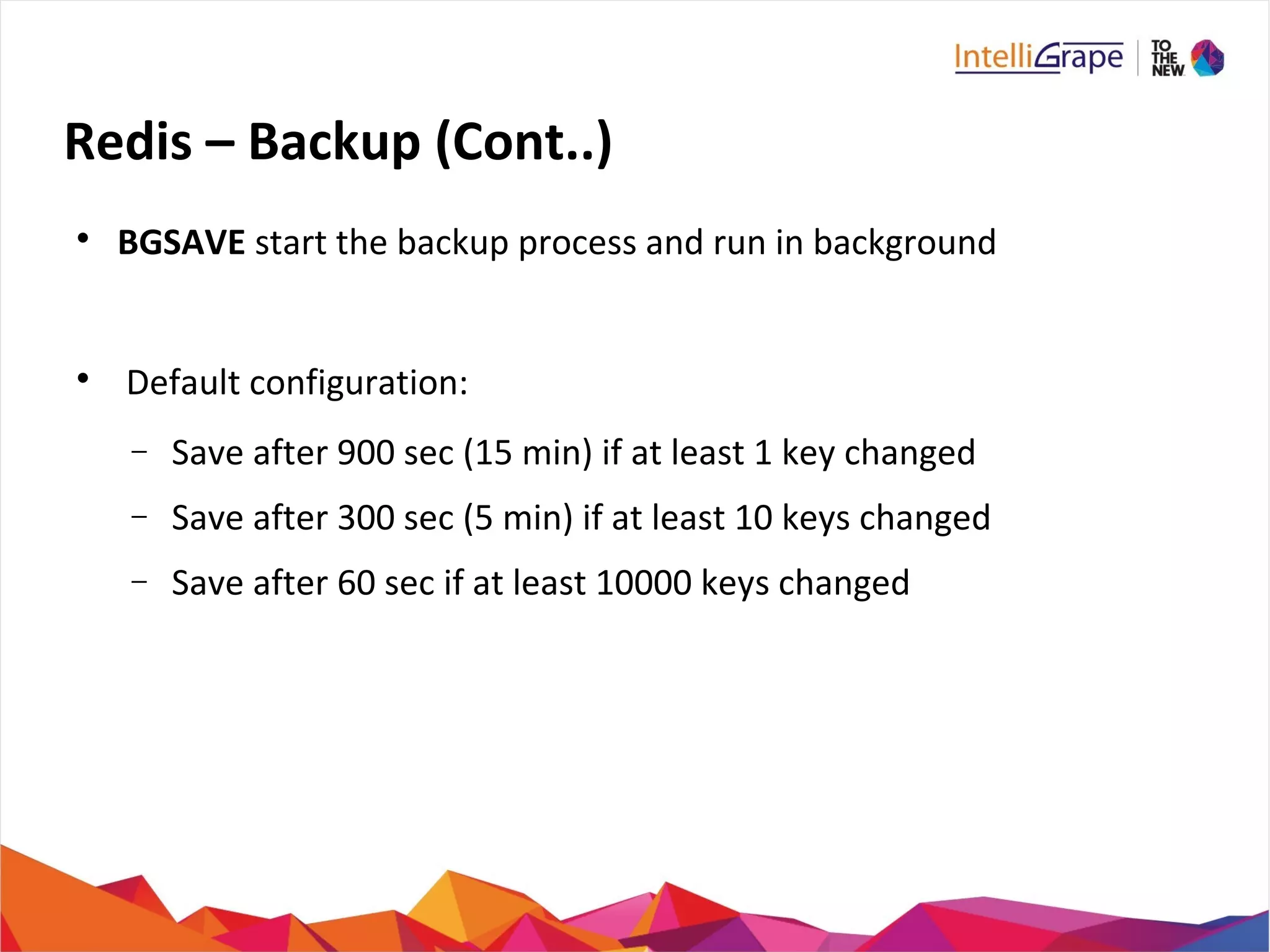
BGSAVE start the backup process and run in background

Default configuration:
− Save after 900 sec (15 min) if at least 1 key changed
− Save after 300 sec (5 min) if at least 10 keys changed
− Save after 60 sec if at least 10000 keys changed
Redis – Some other useful Commands

DBSIZE

SELECT

FLUSHALL

FLUSHDB

INFO

LASTSAVE (Last unsuccessful save)

MONITOR

SHUTDOWN

SLAVEOF
Redis – Benchmarks

Utility to check the performance of redis

Running n commands simultaneously

redis-benchmark [option] [option value]

redis-benchmark -n 100000

redis-benchmark -h 127.0.0.1 -p 6379 -t set,lpush -n 100000 -q

SET: 146198.83 requests per second

LPUSH: 145560.41 requests per second
Why not Redis?

Single Threaded

Significant overhead for persistence

Pick your risk level Vs performance
If your db is too big - redis can handle swapping on its own.
Keys remain in memory and least used values are swapped to
disk.
Swapping IO happens in separate threads
But if you need this - don't use redis, or get a bigger machine ;)
Redis Commands Link

http://redis.io/commands

Try Redis- in real time
− http://try.redis-db.com
Other use case ideas

Geo Resolving with geohashing
− Implemented and opened by yours truly
https://github.com/doat/geodis

Real time analytics
− use ZSET, SORT, INCR of values

API Key and rate management
− Very fast key lookup, rate control counters using INCR

Real time game data
− ZSETs for high scores, HASHES for online users, etc

Database Shard Index
− map key => database id. Count size with SETS
Introduction to redis

Introduction to redis

  • 1.
    An Introduction to By:Tanu Siwag & Deepak Kr Mittal
  • 2.
    Agenda Overview Redis Advantages Comparision withother key-value storage Environment Setup - Install Redis Redis - Data Types : Strings, Hashes, Lists, Sets, Sorted Sets Redis Keys and Key Commands
  • 3.
    Agenda (Cont...)  Pub-Sub  Transactions  Redis -Connections  Redis – Backup  Redis – Security  Benchmark
  • 4.
    What is Redis?  REmoteDIctionary Server (Data Structure server)  Redis is an open source, advanced key-value store  Written in c  Solution for building high-performance, scalable web applications.  In-memory storage,with persistence.  Rich set of data types  Redis can replicate data to any number of slaves.
  • 5.
    Who all areusing Redis?
  • 6.
    Why Redis?  Simple tolearn  Lightweight text-based tcp protocol  Extremely fast and versatile - in RAM  Rapidly growing  Widely supported (C, .NET, PHP, Java... more)  Disk-backed, Background writes!  Master-Slave configurations  Open source , awesome community
  • 7.
    Advantages of Redis  ExceptionallyFast (110000 SETs per second, 81000 GETs per second)  Supports Rich data types  Snapshots  Atomic Operations  Replication  Sharding  MultiUtility Tool (caching, messaging-queues, any short lived data in application like web application sessions, web page hit counts, etc)
  • 8.
    Comparision with otherkey-value stores  Complex data types, with atomic operations  Redis is an in-memory but persistent on disk database  very high write and read speed  Memory representation of complex data structures is much simpler  Little internal complexity.
  • 9.
    Memcache Vs Redis MemcachedRedis Description In-memory key-value store, originally intended for caching In-memory database with configurable options performance vs. persistency Initial release 2003 2009 Transaction concepts none optimistic locking Partitioning methods none Sharding Durability no yes Replication methods none Master-slave replication
  • 10.
    Memcache Vs Redis MemcachedRedis Memory Usage For simple key-value pairs memcached is more memory efficient than Redis If use Redis hashes, then Redis is more memory efficient. Persistence Data lost with a restart & rebuilding cache is a costly process Persistent data. Redis syncs to disk at every 2 seconds. Storage Type Stores variables in memory Database that resides in memory Read/ Write Speed Heavy Read Heavy Read & Write Key Length 250 bytes max 2 GB max Data Structure String & integer Object: serialize stronger data structures
  • 11.
    Install Redis onUbuntu  $sudo apt-get install redis-server  Check if redis is working? $redis-cli  Run commands on remote server redis-cli -h host -p port -a password
  • 12.
    Install Redis onUbuntu  $ wget http://redis.googlecode.com/files/redis-2.4.2.tar.gz  $ tar xzf redis-2.4.2.tar.gz  $ cd redis-2.4.2  $ make  Start Redis: redis-server
  • 13.
    Install Redis DesktopManager on Ubuntu  Will provide UI to manage your redis keys and data.  Download from : http://redisdesktop.com/download  Install the downloaded file
  • 14.
    Ping – PongGame Install Redis on your systems
  • 15.
    Redis Key Commands  SET  GET  DEL  DUMP(serialized version)  EXISTS  EXPIRE key seconds  EXPIREAT key timestamp  PEXPIRE key milliseconds
  • 16.
    Redis Key Commands(Cont..)  PEXPIREAT key milliseconds-timestamp  KEYS pattern  MOVE key db (move key to another db)  PERSIST (Remove expiration)  TTL (Remaining time in key expiry)  PTTL (Remaining time in key expiry in milliseconds)  RANDOMKEY  RENAME key newkey (RENAMENX)  TYPE key
  • 17.
    Key => { Data Structures } KEYKEY ““I am aplain text string”I am a plain text string” C A A B DC A A B D A B C D EA B C D E A : 0.1 B : 0.2 C : 50 D : 50A : 0.1 B : 0.2 C : 50 D : 50 KEY 1KEY 1 KEY 2KEY 2 Value 1Value 1 Value 2Value 2 Hash Tables (objects) Strings/Bitmaps Lists Sets Sorted Sets String
  • 18.
  • 19.
    Redis – String  Formanaging Strings values  Sequence of bytes  Binary safe  Max 512 Megabytes in length
  • 20.
    Redis – String RedisKey Value: Redis String String (512 MB max)
  • 21.
    Redis – StringCommands  GET/SET  GETRANGE key start end  GETSET key value  MGET key1 key2 / MSET key1 val1 key2 val2  SETEX key seconds value / PSETEX  SETNX key value / MSETNX  SETRANGE key offset value  STRLEN key
  • 22.
    Redis – StringCommands (Cont..)  EXISTS key  DEL key  INCR key / DECR  INCRBY key inc / DECRBY  INCRBYFLOAT key inc  APPEND key value
  • 23.
    Redis – Hashes  Collectionof key value pair  Maps b/w string fields and string values  Used to represent objects  Can store upto more thn 4 billion field-value pairs
  • 24.
    Redis – Hashes RedisKey Field1 Field3 Value3 Value2 Value1 Field2 Value : Redis Hash
  • 25.
    Redis – HashesCommands  HSET key field val /HMSET  HGET key field /HMGET key field1 field2  HGETALL key  HDEL key field1 field2  HEXISTS key field  HINCRBY key field inc / HINCRBYFLOAT  HKEYS key  HLEN key  HSETNX key field value  HVALS key  HSCAN
  • 26.
    Redis – HashesExample redis 127.0.0.1:6379> HMSET session name "Intro to redis" description "redis basic commands for caching" attendees 20 absent 5 OK redis 127.0.0.1:6379> HGETALL session 1) "name" 2) "Intro to redis" 3) "description" 4) "redis basic commands for caching" 5) "attendees" 6) "20" 7) "absent" 8) "5"
  • 27.
    Redis – Lists  Listof strings, sorted by insertion order  Can add elements on head or on tail  Maximum length of a list is 232 - 1 elements (4294967295, more than 4 billion of elements per list)
  • 28.
    Redis – Lists RedisKey HEAD Value2 Value4 TAIL Value3 Value1 Value : Redis List
  • 29.
    Redis – ListsCommands  LPOP key / LPUSH key value1 [value2]  RPOP key / RPUSH key value1 [value2]  BLPOP key1 [key2 ] timeout  BRPOP key1 [key2 ] timeout  BRPOPLPUSH source destination timeout  LINDEX key index  LINSERT key BEFORE|AFTER pivot value  LLEN key
  • 30.
    Redis – ListsCommands (Cont..)  LPUSHX key value  LRANGE key start stop  LREM key count value  LSET key index value  LTRIM key start stop  RPOP key / RPUSH key value1 [value2]  RPOPLPUSH source destination  RPUSHX key value
  • 31.
    Redis – ListsExample redis 127.0.0.1:6379> lpush sessionList redis (integer) 1 redis 127.0.0.1:6379> lpush sessionList mongodb (integer) 2 redis 127.0.0.1:6379> lpush sessionList rabitmq (integer) 3 redis 127.0.0.1:6379> lrange sessionList 0 10 1) "rabitmq" 2) "mongodb" 3) "redis"
  • 32.
    Redis – Sets  Unorderedcollection of unique strings  Can add, remove and test for existence  Diff, intersect, merge  Maximum length of a list is 232 - 1 elements (4294967295, more than 4 billion of elements per set)
  • 33.
    Redis – Sets RedisKey Value2 Value4 Value3 Value1 Value : Redis Set
  • 34.
    Redis – SetsCommands  SADD key member1 [member2] / SPOP key  SREM key member1 [member2]  SCARD key  SDIFF key1 [key2]  SDIFFSTORE destination key1 [key2]  SINTER key1 [KEY2]  SINTERSTORE destination key1 [key2]  SUNION key1 [key2]  SUNIONSTORE destination key1 [key2]
  • 35.
    Redis – SetsCommands (Cont..)  SISMEMBER key member  SMEMBERS key  SRANDMEMBER key [count]  SMOVE source destination member  SSCAN key cursor [MATCH pattern]
  • 36.
    Redis – SetsExample redis 127.0.0.1:6379> SADD sessionSet redis (integer) 1 redis 127.0.0.1:6379> SADD sessionSet mongodb (integer) 1 redis 127.0.0.1:6379> SADD sessionSet rabitmq (integer) 1 redis 127.0.0.1:6379> SADD sessionSet rabitmq (integer) 0 redis 127.0.0.1:6379> SMEMBERS sessionSet 1) "rabitmq" 2) "mongodb" 3) "redis"
  • 37.
    Redis – SortedSets  Similar to Set  Every member of a Sorted Set is associated with score, that is used in order to take the sorted set ordered, from the smallest to the greatest score.  Ordered by score  Members are unique, scores may be repeated.  Can add, remove and test for existence  Maximum length of a list is 232 - 1 elements (4294967295, more than 4 billion of elements per set)
  • 38.
    Redis – SortedSets Redis Key Score 100 Value2 Score 300 Value1 Score 300 Value4 Score 50 Value3 Value : Redis Sorted Set
  • 39.
    Redis – SortedSets Commands  ZADD key score1 member1 [score2 member2]  ZCARD key  ZCOUNT key min max  ZINCRBY key increment member  ZINTERSTORE destination numkeys key [key ...]  ZRANGE key start stop WITHSCORES ZRANGEBYSCORE key min max [WITHSCORES] [LIMIT]  ZRANK key member
  • 40.
    Redis – SortedSets Commands (Cont..)  ZREM key member [member ...]  ZREMRANGEBYRANK key start stop  ZREMRANGEBYSCORE key min max  ZREVRANGE key start stop [WITHSCORES]  ZREVRANGEBYSCORE key max min [WITHSCORES]  ZREVRANK key member  ZSCORE key member  ZUNIONSTORE destination numkeys key [key ...]  ZSCAN key cursor [MATCH pattern]
  • 41.
    Redis – SortedSets Example redis 127.0.0.1:6379> ZADD sessionscore 1 redis (integer) 1 redis 127.0.0.1:6379> ZADD sessionscore 2 mongodb (integer) 1 redis 127.0.0.1:6379> ZADD sessionscore 3 rabitmq (integer) 1 redis 127.0.0.1:6379> ZADD sessionscore 4 rabitmq (integer) 0 redis 127.0.0.1:6379> ZRANGE sessionscore 0 10 WITHSCORE 1) "redis" 2) “1” 3) "mongodb"
  • 42.
    Redis – PublishSubscribe  Messaging system  The link by which messages are transferred is called channel  A client can subscribe any number of channels.  redis 127.0.0.1:6379> SUBSCRIBE redisChat  redis 127.0.0.1:6379> PUBLISH redisChat "Redis is a great caching technique"
  • 43.
    Redis – PubSub Commands  PUBLISH channel message  SUBSCRIBE channel [channel...]  PSUBSCRIBE pattern [pattern2...]  PUBSUB subcommand [argument [argument]]  UNSUBSCRIBE [channel [channel...]]  PUNSUBSCRIBE [pattern [pattern...]]
  • 44.
    Redis – Transactions  Allowthe execution of a group of commands in a single step  Two properties: − All commands are serialized and executed sequentially − Either all commands or no commands are processed  Iinitiated by command MULTI  Executed by EXEC command
  • 45.
    Redis – TransactionsCommands  DISCARD  EXEC  MULTI  UNWATCH  WATCH key [key...]
  • 46.
    Redis – Connections  Tomanage client connections with redis server
  • 47.
    Redis – ConnectionCommands  AUTH password  ECHO message  PING  QUIT  SELECT index
  • 48.
    Redis Configuration  Redis.conf availableat root directory of redis.  CONFIG GET *  CONFIG SET CONFIG_SETTING_NAME NEW_CONFIG_VALUE
  • 49.
    Redis – Security  Redisdatabase can be make secured  Making connection needs to authenticate before executing command.  127.0.0.1:6379> CONFIG get requirepass
  • 50.
    Redis – SecurityCommands 127.0.0.1:6379> CONFIG set requirepass "intellimeet" 127.0.0.1:6379> CONFIG get requirepass 1) "requirepass" 2) "intellimeet" NOAUTH Authentication required error Client needs to use AUTH command to authenticate himself. 127.0.0.1:6379> AUTH "intellimeet" 127.0.0.1:6379> SET mykey "Test value" 127.0.0.1:6379> GET mykey "Test value"
  • 51.
    Redis – Backup  SAVEcommand is used to create back up of current redis database  This command will create dump.rdb file in your redis directory.  To restore redis data just move redis backup file (dump.rdb) into your redis directory and start the server.  CONFIG get dir : to get redis directory
  • 52.
    Redis – Backup(Cont..)  BGSAVE start the backup process and run in background  Default configuration: − Save after 900 sec (15 min) if at least 1 key changed − Save after 300 sec (5 min) if at least 10 keys changed − Save after 60 sec if at least 10000 keys changed
  • 53.
    Redis – Someother useful Commands  DBSIZE  SELECT  FLUSHALL  FLUSHDB  INFO  LASTSAVE (Last unsuccessful save)  MONITOR  SHUTDOWN  SLAVEOF
  • 54.
    Redis – Benchmarks  Utilityto check the performance of redis  Running n commands simultaneously  redis-benchmark [option] [option value]  redis-benchmark -n 100000  redis-benchmark -h 127.0.0.1 -p 6379 -t set,lpush -n 100000 -q  SET: 146198.83 requests per second  LPUSH: 145560.41 requests per second
  • 55.
    Why not Redis?  SingleThreaded  Significant overhead for persistence  Pick your risk level Vs performance If your db is too big - redis can handle swapping on its own. Keys remain in memory and least used values are swapped to disk. Swapping IO happens in separate threads But if you need this - don't use redis, or get a bigger machine ;)
  • 56.
    Redis Commands Link  http://redis.io/commands  TryRedis- in real time − http://try.redis-db.com
  • 57.
    Other use caseideas  Geo Resolving with geohashing − Implemented and opened by yours truly https://github.com/doat/geodis  Real time analytics − use ZSET, SORT, INCR of values  API Key and rate management − Very fast key lookup, rate control counters using INCR  Real time game data − ZSETs for high scores, HASHES for online users, etc  Database Shard Index − map key => database id. Count size with SETS