CANVA FOR
EDUCATION
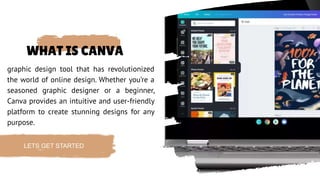
WHAT IS CANVA
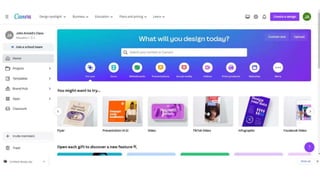
graphic design tool that has revolutionized
the world of online design. Whether you’re a
seasoned graphic designer or a beginner,
Canva provides an intuitive and user-friendly
platform to create stunning designs for any
purpose.
LETS GET STARTED
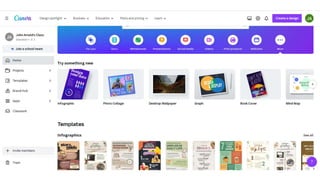
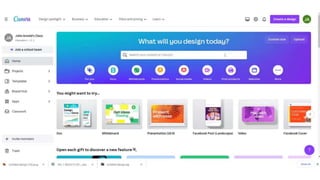
• Canva is a free graphic design
platform that's great for making
invitations, business cards, Instagram
posts, and more.
01
• A drag and drop interface makes
customizing thousands of
templates simple and easy.
02
• Canva's wide array of features allow
you to edit photos without extensive
photo editing knowledge or
experience.
03
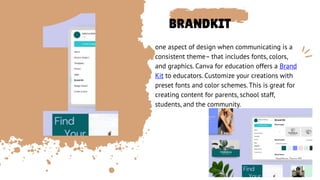
BRANDKIT
one aspect of design when communicating is a
consistent theme– that includes fonts, colors,
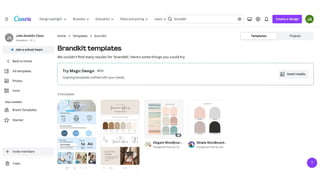
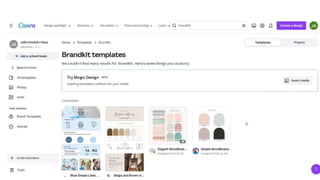
and graphics. Canva for education offers a Brand
Kit to educators. Customize your creations with
preset fonts and color schemes. This is great for
creating content for parents, school staff,
students, and the community.
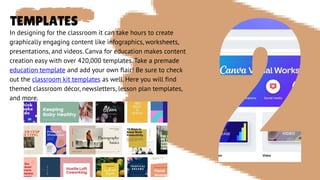
TEMPLATES
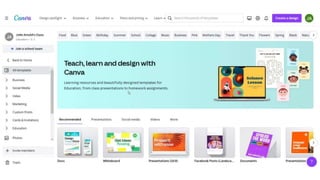
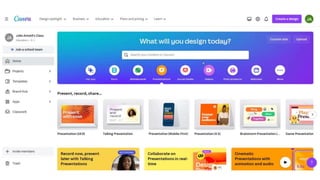
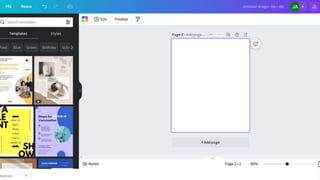
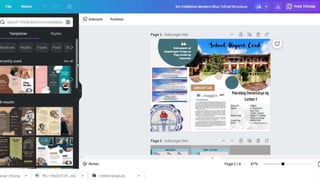
In designing for the classroom it can take hours to create
graphically engaging content like infographics, worksheets,
presentations, and videos. Canva for education makes content
creation easy with over 420,000 templates. Take a premade
education template and add your own flair! Be sure to check
out the classroom kit templates as well. Here you will find
themed classroom décor, newsletters, lesson plan templates,
and more.
PRESENTATION
TOOLS
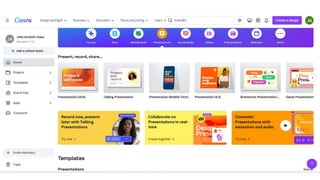
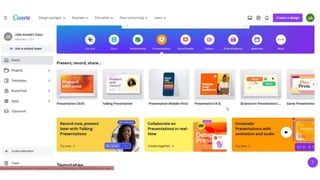
Teachers can seamlessly present and record their Canva
for education designs and share the recording through a
downloaded video or link. In addition to present and
record, teachers are able to bring excitement to their
presentations with Canva magic shortcuts. While
presenting, teachers can press the shift key and the
question mark key to see a list of the commands
available: Blur the screen, bring up a drumroll, shush the
class, or even bring up a timer. These built-in
presentation tools can make your transition time and
engagement in lessons even greater.
GROUP WORK
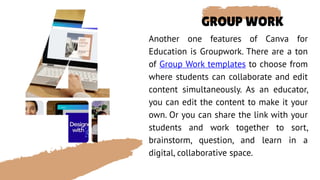
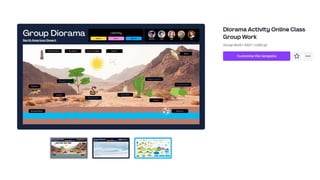
Another one features of Canva for
Education is Groupwork. There are a ton
of Group Work templates to choose from
where students can collaborate and edit
content simultaneously. As an educator,
you can edit the content to make it your
own. Or you can share the link with your
students and work together to sort,
brainstorm, question, and learn in a
digital, collaborative space.
ADVANCE DESIGN
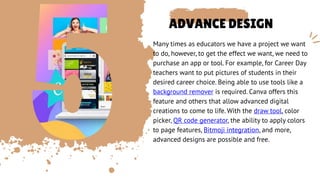
Many times as educators we have a project we want
to do, however, to get the effect we want, we need to
purchase an app or tool. For example, for Career Day
teachers want to put pictures of students in their
desired career choice. Being able to use tools like a
background remover is required. Canva offers this
feature and others that allow advanced digital
creations to come to life. With the draw tool, color
picker, QR code generator, the ability to apply colors
to page features, Bitmoji integration, and more,
advanced designs are possible and free.
REASONS
TO
CHOOSE
CANVA
• It’s easy to use: Canva’s intuitive interface makes it easy for anyone to
create professional-looking designs, even if you have no prior design
experience.
2.Templates for every occasion: Canva offers a wide variety of templates for
everything from social media posts to business cards to resumes, making it
easy to get started on any project.
3. Customization options: With Canva, you can customize every aspect of your
design, from the font and color scheme to the layout and static images.
4. Collaboration made easy: Canva allows you to collaborate with others on
your design projects, making it a great tool for teams or clients.
5.Access to a vast library of design assets: Canva’s library includes millions of
static images, icons, posters, and illustrations, giving you access to a wide variety
of design assets to enhance your projects
6. You can use this app simply with a laptop and an internet connection, plus it
comes with a phone support feature
THANKS FOR
WATCHING

canva for education.pptx

  • 1.
  • 2.
    WHAT IS CANVA graphicdesign tool that has revolutionized the world of online design. Whether you’re a seasoned graphic designer or a beginner, Canva provides an intuitive and user-friendly platform to create stunning designs for any purpose. LETS GET STARTED
  • 3.
    • Canva isa free graphic design platform that's great for making invitations, business cards, Instagram posts, and more. 01 • A drag and drop interface makes customizing thousands of templates simple and easy. 02 • Canva's wide array of features allow you to edit photos without extensive photo editing knowledge or experience. 03
  • 6.
    BRANDKIT one aspect ofdesign when communicating is a consistent theme– that includes fonts, colors, and graphics. Canva for education offers a Brand Kit to educators. Customize your creations with preset fonts and color schemes. This is great for creating content for parents, school staff, students, and the community.
  • 9.
    TEMPLATES In designing forthe classroom it can take hours to create graphically engaging content like infographics, worksheets, presentations, and videos. Canva for education makes content creation easy with over 420,000 templates. Take a premade education template and add your own flair! Be sure to check out the classroom kit templates as well. Here you will find themed classroom décor, newsletters, lesson plan templates, and more.
  • 12.
    PRESENTATION TOOLS Teachers can seamlesslypresent and record their Canva for education designs and share the recording through a downloaded video or link. In addition to present and record, teachers are able to bring excitement to their presentations with Canva magic shortcuts. While presenting, teachers can press the shift key and the question mark key to see a list of the commands available: Blur the screen, bring up a drumroll, shush the class, or even bring up a timer. These built-in presentation tools can make your transition time and engagement in lessons even greater.
  • 15.
    GROUP WORK Another onefeatures of Canva for Education is Groupwork. There are a ton of Group Work templates to choose from where students can collaborate and edit content simultaneously. As an educator, you can edit the content to make it your own. Or you can share the link with your students and work together to sort, brainstorm, question, and learn in a digital, collaborative space.
  • 18.
    ADVANCE DESIGN Many timesas educators we have a project we want to do, however, to get the effect we want, we need to purchase an app or tool. For example, for Career Day teachers want to put pictures of students in their desired career choice. Being able to use tools like a background remover is required. Canva offers this feature and others that allow advanced digital creations to come to life. With the draw tool, color picker, QR code generator, the ability to apply colors to page features, Bitmoji integration, and more, advanced designs are possible and free.
  • 23.
    REASONS TO CHOOSE CANVA • It’s easyto use: Canva’s intuitive interface makes it easy for anyone to create professional-looking designs, even if you have no prior design experience. 2.Templates for every occasion: Canva offers a wide variety of templates for everything from social media posts to business cards to resumes, making it easy to get started on any project. 3. Customization options: With Canva, you can customize every aspect of your design, from the font and color scheme to the layout and static images. 4. Collaboration made easy: Canva allows you to collaborate with others on your design projects, making it a great tool for teams or clients. 5.Access to a vast library of design assets: Canva’s library includes millions of static images, icons, posters, and illustrations, giving you access to a wide variety of design assets to enhance your projects 6. You can use this app simply with a laptop and an internet connection, plus it comes with a phone support feature
  • 24.