How to Use
Like a
PRO
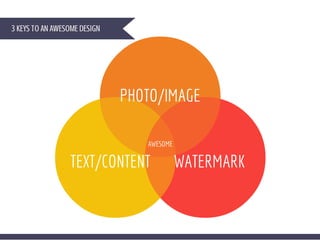
3 KEYS TO AN AWESOME DESIGN
PHOTO/IMAGE
WATERMARKTEXT/CONTENT
First: Sign-In
This is to keep your hard work!
www.canva.com
Second: 
Pick out the best design for your needs
EVERY
SOCIAL
MEDIA
PLATFORM
HAS
SPECIFIC
IMAGE
DIMENSIONS
THAT FIT
BEST
has each size done for you!
facebook Twitter
Pinterest Google +
How do you get
your audience's
attention?
With an AWESOME photo!
Morguefile.com
FreeRangeStock.com
ONLY $1.00
OR
FREE
Canva
Pixabay.com
My
Own
Where do I get these
AWESOME photos?
What's the big deal about the photo?
That'stheonlyway
peoplearegoingto
clicktoreadwhat
youhavetooffer.
Make the photo - Resonate, Emotional, Happy,
Thoughtful, HOT, Thrilling, Stress-free, etc.
IT HAS TO MEAN SOMETHING TO THEM.
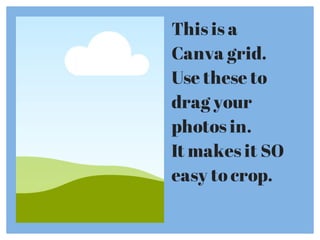
This is a
Canva grid.
Use these to
drag your
photos in.
It makes it SO
easy to crop.
Text/Content
MUST BE CLEAR
Make it absolutely clear of
what your post is about.
Don't confuse them!
TEXT
Many options to choose from as 
free form text or shaped templates. 
There are lots of fonts to choose from too!
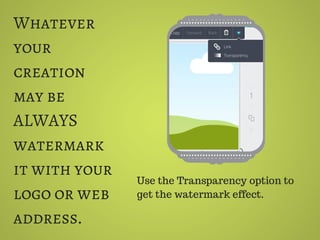
Whatever
your
creation
may be
ALWAYS
watermark
it with your
logo or web
address.
Use the Transparency option to
get the watermark effect.
Click on Link & Publish when your
creation is complete.
This will provide you a link you can
give to a coworker to continue work
or publish as a PDF or png image.
Make it Super easy with
Get those posts clicked with your
awesome creations!
PHOTO
TEXT/CONTENT
WATERMARK
Find out more about
Tigerlily Virtual Assistance
at
www.tigerlilyva.com
It’s creation paradise! You can do whatever
your imagination takes you with @Canva. –
TWEET THIS! http://ctt.ec/0e9T4

How to Use Canva Like a Pro