Canadian Association of Labour Media Conference


 Wordpress 102
                                 Darren Puscas
                                  reWORKit.net

                               May 26th, 2012
                              Hamilton, Ontario
What are
 we going
to do this
afternoon?
What are    1. Learn how to add
 we going    mini-programs for
             extending Wordpress
to do this   (Plugins)

afternoon?
What are                   1. Learn how to add
 we going                   mini-programs for
                            extending Wordpress
to do this                  (Plugins)

afternoon?
2. Introduce a few
important functions
related to site security,
dealing with spam,
strategies for getting on
the first page of Google,
etc..
What are                   1. Learn how to add
 we going                   mini-programs for
                            extending Wordpress
to do this                  (Plugins)

afternoon?
2. Introduce a few
important functions         3. A quick look under
related to site security,   the hood - templates,
dealing with spam,          styling,
strategies for getting on   customization.
the first page of Google,
etc..
What are                   1. Learn how to add
 we going                   mini-programs for
                            extending Wordpress
to do this                  (Plugins)

afternoon?
2. Introduce a few
important functions         3. A quick look under
related to site security,   the hood - templates,
dealing with spam,          styling,
strategies for getting on   customization.
the first page of Google,
etc..
What are                   1. Learn how to add
 we going                   mini-programs for
                            extending Wordpress
to do this                  (Plugins)

afternoon?
2. Introduce a few
important functions         3. A quick look under
related to site security,   the hood - templates,
dealing with spam,          styling,
strategies for getting on   customization.
the first page of Google,
etc..
What are                   1. Learn how to add
 we going                   mini-programs for
                            extending Wordpress
to do this                  (Plugins)

afternoon?
2. Introduce a few
important functions         3. A quick look under
related to site security,   the hood - templates,
dealing with spam,          styling,
strategies for getting on   customization.
the first page of Google,
etc..
What are                   1. Learn how to add
 we going                   mini-programs for
                            extending Wordpress
to do this                  (Plugins)

afternoon?
2. Introduce a few
important functions         3. A quick look under
related to site security,   the hood - templates,
dealing with spam,          styling,
strategies for getting on   customization.
the first page of Google,
etc..
Plugins:
Plugins:
 • What are they: small programs which
   allow you to add functionality to
   Wordpress.
Plugins:
 • What are they: small programs which
   allow you to add functionality to
   Wordpress.
 • Where are they: They reside in the
   Wordpress plug-in directory http://
   wordpress.org/extend/plugins/
Plugins:
 • What are they: small programs which
     allow you to add functionality to
     Wordpress.

 • Where are they: They reside in the
     Wordpress plug-in directory http://
     wordpress.org/extend/plugins/

 •    On your site they sit in your menu. Here
     you can add new, activate, edit or delete
     them from your site.
Exercise:
Plugin
Making it easier for
Google to find you:
Making it easier for
Google to find you:
  • Search Engine Optimization (SEO).
Making it easier for
Google to find you:
  • Search Engine Optimization (SEO).
  • Best SEO is good content and good
    incoming links
Making it easier for
Google to find you:
  • Search Engine Optimization (SEO).
  • Best SEO is good content and good
    incoming links

  • Still helps to do Wordpress SEO
Making it easier for
Google to find you:
  • Search Engine Optimization (SEO).
  • Best SEO is good content and good
    incoming links

  • Still helps to do Wordpress SEO
  • Group 3 added All in One SEO for us lets
    add it to a post.
Keeping your site
secure from
Keeping your site
secure from
 • WordPress can be hacked, mainly through
   the themes or plugins
Keeping your site
secure from
 • WordPress can be hacked, mainly through
   the themes or plugins

 • most important thing is constant
   backups.
Keeping your site
secure from
 • WordPress can be hacked, mainly through
   the themes or plugins

 • most important thing is constant
   backups.

 • Keeping up to date with security
Keeping your site
secure from
 • WordPress can be hacked, mainly through
   the themes or plugins

 • most important thing is constant
   backups.

 • Keeping up to date with security
 • An excellent plugin is Better WP Security
   and some like bullet-proof security.
Dealing with Spam:
Dealing with Spam:
 • we all hate spam:
Dealing with Spam:
 • we all hate spam:
 • use Akismet from Automattic
A quick peek
under the hood:
     • Where are the files?
     • Templates
     • Styling & Customization
To the Files!
To the Files!
• Wordpress is just a big collection of files.
To the Files!
• Wordpress is just a big collection of files.
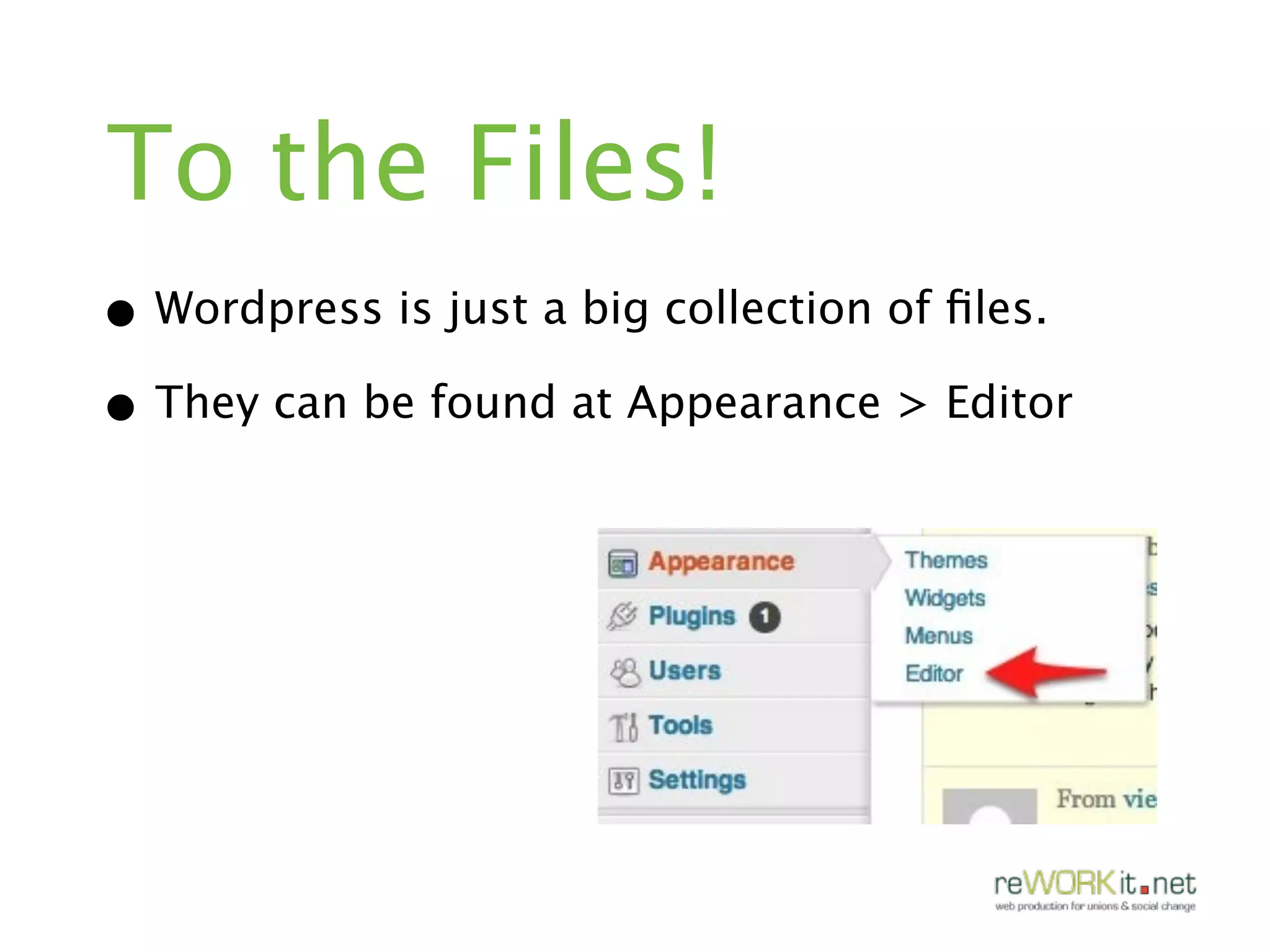
• They can be found at Appearance > Editor
To the Files!
• Wordpress is just a big collection of files.
• They can be found at Appearance > Editor
Templates:
Templates:
• Templates are the files which control how
  your WordPress site will be displayed on
  the Web.
Templates:
• Templates are the files which control how
  your WordPress site will be displayed on
  the Web.

• Template files are the building blocks of
  your WordPress site - they are the files
  that your theme is made of.
Templates:
• Templates are the files which control how
  your WordPress site will be displayed on
  the Web.

• Template files are the building blocks of
  your WordPress site - they are the files
  that your theme is made of.

• found at APPEARANCE > editor
Styling and
Customization:
Styling and
Customization:
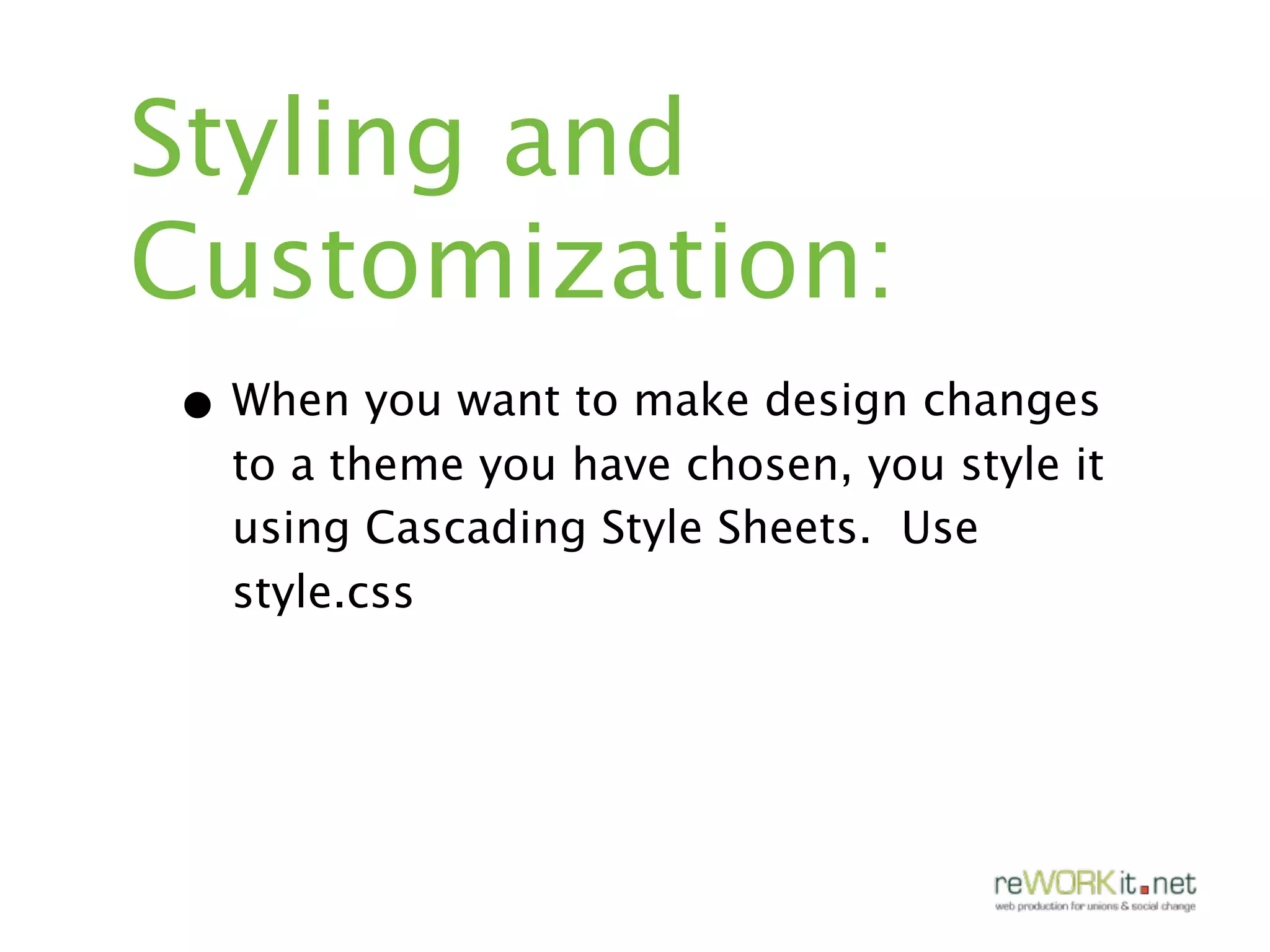
• When you want to make design changes
  to a theme you have chosen, you style it
  using Cascading Style Sheets. Use
  style.css
Styling and
Customization:
• When you want to make design changes
  to a theme you have chosen, you style it
  using Cascading Style Sheets. Use
  style.css

• Can build custom themes as well that are
  built from scratch or from a what is called
  a framework.
Ok, back to earth:

Exercise:
Go crazy with what
you have learned
Random Fun (?)
stuff:
     • Press this!
     • Typekit
     • Who's online!
Ok, that’s a lot of material.
Just remember:


2 Key Takeaways
Ok, that’s a lot of material.
Just remember:


2 Key Takeaways
• that much of this is easy -
  you can figure a lot of it out
  by simply
Ok, that’s a lot of material.
Just remember:


2 Key Takeaways
• that much of this is easy -
  you can figure a lot of it out
  by simply

• understanding what you can
  (and can’t...) do at this point
Questions?
Stuff you want me to
go over?
What do you use all
the time / find really
really useful?]
Additional
Resources :
Additional
Resources :
    www.lynda.com
Additional
Resources :
    www.lynda.com

    www.alexwhite.org
Additional
Resources :
    www.lynda.com

    www.alexwhite.org

    http://codex.wordpress.org
Additional
Resources :
    www.lynda.com

    www.alexwhite.org

    http://codex.wordpress.org

    www.alistapart.com
Additional
Resources :
    www.lynda.com

    www.alexwhite.org

    http://codex.wordpress.org

    www.alistapart.com

    www.smashingmagazine.org
Additional
Resources :
    www.lynda.com

    www.alexwhite.org

    http://codex.wordpress.org

    www.alistapart.com

    www.smashingmagazine.org
darren@reworkit.net

@darrenpuscas

www.reworkit.net
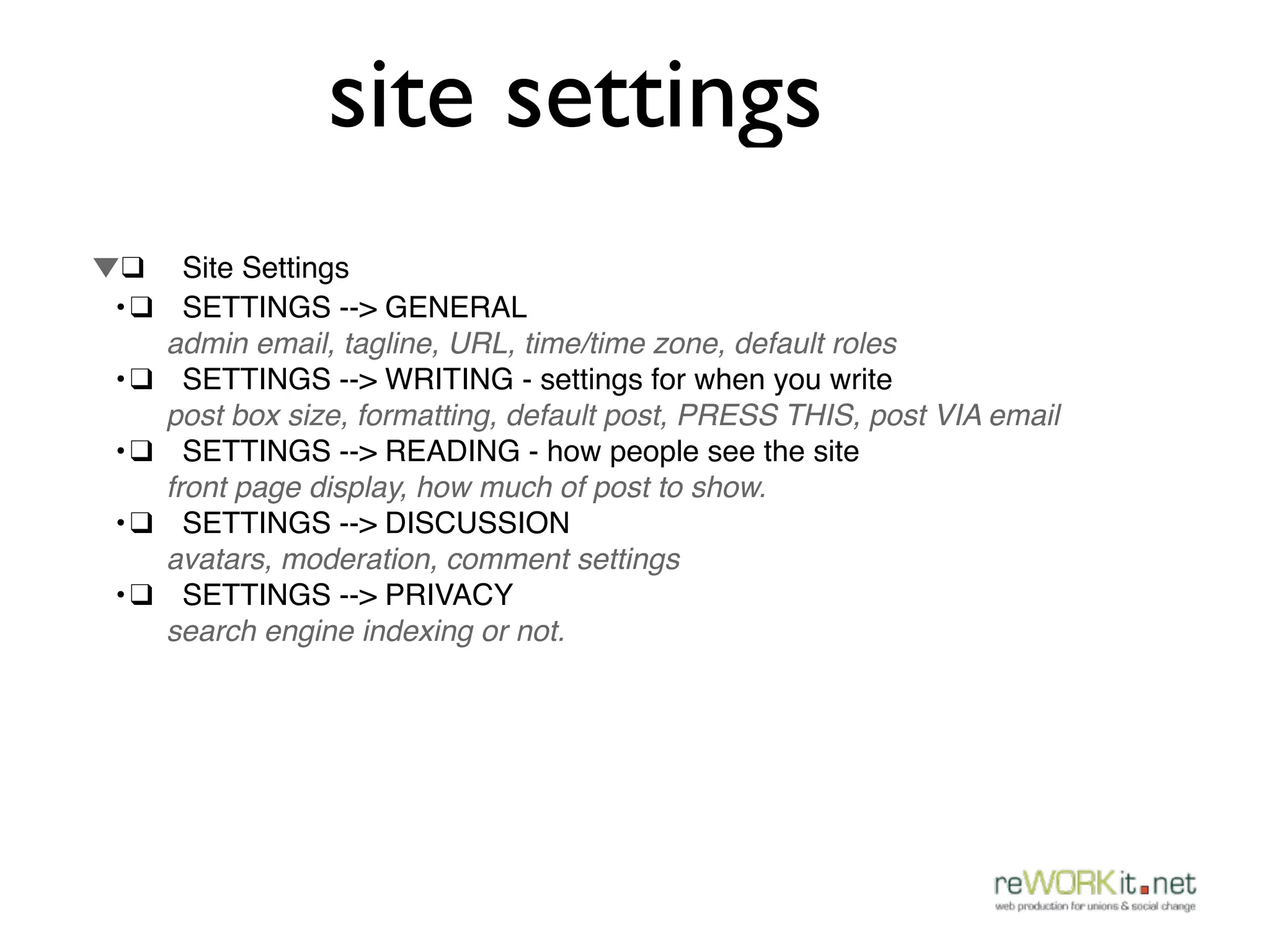
site settings
▼!❑ ! Site Settings
! •!❑! SETTINGS --> GENERAL
      admin email, tagline, URL, time/time zone, default roles
! •!❑! SETTINGS --> WRITING - settings for when you write
      post box size, formatting, default post, PRESS THIS, post VIA email
! •!❑! SETTINGS --> READING - how people see the site
      front page display, how much of post to show.
! •!❑! SETTINGS --> DISCUSSION
      avatars, moderation, comment settings
! •!❑! SETTINGS --> PRIVACY
      search engine indexing or not.

CALM Wordpress 102

  • 1.
    Canadian Association ofLabour Media Conference Wordpress 102 Darren Puscas reWORKit.net May 26th, 2012 Hamilton, Ontario
  • 2.
    What are wegoing to do this afternoon?
  • 3.
    What are 1. Learn how to add we going mini-programs for extending Wordpress to do this (Plugins) afternoon?
  • 4.
    What are 1. Learn how to add we going mini-programs for extending Wordpress to do this (Plugins) afternoon? 2. Introduce a few important functions related to site security, dealing with spam, strategies for getting on the first page of Google, etc..
  • 5.
    What are 1. Learn how to add we going mini-programs for extending Wordpress to do this (Plugins) afternoon? 2. Introduce a few important functions 3. A quick look under related to site security, the hood - templates, dealing with spam, styling, strategies for getting on customization. the first page of Google, etc..
  • 6.
    What are 1. Learn how to add we going mini-programs for extending Wordpress to do this (Plugins) afternoon? 2. Introduce a few important functions 3. A quick look under related to site security, the hood - templates, dealing with spam, styling, strategies for getting on customization. the first page of Google, etc..
  • 7.
    What are 1. Learn how to add we going mini-programs for extending Wordpress to do this (Plugins) afternoon? 2. Introduce a few important functions 3. A quick look under related to site security, the hood - templates, dealing with spam, styling, strategies for getting on customization. the first page of Google, etc..
  • 8.
    What are 1. Learn how to add we going mini-programs for extending Wordpress to do this (Plugins) afternoon? 2. Introduce a few important functions 3. A quick look under related to site security, the hood - templates, dealing with spam, styling, strategies for getting on customization. the first page of Google, etc..
  • 9.
    What are 1. Learn how to add we going mini-programs for extending Wordpress to do this (Plugins) afternoon? 2. Introduce a few important functions 3. A quick look under related to site security, the hood - templates, dealing with spam, styling, strategies for getting on customization. the first page of Google, etc..
  • 10.
  • 11.
    Plugins: • Whatare they: small programs which allow you to add functionality to Wordpress.
  • 12.
    Plugins: • Whatare they: small programs which allow you to add functionality to Wordpress. • Where are they: They reside in the Wordpress plug-in directory http:// wordpress.org/extend/plugins/
  • 13.
    Plugins: • Whatare they: small programs which allow you to add functionality to Wordpress. • Where are they: They reside in the Wordpress plug-in directory http:// wordpress.org/extend/plugins/ • On your site they sit in your menu. Here you can add new, activate, edit or delete them from your site.
  • 14.
  • 15.
    Making it easierfor Google to find you:
  • 16.
    Making it easierfor Google to find you: • Search Engine Optimization (SEO).
  • 17.
    Making it easierfor Google to find you: • Search Engine Optimization (SEO). • Best SEO is good content and good incoming links
  • 18.
    Making it easierfor Google to find you: • Search Engine Optimization (SEO). • Best SEO is good content and good incoming links • Still helps to do Wordpress SEO
  • 19.
    Making it easierfor Google to find you: • Search Engine Optimization (SEO). • Best SEO is good content and good incoming links • Still helps to do Wordpress SEO • Group 3 added All in One SEO for us lets add it to a post.
  • 20.
  • 21.
    Keeping your site securefrom • WordPress can be hacked, mainly through the themes or plugins
  • 22.
    Keeping your site securefrom • WordPress can be hacked, mainly through the themes or plugins • most important thing is constant backups.
  • 23.
    Keeping your site securefrom • WordPress can be hacked, mainly through the themes or plugins • most important thing is constant backups. • Keeping up to date with security
  • 24.
    Keeping your site securefrom • WordPress can be hacked, mainly through the themes or plugins • most important thing is constant backups. • Keeping up to date with security • An excellent plugin is Better WP Security and some like bullet-proof security.
  • 25.
  • 26.
    Dealing with Spam: • we all hate spam:
  • 27.
    Dealing with Spam: • we all hate spam: • use Akismet from Automattic
  • 28.
    A quick peek underthe hood: • Where are the files? • Templates • Styling & Customization
  • 29.
  • 30.
    To the Files! •Wordpress is just a big collection of files.
  • 31.
    To the Files! •Wordpress is just a big collection of files. • They can be found at Appearance > Editor
  • 32.
    To the Files! •Wordpress is just a big collection of files. • They can be found at Appearance > Editor
  • 33.
  • 34.
    Templates: • Templates arethe files which control how your WordPress site will be displayed on the Web.
  • 35.
    Templates: • Templates arethe files which control how your WordPress site will be displayed on the Web. • Template files are the building blocks of your WordPress site - they are the files that your theme is made of.
  • 36.
    Templates: • Templates arethe files which control how your WordPress site will be displayed on the Web. • Template files are the building blocks of your WordPress site - they are the files that your theme is made of. • found at APPEARANCE > editor
  • 37.
  • 38.
    Styling and Customization: • Whenyou want to make design changes to a theme you have chosen, you style it using Cascading Style Sheets. Use style.css
  • 39.
    Styling and Customization: • Whenyou want to make design changes to a theme you have chosen, you style it using Cascading Style Sheets. Use style.css • Can build custom themes as well that are built from scratch or from a what is called a framework.
  • 40.
    Ok, back toearth: Exercise: Go crazy with what you have learned
  • 41.
    Random Fun (?) stuff: • Press this! • Typekit • Who's online!
  • 42.
    Ok, that’s alot of material. Just remember: 2 Key Takeaways
  • 43.
    Ok, that’s alot of material. Just remember: 2 Key Takeaways • that much of this is easy - you can figure a lot of it out by simply
  • 44.
    Ok, that’s alot of material. Just remember: 2 Key Takeaways • that much of this is easy - you can figure a lot of it out by simply • understanding what you can (and can’t...) do at this point
  • 45.
    Questions? Stuff you wantme to go over? What do you use all the time / find really really useful?]
  • 46.
  • 47.
  • 48.
    Additional Resources : www.lynda.com www.alexwhite.org
  • 49.
    Additional Resources : www.lynda.com www.alexwhite.org http://codex.wordpress.org
  • 50.
    Additional Resources : www.lynda.com www.alexwhite.org http://codex.wordpress.org www.alistapart.com
  • 51.
    Additional Resources : www.lynda.com www.alexwhite.org http://codex.wordpress.org www.alistapart.com www.smashingmagazine.org
  • 52.
    Additional Resources : www.lynda.com www.alexwhite.org http://codex.wordpress.org www.alistapart.com www.smashingmagazine.org
  • 53.
  • 54.
    site settings ▼!❑ !Site Settings ! •!❑! SETTINGS --> GENERAL admin email, tagline, URL, time/time zone, default roles ! •!❑! SETTINGS --> WRITING - settings for when you write post box size, formatting, default post, PRESS THIS, post VIA email ! •!❑! SETTINGS --> READING - how people see the site front page display, how much of post to show. ! •!❑! SETTINGS --> DISCUSSION avatars, moderation, comment settings ! •!❑! SETTINGS --> PRIVACY search engine indexing or not.

Editor's Notes

  • #2 notice the 102 - you are past 101. nice work.\n
  • #3 Just read the whole slide as you fade in (expand... as necessary)\n
  • #4 Just read the whole slide as you fade in (expand... as necessary)\n
  • #5 Just read the whole slide as you fade in (expand... as necessary)\n
  • #6 Just read the whole slide as you fade in (expand... as necessary)\n
  • #7 Just read the whole slide as you fade in (expand... as necessary)\n
  • #8 Just read the whole slide as you fade in (expand... as necessary)\n
  • #9 Just read the whole slide as you fade in (expand... as necessary)\n
  • #10 1- [ON PAPER WITH MARKER draw circle for wordpress and then a bunch of circles plugging into wordpress] small programs which allow you to add functionality to Wordpress. They allow you to do many many things\n- Plugins are written by people, usually shared as open source: if you are struggling to do something, almost certainly someone else has as well, and has written a plugin!\n\n2- Where to find them [go to the place where they all sit on Wordpress [walk through - http://wordpress.org/extend/plugins/ - show around, show some of the featured and most popular] They can also be custom made. \n\n3-Where to find them-: On your site they are in the sidebar and you can add new ones from the sidebar. [walk through plug-ins on reWORKit show where HL Twitter is on reWORKit homepage]\n\n\n
  • #11 1- [ON PAPER WITH MARKER draw circle for wordpress and then a bunch of circles plugging into wordpress] small programs which allow you to add functionality to Wordpress. They allow you to do many many things\n- Plugins are written by people, usually shared as open source: if you are struggling to do something, almost certainly someone else has as well, and has written a plugin!\n\n2- Where to find them [go to the place where they all sit on Wordpress [walk through - http://wordpress.org/extend/plugins/ - show around, show some of the featured and most popular] They can also be custom made. \n\n3-Where to find them-: On your site they are in the sidebar and you can add new ones from the sidebar. [walk through plug-ins on reWORKit show where HL Twitter is on reWORKit homepage]\n\n\n
  • #12 1- [ON PAPER WITH MARKER draw circle for wordpress and then a bunch of circles plugging into wordpress] small programs which allow you to add functionality to Wordpress. They allow you to do many many things\n- Plugins are written by people, usually shared as open source: if you are struggling to do something, almost certainly someone else has as well, and has written a plugin!\n\n2- Where to find them [go to the place where they all sit on Wordpress [walk through - http://wordpress.org/extend/plugins/ - show around, show some of the featured and most popular] They can also be custom made. \n\n3-Where to find them-: On your site they are in the sidebar and you can add new ones from the sidebar. [walk through plug-ins on reWORKit show where HL Twitter is on reWORKit homepage]\n\n\n
  • #13 - Here’s how you install: [Walk through installation of Wordpress Database Backup and Hello Dolly] \n[THEN: SEND them to INSTALL the 5 exercise plugins - get them to go as far as possible with the PLUGIN]\n[THen: go back online and go over each one of them]\n \nA couple of hints:\n- Here’s how you evaluate good ones: number of users, ratings, how long they’ve been around, what people have said about them\n\n- don’t want to use too many of them on your site because will slow your site down (somewhere between 10-20 is probably best)\n\n
  • #14 DEMO\n- SEO is not easy: the only sure-fire way to get on the front page: \nBut the best ways not related to any plugin - lots of good content and lots of incoming, legitimate links from popular sites on your topic.\n- That said, here are the technical basics: use All in One SEO.\n[Darren DEMO point way through All in One SEO]\n
  • #15 DEMO\n- SEO is not easy: the only sure-fire way to get on the front page: \nBut the best ways not related to any plugin - lots of good content and lots of incoming, legitimate links from popular sites on your topic.\n- That said, here are the technical basics: use All in One SEO.\n[Darren DEMO point way through All in One SEO]\n
  • #16 DEMO\n- SEO is not easy: the only sure-fire way to get on the front page: \nBut the best ways not related to any plugin - lots of good content and lots of incoming, legitimate links from popular sites on your topic.\n- That said, here are the technical basics: use All in One SEO.\n[Darren DEMO point way through All in One SEO]\n
  • #17 DEMO\n- SEO is not easy: the only sure-fire way to get on the front page: \nBut the best ways not related to any plugin - lots of good content and lots of incoming, legitimate links from popular sites on your topic.\n- That said, here are the technical basics: use All in One SEO.\n[Darren DEMO point way through All in One SEO]\n
  • #18 DEMO\nKeeping your site secure from hackers\n- WordPress can be hacked, mainly through the themes or plugins\n- most important thing is constant backups. You can get your site sorted if you’ve kept the (WP backups as well as saving the files on your local computer and an external harddrive)\nMENTION - going to NYC in a couple of weeks to ‘Wordcamp’ and taking a couple of courses on security best practices.\n- Keeping up to date with security\n- An excellent plugin is Better WP Security and some like bullet-proof security.\n\n
  • #19 DEMO\nKeeping your site secure from hackers\n- WordPress can be hacked, mainly through the themes or plugins\n- most important thing is constant backups. You can get your site sorted if you’ve kept the (WP backups as well as saving the files on your local computer and an external harddrive)\nMENTION - going to NYC in a couple of weeks to ‘Wordcamp’ and taking a couple of courses on security best practices.\n- Keeping up to date with security\n- An excellent plugin is Better WP Security and some like bullet-proof security.\n\n
  • #20 DEMO\nKeeping your site secure from hackers\n- WordPress can be hacked, mainly through the themes or plugins\n- most important thing is constant backups. You can get your site sorted if you’ve kept the (WP backups as well as saving the files on your local computer and an external harddrive)\nMENTION - going to NYC in a couple of weeks to ‘Wordcamp’ and taking a couple of courses on security best practices.\n- Keeping up to date with security\n- An excellent plugin is Better WP Security and some like bullet-proof security.\n\n
  • #21 DEMO\nKeeping your site secure from hackers\n- WordPress can be hacked, mainly through the themes or plugins\n- most important thing is constant backups. You can get your site sorted if you’ve kept the (WP backups as well as saving the files on your local computer and an external harddrive)\nMENTION - going to NYC in a couple of weeks to ‘Wordcamp’ and taking a couple of courses on security best practices.\n- Keeping up to date with security\n- An excellent plugin is Better WP Security and some like bullet-proof security.\n\n
  • #22 DEMO\nDealing with Spam \n- Here's a great plugin to use\nGO TO reWORKit - here's what it looks like when your spam is well-managed - [show how many spam messages it has blocked]\n\n
  • #23 DEMO\nDealing with Spam \n- Here's a great plugin to use\nGO TO reWORKit - here's what it looks like when your spam is well-managed - [show how many spam messages it has blocked]\n\n
  • #24 - This stuff may be a bit more complicated, but I figured in a 6 hour workshop, it might be nice to look at briefly\n- Even if you are little lost, just know that you can update and maintain a site with the knowledge you have already. This is just to give a sense of the how the structure of Wordpress works for those who asked for a bit more advanced material. This is that 20% of the work that is done to give your site the exact functionality you want.\n\n- Eye candy: awesome WP sites: Jay-Z http://lifeandtimes.com\n \n- Bunch of people asked about customization - huge topic here is what is involved\n\nSkills needed for customization: \n- CSS\n- html\n- php\n- javascript\n\n\n\n[-go back and compare Jay-Z site to radioopensource site]\n
  • #25 Wordpress is just a big collection of files. What we have been looking at is the interface to help us interact with those files in order to manage our content. But for some things, including customizing styles and adding certain functionality, you need to dif into the guts of Wordpress\nThey can be found under Appearance > Editor\n\n\n
  • #26 Wordpress is just a big collection of files. What we have been looking at is the interface to help us interact with those files in order to manage our content. But for some things, including customizing styles and adding certain functionality, you need to dif into the guts of Wordpress\nThey can be found under Appearance > Editor\n\n\n
  • #27 Wordpress is just a big collection of files. What we have been looking at is the interface to help us interact with those files in order to manage our content. But for some things, including customizing styles and adding certain functionality, you need to dif into the guts of Wordpress\nThey can be found under Appearance > Editor\n\n\n
  • #28 Templates are the files which control how your WordPress site will be displayed on the Web.\nTemplate files are the building blocks of your WordPress site.\nThey fit together like the pieces of a puzzle to generate the web pages on your site. Some templates (the header and footer template files for example) are used on all the web pages, while others are used only under specific conditions.\n- DARREN -do a tour of some of the template pages on the calm.reworkit.net site --- index.php header.php , footer.php , single.php , page.php, sidebar.php, searchform.php\n\n- that’s all i’m going to show you, but each theme has differently configured templates that can be altered to change functionality of the site.\n
  • #29 Templates are the files which control how your WordPress site will be displayed on the Web.\nTemplate files are the building blocks of your WordPress site.\nThey fit together like the pieces of a puzzle to generate the web pages on your site. Some templates (the header and footer template files for example) are used on all the web pages, while others are used only under specific conditions.\n- DARREN -do a tour of some of the template pages on the calm.reworkit.net site --- index.php header.php , footer.php , single.php , page.php, sidebar.php, searchform.php\n\n- that’s all i’m going to show you, but each theme has differently configured templates that can be altered to change functionality of the site.\n
  • #30 Templates are the files which control how your WordPress site will be displayed on the Web.\nTemplate files are the building blocks of your WordPress site.\nThey fit together like the pieces of a puzzle to generate the web pages on your site. Some templates (the header and footer template files for example) are used on all the web pages, while others are used only under specific conditions.\n- DARREN -do a tour of some of the template pages on the calm.reworkit.net site --- index.php header.php , footer.php , single.php , page.php, sidebar.php, searchform.php\n\n- that’s all i’m going to show you, but each theme has differently configured templates that can be altered to change functionality of the site.\n
  • #31 - go to style.css\n\n- have a quick look at the styles... \n
  • #32 - go to style.css\n\n- have a quick look at the styles... \n
  • #33 - give them 45 minutes to poke around Wordpress, ask each other questions and ask me questions. Just want you to get a feel for it. AND QUESTIONS!!\n
  • #34 \n
  • #35 \n
  • #36 \n
  • #37 \n
  • #38 www.lynda.com\n\nwww.alexwhite.org - http://alexwhite.org/2011/12/collective-bargaining-facts-a-new-afl-cio-website/\n\nhttp://codex.wordpress.org/\n\nalistapart.com\n\nsmashingmagazine\n\nteamtreehouse.com\n\n
  • #39 www.lynda.com\n\nwww.alexwhite.org - http://alexwhite.org/2011/12/collective-bargaining-facts-a-new-afl-cio-website/\n\nhttp://codex.wordpress.org/\n\nalistapart.com\n\nsmashingmagazine\n\nteamtreehouse.com\n\n
  • #40 www.lynda.com\n\nwww.alexwhite.org - http://alexwhite.org/2011/12/collective-bargaining-facts-a-new-afl-cio-website/\n\nhttp://codex.wordpress.org/\n\nalistapart.com\n\nsmashingmagazine\n\nteamtreehouse.com\n\n
  • #41 www.lynda.com\n\nwww.alexwhite.org - http://alexwhite.org/2011/12/collective-bargaining-facts-a-new-afl-cio-website/\n\nhttp://codex.wordpress.org/\n\nalistapart.com\n\nsmashingmagazine\n\nteamtreehouse.com\n\n
  • #42 www.lynda.com\n\nwww.alexwhite.org - http://alexwhite.org/2011/12/collective-bargaining-facts-a-new-afl-cio-website/\n\nhttp://codex.wordpress.org/\n\nalistapart.com\n\nsmashingmagazine\n\nteamtreehouse.com\n\n
  • #43 www.lynda.com\n\nwww.alexwhite.org - http://alexwhite.org/2011/12/collective-bargaining-facts-a-new-afl-cio-website/\n\nhttp://codex.wordpress.org/\n\nalistapart.com\n\nsmashingmagazine\n\nteamtreehouse.com\n\n
  • #44 \n
  • #45 If need more material...\n\n▼❑Site Settings\n•❑SETTINGS --> GENERAL \nadmin email, tagline, URL, time/time zone, default roles\n•❑SETTINGS --> WRITING - settings for when you write\npost box size, formatting, default post, PRESS THIS, post VIA email\n•❑SETTINGS --> READING - how people see the site\nfront page display, how much of post to show.\n•❑SETTINGS --> DISCUSSION \navatars, moderation, comment settings\n•❑SETTINGS --> PRIVACY \nsearch engine indexing or not. If on, can add full list of ping services in WRITING\n\n