MICHELE BUTCHER

CantSpeakGeek.com
@michele_butcher
I HAVE MY WORDPRESS SITE…
NOW WHAT?
MICHELE BUTCHER
➤ Support Guru for Give
➤ Support Engineer for Yoast
➤ Geek behind Can’t Speak Geek
➤ Beginners and Intermediate
WordPress Instructor
➤ Lead Organizer for Southern
Illinois WordPress Meetup
@michele_butcher
WEBSITES ARE NOT
BUILD THEM AND
FORGET THEM!
@michele_butcher
LEARN THE STEPS TO CARE
FOR YOUR SITE ONCE THE
DESIGNER/DEVELOPER TURNS
IT OVER TO YOU.
@michele_butcher
IF YOU ARE WRITING YOUR OWN
CONTENT, BE COMFORTABLE WITH
THE DASHBOARD WHEN YOU MAKE
THE DECISION TO DO IT ALONE.
Ask for tutorials or search the web to learn before you try to do it alone.
@michele_butcher
THERE ARE SIMPLE STEPS
EVERYONE WITH A
WORDPRESS SITE SHOULD DO.
@michele_butcher@michele_butcher
THE FIRST THING TO
REMEMBER IS THAT IF YOU DO
NOT CLICK SAVE AT THE END, IT
DID NOT HAPPEN.
Save and save often
@michele_butcher
EQUALLY IMPORTANT IS
BACKUPS.
@michele_butcher
BACKUP AND BACKUP OFTEN!
➤ Always save to someplace OTHER than your server
➤ Save them to Dropbox, AWS, email, or your local machine
➤ Have them scheduled to be made daily or at least weekly
@michele_butcher
BACKUP PLUGINS I RECOMMEND
➤ Backup Buddy
➤ UpDraftPlus
➤ BackWPUp
@michele_butcher
UPDATES ARE
IMPORTANT!
Update core. Update themes update plugins!
The biggest reasons of updates is typically security or feature
related.
The biggest source of nearly all hacks is due to lack of updating.
@michele_butcher
WHEN YOU SEE THE LITTLE RED
CIRCLE BESIDE THE DASHBOARD
BUTTON MEANS YOU HAVE
UPDATES NEEDING TO BE DONE
Always make a backup before you update for safe
measures.
@michele_butcher
WHEN IT COMES TO UPDATING IF YOU
USE ENVATO PRODUCTS (THEMEFOREST
AND CODECANYON) ALWAYS CHECK
THE BOX IN THE DOWNLOADS TO BE
NOTIFIED OF UPDATES.
That is the only way you will know if any of their products need to be updated.
This is why the RevSlider infection was so widespread. Many did not even know the
plugin was built into their theme.
@michele_butcher
SECURITY IS AN
IMPORTANT PIECE OF
MAINTENANCE.
@michele_butcher
IT IS MORE IMPORTANT TO SECURE
ALL THE THINGS BEFORE SOMETHING
HAPPENS!
MANY HAVE YET TO LEARN THIS!
Every single day hackers find new ways to get your
information.
Todays features are tomorrow’s vulnerabilities.
Stop them before they stop you
@michele_butcher
HOW DO THEY GET IN?
➤ They guess your login information
➤ Denial of Service Attack (DDoS)
➤ Through a file in a theme, plugin, or anything on your server
where they found an exploit
➤ Through your FTP and/or cPanel configuration
➤ They guess your login information
@michele_butcher
THERE ARE SOME SIMPLE
STEPS TO KEEP THE HACKERS
OUT OF YOUR WEBSITE.
@michele_butcher
NEVER EVER NEVER USE
“ADMIN” AS A USERNAME OR
“PASSWORD” AS PASSWORD ON
ANY OF THE THINGS. NEVER!!!!
Any questions?
Adm1n and Pa55w0rd do not count either!
@michele_butcher
ONLY GIVE USERS THE
ACCESS THEY NEED
Just because they want to be an admin does not
mean they should.
Guest bloggers should rarely every be anything
more than a contributor.
Sometimes they do not need access to all the things
@michele_butcher
IF IT IS A TEMPORARY LOGIN, DELETE THE
USER WHEN THEY ARE DONE DOING ALL OF
THEIR THINGS
If they do have posts, you can convert them to
different users or make them a subscriber with
limited access.
@michele_butcher
SET UP FILE DETECTION
TO MAKE SURE NOTHING
EVER SNEAKS IN.
Many security plugins like iThemes Security and
WordFence will alert you when files have been
changed
@michele_butcher
SECURITY PLUGINS I RECOMMEND
➤ iThemes Security (Free and Pro version
➤ Sucuri Firewall
➤ WordFence Security
➤ Jetpack with Brute Protect and Vault Press
@michele_butcher
ONLY KEEP THE PLUGINS
AND THEMES YOU HAVE
ACTIVE ON YOUR SITE.
An uninstalled plugin or theme is not a potential
vulnerability.
Use the plugins repo favorites option to keep a list
of your favorite plugins
@michele_butcher
MALWARE SCANNING? DO I NEED IT?
➤ Google Webmaster Tools

➤ Sucuri Scanner (Built in iThemes Security now)

➤ VirusTotal
If you feel your site could be infected, first do a malware scan.
There are also plugins that can scan your site manually.
@michele_butcher
WHEN YOU DECIDE TO
MAKE CHANGES TO YOUR
SITE THERE ARE SOME
THINGS TO CONSIDER.
@michele_butcher
DO YOUR DUE DILIGENCE
WHEN LOOKING AT NEW
THEMES AND PLUGINS. DO
NOT PICK ONE JUST BECAUSE
IT IS SHINY AND PRETTY.
@michele_butcher
DO NOT ADD EVERY THEME YOU THINK IS
PRETTY WHEN YOU DECIDE TO CHANGE A
THEME.

ONLY KEEP THE THEME YOU ARE USING AND
ONE BACKUP THEME ON YOUR SITE.
The more themes that are on a site, the more open
chances you have to a vulnerability
@michele_butcher
MISCELLANEOUS THINGS
YOUR DESIGNER OR
DEVELOPER MIGHT NOT
HAVE TOLD YOU…
@michele_butcher
SEO…
SEO Plugins can aid in your ranking on search engines
➤ Yoast SEO
➤ All in One SEO
@michele_butcher
DON'T EVER LET YOUR
SITE GET TOO LONELY.
No one knows your website better than you do.
Check on the front end just as much as your
backend.
@michele_butcher
IF YOU HAVE QUESTIONS
TAKE TO THE WEB
There are many resources you have at your fingertips that can
help you do more with your website.

➤ codex.WordPress.org
➤ WordPress forums for themes, plugins, and core
➤ Twitter
➤ Facebook
➤ Third Party websites
@michele_butcher
THERE IS MORE THAN
JUST WORDPRESS
SPECIFIC MAINTENANCE
YOU SHOULD DO.
@michele_butcher
ALWAYS USE COMPLEX
PASSWORDS ON ALL
LOGINS.
@michele_butcher
NEVER USE THE SAME
PASSWORD ON ALL
LOGINS.
THIS IS JUST BAD
PRACTICES!
@michele_butcher
NEVER EMAIL PASSWORDS! 

PUT THEM IN A 

TEXT DOCUMENT OR USE 

A PASSWORD MANAGER 

TO SEND THEM.
@michele_butcher
USE A PASSWORD KEEPER FOR ALL YOUR THINGS
➤ Last Pass
➤ One Password
➤ KeePass
@michele_butcher
IF ANY LOGIN HAS A TWO-
FACTOR AUTHENTICATION
OPTION, USE IT!
Two-Factor all the things
@michele_butcher
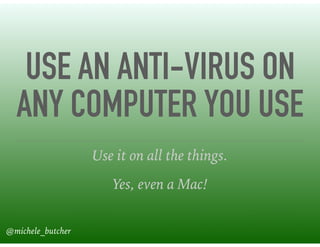
USE AN ANTI-VIRUS ON
ANY COMPUTER YOU USE
Use it on all the things.
Yes, even a Mac!
@michele_butcher
BE CONSCIOUS WHEN
USING PUBLIC WIFI
@michele_butcher
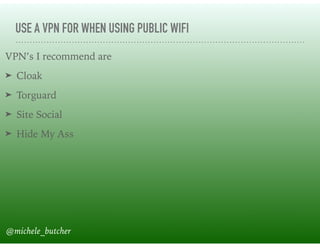
USE A VPN FOR WHEN USING PUBLIC WIFI
VPN’s I recommend are
➤ Cloak
➤ Torguard
➤ Site Social
➤ Hide My Ass
@michele_butcher
UPDATE!
UPDATE!
UPDATE!
Update all the things!
@michele_butcher
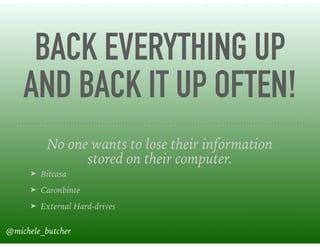
BACK EVERYTHING UP
AND BACK IT UP OFTEN!
No one wants to lose their information
stored on their computer.
➤ Bitcasa
➤ Caronbinte
➤ External Hard-drives
@michele_butcher
QUESTIONS?
@michele_butcher
THANK YOU!!!
Michele Butcher
CantSpeakGeek.com
@michele_butcher
Slides can be found at http://mlb.pw/wcmia2016

So i have a website now what?

  • 1.
  • 2.
    MICHELE BUTCHER ➤ SupportGuru for Give ➤ Support Engineer for Yoast ➤ Geek behind Can’t Speak Geek ➤ Beginners and Intermediate WordPress Instructor ➤ Lead Organizer for Southern Illinois WordPress Meetup @michele_butcher
  • 3.
    WEBSITES ARE NOT BUILDTHEM AND FORGET THEM! @michele_butcher
  • 4.
    LEARN THE STEPSTO CARE FOR YOUR SITE ONCE THE DESIGNER/DEVELOPER TURNS IT OVER TO YOU. @michele_butcher
  • 5.
    IF YOU AREWRITING YOUR OWN CONTENT, BE COMFORTABLE WITH THE DASHBOARD WHEN YOU MAKE THE DECISION TO DO IT ALONE. Ask for tutorials or search the web to learn before you try to do it alone. @michele_butcher
  • 6.
    THERE ARE SIMPLESTEPS EVERYONE WITH A WORDPRESS SITE SHOULD DO. @michele_butcher@michele_butcher
  • 7.
    THE FIRST THINGTO REMEMBER IS THAT IF YOU DO NOT CLICK SAVE AT THE END, IT DID NOT HAPPEN. Save and save often @michele_butcher
  • 8.
  • 9.
    BACKUP AND BACKUPOFTEN! ➤ Always save to someplace OTHER than your server ➤ Save them to Dropbox, AWS, email, or your local machine ➤ Have them scheduled to be made daily or at least weekly @michele_butcher
  • 10.
    BACKUP PLUGINS IRECOMMEND ➤ Backup Buddy ➤ UpDraftPlus ➤ BackWPUp @michele_butcher
  • 11.
    UPDATES ARE IMPORTANT! Update core.Update themes update plugins! The biggest reasons of updates is typically security or feature related. The biggest source of nearly all hacks is due to lack of updating. @michele_butcher
  • 12.
    WHEN YOU SEETHE LITTLE RED CIRCLE BESIDE THE DASHBOARD BUTTON MEANS YOU HAVE UPDATES NEEDING TO BE DONE Always make a backup before you update for safe measures. @michele_butcher
  • 13.
    WHEN IT COMESTO UPDATING IF YOU USE ENVATO PRODUCTS (THEMEFOREST AND CODECANYON) ALWAYS CHECK THE BOX IN THE DOWNLOADS TO BE NOTIFIED OF UPDATES. That is the only way you will know if any of their products need to be updated. This is why the RevSlider infection was so widespread. Many did not even know the plugin was built into their theme. @michele_butcher
  • 14.
    SECURITY IS AN IMPORTANTPIECE OF MAINTENANCE. @michele_butcher
  • 15.
    IT IS MOREIMPORTANT TO SECURE ALL THE THINGS BEFORE SOMETHING HAPPENS! MANY HAVE YET TO LEARN THIS! Every single day hackers find new ways to get your information. Todays features are tomorrow’s vulnerabilities. Stop them before they stop you @michele_butcher
  • 16.
    HOW DO THEYGET IN? ➤ They guess your login information ➤ Denial of Service Attack (DDoS) ➤ Through a file in a theme, plugin, or anything on your server where they found an exploit ➤ Through your FTP and/or cPanel configuration ➤ They guess your login information @michele_butcher
  • 17.
    THERE ARE SOMESIMPLE STEPS TO KEEP THE HACKERS OUT OF YOUR WEBSITE. @michele_butcher
  • 18.
    NEVER EVER NEVERUSE “ADMIN” AS A USERNAME OR “PASSWORD” AS PASSWORD ON ANY OF THE THINGS. NEVER!!!! Any questions? Adm1n and Pa55w0rd do not count either! @michele_butcher
  • 19.
    ONLY GIVE USERSTHE ACCESS THEY NEED Just because they want to be an admin does not mean they should. Guest bloggers should rarely every be anything more than a contributor. Sometimes they do not need access to all the things @michele_butcher
  • 20.
    IF IT ISA TEMPORARY LOGIN, DELETE THE USER WHEN THEY ARE DONE DOING ALL OF THEIR THINGS If they do have posts, you can convert them to different users or make them a subscriber with limited access. @michele_butcher
  • 21.
    SET UP FILEDETECTION TO MAKE SURE NOTHING EVER SNEAKS IN. Many security plugins like iThemes Security and WordFence will alert you when files have been changed @michele_butcher
  • 22.
    SECURITY PLUGINS IRECOMMEND ➤ iThemes Security (Free and Pro version ➤ Sucuri Firewall ➤ WordFence Security ➤ Jetpack with Brute Protect and Vault Press @michele_butcher
  • 23.
    ONLY KEEP THEPLUGINS AND THEMES YOU HAVE ACTIVE ON YOUR SITE. An uninstalled plugin or theme is not a potential vulnerability. Use the plugins repo favorites option to keep a list of your favorite plugins @michele_butcher
  • 24.
    MALWARE SCANNING? DOI NEED IT? ➤ Google Webmaster Tools
 ➤ Sucuri Scanner (Built in iThemes Security now)
 ➤ VirusTotal If you feel your site could be infected, first do a malware scan. There are also plugins that can scan your site manually. @michele_butcher
  • 25.
    WHEN YOU DECIDETO MAKE CHANGES TO YOUR SITE THERE ARE SOME THINGS TO CONSIDER. @michele_butcher
  • 26.
    DO YOUR DUEDILIGENCE WHEN LOOKING AT NEW THEMES AND PLUGINS. DO NOT PICK ONE JUST BECAUSE IT IS SHINY AND PRETTY. @michele_butcher
  • 27.
    DO NOT ADDEVERY THEME YOU THINK IS PRETTY WHEN YOU DECIDE TO CHANGE A THEME.
 ONLY KEEP THE THEME YOU ARE USING AND ONE BACKUP THEME ON YOUR SITE. The more themes that are on a site, the more open chances you have to a vulnerability @michele_butcher
  • 28.
    MISCELLANEOUS THINGS YOUR DESIGNEROR DEVELOPER MIGHT NOT HAVE TOLD YOU… @michele_butcher
  • 29.
    SEO… SEO Plugins canaid in your ranking on search engines ➤ Yoast SEO ➤ All in One SEO @michele_butcher
  • 30.
    DON'T EVER LETYOUR SITE GET TOO LONELY. No one knows your website better than you do. Check on the front end just as much as your backend. @michele_butcher
  • 31.
    IF YOU HAVEQUESTIONS TAKE TO THE WEB There are many resources you have at your fingertips that can help you do more with your website.
 ➤ codex.WordPress.org ➤ WordPress forums for themes, plugins, and core ➤ Twitter ➤ Facebook ➤ Third Party websites @michele_butcher
  • 32.
    THERE IS MORETHAN JUST WORDPRESS SPECIFIC MAINTENANCE YOU SHOULD DO. @michele_butcher
  • 33.
    ALWAYS USE COMPLEX PASSWORDSON ALL LOGINS. @michele_butcher
  • 34.
    NEVER USE THESAME PASSWORD ON ALL LOGINS. THIS IS JUST BAD PRACTICES! @michele_butcher
  • 35.
    NEVER EMAIL PASSWORDS!
 PUT THEM IN A 
 TEXT DOCUMENT OR USE 
 A PASSWORD MANAGER 
 TO SEND THEM. @michele_butcher
  • 36.
    USE A PASSWORDKEEPER FOR ALL YOUR THINGS ➤ Last Pass ➤ One Password ➤ KeePass @michele_butcher
  • 37.
    IF ANY LOGINHAS A TWO- FACTOR AUTHENTICATION OPTION, USE IT! Two-Factor all the things @michele_butcher
  • 38.
    USE AN ANTI-VIRUSON ANY COMPUTER YOU USE Use it on all the things. Yes, even a Mac! @michele_butcher
  • 39.
    BE CONSCIOUS WHEN USINGPUBLIC WIFI @michele_butcher
  • 40.
    USE A VPNFOR WHEN USING PUBLIC WIFI VPN’s I recommend are ➤ Cloak ➤ Torguard ➤ Site Social ➤ Hide My Ass @michele_butcher
  • 41.
  • 42.
    BACK EVERYTHING UP ANDBACK IT UP OFTEN! No one wants to lose their information stored on their computer. ➤ Bitcasa ➤ Caronbinte ➤ External Hard-drives @michele_butcher
  • 43.
  • 44.