
From
                     with love


by Peter K.
Back in year 2003


b2/cafelog
2000 blogs


             Release Archive
             > http://wordpress.org/download/release-archive/
             Jazzers and Release Dates
             > http://wordpress.org/about/roadmap/
Philosophy
• Out of the Box - little configuration and setup; Famous 5-
  minute install is more like 1-minute install.
• Design for the Majority - The average user wants to be
  able to write without problems or interruption.
• Decisions not Options - Users are considered being first.
  Avoid putting the weight of technical choices on end users.
• Clean, Lean, and Mean - It's designed to be lean and fast.
  The rule of thumb - core should provide features that 80% or
  more of end users will appreciate and use.
• Striving for Simplicity - Make it easier to use with
  every single release. Simplicity is always an open task.
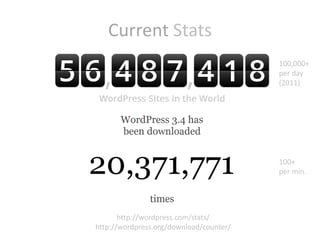
Current Stats
                                         100,000+
                                         per day
                                         (2011)


                                         100+
                                         per min.


       http://wordpress.com/stats/
http://wordpress.org/download/counter/
Notable WordPress Users


     http://wordpress.org/showcase/
20 million monthly unique visitors


            http://mashable.com/
.COM versus .ORG

                     … is a free and open source web software


… is a service                                            … is a community

•   Ready-to-use, free registration             •   Do-it-yourself, free download
•   Maintenance, backups and high traffic       •   Maintenance, backups, high traffic and
    are covered by the team                         security issues are up to you
•   Security - SSL Dashboard                    •   Free Themes (1,600+) and Plugins
•   Paid services – domain mapping, space           (21,000+) http://wordpress.org/extend/
    upgrades, custom design, no ads, etc.       •   Full control, code modifications, etc.
•   Limitations - themes (225), plugins, code   •   Get Involved - http://make.wordpress.org
•   VIP program - http://vip.wordpress.com      •   Develop - http://core.trac.wordpress.org
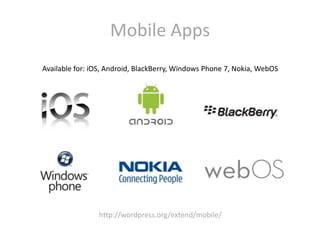
Mobile Apps
Available for: iOS, Android, BlackBerry, Windows Phone 7, Nokia, WebOS


                http://wordpress.org/extend/mobile/
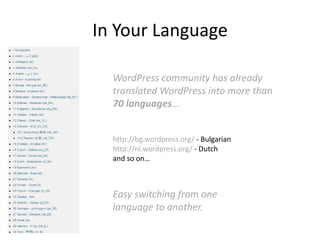
In Your Language

  WordPress community has already
  translated WordPress into more than
  70 languages…


  http://bg.wordpress.org/ - Bulgarian
  http://nl.wordpress.org/ - Dutch
  and so on…


  Easy switching from one
  language to another.
Take part


http://translate.wordpress.org
NOW()
Highlights in WordPress 3.4
• Enhanced theme control
   • Customize theme options before activating a new theme using Theme
      Customizer
   • Use Theme Previewer to customize current theme without changing the
      front-end design
• Custom Headers
   • Improved Custom Headers with flexible sizes
   • Selecting Custom Header Images and Custom Background Images
      from Media Library Screen
• Media improvements
   • Support HTML in image captions
   • Add Twitter.com as an oEmbed providers
• Under the Hood improvements
   • Improvements in WordPress internationalization and localization
   • Different split in translation POT files for faster translations
   • Codex XML-RPC information update accessed via XML-RPC_WordPress_API
   • WP_Query improvements
In Pictures
Coming Soon
WordPress 3.5 is the next major release, planned for 5th December 2012.
             Major versions are coming out bi-annually.

  WordPress 3.5 Beta 1 is already downloadable for testing purposes.
          http://wordpress.org/wordpress-3.5-beta-1.zip


  Highlights:
  • Administration - Polished all-HiDPI (retina) dashboard
  • Media - complete overhaul. Uploading photos, arranging
    galleries, inserting images into posts, and more.
  • Improved keyboard navigation and screen reader support.
  • Link Manager - hidden on new installs, activation available via
    plugin http://wordpress.org/extend/plugins/link-manager/
  • A new color picker and simplified welcome screen
  • Updated libraries - TinyMCE, SimplePie, jQuery, jQueryUI
  • Browse and install plugins marked as favorites on WordPress.org
  • New oEmbed providers - Soundcloud, Slideshare. Added support
    for SSL links.
Raw preview
New Default Theme
Twenty Twelve is ready for use. Comes with WordPress 3.5
           http://wordpress.org/extend/themes/twentytwelve


         • Uses the latest Theme Features
         • And, yes, a fully responsive design
         • Good baseline for making Child Themes
<?php echo ‘Under the hood’; ?>

•   Core
•   Themes and Child Themes
•   Template Hierarchy and Custom Templates
•   Plugins - functions.php, self-made plugins
•   Functions, Classes, APIs
•   Hooks - Actions and Filters
Core
         Want to hack/modify the WordPress core?
                               Don’t!
Because:
   1. You create zero-day vulnerabilities
   2. You’re hacking up what plugins were made to do
   3. Your site is no longer future-proof


”
     It is basically never really necessary. If you examine like half the core
     code, you’ll find that WordPress itself uses its own action and filter
     hooks extensively. In a sense, quite a lot of the WordPress core code is a
     plugin.                                                          --- Otto
Themes
The minimum set of files that a WordPress theme needs is:
• style.css
• index.php


Stylesheet header is needed, in order theme to be
discovered by WordPress:
 /*
 Theme Name: Twenty Ten
 Theme URI: http://wordpress.org/
 Description: The 2010 default theme for WordPress.
 Author: wordpressdotorg
 Author URI: http://wordpress.org/
 Version: 1.0
 Tags: black, blue, white, two-columns, fixed-width, custom-header, custom-
 background, threaded-comments, sticky-post, translation-
 ready, microformats, rtl-language-support, editor-style, custom-menu
 (optional)
 License:
 License URI:
 General comments (optional).
 */
Child Themes
… inherits the functionality of another theme, called the
parent theme.
… are the recommended way of making modifications to
a theme.

Stylesheet header is needed, in order theme to be
discovered by WordPress:
 /*
 Theme Name: Twenty Eleven Child
 Theme URI: http://example.com/
 Description: Child theme for Twenty Eleven theme.
 Author: Your name
 Author URI: http://example.com/
 Template: twentyeleven
 Version: 0.1.0
 */

 @import url("../twentyeleven/style.css");

 #site-title a { color: #090; }
functions.php
 • resides in the theme directory
 • basically acts like a plugin
 • is automatically loaded during WordPress initialization
   (both for admin pages and external pages)
 • is suggested for managing theme features, defining
   custom functions, setting up theme options, etc.

• If the logic has to be available for all themes, put it in a
  plugin instead…
• In a child theme, functions.php is loaded prior to parent
  themes’ functions.php - a trouble-free method of
  modifying the functionality of a parent theme.
• User functions of a parent theme should be pluggable -
  declared conditionally.
Template Hierarchy
Plugins
…allow easy modification, customization, and enhancement
to a WordPress website.
Many WordPress Plugins accomplish their goals by connecting to one or more WordPress
Plugin "hooks". The way Plugin hooks work is that at various times while WordPress is
running, WordPress checks to see if any Plugins have registered functions to run at that
time, and if so, the functions are run. These functions modify the default behavior of
WordPress.
   Plugin header is needed, in order plugin to be discovered
   by WordPress:
     <?php
     /*
     Plugin Name: Name Of The Plugin
     Plugin URI: http://URI_Of_Page_Describing_Plugin_and_Updates
     Description: A brief description of the Plugin.
     Version: The Plugin's Version Number, e.g.: 1.0
     Author: Name Of The Plugin Author
     Author URI: http://URI_Of_The_Plugin_Author
     License: A "Slug" license name e.g. GPL2
     */
     ?>
Hooks
  …allow your plugin to 'hook into' the rest of WordPress.

1. Actions - hooks that the WordPress core launches at
   specific points during execution, or when specific events
   occur. Your plugin can specify that one or more of its
   PHP functions are executed at these points, using the
   Action API. (near 600 in WP 3.4)
2. Filters - hooks that WordPress launches to modify text of
   various types before adding it to the database or
   sending it to the browser screen. Your plugin can specify
   that one or more of its PHP functions is executed to
   modify specific types of text at these times, using the
   Filter API. (more than 1000 in WP 3.4)
Sidebars and Widgets
  • Registered sidebars are dynamic and act
    like containers for a set of widgets.
  • Sidebars can have default content.
  • A theme can have many registered
    sidebars, placed in a different templates.
  • Sidebars can have own templates.
  • Widgets can have multiple instances
  • Widgets can have various options to
    display specific content on the front page.
Examples
•   BuddyPress
•   bbPress
•   WPML, WordPress Language
•   W3 Total Cache
•   WordPress SEO
•   WooCommerce
•   Posts 2 Posts
•   Front End Editor
•   Custom Post Type UI
BuddyPress
Start your own self-hosted and WordPress-based social network!


Key features:
• Activity streams
• User groups
• Multisite blogging
• Friend connections
• User profiles
• Discussion boards
• Private messages
• more on http://buddypress.org
bbPress
A lightweight forum software focused on ease of integration and
use, web standards, and speed.


Key features:
• Fully integrated
• Simple interface
• Customizable
• Highly extensible
• and more…
• http://bbpress.org
WPML
                The WordPress Multilingual Plugin


Key features:
• Premium plugin (annual)
• Multiple languages (40+)
• Translation management
• Text translations
• Professional translations
• Uses native WP functionality
• Plugins that extend the core
• Reliable support
• more on http://wpml.org
W3 Total Cache
           Web Performance Optimization for WordPress


Key features:
• Compatibility – shared
  hosting, VPS, dedicated server
• CDN integration
• Mobile support
• Minification
• Caching of
  browser, page, object, databa
  se
• Trusted by the big guys
           http://wordpress.org/extend/plugins/w3-total-cache/
WordPress SEO
          Fully optimize your site using the WordPress SEO


Key features:
• Page Analysis
• Technical Optimization
• Meta & Link Elements
• XML Sitemaps
• RSS Optimization
• Breadcrumbs
• Social Integration
• Import & Export
• http://yoast.com/wordpress/seo/
WooCommerce
  Powerful and extendable eCommerce plugin that helps you sell
                     anything. Beautifully.


Key features:
• Products & Inventory
• Customers & Orders
• Marketing & Promotion
• Shipping & Tax
• Payment Gateways
• Reporting
• Themes & Templates
• Premium Extensions
• etc.
               http://www.woothemes.com/woocommerce/
Posts 2 Posts
Efficient many-to-many connections between
posts, pages, custom post types, users.


               http://scribu.net/wordpress/posts-to-posts
Front-end Editor
          Edit content inline, without going to the admin area.


http://scribu.net/wordpress/front-end-editor
Custom Post Type UI
Admin UI for creating custom post types and custom taxonomies.


         http://wordpress.org/extend/plugins/custom-post-type-ui/
Many WordPress sites?
You can manage them from a central admin panel.


              http://infinitewp.com/
?

From WordPress With Love

  • 1.
    From with love by Peter K.
  • 2.
    Back in year2003 b2/cafelog 2000 blogs Release Archive > http://wordpress.org/download/release-archive/ Jazzers and Release Dates > http://wordpress.org/about/roadmap/
  • 3.
    Philosophy • Out ofthe Box - little configuration and setup; Famous 5- minute install is more like 1-minute install. • Design for the Majority - The average user wants to be able to write without problems or interruption. • Decisions not Options - Users are considered being first. Avoid putting the weight of technical choices on end users. • Clean, Lean, and Mean - It's designed to be lean and fast. The rule of thumb - core should provide features that 80% or more of end users will appreciate and use. • Striving for Simplicity - Make it easier to use with every single release. Simplicity is always an open task.
  • 4.
    Current Stats 100,000+ per day (2011) 100+ per min. http://wordpress.com/stats/ http://wordpress.org/download/counter/
  • 5.
    Notable WordPress Users http://wordpress.org/showcase/
  • 6.
    20 million monthlyunique visitors http://mashable.com/
  • 7.
    .COM versus .ORG … is a free and open source web software … is a service … is a community • Ready-to-use, free registration • Do-it-yourself, free download • Maintenance, backups and high traffic • Maintenance, backups, high traffic and are covered by the team security issues are up to you • Security - SSL Dashboard • Free Themes (1,600+) and Plugins • Paid services – domain mapping, space (21,000+) http://wordpress.org/extend/ upgrades, custom design, no ads, etc. • Full control, code modifications, etc. • Limitations - themes (225), plugins, code • Get Involved - http://make.wordpress.org • VIP program - http://vip.wordpress.com • Develop - http://core.trac.wordpress.org
  • 8.
    Mobile Apps Available for:iOS, Android, BlackBerry, Windows Phone 7, Nokia, WebOS http://wordpress.org/extend/mobile/
  • 9.
    In Your Language WordPress community has already translated WordPress into more than 70 languages… http://bg.wordpress.org/ - Bulgarian http://nl.wordpress.org/ - Dutch and so on… Easy switching from one language to another.
  • 10.
  • 11.
    NOW() Highlights in WordPress3.4 • Enhanced theme control • Customize theme options before activating a new theme using Theme Customizer • Use Theme Previewer to customize current theme without changing the front-end design • Custom Headers • Improved Custom Headers with flexible sizes • Selecting Custom Header Images and Custom Background Images from Media Library Screen • Media improvements • Support HTML in image captions • Add Twitter.com as an oEmbed providers • Under the Hood improvements • Improvements in WordPress internationalization and localization • Different split in translation POT files for faster translations • Codex XML-RPC information update accessed via XML-RPC_WordPress_API • WP_Query improvements
  • 12.
  • 13.
    Coming Soon WordPress 3.5is the next major release, planned for 5th December 2012. Major versions are coming out bi-annually. WordPress 3.5 Beta 1 is already downloadable for testing purposes. http://wordpress.org/wordpress-3.5-beta-1.zip Highlights: • Administration - Polished all-HiDPI (retina) dashboard • Media - complete overhaul. Uploading photos, arranging galleries, inserting images into posts, and more. • Improved keyboard navigation and screen reader support. • Link Manager - hidden on new installs, activation available via plugin http://wordpress.org/extend/plugins/link-manager/ • A new color picker and simplified welcome screen • Updated libraries - TinyMCE, SimplePie, jQuery, jQueryUI • Browse and install plugins marked as favorites on WordPress.org • New oEmbed providers - Soundcloud, Slideshare. Added support for SSL links.
  • 14.
  • 15.
    New Default Theme TwentyTwelve is ready for use. Comes with WordPress 3.5 http://wordpress.org/extend/themes/twentytwelve • Uses the latest Theme Features • And, yes, a fully responsive design • Good baseline for making Child Themes
  • 16.
    <?php echo ‘Underthe hood’; ?> • Core • Themes and Child Themes • Template Hierarchy and Custom Templates • Plugins - functions.php, self-made plugins • Functions, Classes, APIs • Hooks - Actions and Filters
  • 17.
    Core Want to hack/modify the WordPress core? Don’t! Because: 1. You create zero-day vulnerabilities 2. You’re hacking up what plugins were made to do 3. Your site is no longer future-proof ” It is basically never really necessary. If you examine like half the core code, you’ll find that WordPress itself uses its own action and filter hooks extensively. In a sense, quite a lot of the WordPress core code is a plugin. --- Otto
  • 18.
    Themes The minimum setof files that a WordPress theme needs is: • style.css • index.php Stylesheet header is needed, in order theme to be discovered by WordPress: /* Theme Name: Twenty Ten Theme URI: http://wordpress.org/ Description: The 2010 default theme for WordPress. Author: wordpressdotorg Author URI: http://wordpress.org/ Version: 1.0 Tags: black, blue, white, two-columns, fixed-width, custom-header, custom- background, threaded-comments, sticky-post, translation- ready, microformats, rtl-language-support, editor-style, custom-menu (optional) License: License URI: General comments (optional). */
  • 19.
    Child Themes … inheritsthe functionality of another theme, called the parent theme. … are the recommended way of making modifications to a theme. Stylesheet header is needed, in order theme to be discovered by WordPress: /* Theme Name: Twenty Eleven Child Theme URI: http://example.com/ Description: Child theme for Twenty Eleven theme. Author: Your name Author URI: http://example.com/ Template: twentyeleven Version: 0.1.0 */ @import url("../twentyeleven/style.css"); #site-title a { color: #090; }
  • 20.
    functions.php • residesin the theme directory • basically acts like a plugin • is automatically loaded during WordPress initialization (both for admin pages and external pages) • is suggested for managing theme features, defining custom functions, setting up theme options, etc. • If the logic has to be available for all themes, put it in a plugin instead… • In a child theme, functions.php is loaded prior to parent themes’ functions.php - a trouble-free method of modifying the functionality of a parent theme. • User functions of a parent theme should be pluggable - declared conditionally.
  • 21.
  • 22.
    Plugins …allow easy modification,customization, and enhancement to a WordPress website. Many WordPress Plugins accomplish their goals by connecting to one or more WordPress Plugin "hooks". The way Plugin hooks work is that at various times while WordPress is running, WordPress checks to see if any Plugins have registered functions to run at that time, and if so, the functions are run. These functions modify the default behavior of WordPress. Plugin header is needed, in order plugin to be discovered by WordPress: <?php /* Plugin Name: Name Of The Plugin Plugin URI: http://URI_Of_Page_Describing_Plugin_and_Updates Description: A brief description of the Plugin. Version: The Plugin's Version Number, e.g.: 1.0 Author: Name Of The Plugin Author Author URI: http://URI_Of_The_Plugin_Author License: A "Slug" license name e.g. GPL2 */ ?>
  • 23.
    Hooks …allowyour plugin to 'hook into' the rest of WordPress. 1. Actions - hooks that the WordPress core launches at specific points during execution, or when specific events occur. Your plugin can specify that one or more of its PHP functions are executed at these points, using the Action API. (near 600 in WP 3.4) 2. Filters - hooks that WordPress launches to modify text of various types before adding it to the database or sending it to the browser screen. Your plugin can specify that one or more of its PHP functions is executed to modify specific types of text at these times, using the Filter API. (more than 1000 in WP 3.4)
  • 24.
    Sidebars and Widgets • Registered sidebars are dynamic and act like containers for a set of widgets. • Sidebars can have default content. • A theme can have many registered sidebars, placed in a different templates. • Sidebars can have own templates. • Widgets can have multiple instances • Widgets can have various options to display specific content on the front page.
  • 25.
    Examples • BuddyPress • bbPress • WPML, WordPress Language • W3 Total Cache • WordPress SEO • WooCommerce • Posts 2 Posts • Front End Editor • Custom Post Type UI
  • 26.
    BuddyPress Start your ownself-hosted and WordPress-based social network! Key features: • Activity streams • User groups • Multisite blogging • Friend connections • User profiles • Discussion boards • Private messages • more on http://buddypress.org
  • 27.
    bbPress A lightweight forumsoftware focused on ease of integration and use, web standards, and speed. Key features: • Fully integrated • Simple interface • Customizable • Highly extensible • and more… • http://bbpress.org
  • 28.
    WPML The WordPress Multilingual Plugin Key features: • Premium plugin (annual) • Multiple languages (40+) • Translation management • Text translations • Professional translations • Uses native WP functionality • Plugins that extend the core • Reliable support • more on http://wpml.org
  • 29.
    W3 Total Cache Web Performance Optimization for WordPress Key features: • Compatibility – shared hosting, VPS, dedicated server • CDN integration • Mobile support • Minification • Caching of browser, page, object, databa se • Trusted by the big guys http://wordpress.org/extend/plugins/w3-total-cache/
  • 30.
    WordPress SEO Fully optimize your site using the WordPress SEO Key features: • Page Analysis • Technical Optimization • Meta & Link Elements • XML Sitemaps • RSS Optimization • Breadcrumbs • Social Integration • Import & Export • http://yoast.com/wordpress/seo/
  • 31.
    WooCommerce Powerfuland extendable eCommerce plugin that helps you sell anything. Beautifully. Key features: • Products & Inventory • Customers & Orders • Marketing & Promotion • Shipping & Tax • Payment Gateways • Reporting • Themes & Templates • Premium Extensions • etc. http://www.woothemes.com/woocommerce/
  • 32.
    Posts 2 Posts Efficientmany-to-many connections between posts, pages, custom post types, users. http://scribu.net/wordpress/posts-to-posts
  • 33.
    Front-end Editor Edit content inline, without going to the admin area. http://scribu.net/wordpress/front-end-editor
  • 34.
    Custom Post TypeUI Admin UI for creating custom post types and custom taxonomies. http://wordpress.org/extend/plugins/custom-post-type-ui/
  • 35.
    Many WordPress sites? Youcan manage them from a central admin panel. http://infinitewp.com/
  • 36.