1
C Building
Blocks
2
Outline
• Variable and Types of Variables
• Input Functions: scanf() and getche()
• Arithmetic Operators
– Arithmetic Assignment Operators
– Increment/Decrement Operators
• Relational Operators
• Comments in C
3
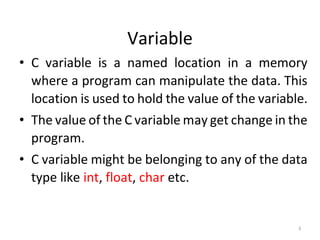
Variable
• C variable is a named location in a memory
where a program can manipulate the data. This
location is used to hold the value of the variable.
• The value of the C variable may get change in the
program.
• C variable might be belonging to any of the data
type like int, float, char etc.
4
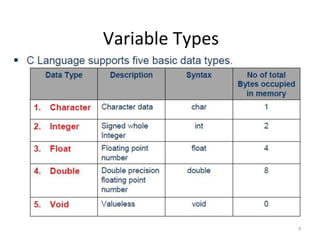
Variable Types
5
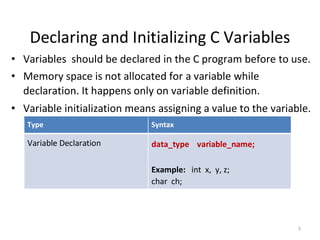
Declaring and Initializing C Variables
• Variables should be declared in the C program before to use.
• Memory space is not allocated for a variable while
declaration. It happens only on variable definition.
• Variable initialization means assigning a value to the variable.
Type Syntax
Variable Declaration data_type variable_name;
Example: int x, y, z;
char ch;
6
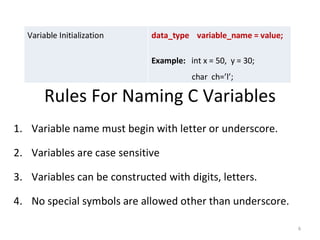
Variable Initialization data_type variable_name = value;
Example: int x = 50, y = 30;
char ch=’l’;
Rules For Naming C Variables
1. Variable name must begin with letter or underscore.
2. Variables are case sensitive
3. Variables can be constructed with digits, letters.
4. No special symbols are allowed other than underscore.
7
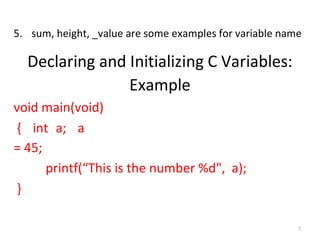
5. sum, height, _value are some examples for variable name
Declaring and Initializing C Variables:
Example
void main(void)
{ int a; a
= 45;
printf(“This is the number %d", a);
}
8
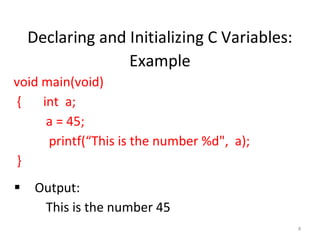
Declaring and Initializing C Variables:
Example
void main(void)
{ int a;
a = 45;
printf(“This is the number %d", a);
}
Output:
This is the number 45
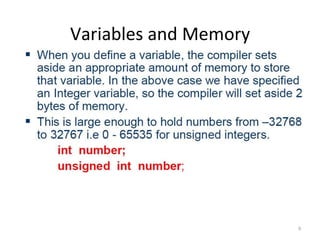
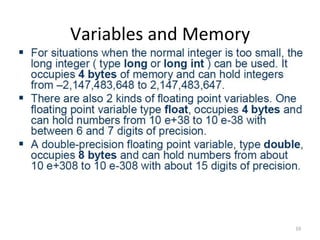
Variables and Memory
9
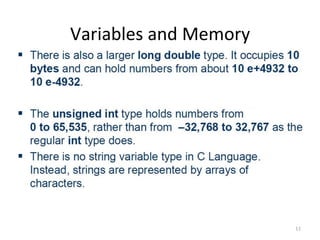
Variables and Memory
10
Variables and Memory
11
12
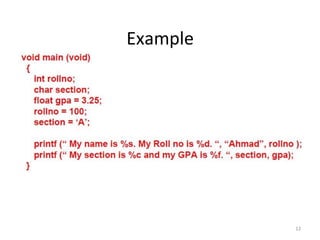
Example
13
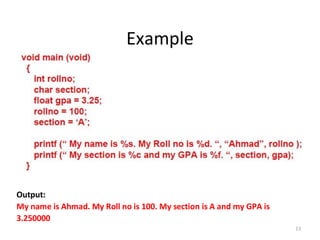
Example
Output:
My name is Ahmad. My Roll no is 100. My section is A and my GPA is
3.250000
14
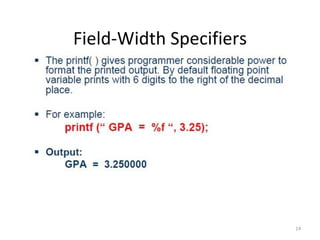
Field-Width Specifiers
15
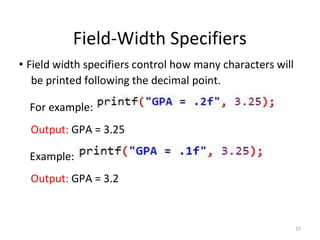
Field-Width Specifiers
• Field width specifiers control how many characters will
be printed following the decimal point.
For example:
Output: GPA = 3.25
Example:
Output: GPA = 3.2
16
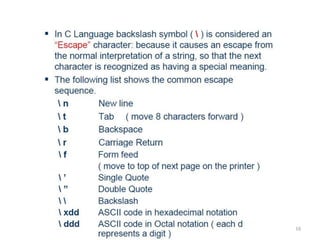
17
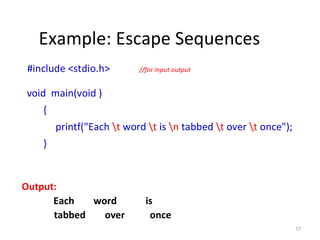
Example: Escape Sequences
#include <stdio.h> //for input output
void main(void )
{
printf("Each t word t is n tabbed t over t once");
}
Output:
Each word is
tabbed over once
18
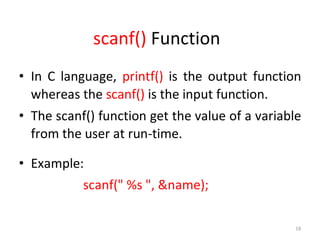
scanf() Function
• In C language, printf() is the output function
whereas the scanf() is the input function.
• The scanf() function get the value of a variable
from the user at run-time.
• Example:
scanf(" %s ", &name);
19
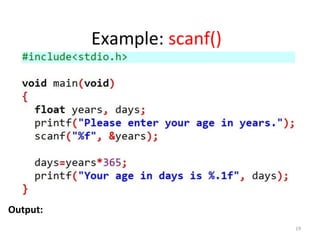
Example: scanf()
Output:
20
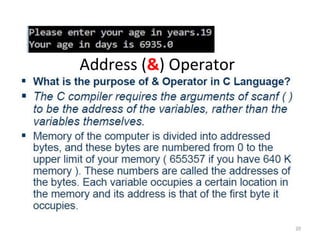
Address (&) Operator
21
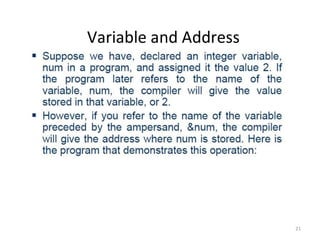
Variable and Address
22
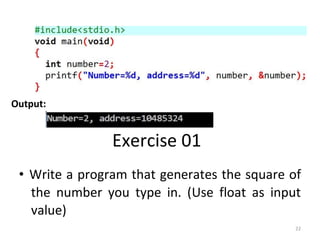
Output:
Exercise 01
• Write a program that generates the square of
the number you type in. (Use float as input
value)
23
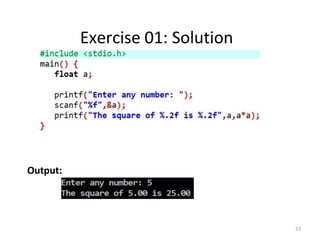
Exercise 01: Solution
Output:
24
Exercise 02
• Enter two integer numbers using scanf()
function and display the sum of those numbers
using printf() function.
25
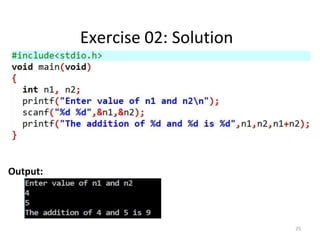
Exercise 02: Solution
Output:
26
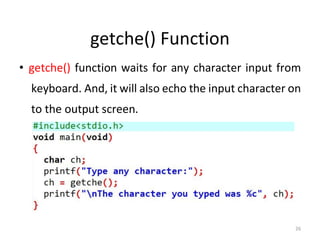
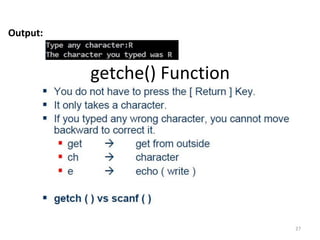
getche() Function
• getche() function waits for any character input from
keyboard. And, it will also echo the input character on
to the output screen.
27
Output:
getche() Function
28
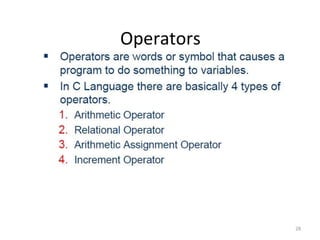
Operators
29
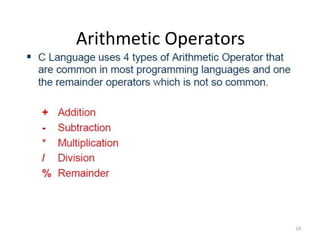
Arithmetic Operators
30
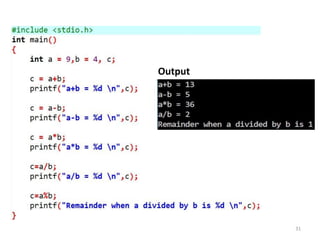
Example: Arithmetic Operators
31
Output
32
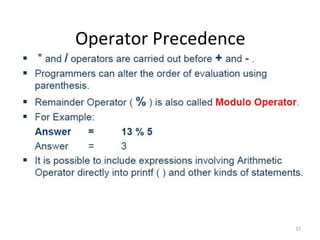
Operator Precedence
33
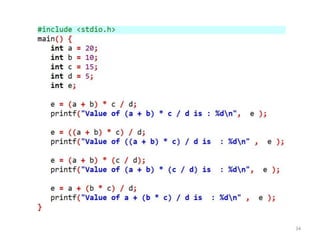
Example: Operator Precedence
34
35
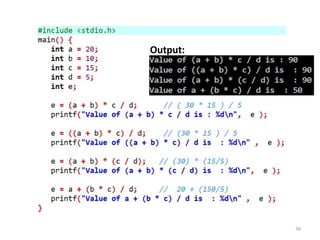
Example: Operator Precedence
36
Output:
37
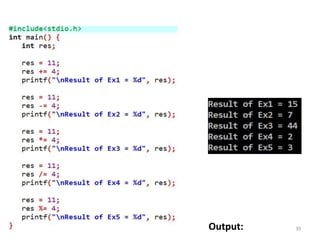
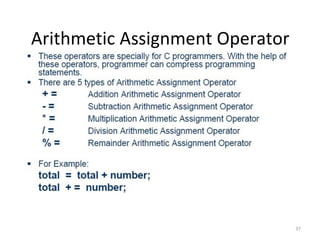
Arithmetic Assignment Operator
38
Arithmetic Assignment Operator
39Output:
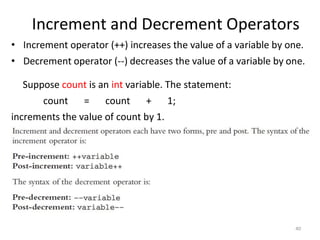
Increment and Decrement Operators
40
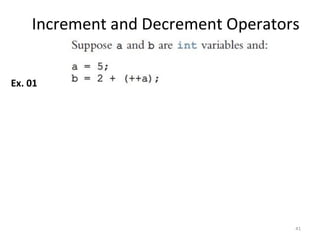
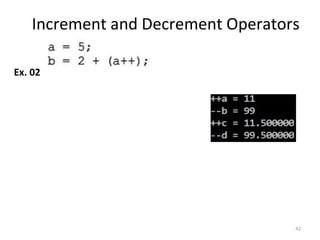
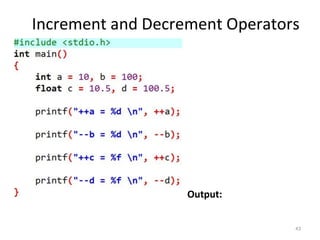
• Increment operator (++) increases the value of a variable by one.
• Decrement operator (--) decreases the value of a variable by one.
Suppose count is an int variable. The statement:
count = count + 1;
increments the value of count by 1.
Increment and Decrement Operators
41
Ex. 01
Increment and Decrement Operators
42
Ex. 02
Increment and Decrement Operators
43
Output:
44
Relational Operators
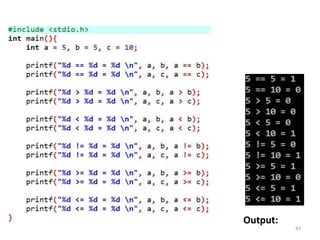
45
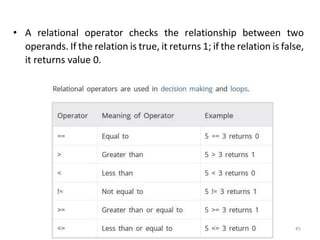
• A relational operator checks the relationship between two
operands. If the relation is true, it returns 1; if the relation is false,
it returns value 0.
46
Example: Relational Operators
47
Output:
48
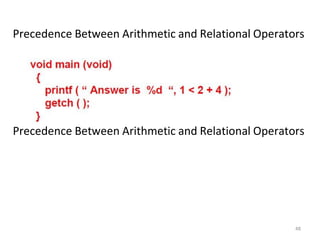
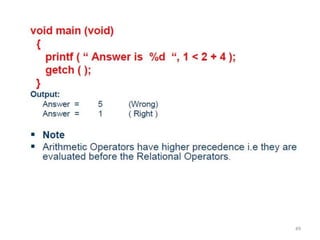
Precedence Between Arithmetic and Relational Operators
49
50
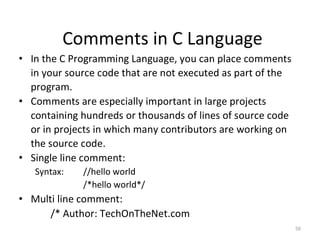
Comments in C Language
• In the C Programming Language, you can place comments
in your source code that are not executed as part of the
program.
• Comments are especially important in large projects
containing hundreds or thousands of lines of source code
or in projects in which many contributors are working on
the source code.
• Single line comment:
Syntax: //hello world
/*hello world*/
• Multi line comment:
/* Author: TechOnTheNet.com
51
Purpose: To show a comment that spans multiple
lines. Language: C */
C Building Blocks