Rigor and Relevance: Preparing for Readiness
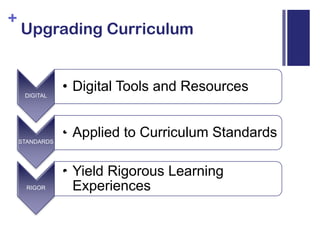
Upgrading Curriculum
Montgomery, K. (2010). Mobile phones for learning [Web log message]. Retrieved from http://thinkingmachine.pbworks.com/w/page/22187696/MITC-2008
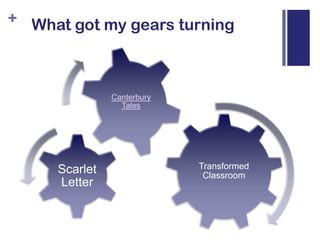
What got my gears turning
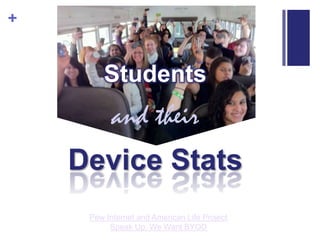
Studentsand theirDevice StatsPew Internet and American Life ProjectSpeak Up: We Want BYOD
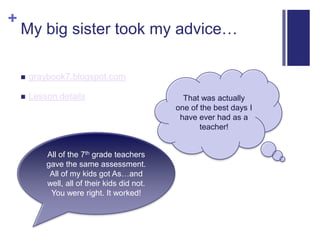
My big sister took my advice…graybook7.blogspot.comLesson detailsThat was actually one of the best days I have ever had as a teacher!All of the 7th grade teachers gave the same assessment. All of my kids got As…and well, all of their kids did not. You were right. It worked!
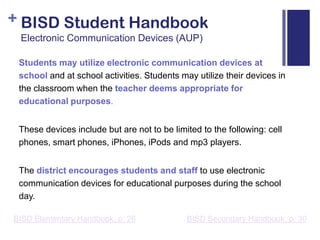
BISD Student HandbookElectronic Communication Devices (AUP)Students may utilize electronic communication devices at school and at school activities. Students may utilize their devices in the classroom when the teacher deems appropriate for educational purposes. These devices include but are not to be limited to the following: cell phones, smart phones, iPhones, iPods and mp3 players. The district encourages students and staff to use electronic communication devices for educational purposes during the school day.BISD Secondary Handbook, p. 30BISD Elementary Handbook, p. 26
Design for Success: Pre-PlanningPoll students to find out what types of devices/text and data plans are present in the classroomDesign to work with what you’ve gotPlan to be flexible: this is never a 100% predictable environmentConsider permission slips
Design for Success: Classroom ManagementRespectRelease the need to be 100% in controlHands-on learning = Hands-on managementPositive Effects:Brings devices out of hidingPuts devices to use of teacher’s designStudent buy-in and appreciation
Grouping StrategiesOne-device classroomInformal device sharingCollaborative grouping with role of mobile gatekeeperAppoint jobs (Fact finders, Word searchers, Communicators, etc.)
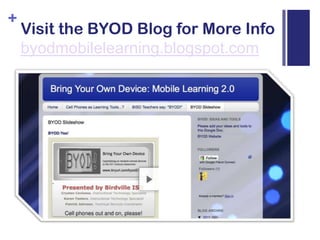
Visit the BYOD Blog for More Infobyodmobilelearning.blogspot.com
Lesson Redesign Requires Decision-makingAs each teacher evaluates a lesson for 21st Century redesign, he will have to ask questions and make decisions.What is the objective for this lesson?
What deep learning needs to result from this learning opportunity?
Where should a 21st century tool or skill be inserted within the lesson cycle?
Delivery / Investigation
Student Practice
Student Demonstration of Mastery?
Where will a substitution make the learning richer and more meaningful for students?Start with one!

BYOD: ELA

  • 1.
    Rigor and Relevance:Preparing for Readiness
  • 2.
  • 3.
    Montgomery, K. (2010).Mobile phones for learning [Web log message]. Retrieved from http://thinkingmachine.pbworks.com/w/page/22187696/MITC-2008
  • 4.
    What got mygears turning
  • 5.
    Studentsand theirDevice StatsPewInternet and American Life ProjectSpeak Up: We Want BYOD
  • 6.
    My big sistertook my advice…graybook7.blogspot.comLesson detailsThat was actually one of the best days I have ever had as a teacher!All of the 7th grade teachers gave the same assessment. All of my kids got As…and well, all of their kids did not. You were right. It worked!
  • 7.
    BISD Student HandbookElectronicCommunication Devices (AUP)Students may utilize electronic communication devices at school and at school activities. Students may utilize their devices in the classroom when the teacher deems appropriate for educational purposes. These devices include but are not to be limited to the following: cell phones, smart phones, iPhones, iPods and mp3 players. The district encourages students and staff to use electronic communication devices for educational purposes during the school day.BISD Secondary Handbook, p. 30BISD Elementary Handbook, p. 26
  • 8.
    Design for Success:Pre-PlanningPoll students to find out what types of devices/text and data plans are present in the classroomDesign to work with what you’ve gotPlan to be flexible: this is never a 100% predictable environmentConsider permission slips
  • 9.
    Design for Success:Classroom ManagementRespectRelease the need to be 100% in controlHands-on learning = Hands-on managementPositive Effects:Brings devices out of hidingPuts devices to use of teacher’s designStudent buy-in and appreciation
  • 10.
    Grouping StrategiesOne-device classroomInformaldevice sharingCollaborative grouping with role of mobile gatekeeperAppoint jobs (Fact finders, Word searchers, Communicators, etc.)
  • 11.
    Visit the BYODBlog for More Infobyodmobilelearning.blogspot.com
  • 12.
    Lesson Redesign RequiresDecision-makingAs each teacher evaluates a lesson for 21st Century redesign, he will have to ask questions and make decisions.What is the objective for this lesson?
  • 13.
    What deep learningneeds to result from this learning opportunity?
  • 14.
    Where should a21st century tool or skill be inserted within the lesson cycle?
  • 15.
  • 16.
  • 17.
  • 18.
    Where will asubstitution make the learning richer and more meaningful for students?Start with one!

Editor's Notes

  • #6 Slides of focus: 2, 4, 7, 14