Jennifer Bloomingdale
Educational Technology Specialist
       Former 5th Grade Teacher
Resources and Links
 All links and resources can be found at:
             http://tinyurl.com/5w3q4hf
Netbooks
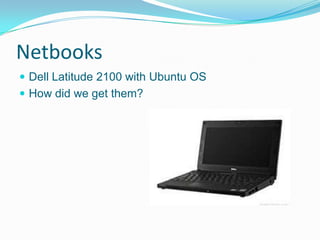
 Dell Latitude 2100 with Ubuntu OS
 How did we get them?
How did it change my teaching?
 More student directed
 Students worked at own pace
 Spent more time 1-on-1
 Students held accountable
 Major changes in curriculum
    Wiki Literature Circles
    Math
 These changes took place over the course of two years,
 not all at once!
Wiki Literature Circles
   What did literature circles look like in my room?
     Students were given a list of about ten books to
      chose from.
     Groups of 2 or 3 students
     I meet with students once a week
     Students have a week to read their set number of
      chapters, and then fill in a response form on their
      wiki page.
Response Form
   Short summaries of each chapter read
   3 Vocabulary words
      Definition
      Synonym
      Sentence
   3 Thinking Questions for the group
   Journal Entry
How did I assess my students?
   Students are graded using a rubric that includes:
      Participation
      Respect
      Comprehension
      Journal Entry
      Questions
      Vocabulary
      Response to Partners Entry
   Rubric was created at rubistar.
What changes did I see?
   Students were more engaged and actively
    participate in discussions.
   Students were excited to talk about what they
    read.
   Students were excited to read.
Mathematics Units
 My school used Everyday Mathematics
 Both units were based on Everyday Math with other
 resources integrated.
   City Planning: Geometry Unit
   Fraction/Decimal/Percent
Mathematics
 How did I assess?
   Periodic quizzes
   One-on-one Meetings
   Rubric for final projects
 What changes did I see?
   Students enjoyed working at the their own pace
   I spent more time one-on-one supporting students
   A majority of students were consistently engaged
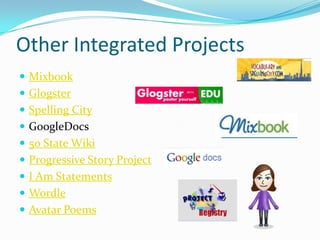
Other Integrated Projects
 Mixbook
 Glogster
 Spelling City
 GoogleDocs
 50 State Wiki
 Progressive Story Project
 I Am Statements
 Wordle
 Avatar Poems
Sharing Our Work
 Class Website
 Class Wiki
 Googledocs
 Presented at
Technologies in
Education Conference at the College of St. Rose
 5th Grade Technology Night
Things to keep in mind..
 Isolation
 Guidelines
 Internet safety
 Evaluating Resources
 Typing Skills
Questions?

1:1 Final Presentation

  • 1.
    Jennifer Bloomingdale Educational TechnologySpecialist Former 5th Grade Teacher
  • 2.
    Resources and Links All links and resources can be found at:  http://tinyurl.com/5w3q4hf
  • 3.
    Netbooks  Dell Latitude2100 with Ubuntu OS  How did we get them?
  • 4.
    How did itchange my teaching?  More student directed  Students worked at own pace  Spent more time 1-on-1  Students held accountable  Major changes in curriculum  Wiki Literature Circles  Math  These changes took place over the course of two years, not all at once!
  • 5.
    Wiki Literature Circles  What did literature circles look like in my room?  Students were given a list of about ten books to chose from.  Groups of 2 or 3 students  I meet with students once a week  Students have a week to read their set number of chapters, and then fill in a response form on their wiki page.
  • 6.
    Response Form  Short summaries of each chapter read  3 Vocabulary words  Definition  Synonym  Sentence  3 Thinking Questions for the group  Journal Entry
  • 7.
    How did Iassess my students?  Students are graded using a rubric that includes:  Participation  Respect  Comprehension  Journal Entry  Questions  Vocabulary  Response to Partners Entry  Rubric was created at rubistar.
  • 8.
    What changes didI see?  Students were more engaged and actively participate in discussions.  Students were excited to talk about what they read.  Students were excited to read.
  • 9.
    Mathematics Units  Myschool used Everyday Mathematics  Both units were based on Everyday Math with other resources integrated.  City Planning: Geometry Unit  Fraction/Decimal/Percent
  • 10.
    Mathematics  How didI assess?  Periodic quizzes  One-on-one Meetings  Rubric for final projects  What changes did I see?  Students enjoyed working at the their own pace  I spent more time one-on-one supporting students  A majority of students were consistently engaged
  • 11.
    Other Integrated Projects Mixbook  Glogster  Spelling City  GoogleDocs  50 State Wiki  Progressive Story Project  I Am Statements  Wordle  Avatar Poems
  • 12.
    Sharing Our Work Class Website  Class Wiki  Googledocs  Presented at Technologies in Education Conference at the College of St. Rose  5th Grade Technology Night
  • 13.
    Things to keepin mind..  Isolation  Guidelines  Internet safety  Evaluating Resources  Typing Skills
  • 14.

Editor's Notes

  • #4 Ubuntu is free linux software Technology budget and grants
  • #5 It was a slow transformation! And I believe that teachers need time to make that transition As I go through all of this I also want you to notice that it’s not just about using the tool…..Jeff Utect recently did a great post on this concept of viewing technology as a skill
  • #10 Geometric Cities was created for a graduate class, very involved and detailed -go through main points of unit Fraction/Decimal/Percent unit was created since students enjoyed geometric cities so much
  • #11 Some students needed to be “pushed” a little more then othersThere were some students who I learned to check in with constantly…If I would have done something different, I would have assigned homework to students falling behind sooner
  • #12 Googledocs-students posted work on one single document and commented on each others work-students handed in work through googledocs: I was able to give feedback -was able to track revision history
  • #13 Class website: was not password protected, needed to be mindful of school policies and students who could not be photographed Class wiki: was password protected, but we were still careful about using names, parents were given the link and directions on how to access Googledocs: share within our classroom