“Remove The Mystery Surrounding BYOD-How YOU
Can Integrate Using BYOD Strategies and Resources!"

                Lisa McMillan, M.Ed
               Allegra McGrew, Ed.D
Purpose/Objectives

• Why BYOD Can Be a Great Thing!
• How Can I Integrate With Multiple Devices?
• How Do I Manage a BYOD Classroom?
• Tools/Tips/Takeaways
Welcome!!
Select a device- iPhone, iTouch, Android,
  Laptop-2, Ultrabook, Nook-2, Tablet, iPad

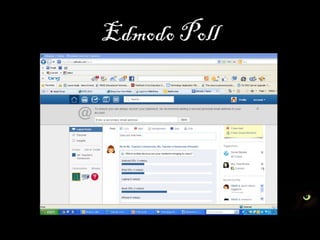
Answer the Poll question: Which devices are
  your students bringing to class?
Edmodo Poll
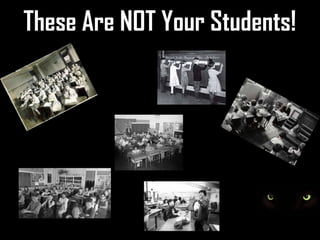
These Are NOT Your Students!
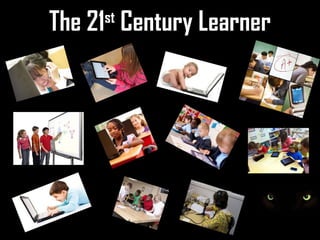
The 21 Century Learner
     st
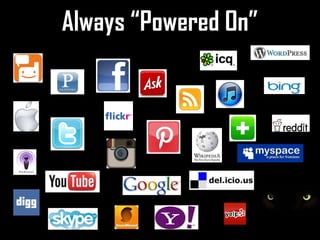
Always “Powered On”
Why Use Mobile Devices?
“Mobiles represent an untapped resource for
reaching students and for bridging the gap
between the learning that happens in school
and learning that happens out in the world.”
Why Use Mobile Devices?
• 2/3 of children age 4-7 have used an iPhone or iTouch
• 17% of high school seniors entering college own a mobile
  device (tablet)
• Many teens have a cell phone at school but not used in
  class. Kids are powering down at school.
• Computer games, email, the Internet, cell phones, and
  instant messaging are integral parts of their lives.
Classroom Management Tips
   Pair students up
   Group students
   Allow students to share
   classroom computer(s)
   Check out device(s) from the
   library
“Screen up” & “Screen down”
Happy Hands
Place device in a designated
location on the desk when not in
use
Recording procedures
Settings
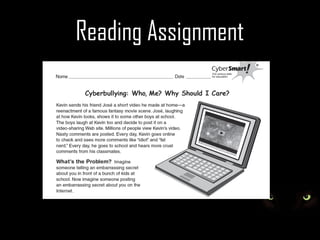
Reading Assignment
Formal Assessment Tools
• Poll Everywhere http://www.polleverywhere.com/
• Today's Meet
  http://www.todaysmeet.com/
• Socrative
  http://m.socrative.com/student/#joinRoom
• Survey Monkey http://www.surveymonkey.com/
Socrative
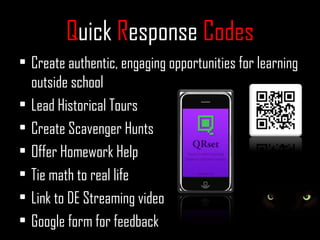
Quick Response Codes
• Create authentic, engaging opportunities for learning
  outside school
• Lead Historical Tours
• Create Scavenger Hunts
• Offer Homework Help
• Tie math to real life
• Link to DE Streaming video
• Google form for feedback
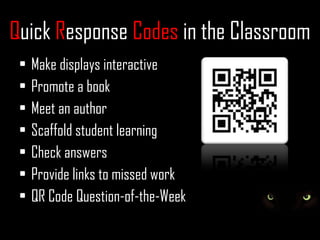
Quick Response Codes in the Classroom
 •   Make displays interactive
 •   Promote a book
 •   Meet an author
 •   Scaffold student learning
 •   Check answers
 •   Provide links to missed work
 •   QR Code Question-of-the-Week
Quick Response Codes in the Classroom
 • Get students up and moving
 • Create stories with different endings - student
   selects which ending they desire to read
 • Connect to examples for lesson assistance
Let’s Try It!!
Delivr® makes creating, managing, and
tracking QR Codes and NFC Tags simple.

         http://delivr.com/
Now What???
            Managing the BYOD Classroom:
I. Set Clear Expectations
II. Have a solid plan for consequences of
    inappropriate use and follow through!
III.Model Appropriate Use
IV.Be Forgiving—of yourself...
V. Have fun!
Additional Resources


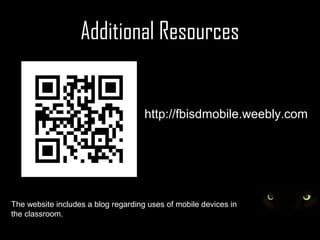
                                     http://fbisdmobile.weebly.com


The website includes a blog regarding uses of mobile devices in
the classroom.

Remove the mystery surrounding byod updated

  • 1.
    “Remove The MysterySurrounding BYOD-How YOU Can Integrate Using BYOD Strategies and Resources!" Lisa McMillan, M.Ed Allegra McGrew, Ed.D
  • 2.
    Purpose/Objectives • Why BYODCan Be a Great Thing! • How Can I Integrate With Multiple Devices? • How Do I Manage a BYOD Classroom? • Tools/Tips/Takeaways
  • 3.
    Welcome!! Select a device-iPhone, iTouch, Android, Laptop-2, Ultrabook, Nook-2, Tablet, iPad Answer the Poll question: Which devices are your students bringing to class?
  • 4.
  • 5.
    These Are NOTYour Students!
  • 6.
    The 21 CenturyLearner st
  • 7.
  • 8.
    Why Use MobileDevices? “Mobiles represent an untapped resource for reaching students and for bridging the gap between the learning that happens in school and learning that happens out in the world.”
  • 9.
    Why Use MobileDevices? • 2/3 of children age 4-7 have used an iPhone or iTouch • 17% of high school seniors entering college own a mobile device (tablet) • Many teens have a cell phone at school but not used in class. Kids are powering down at school. • Computer games, email, the Internet, cell phones, and instant messaging are integral parts of their lives.
  • 10.
    Classroom Management Tips Pair students up Group students Allow students to share classroom computer(s) Check out device(s) from the library
  • 11.
    “Screen up” &“Screen down” Happy Hands Place device in a designated location on the desk when not in use Recording procedures Settings
  • 13.
  • 14.
    Formal Assessment Tools •Poll Everywhere http://www.polleverywhere.com/ • Today's Meet http://www.todaysmeet.com/ • Socrative http://m.socrative.com/student/#joinRoom • Survey Monkey http://www.surveymonkey.com/
  • 15.
  • 16.
    Quick Response Codes •Create authentic, engaging opportunities for learning outside school • Lead Historical Tours • Create Scavenger Hunts • Offer Homework Help • Tie math to real life • Link to DE Streaming video • Google form for feedback
  • 17.
    Quick Response Codesin the Classroom • Make displays interactive • Promote a book • Meet an author • Scaffold student learning • Check answers • Provide links to missed work • QR Code Question-of-the-Week
  • 18.
    Quick Response Codesin the Classroom • Get students up and moving • Create stories with different endings - student selects which ending they desire to read • Connect to examples for lesson assistance
  • 19.
    Let’s Try It!! Delivr®makes creating, managing, and tracking QR Codes and NFC Tags simple. http://delivr.com/
  • 20.
    Now What??? Managing the BYOD Classroom: I. Set Clear Expectations II. Have a solid plan for consequences of inappropriate use and follow through! III.Model Appropriate Use IV.Be Forgiving—of yourself... V. Have fun!
  • 21.
    Additional Resources http://fbisdmobile.weebly.com The website includes a blog regarding uses of mobile devices in the classroom.

Editor's Notes

  • #8 Share the QR code ‘Paw” and discuss power up and power down. Also share that the QR code will link to components of the presentation.
  • #11 Here are a few suggestions to accommodate students who do not have mobile devices.