Building Smart Workflows Automating Administrative, Maintenance And Workflow Tasks With QuickBase Using jQuery Dan Diebolt,  Netelier Ann Arbor, Michigan (734) 985-0721 Google Voice [email_address] Originally Presented Wednesday October 28 th , 2009 as Part of Intuit’s QuickBase Tech Fest 2009
Agenda Goal: Demonstrate How to Use jQuery with QuickBase to Build Smart Workflows  Automating Administrative, Maintenance, & Workflow Tasks  Introductions  Live Demo: Smart Workflows jQuery Introduction jQuery Conventions and Idioms Questions and Comments
Introductions Electrical And Computer Engineer, MSEE & MBA 30 Years Design And Development Experience in Automotive, Defense, Semiconductor, Design Automation, Computer Industries QuickBase User Since  ~ 2001 Frequent Contributor to QuickBase Community Forum Interest Areas: DataMining, Scripting & Automation, Integration, MashUps & WebApps, Database, Data Interchange and Conversion, Demographics, Collective Intelligence Algorithms Tools: I Use An Arsenal Of Open Source Tools, Scripts, Add-Ons, Utilities & Web Services With QuickBase
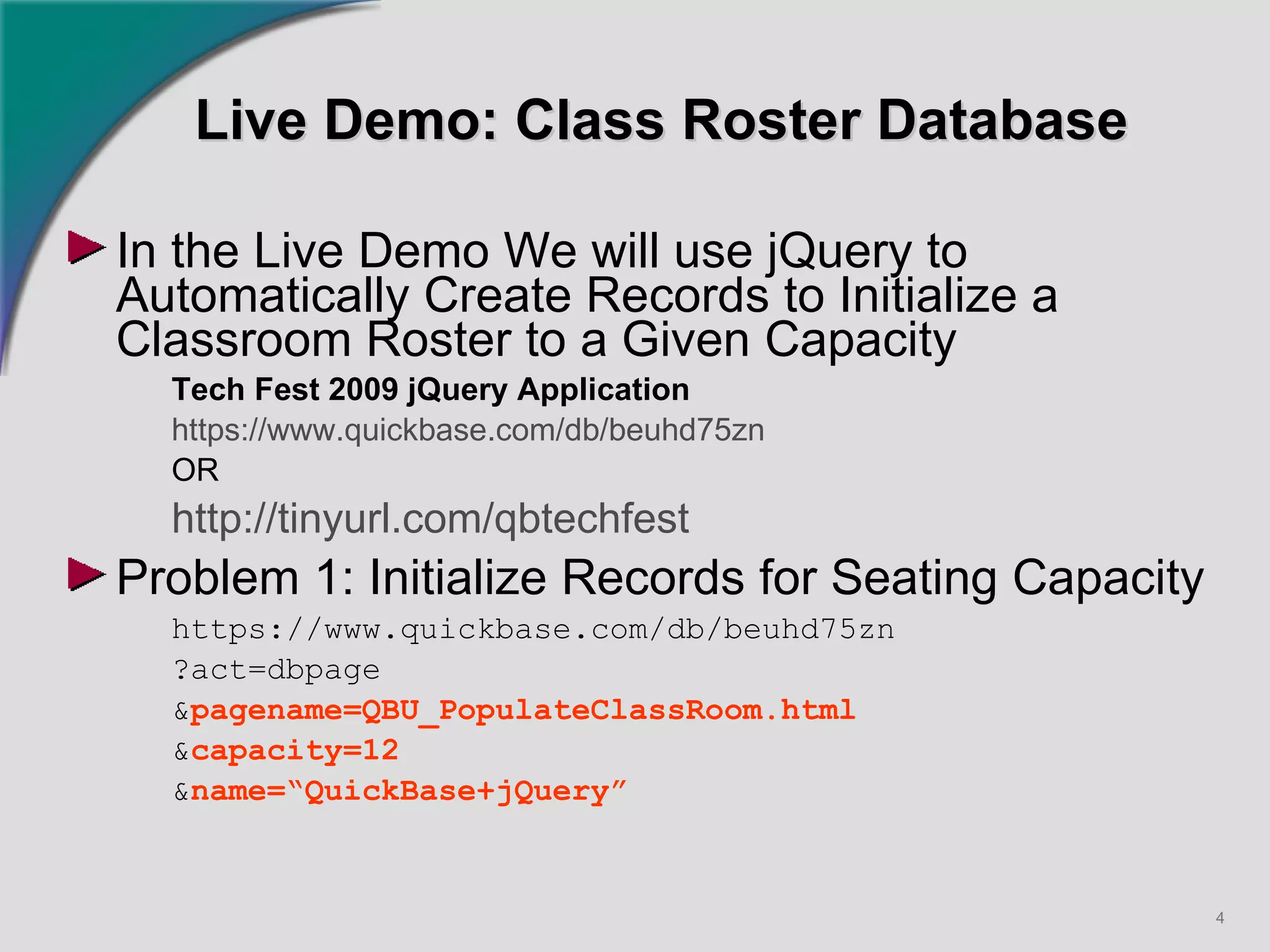
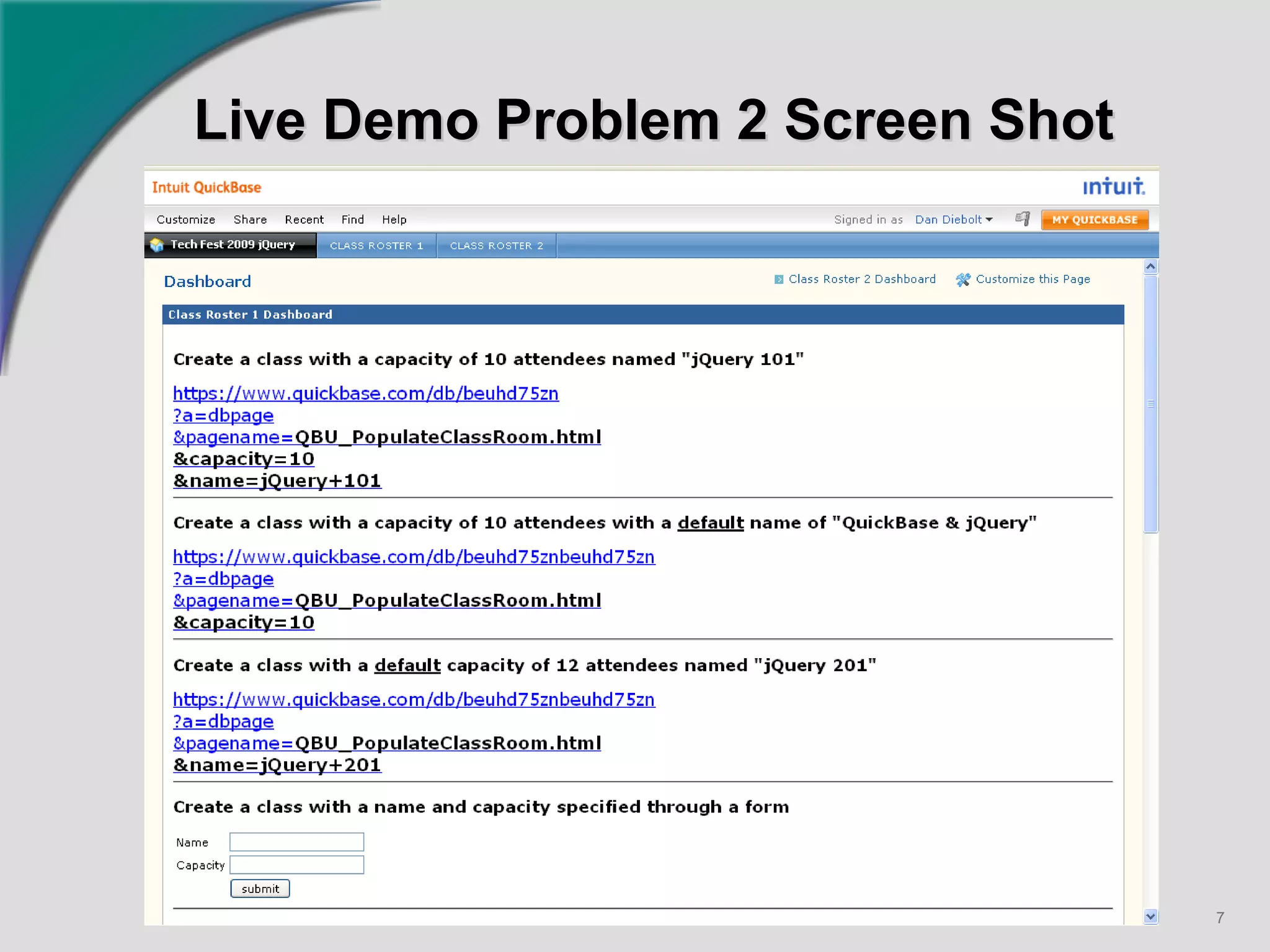
Live Demo: Class Roster Database In the Live Demo We will use jQuery to Automatically Create Records to Initialize a Classroom Roster to a Given Capacity Tech Fest 2009 jQuery Application https://www.quickbase.com/db/beuhd75zn   OR  http://tinyurl.com/qbtechfest   Problem 1: Initialize Records for Seating Capacity https://www.quickbase.com/db/beuhd75zn ?act=dbpage & pagename=QBU_PopulateClassRoom.html & capacity=12 & name=“QuickBase+jQuery”
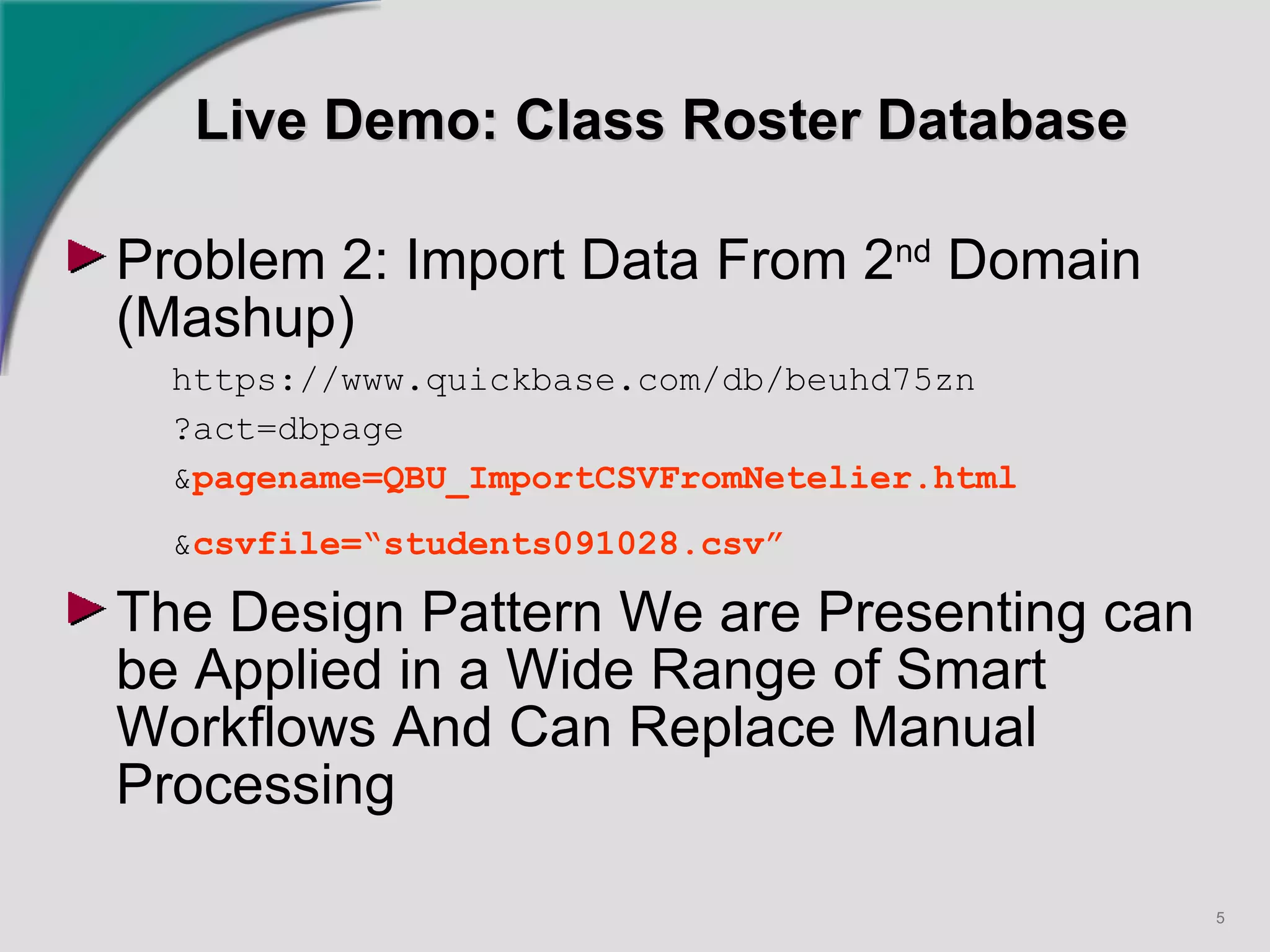
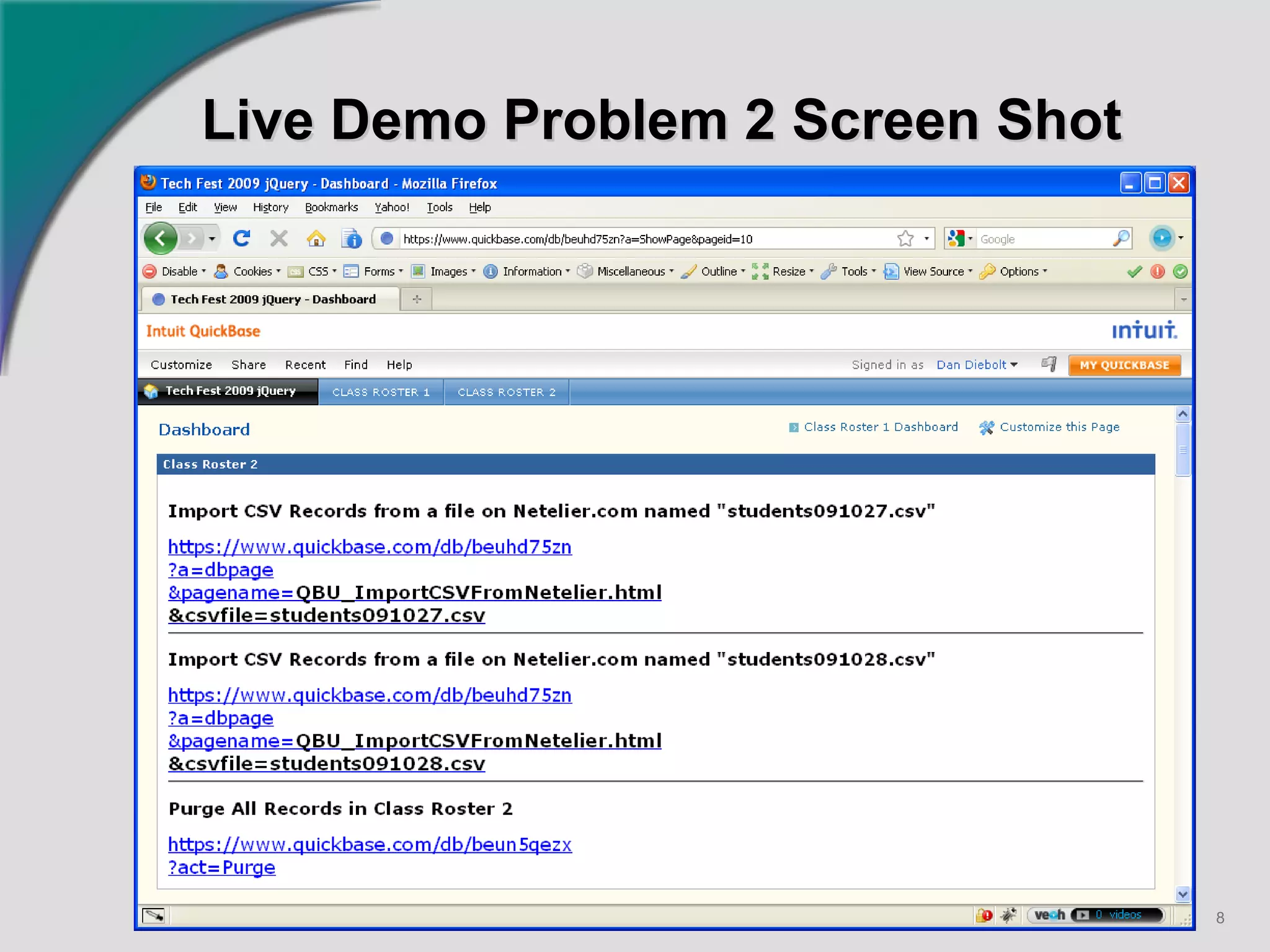
Live Demo: Class Roster Database Problem 2: Import Data From 2 nd  Domain (Mashup) https://www.quickbase.com/db/beuhd75zn ?act=dbpage & pagename=QBU_ImportCSVFromNetelier.html & csvfile=“students091028.csv”   The Design Pattern We are Presenting can be Applied in a Wide Range of Smart Workflows And Can Replace Manual Processing
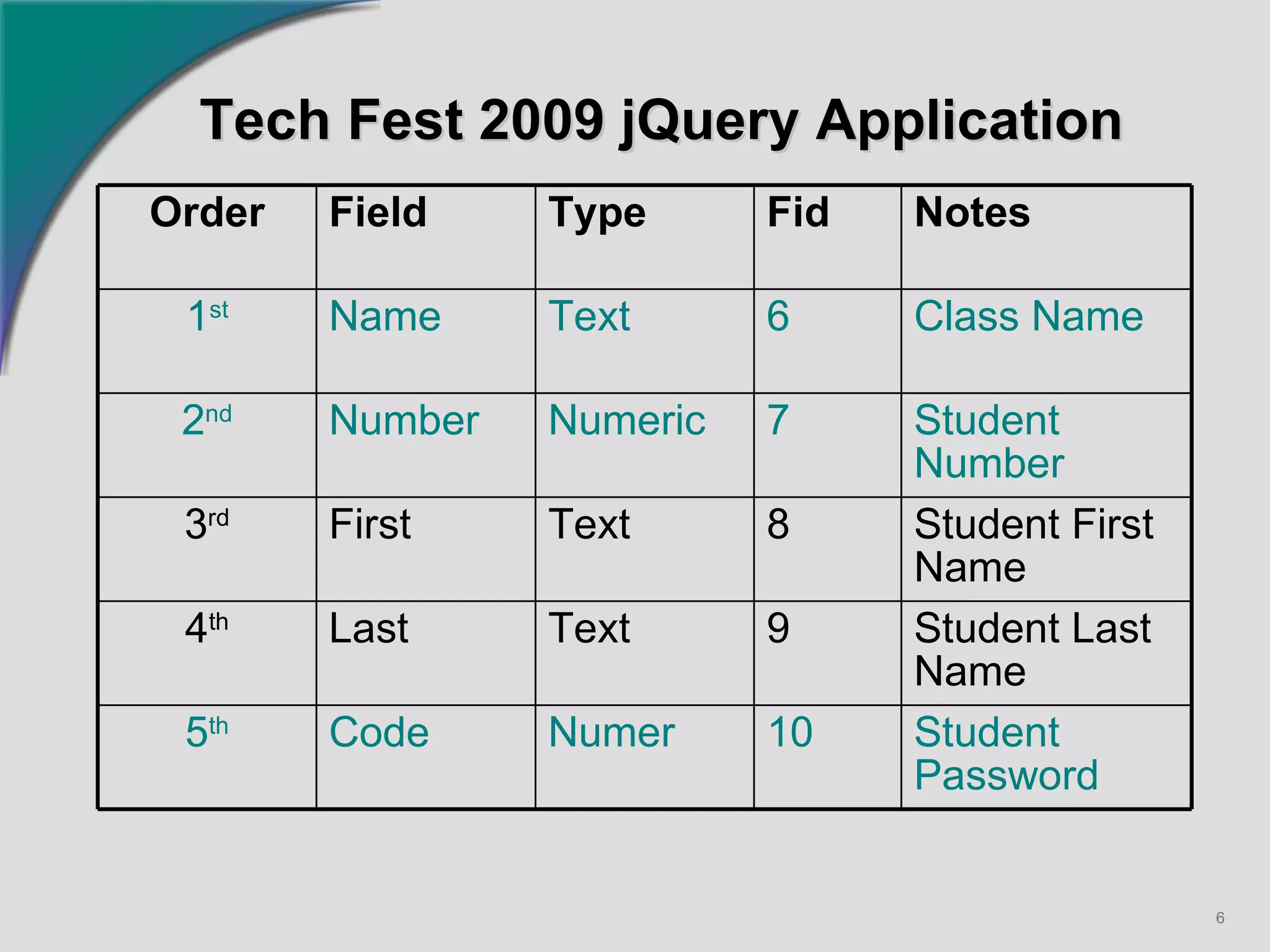
Tech Fest 2009 jQuery Application   Order Field Type Fid Notes 1 st Name Text 6 Class Name 2 nd Number Numeric 7 Student Number 3 rd First Text 8 Student First Name 4 th Last Text 9 Student Last Name 5 th Code Numer 10 Student Password
Live Demo Problem 2 Screen Shot
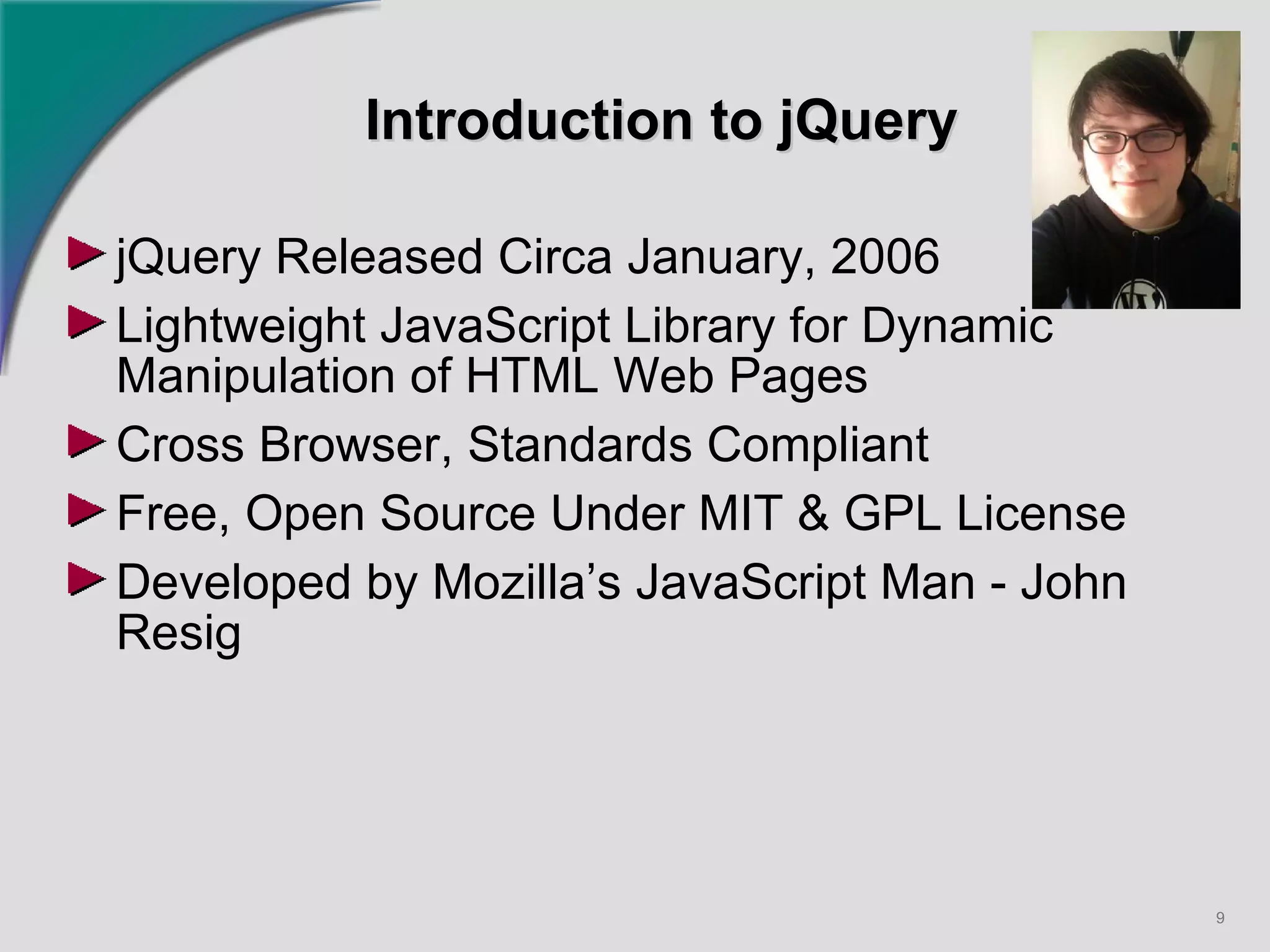
Introduction to jQuery jQuery Released Circa January, 2006 Lightweight JavaScript Library for Dynamic Manipulation of HTML Web Pages Cross Browser, Standards Compliant Free, Open Source Under MIT & GPL License  Developed by Mozilla’s JavaScript Man - John Resig
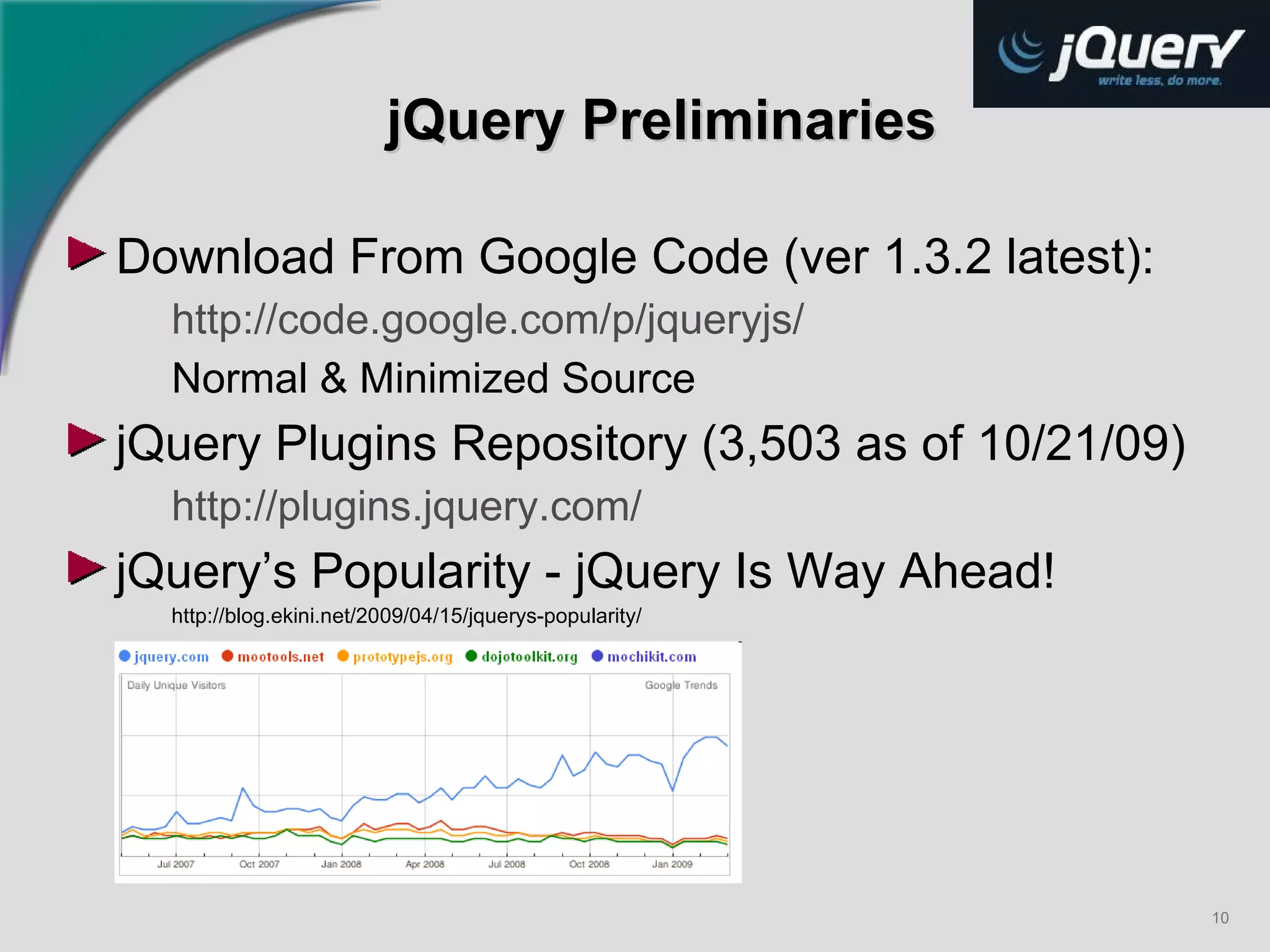
jQuery Preliminaries Download From Google Code (ver 1.3.2 latest): http://code.google.com/p/jqueryjs/ Normal & Minimized Source jQuery Plugins Repository (3,503 as of 10/21/09) http://plugins.jquery.com/   jQuery’s Popularity - jQuery Is Way Ahead! http://blog.ekini.net/2009/04/15/jquerys-popularity/
QuickBase/jQuery Party Time Technologies Involved AJAX, CSS, Functional Programming, HTML, HTTP, JavaScript, jQuery, Object Oriented Programming, Security, SGML, XML, XPATH, XSLT, etc. Difficult to Master All These Technologies jQuery Moto:  “Write Less, Do More” In Reality, jQuery Code is Short, Concise and Reads More Like a Configuration File than a Script Use Design Patterns, Best Practices and Reusable Templates to Solve  Classes  of Problems Encourage More QuickBase User Community Contributions
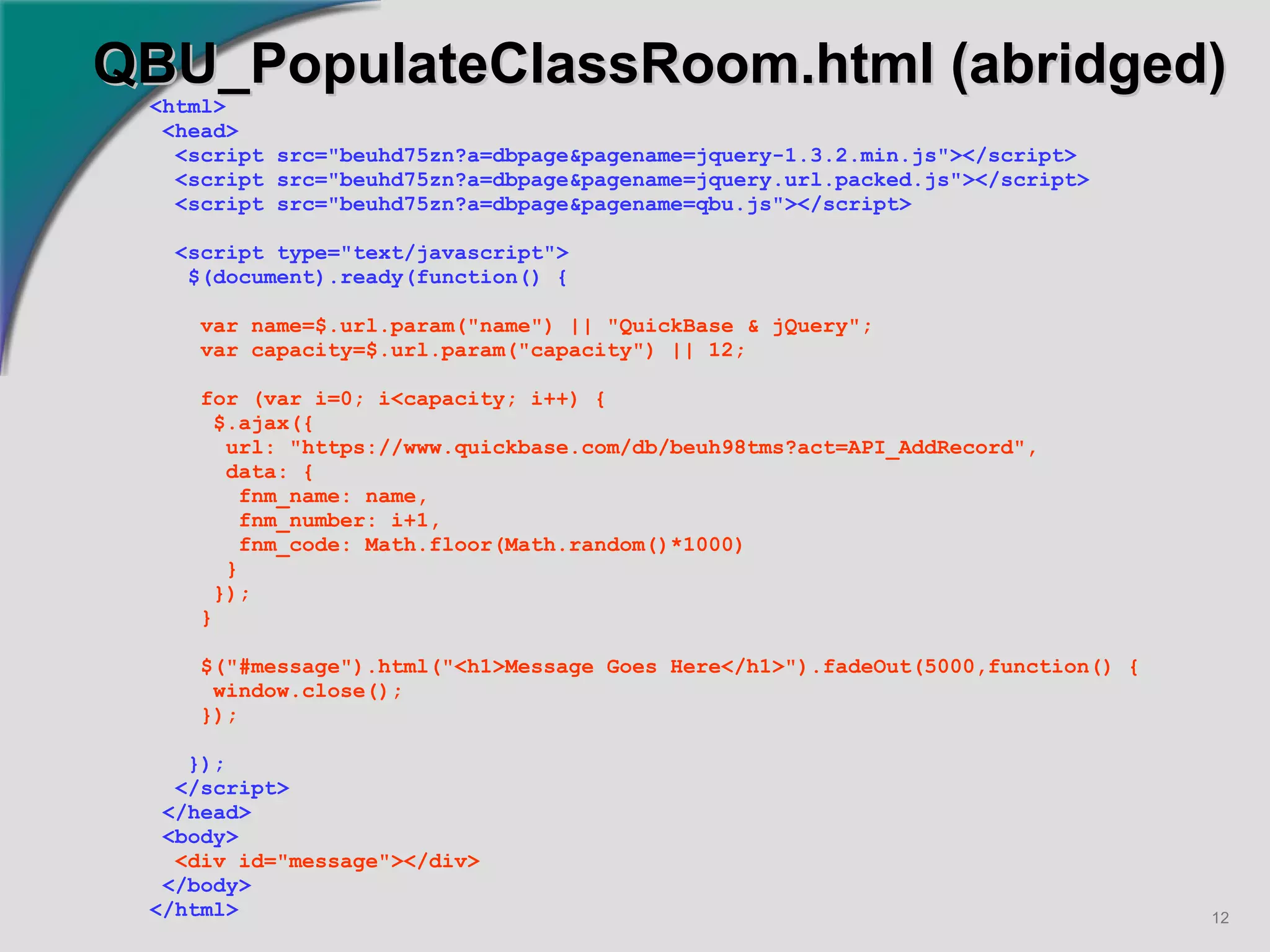
QBU_PopulateClassRoom.html (abridged) <html> <head> <script src=&quot;beuhd75zn?a=dbpage&pagename=jquery-1.3.2.min.js&quot;></script> <script src=&quot;beuhd75zn?a=dbpage&pagename=jquery.url.packed.js&quot;></script> <script src=&quot;beuhd75zn?a=dbpage&pagename=qbu.js&quot;></script> <script type=&quot;text/javascript&quot;> $(document).ready(function() { var name=$.url.param(&quot;name&quot;) || &quot;QuickBase & jQuery&quot;; var capacity=$.url.param(&quot;capacity&quot;) || 12; for (var i=0; i<capacity; i++) { $.ajax({ url: &quot;https://www.quickbase.com/db/beuh98tms?act=API_AddRecord&quot;, data: { fnm_name: name, fnm_number: i+1, fnm_code: Math.floor(Math.random()*1000) } }); } $(&quot;#message&quot;).html(&quot;<h1>Message Goes Here</h1>&quot;).fadeOut(5000,function() { window.close(); }); }); </script> </head> <body> <div id=&quot;message&quot;></div> </body> </html>
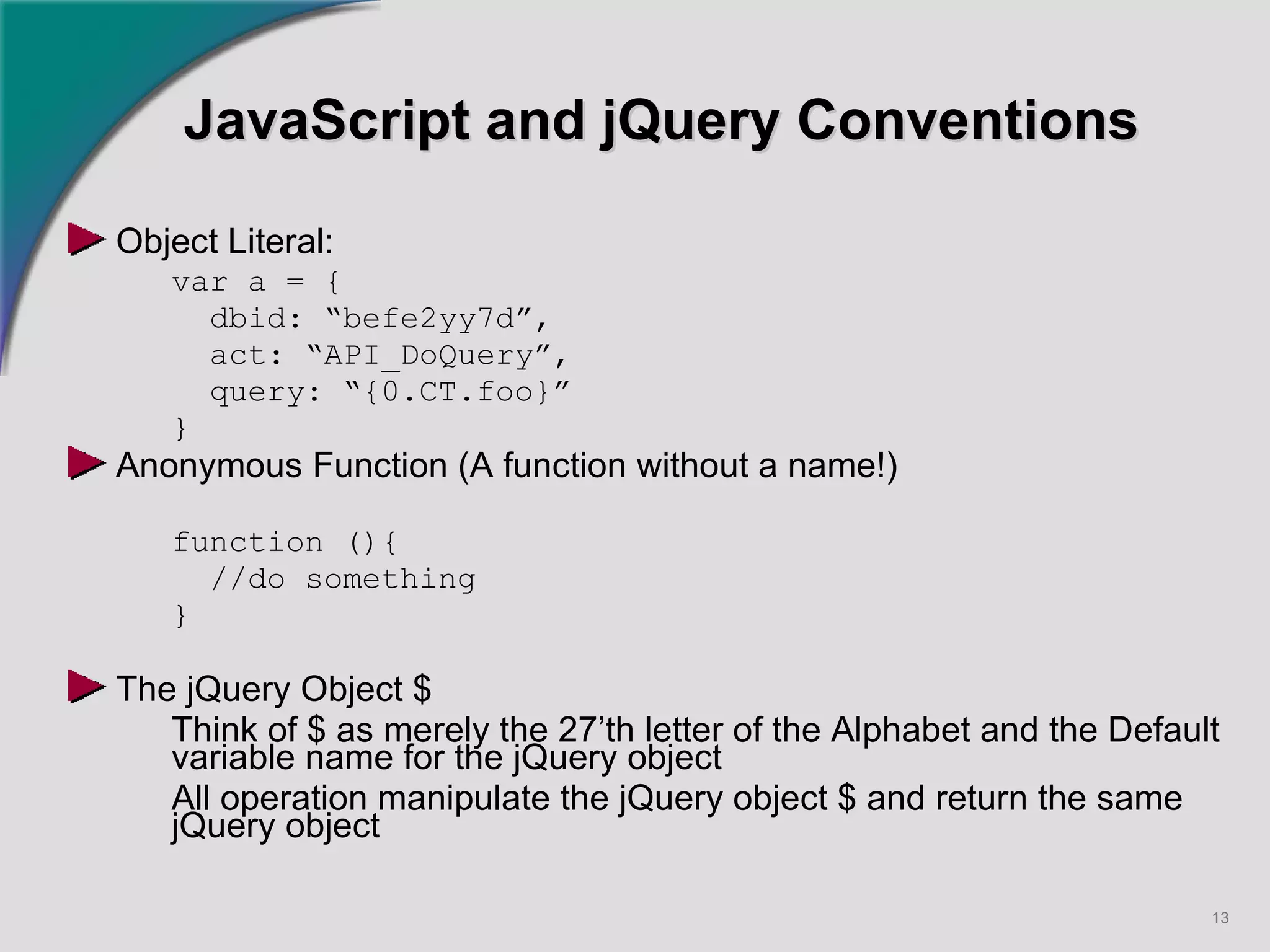
JavaScript and jQuery Conventions Object Literal: var a = { dbid: “befe2yy7d”,  act: “API_DoQuery”, query: “{0.CT.foo}” } Anonymous Function (A function without a name!) function (){ //do something } The jQuery Object $ Think of $ as merely the 27’th letter of the Alphabet and the Default variable name for the jQuery object All operation manipulate the jQuery object $ and return the same jQuery object
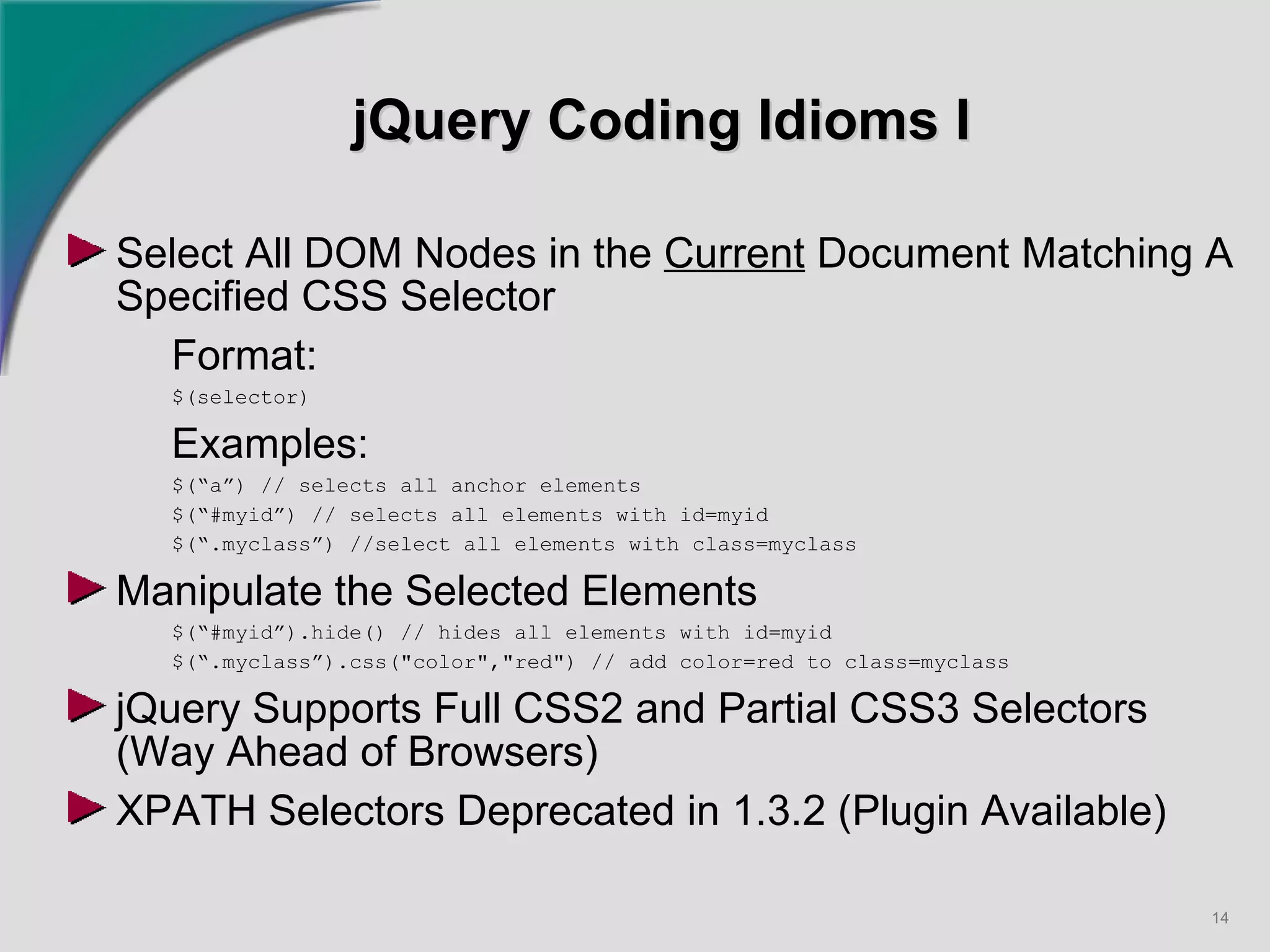
jQuery Coding Idioms I Select All DOM Nodes in the  Current  Document Matching A Specified CSS Selector Format: $(selector) Examples: $(“a”) // selects all anchor elements $(“#myid”) // selects all elements with id=myid $(“.myclass”) //select all elements with class=myclass Manipulate the Selected Elements $(“#myid”).hide() // hides all elements with id=myid $(“.myclass”).css(&quot;color&quot;,&quot;red&quot;) // add color=red to class=myclass jQuery Supports Full CSS2 and Partial CSS3 Selectors (Way Ahead of Browsers) XPATH Selectors Deprecated in 1.3.2 (Plugin Available)
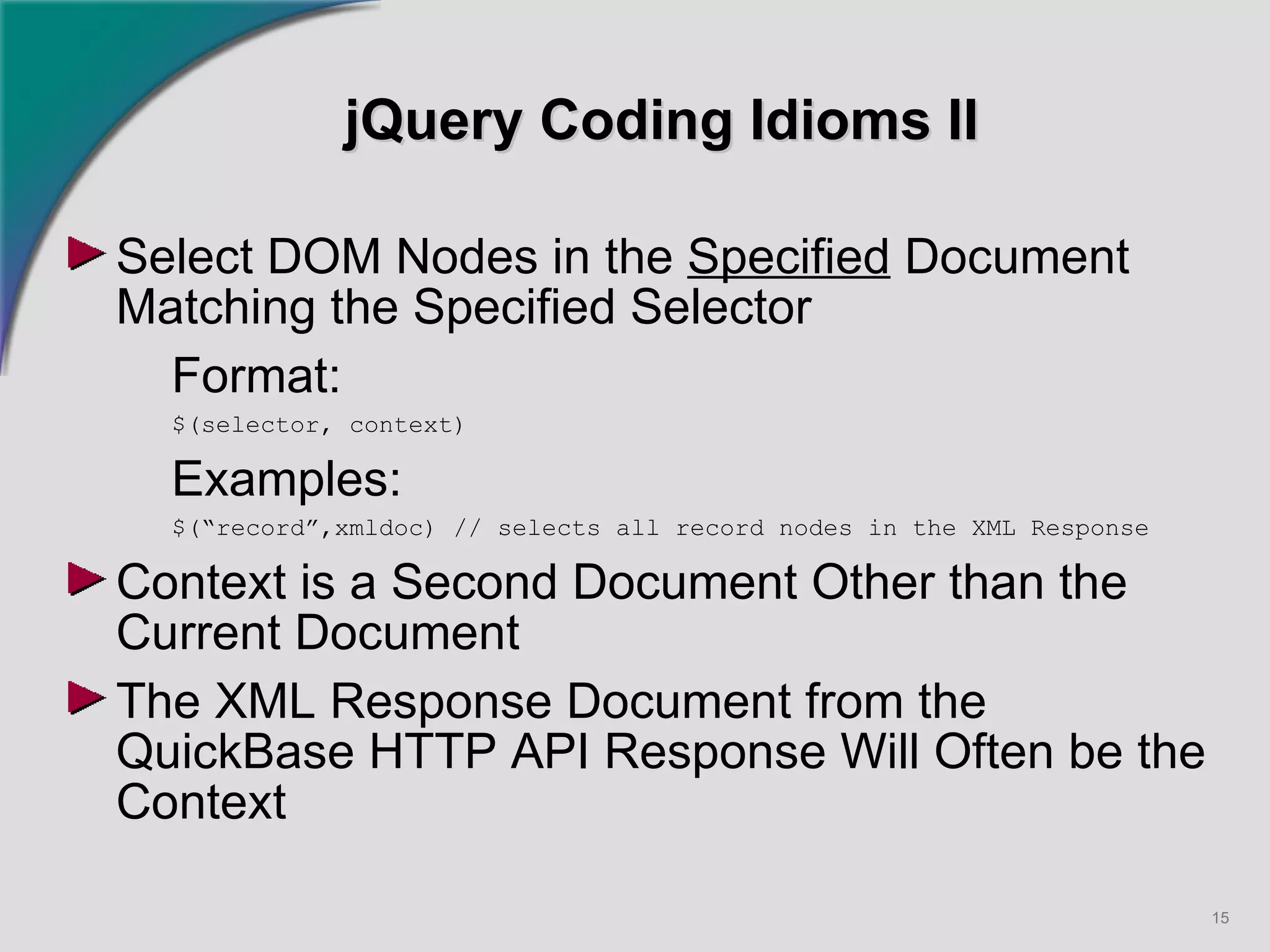
jQuery Coding Idioms II Select DOM Nodes in the  Specified  Document Matching the Specified Selector Format: $(selector, context) Examples: $(“record”,xmldoc) // selects all record nodes in the XML Response Context is a Second Document Other than the Current Document The XML Response Document from the QuickBase HTTP API Response Will Often be the Context
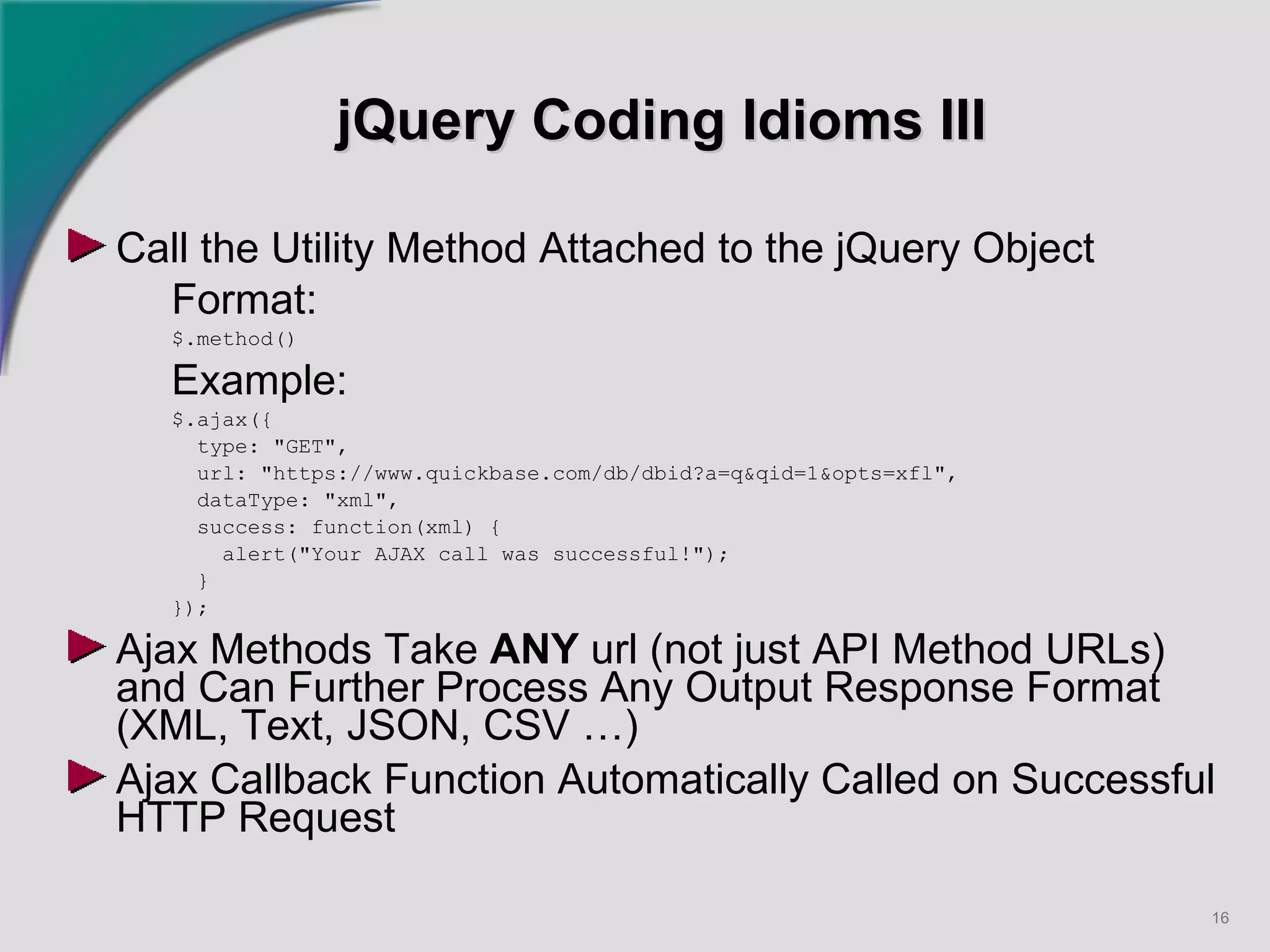
jQuery Coding Idioms III Call the Utility Method Attached to the jQuery Object Format:   $.method() Example: $.ajax({ type: &quot;GET&quot;, url: &quot;https://www.quickbase.com/db/dbid?a=q&qid=1&opts=xfl&quot;, dataType: &quot;xml&quot;, success: function(xml) { alert(&quot;Your AJAX call was successful!&quot;); } }); Ajax Methods Take  ANY  url (not just API Method URLs) and Can Further Process Any Output Response Format (XML, Text, JSON, CSV …) Ajax Callback Function Automatically Called on Successful HTTP Request
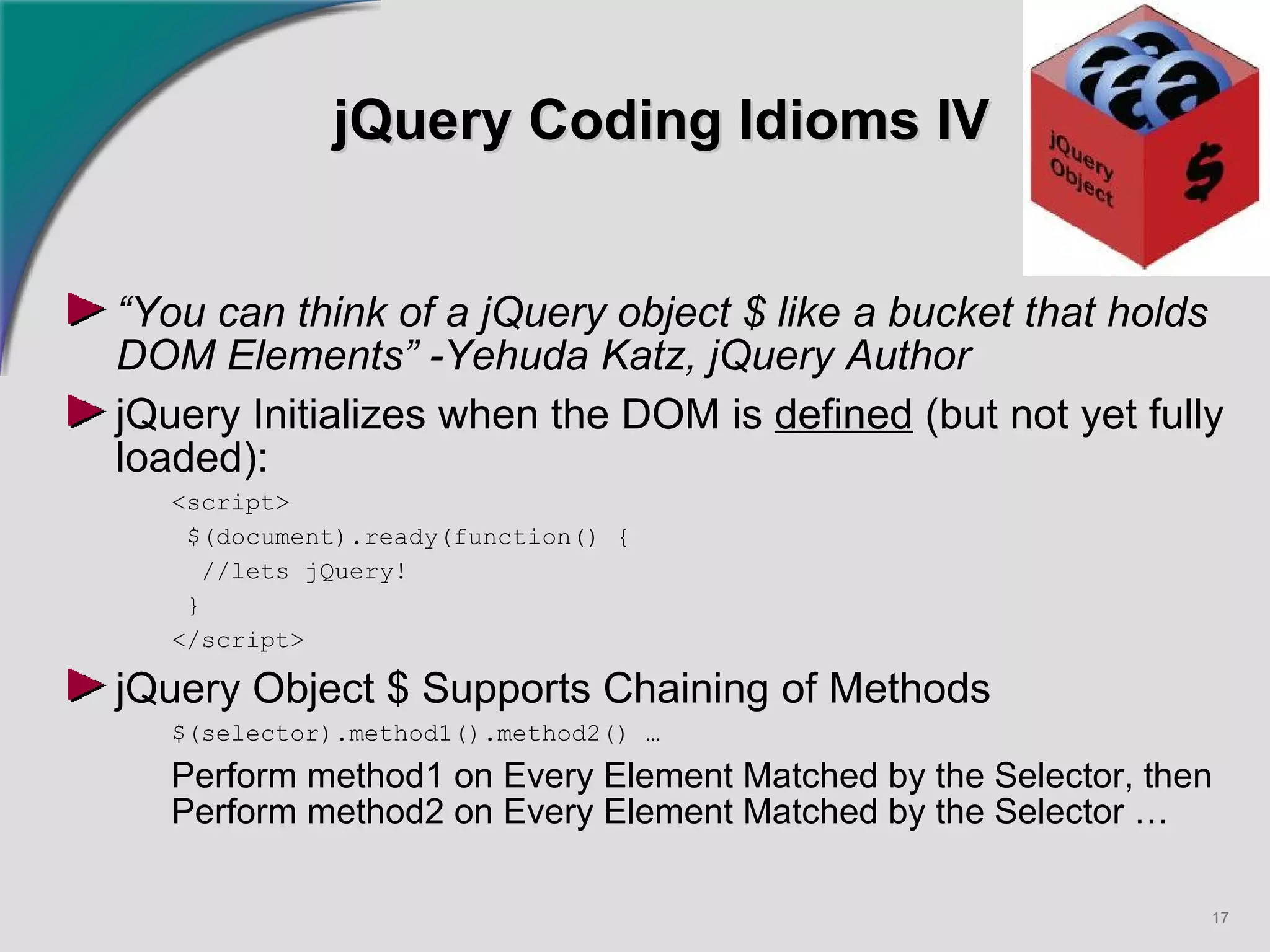
jQuery Coding Idioms IV “ You can think of a jQuery object $ like a bucket that holds DOM Elements” -Yehuda Katz, jQuery Author jQuery Initializes when the DOM is  defined  (but not yet fully loaded): <script> $(document).ready(function() { //lets jQuery! }  </script> jQuery Object $ Supports Chaining of Methods $(selector).method1().method2() … Perform method1 on Every Element Matched by the Selector, then Perform method2 on Every Element Matched by the Selector …
Questions & Comments   +

Building Smart Workflows - Dan Diebolt

  • 1.
    Building Smart WorkflowsAutomating Administrative, Maintenance And Workflow Tasks With QuickBase Using jQuery Dan Diebolt, Netelier Ann Arbor, Michigan (734) 985-0721 Google Voice [email_address] Originally Presented Wednesday October 28 th , 2009 as Part of Intuit’s QuickBase Tech Fest 2009
  • 2.
    Agenda Goal: DemonstrateHow to Use jQuery with QuickBase to Build Smart Workflows Automating Administrative, Maintenance, & Workflow Tasks Introductions Live Demo: Smart Workflows jQuery Introduction jQuery Conventions and Idioms Questions and Comments
  • 3.
    Introductions Electrical AndComputer Engineer, MSEE & MBA 30 Years Design And Development Experience in Automotive, Defense, Semiconductor, Design Automation, Computer Industries QuickBase User Since ~ 2001 Frequent Contributor to QuickBase Community Forum Interest Areas: DataMining, Scripting & Automation, Integration, MashUps & WebApps, Database, Data Interchange and Conversion, Demographics, Collective Intelligence Algorithms Tools: I Use An Arsenal Of Open Source Tools, Scripts, Add-Ons, Utilities & Web Services With QuickBase
  • 4.
    Live Demo: ClassRoster Database In the Live Demo We will use jQuery to Automatically Create Records to Initialize a Classroom Roster to a Given Capacity Tech Fest 2009 jQuery Application https://www.quickbase.com/db/beuhd75zn OR http://tinyurl.com/qbtechfest Problem 1: Initialize Records for Seating Capacity https://www.quickbase.com/db/beuhd75zn ?act=dbpage & pagename=QBU_PopulateClassRoom.html & capacity=12 & name=“QuickBase+jQuery”
  • 5.
    Live Demo: ClassRoster Database Problem 2: Import Data From 2 nd Domain (Mashup) https://www.quickbase.com/db/beuhd75zn ?act=dbpage & pagename=QBU_ImportCSVFromNetelier.html & csvfile=“students091028.csv” The Design Pattern We are Presenting can be Applied in a Wide Range of Smart Workflows And Can Replace Manual Processing
  • 6.
    Tech Fest 2009jQuery Application Order Field Type Fid Notes 1 st Name Text 6 Class Name 2 nd Number Numeric 7 Student Number 3 rd First Text 8 Student First Name 4 th Last Text 9 Student Last Name 5 th Code Numer 10 Student Password
  • 7.
    Live Demo Problem2 Screen Shot
  • 8.
    Live Demo Problem2 Screen Shot
  • 9.
    Introduction to jQueryjQuery Released Circa January, 2006 Lightweight JavaScript Library for Dynamic Manipulation of HTML Web Pages Cross Browser, Standards Compliant Free, Open Source Under MIT & GPL License Developed by Mozilla’s JavaScript Man - John Resig
  • 10.
    jQuery Preliminaries DownloadFrom Google Code (ver 1.3.2 latest): http://code.google.com/p/jqueryjs/ Normal & Minimized Source jQuery Plugins Repository (3,503 as of 10/21/09) http://plugins.jquery.com/ jQuery’s Popularity - jQuery Is Way Ahead! http://blog.ekini.net/2009/04/15/jquerys-popularity/
  • 11.
    QuickBase/jQuery Party TimeTechnologies Involved AJAX, CSS, Functional Programming, HTML, HTTP, JavaScript, jQuery, Object Oriented Programming, Security, SGML, XML, XPATH, XSLT, etc. Difficult to Master All These Technologies jQuery Moto: “Write Less, Do More” In Reality, jQuery Code is Short, Concise and Reads More Like a Configuration File than a Script Use Design Patterns, Best Practices and Reusable Templates to Solve Classes of Problems Encourage More QuickBase User Community Contributions
  • 12.
    QBU_PopulateClassRoom.html (abridged) <html><head> <script src=&quot;beuhd75zn?a=dbpage&pagename=jquery-1.3.2.min.js&quot;></script> <script src=&quot;beuhd75zn?a=dbpage&pagename=jquery.url.packed.js&quot;></script> <script src=&quot;beuhd75zn?a=dbpage&pagename=qbu.js&quot;></script> <script type=&quot;text/javascript&quot;> $(document).ready(function() { var name=$.url.param(&quot;name&quot;) || &quot;QuickBase & jQuery&quot;; var capacity=$.url.param(&quot;capacity&quot;) || 12; for (var i=0; i<capacity; i++) { $.ajax({ url: &quot;https://www.quickbase.com/db/beuh98tms?act=API_AddRecord&quot;, data: { fnm_name: name, fnm_number: i+1, fnm_code: Math.floor(Math.random()*1000) } }); } $(&quot;#message&quot;).html(&quot;<h1>Message Goes Here</h1>&quot;).fadeOut(5000,function() { window.close(); }); }); </script> </head> <body> <div id=&quot;message&quot;></div> </body> </html>
  • 13.
    JavaScript and jQueryConventions Object Literal: var a = { dbid: “befe2yy7d”, act: “API_DoQuery”, query: “{0.CT.foo}” } Anonymous Function (A function without a name!) function (){ //do something } The jQuery Object $ Think of $ as merely the 27’th letter of the Alphabet and the Default variable name for the jQuery object All operation manipulate the jQuery object $ and return the same jQuery object
  • 14.
    jQuery Coding IdiomsI Select All DOM Nodes in the Current Document Matching A Specified CSS Selector Format: $(selector) Examples: $(“a”) // selects all anchor elements $(“#myid”) // selects all elements with id=myid $(“.myclass”) //select all elements with class=myclass Manipulate the Selected Elements $(“#myid”).hide() // hides all elements with id=myid $(“.myclass”).css(&quot;color&quot;,&quot;red&quot;) // add color=red to class=myclass jQuery Supports Full CSS2 and Partial CSS3 Selectors (Way Ahead of Browsers) XPATH Selectors Deprecated in 1.3.2 (Plugin Available)
  • 15.
    jQuery Coding IdiomsII Select DOM Nodes in the Specified Document Matching the Specified Selector Format: $(selector, context) Examples: $(“record”,xmldoc) // selects all record nodes in the XML Response Context is a Second Document Other than the Current Document The XML Response Document from the QuickBase HTTP API Response Will Often be the Context
  • 16.
    jQuery Coding IdiomsIII Call the Utility Method Attached to the jQuery Object Format: $.method() Example: $.ajax({ type: &quot;GET&quot;, url: &quot;https://www.quickbase.com/db/dbid?a=q&qid=1&opts=xfl&quot;, dataType: &quot;xml&quot;, success: function(xml) { alert(&quot;Your AJAX call was successful!&quot;); } }); Ajax Methods Take ANY url (not just API Method URLs) and Can Further Process Any Output Response Format (XML, Text, JSON, CSV …) Ajax Callback Function Automatically Called on Successful HTTP Request
  • 17.
    jQuery Coding IdiomsIV “ You can think of a jQuery object $ like a bucket that holds DOM Elements” -Yehuda Katz, jQuery Author jQuery Initializes when the DOM is defined (but not yet fully loaded): <script> $(document).ready(function() { //lets jQuery! } </script> jQuery Object $ Supports Chaining of Methods $(selector).method1().method2() … Perform method1 on Every Element Matched by the Selector, then Perform method2 on Every Element Matched by the Selector …
  • 18.