Constructing "SELECT *
FROM Internet" Payment
Tools
Using the Yahoo! Query Language
2
1. Delivering Upsell Content from YQL Data
Sources
1. Driving Traffic Back to Your Services with
Open Data Tables
1. Mashing up Multiple Data Sources with
Server-Side JavaScript
What We’ll Learn
3
4
5
Making Queries
SELECT * FROM Internet
6
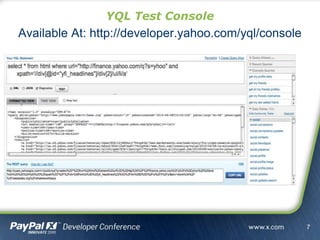
YQL Test Console
Available At: http://developer.yahoo.com/yql/console
7
SELECT myColumn, myTitle
FROM myTable(0, 50)
WHERE myColumn = 'value' AND myTitle = 'title'
LIMIT 3 OFFSET 10 |
sort(field='myColumn') | reverse()
Running Queries - SELECT Query Structure
8
Modify Data on the Internet
Create Tweets, Add Blog Entries, Update Databases
Current Tables Using I/U/D
Twitter Status, bit.ly URL Shortner, Yahoo! Profile Status
/ Update
Stream, Amazon
SimpleDB
Running Queries - INSERT / UPDATE / DELETE
9
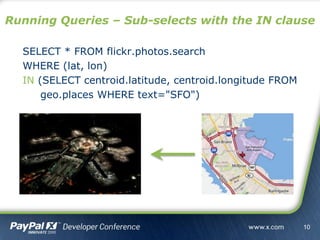
SELECT * FROM flickr.photos.search
WHERE (lat, lon)
IN (SELECT centroid.latitude, centroid.longitude FROM
geo.places WHERE text="SFO")
Running Queries – Sub-selects with the IN clause
10
Running Queries – Available Tables
YQL Command: SHOW Tables
Number of Standard Tables: 169
Number of Community Tables: 771
Total Number of Tables: 940
Contribute Tables to:
http://www.github.com/yql/yql-tables/
11
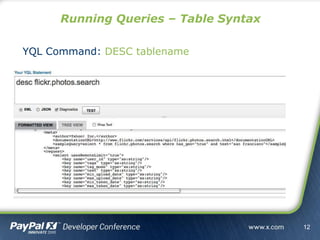
Running Queries – Table Syntax
YQL Command: DESC tablename
12
http://query.yahooapis.com/v1/yql?[params]
http://query.yahooapis.com/v1/public/yql?[params]
Params
• q=[QUERY]
• format=[XML / JSON]
• diagnostics=[true / false]
• debug=[true / false]
• callback=[function name]
Running Queries – URL Format
13
http://query.yahooapis.com/v1/yql?[params]
http://query.yahooapis.com/v1/public/yql?[params]
Params
• q=[QUERY]
• format=[XML / JSON / JSONP / JSONP-X]
• diagnostics=[true / false]
• debug=[true / false]
• callback=[function name]
Running Queries – URL Format
14
15
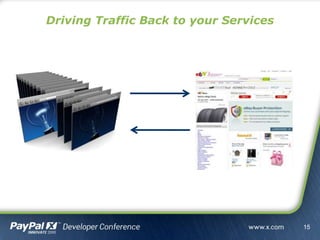
Driving Traffic Back to your Services
YQL Open Data Tables
Wrap Your Own API or Data Source
16
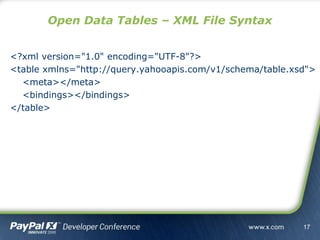
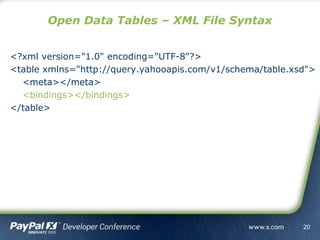
<?xml version="1.0" encoding="UTF-8"?>
<table xmlns="http://query.yahooapis.com/v1/schema/table.xsd">
<meta></meta>
<bindings></bindings>
</table>
Open Data Tables – XML File Syntax
17
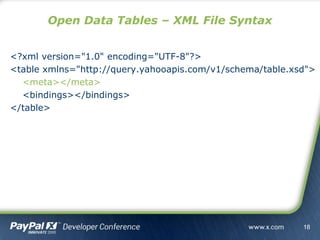
<?xml version="1.0" encoding="UTF-8"?>
<table xmlns="http://query.yahooapis.com/v1/schema/table.xsd">
<meta></meta>
<bindings></bindings>
</table>
Open Data Tables – XML File Syntax
18
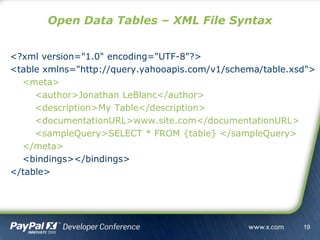
<?xml version="1.0" encoding="UTF-8"?>
<table xmlns="http://query.yahooapis.com/v1/schema/table.xsd">
<meta>
<author>Jonathan LeBlanc</author>
<description>My Table</description>
<documentationURL>www.site.com</documentationURL>
<sampleQuery>SELECT * FROM {table} </sampleQuery>
</meta>
<bindings></bindings>
</table>
Open Data Tables – XML File Syntax
19
<?xml version="1.0" encoding="UTF-8"?>
<table xmlns="http://query.yahooapis.com/v1/schema/table.xsd">
<meta></meta>
<bindings></bindings>
</table>
Open Data Tables – XML File Syntax
20
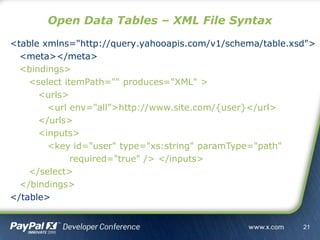
<table xmlns="http://query.yahooapis.com/v1/schema/table.xsd">
<meta></meta>
<bindings>
<select itemPath="" produces="XML" >
<urls>
<url env="all”>http://www.site.com/{user}</url>
</urls>
<inputs>
<key id="user" type="xs:string" paramType="path"
required="true" /> </inputs>
</select>
</bindings>
</table>
Open Data Tables – XML File Syntax
21
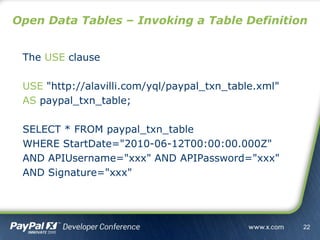
The USE clause
USE "http://alavilli.com/yql/paypal_txn_table.xml"
AS paypal_txn_table;
SELECT * FROM paypal_txn_table
WHERE StartDate="2010-06-12T00:00:00.000Z"
AND APIUsername="xxx" AND APIPassword="xxx"
AND Signature="xxx"
Open Data Tables – Invoking a Table Definition
22
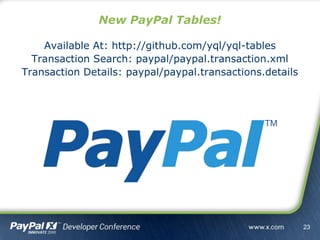
New PayPal Tables!
Available At: http://github.com/yql/yql-tables
Transaction Search: paypal/paypal.transaction.xml
Transaction Details: paypal/paypal.transactions.details
23
24
25
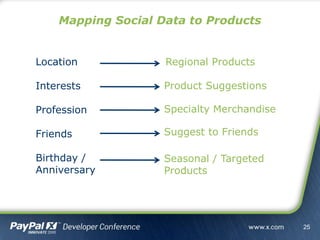
Mapping Social Data to Products
Location
Interests
Profession
Friends
Birthday /
Anniversary
Regional Products
Product Suggestions
Specialty Merchandise
Suggest to Friends
Seasonal / Targeted
Products
YQL Execute
Extending Open Data Tables
26
Augment data
Collect geographic data based on a free-form text location
Create APIs from web pages
Build your very own ScrAPI
Data Transformations
Convert the results from xml to Google's kml format
Move business logic of your application to the cloud
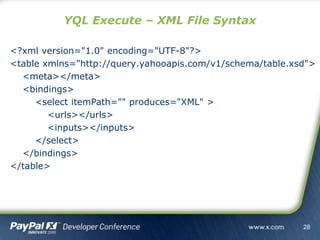
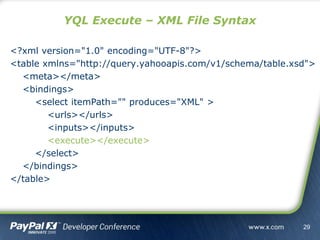
YQL Execute – XML File Syntax
27
<?xml version="1.0" encoding="UTF-8"?>
<table xmlns="http://query.yahooapis.com/v1/schema/table.xsd">
<meta></meta>
<bindings>
<select itemPath="" produces="XML" >
<urls></urls>
<inputs></inputs>
</select>
</bindings>
</table>
YQL Execute – XML File Syntax
28
<?xml version="1.0" encoding="UTF-8"?>
<table xmlns="http://query.yahooapis.com/v1/schema/table.xsd">
<meta></meta>
<bindings>
<select itemPath="" produces="XML" >
<urls></urls>
<inputs></inputs>
<execute></execute>
</select>
</bindings>
</table>
YQL Execute – XML File Syntax
29
<execute>
<![CDATA[
var arrQueries = inputs['query'].split('|');
var elQueries = <queries/>;
.
.
.
]]>
</execute>
YQL Execute – XML File Syntax
30
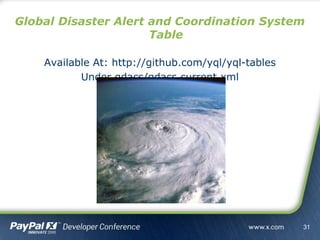
Global Disaster Alert and Coordination System
Table
Available At: http://github.com/yql/yql-tables
Under gdacs/gdacs.current.xml
31
Build adaptive applications faster
(and that run faster)
Conclusion
32
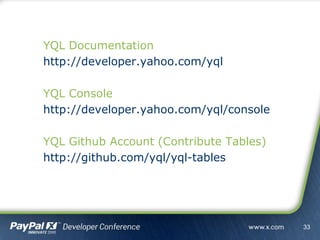
YQL Documentation
http://developer.yahoo.com/yql
YQL Console
http://developer.yahoo.com/yql/console
YQL Github Account (Contribute Tables)
http://github.com/yql/yql-tables
33
Thank You
Questions?
34

Building Adaptive Payment Systems with YQL