source control for your DB
why
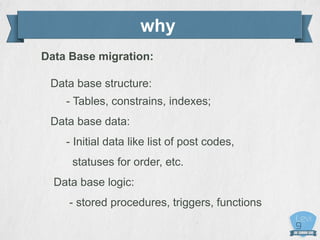
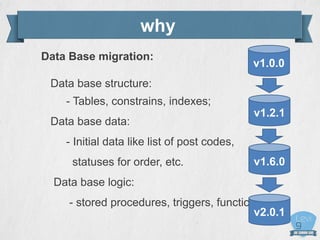
Data Base migration:
Data base structure:
- Tables, constrains, indexes;
Data base data:
- Initial data like list of post codes,
statuses for order, etc.
Data base logic:
- stored procedures, triggers, functions
why
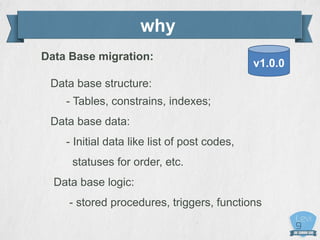
Data Base migration:
Data base structure:
- Tables, constrains, indexes;
Data base data:
- Initial data like list of post codes,
statuses for order, etc.
Data base logic:
- stored procedures, triggers, functions
v1.0.0
why
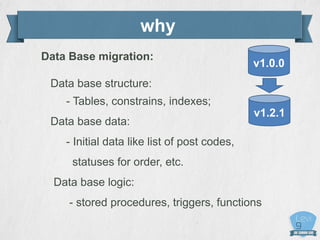
Data Base migration:
Data base structure:
- Tables, constrains, indexes;
Data base data:
- Initial data like list of post codes,
statuses for order, etc.
Data base logic:
- stored procedures, triggers, functions
v1.2.1
v1.0.0
why
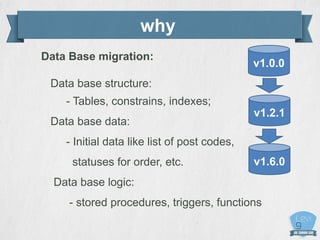
Data Base migration:
Data base structure:
- Tables, constrains, indexes;
Data base data:
- Initial data like list of post codes,
statuses for order, etc.
Data base logic:
- stored procedures, triggers, functions
v1.2.1
v1.6.0
v1.0.0
why
Data Base migration:
Data base structure:
- Tables, constrains, indexes;
Data base data:
- Initial data like list of post codes,
statuses for order, etc.
Data base logic:
- stored procedures, triggers, functions
v1.2.1
v1.6.0
v2.0.1
v1.0.0
why
Data Base migration:
Data base structure:
- Tables, constrains, indexes;
Data base data:
- Initial data like list of post codes,
statuses for order, etc.
Data base logic:
- stored procedures, triggers, functions
v1.2.1
v1.6.0
v2.0.1
v1.0.0
What
Liquibase :
•Apache license
•Started in 2006 (active)
What
Liquibase :
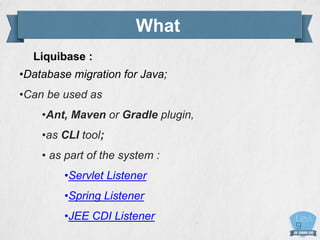
•Database migration for Java;
•Can be used as
•Ant, Maven or Gradle plugin,
•as CLI tool;
• as part of the system :
•Servlet Listener
•Spring Listener
•JEE CDI Listener
how it works
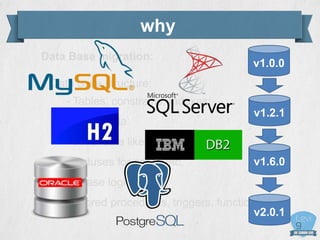
•Supports multiple database types:
MySQL, PostgreSQL, Oracle, MsSql,
Sybase_Enterprise, Sybase_Anywhere , DB2,
Apache_Derby, HSQL, H2, Informix, Firebird,
SQLite
how it works
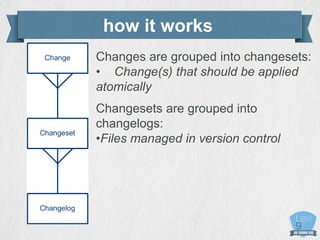
Changes are grouped into changesets:
• Change(s) that should be applied
atomically
Changesets are grouped into
changelogs:
•Files managed in version control
how it works
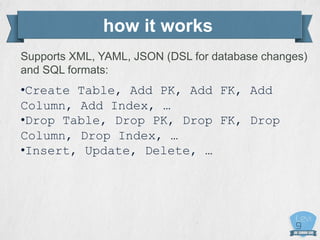
Supports XML, YAML, JSON (DSL for database changes)
and SQL formats:
•Create Table, Add PK, Add FK, Add
Column, Add Index, …
•Drop Table, Drop PK, Drop FK, Drop
Column, Drop Index, …
•Insert, Update, Delete, …
how it works
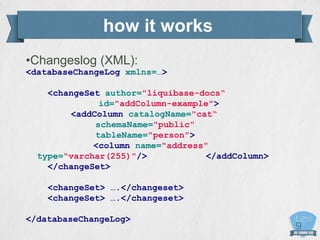
•Changeslog (XML):
<databaseChangeLog xmlns=…>
<changeSet author="liquibase-docs“
id="addColumn-example">
<addColumn catalogName="cat“
schemaName="public"
tableName="person">
<column name="address"
type="varchar(255)"/> </addColumn>
</changeSet>
<changeSet> ….</changeset>
</databaseChangeLog>
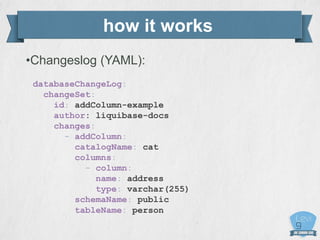
how it works
•Changeslog (YAML):
databaseChangeLog:
changeSet:
id: addColumn-example
author: liquibase-docs
changes:
- addColumn:
catalogName: cat
columns:
- column:
name: address
type: varchar(255)
schemaName: public
tableName: person
how it works
•Changeslog (JSON){
databaseChangeLog: [
"changeSet": {
"id": "addColumn-example",
"author": "liquibase-docs",
"changes": [
{
"addColumn": {
"catalogName": "cat",
"columns": [
{
"column": {
"name": "address",
"type": "varchar(255)“
}
}]
,
"schemaName": "public",
"tableName": "person"
}
}]
}
how it works
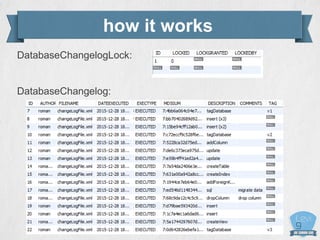
- Changesets uniquely identified by [Author, ID, File path]
- Liquibase tracks changeset execution in a special table
- Lock table to prevent concurrent Liquibase invocations
- Modified changesets are detected via checksums
how it works
DatabaseChangelogLock:
DatabaseChangelog:
how it works
CLI commands:
update [Count, Tag]
rollback [Count, Data, Tag]
generateChangeLog --diffTypes=tables, views,
columns, indexes, foreignkeys, primarykeys,
uniqueconstraints, data
diff --referenceUrl=<value>
status --verbose
updateSQL ...
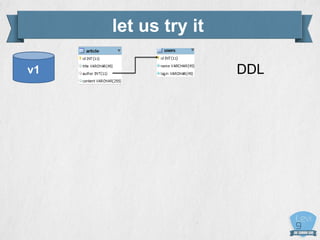
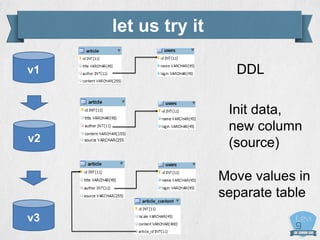
let us try it
DDLv1
DDL
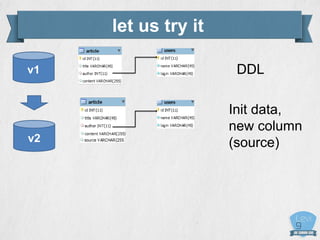
v2
v1
Init data,
new column
(source)
let us try it
how it works
DDL
v2
v3
v1
Init data,
new column
(source)
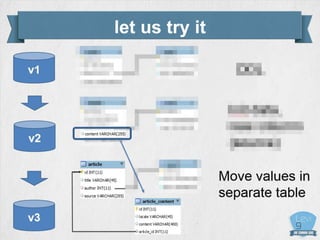
Move values in
separate table
let us try it
let us try it
DDL
v2
v3
v1
Init data,
new column
(source)
Move values in
separate table
how it works
DEMO
how it works
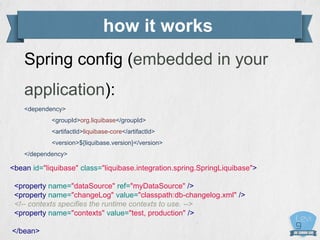
Spring config (embedded in your
application):
<dependency>
<groupId>org.liquibase</groupId>
<artifactId>liquibase-core</artifactId>
<version>${liquibase.version}</version>
</dependency>
<bean id="liquibase" class="liquibase.integration.spring.SpringLiquibase">
<property name="dataSource" ref="myDataSource" />
<property name="changeLog" value="classpath:db-changelog.xml" />
<!-- contexts specifies the runtime contexts to use. -->
<property name="contexts" value="test, production" />
</bean>
how it works
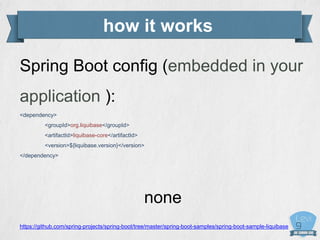
Spring Boot config (embedded in your
application ):
<dependency>
<groupId>org.liquibase</groupId>
<artifactId>liquibase-core</artifactId>
<version>${liquibase.version}</version>
</dependency>
none
https://github.com/spring-projects/spring-boot/tree/master/spring-boot-samples/spring-boot-sample-liquibase
how it works
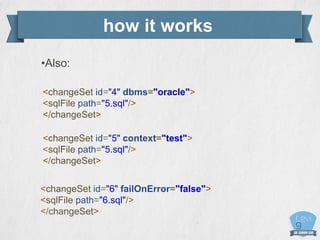
•Also:
<changeSet id="4" dbms="oracle">
<sqlFile path="5.sql"/>
</changeSet>
<changeSet id="5" context="test">
<sqlFile path="5.sql"/>
</changeSet>
<changeSet id="6" failOnError="false">
<sqlFile path="6.sql"/>
</changeSet>
how it works
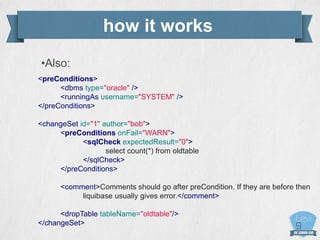
•Also:
<preConditions>
<dbms type="oracle" />
<runningAs username="SYSTEM" />
</preConditions>
<changeSet id="1" author="bob">
<preConditions onFail="WARN">
<sqlCheck expectedResult="0">
select count(*) from oldtable
</sqlCheck>
</preConditions>
<comment>Comments should go after preCondition. If they are before then
liquibase usually gives error.</comment>
<dropTable tableName="oldtable"/>
</changeSet>
recommendations
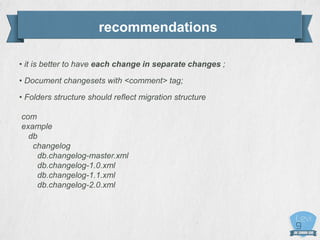
• it is better to have each change in separate changes ;
• Document changesets with <comment> tag;
• Folders structure should reflect migration structure
com
example
db
changelog
db.changelog-master.xml
db.changelog-1.0.xml
db.changelog-1.1.xml
db.changelog-2.0.xml
peculiarities
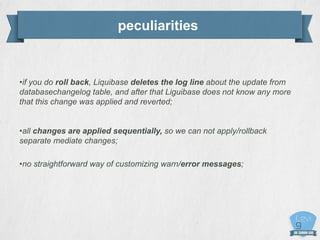
•if you do roll back, Liquibase deletes the log line about the update from
databasechangelog table, and after that Liguibase does not know any more
that this change was applied and reverted;
•all changes are applied sequentially, so we can not apply/rollback
separate mediate changes;
•no straightforward way of customizing warn/error messages;
peculiarities
•Each change set has an “id” and “author” attribute which, along with the directory
and file name of the the change log file, uniquely identifies it. Dark side of it is that
running the same change set using relative and absolute path will be considered
as different changesets!
For example we have file /home/user/changelog-0.1.0.xml
First we execute:
$ liquibase --changeLogFile=/home/user/changelog-0.1.0.xml
and then if we try to execute
$ liquibase --changeLogFile=changelog-0.1.0.xml
The end
Thank you for attention
Q & A
r.uholnikov@levi9.com

Liquibase migration for data bases

  • 1.
  • 2.
    why Data Base migration: Database structure: - Tables, constrains, indexes; Data base data: - Initial data like list of post codes, statuses for order, etc. Data base logic: - stored procedures, triggers, functions
  • 3.
    why Data Base migration: Database structure: - Tables, constrains, indexes; Data base data: - Initial data like list of post codes, statuses for order, etc. Data base logic: - stored procedures, triggers, functions v1.0.0
  • 4.
    why Data Base migration: Database structure: - Tables, constrains, indexes; Data base data: - Initial data like list of post codes, statuses for order, etc. Data base logic: - stored procedures, triggers, functions v1.2.1 v1.0.0
  • 5.
    why Data Base migration: Database structure: - Tables, constrains, indexes; Data base data: - Initial data like list of post codes, statuses for order, etc. Data base logic: - stored procedures, triggers, functions v1.2.1 v1.6.0 v1.0.0
  • 6.
    why Data Base migration: Database structure: - Tables, constrains, indexes; Data base data: - Initial data like list of post codes, statuses for order, etc. Data base logic: - stored procedures, triggers, functions v1.2.1 v1.6.0 v2.0.1 v1.0.0
  • 7.
    why Data Base migration: Database structure: - Tables, constrains, indexes; Data base data: - Initial data like list of post codes, statuses for order, etc. Data base logic: - stored procedures, triggers, functions v1.2.1 v1.6.0 v2.0.1 v1.0.0
  • 8.
  • 9.
    What Liquibase : •Database migrationfor Java; •Can be used as •Ant, Maven or Gradle plugin, •as CLI tool; • as part of the system : •Servlet Listener •Spring Listener •JEE CDI Listener
  • 10.
    how it works •Supportsmultiple database types: MySQL, PostgreSQL, Oracle, MsSql, Sybase_Enterprise, Sybase_Anywhere , DB2, Apache_Derby, HSQL, H2, Informix, Firebird, SQLite
  • 11.
    how it works Changesare grouped into changesets: • Change(s) that should be applied atomically Changesets are grouped into changelogs: •Files managed in version control
  • 12.
    how it works SupportsXML, YAML, JSON (DSL for database changes) and SQL formats: •Create Table, Add PK, Add FK, Add Column, Add Index, … •Drop Table, Drop PK, Drop FK, Drop Column, Drop Index, … •Insert, Update, Delete, …
  • 13.
    how it works •Changeslog(XML): <databaseChangeLog xmlns=…> <changeSet author="liquibase-docs“ id="addColumn-example"> <addColumn catalogName="cat“ schemaName="public" tableName="person"> <column name="address" type="varchar(255)"/> </addColumn> </changeSet> <changeSet> ….</changeset> <changeSet> ….</changeset> </databaseChangeLog>
  • 14.
    how it works •Changeslog(YAML): databaseChangeLog: changeSet: id: addColumn-example author: liquibase-docs changes: - addColumn: catalogName: cat columns: - column: name: address type: varchar(255) schemaName: public tableName: person
  • 15.
    how it works •Changeslog(JSON){ databaseChangeLog: [ "changeSet": { "id": "addColumn-example", "author": "liquibase-docs", "changes": [ { "addColumn": { "catalogName": "cat", "columns": [ { "column": { "name": "address", "type": "varchar(255)“ } }] , "schemaName": "public", "tableName": "person" } }] }
  • 16.
    how it works -Changesets uniquely identified by [Author, ID, File path] - Liquibase tracks changeset execution in a special table - Lock table to prevent concurrent Liquibase invocations - Modified changesets are detected via checksums
  • 17.
  • 18.
    how it works CLIcommands: update [Count, Tag] rollback [Count, Data, Tag] generateChangeLog --diffTypes=tables, views, columns, indexes, foreignkeys, primarykeys, uniqueconstraints, data diff --referenceUrl=<value> status --verbose updateSQL ...
  • 19.
    let us tryit DDLv1
  • 20.
  • 21.
    how it works DDL v2 v3 v1 Initdata, new column (source) Move values in separate table let us try it
  • 22.
    let us tryit DDL v2 v3 v1 Init data, new column (source) Move values in separate table
  • 23.
  • 24.
    how it works Springconfig (embedded in your application): <dependency> <groupId>org.liquibase</groupId> <artifactId>liquibase-core</artifactId> <version>${liquibase.version}</version> </dependency> <bean id="liquibase" class="liquibase.integration.spring.SpringLiquibase"> <property name="dataSource" ref="myDataSource" /> <property name="changeLog" value="classpath:db-changelog.xml" /> <!-- contexts specifies the runtime contexts to use. --> <property name="contexts" value="test, production" /> </bean>
  • 25.
    how it works SpringBoot config (embedded in your application ): <dependency> <groupId>org.liquibase</groupId> <artifactId>liquibase-core</artifactId> <version>${liquibase.version}</version> </dependency> none https://github.com/spring-projects/spring-boot/tree/master/spring-boot-samples/spring-boot-sample-liquibase
  • 26.
    how it works •Also: <changeSetid="4" dbms="oracle"> <sqlFile path="5.sql"/> </changeSet> <changeSet id="5" context="test"> <sqlFile path="5.sql"/> </changeSet> <changeSet id="6" failOnError="false"> <sqlFile path="6.sql"/> </changeSet>
  • 27.
    how it works •Also: <preConditions> <dbmstype="oracle" /> <runningAs username="SYSTEM" /> </preConditions> <changeSet id="1" author="bob"> <preConditions onFail="WARN"> <sqlCheck expectedResult="0"> select count(*) from oldtable </sqlCheck> </preConditions> <comment>Comments should go after preCondition. If they are before then liquibase usually gives error.</comment> <dropTable tableName="oldtable"/> </changeSet>
  • 28.
    recommendations • it isbetter to have each change in separate changes ; • Document changesets with <comment> tag; • Folders structure should reflect migration structure com example db changelog db.changelog-master.xml db.changelog-1.0.xml db.changelog-1.1.xml db.changelog-2.0.xml
  • 29.
    peculiarities •if you doroll back, Liquibase deletes the log line about the update from databasechangelog table, and after that Liguibase does not know any more that this change was applied and reverted; •all changes are applied sequentially, so we can not apply/rollback separate mediate changes; •no straightforward way of customizing warn/error messages;
  • 30.
    peculiarities •Each change sethas an “id” and “author” attribute which, along with the directory and file name of the the change log file, uniquely identifies it. Dark side of it is that running the same change set using relative and absolute path will be considered as different changesets! For example we have file /home/user/changelog-0.1.0.xml First we execute: $ liquibase --changeLogFile=/home/user/changelog-0.1.0.xml and then if we try to execute $ liquibase --changeLogFile=changelog-0.1.0.xml
  • 31.
    The end Thank youfor attention Q & A r.uholnikov@levi9.com