3D City Model Applications
with FME Server
FME
User
Conference
20
22
Matt Smillie
FME Guy at Virtual City Systems (VCS)
● Two years in public sector (Geology data)
● Two years as Safe Software (Various)
● Four Years at VCS (XML/GML, 3D, BIM, Raster, Web)
● 6 Years (almost) exclusive FME user
linkedin.com/in/mattsmillie
20
22
FME
User
Conference
Agenda
● Some context/shameless plug
● Example 1: Building dimension
calculator/explorer
● Example 2: Support City Planning - 3D
Upload
● Example 3: Sharing with a clip and snip - 3D
Scene Export
20
22
FME
User
Conference
Virtual City Systems
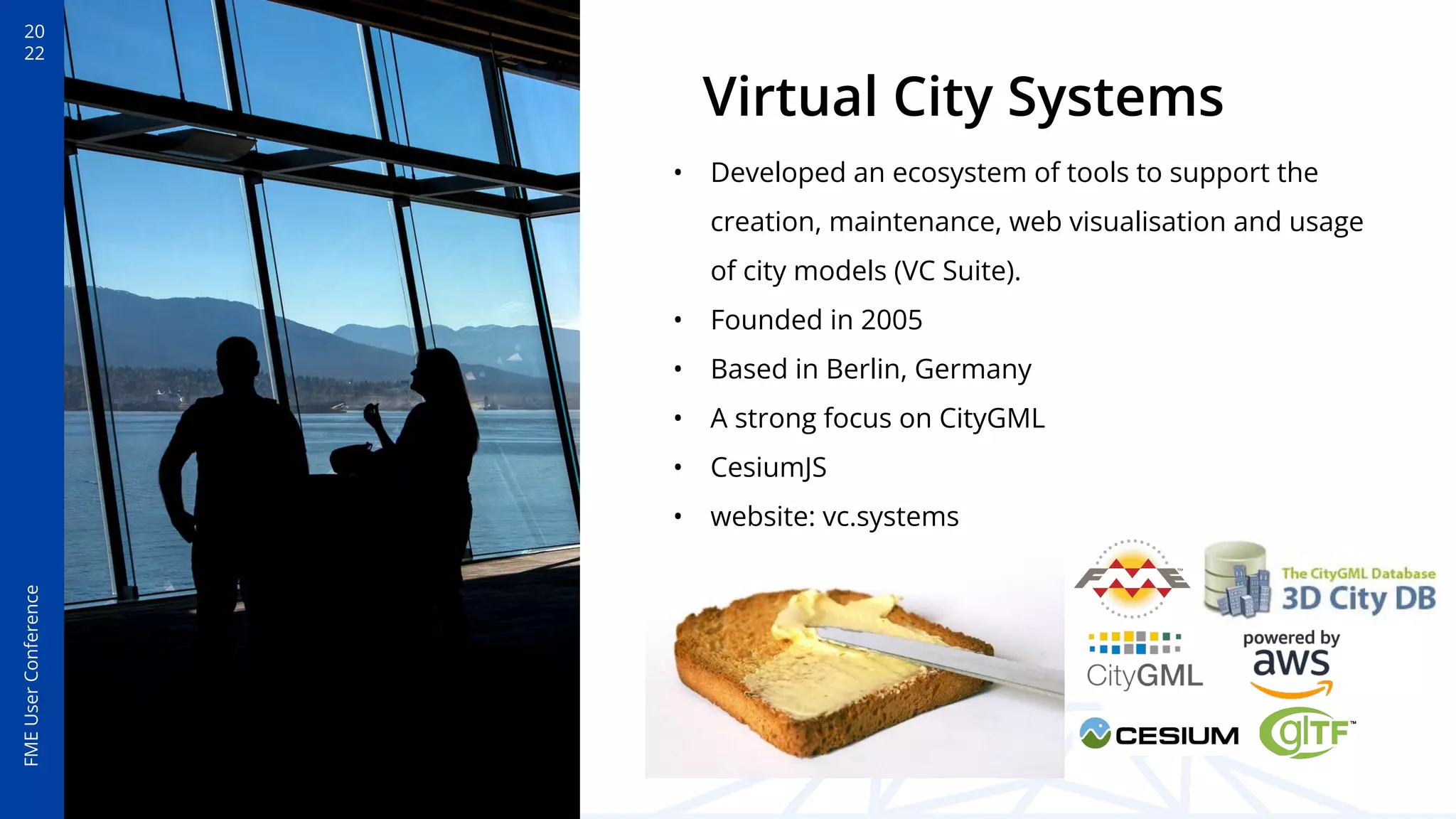
• Developed an ecosystem of tools to support the
creation, maintenance, web visualisation and usage
of city models (VC Suite).
• Founded in 2005
• Based in Berlin, Germany
• A strong focus on CityGML
• CesiumJS
• website: vc.systems
20
22
FME
User
Conference
Drowning in formats
• Shapefile, DWG/DXF, CityGML,
CityJSON, ICF, Geodatabase, LAS,
ECW, GeoTiff, PNG, GML…
• Must all be converted (and mapped!)
• No out of the box support for
complex applications or visualisation
Data providers and municipalities can vary
significantly in what they create (in format
and schema)
20
22
FME
User
Conference
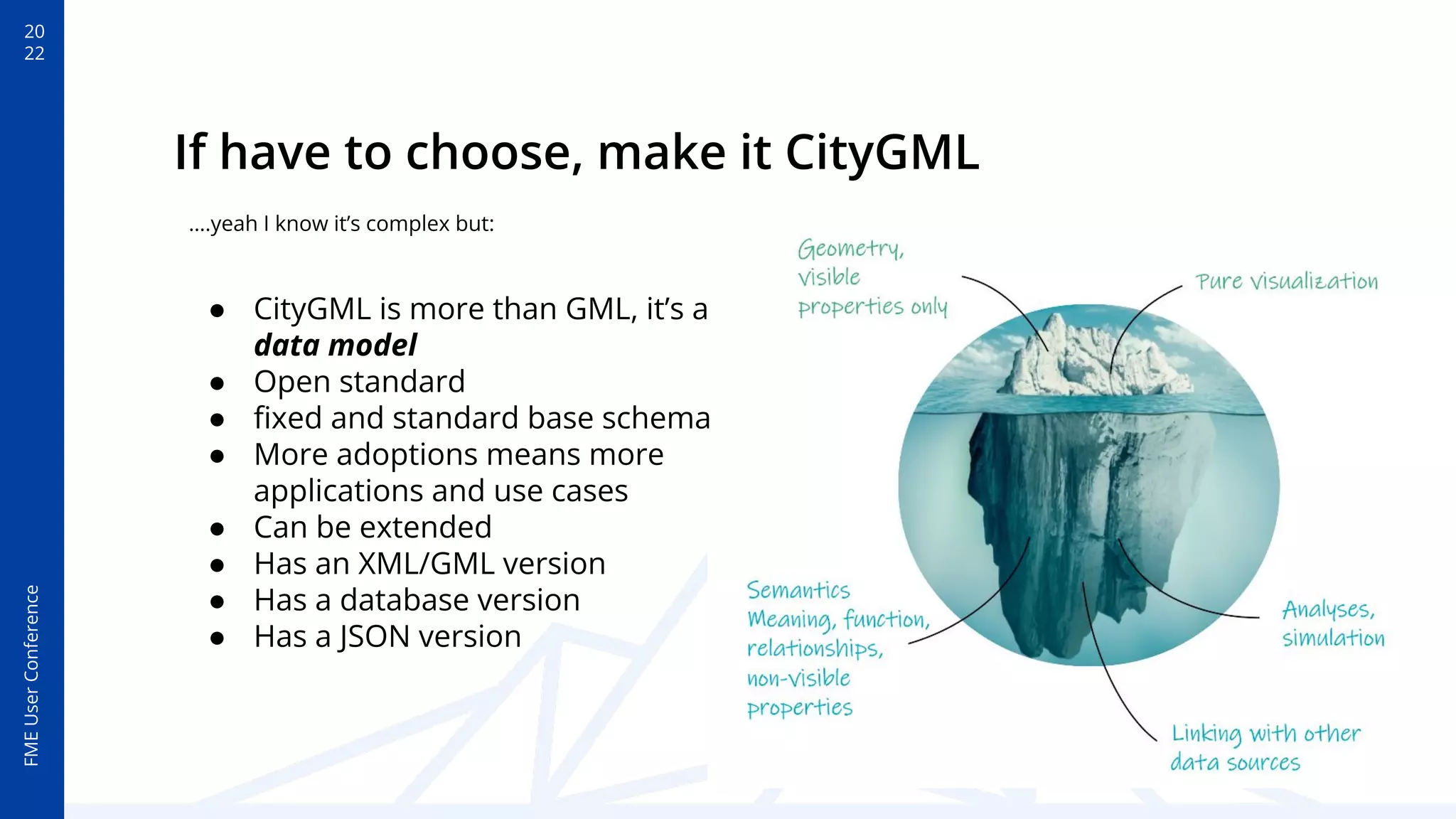
If have to choose, make it CityGML
● CityGML is more than GML, it’s a
data model
● Open standard
● fixed and standard base schema
● More adoptions means more
applications and use cases
● Can be extended
● Has an XML/GML version
● Has a database version
● Has a JSON version
….yeah I know it’s complex but:
20
22
FME
User
Conference
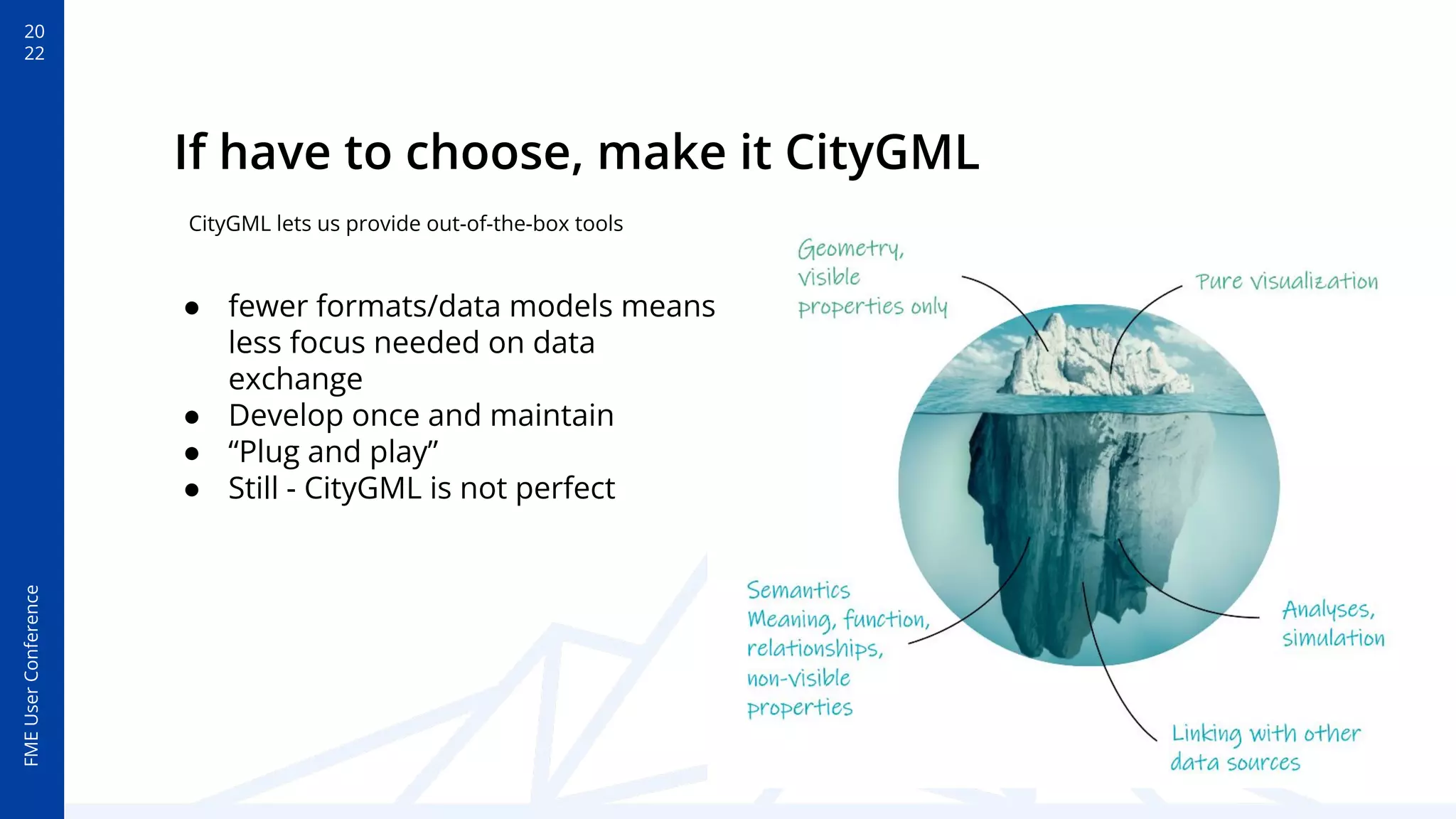
If have to choose, make it CityGML
● fewer formats/data models means
less focus needed on data
exchange
● Develop once and maintain
● “Plug and play”
● Still - CityGML is not perfect
CityGML lets us provide out-of-the-box tools
20
22
FME
User
Conference
FME Server or Cloud is a
great option for hosted
services for your digital
twin
20
22
FME
User
Conference
Building dimension calculator/explorer
20
22
FME
User
Conference
Building dimension
calculator/explorer
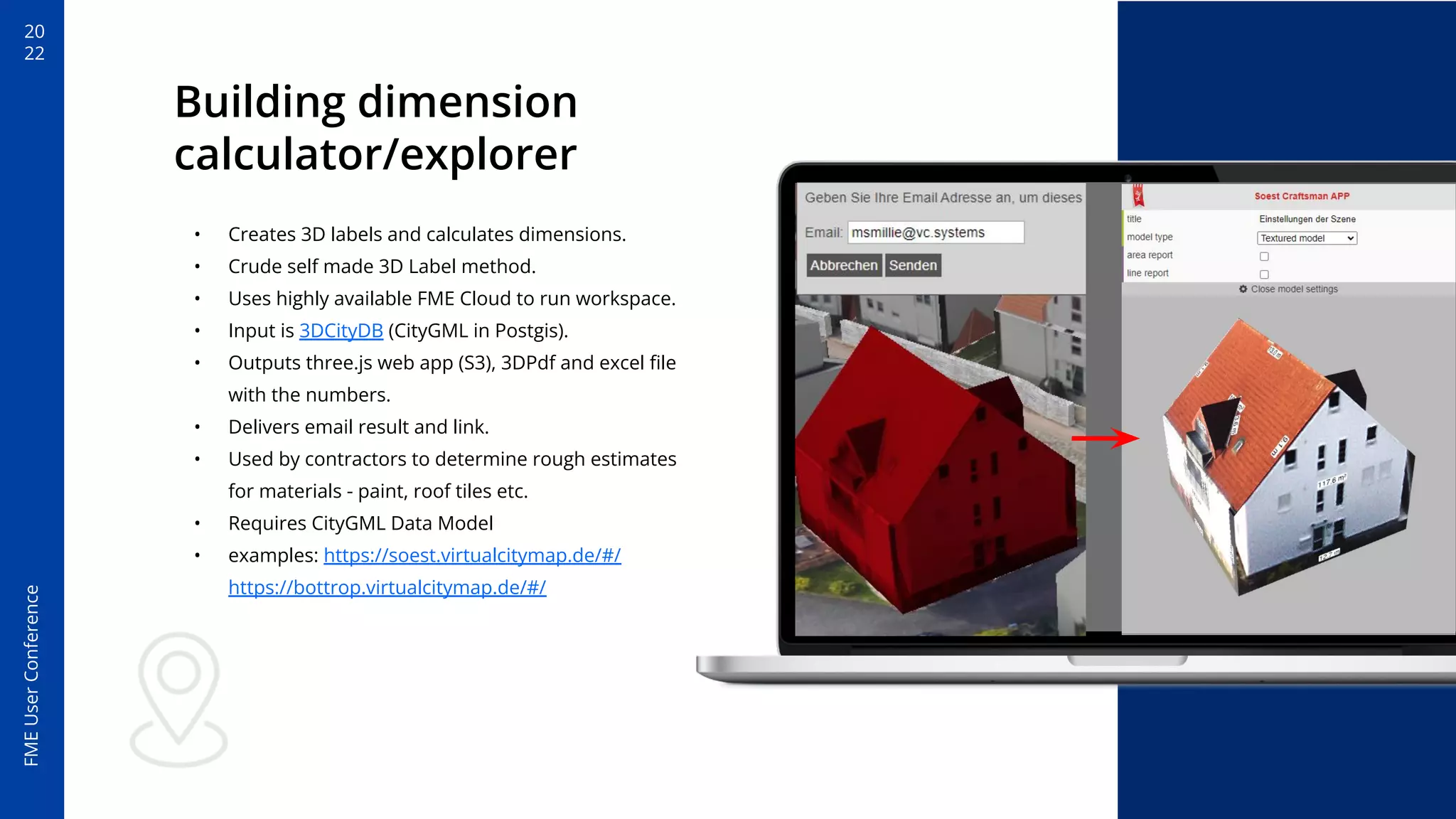
• Creates 3D labels and calculates dimensions.
• Crude self made 3D Label method.
• Uses highly available FME Cloud to run workspace.
• Input is 3DCityDB (CityGML in Postgis).
• Outputs three.js web app (S3), 3DPdf and excel file
with the numbers.
• Delivers email result and link.
• Used by contractors to determine rough estimates
for materials - paint, roof tiles etc.
• Requires CityGML Data Model
• examples: https://soest.virtualcitymap.de/#/
https://bottrop.virtualcitymap.de/#/
20
22
FME
User
Conference
Building dimension
calculator/explorer
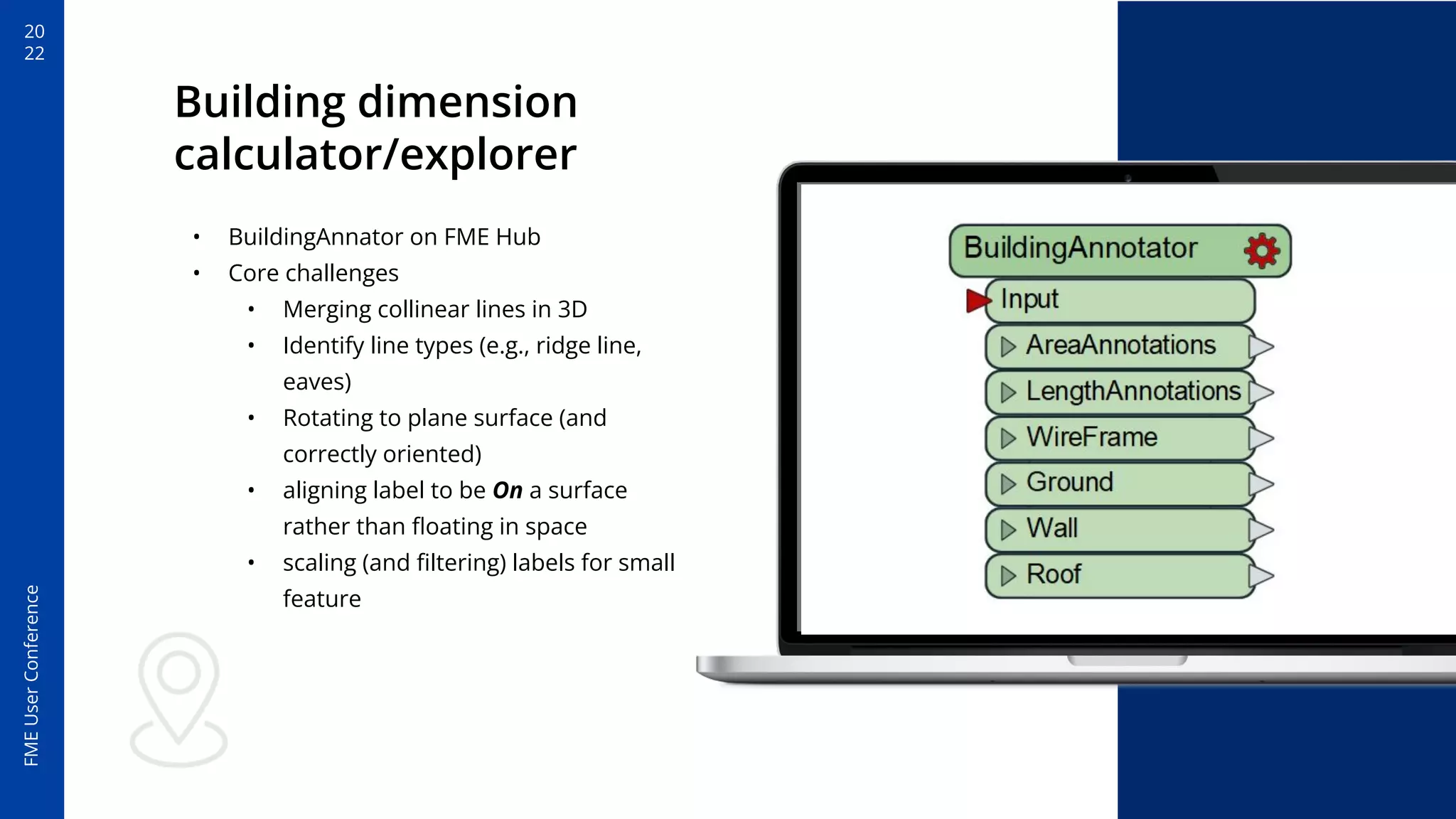
• BuildingAnnator on FME Hub
• Core challenges
• Merging collinear lines in 3D
• Identify line types (e.g., ridge line,
eaves)
• Rotating to plane surface (and
correctly oriented)
• aligning label to be On a surface
rather than floating in space
• scaling (and filtering) labels for small
feature
20
22
FME
User
Conference
Support City Planning: 3D Upload
20
22
FME
User
Conference
Support City Planning:
3D Upload
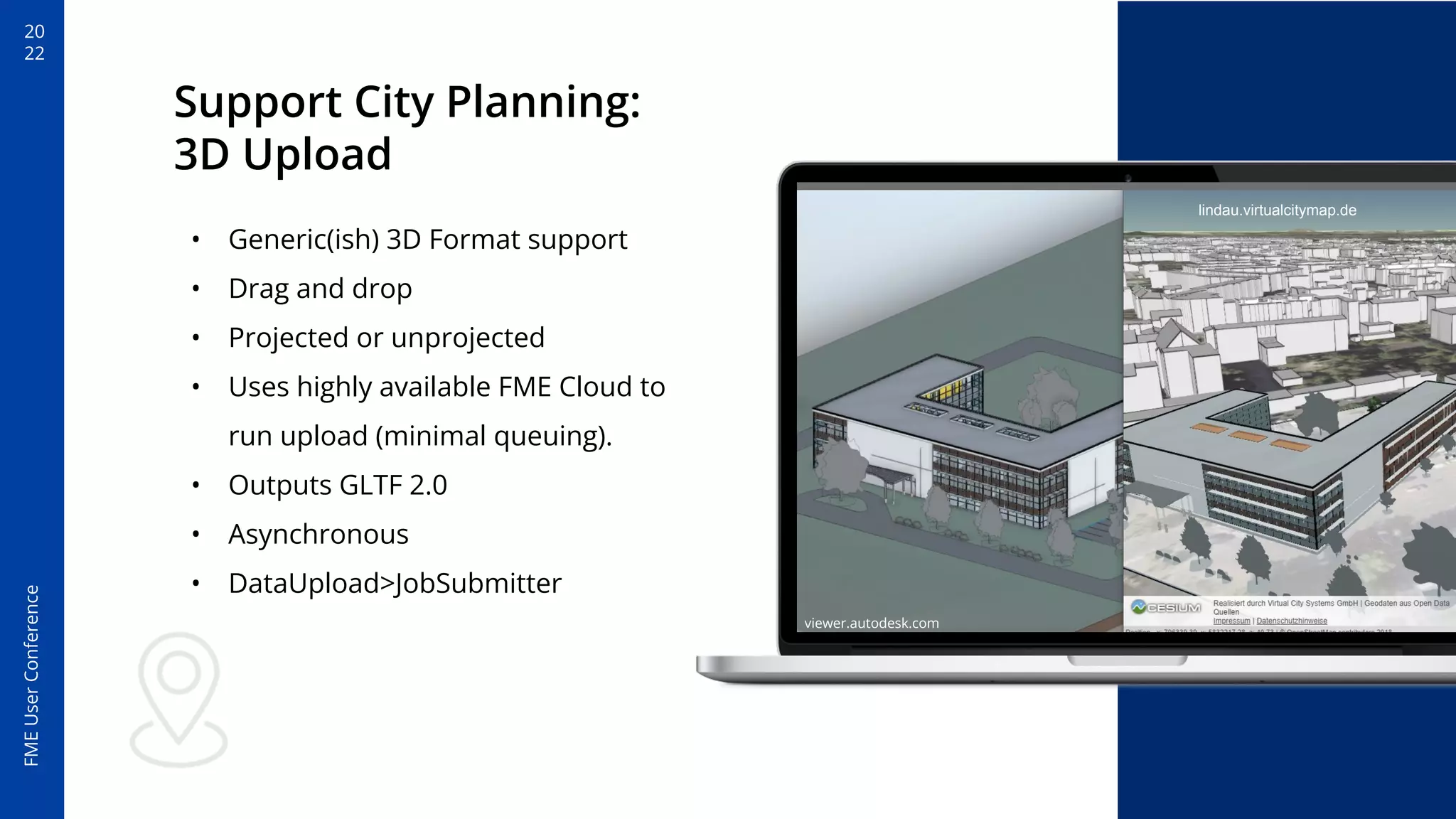
• Generic(ish) 3D Format support
• Drag and drop
• Projected or unprojected
• Uses highly available FME Cloud to
run upload (minimal queuing).
• Outputs GLTF 2.0
• Asynchronous
• DataUpload>JobSubmitter
viewer.autodesk.com
lindau.virtualcitymap.de
20
22
FME
User
Conference
Support City Planning:
3D Upload
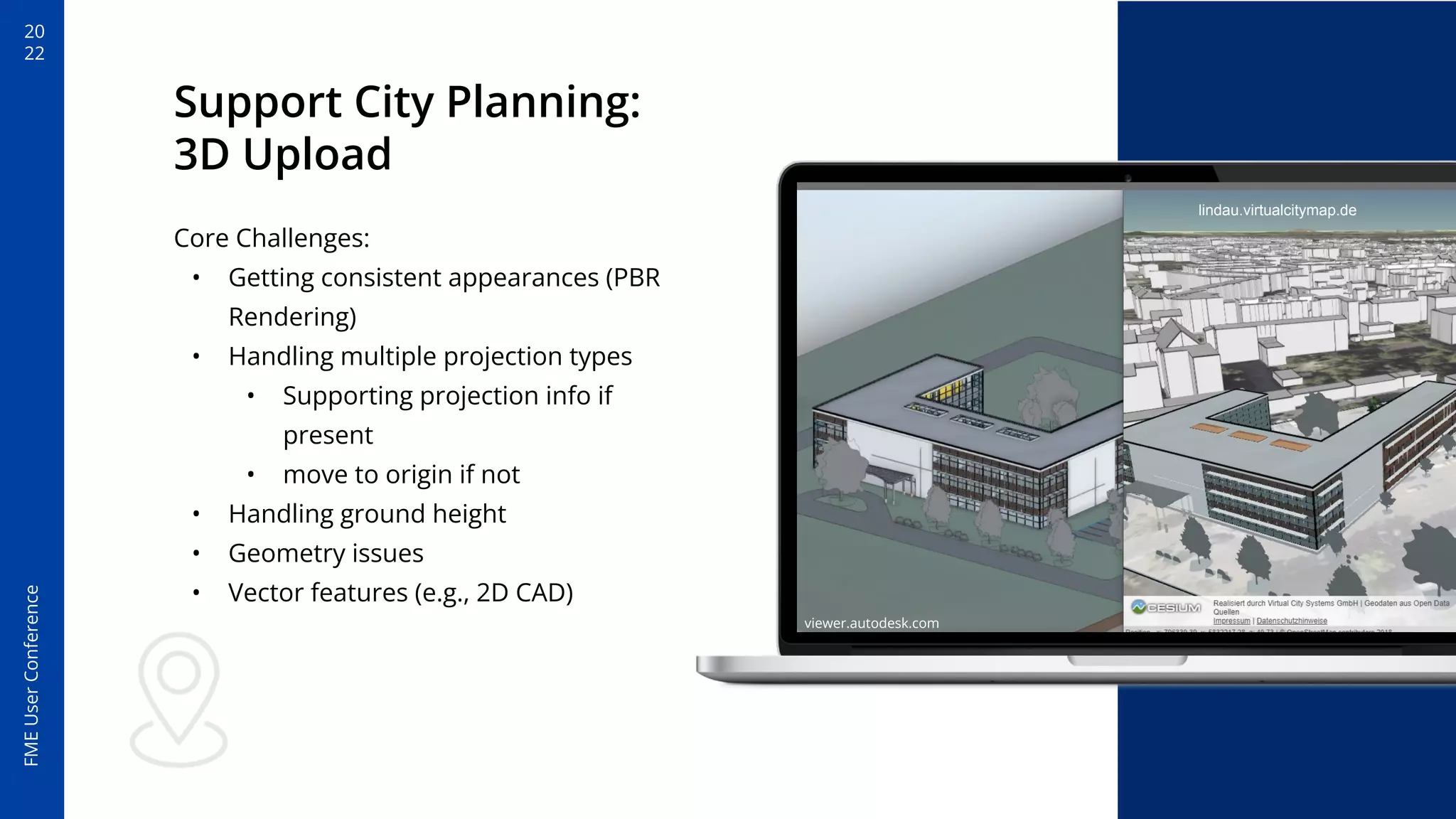
Core Challenges:
• Getting consistent appearances (PBR
Rendering)
• Handling multiple projection types
• Supporting projection info if
present
• move to origin if not
• Handling ground height
• Geometry issues
• Vector features (e.g., 2D CAD)
viewer.autodesk.com
lindau.virtualcitymap.de
20
22
FME
User
Conference
Moving to origin
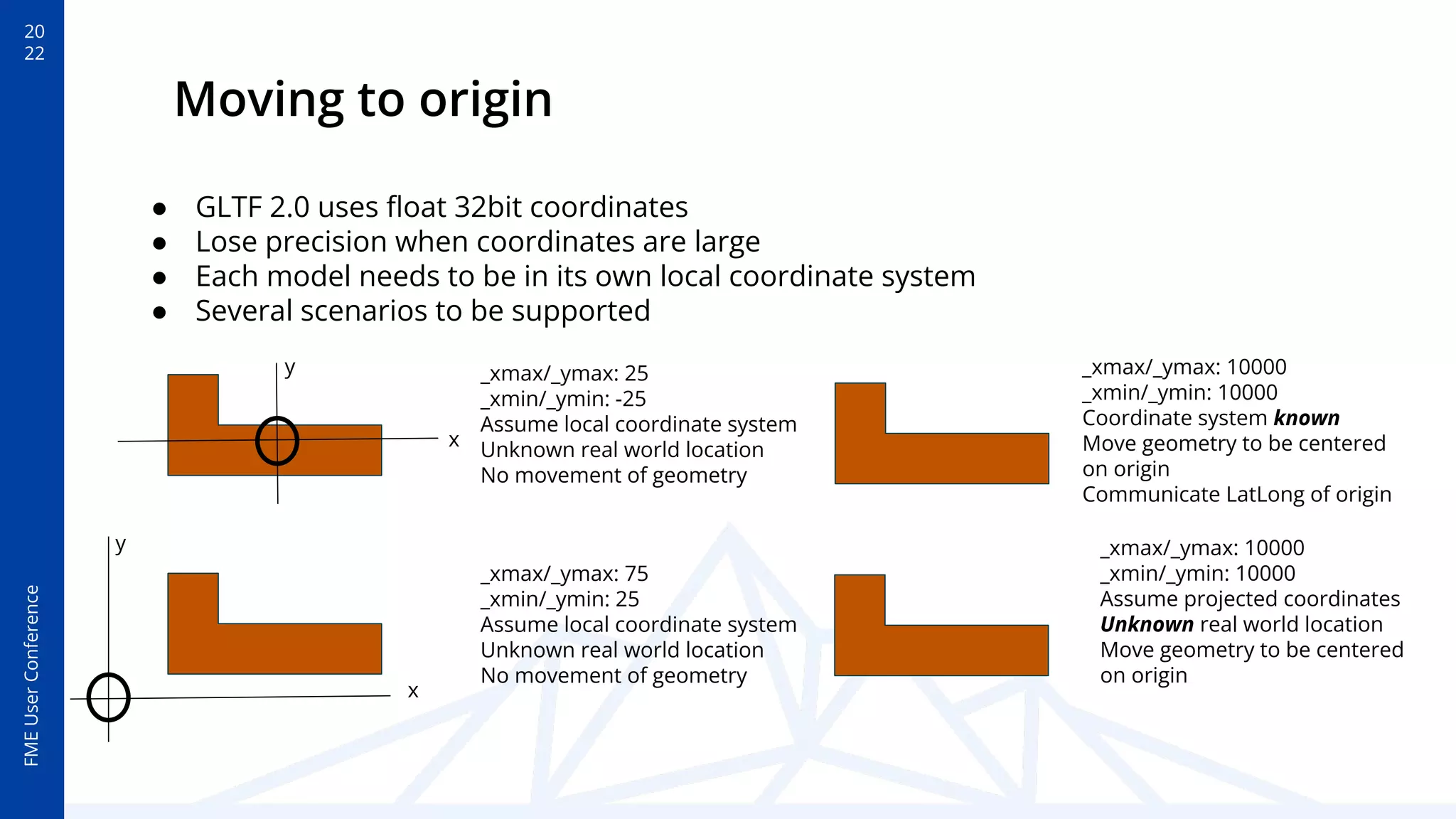
_xmax/_ymax: 25
_xmin/_ymin: -25
Assume local coordinate system
Unknown real world location
No movement of geometry
x
y
x
y
_xmax/_ymax: 75
_xmin/_ymin: 25
Assume local coordinate system
Unknown real world location
No movement of geometry
_xmax/_ymax: 10000
_xmin/_ymin: 10000
Assume projected coordinates
Unknown real world location
Move geometry to be centered
on origin
_xmax/_ymax: 10000
_xmin/_ymin: 10000
Coordinate system known
Move geometry to be centered
on origin
Communicate LatLong of origin
● GLTF 2.0 uses float 32bit coordinates
● Lose precision when coordinates are large
● Each model needs to be in its own local coordinate system
● Several scenarios to be supported
20
22
FME
User
Conference
Sharing with a clip and snip: 3D scene export
20
22
FME
User
Conference
Sharing with a clip and
snip: 3D scene export
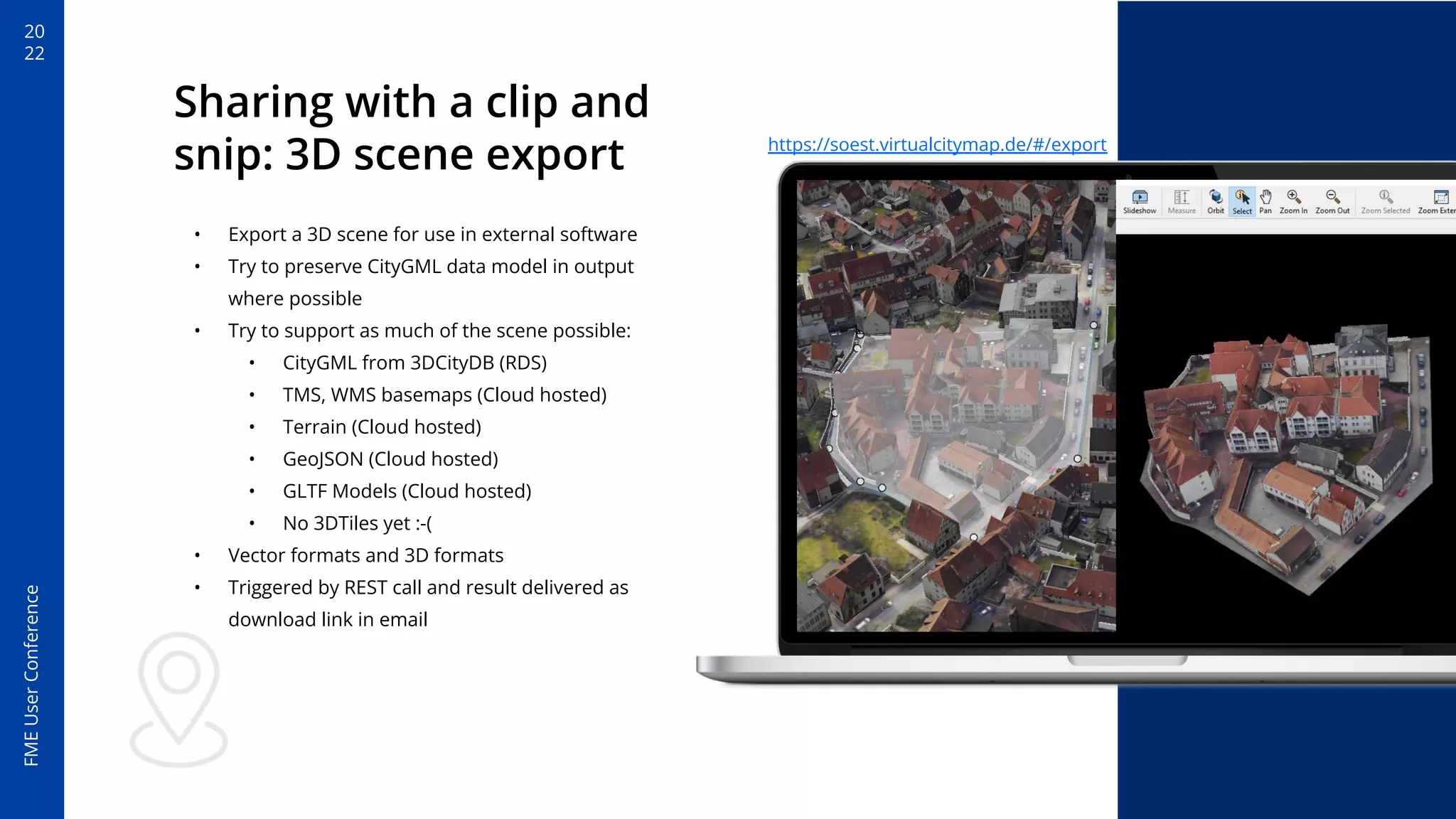
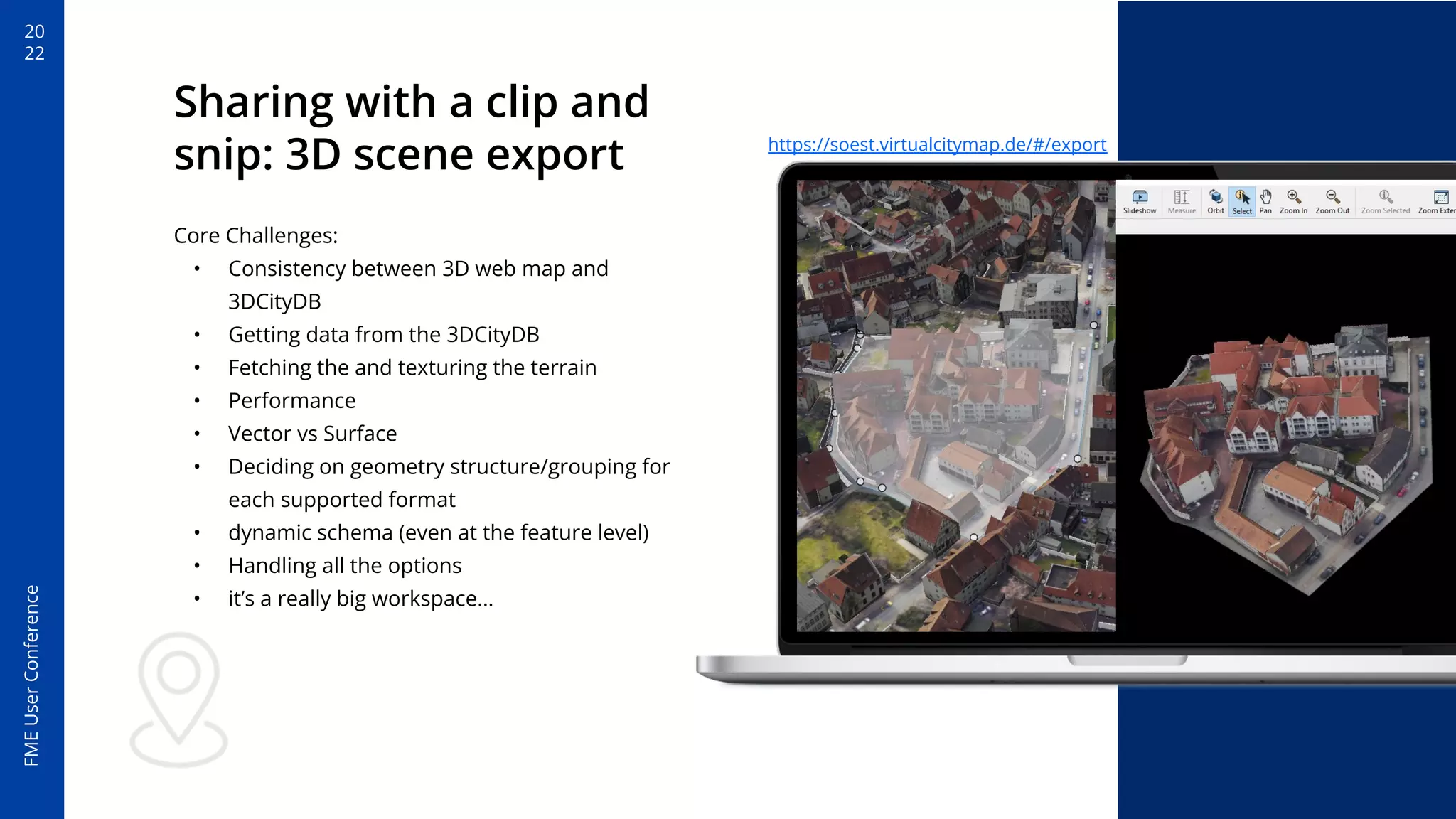
• Export a 3D scene for use in external software
• Try to preserve CityGML data model in output
where possible
• Try to support as much of the scene possible:
• CityGML from 3DCityDB (RDS)
• TMS, WMS basemaps (Cloud hosted)
• Terrain (Cloud hosted)
• GeoJSON (Cloud hosted)
• GLTF Models (Cloud hosted)
• No 3DTiles yet :-(
• Vector formats and 3D formats
• Triggered by REST call and result delivered as
download link in email
https://soest.virtualcitymap.de/#/export
20
22
FME
User
Conference
Sharing with a clip and
snip: 3D scene export
Core Challenges:
• Consistency between 3D web map and
3DCityDB
• Getting data from the 3DCityDB
• Fetching the and texturing the terrain
• Performance
• Vector vs Surface
• Deciding on geometry structure/grouping for
each supported format
• dynamic schema (even at the feature level)
• Handling all the options
• it’s a really big workspace…
https://soest.virtualcitymap.de/#/export
20
22
FME
User
Conference
FME Server or Cloud is a
great option for hosted
services for your digital
twin
20
22
FME
User
Conference
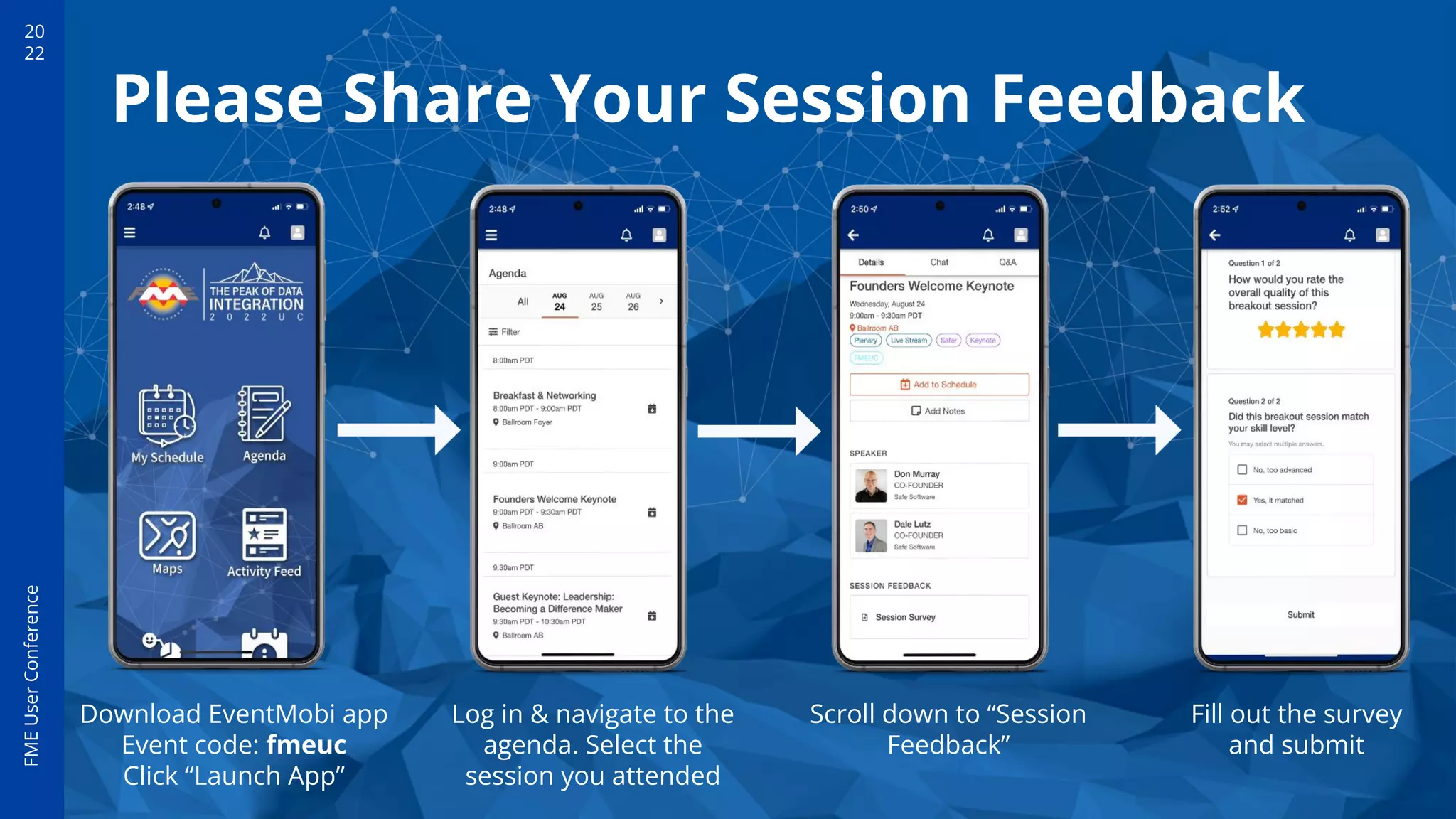
Please Share Your Session Feedback
Log in & navigate to the
agenda. Select the
session you attended
Scroll down to “Session
Feedback”
Download EventMobi app
Event code: fmeuc
Click “Launch App”
Fill out the survey
and submit
Thank You!
msmillie@vc.systems

3D City Model Applications with FME Server

  • 1.
    3D City ModelApplications with FME Server
  • 2.
    FME User Conference 20 22 Matt Smillie FME Guyat Virtual City Systems (VCS) ● Two years in public sector (Geology data) ● Two years as Safe Software (Various) ● Four Years at VCS (XML/GML, 3D, BIM, Raster, Web) ● 6 Years (almost) exclusive FME user linkedin.com/in/mattsmillie
  • 3.
    20 22 FME User Conference Agenda ● Some context/shamelessplug ● Example 1: Building dimension calculator/explorer ● Example 2: Support City Planning - 3D Upload ● Example 3: Sharing with a clip and snip - 3D Scene Export
  • 4.
    20 22 FME User Conference Virtual City Systems •Developed an ecosystem of tools to support the creation, maintenance, web visualisation and usage of city models (VC Suite). • Founded in 2005 • Based in Berlin, Germany • A strong focus on CityGML • CesiumJS • website: vc.systems
  • 5.
    20 22 FME User Conference Drowning in formats •Shapefile, DWG/DXF, CityGML, CityJSON, ICF, Geodatabase, LAS, ECW, GeoTiff, PNG, GML… • Must all be converted (and mapped!) • No out of the box support for complex applications or visualisation Data providers and municipalities can vary significantly in what they create (in format and schema)
  • 6.
    20 22 FME User Conference If have tochoose, make it CityGML ● CityGML is more than GML, it’s a data model ● Open standard ● fixed and standard base schema ● More adoptions means more applications and use cases ● Can be extended ● Has an XML/GML version ● Has a database version ● Has a JSON version ….yeah I know it’s complex but:
  • 7.
    20 22 FME User Conference If have tochoose, make it CityGML ● fewer formats/data models means less focus needed on data exchange ● Develop once and maintain ● “Plug and play” ● Still - CityGML is not perfect CityGML lets us provide out-of-the-box tools
  • 8.
    20 22 FME User Conference FME Server orCloud is a great option for hosted services for your digital twin
  • 9.
  • 10.
    20 22 FME User Conference Building dimension calculator/explorer • Creates3D labels and calculates dimensions. • Crude self made 3D Label method. • Uses highly available FME Cloud to run workspace. • Input is 3DCityDB (CityGML in Postgis). • Outputs three.js web app (S3), 3DPdf and excel file with the numbers. • Delivers email result and link. • Used by contractors to determine rough estimates for materials - paint, roof tiles etc. • Requires CityGML Data Model • examples: https://soest.virtualcitymap.de/#/ https://bottrop.virtualcitymap.de/#/
  • 11.
    20 22 FME User Conference Building dimension calculator/explorer • BuildingAnnatoron FME Hub • Core challenges • Merging collinear lines in 3D • Identify line types (e.g., ridge line, eaves) • Rotating to plane surface (and correctly oriented) • aligning label to be On a surface rather than floating in space • scaling (and filtering) labels for small feature
  • 12.
  • 13.
    20 22 FME User Conference Support City Planning: 3DUpload • Generic(ish) 3D Format support • Drag and drop • Projected or unprojected • Uses highly available FME Cloud to run upload (minimal queuing). • Outputs GLTF 2.0 • Asynchronous • DataUpload>JobSubmitter viewer.autodesk.com lindau.virtualcitymap.de
  • 14.
    20 22 FME User Conference Support City Planning: 3DUpload Core Challenges: • Getting consistent appearances (PBR Rendering) • Handling multiple projection types • Supporting projection info if present • move to origin if not • Handling ground height • Geometry issues • Vector features (e.g., 2D CAD) viewer.autodesk.com lindau.virtualcitymap.de
  • 15.
    20 22 FME User Conference Moving to origin _xmax/_ymax:25 _xmin/_ymin: -25 Assume local coordinate system Unknown real world location No movement of geometry x y x y _xmax/_ymax: 75 _xmin/_ymin: 25 Assume local coordinate system Unknown real world location No movement of geometry _xmax/_ymax: 10000 _xmin/_ymin: 10000 Assume projected coordinates Unknown real world location Move geometry to be centered on origin _xmax/_ymax: 10000 _xmin/_ymin: 10000 Coordinate system known Move geometry to be centered on origin Communicate LatLong of origin ● GLTF 2.0 uses float 32bit coordinates ● Lose precision when coordinates are large ● Each model needs to be in its own local coordinate system ● Several scenarios to be supported
  • 16.
    20 22 FME User Conference Sharing with aclip and snip: 3D scene export
  • 17.
    20 22 FME User Conference Sharing with aclip and snip: 3D scene export • Export a 3D scene for use in external software • Try to preserve CityGML data model in output where possible • Try to support as much of the scene possible: • CityGML from 3DCityDB (RDS) • TMS, WMS basemaps (Cloud hosted) • Terrain (Cloud hosted) • GeoJSON (Cloud hosted) • GLTF Models (Cloud hosted) • No 3DTiles yet :-( • Vector formats and 3D formats • Triggered by REST call and result delivered as download link in email https://soest.virtualcitymap.de/#/export
  • 18.
    20 22 FME User Conference Sharing with aclip and snip: 3D scene export Core Challenges: • Consistency between 3D web map and 3DCityDB • Getting data from the 3DCityDB • Fetching the and texturing the terrain • Performance • Vector vs Surface • Deciding on geometry structure/grouping for each supported format • dynamic schema (even at the feature level) • Handling all the options • it’s a really big workspace… https://soest.virtualcitymap.de/#/export
  • 19.
    20 22 FME User Conference FME Server orCloud is a great option for hosted services for your digital twin
  • 20.
    20 22 FME User Conference Please Share YourSession Feedback Log in & navigate to the agenda. Select the session you attended Scroll down to “Session Feedback” Download EventMobi app Event code: fmeuc Click “Launch App” Fill out the survey and submit
  • 21.