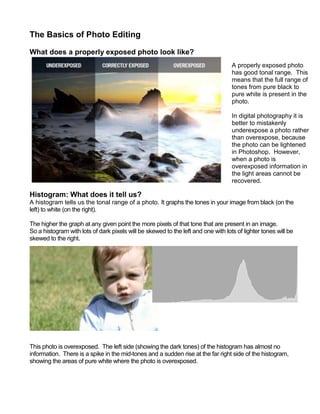
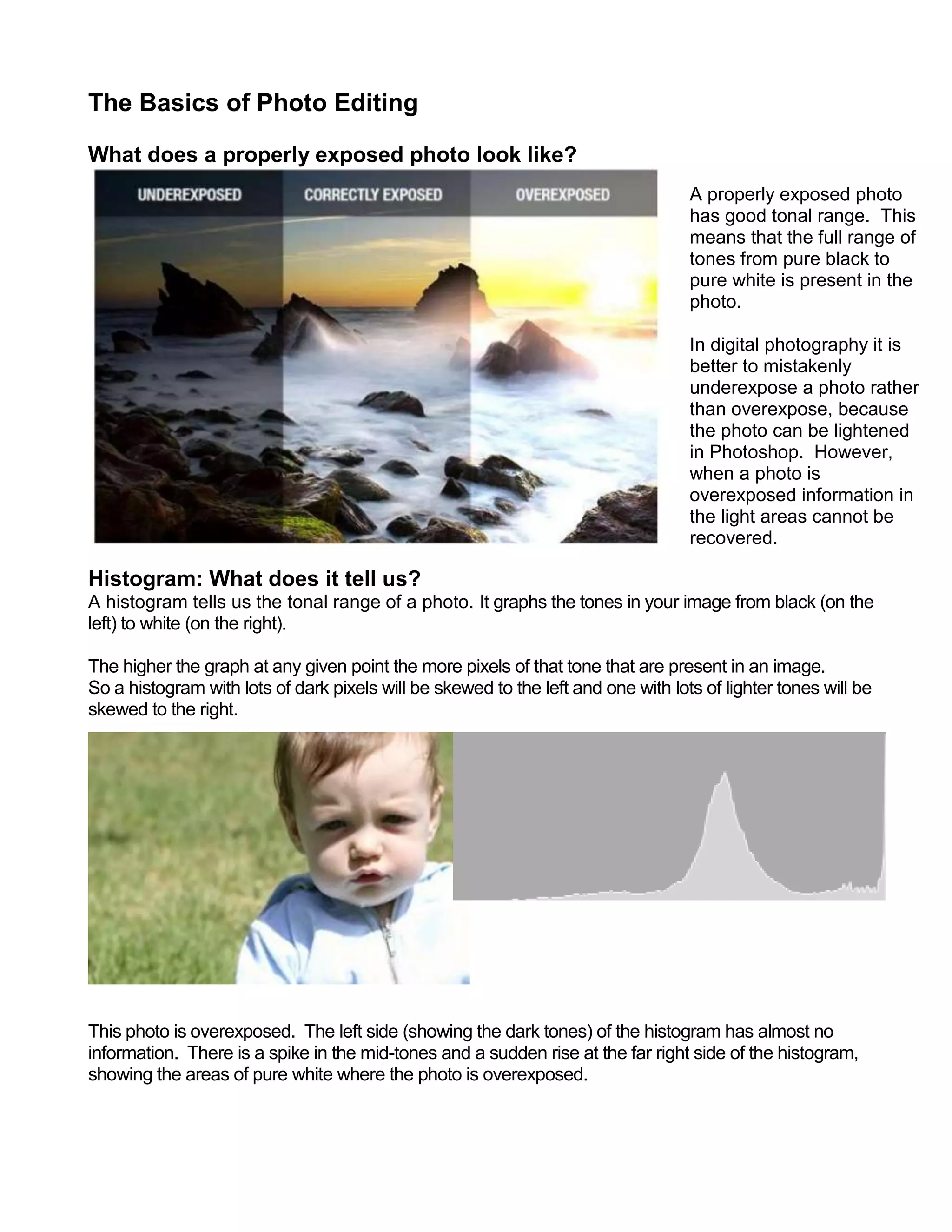
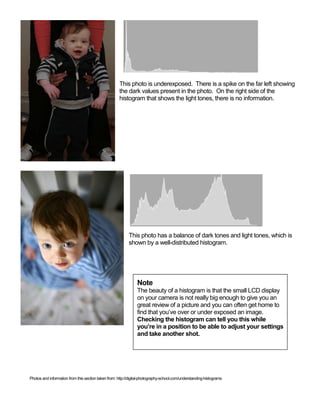
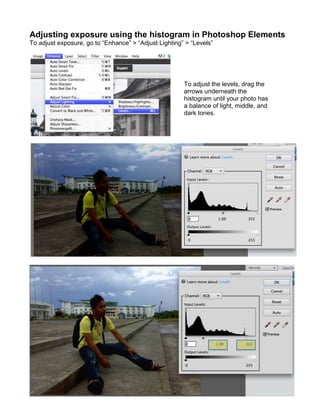
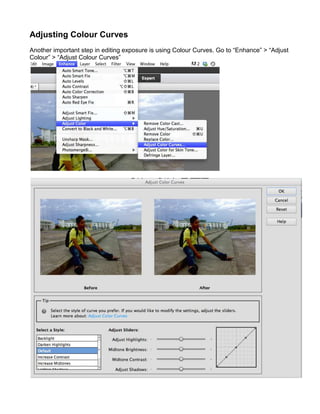
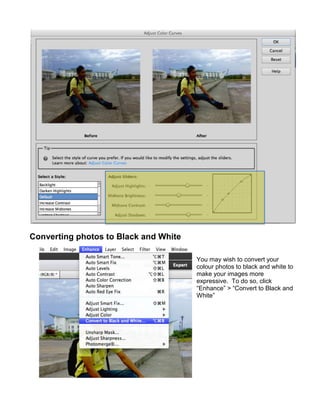
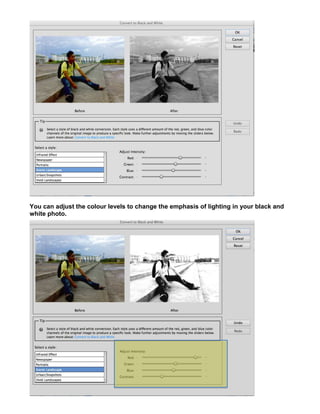
This document provides information about properly exposing photos and using histograms to evaluate exposure. It explains that a properly exposed photo contains the full tonal range from black to white. Histograms show the distribution of tones in an image, with dark tones on the left and light tones on the right. Spikes indicate over- or underexposed areas. The document then demonstrates how to adjust exposure and color levels in Photoshop Elements using tools like Levels, Color Curves, and Hue/Saturation to optimize an image. It also covers converting photos to black and white and the importance of saving edited files as TIFFs.


![Steps to work_on_photoshop[1]](https://cdn.slidesharecdn.com/ss_thumbnails/stepstoworkonphotoshop1-110902192646-phpapp02-thumbnail.jpg?width=640&height=640&fit=bounds)


